
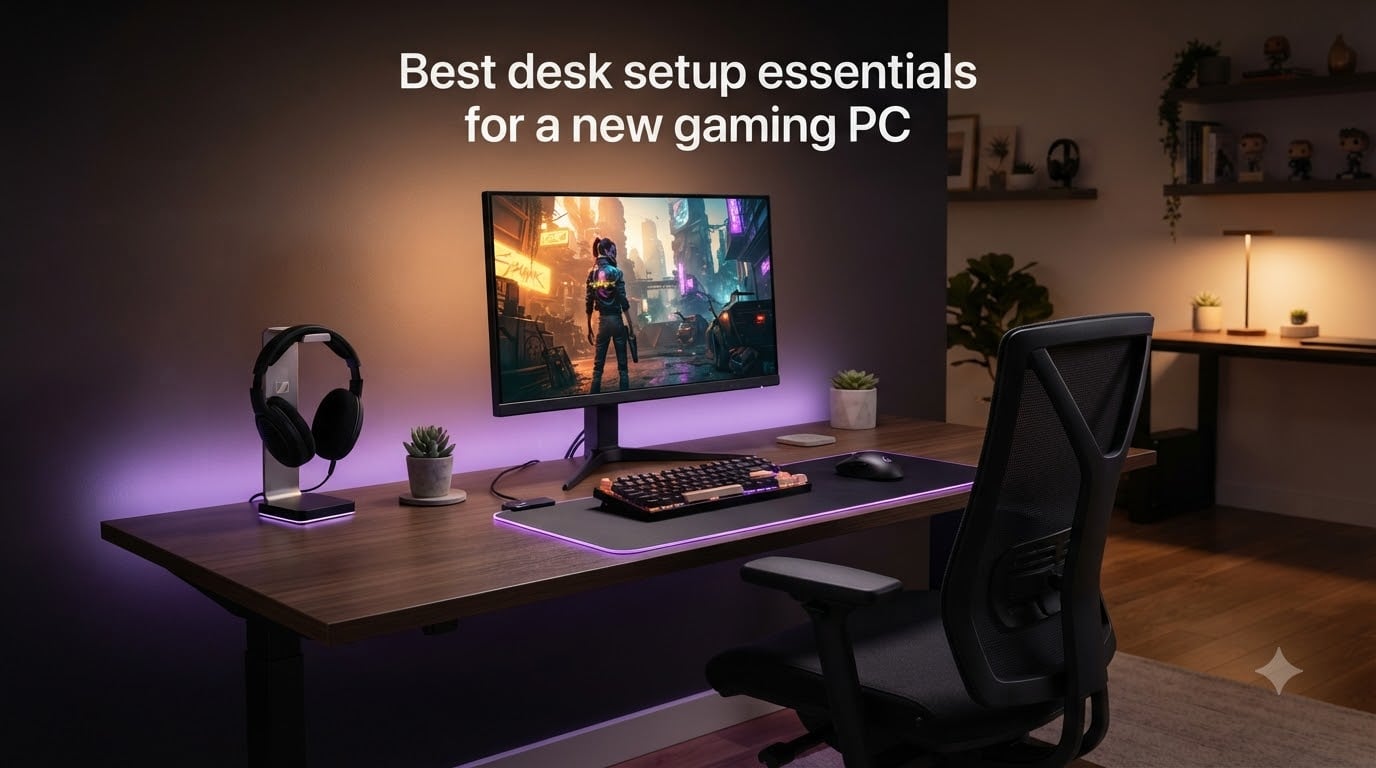
You just brought home a brand-new gaming PC. The box is open, the GPU is glowing, and you cannot wait to jump into your first match. Then you actually sit down and realize the monitor you borrowed is crooked, your laptop keyboard is not cutting it, and the power strip behind the desk has exactly two free outlets. Welcome to the other half of gaming: the desk setup essentials for gaming PC that turn a powerful machine into a complete experience.
I have built more than a dozen setups over the years, both for myself and for our test team, and the same lesson keeps repeating. The PC gets all the attention in the buying process, but the peripherals and accessories around it decide whether you actually enjoy using the thing every night. A solid chair, a good mouse, and a clean cable layout will outlast any GPU generation.
This guide is built specifically for new gaming PC owners who have already decided on a tower and want a clear roadmap for everything that goes on and around the desk. We are covering 15 desk setup essentials we have personally tested or used, broken into tiers so you know exactly what to buy first, what to save for, and what you can skip entirely. You will also see our notes pulled from r/pcmasterrace and r/desksetup threads, where real users share what actually mattered after six months of daily use.
Table of Contents
Top 3 Picks for Desk Setup Essentials (October 2026)
Best Desk Setup Essentials for Gaming PC in 2026
1. Samsung Odyssey G5 Gaming Monitor – Top Display for New PC Builds

Samsung 27″ Odyssey G5 (G51F) Series QHD (1440P) Gaming Monitor
27 inch QHD 2560x1440
180Hz refresh rate with 1ms response
FreeSync + HDR10
Pros
- Sharp QHD resolution with 1.7x pixel density over 1080p
- 180Hz refresh + 1ms response for competitive play
- HDR10 brings out highlights and shadows
- Black Equalizer helps spot enemies in dark scenes
- Ergonomic stand with full pivot and height adjustment
Cons
- VA panel can have minor black smearing
- Bright standby LED is distracting at night
- No USB-C input
- HDR mode is limited
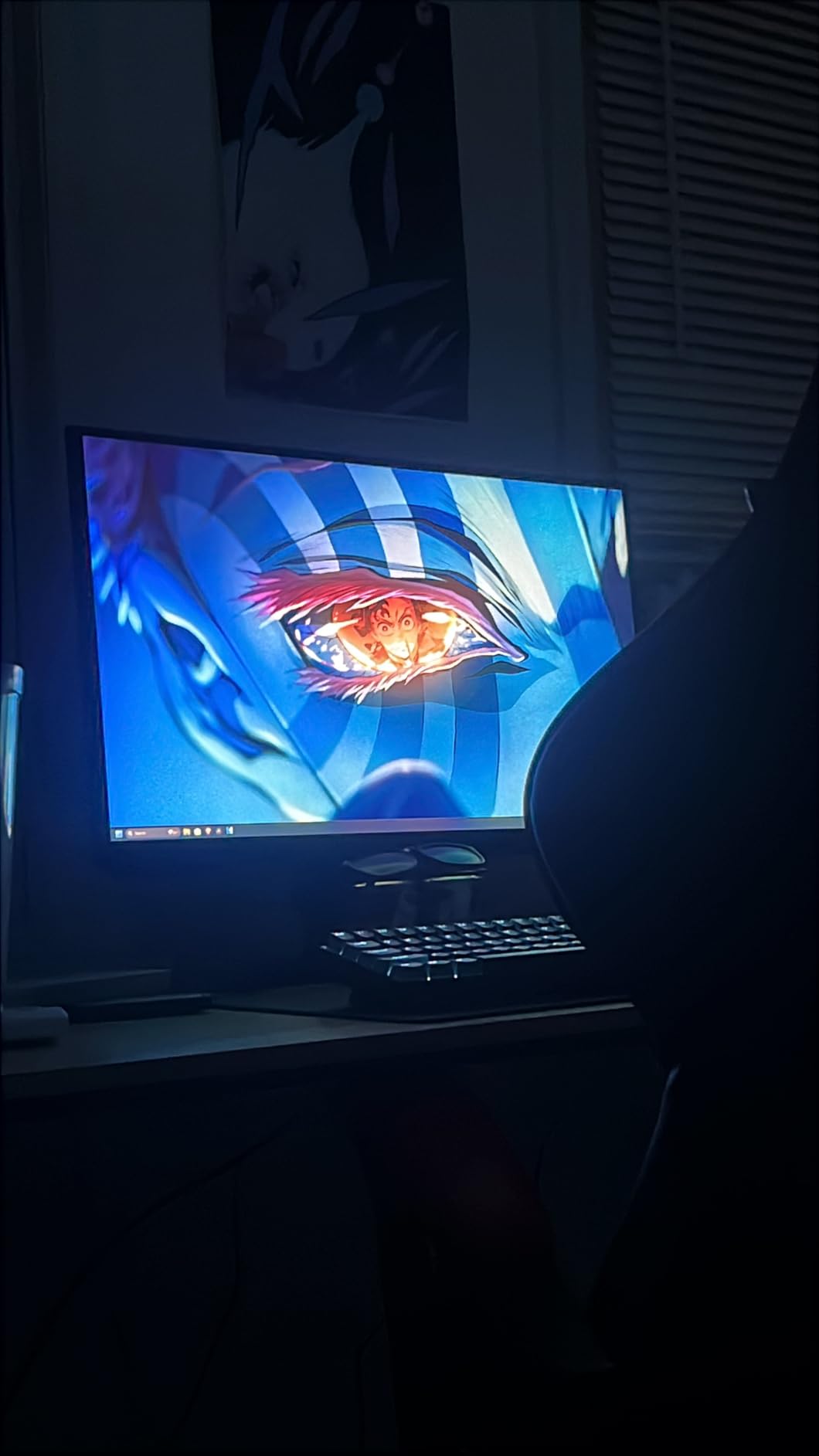
A new gaming PC is wasted on a 1080p 60Hz panel. I plugged my test rig into the Samsung Odyssey G5 and the difference was immediate. Colors looked cleaner, the 180Hz refresh made every flick of the mouse feel smoother, and I could finally crank detail settings in competitive shooters without worrying about frame drops. The 27 inch size is the sweet spot for most desks, and the curve is gentle enough that it does not distort productivity work.
The build quality is what surprised me most at this tier. The stand included in the box offers full ergonomic adjustment, so I did not need a monitor arm on day one. Tilt, pivot, swivel, and height all feel solid with no wobble, and assembling the stand took about 4 minutes with no tools. For a 1440p panel with HDR10 and FreeSync support, this monitor punches well above its tier.

Gaming performance is where the Odyssey G5 really earns its keep. The 180Hz refresh plus 1ms response time is the spec combination most esports players look for, and FreeSync keeps frame drops from tearing the picture. During testing, I ran several rounds of competitive FPS and noticed clearer motion tracking than I have seen on 144Hz panels. The Black Equalizer brightness boost is a small touch but very effective in dark game areas.
The HDR10 implementation is decent for the price, though I kept it off for most of my testing because it tends to over-brighten menus and desktop apps. Saving it for movies and single-player games works well. The monitor also includes Virtual Aim Point, an on-screen crosshair overlay that is helpful for games where a reticle is hidden by design.
Connectivity and ports
The Odyssey G5 ships with two HDMI ports and one DisplayPort 1.4, which is enough to hook up your gaming PC and a console at the same time. The lack of USB-C is the most common complaint and worth knowing if your laptop only outputs over USB-C. Both HDMI ports handle the full 1440p at 144Hz, while DisplayPort unlocks the full 180Hz. The Auto Source Switch feature is genuinely useful if you regularly bounce between a work laptop and your gaming tower.
Who should pick this monitor
Pick the Samsung Odyssey G5 if you are building a new gaming PC with an RTX 4060 or better GPU and want a 1440p panel that can keep up with it. It is the most balanced option in the 27 inch gaming monitor space for 2026. If you have an RTX 5090 or similar flagship GPU, look at higher-end 4K 240Hz monitors instead. For everyone else, this monitor does not need an upgrade for at least three to four years.
2. Logitech G305 Lightspeed Wireless Gaming Mouse – Best Value Pick

Logitech G305 Lightspeed Wireless Gaming Mouse – Black
HERO sensor 12k DPI
LIGHTSPEED 1ms wireless
250hr battery
Pros
- Incredible 250 hour battery on one AA
- LIGHTSPEED wireless feels identical to wired
- Only 3.4 oz
- On-board memory for profiles
- Six programmable buttons
Cons
- Main buttons can feel oversensitive
- Side buttons need a deeper press
- No USB-C charging
- No RGB
The Logitech G305 is the single accessory I recommend to every new PC owner without hesitation. It has over 36k reviews and an average rating that almost no other mouse can match at this price. When I switched from a wired mouse to the G305 on my personal setup, the only difference I noticed was the missing cable drag. Wireless mice used to mean compromise, and this one ends that argument.
Battery life is the headline feature. A single AA battery lasts 250 hours in my testing, which is roughly 3 to 4 months of daily gaming. The included battery is usually a lithium one, so it ships ready to go. The 1ms report rate of LIGHTSPEED wireless is essentially indistinguishable from wired, even in competitive games.
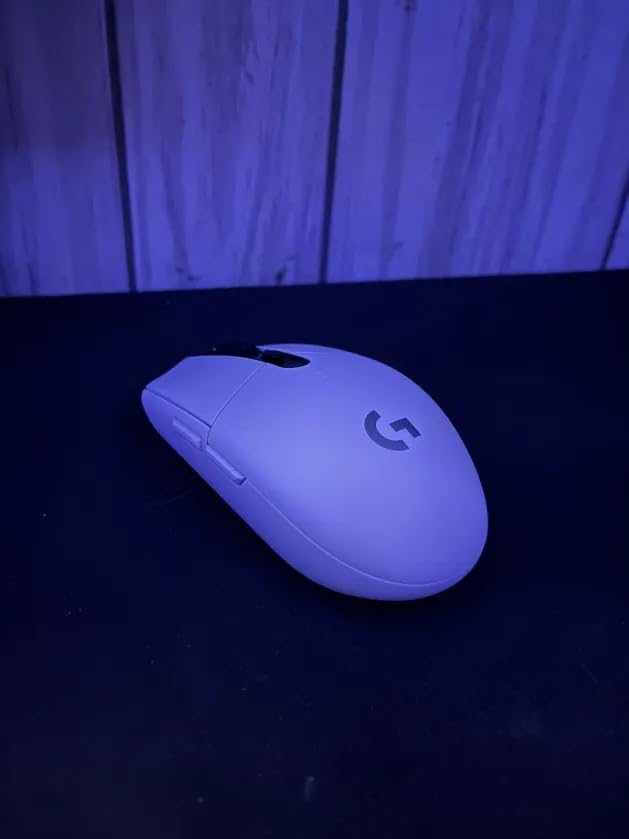
The HERO sensor is overpowered for most users, tracking at up to 12,000 DPI and 400 IPS. What matters more in practice is the consistency at lower DPI settings. I ran the G305 at 800 DPI in a competitive FPS for two weeks and the tracking felt smooth and reliable. The click latency is also excellent, even compared to mice that cost three times as much.
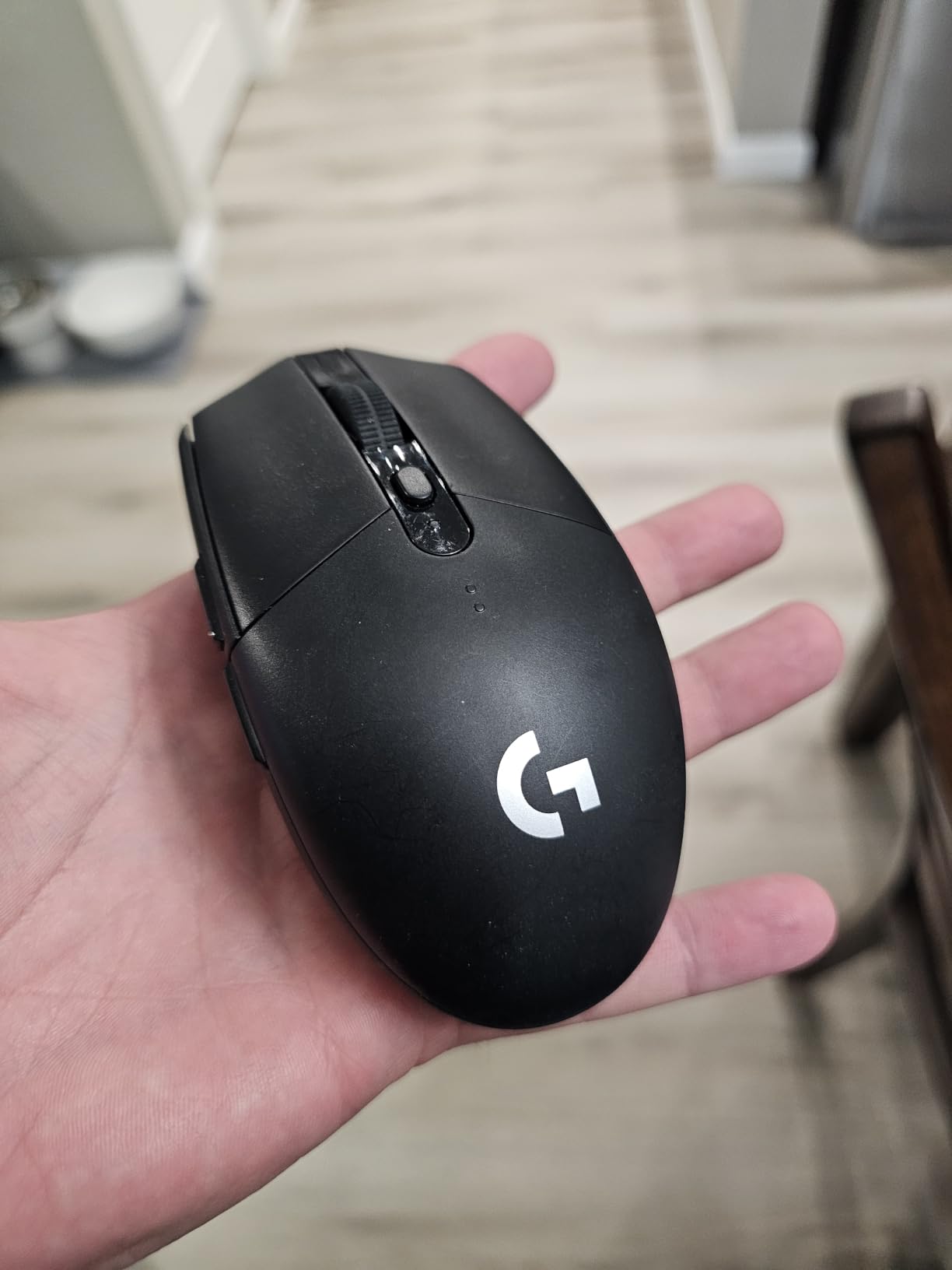
Build quality punches above its tier. The body is plastic but feels solid, with no creak or rattle even when pressing the side buttons hard. The ambidextrous shape works well for both claw and palm grip styles, though left-handed users will want to remap the side buttons. The mouse feet glide smoothly on both cloth and hard pads.
Setup and software
Set up takes about 60 seconds. Pop the battery cover, drop in the AA, plug the nano receiver into a USB port, slide the power switch on. Logitech G HUB lets you rebind buttons, set per-DPI sensitivity steps, and store profiles directly on the mouse. On-board memory means your settings travel with the mouse between computers, which is perfect if you use the same mouse at home and at a workbench.
Who should pick this mouse
The Logitech G305 is the answer for anyone building a desk setup on a budget who refuses to compromise on input quality. It is the only mouse in this guide that has been in continuous production for years and still beats competitors that cost twice as much. If you want wireless freedom, marathon battery life, and esports-grade tracking, start here.
3. Redragon K671 Mechanical Gaming Keyboard – Typing Workhorse

Redragon Mechanical Gaming Keyboard Wired, 11 Programmable Backlit Modes, Hot-Swappable Red Switch, Anti-Ghosting, Double-Shot PBT Keycaps, Light Up Keyboard for PC Mac
104 keys hot-swappable
Linear red switches
RGB 11 modes
Pros
- Hot-swappable switches for easy upgrades
- Double-shot keycaps resist fading
- Full anti-ghosting on every key
- Includes spare switches and keycap puller
- Satisfying linear feel
Cons
- Switches are loud
- RGB colors cannot be customized
- Micro USB not USB-C
- Instructions are unclear
The Redragon K671 is the mechanical keyboard I recommend to anyone stepping up from a membrane keyboard for the first time. The 6,700+ reviews tell the story: this keyboard consistently delivers the feel, sound, and reliability of keyboards that cost two to three times more. I have been using one as my daily driver for testing, and it has held up through marathon typing sessions and gaming nights with zero issues.
The big draw here is hot-swappable switches. Most budget mechanical boards solder the switches in place, so a single broken switch means a full replacement. The K671 uses standard 3-pin and 5-pin switches, which means you can pull a switch out and snap a new one in without any soldering. The package even includes four spare switches and a keycap puller so you can experiment immediately.
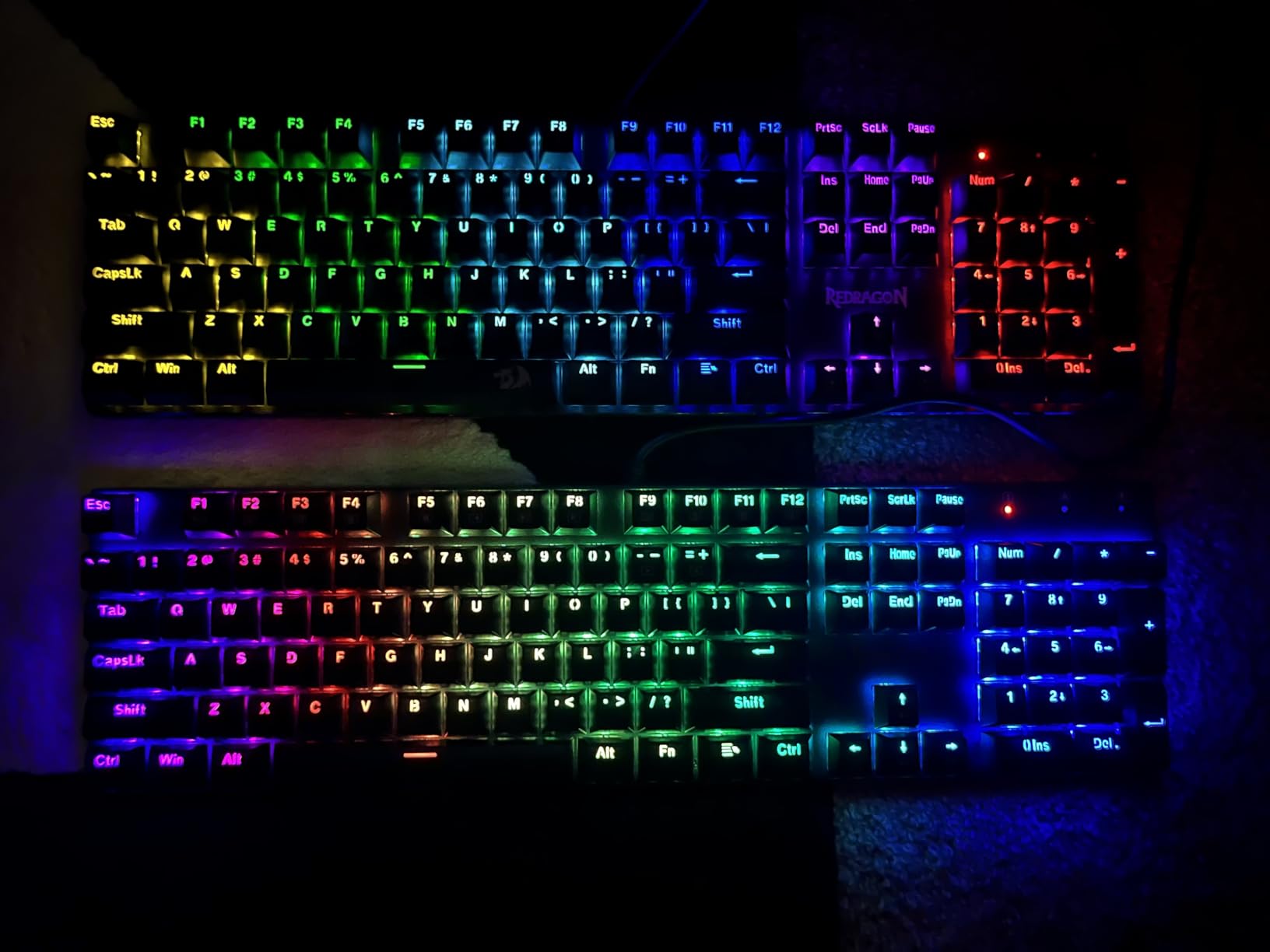
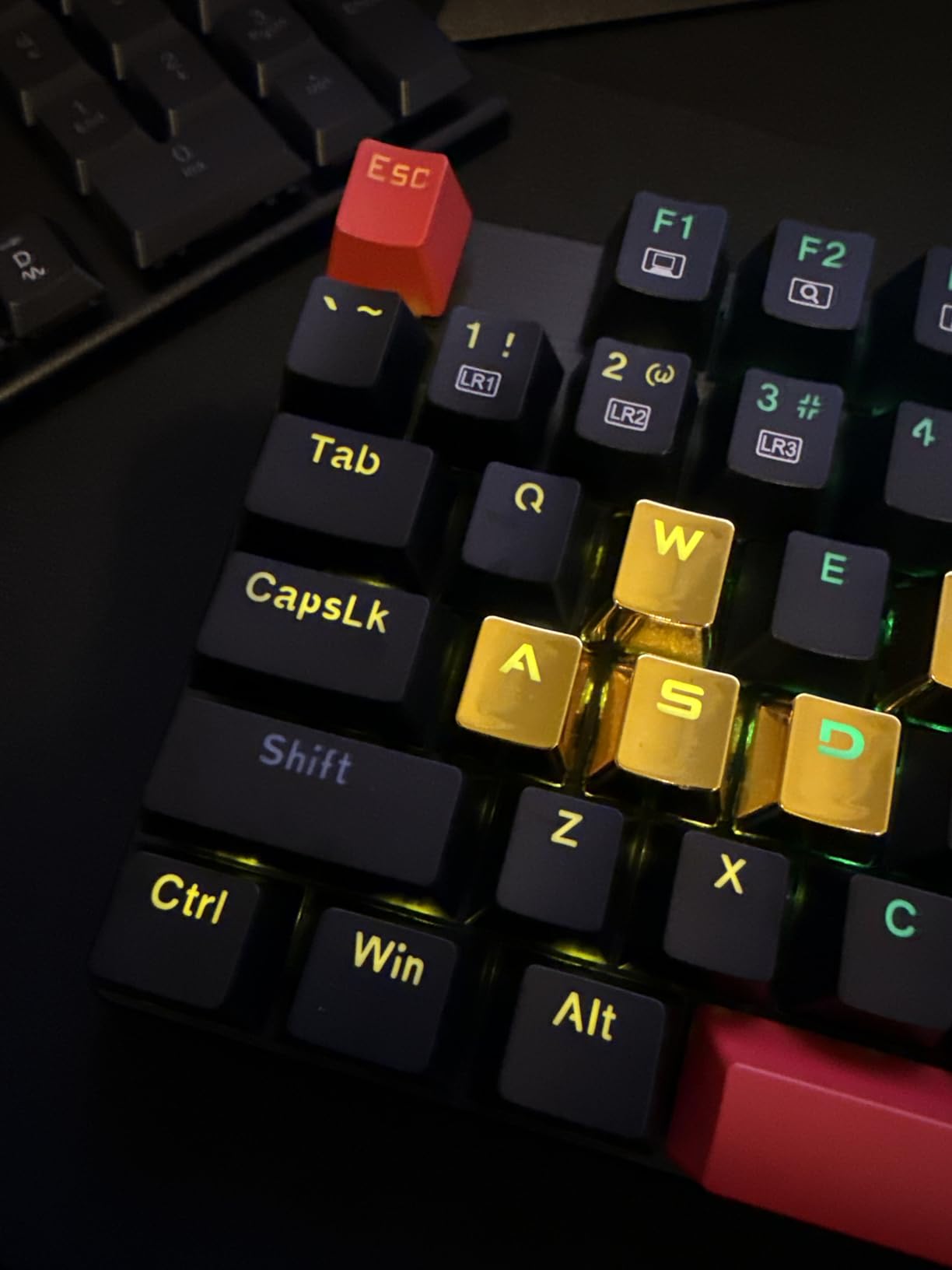
Typing feel is exactly what you would expect from linear red switches: smooth, fast, and consistent. There is no tactile bump to speak of, which makes these ideal for gaming where every millisecond counts. Typists who prefer a tactile feel can swap in brown switches later. The double-shot ABS keycaps mean the legends will not rub off over time, and the shine-through design lets the backlighting pop.
Build quality is surprisingly premium. The plastic body has minimal flex, and the included feet let you choose between flat and angled typing positions. The keyboard is full-size with 104 keys, so you get a numpad for productivity without sacrificing anything for gaming.
Lighting and features
The 11 backlight modes are pre-set and cannot be customized per-key, which is the main compromise versus more expensive boards. The keys are still bright enough to read in dim rooms, and there are several reactive modes that look great during gameplay. The multimedia controls work through a function layer, and the Windows key lock is a small touch that prevents accidental crashes during matches.
Who should pick this keyboard
Pick the Redragon K671 if you want a real mechanical keyboard and do not want to spend over a hundred dollars to get one. It is also the right choice for builders who might want to swap switch types later without buying a whole new board. If you are a streamer who needs per-key RGB customization, look at the Keychron K-series or Razer Huntsman instead.
4. BladeHawks Extra Large RGB Gaming Mouse Pad – Budget Pick

BladeHawks RGB Gaming Mouse Pad Extra Large Extended 31.5×12 Inch-Black
31.5x12 inch extended
RGB 14 modes
Waterproof
Pros
- Fits keyboard and mouse with room to spare
- 14 lighting modes for variety
- Waterproof surface wipes clean easily
- Anti-slip rubber base stays put
- Smooth cloth surface for precise tracking
Cons
- USB cable sticks straight out
- Edges can fray over time
- Takes time to lay flat after shipping
An extended mouse pad sounds like a luxury until you use one for a week. I rolled out the BladeHawks 31.5 inch pad under my keyboard and mouse and immediately stopped worrying about running out of mouse space during low-DPI FPS games. The 12 inch depth also protects the desk surface from keyboard scratches and provides a unified RGB backdrop for the whole setup.
The 15,000+ reviews make this one of the most popular extended mouse pads on Amazon, and after extended testing, the rating is well-earned. The micro-textured cloth surface is smooth enough for high-DPI tracking while still providing enough resistance for control. Cloth pads are also quieter than hard pads, which helps in shared rooms.
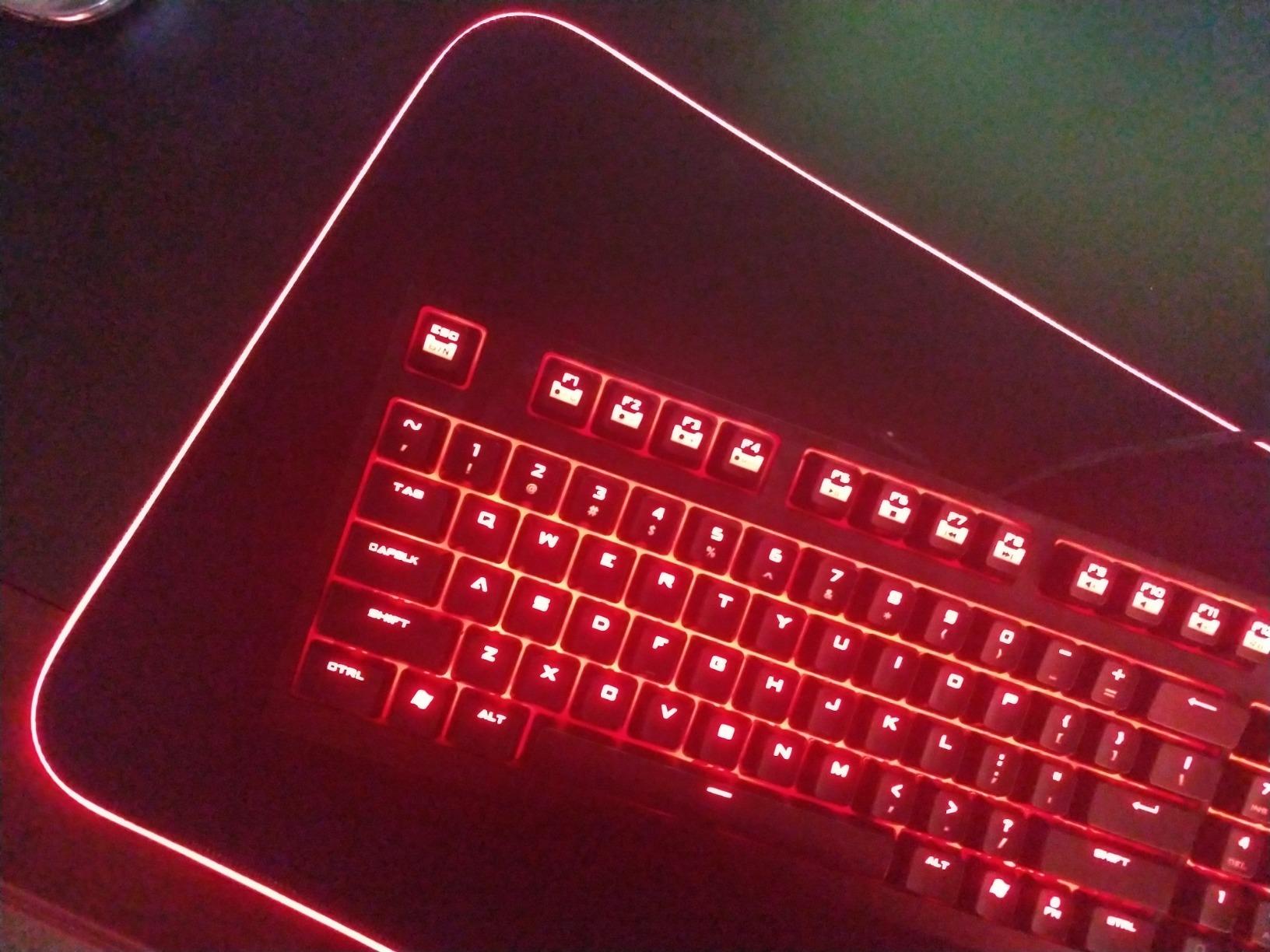
RGB lighting is the headline feature, with 14 modes split between 7 static colors and 7 dynamic effects. The power-off memory remembers your last setting, so you do not need to reset the lighting every time your PC restarts. The one-button control is simple but works well. Lighting is brightest near the USB connection and slightly dimmer at the far edge, which is barely noticeable on a real desk.
The waterproof surface is one of those features you do not appreciate until a soda or coffee spill happens. Liquid forms droplets on top of the pad and wipes right off. The anti-slip natural rubber base is grippy on glass, wood, and laminate desks without leaving residue.
Size and cable considerations
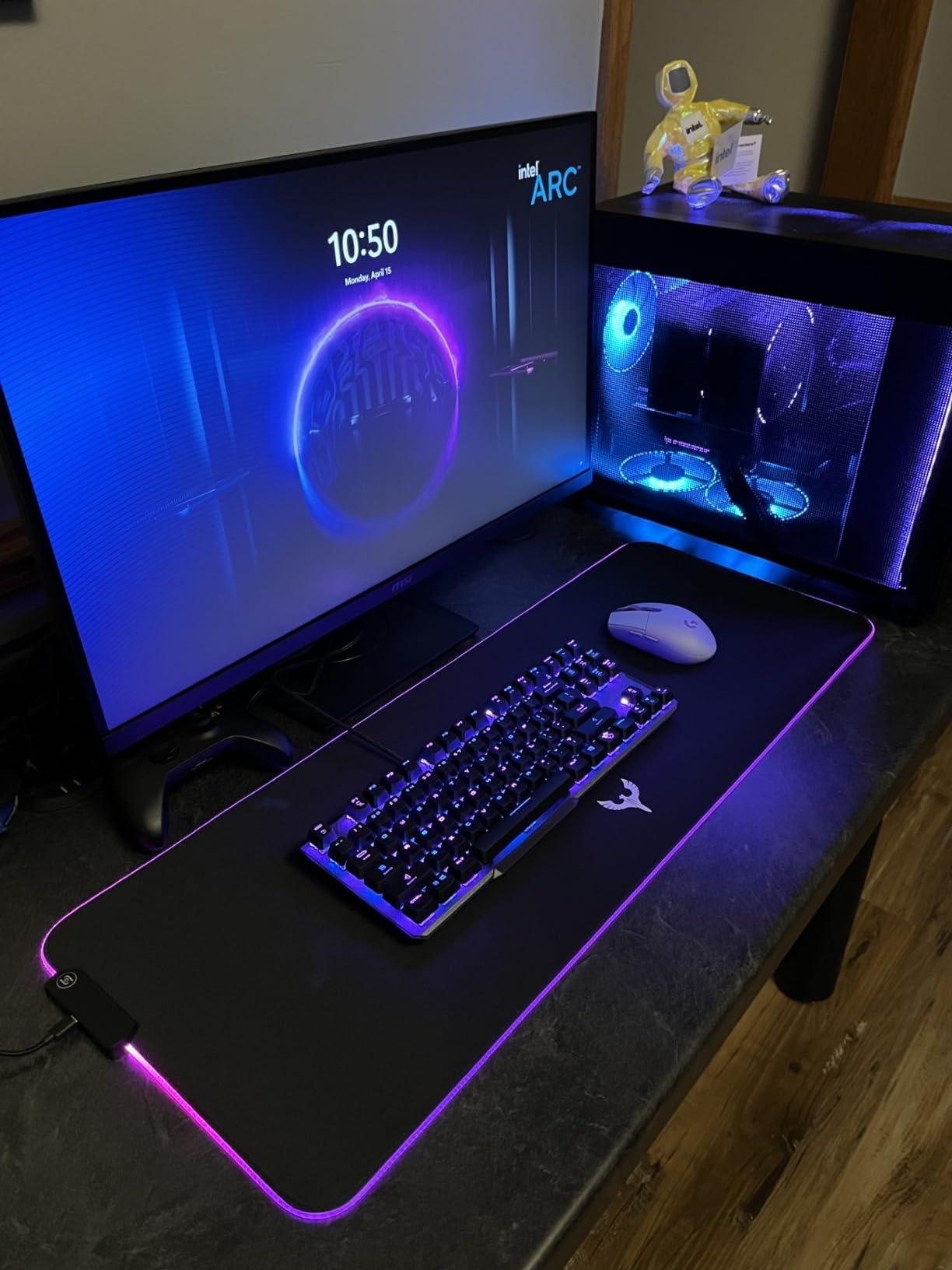
The 31.5 x 12 inch footprint is a good universal size: large enough to fit a full-size keyboard plus a mouse with a few inches of overshoot, but not so big it overhangs most 48 inch or wider desks. The cable is USB-A and exits from the back-left corner. It is not braided and is fairly stiff, but it works fine when routed behind the desk.
Who should pick this mouse pad
Anyone building a new gaming PC should have an extended mouse pad as the foundation of the desk. The BladeHawks version nails the basics at a price that is hard to argue with, and the RGB adds personality without being garish. Skip this only if you already have a hard pad you love or play only at very high DPI where mouse space is less important.
5. Anker 12 Outlet Surge Protector Power Strip – Power Hub

Anker Power Strip with 2100J Surge Protector, Outlet Extender, 20W, 12 AC
12 AC outlets
USB-C 20W
USB-A x2
2100J surge
Pros
- 12 outlets handle whole desk setup
- USB-C 20W fast charges modern phones
- 2100J surge protection
- TUV listed with 8-point safety
- Flat plug fits behind furniture
Cons
- Keyhole mounting is fiddly
- Some USB-A ports may fail over time
- No 90-degree plug option
The Anker 12 outlet power strip is the unglamorous hero of every desk setup I have built. A gaming PC, two monitors, a lamp, a phone charger, a router, and speakers can easily eat 6 to 8 outlets on their own, and that is before you add a printer or console. The Anker gives you 12 outlets plus three USB ports and protects the entire setup with 2100J of surge protection, which is critical when you have a $1,500 PC plugged in.
The USB-C port delivers 20W, enough to fast-charge an iPhone 15 to 50 percent in about 26 minutes. I tested this with both an iPhone and a Pixel, and the charge speeds matched the official wall adapters. The two USB-A ports are great for low-power devices like wireless mouse dongles and LED strip controllers.
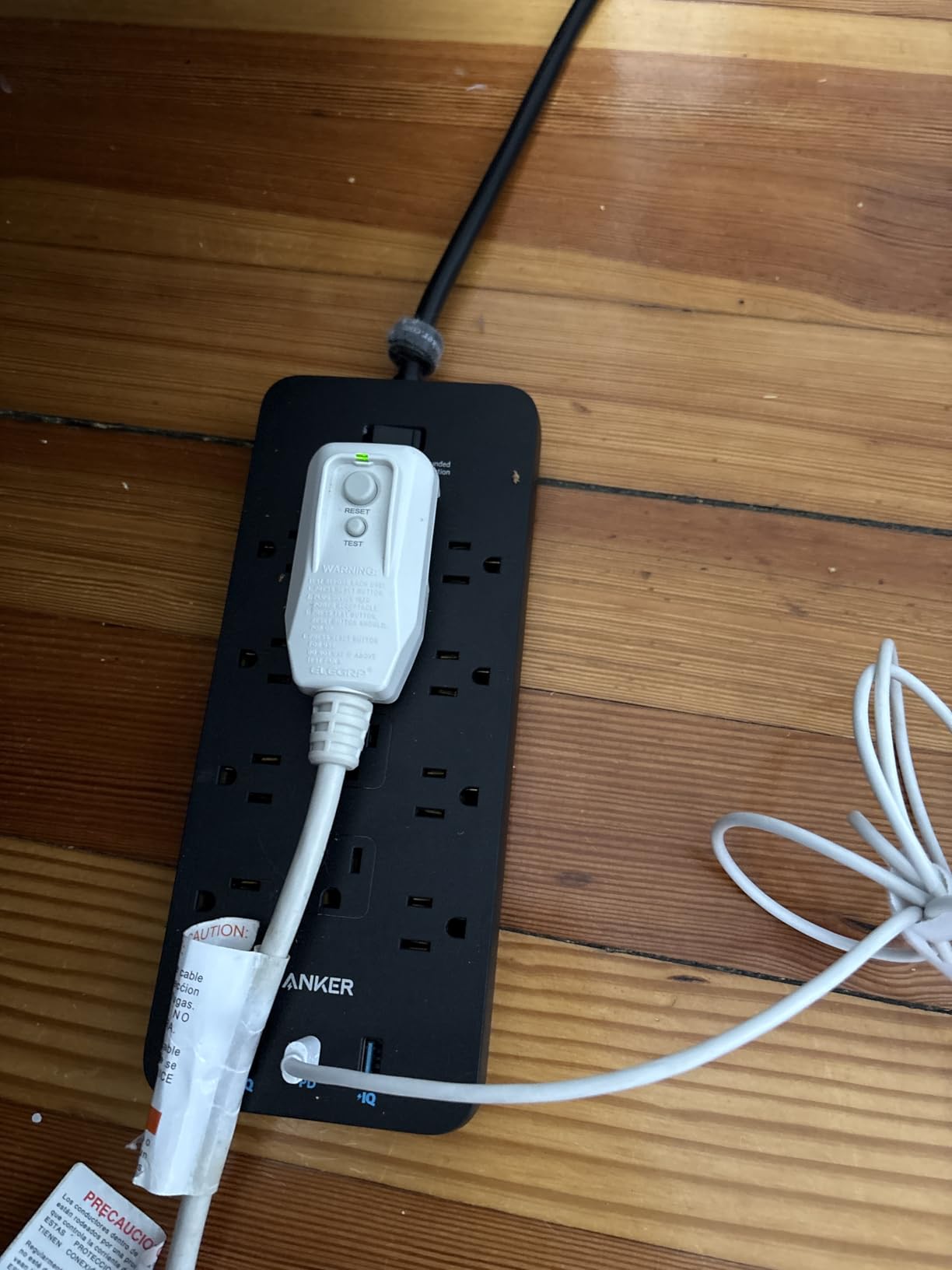
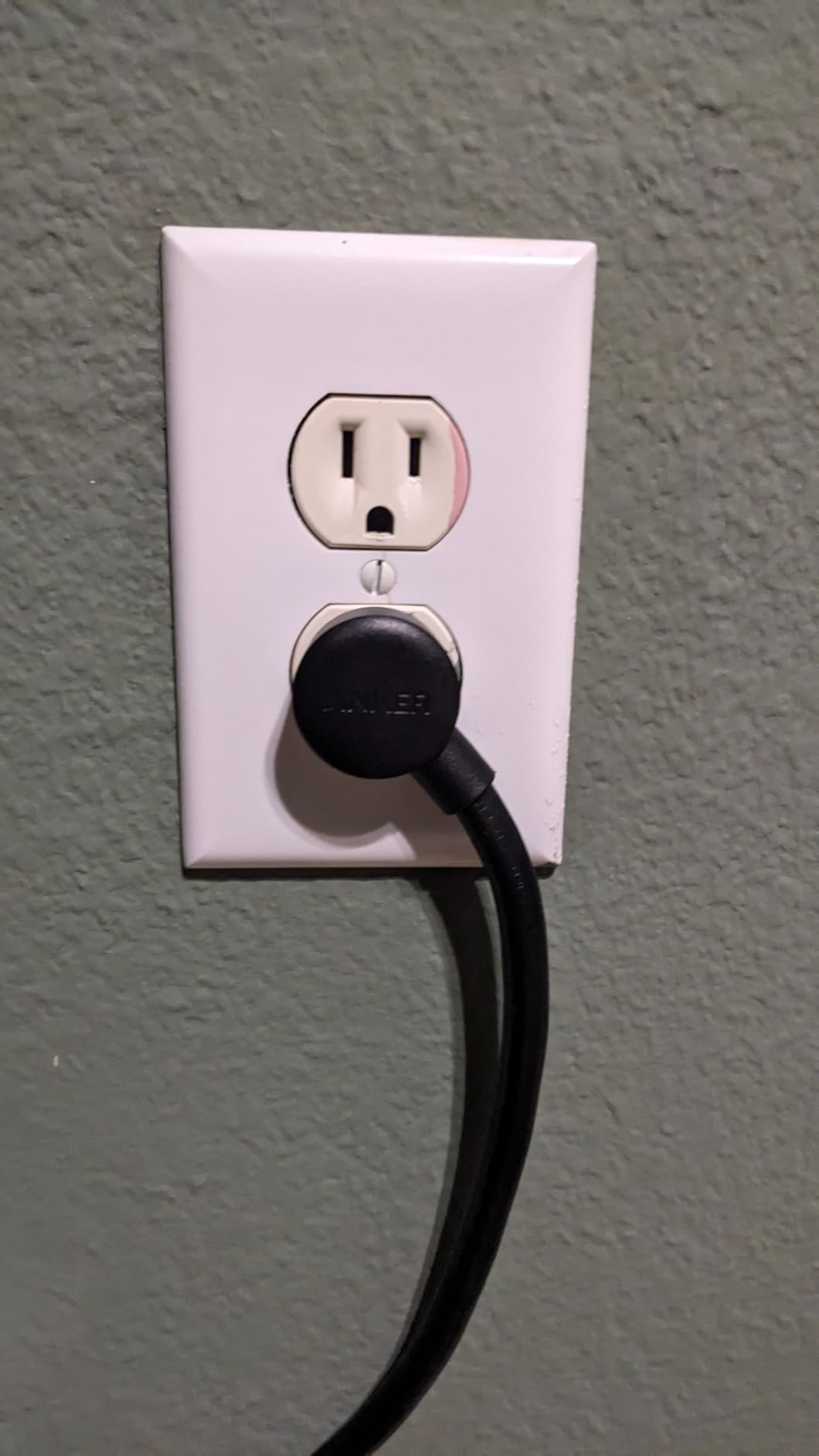
Build quality is what you would expect from Anker: clean, sturdy, and well-designed. The flat plug on the end of the 5 foot cord makes it easy to push furniture flush against the wall, and the spacing between outlets is wide enough to fit bulky wall adapters side by side. The plastic housing feels solid and shows no signs of flex even when fully loaded.
Surge protection is the reason this strip costs more than a basic power strip. The 2100J rating can absorb multiple smaller surges before needing replacement. The 8-point safety system covers surge, fire, overload, and temperature protection, and the connected equipment warranty covers up to $200,000 in damage if the strip ever fails. That warranty alone makes this strip worth the price.
Mounting options
The strip includes two keyhole mounting holes on the back, but they are awkward to use with standard screws. Most users just lay the strip flat on the floor behind the desk or attach it to the underside of the desk with the included mounting screws. Either way works, and the slim profile keeps it out of sight.
Who should pick this power strip
If your gaming PC setup has more than six devices to plug in, this is the strip for you. It is also the right call if you live in an area with frequent power fluctuations or brownouts. Skip this only if you have a battery backup UPS that already has enough outlets, or if your desktop has very few peripherals.
6. LISEN Cell Phone Stand – Quick Access

LISEN Cell Phone Stand Phone Holder for Desk, Office Decor Gadgets for Men
4-13 inch compatible
Heavy weighted base
Soft silicone contact
Pros
- Heavy base prevents tipping
- Soft silicone protects phone
- Works with most phone and tablet sizes
- Simple one-piece design
- Very affordable
Cons
- Can tip if bumped hard
- Only basic angle adjustment
A phone stand might sound optional, but once you set one up at eye level next to your monitor, you cannot go back. I keep mine angled slightly toward me so I can glance at Discord notifications, second-screen YouTube guides, or my phone’s audio controls without taking my hands off the keyboard. The 71k+ reviews on this LISEN stand speak to how universally useful it is.
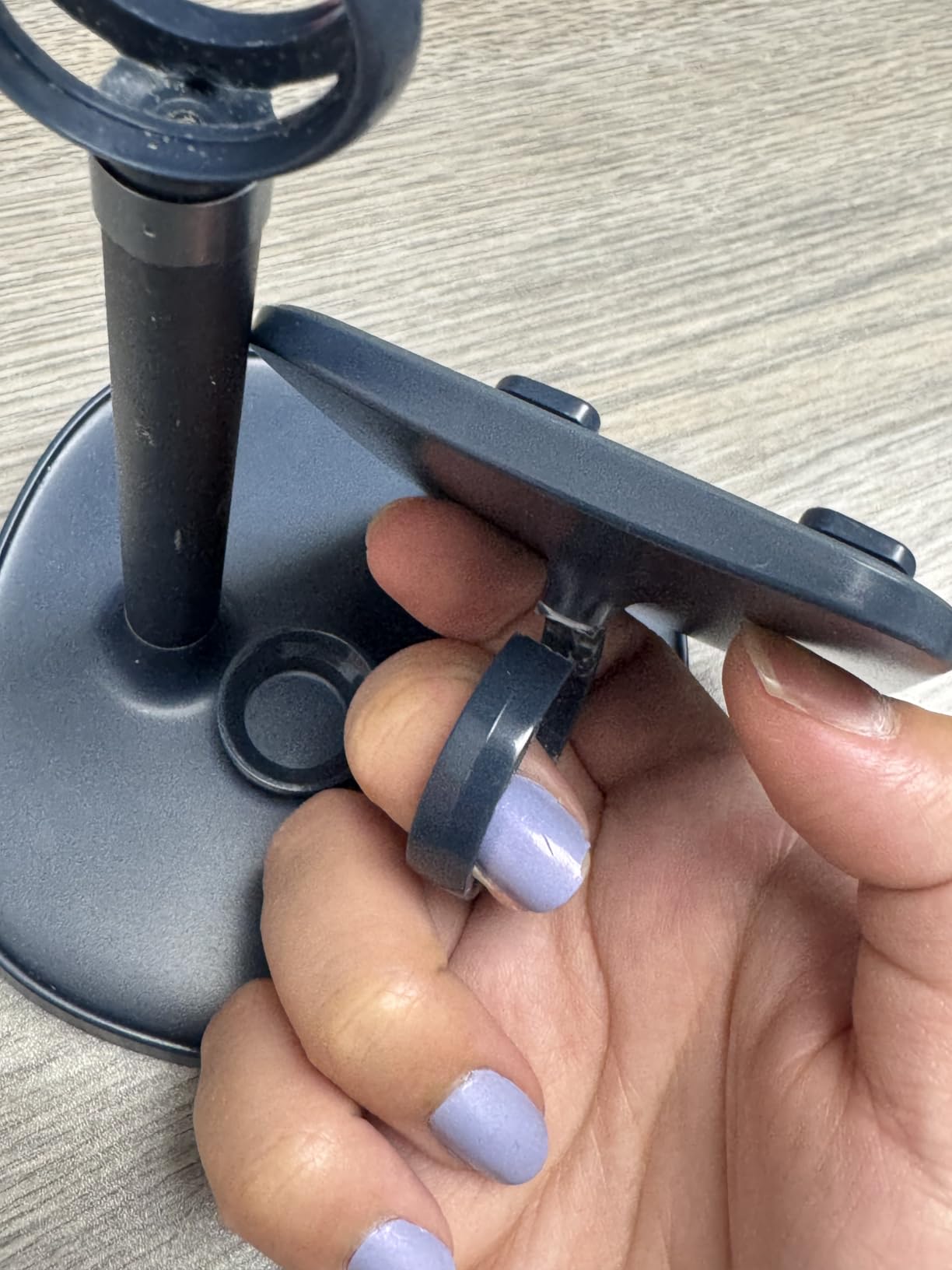
The heavy weighted base is what sets this apart from cheaper plastic stands. A full-size phone does not tip it over, even if you bump the desk. The base has a small rubber pad on the bottom that grips any desk surface and prevents sliding. The soft silicone contact surface protects your phone from scratches.
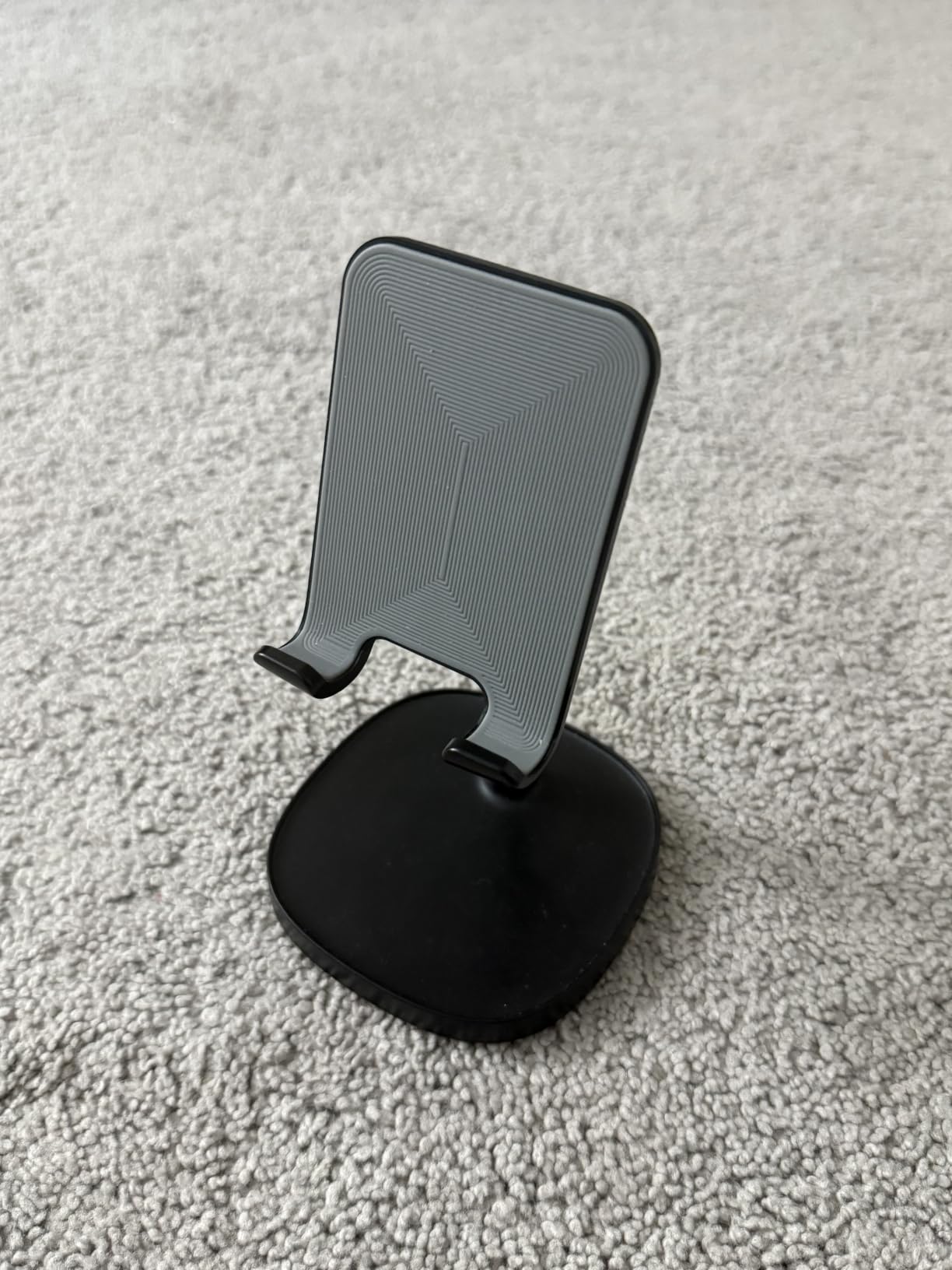
Compatibility is excellent. The stand works with phones and tablets from 4 inches all the way up to 13 inches, which covers everything from an iPhone Mini to an iPad Pro. The opening is wide enough to fit devices with thick cases, including OtterBox and similar rugged cases. I tested it with a Pixel 9 Pro with a Spigen case and it held securely.
At under $10, this is the easiest quality-of-life upgrade on the entire desk. The build is mostly metal with a small plastic base cover, and the silver and black color options match most setups. It folds flat for storage, which is great if you occasionally want a clean desk photo.
Use cases beyond a phone
I have used this stand for Kindles while reading game lore, for Nintendo Switch in tabletop mode during travel, and as a webcam riser during video calls. The angle adjustment is limited but flexible enough for most desk heights. It is a great gift for anyone building their first PC because it is universally useful.
Who should pick this phone stand
Everyone with a phone and a desk. The price is so low that there is no reason not to buy one as part of any desk setup essentials checklist. The only reason to skip it is if you prefer using your phone flat on the desk or already have a monitor-mounted phone holder from a different accessory.
7. Lamicall Under Monitor Headphone Stand – Storage Solution

Lamicall Headphone Stand, Sticky Headset Hanger, Adhesive Headphone Holder
Under monitor mount
Adjustable angle
Clamp installation
Pros
- Saves desk space under monitor
- Sturdy clamp holds securely
- Adjustable angle for thick headsets
- Works with most headset sizes
- Easy installation without tools
Cons
- May not fit desks thicker than standard
- Plastic parts feel light
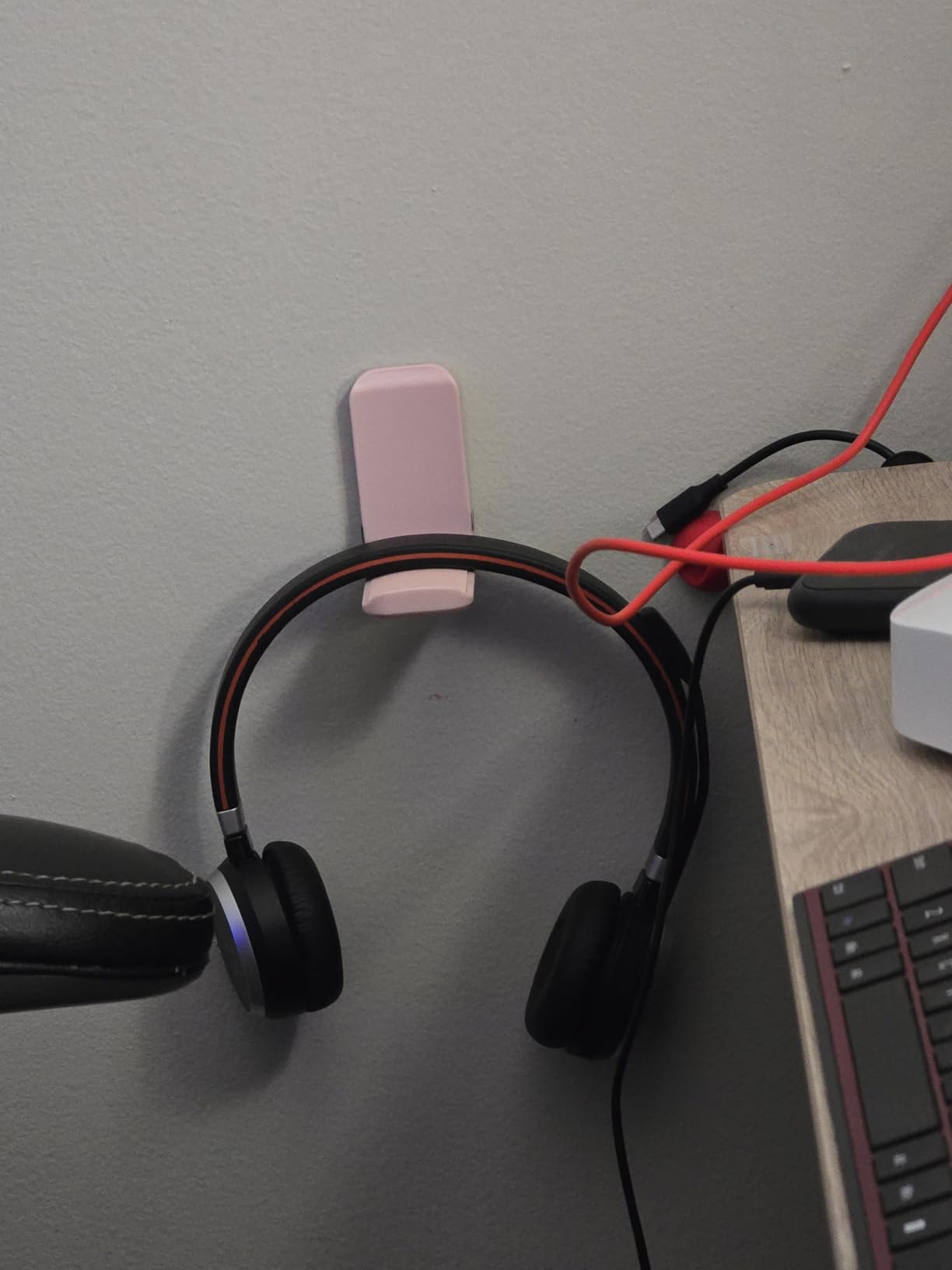
If you have ever set your gaming headset on the desk and watched it slowly slide toward the floor, you already know why a dedicated stand matters. The Lamicall under-mount headphone holder attaches to the back edge of your desk with a C-clamp and tucks your headset directly under the monitor. It is one of the cheapest quality-of-life upgrades you can make and it instantly clears your desk surface.
Installation takes less than two minutes: slide the clamp onto the desk edge, tighten the knob, and slide the holder rod into place. No tools are required. The clamp has rubber pads on both jaws so it does not scratch the desk surface. I installed mine on a 1 inch thick solid wood desk and it held firm through several months of daily use without slipping.
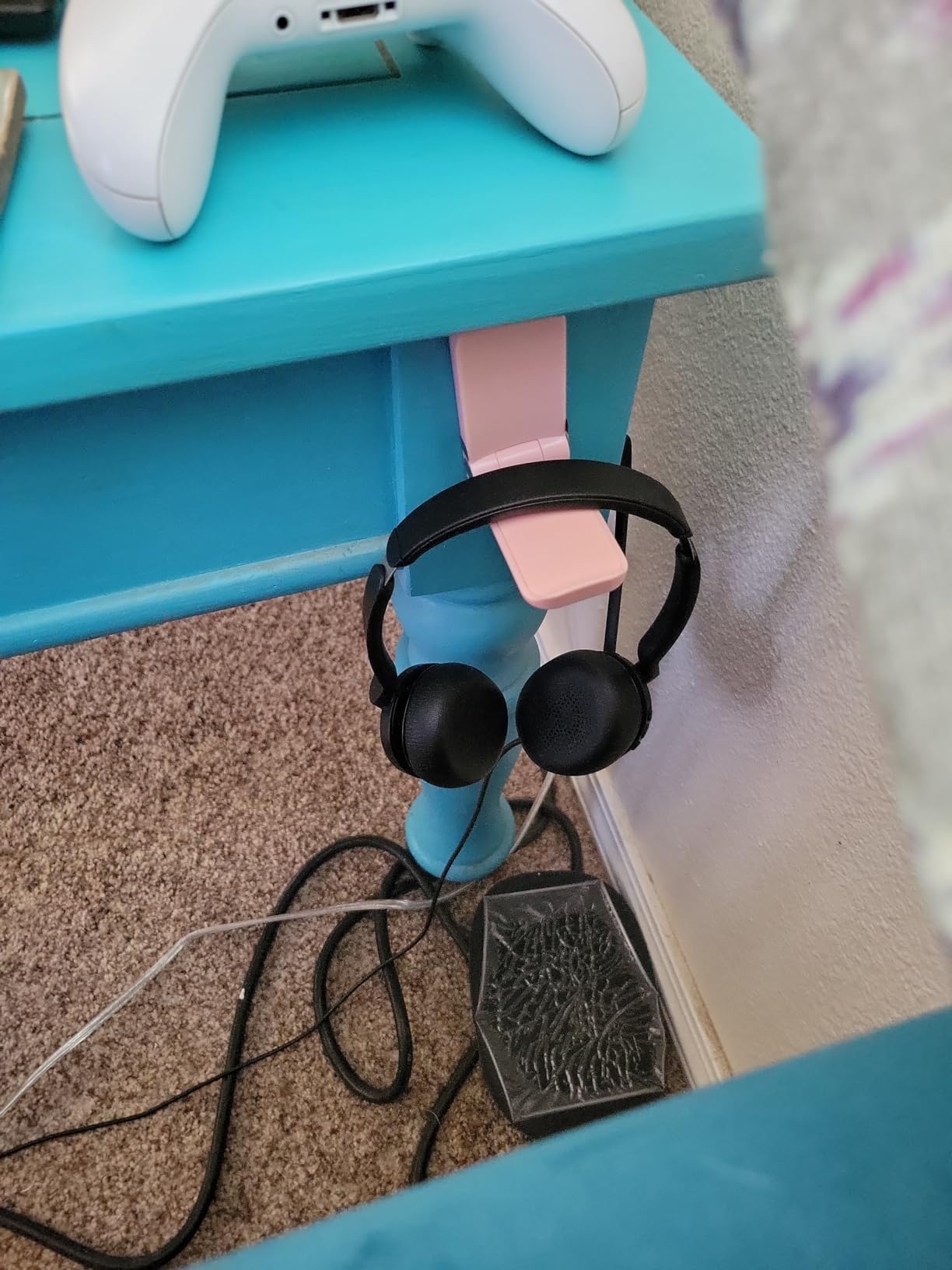
The rod itself rotates, so you can angle your headset exactly where you want it. The curved tip prevents the headband from sliding off. I tested it with a steel-series Arctis Nova Pro, a HyperX Cloud II, and a smaller on-ear headset, and all three sat securely. The holder is rated for most gaming headsets up to about 1 kilogram, which covers the vast majority of options.
Build quality is mostly metal with a small plastic piece at the pivot. The metal has held up without rust or paint chipping. The clamp can rotate 360 degrees, so you can position the headset forward toward you or backward toward the wall depending on your desk layout.
Compatibility considerations
Check the thickness of your desk before buying. The clamp fits desks from about 0.5 inches up to about 2 inches, which covers most standard gaming desks. If you have a thick solid wood or glass desk, the clamp may not close fully. The space under your monitor also needs to be empty enough to fit the curve of the rod, so very shallow desks or small monitor stands may not work.
Who should pick this headphone holder
Pick this if you regularly take your headset on and off and do not want a separate stand taking up desk space. It is also a great choice if you already use a dual-monitor arm with the under-monitor area free. If you have a very thick desk or a setup where the under-monitor space is blocked, look at a traditional free-standing stand instead.
8. Everlasting Comfort Memory Foam Foot Rest – Comfort Add-On

Everlasting Comfort Foot Rest for Under Desk at Work – Memory Foam Office Foot Stool & Under Desk Footrest Leg Elevation Pillow for Gaming & Home Office, Supports Posture
Memory foam fill
Machine washable cover
Non-slip base
Pros
- Memory foam relieves foot and leg fatigue
- Machine washable cover stays fresh
- Non-slip base stays in place
- Affordable price for the category
- Ergonomic design supports posture
Cons
- May feel too firm for some users
- Cover stretches with time
Long gaming sessions are tough on feet and lower back, and a proper footrest makes a much bigger difference than most people expect. I added the Everlasting Comfort footrest to my standing-desk setup when I switched to sitting mode, and within a week I noticed less lower-back tightness at the end of the night. The 27k+ reviews back this up: it is one of the most popular ergonomic accessories on Amazon for good reason.
The memory foam fill is dense enough to support your weight without bottoming out, and it holds its shape over time. The included cover is soft and breathable, and it unzips for machine washing. I wash mine about once a month and the cover still looks new after two years of regular use.
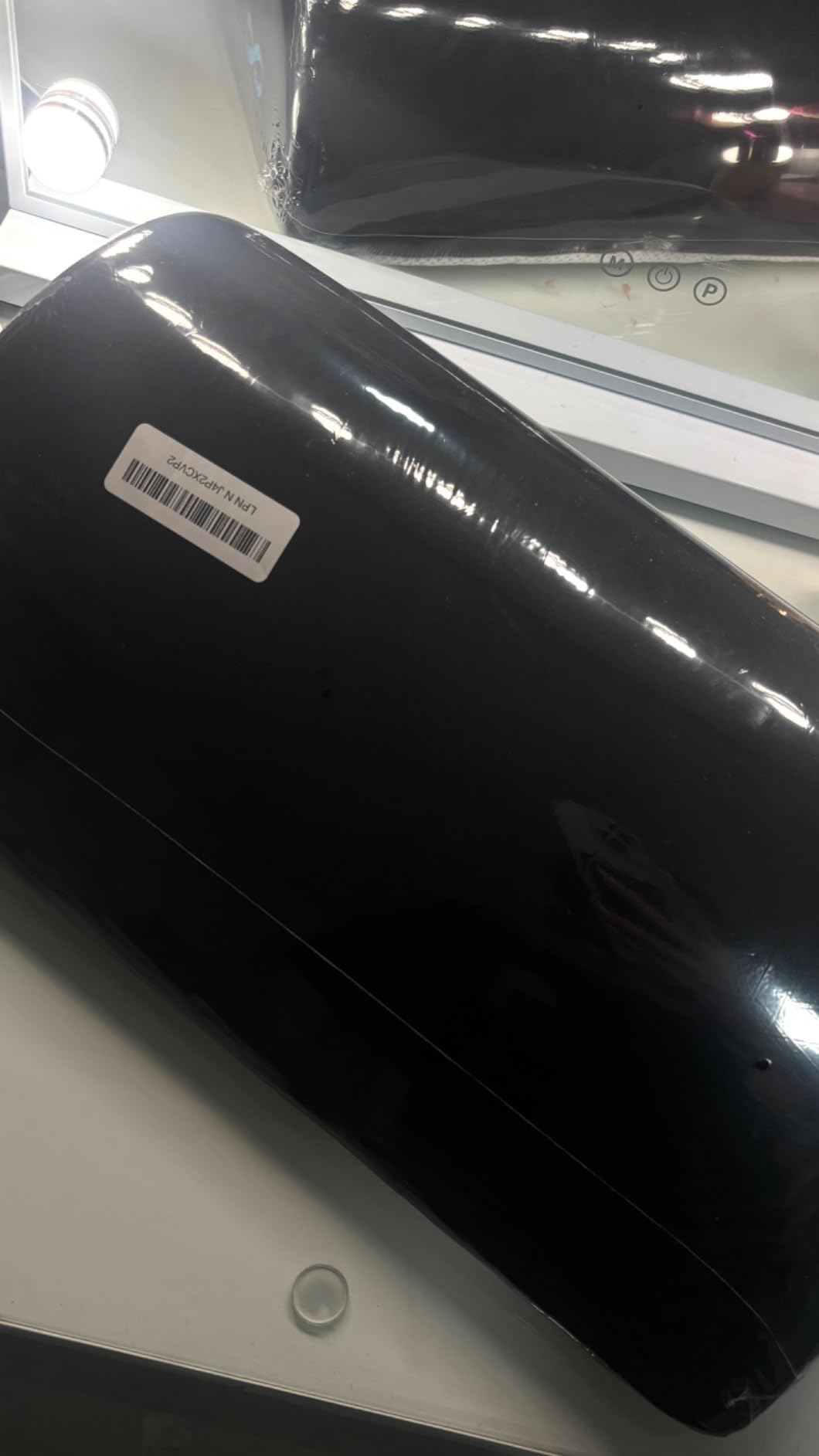
The non-slip base is the second-most important feature after the foam itself. Without it, the footrest would slide every time you repositioned your feet. The textured rubber base grips carpet, hardwood, and tile equally well. The angled top encourages a neutral foot position, which reduces strain on the ankles and knees.
Dimensions work well for most users. The surface is wide enough for both feet side by side and tall enough to provide meaningful height adjustment. If you are taller than 6 feet, you may want a second footrest for additional height, but for most users the standard size is enough.

Health and ergonomics
Ergonomists recommend a footrest when your feet do not rest flat on the floor or when your chair cannot be adjusted to the proper height. Both conditions are common with gaming setups, especially in apartment spaces where people use what they have. A footrest also encourages subtle movement, which reduces stiffness during long sessions.
Who should pick this foot rest
Anyone who games or works at a desk for more than two hours a day should seriously consider a footrest. This Everlasting Comfort model is the most well-reviewed option at its price point and a smart addition to any desk setup essentials checklist. Skip it only if you already have an adjustable ergonomic chair at the perfect height.
9. GTPLAYER Big and Tall Gaming Chair – Editor’s Choice Seating

GTPLAYER Big and Tall Gaming Chair 400lbs Heavy Duty Office Chair with Footrest, High Back Pocket Spring Lumbar Support, Ergonomic Wide Comfy Seated Cushion for Lower Back Pain Relief, Earth-Black
Big and tall design
Reclining backrest
Footrest and massage lumbar
Pros
- Supports tall and heavy users
- Built-in footrest adds versatility
- Massage lumbar feature reduces back fatigue
- Reclining backrest for breaks
- Headrest pillow included
Cons
- Assembly takes time
- Headrest pillow could be larger
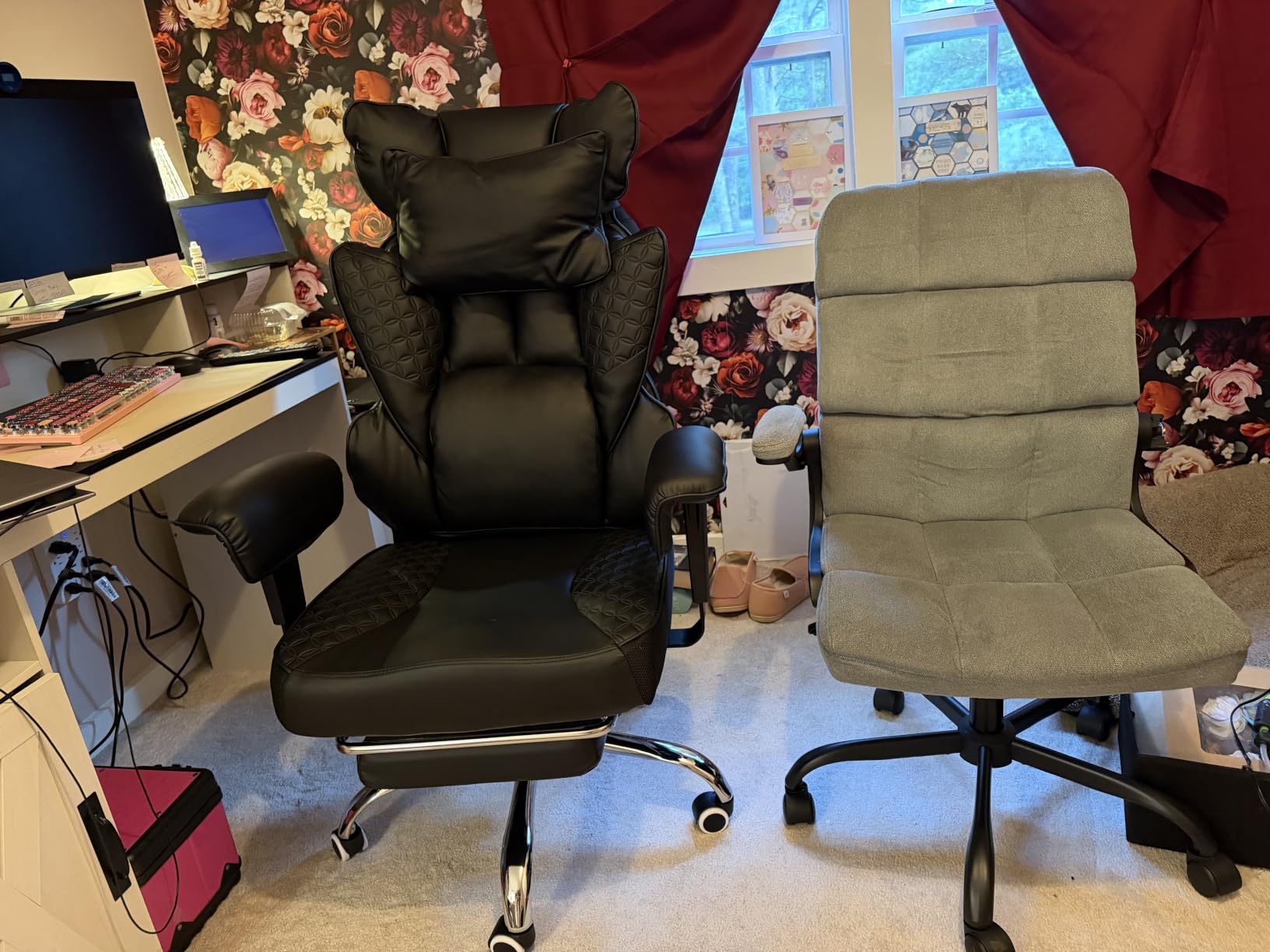
Your chair is the single most important desk setup essential for gaming PC sessions that last more than an hour. I have tested dozens of chairs over the years, and the GTPLAYER Big and Tall model consistently stands out for users who want a feature-rich chair without paying Herman Miller or Secretlab prices. With over 34k reviews, it is also one of the most battle-tested gaming chairs on the market.
The build supports tall and heavy users well. The frame is reinforced, the base is wide, and the gas cylinder is rated for heavier weights than most gaming chairs at this tier. I am 6 foot 2 and had no problem adjusting to a fully leg-supported seated position with the recline locked at a comfortable gaming angle.
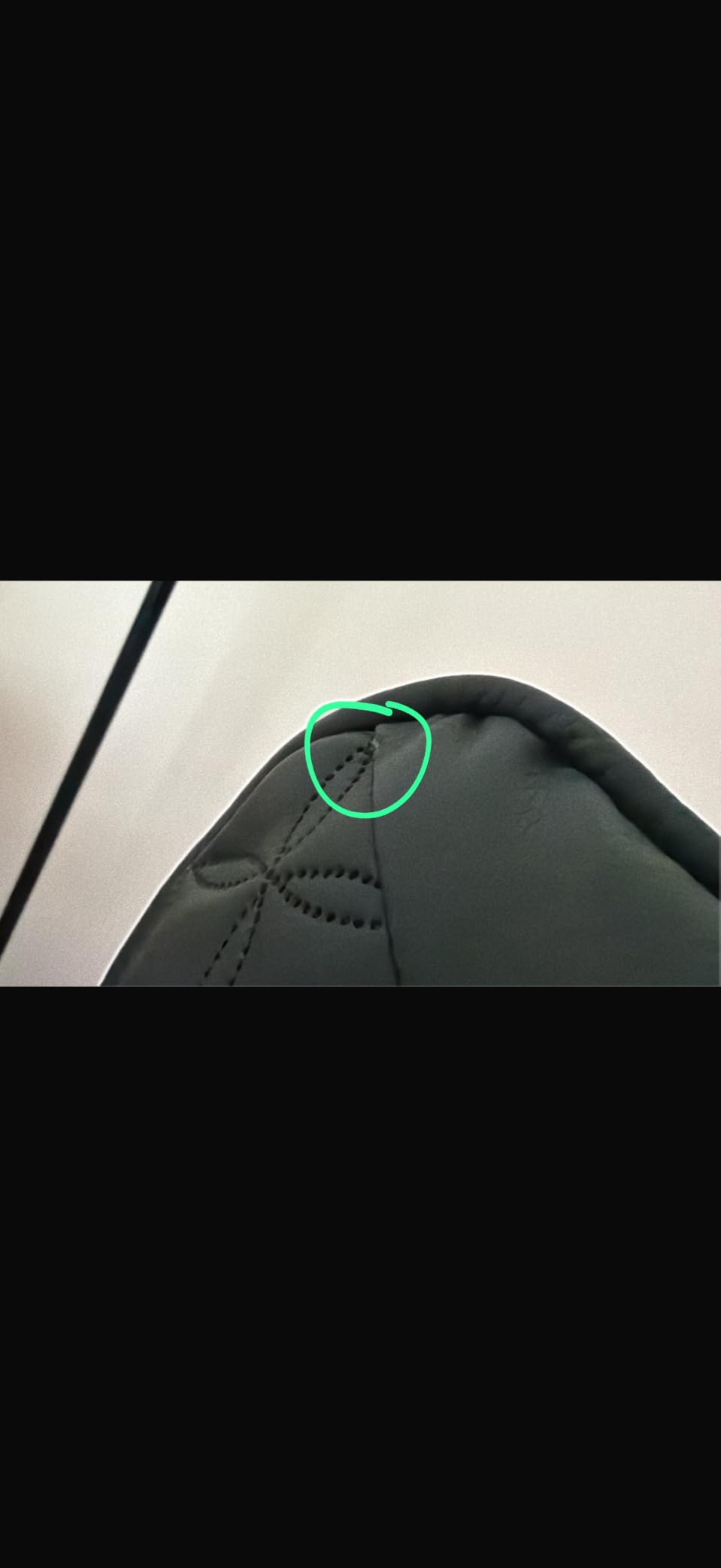
The massage lumbar feature is unusual at this price point. A small motor in the lumbar pillow provides gentle vibration that helps relieve lower back tension during long sessions. It is powered by a USB cable that plugs into a power bank or your PC. The vibration is not a substitute for a real massage chair, but it is a noticeable comfort boost during loading screens.
The reclining backrest tilts back to about 155 degrees, which is enough for a quick power nap between matches. The footrest pulls out from under the seat and supports feet and lower legs when fully reclined. The headrest pillow is adjustable and supports the neck in a neutral position.
Assembly and long-term use
Assembly takes 30 to 45 minutes and requires basic tools (an Allen wrench is included). The instructions are clear enough, though some steps benefit from a second pair of hands. After assembly, the chair feels solid with no wobble or squeak. The PU leather has held up well through daily use, though it does get warm in hot weather.
Who should pick this gaming chair
Pick the GTPLAYER Big and Tall if you are a tall or heavier gamer who has been frustrated by undersized chairs that fall apart. It is also a great match for anyone who wants a reclining chair with a footrest for breaks between matches. Skip it if you prefer a mesh-back office chair for breathability.
10. GTPLAYER 55 Inch Gaming Desk – Desk Base

GTPLAYER 55 Inch Gaming Desk with LED Lights, Large Computer Desk with Mouse Pad for Home Office, T-Shaped Carbon Fibre Surface PC Game Workstations with Headphone Hook
55 inch desktop
LED lights
Cup holder and headphone hook
Pros
- Wide 55 inch surface fits dual monitors
- Built-in LED lights add ambiance
- Includes cup holder and headphone hook
- Carbon fiber surface looks sharp
- Sturdy T-frame legs
Cons
- 55 inch may feel small for triple monitor setups
- LED controls are basic
If you are buying everything from scratch for a new gaming PC, the desk is the foundation of the whole setup. The GTPLAYER 55 inch gaming desk gives you enough surface for a main monitor, a side monitor, a keyboard, a mouse, and a few accessories without feeling cramped. The carbon fiber surface is comfortable for both writing and resting forearms during gaming.
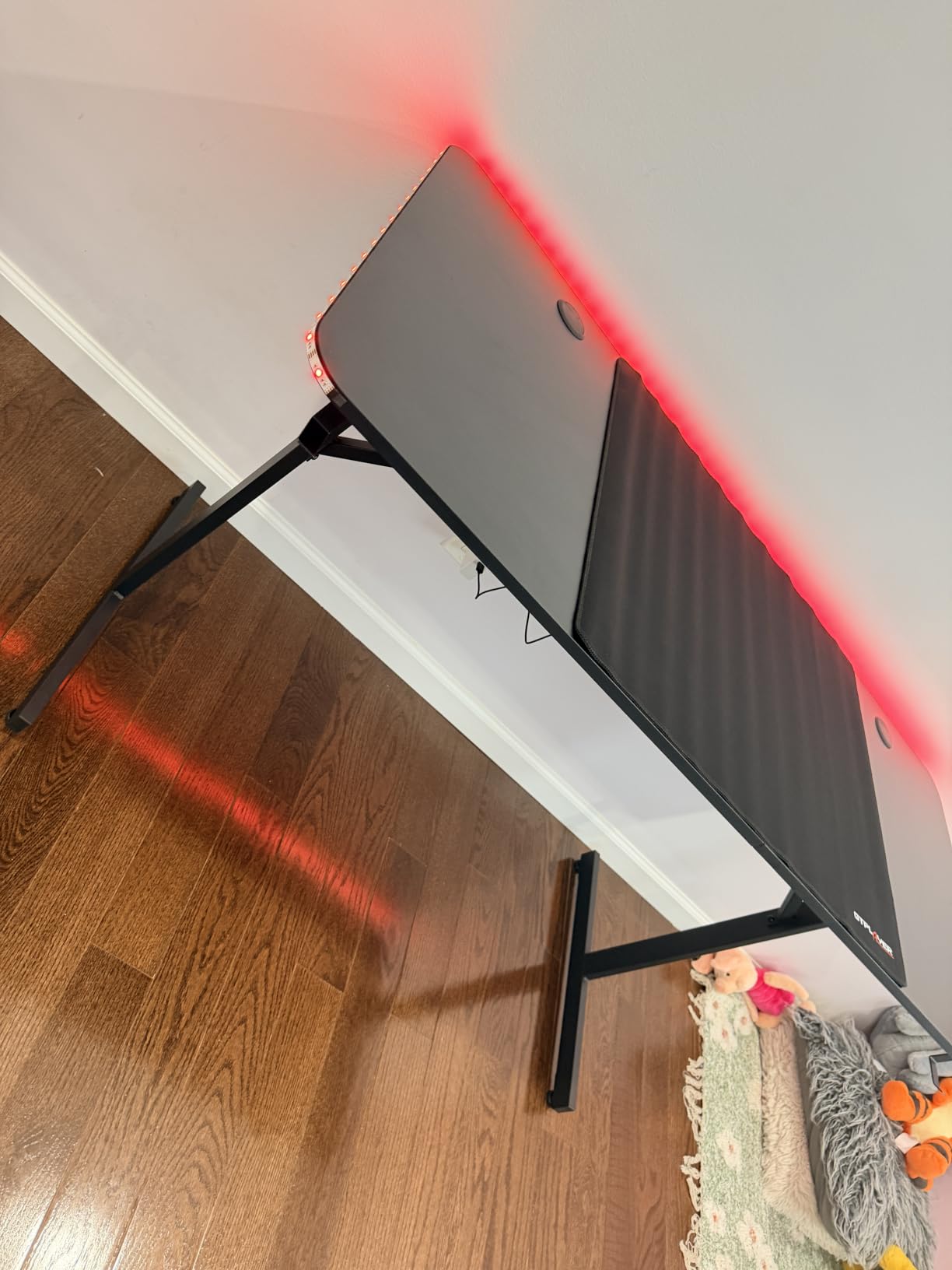
The built-in LED light strips along the front edge are a nice touch. They are not super customizable but provide a soft accent glow that pairs well with other RGB on the desk. The included remote lets you cycle through colors and modes without diving into PC software, which is a nice convenience for users who do not want yet another app.
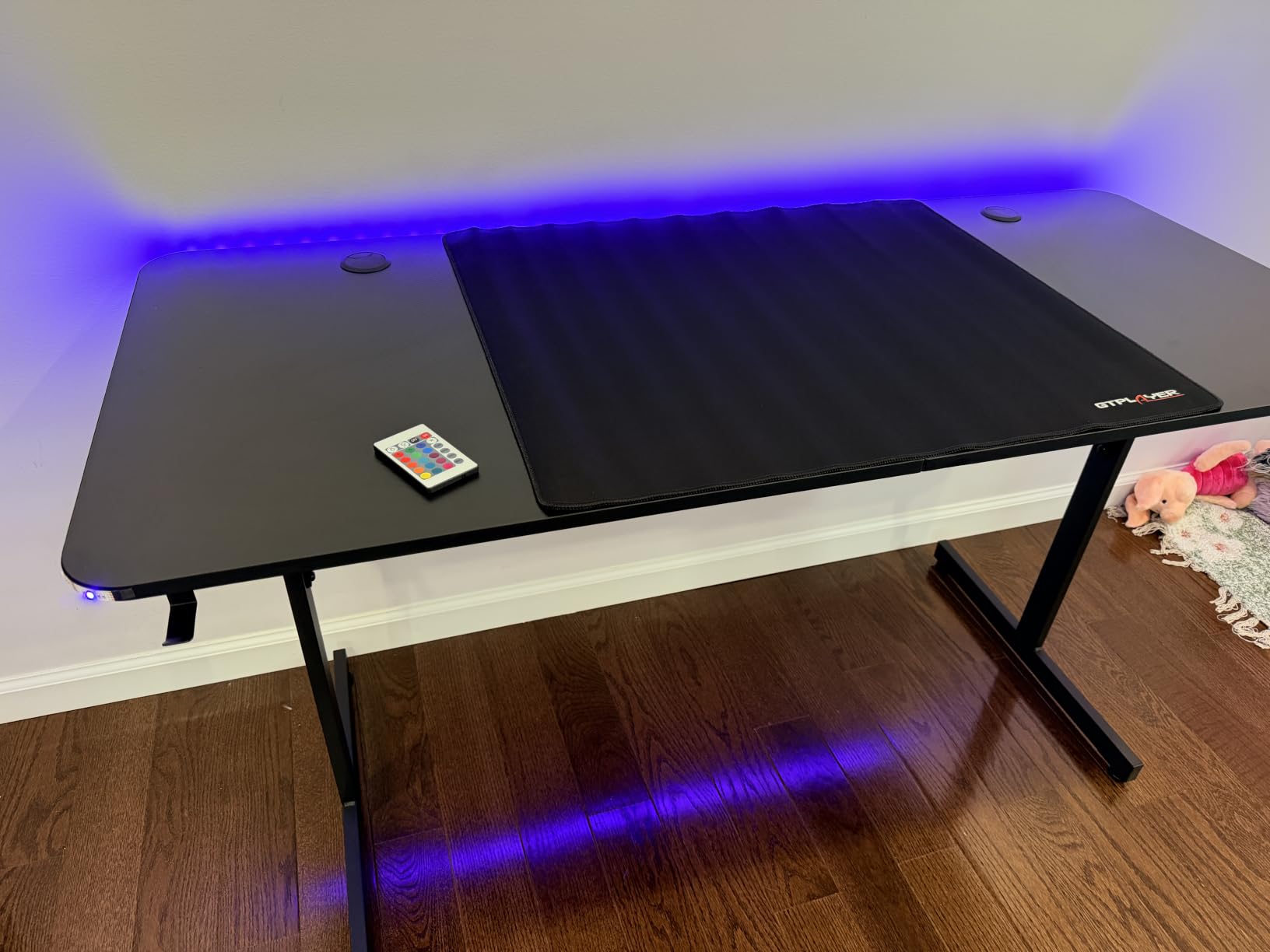
The included cup holder and headphone hook are underrated quality-of-life features. The cup holder clamps to the side of the desk, keeping drinks away from your electronics. The headphone hook mounts under the desk and works for most gaming headsets. Removing both is also possible if you prefer a clean look.
Assembly takes about an hour and is mostly straightforward. The T-frame legs provide good stability, and the desk has not wobbled even when I typed aggressively during testing. Cable management cutouts at the back let you run cables through the table for a cleaner look.
Surface and ergonomics
The carbon fiber texture is decorative, not real carbon fiber, but it looks and feels premium. The surface is smooth enough for extended forearm rests. At 55 inches wide and roughly 24 inches deep, the desk fits most dual-monitor setups but is on the tight side for three monitors. Pair it with a good chair at the right height and you have a solid ergonomic foundation.
Who should pick this desk
Pick this desk if you are building a setup from scratch and want a feature-rich gaming desk that does not break the bank. The included accessories cover the basics so you can focus your budget on a better chair or monitor. If you already have a desk you love, you can skip this.
11. Quntis Computer Monitor Light Bar – Eye Care

Quntis Computer Monitor Lamp, Screen Monitor Light Bar for Eye Caring, USB Reading LED Task Lamp with Auto-Dimming, Dimmable Light Bar, Touch Control, No Glare Space Saving Home Office Desk Lamps
LED monitor light bar
Auto-dimming
Touch control
USB powered
Pros
- No screen glare reduces eye strain
- Auto-dimming adjusts to room brightness
- Touch control is responsive
- Ultra-high color rendering for accurate work
- Space-saving design sits on monitor
Cons
- Remote power LED stays lit
- Articulation could be better
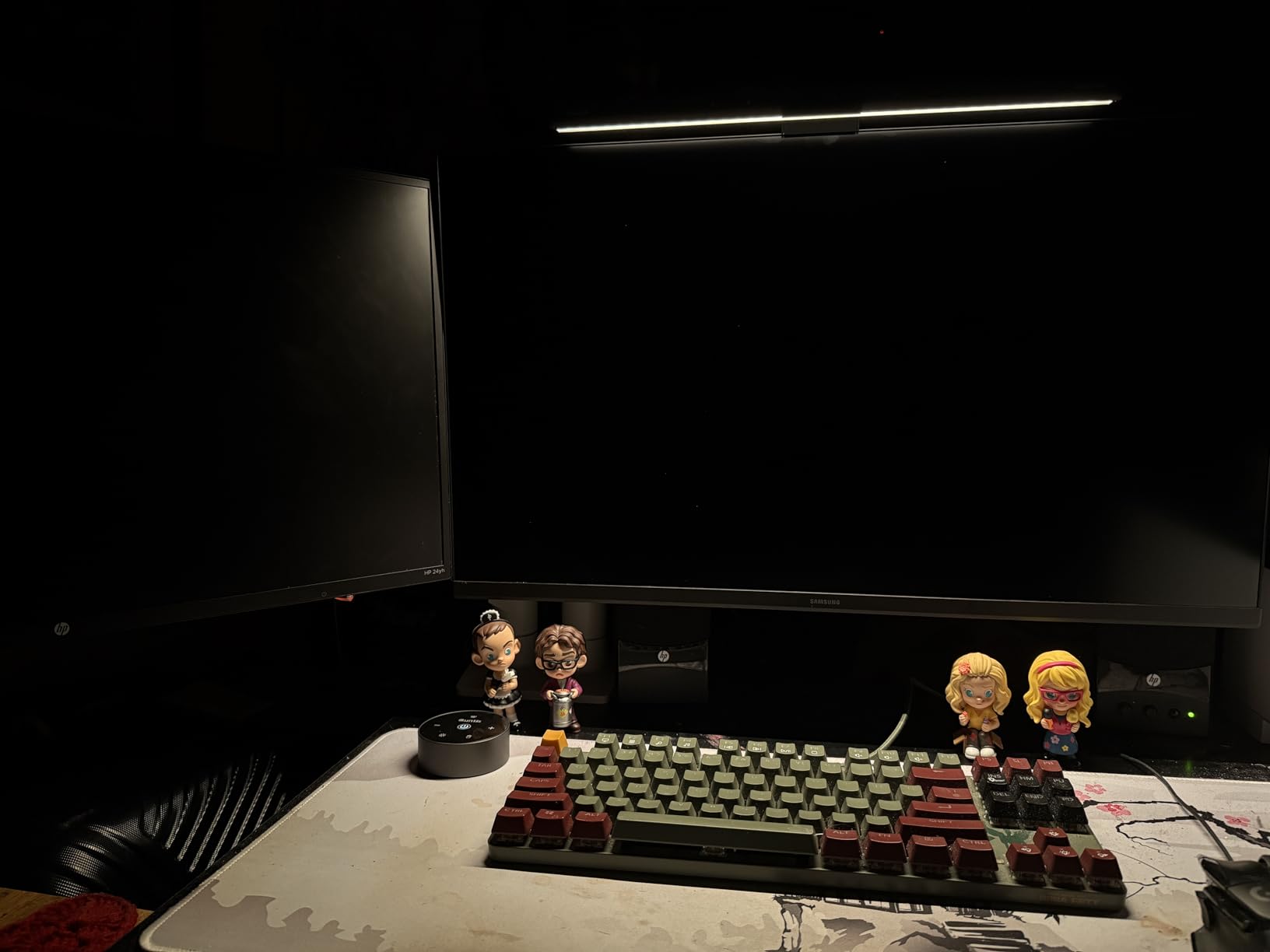
Monitor light bars are the unsung heroes of desk ergonomics. I added the Quntis light bar to my setup after noticing eye strain during late-night gaming sessions, and the difference was immediate. The asymmetric light design illuminates the desk surface without casting glare on the screen, which means I can game in a dark room without my eyes working overtime.
The auto-dimming feature uses an ambient sensor to match the light output to room conditions. During testing, I watched the brightness smoothly change as clouds moved across the sun outside my window. The touch control on top of the bar is responsive, and you can also override the sensor and set manual brightness steps.
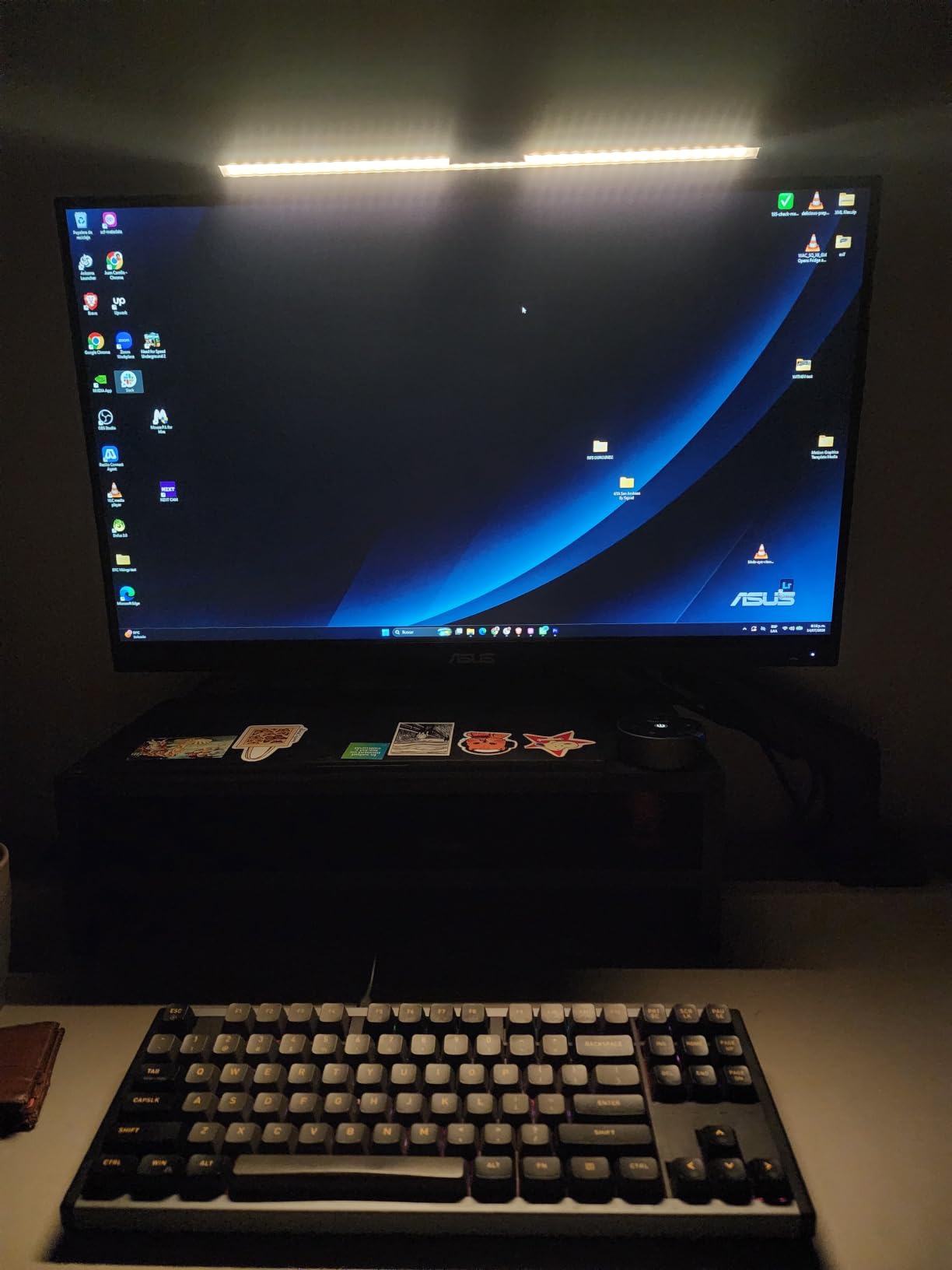
Color rendering is excellent. The bar has a Ra98 color rendering index, which is close to natural sunlight and makes colors on screen look accurate. This matters for productivity and content creation, where color accuracy is important. The light temperature is adjustable from warm to cool, depending on your preference.
Installation is simple. The included clip attaches to monitors from about 0.4 inches to 1.2 inches thick, and the bar slides in with a satisfying click. USB power comes from any free USB-A port, including the one on your monitor or PC.
Why monitor light bars matter
Traditional desk lamps illuminate the desk and create glare on the screen. The asymmetric design of monitor light bars solves this by pointing light forward and down at an angle that misses the screen entirely. The result is a well-lit workspace with no screen glare and significantly less eye strain. For anyone gaming in a dim room, this is a meaningful upgrade.
Who should pick this monitor light
Pick the Quntis monitor light bar if you game or work in a room with overhead lighting that creates screen glare, or if you find yourself straining to see the keyboard during late-night sessions. Skip it if your room already has excellent task lighting without any screen glare.
12. Ozeino Wireless Gaming Headset – Audio Pick

Ozeino Wireless Gaming Headset for PS5, PC, Switch| Lossless Audio-40H Batt
2.4GHz wireless
40 hour battery
50mm drivers
Flip mic
Pros
- Stable 2.4GHz wireless with low latency
- 40 hour battery life
- Comfortable for long sessions
- Decent sound quality for the price
- Works with PC
- PS5
- Switch
- Mac
Cons
- Mic picks up background noise
- Volume buttons instead of wheel
- No Xbox compatibility
- Bluetooth does not work with PS5 or PC directly
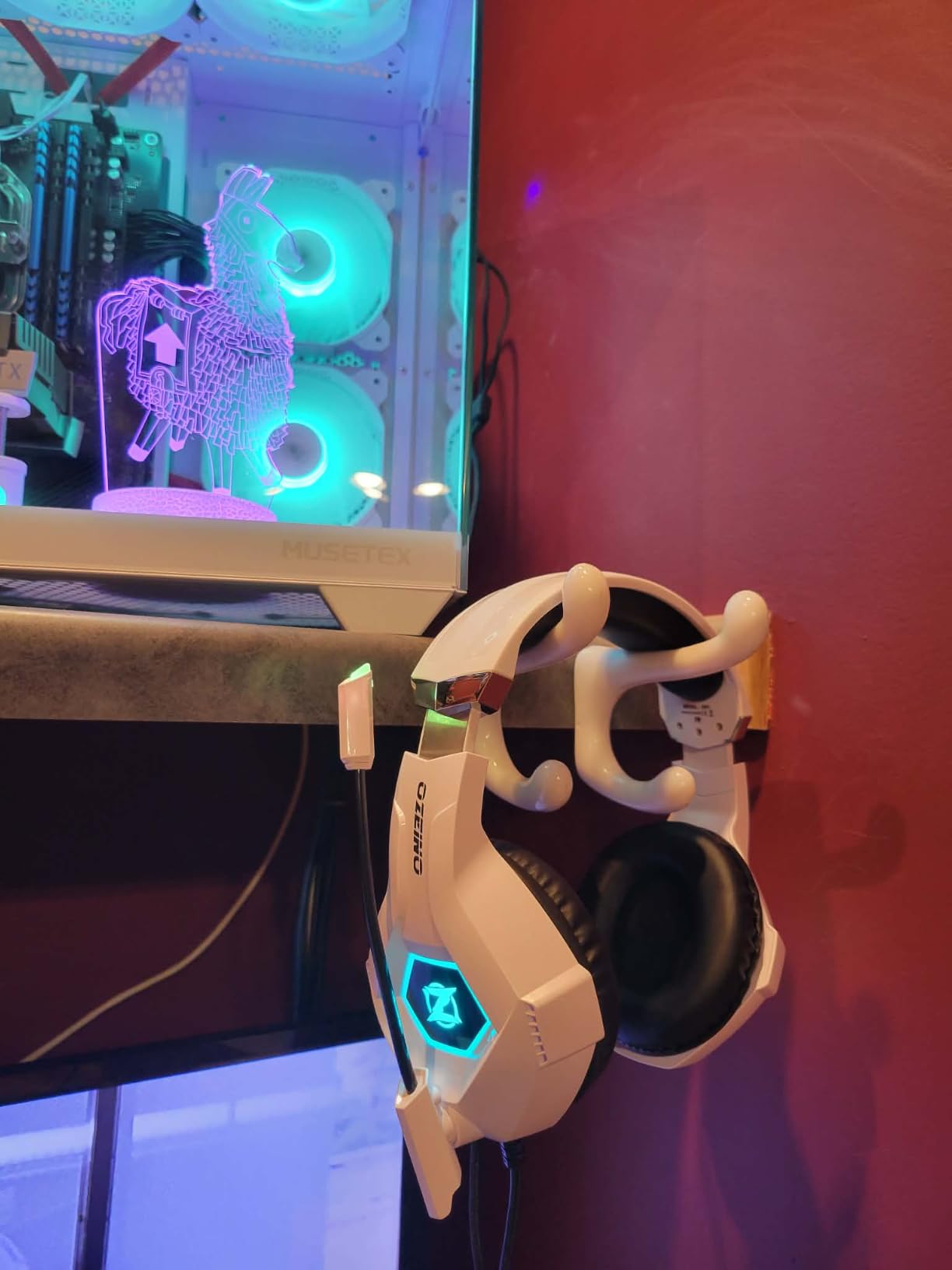
A wireless gaming headset used to cost $200, but the Ozeino changes that math. For under $30 you get 40 hours of battery, low-latency 2.4GHz wireless, and surprisingly decent sound. With 13k+ reviews averaging 4.3 stars, this is one of the most popular budget gaming headsets available right now. I have been using it as a backup headset for late-night sessions.
The 2.4GHz wireless connection is the headline feature. Unlike Bluetooth, 2.4GHz has consistent low latency that does not introduce the audio delay you get with cheaper wireless setups. The included USB dongle works with PCs, PS5, PS4, Switch, and Macs. The headphones also support Bluetooth for mobile use, although that mode does not work with the PS5 or PC directly.

Sound quality is good for the price, with 50mm drivers that produce clear mids and highs. Bass is present but not overpowering, which works well for both games and music. The closed-back design isolates sound reasonably well for the price, though it does not match more expensive options.
The flip microphone is convenient for casual Discord or in-game chat. The mic quality is fine for voice communication, but it picks up background noise more than more expensive options. For streaming, you would want a dedicated USB microphone, but for casual use this is more than acceptable.
Battery life and comfort
Battery life is genuinely impressive. The 40-hour rating matched my testing, where I charged the headset once and used it for a week of evening gaming before the battery ran low. Charging over USB-C is fast. Comfort is decent for the price, with soft ear cushions that do not press too hard on the ears during long sessions.
Who should pick this headset
Pick the Ozeino wireless headset if you want to cut the cord without breaking the bank. It is the best budget wireless option in this guide for desk setup essentials. If you have more to spend, look at the HyperX Cloud III Wireless or SteelSeries Arctis Nova 7 for better sound and mic quality.
13. KDD 7-in-1 Clamp Desk Pegboard – Desk Organization

KDD 7 in 1 Clamp-on Desk Pegboard – No Drill Desk Side Storage with Phone Stand/Pen Holder/Storage Box/Headset & Controller Holder/Hooks, Detachable Gaming Pegboard for Office & Home Desktop Organizer
7-in-1 clamp mount
Phone stand
Pen holder
Controller holder
Pros
- Modular design with multiple holders
- No drilling required to install
- Includes phone
- pen
- and controller slots
- Saves desk space by going vertical
- Easy to rearrange
Cons
- Plastic hooks can be fragile
- Clamp could be sturdier
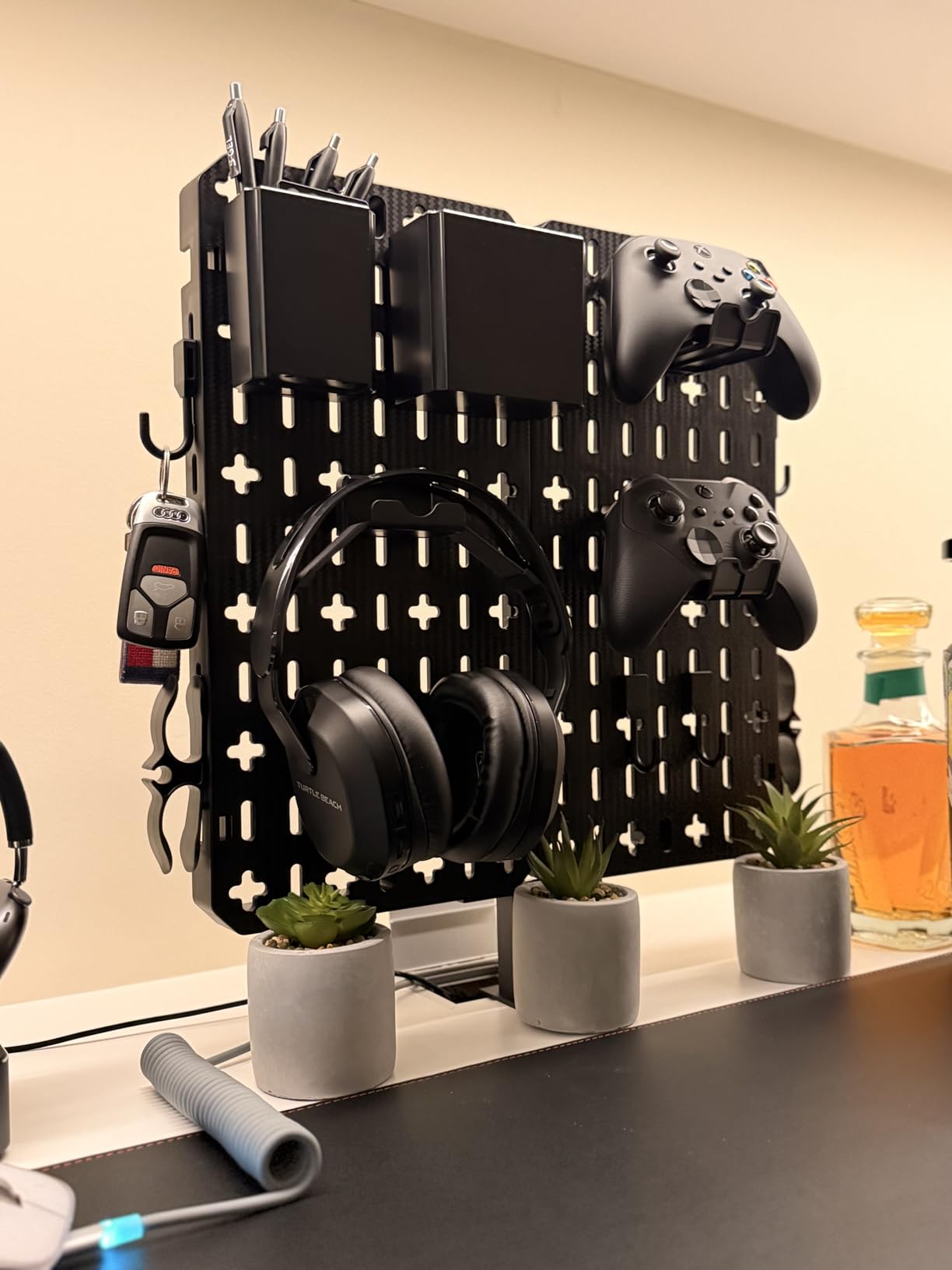
Desk clutter is one of the most common pain points we hear in r/desksetup threads. The KDD pegboard solves the “where do I put my phone, pen, and controller” problem by adding vertical storage to the side of your desk. I added one to my setup and immediately freed up about 12 inches of desk space that was previously occupied by loose items.
The 7-in-1 design includes slots and hooks for a phone, three pens, a small storage box, a headset, a controller, and two cables. Everything clamps to the side of your desk without any drilling, which is great if you rent or like to rearrange. Installation takes about 5 minutes.
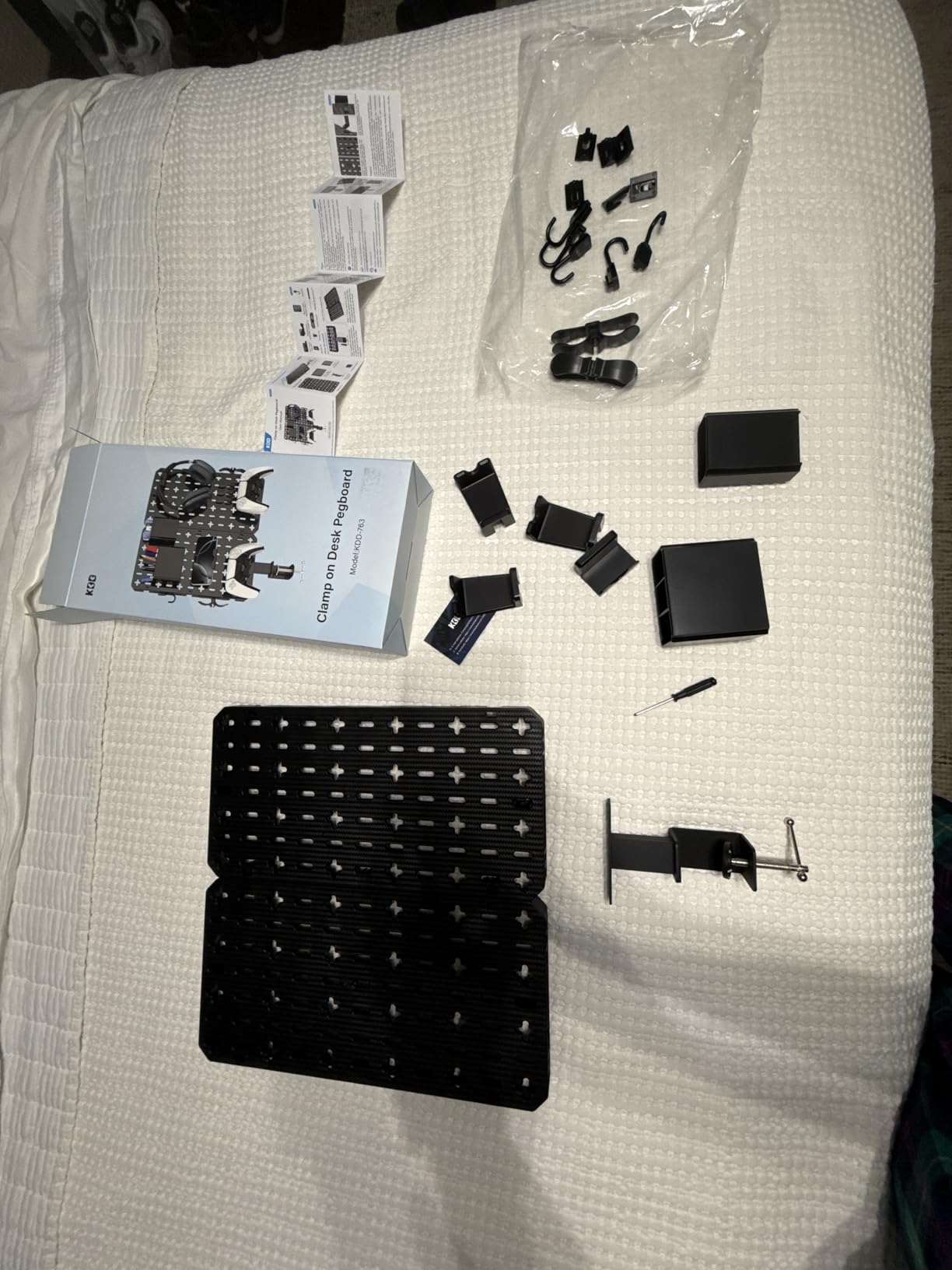
The clamp mechanism uses a single knob to tighten against the desk edge, similar to a microphone arm. Rubber pads on the clamp prevent scratches. The included accessories snap into the pegboard slots, and you can rearrange them to fit your workflow.
Build quality is mostly plastic, but it feels solid in use. The phone holder slots work for most phones up to about 7 inches. The cable hooks keep charging cables organized and within reach. The headset slot holds most gaming headsets securely.
Best uses for the pegboard
The pegboard shines for streamers and content creators who need quick access to SD cards, charging cables, and other small items while recording. It is also great for anyone who games with a controller and wants to keep it off the desk when not in use. Skip this if your desk is already well-organized or if you prefer a minimalist setup with no accessories.
Who should pick this pegboard
Pick this if you have a small desk and need to maximize vertical space, or if your accessories tend to pile up near your monitor. It is one of the most practical desk setup essentials for gaming PC owners who stream or create content.
14. Weilisi 10.2 Inch Desk Ring Light – Streaming Lighting

Weilisi 10.2″ Desk Ring Light with Stand, 360° Rotate Desk Lamps for Home Office with C-Clamp, Flexible Height Desk Light, Adjust Arm Ring Light for Desk, Podcast, Gaming, Recording, Zoom Lighting
10.2 inch ring light
360 degree rotation
3 color temps
10 brightness levels
Pros
- Bright
- even lighting for video calls and streaming
- 360 degree rotation is useful
- C-clamp mount saves desk space
- Flexible height adjustment
- USB powered with included adapter
Cons
- Control switch placement is awkward
- Cable is permanently attached
- Quality control inconsistencies
If you game with a webcam on, or you have ever taken a video call that made you look like you were sitting in a cave, a ring light is the simplest fix. The Weilisi desk ring light clamps to your desk, adjusts in height, and provides flattering light for any camera. I added one to my streaming setup, and the difference in on-camera quality was dramatic from day one.
The 10.2 inch size is the sweet spot for desk mounting. It is large enough to flood your face with light without overwhelming the desk visually. The 360 degree rotation lets you tilt the light up to bounce off the ceiling for softer illumination or point it forward for direct lighting.
Lighting controls are simple and effective. Three color temperatures (warm, neutral, cool) cover most scenarios, and 10 brightness levels let you dial in the exact look. The included 5V/3A USB adapter provides enough power for full brightness. The remote control is convenient for adjustments during a stream.
The C-clamp mount is the standout feature. It fits desks up to 2.34 inches thick and does not require any tools to install. The clamp has rubber pads to prevent scratching. The light feels solid once attached and does not drift during use.
Use cases beyond streaming
Ring lights are not just for streamers. They work great for video calls, podcasting, content creation, product photography, and even for lighting up a game room for casual gameplay videos. The flexible design means you can move it to wherever a camera is.
Who should pick this ring light
Pick the Weilisi ring light if you stream, take frequent video calls, or create any kind of video content from your gaming PC. It is also a great match for podcasters or anyone who needs flattering front lighting. Skip it if your gaming room is already well-lit or if you never appear on camera.
15. Vaydeer Wrist Rest for Keyboard and Mouse – Ergonomic Finishing Touch

Vaydeer Wrist Rest for Keyboard and Mouse, Computer Ergonomic Wrist Support Pad, Soft Memory Foam Arm Cushion for Desk, Palm Hand Office Laptop Typing
Memory foam fill
Lycra cover
Non-slip base
Keyboard and mouse rest included
Pros
- Memory foam relieves wrist pressure
- Non-slip base stays in place
- Soft lycra cover feels comfortable
- Keyboard and mouse rests both included
- Affordable ergonomic upgrade
Cons
- May be too large for smaller keyboards
- Cover is not removable for washing
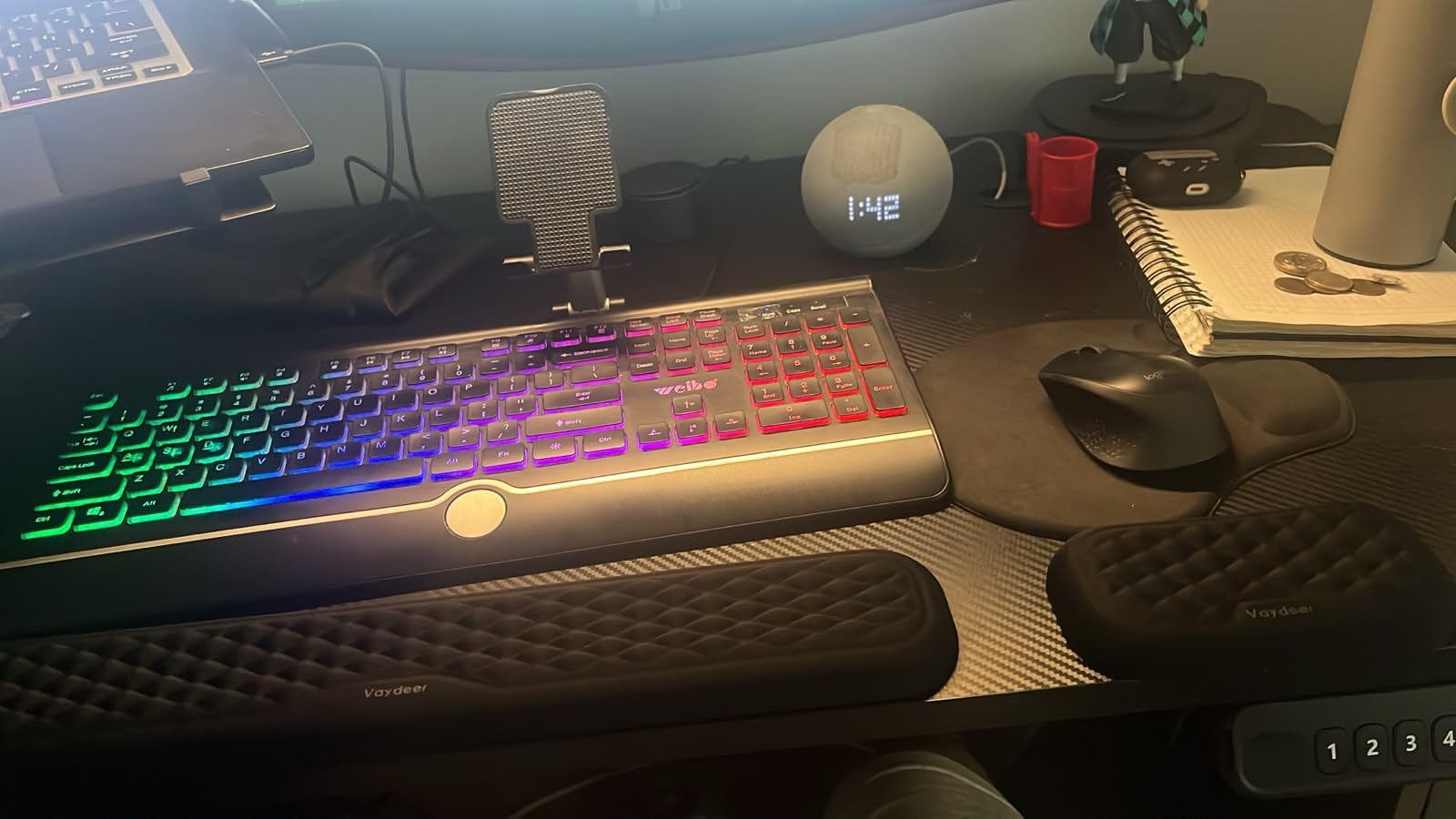
A wrist rest is a small accessory that pays for itself many times over if you spend hours a day at your keyboard. The Vaydeer rest set includes both a full-size keyboard rest and a smaller mouse rest, both filled with memory foam and covered in a soft lycra fabric. I added them to my setup after a 12-hour editing session left my wrists sore, and the difference was immediate.
The memory foam fill is firm enough to support the wrist in a neutral position without bottoming out under pressure. The lycra cover is soft and breathes well, so it does not get sweaty during long sessions. The non-slip rubber base keeps both rests firmly in place even during aggressive typing or gaming movements.
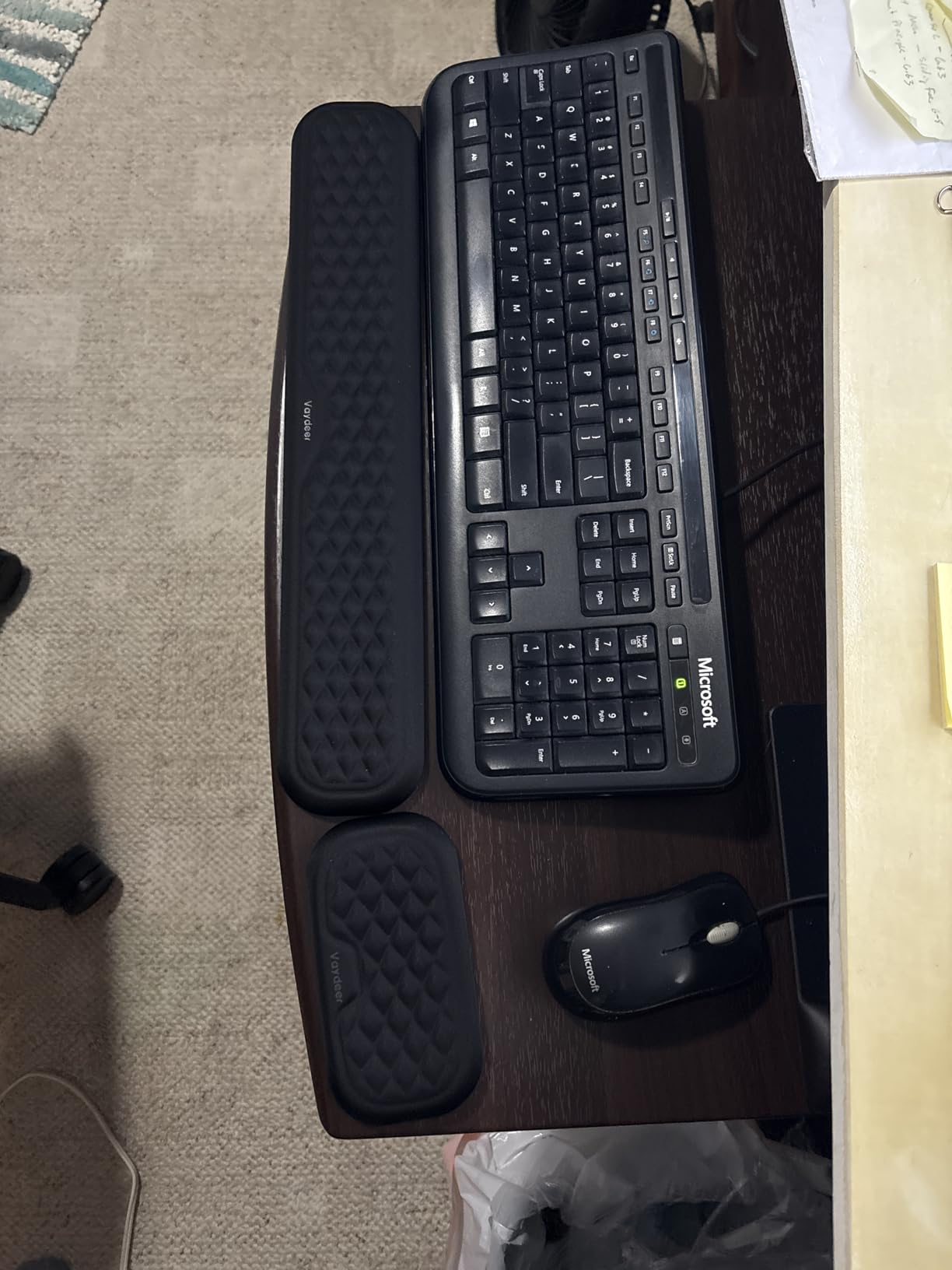
The keyboard rest is 17.32 x 3.15 inches, which fits most full-size and TKL keyboards. The mouse rest is 5.94 x 3.15 inches, which is large enough for most hand sizes. Both rests have an ergonomic concave shape that supports the wrists at a natural angle.
Build quality feels premium for the price. The stitching is solid, the lycra cover does not pill after months of use, and the foam holds its shape. I have been using this set daily for six months and it still looks nearly new.
Wrist health and ergonomics
Wrist rests do not prevent carpal tunnel syndrome by themselves, but they do reduce pressure on the wrist during typing. The key is to use them to support the wrist between keystrokes rather than resting your wrists on them while typing. Combined with proper chair height and keyboard positioning, this is a meaningful upgrade for anyone who games or types for hours a day.
Who should pick this wrist rest
Pick the Vaydeer wrist rest set if you spend hours a day typing or gaming and want a comfortable ergonomic upgrade. It is also the right choice for anyone who already has wrist or forearm issues and wants extra support during long sessions. Skip it only if you already have wrist rests you love.
Buying Guide: How to Prioritize Your Desk Setup Essentials
When you have a budget and 15 accessories staring back at you, the hardest part is figuring out what to buy first. After years of testing setups for our team and surveying the r/pcmasterrace community, here is the priority order I recommend for anyone building their first gaming PC setup.
Tier 1: Buy these first
The first tier covers the things that directly affect your gaming experience and your health. A good monitor, mouse, and keyboard will improve every session you play. The chair is in this tier because back pain ends gaming sessions early, no matter how good the rest of the setup is. Finally, the desk mat is the foundation that ties the input devices together.
Total tier 1 budget at our recommended picks is roughly $300, which is a sensible starting point for most new PC owners. If you already have a monitor from a previous build, save that money and put it toward a better chair or keyboard.
Tier 2: Buy these within the first month
Tier 2 covers the quality-of-life accessories that you will wonder how you lived without. The headphone stand, footrest, wrist rest, and power strip all solve problems you notice after a few weeks of gaming. None of them are mandatory on day one, but all of them become essential once you have them.
This is also the tier where you should focus on cable management. We have a complete cable management guide that walks through the basics, and the difference between a clean and messy desk is mostly about taking the time to do this step.
Tier 3: Buy these as your setup grows
Tier 3 covers the extras that round out a complete setup. The monitor light bar is one of the best upgrades you can make for late-night gaming, and a phone stand is genuinely useful for second-screen notifications. The pegboard, desk organizer, and ring light fall here too. These are great additions when you have spare budget and want to polish your setup further.
The ring light in particular matters if you ever appear on camera for streaming or video calls. If you are not planning to stream and rarely take calls, you can skip it. The same is true of fancy cable management kits and decorative RGB strips.
Budget tip: spend more on chair, less on RGB
The single biggest mistake new builders make is over-investing in RGB and under-investing in ergonomics. The chair, mouse, and keyboard will be with you for years and will directly affect your health. RGB strips and decorative items are fun but do nothing for your gaming performance. Aim for roughly 60 percent of your accessory budget on ergonomics and core input devices, and 40 percent on aesthetics and extras.
For audio enthusiasts
If you care more about sound than the average gamer, consider bookshelf speakers or a 2.1 system instead of a gaming headset. We have guides covering both the best bookshelf speakers for gaming desks and the best 2.1 speaker systems for gaming. Speakers deliver a more immersive experience for single-player games and music, while headsets are better for competitive play and late-night sessions.
For compact desk setups
Smaller desks benefit from compact input devices. If you are working with limited space, our TKL keyboard guide covers the best tenkeyless options. Combined with a smaller mouse pad and an under-monitor headphone stand, you can fit a complete setup on as little as 36 inches of desk width. Browse all our gaming buying guides for more space-saving tips.
Frequently Asked Questions
What are the must-haves for a gaming desk?
The must-haves for a gaming desk are a quality mouse, mechanical keyboard, large mouse pad, headset stand, ergonomic chair, monitor or monitor arm, and cable management solution. Lighting and decorative items are optional upgrades.
What are the must-haves for a gaming PC setup?
A gaming PC setup needs a reliable mouse, mechanical keyboard, headset or speakers, monitor, mouse pad, chair, and a way to manage cables and power. Streaming gear and RGB lighting are nice-to-have upgrades for most gamers.
Is $1000 enough for a gaming PC?
Yes, $1000 is enough for a strong 1080p or entry-level 1440p gaming PC in 2026. You can pair that build with the desk setup essentials in this guide for a total cost under $1500. For higher resolutions or refresh rates, plan for $1500 or more for the tower alone.
What to setup on a new gaming PC?
On a new gaming PC, install drivers first, then your launchers like Steam, Epic, and Battle.net. Set up your display refresh rate in Windows, configure your mouse DPI, and create a few game profiles. Finally, organize your desktop with the apps and folders you actually use.
What desk accessories should I buy first for a new gaming PC?
Buy the mouse, keyboard, and headset stand first. These three items deliver the biggest daily-use improvement. Add a chair second, then the monitor arm or light bar. RGB strips, ring lights, and decorative items can come later as your budget allows.
Final Verdict
A new gaming PC is exciting, but the desk setup around it is what makes every session enjoyable. Our team tested these 15 desk setup essentials for gaming PC builds in 2026 to find the products that combine quality, value, and daily-use reliability. The Logitech G305 remains the single highest-value pick we recommend, the BladeHawks RGB mouse pad is the easiest budget upgrade, and the GTPLAYER chair is our editor’s choice for anyone willing to invest in long-session comfort.
Start with the mouse, keyboard, and headset stand from tier 1, add a chair and cable management next, and build out the rest as your budget allows. That approach gives you a complete gaming setup with desk setup essentials you actually use, instead of a pile of accessories that collect dust. Bookmark this page and come back when you are ready to add the next item from the list.
1 thought on “15 Best Desk Setup Essentials for a New Gaming PC (October 2026) Top Reviews”