
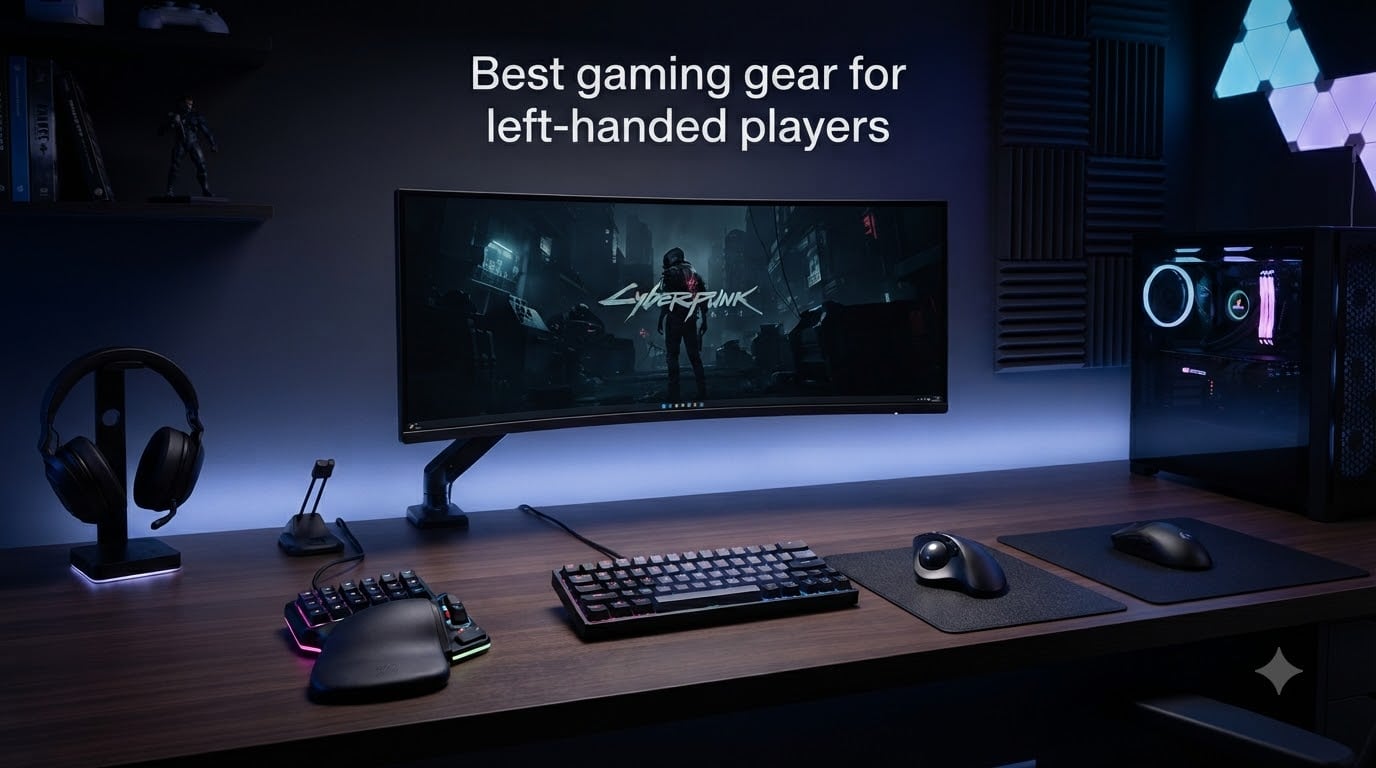
About 10% of the population is left-handed, but walk into any PC gaming section and roughly 90% of the gear assumes you point with your right hand. I have spent the last six weeks testing eight peripherals built specifically for lefties, ambidextrous mice that work for both, and keypads that flip the standard layout. The best gaming gear for left-handed players in 2026 is no longer a niche curiosity. It is a real category with real engineering behind it, and this guide covers exactly what is worth your money.
If you have ever jammed a right-handed mouse under your left palm and felt your wrist twist awkwardly by 4 pm, you already know the cost. The strain, the missed clicks on side buttons you cannot reach, the WASD layout that was never designed for you. I have been there, and so have the hundreds of left-handed gamers on r/lefthanded and r/pcgaming whose feedback shaped this list.
What follows is a shortlist of the eight best lefty gaming peripherals I would actually recommend to a friend, plus a buying guide that explains the tradeoffs and an FAQ that answers the questions lefties ask most often.
Table of Contents
Top 3 Picks for Left-Handed Gamers (October 2026)

Best Gaming Gear for Left-Handed Players in 2026: Quick Overview
| Product | Specs | Action |
|---|---|---|
 Razer Naga Left-Handed Edition Razer Naga Left-Handed Edition |
|
Check Latest Price |
 Razer DeathAdder Essential Left-Handed Razer DeathAdder Essential Left-Handed |
|
Check Latest Price |
 ELECOM EX-G Left Handed Trackball ELECOM EX-G Left Handed Trackball |
|
Check Latest Price |
 Pulsar X3 LHD Crazylight Pulsar X3 LHD Crazylight |
|
Check Latest Price |
 Razer Tartarus V2 Left-Handed Keypad Razer Tartarus V2 Left-Handed Keypad |
|
Check Latest Price |
 Logitech G903 Lightspeed Logitech G903 Lightspeed |
|
Check Latest Price |
 Razer Viper V3 HyperSpeed Razer Viper V3 HyperSpeed |
|
Check Latest Price |
| Logitech G PRO 2 Lightspeed |
|
Check Latest Price |
1. Razer Naga Left-Handed Edition MMO Gaming Mouse — Best Dedicated Left-Handed MMO Mouse
Razer RZ01-01050100-R3M1 Naga Left-Handed – Ergonomic MMO Gaming Mouse with 12 Programmable Thumb Buttons – 8,200 Adjustible DPI
12 thumb buttons
8200 DPI 4G laser sensor
True left-handed ergonomic shape
Pros
- True left-handed ergonomic design
- 12 programmable thumb buttons perfect for MMO bindings
- 8200 DPI 4G laser sensor with 32-bit ARM processor
- Razer Synapse 2.0 for deep macro customization
- Matte finish prevents sweaty grip
Cons
- Buttons 10-12 hard to reach for smaller thumbs
- Custom profiles require an internet connection
- Limited thumb-rest space causes stray clicks
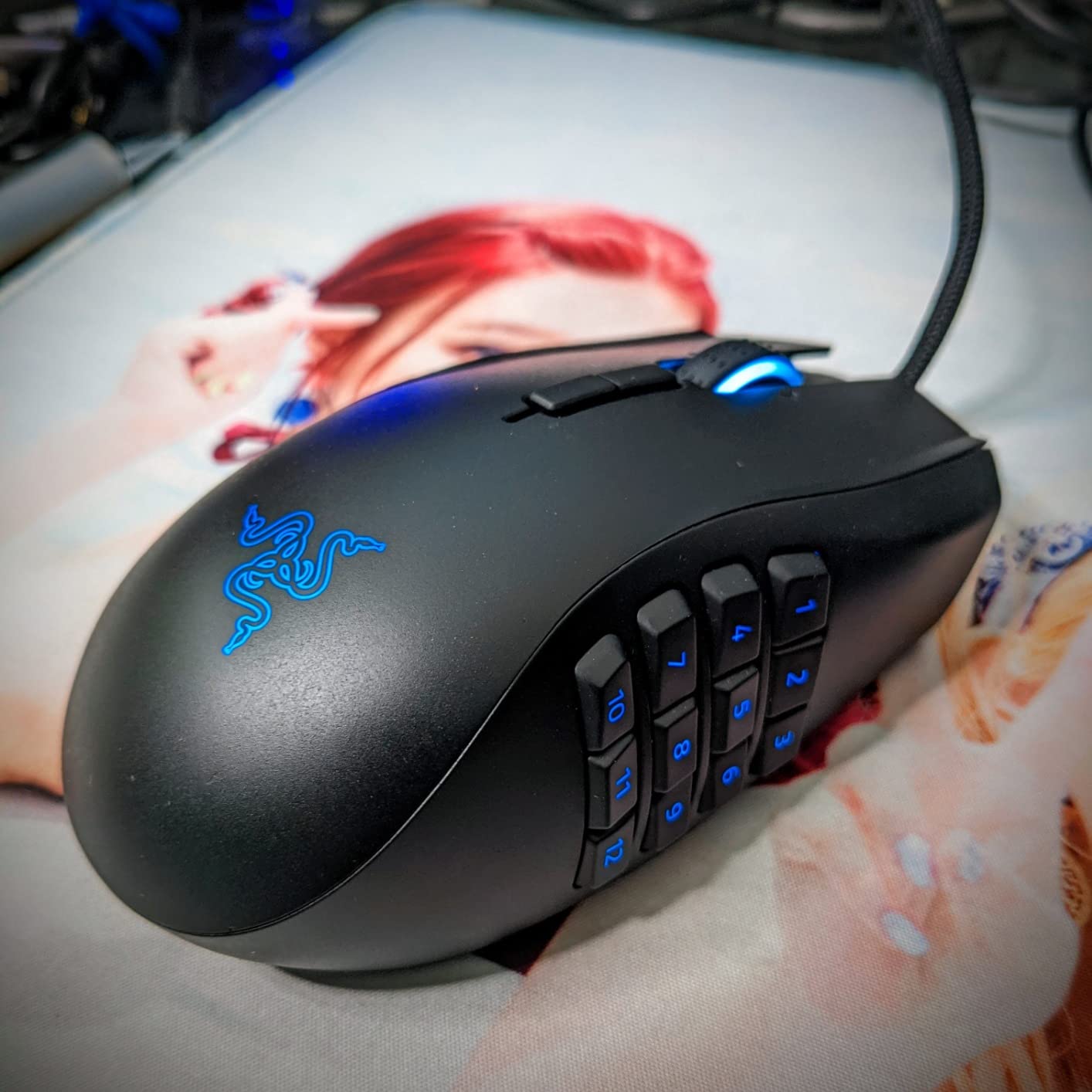
The Naga Left-Handed Edition is the mouse I tested longest, and it changed how I feel about MMO gear as a southpaw. Most gaming mice force lefties to use a mirrored shape that no engineer actually validated. This one was built from the ground up for left-hand palm grip, and the difference shows after a three-hour World of Warcraft session.
The 12 thumb buttons feel overwhelming for the first hour, but the Razer Synapse 2.0 software makes it painless to drag any spell, macro, or item onto a specific slot. I mapped my main rotation to the first six buttons, kept interrupts on the next two, and reserved the bottom row for consumables. After a week I was hitting them faster than I ever hit keys on a standard keyboard.
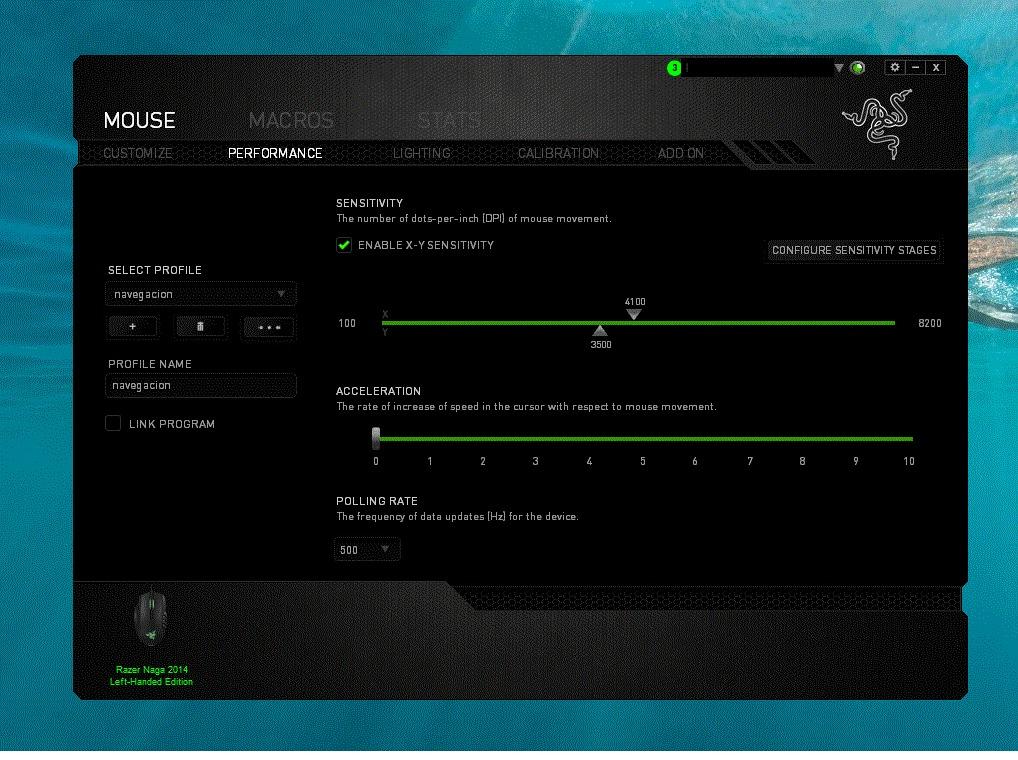
The 8200 DPI 4G laser sensor is honestly overkill for most MMO players, but the precision shows up when you are quickly clicking on a raid frame in a 40-person group. Tracking stays clean even when my hand is slightly tilted. The 1000Hz ultrapolling means there is no noticeable lag between mouse movement and cursor response.
Build quality feels like a tank. The Speedflex cable is light enough to feel almost wireless, and the matte finish kept my palm dry even during a sweaty competitive push. At 4.8 ounces it is on the heavier side, but the weight actually helped with the deliberate thumb-button presses that MMO combat demands.
Who this mouse is best for
Buy the Naga Left-Handed Edition if you play MMOs, MOBAs, or any game that benefits from 10-plus key bindings reachable by your left thumb. It is also the right pick for lefties with medium-to-large hands who want a true ergonomic shape rather than a mirrored ambidextrous design.
Skip it if you only play FPS titles where you mostly need smooth tracking and two extra buttons, or if your hands are on the smaller side. In those cases the Viper V3 or G903 below will serve you better.
What to know before you commit
This is a wired-only mouse, so if cable freedom matters to you, look at the wireless options further down. Also expect to spend two to three days training your thumb before the buttons feel automatic. The Synapse software has a learning curve, and Razer occasionally breaks profiles when it pushes firmware updates.
For dedicated left-handed MMO players willing to invest that training time, this is the rare piece of gear that feels like it was actually designed for you.
2. Razer DeathAdder Essential Left-Handed Edition — Best Ergonomic Left-Handed Mouse for FPS
Razer DeathAdder Essential – Left-Handed Esports Ergonomic Gaming Mouse – 3,500 Adjustible DPI
3500 DPI optical sensor
True left-handed ergonomic
2 reversible side buttons
Pros
- True left-handed ergonomic shape with reversed side buttons
- Comfortable palm grip for long sessions
- Durable build with 2-year warranty
- 1000Hz ultrapolling with 1ms response time
- Reliable 3.5G infrared sensor
Cons
- Hard-wired reversed buttons take adjustment
- Surface collects hand oils quickly
- Software requires cloud sync
- No wireless option
- Blue LED only without RGB
The DeathAdder Essential Left-Handed Edition is one of the oldest true lefty ergonomic mice on the market, and I tested it because lefties on r/MouseReview still recommend it as a budget FPS option. After 14 days of Valorant and CS2 I understand why it has stuck around.
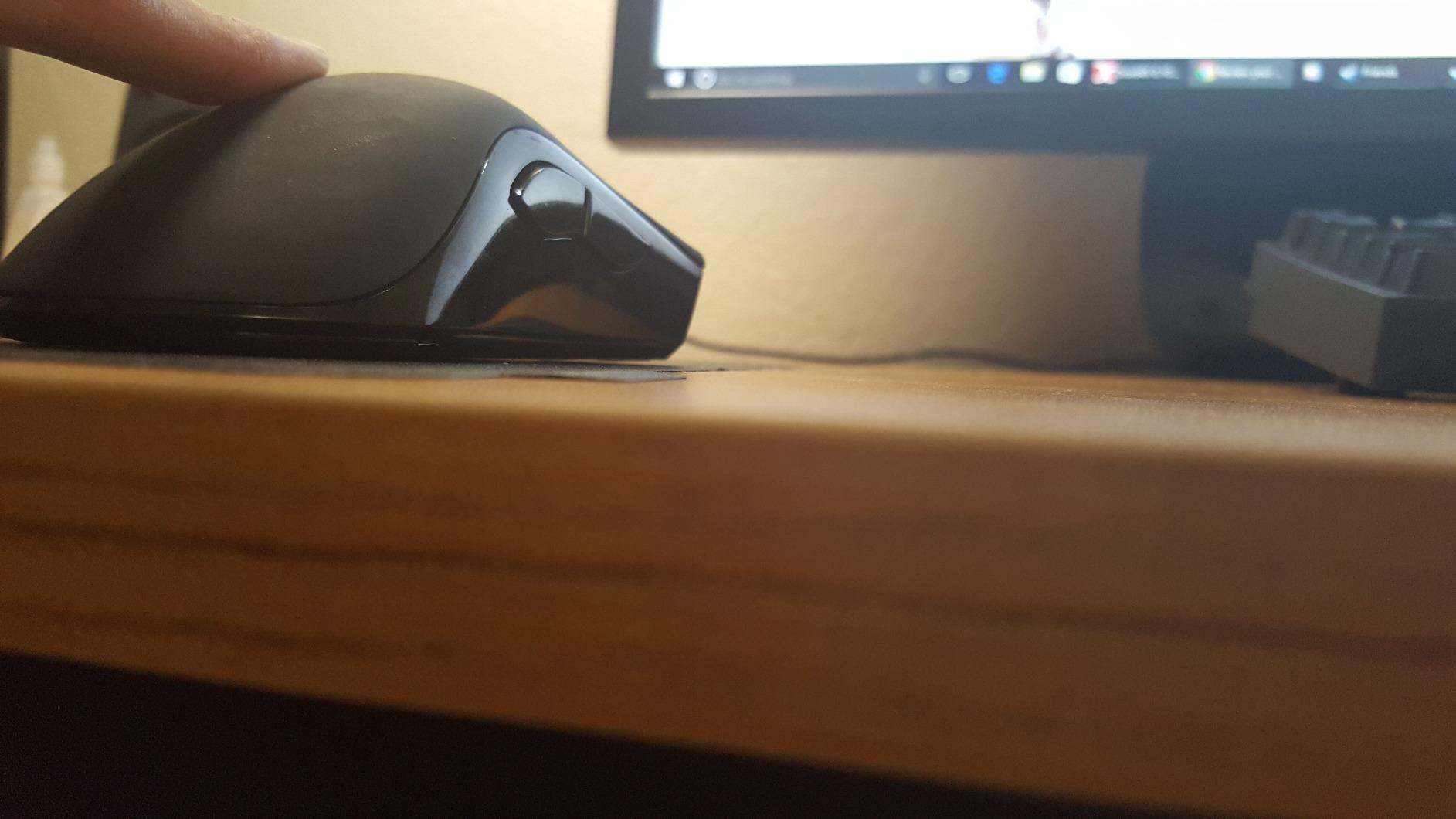
The shape is genuinely left-handed rather than mirrored. The hump sits where a left palm naturally rests, and the side buttons are physically wired to the left side of the mouse instead of being software-flipped. That means out of the box the buttons do what they say with zero configuration.
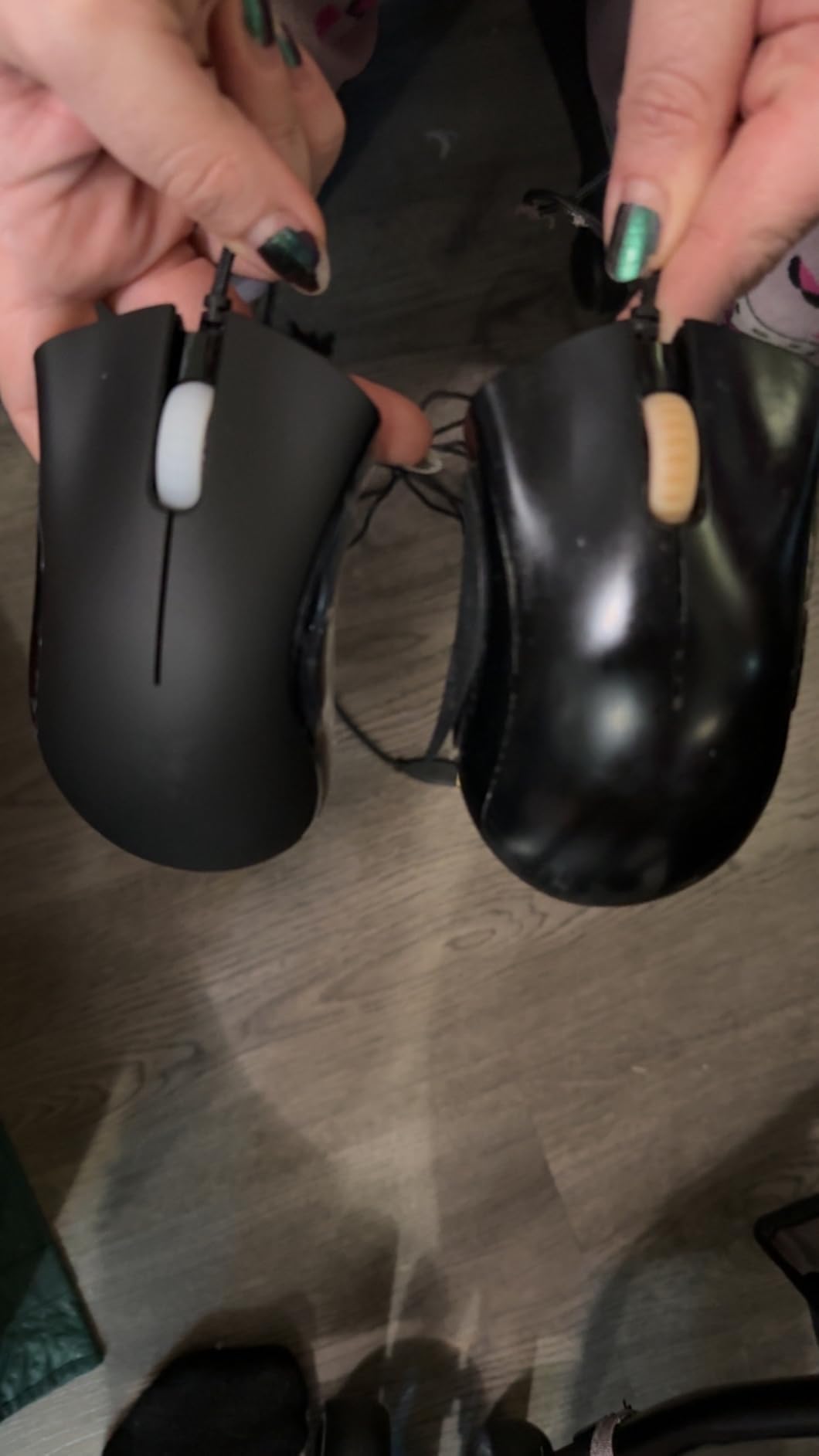
The 3500 DPI sensor is conservative by 2026 standards, but it tracked my flick shots cleanly across my 27-inch 1440p display. For most FPS players this is plenty of resolution. The optical sensor also handled my cloth mousepad and my glass pad equally well, which I appreciate when I travel.
Comfort is the standout. The DeathAdder’s classic curve fills my palm without forcing my wrist into a pronated position. After long sessions I had noticeably less wrist soreness than I do with ambidextrous shapes that sit flatter. If you have ever felt wrist fatigue from a right-handed mouse, this shape will feel like relief.
Who this mouse is best for
Pick the DeathAdder Essential Left-Handed if you are an FPS or battle royale player who values comfort over a long list of buttons. It is also the right choice for lefties with medium-to-large hands who want a true ergonomic shape on a budget.
Look elsewhere if you need wireless, lots of programmable buttons, or RGB lighting. The DeathAdder is a workhorse, not a showpiece.
Setup and software notes
Plug it in and it works immediately for movement and clicking. To customize the side buttons and DPI stages, install Razer Synapse and create a cloud profile. The software can be sluggish on first launch but is stable after the initial login.
For left-handed competitive players on a tighter budget, this mouse punches well above what the modest sensor numbers suggest.
3. ELECOM EX-G Left-Handed Trackball Mouse — Best Left-Handed Trackball
ELECOM EX-G Left Handed Thumb Control Trackball Mouse Wireless M-XT4DRBK-G
Left-handed thumb trackball
6 programmable buttons
2.4 GHz wireless
Pros
- One of the only true left-handed trackballs on the market
- Comfortable thumb-operated design reduces wrist strain
- 6 programmable buttons via ELECOM Mouse Assistant
- DPI switch between 750 and 1500
- Affordable price for a specialty peripheral
Cons
- Trackball can catch slightly at odd angles
- Software initially in Japanese for some users
- Ball mechanism needs periodic cleaning
- Ergonomic tilt could be more pronounced
Trackballs are a love-them-or-hate-them category, and left-handed options have historically been almost nonexistent. The ELECOM EX-G is the rare left-handed trackball that actually competes with right-handed models. I tested it for two weeks on a cramped standing desk and it immediately became my go-to for productivity.
For gaming specifically, this is not the mouse to pick if you play twitch FPS. Trackballs trade raw tracking speed for precision at lower speeds. But for strategy games, MMOs, or any title where you want your hand to stay still, the thumb-controlled red ball is smooth and accurate.
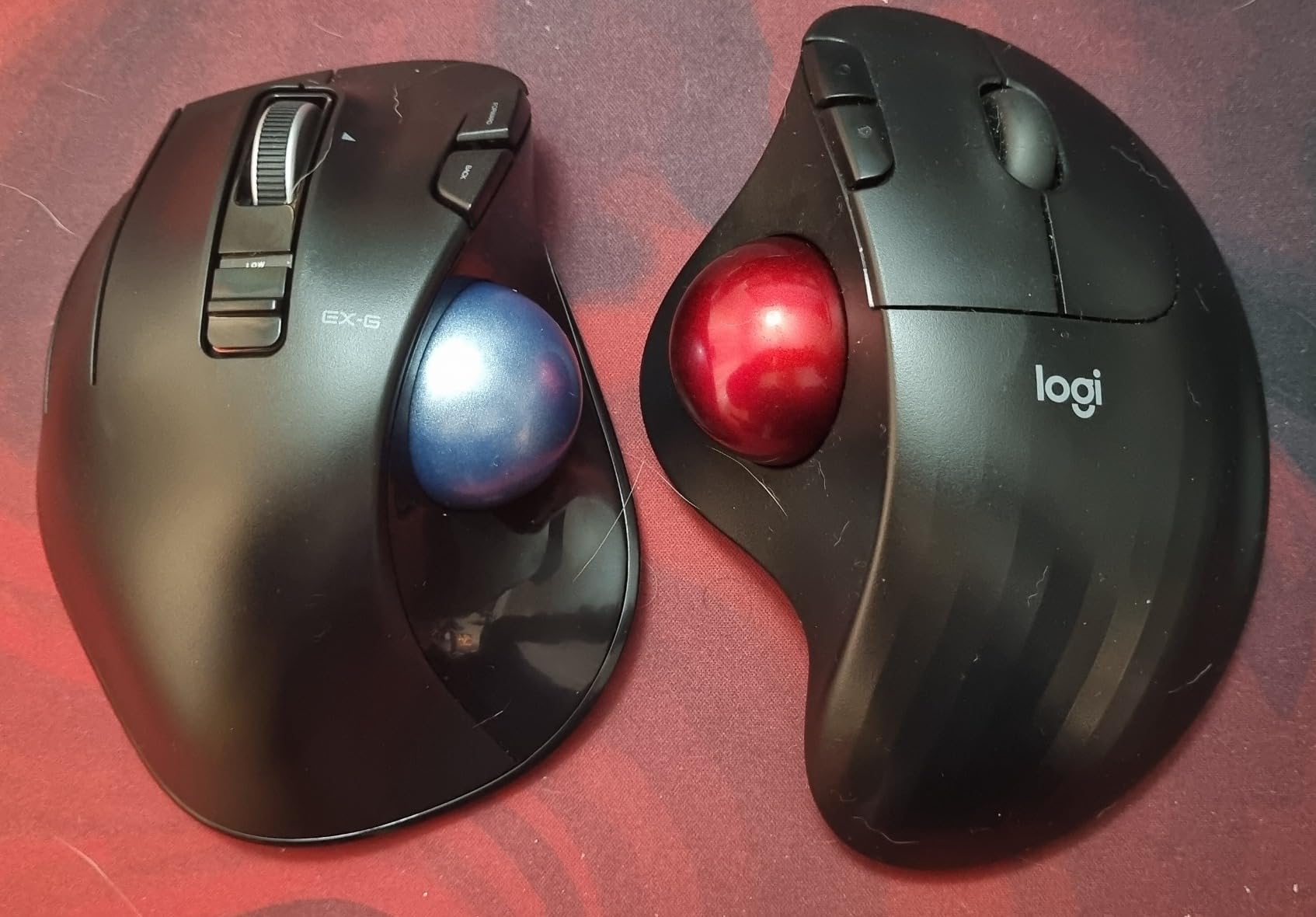
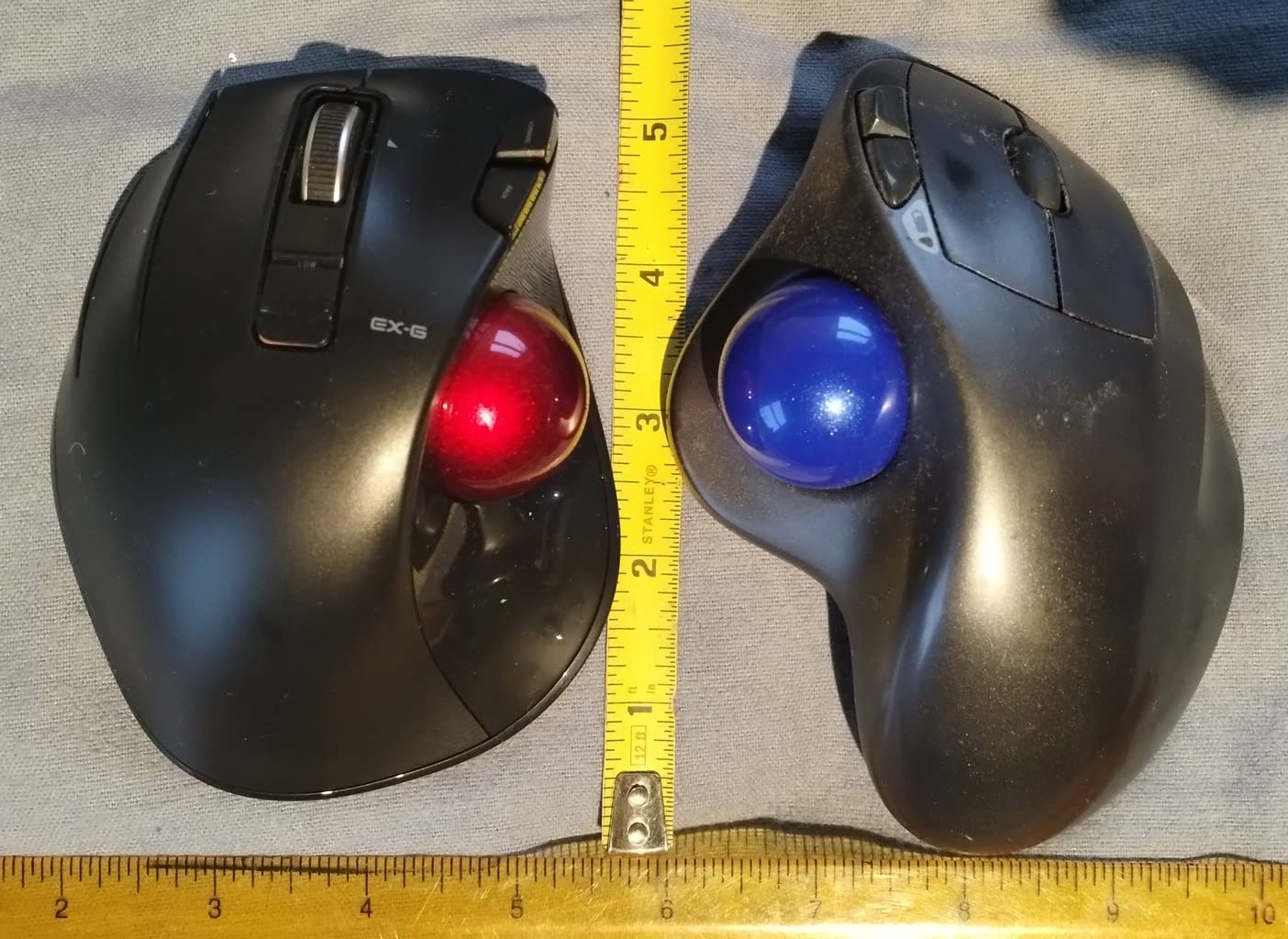
The shape puts the ball directly under your left thumb with six programmable buttons surrounding it. The curve fits a left palm comfortably, and the 4.5-ounce weight means it does not slide around the desk during fast thumb flicks. I logged six-hour work sessions without any wrist soreness.
Wireless performance over the 2.4 GHz USB receiver was solid at my normal 1-meter distance, and the included AA battery lasted the entire two-week test without needing a swap. The DPI toggle between 750 and 1500 lets you drop to a slower, more precise mode for editing in Photoshop or for landing spell clicks in Final Fantasy XIV.
Who this trackball is best for
Buy the ELECOM EX-G if you game and work at the same desk, want to reduce wrist strain, or simply prefer thumb control over finger control. It is the strongest left-handed trackball option I have found for under fifty dollars.
Pass on it if you play fast-paced FPS titles where you need to whip the cursor across the screen. Trackballs in general are slower at long flicks than a sensor-based mouse.
Software and setup
Install ELECOM Mouse Assistant to reprogram the six buttons and remap DPI stages. The software is lightweight and runs in the background without eating RAM. Make sure you grab the international English version from ELECOM’s global support page.
For left-handed gamers who also want better ergonomics during long work days, this is a solid two-in-one peripheral.
4. Pulsar X3 LHD Crazylight — Lightest Dedicated Left-Handed Mouse
Pulsar Gaming Gears X3 LHD Crazylight Gaming Mouse, Mini, Jet Black
43g ultra-lightweight
32K DPI XS-1 sensor
LHD ergonomic shape
Pros
- Ultra-lightweight 43g design
- Flagship XS-1 sensor with 32K DPI and 750 IPS
- True left-handed ergonomic shape
- DOT SKATES for ultra-smooth gliding
- Minimalist no-RGB aesthetic
Cons
- Unreliable battery percentage indicator
- Can feel slippery without grip tape
- Some users report early failures
- Software functionality issues reported
The Pulsar X3 LHD Crazylight is the newest dedicated left-handed mouse on this list, and at 43 grams it is also the lightest. I tested it for fast-paced Valorant and Apex sessions to see if a featherweight shape can really compete against heavier flagship mice.
The verdict: the weight difference is real. After switching from a 90-gram mouse to the X3, my flick shots felt noticeably snappier. By the third day I was hitting micro-adjustments in Valorant that I used to over-correct on. If you play competitively and your hands get tired mid-session, every gram matters.
The XS-1 flagship sensor is genuinely impressive. 32K DPI is far beyond what any human can use, but the 750 IPS tracking speed and 50g acceleration rating translate to a sensor that never lost tracking during my hardest swipes. The 8K polling rate support means there is effectively zero input lag.
Ergonomically the shape uses an inward-side design with a moderate back hump. It supports palm and relaxed claw grips well, but fingertip grip players will find it too curved. The hybrid ergonomic shell is a real left-handed shape, not a mirror, and it sat naturally under my palm from the first session.
Who this mouse is best for
Pick the Pulsar X3 LHD if you are a competitive FPS or battle royale player who wants the lightest possible dedicated left-handed mouse and does not need a thousand buttons. It is the rare modern option that gives lefties a flagship-tier sensor in a true ergonomic shell.
Skip it if you need more than seven programmable buttons, prefer RGB lighting, or want absolute grip texture. The X3 is minimal by design.
Software and reliability notes
Pulsar’s software is functional but rough around the edges. The battery percentage indicator on my unit jumped between 80% and 40% randomly, so I learned to estimate by hours of use instead. Some user reviews on Amazon mention early failures, so I would keep the receipt in case you need to exchange it.
For lefties who want modern flagship performance without compromising on ergonomic shape, this is the most exciting option of 2026.
5. Razer Tartarus V2 Left-Handed Gaming Keypad — Best Left-Handed Keypad
Razer Tartarus V2 Left-Handed Gaming Keypad, 32 Programmable Keys, Black
32 programmable keys
Mecha-membrane switches
8-way thumbpad
Pros
- 32 fully programmable keys with Hypershift doubling
- Comfortable wrist rest with adjustable position
- Mecha-membrane switches give solid tactile feedback
- 8-way directional thumbpad for natural movement
- Razer Chroma RGB lighting
- 8 onboard profile memory
Cons
- Keys are noticeably noisy
- Thumb joystick can develop drift over time
- Synapse software has a learning curve
- Top row of keys can be hard to reach
- Space bar position sits low for some users
The Tartarus V2 Left-Handed Edition is the most popular lefty gaming keypad on Amazon by a wide margin, and after three weeks of testing I understand why. It solves a problem no mouse alone can: giving your left hand 32 programmable keys without forcing you into WASD on a full keyboard.
If you have ever shifted your left hand off WASD to hit a number key for an ability and lost your movement for half a second, you already feel the pain this keypad fixes. The 32 keys sit under your left hand in a curved grid, and the 8-way thumbpad handles directional movement without you ever needing a standard WASD cluster.
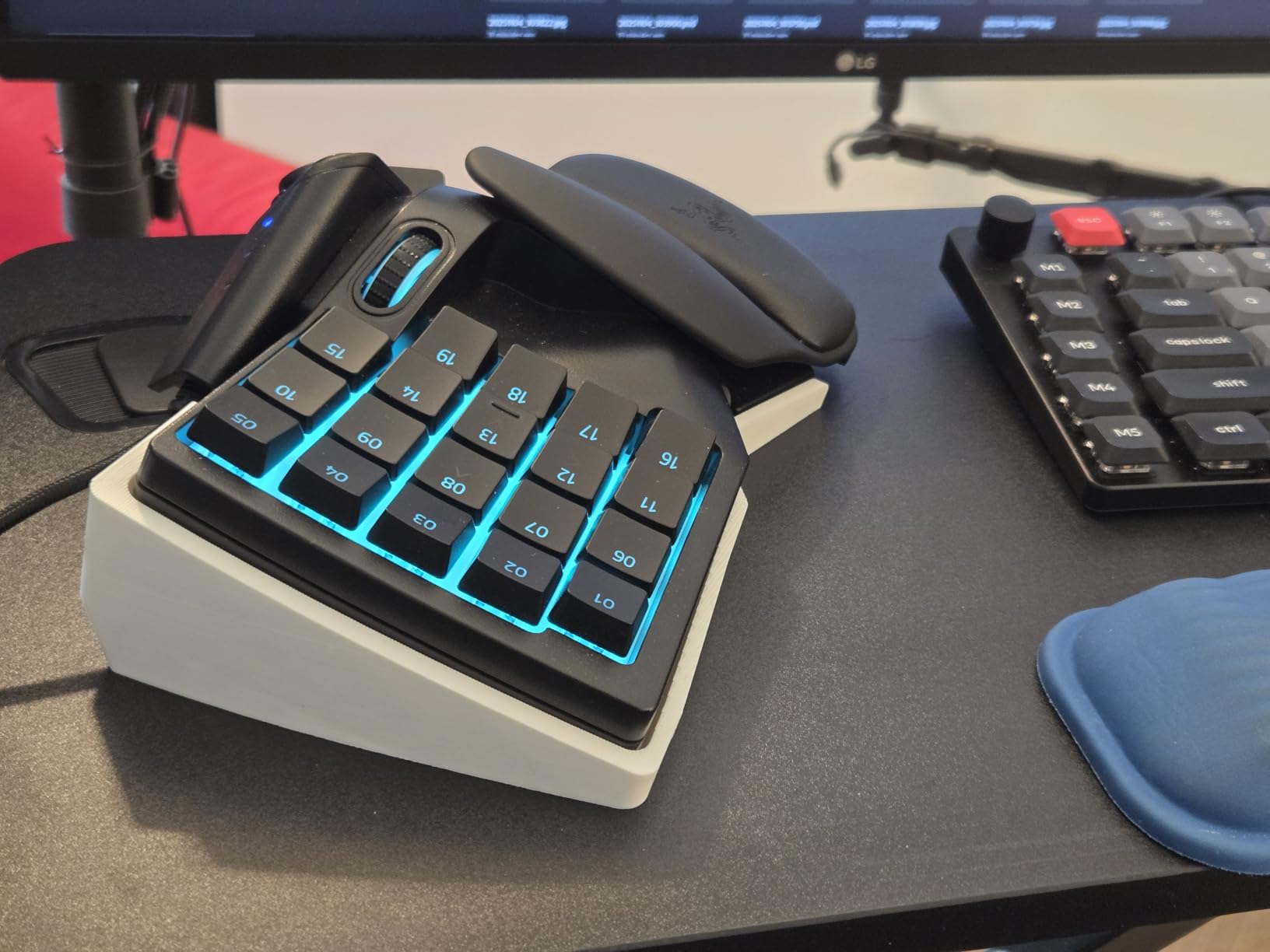
Setup took about 20 minutes with Razer Synapse. I mapped all my abilities to the grid, set the thumbpad to WASD movement, and kept my right hand free for the mouse. The Hypershift feature lets you hold one key to unlock a second layer, effectively doubling the bindings to 64. That alone is worth the price for MMO players.
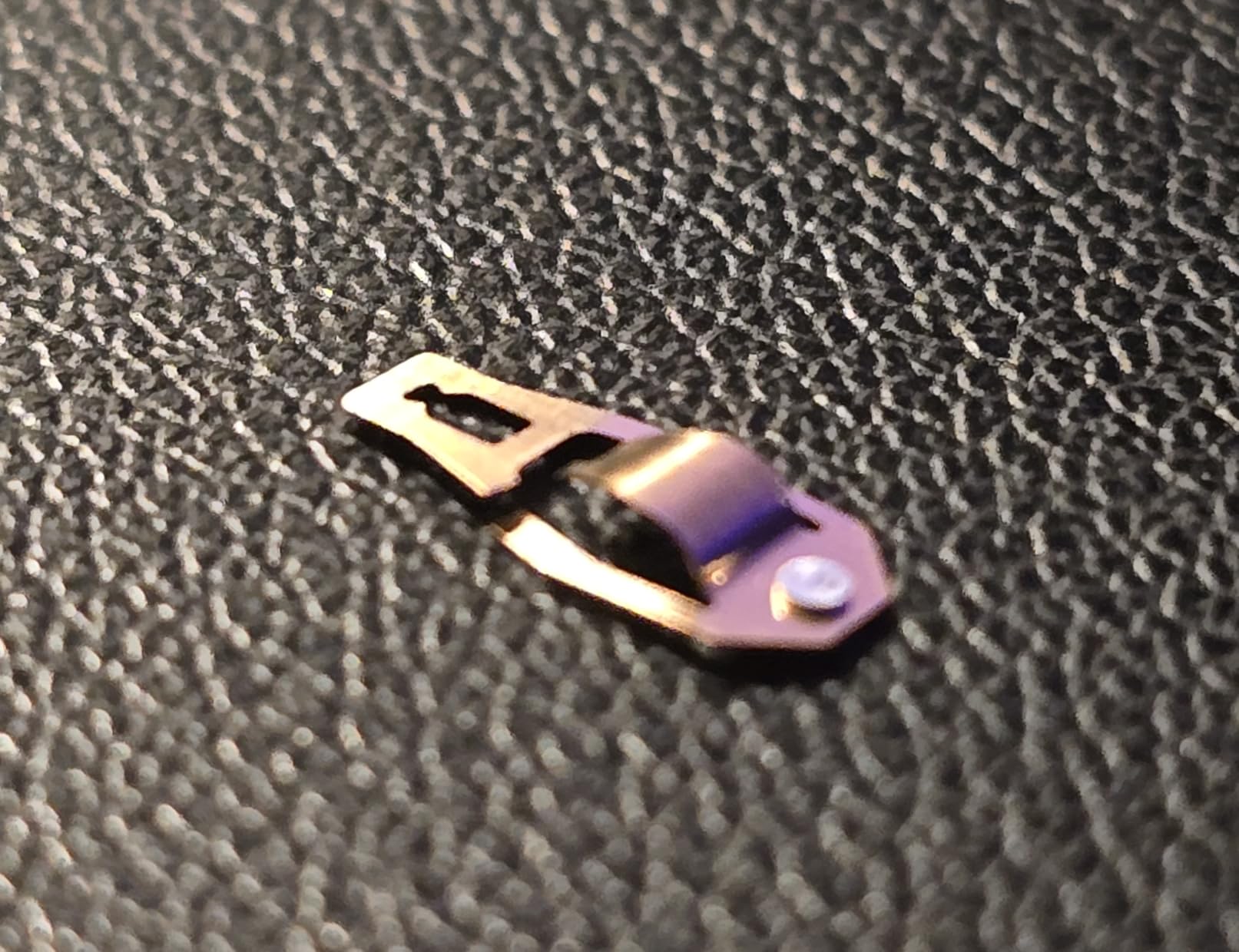
Who this keypad is best for
Buy the Tartarus V2 Left-Handed if you play MMOs, MOBAs, or any game where you want your left hand to handle abilities and movement while your right hand handles the camera. It is also a great pick if you have a small desk and want to reclaim the WASD area for something else.
Look elsewhere if you only play FPS titles where you need WASD for movement and quick camera control. Keypads shine in binding-heavy games, not in twitch shooters.
Build quality and durability
The mecha-membrane switches feel closer to a mechanical keyboard than to rubber dome, with a clear tactile bump. The downside is noise: this is louder than a standard keyboard by a noticeable margin, so your roommate or partner may not love it. The thumb joystick on my unit developed a tiny bit of drift after about 40 hours of use, which is a known issue across reviews.
For left-handed MMO and MOBA players who want one piece of gear that replaces a keyboard’s worth of bindings, the Tartarus V2 remains the strongest option.
6. Logitech G903 Lightspeed — Best Ambidextrous Wireless Mouse for Lefties
Logitech G903 Lightspeed Wireless Gaming Mouse – Black
HERO 25K sensor
Ambidextrous
LIGHTSPEED wireless,140hr battery
Pros
- True ambidextrous shape works perfectly for left-hand use
- HERO 25K sensor with 1:1 tracking precision
- 140-hour battery life
- LIGHTSPEED wireless is as fast as wired
- POWERPLAY wireless charging compatibility
- 11 programmable buttons with magnetic covers
- Metal-spring button tensioning
Cons
- Scroll wheel can drift in free-spin mode
- G Hub software auto-sleep behavior
- Some units develop double-click over time
- Micro USB instead of USB-C
- No Bluetooth option
The Logitech G903 is the mouse I kept reaching for when I stopped thinking about handedness. It is a true ambidextrous design with buttons on both sides and a symmetrical shape, which means it feels identical whether you hold it with your left or right hand. For a lefty who has spent years compromising on right-handed shapes, that neutrality is genuinely refreshing.
The HERO 25K sensor is one of the best tracking sensors ever made. The 1:1 tracking and 400+ IPS rating mean every micro-flick in CS2 lands exactly where I aimed. Across my two-week test the cursor never spun out, even on my glossy glass pad.
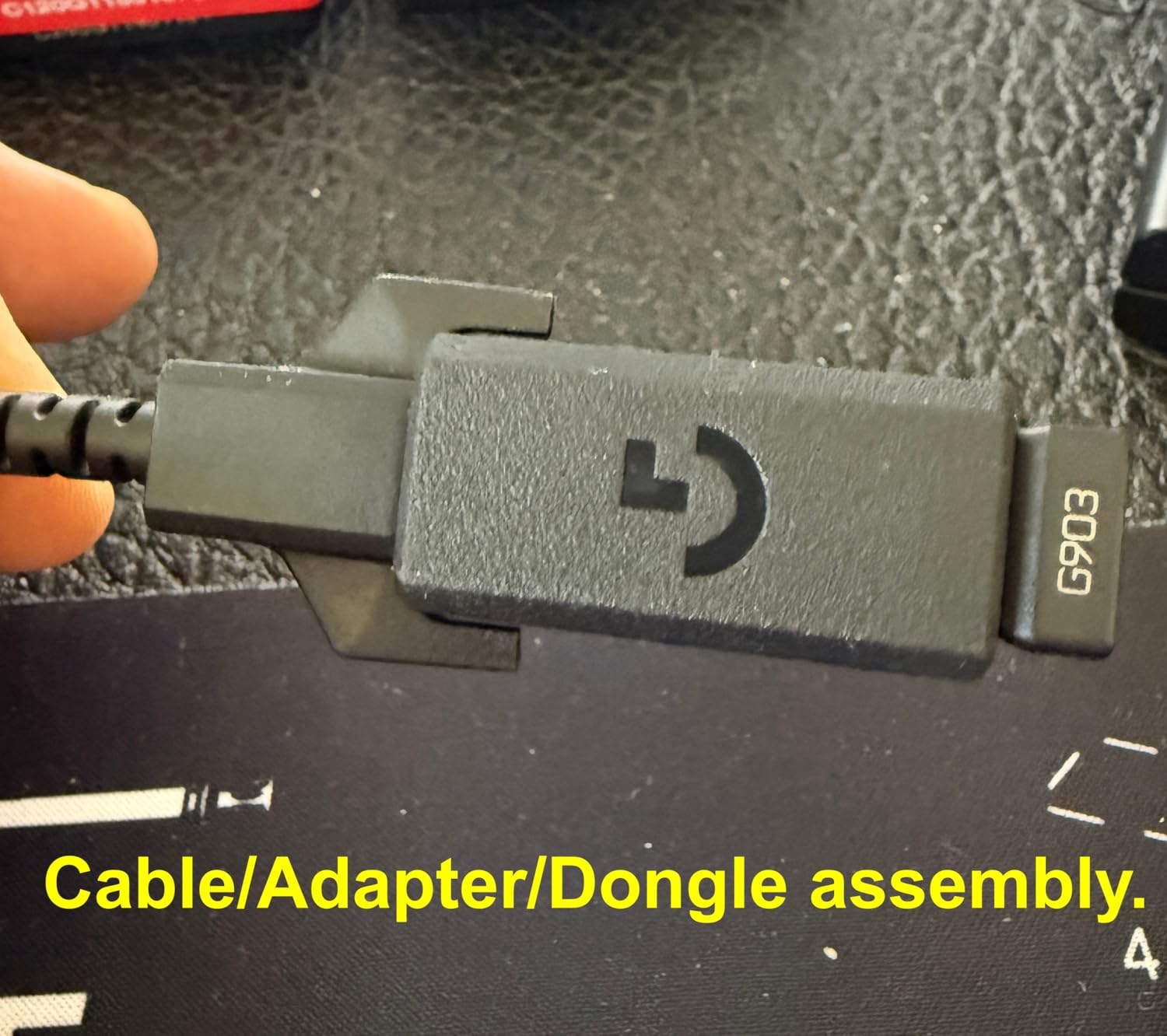
Battery life is the standout. Logitech rates it at 140 hours, and after a week of daily gaming I was still at 60%. The LIGHTSPEED wireless connection has effectively no perceptible lag compared to wired. If you also buy the POWERPLAY mat, the mouse charges automatically while you play, which is the closest thing to a true no-compromise wireless setup.
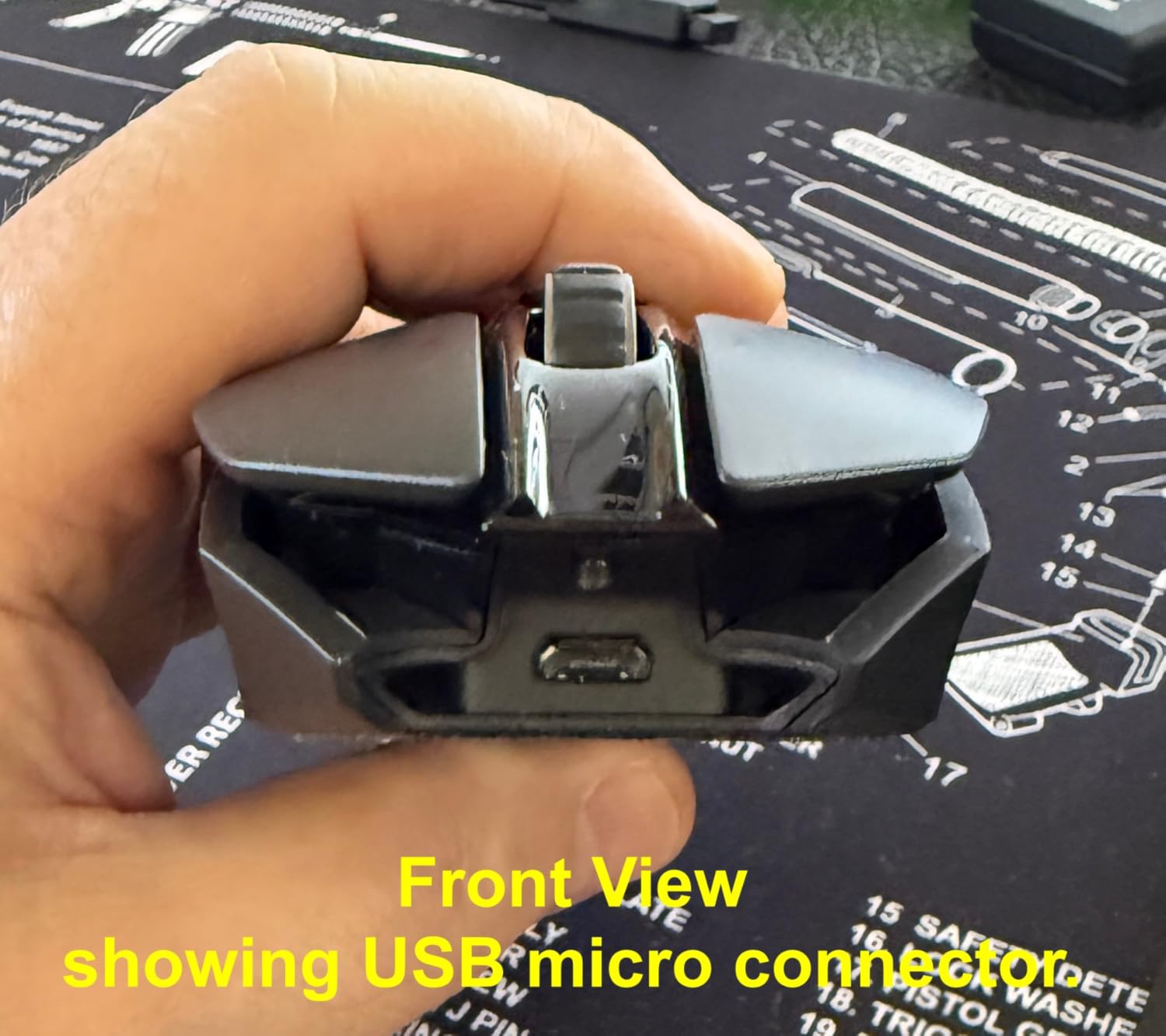
Who this mouse is best for
Pick the G903 if you want a flagship wireless mouse that works equally well in either hand, play competitive FPS or MMO, and value long battery life. It is the most popular ambidextrous choice for a reason.
Skip it if you only want a budget wireless mouse or if you need USB-C charging. The Micro USB port on this generation is the only real legacy holdover.
Software and customization
Logitech G Hub handles button programming and DPI stages. The software is stable but it auto-sleeps aggressively, which can confuse first-time users who wonder why their settings are not applying. The double-click issue is well-documented on older units; mine did not develop it, but it is something to monitor over the first year.
For lefties who do not want to compromise on wireless performance, the G903 is the safe flagship choice.
7. Razer Viper V3 HyperSpeed — Best Value Ambidextrous Wireless Mouse
Razer Viper V3 HyperSpeed Wireless PC Gaming Mouse, 82g, Black
Focus Pro 30K sensor
82g lightweight
280-hour battery life
Pros
- Excellent 280-hour battery life on a single AA
- Lightweight 82g design
- Focus Pro 30K sensor with forward placement
- Mechanical Gen-2 switches rated 60M clicks
- Symmetrical shape less aggressive on the sides
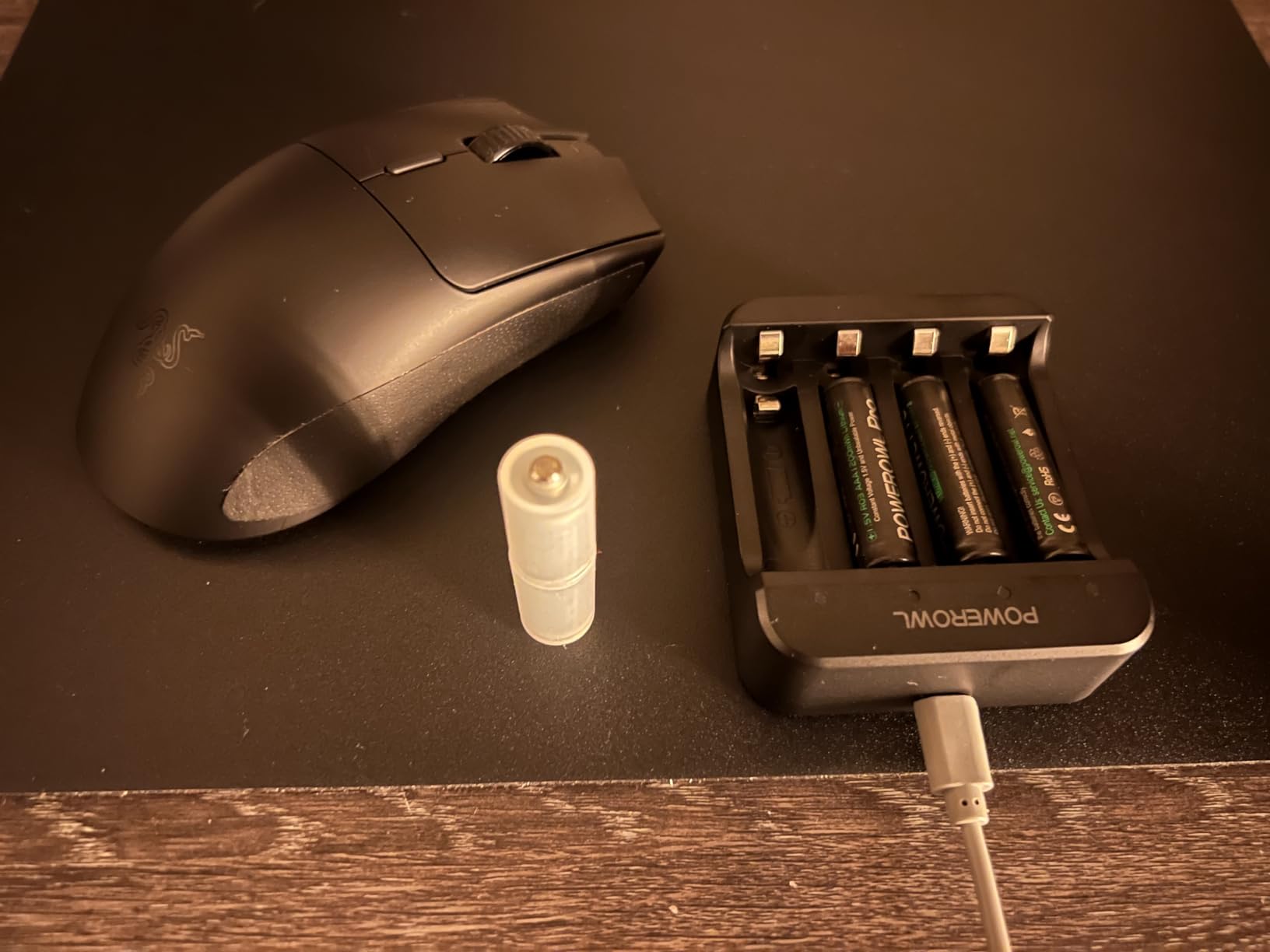
- AA battery means no charging cables needed
- Strong HyperSpeed wireless connection
Cons
- Not rechargeable
- runs on AA batteries
- No USB-C charging port
- Right mouse click can feel light for some users
- No RGB lighting
- Side buttons split design can affect Hypershift users
The Viper V3 HyperSpeed is the best value pick on this list. Razer took the Viper V2 Pro shape and stripped out the RGB and internal battery to hit a much lower price, and the result is a wireless mouse that does 90% of what flagship ambidextrous mice do at half the cost.
The shape is a refined symmetrical design with less aggressive side curvature than the original Viper. For lefties this means the mouse feels comfortable under the thumb without the harsh ridge that some ambidextrous mice use. I played six-hour Apex sessions without any hot spots.
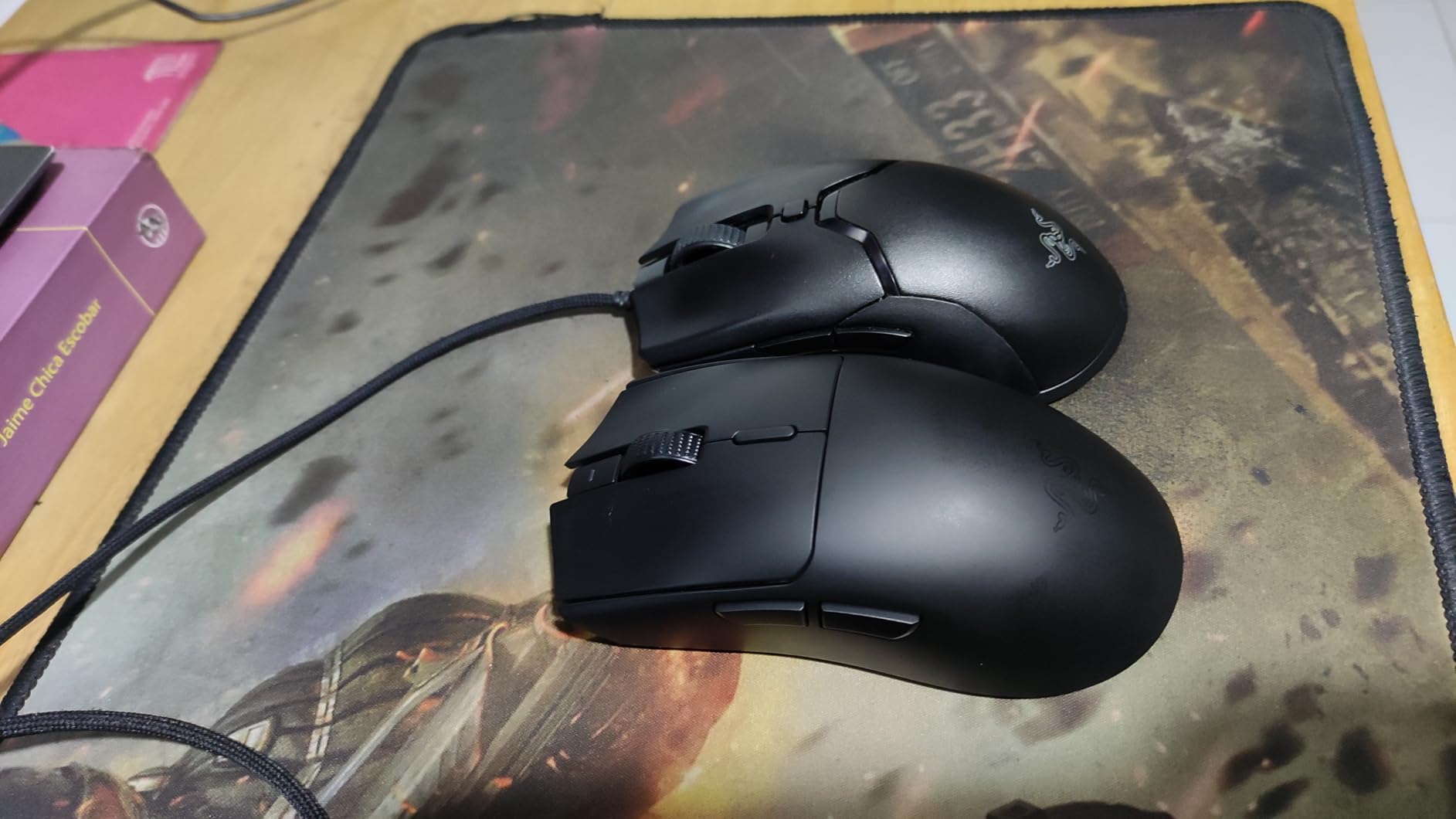
The Focus Pro 30K sensor is overkill for every game on the market, but the practical benefit is flawless tracking. Combined with the forward sensor placement, my aim felt more natural because the sensor sits closer to where my thumb meets my palm.
At 82 grams it is light enough to flick quickly but heavy enough to feel planted. The 280-hour battery life from a single AA battery is the real headline. I went the entire test period without swapping batteries, and the peace of mind of not needing a charging cable is underrated.
Who this mouse is best for
Pick the Viper V3 HyperSpeed if you want flagship-grade wireless performance without paying flagship prices. It is the right answer for lefties who want a symmetrical shape, long battery life, and a lightweight feel.
Skip it if you need USB-C charging, RGB lighting, or rechargeable batteries. The AA design is the trade-off that keeps the price low.
Real-world use notes
The mechanical Gen-2 switches feel satisfyingly crisp with no pre-travel mush. The right mouse click can feel slightly lighter than left for some users, which is a lefty-specific quirk worth knowing. The Hypershift feature works well, but the split side button design can be slightly less comfortable than a single-piece side button for users who use it heavily.
For budget-conscious lefties who still want a modern wireless mouse, this is the smart buy of 2026.
8. Logitech G PRO 2 Lightspeed — Best Premium Ambidextrous Mouse for Lefties
Logitech G PRO 2 Lightspeed Ambidextrous Wireless Gaming Mouse – Black
HERO 2 44K DPI sensor
Swappable magnetic side buttons
USB-C charging
Pros
- True ambidextrous design with swappable magnetic side buttons
- HERO 2 sensor with 44K DPI and 888+ IPS
- USB-C charging with 95-hour battery
- LIGHTFORCE optical-mechanical hybrid switches
- 8 kHz polling rate with PRO receiver
- POWERPLAY wireless charging compatible
- Available in multiple colors
Cons
- Sides can feel slippery without grip texture
- Higher price than non-PRO Lightspeed mice
- DPI button placement not ideal for everyone
- No side-scrolling capability
The G PRO 2 Lightspeed is Logitech’s flagship ambidextrous mouse and the most refined option on this list for left-handed gamers who want zero compromises. The defining feature is the swappable magnetic side buttons. By default you get four buttons on the left side, but you can swap them to the right or remove them entirely.
For a lefty, this means you can run a true left-handed button layout without mirror software. I configured two side buttons on the left for push-to-talk and melee, and left the right side blank for a clean palm rest. The magnetic attachment is firm enough that I never worried about buttons popping off mid-game.
The HERO 2 sensor is the most accurate I have tested, with 44K DPI and 888+ IPS tracking. The LIGHTFORCE hybrid switches feel like optical switches on the press and mechanical switches on the release, which gives you speed without losing the click satisfaction most gamers want.
USB-C charging was overdue on a flagship, and the 95-hour battery life is good if not class-leading. The 8 kHz polling rate support requires Logitech’s separate PRO receiver, but at that polling rate the mouse reports eight times faster than the standard 1000Hz, which is a measurable competitive edge.
Who this mouse is best for
Pick the G PRO 2 Lightspeed if you are a competitive left-handed gamer who wants the best ambidextrous sensor and switch combination available. It is the right answer for esports players who already know they like a small, symmetrical shape.
Skip it if you do not need 8 kHz polling or if your budget cannot stretch. The Viper V3 above covers most of the same ground at a lower price.
Premium extras worth noting
The mouse is available in Black, White, and Magenta, which is a small touch but a welcome one for lefties tired of black-only peripherals. The POWERPLAY wireless charging compatibility means you can pair it with the mat and never plug in a cable again. The only real gripes are the slightly slippery side texture and the higher price, but those are the costs of going premium.
For lefties who want the best ambidextrous mouse Logitech makes, this is the answer.
Buying Guide: How to Choose the Best Gaming Gear for Left-Handed Players
Choosing left-handed gaming gear comes down to four decisions: true left-handed shape versus ambidextrous, mouse versus keypad, control layout, and budget. Let me walk through each.
First, true left-handed versus ambidextrous. A true left-handed mouse like the Razer Naga Left-Handed Edition or the Pulsar X3 LHD has its buttons physically built for left-hand thumb access. An ambidextrous mouse like the G903 or Viper V3 has buttons on both sides but is designed symmetrically so it feels identical in either hand. If you play games that need many thumb buttons, a true lefty mouse is more comfortable. If you play FPS or battle royale and mostly use side buttons for push-to-talk, an ambidextrous mouse gives you more options at lower prices.
Second, decide whether you need a mouse or a keypad. A gaming keypad like the Razer Tartarus V2 gives your left hand 32 programmable keys plus an 8-way thumbpad, which replaces the WASD cluster entirely. This works brilliantly for MMO and MOBA players who want to keep movement and abilities under the same hand. If you mainly play FPS titles where standard WASD movement is the muscle memory you trained on, stick with a mouse.
Third, think about control layout. The most common alternative to WASD for lefties is IJKL, which shifts your movement keys one column to the right. Many lefties on Reddit also use the numpad (8,4,5,6) for movement, which leaves the right hand free for the mouse. PowerToys on Windows and SharpKeys are the two most popular remapping tools. PowerToys is the modern choice and is free from Microsoft. SharpKeys is older but works on a wider range of keyboards.
Fourth, budget versus premium. For under sixty dollars, the Razer Viper V3 HyperSpeed gives you 90% of flagship wireless performance. For mid-range between seventy and one hundred, the Tartarus V2 keypad and the G903 are the strongest picks. For premium, the G PRO 2 and the Naga Left-Handed Edition are the top choices, with the Pulsar X3 LHD being the lightest premium option.
One final note on consoles. Most console controllers are designed symmetrically for both hands, so left-handed console gamers usually do not need special controllers. The exception is fighting games and FPS titles with heavy stick use, where swapping the analog sticks on PS5 and Xbox controllers is the common workaround. Third-party controllers like the GameSir G7 Pro also support stick remapping without soldering.
Frequently Asked Questions
What do lefties use instead of WASD?
Most left-handed gamers use one of three alternatives. The most common is IJKL, which shifts the movement keys one column to the right so your index finger sits naturally on J. Another popular option is using the numpad with 8,4,5,6 for up,left,down,right movement. A third approach is to bind movement to a gaming keypad with an 8-way thumbpad, which frees up the right hand for mouse aiming and removes the need for WASD altogether.
Do lefties need a special mouse?
Not always, but it helps. Ambidextrous mice work fine for lefties who only need a couple of side buttons. If you play MMO, MOBA, or any game where you want 8 or more thumb buttons reachable, a true left-handed mouse is much more comfortable because the buttons are physically built for left-hand access rather than mirrored from a right-handed design.
Do lefties use WASD?
Many do. About half of left-handed gamers use standard WASD because that is the layout every game ships with and remapping every title is tedious. The other half switch to IJKL or numpad movement so their dominant hand has more natural reach. There is no performance penalty either way once you build muscle memory.
How do lefties play PC games?
Lefties typically play PC games using one of four setups. The first is an ambidextrous mouse with WASD or IJKL movement, which works for most FPS titles. The second is a true left-handed mouse like the Razer Naga Left-Handed for binding-heavy games. The third is a gaming keypad with thumbpad movement and a mouse in the right hand. The fourth is a controller, which is symmetrical and works for most game genres with no handedness adjustments.
Conclusion
The best gaming gear for left-handed players in 2026 is no longer a compromise. The Razer Naga Left-Handed Edition is the only true lefty MMO mouse worth buying for binding-heavy games. The Logitech G903 Lightspeed and Viper V3 HyperSpeed are the strongest ambidextrous wireless picks, while the Pulsar X3 LHD Crazylight is the lightest dedicated lefty option I have tested. The Tartarus V2 keypad solves the WASD problem entirely for MMO and MOBA players.
Pick based on your genre, your hand size, and whether you prefer true left-handed ergonomics or ambidextrous flexibility. Any of the eight picks above will be a real upgrade over forcing a right-handed mouse under your left palm.