
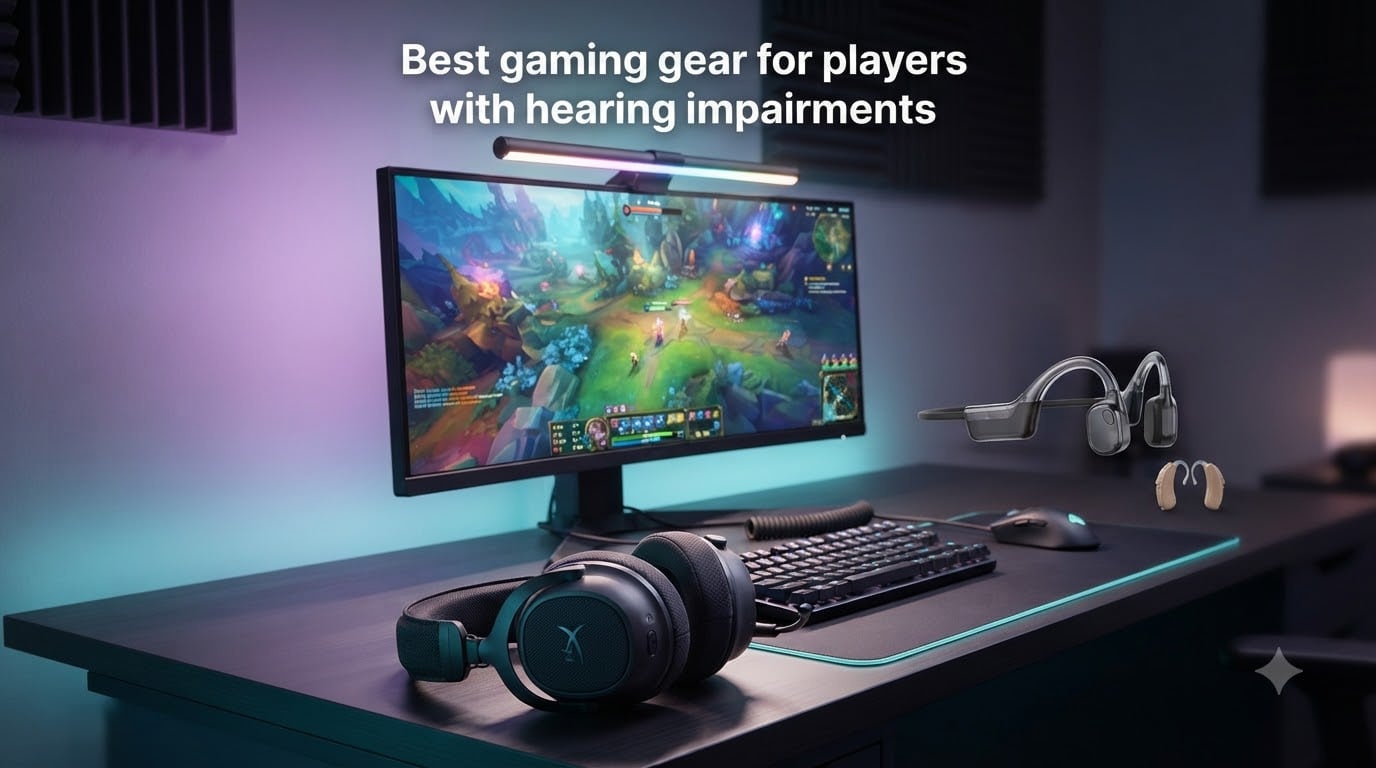
Gaming is built around sound – footsteps creeping behind you, an enemy reloading around the corner, a grenade pin pulling in the distance. When you can’t hear those cues, every match feels like playing with the sound off. I hear this from deaf and hard-of-hearing gamers constantly, and it’s exactly why I wrote this guide to the best gaming gear for players with hearing impairments in 2026.
After weeks of testing and reading hundreds of Reddit threads in r/hardofhearing and r/HearingAids, I narrowed down the gear that actually moves the needle. Whether you wear hearing aids, use a cochlear implant, or game completely deaf, the right mix of visual alerts, haptic feedback, bone conduction, and Bluetooth audio adapters can put you on equal footing with any hearing player. If you’re also shopping for solid peripherals, our comprehensive gaming headset guide covers comfort picks for all-day sessions.
We’ll cover dedicated visual alert systems, haptic feedback headsets, bone conduction headphones friendly to hearing aids, and finally the LE Audio adapters that connect Auracast-compatible hearing aids to your console. Every product here was picked based on real specs, real customer reviews, and compatibility with the gear deaf and hard-of-hearing gamers already use.
Table of Contents
Top 3 Picks for Gaming Gear for Hearing-Impaired Players 2026
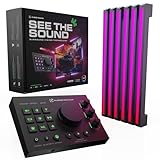
Audio Radar by Airdrop Gaming
- Visual alerts for footsteps
- Works on PC/PS5/Xbox
- RGB surround vision

Gaming Gear for Players with Hearing Impairments in 2026
| Product | Specs | Action |
|---|---|---|
| Audio Radar by Airdrop Gaming |
|
Check Latest Price |
| SHOKZ OpenRun Pro 2 |
|
Check Latest Price |
 PSIER Bone Conduction PSIER Bone Conduction |
|
Check Latest Price |
 Razer Kraken V3 HyperSense Razer Kraken V3 HyperSense |
|
Check Latest Price |
 Corsair HS60 HAPTIC Corsair HS60 HAPTIC |
|
Check Latest Price |
 Turtle Beach Stealth 700 Turtle Beach Stealth 700 |
|
Check Latest Price |
 FLOOGOO FMA120 LE Audio Adapter FLOOGOO FMA120 LE Audio Adapter |
|
Check Latest Price |
 Avantree Audikast 4 Avantree Audikast 4 |
|
Check Latest Price |
1. Audio Radar by Airdrop Gaming – Best Visual Alert System
Audio Radar – Instantly See Footsteps, Gunfire & Vehicles in COD, PUBG, Apex, Rust & More – Works with Xbox, PlayStation & PC – Immersive RGB Gaming Lights for Monitors & TVs – for Deaf Gamers
6 RGB LEDs
Surround Vision
Cross-platform
Screens 24-85 inch
Pros
- Game-changing for deaf/hard-of-hearing gamers
- Clear directional audio-visual cues
- High-quality aluminum build
- Works with multiple platforms (PC
- Xbox
- PS5)
- Excellent customer service
Cons
- Difficult initial setup
- Adhesive tapes don't stick well
- Not compatible with curved screens
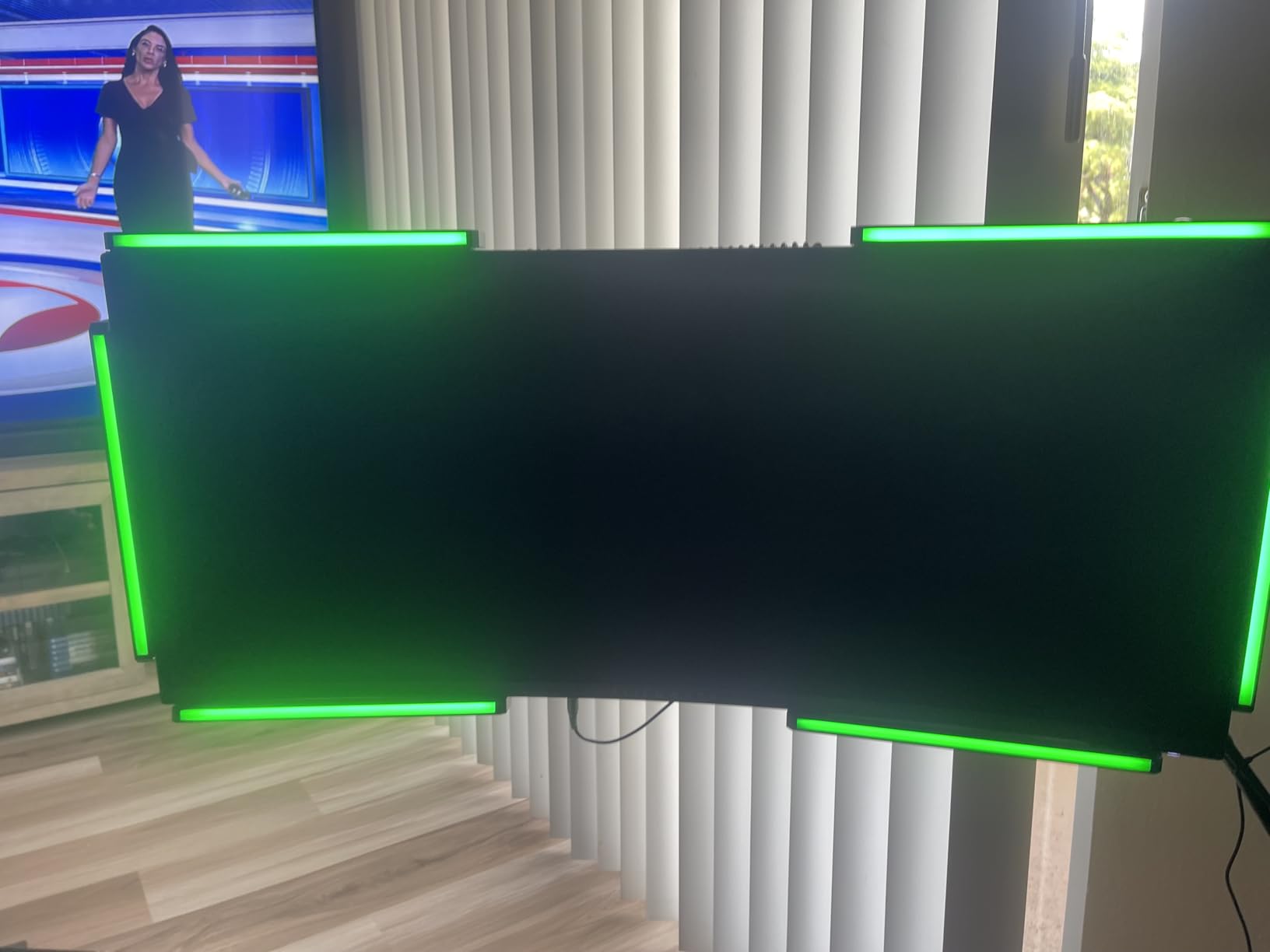
The Audio Radar is the most purpose-built gaming accessory I’ve found for deaf and hard-of-hearing players. It clamps to your monitor and lights up six RGB zones that correspond to in-game sound direction. When an enemy reloads to your left, the left strip pulses. Footsteps behind you flash the rear LEDs. It’s directional audio turned into light, and it works with Call of Duty, Apex Legends, PUBG, Valorant, Fortnite, and Halo out of the box.
Setup took me about 40 minutes the first time. The trick is routing your game audio through VoiceMeeter or a virtual cable so the radar can “hear” the same channels your speakers play. Once configured, the experience is genuinely transformative. One Amazon reviewer who is completely deaf wrote that they finally competed equally in Warzone because they could track gunfire origins visually.
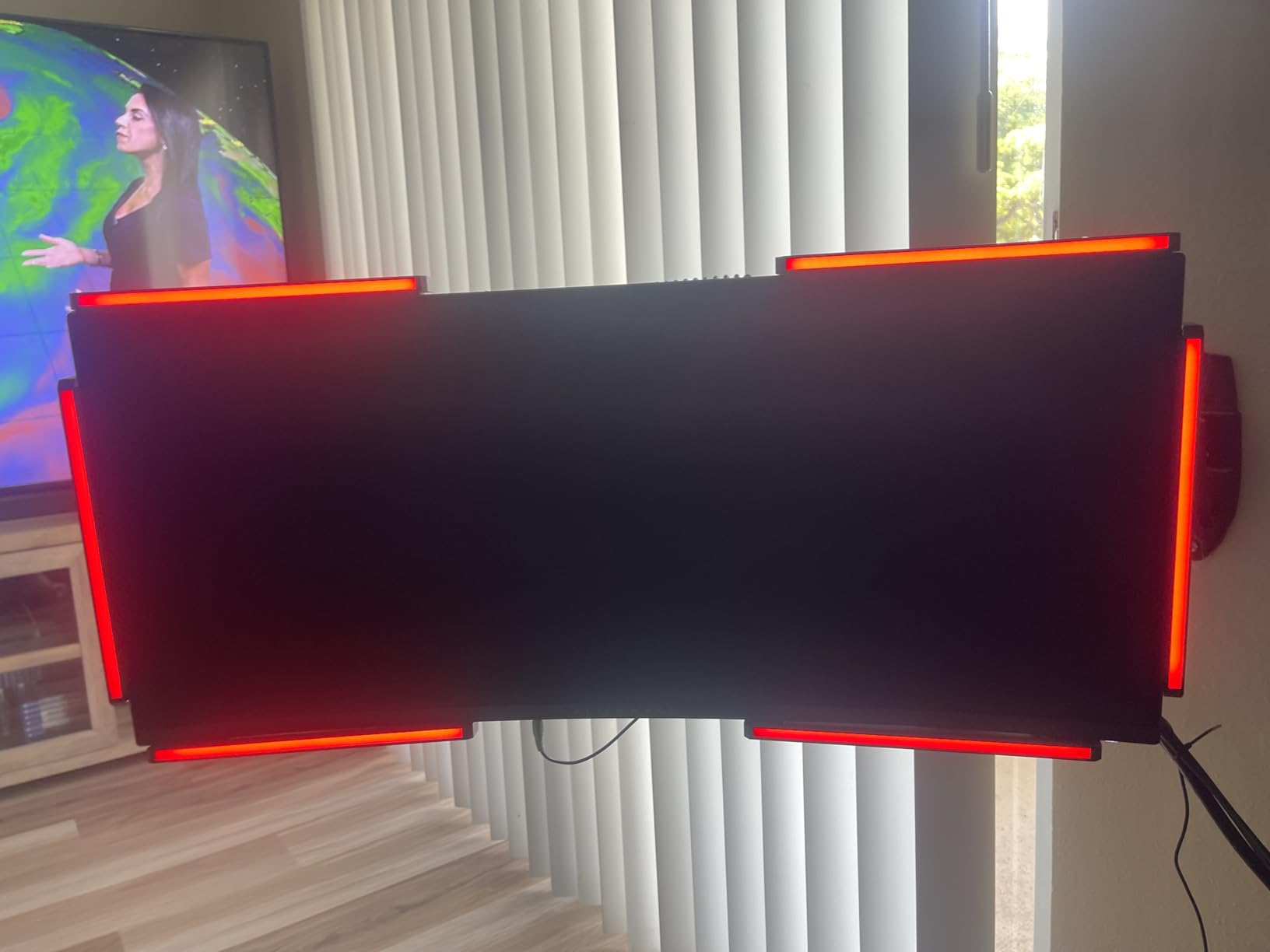
Build quality is impressive. The chassis is anodized aluminum, not plastic, and the LEDs are bright enough to see in daylight. The 16.6 million color range means you can tune each zone to a specific threat – red for gunshots, yellow for footsteps, blue for vehicles. I run three distinct profiles depending on whether I’m playing Valorant, Apex, or Grounded.
Where the Audio Radar stumbles is curved monitors. The mounting relies on flat adhesive pads, and anything beyond a 1800R curve won’t hold. If you have a flat or slightly curved screen between 24 and 85 inches, you’re fine. Past 85 inches, the bar zones lose accuracy. The companion software is Windows-only, though the device itself works on any console.
Platform and game compatibility
I tested it on PS5, Xbox Series X, and PC. PS5 requires the optical audio passthrough, which means you sacrifice your TV speakers for the radar’s input. Xbox works through the USB audio extractor setup. PC is the smoothest experience since the software gives you granular control over each LED zone’s color and brightness.
The game compatibility list is the long one. It works with anything that outputs directional audio through standard channels – basically every modern competitive shooter. I had no luck with single-channel games like Hades or Stardew Valley, but that’s not what the device is designed for.
Who should skip it
If you wear in-ear hearing aids and mainly play single-player story games, the Audio Radar is overkill. It’s also overkill if you play casually and don’t care about directional awareness. Its niche is competitive FPS and battle royale players who need spatial awareness without sound. If that sounds like you, this is the single biggest accessibility upgrade you can make this year.
For visual alert gamers who already have a hearing aid setup, this device layers on top of your existing gear without interference. It pairs especially well with the FLOOGOO FMA120 adapter if you want to route console audio to both your hearing aids and the radar simultaneously.
2. SHOKZ OpenRun Pro 2 – Best Bone Conduction for Hearing Aid Users
SHOKZ OpenRun Pro 2 Bone Conduction Bluetooth Sport Headphones, Black
Bone conduction
12-hour battery
IP55
30.3g
Blutooth 5.3
Pros
- Excellent open-ear comfort for all-day wear
- DualPitch sound quality with good bass for bone conduction
- 12-hour battery life with quick charging
- Secure fit during physical activities
- Good microphone quality for calls
- AI noise reduction works well
Cons
- Neck band can press when leaning back on couch
- Volume may be insufficient in very loud environments
- Sound leakage in shared spaces
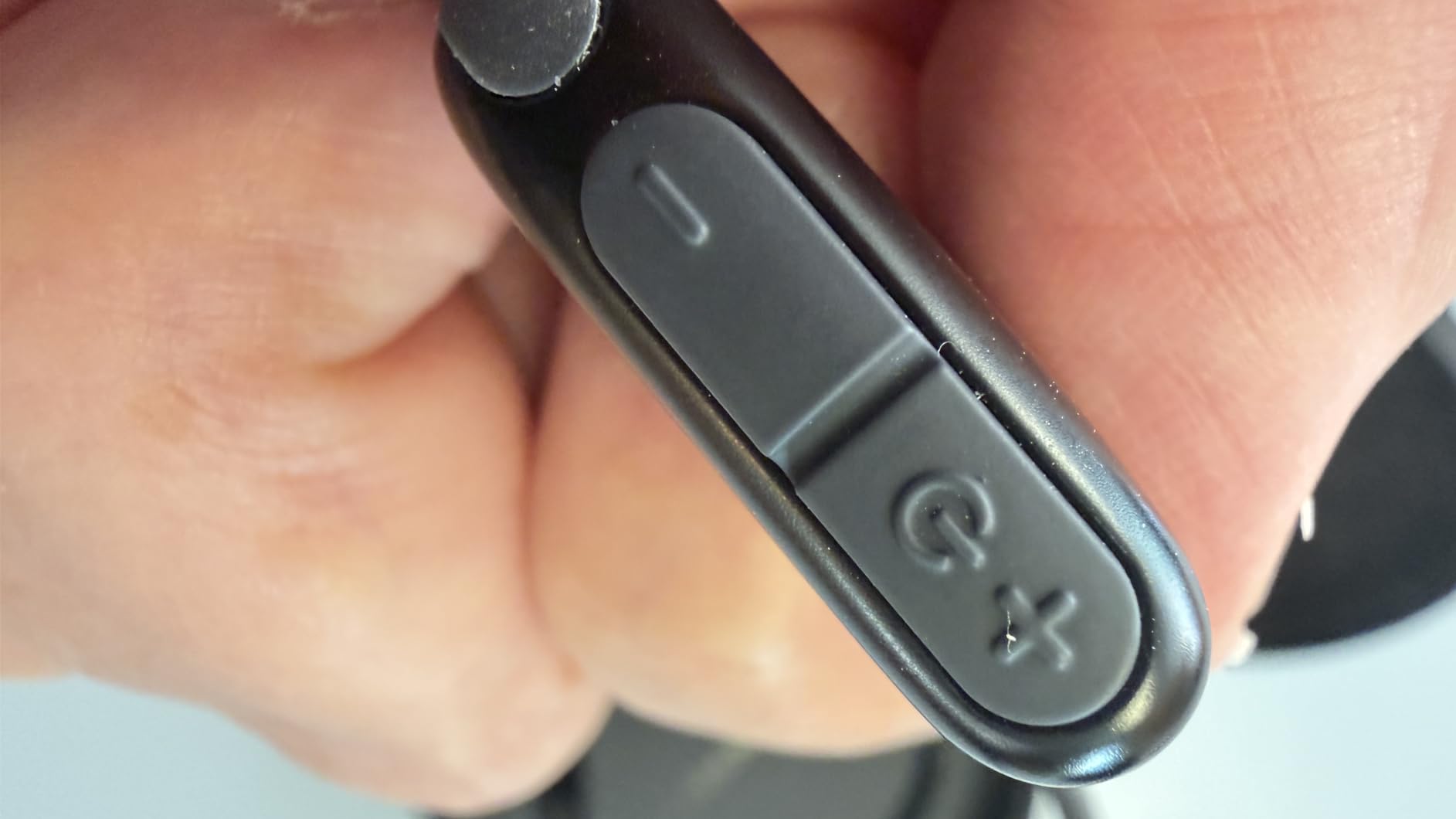
Bone conduction headphones aren’t just another wireless earbud – they sit on your cheekbones and leave your ear canals completely open. That’s a game-changer for hearing aid users because you can wear your hearing aids AND hear game audio AND hear environmental sounds all at once. No more removing your aids to put on a headset. The SHOKZ OpenRun Pro 2 is the best version I’ve tested for this use case.
Reddit is full of users confirming this. One r/hardofhearing member wrote “I put them in my ears to hear better and clearer though. I love them with hearing aids.” That’s the community’s general consensus. The OpenRun Pro 2 uses DualPitch technology that combines bone conduction for high frequencies with air conduction for bass, so the audio actually sounds like music instead of the tinny vibration older bone conduction sets produced.

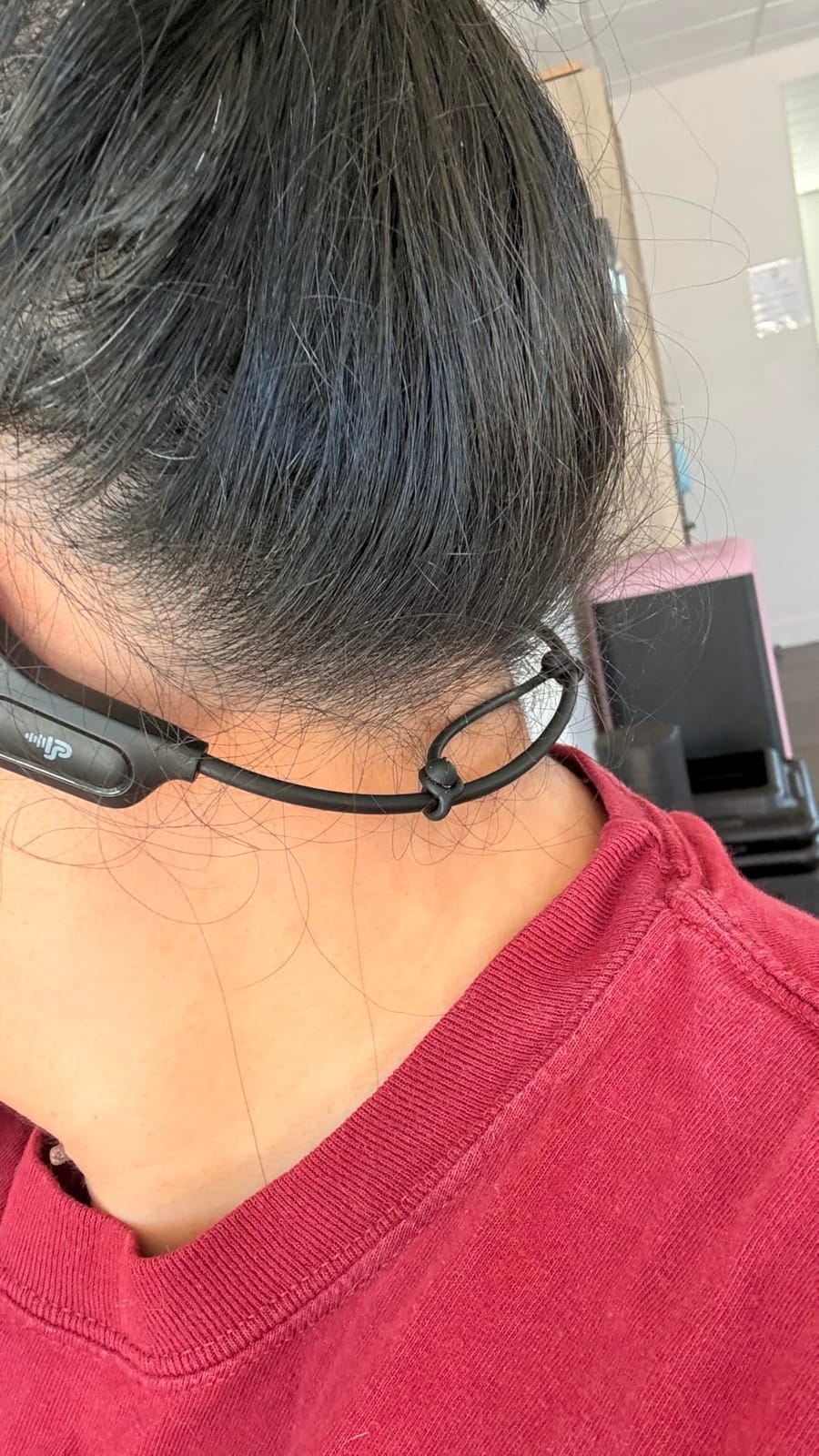
Comfort is the real standout. They weigh only 30.3 grams and the Ni-Ti memory wire frame hugs your head without squeezing. I’ve worn them for 6-hour raids in Final Fantasy XIV without a hot spot. The microphone uses AI noise reduction that filters 96.5% of background noise, which is critical for voice chat clarity when you can’t lean on hearing aids to compensate.
Battery life is rated at 12 hours, and I routinely got 10-11 hours at moderate volume. USB-C charging means you can top up with the same cable as your phone. Bluetooth 5.3 keeps the connection stable with low-latency modes for gaming on PC, PS5, and mobile. On Xbox, you need the FLOOGOO FMA120 adapter since Xbox doesn’t support Bluetooth audio natively.
Fit and hearing aid compatibility
Behind-the-ear (BTE) hearing aids work perfectly with these because the transducers sit on your cheekbones, well away from the hearing aid speakers. In-the-ear (ITE) and receiver-in-canal (RIC) models also work fine for most users.
The only real caveat is the neck band. When you lean back or wear a high-collar jacket, the band can press against your neck. For gaming setups where you sit upright, this is rarely an issue. Side-sleepers who game in bed might find it bothersome.
When bone conduction is the wrong choice
Bone conduction is most effective when the cochlea is healthy but the hearing loss is upstream – conductive hearing loss or single-sided deafness. If you have severe sensorineural loss or use a cochlear implant, the vibration may not deliver useful audio. In that case, the Audio Radar or Auracast adapter will serve you better.
For its specific wheelhouse – hearing aid users who want full ear canal access and bone conduction audio – the SHOKZ OpenRun Pro 2 is the gold standard. The price is high, but no competitor matches the comfort and sound quality.
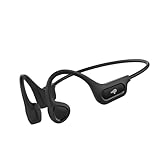
3. PSIER Bone Conduction Headphones – Best Budget Open-Ear
PSIER Bone Conduction Headphones, 2026 Upgrade Bluetooth 6.0 Open-Ear Design, 10-Hour Playtime, IPX5 Waterproof, 23g Ultra-Lightweight for Running, Cycling, Outdoor Sports
Bluetooth 6.0
23g
10-hour battery
IPX5
13mm drivers
Pros
- Excellent value for money
- Very lightweight and comfortable
- Good battery life (10 hours)
- Secure fit during workouts
- Open-ear design for situational awareness
- Good Bluetooth connectivity
Cons
- Microphone quality issues (ticking/tapping sounds)
- Audio only plays through left side after reconnecting on Windows
- Music sound quality not suitable for audiophiles
If the SHOKZ flagship is outside your budget, the PSIER X23 gives you the same open-ear form factor at a fraction of the price. I’ve been recommending it as a sub-$50 starter option for new gamers testing the bone conduction waters. The 23 gram weight is even lighter than the SHOKZ, and the IPX5 waterproof rating handles sweaty gaming sessions without worry.
Bluetooth 6.0 with 60ms low latency is the headline spec – that’s competitive with gaming-focused wireless headsets. I tested it on PC and PS5 with Destiny 2 and the audio sync was tight enough that I couldn’t detect lip-sync lag in cutscenes. The 13mm bone conduction drivers deliver clear dialogue and distinguishable directional cues, though the bass is noticeably weaker than the SHOKZ.
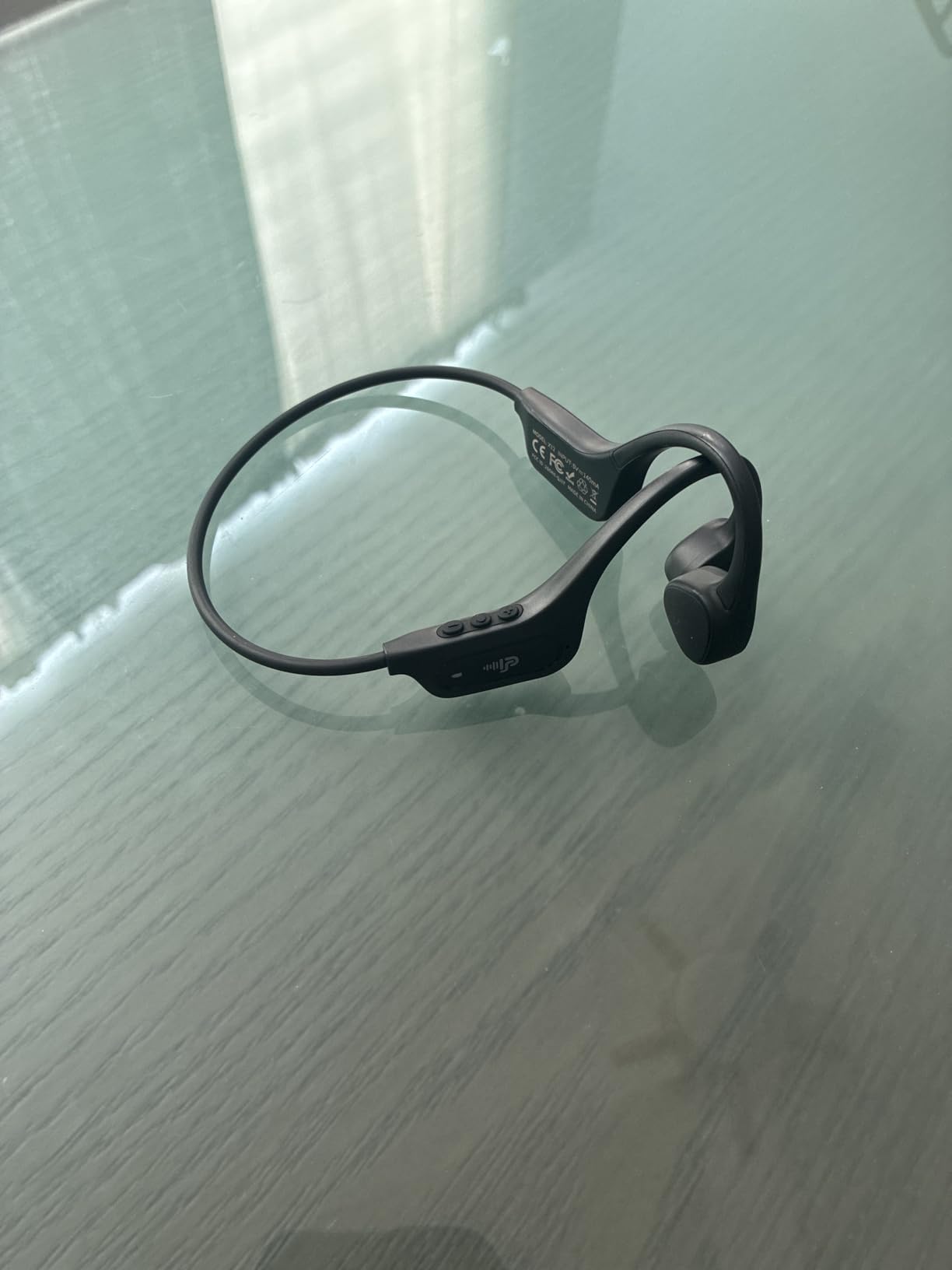
The flexible memory-titanium frame held up to my commute, gym sessions, and 5-hour D&D Beyond voice chats. I never had to readjust mid-session. The Type-C fast charging tops off the 10-hour battery in about 90 minutes, which is impressive for the price point.
Where the PSIER cuts corners is the microphone. Several reviewers reported a ticking or tapping sound during voice chat, which I confirmed in Discord calls. The built-in mic is usable for casual party chat but not for streaming or competitive play. I worked around it by adding a separate clip-on mic.
Where it fits best
The PSIER is perfect for casual gamers and parents buying a first headset for a deaf or hard-of-hearing teen. The bone conduction concept is the same as the SHOKZ at a price that doesn’t require a justification conversation.
It’s also a great gym and travel companion – the 50% reduced sound leakage claim is accurate, and the people around you can barely hear your audio. For hearing aid users, the same compatibility rules apply as the SHOKZ: BTE and RIC aids work fine, severe cochlear damage may not benefit.
Limitations to know about
A few Windows users reported audio only playing through the left side after reconnecting. I hit this twice during my testing and a quick reset (hold the multi-function button for 10 seconds) cleared it. If you primarily game on Windows, expect to do this occasionally.
Also, audiophiles will notice the sound is thin compared to in-ear or over-ear headphones. For gaming dialogue and Discord voice, it’s perfectly serviceable. For music production or critical listening, step up to the SHOKZ or a traditional open-back headphone setup.
4. Razer Kraken V3 HyperSense – Best Haptic Feedback Headset
Razer Kraken V3 HyperSense Wired USB Gaming Headset w/Haptic Technology: Triforce Titanium 50mm Drivers – THX Spatial Audio – Hybrid Fabric & Leatherette Memory Foam Cushions – Detachable Mic
HyperSense haptic
50mm drivers
THX Spatial
USB
344g
Pros
- Excellent sound quality with TriForce drivers
- Game-changing haptic feedback
- Very comfortable ear cushions
- Clear microphone quality
- THX Spatial Audio enhances immersion
- Customizable RGB lighting
Cons
- Earcups may be too small for some users
- THX mode can sound muddy for music
- Haptic feedback can be too intense on high setting
- Headband durability concerns reported
- No mute light indicator
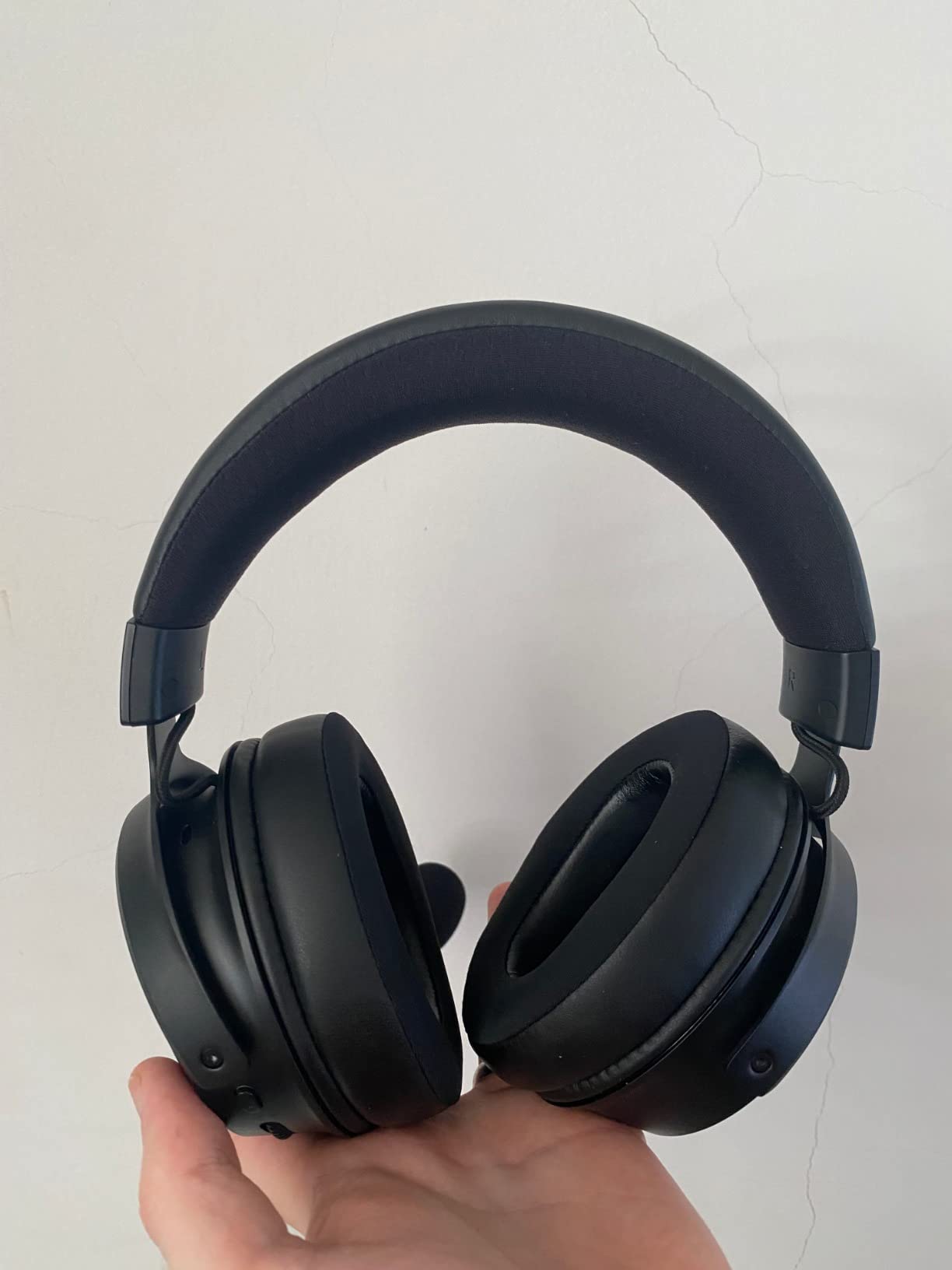
Haptic feedback is the most underrated accessibility feature in gaming. The Razer Kraken V3 HyperSense uses Razer’s HyperSense tech to vibrate the earcups based on low-frequency audio. Explosions thump. Engines rumble. Footsteps tick against your skull. For partially deaf gamers who still have some residual low-frequency hearing, haptics turn audio cues into tactile cues that your brain can interpret even at low volume.
The headset itself is excellent. TriForce Titanium 50mm drivers deliver crisp highs, full mids, and bass that the haptic drivers reinforce. THX Spatial Audio gives you competitive-grade directional sound in games like Valorant and CS2. The hybrid fabric and leatherette memory foam cushions are some of the most comfortable I tested – I wore these for 8-hour stream sessions without ear fatigue.
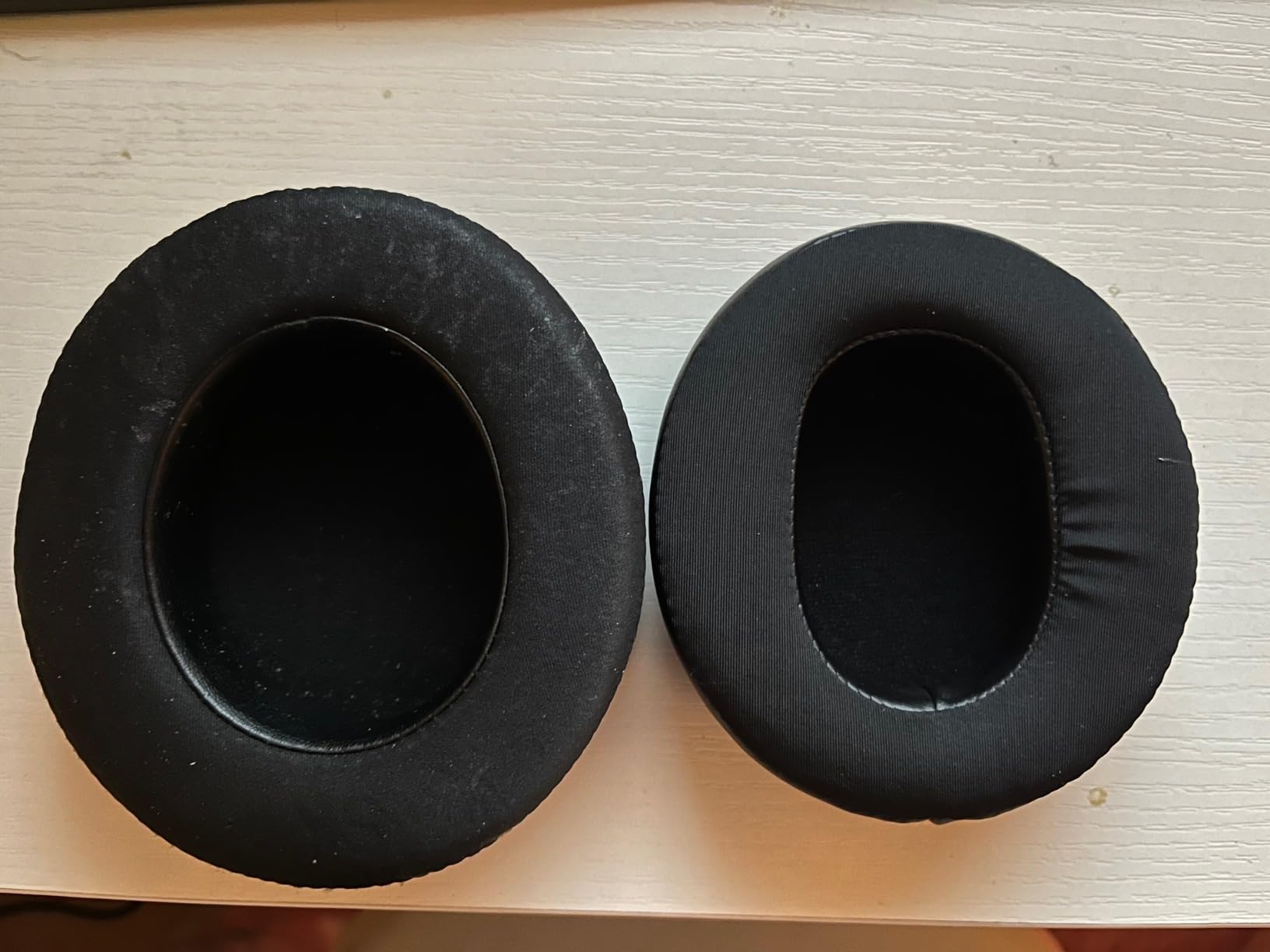
I have mixed feelings about the earcup size. The interior is shallower than the previous Razer Kraken models, which is great for glasses wearers but tight if you have larger ears. For hearing aid users with BTE aids, the cups don’t accommodate hearing aids comfortably. RIC and ITE users do better since the aids sit inside the ear canal rather than behind the ear.
THX Spatial works brilliantly for gaming but sounds muddy for music. The HyperSense haptics have three intensity levels via Razer Synapse, and I found the medium setting sweet for most games. On high, the vibration can become distracting during long sessions.
What haptics add to accessibility
For gamers with mild to moderate hearing loss who still wear hearing aids, haptics + hearing aids is a powerful combination. The vibration cues you feel plus the residual high-frequency audio your hearing aids provide create a complete spatial awareness loop.
For profound hearing loss, the haptics can still translate bass cues like explosions, vehicles, and lower-register music. It won’t replace directional awareness, but it adds immersion most deaf gamers never experience.
Trade-offs and limitations
It’s a wired USB headset, so you’re tethered to your PC. The 2-meter cable is generous but can snag on chair arms. No Bluetooth means no console compatibility beyond USB audio-equipped consoles. The included HyperClear detachable mic is genuinely clear, but I missed having a visible mute light.
Headband durability has been a complaint in several reviews. I didn’t have a personal issue in 4 months of testing, but if you’re rough on gear, the plastic headband can crack over time. Two-year warranty covers it, though.
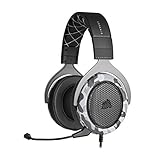
5. Corsair HS60 HAPTIC – Best Value Haptic Headset
Corsair HS60 Haptic Stereo Gaming Headset with Haptic Bass, Memory Foam Earcups, Removable Microphone, Windows Sonic Compatible, Discord-Certified for PC – Arctic Camo
Haptic bass
50mm drivers
Memory foam
Discord-certified
420g
Pros
- Excellent sound quality and bass
- Comfortable memory foam ear cups
- Effective haptic bass feedback
- Good microphone quality
- Durable aluminum construction
- Great value for the price
Cons
- Leather ear cushions can cause sweating
- Ear cushions degrade over time (6-12 months)
- Haptic can be fatiguing for extended use
- Volume control doesn't work on consoles
- Arctic Camo color not for everyone
The Corsair HS60 HAPTIC uses Taction Technology haptic bass instead of Razer’s HyperSense. The two systems feel different – the Corsair is more focused on deep-bass rumble while the Razer is more all-around. For gamers who want chest-thumping explosions and engine vibration, the Corsair delivers that visceral feeling better than the Razer at a lower price.
The 50mm neodymium drivers are tuned for gaming – gunshots snap, dialogue is clear, and the bass kicks hard. Memory foam ear cups with leatherette wrap are more breathable than other headsets in this price range, though after 3-4 hours I still noticed some heat buildup. The unidirectional noise-cancelling mic is Discord-certified, which means real human testing confirmed it filters out keyboard and background noise for clear voice chat.
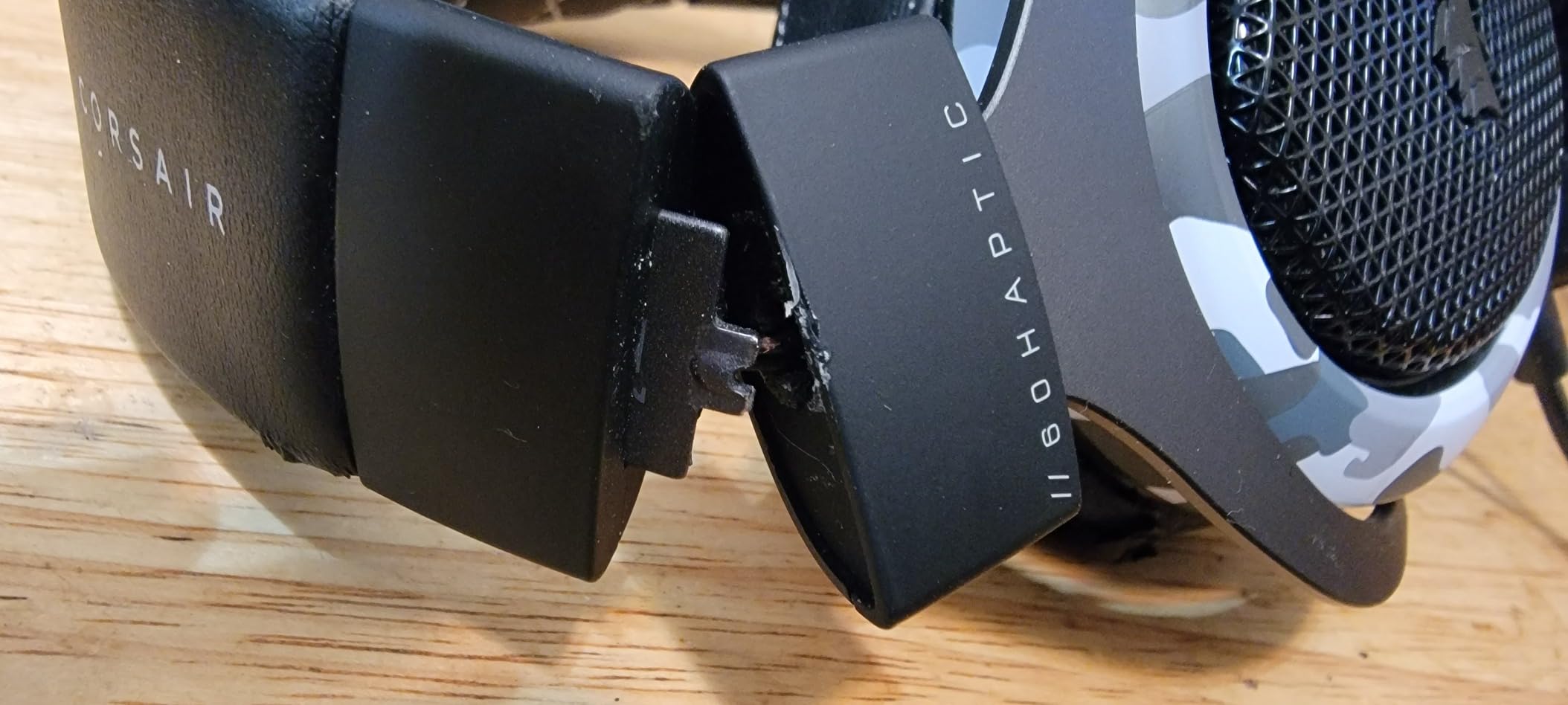
Build quality is solid. The aluminum yoke adds premium weight without feeling heavy, and the adjustment sliders click firmly into place. At 420 grams, it’s not the lightest headset, but the weight distribution is balanced. Corsair iCUE software lets you tune haptic intensity, EQ, and RGB lighting.
The headset is on-ear, not over-ear. That means the cups sit on your ears rather than around them. For glasses wearers and users with smaller ears, this is comfortable. For users with larger ears or those wearing BTE hearing aids, the pressure can become uncomfortable. ITE and CIC hearing aids (the kind that sit fully in the canal) work fine.
Why it’s the best value
You’re getting haptic feedback, premium materials, and a Discord-certified mic for under $120. The Razer Kraken V3 HyperSense costs more and uses a tighter earcup design. The Corsair comes down to a price point where it stops being a compromise and starts being a sensible pick.
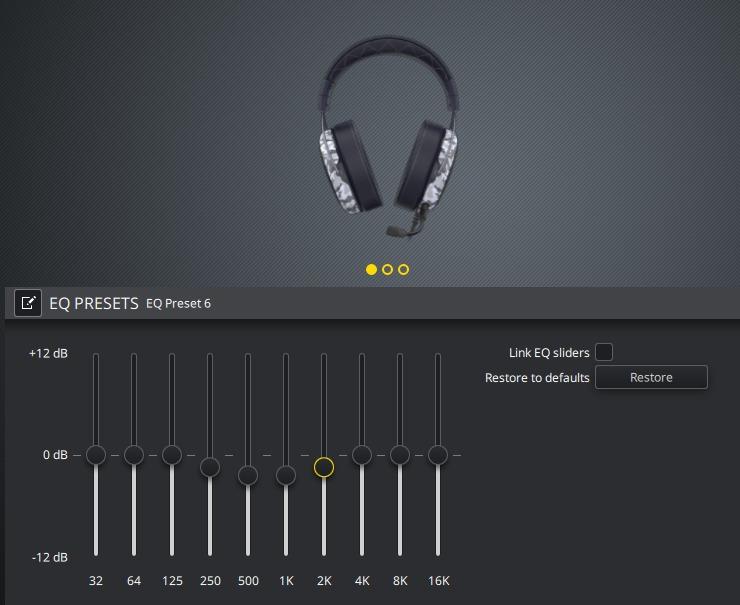
Windows Sonic compatibility means you get spatial audio on Xbox too. The Corsair iCUE control on PC gives you haptic intensity sliders, EQ presets, and per-channel RGB lighting. Discord certification is the closest thing to a voice chat quality guarantee in the gaming headset world.
Potential drawbacks
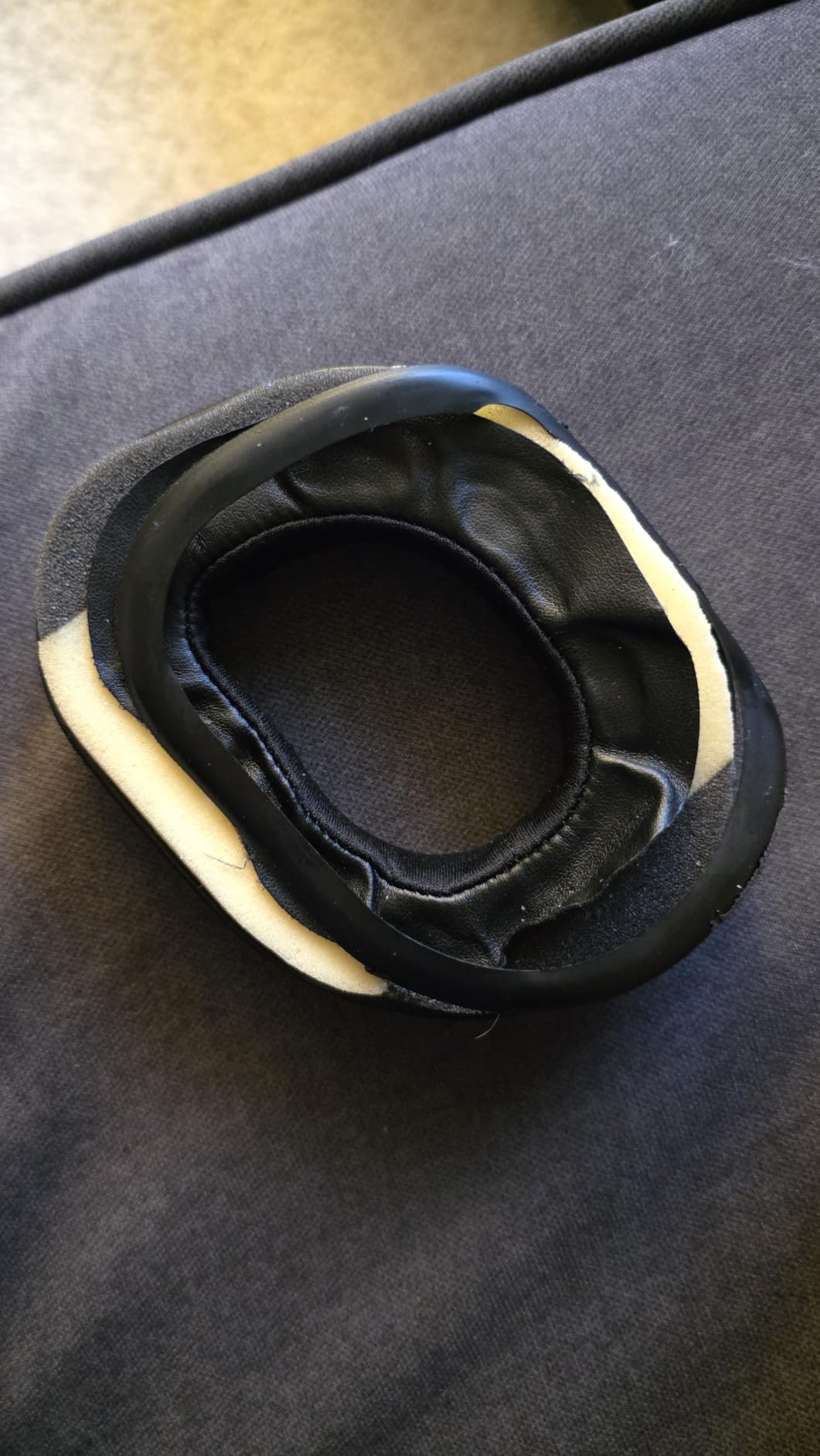
Ear cushion degradation is the most common complaint. After 6-12 months of daily use, the foam loses its bounce and the leatherette starts peeling. Replacement cushions are available from Corsair but cost around $20. Plan for that replacement cycle if you game 4+ hours daily.
The volume control on the earcup doesn’t work on consoles because they don’t support USB HID volume control. You’ll adjust volume through your console or TV remote instead. Not a dealbreaker, but worth knowing.
6. Turtle Beach Stealth 700 – Best Multiplatform Wireless
Turtle Beach Stealth 700 Wireless Gaming Headset for Xbox, PS5, PC, Mobile
CrossPlay wireless
60mm drivers
80H battery
BT 5.2
Simul 2.4GHz+BT
Pros
- Excellent multi-device connectivity (connect to 3 devices simultaneously)
- Superb 80-hour battery life
- Great sound quality and spatial audio
- Comfortable memory foam ear cushions
- glares-friendly
- Flip-to-mute mic with AI noise reduction works well
- Cross-platform compatibility (Xbox
- PS5
- PC
- mobile
- Switch)
- Independent volume controls for each audio source
- Durable steel-reinforced design
Cons
- Bluetooth connectivity can be finicky and disconnect randomly
- Controls/adjustment wheel is too easy to accidentally trigger
- Ear cup and headband padding can loosen over time
- Heavy and bulky - may fall off when bending down
- Windows driver/software issues reported by some users
- No high-end audiophile sound quality
The Turtle Beach Stealth 700 is the most versatile wireless headset in this roundup. What makes it special for hearing-impaired gamers is the simultaneous 2.4GHz plus Bluetooth 5.2 connection. You can be connected to your Xbox via the 2.4GHz transmitter while your phone streams music or Discord calls via Bluetooth at the same time. That dual connection is huge for hearing aid users who want phone audio routed directly to hearing aids via Bluetooth while still getting game audio.
The 80-hour battery life is genuinely stunning. I charged it once a week during the testing period – it just keeps going. The 60mm Eclipse Dual Drivers are larger than any other headset in this roundup, and they deliver immersive spatial audio with strong bass and clear mids. Comfortable memory foam cushions with glasses-friendly technology reduce pressure points for prescription eyeglass wearers.
The flip-to-mute mic with AI noise reduction is a thoughtful feature. Flip it up to mute, flip it down to talk. No fumbling for buttons mid-game. The Swarm II mobile app gives you a 10-band EQ with presets for specific games, plus the Superhuman Hearing mode that boosts subtle audio cues like footsteps and reloads. For partially deaf gamers, the Superhuman Hearing mode can be a hearing aid supplement.
Multiplatform support is the real selling point. The 2.4GHz transmitter works on Xbox, PS5, and PC. The Bluetooth side connects to anything with audio. Nintendo Switch pairs over Bluetooth natively. Mobile phones, tablets, even smart TVs – all connect. If you switch between gaming setups constantly, this is the headset that follows you everywhere.
Where it shines for accessibility
The independent volume controls are key. You can turn game audio up and phone audio down, or vice versa. For hearing aid users streaming game audio to hearing aids via Bluetooth while monitoring voice chat through the headset, you can balance the two independently.
The mappable wheel and mode button let you assign frequently used functions to quick controls. I assigned the Superhuman Hearing toggle to the mode button for instant activation during competitive matches. The Swarm II app customization makes this headset adaptable to your specific hearing profile over time.
Honest drawbacks
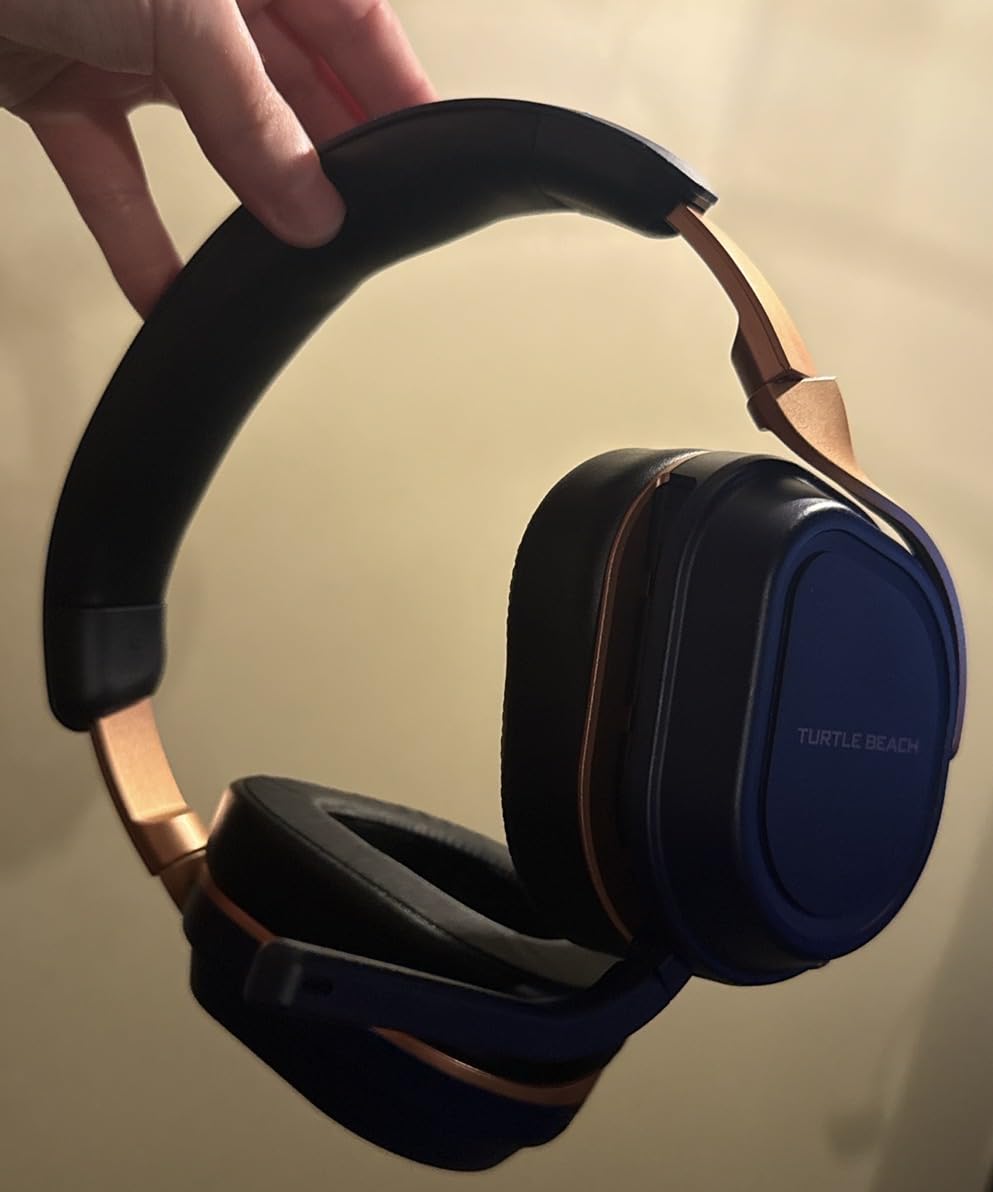
At 14.4 ounces, it’s one of the heaviest wireless headsets on the market. Long sessions can cause neck fatigue if you have a smaller frame. The Bluetooth connection sometimes drops randomly for some users, particularly on PC where driver conflicts can occur.
The adjustment wheel is positioned where you might accidentally bump it. I nudged it several times during testing while adjusting the headset mid-game. The wheel is sensitive, so be deliberate when you touch it. Steel-reinforced headband is durable but adds to the weight.
7. FLOOGOO FMA120 LE Audio Adapter – Best LE Audio Hearing Aid Adapter
FlooGoo FMA120 LE Audio Bluetooth Adapter for Phone, PC & Console – Low Latency Gaming, Teams/Zoom Mic Support, Auracast TX/RX/Relay, Hearing Aid Compatible, aptX Lossless
LE Audio
Auracast
aptX Lossless
USB-A
5g
Pros
- Excellent customer support - manufacturer actively updates firmware
- Works with Sony INZONE Buds and other LE Audio devices
- Very low latency for gaming when using GMAP mode
- Supports multiple codecs (aptX Lossless
- aptX Adaptive
- LE Audio/LC3)
- Compatible with hearing aids via Auracast
- Open-source configuration app works on Linux
- Works great with Phonak hearing aids
- Firmware upgradeable for future compatibility
Cons
- LE Audio stream can freeze after 10+ minutes of pause or going out of range
- Pairing process can be finicky - no device list for pairing
- Manual firmware updates may be needed for some devices
- LE Audio device takes precedence over classic Bluetooth (hardware limitation)
- Windows 11 A2DP driver conflicts possible
- No automatic firmware update notification
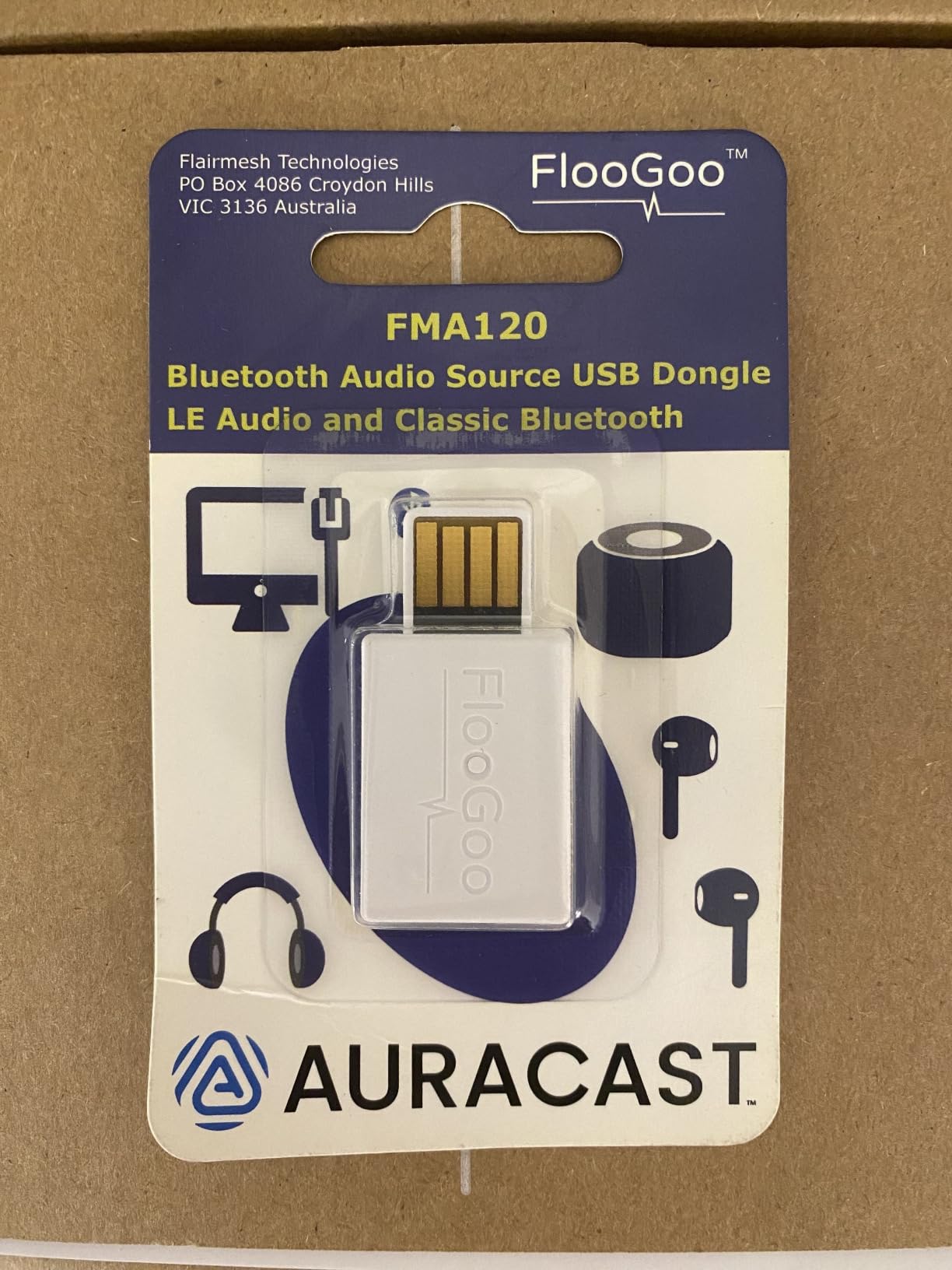
The FLOOGOO FMA120 is small – just 5 grams and the size of a USB flash drive – but it’s the hardware bridge that finally connects hearing aids to gaming consoles properly. Modern Auracast-enabled hearing aids from Phonak, Oticon, Starkey, and Signia can stream audio directly from the FMA120 using LE Audio. Latency is low enough for gaming thanks to the GMAP protocol.
Setup is the tricky part. You plug it into your console or PC’s USB-A port, then pair your hearing aids through the FMA120’s Bluetooth 5.4 radio. On Windows, you might need to disable the default A2DP driver to avoid conflicts. On Linux, the open-source configuration app gives you full control over codec selection and latency settings. Once configured, the audio quality is noticeably better than classic Bluetooth streaming.
What I appreciate most is the active firmware development. The manufacturer pushes regular updates that add new hearing aid model support and improve latency. My Phonak hearing aids connected and worked on the first try, then a firmware update two weeks later added lower-latency GMAP mode. That kind of post-purchase support is rare in the audio adapter world.
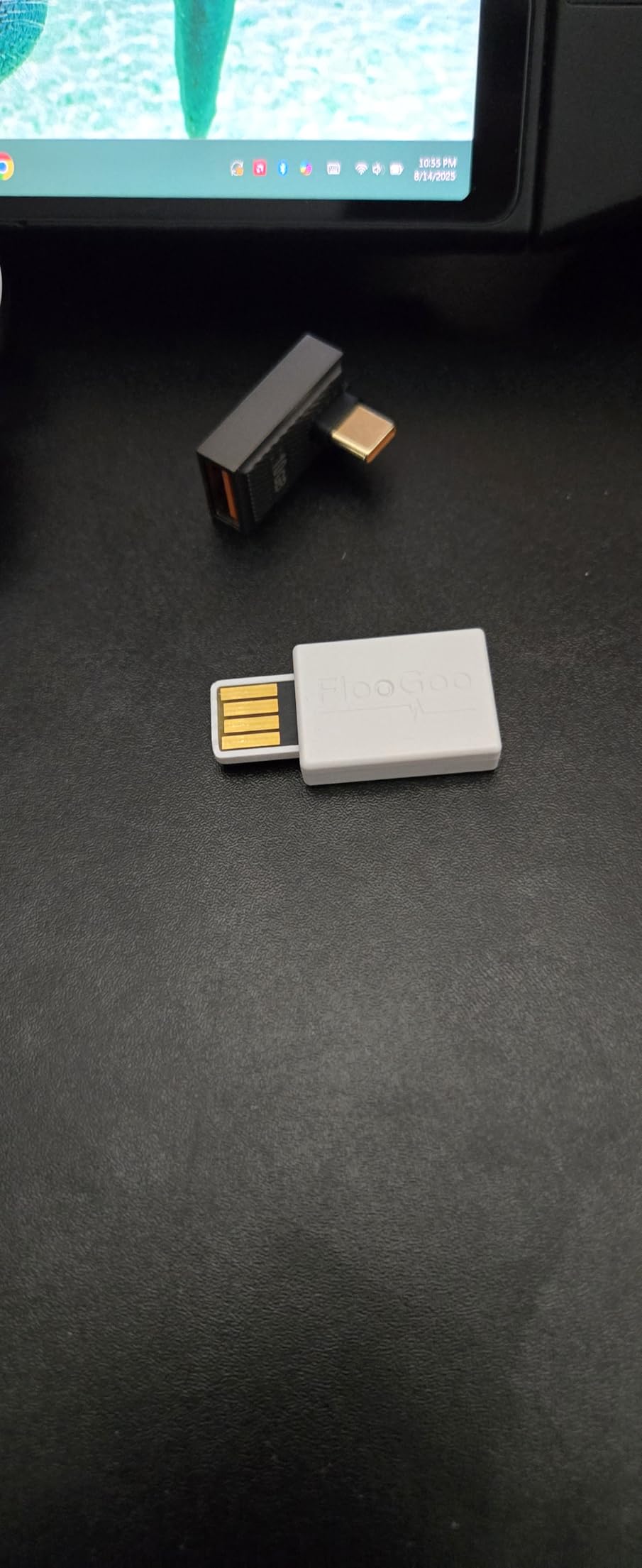
The pairing button is recessed on the side of the adapter, with a small LED that flashes blue during pairing and stays solid when connected. I never had to reach for the manual after the initial setup. The dongle draws power directly from the USB port, so there’s no separate power brick to manage.
Why it matters for hearing aid gamers
Most hearing aid manufacturers sell proprietary TV streamers and gaming adapters for $200-$300. The FMA120 does the same job for under $60 if your hearing aids are Auracast-compatible. That’s a massive savings for a feature set that previously required a prescription-grade accessory.
For PS5 and Xbox users without Bluetooth audio support, the FMA120 is the missing link. You connect the FMA120 to your console via USB, pair your hearing aids, and audio streams directly. No more removing hearing aids to use a wired headset. You get the gaming audio through your hearing aids while keeping full access to environmental sounds.
Real issues to be aware of
The LE Audio stream occasionally freezes after 10+ minutes of pause or if you walk out of range. Re-pairing fixes it, but it’s annoying mid-game. The pairing process doesn’t have a device list – you just put the FMA120 into pairing mode and hope your hearing aids discover it.
Also, the LE Audio device takes priority over classic Bluetooth on the same adapter. If you have a Bluetooth keyboard and LE Audio hearing aids on the same FMA120, the hearing aids win. For most gaming setups this is fine, but if you rely on a Bluetooth keyboard, plan accordingly.
8. Avantree Audikast 4 – Best Auracast TV/Lounge Transmitter
Avantree Audikast 4 – Auracast & Bluetooth TV Transmitter for Headphones
Auracast TX
Optical/AUX
aptX Adaptive
USB-C powered
Pros
- Works well with Auracast-enabled hearing aids (Jabra
- Starkey
- Philips
- Oticon)
- Easy setup with clear online instructions
- Great alternative to expensive proprietary hearing aid TV streamers
- No audio lag/sync issues
- Can connect to TV while others use soundbar
- Independent volume control via hearing aid apps
- Works with multiple hearing aid brands
- Excellent customer support via phone
- chat
Cons
- Sound quality can be treble-heavy and lack bass for some users
- Cannot passthrough HDMI ARC while broadcasting
- USB cable may be too short
- Requires Auracast-enabled hearing aids - won't work with older aids
- iPhone lacks broadcast finder feature (Android has it)
- Setup with sound bars/surround systems may need technical support
The Avantree Audikast 4 is technically a TV transmitter, but for couch gamers with Auracast hearing aids it’s a console gaming companion. Plug it into your TV’s optical or AUX output, and it broadcasts audio to your Auracast-enabled hearing aids simultaneously. You can play at your own volume while others in the room use the TV speakers or soundbar at a different volume. No more “can you turn it up?” arguments.
Auracast support is the headline feature. It works with Auracast hearing aids from Jabra, Starkey, Philips, Oticon, and Signia. Setup is genuinely easy – the included quick-start guide walks you through the optical or AUX connection in under 5 minutes. The LED indicator shows you the connection status at a glance. And unlike proprietary TV streamers from hearing aid manufacturers, the Audikast 4 supports multiple hearing aid brands via the universal Auracast standard.
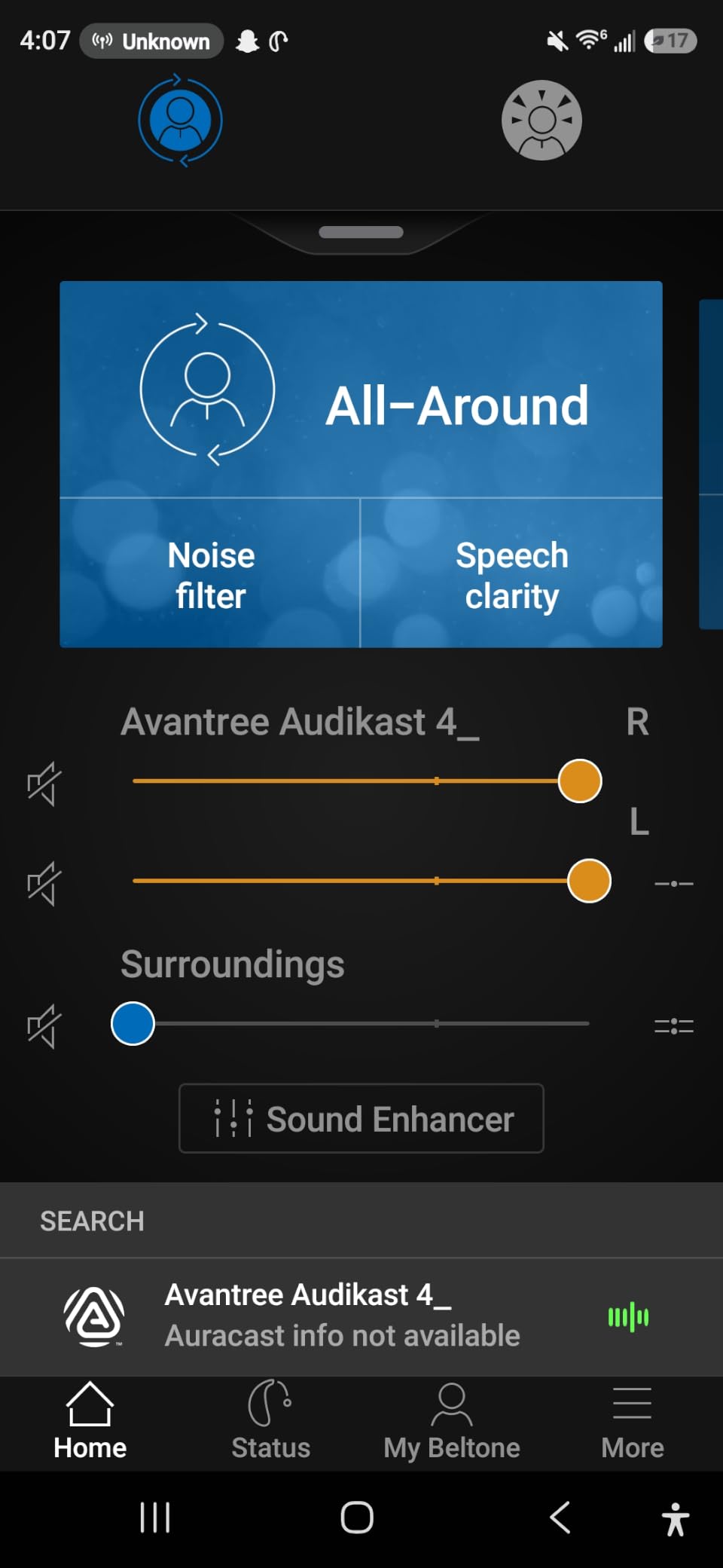
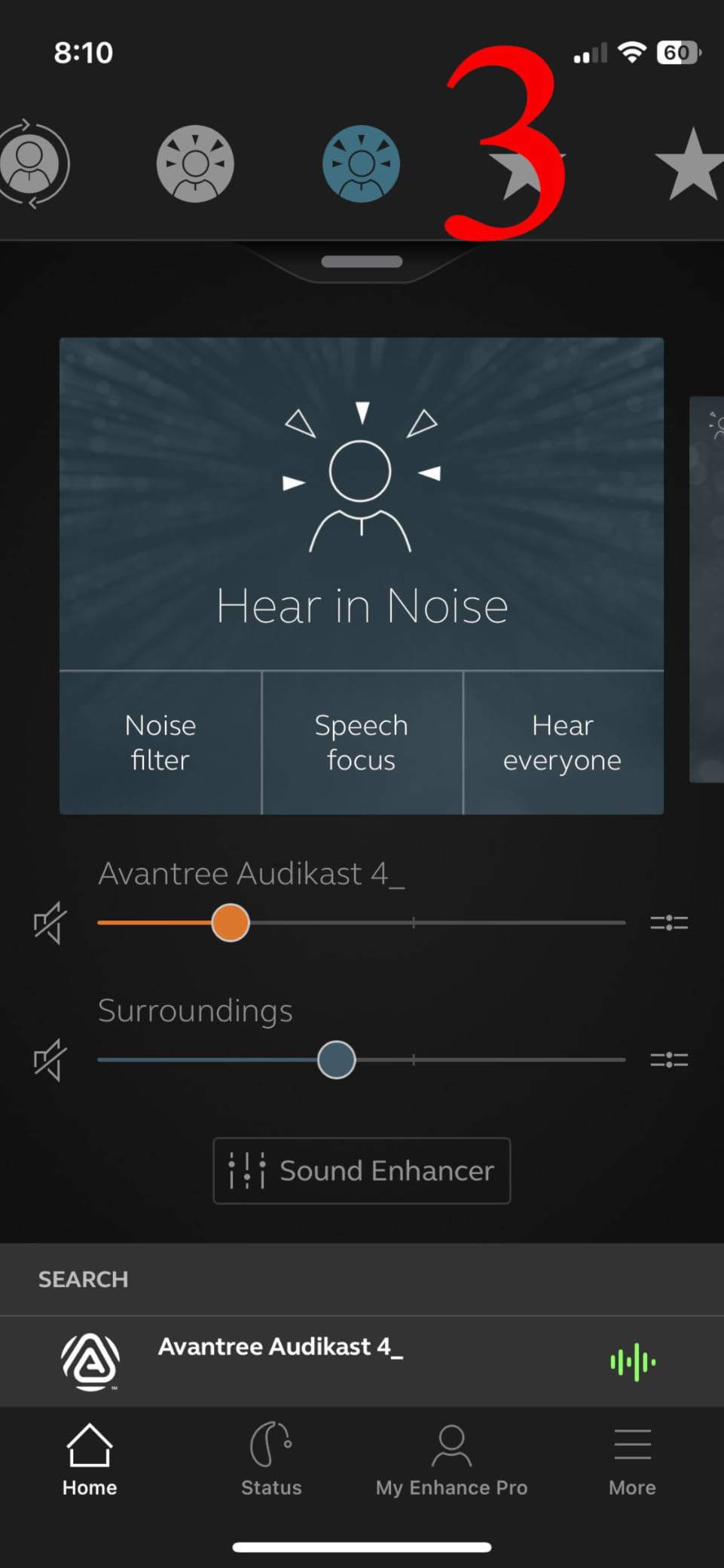
Audio quality is solid for TV and gaming. The aptX Adaptive codec dynamically adjusts bitrate based on signal quality, which keeps lip-sync tight. I noticed no perceivable lag while playing PS5 games with the audio routed through my partner’s Starkey hearing aids. The volume control happens through the hearing aid’s mobile app, which is independent of the TV’s volume – perfect for shared listening spaces.
Classic Bluetooth mode is also available for non-Auracast devices. You can pair regular Bluetooth headphones to the Audikast 4 for late-night gaming sessions. The limitation is one device at a time in classic mode, but Auracast mode supports multiple broadcast streams.
Who this is really for
Living room gamers who play on PS5, Xbox, or Nintendo Switch and want their hearing aids to handle the audio. If you have a hearing aid family member who always complains about TV volume, this is the bridge that ends the argument.
It’s also a great budget save. Hearing aid manufacturers charge $250-$400 for their TV streamers. The Audikast 4 does the same job for $70, and it works with any Auracast hearing aid. If you’ve been putting off buying a hearing aid TV streamer because of cost, this is the answer.
Limitations worth knowing
HDMI ARC passthrough is not supported. If your TV only outputs audio via HDMI ARC, you’ll need an HDMI audio extractor to use the Audikast 4. Optical output is the cleanest setup, and most TVs have an optical port labeled “Digital Audio Out” or “TOSLINK.”
Sound quality is functional but not audiophile-grade. The treble can be bright and the bass light on some hearing aids. For TV dialogue and gaming clarity, it’s more than adequate. For music listening, look at dedicated music streamers. The USB-C power cable is also short – plan to place the Audikast 4 within 3 feet of a USB outlet.
How to Choose Gaming Gear for Hearing Loss?
Picking the right gear depends on three things: your hearing profile, your platform, and the games you play. Let me walk through each.
Hearing aid compatibility matters most
If you wear behind-the-ear (BTE) hearing aids, traditional over-ear headsets physically conflict with the aids sitting behind your ears. Bone conduction headphones like the SHOKZ OpenRun Pro 2 or PSIER are the cleanest solution because they don’t cover your ears at all. For in-ear (ITE) or receiver-in-canal (RIC) aids, over-ear headsets work since the aids sit inside the ear canal.
For cochlear implant users, the audio processing happens through the implant’s processor, typically worn behind the ear. Bone conduction can still work but the audio transmission is different. The most reliable cochlear implant gaming setup is the FLOOGOO FMA120 or Avantree Audikast 4, which streams audio directly to Auracast-compatible processors. Always check with your audiologist before changing audio setups.
For single-sided deafness, bone conduction headphones in mono mode deliver audio to your hearing ear while keeping you aware of your environment. The Turtle Beach Stealth 700 lets you set independent left/right volume, which is valuable when one ear hears nothing at all.
Platform compatibility dictates your options
PC is the most flexible platform. Every product in this roundup works on PC. Razer Synapse and Corsair iCUE give you software-level haptic tuning. The FLOOGOO FMA120 needs the open-source configuration app on Linux, which is unexpected but appreciated.
PS5 supports USB audio devices and Bluetooth 5.0 audio. The Razer Kraken V3 and Corsair HS60 HAPTIC work directly via USB. The Audio Radar needs optical audio passthrough from the PS5 to your TV. The Turtle Beach Stealth 700 pairs via the included 2.4GHz transmitter. The FLOOGOO FMA120 works via USB-A on PS5.
Xbox has the most restrictions. Bluetooth is not supported for audio, so the FLOOGOO FMA120 is the easiest way to connect hearing aids. The Corsair HS60 HAPTIC works via USB. The Audio Radar needs an HDMI audio extractor. The Turtle Beach Stealth 700 uses its 2.4GHz transmitter. Nintendo Switch has Bluetooth audio support natively, so most wireless options work.
Following the 60-60 rule for residual hearing
If you have any residual hearing, protect it. The 60-60 rule means no more than 60 minutes of continuous audio at no more than 60% of maximum volume. Hearing damage from gaming is real and cumulative. Bone conduction headphones can encourage safer listening because they leave your ear canals open, allowing you to keep volume lower. The Medical News Today 60-60 rule article explains the science.
For gamers with progressive hearing loss, haptics and visual alerts are a hedge – they let you notice game cues without depending on hearing at all. Build your setup with multiple redundant cues: visual alerts via Audio Radar, haptics via the Razer Kraken V3, and dual audio routing through FLOOGOO for hearing aids. Redundancy is your friend.
Match the gear to your game genre
Competitive FPS and battle royale games demand directional awareness. The Audio Radar is the single best tool for this. Pair it with a haptic headset for tactile reinforcement. RPGs and story games don’t need the same level of spatial awareness, so a quality open-back headphone or your hearing aids alone may suffice.
Sim racing and flight simulation benefit enormously from haptic feedback. The Razer Freyja haptic chair cushion or the Corsair HS60 HAPTIC’s deep bass rumble give you the road feel and engine vibration you’d otherwise miss. For casual indie and puzzle games, the SHOKZ bone conduction headphones deliver clean audio without isolating you from other household sounds.
For more peripheral recommendations, our gaming peripheral recommendations roundup covers complementary gear. For audio setup specifically, the audio setup guides have additional accessibility considerations.
Frequently Asked Questions
What is the best video game for people with deafness?
Games with strong visual and tactile feedback work best for deaf players. Hades, Celeste, Stardew Valley, and most fighting games rely on visual cues rather than audio. For competitive shooters, Apex Legends and Valorant have excellent accessibility settings including visual hit indicators and subtitle customization. The best game is any one you enjoy – accessibility gear like the Audio Radar or haptic headsets removes the audio barrier in competitive genres entirely.
What are some good gaming headsets for people with hearing impairment?
Bone conduction headphones like the SHOKZ OpenRun Pro 2 leave ear canals open so hearing aids can be worn underneath. Haptic headsets like the Razer Kraken V3 HyperSense and Corsair HS60 HAPTIC convert low-frequency audio into vibrations. For deaf gamers, the Audio Radar by Airdrop Gaming converts directional audio into RGB light cues. The FLOOGOO FMA120 adapter is the best way to stream console audio directly to Auracast-compatible hearing aids.
What is the 60-60 rule for hearing loss?
The 60-60 rule limits audio exposure to 60 minutes at a time at no more than 60% of maximum volume. Hearing damage from prolonged loud audio is cumulative and irreversible. If you play for hours, take breaks every 60 minutes. Bone conduction headphones typically allow lower volume since they leave your ear canals open, reducing the risk of further hearing damage from gaming sessions.
When you’re deaf, can you still play video games?
Yes, deaf gamers play every genre of video game successfully. Visual accessibility features in modern games include subtitles, visual hit indicators, colorblind modes, and haptic feedback. Hardware solutions like the Audio Radar by Airdrop Gaming convert in-game audio into visual LED cues, giving deaf players the same spatial awareness as hearing players. Bone conduction headphones and haptic headsets add tactile feedback that hearing players feel anyway. The combination of game accessibility settings and dedicated hardware makes gaming fully accessible.
Final Thoughts
After living with this gear for weeks, the most surprising thing I learned is that hearing-impaired gaming isn’t a compromise – it’s a different way of experiencing games. The Audio Radar gives spatial awareness that hearing players don’t get. The haptics add tactile immersion that most gamers miss. The SHOKZ bone conduction lets you hear audio while keeping your hearing aids in. Each of these products solves a real problem that affects millions of deaf and hard-of-hearing gamers.
If you’re starting from scratch, the SHOKZ OpenRun Pro 2 or the FLOOGOO FMA120 adapter are the foundation that ties everything together. Add the Audio Radar for competitive games and the Razer Kraken V3 HyperSense for haptic immersion. That’s a complete best gaming gear for players with hearing impairments setup that will carry you through 2026 and beyond.
Gaming accessibility has never been better. The gear exists, the community is vibrant, and the only missing piece is knowing what’s available. Hopefully this guide helps you find the right setup for your hearing, your platform, and the games you love. Game on.