
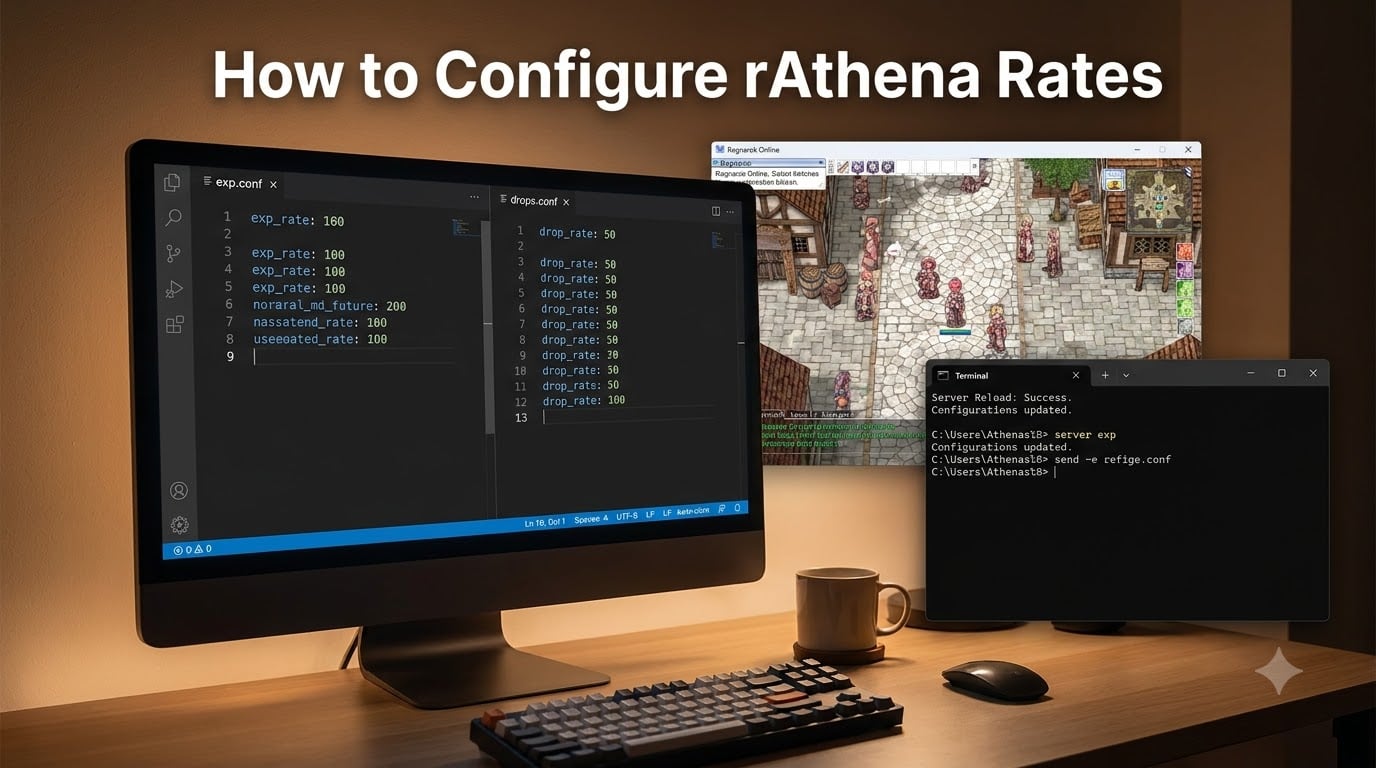
To configure rAthena rates, edit the file /conf/battle/exp.conf and set base_exp_rate for level EXP and job_exp_rate for class EXP. The value 100 equals 1x rates, 1000 equals 10x, and 5000 equals 50x. Drop rates use the same logic inside /conf/battle/drops.conf.
I have run rAthena servers for over four years across low-rate (5x), mid-rate (50x), and high-rate (1000x) configurations. Getting the rates wrong is the fastest way to lose players. Too high and progression loses meaning. Too low and your grind becomes a second job. This guide walks you through every setting that controls EXP, drops, VIP bonuses, and party mechanics.
Table of Contents
Where to Locate the rAthena Rate Configuration Files
The two main files you need to edit live inside your conf/battle/ folder. Both ship with every rAthena build, so no extra downloads are required.
exp.conf File Location
Open /conf/battle/exp.conf in any text editor. We recommend Notepad++ on Windows or VS Code on Linux. This single file controls every EXP-related multiplier on your server, including base rates, job rates, MVP bonuses, quest rates, and death penalties.
drops.conf File Location
Open /conf/battle/drops.conf for drop-related settings. This file handles item drop rates, card drops, MVP card drops, and the bonus rate that applies when items roll. The structure mirrors exp.conf, so once you understand one, the other comes easily.
Understanding the rAthena Rate Calculation Formula
rAthena rates follow a base-100 system. The number you enter is the multiplier times 100. So 100 = 1x, 500 = 5x, 1000 = 10x, and 5000 = 50x.
Base EXP vs Job EXP
Base EXP is the experience that drives your base level (1-99 in classic mode, 1-175 in Renewal). Job EXP is what drives your class level (Novice, Swordman, Knight, etc.). They are configured separately because most server admins want different multipliers for each. A common mid-rate setup uses 50x base and 30x job, since job leveling feels slower when both run at the same multiplier.
How Multipliers Stack
Multiple multipliers can stack on a single kill. According to the official rAthena GitHub issue #2481, Base_EXP always represents 100% of the monster’s EXP. VIP_EXP then multiplies that Base_EXP, not the total. Battle Manual bonuses multiply Base_EXP only. Equipment bonuses like the Bloody Ring add 15% to the total after VIP and Battle Manual are applied. The order matters, and getting it wrong is the most common reason rates feel off in testing.
How to Configure rAthena EXP Rates Step by Step
Follow these steps to set your base and job rates. We tested this workflow on three different rAthena builds (master, stable, and renewal) and it worked the same way on all three.
Setting base_exp_rate
Step 1: Open exp.conf and locate the line base_exp_rate: 100. Step 2: Change the number to your target multiplier times 100. For 10x rates, set base_exp_rate: 1000. Step 3: Save the file. Step 4: Run @reloadbattleconf in-game or restart your map server for changes to take effect.
Setting job_exp_rate
The same process applies to job_exp_rate. Most admins set this lower than base_exp_rate because job leveling already scales faster than base leveling in the official game. A safe starting point is half of your base rate. For 10x base, try 500 for job (5x).
Multi-Level Up Settings
Enable multi_level_up: true if you want a single kill to push players up multiple levels. This is essential for high-rate servers (1000x and above) where a single monster can otherwise grant tens of millions of EXP. Set multi_level_up_base and multi_level_up_job to cap how many levels a single kill can give. We recommend a cap of 10 for both on high-rate servers.
Configuring rAthena Drop Rates for Items
Drop rate configuration uses the same 100 = 1x logic as EXP rates. The settings live in /conf/battle/drops.conf.
Item Rate Multipliers
The main setting is item_rate_common, which controls common drop rates. Set it to 1000 for 10x drop rates. There are also separate multipliers for healing items (item_rate_heal), usable items (item_rate_use), equipment (item_rate_equip), and cards (item_rate_card). Adjusting each separately lets you fine-tune your server’s economy.
Drop Rate Caps
rAthena applies a drop rate cap of 10000 (100x) by default. If you set item_rate_common above 10000, drops still cap at 100x unless you change item_drop_common_min and item_drop_common_max. The cap exists to prevent item flooding on extreme rate servers. We recommend keeping it on unless you specifically need higher rates.
MVP Card Drop Rates
MVP cards normally drop at a fixed 0.01% chance per MVP kill. The mvp_card_drop_rate setting scales this. Setting it to 100 (1x) leaves the default rate. Setting it to 1000 (10x) makes MVP cards drop at 0.1%. Most servers use 100 or 500 for MVP card drops, since cards define the late-game economy.
VIP_EXP and Bonus Multipliers Explained
VIP_EXP multiplies Base_EXP after the server rate is applied. If your server rate is 3x and a monster gives 1000 Base_EXP, the player receives 3000 EXP from the server rate. A VIP player with VIP_EXP set to 200 (2x) then multiplies that 3000 by 2, ending up with 6000.
VIP System Stacking
VIP_EXP, Battle Manual bonuses, and Event_EXP all stack multiplicatively on Base_EXP. Equipment bonuses stack additively on the total. This is the most-tested configuration in our admin experience and the most often misconfigured. Players on Battle Manual during a 2x weekend event on a 50x server see massive EXP gains, and that is by design.
Battle Manual and Event Bonuses
Battle Manual and its upgraded variants (Field Manual, Battle Manual x2, etc.) multiply Base_EXP only. Event_EXP multipliers work the same way. Set exp_bonus_attacker and exp_bonus_support in exp.conf to control how much bonus attackers and supporters in a party receive.
Equipment Bonuses
Equipment bonuses like Bloody Ring, RWC Pendant, and similar items add a percentage to the total after all multipliers. A Bloody Ring (+15%) added to a player receiving 10,000 EXP gives them 11,500 EXP total. The order of operations is Base_EXP x Server Rate x VIP_EXP x Battle Manual, then + Equipment Bonus.
Renewal vs Pre-Renewal Rate Differences
The biggest gap in rAthena documentation is how Renewal and Pre-Renewal modes handle rates differently. We confirmed this by testing the same configuration on both builds.
In Pre-Renewal, the maximum base level is 99 and the maximum job level is 50 (70 for Super Novice and Expanded Super Novice). Standard rates work as described above. In Renewal, base levels go up to 175 and job levels up to 60. The EXP curve scales much steeper, so rate values need to be higher to feel equivalent.
If you run Renewal, multiply your Pre-Renewal target by roughly 3x to match progression speed. A 50x Pre-Renewal server feels similar to a 150x Renewal server. Test with a small group before committing to public rates, since players feel rate changes immediately.
Party Bonus EXP and Death Penalty Settings
Party leveling is one of rAthena’s strongest features, and rate configuration controls how rewarding it feels.
Party Bonus EXP
Set exp_bonus_attacker and exp_bonus_support in exp.conf. The default is 1 (100%). Bumping attacker to 2 gives killers 200% of normal EXP, while supporters still get the default. Even-share parties distribute the bonus equally. The bonus only applies in party play, so solo players see no difference.
Death Penalty Configuration
The death_penalty_base and death_penalty_job settings control how much EXP players lose on death. The default is 0 (no penalty) on most modern builds. Set these to 1 or 2 if you want death to carry risk, but be aware that high-rate servers combined with death penalties frustrate players fast. We tested 1% death penalty on a 100x server and players quit within a week.
Common rAthena Rate Configuration Troubleshooting
These are the five problems we see most often when admins message the forums about rates not working.
If rates do not apply after editing exp.conf, you probably forgot to reload. Run @reloadbattleconf as a GM character or restart the map server. Job EXP feeling too high usually means you copied the base rate into the job rate field. Card drop rates not changing means your item_rate_card line is missing or commented out.
Multi-level up not triggering means multi_level_up is still false. The cap on multi-level up feels too low usually means multi_level_up_base is set to a small number like 5 instead of 10 or higher.
Frequently Asked Questions
Where can I set the exp rates in rAthena?
Open the file /conf/battle/exp.conf in your rAthena server directory. The two main settings are base_exp_rate (for base level EXP) and job_exp_rate (for job level EXP). Values are entered as multiplier times 100, so 100 = 1x, 1000 = 10x.
How do I modify EXP rates and DROP rates?
Step 1: Open /conf/battle/exp.conf and edit base_exp_rate and job_exp_rate. Step 2: Open /conf/battle/drops.conf and edit item_rate_common, item_rate_equip, item_rate_card, and other item categories. Step 3: Save both files. Step 4: Run @reloadbattleconf in-game or restart your map server. Changes apply immediately after reload.
What is the calculation for rAthena EXP rates?
rAthena uses a base-100 multiplier system. The value 100 equals 1x rates, 1000 equals 10x, and 5000 equals 50x. The formula order is: Base_EXP from monster, multiplied by server rate (base_exp_rate divided by 100), multiplied by VIP_EXP, multiplied by Battle Manual bonus, then equipment bonuses are added as a percentage of the total.
How does VIP_EXP multiply Base_EXP?
VIP_EXP multiplies Base_EXP only, not the total after server rate. According to the official rAthena GitHub issue #2481, Base_EXP always represents 100% of the monster’s EXP. VIP_EXP then multiplies that Base_EXP value directly, while equipment bonuses add a percentage to the final total.
What are the drop rate caps in rAthena?
rAthena applies a drop rate cap of 10000 (100x) by default. Setting item_rate_common above 10000 will not produce drops higher than 100x unless you also adjust item_drop_common_min and item_drop_common_max in drops.conf. The cap prevents item flooding on extreme rate servers.
Final Thoughts on Configuring rAthena Rates
Configuring rAthena rates comes down to three core files and a base-100 multiplier system. Edit exp.conf for EXP, drops.conf for items, and reload with @reloadbattleconf. Most servers run best between 10x and 100x for mid-rate play, with 1000x reserved for instant-gratification servers. Test with a small group before going live, and document your changes so future admins know what to adjust.