
The best wireless printers for the money are not the cheapest printers on the shelf. They are the machines that cost the least per printed page, keep working for years, and connect to your home Wi-Fi without drama. We ranked ten of them on exactly that basis.
That distinction matters more in 2026 than it ever has. Almost every printer sold now is wireless, so the word itself no longer separates a good machine from a bad one. What still separates them is the price of the ink or toner that goes in after the box is empty, and how often the thing jams, refuses to print in colour, or drops off your network mid-job. A cheap cartridge inkjet that prints a sheet of text for a fraction of a cent one week and a dime the next week is not a bargain.
So here is how we did it. We pulled the manufacturer specifications for ten wireless printers, read thousands of owner reviews looking for repeated failure patterns rather than one-off gripes, and then ranked them on running cost, hardware capability, connectivity and the number of buyers who have proven the machine works over time. We did not test print speed in a lab. Everything you read here comes from published specs and real owner reports, and we tell you which is which throughout.
Along the way we also put together companion roundups on the other hardware that sits on the same desk, including our picks for the best wireless gaming mice for the money and the best gaming laptops for the money, because a printer only saves you time if the machine feeding it is fast.
Table of Contents
Top 3 Wireless Printers for the Money (October 2026)

Epson EcoTank ET-2800
- Refillable EcoTank bottles
- Flatbed scan and copy
- 10 black / 5 color ppm


Brother DCP-L2640DW
- 36 ppm mono laser
- Auto duplex plus 50-page ADF
- Dual-band Wi-Fi and Ethernet
The 10 Best Wireless Printers for the Money at a Glance
Best overall: Epson EcoTank ET-2800 — the most proven pick here, with 10k+ owner ratings, a refillable ink system and a compact footprint.
Best value: Canon MegaTank G3270 — bottle-fed ink, a fast 11 pages per minute in black, and up to 6,000 black pages per bottle set.
Premium pick: Brother DCP-L2640DW — a 36 ppm monochrome laser with automatic duplex and a 50-page automatic document feeder.
Best for photos: Epson Expression Premium XP-7100 — a 4.3 inch colour touchscreen and borderless photo prints up to 8 x 10 inches.
Budget pick: Canon PIXMA TS3720 — the lowest purchase price in the list, with dual-band Wi-Fi and AirPrint support.
Best for high volume: Brother HL-L2460DW — a 250-sheet tray and auto duplex at 36 ppm, for text-only work.
Best affordable duplex: Canon PIXMA TS6520 — automatic two-sided printing at an entry-level price, and the highest average rating in the roundup.
Best for touchscreen control: HP Envy 6155 — a 2.4 inch colour touchscreen and dual-band Wi-Fi that self-diagnoses connection problems.
Best for the biggest ink allowance: Epson EcoTank ET-2980 — up to three years of ink in the box, roughly 6,600 black pages.
Best for the cleanest setup: Brother HL-L2405W — no bloatware, no forced accounts, no mandatory app install.
All 10 Picks Compared Side by Side
| Product | Specs | Action |
|---|---|---|
| Epson EcoTank ET-2800 |
|
Check Latest Price |
| Canon MegaTank G3270 |
|
Check Latest Price |
| Brother DCP-L2640DW |
|
Check Latest Price |
 Epson Expression Premium XP-7100 Epson Expression Premium XP-7100 |
|
Check Latest Price |
 Canon PIXMA TS3720 Canon PIXMA TS3720 |
|
Check Latest Price |
 Brother HL-L2460DW Brother HL-L2460DW |
|
Check Latest Price |
 Canon PIXMA TS6520 Canon PIXMA TS6520 |
|
Check Latest Price |
 HP Envy 6155 HP Envy 6155 |
|
Check Latest Price |
 Epson EcoTank ET-2980 Epson EcoTank ET-2980 |
|
Check Latest Price |
 Brother HL-L2405W Brother HL-L2405W |
|
Check Latest Price |
How We Picked and Ranked These Printers
We ran every model through the same four checks, and we weighted running cost above everything else because it dominates lifetime spend. A printer that takes a cartridge that yields a few hundred pages and costs several times what a toner bottle does will out-earn its purchase price within a year at typical home volumes.
Second, we looked at hardware you touch every day: automatic duplex, the size of the paper tray, and whether there is an automatic document feeder for multi-page scans. Third, we read connectivity closely, because a printer that cannot hold a network connection is a printer you will stop using. Fourth, we weighted the size of the review base heavily, since ten thousand ratings of owner experience tells you far more than fifty.
Some of what follows is measured by the manufacturer and some of it is owner experience. Wherever a spec number appears, it comes from the published product data. Wherever we describe a failure pattern, it comes from repeated reports in owner reviews and long-running owner discussions on printing communities. We updated this guide in September 2026 and we may earn a commission when you buy through the links on this page, which does not change the order of the picks.
1. Epson EcoTank ET-2800: the best wireless printer for the money overall
Epson EcoTank ET-2800 Wireless Color All-in-One Supertank Printer – Black
Inkjet all-in-Print Copy Scan
10 black / 5 color ppm
100-sheet tray
11.4 pounds
Pros
- Refillable EcoTank bottles
- Ink in the box for up to 2 years
- Compact 11.4 pound body
- Sharp color photos at 5760 x 1440 dpi
Cons
- Single-sided printing only
- No automatic document feeder
- App connection errors reported
I keep coming back to this one because the review base settles the question. Just over 10,000 ratings at 4.1 stars is more real-world evidence than any other machine in this list, and the pattern in those reviews is remarkably consistent: people buy it to escape cartridge costs and then stay because it fits in a small space.
The ink system is the whole argument. One set of Epson 502 bottles is advertised as the equivalent of roughly 90 cartridges, and the box itself carries enough ink for up to 4,500 black pages or 7,500 colour pages. Owners who switched from cartridge models describe the change as immediate rather than gradual, which is exactly what the running-cost math predicts.
On hardware it is deliberately simple. You get print, copy and scan on a flatbed, a small LCD, a 100-sheet tray and 10 pages per minute in black or 5 in colour. Maximum colour resolution is 5760 x 1440 dpi, and the Micro Piezo heat-free head is rated at 12 watts. At 11.4 pounds it is the lightest printer here apart from the Canon PIXMA TS3720.
What you give up is paper handling. There is no automatic duplex, so two-sided jobs mean flipping sheets by hand, and there is no automatic document feeder at all. The LCD is small, borderless output is limited to 4 by 6 inches, and scanning to a computer generally needs the USB cable rather than Wi-Fi. A minority of owners also report repeat head-cleaning cycles in the first year, which is a familiar trait of inkjets that sit unused for weeks.
Who this printer suits
This is the pick for a family or a home office that prints a few hundred pages a month, in colour now and then, and hates cartridge pricing. The box ink alone carries most households through the better part of a year, so the real spend is the first refill rather than the machine.
It also suits anyone with limited desk space, since at 14.8 by 22.8 by 10 inches it tucks away, and anyone who prints photographs at 4 by 6 or 5 by 5 and wants colour that does not smear. Wireless and USB are both present, so it can live on the network or be cabled to one machine.
Who should skip it
Skip it if you print two-sided documents every week, because manual flipping will become a weekly irritation within a month. It is also the wrong choice for a home office that relies on an automatic document feeder to scan a stack of receipts or a multi-page contract.
And skip it if you want a large, readable control screen. The display is a basic LCD, and the on-device interface is limited to what a button-press can do. If you plan to manage the machine from a phone app, expect occasional paper-type mismatch errors from Epson software, which several owners mention.
2. Canon MegaTank G3270: the best wireless printer for the money on running cost
Canon MegaTank G3270 All-in-One Wireless Color Printer
Inkjet all-in-Print Copy Scan
11 black / 6 color ppm
100-sheet tray
1.35 inch LCD
Pros
- Refillable GI-21 MegaTank bottles
- Up to 2 years of ink in the box
- 11 ppm black is fast for an inkjet
- Few paper jams reported
Cons
- Wi-Fi drops between print jobs
- No Ethernet port
- Scanner quality is mediocre
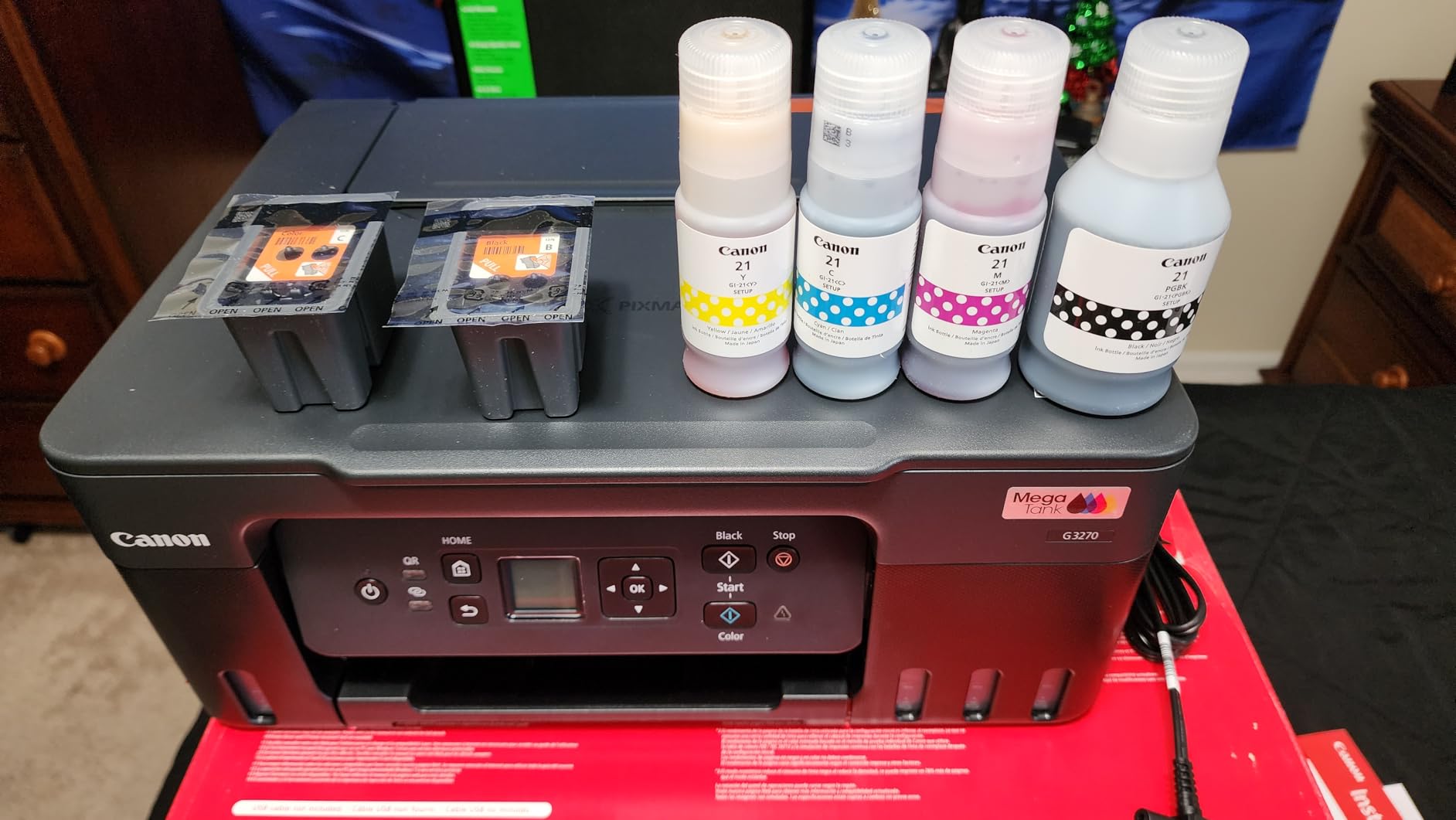
The G3270 is the same argument as the ET-2800 with a different badge on the box. It is a bottle-fed all-in-one that rated 4.1 stars across 5,109 owner reviews, and the reviews are blunt about the trade: ink is cheap, the network is not always cooperative.
The yield figures are the headline. One set of GI-21 bottles covers up to 6,000 black and white pages or 7,700 colour pages, and Canon includes enough in the box to cover up to two years of typical use. Print speed of 11 pages per minute in black and 6 in colour puts it ahead of most cartridge all-in-ones in its class, and it manages 4,800 x 1200 dpi in both black and colour.
Setup is straightforward once the ink is loaded, and the flatbed scanner handles home copying reliably. At 13.2 pounds with a 100-sheet tray and a 1.35 inch square LCD, it is a modest, unshowy machine that gets out of the way. It is also Energy Star certified and supports borderless printing.
The recurring negatives are worth reading before you commit. Owners report the wireless connection dropping between jobs, with long waits while software hunts for the printer, and there is no Ethernet port, so a direct cable connection is the only fallback. The scanner is described as weak in brightness and contrast compared with dedicated scanners, the documentation in the box is thin, and the machine needs regular use to stop the ink in the feed tubes from drying.
Who this printer suits
This suits a household that prints a lot relative to its income, especially if colour documents and school projects are part of the mix. Just over 5,000 owners rate it, and the volume of positive comments about ink cost makes it the natural value alternative to the ET-2800.
It also suits anyone who wants phone printing without setup drama, since the app-guided installation is one of the smoother ones in this roundup. If you live in a small flat and only need a small window of USB, Ethernet is something you can live without.
Who should skip it
Skip it if your Wi-Fi network is large, busy or mesh-based, because the drop-out complaints come from exactly that kind of setup. Also skip it if you scan often and care about scan quality, since this scanner is the weak point of an otherwise strong package.
And skip it if you print two-sided documents. Like the ET-2800, it is single-sided only, so duplex jobs mean turning the stack over by hand. The 100-sheet tray also means refilling more often than a 250-sheet laser tray would.
3. Brother DCP-L2640DW: the best wireless laser printer for the money for a home office
Brother DCP-L2640DW Wireless Compact Monochrome Multi-Function Printer, Copy, Scan, Duplex, Mobile Printing
Mono laser Print Copy Scan
36 ppm with auto duplex
50-page ADF
250-sheet tray
Pros
- 36 ppm with an 8.5 second first page
- Automatic duplex and 50-page ADF
- Dual-band Wi-Fi plus Ethernet
- Cheapest running cost for text
Cons
- Monochrome only
- 25 pounds is the heaviest here
- Brother TN830 toner is the supported supply
If your printing is text, this is the value answer, and the gap between it and any inkjet on running cost is not close. The DCP-L2640DW is a monochrome laser rated at 36 pages per minute with a first page out in 8.5 seconds, and it carries a 4.1 star average from 3,850 owners.
The paper handling is where laser machines earn their keep. You get automatic duplex, a 50-page automatic document feeder for scanning multi-page documents, a 250-sheet input tray and a 120-sheet output tray, all in a footprint of 15.7 by 16.1 by 12.5 inches. That is more capacity than any inkjet in this list by a wide margin.
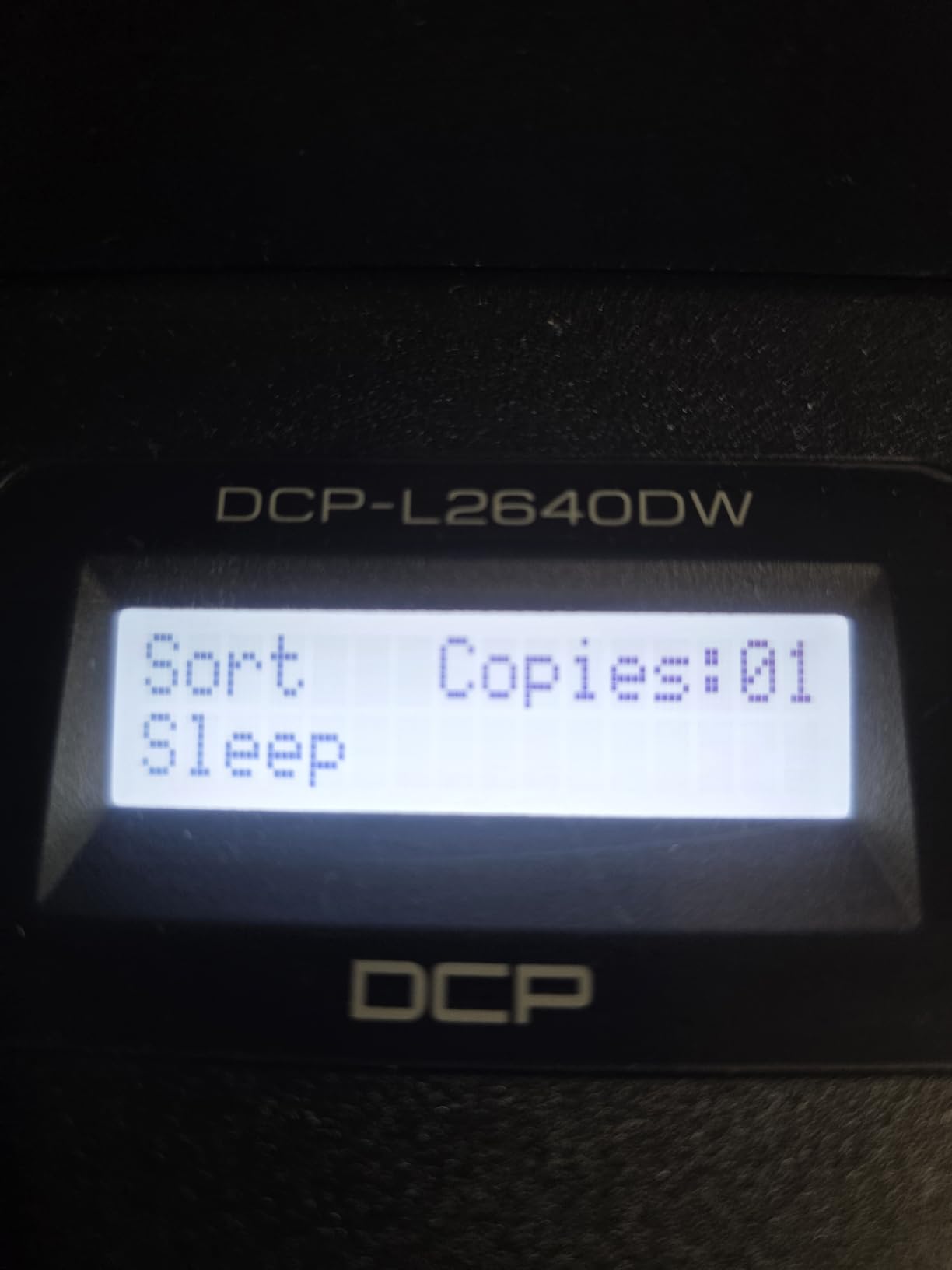
Networking is the best in the roundup. Dual-band 2.4GHz and 5GHz Wi-Fi, plus a real Ethernet port and USB, means it can be wired if your network is awkward. Resolution is 1,200 x 1,200 dpi for text, which is more than enough for sharp documents, and copy output runs at 600 x 600 dpi with scanning up to 23.6 images per minute in black.
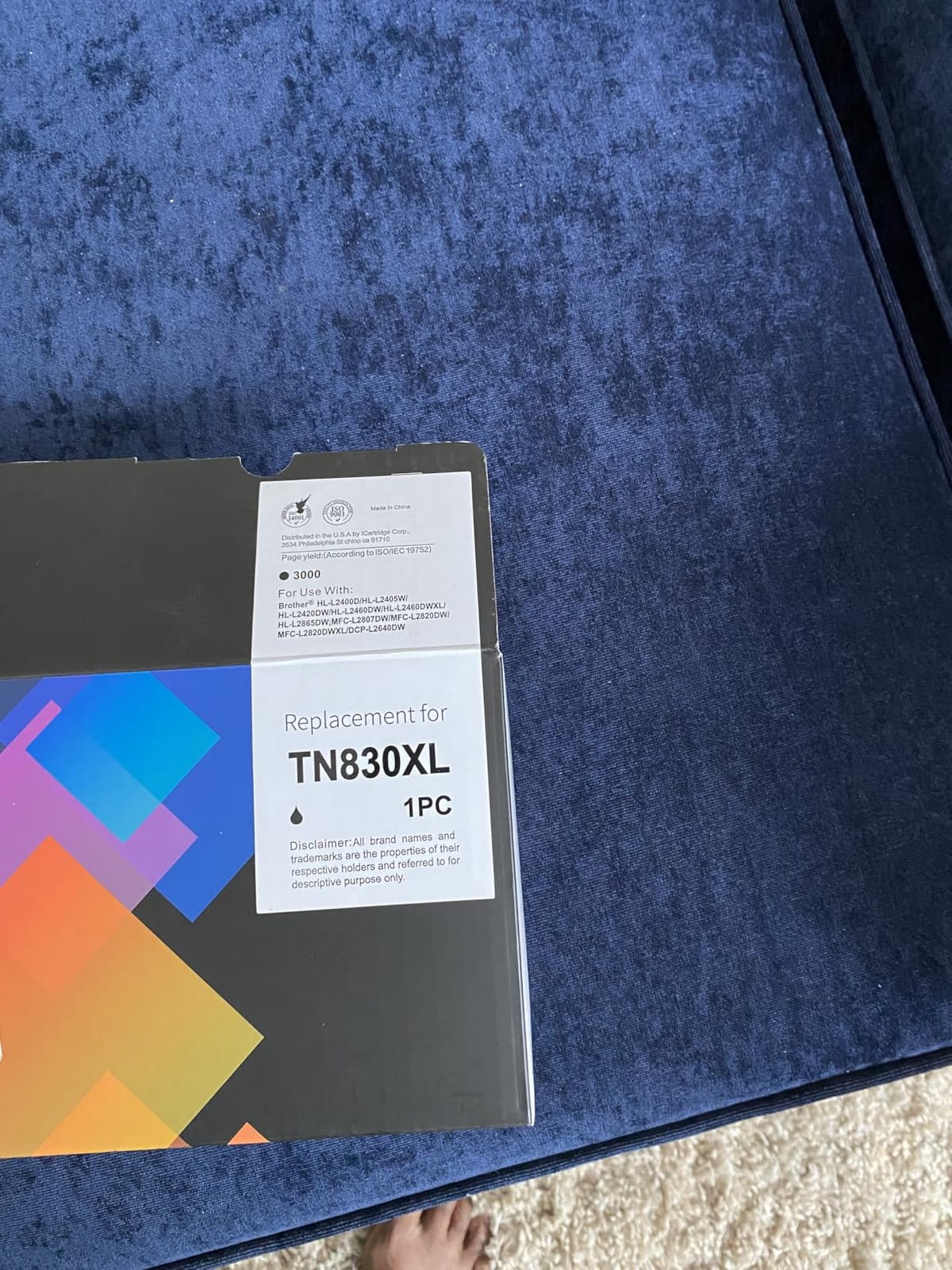
The compromises are real but limited. It prints black and white only, it weighs 25 pounds, which makes it the heaviest machine here by a distance, and the scanner and copier are basic next to a dedicated multifunction unit. Brother specifies its own TN830 and TN830XL toner for best results, and there is a one-year limited warranty with Energy Star certification.
Who this printer suits
This suits anyone printing contracts, invoices, lesson plans or shipping paperwork every week. The ADF plus duplex combination means a twenty-page, two-sided document is one button press rather than twenty minutes of flipping paper.
It also suits a mixed network. Dual-band Wi-Fi is what stops the connection problems we hear about with single-band machines, and the Ethernet port gives you a wired fallback if your router is in a different room. A 250-sheet tray means you refill roughly a quarter as often as you would with a 60 or 100-sheet inkjet tray.
Who should skip it
Skip it if you print colour. There is no colour path at all in this machine, and adding one later means a completely different printer. It is also the wrong choice if you need to scan photos or anything with fine tonal detail.
Skip it if you plan to move the printer between rooms regularly, because 25 pounds is a two-person job. And skip it if you want a large touchscreen, since the controls here are LCD touch buttons with no colour screen.
4. Epson Expression Premium XP-7100: the best wireless printer for the money for photos
Epson Expression Premium XP-7100 Wireless Color All-in-One Inkjet Printer
Inkjet Print Copy Scan
4.3 inch color touchscreen
30-page ADF
auto duplex
Pros
- Borderless photos up to 8 x 10 inches
- Auto duplex and 30-page ADF
- 4.3 inch color touchscreen
- Dual trays plus rear feed
Cons
- Only a 30-sheet paper tray
- Standard 410 cartridges are costly
- ADF output can come out skewed
The XP-7100 is the feature list machine of this roundup, and for a photographer or anyone who wants to print pictures at home without a separate photo printer, it earns the slot. It rated 4.1 stars from 3,897 owners, which puts it right alongside the two ink tanks and the Brother laser in terms of how well proven it is.
The headline is borderless photo printing up to 8 by 10 inches at 4,800 dpi, backed by a 4.3 inch colour touchscreen that is the largest display on any pick here. It also does automatic duplex for printing, copying and scanning, and it has a 30-page automatic document feeder, which is unusual on a photo-capable machine at this level.
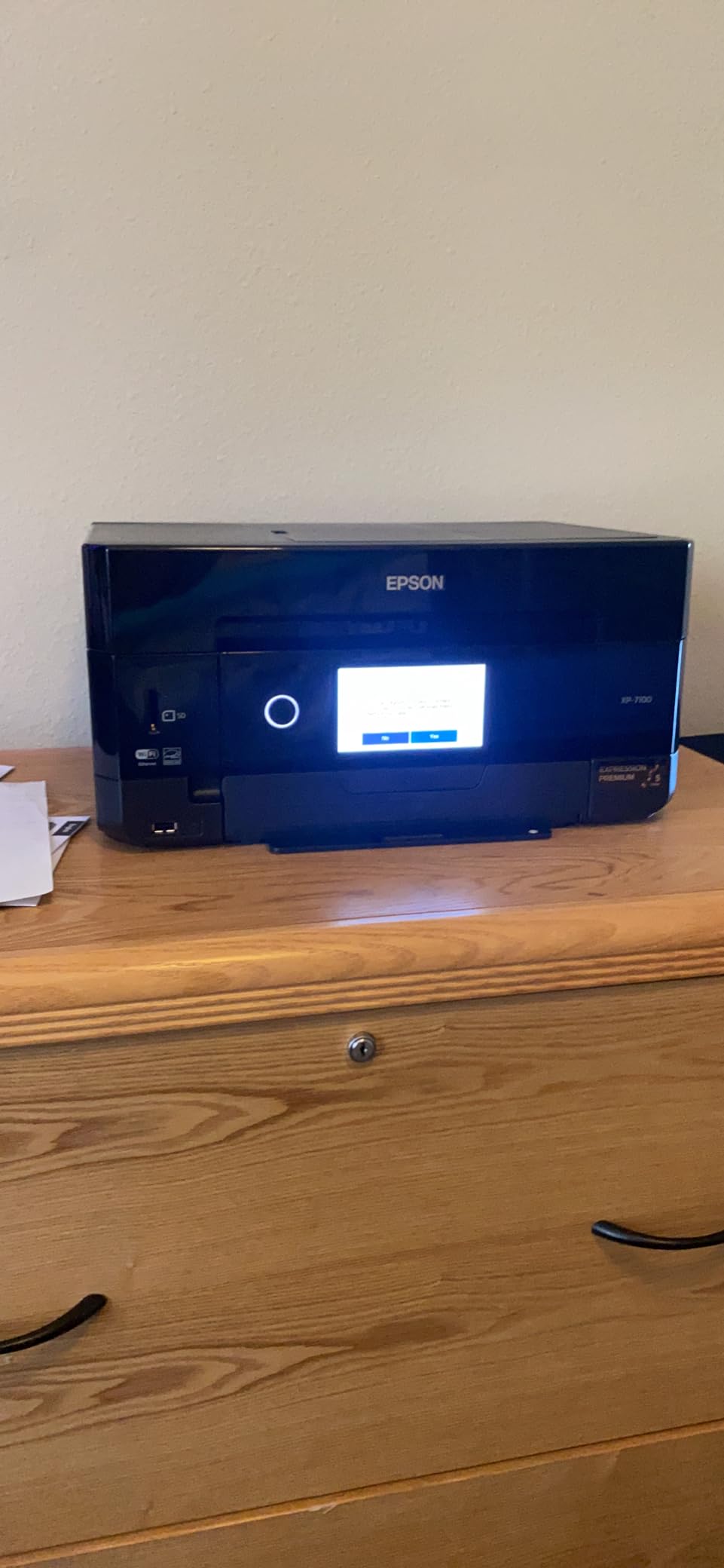
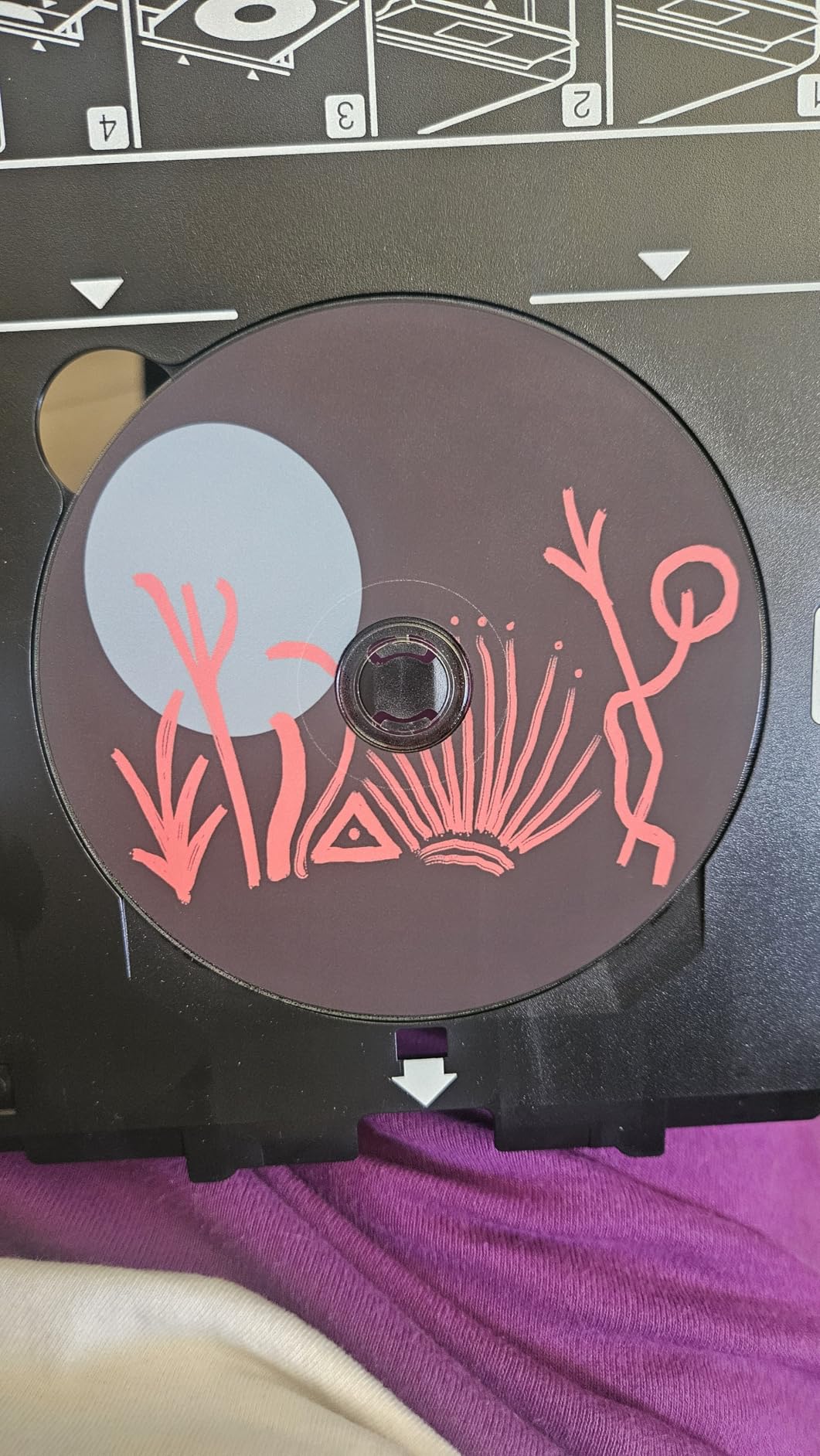
Paper handling goes further than the spec suggests. There are dual paper trays, a rear media feed slot and a dedicated CD/DVD tray, plus an SD card slot and USB port on the front for camera output. Connectivity covers Wi-Fi, Wi-Fi Direct, Ethernet and USB, and it works with Alexa. Print speed is 15.8 pages per minute in black and 1 page per minute in colour, and the machine weighs 21.5 pounds.
What holds it back is ink cost and scanning quality. The standard Epson 410 Claria Premium cartridges are expensive enough that this is a poor choice for high-volume work, and three colour inks means photo colours are less rich than a six-ink photo printer. Owners also report pages coming out skewed from the automatic document feeder, a small 30-sheet main tray that feels flimsy, and a touchscreen that is sluggish enough to mis-tap.
Who this printer suits
This suits a home photographer, a scrapbooker or a parent printing school projects and holiday photos who wants a touchscreen rather than a menu of buttons. The SD card slot and disc tray let you print without going through a computer at all, which is the whole point of owning a photo printer.
It also suits a home office that needs a flatbed scanner and a document feeder in the same box as the photo function. Auto duplex plus a 30-page ADF covers most small business paperwork without needing a second machine.
Who should skip it
Skip it if you print volume is the priority rather than quality. Standard 410 cartridges will run up the cost fast, and a tank printer or a mono laser will serve you better for documents. The colour speed of 1 page per minute is the slowest figure here.
Skip it if you are tight on space or on patience. At 19 by 17.2 by 8.1 inches and 21.5 pounds it is one of the larger machines in the list, and the dual tray system plus rear feed means there is more to set up. A few owners also report units arriving damaged or jamming repeatedly, so keep the packaging until you have run a full test cycle.
5. Canon PIXMA TS3720: the best budget wireless printer for the money
Canon PIXMA TS3720 Wireless All-in-One Printer for Basic Home Printing, White
Inkjet Print Copy Scan
7.7 black / 4 color ppm
60-sheet tray
8.7 pounds
Pros
- Lowest purchase price in the roundup
- Setup in a few minutes via Canon PRINT
- Dual-band Wi-Fi
- 8.7 pounds and very compact
Cons
- PG-275 and CL-276 cartridges are costly
- Single-sided printing only
- 60-sheet tray is small
The TS3720 is here because the lowest ticket price in a roundup still has to be a printer that works, and this one does. It rated 4.0 stars across 3,465 owner reviews, and the dominant theme in those reviews is simple: people bought it for a small home or a dorm room and it has not let them down.
It is a genuine all-in-one, not a stripped-down printer with a scanner bolted on. Print, copy and scan are all present, along with dual-band 2.4GHz and 5GHz Wi-Fi, USB, a 1.5 inch segment LCD and support for the Canon PRINT app, Apple AirPrint, Mopria and Chromebook. Print speed is 7.7 pages per minute in black and 4 in colour, at 4,800 x 1,200 dpi.
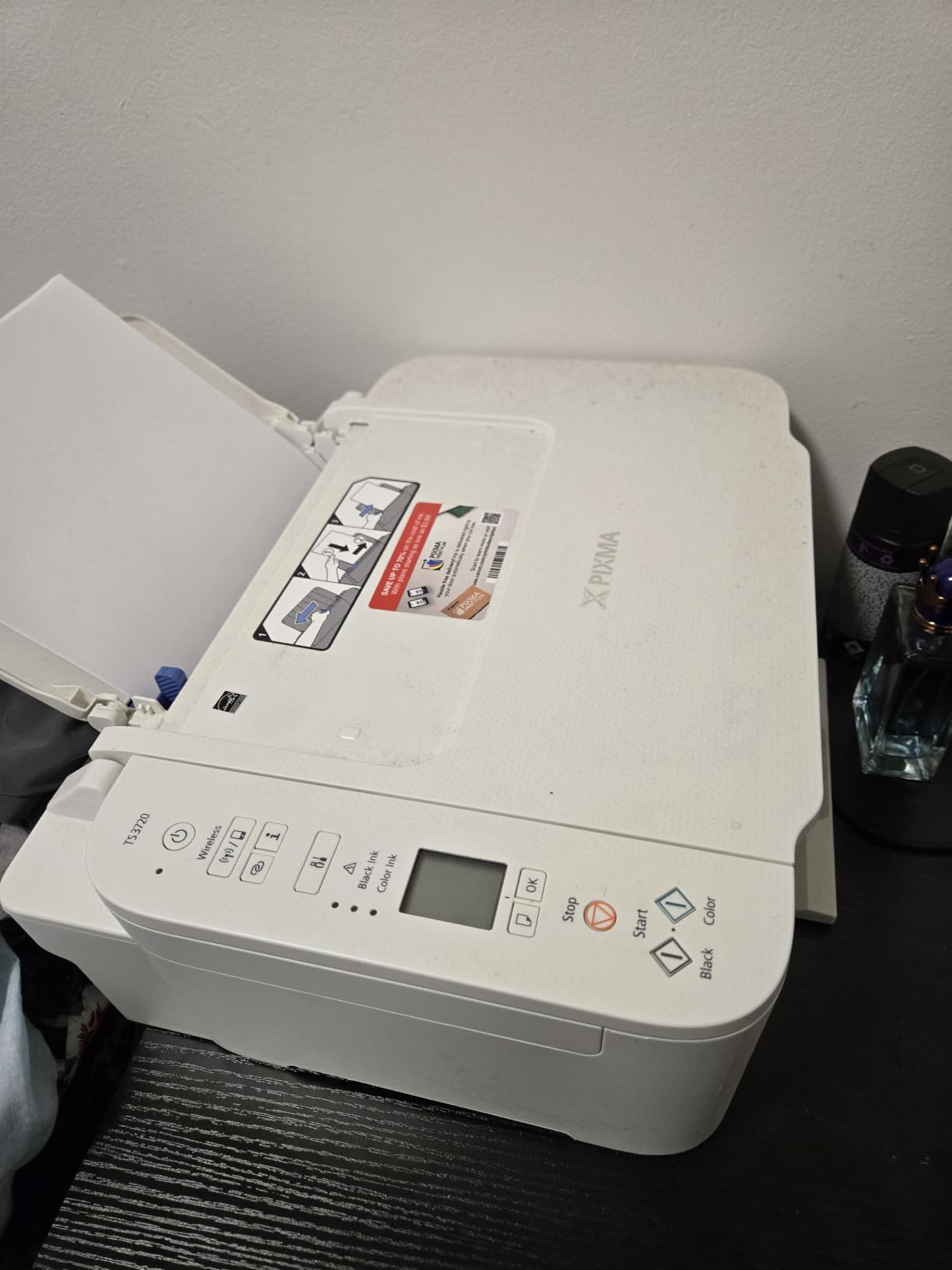
Borderless photos run up to 5 by 7 inches, with square formats supported as well, and the maximum media size is 8.5 by 14 inches. It weighs just 8.7 pounds at 12.9 by 17.2 by 5.8 inches, which makes it the smallest and lightest machine in the roundup and the easiest to move between a bedroom and a home office.
The catch is the running cost, and owners are consistent about it. The PG-275 black and CL-276 colour cartridges are costly if you print regularly, so this machine rewards light use. There is no duplex, the tray holds 60 sheets, you cannot combine 8 by 10 paper with glossy photo printing, and some output is reported as grainy. There is no printed manual in the box, and a few units arrive with error codes or faulty wireless pairing.

Who this printer suits
This suits a student, a renter or a couple who prints a handful of pages a month and needs colour for the occasional form or 4 by 6 photo. Setup through the Canon PRINT app takes a few minutes according to owners, which matters when you are printing a visa form the night before a flight.
It also suits anyone with a small desk or a Chromebook-heavy household, since Mopria and Chromebook support are built in. The lightweight body means you can put it in a cupboard between uses rather than leaving it in the open.
Who should skip it
Skip it if you print more than a few pages a week. The cartridge economics turn a bargain machine into an expensive one surprisingly fast, and the tank printers in this list solve that problem directly. It is also the wrong pick for a home office because there is no duplex and no document feeder.
Skip it if you want to print photos larger than 5 by 7, or if you need it to handle a stack of documents. A 60-sheet tray refills constantly at any real volume, and the single-sided design means duplex jobs are manual work.
6. Brother HL-L2460DW: the best wireless printer for the money for high-volume text
Brother HL-L2460DW Wireless Compact Monochrome Laser Printer with Duplex, Mobile Printing, Black & White Output | Includes Refresh Subscription Trial(1), Works with Alexa
Mono laser print only
36 ppm auto duplex
250-sheet tray
1 year warranty
Pros
- 36 ppm with automatic duplex
- 250-sheet tray for burst printing
- Lowest running cost for text
- Compact for a laser
Cons
- Print only with no scanner
- Black and white only
- Deep sleep behaviour needs managing
Strip the DCP-L2640DW down to nothing but printing, and you get the HL-L2460DW: same 36 pages per minute, same automatic duplex, same 250-sheet tray, but no scanner and no copier. For a household that only ever prints text, that is exactly the right trade, and 2,635 owners have rated it 4.0 stars.
The running cost is the reason to buy it. Toner at these sizes simply goes further than ink cartridges, so the per-page figure for routine documents is the lowest of anything in this roundup. Add an 8.5 second first page, 1,200 x 1,200 dpi text output and a 100-sheet output tray, and you have a machine that handles a busy week without complaining.
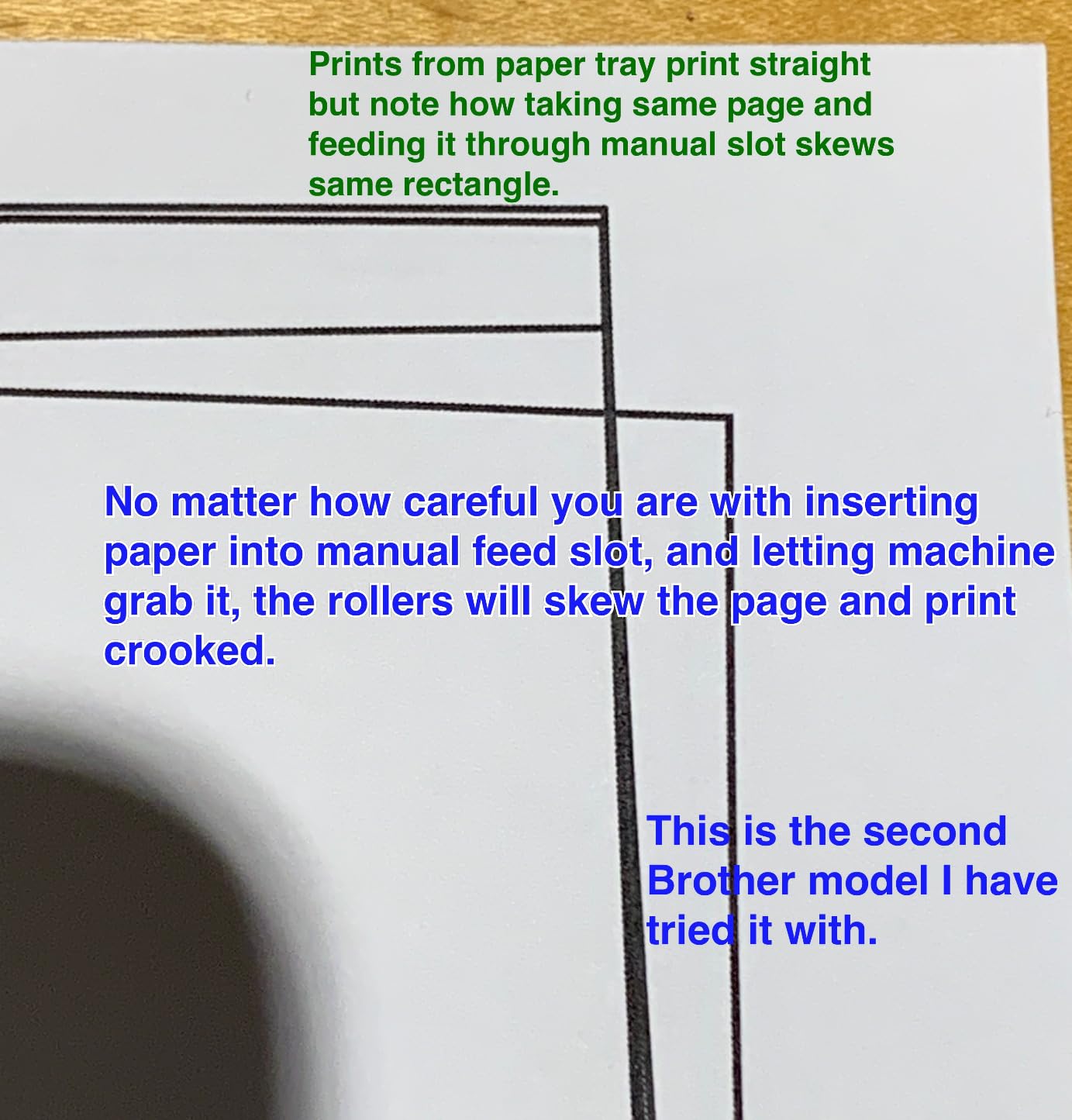
Connectivity is dual-band Wi-Fi plus Ethernet and USB, and the Brother Mobile Connect app tracks toner usage, which is genuinely useful for planning refills. A manual feed slot handles envelopes and specialty media, and the body is compact for a laser at 14.2 by 14 by 7.2 inches and 15.6 pounds.
The limitations are simple enough to state. It prints only, it prints only in black and white, and owners report that the toner-save mode and deep sleep behaviour need a bit of manual power management. The one-year limited warranty and Energy Star certification are standard for the class.
Who this printer suits
This suits a home office, a small business or a student with heavy coursework who prints almost entirely black and white. A 250-sheet tray plus auto duplex means you can put a hundred-page, two-sided job in and walk away, which no inkjet in this list lets you do unattended.
It also suits anyone with a wired network option they have ignored. The Ethernet port plus dual-band Wi-Fi means you can place it wherever the cable reaches and still print reliably from phones and laptops. Energy Star certification matters if the machine will be running all day.
Who should skip it
Skip it if you ever need to scan, copy or print in colour, because there is no path to any of those functions. It is a printer and nothing else, and adding scanning later means buying a second machine.
Skip it if you mind managing power settings. The deep sleep and toner save behaviour that saves money also annoys some owners who want the machine to simply wake when a job arrives. If you want the scanner, step up to the DCP-L2640DW instead and pay for the extra capability.
7. Canon PIXMA TS6520: the best wireless printer for the money with affordable duplex
Canon PIXMA TS6520 Wireless Color Inkjet Printer, Duplex Printing, Copier/Scanner, 1.42″ OLED Display, Compact, White
Inkjet Print Copy Scan
auto duplex
14 black / 9 color ppm
1.42 inch OLED
Pros
- Highest average rating in the roundup
- Automatic duplex at a low price point
- 7.5 second first page in black
- Quiet and compact
Cons
- 1.42 inch OLED is tiny and awkward
- Starter cartridges yield very few pages
- PG-295 and CL-286 ink is hard to find
Automatic duplex is the feature that moves the needle most for everyday use, and the TS6520 delivers it at a price point where almost every competitor is single-sided. It also has the highest average rating in the roundup at 4.2 stars, from 1,836 owner reviews.
On speed it is the fastest inkjet here. It manages 14 pages per minute in black and 9 in colour, with a first page out in 7.5 seconds in black or 9.5 seconds in colour, and resolution up to 1,200 x 1,200 dpi. That puts it within reach of the mono lasers on document work while still printing colour.
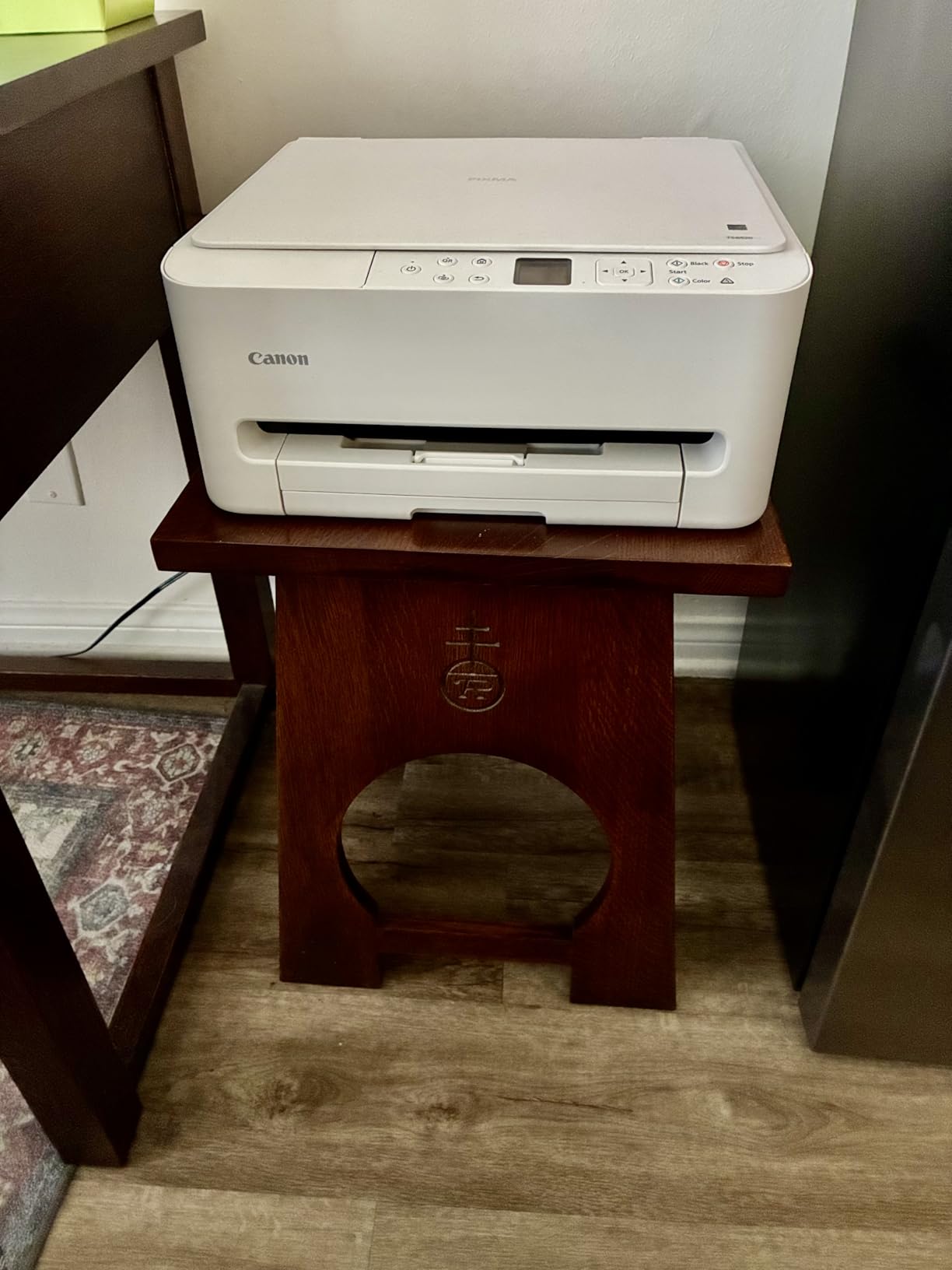
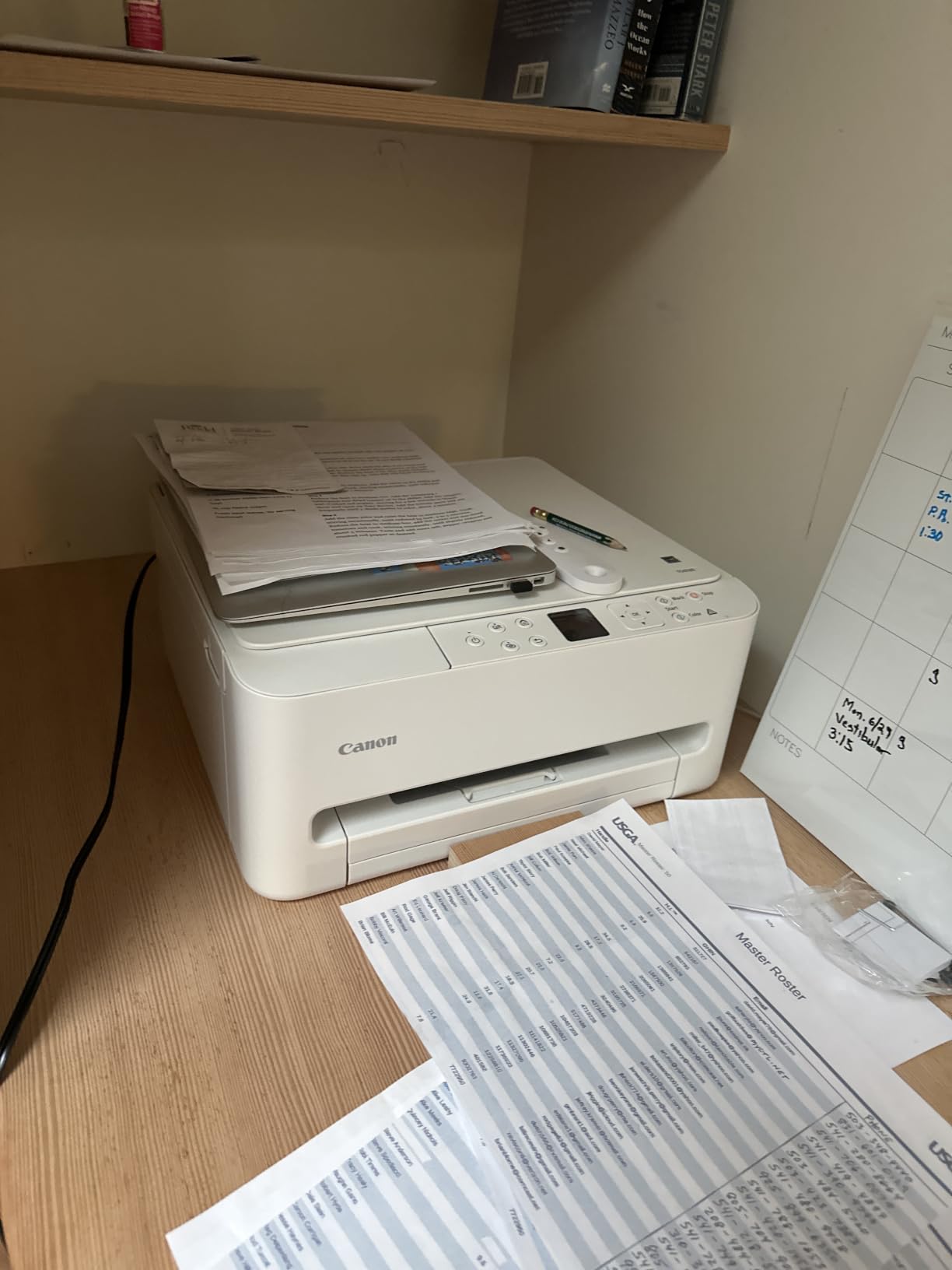
It is a full all-in-one with a flatbed scanner and copier, dual-band Wi-Fi, USB, a 1.42 inch monochrome OLED display, and support for the Canon PRINT app, AirPrint and Mopria. Borderless printing works with or without margins up to 8.5 by 11 inches, and the warranty is a three-year manufacturer limited warranty, the longest on any pick in this list.
Owners report fast, fuss-free setup, dependable duplex, copy and scan, and no jams, and several note that the ink outlasts comparable HP cartridge systems. The gripes are the tiny OLED screen, starter cartridges that warn almost immediately, and PG-295 and CL-286 ink that is hard to source locally and pricey when you do find it. Firmware prompts and app downloads add a little friction at setup, and paper capacity is small.
Who this printer suits
This suits anyone who prints two-sided colour documents and does not want to step up to a laser. Reports, worksheets, recipe cards and double-sided homework all come out in one job, and at 14 pages per minute in black it keeps up with a busy week.
It also suits a shared home network. Dual-band Wi-Fi plus AirPrint and Mopria means iPhones, Android phones and Chromebooks all connect without driver hunting, and the three-year warranty gives you more cover than most rivals offer.
Who should skip it
Skip it if you print in volume. Small paper capacity and low starter cartridge yields mean you will be refilling constantly, and if you are printing that much, a tank printer is the correct purchase regardless of the purchase price.
Skip it if you want a usable screen. A 1.42 inch monochrome OLED is for status, not navigation, and owners describe it as awkward. Also be careful if you travel to a region where PG-295 and CL-286 cartridges are hard to find, because the machine cannot use a different ink system.
8. HP Envy 6155: the best wireless printer for the money with a touchscreen
HP Envy 6155 Wireless All-in-One Color Inkjet Printer, Print, Scan, Copy, Duplex Printing Best-for-Home, 3 Month Trial of Instant Ink Included, AI-Capable (C2WR7A) Portobello
Inkjet Print Copy Scan
2.4 inch color touchscreen
auto duplex
100-sheet tray
Pros
- 2.4 inch color touchscreen for on-device control
- Dual-band Wi-Fi with self-diagnosis
- Automatic duplex printing
- Built with 60% recycled plastic
Cons
- Blocks third-party ink cartridges
- Only 351 ratings
- No automatic document feeder
This is the newest and least proven pick in the list, and we would rather say so plainly than dress it up. It carries 351 ratings at 4.2 stars, which makes it the smallest evidence base of the ten, and that is exactly why it sits eighth despite strong hardware.
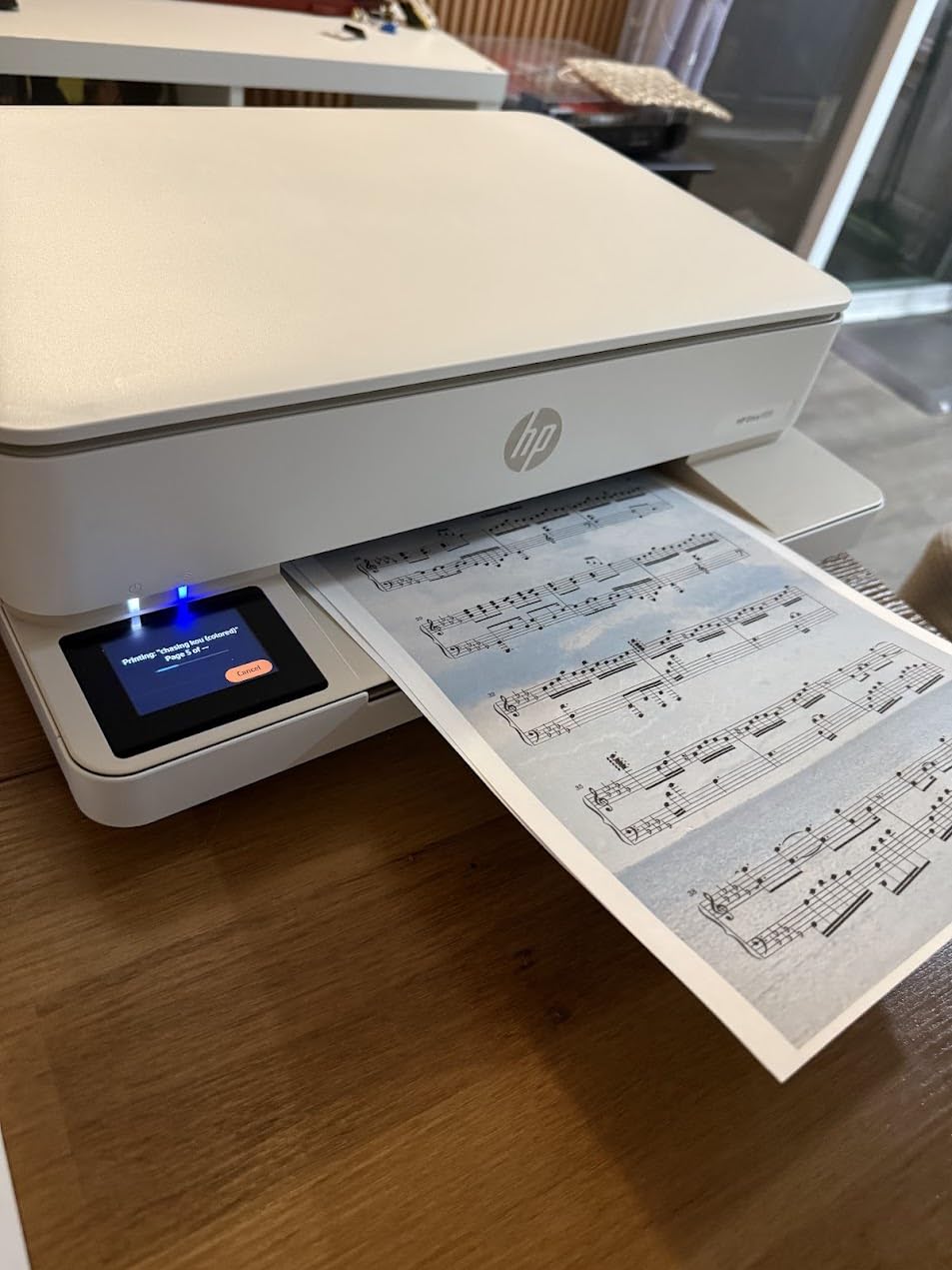
What it offers is a nicer interface than anything else at this level. The 2.4 inch colour touchscreen is the second largest display here, and it sits above a print, copy and scan all-in-one with automatic duplex, a 100-sheet tray and a 100-sheet maximum media size. Speed is 10 pages per minute in black and 7 in colour, with colour output up to 4,800 x 1,200 dpi.
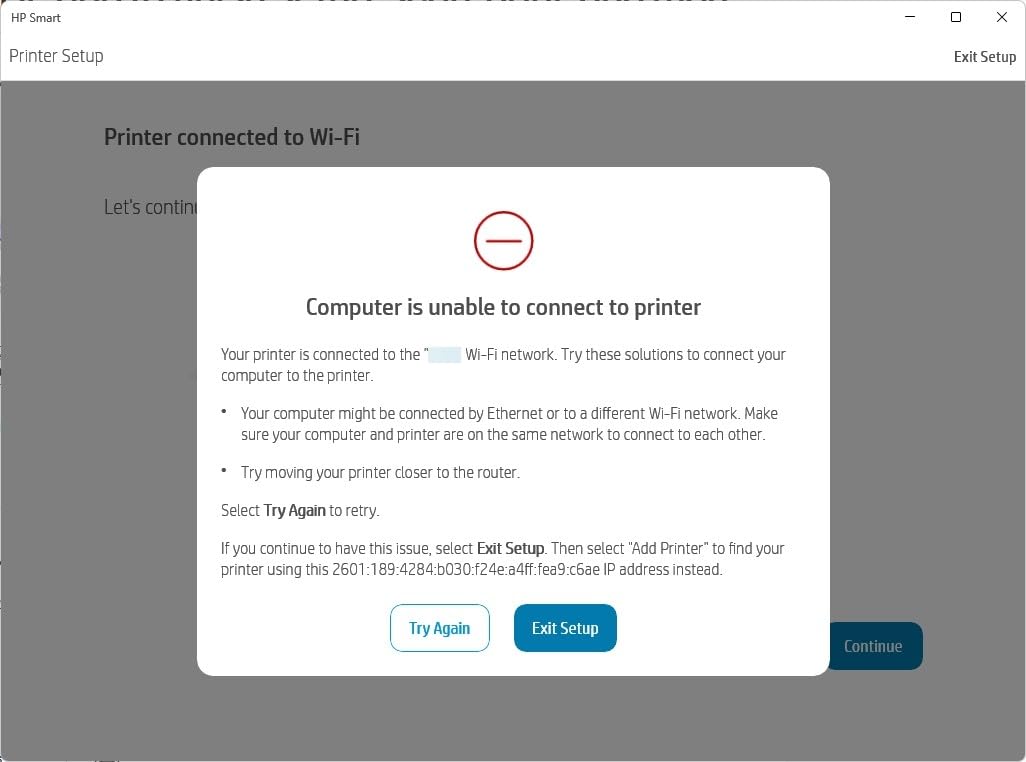
Connectivity is dual-band Wi-Fi with automatic connection detection and resolution, which is unusual to see described in a spec sheet, plus USB. The HP app handles mobile printing, scanning, copying and faxing, HP P3 colour matching targets true-to-screen colour, and HP AI print formatting strips unwanted web and email content from a printout. The chassis uses at least 60 percent recycled plastic and carries a one-year limited hardware warranty.
The significant catch is cartridge restriction. This printer works only with cartridges containing original HP chips or circuitry, which blocks cheaper third-party ink, and it needs periodic firmware updates to keep that blocking effective. That is a real long-term cost decision, not a small one. It also has no automatic document feeder, and the three-month Instant Ink trial converts to a monthly fee afterwards.
Who this printer suits
This suits someone who wants to manage printing from the printer itself rather than from an app, and who prints colour documents rather than high volumes of text. The touchscreen, duplex and borderless photo support cover most home needs in one compact 11.2 pound body.
It also suits a household that has already decided to stay inside HP’s ink system, because the cartridge restriction costs you nothing if you were never going to buy third-party ink. The HP app covering print, scan, copy and fax from a phone is a genuine convenience.
Who should skip it
Skip it if you want to use cheaper third-party ink, because the chip restriction is deliberate and the printer is designed to resist it. Skip it if you want proven long-term reliability, because 351 ratings tell you very little about how this machine behaves in year three.
Skip it if you scan multi-page documents, since there is no automatic document feeder, and be deliberate about the Instant Ink trial rather than ignoring it. If running cost is your main concern, a tank printer is a better long-term answer.
9. Epson EcoTank ET-2980: the best wireless printer for the money with the largest ink allowance
Epson EcoTank ET-2980 Wireless Color All-in-One Supertank Printer – Black
Ink tank Print Scan
15 black / 8 color ppm
auto duplex
100-sheet tray
Pros
- Up to three years of ink in the box
- Automatic duplex at this ink tank tier
- Works well even for sporadic users
- 15 ppm black and 8 ppm color
Cons
- Tiny confusing screen
- Scanner software and quality are poor
- Paper jams during duplex printing
The ET-2980 is the most ink you can get before touching a bottle. Epson puts up to 6,600 black pages or 5,500 colour pages in the box, which is the biggest allowance of any pick here, and 982 owners have rated it 4.0 stars. If you print a lot and you do not want to think about ink for a year, this is the machine.
It also adds automatic duplex, which is unusual at this tank tier and the reason it is more versatile than the ET-2800. Speed is 15 pages per minute in black and 8 in colour, resolution runs to 4,800 x 1,200 dpi in both, and the body is compact at 13.7 by 14.8 by 7.4 inches and 11.5 pounds. Borderless photo printing and Energy Star certification are both included.

Owners consistently mention two things in a positive light: the ink really does last, and the machine works even for people who do not print every week, which is where cartridges usually disappoint. The EcoFit bottle refilling is simple and resists drying out, and connectivity covers Wi-Fi and USB through the Epson Smart Panel app.
The complaints are more numerous. The screen is tiny with hard-to-read instructions and confusing icon buttons, scanner software and scan quality are widely criticised, and paper jams recur during duplex printing. Photo quality is mediocre and ink can rub off prints. Some users also report daily Wi-Fi dropouts and media-type lockups, and first-time setup is less intuitive than on earlier EcoTank models.
Who this printer suits
This suits heavy colour users, a busy home office or a small business that wants colour and duplex without cartridge pricing. The in-box ink allowance means the first refill is a distant problem, and the duplex unit removes the most common complaint about budget tank printers.
It also suits households with irregular printing habits. Several owners note that it keeps working when they go months without printing, which is the failure mode that makes cartridge machines feel unreliable. The flatbed scanner covers basic copying and document scanning.
Who should skip it
Skip it if you scan often, because the scanner and its software draw the most consistent criticism in the reviews. Skip it if photos are a priority, because the output is described as mediocre with ink that can transfer to your hands.
And skip it if duplex reliability matters more than duplex capability, because owners report recurring jams during two-sided printing. If your main need is black-and-white volume, a mono laser has a lower running cost and a bigger tray than the 100-sheet one here.
10. Brother HL-L2405W: the best wireless printer for the money with the cleanest setup
Brother HL-L2405W Wireless Compact Monochrome Laser Printer with Mobile Printing, Black & White Output | Includes Refresh Subscription Trial(1), Works with Alexa
Mono laser print only
30 ppm manual duplex
250-sheet tray
15.1 pounds
Pros
- No bloatware or forced accounts
- Sharp 1200 x 1200 dpi text
- 250-sheet tray
- Reliable after long periods of disuse
Cons
- QR-code setup takes far longer than needed
- Manual duplex only
- Collated jobs can print out of order
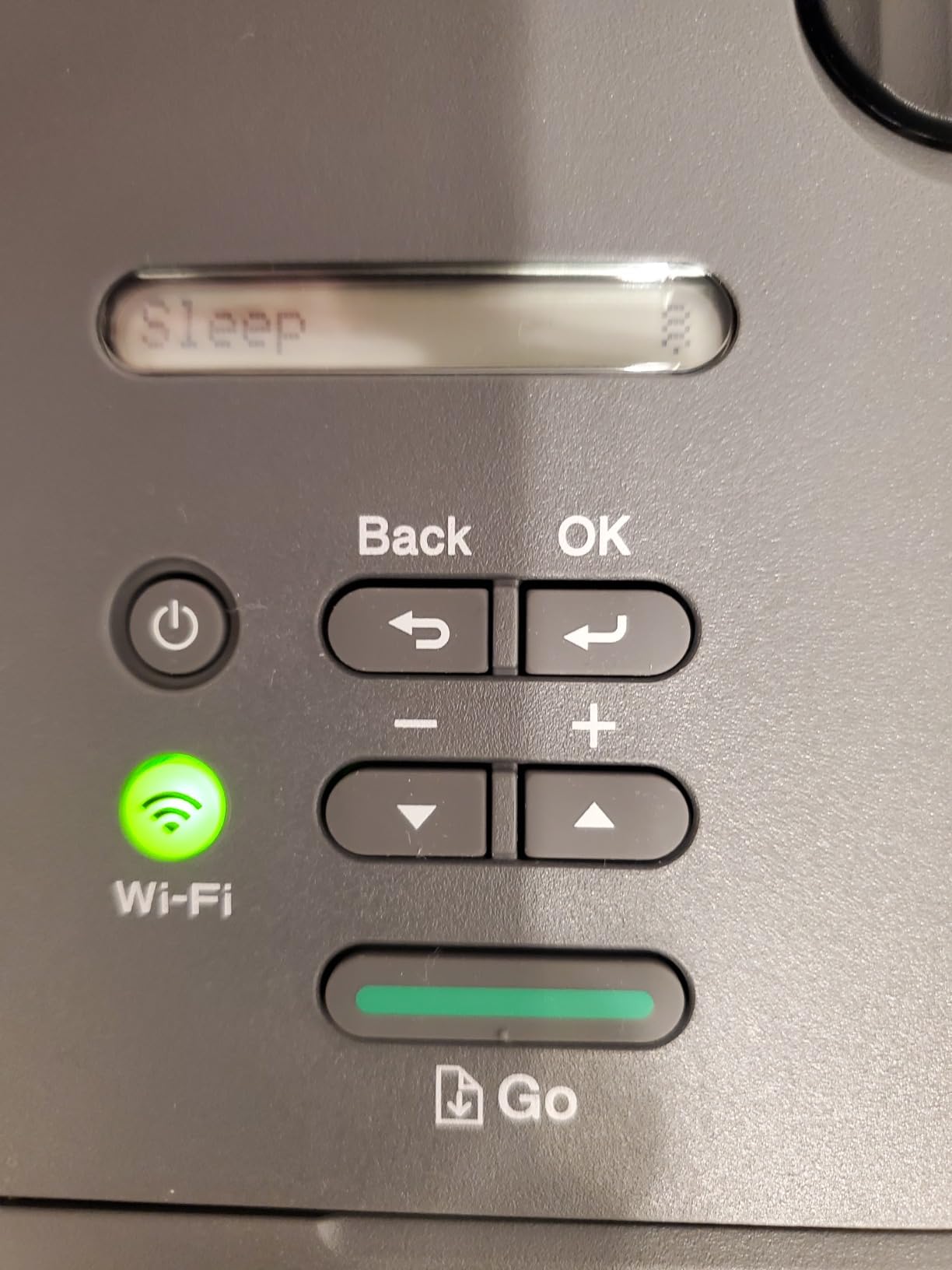
The last pick is the one owners recommend when they are tired of being asked to create an account. The HL-L2405W rated 4.1 stars from 2,394 owners, and the single most common positive theme in those reviews is a clean, bloatware-free install with no forced accounts, no terms agreements and no mandatory app.
On paper handling it is solid. It runs at 30 pages per minute with an 8.5 second first page, prints at 1,200 x 1,200 dpi, and has a 250-sheet tray plus a manual feed slot for envelopes and specialty media, with a 100-sheet output tray. The body is 14.2 by 14 by 7.2 inches at 15.1 pounds, Energy Star certified, and covered by a one-year limited warranty.
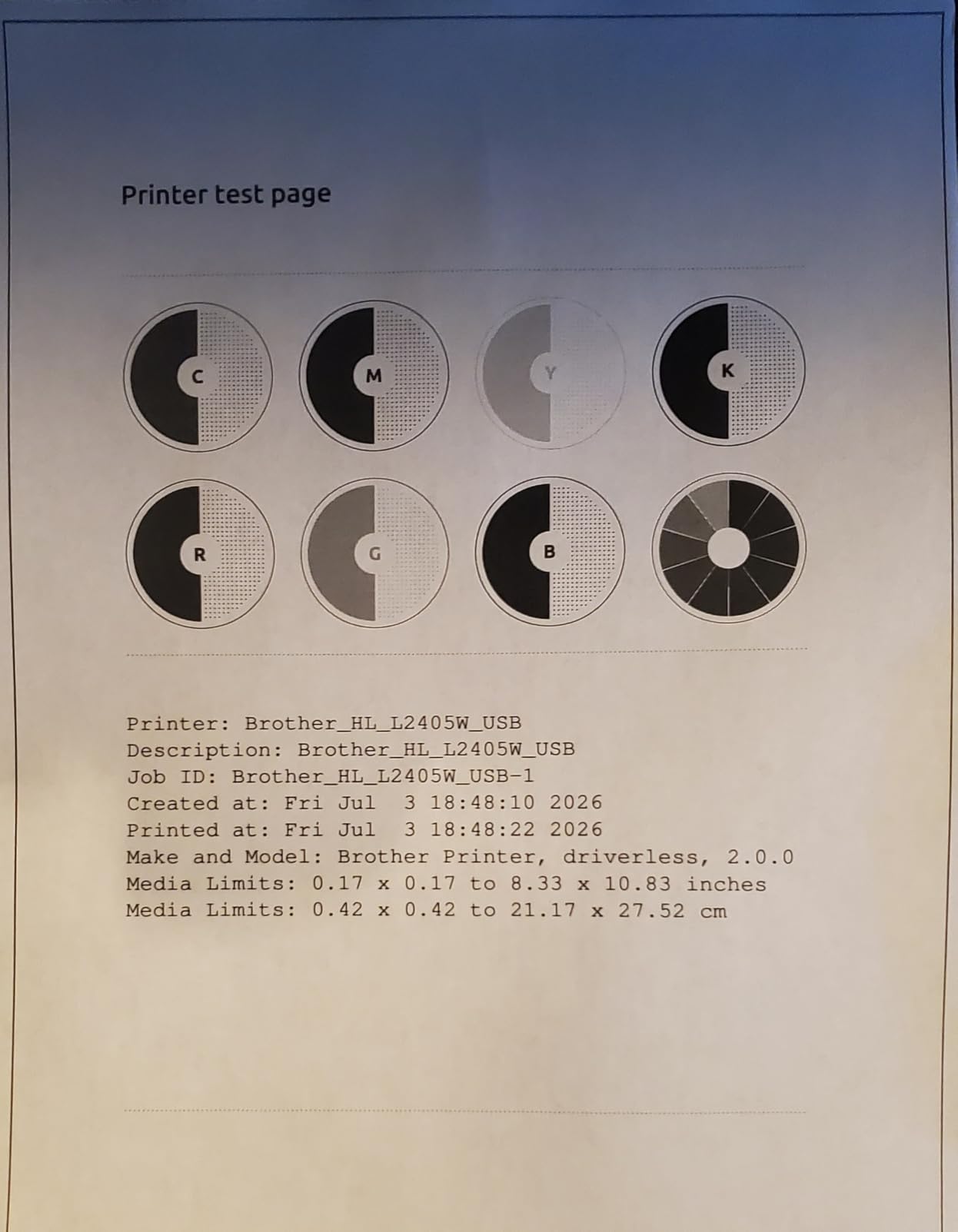
Laser text quality is a genuine strength here. Owners who use the output for hand-colouring and collage work call the text sharp, and the toner durability makes it a convincing replacement for an inkjet. It also wakes reliably after long periods of disuse, which matters if you only print a few times a year, and the Brother Mobile Connect app handles mobile printing and toner ordering.
The negatives are about workflow rather than output. Setup is QR-code driven and takes far longer than a print-only machine needs, serial number entry and the Brother Connect dashboard registration are fiddly, duplex is manual, and collated multi-page jobs can print the last page first. Deep sleep can also drop the printer off some mesh networks such as Eero, and there is no scanner.
Who this printer suits
This suits anyone who prints black and white documents regularly and refuses to hand their details to a vendor app to get a printer working. The Brother Mobile Connect app is there if you want toner ordering, but nothing forces you into it.
It also suits a household that prints in bursts, since the 250-sheet tray and 30 pages per minute handle a stack without constant refilling. Sharp text output at 1,200 x 1,200 dpi makes it a good fit for crafters, students and anyone printing colouring pages or line art.
Who should skip it
Skip it if you print two-sided documents, because manual duplex means feeding paper back in by hand for every job. Skip it if you need colour, and skip it if you need a scanner or copier, since this is a print-only monochrome machine.
Skip it if you run a mesh network with aggressive power saving and you are not willing to fiddle with settings, because deep sleep has knocked it off some of those networks. If you want the clean setup plus auto duplex and a scanner, the DCP-L2640DW is the version of this idea with everything filled in.
How to Choose a Wireless Printer Without Overpaying
Wireless and Wi-Fi mean exactly the same thing
There is no difference. A wireless printer is simply a printer that connects over Wi-Fi instead of a USB cable, and sellers use the two words interchangeably. What matters is which band it supports and whether your devices can reach it, not what the box says.
Dual-band support, meaning both 2.4GHz and 5GHz, is the useful detail. It shows up on the Canon PIXMA TS3720, the Canon PIXMA TS6520, both Brother lasers and the HP Envy 6155. It is not a speed feature so much as a reliability feature, because 2.4GHz reaches further through walls and 5GHz offers cleaner throughput in a crowded network.
Inkjet, laser or ink tank: you are choosing a running cost
Inkjet uses liquid ink, laser uses powdered toner, and an ink tank printer is an inkjet that you refill with bottles instead of cartridges. That is the entire technical difference, and it drives everything about cost and reliability.
Laser wins on text volume. A mono laser like the HL-L2460DW or the DCP-L2640DW prints documents fast, holds a large paper tray and costs less per page on black-and-white work. Inkjets win on colour, photographs and per-unit price, and the tank models close most of the running-cost gap by stretching a single bottle across thousands of pages.
The other thing an inkjet does that buyers forget is maintenance. Colour inkjets run cleaning cycles, and those cycles use ink, so a printer that only ever prints black still burns through colour ink. That is a real, ongoing cost with cartridge machines.
Ink tank versus cartridge: where the crossover lands
Cartridge printers are cheaper to buy and more expensive to own. The savings on a tank printer come from bottle yield rather than a lower bottle price. The ET-2800 is advertised at up to 4,500 black pages per set, the G3270 at up to 6,000 black pages, and the ET-2980 ships with up to 6,600 black pages already in the box.
So the crossover point is lower than most people expect. If a cartridge machine costs several times as much per page, the tank printer repays the difference after a few hundred printed pages, not a few thousand. A household that prints even a few sheets a week gets there inside the first year.
The counterweight is that tank printers still have all the usual inkjet problems. Owners on printing forums are blunt about this: refillable tanks fix the cost problem but the other problems remain, including clogged heads and cleaning cycles. A tank printer used once a month needs regular use, and the Canon G3270 owners specifically mention needing regular printing to stop the feed tubes from drying out.
Duplex and the ADF are the two features that change daily use
Automatic duplex printing means the machine flips the paper and prints both sides. Five picks have it: the Brother DCP-L2640DW, the Brother HL-L2460DW, the Epson ET-2980, the Canon PIXMA TS6520 and the HP Envy 6155. The Epson XP-7100 also offers duplex for copying and scanning. Everyone else, including both budget Canon models and the ET-2800, is single-sided only.
An automatic document feeder means you can scan twenty pages by putting them in a tray instead of lifting the lid twenty times. Only two picks have one: the DCP-L2640DW with 50 pages and the XP-7100 with 30 pages. For a home office, an ADF is arguably the bigger daily-use win of the two, because scanning is a task you do in batches and duplex printing is a task you do per document.
A flatbed scanner is standard on all the inkjets here, so if you only need the occasional page, no ADF is not a dealbreaker. It is a dealbreaker if you process paperwork regularly.
Ink subscriptions, cartridge chips and the lock-in to avoid
Subscription ink services such as HP Instant Ink and Canon Ink Advantage are the main way value shoppers end up paying more over time. The trap is that the trial looks generous and the commitment is quiet. The HP Envy 6155 in this list includes a three-month Instant Ink trial that converts to a monthly fee afterwards, and the Brother lasers arrive with a Refresh EZ Print trial that does the same thing with toner.
If your print volume drops in year two, a subscription can push your per-page cost above a cartridge machine. Decide on the subscription deliberately, not by ignoring the prompt, and check the per-page rate against your own volume before you opt in.
Cartridge chips are the other lock-in. The HP Envy 6155 works only with cartridges containing original HP chips or circuitry, which blocks cheaper third-party ink and needs periodic firmware updates to keep working. That is a policy decision by the manufacturer, and it is the single most important thing to know about that machine.
On third-party ink generally, the honest answer is that generic cartridges save money and carry a real risk: some printers will refuse them, some will report low ink incorrectly, and using them may affect your warranty position. For an Epson EcoTank, the practical advice from owners is simple, buy the bottled ink you designed the machine around and avoid the experiment.
Reliability: what actually breaks and which brands hold up
No competitor publishes failure rates, but owner reports are consistent enough to be useful. Three failure modes come up again and again across brands, and only one of them is brand-specific.
Wi-Fi connection loss after a router change is the most reported problem, and it is a network problem more than a printer problem. Inkjet nozzle clogs and cleaning cycles affect the Epson and Canon tank models, and they show up when a machine has been idle. Paper jams cluster on the Canon PIXMA TS3720 with its small 60-sheet tray, on the Epson ET-2980 during duplex, and on the XP-7100 with its thin 30-sheet tray.
On brand reliability, owners repeatedly recommend Brother for laser work, with toner that is reasonably priced and machines described as dependable. Canon and Brother are generally seen as the value and reliability tier, Epson as the photo and print-quality tier, and HP as the most user-friendly tier. The forum consensus is also blunt that printers are consumable objects, so buying from a major brand with readily available ink matters more than buying the cheapest machine on the shelf.
Setting up wireless printing without losing an afternoon
Five steps cover almost every setup. Unbox the printer, plug it in, and put it into Wi-Fi pairing mode using the button or menu on its own panel. Connect the phone or laptop that is setting it up to the same network as the printer. Run the vendor app, choose wireless setup, and enter your network password. Then install the full driver or app on every computer and phone that will print, and send a test page before closing the box.
If it will not connect, work through this list in order. Confirm the printer is on the 2.4GHz band, since 5GHz-only networks reject many printers and most routers split the two. Reboot the router, then the printer, and wait for both to finish booting. Remove the printer from your computer and add it again rather than just retrying. Update the printer firmware and driver, because an out-of-date driver causes silent connection failures. Forget the network on the printer and rejoin it from scratch, which clears a stored but invalid password. As a last resort, reset the network settings on the printer to factory defaults and start again.
If you do not need the network, Wi-Fi Direct prints straight from a phone without a router. The XP-7100 has it built in, and it is a useful fallback on a machine that keeps dropping its connection.
Five questions to answer before you buy
How many pages a month do you really print, and how many of those are colour? That single question decides inkjet versus laser, and people almost always overestimate their colour volume and underestimate their text volume.
Do you need two-sided printing, and do you need a document feeder? If either answer is yes, your shortlist just got smaller. Do you scan more than a page at a time? Then an ADF is not optional.
What is your cost per page today, and what will it be in three years? And finally, can you buy third-party ink or toner for the machine, or does the manufacturer prevent it? That last question is the one most buyers ask too late.
Building Out the Rest of the Desk
A printer is only one part of a setup, and the money saved on ink is easier to justify when the machine feeding it is also well chosen. If your computer is the bottleneck, our picks for the best gaming laptops for the money cover the hardware end. Our roundup on the best wireless gaming mice for the money covers the input side, where a shaky connection tends to get blamed on the printer first.
The same applies to controllers and audio. The best wireless controllers for the money are worth pairing with a home office machine that prints from a shared console, and our guides to the best wireless gaming headsets for the money and the best wireless gaming earbuds for the money cover taking calls while a long print job runs.
Frequently Asked Questions
What is the best wireless printer for home use?
The Epson EcoTank ET-2800 is the best all-round choice for home use in 2026, because refillable ink tanks cut the running cost that cartridge printers impose, and it carries the largest owner review base of any pick here. If you print almost only black and white, the Brother DCP-L2640DW costs less per page and adds automatic duplex with a 50-page feeder.
What printer has the least problems?
Monochrome laser machines are the most trouble-free in practice, and the Brother HL-L2405W and HL-L2460DW are the models owners most often describe as dependable. The most common problems across every brand are wireless drop-outs after a router change, inkjet nozzle clogs after long idle periods, and paper jams in small paper trays.
Are EcoTank and MegaTank printers better than cartridge printers?
They are better on running cost once you pass a few hundred pages, because a bottle of ink yields thousands of pages against the few hundred a cartridge manages. They do not solve every inkjet problem, though, since cleaning cycles and clogs still happen and tank machines need regular use to keep the feed tubes clear.
What is the difference between a wireless printer and a Wi-Fi printer?
There is no difference at all. Wireless and Wi-Fi are two names for the same thing, a printer that connects to your network over Wi-Fi instead of a USB cable. What actually varies between models is band support, so check whether the machine supports both 2.4GHz and 5GHz.
Why won’t my wireless printer connect to my Wi-Fi network?
Put the printer on the 2.4GHz band, since many routers refuse 5GHz-only connections. Then reboot the router and the printer, remove and re-add the printer on your computer, update the firmware and driver, forget the network on the printer and rejoin it, and finally reset the network settings to factory defaults. Mesh networks with aggressive power saving can also drop a printer in deep sleep.
Why is ink so expensive on cartridge wireless printers?
Cartridges carry a small yield and a high unit price, so the per-page figure lands far above what a bottle-fed tank machine costs. Subscription services such as HP Instant Ink and Canon Ink Advantage can raise the effective cost further if you keep the subscription after your volume drops, which is why owners recommend deciding on a subscription deliberately.
Which Wireless Printer Is Worth Your Money
After all of that, the Epson EcoTank ET-2800 is the best wireless printer for the money in 2026, and the reason is evidence rather than features. Just over 10,000 owner ratings tell you more about whether a printer will still work in year three than any spec sheet, and the pattern in them is people being delighted that ink stopped costing a fortune.
Buy the Canon MegaTank G3270 instead if you want faster colour throughput and can live with occasional Wi-Fi drop-outs. Buy the Brother DCP-L2640DW if your work is text, because auto duplex, a 50-page feeder and toner economics win on running cost by a distance. The Canon PIXMA TS6520 is the pick for anyone who wants two-sided colour without spending much, and the Epson ET-2980 is the one to buy if you want the largest ink allowance and auto duplex in one machine.
Whatever you choose, decide on running cost before sticker price, buy dual-band Wi-Fi, and check the ink subscription terms before you accept the trial. Prices and availability on these models change constantly, so use the buttons on each card to see the current listing.