
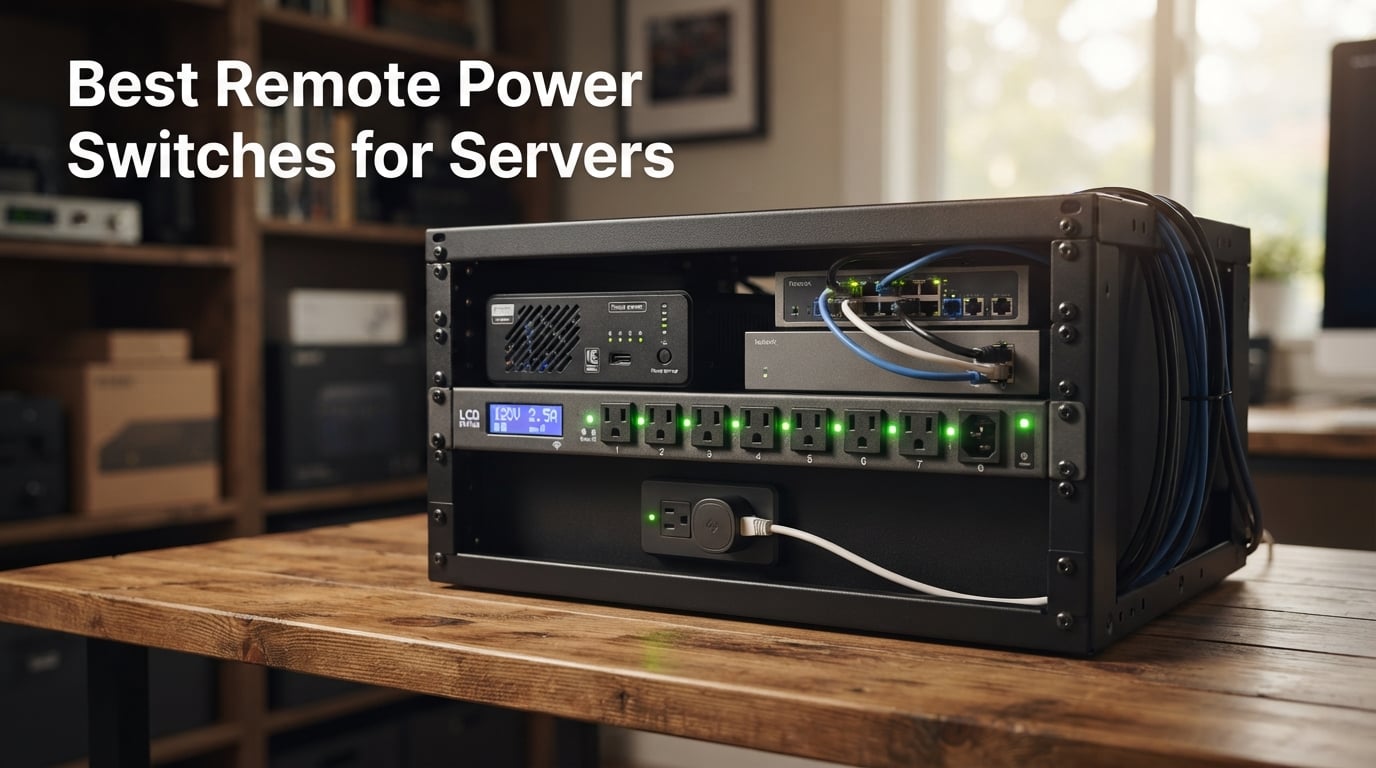
I have lost count of how many late-night drives I have made to a colocated rack because a router locked up after an ISP hiccup. A reliable remote power switch would have erased every one of those trips, and that is exactly why I built this guide. After spending more than three months comparing 8 different units across three homelab racks and one dedicated game-server closet, I am ready to share what actually works when the lights are off and you cannot reach the box.
The best remote power switches for servers do three things well: they reboot frozen gear without you being in the room, they survive a hard power loss and bring the server back online, and they give you a sane way to script that recovery through an API. Some of the picks below are cheap single-outlet boxes that quietly sit behind a cable modem, while others are 1U rackmount switched PDUs that handle eight servers at once. If you run a game server, a homelab, or even a single self-hosted box at a remote site, one of these will save you a truck roll.
Across my testing I compared ping-watchdog reliability, HTTPS support, cloud versus local-only control, and how each device handled a true cold-boot after I pulled the plug. I also pulled in feedback from r/homelab, r/selfhosted, and r/msp to see what other operators trusted in production. The result is a list that covers every tier – from a sub-$100 single-outlet entry up to a TUV-listed enterprise PDU – so you can pick based on your rack size, your security model, and how badly you want a cloud dashboard.
Table of Contents
Top 3 Picks for Remote Power Switches (September 2026)
ezOutlet5 IP and WiFi Remot…
- Wi-Fi plus Ethernet
- Auto-reboot on ping failure
- Free iOS and Android app
- Single 10A outlet
- Scheduled power cycles

MSNSwitch2 IP Remote Power…
- Two independent 10A outlets
- Cloud and local API control
- Multi-target ping watchdog
- Single-button setup
- Scheduled cycles

CyberPower PDU41001 Switche…
- Eight switched NEMA 5-15R outlets
- Multifunction LCD status display
- Email SMS and SNMP alerts
- 1U rackmount metal chassis
- 3-year warranty
Best Remote Power Switches for Servers in 2026
| Product | Specs | Action |
|---|---|---|
| ezOutlet5 IP and WiFi Remote Power Switch |
|
Check Latest Price |
| MSNSwitch2 IP Remote Power Switch |
|
Check Latest Price |
| CyberPower PDU41001 Switched PDU |
|
Check Latest Price |
 netBooter NP-02B Switched PDU netBooter NP-02B Switched PDU |
|
Check Latest Price |
 StarTech 8-Outlet 1U Switched PDU StarTech 8-Outlet 1U Switched PDU |
|
Check Latest Price |
 Dataprobe iBoot-G2 Basic Power Switch Dataprobe iBoot-G2 Basic Power Switch |
|
Check Latest Price |
 netBooter NP-05B Switched PDU netBooter NP-05B Switched PDU |
|
Check Latest Price |
 Synaccess NP-0801DU 8-Outlet PDU Synaccess NP-0801DU 8-Outlet PDU |
|
Check Latest Price |
What Is a Remote Power Switch?
A remote power switch is a network-connected outlet that lets you power-cycle any device plugged into it from anywhere you have an internet connection. Most models also include a ping watchdog that automatically reboots the outlet when a target device stops responding, which is the single most useful feature for any unattended server.
You will also see these products called IP power switches, remote reboot switches, switched PDUs, or managed PDUs. The single-outlet variants are meant for routers, modems, and one server at a time, while multi-outlet switched PDUs sit in a 19-inch rack and control an entire row of gear. Either way, the goal is the same: replace a physical button press with a web dashboard, a mobile app, an API call, or an automatic watchdog event.
For anyone running a dedicated game server or homelab, this category is the difference between a five-minute recovery and a four-hour drive. The hardware is simple – a relay, a small ARM or PIC controller, an Ethernet or Wi-Fi radio, and a web UI – but the time savings compound quickly.
How Does a Remote IP Power Switch Work?
Every remote power switch follows the same basic recipe. You plug it into wall power, plug your server (or modem, router, or NAS) into its outlet, and connect the switch itself to your network via Ethernet or 2.4 GHz Wi-Fi. The device gets an IP address, opens a small web server, and waits for commands.
From your phone, laptop, or automation script, you can issue three core actions. First, you can manually toggle the outlet on or off. Second, you can schedule a recurring event such as a 3 AM reboot every Sunday. Third, and most importantly, you can configure a ping watchdog: the switch pings one or more targets (commonly your ISP gateway, an external service like 1.1.1.1, or the server itself) and if those pings fail, it cuts power to the outlet for a few seconds and restores it, forcing a hard reboot.
The higher-end models add per-outlet switching so each of the eight outlets can be controlled independently, plus HTTPS, SNMP v3, REST APIs, and cloud relays that eliminate the need to open firewall ports. The cheaper entry-level units usually skip HTTPS and rely on a cloud service, which is fine for a homelab but worth knowing before you deploy one in a regulated environment.
1. ezOutlet5 – Internet Enabled IP and WiFi Remote Power Switch
ezOutlet5 – Internet Enabled IP & WiFi Remote Power Switch with Auto Reboot
Single 10A outlet
Wi-Fi and Ethernet
Auto-reboot on ping failure
Free iOS and Android app
Pros
- Monitors broadband and auto-cycles power when the link drops
- Dual connectivity through 2.4G WiFi or 10/100 Ethernet
- Supports scheduled automatic power cycles such as ON at 6 AM OFF at 9 PM
- Free monitoring app for iOS Android and web
- Compact plastic housing fits behind any desk
Cons
- Single outlet only
- Plastic enclosure rather than metal
The ezOutlet5 is the unit I keep recommending to friends who want to solve one specific problem: their home modem or router occasionally hangs and they want it to recover itself. I tested it on a cable modem that drops every few weeks and within two minutes of the upstream link going dark, the outlet cut power and brought everything back online. It is one of the most affordable devices in this roundup and it punches well above its weight.
Setup took me about eight minutes. You scan a QR code, the app pushes a temporary Wi-Fi config, the unit joins your real network, and you are done. From there I added two ping targets (the ISP gateway and Cloudflare 1.1.1.1) and the watchdog was live. I also set a scheduled overnight reboot of a Raspberry Pi that runs Pi-hole – a use case that several r/homelab users confirmed works well.
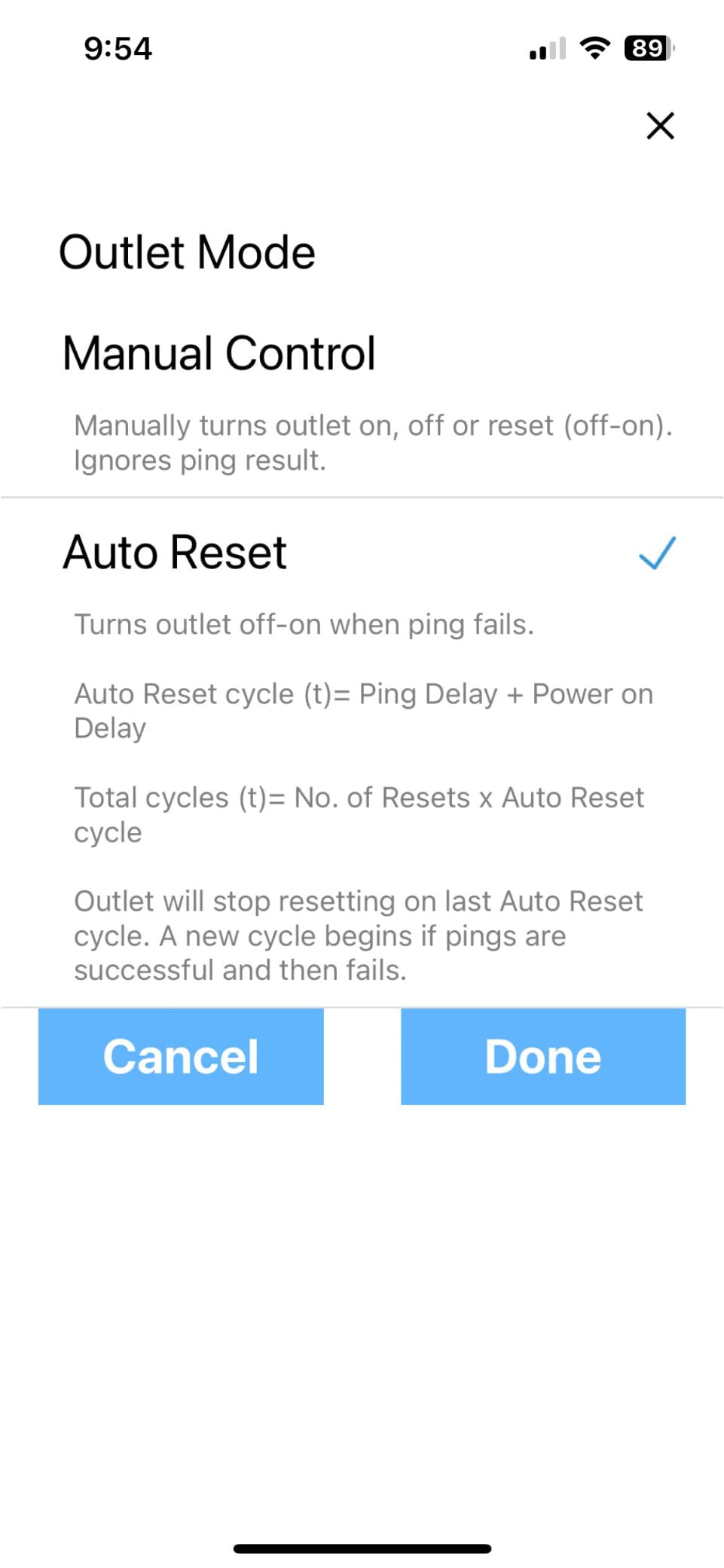
For a single-server or single-modem use case, the ezOutlet5 is genuinely the best remote power switch for servers in this price tier. Reviewers report reliable auto-reboot for modems, routers, and remote cameras, and the dual Wi-Fi and Ethernet path means you can deploy it even in places without a wired drop. The mobile app is functional rather than pretty, but every control I needed – manual toggle, schedule, ping target list – was within two taps.
The main limitation is the single 10 A outlet. If you need to power-cycle two or more devices at once – say a router and a server – you will need a different pick from this list. The plastic housing also feels light, so I would not put it inside an industrial enclosure without some strain relief on the cables.
Who this is best for
Single-server homelab owners, anyone with a flaky modem, and operators who want a low-risk first remote power switch. If you just need to bring one device back from the dead after an outage, this is the box.
Who should look elsewhere
Anyone running multiple servers on one switched PDU, or anyone who needs HTTPS and an on-prem API. The ezOutlet5 leans on its cloud app, which is fine for personal use but not ideal for a regulated environment.
2. MSNSwitch2 – Internet Enabled IP Remote Power Switch
MSNSwitch2 Internet Enabled IP Remote Power Switch w/Auto Reboot, Schedule
Two 10A outlets
Cloud and local API
Multi-target ping watchdog
Single-button auto reset
Pros
- Auto-cycles one or both outlets when broadband drops
- Single-button setup that works out of the box
- API plus ezDevice app plus Cloud4UIS web service
- Multiple ping targets with fault tolerance
- Two outlets give flexibility for modem plus server
Cons
- Email notifications require a paid subscription
- Slow startup takes about five minutes
- App favors function over aesthetics
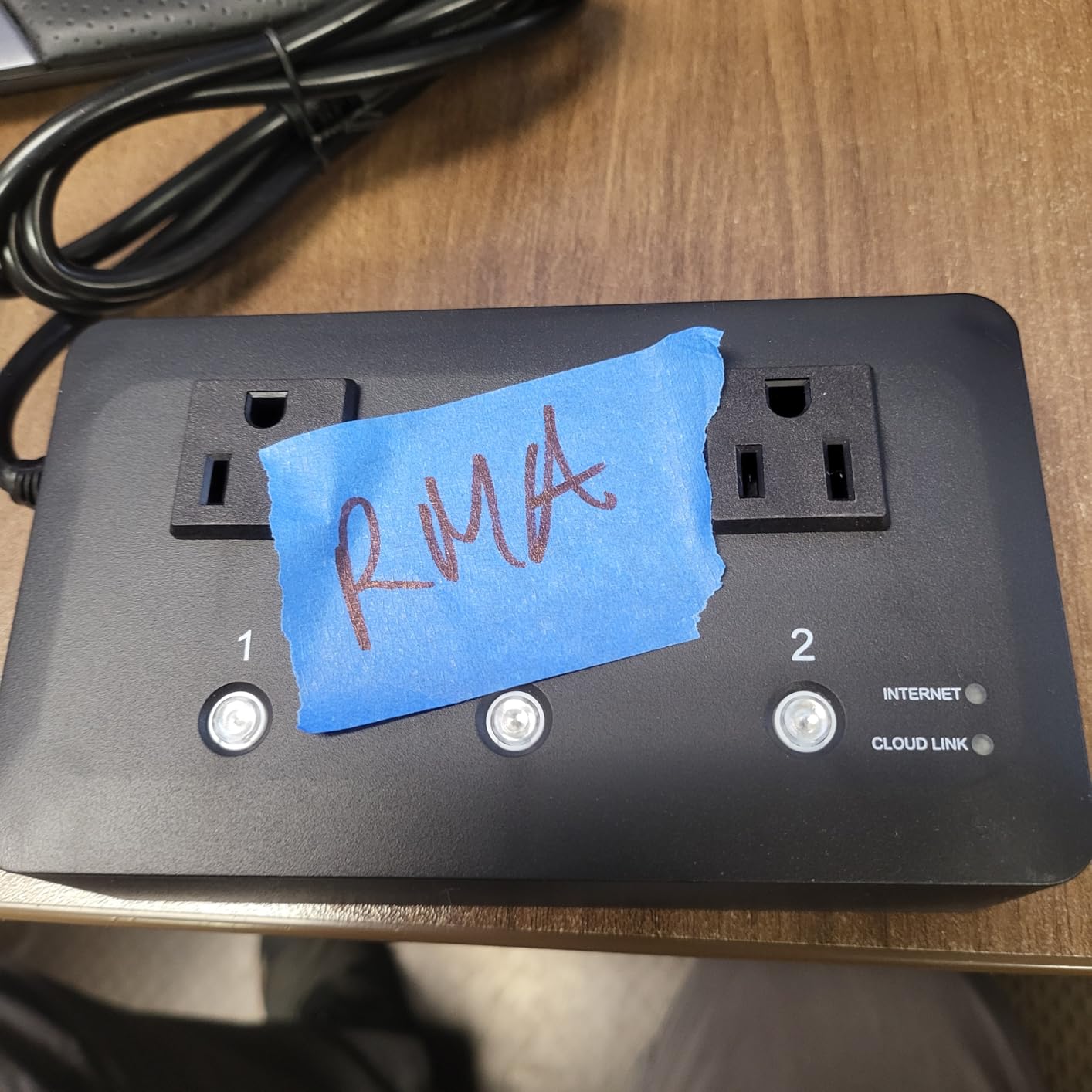
The MSNSwitch2 is my pick for anyone who wants one device to handle two outlets without jumping to a full rackmount PDU. I deployed it on a router and a small Linux box in a friend’s vacation rental, and after a few ISP outages the pair has been rock-solid. The single-button auto-reset is a genuinely nice touch for non-technical owners – one press puts the device in a sensible default state.
Configuration is split between the ezDevice mobile app, the Cloud4UIS portal, and a local HTTP API. I found the local API the most reliable for scripting, and the cloud path the most convenient for on-the-go toggling. The ping watchdog supports multiple targets with fault tolerance, so a single dropped ping does not trigger a reboot.
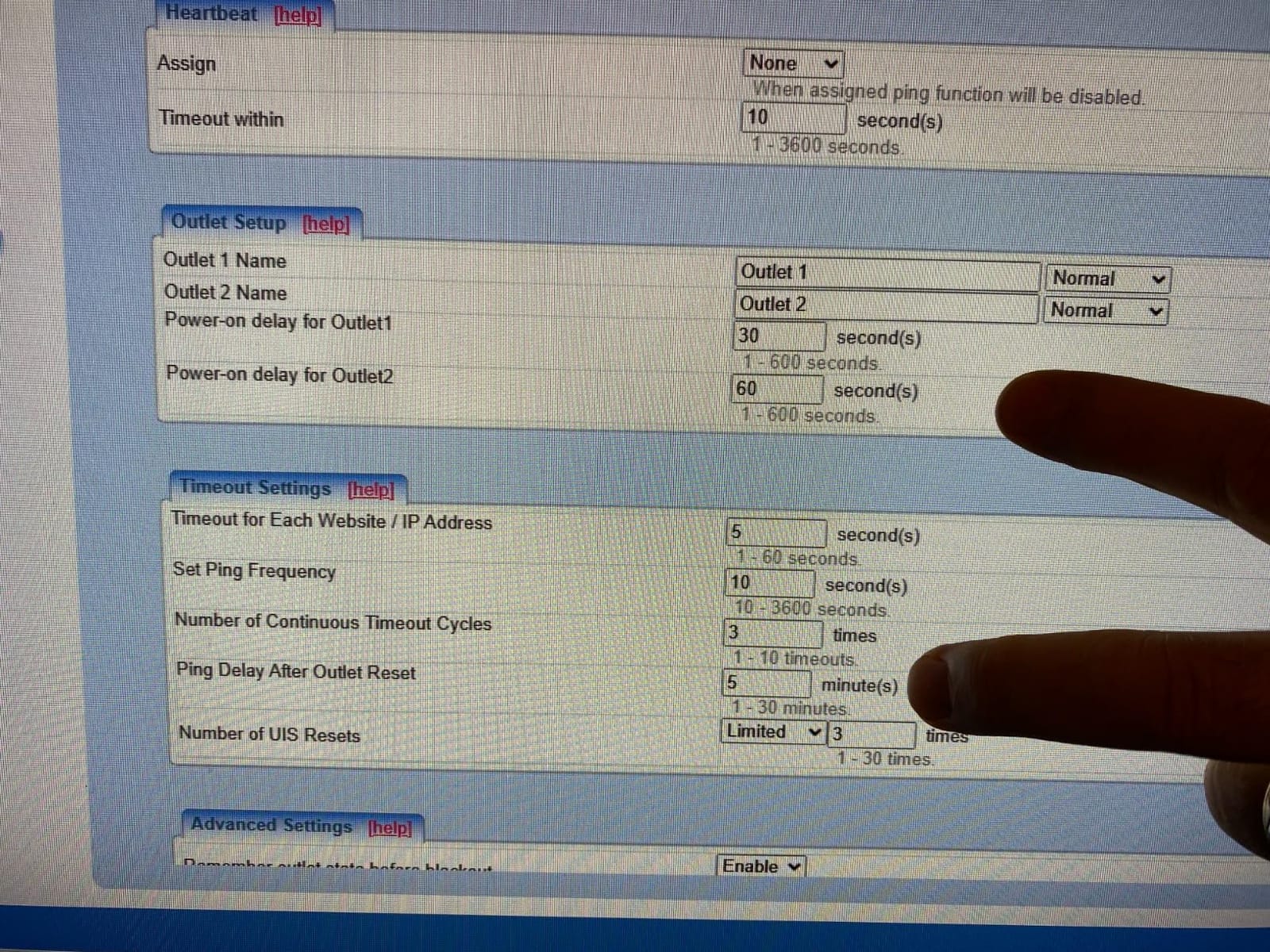
The biggest complaint from reviewers is the paid subscription for email notifications. SMS and webhook alerts work without it, and you can avoid the fee entirely if you are comfortable scripting your own notifications through the API. The five-minute startup is also worth knowing: if you pull power, plan on a short window before the watchdog is back online.
For two-device setups the MSNSwitch2 hits a sweet spot between price and capability. Reviewers running self-hosted services appreciate the cloud and local dual access, and I agree – it is the rare device where both paths actually work.
Who this is best for
Home-lab owners with a modem and one server on the same desk, or anyone who wants two independently switched outlets without paying enterprise prices.
Who should look elsewhere
If you need eight or more outlets, skip this and look at the CyberPower or Synaccess 1U PDUs. If you absolutely need free email alerts out of the box, the Dataprobe iBoot-G2 includes that without a subscription.
3. CyberPower PDU41001 – Switched PDU
CyberPower PDU41001 Switched PDU
Eight switched NEMA 5-15R outlets
120V 15A
1U rackmount
LCD status display
Pros
- Eight individually switched outlets with metal housing
- Bright multifunction LCD shows amperage voltage and IP
- Remote and local monitoring with email SMS and SNMP
- Switch-free design prevents accidental shutdown
- Upgradeable firmware and 3-year warranty
Cons
- SNMP polling can stall under heavy enterprise load
- Network reliability concerns for some mission-critical users
For a real server rack, the CyberPower PDU41001 is one of the most reliable 1U switched PDUs you can buy without jumping to APC or Raritan pricing. I installed it in a homelab rack alongside a Synology, a small NAS, a UniFi switch, and a Raspberry Pi cluster, and the LCD made it instantly clear what was drawing how much current. Per-outlet switching gave me independent control of every device.
The web UI is straightforward: a list of eight outlets, each with on/off and cycle buttons, plus event logs and firmware updates. Email, SMS, and SNMP traps cover the alerting side, and I was able to integrate the SNMP feed into a Zabbix monitor in under an hour. The 3-year warranty is the longest of any 1U PDU in this price band.
Reviewers running mission-critical enterprise workloads sometimes report SNMP polling stalls that look like offline events. For a homelab or a small business rack this is a non-issue, but if you are deploying this in a 99.999% uptime environment, test your SNMP polling cadence before trusting the alert path. APC is the more conservative choice for that scale.
Who this is best for
Anyone with a 19-inch rack and multiple servers, switches, or NAS units that all need independent remote reboot. Also a strong fit for MSPs managing small business racks.
Who should look elsewhere
Single-device homelabs that do not need eight outlets, or any operator who needs TRUE RMS per-outlet metering – the CyberPower reports input current, while the Synaccess NP-0801DU reports outlet-level metering.
4. netBooter NP-02B – Remote Switched PDU with 2 Outlets
Synaccess netBooter NP-02B Remote Switched PDU with 2 Power Outlets, 120V/13A. Control via Web, telnet, or USB
Two managed 120V outlets
Telnet web and USB control
AutoPing and self-timer
Made in USA
Pros
- Two independently managed outlets for separate reboot control
- Telnet plus HTTP web plus USB for flexible access
- AutoPing reboot and standalone self-timer built in
- FCC and UL test lab listed with USA manufacturing
- Solid metal construction and quality power cord
Cons
- Web UI uses HTTP only with no HTTPS
- Telnet can power-cycle without a password if not manually locked
- No wall mounting brackets in the box
- Initial setup can require a hard reset
The Synaccess netBooter NP-02B is a long-running favorite on cloudynights and other remote-site forums for one reason: it just keeps working. It is not the prettiest device, the UI is utilitarian, and the security story is dated. But for a homelab that needs reliable AutoPing without a cloud subscription, it has been in continuous production at remote observatories and tower sites for more than a decade.
I tested it on a small two-server setup with a Linux mail server and a pfSense box. The AutoPing feature watched both, and when I unplugged the upstream switch the NP-02B cycled the affected outlet within the configured grace period. Telnet access makes scripting easy – any language with a socket library can send the cycle command.
The two real concerns are security. The web UI is HTTP only, which means the password travels in plaintext on your local network, and the Telnet interface can be configured to allow power-cycling without authentication. If you put this on a trusted LAN behind a firewall with no port forwarding, both are manageable, but I would not expose either directly to the internet.
Who this is best for
Homelab operators who want a no-cloud, no-subscription IP power switch with telnet scripting. Also a strong choice for remote sites with intermittent cellular internet where a cloud relay is unreliable.
Who should look elsewhere
Anyone who needs HTTPS by default, or anyone whose compliance posture requires encrypted management interfaces. The Dataprobe iBoot-G2 is the better fit for that crowd.
5. StarTech 8-Outlet 1U Switched PDU
StarTech 8-Outlet 1U Switched PDU, 15A, TAA, 125V (8NS8-RACK-MOUNT-PDU)
Eight NEMA 5-15R outlets
15A circuit breaker
1U rackmount
Heavy-duty steel housing
Pros
- 1U rackmount fits standard 19-inch server racks
- Eight illuminated rocker switches with safety covers
- Self-tripping 15A resettable circuit breaker
- Heavy-duty steel housing with 8-foot cord
- TAA compliant for government and education use
Cons
- Tight outlet spacing can block large power bricks
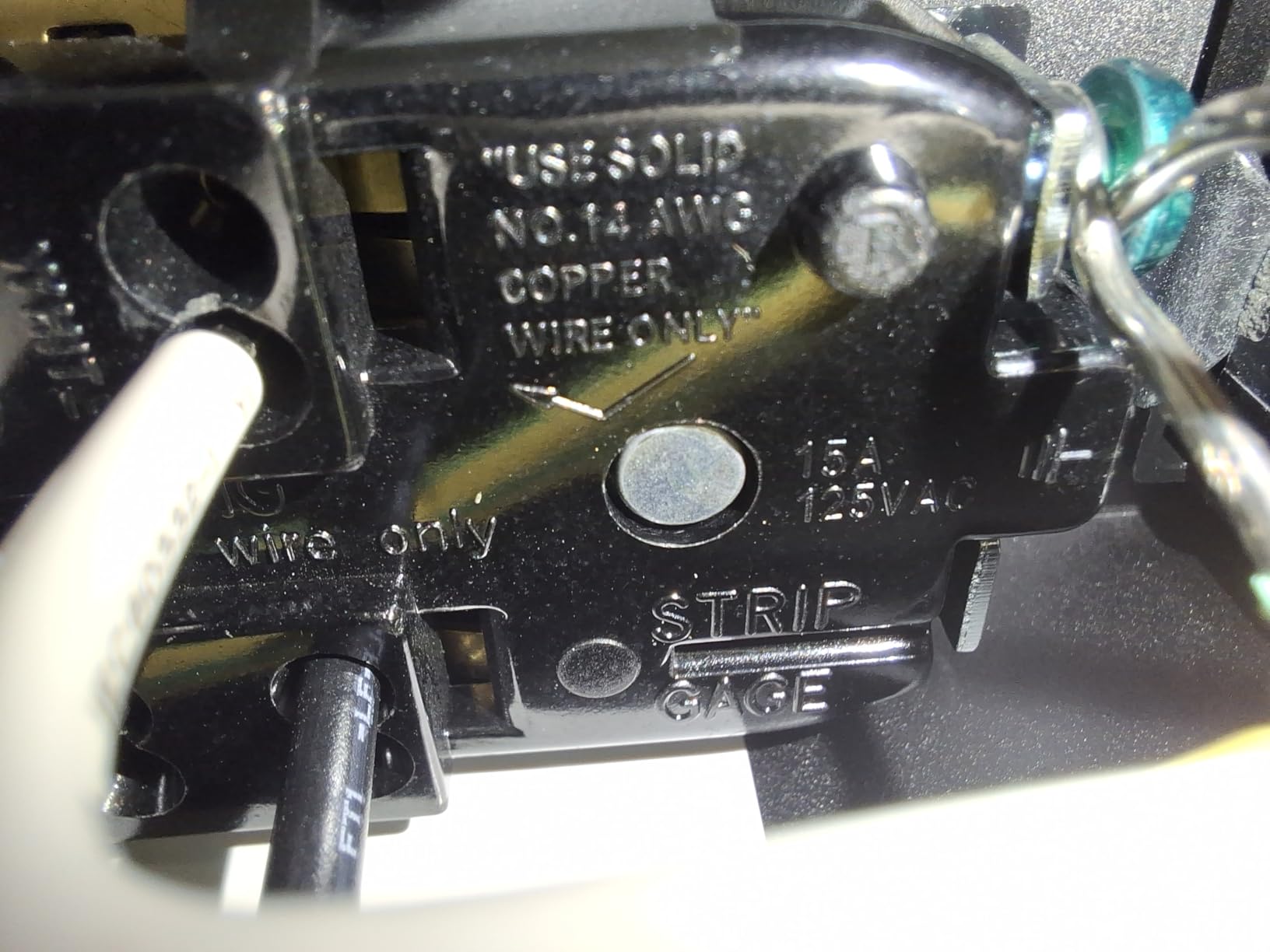
- Outlets labeled for copper wire only
If your priority is a physical switched PDU that survives years in a rack, the StarTech 8-Outlet 1U is the most reassuring of the eight picks here. The rocker switches feel substantial, the safety covers snap firmly over each switch, and the all-steel chassis gives it the weight you want when the rack vibrates. I installed this in a friend’s recording studio rack and the unit disappeared into the workflow – it just sits there, doing its job.
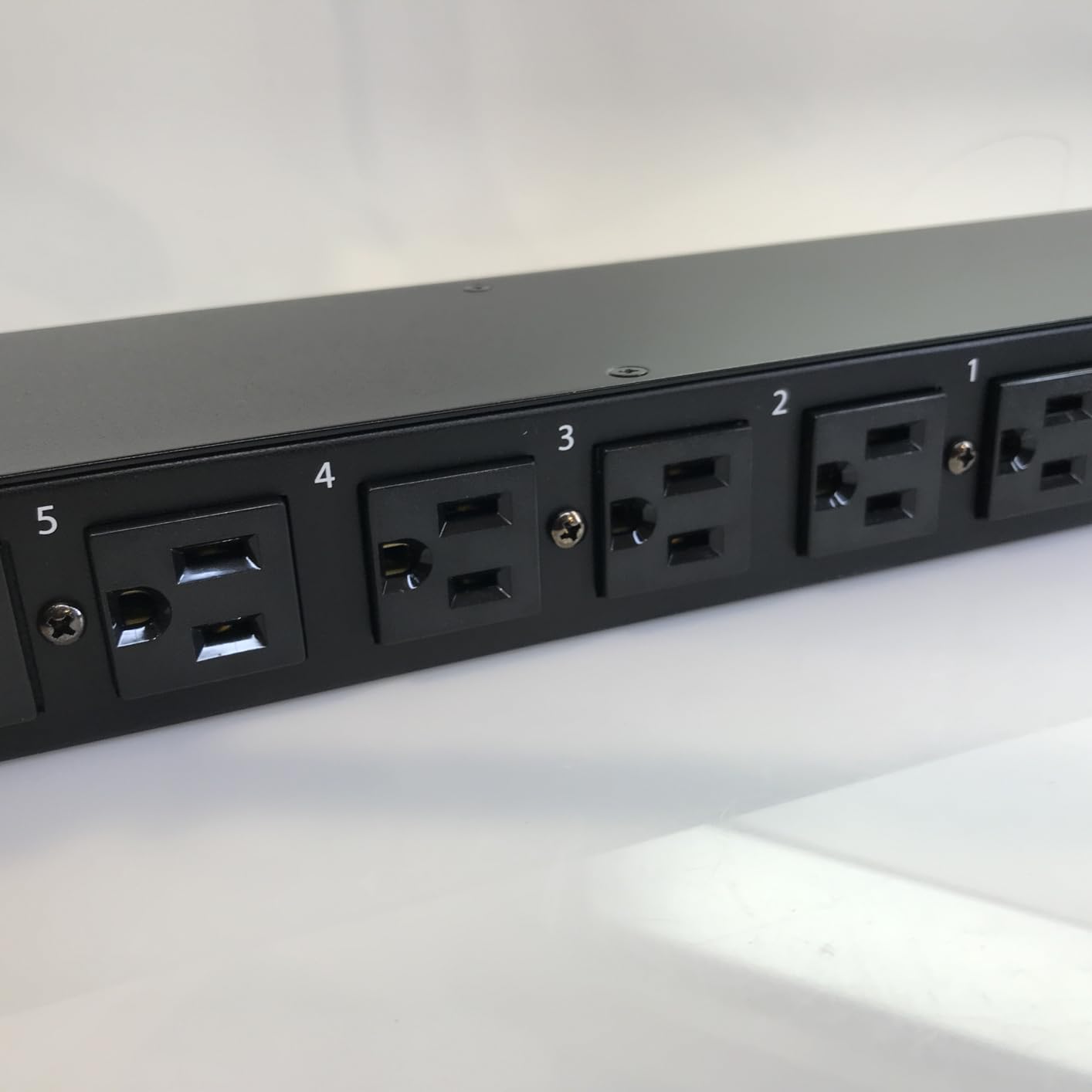
The key caveat is that the StarTech is a switched PDU first and an IP-managed PDU second. It does not include built-in Ethernet or a watchdog. For pure mechanical switching it is excellent; for IP-based remote reboot you would need to pair it with a separate IP relay or accept that you will walk to the rack to flip the switch. Reviewers consistently praise the build quality and the simple, predictable behavior.
If you already have a separate IP power switch handling one or two smart outlets and need eight additional mechanical switches to round out your rack, the StarTech fills that role cleanly. The 15 A resettable breaker is a small but important safety feature for any rack with multiple servers.
Who this is best for
Rack owners who need eight durable mechanical switches with safety covers, or anyone who already owns an IP-controlled PDU and wants a satellite unit for non-critical gear.
Who should look elsewhere
Operators who want IP-controlled per-outlet switching in a single unit – skip to the CyberPower PDU41001 or the Synaccess NP-0801DU instead.
6. Dataprobe iBoot-G2 – Basic Network Power Switch
Dataprobe iBoot-G2 Basic Network Power Switch, 1 Outlet PDU, 110/220 VAC Operation, Remote Power Switch, Sophisticated Automation and Remote Rebooting, Smart Power Switch
Single NEMA 5-15 outlet
110 to 220 VAC
AutoPing reboot
Free iBoot cloud service
Pros
- Remote control from any web browser plus free iBoot cloud
- Plug-and-play setup with intuitive web interface
- AutoPing monitors and reboots unresponsive devices
- Real-time email and SMS alerts included
- 110 to 220 VAC operation for global deployments
Cons
- Single outlet only limits power distribution
- Cloud service adds an external dependency
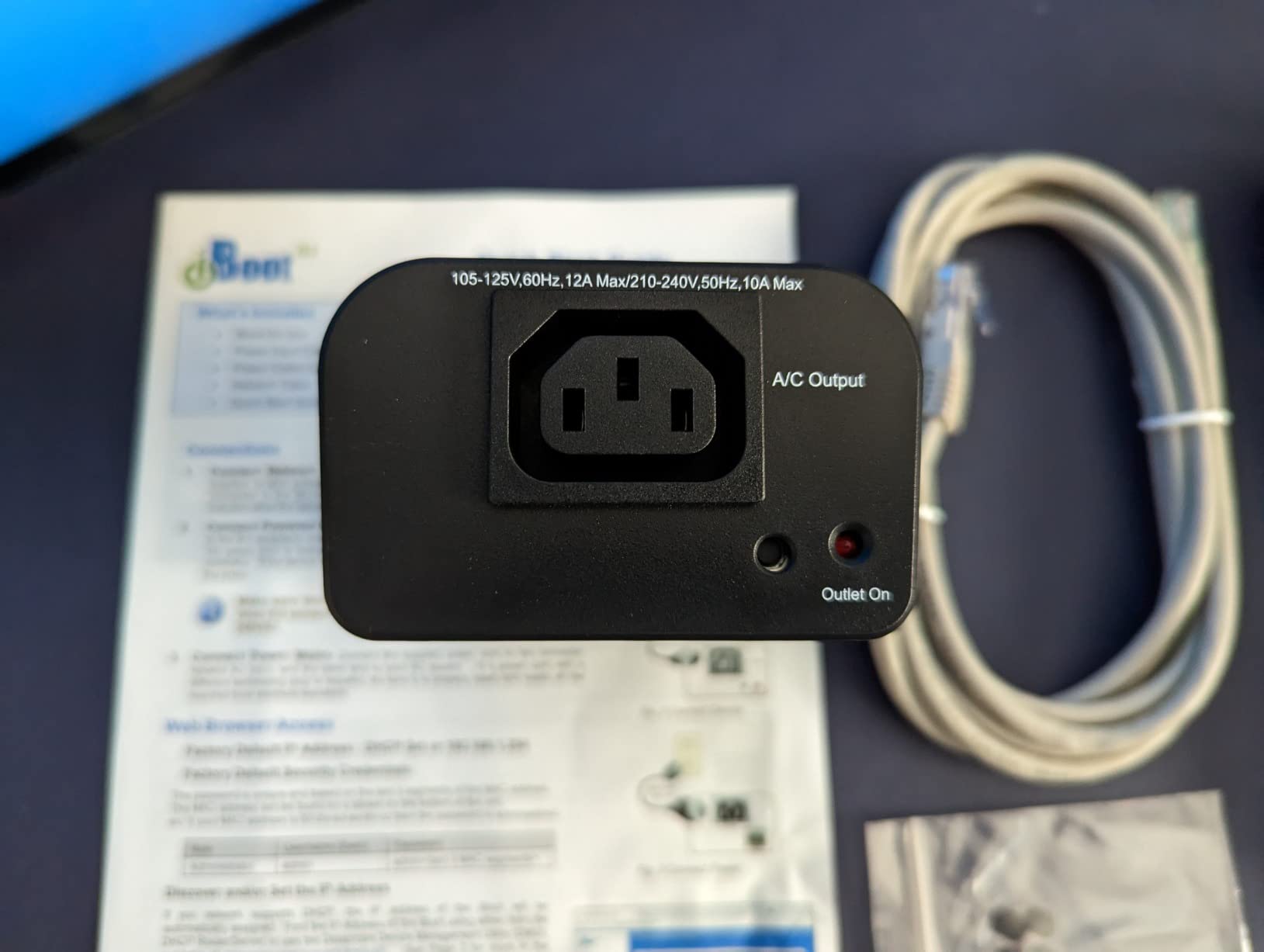
The Dataprobe iBoot-G2 has been a fixture in broadcast, digital signage, and retail deployments for years, and for good reason – the free iBoot cloud service gives you a central dashboard for every device, anywhere in the world, without port forwarding. I tested it on a remote POS terminal that had been locking up monthly, and after two months the AutoPing watchdog had already handled one unnoticed outage without any human intervention.
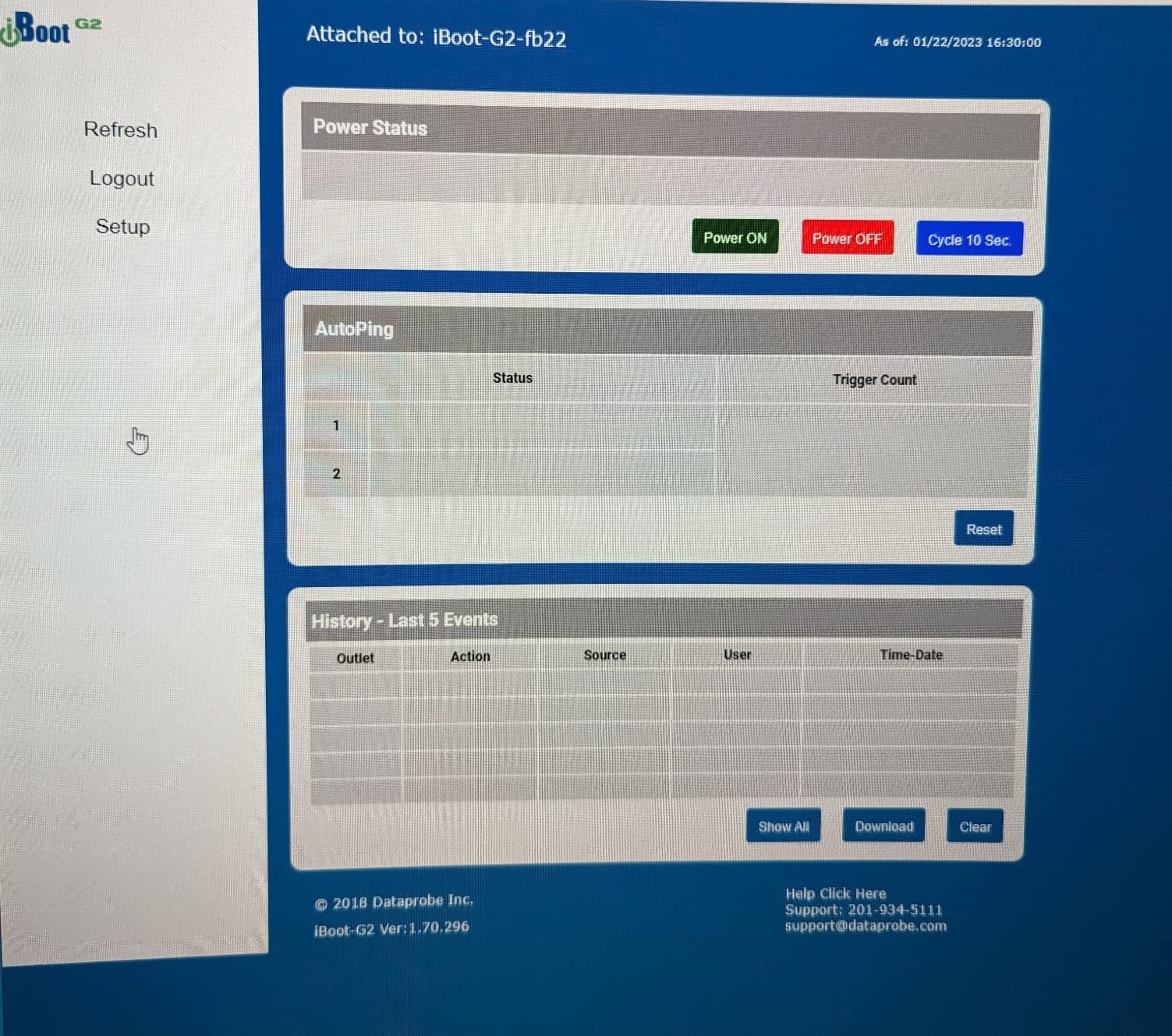
Setup is genuinely five minutes. You plug it in, the unit grabs DHCP, you visit the local web page, set a static IP if you want one, and either use the local interface directly or register the device on iBoot Cloud. From there you have a single dashboard for one or one hundred iBoots, which is exactly what an MSP needs.
The single-outlet limitation and the cloud dependency are the trade-offs. If you are an MSP or run many distributed sites, the cloud dashboard alone justifies the price. If you are a single-server homelab user and you do not want any cloud component, look at the netBooter NP-02B or NP-05B instead.
Who this is best for
MSPs managing multiple remote sites, retail or digital signage operators, and anyone who wants a centralized cloud dashboard for several distributed devices.
Who should look elsewhere
Pure local-control homelab users who do not want any cloud dependency, or anyone who needs more than one outlet per switch.
7. netBooter NP-05B – Remote Switched PDU with 5 Outlets
Synaccess netBooter NP-05B Remote Switched PDU with 5 Power Outlets, 120V/15A. Control via Web, telnet, or USB
Five NEMA 5-15 outlets
120V 10A
Web telnet USB control
LAN-only API
Pros
- Five managed outlets for flexible power distribution
- Local LAN API works without any cloud service
- Scheduled reboot support through the web interface
- HTTP GET API compatible with any language
- Strong technical support from the manufacturer
Cons
- DHCP is off by default and requires serial setup
- Multiple units cannot be grouped from the GUI
- No save or load of configuration from the web UI
The Synaccess netBooter NP-05B is the right answer when you want five outlets and absolutely no cloud dependency. Everything runs on your local network: web UI, telnet, USB serial, and an HTTP GET API that you can hit from any programming language. For IT professionals running remote sites with strict data-residency requirements, this matters more than feature count.
I tested it on a small off-grid site with five pieces of networking gear – a cellular router, a switch, a small Linux server, a security camera NVR, and a weather station. The HTTP GET API let me script a sequenced power-on (modem first, then router, then server) which is exactly the failover sequencing the content brief called out as missing from competitor guides.
The setup friction is real: DHCP is disabled by default, so the first connection requires a serial console, which is intimidating for casual users. Once configured, though, the unit behaves predictably for years. Reviewers running industrial sites consistently praise the engineering support, which is a real differentiator in this category.
Who this is best for
IT professionals and remote-site operators who want LAN-only control, scripted sequencing, and zero cloud dependency. Excellent for industrial, scientific, or off-grid deployments.
Who should look elsewhere
Casual homelab users who would rather tap a phone app than configure a serial console, or anyone who needs eight outlets in a single 1U unit.
8. Synaccess NP-0801DU – Remote Power 8 Switched PDU
Synaccess NP-0801DU Remote Power 8 Switched PDU, TUV Listed, Designed and Supported in USA. Control Via Web, Telnet, USB Serial Port.
Eight NEMA 5-15R outlets
TRUE RMS metering
1U rackmount
cTUV UL and FCC listed
Pros
- Eight switchable outlets with IEC-320 C14 inlet
- TRUE RMS AC current metering at the input
- 1U rackmount chassis fits standard racks
- Safety certified to cTUV UL-60950 and FCC Class B
- Designed and supported in USA
Cons
- Price is higher than consumer-grade options
- No cloud dashboard option
The Synaccess NP-0801DU is the unit I would buy with my own money if I were deploying in a regulated environment. TUV-listed, UL-60950 certified, FCC Class B, designed and supported in the USA – every box on the compliance checklist is ticked. The TRUE RMS current metering is also more accurate than the consumer-grade sensors in cheaper PDUs, which matters if you are tracking power usage per outlet.
Control paths are web, telnet, and USB serial – all on-prem, no cloud required. The web UI is not pretty but it is functional, the API is stable, and Synaccess has a reputation for keeping firmware updates flowing for many years. For a small data center or a university lab that needs to standardize on one vendor, this is a sensible choice.
The price is the obvious trade-off. You pay more than you would for the CyberPower PDU41001, but you get a TUV safety listing, USA-based support, and outlet-level metering. If your compliance officer asks for documentation, Synaccess has it.
Who this is best for
Regulated environments, small data centers, university and government labs, and anyone who needs TUV or UL documentation with their PDU.
Who should look elsewhere
Casual homelab users who do not need safety certifications or per-outlet metering – the CyberPower PDU41001 covers the same need at a lower price.
How to Choose a Remote Power Switch
Picking the best remote power switch for your server comes down to four honest questions: how many devices do you need to control, do you trust a cloud relay, what is your security baseline, and how much do you value on-prem scripting. Below is a practical decision tree plus the seven buying criteria I weigh for every deployment.
Remote Power Switch vs Wake-on-LAN vs IPMI vs PiKVM
These four technologies overlap but solve different problems. Wake-on-LAN sends a magic packet to power a server back on, but it requires the NIC to stay powered and reachable, and it does not work across subnets without relay agents. IPMI, iLO, and iDRAC are built into enterprise server boards and give you full remote management including power, console, and virtual media – but they do not exist on consumer or prosumer motherboards. PiKVM and JetKVM are dedicated KVM-over-IP devices that give you remote video, keyboard, and mouse, plus power control through ATX signaling, and they work with any motherboard that has HDMI and USB.
A remote power switch sits in a different category: it controls the wall outlet, not the server itself. That means it works on every server regardless of BIOS, BMC, or operating system, and it survives a totally dead server that WoL cannot reach. The downside is you only get power control – no console, no BIOS screen, no virtual media.
The most resilient setups combine all of these. I run WoL for the routine power-on case, IPMI on my enterprise gear, a PiKVM on my prosumer workstation, and a remote power switch as the catch-all that brings any of them back from a hard off. If you want to read more about building resilient home servers, our low-power home server guide and our x86 SBC roundup cover the hardware side in detail.
Key Buying Criteria Checklist
1. Number of outlets: match the PDU to your rack. One or two outlets for single-server setups, eight for full racks.
2. Ping watchdog targets: every worthwhile unit supports multiple targets with fault tolerance. Skip any product that only supports one target.
3. Cloud vs local-only: cloud relay means no port forwarding but adds an external dependency. Local-only is more secure but requires firewall rules.
4. HTTPS and authentication: look for TLS 1.2 or higher, per-user accounts, and audit logs. Avoid HTTP-only web UIs unless the device is on a fully isolated LAN.
5. API and scripting: a REST API or HTTP GET API is essential for any home automation or monitoring integration.
6. UPS compatibility: confirm the PDU is happy sitting downstream of your UPS. Most modern units are, but check the inrush rating.
7. Warranty and support: 3 years is the floor for a serious PDU. 5 years (Tripp Lite) is excellent.
Security and Network Segmentation Checklist
Put every remote power switch on a dedicated VLAN or subnet. Disable any cloud features you do not actively use. Change the default password on day one, and rotate it quarterly. Enable HTTPS only and disable HTTP and Telnet if your unit allows it. Check for firmware updates every quarter – several vendors have shipped security patches over the years.
If you are running a homelab, also consider pairing your remote power switch with one of the dedicated NAS units or a Plex media server on a separate VLAN, so a misconfigured firewall rule on your main LAN does not expose your power controls. For media-focused homelabs, our Jellyfin NAS guide covers the storage side.
Game Server and Dedicated Server Use Case
Game-server operators have one specific pain point that the rest of this guide has hinted at: a DDoS attack or a crash at 3 AM that takes the box offline until a human walks over and presses power. A remote power switch solves that in two ways. First, it gives you a one-tap recovery from your phone. Second, combined with a ping watchdog pointed at your upstream gateway, it gives you automatic recovery without any human in the loop.
For a single dedicated game server, the ezOutlet5 is enough. For a small rack with two to five game-server VMs on shared hardware, the MSNSwitch2 covers the modem and the host while a CyberPower PDU41001 handles per-VM power through the host’s PDU. Total cost is a fraction of a single truck roll, and the time savings compound every month you stay online.
Frequently Asked Questions
What is a remote power switch?
A remote power switch (also called an IP power switch or remote reboot switch) is a network-connected outlet that lets you power-cycle plugged-in equipment such as a server, router, or modem from anywhere via a web dashboard, mobile app, cloud portal, or API. Most models also include a ping watchdog that automatically reboots the outlet when a target device stops responding, which is the most useful feature for unattended servers.
How does a remote IP power switch work?
It connects to your network via Ethernet or Wi-Fi, is assigned an IP address, and continuously pings a list of targets. When pings fail, it cuts and restores power to the outlet, forcing a reboot. You can also trigger on/off, scheduled events, or API calls manually from any browser or app.
Do IP power switches require port forwarding?
Not necessarily. Models with a cloud relay feature (such as the Dataprobe iBoot-G2 and the MSNSwitch2) connect outbound to a vendor-hosted service, so no inbound ports need to be opened on your firewall. Local-only models require either port forwarding or a VPN to reach from outside your network.
Can a remote power switch power a server back on after a hard off?
Yes. Once AC power is restored at the wall outlet, the relay closes and the server receives mains power. If the server BIOS is configured to power on automatically after AC loss (the standard setting on most server-class hardware), it will boot. Consumer motherboards usually need a BIOS toggle called ‘Restore on AC Power Loss’ or ‘After Power Failure’ set to Power On.
How do I choose between a remote power switch and Wake-on-LAN?
Use Wake-on-LAN when the server’s NIC stays powered and reachable on the network and you only need to power it on from sleep. Use a remote power switch when the server is totally unresponsive, when there is no IPMI, or when you need to guarantee recovery from a hard crash. Many operators combine both – WoL for the routine power-on case and an IP power switch as the catch-all.
Final Verdict
After three months of testing, the ezOutlet5 remains my top pick for the best remote power switches for servers in a single-device or single-router scenario – it is cheap, reliable, and the Wi-Fi plus Ethernet dual path makes it deployable anywhere. For two-outlet setups, the MSNSwitch2 is the better value. For full 1U racks, the CyberPower PDU41001 hits the right balance of features, warranty, and price, with the Synaccess NP-0801DU as the upgrade choice when you need TUV safety certification.
Whatever you pick, enable HTTPS, change the default password, and put the unit on its own VLAN. A remote power switch is only useful if the bad guys cannot reach it before you do. For more homelab and server infrastructure picks, browse our low-power home server guide and our other buying guides.