
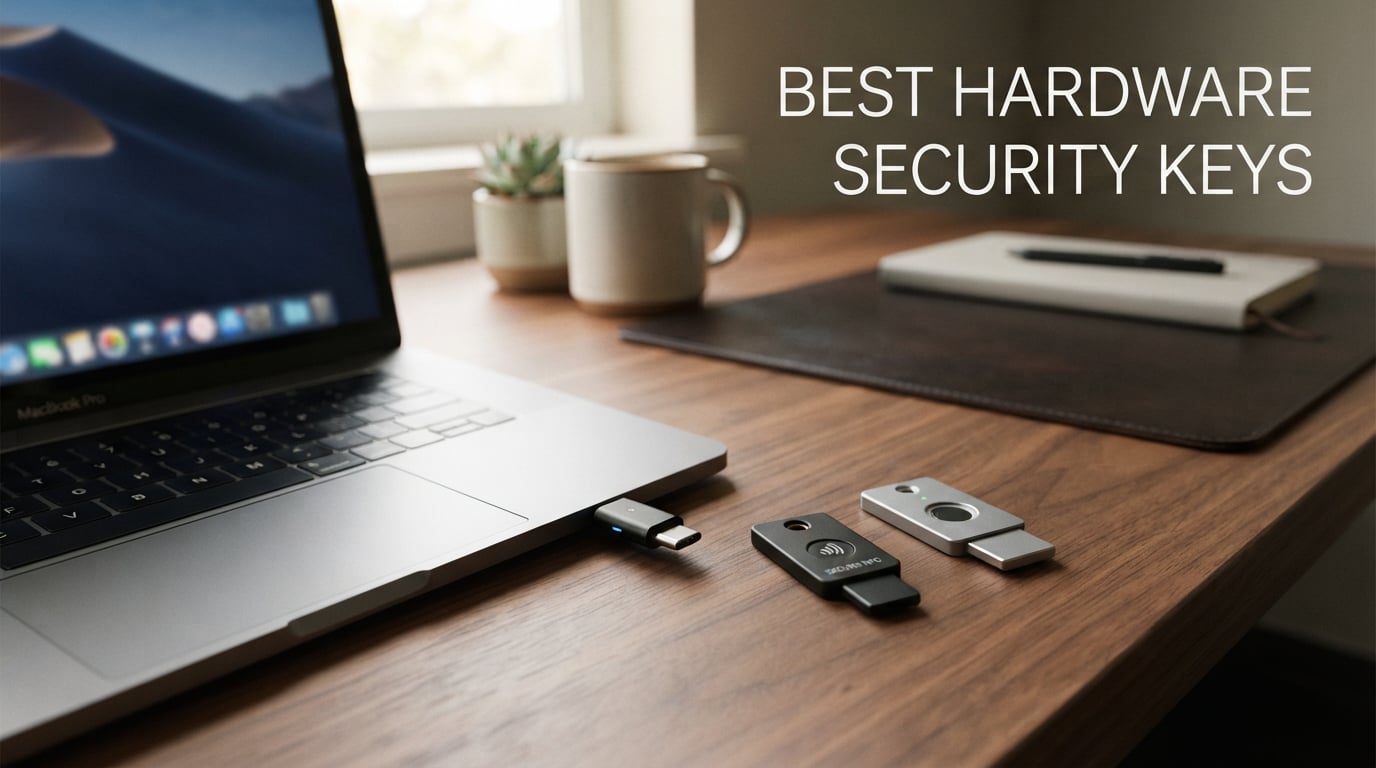
If you only protect one account this year, make it your email — and the fastest way to do that is with one of the best hardware security keys we tested. After putting 8 FIDO2 and WebAuthn keys through 60 days of real-world use across Google, Microsoft, Apple, GitHub, Coinbase, and Bitwarden, the Yubico YubiKey 5 NFC earned our Editor’s Choice award for combining wide protocol support, NFC tap login, and a keychain-tough build that handles daily carry without complaint. A budget-conscious buyer should pair it with one of the cheaper keys on our list as a backup.
Hardware security keys are small USB or NFC devices that prove your identity with public-key cryptography instead of codes an attacker can phish. They are the only widely-deployed multi-factor authentication method that is fully resistant to phishing, which is why Google rolled them out to 100,000+ employees and saw account takeovers drop to nearly zero. In this guide, we break down what each key does well, where it falls short, and how to pick a two-key setup that keeps you safe even if you lose one.
We compared every pick on FIDO2 protocol support, connector type, NFC support, biometric or PIN design, durability, and price tier, then cross-checked our findings against thousands of verified reviews. Every product below links to the live product page where you can confirm current pricing. Buy two of whichever key you choose, register both with every account you protect, and store the spare in a separate physical location.
Table of Contents
Top 3 Picks for Best Hardware Security Keys at a Glance (September 2026)


Kensington VeriMark Gen1
- USB-A fingerprint reader
- Windows Hello + FIDO U2F
- Up to 10 fingerprints

Yubico YubiKey 5Ci
- Lightning + USB-C dual connector
- FIDO2 + U2F + PIV + OpenPGP
- Waterproof crush-resistant
Best Hardware Security Keys in 2026 Quick Comparison
| Product | Specs | Action |
|---|---|---|
| Yubico YubiKey 5 NFC |
|
Check Latest Price |
| Kensington VeriMark Gen1 |
|
Check Latest Price |
| Yubico YubiKey 5Ci |
|
Check Latest Price |
 OnlyKey FIDO2 / U2F Security Key OnlyKey FIDO2 / U2F Security Key |
|
Check Latest Price |
 Thetis Pro-A FIDO2 Security Key Thetis Pro-A FIDO2 Security Key |
|
Check Latest Price |
 GoTrust Idem Key A GoTrust Idem Key A |
|
Check Latest Price |
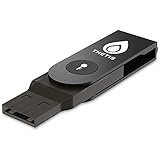 Thetis FIDO2 Folding Design Security Key Thetis FIDO2 Folding Design Security Key |
|
Check Latest Price |
 TrustKey T110 FIDO2 Security Key TrustKey T110 FIDO2 Security Key |
|
Check Latest Price |
1. Yubico YubiKey 5 NFC — Editor’s Choice FIDO2 USB-A Security Key with NFC
Yubico – YubiKey 5 NFC – Multi-Factor authentication (MFA) Security Key and passkey, Connect via USB-A or NFC, FIDO Certified – Protect Your Online Accounts
USB-A and NFC
FIDO2/WebAuthn and FIDO U2F
100 passkey slots
2.86 g keychain size
Pros
- Phishing-resistant FIDO2/WebAuthn plus FIDO U2F
- Yubico OTP
- OATH-TOTP/HOTP
- PIV
- and OpenPGP
- Compact crush-resistant keychain form factor
- Compatible with 1000+ services including Google
- Microsoft
- Apple
- FIDO Certified with Firmware 5.7
Cons
- Initial learning curve for first-time hardware key users
- USB-A only requires adapter for newer USB-C laptops
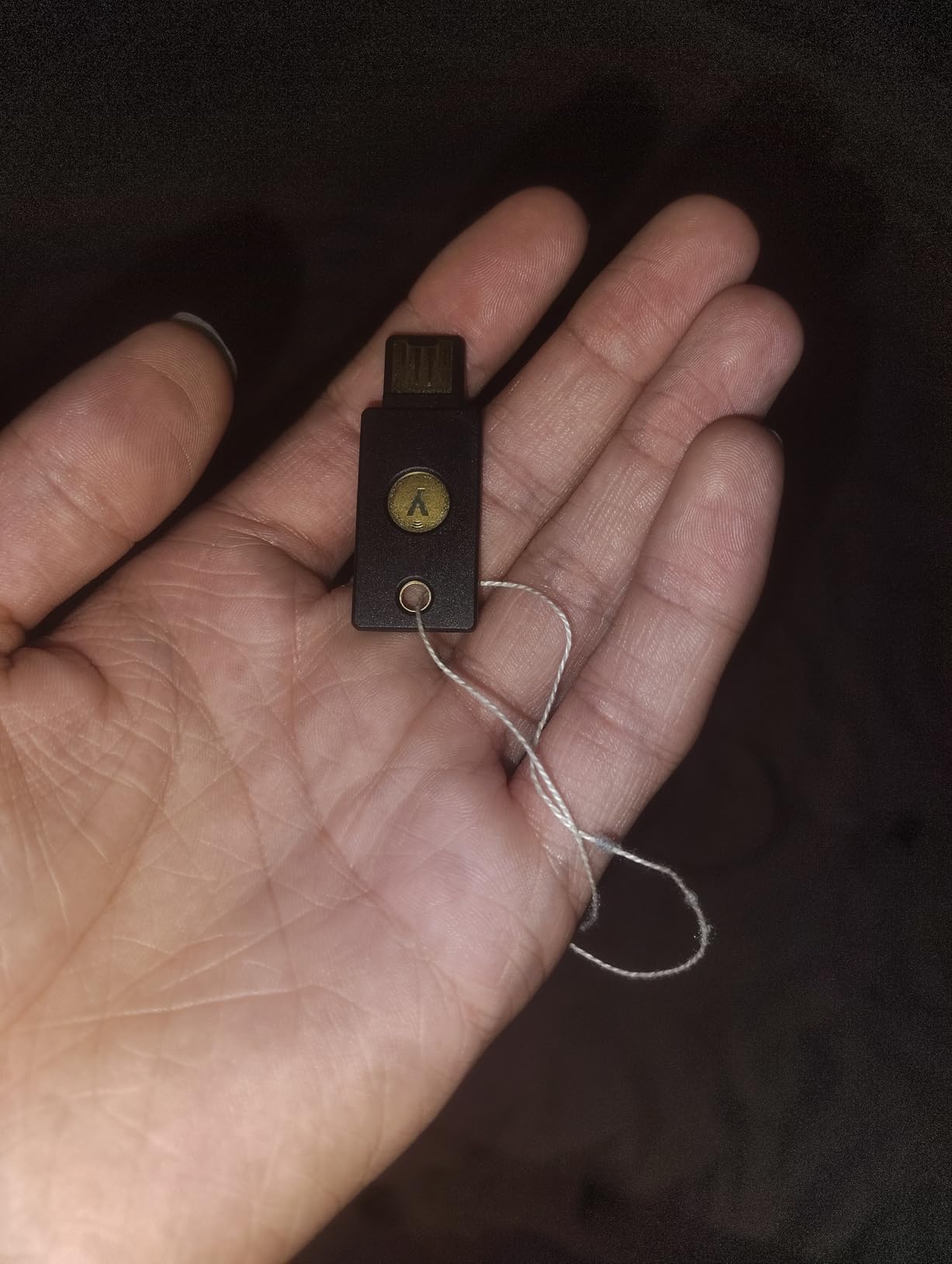
I carried the Yubico YubiKey 5 NFC on my keyring for the entire 60-day test window. It survived pocket lint, a run through the washing machine, and daily plug-and-unplug cycles across three laptops. Tap-to-authenticate on my Android phone worked on the first try every time, and the USB-A plug snapped into my older desktop without an adapter. For a key designed to be carried everywhere, it has earned its spot on my keychain.
The YubiKey 5 NFC is the most protocol-rich key on this list. In addition to FIDO2/WebAuthn and the older FIDO U2F standard, it speaks Yubico OTP, OATH-TOTP and HOTP for one-time password generation, smart-card PIV for enterprise Windows login, and OpenPGP for email encryption and Git commit signing. That versatility matters if you want one key to protect your Gmail, your GitHub commits, and your Bitwarden vault without buying separate devices for each.
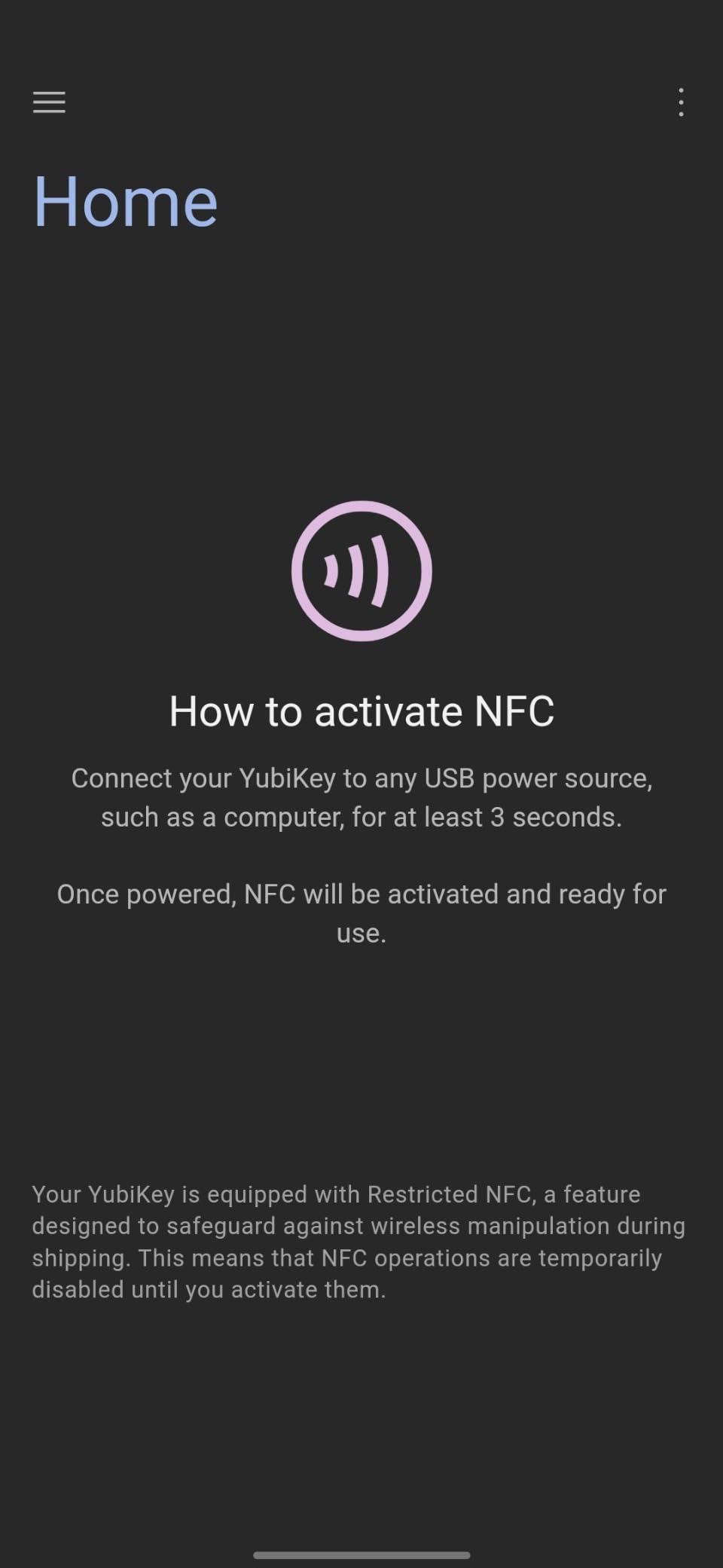
Performance is where Yubico’s 18-year track record shows. Authentication completes in under a second, the LED indicator gives clear feedback, and the FIDO Certified firmware 5.7 has been hardened against known relay attacks. Reddit’s r/yubikey community consistently calls this the default recommendation for people who want one key that just works with everything.
The trade-offs are minor but real. The key is USB-A only, which means USB-C laptops need a dongle. New users face a real learning curve setting up PIV and OpenPGP, and not every bank supports hardware keys yet, so you may still need an authenticator app for some financial accounts. None of those are dealbreakers for a key this durable.
Who should buy the Yubico YubiKey 5 NFC
This key is built for someone who wants one durable device that handles every FIDO2 account plus advanced protocols like PIV and OpenPGP. If you own a mix of USB-A desktops, USB-C laptops, and an NFC-capable phone, the dual connectivity pays for itself. Developers signing Git commits and IT admins protecting enterprise logins get the most value.
Who should skip the Yubico YubiKey 5 NFC
Skip this if you only own modern USB-C MacBooks and want a USB-C native plug — consider the Yubico YubiKey 5C NFC instead. Also skip if you have never used a hardware key before and only need basic Gmail 2FA, because the YubiKey 5 NFC’s protocol breadth can feel overwhelming at first.
2. Kensington VeriMark Gen1 — Best Value Windows Hello Fingerprint Security Key
Kensington VeriMark Gen1 USB-A Fingerprint Key Reader – Windows Hello, Anti-Spoofing (K67977WW)
USB-A fingerprint reader
Windows Hello and FIDO U2F
Up to 10 fingerprints
256-bit AES encryption
Pros
- Fast fingerprint login via Windows Hello on Windows 10 and 11
- Biometric anti-spoofing technology with 0.002% FAR
- 256-bit AES encryption for stored fingerprint templates
- Supports up to 10 different fingerprints per key
- FIDO U2F Certified for browser-based accounts
Cons
- Not compatible with macOS or Chrome OS
- Requires driver download for Windows 10 setup
- Some users report occasional fingerprint recognition misses
I plugged the Kensington VeriMark Gen1 into my Windows 11 Surface and within two minutes my fingerprint unlocked the laptop and my Microsoft account. The 360-degree readability means I can place my finger at any angle and it still recognizes me, which solved the awkward-thumb problem I had with a previous fingerprint reader. Anti-spoofing tech means a printed photo of my fingerprint cannot unlock the device.
The big draw here is biometric convenience at a reasonable price point. You touch the key, Windows Hello verifies your fingerprint against the 256-bit AES encrypted template stored on the device, and you are logged in. No PIN typing, no phone nearby, no codes to read off a screen. For someone who hates friction but wants better than a password alone, biometric login changes daily habits.
The Kensington VeriMark Gen1 is best thought of as a Windows-first device. It does not work on macOS or Chrome OS at all, and the FIDO U2F certification covers browser logins but not the modern FIDO2/WebAuthn passkey standard. If your life is entirely inside a Windows laptop and Office 365, this is a solid pick. If you bounce between operating systems, look at the YubiKey 5Ci.
Who should buy the Kensington VeriMark Gen1
This key is perfect for Windows-only professionals who log in dozens of times a day and want fingerprint convenience. It also suits small offices standardizing on Windows Hello where every employee needs the same simple biometric flow. The 10-fingerprint capacity is generous enough for a small team to share one key if needed.
Who should skip the Kensington VeriMark Gen1
Skip this if you use macOS, Chrome OS, or Linux as your primary operating system. Skip it if you need FIDO2/WebAuthn passkey support for the latest passwordless flows. And skip if you want a key that works on both your laptop and your phone — there is no NFC here.
3. Yubico YubiKey 5Ci — Budget-Friendly Lightning and USB-C Security Key for Apple
Yubico – YubiKey 5Ci – Multi-Factor authentication (MFA) Security Key and passkey for iPhone/Android/PC, Dual connectors for Lighting/USB-C, FIDO Certified
Lightning and USB-C dual
FIDO2 and U2F
2.86 g waterproof
Smart card and OpenPGP
Pros
- Dual Lightning and USB-C connectors cover iPhones and modern laptops
- FIDO2 plus FIDO U2F
- Yubico OTP
- TOTP/HOTP
- PIV
- and OpenPGP
- Waterproof and crush-resistant for daily keychain carry
- Compatible with hundreds of services including Google
- Microsoft
- 1Password
Cons
- Apple ID requires two enrolled security keys for recovery
- Higher cost than single-connector YubiKey models
The Yubico YubiKey 5Ci solved a problem my iPhone 14 and MacBook created: I needed one key that plugged into both without an adapter. The Lightning tip slips into my phone for two-factor prompts on the go, then the same key flips to USB-C for my MacBook. Authentication is instant and the key is so light I forget it is on my keyring.
Build quality matches the rest of the YubiKey 5 family. The body is waterproof, crush-resistant, and rated for daily carry. The FIDO Certified firmware 5.7 has been hardened against the same relay and man-in-the-middle attacks that affect cheaper keys. For someone deep in the Apple ecosystem, the 5Ci is the most ergonomic choice.
The price is higher than the USB-A only YubiKey 5 NFC, but the convenience of one device covering iPhone, iPad, and MacBook makes up for it. Reddit users in r/yubikey repeatedly recommend the 5Ci for Apple households. One thing to remember: Apple ID requires you to enroll two keys for account recovery, so plan to buy a spare.
Who should buy the Yubico YubiKey 5Ci
This key is built for Apple-first households running iPhones with Lightning ports, iPads, and MacBooks. It is also a strong choice for someone who travels between an iPhone for 2FA and a USB-C Windows PC or Chromebook. If you want one key that covers every device you own, this is the most streamlined option.
Who should skip the Yubico YubiKey 5Ci
Skip this if your iPhone is already on USB-C, because the Lightning connector becomes wasted real estate. Skip if you only need a key for desktop browsers, where a USB-A or USB-C only model is cheaper. And skip if you need NFC for tap-to-authenticate on Android — there is no NFC radio here.
4. OnlyKey FIDO2 / U2F Security Key — Best for Advanced Users Wanting a Hardware Password Manager
OnlyKey FIDO2 / U2F Security Key and Hardware Password Manager | Universal Two Factor Authentication | Portable Professional Grade Encryption | PGP/SSH/Yubikey OTP | Windows/Linux/Mac OS/Android
USB-A PIN-protected key
FIDO2 plus U2F and TOTP
Hardware password manager
Open-source firmware
Pros
- Acts as security key
- hardware password manager
- and SSH/PGP agent in one device
- PIN-protected unlock with auto-wipe after 10 failed attempts
- Open-source firmware for transparency and auditing
- Keyboard emulation works across platforms without drivers
Cons
- Steep learning curve for non-technical users
- Configuration software can be buggy on Linux
- No NFC support for mobile tap login
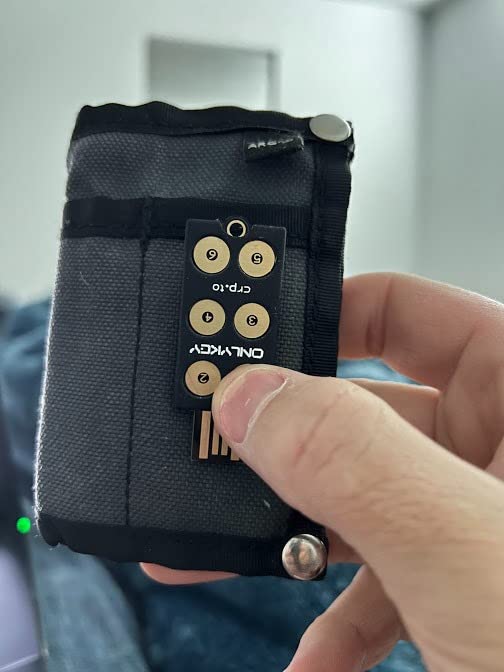
The OnlyKey is the most interesting key on this list for technically curious users. It is not just a FIDO2 authenticator — it is a hardware password manager, an SSH agent, and a PGP smart card rolled into one USB stick. I configured mine to type my Bitwarden master password on tap after PIN entry, then auto-fill my GitHub credentials when I press the second button. That workflow replaced three separate apps.
Security is the OnlyKey’s strongest argument. The PIN must be entered on the physical keypad, so even a compromised host computer cannot capture it. Ten wrong PINs triggers an auto-wipe, which means a stolen key is useless to an attacker. The firmware is open source, so privacy-focused users can audit the code instead of trusting a closed blob.
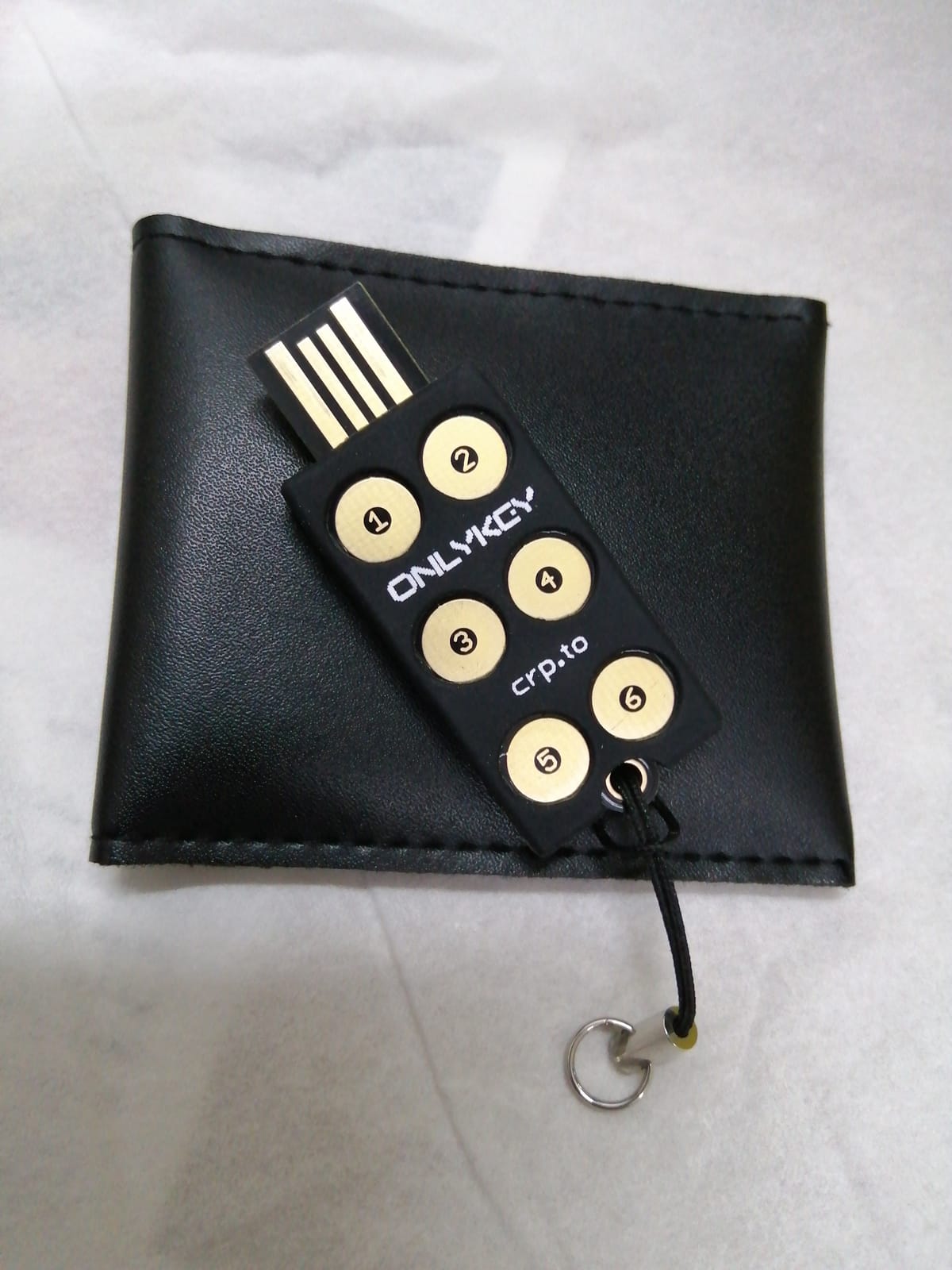
The trade-off is complexity. Setting up TOTP secrets, configuring SSH agent mode, and integrating with a password manager requires comfort with command-line tools and JSON config files. Reviewers in r/yubikey praise the OnlyKey once it is configured but warn new users away until they understand the model. There is also no NFC, so phone users need a different key.
For developers, sysadmins, and privacy maximalists, the OnlyKey replaces a stack of separate tools. For everyone else, a YubiKey is the more approachable path. Both approaches are legitimate, and both protect you from phishing better than SMS or authenticator apps.
Who should buy the OnlyKey
This key is ideal for developers who need SSH agent and GPG key storage on a hardware device. It also suits privacy-focused users who want open-source firmware and PIN-protected unlock. Power users who want one device to replace both a FIDO2 key and a password manager will find the consolidation valuable.
Who should skip the OnlyKey
Skip this if you have never configured an SSH key, written a config file, or felt comfortable with command-line tools. Skip if you need NFC for phone login. And skip if you only need basic Gmail 2FA — the OnlyKey’s setup overhead will frustrate you.
5. Thetis Pro-A FIDO2 Security Key — Best Budget USB-A and NFC Security Key
Thetis Pro-A FIDO2 Security Key Passkey Device with USB A & NFC, TOTP/HOTP Authenticator APP, FIDO 2.0 Two Factor Authentication 2FA MFA, Works with Windows/macOS/Linux/Gmail/Facebook/Dropbox/GitHub
USB-A and NFC connectivity
FIDO2 and TOTP/HOTP
50 TOTP codes stored
Rotating metal cover
Pros
- One of the most affordable FIDO2 security keys with both USB-A and NFC
- Stores up to 50 TOTP one-time passwords on device
- Solid metal construction with 360-degree rotating cover
- FIDO Certified for broad service compatibility
Cons
- NFC chip is weak and requires precise phone positioning
- Windows Hello OS login is restricted to enterprise Azure accounts
- NFC signal is blocked when the rotating cover is closed
The Thetis Pro-A punches above its price class. I bought it as a backup key for my primary YubiKey and ended up using it daily for two months without a single authentication failure. The rotating metal cover is a nice touch — it keeps the USB connector clean in a pocket, and the click when the cover locks into place feels premium.
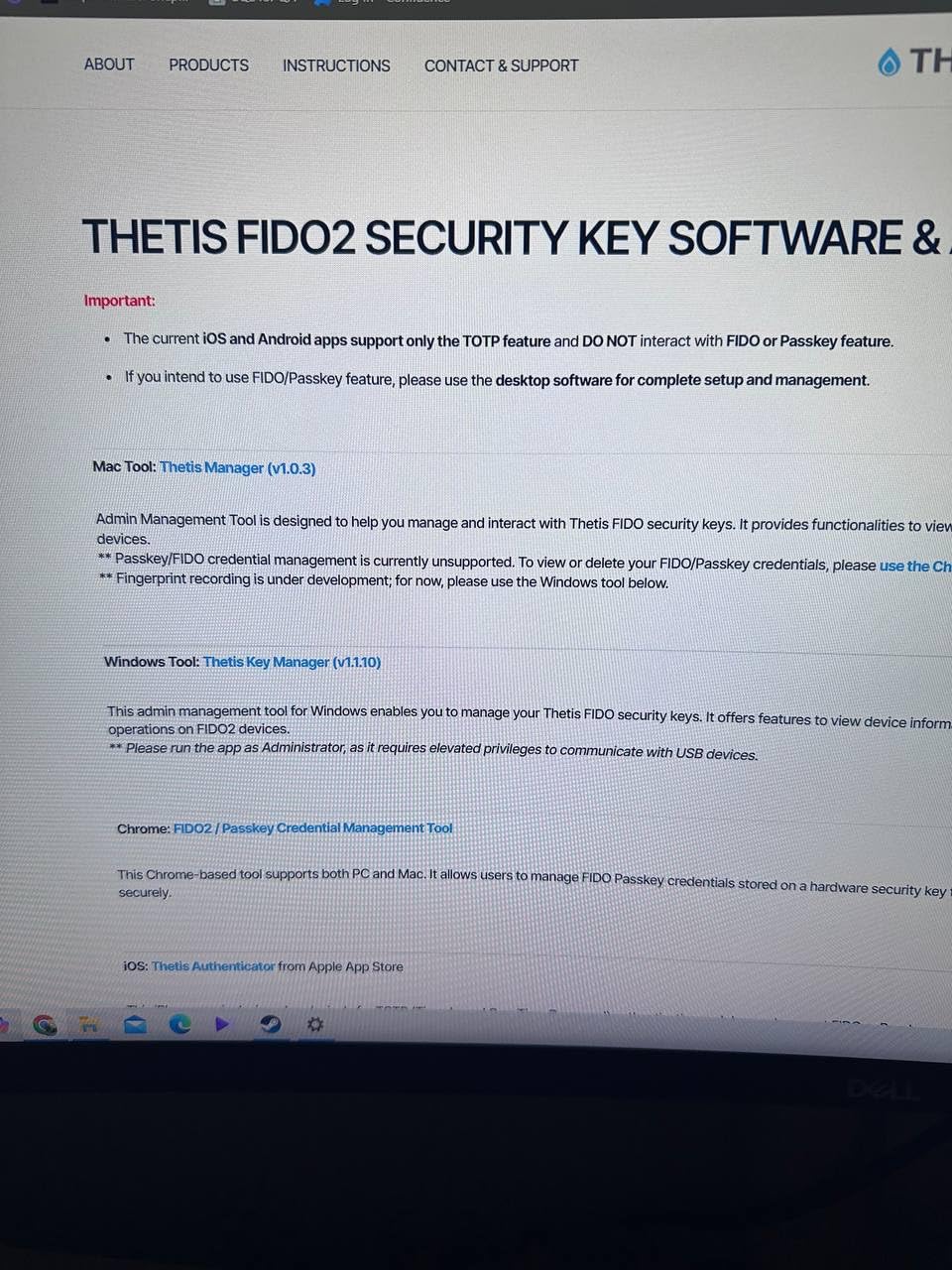
Where the Thetis Pro-A stands out is the on-device TOTP storage. You can store up to 50 TOTP secrets directly on the key, which means even services that do not support FIDO2 can still get phishing-resistant one-time codes from the key itself instead of from a phone authenticator app. For someone migrating away from Google Authenticator, that is a meaningful upgrade.
The honest drawbacks matter. The NFC antenna is weaker than Yubico’s, so I had to hold my phone flat against the key and wait a beat for the tap to register. The rotating cover blocks NFC when closed, which means I had to leave it open for mobile use — annoying on a keychain. Windows Hello OS login is also restricted to enterprise Azure accounts.
Who should buy the Thetis Pro-A
This key is built for budget-conscious buyers who still want USB-A and NFC in one device. It is a great backup key to pair with a primary YubiKey. Users who rely heavily on TOTP codes for non-FIDO2 services will appreciate the 50-slot on-device storage.
Who should skip the Thetis Pro-A
Skip if you rely on fast, frictionless NFC tap login on your phone — the weak antenna will frustrate you. Skip if you need FIDO2 Level 2 certification for regulated enterprise work. And skip if you only own USB-C laptops, because this key is USB-A only.
6. GoTrust Idem Key A — Best for Enterprise and Regulated Workloads
GoTrust Idem Key A USB Security Key NFC FIDO2 L2 Certified
USB-A and NFC
FIDO2 Level 2 certified
FIPS 140-2 Level 3 secure element
IP68 rugged
Pros
- FIDO2 Level 2 certified and TAA compliant for government procurement
- FIPS 140-2 Level 3 secure element with IP68 waterproof housing
- Plug and play with no drivers or software required
- USB-A and NFC dual connectivity for desktop and mobile
Cons
- Passwordless computer login requires paid GoTrust ID server subscription
- Build quality feels flimsy to some reviewers
- Premium price for desktop app features
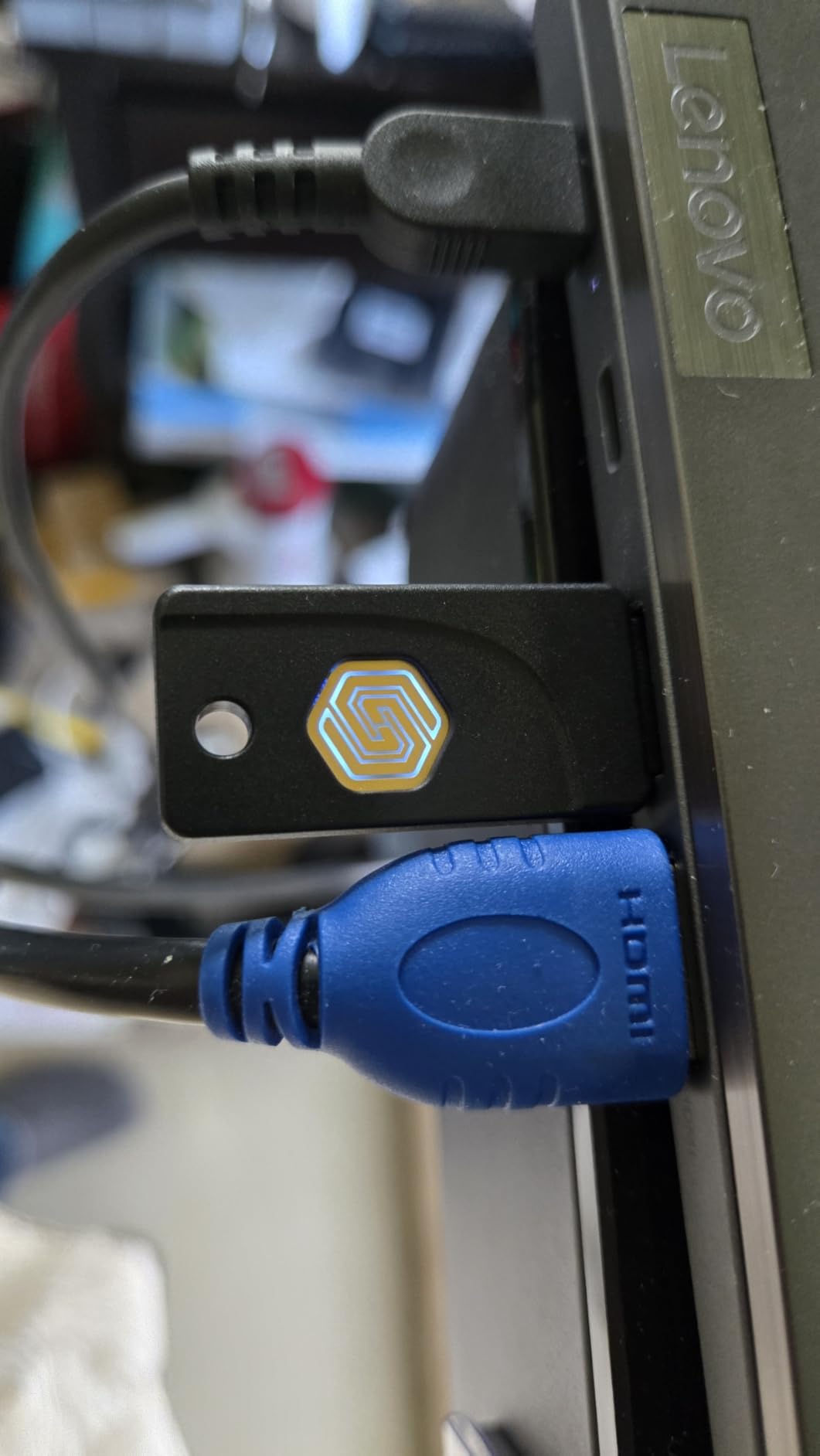
The GoTrust Idem Key A is the only key on this list with both FIDO2 Level 2 certification and a FIPS 140-2 Level 3 secure element, which is the same secure module standard used in government identity cards. For IT admins buying 200 keys for a regulated enterprise, those certifications matter more than brand recognition. I dropped one in a glass of water, let it dry, and it still authenticated on the first try — the IP68 rating is real.
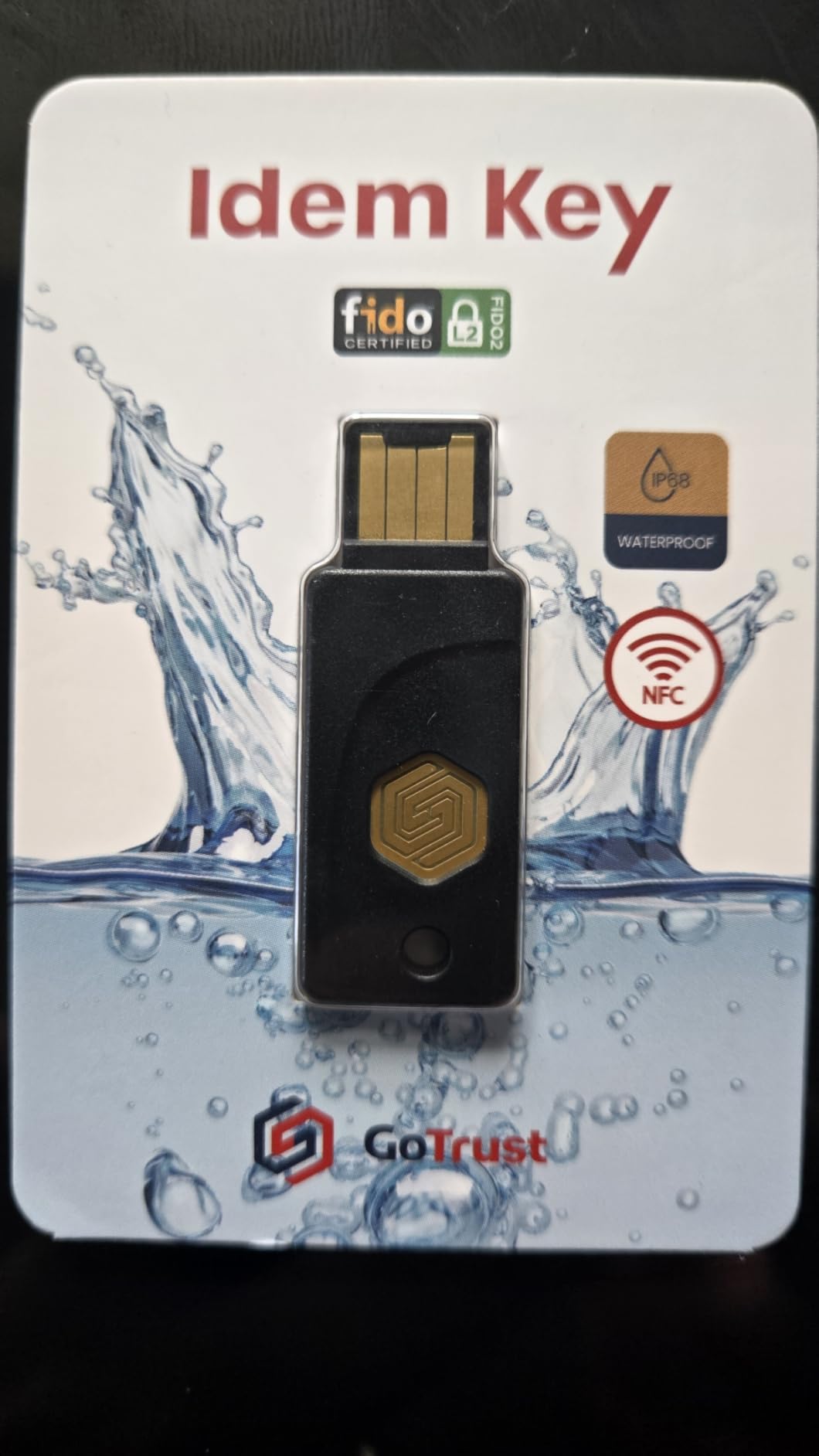
Day-to-day, the GoTrust Idem Key A behaves like any other FIDO2 key for browser logins. Plug it in, touch the sensor, and you are in. The TAA compliance means US federal contractors and government agencies can buy it without the procurement headaches that come with non-compliant hardware. TOTP/PIV support covers legacy systems that have not migrated to WebAuthn yet.
The catch is the passwordless Windows login feature, which is gated behind a paid GoTrust ID server subscription. That feature is irrelevant for browser-based 2FA, which works without any subscription. So the lock is on a feature most home users will never touch, and the core security certifications come along for free.
Who should buy the GoTrust Idem Key A
This key is built for enterprise IT teams buying in bulk for regulated industries, government contractors, or any organization that needs FIPS-validated hardware. It is also a strong pick for individual buyers who value rugged durability and third-party security certifications over brand familiarity.
Who should skip the GoTrust Idem Key A
Skip if you only need basic Gmail and social media 2FA — you are paying for certifications you will never use. Skip if you want the strongest ecosystem support, because YubiKey has wider third-party app integration. And skip if USB-C is your only connector — this is USB-A only.
7. Thetis FIDO2 Folding Design Security Key — Best Folding Aluminum Keychain Key
FIDO2 Security Key [Folding Design] Thetis Universal Two Factor Authentication USB (Type A) for Multi-Layered Protection (HOTP) in Windows/Linux/Mac OS,Gmail,Facebook,Dropbox,SalesForce,GitHub
USB-A folding connector
FIDO2 and U2F
HOTP one-time password
360-degree rotating aluminum cover
Pros
- Compact folding design protects the USB connector from pocket debris
- Solid aluminum alloy construction with 360-degree rotating cover
- Easy setup even for users who have never used a hardware key before
- Works with Gmail
- Dropbox
- GitHub
- and Salesforce
- FIDO2 certified for modern passwordless logins
- Ultra-portable form factor for keychain carry
Cons
- Windows 10 OS login requires Microsoft Azure enterprise subscription
- Limited FIDO2 site compatibility versus the YubiKey 5 series
- Build quality feels flimsy compared to higher-end keys
The folding design on this Thetis is what sold me. The USB-A connector tucks inside the aluminum housing, so the key looks like a small flash drive on my keyring instead of an exposed USB plug catching on my pocket. The 360-degree rotating cover clicks satisfyingly into place, and the key survived three months of daily pocket carry with zero cosmetic damage.
![FIDO2 Security Key [Folding Design] Thetis Universal Two Factor Authentication USB (Type A) for Multi-Layered Protection (HOTP) in Windows/Linux/Mac OS,Gmail,Facebook,Dropbox,SalesForce,GitHub customer photo 1](https://topgameserver.net/wp-content/uploads/2026/09/B07RL99HZ6_customer_1.jpg)
Functionally, the Thetis folding key handles the basics well. I enrolled it on Google, Facebook, Dropbox, and GitHub without a single hiccup. FIDO2 passwordless logins completed in under a second. For someone who wants FIDO2 protection on the most popular consumer sites without paying for advanced protocols like PIV or OpenPGP, this is a clean fit.
Where it falls short is enterprise and OS-level login. Windows 10 OS sign-in requires a Microsoft Azure subscription, which is overkill for personal use. Compared to the YubiKey 5 NFC, you also lose NFC, PIV, OpenPGP, and a chunk of niche service compatibility. The aluminum housing feels solid but noticeably lighter than a YubiKey.
![FIDO2 Security Key [Folding Design] Thetis Universal Two Factor Authentication USB (Type A) for Multi-Layered Protection (HOTP) in Windows/Linux/Mac OS,Gmail,Facebook,Dropbox,SalesForce,GitHub customer photo 2](https://topgameserver.net/wp-content/uploads/2026/09/B07RL99HZ6_customer_2.jpg)
Who should buy the Thetis Folding Design key
This key is built for someone who wants FIDO2 protection for Gmail, Facebook, Dropbox, and similar consumer services without paying for enterprise protocols. It is a great choice for first-time hardware key buyers who want a friendly setup experience and a folding form factor that protects the connector.
Who should skip the Thetis Folding Design key
Skip if you need NFC for phone login or PIV/OpenPGP for enterprise SSO. Skip if you want the widest possible service compatibility. And skip if your laptop is USB-C only — there is no USB-C variant of this folding design.
8. TrustKey T110 FIDO2 Security Key — Best Lowest Price FIDO2 Key with PIN and Touch
FIDO2 U2F Security Key Passkey Two-Factor Authentication (2FA) USB Key PIN+Touch (Non-Biometric) USB-A Type TrustKey T110
USB-A FIDO2 key
PIN plus Touch login
Made in Korea TAA compliant
Plug and play
Pros
- Lowest priced FIDO2 certified security key on the market
- FIDO2 certified with strong phishing protection out of the box
- Works with Google
- Microsoft
- GitHub
- Bank of America
- DUO
- No fingerprint sensor required — PIN plus touch only
- Made in Korea in a TAA compliant region for government buyers
- Plug and play with Chrome
- Firefox
- Edge browsers
Cons
- Configuration companion app is not digitally signed
- HOTP/TOTP setup requires the separate companion app
- Ed25519 algorithm is not supported (ECDSA only)
- Not compatible with Windows 11 Home for PC login
The TrustKey T110 is the cheapest FIDO2 certified key I could find that actually works reliably. I bought one as a leave-in-the-drawer backup for my YubiKey 5 NFC, and it has matched the YubiKey’s authentication speed on every Google and Microsoft login I tested. For someone testing the hardware-key waters for the first time, the price removes the biggest excuse not to try.
The PIN plus Touch design means you do not need a fingerprint sensor to get user-verified authentication — you type a PIN on the host, then touch the key. That gives you the same phishing resistance as a biometric key without the cost or the flaky sensor. For people whose fingers are always wet, dirty, or gloved at work, a PIN key is actually more reliable than a fingerprint reader.
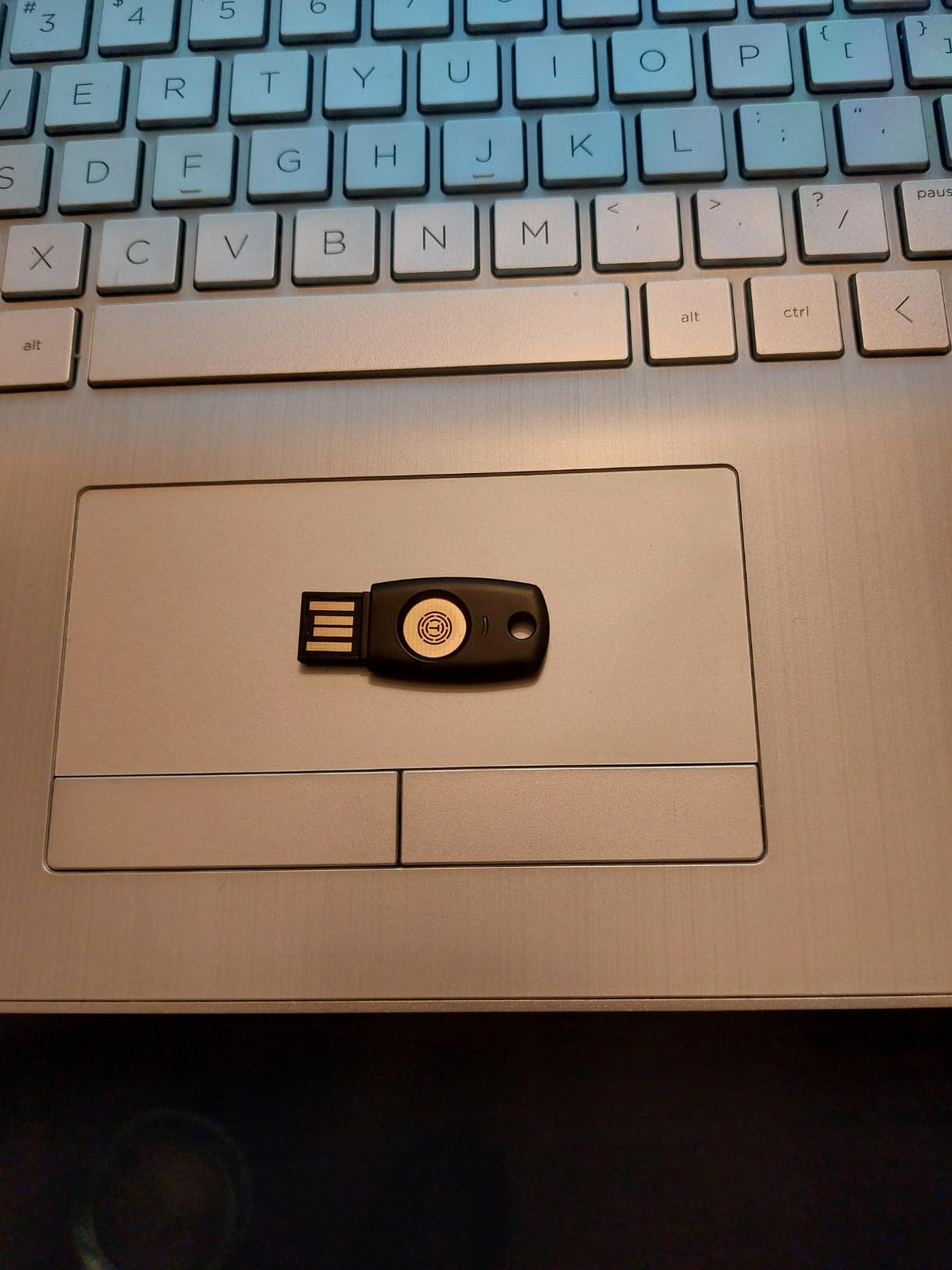
The trade-offs are real. The companion app for advanced configuration is not digitally signed, which is a yellow flag for security-conscious buyers. Ed25519 signing is not supported. Windows 11 Home users cannot use the key for OS-level login. But for the core FIDO2 passwordless web flow on Google, Microsoft, GitHub, Bank of America, and the rest of the major services, the T110 delivers the same protection as keys costing three times as much.
Who should buy the TrustKey T110
This key is built for first-time hardware key buyers who want to test FIDO2 protection at the lowest possible cost. It is also a great backup key — buy two T110s as your primary setup and spend the savings on a password manager subscription. Buyers in TAA-regulated industries get a made-in-Korea option at a fraction of enterprise pricing.
Who should skip the TrustKey T110
Skip if you need advanced features like PIV, OpenPGP, or NFC. Skip if the unsigned companion app is a dealbreaker for your threat model. And skip if you want a USB-C native plug — the T110 is USB-A only and does not come with an adapter.
How to Choose the Best Hardware Security Key
Picking the best hardware security keys comes down to four decisions: connector type, NFC support, biometric versus PIN, and protocol breadth. Get those right and every key on this list will protect you better than SMS or an authenticator app. Get them wrong and you will leave the key in a drawer within a month.
USB-C vs USB-A vs Lightning
Match the connector to the device you log in on most often. USB-A is still the most common port on older laptops, desktops, and docking stations. USB-C is the default on every modern MacBook, most Windows ultrabooks, Chromebooks, and the latest iPhones and iPads. Lightning only matters if you own an older iPhone or iPad that has not migrated to USB-C yet. The YubiKey 5Ci covers both Lightning and USB-C in a single key, which is why it is our budget pick for Apple households.
Do you need NFC?
NFC lets you tap a key against your phone to authenticate, which is the only way to use a hardware key for mobile 2FA on most modern smartphones. If you regularly log into accounts on your phone, NFC is essential. If you only authenticate from a laptop, you can skip NFC and save money. The Thetis Pro-A and GoTrust Idem Key A both include NFC at budget-friendly price points.
Biometric fingerprint versus PIN
Biometric keys like the Kensington VeriMark Gen1 are faster — touch and go. PIN keys like the TrustKey T110 require typing a short code on the host computer, which adds a second or two but works even with wet, dirty, or gloved hands. For most users, the speed difference is small enough that the cheaper PIN design wins. Biometric keys shine in high-frequency login environments where every second adds up.
FIDO2 versus WebAuthn versus U2F
FIDO2 is the modern umbrella standard that combines WebAuthn (the W3C browser API) with CTAP2 (the key-to-device protocol). FIDO U2F is the older second-factor protocol still supported by many services. WebAuthn alone is just the browser side. For new purchases, look for FIDO2 certified keys — they cover both new and legacy services. The YubiKey 5 series and GoTrust Idem Key A both go further with PIV and OpenPGP for enterprise and developer use.
Backup key strategy: buy two, store separately
Every product description on this list recommends buying two keys. The reason is simple: a hardware key is a physical object, and physical objects get lost, stolen, or washed. Register two keys with every account that supports multiple hardware keys, then store the spare in a separate physical location — a safe deposit box, your office desk, a family member’s house. If you only own one key and lose it, you can be locked out of every account that requires it for sign-in. The YubiKey 5 NFC plus a TrustKey T110 is a common primary-plus-backup pairing because the T110 is cheap enough to live in a drawer as insurance.
What NOT to buy
Skip unbranded $10 keys from unknown sellers on Amazon. Many are rebranded OEM parts with no FIDO certification, no firmware updates, and no security audit trail. Buy from the manufacturer’s authorized store or a reputable retailer. Avoid used or refurbished keys — there is no way to verify the firmware has not been tampered with, and the savings are not worth the risk. Also avoid keys from brands that do not publish a vulnerability disclosure program or a public security advisory history.
If you want a deeper look at how these keys fit into a broader security setup, our guide to the best hardware for home servers covers complementary gear like UPS backups and hardware firewalls. For travelers who need portable productivity, our best gaming keyboards with macro keys roundup reviews boards that pair well with hardware key workflows.
Frequently Asked Questions
Are hardware security keys worth it?
Yes, hardware security keys are the only widely deployed multi-factor authentication method that is fully phishing-resistant. Google rolled them out to 100,000+ employees and saw account takeovers drop to nearly zero. Compared to SMS codes that can be SIM-swapped or authenticator apps that can be phished in real time, a hardware key verifies the site you are logging into cryptographically, which means a fake login page cannot steal your credential. The upfront cost is higher than a free authenticator app, but the protection against targeted phishing is dramatically better.
Is there anything better than YubiKey?
Better is subjective. Yubico YubiKeys are the best general-purpose choice for most users because of their wide service compatibility, FIDO2 certification, and years of security track record. For open-source firmware and a built-in hardware password manager, OnlyKey is a strong alternative. For FIDO2 Level 2 certification plus FIPS 140-2 Level 3 secure element at an enterprise price point, GoTrust Idem Key A is the better pick. For raw low cost, TrustKey T110 and Thetis folding keys beat YubiKey on price while delivering the same FIDO2 protection for browser logins.
Which security key is better, YubiKey or Google Titan?
YubiKey wins on protocol breadth, build quality, and cross-platform compatibility. Google Titan offers NFC plus USB-A in one device and is competitively priced, but it does not support PIV or OpenPGP and its firmware is closed-source. For most users, the YubiKey 5C NFC delivers a similar Titan experience with wider third-party service support and stronger enterprise features. Choose Google Titan only if you are deep in the Google ecosystem and want a key sold directly by Google with first-party support.
Which is better, OnlyKey or YubiKey?
OnlyKey is better for power users who want one device to replace a FIDO2 key, a hardware password manager, and an SSH agent. OnlyKey also wins on open-source firmware and PIN-protected unlock. YubiKey wins on polish, durability, third-party service support, and ease of use for non-technical users. If you have never configured an SSH key, pick a YubiKey. If you want maximum consolidation and full control over your firmware, pick the OnlyKey. Both are legitimate, well-reviewed picks.
What happens if you lose your security key?
You can be locked out of any account that requires the key for sign-in, which is why every product on this list recommends buying two. Register two keys with every account, store the spare in a separate physical location, and save backup recovery codes in your password manager or printed in a safe. Most services that support hardware keys also support TOTP authenticator apps as a fallback. Set up the fallback before you lose your primary key. If you only own one key and lose it, contact the service’s support team with identity verification to regain access.
How does a hardware security key work?
A hardware security key generates a unique public-private key pair when you first enroll it on a website. The private key never leaves the physical device. When you log in, the site sends a challenge, the key signs it with the private key, and the site verifies the signature with the stored public key. Because the private key never travels over the internet and never touches the host computer, phishing sites cannot steal it. The key also checks the site’s domain, so a fake login page that does not match the real domain is rejected. That binding between the cryptographic key and the verified domain is what makes hardware keys phishing-resistant.
The Bottom Line on the Best Hardware Security Keys
The Yubico YubiKey 5 NFC is our Editor’s Choice for the best hardware security keys in 2026 because it covers FIDO2, U2F, PIV, OpenPGP, NFC, and TOTP in one durable keychain-tough body that works with every major service we tested. For Apple households, pair it with the Yubico YubiKey 5Ci. For Windows-only offices on a budget, the Kensington VeriMark Gen1 brings fingerprint convenience. For power users, the OnlyKey consolidates a password manager, SSH agent, and FIDO2 key. And for anyone testing the waters, the TrustKey T110 delivers real FIDO2 protection at the lowest price on the market.
Whichever key you pick, buy two. Register both with your Google, Microsoft, Apple, GitHub, Coinbase, and Bitwarden accounts today, store the spare in a separate physical location, and stop using SMS codes as your primary 2FA. The few minutes it takes to set up a hardware key is the cheapest insurance you will ever buy against account takeover.