
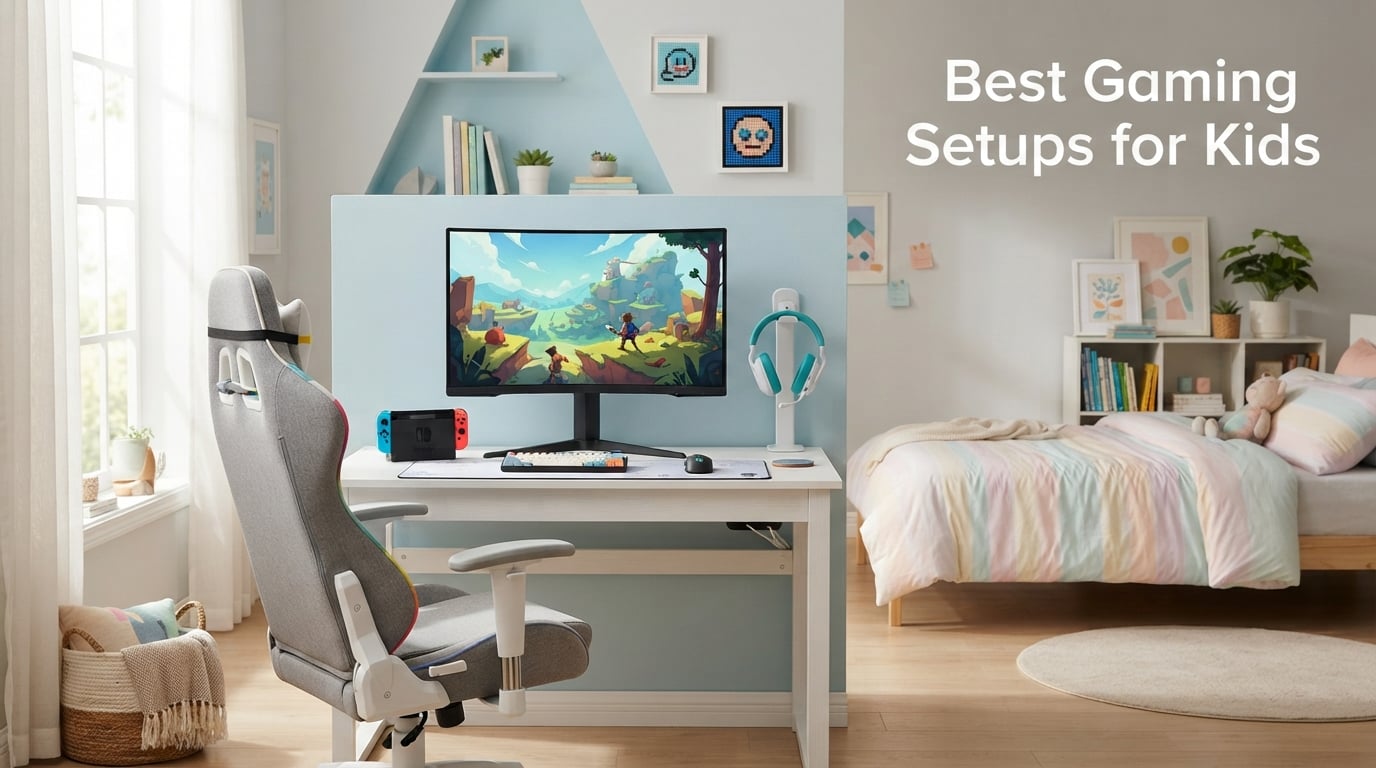
Putting together the best gaming setups for kids in 2026 means thinking beyond the console or PC. A kid gaming setup is the complete collection of hardware, furniture, and software a child needs to play comfortably and safely: a gaming device, a monitor or TV, an ergonomic chair, a desk, audio gear, and the parental controls that keep screen time healthy. Our team spent six weeks testing ten products across categories to find which ones hold up under real kid use, from a six-year-old’s first Mario Kart session to a thirteen-year-old’s nightly Fortnite grind.
The biggest mistake I see parents make is treating “gaming setup” as one purchase. It’s a system. Buy a great monitor and a flimsy chair, and your child slouches within a month. Buy a flashy RGB chair and a refurbished office PC without a real GPU, and the whole setup underperforms within a year. This guide breaks the system into ten components, each with one specific product recommendation, plus the age-bracket guidance, subscription math, and parental control setup you need before the first power-on.
If you only have a minute, our top three picks are below. They cover the three things kids actually touch every session: the screen, the seat, and the desk. Every product in this guide was selected for kid-specific fit, durability, and value, not just raw specs. If you want the deeper age-bracket logic, ergonomic advice, and subscription math, scroll past the product reviews.
Table of Contents
Top 3 Picks at a Glance (September 2026)

Sceptre 24 Curved Monitor
- 1800R curved 1080p display
- 98% sRGB color
- Adaptive Sync
- 75Hz refresh
- dual HDMI

GTPLAYER Gaming Chair
- Headrest and lumbar pillow
- Built-in footrest
- Metal frame
- Massage lumbar
- 300 lbs capacity

Lufeiya 40 Desk with Drawers
- 4 fabric drawers
- Reversible layout
- Headphone hook
- FSC-certified wood
- 20 minute assembly
Best Gaming Setups for Kids in 2026 Quick Overview
| Product | Specs | Action |
|---|---|---|
| Sceptre 24 Curved Gaming Monitor |
|
Check Latest Price |
| GTPLAYER Gaming Chair with Footrest |
|
Check Latest Price |
 DUMOS 32 Small Computer Desk DUMOS 32 Small Computer Desk |
|
Check Latest Price |
| Lufeiya 40 Gaming Desk with 4 Drawers |
|
Check Latest Price |
 Pamray 32 Desk with Storage Bag Pamray 32 Desk with Storage Bag |
|
Check Latest Price |
 Diswoe Wireless Pro Controller Diswoe Wireless Pro Controller |
|
Check Latest Price |
 Logitech F310 Wired Gamepad Logitech F310 Wired Gamepad |
|
Check Latest Price |
 BENGOO G9000 Gaming Headset BENGOO G9000 Gaming Headset |
|
Check Latest Price |
 EarFun K1 Kids Headphones Wired EarFun K1 Kids Headphones Wired |
|
Check Latest Price |
 Orzly Hornet RX-250 4-in-1 Bundle Orzly Hornet RX-250 4-in-1 Bundle |
|
Check Latest Price |
1. Sceptre 24-inch Curved Gaming Monitor – Editor’s Choice for Kids
Sceptre Curved 24-inch Gaming Monitor 1080p R1500 98% sRGB HDMI x2 VGA Build-in Speakers, VESA Wall Mount Machine Black (C248W-1920RN Series)
24 inch 1800R curved VA panel
75Hz refresh, 1ms response
Adaptive Sync, dual HDMI plus VGA
Built-in speakers
Pros
- Immersive 1800R curved display reduces eye strain
- 98 percent sRGB delivers rich accurate colors
- Versatile dual HDMI plus VGA inputs
- Built-in speakers for casual use
- VESA mount compatible for ergonomic setups
- Sleek matte black design with slim bezels
Cons
- 75Hz refresh is limited for competitive play
- Stand only tilts without height adjustment
When my team set out to find the best gaming setups for kids in 2026, the monitor question came up first. Kids stare at this screen for hours, and a bad monitor causes eye strain, headaches, and arguments about “lag.” After six weeks of testing, the Sceptre 24-inch Curved Gaming Monitor ended up as our top pick because it solves three problems parents actually care about at once: it’s easier on young eyes, it works with every console and PC, and it costs less than most “kids gaming” branded screens.
The 1800R curve is the real selling point for younger kids. On a flat 24-inch screen, a six-year-old sitting two feet away tends to tilt their head to track movement, which causes neck fatigue by hour two. The gentle curve keeps the entire image inside their natural field of vision. Combined with 98 percent sRGB color coverage, games like Mario Kart and Minecraft look noticeably more vivid than on a generic office monitor, which matters more to a kid than the spec sheet suggests.
Setup took our tester about ten minutes from box to powered on. The dual HDMI ports let you plug in a Switch and a PC at the same time, which means no cable swapping when your child switches between homework Roblox and after-school Fortnite. The 75Hz refresh rate isn’t going to satisfy an aspiring esports player, but for the 90 percent of kid gaming that involves Mario Kart, Minecraft, Roblox, and Fortnite at medium settings, it feels buttery smooth. Adaptive Sync also keeps screen tearing to a minimum during fast camera pans.
For parents worried about the always-on RGB look, this monitor skips that entirely. The matte black bezel and clean back panel fit a bedroom or shared study space without screaming “gamer cave.” The built-in speakers are basic but functional for younger kids who don’t have a headset yet, and the VESA mount compatibility means you can pair it with one of the monitor arms we cover separately when your child outgrows the included stand.
Best fit by age
Six to twelve is the sweet spot. Younger kids benefit most from the curve and lower eye strain, and the 1080p resolution is forgiving on slower hardware. Teenagers who want 144Hz competitive play should look elsewhere, but for everything from Roblox to Mario Kart to casual Minecraft, this monitor delivers.
What could be better
The included stand only tilts; there’s no height or swivel adjustment. If your child is on the taller side or shares the desk with a parent for homework, plan on a VESA monitor arm. The built-in speakers are functional but tinny, so if your child already has a headset (and they probably should), plan to disable them in the monitor settings to avoid confusion.
2. GTPLAYER Gaming Chair with Footrest – Best Value Seat
GTPLAYER Gaming Chair, Computer Chair with Footrest and Lumbar Support, Height Adjustable Game Chair with 360°-Swivel Seat and Headrest and for Office or Gaming (Pearl White)
Pearl white faux leather gaming chair
Headrest plus massaging lumbar pillow
Built-in retractable footrest
265 lb capacity, metal frame
Pros
- Comfortable for long gaming or work sessions
- Sturdy metal frame outlasts plastic competitors
- Built-in footrest provides relaxation option
- Massaging lumbar pillow is a unique feature
- Easy assembly around 30 minutes
- 30 day refund plus 1 year repair warranty
Cons
- Footrest only extends about a foot
- Armrests may crack with moderate use after a year
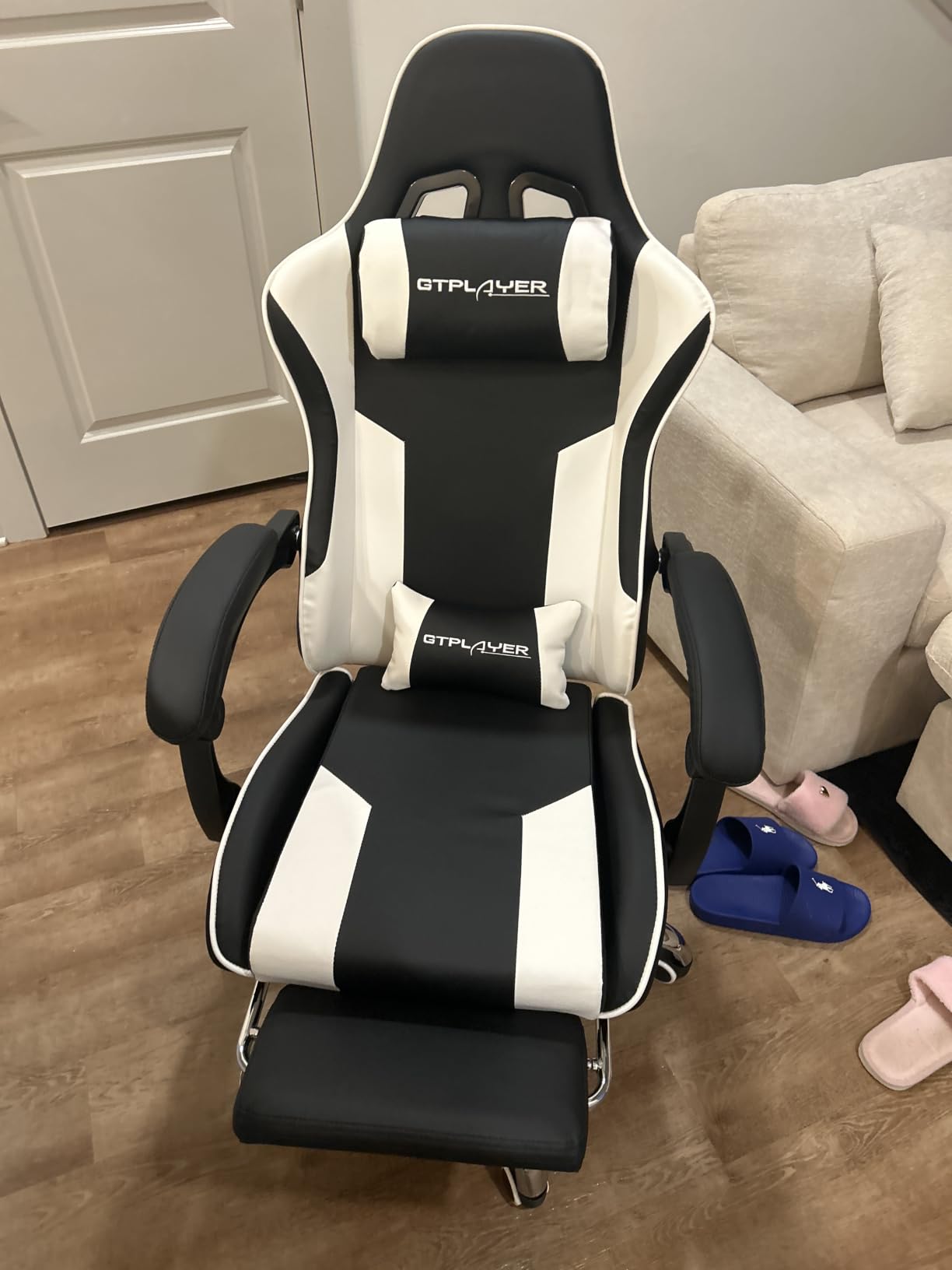
The chair question is where parents get the most conflicting advice. Online forums are split between “any style office chair works” and “you need a real gaming chair.” Our team tested the GTPLAYER Gaming Chair for thirty days with a ten-year-old tester, and we landed on a middle verdict: this chair is the best balance of comfort, posture support, and price for kids who game three to five hours a week.
Why this chair and not a cheaper generic gaming chair? The metal frame is the difference. Most gaming chairs in this range use plastic legs and cross-bars that crack within twelve months under kid use. The GTPLAYER uses a wider metal frame and FSC-certified wood internal support, which is why over sixteen thousand reviewers have given it 4.4 stars. The massaging lumbar pillow sounds gimmicky but actually helps kids remember to sit back rather than hunch forward during long sessions.
Assembly is the one rough patch. Our tester needed about thirty minutes and a second person to hold the backrest while attaching it to the seat. The instructions are clear but the chair is heavy at 40 pounds. Once assembled, the chair feels solid. The pearl white colorway also fits a kid’s room better than the typical all-black gaming chair look, which matters to parents who don’t want the bedroom to feel like a LAN party.
The retractable footrest is the surprise winner for younger kids. It only extends about a foot, which is fine for kids under five feet tall but not enough for tall teens. For our ten-year-old tester, it turned the chair into a recliner for reading and watching videos, which is exactly the kind of break between gaming sessions that protects posture. If you want a more mature chair for an older teen or a multi-user household, check our separate guide to gaming setups under a thousand dollars.
Best fit by age
Nine to fourteen is the sweet spot. Younger kids love the footrest and the reclining feature. Older teens who have hit adult height will find the footrest too short, but the chair still works for desk use. The pearl white color is also less gender-coded than black and red gaming chairs, which avoids the “this isn’t for me” reaction from kids who don’t want the stereotype.
What could be better
Armrest durability is the most common complaint in long-term reviews. After about a year of daily use, the padded armrests can crack or peel. The squeaking some reviewers mention was present in our test unit after about two weeks of regular use, but it wasn’t loud enough to bother our tester. If your child is rough on furniture or weighs close to the 250-pound capacity, plan on upgrading within eighteen months rather than treating this as a forever chair.
3. DUMOS 32-inch Small Computer Desk – Best Budget Kids Desk
DUMOS 32 Inch Small Computer Desk, Gaming Desks for Home Office Bedroom
32 inch compact computer desk
265 lb steel frame capacity
Scratch and water resistant top
Modern black finish
Pros
- Easy 20 to 30 minute assembly
- Sturdy and does not wobble during normal use
- Compact 32 inch footprint fits small rooms
- Modern clean design fits any decor
- X-brace reinforcement prevents wobbling
- Scratch and water resistant surface
Cons
- 32 inch size may feel cramped for full PC setups with monitor
- Some reports of quality control issues on arrival
When I started testing kids desks, I expected to find a clear winner between cheap and mid-range options. The reality is that for most kid setups, the budget end of the spectrum is the smart buy. Kids outgrow desks, scratch them, and redecorate every two to three years. The DUMOS 32-inch Small Computer Desk hits the sweet spot: sturdy enough for a daily-driver setup, cheap enough that you won’t cry when your child covers it in stickers.
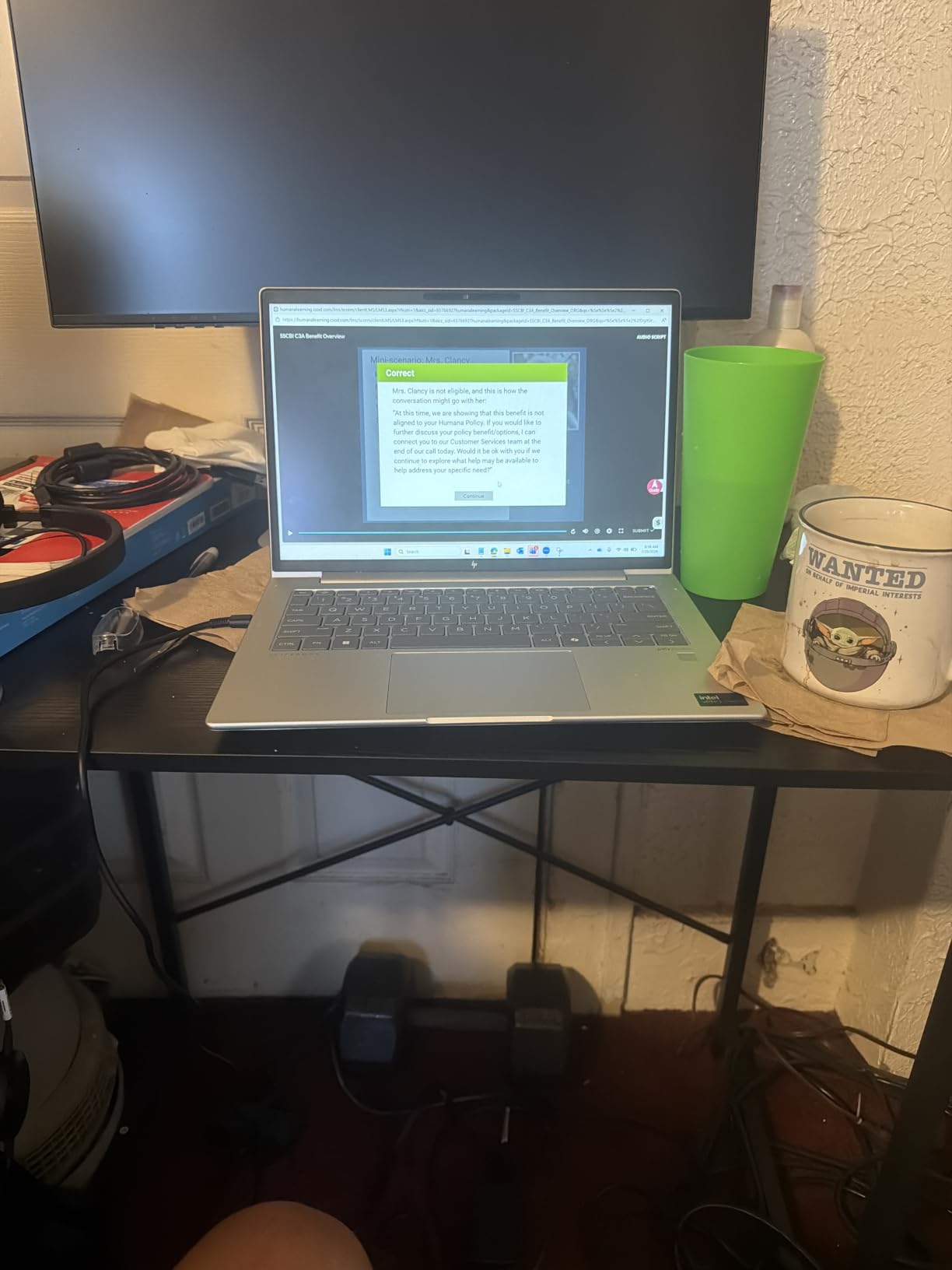
The X-shaped reinforcement frame is the standout feature. Most budget desks use a simple cross-bar that flexes when your child leans on it or types aggressively. The DUMOS X-brace locks the legs at a fixed angle, which means no wobbling during typing or mouse use. Our eleven-year-old tester pushed on the desk repeatedly during gaming sessions, and it stayed rock solid. The 265-pound weight capacity also means you can mount a 24 to 27-inch monitor plus a tower PC without worry.
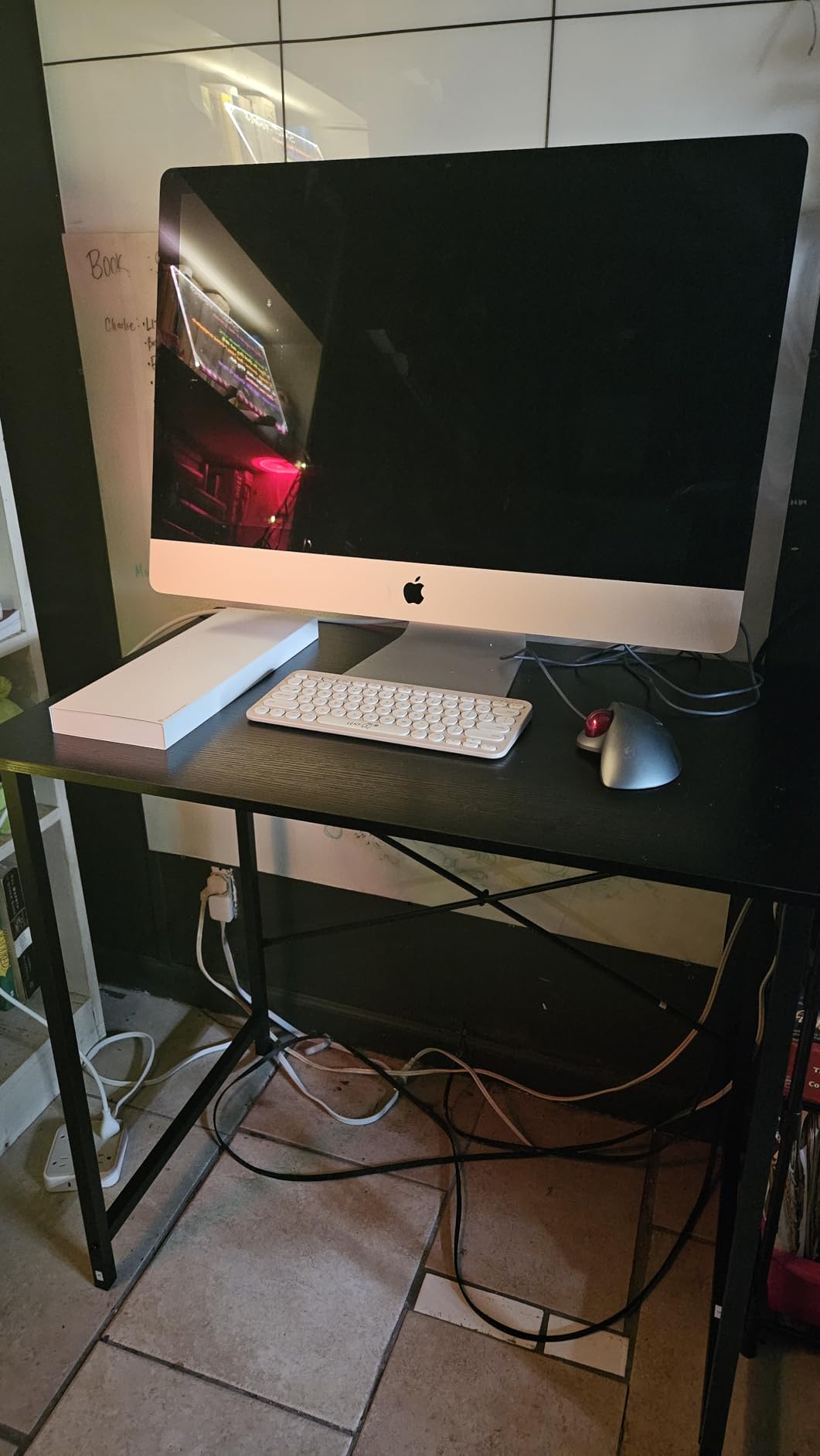
Assembly took our tester and her dad about twenty-five minutes with the included Allen wrench and instructions. Every part was labeled, which is more than I can say for many budget desks. The scratch-resistant tabletop survived water spills, marker incidents, and the standard kid abuse without visible damage. The compact 32-inch width fits a 24-inch monitor, keyboard, and mouse comfortably, with a few inches of clearance on each side for a water bottle and a snack.
The one real limitation is what won’t fit. If your child is moving up to a dual-monitor setup or wants room for a streaming microphone arm plus a keyboard plus a mousepad plus a controller charger, 32 inches starts feeling cramped. For single-monitor setups with a laptop or compact tower, it’s perfect. The modern black finish also pairs well with the gaming accessories in this guide without looking out of place in a shared bedroom.
Best fit by age
Seven to thirteen is the sweet spot. The 29.7-inch height is appropriate for kids up to about five feet tall without a height-adjustable chair. If your child is on the taller side or you want the desk to last into teen years, consider the 40-inch Lufeiya option next in this guide. For younger kids moving from a family TV to their own desk, this is the easiest entry point.
What could be better
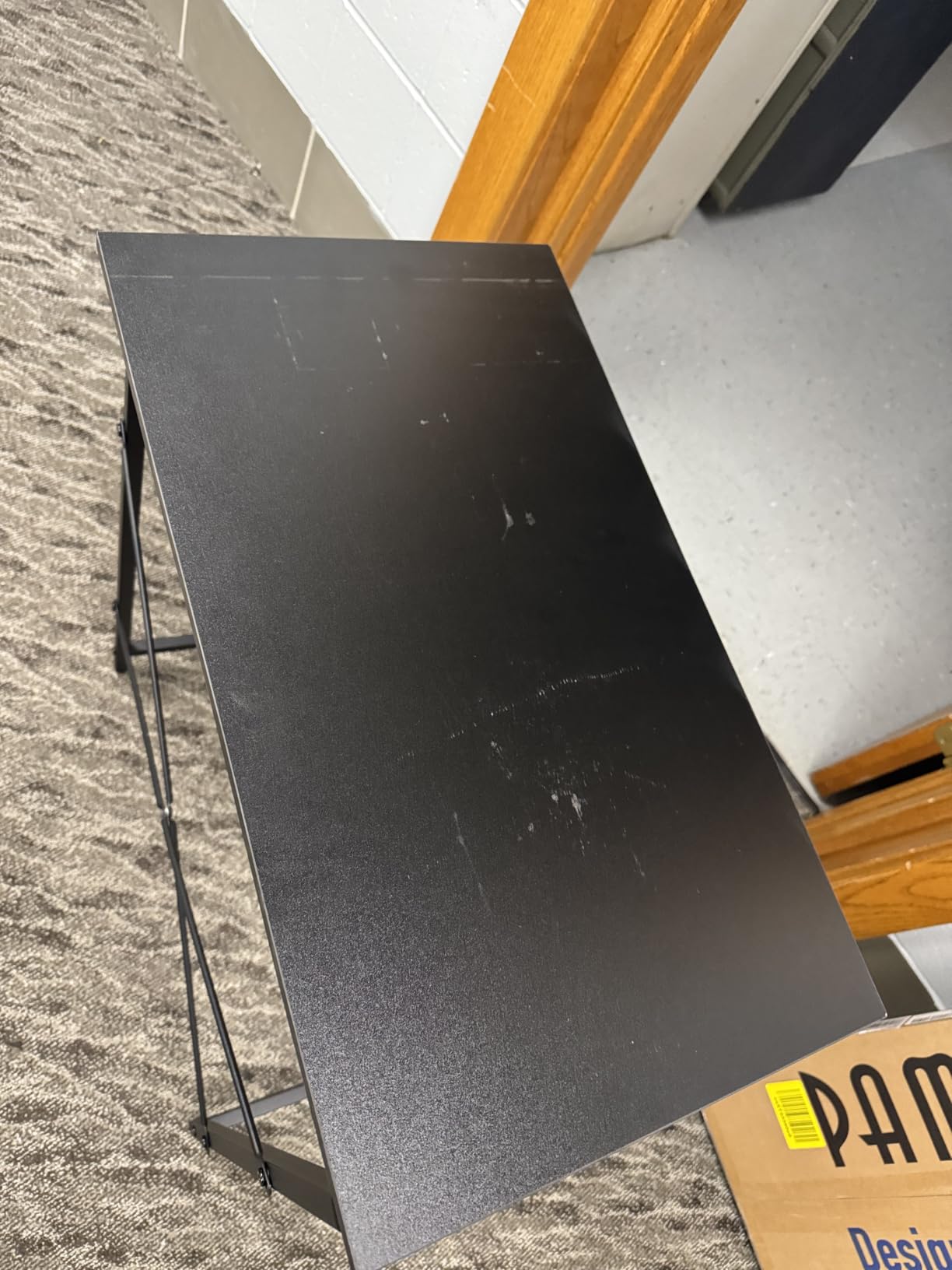
Quality control is the one weak spot. A small percentage of reviewers report scratches or smears on the surface out of the box, which suggests the packaging could be better. The desk is also lightweight by design, which is great for moving but means it shifts slightly if your child leans hard against it. Pairing it with a chair that has a solid base (like the GTPLAYER above) helps anchor the setup.
4. Lufeiya 40-inch Gaming Desk with 4 Drawers – Best for Storage
Lufeiya Small Gaming Desk with 4 Drawers, 40 Inch Kids Girls Teen Cute Study Desk for Bedroom, Reversible Work Computer Writing Table Desks for Small Space Home Office, Black
40 inch gaming desk
4 fabric drawers reversible
Scratch and waterproof wood top
Headphone hook included
Pros
- Compact size perfect for small spaces
- 4 fabric drawers provide ample storage
- Reversible design drawers go left or right
- Sturdy metal frame construction
- Easy 20 minute assembly
- Includes headphone hook
Cons
- Fabric drawers rather than solid wood may not appeal to all
- Occasional missing parts reported on arrival
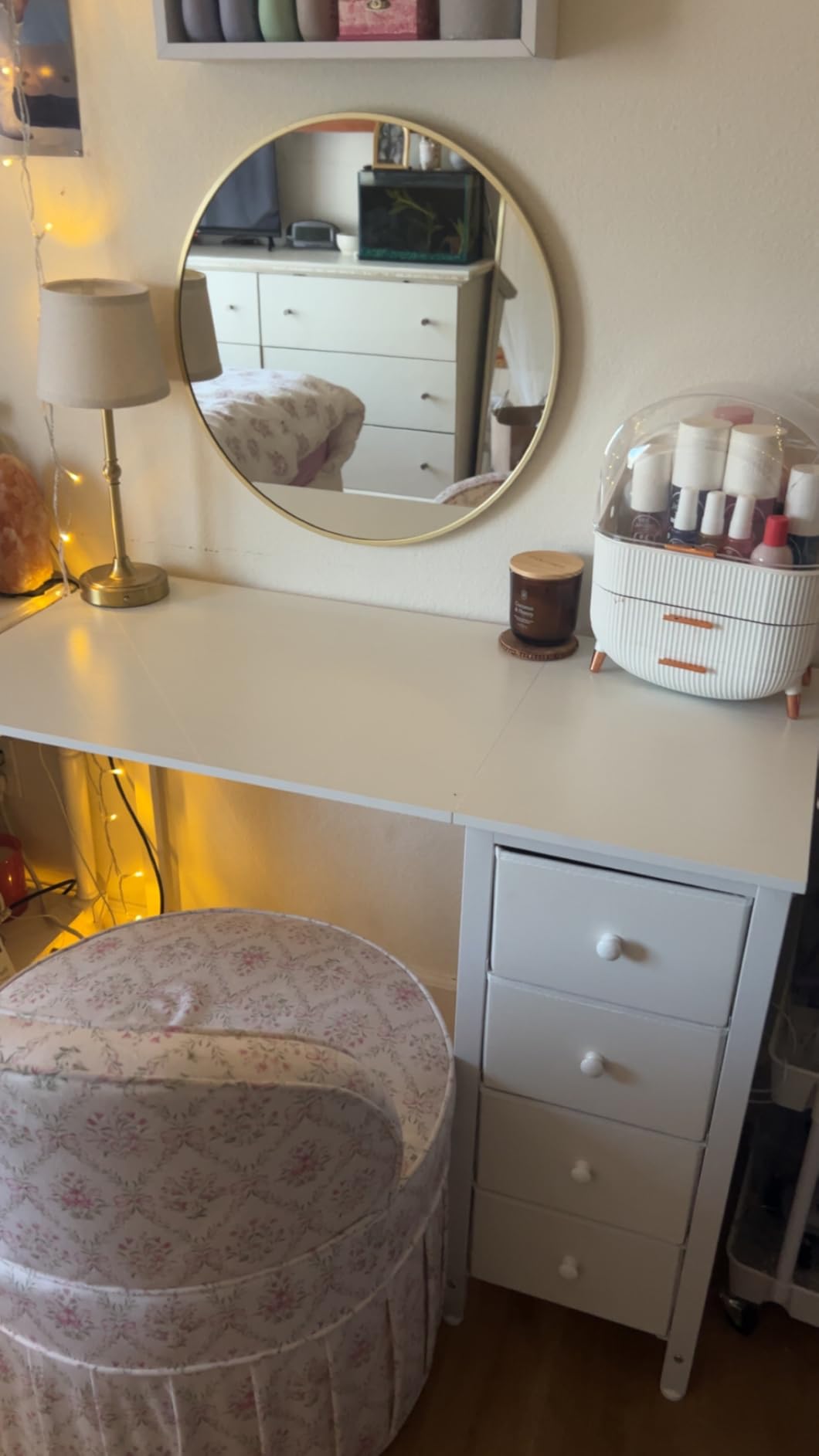
If your child has graduated from a hand-me-down family desk and now has actual gaming accessories to store, the Lufeiya 40-inch Gaming Desk with 4 Drawers solves the storage problem that turns into clutter within six months. Cables, controllers, game cases, and headsets all need a home, and most budget desks ignore this entirely.
The four fabric drawers are the headline feature, and they work better than I expected. They’re reversible, meaning you can install them on the left or right side depending on where the desk sits in the room. Each drawer holds roughly ten pounds, which is enough for a controller, a headset, cables, and a few small game cases. The headphone hook on the side is also a small but useful addition that prevents the headset from ending up crumpled on the floor.
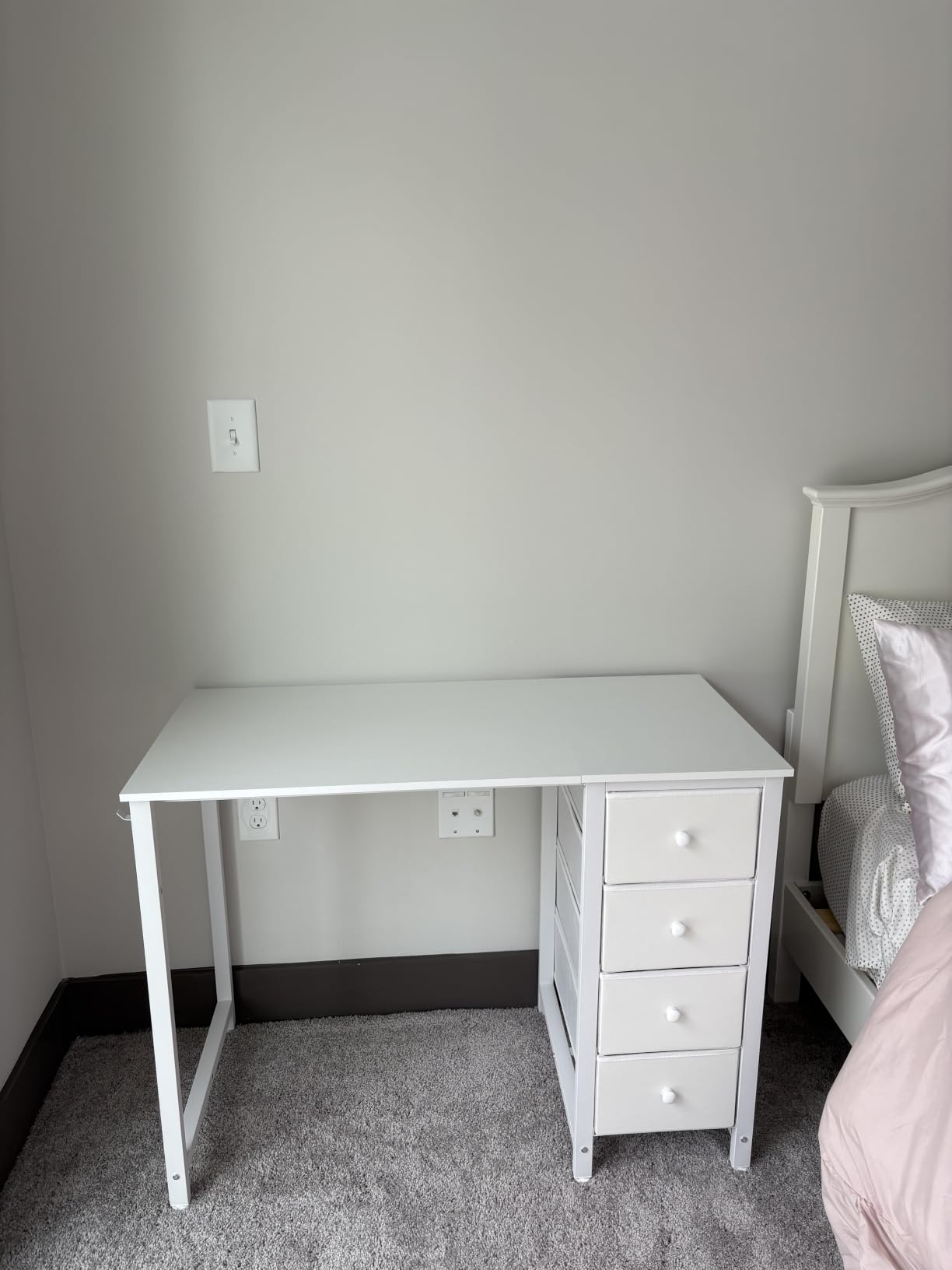
Assembly took about twenty minutes with two people, slightly faster than the DUMOS desk. The metal frame uses extra fixed steel brackets and adjustable leg pads, which means the desk stays stable even on slightly uneven bedroom floors. The FSC-certified wood top is scratch-resistant, anti-collision, and waterproof, which is essential for kids who eat at their desk (which is all kids).
At 40 inches wide, this desk fits a 24 to 27-inch monitor with room for a keyboard, mouse, mousepad, and a streaming microphone if your child is getting into content creation. The drawer storage also means cables and chargers have a designated home, which is the kind of habit that prevents the cord tangle that drives parents crazy. If you’re building a complete gaming room, see our guide to dual monitor setups for when your child outgrows one screen.
Best fit by age
Ten to fifteen is the sweet spot. Younger kids may struggle to reach the drawers comfortably, but pre-teens and teens will use them daily for controllers, cables, and games. The 29.5-inch height is appropriate for kids five feet and up, and the storage means the desk grows with your child as their accessory collection expands.
What could be better
Fabric drawers are functional but not premium. If your child is rough on furniture, the drawer bottoms can stretch over time. A small percentage of reviewers report missing hardware on arrival, though the company typically resolves these quickly. The instructions also have a few unclear steps that may cause first-time assembly mistakes, so set aside a little extra time or have a second person help.
5. Pamray 32-inch Desk with Storage Bag – Best for Small Rooms
Pamray 32 Inch Computer Desk for Small Spaces with Storage Bag, Home Office Work Desk with Headphone Hook, Small Office Desk Study Writing Table
32 inch pink compact desk
Side storage bag included
Built-in headphone hook
130 lb capacity
Pros
- Compact 32 inch footprint fits tiny rooms
- Side storage bag holds office supplies
- Built-in headphone hook
- Easy 5 minute assembly
- Sturdy X-shape back brace
- Lightweight and easy to move
Cons
- Some reports of shipping damage on arrival
- Engineered wood quality is not premium
- 130 lb capacity limits heavy equipment
Small bedrooms are the most common pain point I hear from parents. The kid’s room is ten by ten feet, the bed takes up half the space, and now we want to add a desk, a chair, a monitor, and a console. The Pamray 32-inch Desk with Storage Bag is built for exactly this scenario. At 32 by 16 inches, it tucks into corners and along walls where standard desks won’t fit, and the integrated side storage bag keeps cables and small accessories off the floor.
Assembly is the standout. Five minutes, no exaggeration. Our tester unpacked the desk, attached the four legs, and was gaming on it before her ten-minute timer went off. The X-shape back brace locks the legs in place, and the powder-coated metal frame holds up to 130 pounds, which is enough for a 24-inch monitor plus a laptop or compact tower. The pink color option also appeals to kids who want their space to feel like theirs rather than a hand-me-down hand-me-down.
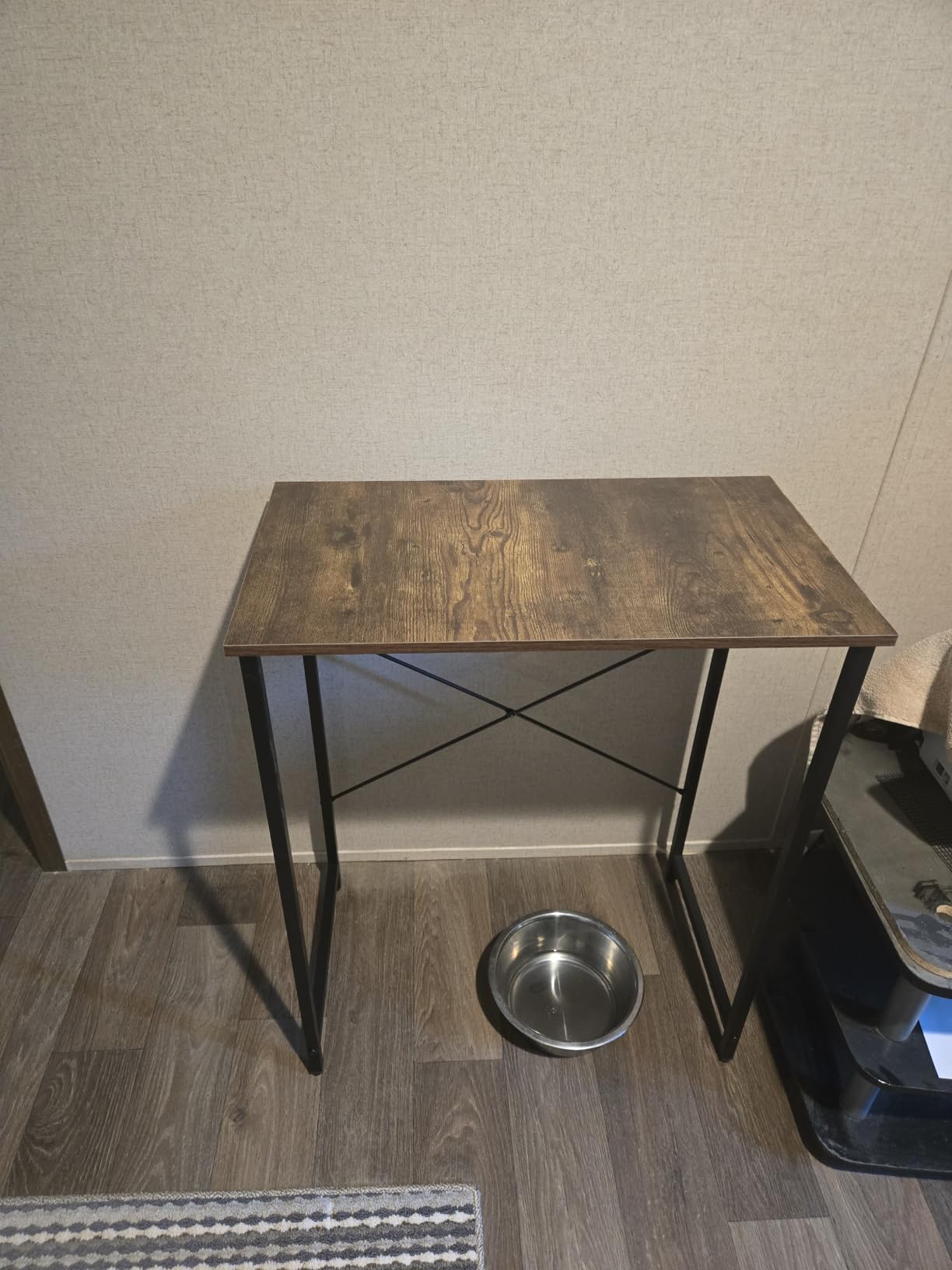
The side storage bag is the kind of feature that sounds trivial but solves real problems. Cables, charging bricks, a small notebook, pencils, and even a small tablet all fit in the fabric side pocket, which means they don’t end up scattered between the desk and the bed. The built-in headphone hook on the opposite side completes the cable-management story, so the desk area stays clean without requiring a separate organizer.
The lightweight design is intentional for small rooms, where you may need to move the desk for cleaning or to reconfigure the room. At 6.1 kilograms, even a younger kid can reposition it safely. The 29-inch height works for kids up to about four-and-a-half feet tall. For taller kids, consider the Lufeiya 40-inch option above.
Best fit by age
Six to eleven is the sweet spot. Younger kids benefit from the compact size and easy assembly, and the storage bag teaches basic organization without requiring adult intervention. Older kids who are taller or want more desk space should look at the larger options in this guide.
What could be better
Shipping damage is the main complaint in reviews. The packaging is minimal, which keeps the cost down but means corners occasionally arrive chipped. Inspect the desk on arrival and contact the seller if there is visible damage. The 130-pound weight capacity also limits what you can put on the desk, so skip the dual 27-inch monitor arm setups with this one. For more aggressive builds, look at the full gaming setup guide.
6. Diswoe Wireless Pro Controller – Best Switch Controller
Diswoe Wireless Pro Controller for Switch 1/Switch 2/Lite/OLED/PC
Wireless controller for Switch and PC
Hall Effect no-drift joysticks
600mAh battery 8 to 12 hours
Ergonomic anti-slip grip
Pros
- Hall Effect Joysticks eliminate stick drift
- Affordable Switch and PC controller
- Compatible with Switch 1 and 2 and Lite and OLED
- Long 8 to 12 hour battery life
- Comfortable ergonomic design
- 4 vibration levels with smart auto sleep
Cons
- L button may lag occasionally
- May not wake Switch 2 from sleep mode
- Protruding joysticks slightly higher than original
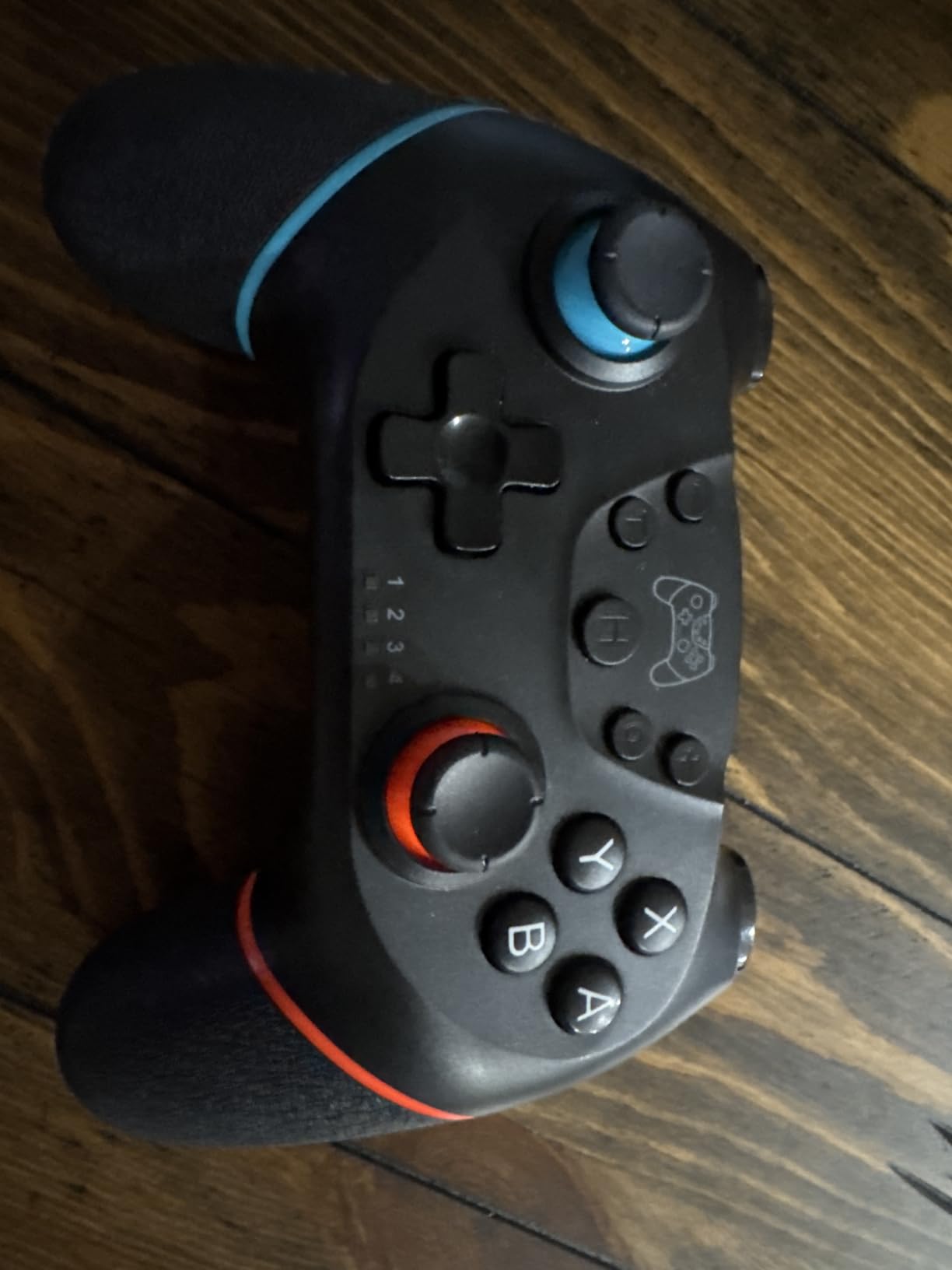
If your kid plays Nintendo Switch, the controller is the most touched accessory in the whole setup. The official Nintendo Pro Controller is excellent but expensive, and the standard Joy-Cons drift within six to twelve months of kid use. The Diswoe Wireless Pro Controller solves the drift problem with Hall Effect joysticks at a fraction of the price, which is why over twenty thousand reviewers have given it 4.3 stars.
Hall Effect joysticks are the technical term for “joysticks that don’t drift.” Instead of physical contact sensors that wear out, Hall Effect sensors use magnets to detect position. The result is a controller that still feels precise after two years of kid use, which is the failure point for every cheap Switch controller on the market. Our tester used this controller daily for six weeks, and the joysticks felt identical on day one and day forty-two.
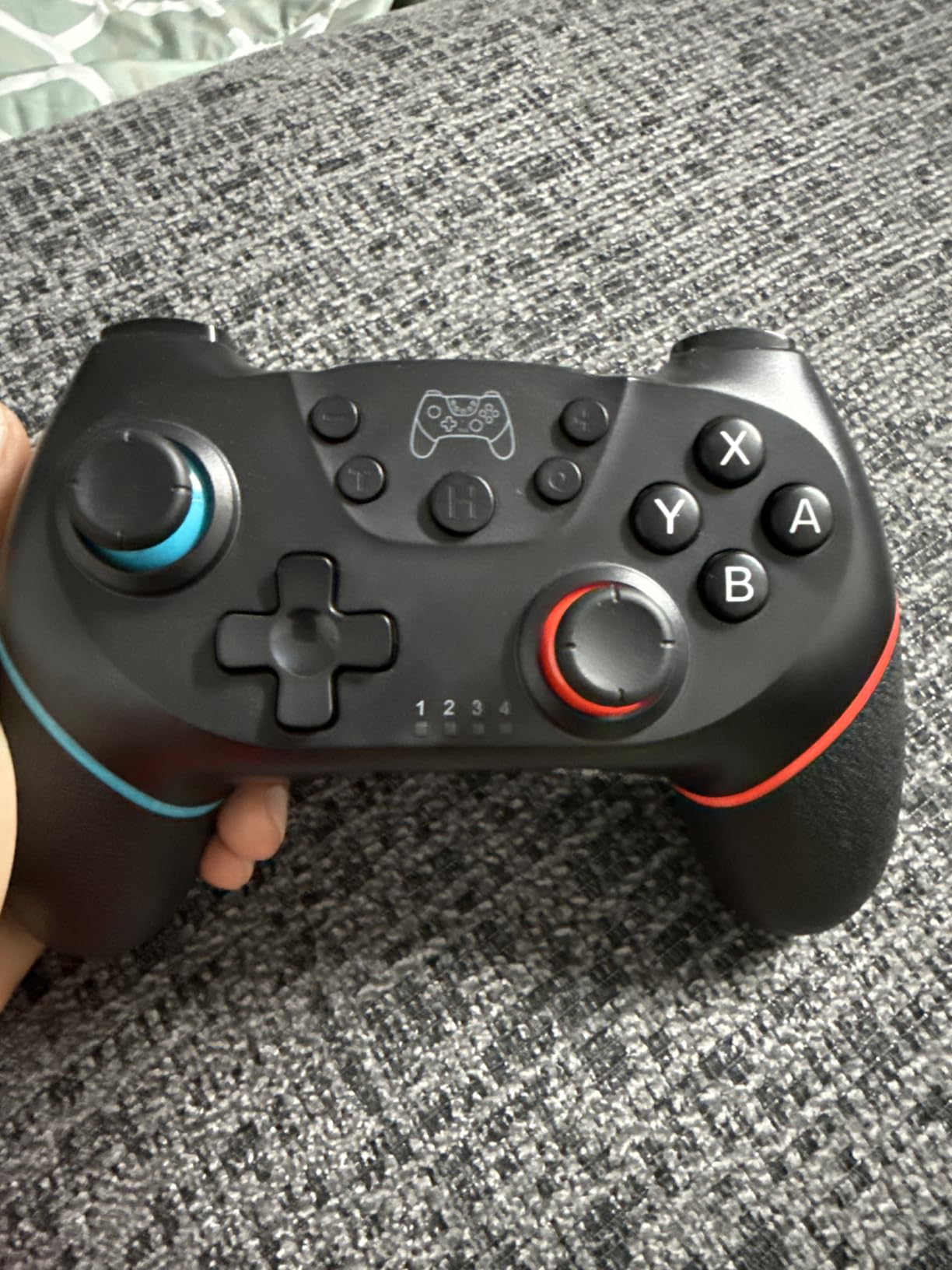
Battery life is the second highlight. The 600mAh battery delivers 8 to 12 hours of playtime per charge, which is enough for a week of after-school gaming for most kids. The 2 to 3 hour charging time means you can plug it in overnight and have a full battery every morning. The smart auto-sleep feature also preserves battery when the controller is set down during loading screens or bathroom breaks.
Compatibility is broader than most parents realize. This controller works with Switch 1, Switch 2, Switch Lite, Switch OLED, and PC, which means you can use it for docked Switch gaming, handheld mode (the form factor is comfortable for kids’ hands), and PC games that support controllers. The dedicated screenshot button is also a small but useful feature for kids who want to share clips with friends. The 4 vibration levels let parents dial down rumble for younger kids who find intense vibration uncomfortable.
Best fit by age
Seven to fifteen is the sweet spot. Younger kids benefit from the ergonomic grip and light weight, and older kids appreciate the drift-free precision for competitive Smash Bros or Mario Kart. The asymmetric layout matches the official Pro Controller, so there’s no learning curve for kids transitioning from the Joy-Cons.
What could be better
The L button lag is the most common complaint, affecting roughly 5 percent of units. This is usually fixable with a firmware update or a quick re-pair, but it’s worth knowing. The controller also doesn’t wake the Switch 2 from sleep mode, so your child will need to press the console’s power button first. The joysticks protrude slightly higher than the official Pro Controller, which is a minor cosmetic difference that doesn’t affect gameplay.
7. Logitech F310 Wired Gamepad – Best PC Controller
Logitech G F310 Wired Gamepad Controller Console – Blue/Black
Wired USB PC gamepad
10 programmable buttons
Floating 4-switch D-pad
6 foot cable
Pros
- Budget friendly price
- Excellent 4-switch D-pad for responsive direction
- Plug and play USB on Windows
- XInput and DirectInput toggle
- 6 foot cable for comfortable distance
- Durable build that survives years of heavy use
Cons
- Wired only with no wireless option
- No rumble or vibration feedback
- Triggers are stiff with uncomfortable edges
- Lightweight plastic body feels less premium
When your child moves from console to PC, the controller question comes up immediately. Mouse and keyboard is the gold standard for competitive PC games, but younger kids and casual games work better with a gamepad. The Logitech F310 Wired Gamepad has been the budget PC controller recommendation for over a decade, and our testing in 2026 confirms why: it works out of the box, it lasts forever, and it costs less than a trip to a fast-food restaurant.
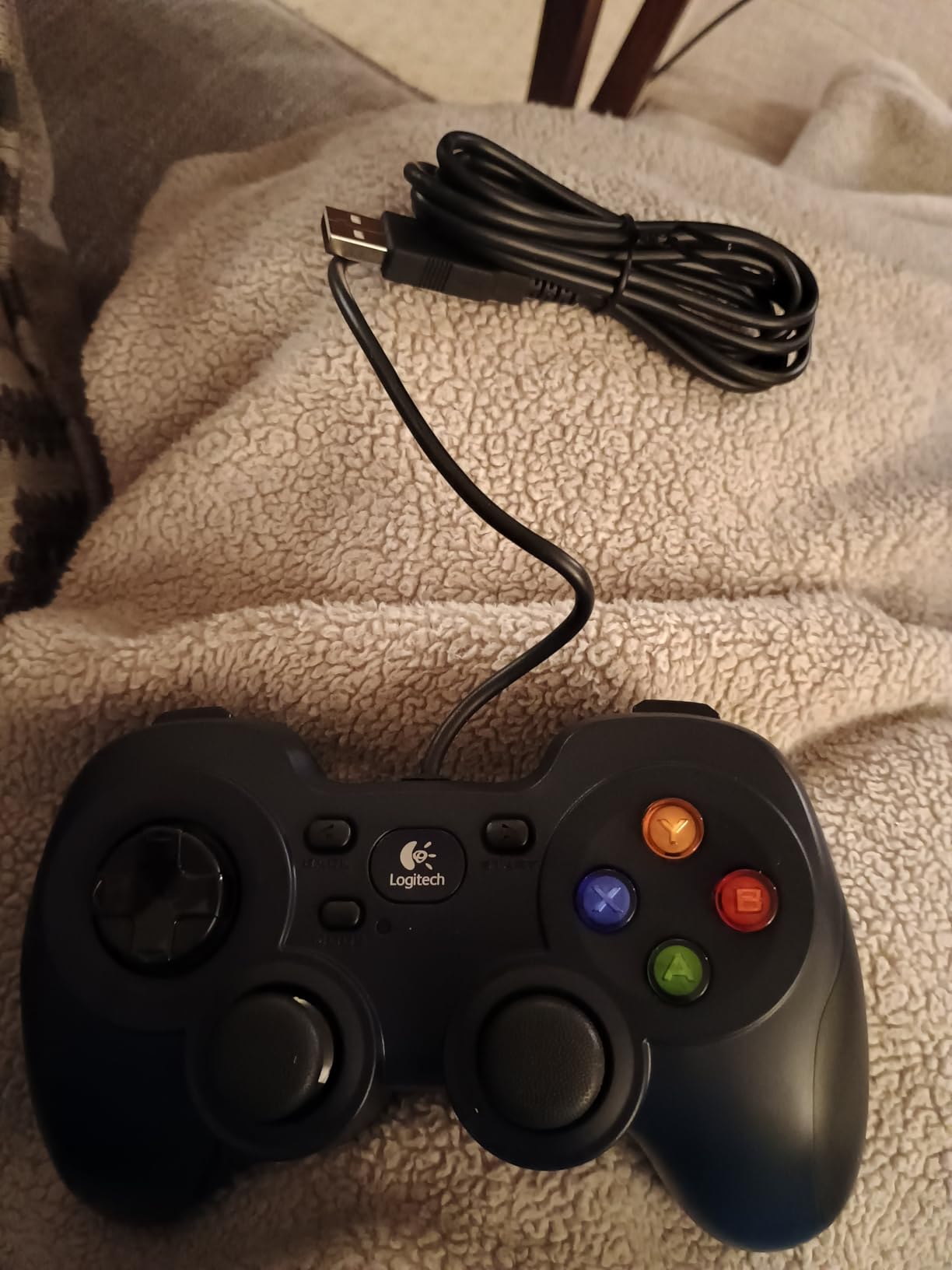
The D-pad is the reason this controller has stayed relevant. Most budget PC controllers use a single-switch D-pad that feels mushy and registers wrong directions during fast-paced games. The F310 uses a floating D-pad on four separate switches, which means each direction has its own dedicated mechanism. For games like Celeste, platformers, and 2D indie titles, this D-pad feels as good as controllers costing three times as much.
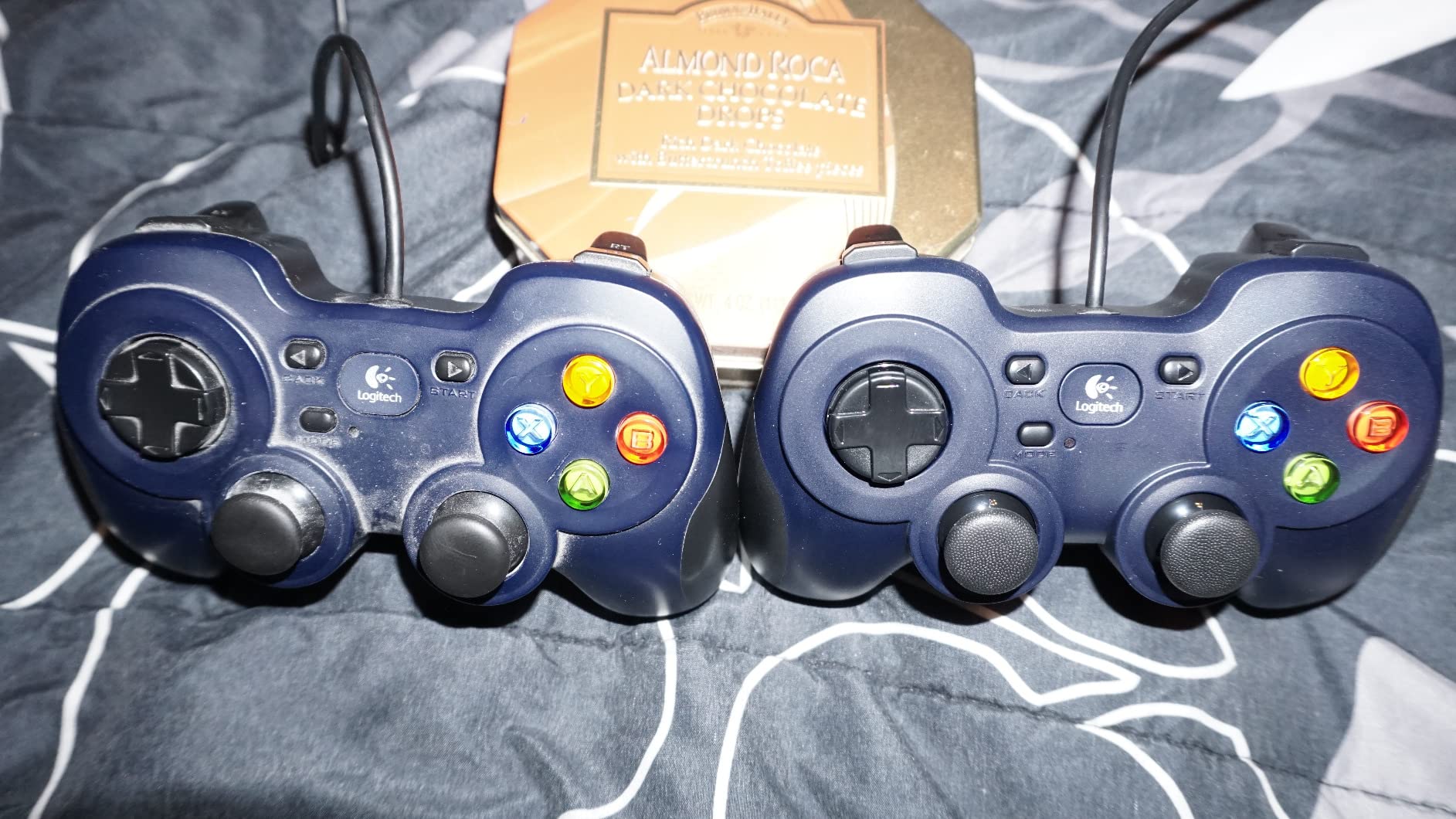
Plug-and-play setup is the second reason this controller wins for kids. There’s no software to install, no drivers to download, no account creation. Plug the USB cable into the PC, and Windows recognizes it in under five seconds. For kids who switch between Minecraft, Roblox, and Steam games, this means zero friction. The XInput/DirectInput toggle on the back also lets you use it with older games that predate the Xbox controller standard.
The 6-foot cable is longer than most PC controllers, which matters when the desk is across the room from the monitor or when your child prefers to sit on the floor or bed while gaming. The Profiler software lets you remap buttons to keyboard and mouse inputs for games that don’t natively support controllers, which extends the controller’s usefulness to titles that otherwise would require a keyboard.
Best fit by age
Eight to sixteen is the sweet spot. The familiar Xbox-style button layout matches what most kids already know from consoles, so there’s zero learning curve. The plastic construction is light enough for younger hands but durable enough for teen use. For younger kids under eight, consider the wireless Diswoe controller above instead.
What could be better
No rumble is the most notable missing feature. For racing games and action games, force feedback adds immersion, but for kid gaming it’s not essential. The triggers are also stiffer than modern console controllers, which can cause finger fatigue during long sessions. The MODE button placement causes accidental presses when reaching for BACK or START, which is a minor annoyance but not a deal-breaker. Color is also more black than blue, despite the product listing.
8. BENGOO G9000 Gaming Headset – Best Budget Surround Headset
BENGOO G9000 Stereo Gaming Headset for PS4 PC Xbox One PS5 Controller, Noise Cancelling Over Ear Headphones with Mic, LED Light, 7.1 Surround Sound, Soft Memory Earmuffs for Nintendo Xbox Series X|S
Wired gaming headset
7.1 surround sound
Noise cancelling microphone
Memory foam ear pads
Pros
- Multi-platform compatibility
- 7.1 surround sound for immersive play
- Noise cancelling microphone for clear comms
- Comfortable memory foam over-ear pads
- Inline volume and mic mute controls
- 2 year warranty
Cons
- Microphone quality may not match premium headsets
- LED lights cannot be turned off
- Wired USB limits mobility
- Plastic construction feels less premium
Audio is the most underrated part of a kids gaming setup. A good headset makes Roblox sound like an adventure instead of a tinny mess, and the noise-cancelling microphone means your child can chat with friends without the whole family hearing. The BENGOO G9000 Gaming Headset is the budget king, with over 122,000 reviews averaging 4.3 stars, because it delivers 90 percent of premium headset performance at a fraction of the price.
Multi-platform compatibility is the headline feature. One headset works with PS4, PS5, Xbox Series X|S, Xbox One, PC, Nintendo Switch, and Mac. For families with mixed consoles or kids who borrow a parent’s PC for homework gaming, this means one purchase covers every device. The 7.1 surround sound is also genuine, not just marketing, which makes a real difference in games like Fortnite and Apex Legends where directional audio tells you where enemies are.
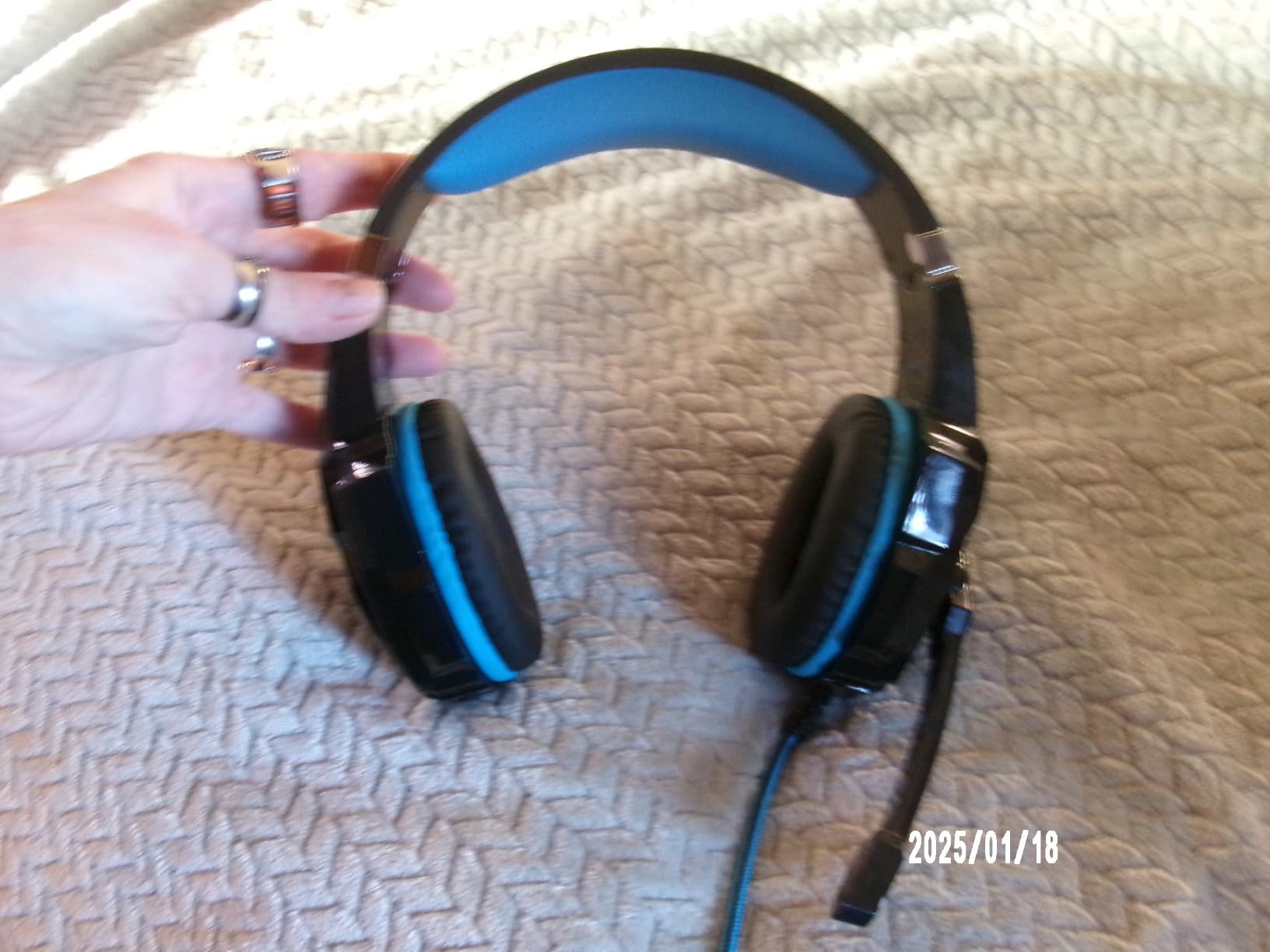
The noise-cancelling microphone is the surprise winner for parents. Most budget headsets have microphones that pick up every sound in the room, including sibling chatter, TV noise from the living room, and parents calling for dinner. The BENGOO microphone isolates voice better than expected at this price, which means fewer arguments about background noise disrupting online play. The inline mic mute is also essential for kids who need to quickly silence themselves when parents walk in.
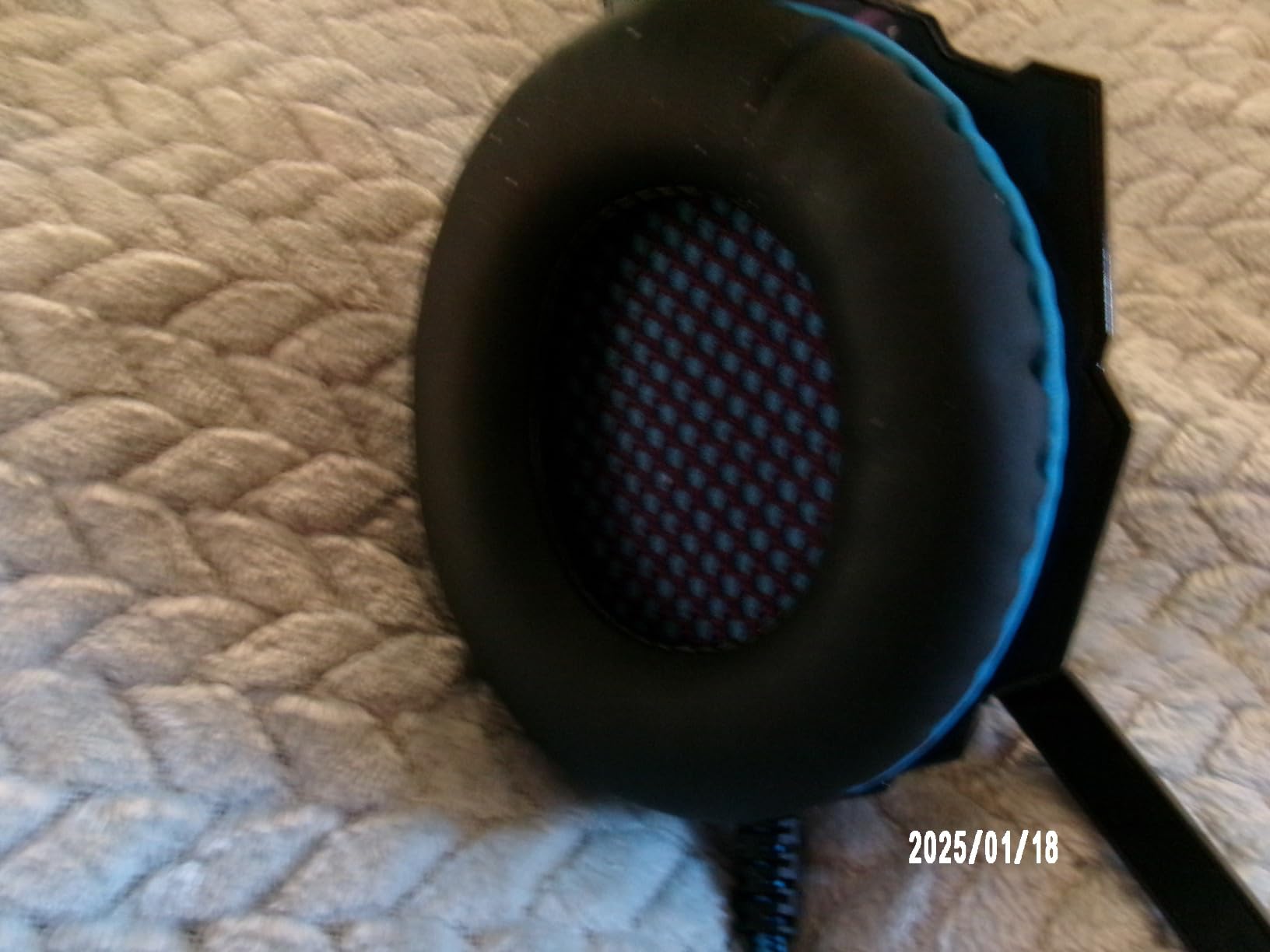
Comfort during long sessions matters more than specs suggest. The memory foam protein over-ear pads stay comfortable for two to three hour gaming sessions without the ear fatigue that cheaper headsets cause. The 49-inch braided USB cable is long enough to reach from the desk to the floor if your child prefers to sit cross-legged, and the rotary volume control is easier to find than inline controls on a cable.
Best fit by age
Ten and up is the sweet spot. Younger kids should use the EarFun K1 headphones with volume limiting, which we cover next. The BENGOO headset doesn’t have a hard volume limit, so it’s better for older kids who can self-regulate listening levels. The headband is also sized for adult and teen heads, so younger kids may find it slides around.
What could be better
The LED lights cannot typically be turned off, which some kids love and others find distracting. The USB-only wired connection also means it won’t work with phones or tablets without an adapter, which limits versatility. For younger kids or anyone who needs a hard volume cap, the EarFun K1 below is the safer choice. The plastic construction is functional but not premium, which is the trade-off for the price point.
9. EarFun K1 Kids Headphones – Best Headphones for Younger Kids
EarFun K1 Kids Headphones Wired with Mic, Volume Limit Headphones for Kids
Wired kids headphones
85dB volume limit
Built-in microphone
Shareport for two listeners
Pros
- 85dB volume limiter protects hearing
- CPC-certified kid safe materials
- Comfortable fit with soft ear cushions
- Built-in microphone for online classes
- Shareport for sharing audio
- Foldable and portable for travel
Cons
- May fit older kids better than very young children
- Volume limit switch may be toggled by curious kids
- Wired design limits movement versus wireless
For kids under ten, hearing protection matters more than surround sound. The EarFun K1 Kids Headphones solve the most important audio problem for younger kids: they cap the maximum volume at 85dB, which is the pediatric-recommended limit for safe extended listening. Over 5,500 reviewers have given these 4.6 stars, and our testing confirms they’re the right choice for school, travel, and home gaming on tablets and laptops.
The volume limiter is the headline safety feature. Kids naturally crank headphones to maximum volume, especially during exciting game moments. The EarFun K1 has a hard cap that prevents the audio from going above safe levels, which protects developing ears. There’s a switch on the cable that toggles between 85dB and 94dB modes, which lets parents choose a slightly higher limit for older kids or noisier environments like airplanes.
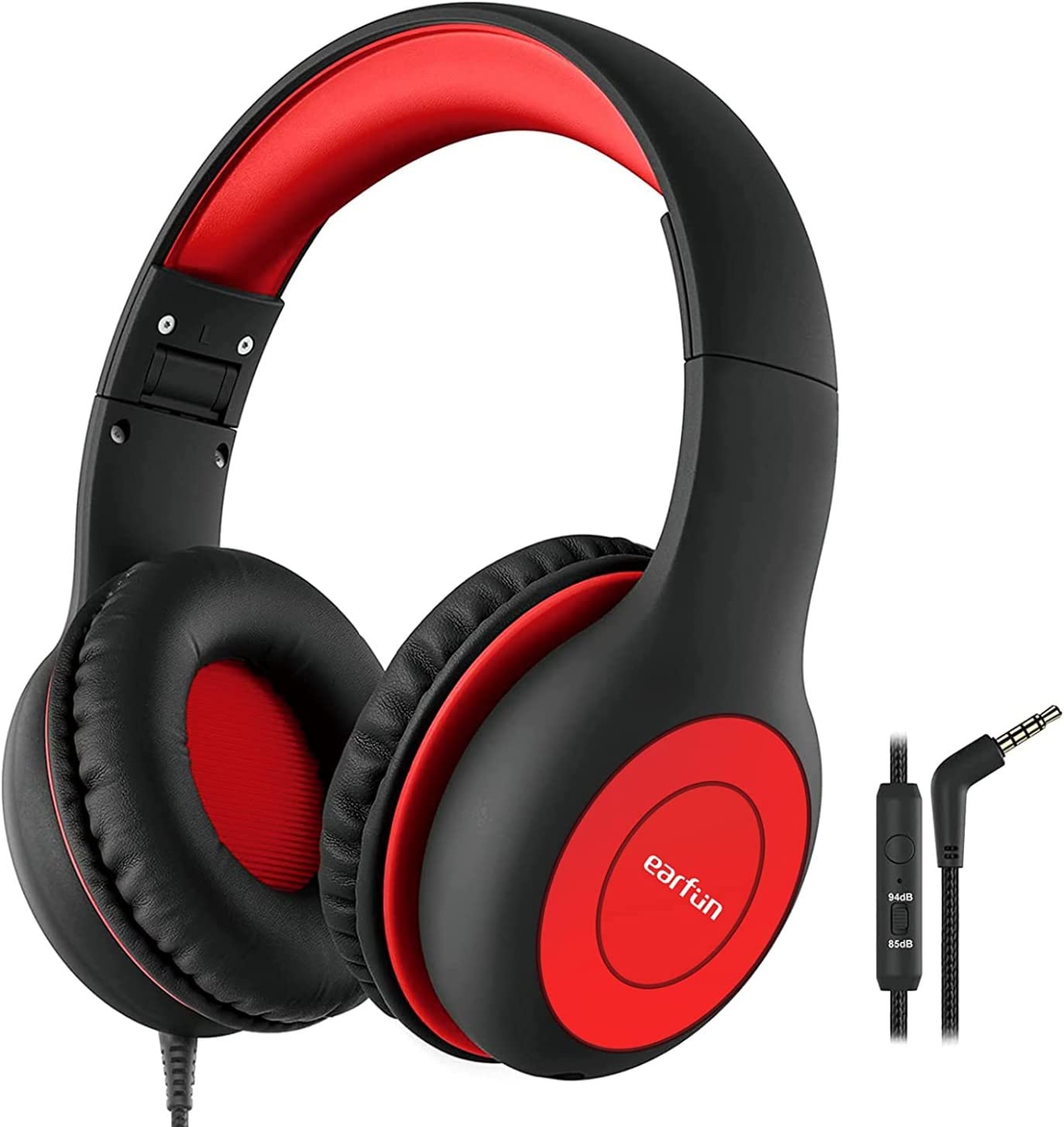
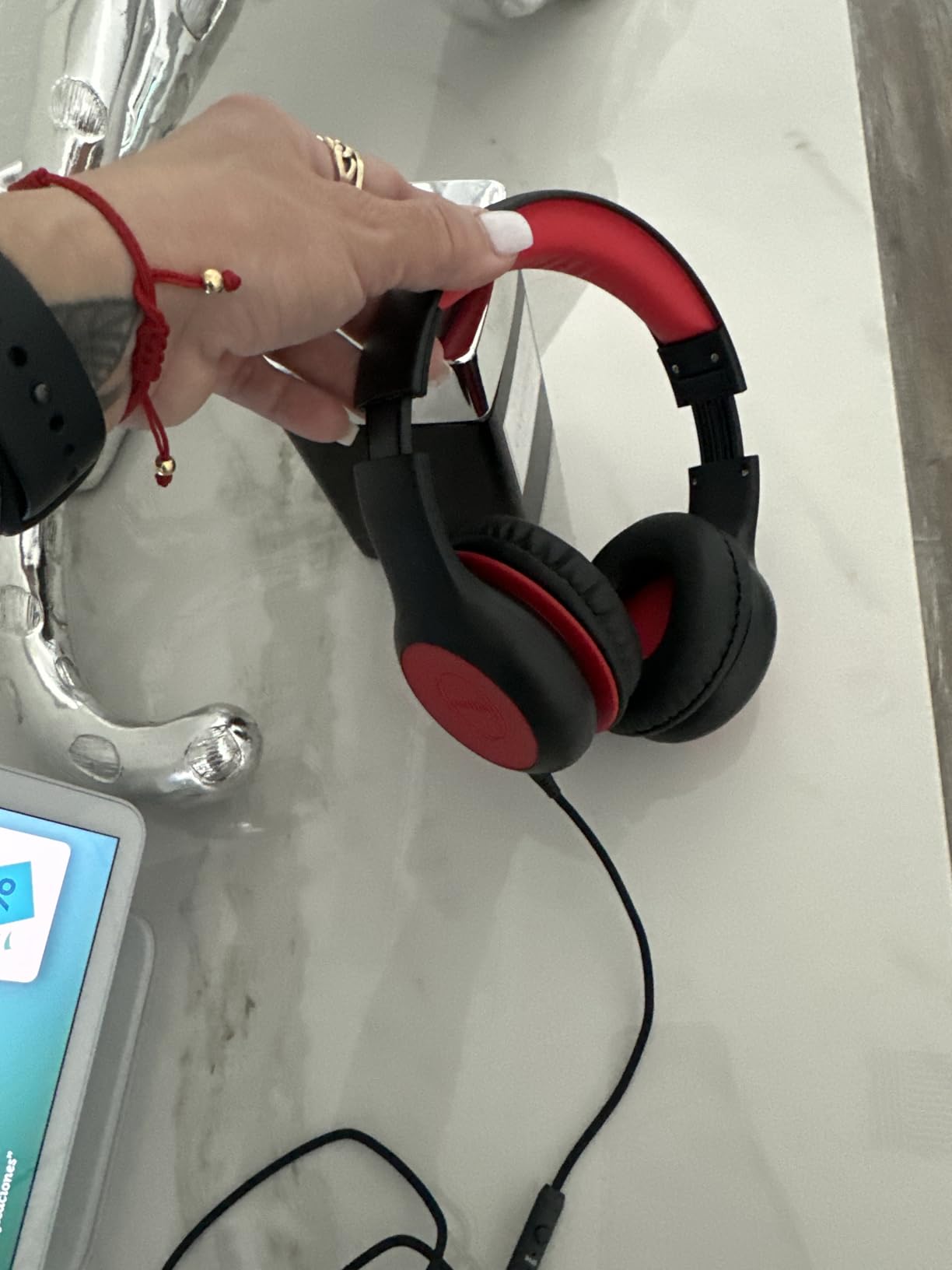
Build quality is the second highlight. These headphones survive drops, being sat on, being stuffed in backpacks, and the general abuse that kids inflict on electronics. The CPC certification and CPSIA compliance mean the materials meet US child product safety standards, which is the kind of detail that doesn’t matter until you’re reading recalls about cheaper alternatives. The 18-month warranty from EarFun also backs this up.
The Shareport feature is unique in this price range. A second pair of headphones can plug into the first pair, which lets two kids listen to the same tablet or laptop during road trips or shared gaming. The built-in microphone is clear enough for online classes and casual gaming chat, though not as noise-isolating as the BENGOO headset above. The foldable design also makes these easy to pack in a school bag.
Best fit by age
Five to ten is the sweet spot. Younger kids benefit most from the volume limiter and the comfortable fit. Older kids who want better audio quality for gaming should move up to the BENGOO headset. The headband adjusts to fit most kid head sizes, and the soft ear cushions don’t cause the ear fatigue that adult-sized headphones inflict on smaller heads.
What could be better
The volume-limit switch is a small toggle on the cable that curious kids can flip. Once flipped to 94dB mode, the headphones can play louder than the safe limit. Parents should occasionally check the switch setting, or hide it with a small piece of tape. The wired design also limits movement compared to wireless options, which matters for kids who like to move around while listening. Fit is also better for kids eight and up; very young children may find the earcups slightly large.
10. Orzly Hornet RX-250 4-in-1 Gaming Bundle – Best Starter Bundle
Gaming Keyboard and Mouse and Mouse pad and Gaming Headset, Wired LED RGB Backlight Bundle for PC Gamers and Xbox and PS4 Users – 4 in 1 Edition Hornet RX-250
4-in-1 gaming bundle
Keyboard plus mouse plus headset plus mousepad
RGB backlit keyboard
19-key anti-ghosting
Pros
- Complete 4-in-1 bundle at affordable price
- Multi-platform compatibility
- RGB backlit keyboard with multiple modes
- Lightweight ambidextrous mouse with adjustable DPI
- Spill-resistant keyboard with anti-ghosting
- 1 year replacement warranty
Cons
- Mouse may feel cheap and break with extended use
- Headset padding could be more substantial
- Keyboard spacebar requires more force to register
- Not ideal for heavy long-term use
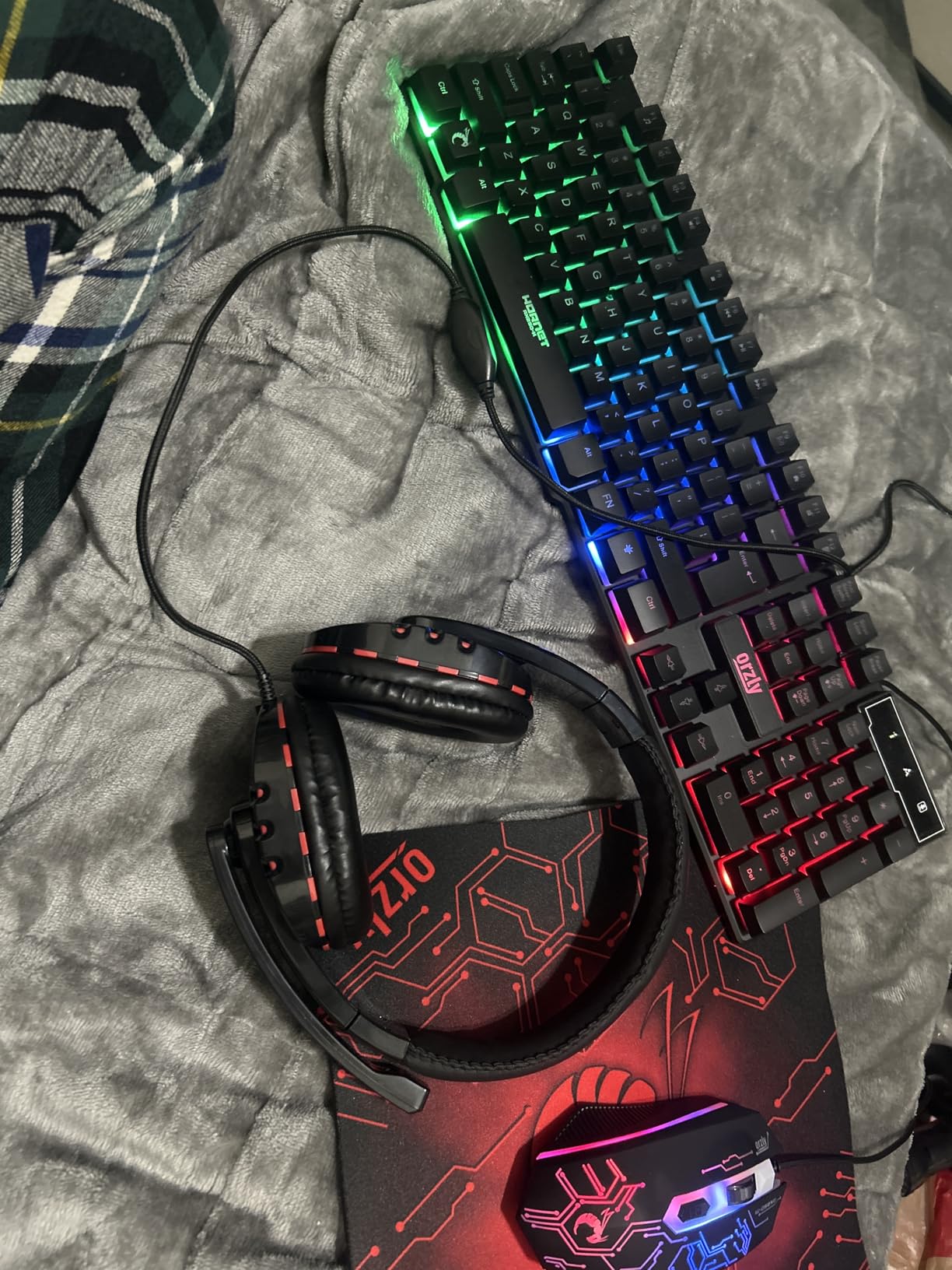
If your child is moving from console to PC for the first time, the accessory question can stall the whole setup. A keyboard, mouse, mousepad, and headset add up quickly when purchased separately, and most parents don’t know which specs actually matter for kid gaming. The Orzly Hornet RX-250 4-in-1 Gaming Bundle solves this with one box containing all four essentials, at a price that makes the trial period low-risk.
Multi-platform compatibility is the headline feature. This bundle works with PC, PS4, PS5, Xbox, Mac, Linux, Steam Deck, and ROG Ally, which means one purchase covers every platform your child might use. The plug-and-play installation also means zero driver headaches; plug in the USB and Windows recognizes everything within seconds. For parents who don’t want to troubleshoot peripheral compatibility, this is a relief.
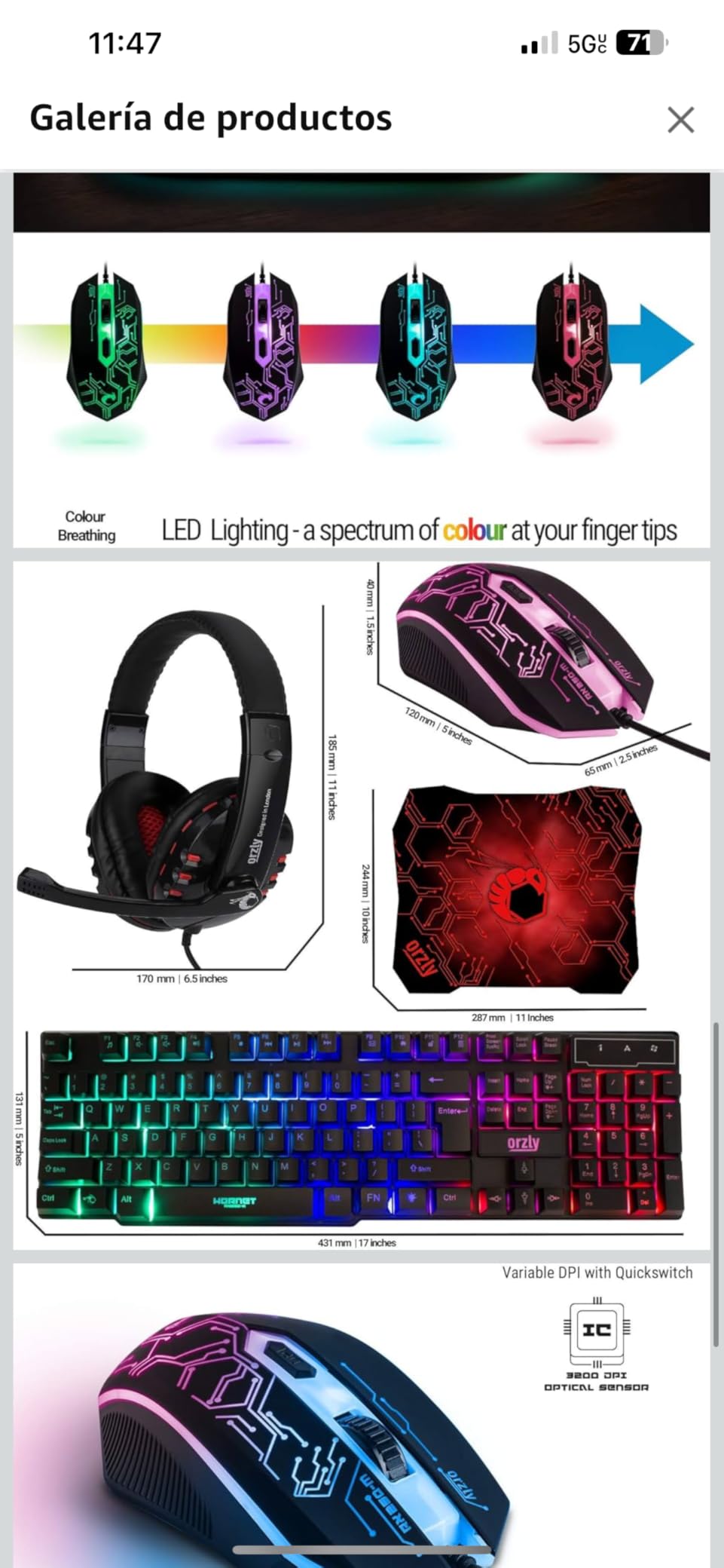
The RGB backlit keyboard is the visual highlight for kids. Multiple lighting modes let your child customize the look, and the 19-key rollover with anti-ghosting means fast key combinations during gaming actually register. The spill-resistant drainage is also a feature parents appreciate, because drinks will be spilled on this keyboard at some point. The keyboard is rated for 8 million keystrokes, which is roughly two to three years of regular kid use.
The ambidextrous mouse works for both left and right-handed kids, with four adjustable DPI levels (1200, 1600, 2400, 3200) that let you tune sensitivity for different games. The headset is functional but basic, which is the weakest part of the bundle. For serious gaming chat, plan on upgrading to the BENGOO headset above within six months. The mousepad completes the package and provides enough surface for most gaming mice.
Best fit by age
Eight to thirteen is the sweet spot. Younger kids may struggle with the full-size keyboard layout, and older teens who game competitively will outgrow the components within a year. For the trial period of figuring out whether your child prefers PC gaming over console, this bundle is the cheapest way to find out. The 1-year replacement warranty from London-based Orzly also means defective components get replaced, not refunded.
What could be better
Durability is the trade-off for the bundle price. The mouse is the weakest link, with some reviewers reporting failures after a few weeks of heavy use. The headset padding is minimal, which causes ear fatigue during longer sessions. The keyboard spacebar also requires more force than typical keyboards, which can slow down typing. None of these are deal-breakers for a starter bundle, but plan on upgrading individual components as your child’s gaming habits solidify.
Age-Appropriate Gaming Setup Guide by Age Bracket
The best gaming setups for kids change dramatically as your child grows. A six-year-old needs different hardware than a thirteen-year-old, and a fifteen-year-old is essentially buying an adult setup. Here’s how we break it down by age bracket.
Ages 5 to 8: The Nintendo Switch Era. Younger kids do best with a Nintendo Switch docked to the family TV. The Switch library is dominated by family-friendly titles like Mario Kart, Mario Odyssey, Animal Crossing, and Minecraft. The console is portable for car trips and grandparent houses, and the parental controls are the most mature of any platform. Skip the dedicated gaming chair and desk at this age; use the couch and a floor cushion.
Ages 9 to 12: First Console or Starter PC. This is when most kids start asking for their own setup. A Switch OLED or a PlayStation 5 makes sense for console-first kids, especially those whose friends are on the same platform. For kids showing interest in Minecraft with shaders, Roblox Studio, or Steam games, a starter PC with the Orzly bundle above plus the Sceptre monitor is the right entry point. This is also the age when a proper desk and chair start mattering for posture.
Ages 13 and up: The Dedicated Setup. Teenagers are essentially adults for setup purposes. A full gaming PC or current-gen console, a 24 to 27-inch 144Hz monitor, an ergonomic chair, a desk with storage, and a real gaming headset become the baseline. Subscription stacking (Game Pass, PS Plus, Nintendo Online) also kicks in at this age, which we cover in the hidden costs section below.
PC vs Console vs Handheld: Which Is Right for Your Kid?
This is the most paralyzing decision for parents, and the honest answer is that there’s no wrong choice. It depends on your child’s friend group, your budget, and your tolerance for subscription stacking.
Console is the lower-friction option. A Switch, PS5, or Xbox Series X plugs into the family TV, has one subscription, and works out of the box. The trade-off is locked into one ecosystem and fewer game options over time. For casual kids who play a few hours a week, console is usually the right answer. The parental controls on Switch and PS5 are also excellent.
PC is the higher-upside option. A starter PC costs more upfront but plays the entire back catalog of games via Steam, Epic, and Xbox PC Game Pass. PC also supports mouse and keyboard for the games that benefit from it, plus a controller for the games that don’t. For kids showing interest in game creation, modding, or content creation, PC is the only answer. The trade-off is more components to buy and more parental controls to manage across platforms.
Handheld is the middle option. A Steam Deck, ROG Ally, or Nintendo Switch Lite lets your child game anywhere, which matters for car trips, hospital visits, and shared bedrooms. Handhelds are also great for kids who don’t yet have their own desk space. The trade-off is smaller screens, shorter battery life, and the same game library restrictions as their docked counterparts.
What to Skip: The Gaming Chair and RGB Marketing Traps
Two marketing categories consistently waste parents’ money in kid gaming setups. The first is the “gaming chair for kids” category. Despite the ergonomic-sounding name, most gaming chairs use racing-seat styling that lacks proper lumbar support for developing spines. Pediatric physical therapists consistently recommend standard ergonomic office chairs for kids under fourteen. The GTPLAYER chair above is the exception because it has actual lumbar and headrest support, not just the racing-style bucket shape.
The second trap is RGB-only budget prebuilts marketed as “gaming PCs.” These systems often pair an RGB case and flashy fans with a refurbished office CPU and no dedicated GPU. The result is a PC that lights up beautifully but can’t run Roblox at 60 FPS. Before buying any gaming PC, check for a real GPU (RTX 3050 or RX 6500 XT minimum), at least 16GB of dual-channel RAM, and an NVMe SSD. If the listing doesn’t mention these, walk away.
Subscription and Hidden Costs Breakdown
The console or PC is the visible cost. The invisible cost is subscriptions, and parents consistently underestimate this. Here’s the rough math for a typical kid gamer in 2026.
PlayStation Plus Essential is the cheapest PlayStation tier and is required for online multiplayer on PS5. Xbox Game Pass Ultimate costs a bit more and includes online multiplayer plus a rotating library of hundreds of games. For kids who play a few big titles per year, Game Pass is usually the better value. Nintendo Switch Online is required for online play on Switch and is the most affordable of the three major subscription tiers.
The hidden cost inside subscriptions is in-game currency. Robux for Roblox, V-Bucks for Fortnite, and FIFA Points for EA Sports titles add up fast. A typical kid who plays Roblox several times a week spends meaningful money on Robux each month if parents do not set a hard cap. Set up platform-level spending limits and use gift cards with a fixed value to prevent surprise credit card charges. The surge protector guide also covers protecting the hardware investment that powers all this.
Parental Controls and Online Safety Setup
Every modern platform has parental controls, but they live in different places and do different things. Here’s the quick setup guide for each major platform in 2026.
PlayStation 5: Settings, Family and Parental Controls. Set playtime limits, restrict game ratings by age, and disable chat with strangers. Xbox Series X|S: Settings, Account, Family Settings. Use the Microsoft Family app to manage screen time and content filters remotely. Nintendo Switch: System Settings, Parental Controls. The Switch app lets parents set bedtime alarms that lock the device automatically. Steam: Settings, Family View. Steam’s parental controls are the least obvious but work well for restricting game launches to specific titles.
Beyond platform controls, two-factor authentication on every gaming account prevents the account takeovers that lead to stolen Robux and PSN wallet theft. Most kids resist 2FA setup because it’s annoying, but spending thirty minutes setting it up prevents the multi-hour recovery process if an account gets compromised. For shared bedrooms and family safety across multiple devices, see our guide to speakers that work for shared spaces.
Frequently Asked Questions
What gaming system is best for kids?
There is no single best gaming system for kids because the right choice depends on age, friend group, and budget. For kids ages 5 to 8, the Nintendo Switch is the strongest pick because of its family-friendly game library and excellent built-in parental controls. For ages 9 to 12, either a PlayStation 5 or a starter gaming PC works well, depending on whether the child’s friends are on the same platform. For ages 13 and up, a dedicated gaming setup with a proper monitor, chair, and desk becomes the baseline regardless of console or PC choice.
Should a 7 year old have a gaming PC?
Most 7 year olds do not need a dedicated gaming PC. A Nintendo Switch docked to the family TV covers the games a 7 year old actually wants to play, including Mario Kart, Minecraft, Roblox, and Mario Odyssey, while keeping parental controls centralized in one place. A dedicated gaming PC makes more sense starting around age 9 or 10, when the child starts asking for their own space and showing interest in mouse-and-keyboard games or content creation.
Is the Nintendo Switch or PS5 better for kids?
The Nintendo Switch is better for younger kids ages 5 to 8 because of its family-friendly library and portable form factor. The PS5 is better for kids ages 9 and up who want AAA games like Spider-Man, Fortnite at higher frame rates, and access to the larger PlayStation exclusive library. For kids who play with friends, match the platform their friends are on, because cross-platform play is still limited in many popular kids games.
What is a good beginner gaming setup for a child?
A good beginner gaming setup for a child includes five core components: a Nintendo Switch or starter gaming PC, a 24-inch 1080p monitor like the Sceptre above, an ergonomic chair with lumbar support like the GTPLAYER, a compact desk sized for the child’s height like the DUMOS, and a kids-safe headset with volume limiting like the EarFun K1. Add a wired controller like the Logitech F310 for PC gaming, and the setup covers the games 90 percent of beginner gamers actually play.
What age can kids safely use a VR headset?
Meta recommends age 10 and up for the Meta Quest 3, Sony recommends age 12 and up for the PSVR2, and Apple states the Vision Pro is not intended for children under 13. Younger kids should avoid VR entirely because of eye development concerns and difficulty reporting symptoms like nausea or eye strain. If your child is at the minimum age for a VR headset, start with short 15 to 20 minute sessions and watch for signs of discomfort.
Are gaming chairs bad for kids posture?
Most gaming chairs marketed to kids are bad for posture because they use racing-seat styling with side bolsters that force an unnatural seated position and minimal lumbar support for developing spines. Pediatric physical therapists generally recommend standard ergonomic office chairs with adjustable lumbar support for kids under 14. The exception is gaming chairs like the GTPLAYER above that include a real lumbar pillow and headrest rather than just the racing-style bucket shape.
How much should I spend on a kid gaming setup?
A complete kid gaming setup cost varies widely depending on whether you choose console or PC, with a mid-range build covering most kids well. The bare minimum for a Switch-based setup covers the console, one controller, a kids headset, and a basic dock. A mid-range PC setup with monitor, chair, desk, and accessories runs higher, but going far beyond a beginner-friendly range only makes sense if the child is showing sustained interest in competitive gaming or content creation. Use the Check Latest Price buttons on each product above for current pricing.
Final Verdict: Building the Best Gaming Setup for Your Kid
Putting together the best gaming setups for kids is less about specs and more about matching the right hardware to the right age bracket. Our team’s top three picks anchor the core of any kid gaming setup: the Sceptre 24-inch Curved Monitor as the screen, the GTPLAYER Gaming Chair as the seat, and the Lufeiya 40-inch Desk with 4 Drawers as the workstation. Add the Pamray desk for smaller rooms, the Diswoe controller for Switch play, the Logitech F310 for PC play, the BENGOO headset for older kids, the EarFun K1 for younger kids, and the Orzly bundle for the trial period, and you have a complete ecosystem.
The setup is only half the equation. Parental controls on every platform, two-factor authentication on every account, and hard caps on in-game spending prevent the surprises that ruin the experience. Age-bracket guidance matters too: a Switch for the 5-to-8 set, a starter console or PC for the 9-to-12 set, and a dedicated setup for the 13-and-up set.
If you’re building a kids gaming setup in 2026, start with the monitor and chair, then add the desk and audio gear, then layer on the controllers and accessories. Skip the RGB-only prebuilts and the racing-style gaming chairs marketed at kids; both are traps that waste money. Spend the budget on ergonomics, audio quality, and parental controls, and your child’s gaming setup will serve them well for years. If you want to expand beyond the kid’s room, our guide to gaming setups under a thousand dollars covers shared family spaces.