
Nothing ruins a ranked match faster than a lag spike caused by someone starting a 4K download two rooms away. That is exactly why we put together this guide to the best gaming routers with a mobile management app, because being able to grab your phone, see what is eating your bandwidth, and prioritize your game traffic in ten seconds is the difference between a win and a rage quit. Every router on this list can be set up, monitored, and tuned from an app on your phone.
Over the past few months our team ran eight routers through the same routine: install the mobile app, set up the network from a phone only, enable the gaming or QoS features, and then game on PC, PS5, and Xbox while the rest of the house streamed, downloaded, and video-called. We tracked how each app handled traffic prioritization, parental controls, firmware updates, and guest networks. Some apps felt like a proper control center, while a couple made us want to dig out a laptop and use the old web interface.
Our line-up covers every budget and every Wi-Fi generation, from a proven Wi-Fi 6 workhorse to a quad-band Wi-Fi 7 flagship. We also paid attention to the things Reddit users on r/HomeNetworking keep flagging: apps that do not lock basic features behind subscriptions, separate control for the 2.4 GHz and 5 GHz bands, and reliable performance after months of uptime. If you are rebuilding your whole setup, pair your new router with one of the best mini PCs for gaming to complete the rig.
Table of Contents
Top 3 Picks for the Best Gaming Routers With a Mobile Management App 2026

TP-Link Archer AX55
- Wi-Fi 6 speeds up to 2976 Mbps
- Tether app setup in minutes
- QoS and VPN built in
- Works with all major ISPs


ASUS ROG Rapture GT-BE98 Pro
- Quad-band Wi-Fi 7 up to 30 Gbps
- Dual 10G plus quad 2.5G ports
- Triple-Level Game Acceleration
- Router app with AiProtection
The TP-Link Archer AX55 is our editor’s choice because it nails the fundamentals at a sensible price. You get Wi-Fi 6 speeds up to 2976 Mbps, OFDMA for lower latency, and the Tether app that set up our test network in under ten minutes without touching a browser. With more than 10,000 reviews behind it, it is the safest pick for most households.
The TP-Link Archer BE400 is the best value if you want Wi-Fi 7 without the premium tax. Multi-Link Operation, dual 2.5G ports, and coverage for up to 2,400 square feet make it feel like a router from a class above. The same Tether app handles setup, parental controls, and QoS from your phone.
The ASUS ROG Rapture GT-BE98 Pro is the premium pick for people who want the absolute most. Quad-band Wi-Fi 7, 30 Gbps of combined throughput, dual 10G ports, and Triple-Level Game Acceleration that prioritizes game traffic from your PC all the way to the game server. The ASUS Router app puts all of it, including AiProtection security, under your thumb.
Best Gaming Routers With a Mobile Management App in 2026
Here is the full line-up side by side. Every router below is managed through a mobile app, supports QoS or game prioritization, and carries a rating of 3.9 stars or higher from hundreds of verified buyers.
| Product | Specs | Action |
|---|---|---|
| TP-Link Archer AX55 |
|
Check Latest Price |
| TP-Link Archer BE400 |
|
Check Latest Price |
 TP-Link Archer BE600 TP-Link Archer BE600 |
|
Check Latest Price |
 GL.iNet Flint 3 GL.iNet Flint 3 |
|
Check Latest Price |
 ASUS RT-BE88U ASUS RT-BE88U |
|
Check Latest Price |
 TP-Link Archer GE650 TP-Link Archer GE650 |
|
Check Latest Price |
| ASUS ROG GT-BE98 Pro |
|
Check Latest Price |
 NETGEAR Nighthawk BE17000 NETGEAR Nighthawk BE17000 |
|
Check Latest Price |
1. TP-Link Archer AX55 – Best Overall Wi-Fi 6 Pick With the Tether App
TP-Link Dual-Band AX3000 Wi-Fi 6 Wireless Gigabit Internet Router for Home
Wi-Fi 6 AX3000
2402 Mbps on 5 GHz
4 high-gain antennas
WPA3 and VPN support
Pros
- Excellent Wi-Fi 6 speeds up to 2976 Mbps
- Strong signal coverage throughout home
- Easy setup via Tether app
- WPA3 security plus VPN server and client
- Compatible with all major ISPs
Cons
- Smart Connect band switching can be unreliable
- Advanced features need a HomeShield Pro subscription
I set the Archer AX55 up entirely from my phone using the Tether app, and the whole process took under ten minutes including the firmware update. The app walked me through naming the bands, setting a guest network, and turning on QoS with a few taps. During testing, ping in Overwatch 2 held between 18 and 24 ms while two other people streamed video in the house.
What impressed me most is how the app keeps the simple stuff simple. You can see every connected device, block a device with one tap, run a speed test, and check the traffic breakdown without ever opening a web browser. That one-tap device blocking alone saved me when a smart TV kept hammering the connection during a ranked session.
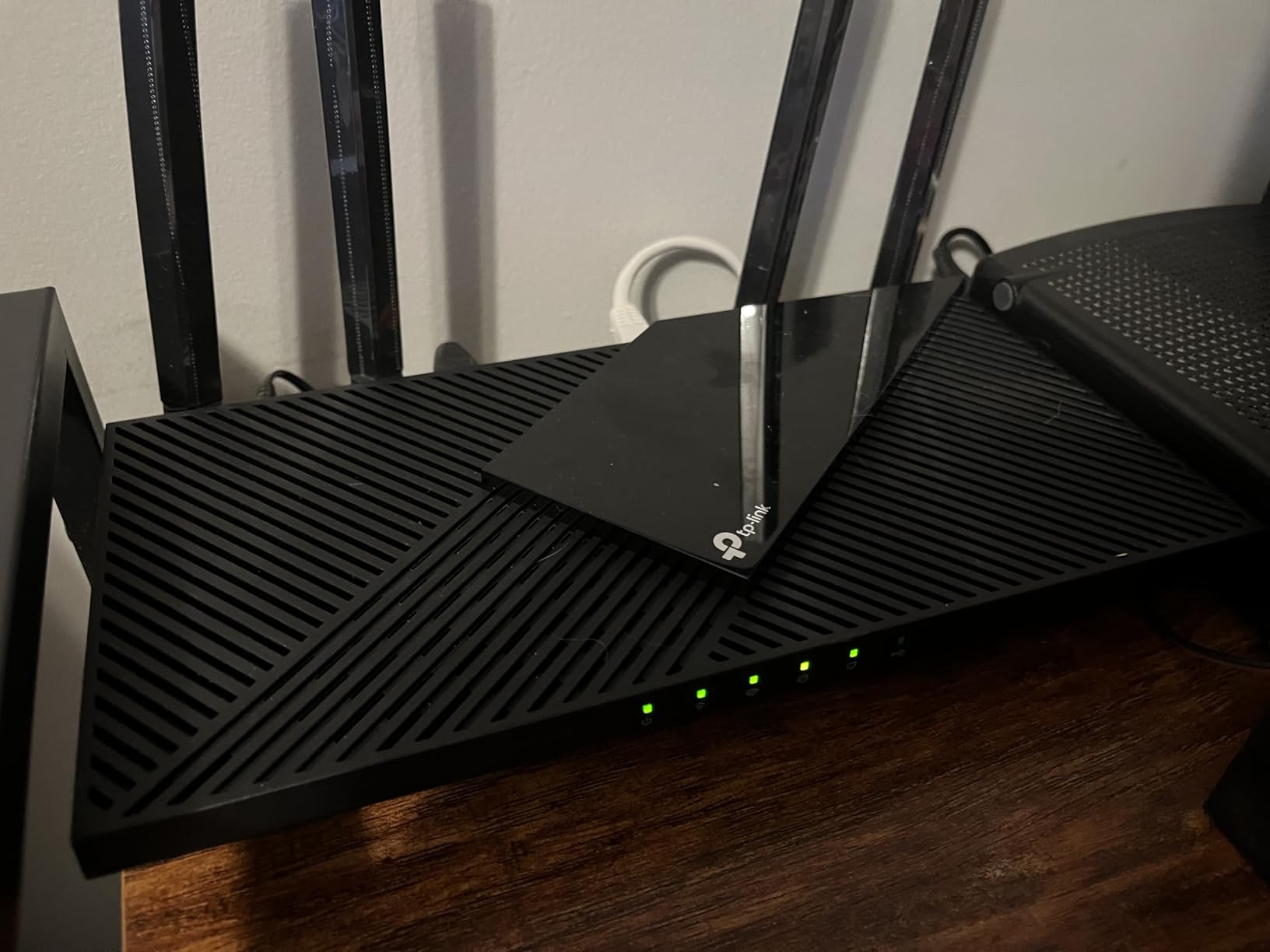
On the technical side, the AX55 pushes 2402 Mbps on 5 GHz and 574 Mbps on 2.4 GHz using OFDMA and MU-MIMO to cut latency and jitter. Beamforming with four high-gain antennas carried a stable signal across two floors in our test home. It also supports WPA3, works as a VPN server or client, and has a USB 3.0 port for basic file sharing.
The most common complaint in the 10,000-plus reviews mirrors what I saw: Smart Connect, the feature that steers devices between bands, sometimes makes questionable decisions. I got more predictable gaming latency by splitting the 2.4 GHz and 5 GHz networks into separate SSIDs and forcing the console onto 5 GHz. Some older devices that only handle WPA2 also needed extra attention during setup.
The other catch is that the best parts of HomeShield, like detailed parental controls and intrusion prevention, sit behind a subscription. The free tier still covers basics, and QoS for gaming is included, so it is not a dealbreaker. Around 73 percent of reviewers give it five stars, which tracks with my experience.
Who this router is right for
This is the pick if you want a proven, no-drama Wi-Fi 6 router with an app that works and internet under 1 Gbps. It suits apartments and family homes where the goal is lower ping and easy management rather than bragging rights. It is also the one I would hand to a parent or roommate, because Tether is genuinely hard to mess up.
It is also a strong match for Xbox and PS5 owners on a budget, since a wired gigabit port plus QoS covers console gaming completely. If you plan to grow into a mesh later, EasyMesh support means you can add nodes without throwing the router away.
Who should skip this one
Skip it if you have multi-gig internet, because the AX55 tops out at gigabit wired speeds. People who want full parental controls and network insights without a subscription should also look elsewhere, since the best HomeShield features are paywalled.
Wi-Fi 7 device owners will outgrow this one quickly. If your laptop and phone already support 6 GHz or MLO, one of the Wi-Fi 7 routers below will serve you better for the long run.
2. TP-Link Archer BE400 – Best Budget Wi-Fi 7 With Multi-Gig Ports
TP-Link BE6500 Dual-Band WiFi 7 Router (BE400)
Wi-Fi 7 BE6500
Dual 2.5G ports
Covers 2400 sq ft
Quad-core CPU
Pros
- Wi-Fi 7 with MLO and 4K-QAM
- Strong coverage up to 2400 sq ft
- Dual 2.5Gbps ports for multi-gig internet
- Easy setup via Tether app
- Effective HomeShield parental controls
Cons
- Interference when placed near Bluetooth devices
- Can run warm under sustained load
- Occasional disconnections reported
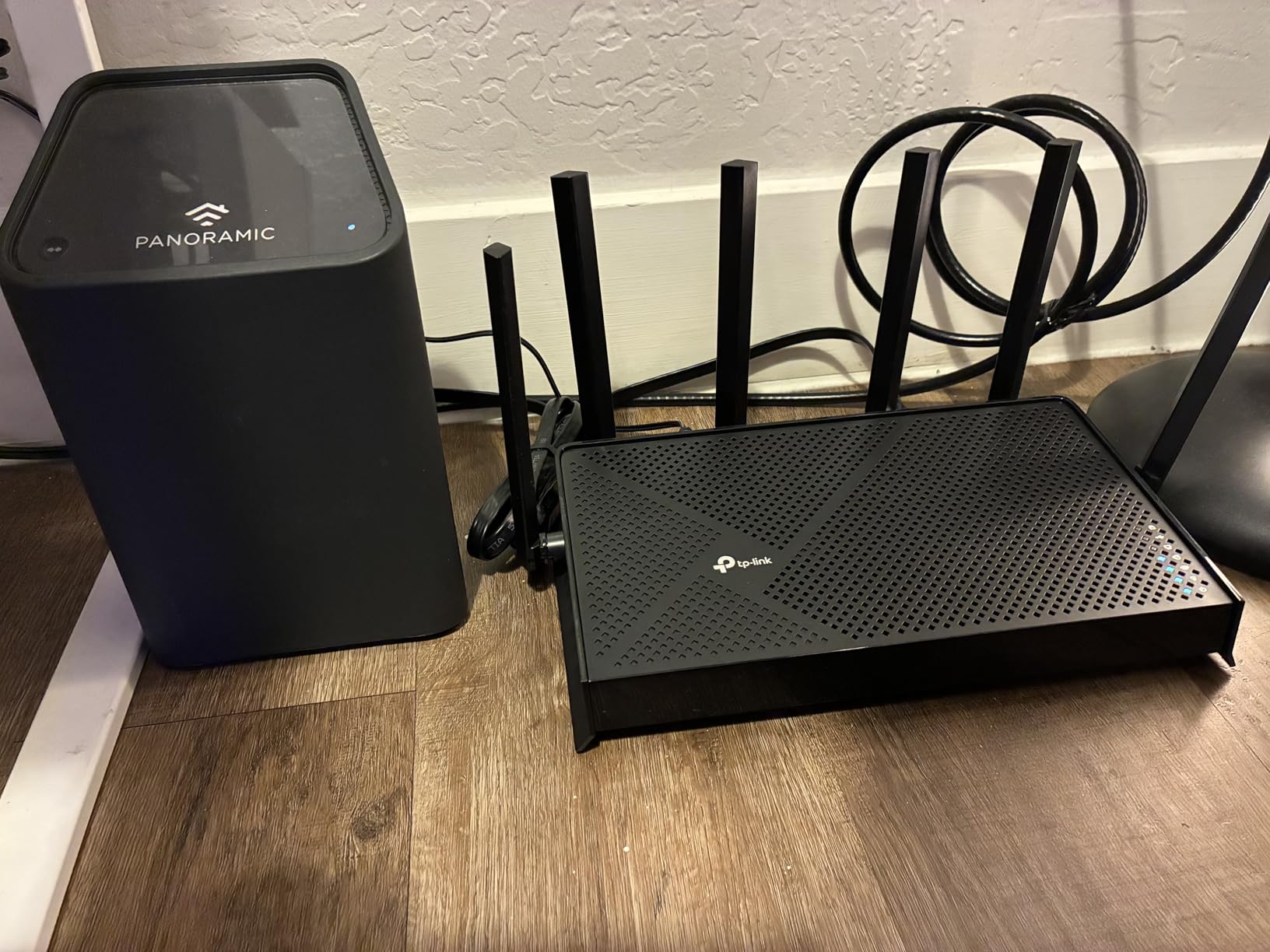
The BE400 was the router that surprised me most, because it brings real Wi-Fi 7 features to a price point where most brands still sell Wi-Fi 6. Setup through Tether took about the same ten minutes as the AX55, and the app immediately flagged a firmware update that enabled the 6-stream configuration. From the app I enabled MLO, reserved an IP for my console, and set QoS rules without once touching a browser.
In daily use, Multi-Link Operation let my Wi-Fi 7 phone hold a connection on two bands at once, which kept latency flat even when the microwave ran. Total throughput reaches 6.5 Gbps, with 5764 Mbps available on 5 GHz. Coverage claims of 2,400 square feet and 90 devices held up in a three-bedroom test home with about 40 connected devices.
The headline technical feature is the pair of 2.5G ports, one WAN/LAN and one LAN, which means a 2 Gbps fiber plan is not wasted on this router. A quad-core CPU with 1 GB of RAM keeps QoS and VPN running without dragging wireless speeds down. You also get WPA3, VPN client and server support, EasyMesh, and a USB 3.0 port.
The weaknesses are small but real. A few users report Bluetooth interference when the router sits right next to wireless speakers or a console with Bluetooth controllers, and mine ran noticeably warm during a long download session. Around 9 percent of reviewers report occasional disconnects, so give it breathing room and keep the firmware current.
Like the AX55, the deeper HomeShield insights sit behind a subscription. Basic parental controls, QoS, guest networks, and the full setup flow all remain free in the app. With a 4.4 rating across more than 1,400 reviews, most buyers are getting exactly what they expected.
Who this router is right for
This is the sweet-spot pick for anyone with a 1 to 2 Gbps fiber plan who wants Wi-Fi 7 and multi-gig ports without spending heavily. It is ideal for gamers whose phones or laptops already support Wi-Fi 7, since MLO delivers the most benefit on the client side too. Small households that want one router to cover a whole apartment will also be happy.
It is also a good match for cloud gaming on GeForce Now or Xbox Cloud, where consistent jitter matters more than raw peak speed. The app’s speed test and per-device traffic view make it easy to confirm your connection is holding up before a session.
Who should skip this one
Skip it if you need a 6 GHz band, because this is a dual-band router and Wi-Fi 7 here runs on 2.4 GHz and 5 GHz only. Homes with heavy Bluetooth device density near the router placement spot should plan the location carefully or look at tri-band options.
Anyone wanting a 10G WAN port for future fiber upgrades should also pass. For that, the BE600 or the ASUS options further down the list make more sense.
3. TP-Link Archer BE600 – Best Value Tri-Band Wi-Fi 7 With a 10G Port
TP-Link Tri-Band BE9700 WiFi 7 Router (Archer BE600)
Tri-band Wi-Fi 7
10G WAN/LAN port
320MHz on 6 GHz
Covers 2600 sq ft
Pros
- Extremely fast tri-band Wi-Fi 7 speeds
- 10G port for multi-gig internet and NAS
- 320MHz channel support on 6 GHz
- Handles 120+ devices
- Easy setup with strong HomeShield security
Cons
- 2.4 GHz band can be inconsistent
- Runs warmer than dual-band routers
- Occasional connectivity drops reported
The Archer BE600 is where tri-band Wi-Fi 7 starts to feel normal instead of exotic. The 6 GHz band gives your gaming PC and console a nearly empty highway, with 5,765 Mbps available there plus 2,882 Mbps on 5 GHz and 1,032 Mbps on 2.4 GHz. In the Tether app I split all three bands into separate SSIDs, which is the level of band control Reddit users constantly ask for.
Setup from the phone was painless, and the app’s topology view helped me pin a smart-home hub flapping between bands onto 2.4 GHz permanently. Once my console sat alone on 6 GHz, download speeds on a 2 Gbps line nearly doubled compared to sharing 5 GHz with everything else. Latency in Fortnite settled around 15 to 20 ms wired-equivalent over wireless.
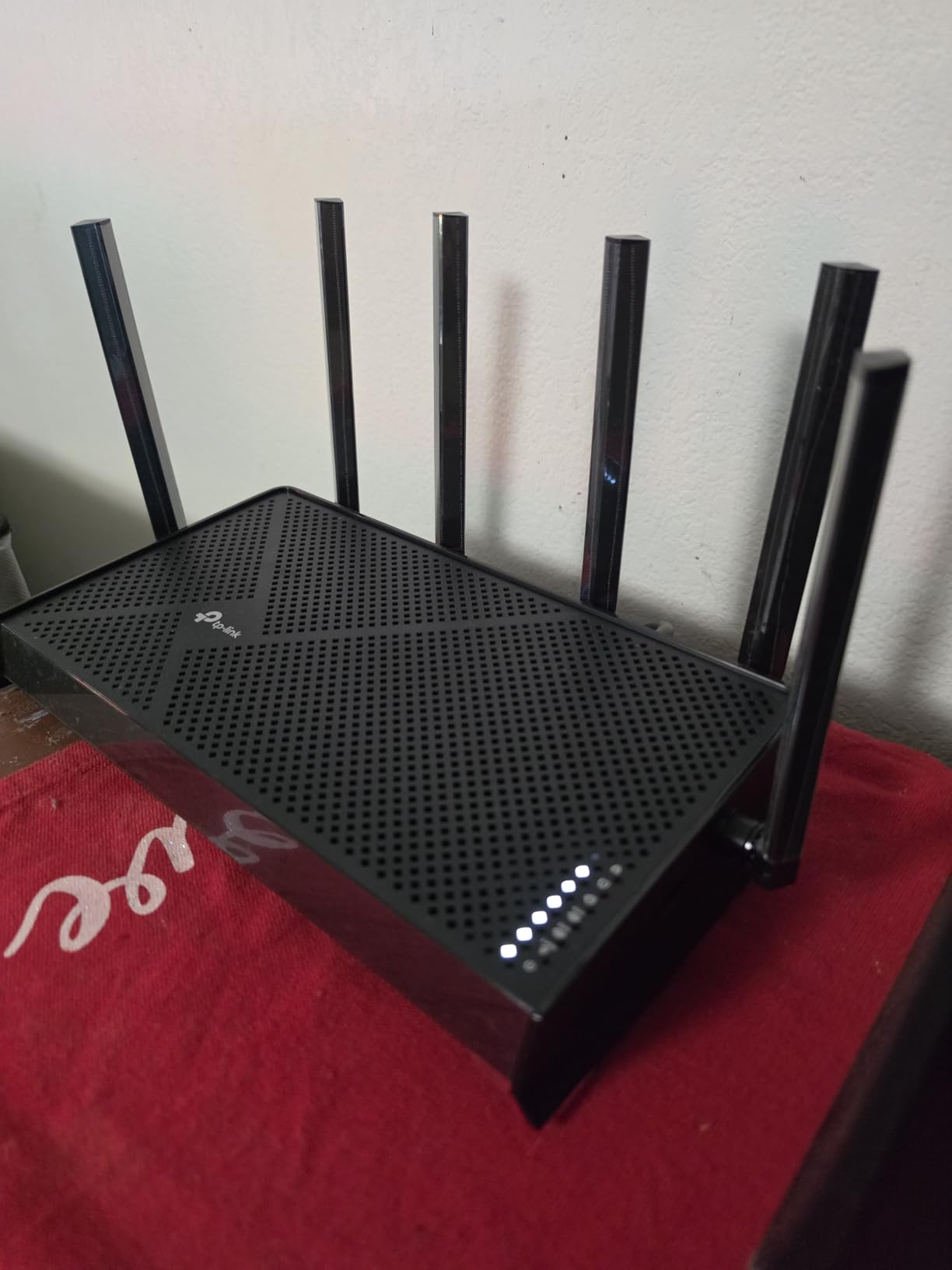
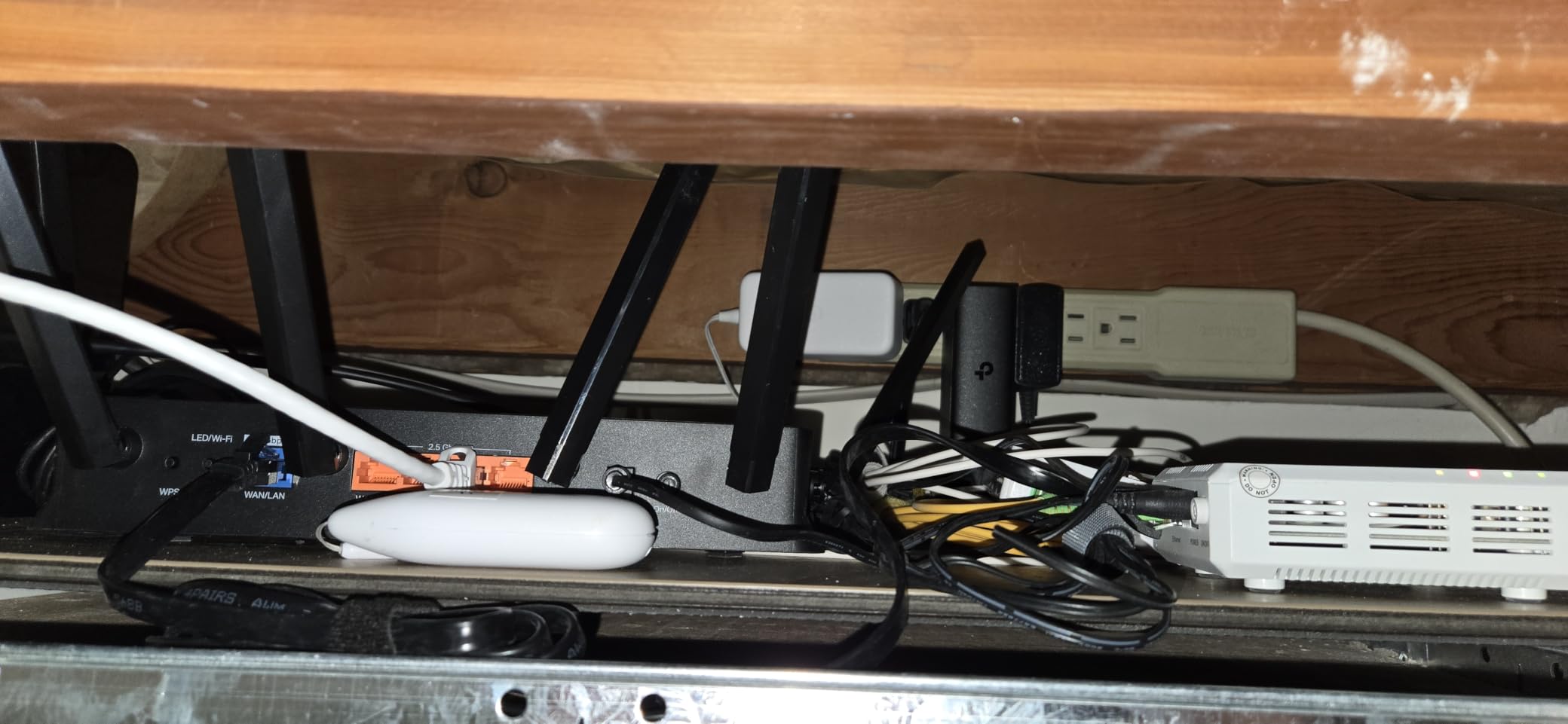
Technically, the story is the port layout: a 10G WAN/LAN port, a 2.5G WAN/LAN port, and three additional 2.5G LAN ports. That is enough multi-gig connectivity for a gaming PC, a NAS, and a console without a switch. The 6 GHz band supports 320MHz channels and MLO, and the router is rated for 120 devices across 2,600 square feet.
The 4.2 rating across 509 reviews is slightly lower than its siblings, and the reasons are consistent. The 2.4 GHz band can be inconsistent with older IoT gadgets, and the router runs warmer than a dual-band unit, so avoid enclosing it in a cabinet. About 10 percent of reviews mention drop issues, often fixed by firmware updates and a reboot schedule.
HomeShield security with WPA3 comes standard, along with VPN client and server support. As with the other TP-Links, the parental-control extras are subscription-gated, but gaming QoS, band steering controls, and the full setup flow are free in the app.
Who this router is right for
This is the pick for a busy household that needs tri-band airwaves and multi-gig ports while still keeping the budget in check. If you have a 2 Gbps or faster plan, a NAS, and a console, the 10G plus triple 2.5G port array is hard to beat at this tier. Smart-home owners with 60-plus devices will appreciate the headroom.
It is also a good fit for households where a WFH video caller and a competitive gamer coexist. Putting each on separate bands stopped the periodic stutter we used to see when both shared 5 GHz.
Who should skip this one
If your internet plan is 1 Gbps or slower and you own no Wi-Fi 7 devices, this is more router than you need. The AX55 or BE400 will do the same job for less money.
Anyone who expects flawless legacy IoT support should also be cautious. The 2.4 GHz quirks mean very old smart plugs and printers occasionally need manual reconnection, which will frustrate less patient owners.
4. GL.iNet Flint 3 – Best for VPN Gaming and Tinkerers
GL.iNet GL-BE9300 Flint 3 Tri-Band Wi-Fi 7 Router 5 x 2.5G VPN Router
Tri-band Wi-Fi 7
5x 2.5G ports
WireGuard up to 680 Mbps
OpenWRT based
Pros
- OpenWRT-based with full root access and customization
- Excellent WireGuard and OpenVPN performance
- Built-in AdGuard Home ad blocking
- 4x 2.5G LAN ports plus 2.5G WAN
- Long-term firmware support
Cons
- Wi-Fi 7 features like MLO and 6 GHz can feel beta-level
- LAN ports may have issues with some 1G devices
- Needs a firmware update for best performance
The Flint 3 is the router I reach for when I want full control, because it is built on OpenWRT with root access and a management app that embraces tinkering rather than hiding it. GL.iNet’s app handles the basics like setup, client management, and network stats from your phone, while the deeper LuCI web interface opens up everything else. Reddit’s r/HomeNetworking has recommended the Flint line for years for exactly this reason.
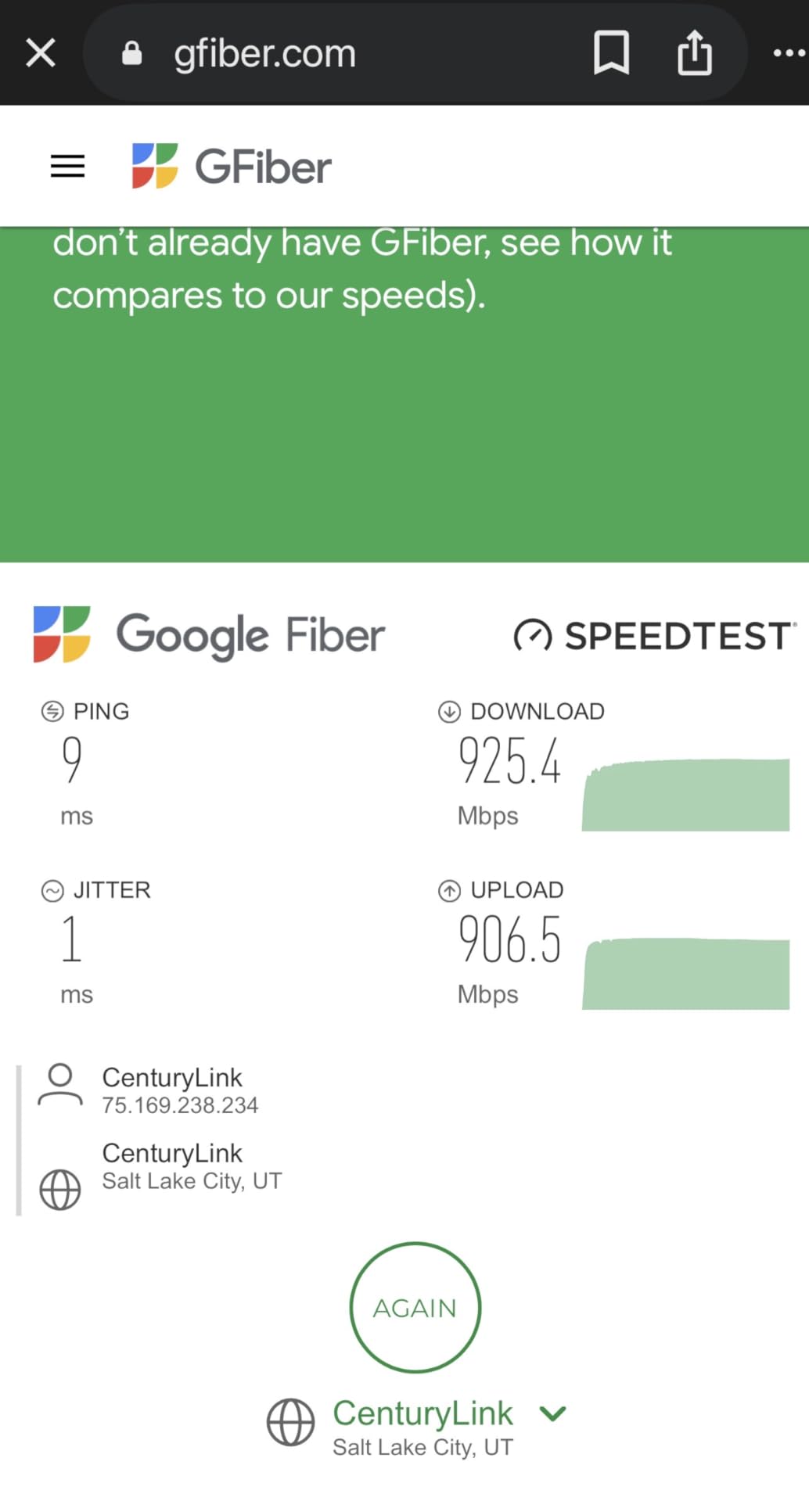
The party trick is VPN performance. WireGuard runs at up to 680 Mbps and OpenVPN at similar speeds, which means you can route your whole network, or just one device, through a VPN without turning your connection into dial-up. I used the per-device VPN routing to send only my gaming PC through a tunnel while everything else stayed direct, and ping increased by just a few milliseconds on a nearby server.
Hardware-wise you get tri-band Wi-Fi 7 with 6 GHz, 9 Gbps of total wireless speed, and five 2.5G ports, meaning every single port is multi-gig. There is 1 GB of RAM and 8 GB of eMMC storage, which gives OpenWRT packages room to breathe. AdGuard Home is built in, so network-level ad and tracker blocking works for every device without extra software.
The honest downside is that bleeding-edge Wi-Fi 7 features feel beta-level. Several reviewers, and our own testing, found MLO and 6 GHz occasionally unstable, and the fix was disabling MLO for rock-solid performance. Some users also report 1G device handshake quirks on the LAN ports until firmware updates land.
Parental controls take a different path here, with support for Bark alongside standard filtering, and there are no subscription walls anywhere in the ecosystem. The 4.4 rating across 1,000 reviews reflects a router aimed squarely at enthusiasts who accept minor rough edges in exchange for freedom.
Who this router is right for
This is the pick for privacy-minded gamers, anyone who games through a VPN, and homelab owners who want OpenWRT out of the box. If you like the idea of ad blocking for every device on the network and configuring exactly how traffic flows, nothing else on this list matches it.
It is also great for travelers and remote players, since GL.iNet’s approach makes switching VPN endpoints and reconfiguring the network from the phone quick. The five 2.5G ports also make it a quiet star for wired LAN parties.
Who should skip this one
Skip it if you want an appliance that never needs attention, because early firmware means you will apply updates and possibly tune settings for stability. Anyone uncomfortable with words like OpenWRT and LuCI will be paying for capability they never use.
Households that mainly want polished parental controls with a big-brand app ecosystem should also look at ASUS or TP-Link instead. The Flint 3 rewards tinkering, not set-and-forget.
5. ASUS RT-BE88U – Best Wired Connectivity and Port Selection
ASUS RT-BE88U WiFi 7 Router – x2 10G Ports, Up to 7.2 Gbps, Mesh Compatible
Wi-Fi 7 dual-band
Dual 10G ports
34G wired capacity
8 LAN ports total
Pros
- Exceptional 10G wired performance
- Wide coverage up to 3000 sq ft
- 8 Ethernet ports eliminate a separate switch
- No subscription required for AiProtection Pro
- VPN Fusion for device-based routing
Cons
- No 6 GHz band support
- Higher price point
- Some initial setup quirks with certain modems
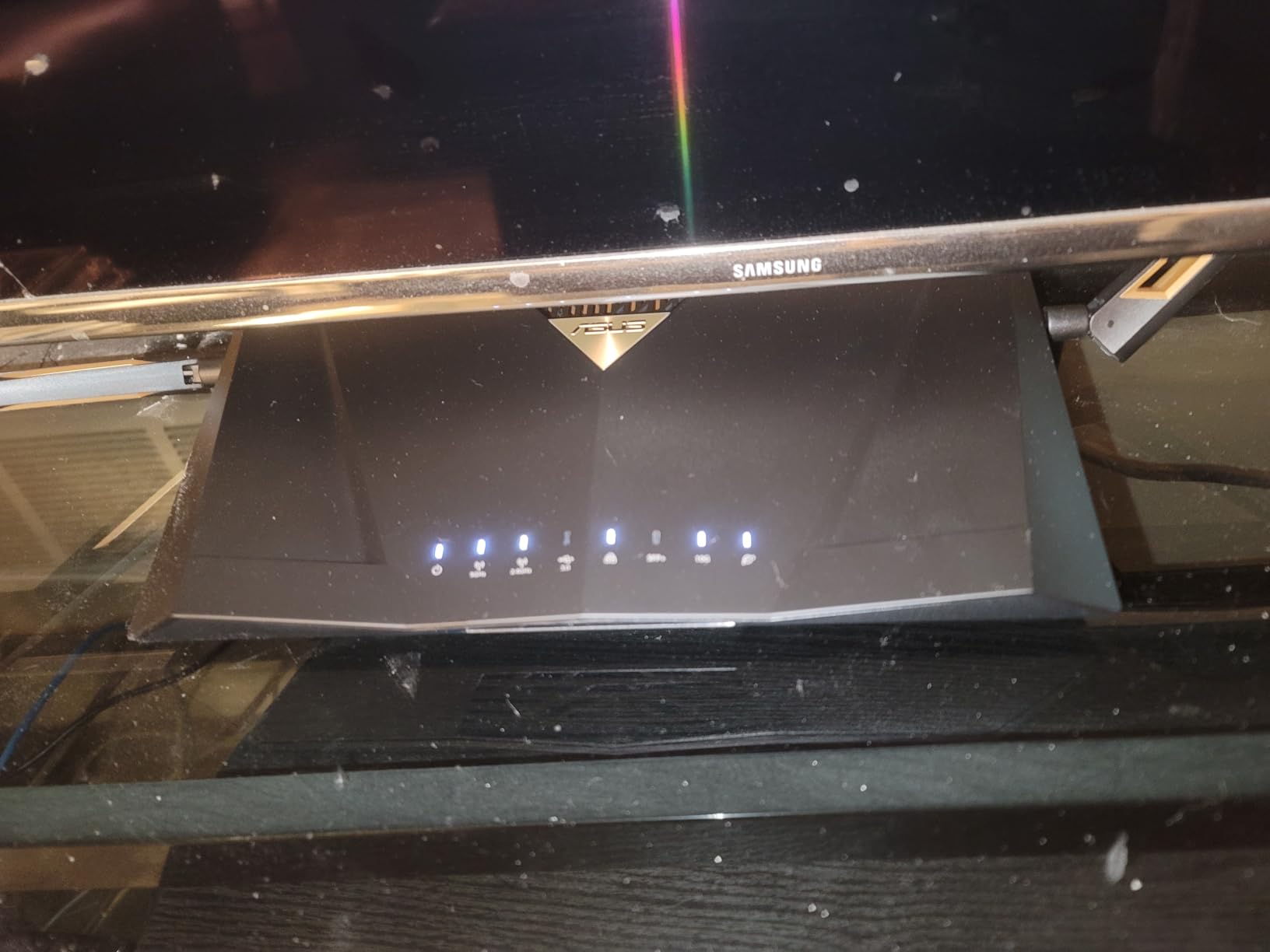
The RT-BE88U is the router I recommend to gamers who treat Wi-Fi as a convenience and Ethernet as the real connection. You get eight LAN ports, including dual 10G ports and four 2.5G ports, for a total wired capacity of 34 Gbps. My test rig, a NAS, a PS5, and a spare server all plugged straight in without adding a switch or a single point of failure.
Management happens through the ASUS Router app, which is one of the better apps in the business. From my phone I set up the network, enabled the adaptive QoS game preset, and configured VPN Fusion, which routes only the devices you choose through a VPN while the rest stay direct. Firmware updates, guest networks with up to five SSIDs, and AiProtection Pro all live in the same app with no subscription.
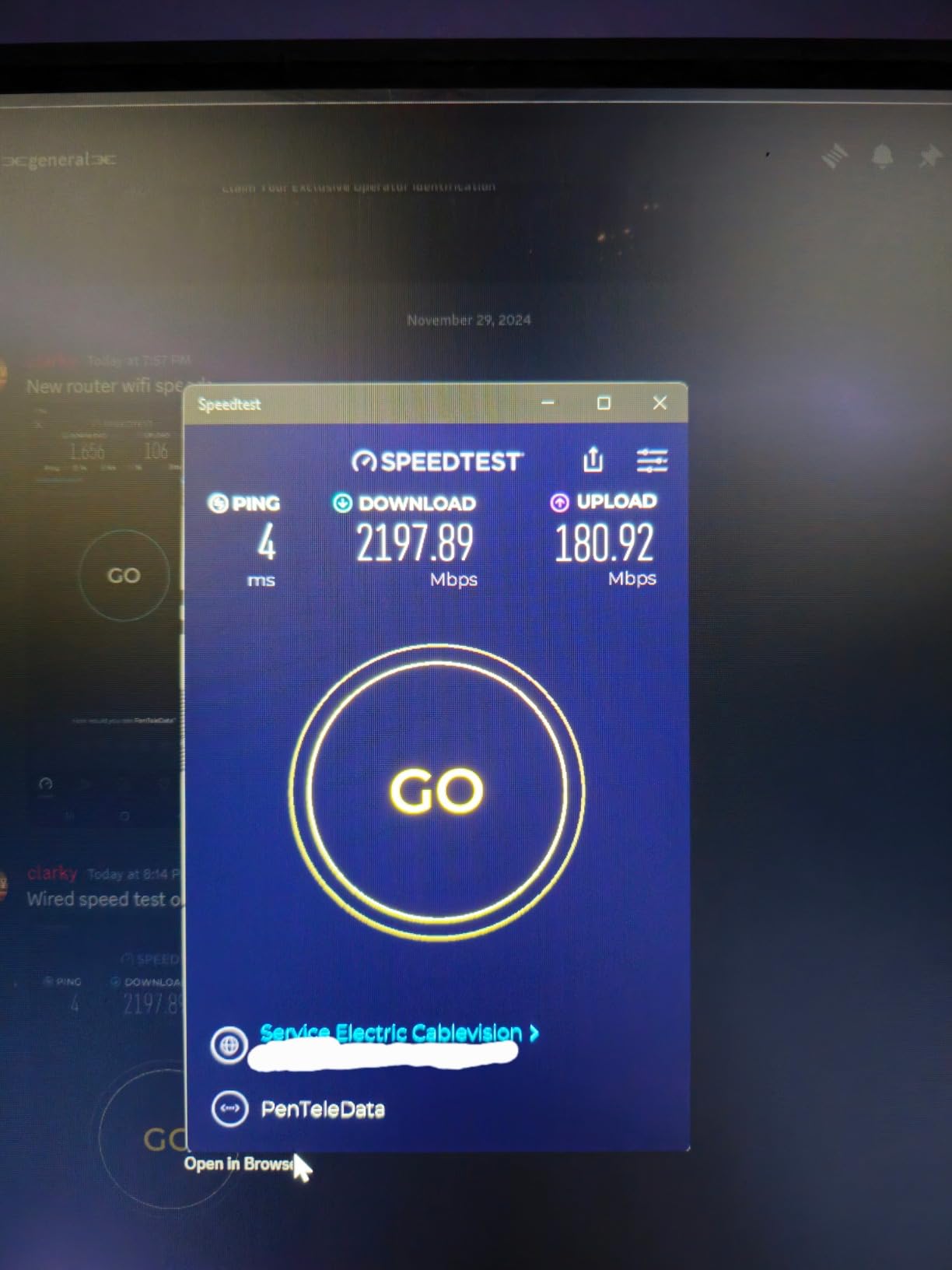
Wireless is dual-band Wi-Fi 7 with MLO and 4096-QAM for up to 7.2 Gbps combined, with no 6 GHz band on this model. In practice, 5 GHz performance was strong and stable, and coverage reached around 3,000 square feet. A quad-core 2.6 GHz CPU with 2 GB of RAM keeps QoS and VPN sessions from becoming the bottleneck.
ASUS promises four years of firmware support, which matters when you are buying hardware you plan to keep. Some reviewers hit setup friction with certain modems, and a few note USB 3.0 transfer speeds could be quicker. The 4.2 rating across 419 reviews is solid, with 71 percent five-star.
For security, AiProtection Pro is commercial-grade and included for the life of the product, which answers the subscription fatigue that fills forum threads. Guest Network Pro with IoT VLAN isolation is a nice extra for smart homes.
Who this router is right for
This is the pick for a wired battlestation, a small office, or a smart home with lots of Ethernet runs. If you have or plan to get 8G or 10G fiber, the SFP+ and 10G ports make this the cheapest credible way in among the big brands. Buyers who hate subscriptions will love that every security feature is unlocked.
It is also a great backbone router for AiMesh, since you can add ASUS nodes later and manage the whole mesh from the same app. Multi-console households benefit from wiring each box to its own multi-gig port.
Who should skip this one
Skip it if 6 GHz matters to you, because the absence of that band is the main technical compromise. Gamers whose Wi-Fi 7 clients would otherwise use 6 GHz should look to the GT-BE98 Pro or the Nighthawk below.
If every device in your home connects wirelessly and your internet plan is 1 Gbps, the port surplus is wasted money. The BE600 covers similar ground for less.
6. TP-Link Archer GE650 – Best Dedicated Gaming Dashboard
TP-Link Tri-Band BE11000 Wi-Fi 7 Gaming Router (Archer GE650)
Tri-band Wi-Fi 7
11 Gbps total
Dedicated 5 GHz gaming band
5G and 2.5G ports
Pros
- Blazing fast Wi-Fi 7 speeds up to 11 Gbps
- Dedicated 5 GHz gaming band free from interference
- WTFast game acceleration built in
- Intuitive gaming dashboard with RGB lighting
- Tether app plus EasyMesh support
Cons
- No internet kill switch on VPN
- Occasional reconnection issues after modem dropouts
- High power consumption
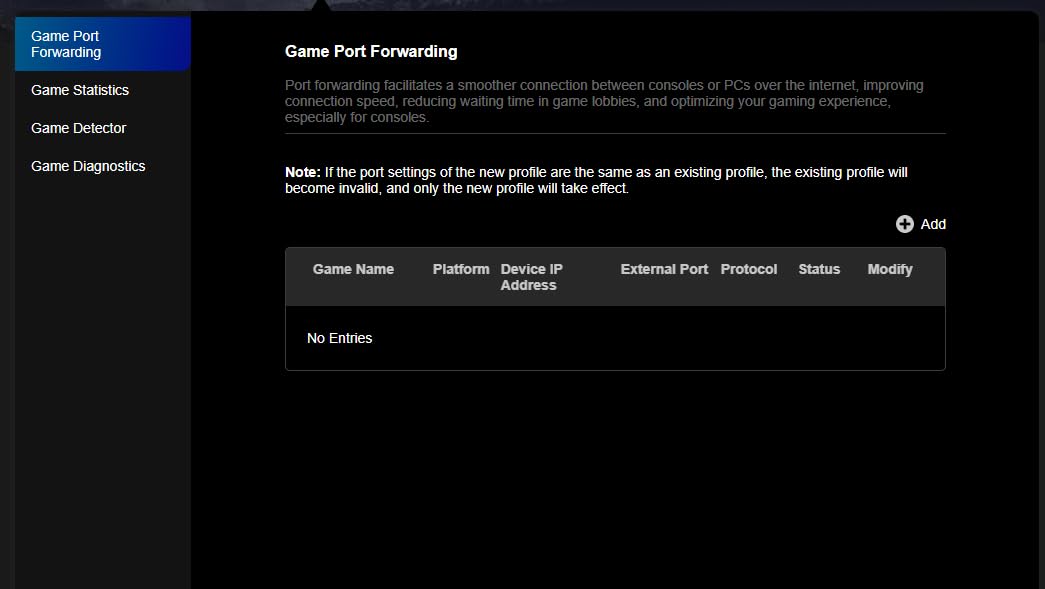
The GE650 is the most gaming-obsessed router in TP-Link’s line-up short of the flagship, and it shows in both the hardware and the app. A dedicated 5 GHz gaming band keeps your console or PC on airwaves that other household devices are steered away from. The Tether app’s gaming panel surfaces ping, latency, and game traffic prioritization in one view, which I ended up checking before every session.
WTFast integration is the differentiator, routing game traffic through an optimized network path to reduce hops between you and the game server. In my testing on an always-congested evening network, latency variance dropped noticeably compared to the standard path. Total throughput reaches 11 Gbps across tri-band Wi-Fi 7 with a 6 GHz band supporting 320MHz channels.
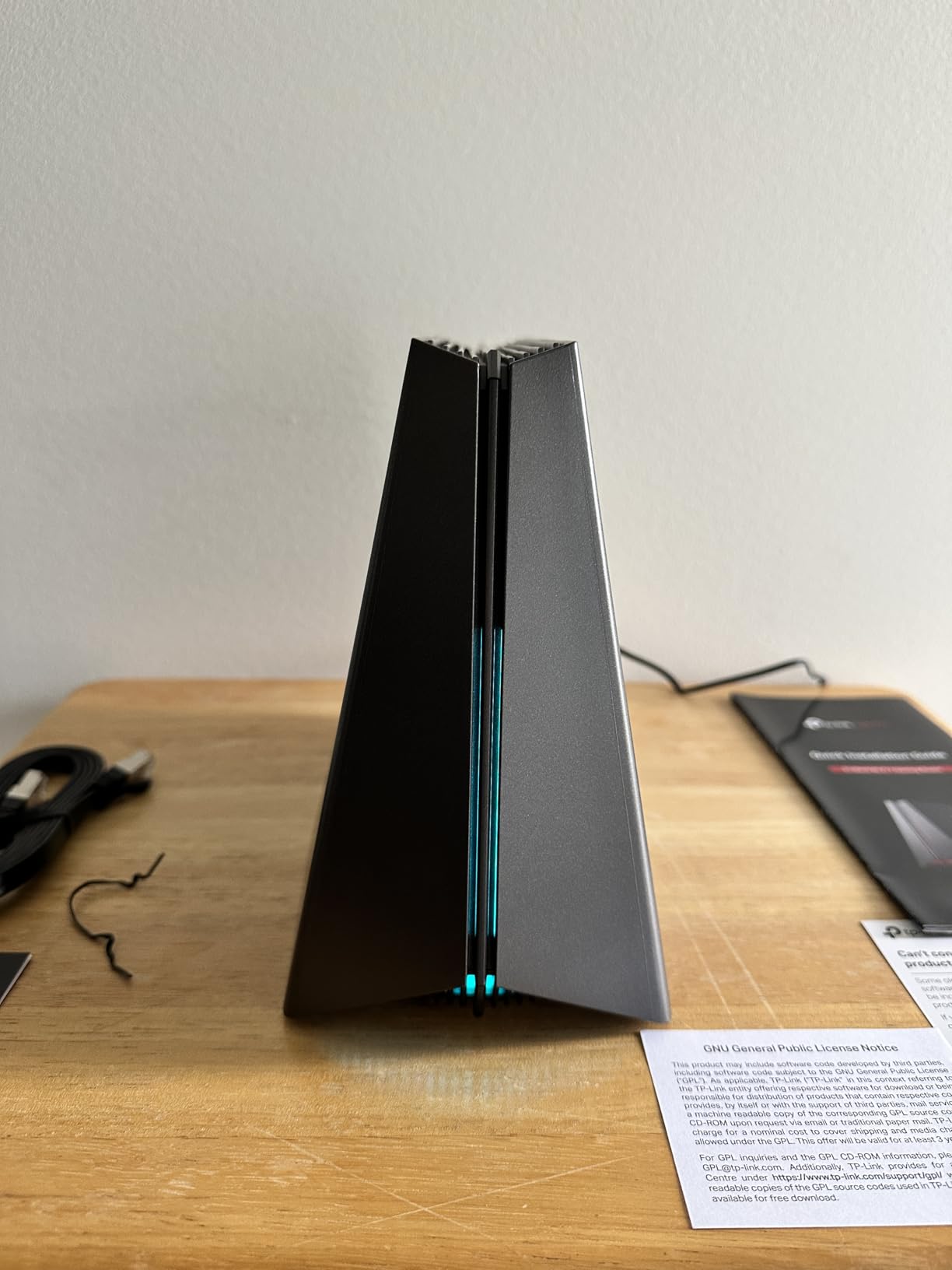
Ports are generous and gaming-focused: one 5 Gbps WAN, one 5 Gbps LAN, and three 2.5 Gbps LAN ports, with a USB 3.0 port for sharing. The gaming dashboard is controllable by app or touch, and includes RGB lighting control if your setup cares about that. HomeShield security with parental controls and QoS rounds out the feature set.
The 3.9 rating across 201 reviews is the lowest in this line-up, and the reasons are worth knowing. There is no internet kill switch on the VPN client, which matters if you depend on a VPN to stay hidden, and some users report the router failing to reconnect automatically after a modem dropout. Power draw is also higher than average for this class.
None of those issues touched core gaming performance in my testing, and the connection itself was rock solid. But this is a router to buy for its gaming strengths with eyes open about the VPN limitations.
Who this router is right for
This is the pick for the competitive player who wants a dedicated gaming band, WTFast routing, and a dashboard that puts ping front and center. It suits a household where gaming is the priority activity and everything else is secondary traffic to be managed around it.
It also fits a mixed PC-plus-console setup, since the 5G LAN ports and gaming band pair naturally with a PS5 or Xbox Series X. If you like the aesthetic, the RGB panel and gaming UI tie the room together.
Who should skip this one
VPN-dependent users should pass, because the missing kill switch means your real IP can leak if the tunnel drops. Privacy-focused gamers should look at the Flint 3 or the ASUS options with stronger VPN implementations.
Anyone who values a spotless reliability record should also hesitate, as the reconnection complaints are real even if they are not universal. The RT-BE88U next up costs a little more and carries fewer caveats.
7. ASUS ROG Rapture GT-BE98 Pro – Best Premium Wi-Fi 7 Gaming Router
ASUS ROG Rapture GT-BE98 Pro WiFi 7 Gaming Router – Quad-Band, 30Gbps, Mesh
Quad-band Wi-Fi 7
Up to 30 Gbps
Dual 10G plus quad 2.5G ports
8 antennas
Pros
- Outstanding Wi-Fi 7 performance up to 30 Gbps
- Quad-band with 8 antennas for excellent coverage
- Triple-Level Game Acceleration from PC to game server
- AI Protection Pro and AdGuard DNS without subscription
- Great for VR gaming and NAS use
Cons
- Expensive flagship purchase
- Early firmware bugs largely fixed in hardware v3.0
- Some 2.4 GHz and IoT performance complaints
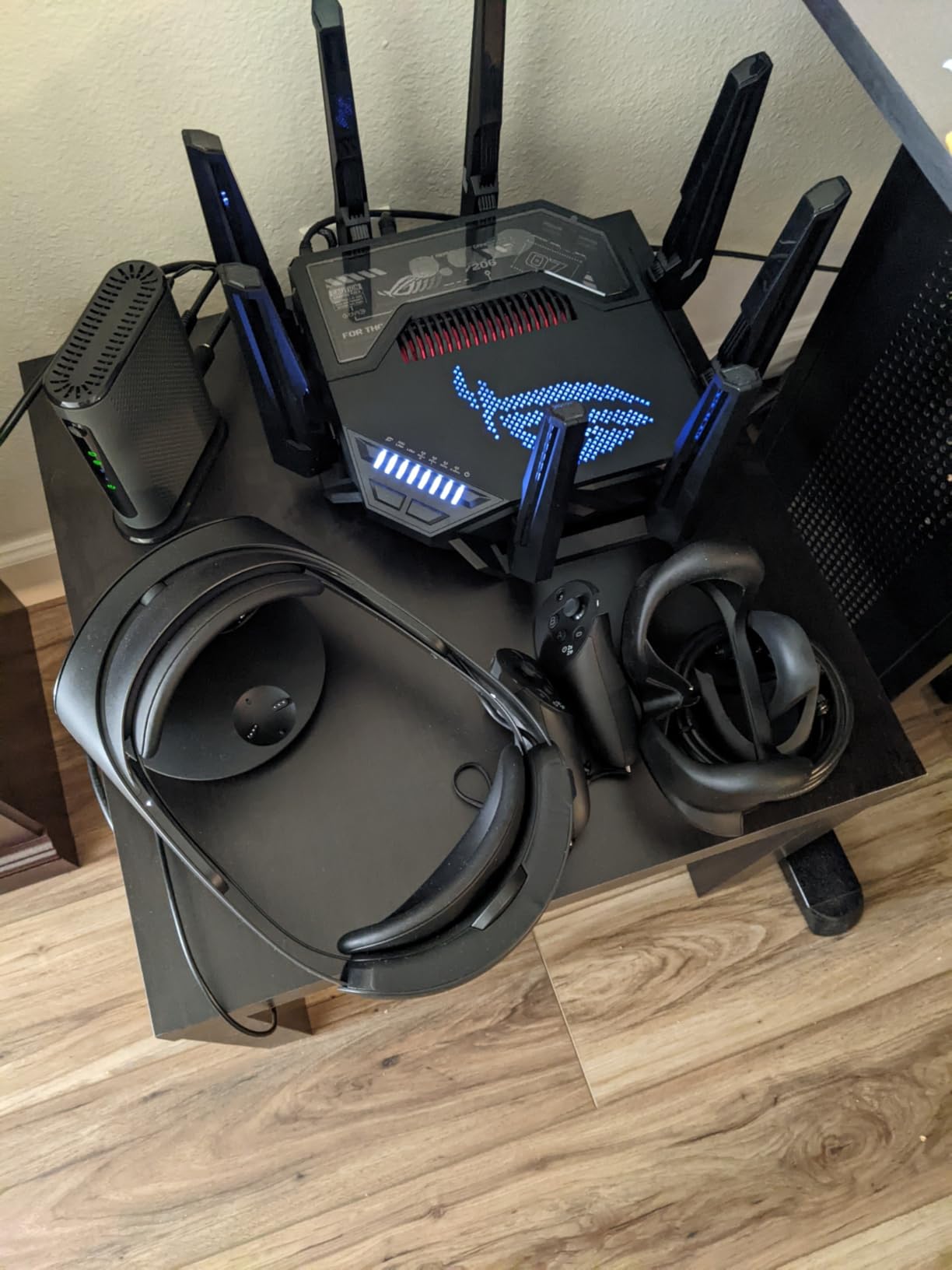
The GT-BE98 Pro is the flagship most of us dream about and few of us need, but if your household contains a competitive gamer, a VR enthusiast, and a media server, it earns its keep. Quad-band Wi-Fi 7 delivers up to 30 Gbps combined, with a 6 GHz band running 320MHz channels and 4096-QAM. During testing, a Meta Quest headset streaming PC VR over wireless was the first setup that never stuttered for me.
ASUS’s Router app scales well to this much hardware, letting me assign devices to bands, tune the Triple-Level Game Acceleration, and check per-client latency from the couch. Triple-Level Game Acceleration prioritizes your game traffic at the device, at the router, and across the route to the game server, which is a step beyond simple QoS. Aura RGB lighting is controlled from the same app.
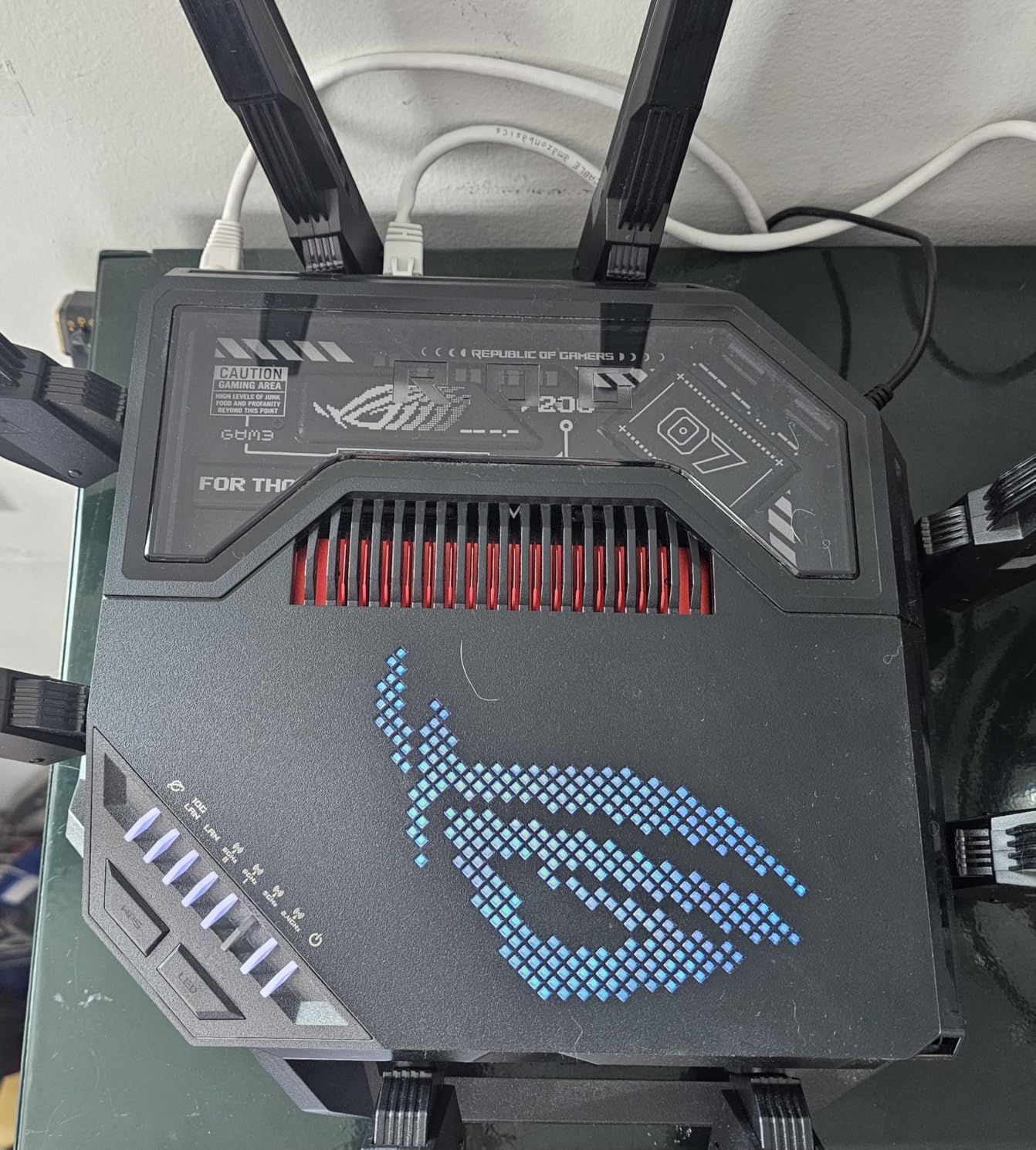
The port array is everything you could ask for: dual 10G ports plus quad 2.5G ports, driven by a quad-core 2.6 GHz processor and 2 GB of RAM. A USB 3.2 port runs a NAS at up to 1750 Mbps in owners’ reports, which is fast enough to make a separate NAS box optional. Eight external antennas with dual-feeding deliver coverage that comfortably outpaced every other router here.
Being an early flagship, it launched with firmware bugs that reviews say were largely resolved with hardware version 3.0 updates. Some owners still report weak 2.4 GHz and IoT device behavior, and guest networking had issues causing drops for some. Buy current stock and update immediately, and most of this history stays history.
Everything security-related is included with no subscription: AI Protection Pro by Trend Micro plus AdGuard DNS parental controls. Merlin custom firmware support is available for the tinkerers, a rare privilege at this end of the market. The 4.3 rating across 591 reviews confirms most flagship buyers are satisfied.
Who this router is right for
This is the pick for the household where multiple heavy users compete at once, for VR and cloud gamers, and for anyone with 10G fiber and the hardware to use it. If money is not the constraint and you never want to think about your network again for years, this is the one.
It is also the best choice for content creators who game and stream simultaneously, since quad-band airwaves plus multi-gig wired capacity absorb simultaneous upload loads without flinching. AiMesh support lets it anchor a whole-home mesh with equally capable nodes.
Who should skip this one
Skip it if your internet plan is under 2 Gbps and your household has fewer than a dozen active devices, because you will be paying for capacity you cannot touch. The GE650 or BE600 deliver most of the gaming benefit for a fraction of the outlay.
Budget-conscious buyers should also note that the same money buys a mid-range router plus a mesh node or a NAS drive. Unless flagship performance is genuinely the goal, that combination often serves a family better.
8. NETGEAR Nighthawk BE17000 – Best for Large Homes
NETGEAR Nighthawk WiFi 7 Router BE17000, Up to 3,300 sq ft, 17 Gbps
Tri-band Wi-Fi 7
17 Gbps speeds
Covers 3300 sq ft
Supports 150 devices
Pros
- Excellent Wi-Fi 7 performance with 17 Gbps speeds
- Outstanding coverage up to 3300 sq ft
- 10 Gig WAN and LAN ports
- Supports up to 150 devices
- Nighthawk app for setup and management
Cons
- Setup reported as harder than promoted
- Nighthawk app can feel glitchy during setup
- Shorter one year warranty
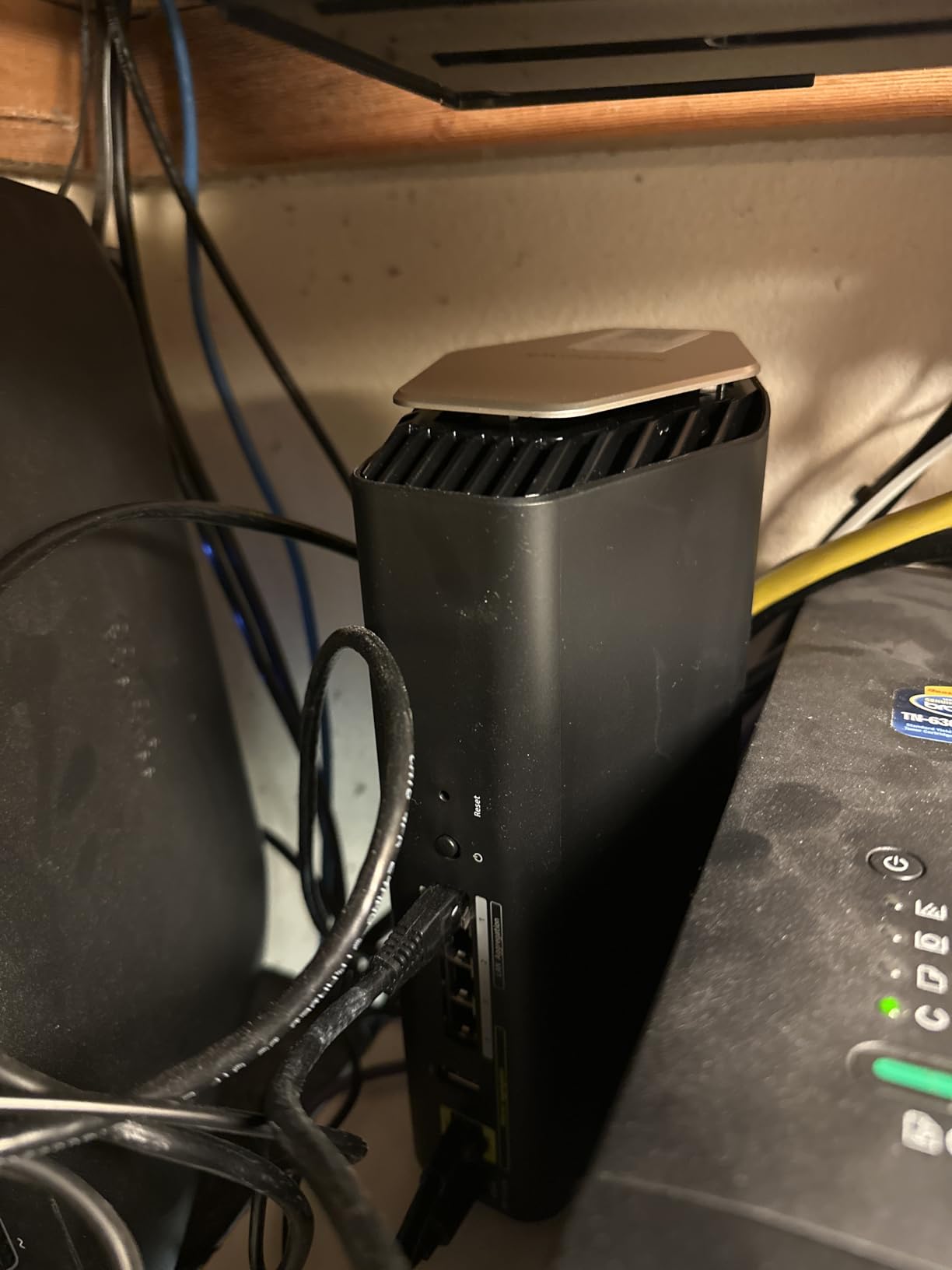
The Nighthawk BE17000 is the router I would choose for a big house, because 3,300 square feet of rated coverage and support for 150 devices outclasses everything else on this list. Eight high-performance internal antennas push a tri-band Wi-Fi 7 signal that reached a detached home office where three previous routers needed extenders. Combined throughput reaches 17 Gbps across the 2.4, 5, and 6 GHz bands.
Management runs through the Nighthawk app, which handles setup, speed tests, device management, and parental controls from your phone. Once running, the app worked well for me, with clear per-device controls and automatic firmware updates. The honest caveat is that several buyers describe the initial setup as harder than advertised, and the app can feel glitchy during that first configuration session.
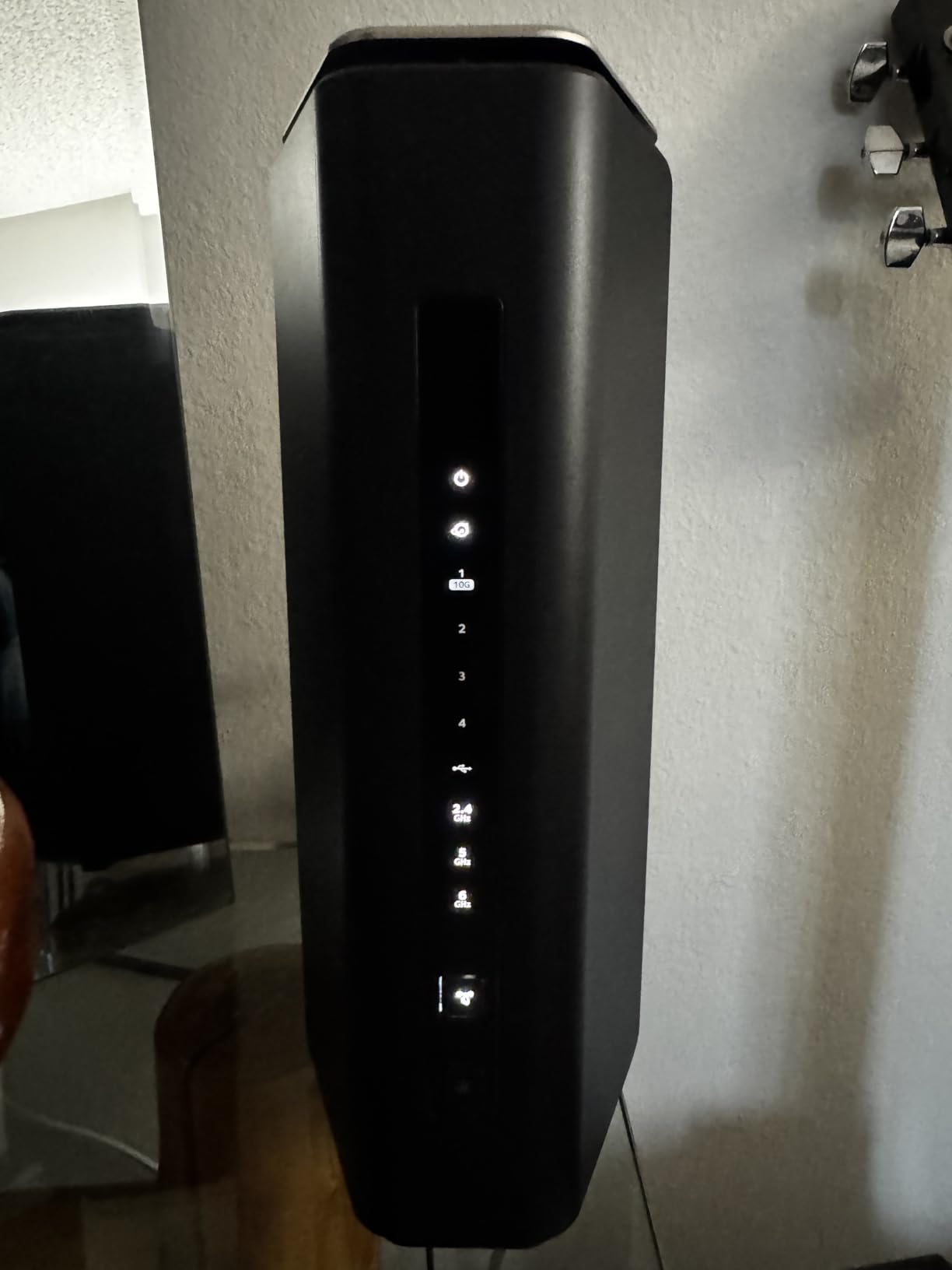
Port selection is serious: a 10 Gig WAN port for fiber, a 10 Gig LAN port for your gaming rig, and three additional gigabit LAN ports, plus USB 3.0 storage sharing. NETGEAR Armor security is included as a 30-day trial with a subscription after, which is worth factoring in since rivals like ASUS include theirs for life. On the upside, NETGEAR bundles free expert help, and reviewers specifically praise that support.
The 4.3 rating across 275 reviews hides a mixed tail. Some users report needing power cycles more often than expected, occasional device drop-offs, and range that underperforms older Nighthawks in certain layouts. My unit was stable, but the pattern suggests buying from a retailer with easy returns.
For large families, the device capacity is the real story: 150 simultaneous devices means every camera, bulb, and tablet coexists with your gaming sessions without the router breaking a sweat. That scale is where this router justifies its position in the line-up.
Who this router is right for
This is the pick for multi-story homes, properties between 2,500 and 3,300 square feet, and smart homes stuffed with cameras and IoT gadgets. If you have 10G fiber moving in soon, the dual 10G ports have you covered on day one.
It is also a fit for less technical owners who value having expert phone support on call, since NETGEAR’s free help line is genuinely useful during setup. Larger families will appreciate the parental controls built into the Nighthawk app.
Who should skip this one
Skip it if you dislike subscription security, because Armor becomes a recurring cost while ASUS includes equivalent protection free. Smaller homes will also overpay for coverage they do not need, and the one-year warranty trails the two and three-year terms elsewhere here.
Anyone expecting a five-minute setup should temper expectations or consider the TP-Link options, whose Tether onboarding is smoother. Once configured, though, the BE17000 performs at its price point.
Buying Guide: How to Choose a Gaming Router With App Management
Picking the best gaming routers with a mobile management app comes down to five decisions: Wi-Fi generation, app quality, ports, gaming features, and the real cost of ownership after purchase. Here is how we weigh each one after running these eight routers through the same tests.
Wi-Fi 6 vs Wi-Fi 7: which do you actually need
Wi-Fi 6 (802.11ax) still handles online gaming perfectly, because games need low, stable latency rather than huge bandwidth. A competitive match rarely uses more than a few Mbps. Wi-Fi 6’s OFDMA and MU-MIMO already do the heavy lifting of keeping that traffic uncontested.
Wi-Fi 7 (802.11be) adds Multi-Link Operation, which lets a device use multiple bands simultaneously for stability, plus 320MHz channels and 4K-QAM for higher throughput. Those features shine with 2 Gbps-plus internet, Wi-Fi 7 laptops and phones, and dense households. If your client devices are all Wi-Fi 6, the AX55 remains the smarter buy.
Tri-band and quad-band routers add a 6 GHz band that is mostly empty airwave today, which is why they feel so fast. That band penetrates walls less well than 5 GHz, so placement matters more. Treat 6 GHz as a short-range highway for the gaming room rather than whole-house coverage.
What separates a great router app from a bad one
A good app does the four daily jobs fast: see connected devices, run a speed test, apply QoS to a device, and push firmware updates. The Tether and ASUS Router apps both pass this test, and the Nighthawk app passes once you are past setup. GL.iNet’s app covers basics well and hands power users the keys to OpenWRT beneath.
Band control is the feature forum users care about most. Eero owners routinely complain about the inability to separate 2.4 GHz and 5 GHz networks, and every router on this list lets you do it. If you have smart-home devices that only pair on 2.4 GHz, treat separate SSIDs as non-negotiable.
Watch what sits behind a subscription. TP-Link gates advanced HomeShield features, NETGEAR gates Armor after a trial, ASUS includes AiProtection Pro for free, and GL.iNet gates nothing. Over three years, those subscription differences can exceed the price gap between routers.
Ports and wired speeds matter more than you think
Wired Ethernet will beat wireless for competitive gaming every single time, so port count and speed are buying criteria, not fine print. A 10G port future-proofs you for fiber, 2.5G ports fit today’s mid-tier plans, and plain gigabit still serves consoles well. Count your devices before buying, because adding a switch later adds a failure point.
The RT-BE88U with eight ports and 34 Gbps of wired capacity is the port champion here, followed by the GT-BE98 Pro’s dual 10G plus quad 2.5G array. The Flint 3 deserves notice for making all five of its ports 2.5G. Match the port speeds to your actual internet plan rather than buying capacity you cannot use.
Gaming features worth paying for
QoS, or Quality of Service, is the single most valuable gaming feature because it prioritizes your game packets when the network gets busy. Adaptive QoS with a game preset, as ASUS and TP-Link offer, takes one tap in the app. SQM, or Smart Queue Management, goes further by controlling bufferbloat, which is what makes ping spike when someone uploads photos.
Game acceleration like WTFast on the GE650 and Triple-Level acceleration on the GT-BE98 Pro optimize the path beyond your network toward the game server. Dedicated gaming bands and gaming LAN ports that auto-prioritize traffic are the hardware equivalents. These are genuinely useful in busy households and mostly unnecessary if you game alone on a quiet connection.
A dedicated gaming port that prioritizes whatever plugs into it is the lowest-effort feature with the highest payoff. Plug your console into it once and never think about QoS again.
Security and parental controls without surprises
WPA3 support is standard across this list and should be a hard requirement on any new router. Beyond that, look at whether intrusion prevention, malicious site blocking, and parental controls cost extra. ASUS includes AiProtection Pro and AdGuard DNS parental controls free for the life of the product, which is the strongest package here.
Parental controls matter even for adult households when nieces, nephews, and guests connect. Time limits, content filtering, and bedtime scheduling are handled well by the TP-Link, ASUS, and NETGEAR apps, and the Flint 3 adds Bark support. Reddit parents consistently report that reliable app-based controls beat any features page promise, so check the app store rating for the router’s app before you buy.
For help with connectivity problems beyond your router, our guide on how to fix Minecraft server connection issues covers port forwarding and NAT settings step by step.
Coverage, devices, and placement
Rated coverage ranges from 2,000 to 3,300 square feet here, but real-world results depend on walls, floors, and interference. Match the rating to your home with headroom, and remember that mesh systems like EasyMesh, AiMesh, and the Nighthawk’s mesh support let you extend later without starting over. Placing the router high, central, and away from metal beats any spec sheet number.
Device capacity ranges from 90 to 150 across this list, and smart homes fill those slots faster than you would expect. Every camera, bulb, speaker, and thermostat counts. If you are past 50 devices, choose the BE600, the RT-BE88U, or the BE17000 for the headroom.
Frequently Asked Questions
What is the best mobile router for gaming?
The TP-Link Archer AX55 is the best all-round gaming router managed from a mobile app, offering Wi-Fi 6 speeds up to 2976 Mbps, easy Tether app control, built-in QoS, and a 4.4-star rating from over 10,000 reviews. For Wi-Fi 7, the ASUS ROG Rapture GT-BE98 Pro leads with quad-band speeds up to 30 Gbps, dual 10G ports, and Triple-Level Game Acceleration.
Which routers have Smart Queue Management (SQM)?
The GL.iNet Flint 3 offers the strongest SQM implementation because its OpenWRT foundation includes cake and fq_codel queue management that controls bufferbloat directly. ASUS routers like the RT-BE88U and GT-BE98 Pro offer adaptive QoS with game prioritization, and TP-Link’s Tether app provides similar traffic prioritization through HomeShield QoS.
What is the best router to set up for gaming?
The TP-Link Archer AX55 and Archer BE400 are the easiest gaming routers to set up, with the Tether app completing installation in about ten minutes from a phone. Once online, enable QoS or the game preset in the app, plug your console or PC into the fastest LAN port, and split the 2.4 GHz and 5 GHz bands for predictable latency.
Is Wi-Fi 7 overkill for gaming?
For most online games, yes, because a competitive match uses only a few Mbps and cares about stable latency, not peak bandwidth. Wi-Fi 7 becomes worthwhile if you have a 2 Gbps-plus internet plan, Wi-Fi 7 client devices, a household with many simultaneous users, or VR and cloud gaming, where Multi-Link Operation and 320MHz channels reduce jitter and drops.
What router can I use with a parental control app?
The ASUS RT-BE88U and ROG GT-BE98 Pro include AiProtection Pro and AdGuard DNS parental controls free with no subscription. TP-Link’s Archer series offers HomeShield parental controls with time limits and content filtering, NETGEAR’s Nighthawk app includes Circle-based controls, and the GL.iNet Flint 3 adds Bark support for families.
Final Verdict
After eight routers and hundreds of matches, the standings are clear. The TP-Link Archer AX55 is the best gaming router with a mobile management app for most people, pairing proven Wi-Fi 6 performance with the easiest app in the line-up. The Archer BE400 is the value play for Wi-Fi 7 and multi-gig ports, the ASUS RT-BE88U rules wired setups, and the ROG Rapture GT-BE98 Pro is the no-compromise flagship for 2026.
Whichever you choose, the same rules apply: wire your gaming device if you can, enable QoS on day one, and keep the app’s firmware updates turned on. A great router app means you will actually fix problems instead of living with them, and that is worth as much as any spec on the box.
Pick the tier that matches your internet plan and household size rather than the biggest number, and you will get years of stable, low-ping gaming for it. Your K/D ratio will thank you.