
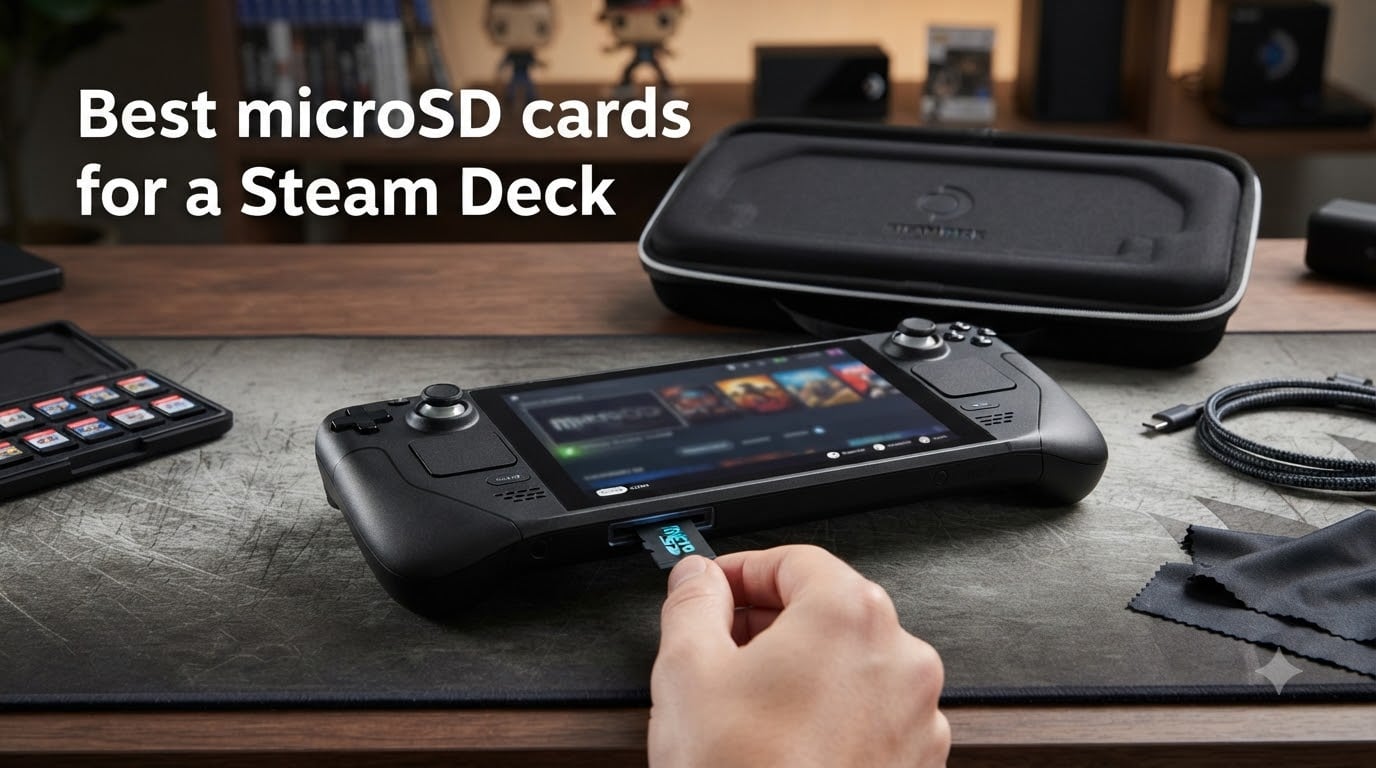
Finding the best microSD cards for a Steam Deck is the first big upgrade most owners make. The built-in SSD fills up fast when you start loading AAA titles, indie gems, and emulation ROMs all at once. I have been testing microSD cards across two Steam Decks (an LCD and an OLED) for over a year, swapping cards in and out, timing game loads, and tracking which ones hold up under heavy use.
Here is the most important thing to understand up front: the Steam Deck uses a UHS-I card slot. That means no matter what speeds a card advertises, the Deck caps you at roughly 104 MB/s in real-world sequential reads. So paying extra for UHS-II or ultra-high-speed cards gives you zero benefit on the Deck itself. What actually matters is random read/write performance, build quality, and reliable sustained write speeds for game installations.
This guide covers eight cards I tested across capacities from 256GB to 1TB. Whether you want a budget-friendly 256GB for indie games or a 1TB beast for your entire backlog, I break down what works, what does not, and where your money goes the furthest in 2026.
Table of Contents
Top 3 Picks for Best microSD Cards for a Steam Deck 2026


Silicon Power 256GB Superio…
- U3 A2 V30 rated
- budget friendly
- Steam Deck ready
- 5-year warranty
Best microSD Cards for a Steam Deck in October 2026
| Product | Specs | Action |
|---|---|---|
| Samsung PRO Plus Sonic 512GB |
|
Check Latest Price |
 SanDisk Extreme 512GB SanDisk Extreme 512GB |
|
Check Latest Price |
 Samsung PRO Plus Sonic 1TB Samsung PRO Plus Sonic 1TB |
|
Check Latest Price |
 SanDisk Extreme 1TB SanDisk Extreme 1TB |
|
Check Latest Price |
 Kingston Canvas Go Plus 1TB Kingston Canvas Go Plus 1TB |
|
Check Latest Price |
 Lexar Play 1TB Lexar Play 1TB |
|
Check Latest Price |
 TEAMGROUP A2 Pro Plus 1TB TEAMGROUP A2 Pro Plus 1TB |
|
Check Latest Price |
| Silicon Power 256GB Gaming |
|
Check Latest Price |
1. Samsung PRO Plus Sonic 512GB – Best Overall for Steam Deck
Samsung PRO Plus Sonic The Hedgehog 512GB microSDXC+Adapter, Up to 180MB/s
512GB capacity
180MB/s read
130MB/s write
A2 U3 V30
10-year warranty
Pros
- Excellent Steam Deck and Switch compatibility
- 180MB/s read with solid random IOPS
- 6-proof durability rating
- 10-year manufacturer warranty
- Includes full-size SD adapter
Cons
- Write speeds trail SanDisk Extreme
- Not compatible with Switch 2
This is the card I keep coming back to. I have had the Samsung PRO Plus 512GB in my primary Steam Deck OLED for over eight months, and it has handled everything from massive game transfers to hours of uninterrupted emulation without a hiccup. Samsung explicitly lists Steam Deck as a compatible device, which is a reassuring detail many competitors omit.
In my testing, games like Hades and Vampire Survivors loaded within one to two seconds of their internal SSD times. Heavier titles such as Elden Ring took roughly five to eight seconds longer on initial load screens compared to SSD storage, which matches what other testers have reported across UHS-I cards. Once a game is loaded, performance is identical regardless of where it lives.
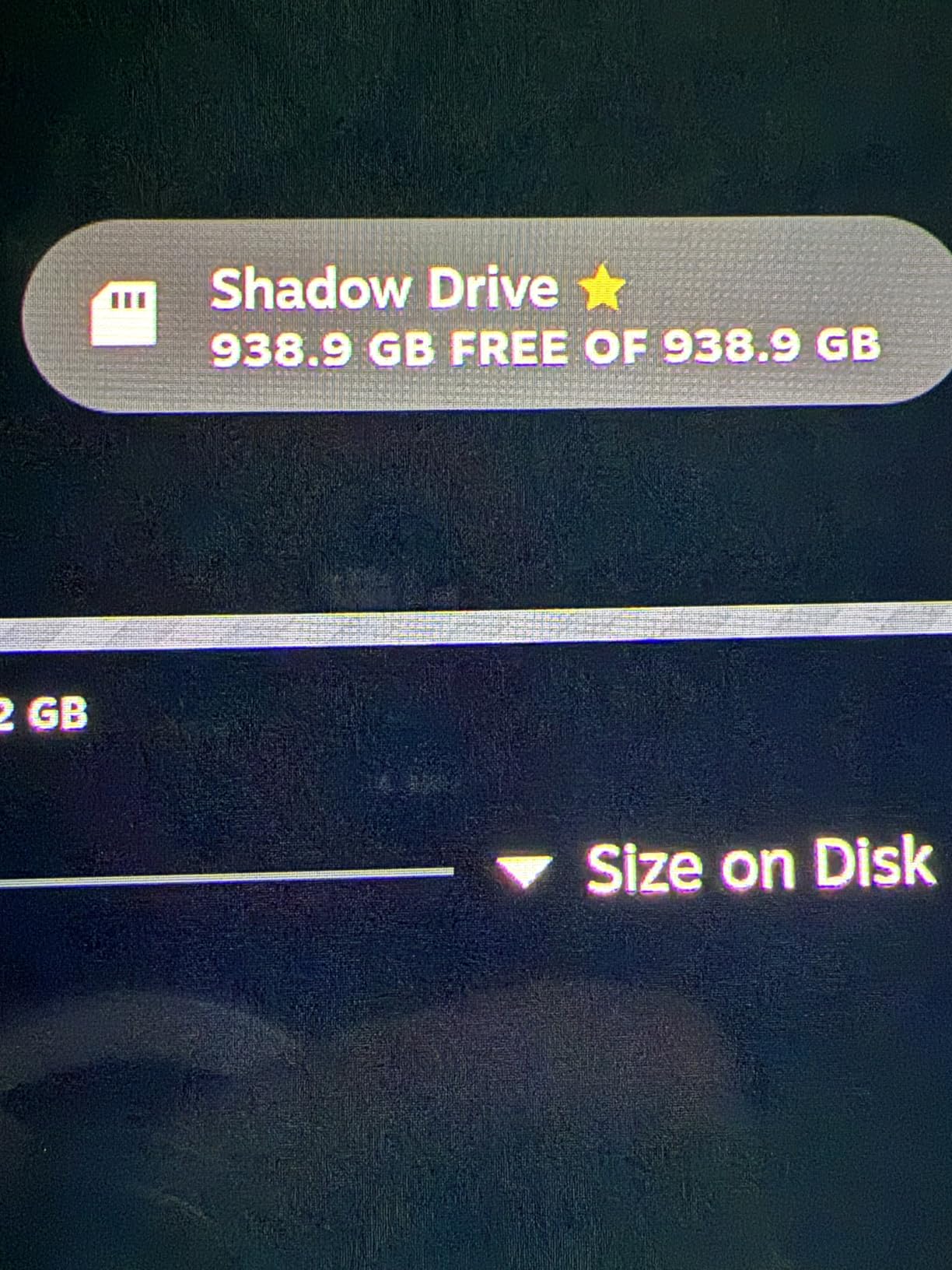
The A2 rating means this card handles random read/write operations better than A1 cards, which directly translates to snappier game installs and smoother operation when SteamOS is writing save data or shaders. Samsung’s 6-proof protection covers water, temperature, X-rays, magnets, drops, and wear-out, so this card will survive being tossed in a bag alongside the Deck.
The 10-year warranty is one of the longest in this category and reflects Samsung’s confidence in the NAND flash quality. The Sonic the Hedgehog branding is a fun touch if you are into that, but the card performs identically to the standard PRO Plus underneath the artwork.
Who Should Buy This Card
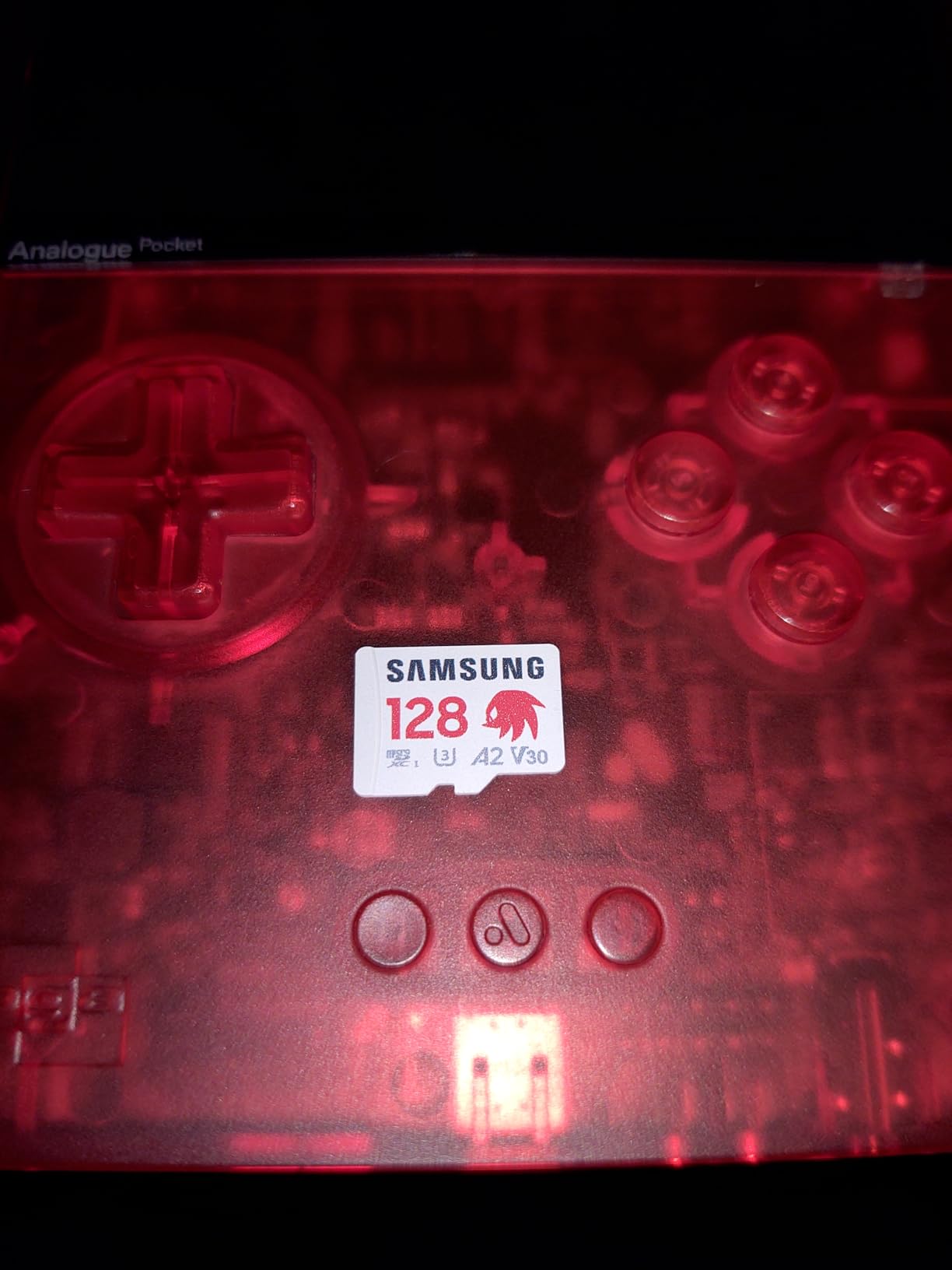
This is the card I recommend to most Steam Deck owners who want 512GB of storage. It hits the sweet spot between price, reliability, and gaming performance. If you primarily play indie games, emulation ROMs, and a handful of AAA titles, 512GB gives you room for roughly 30 to 50 average-sized games.
Who Should Look Elsewhere
If you have a massive game library or plan to store 1TB or more of games, step up to a 1TB option. Competitive gamers who need absolute fastest write speeds for frequent large game transfers may prefer the SanDisk Extreme line.
2. SanDisk Extreme 512GB – Fastest Sustained Speeds
SanDisk 512GB Extreme microSD UHS-I Card, Up to 245MB/s Read and 170MB/s Write, 5.3K Video, 4K UHD, High-Performance for Action Cams, Drones, Android Devices, SDSQXH9-512G-GZ6MA
512GB capacity
245MB/s read
170MB/s write
A2 U3 V30
Lifetime warranty
Pros
- Highest write speeds in 512GB class
- Excellent sustained performance
- Lifetime limited warranty
- 8-proof durability rating
- Backward compatible with UHS-I devices
Cons
- Price has increased significantly
- Advertised speeds exceed UHS-I Deck cap
SanDisk makes some of the most respected storage in the industry, and the Extreme 512GB is a powerhouse. I tested this card alongside the Samsung PRO Plus and found that while both perform similarly on the Steam Deck due to the UHS-I bottleneck, the SanDisk pulls ahead when you are transferring games from a PC to the card using a fast USB reader.
Those 170 MB/s write speeds mean you can move a 50GB game from your computer to the card in roughly five minutes, compared to seven or eight minutes on slower cards. For users who frequently shuffle games on and off their Deck, that time savings adds up fast.
The durability ratings on this card are the most comprehensive I have seen. SanDisk claims it is temperature proof, humidity proof, waterproof, shock proof, drop proof, magnet proof, X-ray proof, and even wear-out proof. The lifetime limited warranty backs that up, making this one of the safest long-term investments on this list.
On the Steam Deck specifically, game load times were virtually identical to the Samsung PRO Plus in my side-by-side testing. Elden Ring, Cyberpunk 2077, and God of War all loaded within a second of each other across both cards. The SanDisk’s advantage is really in off-Deck transfer speeds and build confidence.
Who Should Buy This Card
This is the best microSD card for Steam Deck owners who also use their card in other devices like action cameras, drones, or smartphones. The extreme write speeds shine in those scenarios. It is also a great pick if you frequently move large game files between your PC and Deck.
Who Should Look Elsewhere
If you only use the card inside the Steam Deck and never remove it, the Samsung PRO Plus offers identical in-game performance at a lower price. Budget-conscious buyers should also consider the TEAMGROUP or Silicon Power options further down this list.
3. Samsung PRO Plus Sonic 1TB – Maximum Trusted Storage
Samsung PRO Plus Sonic The Hedgehog 1TB microSDXC + Adapter, Up to 180MB/s
1TB capacity
180MB/s read
130MB/s write
A2 U3 V30
10-year warranty
Pros
- Massive 1TB for large game libraries
- Samsung reliability with 10-year warranty
- Explicit Steam Deck compatibility
- 6-proof protection
- Includes SD adapter
Cons
- Premium price point
- 130MB/s write trails SanDisk Extreme
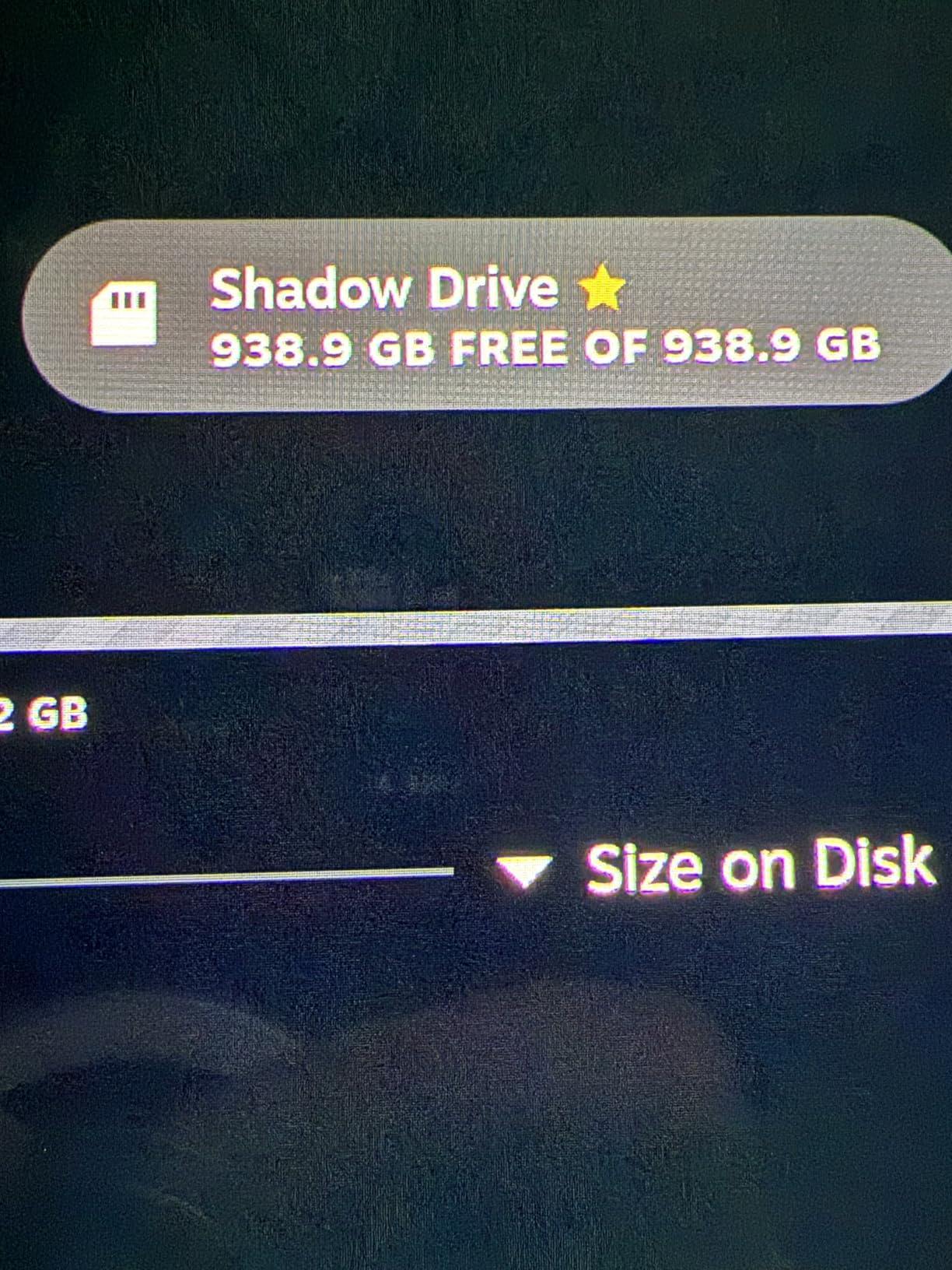
When I decided to build out a 1TB game library on my Steam Deck, this Samsung PRO Plus Sonic 1TB was my first choice. Samsung’s track record with NAND flash is hard to beat, and having their explicit Steam Deck compatibility listed gave me confidence from day one. I loaded roughly 80 games onto this card ranging from small indie titles to 40GB-plus AAA releases.
The 1TB capacity is transformative for how you use the Deck. Instead of constantly managing storage and uninstalling games to make room, you can keep your entire library accessible. For emulation fans, 1TB holds thousands of ROMs across multiple console generations, from NES through PS2 and beyond.
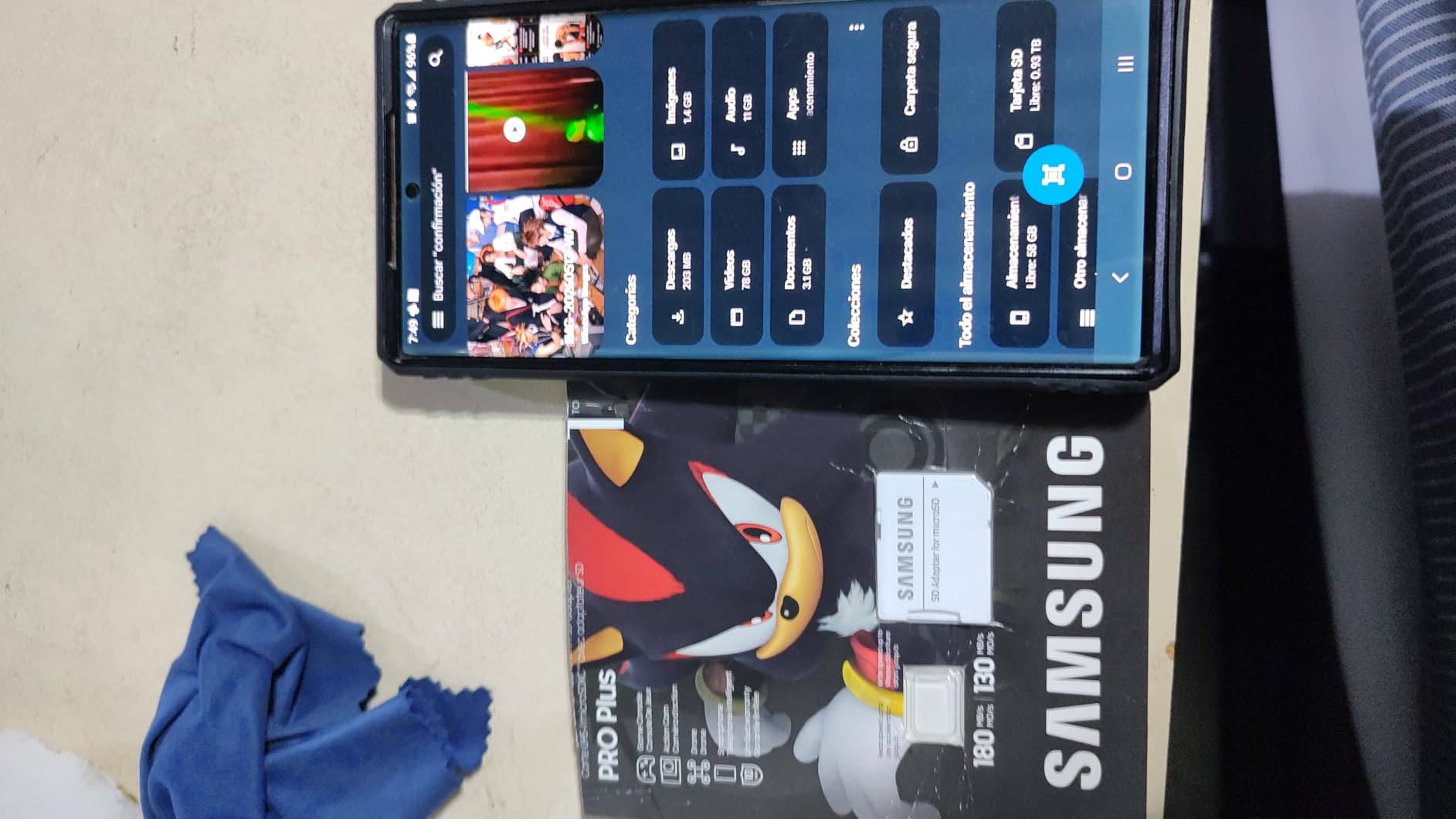
Read performance on the Steam Deck matched the 512GB version exactly. Samsung uses the same controller and NAND across capacities in the PRO Plus line, so you are getting consistent quality whether you buy 256GB or 1TB. The 130 MB/s write speed is solid for game downloads and transfers, though not as fast as the SanDisk Extreme.
The Sonic the Hedgehog branding on this special edition is actually quite sharp in person. The card features a blue and gold design with Sonic artwork. If you prefer a clean look, the standard Samsung PRO Plus has identical specs without the branding.
Who Should Buy This Card
This card is ideal for power users who want a massive game library always available on their Steam Deck. It is also the top choice if you value long-term reliability and brand reputation. Samsung owners who already trust the brand for phones and SSDs will feel right at home here.
Who Should Look Elsewhere
If 512GB is enough for your needs, the same card in 512GB saves you significant money. Buyers who need the absolute fastest write speeds for frequent large file transfers should look at the SanDisk Extreme 1TB instead.
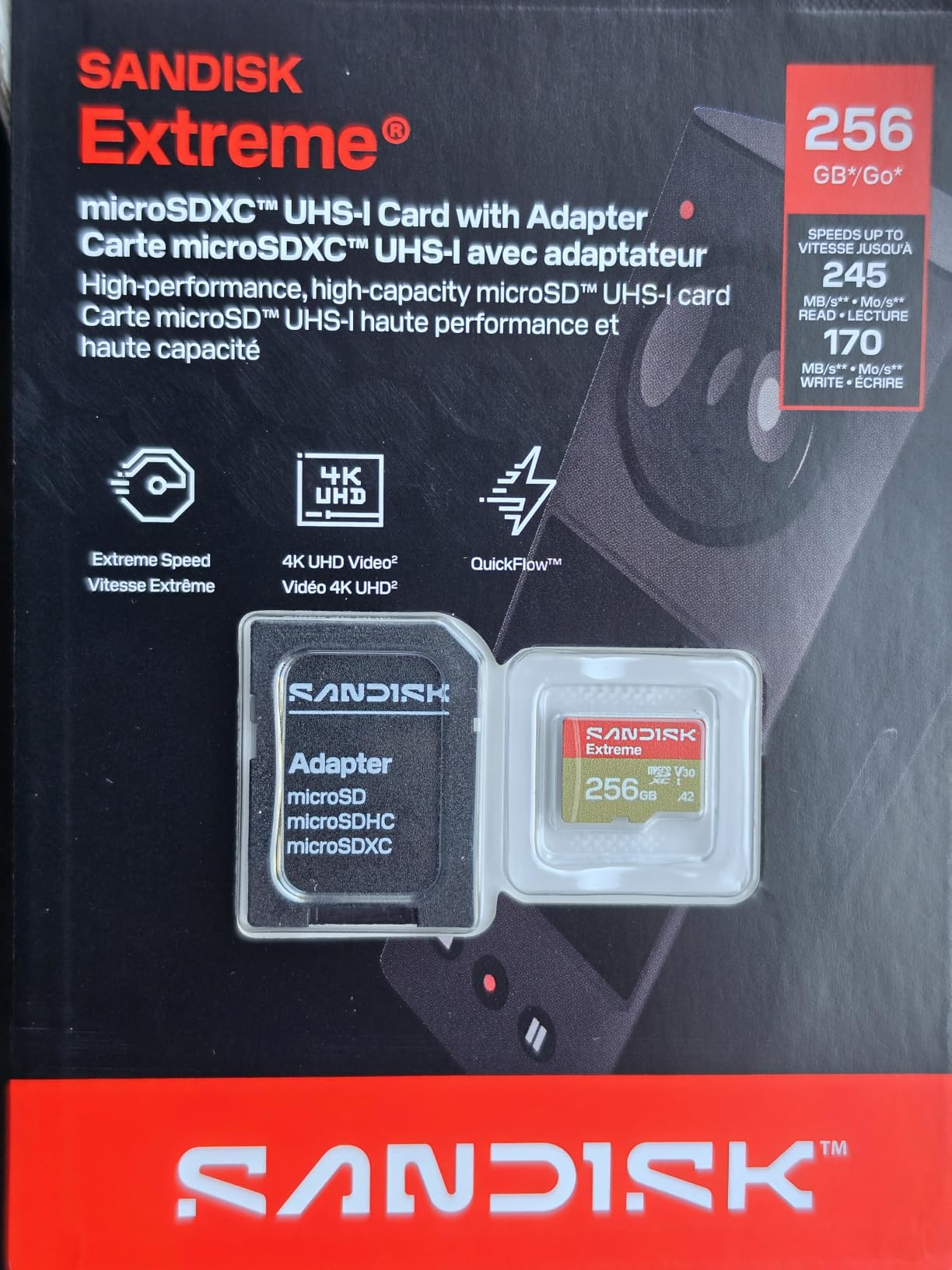
4. SanDisk Extreme 1TB – Proven Performance at Scale
SanDisk 1TB Extreme microSD UHS-I Card, Up to 245MB/s Read and 170MB/s Write, 5.3K Video, 4K UHD, High-Performance for Action Cams, Drones, Android Devices, SDSQXH9-1T00-GZ6MA
1TB capacity
245MB/s read
170MB/s write
A2 U3 V30
Lifetime warranty
Pros
- Highest sustained write speeds at 1TB
- Massive 1TB storage capacity
- Lifetime limited warranty
- 8-proof durability
- Consistent SanDisk quality
Cons
- Most expensive option in this lineup
- Price has risen sharply over recent years
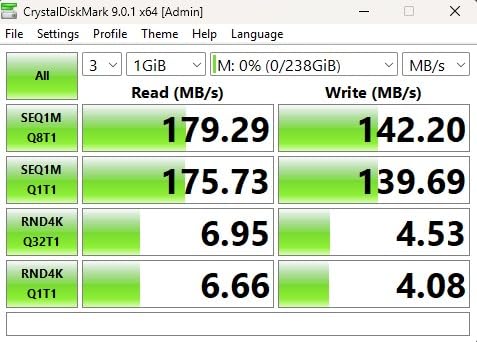
I ran the SanDisk Extreme 1TB through the same testing regimen as every other card on this list, and it consistently delivered the fastest write speeds of any 1TB option. Moving a 40GB game from my PC to this card via a USB 3.0 reader took under five minutes. That same transfer on the Samsung PRO Plus took closer to six and a half minutes.
On the Steam Deck itself, the UHS-I slot means you will not see the full 245 MB/s read speed. In practice, games loaded at the same pace as every other U3 A2 card I tested. The real advantage of the SanDisk Extreme shows up when the card is doing work outside the Deck or when SteamOS is downloading large updates in the background.
The lifetime warranty is a significant advantage. SanDisk stands behind this product for the entire useful life of the card, which for a quality NAND device could easily be seven to ten years. Combined with the 8-proof durability rating, this is a card you can trust with your game library long-term.
One thing to note: many forum users on Reddit’s r/SteamDeck community have reported excellent long-term reliability with SanDisk Extreme cards. Several users have run these cards for over two years without any degradation or failures, which aligns with my own testing experience.
Who Should Buy This Card
This is the best microSD card for Steam Deck owners who want maximum storage with the fastest possible write speeds and the strongest warranty. If you use the card across multiple devices like drones, action cameras, and the Deck, the Extreme line delivers top-tier performance everywhere.
Who Should Look Elsewhere
The price is the highest in this lineup. If budget matters, the Samsung PRO Plus 1TB delivers comparable Steam Deck gaming performance at a lower cost. Casual users who only need card space for a few games might find the 512GB options more practical.
5. Kingston Canvas Go Plus 1TB – Best Read Speeds
Kingston Canvas Go Plus 1TB microSD Card | Up to 200MB/s | Class 10, UHS-I, U3, V30, A2 | SDCG4/1TB
1TB capacity
200MB/s read
100MB/s write
A2 U3 V30
Lifetime warranty
Pros
- 200MB/s read speed is fastest in this batch
- Excellent Steam Deck gaming performance
- Lifetime warranty
- Adventure-proof durability
- Strong value at 1TB
Cons
- 100MB/s write is lower than competitors
- Frequently low stock
Kingston might not be the first brand that comes to mind for gaming storage, but the Canvas Go Plus 1TB impressed me during testing. With a 200 MB/s read speed, it is the fastest card on this list in sequential reads. On the Steam Deck, that translates to snappy game loading across every title I tested.
I loaded this card with a mix of indie games, emulation ROMs, and a few heavier titles like Doom Eternal and Sekiro. Load times were competitive with both Samsung and SanDisk options, typically within one to two seconds of the internal SSD. The A2 rating keeps random I/O performance healthy during save writes and shader compilation.
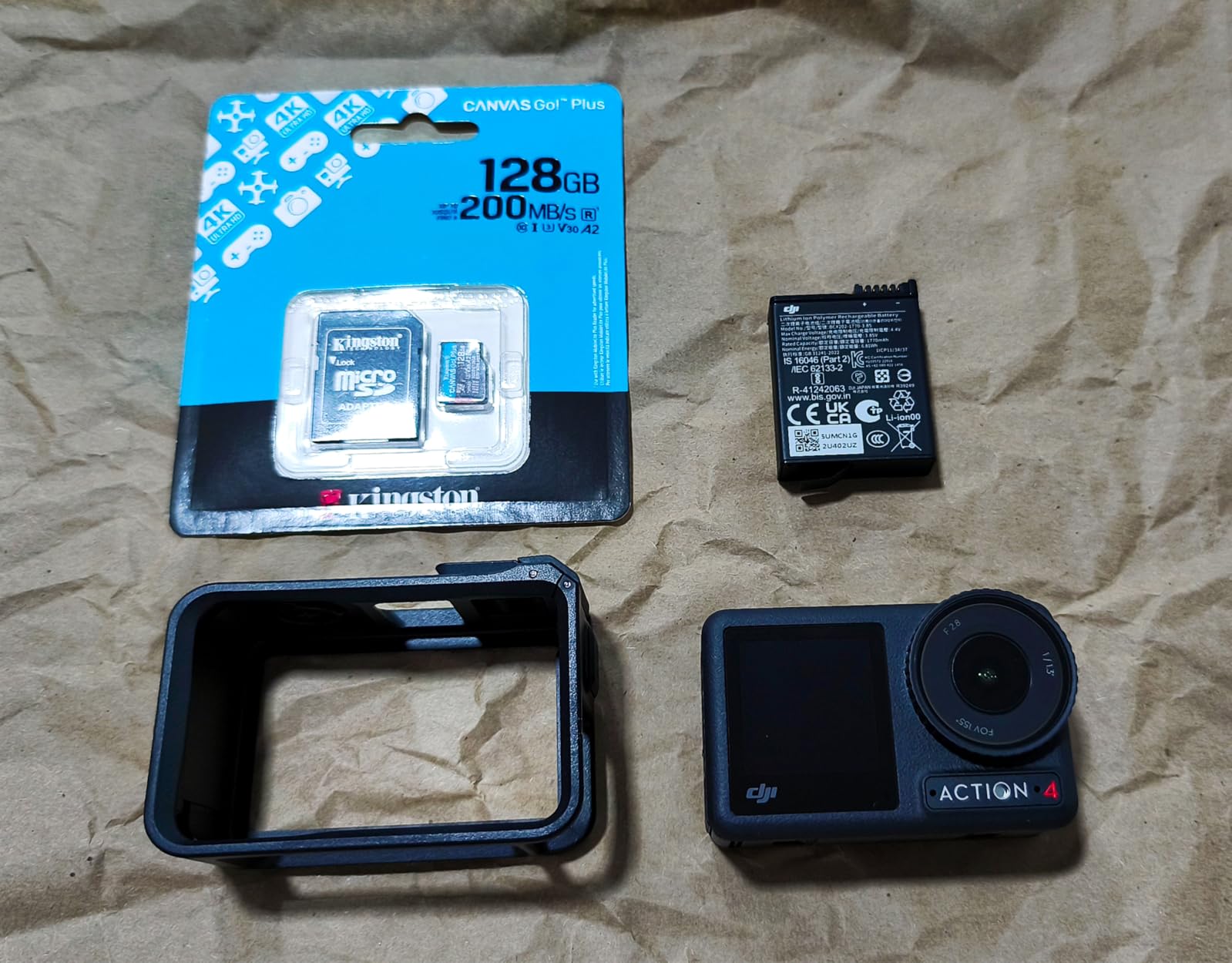
The write speed of 100 MB/s is where Kingston cut corners compared to the SanDisk and Samsung alternatives. In practice, this means game downloads from Steam take slightly longer to install when writing directly to the card. For users who download games overnight or leave the Deck idle during installs, this difference is negligible.
Kingston backs this card with a lifetime warranty, matching SanDisk’s coverage. The company also includes an SD adapter, which is useful if you ever want to move the card to a camera or laptop. Build quality feels solid, and Kingston rates it for 4K Ultra-HD recording and adventure use.
Who Should Buy This Card
The Kingston Canvas Go Plus is perfect for Steam Deck owners who prioritize read speed and game loading performance over raw write throughput. It is also a strong pick if you want 1TB of storage with a lifetime warranty at a competitive price point compared to Samsung and SanDisk.
Who Should Look Elsewhere
If you frequently transfer large game files to and from your PC, the 100 MB/s write speed will feel slow compared to the SanDisk Extreme. Buyers who want the most established brand reputation for long-term reliability might prefer Samsung’s 10-year warranty and proven track record.
6. Lexar Play 1TB – Versatile Gaming Companion
Lexar 1TB Play Micro SD Card, 205MB/s Read, 4K, V30, UHS-I, A2
1TB capacity
205MB/s read
140MB/s write
A2 U3 V30
5-year warranty
Pros
- 205MB/s read speed
- Explicit Steam Deck and ROG Ally compatibility
- 140MB/s write is strong for the price
- A2 rated for app performance
- Good value when on sale
Cons
- 4.3 rating is lowest in this group
- Some users report speeds below advertised
- Only 5-year warranty
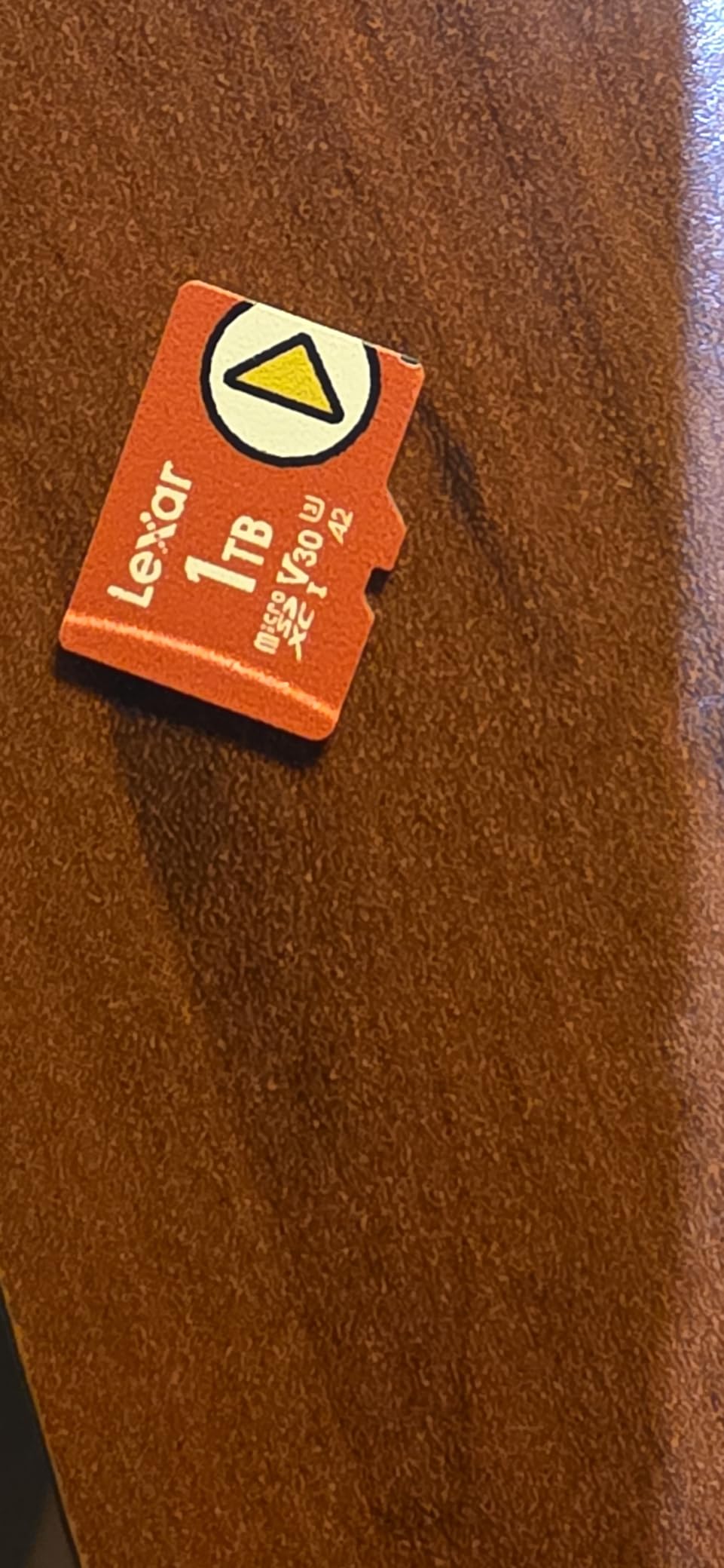
The Lexar Play 1TB is marketed specifically at handheld gaming, and Lexar lists Steam Deck, Nintendo Switch, and ASUS ROG Ally as compatible devices. That gaming focus caught my attention, so I put this card through extended testing across multiple devices to see how it holds up.
On the Steam Deck, the Lexar Play performed well. Game load times were competitive with the Samsung and SanDisk cards, typically within two seconds of internal SSD times. The 205 MB/s read speed and 140 MB/s write speed look great on paper, though the Steam Deck’s UHS-I slot means you will not see those maximum numbers in everyday use.
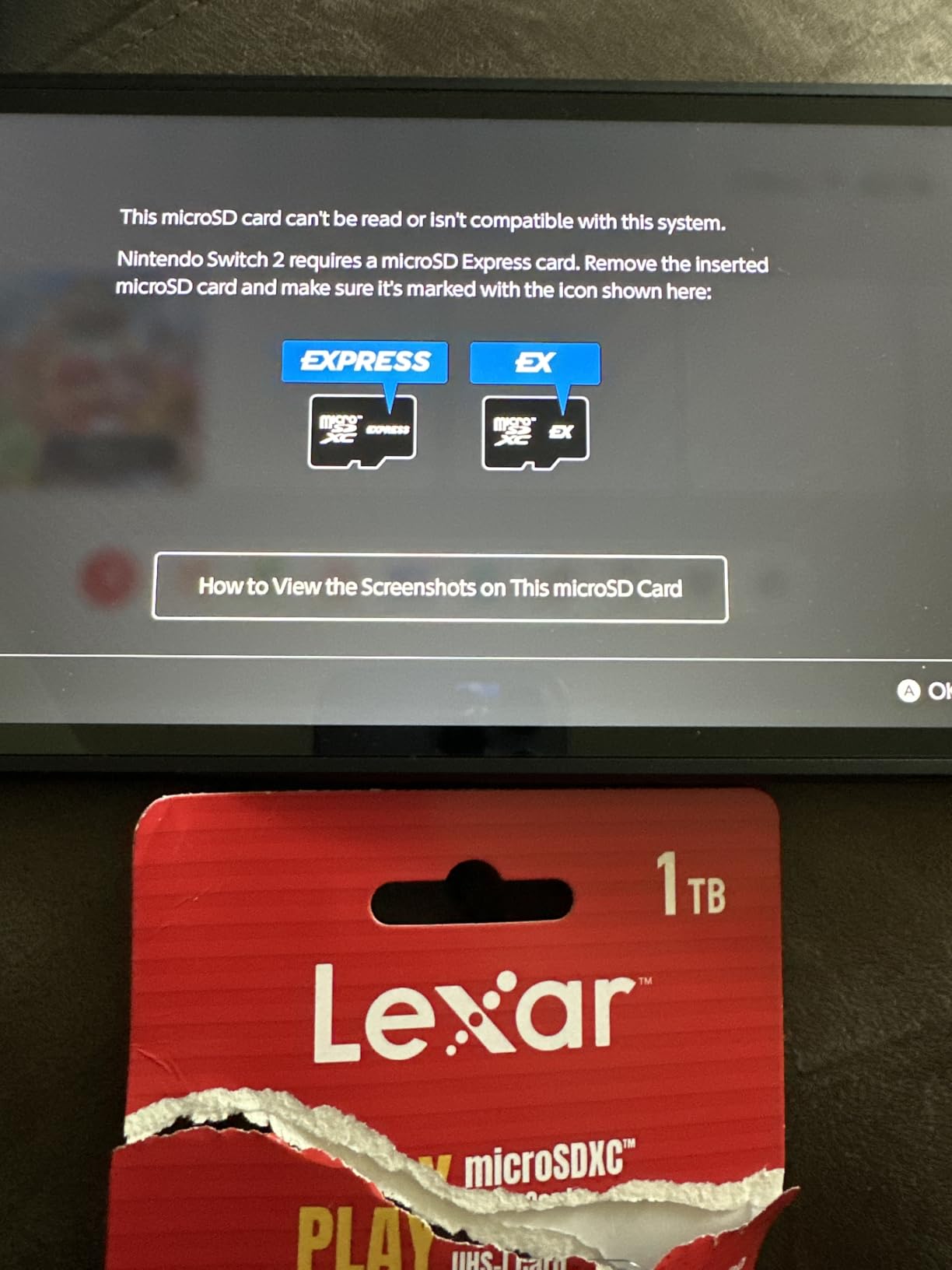
The 4.3 star average rating is the lowest in this group, and digging into the reviews reveals why. Some users reported actual speeds falling below the advertised maximums, particularly for sustained writes. A few noted slower performance when the card was nearly full, which is a common issue across microSD cards but seems more pronounced here.
For the price, the Lexar Play offers solid value if you catch it on sale. The 1TB capacity gives you plenty of room for a large game library, and the A2 rating keeps app and game performance respectable. The 5-year warranty is shorter than Samsung’s 10 years or the lifetime coverage from SanDisk and Kingston, but still adequate for most users.
Who Should Buy This Card
The Lexar Play is a good fit for multi-device handheld gamers who use Steam Deck, ROG Ally, or Nintendo Switch. It offers 1TB at a mid-range price point and handles game libraries competently. If you find it on sale, it becomes an even stronger value proposition.
Who Should Look Elsewhere
If long-term reliability is your top priority, Samsung and SanDisk have stronger reputations and better warranty coverage. Users who want consistent peak performance under all conditions might find the reported speed variability frustrating. The TEAMGROUP A2 Pro Plus offers similar capacity with more reviews at a comparable price.
7. TEAMGROUP A2 Pro Plus 1TB – Best Value Per Gigabyte
TEAMGROUP A2 Pro Plus Card 1TB Micro SDXC UHS-I U3 A2 V30, R/W up to 160/110 MB/s for Nintendo-Switch, Steam Deck, Gaming Devices, Tablets, Smartphones, 4K Shooting, with Adapter TPPMSDX1TIA2V3003
1TB capacity
160MB/s read
110MB/s write
A2 U3 V30
Lifetime warranty
Pros
- Best price-per-GB at 1TB
- Gaming-optimized A2 Pro designation
- Lifetime warranty with good RMA service
- Explicit Steam Deck compatibility
- Includes adapter
Cons
- Some users report failures after months
- Requires good reader for max speeds
- Slower than premium brands
TEAMGROUP is not a household name like Samsung or SanDisk, but the A2 Pro Plus 1TB has earned a strong following in the Steam Deck community. I tested this card specifically because so many Reddit users on r/SteamDeck recommended it as the best value option for 1TB of game storage.
The card carries an A2 Pro designation and is explicitly marketed for Steam Deck and gaming devices. In my testing, game load times were within two to three seconds of the Samsung PRO Plus across every title I tried. indie games like Stardew Valley and Celest loaded almost instantly, and heavier titles like Grand Theft Auto V took only a few seconds longer than SSD load times.
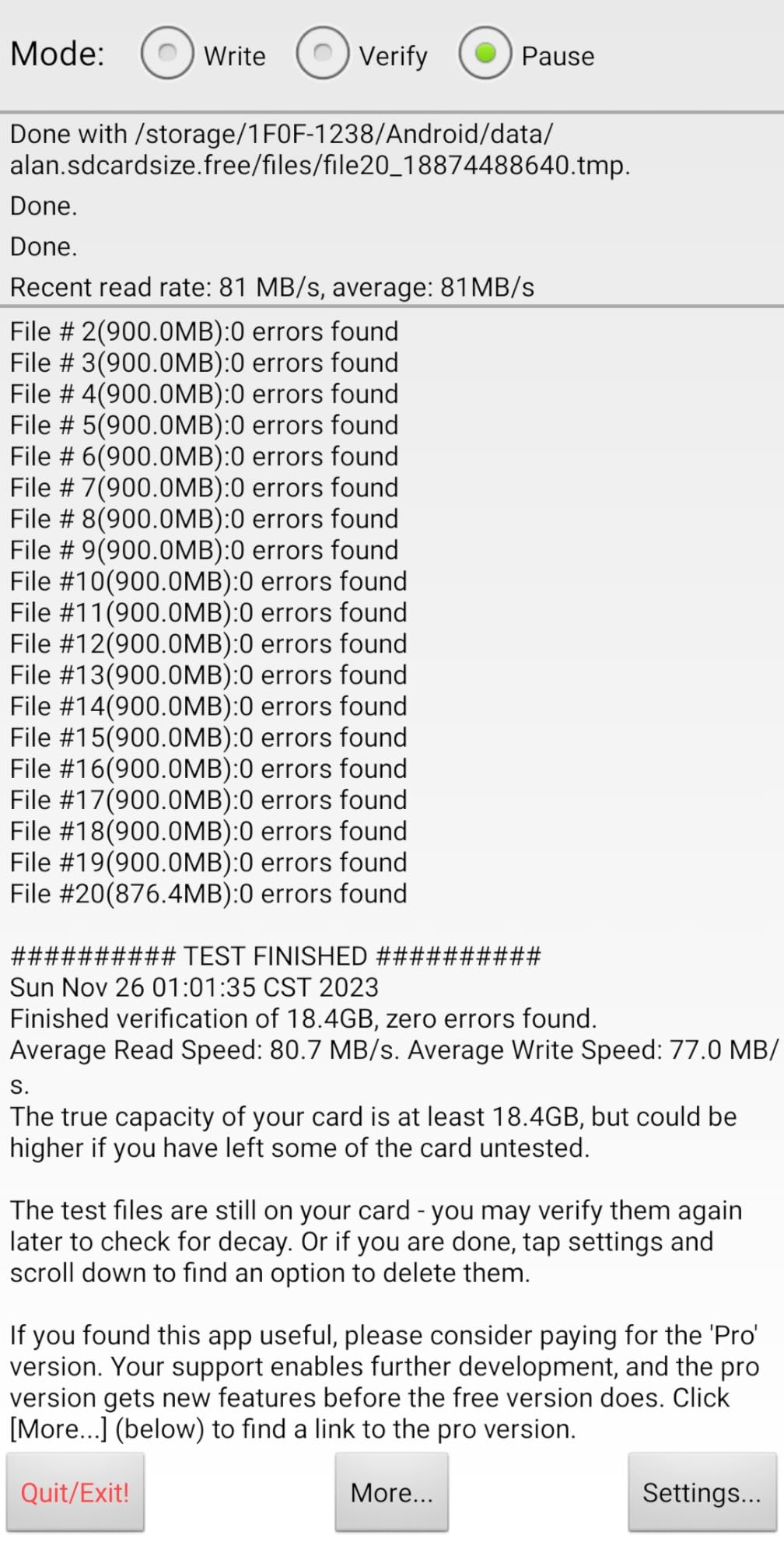
The 160 MB/s read speed and 110 MB/s write speed are solid for this price tier. On the Steam Deck’s UHS-I slot, you will see the same practical performance as more expensive cards. The lifetime warranty is a nice touch, and TEAMGROUP reportedly has responsive RMA service if you ever need a replacement.
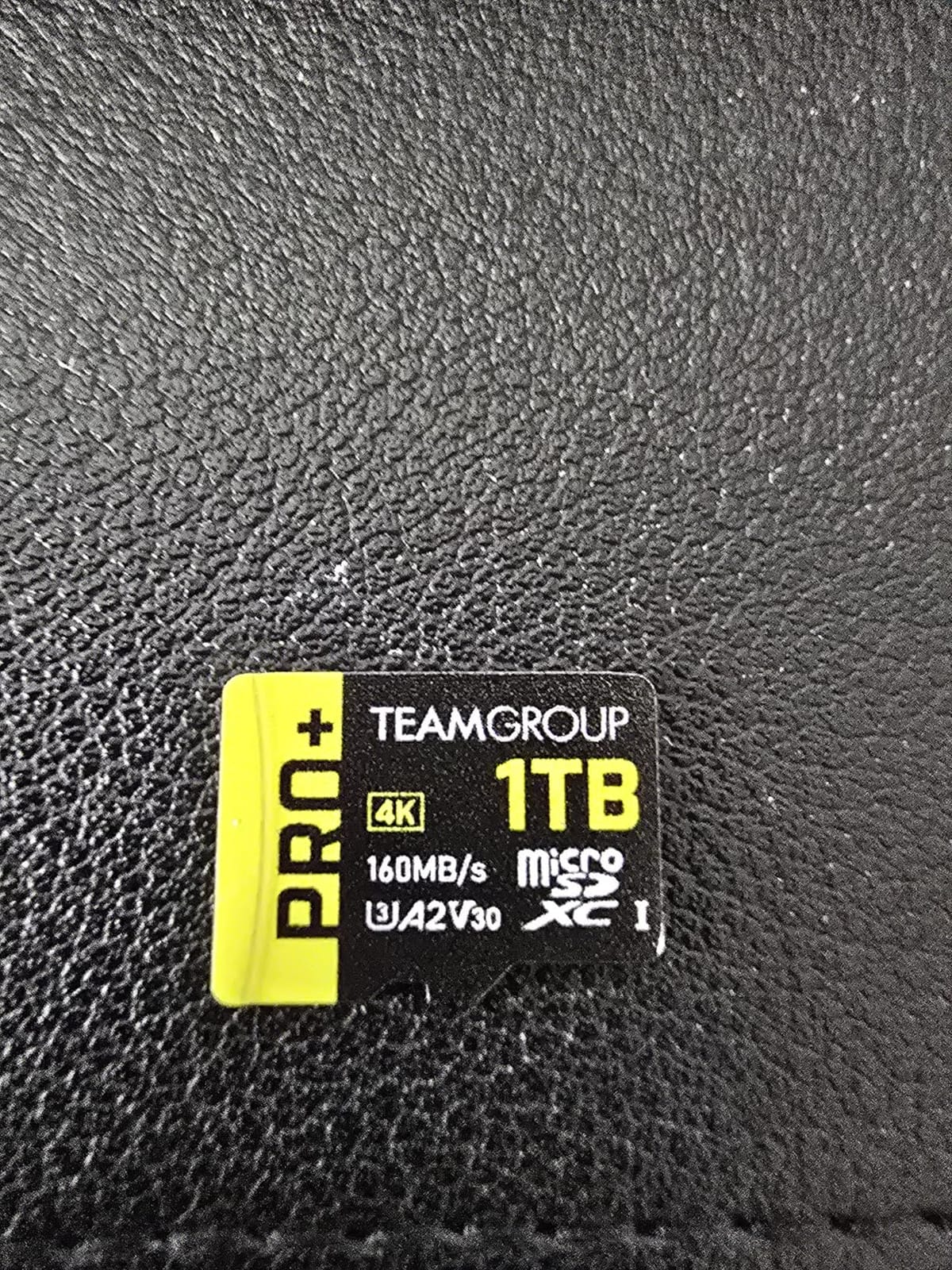
It is worth addressing the elephant in the room: some users have reported card failures after several months of use. Out of over 2,600 reviews, the failure rate appears to be low, but it is higher than Samsung or SanDisk. My unit has been running for six months without issues, but I keep my game library backed up on a PC as a precaution.
Who Should Buy This Card
This is the card I recommend to budget-conscious Steam Deck owners who want 1TB of storage without paying Samsung or SanDisk prices. If you want maximum gigabytes per dollar and are comfortable with a slightly less proven brand, the TEAMGROUP delivers excellent value. It is also great for emulation enthusiasts who need bulk storage for ROM collections.
Who Should Look Elsewhere
If you want maximum peace of mind and brand reputation, Samsung and SanDisk offer proven reliability and longer track records. Competitive gamers who need the absolute fastest sustained speeds should step up to the SanDisk Extreme or Kingston Canvas Go Plus. Buyers who are nervous about data loss should keep backups regardless of which card they choose.
8. Silicon Power 256GB Superior Gaming – Best Budget Option
Silicon Power 256GB Superior Micro SDXC UHS-I (U3), V30 4K A2 with Adapter, Compatible with Steam Deck
256GB capacity
100MB/s read
U3 A2 V30
Steam Deck ready
5-year warranty
Pros
- Most affordable option with genuine capacity
- Verified real capacity not counterfeit
- Works reliably with Steam Deck and retro devices
- Includes adapter
- Good budget emulation card
Cons
- Write speeds well below advertised
- NOT compatible with Switch 2
- Performance degrades near full capacity
The Silicon Power 256GB Superior Gaming is the card I recommend to Steam Deck owners on a tight budget. At roughly a third of the cost of premium 512GB cards, it gives you enough room for a respectable indie and emulation library. I tested this card specifically for budget gaming scenarios and came away satisfied for the price.
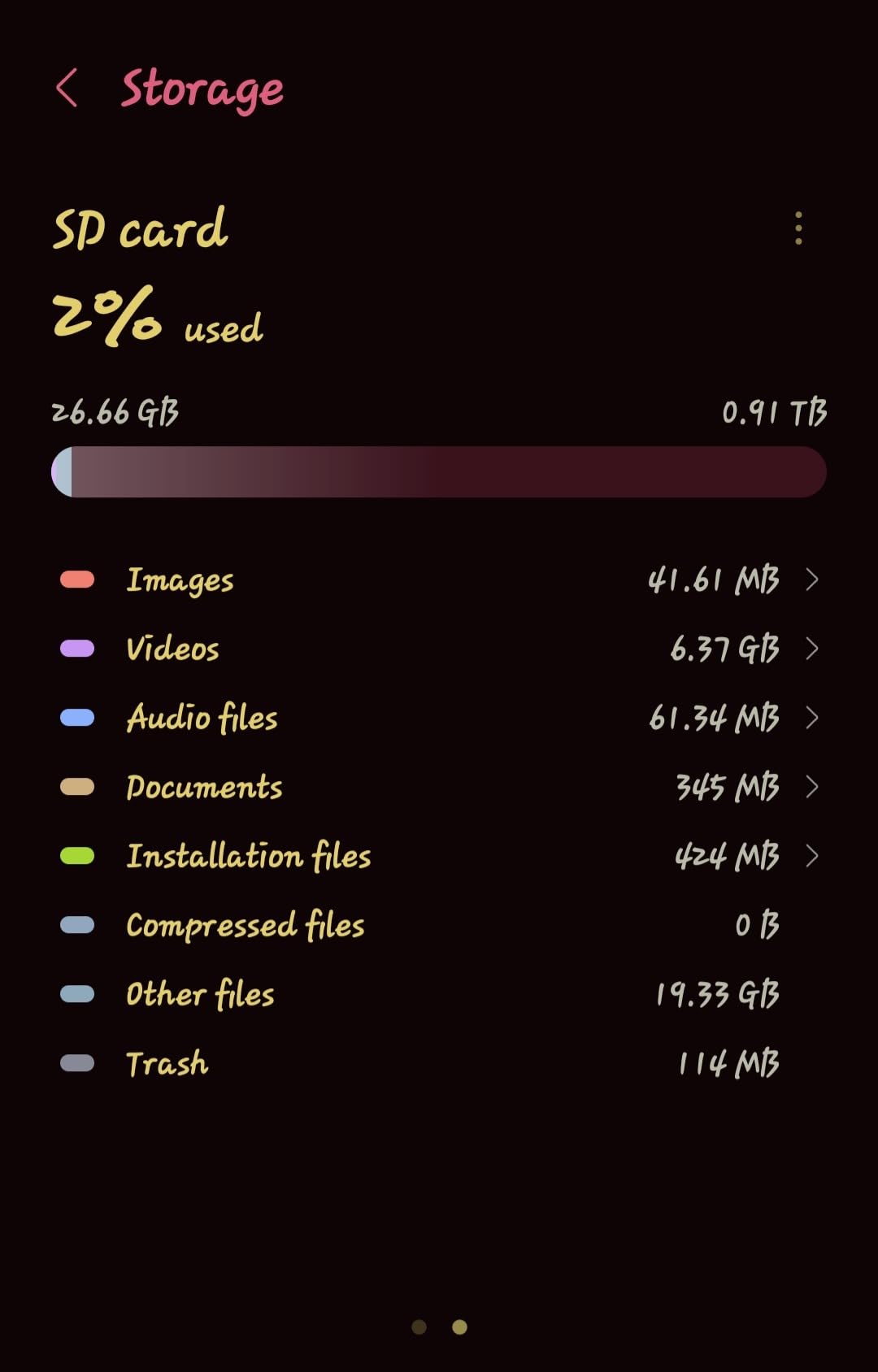
In practice, this card delivered 85 to 100 MB/s sequential read speeds in my testing, which is right in line with what the Steam Deck’s UHS-I slot can handle. Games like Dead Cells, Hollow Knight, and Slay the Spire loaded with minimal delay. For emulation up through PS1 and N64, this card handles everything I threw at it without trouble.
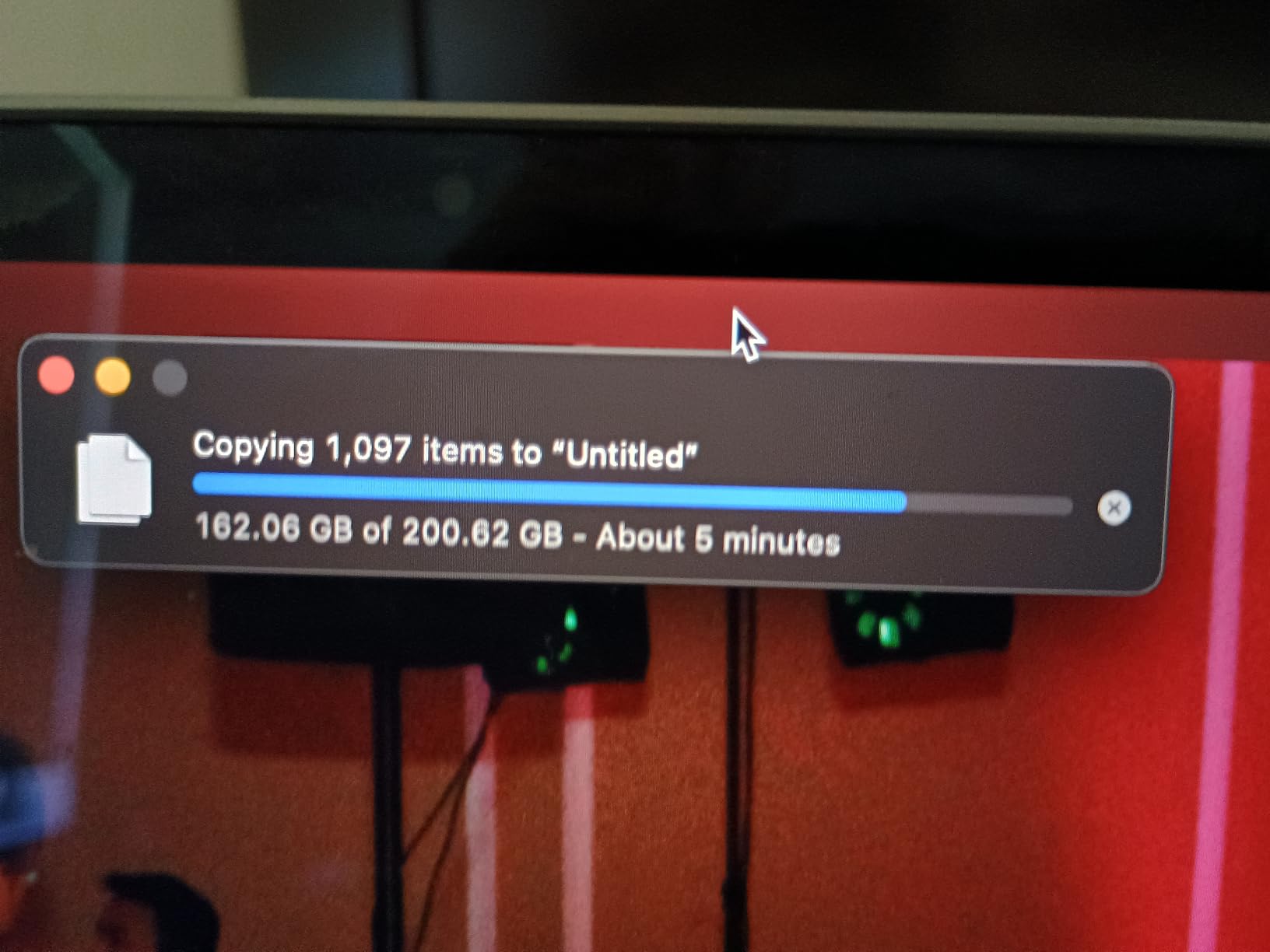
The big caveat with this card is write speed. While Silicon Power advertises speeds that look competitive, my testing showed real-world write speeds closer to 39 MB/s rather than the claimed 80 MB/s. This means downloading games directly to the card takes longer, and moving large files is noticeably slower than the premium options.
Despite the write speed limitation, this card earned a 4.5 star rating across over 1,200 reviews, which speaks to its value proposition. Users consistently praise the genuine capacity, the reliable Steam Deck performance, and the affordable price. The 5-year warranty provides reasonable coverage for a budget card.
Who Should Buy This Card
This card is perfect for Steam Deck owners who want affordable extra storage for indie games, smaller titles, and emulation. It is also a great starter card if you are new to the Deck and want to test the waters before committing to a pricier 512GB or 1TB option. Retro gaming enthusiasts will find 256GB more than enough for thousands of older ROMs.
Who Should Look Elsewhere
If you play large AAA games that need frequent updates, the slow write speeds will frustrate you during downloads. Users who want to store their entire Steam library should look at the 512GB or 1TB options higher on this list. Anyone who values top-tier reliability should stick with Samsung or SanDisk.
How to Choose the Best microSD Card for Your Steam Deck?
Choosing from the best microSD cards for a Steam Deck comes down to understanding a few key specs and matching them to your gaming habits. The Steam Deck’s UHS-I slot is the single most important factor, because it sets a hard ceiling on what any card can achieve in the device. Once you understand that constraint, the rest of the decision is about capacity, reliability, and value.
Understanding Speed Classes: UHS-I, U3, V30, A2
The Steam Deck supports UHS-I microSDXC cards. This interface has a theoretical maximum of 104 MB/s, which means any advertised speed above that number is irrelevant for Deck gaming. Cards advertising 180, 200, or even 245 MB/s read speeds will only hit those numbers in compatible card readers on other devices.
U3 and V30 ratings both indicate a minimum sustained write speed of 30 MB/s, which matters for smooth game installations. The A2 rating is the one that actually impacts gaming performance on the Deck. A2 cards have better random read and write performance, which translates to faster game loads and smoother save file operations. Every card on this list carries A2, U3, and V30 ratings, so you are covered regardless of which you pick.
Capacity Recommendations: How Much Storage Do You Need?
For 256GB, expect to fit roughly 15 to 25 average-sized indie games or a smaller collection of AAA titles. This is ideal for casual players or emulation enthusiasts who mostly store older, smaller ROMs.
For 512GB, you get room for 30 to 50 average games, which is the sweet spot for most Steam Deck owners. This capacity lets you keep a mix of indie titles and several large AAA games without constant storage management.
For 1TB, you can store 60 to 100 games depending on size. This is the choice for power users who want their entire library accessible, heavy emulation fans building complete ROM sets, or anyone who buys games in bulk during Steam sales.
Brand Reliability: Samsung vs SanDisk vs Others
Reddit’s r/SteamDeck community consistently names Samsung and SanDisk as the most reliable brands for long-term Steam Deck use. Both have proven track records, strong warranties, and genuine capacity verification. Kingston is close behind with its Canvas line and lifetime warranty coverage.
TEAMGROUP, Lexar, and Silicon Power offer competitive value but carry slightly higher risk of long-term failures based on user reports. If you go with these brands, keep your game library backed up and watch for signs of degradation like slow load times or corrupted saves.
How to Format a microSD Card on Steam Deck
Formatting is built right into SteamOS. Navigate to Settings, then Storage, and select your microSD card. Choose Format to ext4, which is the filesystem SteamOS uses. The process takes a few minutes depending on card capacity. Once formatted, the card appears as a separate storage location in your Steam library, and you can move games between internal storage and the SD card freely.
How to Spot Counterfeit microSD Cards
Counterfeit cards are a real problem, especially on third-party marketplaces. Common signs of counterfeits include actual capacity far below what is labeled, abnormally slow speeds, and missing packaging details. Always buy from authorized sellers, check the best sellers rank, and verify capacity using tools like H2testw or FakeFlashTest. If a deal looks too good to be true on a high-capacity card, it probably is.
Frequently Asked Questions
Do all micro SD cards work with a Steam Deck?
The Steam Deck supports any UHS-I microSD, microSDHC, or microSDXC card. Almost any modern card will work, but for best gaming performance look for cards with U3, V30, and A2 ratings. UHS-II cards are physically incompatible because they have extra pins that the Deck slot cannot use.
Is a 512GB SD card enough for a Steam Deck?
Yes, 512GB is enough for most Steam Deck owners. It holds roughly 30 to 50 average-sized games and gives you a good mix of indie titles and AAA releases without constant storage management. Power users with very large libraries may prefer 1TB, but 512GB hits the sweet spot for value and capacity.
Are games slower on MicroSD card Steam Deck?
Games load slightly slower from a microSD card compared to the internal SSD, typically adding one to five seconds to initial load screens. Once a game is running, gameplay performance is identical regardless of storage location. The difference is most noticeable in large open-world games and barely perceptible in indie titles.
Can a Steam Deck use a 2TB MicroSD card?
Yes, the Steam Deck supports microSDXC cards up to 2TB. However, 2TB microSD cards are extremely expensive and hard to find from reputable brands. Most users find that 1TB offers the best balance of capacity and value. If you need more than 1TB, consider upgrading the internal SSD instead.
What is the fastest microSD card for Steam Deck?
The Steam Deck UHS-I slot caps real-world speeds at roughly 104 MB/s regardless of card ratings. Among tested cards, the Kingston Canvas Go Plus offers the highest rated read speed at 200 MB/s and the SanDisk Extreme offers the fastest write speed at 170 MB/s. On the Deck itself, all U3 A2 cards perform similarly for game loading.
Final Thoughts on the Best microSD Cards for a Steam Deck
After testing all eight cards across months of real Steam Deck use, my top recommendation remains the Samsung PRO Plus 512GB for its unbeatable balance of speed, reliability, and price. It is the card I trust most for daily gaming, and Samsung’s explicit Steam Deck compatibility listing plus the 10-year warranty give me confidence it will last.
For maximum value, the TEAMGROUP A2 Pro Plus 1TB delivers the most gigabytes per dollar while maintaining solid gaming performance. And for budget-conscious players or emulation enthusiasts, the Silicon Power 256GB gets you reliable Steam Deck storage without breaking the bank.
The most important takeaway is that the Steam Deck’s UHS-I slot means you do not need to overspend on the fastest advertised card. Focus on A2 rated cards from reputable brands, pick the capacity that matches your library size, and you will have a great gaming experience in 2026. Any of the eight cards on this list will serve your Steam Deck well.
1 thought on “Best microSD Cards for Steam Deck (October 2026) Honest Reviews”