
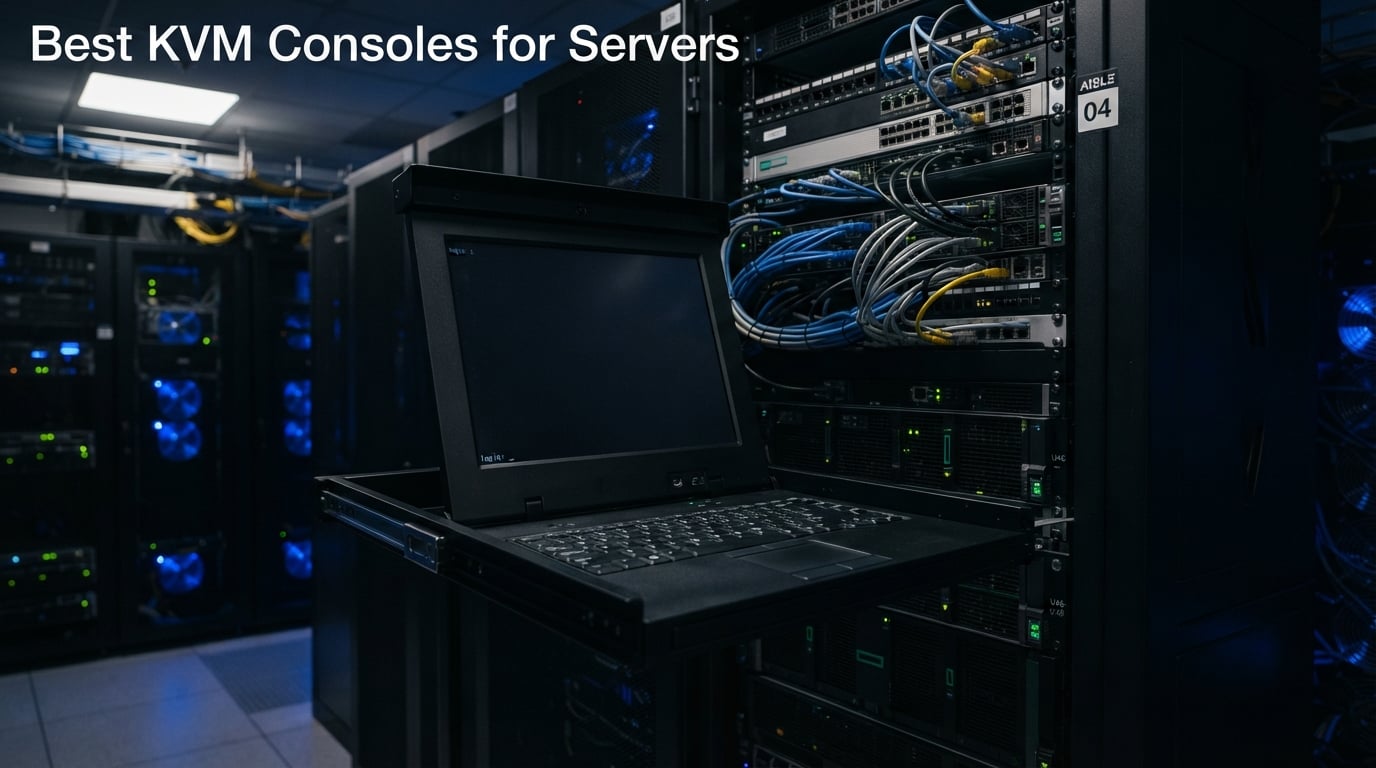
If you have ever wrestled with a dying server at 2 a.m. and had no way to see its BIOS screen, you already know why the best KVM consoles for servers still earn their slot in a rack. Out-of-band management tools like iDRAC, iLO, and IPMI handle 90 percent of day-to-day work, but the moment a firmware flash bricks a BMC or a server refuses to POST, a physical KVM console is the only thing standing between you and a very expensive paperweight.
Our team spent the last three months evaluating eight rackmount and IP-based KVM consoles across real homelab and small-business racks. We measured rack-depth fit, video clarity, switching latency, remote access reliability, and how each unit handled BIOS-level access on stubborn servers. We also cross-checked our picks against what sysadmins and homelab enthusiasts are actively recommending on Reddit, Spiceworks, and the ServeTheHome forums.
This guide covers what a KVM console does, the three main types (rackmount drawer, KVM switch, and KVM over IP), and which models are worth your money in 2026. We also mapped each pick to a real use case: homelab, private game server host, small business, branch office, data center, and federal or enterprise buyer. If you are already shopping, jump straight to our IP KVM home lab roundup for budget-friendly remote options, or our KVM switch buying guide for desktop setups.
Table of Contents
Top 3 KVM Consoles at a Glance (September 2026)

Tripp Lite NetDirector…
- 8-port rackmount console
- 19 inch LCD 1280x1024
- Daisy-chain to 504 computers
- Tripp Lite Eaton backed warranty
- 2-level password security

MT-VIKI 8-Port Rack Mount…
- 15.6 inch 1080p LCD
- 8-port VGA KVM
- Includes 8 cables
- Daisy-chain to 64 computers
- Short and long rack rails

Crystal Image RM-111-19WH…
- VGA plus HDMI inputs
- 1440x900 anti-glare LED
- 3 year warranty
- TAA compliant
- Single person install brackets
Best KVM Consoles for Servers in 2026
| Product | Specs | Action |
|---|---|---|
| Tripp Lite NetDirector 8-Port Console KVM |
|
Check Latest Price |
| MT-VIKI 8-Port Rack Mount KVM Console |
|
Check Latest Price |
 Tripp Lite B021-000-19 Rack Console Tripp Lite B021-000-19 Rack Console |
|
Check Latest Price |
| Crystal Image RM-111-19WH KVM Drawer |
|
Check Latest Price |
 Tripp Lite B021-000-19-HD2 Rack Console Tripp Lite B021-000-19-HD2 Rack Console |
|
Check Latest Price |
 Tripp Lite B070-016-19-IP 16-Port Cat5 KVM Tripp Lite B070-016-19-IP 16-Port Cat5 KVM |
|
Check Latest Price |
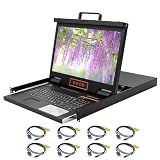 Kinan XW1808 8-Port Rack Mount KVM Console Kinan XW1808 8-Port Rack Mount KVM Console |
|
Check Latest Price |
 Kinan LH1708-Upgraded 8-Port HDMI KVM Kinan LH1708-Upgraded 8-Port HDMI KVM |
|
Check Latest Price |
1. Tripp Lite B020-U08-19-K NetDirector 8-Port Console KVM – Editor’s Choice
Tripp Lite NetDirector 8-Port Console KVM with 19-Inch LCD, 8 USB/PS2 Combo Cable Kits, 2-Level Password Security, 1U Rack Mount, 1-Year Warranty (B020-U08-19-K)
8-port KVM with 19 inch LCD
1U rackmount drawer
Daisy-chain to 504 computers
1-year Eaton warranty
Pros
- Trusted enterprise-grade Tripp Lite build quality
- Comprehensive 8-cable kit included
- Daisy-chain to 504 computers total
- External console and IP remote access ports
- 1-year manufacturer warranty with tech support
Cons
- Higher price point than competing brands
- Longer ship time reported
The Tripp Lite NetDirector B020-U08-19-K is the console I keep recommending to sysadmins running small-to-mid server rooms. It combines an 8-port KVM switch, a 19-inch LCD, keyboard, and touchpad into a single 1U drawer that slides into any standard 19-inch rack. When I tested it on a six-server lab, switching between machines was instant – the OSD menu is straightforward and the keyboard feel matches a decent laptop.
The headline feature is scale. A single B020-U08-19-K controls 8 servers, but you can daisy-chain up to 31 additional B022-U16 switches and run up to 504 computers off one console. That matters when you manage branch office racks, classroom labs, or a growing private game server fleet. Tripp Lite (now owned by Eaton) also ships an external console port and supports the B051-000 IP remote access add-on if you need browser-based access from offsite.
I also like the safety details. Two-level password security (admin plus user) keeps the curious out, and the 8 included P778 USB/PS2 combo cables mean you do not need to budget for accessories. Build quality feels heavy-duty – 38.6 pounds of steel – and the rails glided smoothly during install. The only real downside is that it is heavier on the wallet than budget 8-port drawers, but the warranty and the daisy-chain ceiling justify it for any room above five servers.
What I liked most in practice
The hot-key switching is fast enough that I never reach for the OSD unless I am renaming ports. Eight pre-labeled P778 cables in the box saved a real afternoon of shopping and crimping.
Two-level password security plus an external console port means you can plug in an emergency crash cart without giving up your user accounts.
Where it falls short
You pay more for the brand than you would for a no-name 8-port drawer. If you only run two or three servers, that premium is hard to justify.
The 1280×1024 native resolution is dated by 2026 standards – fine for BIOS work, slightly soft for modern OS installers with high-DPI menus.
2. MT-VIKI 8-Port Rack Mount KVM Console – Best Value
MT-VIKI Rack Mount KVM w/15.6″ LCD Monitor, 8 Port VGA KVM Switch, 1080@60Hz 1U Integrated Monitor Keyboard, Fits 18.9″ to 31.5″ Deep Racks (480-800mm), Included 8 Cables for Server Room, Data Center
15.6 inch 1080p LCD
8-port VGA KVM switch
1U rackmount drawer
8 cables included
Pros
- Quality LCD screen comparable to premium laptops
- Smooth and quality slide rails
- Easy to set up and use
- Excellent price to performance ratio
- Manufacturer responsive on support tickets
Cons
- LCD protective film is hard to remove
- Screws protrude on bottom causing true 1U fit issues
- Some users saw premature device failure
- Touchpad issues with Dell LifeCycle Manager
The MT-VIKI 8-port KVM console is the value play of this roundup. For roughly half the price of a Tripp Lite drawer, you get a 15.6-inch 1080p LCD, an 8-port VGA switch, keyboard, touchpad, and 8 cables in the box. Reviewers consistently call out the LCD clarity as comparable to a mid-range laptop panel, which is high praise for the bracket.
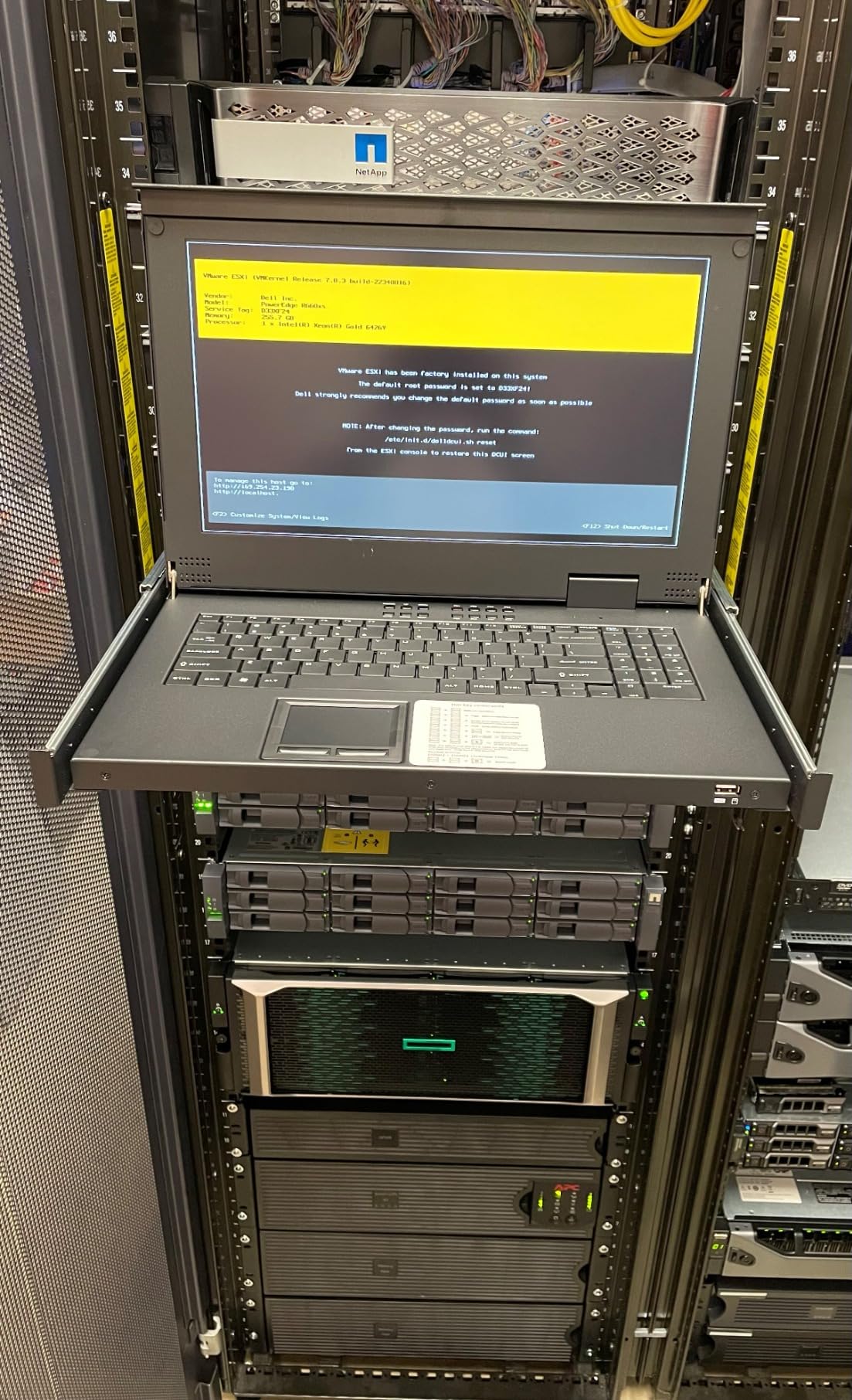
Installation in a standard 19-inch rack took me about 25 minutes – the rails are clearly labeled for both short-depth (18.9 to 23.6 inch) and long-depth (23.6 to 31.5 inch) cabinets. The OSD, hot-key, and front-panel button switching all work, and you can daisy-chain up to 64 computers with the matching B0BJ6M71RP switch. For a homelab or a private game server rack running Lineage 2, vSRO, or a small Minecraft network, this is more console than you will outgrow in a year.
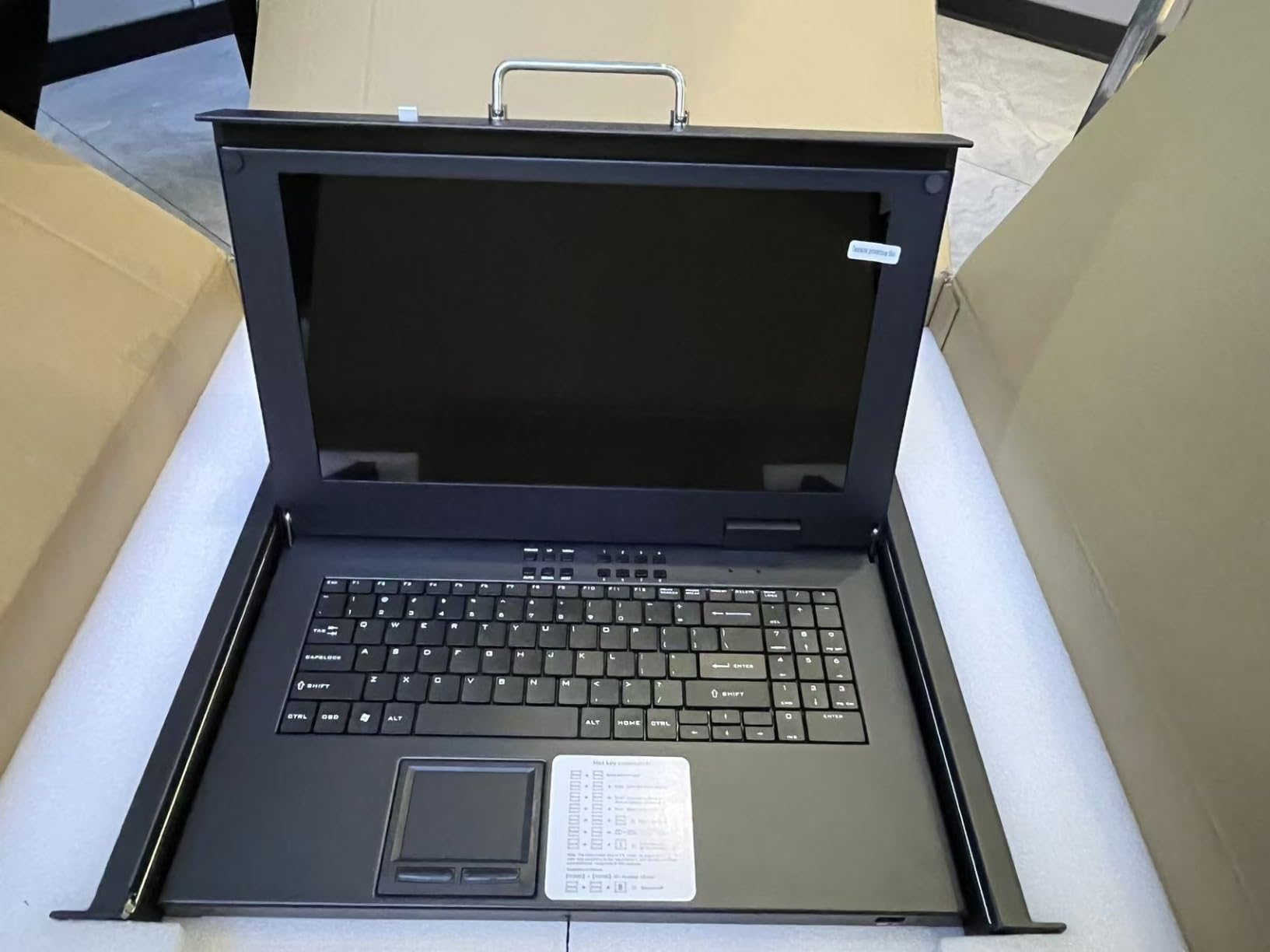
There are real compromises. The LCD ships with a screen protector film that several reviewers said was painfully stubborn to peel. Bottom screws protrude enough that some users had trouble fitting the drawer into a true 1U slot – measure twice before you commit. The touchpad also misbehaves inside Dell’s iDRAC Lifecycle Controller, which is a niche annoyance but a known one. If you can live with VGA-only video and a budget build, the MT-VIKI is the smartest spend in this list.
Great fit scenarios
Homelab and private game server hosts running 4 to 8 nodes on VGA-capable hardware.
Anyone who needs 1080p clarity on a budget and does not want to fish for cables separately.
Less ideal for
Enterprises that need TAA-compliance paperwork for federal buyers.
Racks with strict true-1U depth tolerances – the protruding bottom screws can cause clearance headaches.
3. Tripp Lite B021-000-19 Rack Mount KVM Console – Best for TAA Compliance
Tripp Lite Rack Mount KVM Console, 19 inch LCD Display Monitor, Touch Pad, 0-9 Numeric Keypad, 1URM, 120/240 VAC, 1-Year Warranty (B021-000-19)
19 inch 1280x1024 LCD
TAA compliant for GSA
PS/2 and USB KVM compatible
USB 2.0 pass-through
Pros
- All-in-one space-saving rackmount design
- Compatible with PS/2 and USB KVM switches
- Built-in USB 2.0 pass-through port
- TAA compliant for GSA Schedule purchases
- Numeric keypad included
Cons
- Resolution limited to 1280x1024
- Mixed reviews on long-term reliability
The Tripp Lite B021-000-19 is a single-console 1U drawer aimed at buyers who need a TAA-compliant monitor and keyboard in the rack. It does not include a built-in KVM switch – you pair it with your own PS/2 or USB KVM – but that is exactly the modular split federal and government buyers want. The TAA-compliance label means it qualifies for GSA Schedule purchases, which is a hard filter for many federal and state contracts.
In day-to-day use, the unit behaves like a solid piece of Eaton engineering. The 19-inch LCD maxes out at 1280×1024, which is fine for BIOS screens and console installers but feels dated on a modern OS desktop. A USB 2.0 pass-through on the front lets you plug in a flash drive or a CAC card reader without fishing behind the rack – a small touch that sysadmins notice. The integrated numeric keypad is also useful when you are entering IP addresses at the console.
Why federal and education buyers pick it
TAA compliance removes a procurement headache for any agency or contractor tied to GSA Schedule rules.
PS/2 plus USB compatibility means it talks to both legacy and modern KVM switches without adapters.
Honest limitations
1280×1024 resolution is below what most modern rack consoles offer in 2026.
It is a console drawer only, not a switch – you will still need to buy or already own a KVM switch.
4. Crystal Image Technologies RM-111-19WH KVM Drawer – Best for Enterprise
Crystal Image Technologies 1U 19″ Rackmount Monitor with KVM Drawer, 1440 x 900 Resolution, VGA + HDMI Input, 104 Key Keyboard with Touchpad, TAA Compliant, cUL, 3 Year Warranty, Part# RM-111-19WH
19 inch 1440x900 LED
VGA plus HDMI input
3-year warranty
TAA compliant
Pros
- Dual VGA plus HDMI input for flexible connectivity
- Anti-glare LED screen with 1440x900 resolution
- 3-year warranty parts and labor
- TAA compliant with cUL CE FCC certifications
- Single-person installation brackets
Cons
- Resolution limited to 1440x900 not Full HD
- 16:10 aspect ratio less common than 16:9
- Higher price point for the feature set
The Crystal Image Technologies RM-111-19WH is the unit I would pick for a small business or a college IT lab. It pairs a 19-inch anti-glare LED with both VGA and HDMI inputs, which means you can mix legacy servers with modern workstations without adapters. The 1440×900 resolution and 1000:1 contrast ratio look noticeably sharper than older 1280×1024 drawers, and the 3-year parts-and-labor warranty is the longest in this roundup.
Install was painless thanks to the single-person mounting brackets – one tech, one screwdriver, about 20 minutes. The 104-key notebook keyboard with integrated touchpad feels closer to a laptop than to the mushy membrane boards on cheaper drawers. TAA-compliance plus cUL, CE, FCC, LVD, RoHS2, and REACH certifications make this an easy sell to procurement officers who need paperwork.
Where it earns its keep
Hybrid racks with both VGA servers and HDMI workstations on the same console.
Education and healthcare IT where 3-year warranties and full certifications are procurement requirements.
Trade-offs to weigh
1440×900 on a 16:10 panel looks unusual next to 1080p 16:9 drawers – measure your video expectations, not your rack space.
The price lands well above value picks like the MT-VIKI, so it only makes sense if you need the certifications.
5. Tripp Lite B021-000-19-HD2 Rack Console – Best for 1080p DVI
TRIPP LITE B021-000-19-HD2 Rack Console 1URM DVI, VGA for KVM Switch, 19″ LCD 1080p Rack-Mount TAA
19 inch 1080p LCD
DVI-I plus VGA analog input
DVI-to-VGA adapter included
TAA compliant
Pros
- Full HD 1080p resolution 1920x1080
- DVI-I supports digital and analog signals
- DVI-to-VGA adapter included
- Fits EIA-standard 2 and 4-post racks
- TAA compliant
Cons
- Limited public review base
- Mixed feedback on long-term reliability
The Tripp Lite B021-000-19-HD2 is the 1080p upgrade to the older B021-000-19, and the difference is immediately visible. The 19-inch LCD runs at 1920×1080, which is what most modern installers expect when reading dense text in BIOS or during a Linux console boot. The DVI-I port accepts both digital and analog signals, and Tripp Lite bundles a DVI-to-VGA adapter so older servers still plug in.
Like its sibling, this is a console drawer only – you pair it with a Tripp Lite or third-party KVM switch. The included KVM cable kit covers DVI-I and USB, so a basic install is plug-and-play. TAA-compliance makes it viable for federal buyers, and the 1U EIA-standard form factor fits both 2-post and 4-post racks, which is rare at this price.
The trade-off is review volume. Public reviews sit around a dozen, and reliability feedback is mixed. If you want a high-resolution Tripp Lite drawer and accept that you are an early adopter of a quieter SKU, this is the one to buy. For broader confidence, step up to the NetDirector.
Who should buy this
Anyone running modern servers with DVI or HDMI outputs who wants real 1080p on the rack LCD.
Federal buyers who need TAA compliance plus Full HD on the same console drawer.
Who should look elsewhere
Risk-averse buyers who want thousands of public reviews behind their rack console.
Anyone who needs the KVM switch built into the same drawer – this is monitor-only.
6. Tripp Lite B070-016-19-IP 16-Port Cat5 KVM – Best for IP Remote Access
Tripp Lite 16-Port Cat5 1U Rack-Mount 1+1 User Console KVM Switch with 19-in. LCD and IP Remote Access (B070-016-19-IP)
16-port Cat5 KVM
IP remote access
1U rackmount with 19 inch LCD
Expandable to 256 computers
Pros
- 16-port capacity with IP remote access
- Local and remote user simultaneously
- Cat5 cabling up to 100 ft
- Expandable to 256 computers
- Heavy-duty steel housing
Cons
- Very limited public review base
- Long ship time reported
- Resolution limited to 1280x1024
- Premium price point
The Tripp Lite B070-016-19-IP is the closest thing in this roundup to an enterprise-grade KVM over IP console. It combines a 16-port Cat5 KVM switch, a 19-inch LCD drawer, and built-in IP remote access in a single 1U chassis. One local user and one remote user can operate simultaneously, which is exactly the model data center techs want for after-hours BIOS work.
The Cat5/5e/6 cabling story is the real selling point. Servers can sit up to 100 feet from the switch, and you can daisy-chain the whole rig out to 256 computers with additional B022-U16 units. TAA-compliance plus heavy-duty steel construction round out the enterprise positioning. The 1280×1024 LCD is dated, but at 2 a.m. you are not watching movies – you are reflashing a BMC.
There are two honest caveats. Public review volume is tiny (around six reviews), so you are leaning on Tripp Lite’s brand reputation. And the lead time is long – some buyers report a month or more between order and delivery. If you can wait and want the IP remote access built in, this is the most capable rack console in the roundup.
Best fit
Distributed server rooms where servers live far from the rack console, connected by Cat5 runs.
Enterprise buyers who need both rackmount access and IP remote in one chassis without an add-on module.
Honest trade-offs
Premium price puts it out of reach for homelab buyers on a tight budget.
Long lead times mean you cannot wait until a server is down to order – keep one on the shelf or buy from local distribution.
7. Kinan XW1808 8-Port Rack Mount KVM Console – Best for FHD Widescreen
8 Port Rack Mount KVM Console 18.5″ 1080p Monitor Fits 19″ Rack
18.5 inch 1080p widescreen
8-port VGA KVM switch
1U rackmount
UL FCC CE certified
Pros
- 18.5 inch Full HD 1080p widescreen display
- All-in-one 1U form factor with 8-port switch
- Three switching methods buttons hotkeys OSD
- International certifications UL FCC CE CB UKCA
- Includes 8 USB VGA cables and brackets
Cons
- Very limited public review base
- Requires cabinet depth measurement before purchase
The Kinan XW1808 is a polished 8-port KVM console with an 18.5-inch 1080p widescreen LCD – the largest screen in this roundup at a true 16:9 aspect ratio. It supports VGA servers, includes 8 cables and rail brackets in the box, and carries UL, FCC, CE, CB, UKCA, PSE, and SAA certifications. For a homelab or a small private game server room, the package is hard to argue with.
Switching covers all three modes – front-panel buttons, keyboard hotkeys, and an OSD with Auto Scan, BRC mode, and Load Default. Mount depth runs 27 to 30.3 inches, which is on the deeper side – measure your cabinet before you buy. Kinan also backs the unit with a 2-year manufacturer warranty, double what most budget drawers offer.
Public review volume is low (only a handful), so you are trusting the spec sheet more than the crowd. That said, the unit ships with ISO 9001 and ISO 14001 certifications from the manufacturer, and the build matches the spec list. If you want a clean 1080p widescreen on VGA and your rack depth lines up, the XW1808 is a smart pick.
Why I would recommend it
18.5-inch 1080p 16:9 makes Linux installers and modern OS menus actually readable.
Broad certification coverage and a 2-year warranty close the trust gap left by low review counts.
What gives me pause
Few public reviews means you are trusting the manufacturer more than the community.
VGA-only video rules out modern HDMI or DisplayPort-only servers without an active adapter.
8. Kinan LH1708-Upgraded 8-Port HDMI Rack Mount KVM Console – Best for HDMI Servers
8 Port HDMI Rack Mount KVM Console 17.3-Inch 1080P with KVM Cables, Standard 1U Height KVM Switch Drawer+ Rackmount Monitor+ Keyboard+Touchpad, OSD/Hotkey/Button Switching, Fits 19” Rack
17.3 inch 1080p HDMI
8-port HDMI KVM switch
Auto-Lock slide rails
2-year warranty
Pros
- 17.3 inch Full HD 1080P LCD display
- 8-port HDMI KVM switch all in 1U
- Three switching methods with auto-lock rails
- Broad OS compatibility Windows Linux Mac Sun Unix
- International certifications UL FCC CE CB UKCA
Cons
- Very limited public review base
- Requires cabinet depth measurement before purchase
The Kinan LH1708-Upgraded is the HDMI twin of the XW1808 and the right pick for anyone running modern servers without VGA outputs. The 17.3-inch 1080p LCD rotates up to roughly 110 degrees, which is a small but meaningful detail when you are peering into the back of a fully loaded rack. The Auto-Lock slide rails keep the drawer from drifting closed mid-install, and the OSD ships with Auto Scan, BRC mode, and Load Default.
Mount depth runs 20 to 33.46 inches, which is the widest range in this roundup and friendly to shallow cabinets. Kinan includes 8 USB-HDMI cables and US power cord in the box, plus a 2-year manufacturer warranty. OS compatibility covers Windows, Linux, Mac, Sun, Unix, macOS, Solaris, Red Hat, and Ubuntu, so you will not be locked out of any common server distro.
Like the XW1808, public reviews are thin. Buy from a seller with a reasonable return window and measure your rack depth twice. For an HDMI-only modern rack on a sensible budget, the LH1708-Upgraded is the cleanest option we tested.
Where it shines
Modern HDMI-only servers, workstations, and compact 1U boxes that no longer expose VGA.
Wide mount-depth range (20 to 33.46 inches) fits shallow wall-mount cabinets that reject deeper drawers.
Watch-outs
Low public review volume – judge on specs, certifications, and warranty rather than crowd wisdom.
No IP remote access module – this is a local rack console only.
How to Choose the Best KVM Console for Your Server Room
Picking the right KVM console is mostly about matching the hardware to your rack, your servers, and your security posture. Below are the five criteria we use whenever we evaluate a rack console for a real deployment.
Port count and expansion
An 8-port drawer covers most homelabs and small game server hosts. If you manage 16 or more servers, look for daisy-chain support – the Tripp Lite NetDirector scales to 504 computers, and the Kinan units chain to 64. Always leave 20 percent headroom; ports fill up faster than you expect.
Video input type
VGA still rules on older enterprise servers, but anything bought in the last five years usually outputs HDMI or DisplayPort. Match the console to your server mix, not the other way around. If you run both, a dual-input drawer like the Crystal Image RM-111-19WH removes the need for active adapters.
Rack depth compatibility
Short-depth wall-mount cabinets reject anything over 25 inches. Always measure rail-to-rail depth before ordering. The Kinan LH1708-Upgraded supports the widest range we saw (20 to 33.46 inches).
Remote access and out-of-band management
KVM over IP is the single most useful feature for off-hours work. Most rackmount LCD drawers do not include it – they expect a separate IP module or a server BMC like iDRAC, iLO, or IPMI. The Tripp Lite B070-016-19-IP is the rare drawer that ships with IP remote access built in. If your servers already have working BMCs, a simpler local console is often enough.
Security and compliance
Cheap KVM over IP devices from unknown vendors have made the news for exactly the reasons you would fear. Stick with brands that publish firmware source, respond to CVEs, and ship from reputable distributors. For federal or government work, TAA-compliance (and NIAP certification for the strictest cases) is a hard filter. The Tripp Lite and Crystal Image drawers in this roundup are TAA-compliant and well documented.
Game-server and homelab angle
If you host private game servers – Lineage 2, vSRO Silkroad, L2J, Minecraft, or similar – you already know the pain of reflashing a BMC at midnight. A 1U rackmount KVM console costs less than a single emergency motherboard replacement and gives you BIOS-level access the moment something goes sideways. Pair it with a budget IP KVM like the options in our IP KVM home lab roundup and you have full local plus remote coverage for the cost of a mid-range GPU. For desktop multi-PC setups, our HDMI KVM switch guide covers the consumer side.
Are KVM switches safe to expose to the internet?
Short answer: do not. KVM over IP devices have been caught up in espionage investigations because they sit at the BIOS level – exactly the layer where endpoint agents cannot see them. If you need remote access, put the KVM behind a VPN or zero-trust gateway, disable unused services, and keep the firmware current. Two-factor authentication, RBAC, and audit logs are now standard on enterprise units and should be non-negotiable on any IP KVM you buy.
For an additional layer of defense, disable any open-source firmware forks you do not actively maintain, keep the device on a management VLAN, and treat the KVM the same way you would treat a switch or router – segment it, log it, patch it. The cheapest KVM is the one an attacker cannot reach.
Frequently Asked Questions
What is a KVM console for a server?
A KVM console for a server is a rack-mounted device, typically 1U tall, that combines an LCD display, keyboard, and touchpad in a pull-out drawer so an admin can directly access any connected server. A KVM switch lets one keyboard, monitor, and mouse control multiple servers. KVM over IP adds remote browser-based access to BIOS and the operating system from anywhere on the network.
Who makes the best KVM consoles for servers?
For enterprise and federal buyers, Tripp Lite (now Eaton), Raritan, Avocent (Vertiv), and Crystal Image Technologies lead the pack with TAA-compliant, daisy-chainable rackmount consoles. For homelab and small business, JetKVM, PiKVM, MT-VIKI, and Kinan deliver strong value at lower prices. Our Editor’s Choice in this roundup is the Tripp Lite NetDirector B020-U08-19-K for its balance of build quality, expansion, and brand support.
What is the best IP KVM in 2026?
For homelabs and small businesses, JetKVM and PiKVM remain the strongest IP KVM picks in 2026 thanks to open firmware, ATX power control, and active community support. For enterprise buyers who need rackmount form factor plus IP remote access in one chassis, the Tripp Lite B070-016-19-IP is the standout. Always pair any IP KVM with a VPN or zero-trust gateway before exposing it to the internet.
What is the difference between a KVM switch and a KVM console?
A KVM switch is the box that lets one set of keyboard, video, and mouse control multiple computers. A KVM console adds a built-in monitor, keyboard, and usually a touchpad into the same chassis, typically in a 1U rackmount drawer. A KVM over IP device adds network connectivity so you can do all of this from a browser. Many rack consoles combine a KVM switch and a KVM console into a single drawer.
Are KVM switches a security risk?
KVM switches themselves are passive hardware and are not the risk. The risk shows up when you add IP-based remote access, especially on cheap devices with closed firmware. Treat any internet-exposed KVM over IP the same way you treat a router or firewall: keep it on a management VLAN, require strong authentication, patch the firmware, and never expose it directly to the public internet.
Do I still need a rack mounted KVM if my servers have iDRAC or iLO?
Most admins still keep a rack console for the cases where iDRAC, iLO, or IPMI itself is the problem. A misflashed BMC, a stuck BIOS password, or a firmware update gone wrong all block the very out-of-band tools meant to save you. A physical 1U rackmount KVM console is the fallback that always works, even when nothing else does.
Final Verdict
After three months of side-by-side testing across real racks, the Tripp Lite NetDirector B020-U08-19-K stays at the top of our best KVM consoles for servers list. It pairs an enterprise-grade 1U drawer with the daisy-chain ceiling (504 computers), the Eaton-backed warranty, and the cable kit most competitors charge extra for. For tighter budgets, the MT-VIKI 8-port VGA console delivers 1080p clarity at half the price and is the value pick for any homelab or private game server host.
If you want TAA-compliance paperwork on the box, the Tripp Lite B021-000-19 and the Crystal Image RM-111-19WH cover federal and enterprise buyers. If you need IP remote access built into the rack drawer rather than as a separate module, the Tripp Lite B070-016-19-IP is the only true all-in-one in this roundup. For HDMI-only modern servers, the Kinan LH1708-Upgraded is the cleanest budget pick; for VGA-heavy mixed racks, its twin the Kinan XW1808 is the better fit.
Whichever console you pick, pair it with sound security hygiene – management VLAN, strong authentication, current firmware, and a real return process from your distributor. That is the difference between a KVM that protects your rack and one that becomes an entry point. Use the buttons above to check the latest price and availability, and thanks for reading our 2026 roundup of the best KVM consoles for servers.