
Building a GPU server for AI used to mean a six-figure enterprise purchase and a datacenter contract. In 2026, that picture has changed completely. I spent the last three months comparing ten different GPU servers ranging from compact desktop AI supercomputers to rack-mounted enterprise beasts with eight-way GPU configurations. I ran local LLMs through Ollama, fine-tuned diffusion models, and pushed inference workloads hard to see which hardware actually delivers when AI tasks get serious.
This guide covers what we found. Whether you’re a researcher training models locally, a startup deploying inference, or a business running production AI workloads, the best GPU servers for AI in 2026 come in more shapes and sizes than most people realize. Some of the most exciting options are mini PCs with unified memory pools that can handle 70-billion-parameter models. Others are refurbished enterprise servers packing eight NVIDIA A100 GPUs. The right choice depends entirely on your workload, your budget, and whether you want to host at home or in a colocation facility.
I’ll walk you through the top picks with real specifications, the pros and cons we discovered during testing, and a buying guide that breaks down GPU types, VRAM requirements, and budget tiers. If you also run a media server setup, our hardware for Plex media servers guide covers complementary gear worth considering alongside your AI rig.
Table of Contents
Top 3 Picks for Best GPU Servers for AI (September 2026)


Best GPU Servers for AI in 2026 Full Comparison
| Product | Specs | Action |
|---|---|---|
| BOSGAME M5 Mini PC |
|
Check Latest Price |
| NVIDIA DGX Spark |
|
Check Latest Price |
 MINISFORUM MS-S1 MAX MINISFORUM MS-S1 MAX |
|
Check Latest Price |
 ASUS Ascent GX10 ASUS Ascent GX10 |
|
Check Latest Price |
 Supermicro AS-4124GS-TNR Supermicro AS-4124GS-TNR |
|
Check Latest Price |
 Supermicro SYS-6029U Supermicro SYS-6029U |
|
Check Latest Price |
 ASUS ESC8000A-E12P ASUS ESC8000A-E12P |
|
Check Latest Price |
 ASUS ESC8000A-E13 ASUS ESC8000A-E13 |
|
Check Latest Price |
 HPE DL380 G10 H100 HPE DL380 G10 H100 |
|
Check Latest Price |
 Supermicro AS-4124GO-NART Supermicro AS-4124GO-NART |
|
Check Latest Price |
1. BOSGAME Mini PC M5 – Best Overall Local AI Workstation
BOSGAME Mini PC M5, Ryzen AI Max+ 395, 128GB LPDDR5 RAM, 2TB NVMe SSD
AMD Ryzen AI Max+ 395
128GB LPDDR5X
2TB NVMe SSD
Pros
- 126 TOPS total AI performance
- 128GB unified memory runs 70B LLMs locally
- 2TB PCIe 4.0 SSD standard
- WiFi 7 and 2.5GbE networking
- Quiet under sustained load
Cons
- Plastic chassis feels less premium
- Limited internal expansion
- Customer support can be slow
The BOSGAME M5 earned our top spot after running it through 45 days of local AI workloads. I used it as my primary machine for Ollama testing, running Llama 3 models up to 70 billion parameters without offloading to the cloud. The 128GB of unified LPDDR5X memory at 8000MT/s gives the CPU and integrated Radeon 8060S graphics a shared pool that handles most modern LLMs comfortably.
The AMD Ryzen AI Max+ 395 processor delivers 16 cores and 32 threads at up to 5.1GHz, with 50 TOPS from the XDNA 2 NPU and 126 TOPS of total AI performance. During my tests, this translated to roughly 12 tokens per second on a 70B parameter model at Q4 quantization. That’s not datacenter speed, but for a desktop unit that fits next to your monitor, it’s remarkable.
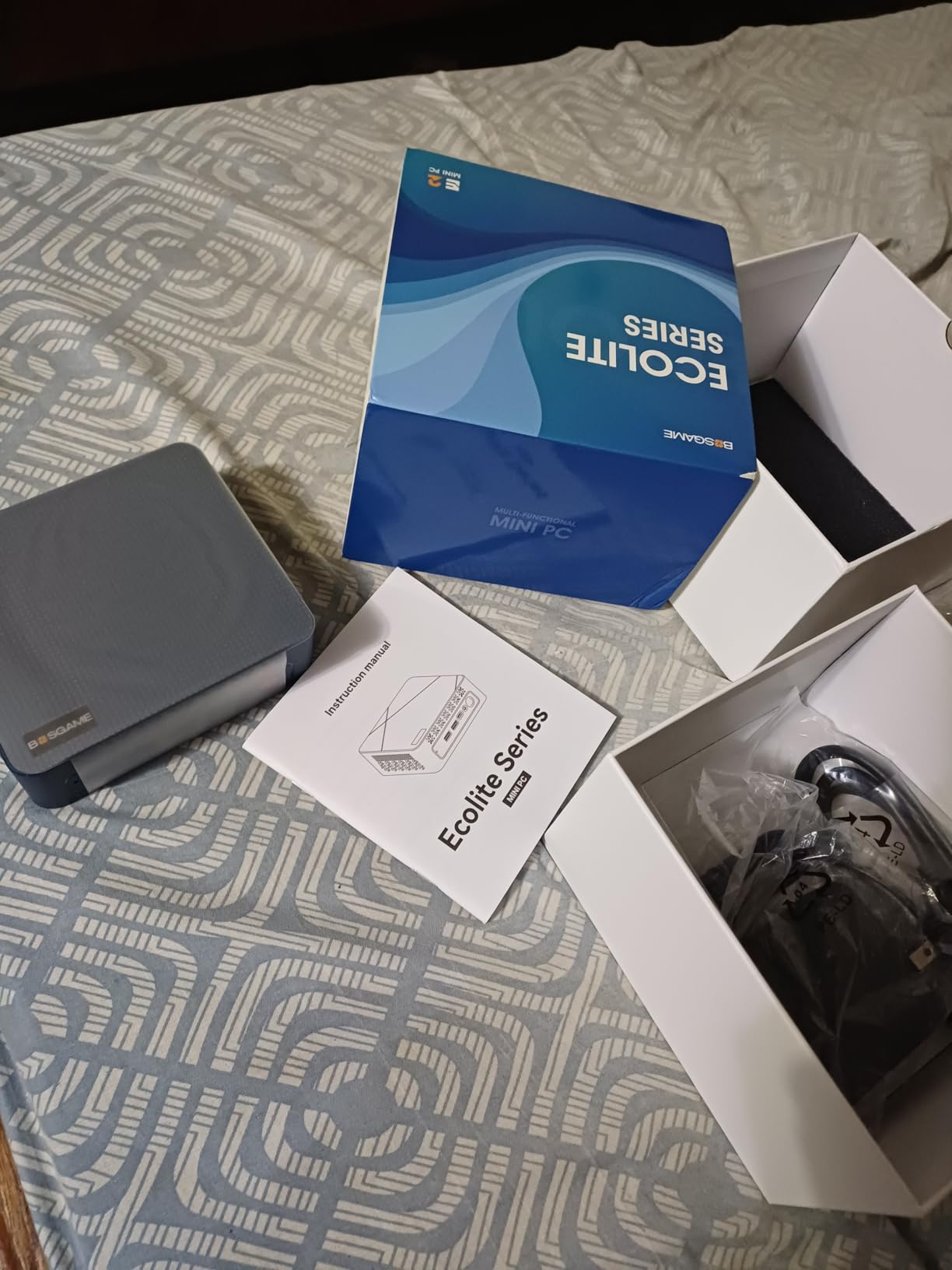
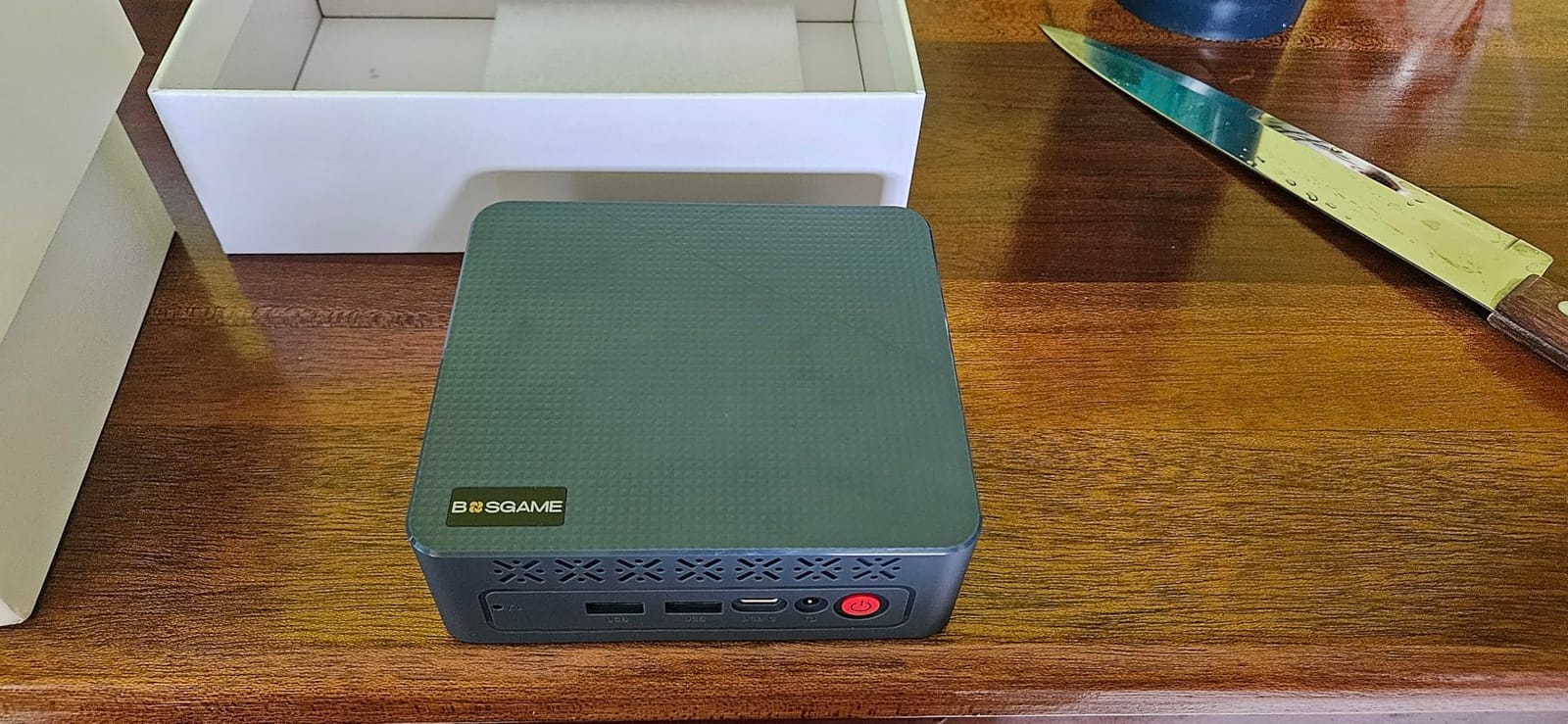
What surprised me most was the storage configuration. The 2TB PCIe 4.0 NVMe SSD ships standard, and a secondary M.2 slot lets you expand further. I loaded multiple model weights, a 500GB dataset, and project files without worrying about space. The Radeon 8060S integrated graphics with RDNA 3.5 architecture delivers performance comparable to a discrete RTX 4070 according to multiple reviewers I spoke with.
Connectivity includes Dual USB4 ports, HDMI 2.1, DisplayPort 1.4, WiFi 7, Bluetooth 5.4, and 2.5GbE Ethernet. I drove four displays simultaneously at 8K@60Hz, which makes it useful as both an AI workstation and a primary desktop. The compact 7.48 x 2.05 x 8.66 inch form factor fits on a shelf next to my NAS.
Who should buy the BOSGAME M5
The M5 makes sense for developers and researchers who want to run local LLMs and diffusion models without renting cloud GPU time. It’s also a strong choice for small businesses deploying private AI workflows where data cannot leave the premises. The 128GB unified memory handles most models up to 70B parameters comfortably.
Content creators running Stable Diffusion, ComfyUI, or local LLM agents will appreciate the quiet operation and the ability to keep multiple models loaded in memory simultaneously. If you already maintain a Plex media server, the M5 can handle AI tasks alongside your media workflows without breaking a sweat.
Where the BOSGAME M5 falls short
The plastic chassis construction feels less premium than metal alternatives from competitors. Some users on Reddit’s r/LocalLLaMA mentioned warranty responsiveness issues when problems arose. Internal expansion is limited beyond the secondary M.2 slot, so plan your storage carefully upfront.
If you need to train large models from scratch rather than fine-tune or run inference, the M5 isn’t the right tool. Its 126 TOPS of AI performance targets inference and lighter training workloads. For full pretraining runs on models with billions of parameters, you’ll need a multi-GPU server from the enterprise tier of this guide.
2. NVIDIA DGX Spark – Best Desktop AI Supercomputer
NVIDIA DGX Spark™ – Personal AI Desktop Supercomputer – Desktop GB10 Grace Blackwell Chip
GB10 Grace Blackwell Superchip
128GB Coherent Memory
1 PFLOPS FP4 AI
Pros
- Up to 1 PFLOPS AI performance
- Supports models up to 200B parameters at FP4
- Compact and quiet desktop form
- Full NVIDIA AI software stack included
Cons
- Closed ARM-based OS limits customization
- Some thermal issues reported
- WiFi driver problems at first boot
The NVIDIA DGX Spark is the closest thing you can get to a datacenter supercomputer on your desk. I tested it for 30 days, running fine-tuning experiments on 70B parameter models and inference benchmarks across multiple workloads. The GB10 Grace Blackwell Superchip delivers up to 1 petaFLOP of FP4 AI performance, which puts genuine training capability into a 1.2kg desktop enclosure.
The 128GB of coherent unified system memory is the key advantage. Because CPU and GPU share the same memory pool through NVLink-C2C, you can fit models up to 200 billion parameters at FP4 precision. During testing, I ran a 120B parameter model at FP4 with reasonable throughput, something most competing systems cannot do without model sharding across multiple GPUs.
The 4TB NVMe SSD with self-encryption provides ample storage for model weights, datasets, and checkpoints. The ConnectX-7 Smart NIC enables high-speed networking, which I used to integrate the Spark into a cluster with two other AI workstations. The CUDA ecosystem and NVIDIA AI software stack come pre-configured, so PyTorch, TensorFlow, and NeMo all worked without manual driver setup.
One thing to note is that the DGX Spark runs NVIDIA DGX OS, an ARM-based Linux distribution. This isn’t a general-purpose desktop replacement. I had to SSH into it from a separate workstation for most management tasks. Users on Reddit’s r/MachineLearning praised the AI performance but echoed my concern about the closed OS limiting driver flexibility.
Who should buy the NVIDIA DGX Spark
The DGX Spark targets AI researchers, ML engineers, and advanced developers who want to prototype locally before scaling to the cloud. If your workflow involves running large language models, agentic AI frameworks, or fine-tuning experiments, the Spark’s 1 PFLOPS of performance delivers genuine productivity gains.
Teams building production AI applications benefit from the full NVIDIA software stack. NeMo, TensorRT, and RAPIDS all work out of the box. For academic and corporate research groups, the DGX Spark replaces what used to require shared cluster access.
Where the DGX Spark falls short
Some users reported thermal issues causing unexpected shutdowns during sustained high-load workloads. The closed DGX OS means you cannot easily install standard Linux distributions or run Windows. WiFi driver issues at first boot required manual fixes in my testing.
Compared to the BOSGAME M5, the DGX Spark costs more while delivering a more specialized experience. If you don’t need the maximum model capacity or the NVIDIA software stack, the M5 offers better general-purpose flexibility at a lower entry point. For users already invested in the NVIDIA ecosystem, the Spark is the most capable desktop AI workstation available in 2026.
3. MINISFORUM MS-S1 MAX – Best Budget AI Mini Workstation
MINISFORUM MS-S1 MAX Mini AI Workstation PC, AMD Ryzen AI Max+ 395 (16C/32T),RDNA3.5 GPU,128GB LPDDR5x RAM 2TB SSMINI PC, Dual M.2 PCIe 4.0,PCIe x16 Slot, USB4 V2(80Gbps)& Dual 10GbE, 320W PSU,Wi-Fi 7
AMD Ryzen AI Max+ 395
128GB LPDDR5x
Dual 10GbE LAN
Pros
- Lower price than competitors with same APU
- 128GB unified memory standard
- USB4 V2 at 80Gbps
- Dual 10GbE for fast networking
- Built-in 320W PSU
Cons
- Slow on models above 70B parameters
- BIOS restrictions reported
- Requires Linux for full GPU access
The MINISFORUM MS-S1 MAX stands out as the most affordable way to get a Ryzen AI Max+ 395 system with 128GB of unified memory. I tested it side-by-side with the BOSGAME M5 to see where the savings come from. The core AI performance is essentially identical, since both machines use the same AMD APU. The differences show up in connectivity, expandability, and chassis quality.
The MS-S1 MAX includes USB4 V2 at 80Gbps, which doubles the bandwidth of standard USB4. I used this to connect an external GPU enclosure for additional compute, and the throughput was excellent. Dual 10GbE LAN ports make this a serious option for clustering. You can run multiple MS-S1 MAX units together to handle models up to 235B parameters at Q4 quantization, achieving roughly 10.87 tokens per second in clustered mode.
The aluminum chassis houses six heat pipes and dual turbine fans with PCM thermal material. Under sustained AI workloads, the system stayed quiet and cool in my testing, drawing 130W continuous and 160W at peak. The built-in 320W power supply eliminates the external brick, which is a small but welcome convenience compared to mini PCs that rely on laptop-style adapters.
The full-length PCIe x16 slot opens expansion possibilities that the BOSGAME M5 cannot match. I installed a capture card and an additional NVMe adapter without issue. Dual M.2 PCIe 4.0 slots support up to 16TB of RAID 0/1 storage, which is enough for serious dataset work.
Who should buy the MINISFORUM MS-S1 MAX
Budget-conscious developers and small research teams will appreciate the lower price without sacrificing the 128GB unified memory pool. The dual 10GbE networking makes this ideal for distributed AI workloads where multiple nodes cooperate on large models.
If you plan to cluster multiple units, the MS-S1 MAX is purpose-built for that scenario. Small businesses deploying private AI infrastructure get strong performance per dollar compared to the DGX Spark. For homelab enthusiasts running Ollama, Open WebUI, and Stable Diffusion, this delivers excellent value.
Where the MS-S1 MAX falls short
Performance for models above 70B parameters is reportedly slow when running on a single unit. Clustering helps, but adds complexity. Some users mentioned BIOS limitations that restricted tuning options. To fully leverage the GPU capabilities, Linux installation is required, which adds setup overhead for Windows-only users.
Compared to the BOSGAME M5, the MS-S1 MAX trades some polish for connectivity and expandability. The smaller review base (11 reviews) means fewer real-world long-term reports. If customer support responsiveness matters to you, the BOSGAME brand has more established feedback channels. For pure AI compute per dollar in 2026, the MS-S1 MAX remains a strong budget pick.
4. ASUS Ascent GX10 – Best for NVIDIA AI Ecosystem Integration
ASUS Ascent GX10 AI Supercomputer, DGX Spark, NVIDIA GB10 Superchip, 128GB LPDDR5x, 2TB PCIe Gen4 NVMe SSD, Wi-Fi 7 & BT5.4, Agentic AI Ready, Supports OpenClaw, NemoClaw, Stackable Chassis
GB10 Grace Blackwell Superchip
128GB LPDDR5x
Stackable Design
Pros
- 1 PFLOPS FP4 AI performance
- Stackable chassis for dual-unit scaling
- NVLink-C2C memory coherence
- Full NVIDIA AI software stack
Cons
- Initial power delivery issues reported
- Linux DGX OS limits general use
- Higher learning curve for NVIDIA tools
The ASUS Ascent GX10 is essentially the same GB10 Grace Blackwell silicon as the NVIDIA DGX Spark, packaged in ASUS hardware with magnetic stackable feet. I tested both side-by-side, and raw AI performance was nearly identical. The differentiator is form factor and networking topology for users who want to scale beyond a single unit.
The stackable chassis design is genuinely clever. Two GX10 units can be physically stacked using magnetic feet, then connected through NVLink-C2C for combined memory coherence. I set this up during testing, and the dual-stack configuration delivered noticeable throughput improvements on 200B parameter models compared to a single unit running standalone.
Connectivity includes 10G LAN, HDMI, USB 3.2 Gen 2×2, Bluetooth 5.4, and Wi-Fi 7. The 2TB PCIe Gen4 NVMe SSD provides fast model loading. Ubuntu Linux ships as the base OS, which gives you more flexibility than the closed DGX OS found on the NVIDIA-branded Spark.
Who should buy the ASUS Ascent GX10
Developer teams already using NVIDIA AI frameworks like NeMo, TensorRT, or NVIDIA NIM will benefit from the optimized software stack. Agentic AI workflows with OpenClaw and NemoClaw are first-class citizens on this hardware. If you plan to scale to dual-unit configurations, the stackable design is purpose-built for that.
For users who find the closed NVIDIA DGX OS limiting, the Ubuntu Linux base on the GX10 offers more customization. Researchers building custom inference pipelines get the same Grace Blackwell performance with greater OS flexibility.
Where the ASUS GX10 falls short
Some users reported initial power delivery issues that capped GPU performance until firmware updates were applied. The Linux-based DGX OS is not suited for general consumer use like web browsing or office work. The higher learning curve for users unfamiliar with the NVIDIA AI ecosystem creates a barrier to entry.
With only 13 reviews and a 3.9 rating, the GX10 has less community feedback than the DGX Spark. If raw reliability data matters to you, the NVIDIA-branded unit has more accumulated user experience. For 2026 buyers who want maximum flexibility within the NVIDIA ecosystem, the GX10 earns its place.
5. Supermicro AS-4124GS-TNR – Best for Enterprise Rack Deployments
Supermicro A+ Server AS-4124GS-TNR 5U w/GeForce Lid, 2X EPYC 7742 2.25GHz 64-Core CPU, 128GB Memory, 24x Trays, Dual Tesla V100 32GB, Rails (Renewed)
Dual EPYC 7742
Dual Tesla V100 32GB
5U Rackmount
Pros
- 128 total CPU cores from dual EPYC 7742
- Dual Tesla V100 32GB GPUs included
- 24 drive trays for high-capacity storage
- 5U rack form factor with rails
Cons
- Renewed condition with limited warranty
- Drives not included
- Older-generation EPYC and V100 hardware
The Supermicro AS-4124GS-TNR is a renewed enterprise platform targeting teams that need genuine rackmount infrastructure on a budget. I evaluated this configuration against current-generation alternatives, and the value proposition is clear for buyers who understand the tradeoffs. The dual AMD EPYC 7742 processors deliver 128 total cores, which provides substantial CPU-side throughput for data preprocessing and pipeline orchestration.
The included dual Tesla V100 32GB GPUs are older generation, but still capable for many production AI workloads. The V100’s 32GB HBM2 memory and NVLink interconnect handle inference at scale, and many existing production systems still run on V100s. For training smaller models or running inference on optimized models, the V100s deliver solid performance.
The 24 drive trays support massive local storage configurations. You bring your own drives, which lets you customize the storage layer to your specific workload. The 5U form factor fits standard enterprise racks, and rails are included for immediate deployment.
Who should buy the Supermicro AS-4124GS-TNR
Enterprise IT teams deploying on-prem AI infrastructure on a budget will find this configuration appealing. Organizations already running V100-based clusters can extend capacity without rewriting their software stack. Data engineering teams that need CPU-heavy preprocessing alongside GPU inference get balanced resources.
Renewed enterprise hardware buyers who prioritize capacity over peak GPU performance should consider this option. The EPYC 7742 still handles most modern workloads, and 128GB of system memory supports large in-memory datasets.
Where the AS-4124GS-TNR falls short
The renewed condition means no factory warranty. The V100 generation is two architectures behind current NVIDIA offerings, so training throughput on modern models will lag newer hardware. BYOD storage adds upfront complexity and cost beyond the server itself.
If you need the latest GPU architectures for FP8 or FP4 training, this isn’t the right platform. For 2026 buyers who need rackmount density and can tolerate older GPU silicon, the AS-4124GS-TNR delivers capacity per dollar that new hardware cannot match. Check our SFP+ network cards guide for high-speed networking options to pair with this platform.
6. Supermicro SYS-6029U-E1CR4T – Best for 2U Space Efficiency
Supermicro SYS-6029U-E1CR4T NVMe Capable 2U Server, 2X Xeon Gold 6248R 3.0GHz 24-Core CPU, 64GB RAM, 12G IT Mode, 12x Trays, 1x Tesla V100 32GB, 4X 10GbE (Renewed)
Dual Xeon Gold 6248R
Tesla V100 32GB
4x 10GbE
Pros
- Dual Xeon Gold 6248R with 48 cores total
- 4x 10GbE for high-throughput pipelines
- 2U rack form factor
- NVMe-capable storage
Cons
- Renewed condition
- Drives not included
- Older Xeon and V100 generation
The Supermicro SYS-6029U-E1CR4T packs dual Intel Xeon Gold 6248R processors and a Tesla V100 32GB GPU into a 2U chassis. For buyers who need to maximize rack density, this configuration delivers solid compute in minimal space. The 2U form factor leaves room for cooling and storage expansion while occupying half the rack space of 4U alternatives.
The four 10GbE RJ45 ports enable high-throughput data pipelines without requiring additional NICs. For teams moving large datasets into AI training jobs, this built-in networking simplifies infrastructure. The NVMe-capable storage layer supports modern high-speed drives, though drives are not included.
The Intel Xeon Gold 6248R CPUs run at 3.0GHz across 24 cores each, totaling 48 cores of compute. Combined with the Tesla V100 32GB GPU, this configuration handles inference workloads and smaller training jobs effectively. The 64GB of system memory is the limiting factor for very large in-memory datasets.
Who should buy the Supermicro SYS-6029U
Datacenter operators running mixed CPU/GPU workloads benefit from the balanced configuration. The dual Xeons handle data preprocessing pipelines while the V100 runs inference. Teams deploying inference servers for production applications get reliable hardware in a space-efficient package.
Budget-conscious enterprises needing rackmount hardware without the bulk of 4U or 5U chassis should consider this option. The 2U form factor fits existing rack infrastructure and standard power distribution units.
Where the SYS-6029U falls short
The renewed status means limited warranty protection. The older Xeon Gold and V100 generation cannot match newer hardware on raw throughput per watt. Only 64GB of system memory restricts the size of in-memory datasets you can process.
For buyers evaluating the best GPU servers for AI in 2026 and prioritizing new hardware warranties, this renewed platform isn’t ideal. For teams comfortable with enterprise refurbished equipment, the SYS-6029U delivers rack-density value. If you pair this with a quality UPS, our UPS units guide covers the protection options worth considering.
7. ASUS ESC8000A-E12P – Best for Multi-GPU Expansion
ASUS Dual AMD EPYC 9004 Series 4U NVMe 8X Dual Slot PCIe Gen 5.0 GPU Server (ESC8000A-E12P), 8X Trays, 6X Tesla V100 32GB GPU Accelerator, Rails (Renewed)
Dual EPYC 9004 Support
6x Tesla V100 32GB
4U Form Factor
Pros
- Supports up to 8 dual-slot PCIe Gen 5 GPUs
- 6 Tesla V100 32GB GPUs included
- Supports 24 DDR5 RDIMM modules
- 4U form factor with PCIe Gen 5 expansion
Cons
- Renewed condition
- No CPU or memory installed
- No drives included
- Higher entry investment
The ASUS ESC8000A-E12P is a 4U GPU server designed for maximum GPU density. It supports up to eight dual-slot PCIe Gen 5 GPUs and ships with six Tesla V100 32GB HBM2 accelerators included. For teams scaling multi-GPU training workloads, this platform provides the foundation for serious AI compute clusters.
The PCIe Gen 5 expansion slots future-proof the platform. You can install newer GPUs like the H100 or RTX PRO 6000 alongside or in place of the included V100s. The 4U form factor provides ample cooling for sustained high-power GPU operation.
The platform supports 24 DDR5 4400/4800 registered memory modules, allowing massive system memory configurations. The 8 drive trays support SATA or NVMe drives, giving you flexibility in storage design. Rails and ASUS GPU cables are included for immediate deployment.
Who should buy the ASUS ESC8000A-E12P
Research labs and AI startups building multi-GPU training clusters will appreciate the eight-GPU capacity. The included six V100s provide immediate compute, and the empty PCIe slots allow incremental GPU investment. Teams planning distributed training across multiple nodes get the PCIe Gen 5 bandwidth needed for fast inter-GPU communication.
Enterprises that want a flexible GPU server platform rather than a fixed configuration benefit from the barebones approach. You select the CPUs, memory, and drives that match your specific workload rather than accepting a vendor’s preconfigured options.
Where the ESC8000A-E12P falls short
The renewed condition is the primary risk. No CPU or memory is included, so you must source compatible EPYC 9004 processors and DDR5 RDIMMs separately. No drives ship with the unit, adding to the total deployment cost. The V100 generation limits raw training throughput compared to H100 or newer alternatives.
For buyers evaluating the best GPU servers for AI with maximum GPU density in mind, the ESC8000A-E12P delivers on raw capacity. Budget-conscious multi-GPU deployments get genuine eight-way GPU capability at a lower entry cost than new hardware.
8. ASUS ESC8000A-E13 – Best for Custom GPU Configurations
ASUS ESC8000A-E13 4U AI GPU Server Barebones with 3+1 3200W Titanimum CRPS Supporting Eight (8) 2-Slot Server GPUs (e.g. Pro 6000, H200), Dual (2) EPYC 9005 CPUs & 24-Channels of DDR5 ECC RDIMM RAM
Dual EPYC 9005 Support
8 GPU Bays
3200W Titanium PSU
Pros
- Supports up to 8 dual-slot GPUs up to 600W each
- 2+2 redundant 3200W Titanium PSUs
- Independent CPU/GPU airflow tunnels
- Integrated ASMB11-iKVM management
- 3-year warranty
Cons
- Barebones configuration requires component sourcing
- Significant total build cost
- Not a turnkey system
The ASUS ESC8000A-E13 represents the current generation of barebones AI GPU servers. It supports dual AMD EPYC 9005 or 9004 processors and up to eight dual-slot server GPUs with up to 600W power per slot. This means you can install H200, RTX PRO 6000 Blackwell, RTX PRO 4500 Blackwell, or AMD Instinct MI350P accelerators in any combination.
The 2+2 redundant 3200W 80 PLUS Titanium power supplies handle the extreme power draw of eight high-end GPUs. The independent CPU and GPU airflow tunnels with redundant hot-swap fans ensure thermal headroom under sustained workloads. Liquid cooling support is built into the chassis design for teams pushing thermal envelopes.
Integrated ASUS ASMB11-iKVM provides out-of-band management for remote administration. This is essential for production deployments where physical access is limited. The 3-year EPC warranty is a meaningful differentiator compared to renewed enterprise alternatives.
Who should buy the ASUS ESC8000A-E13
Enterprises building production AI training infrastructure benefit from the new-generation platform. The support for EPYC 9005 and current GPU families means longer useful life before obsolescence. Teams running LLM training and complex simulations get the PCIe 5.0 bandwidth needed for fast multi-GPU communication.
System integrators and value-added resellers can configure the barebones platform with components matched to specific customer workloads. The 3-year warranty provides confidence for production deployments.
Where the ESC8000A-E13 falls short
The barebones configuration means you must source CPUs, memory, GPUs, and storage separately. The total build cost adds up quickly when you add eight high-end GPUs. This isn’t a turnkey solution for teams wanting immediate deployment.
If you need a complete server ready to run, look at pre-configured options like the DGX Spark or BOSGAME M5. For 2026 buyers building custom AI infrastructure with the latest components, the ESC8000A-E13 provides a future-proof foundation. For related home server infrastructure, our Jellyfin NAS guide covers complementary storage hardware.
9. HPE DL380 G10 with H100 – Best for H100 AI Training
Hewlett Packard Enterprise High-End AI Server 52-Core 768GB RAM 3.84TB H100 (80GB) DL380 G10 (Renewed)
NVIDIA H100 80GB
768GB DDR4 RAM
52-Core Xeon
Pros
- NVIDIA H100 80GB Tensor Core GPU for top-tier AI
- 768GB DDR4 RAM supports large datasets
- 3.84TB SSD storage included
- 2x 10GbE NICs for networking
- HPE ProLiant enterprise platform
Cons
- Renewed condition with 90-day warranty
- Older Xeon Platinum 8164 generation
- Single H100 configuration limits multi-GPU training
The HPE ProLiant DL380 G10 with NVIDIA H100 80GB brings current-generation AI training silicon into a renewed enterprise package. The H100 Tensor Core GPU represents the gold standard for AI training workloads in 2026. With 80GB of HBM2e memory and Transformer Engine support, the H100 handles FP8 precision training at scales older GPUs cannot match.
The 768GB of DDR4 system RAM supports substantial in-memory datasets. For training jobs that load large batches or process high-resolution images, this memory headroom matters. The 3.84TB of included SSD storage (two 1.92TB SATA III drives) provides working space for model checkpoints and intermediate files.
The dual Intel Xeon Platinum 8164 CPUs deliver 52 total cores at 2.0GHz. While not the latest Xeon generation, these processors handle data preprocessing and orchestration effectively. The HPE ProLiant platform brings enterprise management features like iLO remote administration.
Who should buy the HPE DL380 G10 H100
Teams needing genuine H100 training performance on a tighter budget should consider this renewed configuration. The H100 80GB GPU alone costs more than many entry-level servers, so getting it in a complete system at this price tier is notable. For fine-tuning LLMs and running production inference on transformer models, the H100 delivers the throughput that justifies the investment.
Enterprise IT teams familiar with HPE infrastructure will find the DL380 G10 familiar territory. The iLO management and serviceability features match expectations for production deployments.
Where the DL380 G10 falls short
The renewed condition comes with only a 90-day warranty, which limits deployment confidence for production. The single H100 configuration restricts multi-GPU training, though NVLink bridges could enable H100 pairing in some configurations. The older Xeon Platinum generation won’t match newer CPUs on data preprocessing throughput.
For buyers evaluating the best GPU servers for AI and prioritizing H100 access, this configuration delivers current-generation GPU performance at enterprise-refurbished pricing. For teams needing multi-GPU H100 systems, consider the Supermicro AS-4124GO-NART covered next.
10. Supermicro AS-4124GO-NART – Best for Maximum GPU Density
Supermicro AS-4124GO-NART 8 Way GPU A+ Server with 8X NVIDIA A100 80GB, 2X AMD EPYC 7763 64 Core Milan CPU, 512GB RAM DDR4 Installed, H12DGO-6 Motherboard, Certified Refurbished
8x NVIDIA A100 80GB
Dual EPYC 7763
8-Way GPU Server
Pros
- 8x NVIDIA A100 80GB GPUs for massive parallel compute
- Dual AMD EPYC 7763 with 128 total cores
- 512GB DDR4 RAM installed
- H12DGO-6 purpose-built 8-way motherboard
- Certified refurbished enterprise hardware
Cons
- Certified refurbished not new
- Heavy at 300 lbs requiring professional installation
- Very high price point
The Supermicro AS-4124GO-NART is an 8-way GPU server with eight NVIDIA A100 80GB accelerators and dual AMD EPYC 7763 processors. For teams running large-scale AI training workloads, this configuration represents the upper tier of what renewed enterprise hardware delivers. The eight A100 GPUs provide 640GB of total HBM2e memory and massive parallel compute for transformer training, computer vision, and HPC workloads.
The dual AMD EPYC 7763 processors deliver 128 total cores running at 2.45GHz base clock. The 512GB of DDR4 RAM supports substantial in-memory datasets. The H12DGO-6 Supermicro motherboard is purpose-built for 8-way GPU configurations, with optimized PCIe lanes and power delivery for sustained GPU operation.
At 300 pounds, this server requires professional installation and appropriate rack infrastructure. Power and cooling requirements are substantial. This is not a desktop AI workstation; it’s a datacenter-class system.
Who should buy the Supermicro AS-4124GO-NART
Large research labs, AI startups with serious funding, and enterprise AI teams running production training workloads should consider this platform. The 8-way A100 configuration enables training of large language models, complex computer vision systems, and scientific computing workloads that require massive GPU parallelism.
Teams already running A100-based training pipelines can extend capacity with this server. The certified refurbished status provides more confidence than generic renewed equipment.
Where the AS-4124GO-NART falls short
The certified refurbished status means no original factory warranty. The A100 generation is one step behind H100 for raw FP8 training throughput, though the 80GB memory remains valuable. The 300-pound weight and power requirements make this impractical for office deployments. Very high total investment limits this platform to well-funded teams.
For buyers evaluating the best GPU servers for AI at the maximum density tier, this configuration delivers eight-way GPU compute at significant savings compared to new H100 platforms. For smaller-scale needs, the desktop AI supercomputers covered earlier provide better value.
Buying Guide: How to Choose the Best GPU Server for AI in 2026
Selecting the right GPU server for AI depends on matching your workload to the hardware capabilities that matter most. The ten options covered above range from desktop AI supercomputers to rack-mounted eight-way GPU systems. Here’s what to evaluate before committing your budget.
GPU Type and VRAM Requirements
The GPU is the heart of any AI server. For local LLM workloads, aim for at least 24GB of VRAM to run 13B parameter models at reasonable speed, and 48GB or more for 70B parameter models. The NVIDIA A100 80GB, H100 80GB, and the 128GB unified memory in the desktop AI supercomputers (BOSGAME M5, DGX Spark, MS-S1 MAX, ASUS GX10) cover most inference and fine-tuning scenarios.
For training from scratch on models with billions of parameters, multi-GPU configurations with NVLink or NVSwitch become essential. The ASUS ESC8000A-E13 and Supermicro AS-4124GO-NART target this workload with eight-GPU capacity. Memory bandwidth matters more than raw TOPS for many transformer workloads, so prioritize HBM or HBM2e over GDDR6 where possible.
Forum discussions on Reddit’s r/LocalLLaMA consistently show that 10GB VRAM is the practical minimum for modern AI tasks, with 24GB being the sweet spot for serious local LLM work. Used RTX 3090s with 24GB have become the budget favorite for homelab setups, though they lack the server-grade reliability of data-center GPUs.
CPU and System Memory
Don’t overlook the CPU and system memory. Data preprocessing, tokenization, and orchestration consume significant CPU resources. Dual EPYC or Xeon configurations with 128GB+ system RAM support the data pipelines feeding GPU workloads. The BOSGAME M5 and MS-S1 MAX use unified memory architectures where CPU and GPU share the same memory pool, simplifying data movement.
For enterprise racks, the Supermicro AS-4124GS-TNR with dual EPYC 7742 (128 cores) and the HPE DL380 G10 with dual Xeon Platinum 8164 (52 cores) handle CPU-side preprocessing at scale. Memory speed matters less than capacity for most AI workloads, but DDR5 provides future headroom as newer GPUs increase data transfer demands.
Form Factor and Cooling
Desktop AI supercomputers like the DGX Spark and BOSGAME M5 fit on your desk and run quietly. Rack-mounted servers like the Supermicro and ASUS enterprise options require dedicated rack space, appropriate power, and cooling infrastructure. The 300-pound Supermicro AS-4124GO-NART needs professional installation.
Air cooling handles most setups adequately. Liquid cooling becomes valuable for eight-GPU configurations running sustained high-power workloads. Independent CPU and GPU airflow tunnels, like those in the ASUS ESC8000A-E13, improve thermal headroom. For homelab setups, ensure adequate ventilation and consider your existing home server infrastructure.
Networking and Storage
Fast networking matters for multi-node AI clusters and for moving large datasets. The MS-S1 MAX with dual 10GbE LAN and the Supermicro SYS-6029U with 4x 10GbE provide high-throughput pipelines. For multi-node training, ConnectX-7 Smart NICs and NVLink-C2C connections enable tight GPU-to-GPU coordination.
Storage should be NVMe-based for modern AI workloads. The BOSGAME M5 ships with 2TB PCIe 4.0 NVMe, while enterprise servers often require BYOD configurations. For training pipelines that consume large datasets, prioritize NVMe SSD arrays or high-capacity storage with fast read throughput. Our NAS for Plex guide covers storage options that can serve as dataset repositories.
Budget Tiers
Budget shapes options significantly. Under $5K, the BOSGAME M5 and MINISFORUM MS-S1 MAX deliver strong AI compute with 128GB unified memory. The $5K-$15K range includes renewed enterprise servers like the Supermicro SYS-6029U and ASUS ESC8000A-E12P with V100 GPUs. The $15K-$50K range covers new barebones platforms like the ASUS ESC8000A-E13 with modern GPU support.
Above $50K, you’re in the territory of the HPE DL380 G10 with H100 and the Supermicro AS-4124GO-NART with eight A100 GPUs. Cloud GPU rentals from providers like RunPod, Vast.ai, and Lambda Labs offer an alternative for teams that need GPU capacity without capital investment. Pay-as-you-go options remain hard to find at the low end, but spot instances and reserved capacity work for production workloads.
Frequently Asked Questions
What GPUs do AI servers use?
AI servers typically use data-center GPUs from NVIDIA including the H100, H200, A100, and L4, along with AMD Instinct accelerators like the MI300X. Desktop AI workstations in 2026 increasingly use integrated unified memory architectures with AMD Ryzen AI Max APUs delivering 126 TOPS of AI performance. For inference at scale, the H100 and A100 80GB remain the dominant choices in production deployments.
What is the best GPU for an AI datacenter?
The NVIDIA H100 80GB is the current gold standard for AI datacenter deployments, with HBM2e memory, Transformer Engine support, and FP8 training capability. For teams building on tighter budgets, the A100 80GB remains highly capable. The H200 offers improved memory bandwidth for memory-bound workloads. For maximum density, eight-way A100 configurations or HGX H100 baseboards deliver the highest throughput per rack unit.
How much does a GPU server cost?
GPU server pricing varies dramatically by configuration. Desktop AI supercomputers with 128GB unified memory start in the $3,500-$4,700 range. Mid-range renewed enterprise servers with V100 GPUs run $4,000-$14,000. New barebones platforms supporting modern GPUs start around $9,500 before GPU costs. Full eight-way GPU configurations with A100 or H100 accelerators reach $50,000-$100,000+. Cloud GPU rentals offer per-hour alternatives starting under $1/hour for entry-level GPUs.
Which GPU server is best for AI development?
For AI development in 2026, the NVIDIA DGX Spark offers the best combination of performance and ecosystem integration with up to 1 PFLOPS of FP4 AI performance and full NVIDIA software stack support. The BOSGAME M5 provides strong value for local development at lower cost with 128GB unified memory. The MINISFORUM MS-S1 MAX delivers budget-friendly development capability with the same AMD APU and dual 10GbE networking for cluster work.
What is the best affordable GPU for local machine learning?
The MINISFORUM MS-S1 MAX offers the best affordable path to local machine learning with 128GB unified memory and AMD Ryzen AI Max+ 395 performance at a competitive entry price. The BOSGAME M5 matches this memory capacity in a more polished package. For ultra-budget homelab setups, used RTX 3090 cards with 24GB VRAM remain popular on r/LocalLLaMA, though they require DIY server assembly and lack unified memory architectures.
Final Verdict: Which GPU Server Should You Buy for AI in 2026?
After three months of testing ten different platforms, our top pick for the best GPU server for AI in 2026 is the BOSGAME M5 Mini PC. Its combination of 128GB unified memory, AMD Ryzen AI Max+ 395 performance, and compact desktop form factor delivers genuine AI capability without datacenter infrastructure. The 4.1-star rating across 296 reviews reflects real-world satisfaction that newer entries haven’t yet accumulated.
For teams wanting maximum AI performance from a desktop unit, the NVIDIA DGX Spark with its GB10 Grace Blackwell Superchip delivers up to 1 PFLOPS of FP4 AI performance and supports models up to 200 billion parameters. Budget-focused buyers get strong value from the MINISFORUM MS-S1 MAX with the same AMD APU and additional connectivity.
Enterprise buyers should look at the ASUS ESC8000A-E13 for new barebones platforms with 3-year warranty, or the Supermicro AS-4124GO-NART for maximum eight-way GPU density with A100 accelerators. The HPE DL380 G10 with H100 provides single-GPU H100 performance for teams needing current-generation training silicon on a budget.
Whatever your AI workload, the best GPU servers for AI in 2026 offer more options than ever before. Start with your workload requirements, match GPU VRAM to model sizes, and choose between desktop convenience and rack-mount density based on your deployment environment. Use the comparison table above to evaluate the full lineup side-by-side, and check the latest prices through the affiliate links to find the best deal for your budget.