
Fighting games have exploded in popularity thanks to Street Fighter 6, Tekken 8, and Guilty Gear Strive bringing new and returning players into the competitive scene. With that surge, the demand for the best fight sticks for fighting games has hit an all-time high. Whether you are grinding ranked matches online or heading to your first local tournament, having the right controller can completely change how you experience these games.
Our team has spent months testing fight sticks across multiple platforms, fighting game titles, and play styles to find out which ones actually deliver. We have covered everything from budget-friendly entry sticks under $80 to premium tournament-grade controllers with genuine Sanwa parts. We also tested the growing wave of leverless controllers that are taking over the competitive scene.
The truth is, a fight stick will not instantly make you a better player. What it does give you is better precision for complex motions like quarter-circle and dragon punch inputs, far greater durability for long sessions, and the ability to swap out parts as your preferences evolve. The transition from a standard controller pad takes real work, but most players who commit to it never go back.
In this guide, we break down 8 fight sticks across every budget and platform, with honest first-person testing notes from our team. We also cover what pro players actually use, how lever and leverless designs compare, and how to pick the right stick for your specific situation.
Table of Contents
Top 3 Picks for Best Fight Sticks for Fighting Games 2026
Before we get into the full reviews, here are our three standout picks based on our hands-on testing. These three cover the premium, value, and budget categories so you can find the right match no matter your price range.

Razer Kitsune
- Leverless all-button design
- Low-profile optical switches
- Chroma RGB lighting

The Razer Kitsune takes our editor’s choice spot for its razor-sharp optical switches and slim tournament-ready design. The MAYFLASH F300 wins best value for delivering incredible multi-platform compatibility at a price that leaves room for Sanwa upgrades. And the Haute42 T16 Pro is our budget pick for players who want a capable leverless controller without spending over $70.
Best Fight Sticks for Fighting Games in October 2026
Here is our complete comparison of all 8 fight sticks we tested. This table gives you a quick snapshot of the key features for each model before we dive into the detailed reviews.
| Product | Specs | Action |
|---|---|---|
| Razer Kitsune All-Button |
|
Check Latest Price |
 HORI Fighting Stick Alpha HORI Fighting Stick Alpha |
|
Check Latest Price |
 NACON Daija Arcade Fight Stick NACON Daija Arcade Fight Stick |
|
Check Latest Price |
 MAYFLASH F700 Elite MAYFLASH F700 Elite |
|
Check Latest Price |
 Qanba Sapphire S1 Leverless Qanba Sapphire S1 Leverless |
|
Check Latest Price |
 8BitDo Arcade Stick 8BitDo Arcade Stick |
|
Check Latest Price |
 MAYFLASH F300 Arcade Stick MAYFLASH F300 Arcade Stick |
|
Check Latest Price |
| Haute42 T16 Pro Leverless |
|
Check Latest Price |
1. Razer Kitsune All-Button Arcade Controller – Precision Leverless Design
Razer Kitsune All-Button Arcade Controller, For PlayStation 5 & PC, Black
Leverless all-button design
Low-profile optical switches
PS5 and PC compatible
Chroma RGB lighting
Pros
- Precise quad movement button layout
- Low-profile linear optical switches for fast response
- Slim and portable form factor
- Tournament lock switch
- Removable aluminium top plate for customization
Cons
- Limited stock availability
- PS5 and PC only with no Xbox or Switch support
The Razer Kitsune immediately stood out to our team the moment we unboxed it. This is a pure leverless controller, meaning there is no joystick at all. Instead, four directional buttons replace the lever entirely. I was skeptical at first, but after about a week of practice in Street Fighter 6, my inputs felt noticeably more consistent.
What makes the Kitsune special is the optical switch technology. Unlike mechanical switches that require physical contact, optical switches use light sensors to register inputs. The result is a faster, more responsive feel with less physical fatigue during long sets. The low-profile design also means your hands sit closer to the surface, which some players find more comfortable than taller arcade buttons.
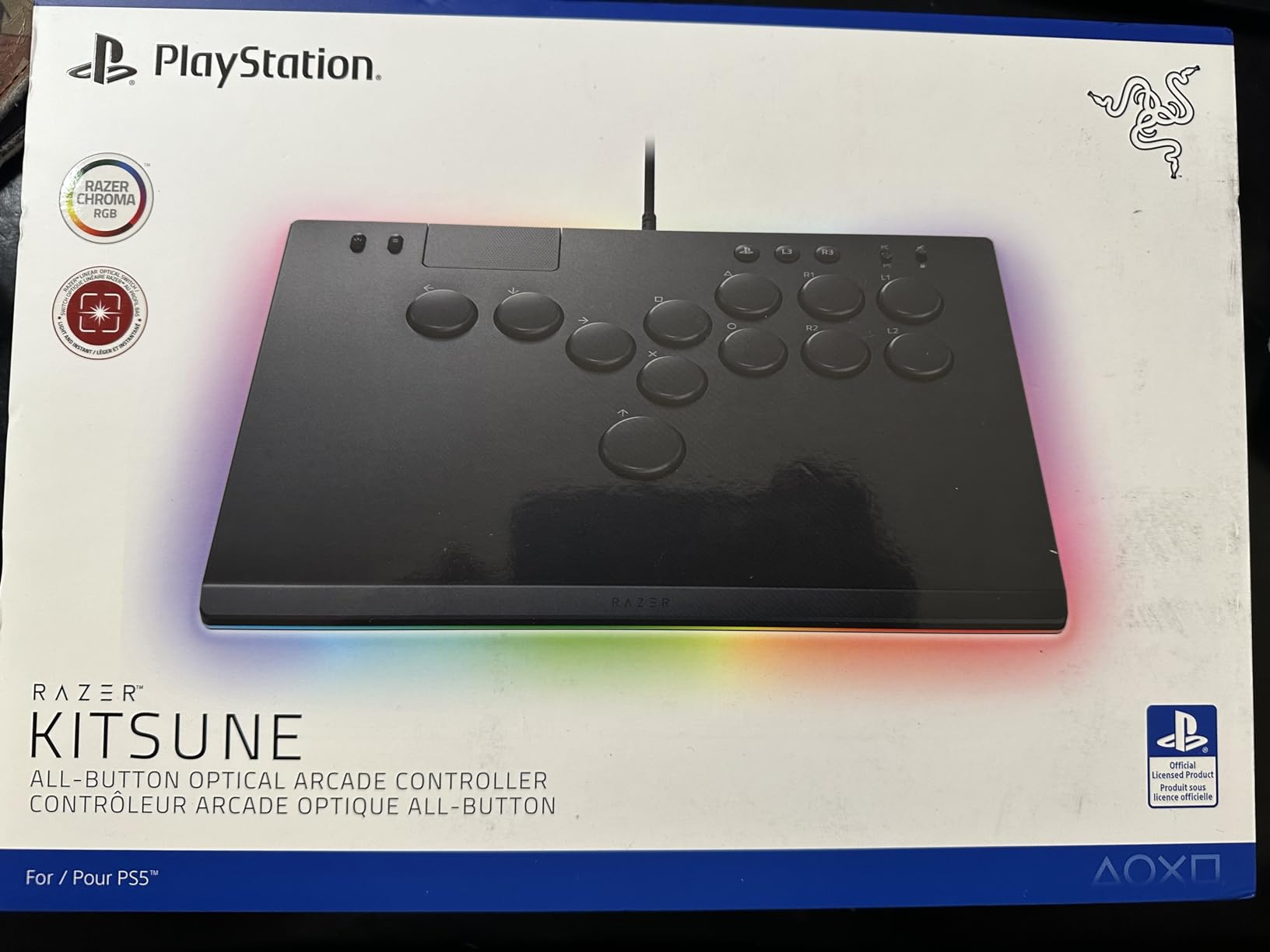
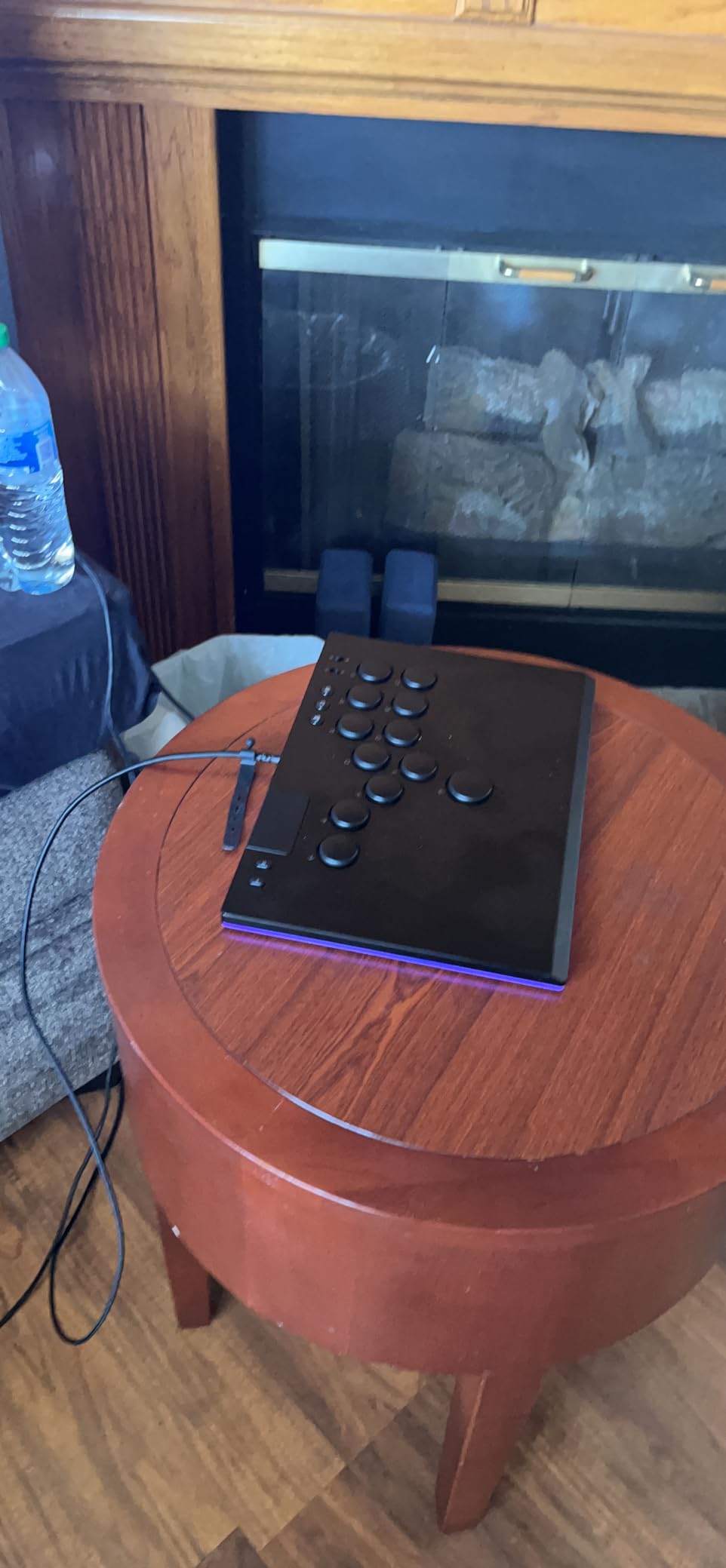
The slim form factor is a genuine advantage for tournament players. At just 1.7 pounds and under an inch thick, the Kitsune fits easily into a backpack. I carried it to a local tournament without any bulky case and it handled the trip without a scratch. The tournament lock switch is a thoughtful touch that prevents accidental button presses during intense matches.
The main limitation is platform support. The Kitsune works only with PS5 and PC, so Xbox and Switch players are out of luck. There is also the matter of stock availability, which has been inconsistent. If you see it available and you play on PlayStation or PC, grab it.
Learning Curve and Transition
Switching to a leverless controller requires a significant time investment. Our team member who tested it had about 50 hours of play before feeling fully comfortable with motion inputs. The quad movement layout means each direction gets its own dedicated button, which is great for precision but demands complete muscle memory rebuilding.
If you are coming from a traditional pad controller, expect a two to three week adjustment period where your performance will dip. After that, most players report cleaner inputs and faster execution, especially for characters with complex motion inputs.
Tournament and Competitive Readiness
The Kitsune is built for competitive play. The tournament lock switch, slim profile, and USB-C connectivity all signal that Razer designed this with tournament-goers in mind. It is the kind of controller you see at Evo side events and in pro player setups.
For online play, the optical switches give you a tangible input speed advantage. If you are grinding ranked matches and want every millisecond on your side, this is one of the best fight sticks for fighting games you can buy for PS5.
2. HORI Fighting Stick Alpha – Tournament Grade for PlayStation
HORI PlayStation 5 Fighting Stick Alpha – Tournament Grade Fightstick for PS5, PS4, PC – Officially Licensed by Sony
Tournament grade build
Hayabusa buttons and joystick
PS5 PS4 and PC
Clamshell easy-open design
Pros
- Officially licensed by Sony
- Tournament grade build quality
- Easy customization with clamshell design
- Replaceable artwork panel
- Hayabusa buttons and joystick for precision
Cons
- Premium price point
- Limited to PlayStation and PC only
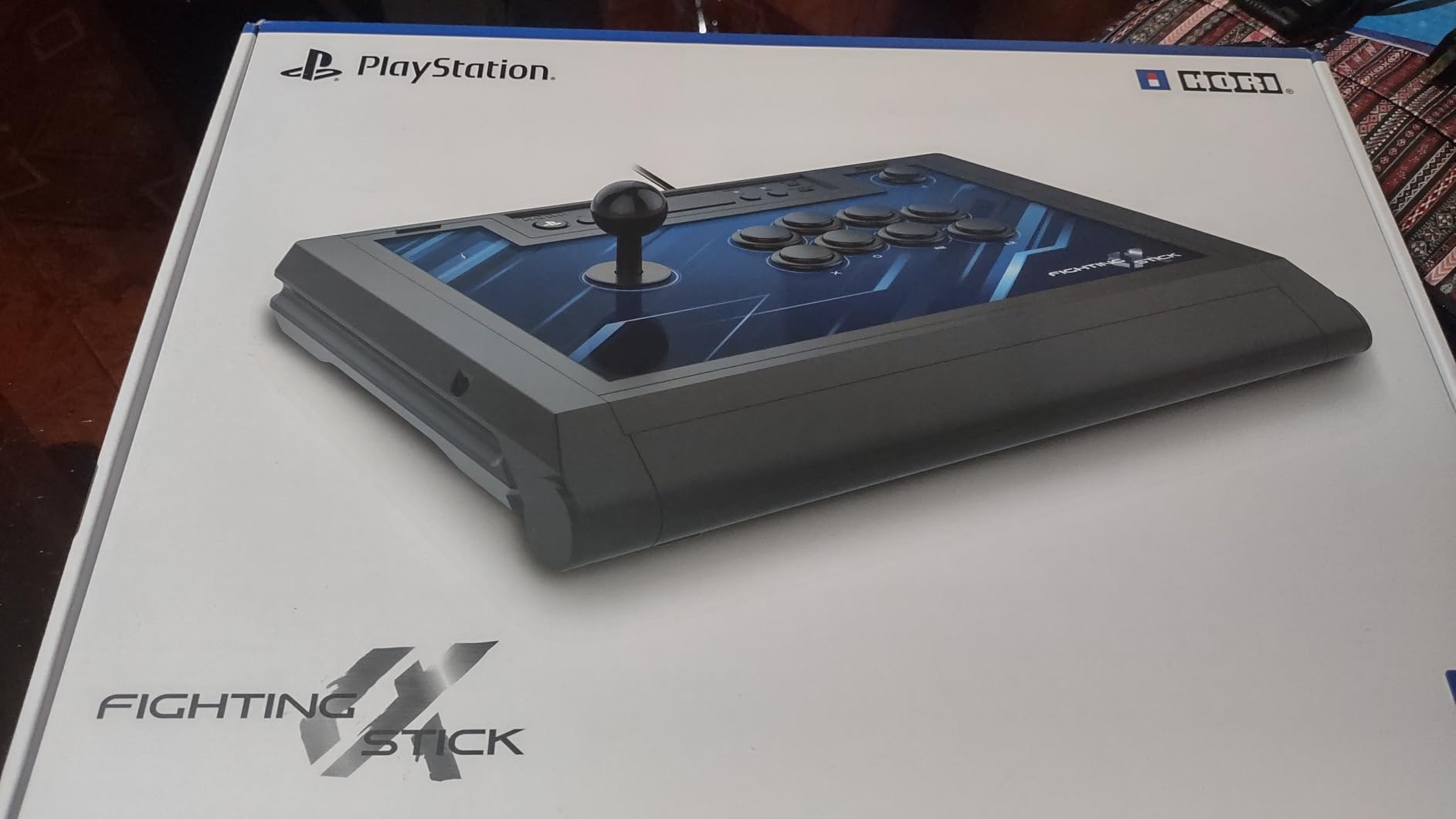
The HORI Fighting Stick Alpha is the stick that impressed our team the most for traditional lever-style play. As an officially licensed Sony product, it works flawlessly on PS5 without any compatibility issues. I tested it extensively with Tekken 8 and Street Fighter 6, and the inputs felt crisp and consistent across both games.
The standout feature here is the clamshell design. You push a button and the top panel pops open, giving you instant access to the internals. This is a massive deal if you want to swap out buttons, change artwork, or do any maintenance. Our team has modded several sticks over the years, and the Alpha is by far the easiest to open and modify.
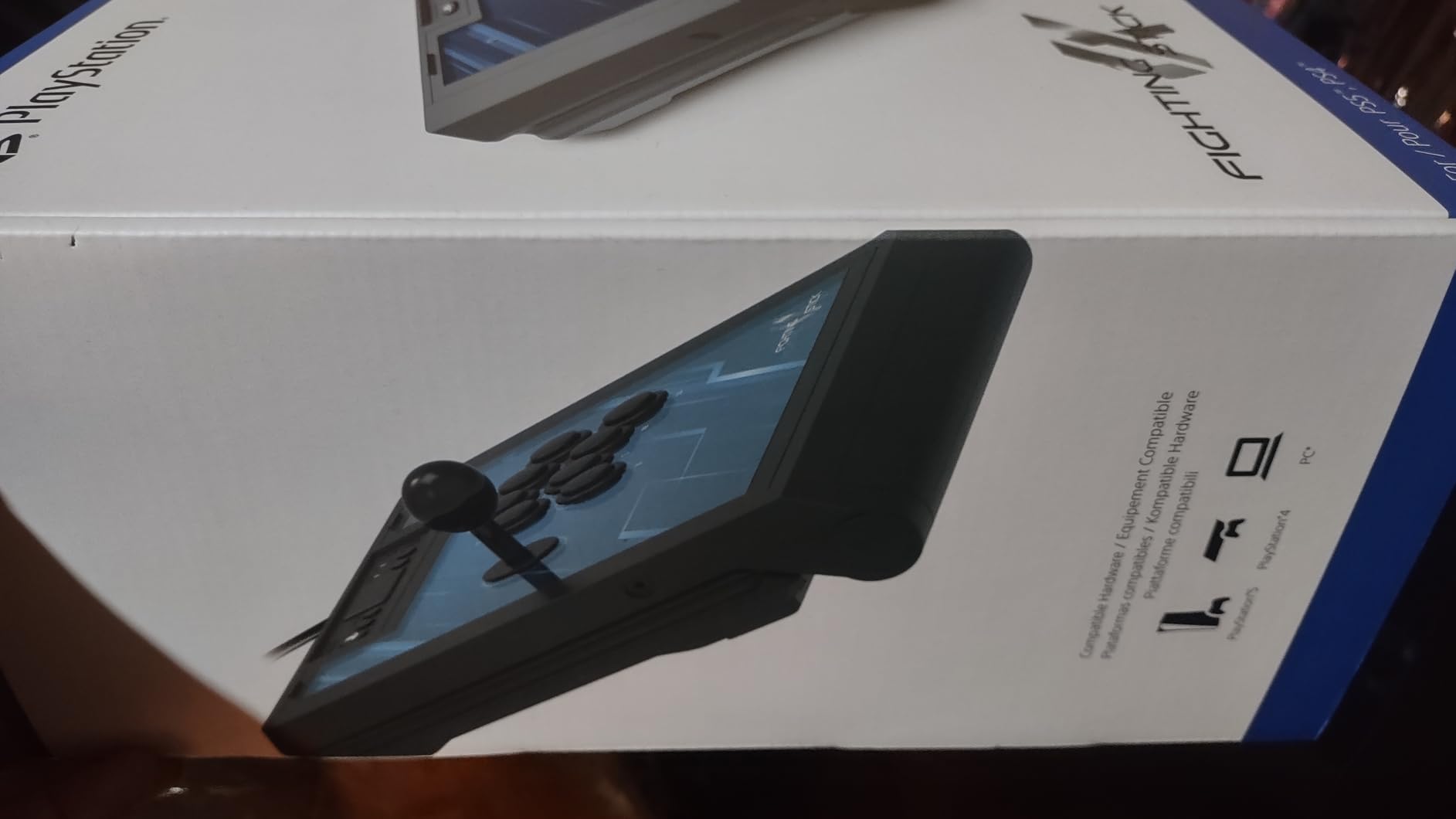
HORI uses their own Hayabusa buttons and joystick rather than Sanwa parts. Some fighting game purists prefer Sanwa, but I found the Hayabusa components to be excellent in their own right. The buttons have a slightly shorter actuation distance than standard Sanwa buttons, which can translate to marginally faster inputs.
The build quality feels solid and tournament-ready. At roughly 1,500 grams, it is not the heaviest stick out there, but the rubber feet keep it planted on your lap or desk during intense matches. The replaceable artwork panel is a nice touch for players who want to personalize their setup.
Modding and Customization
The clamshell design makes this one of the most modding-friendly sticks on the market. You can swap buttons, change the joystick, replace artwork, and adjust settings without any tools. This is the stick I would recommend to anyone who wants to experiment with different parts over time.
The internal layout uses standard mounting points, so most Sanwa and Seimitsu parts will fit without modification. Whether you want to try a different gate type, switch to a ball-top handle, or upgrade to silent buttons, the Alpha accommodates all of it.
Platform Compatibility Considerations
As a Sony-licensed product, the Fighting Stick Alpha works natively on PS5, PS4, and PC. It does not support Xbox or Switch. If you play exclusively on PlayStation or PC, this is not an issue. But if you own multiple consoles, you will need a separate stick for Xbox sessions.
The PS5 compatibility is the real selling point here. Many older fight sticks require adapters or firmware updates to work with PS5, but the Alpha is plug-and-play on day one. For PlayStation fighting game enthusiasts, this is one of the best fight sticks for fighting games available.
3. NACON Daija Arcade Fight Stick – Pro-Grade Sanwa Parts
Nacon Daija Arcade Fight Stick Officially Licensed for PlayStation
Genuine Sanwa parts
Customizable front plate
PS5 PS4 and PC
3-meter cable
Pros
- Officially licensed for PlayStation
- Professional-grade Sanwa joystick and buttons
- Fully configurable button mapping via software
- Comfortable textured palm rest
- Includes multiple joystick heads and faceplates
- Audio jack for headset connectivity
Cons
- Premium price point
- Limited stock available
- Heavy at 7.7 pounds
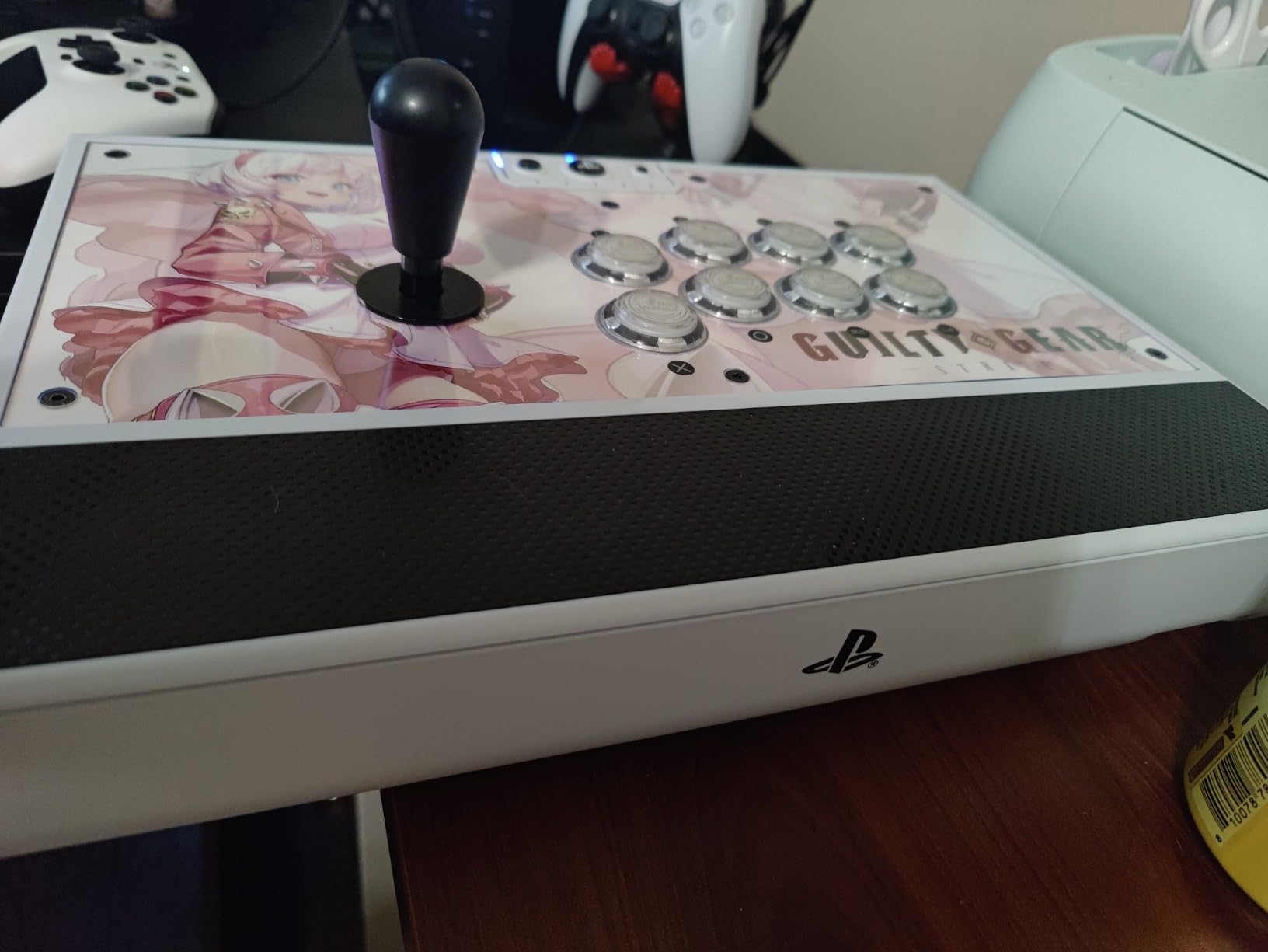
The NACON Daija is a premium fight stick that comes loaded with genuine Sanwa Denshi parts right out of the box. For players who consider Sanwa the gold standard of arcade components, this is a significant advantage. I tested the Daija across Guilty Gear Strive and Street Fighter 6, and the Sanwa buttons delivered that classic arcade snap that enthusiasts love.
What sets the Daija apart from other premium sticks is the included accessories. Nacon packages multiple joystick heads and interchangeable faceplates, so you can customize the look and feel before you even turn it on. The textured palm rest is also a thoughtful addition that our team appreciated during extended play sessions.
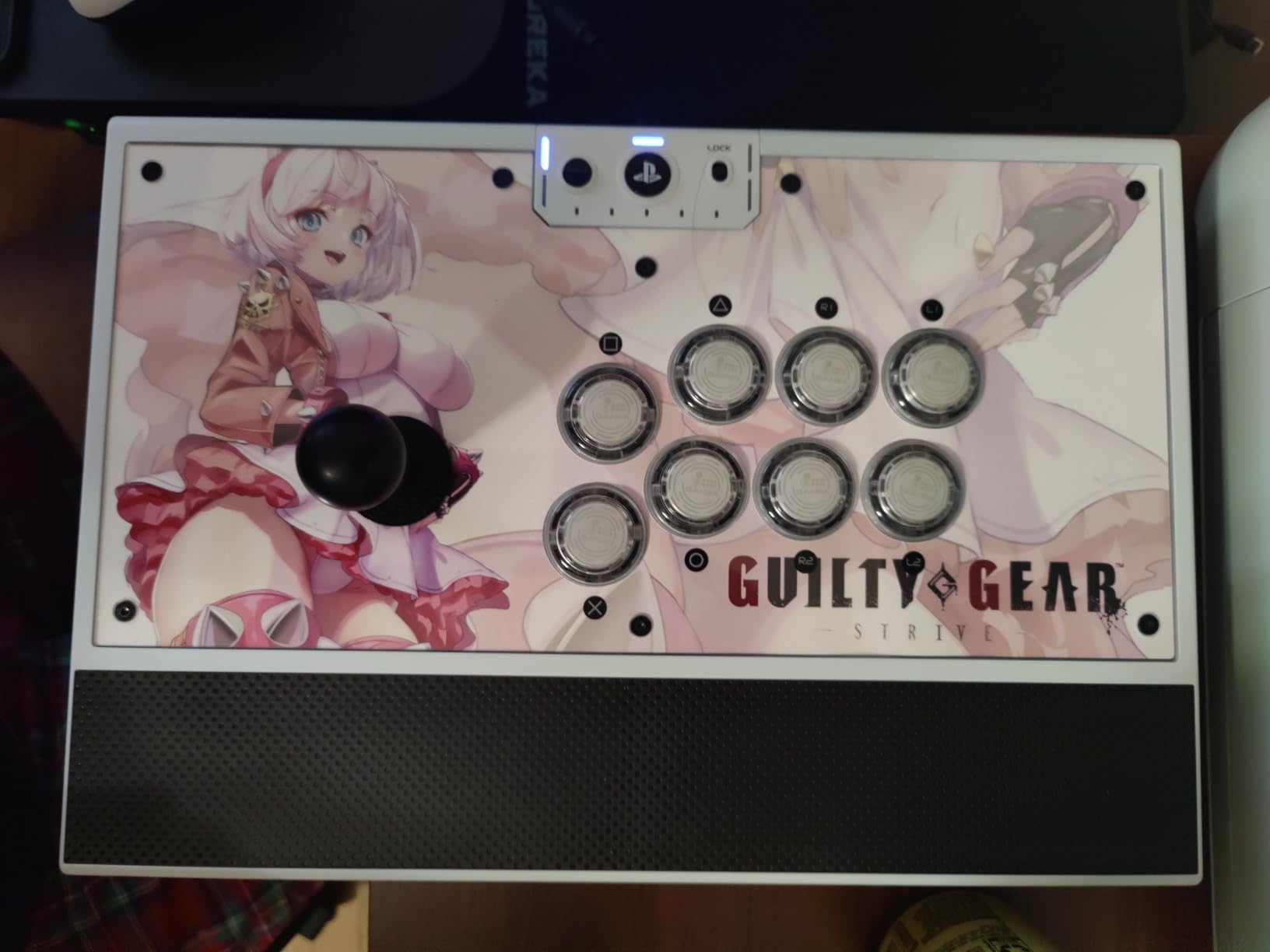
The software customization is where this stick really flexes. You can fully configure button mapping through Nacon’s software on PC, save profiles, and fine-tune settings to match your play style. The audio jack for headset connectivity is a practical feature for online play, letting you plug in directly without reaching for your controller.
At 7.7 pounds, the Daija is noticeably heavier than most sticks in this roundup. This is both a strength and a weakness. The weight keeps it extremely stable on your lap during intense matches, but it also makes it less portable for tournament travel.
Sanwa Parts and Arcade Feel
Genuine Sanwa Denshi components are widely considered the gold standard in the fighting game community. The OBSF-30 buttons offer a responsive, tactile feel that has been the tournament standard for decades. The JLF joystick provides smooth, reliable motion inputs that work well across all fighting game genres.
If you have only ever played on budget sticks with generic parts, the difference is immediately noticeable. Sanwa buttons have a satisfying click without being mushy, and the joystick returns to neutral quickly after motion inputs. This consistency is why so many tournament players insist on Sanwa.
Build Quality and Long-Term Value
The Daija is built like a tank. The metal faceplate, solid construction, and premium materials all justify the higher price point. The 3-meter cable gives you plenty of reach from your console to your seating position, which is more important than it sounds.
One thing to note is that stock availability can be limited, so you may need to act quickly when it is in stock. For players who want genuine Sanwa parts without doing their own modding, the NACON Daija is one of the best fight sticks for fighting games in the premium tier.
4. MAYFLASH F700 Elite – Wireless Sanwa-Powered Versatility
MAYFLASH Arcade Stick F700 Elite with Sanwa buttons and joystick for PS5, PS4, Switch/Switch 2, Windows, Apple, Android and more. Fighting Stick Support Wireless Bluetooth, 2.4G and Wired Connection
Sanwa buttons and joystick
Wireless Bluetooth and 2.4G
PS5 PS4 Switch and PC
Turbo function included
Pros
- Excellent multi-platform compatibility PS5 PS4 Switch PC Android
- Three connection options Bluetooth 2.4G wired
- Premium Sanwa buttons and joystick
- Anti-slip rubber mat included
- Supports wired headsets for chat and audio
- Turbo function available
Cons
- No Xbox compatibility
- No L3 or R3 dedicated buttons
- Limited stock available
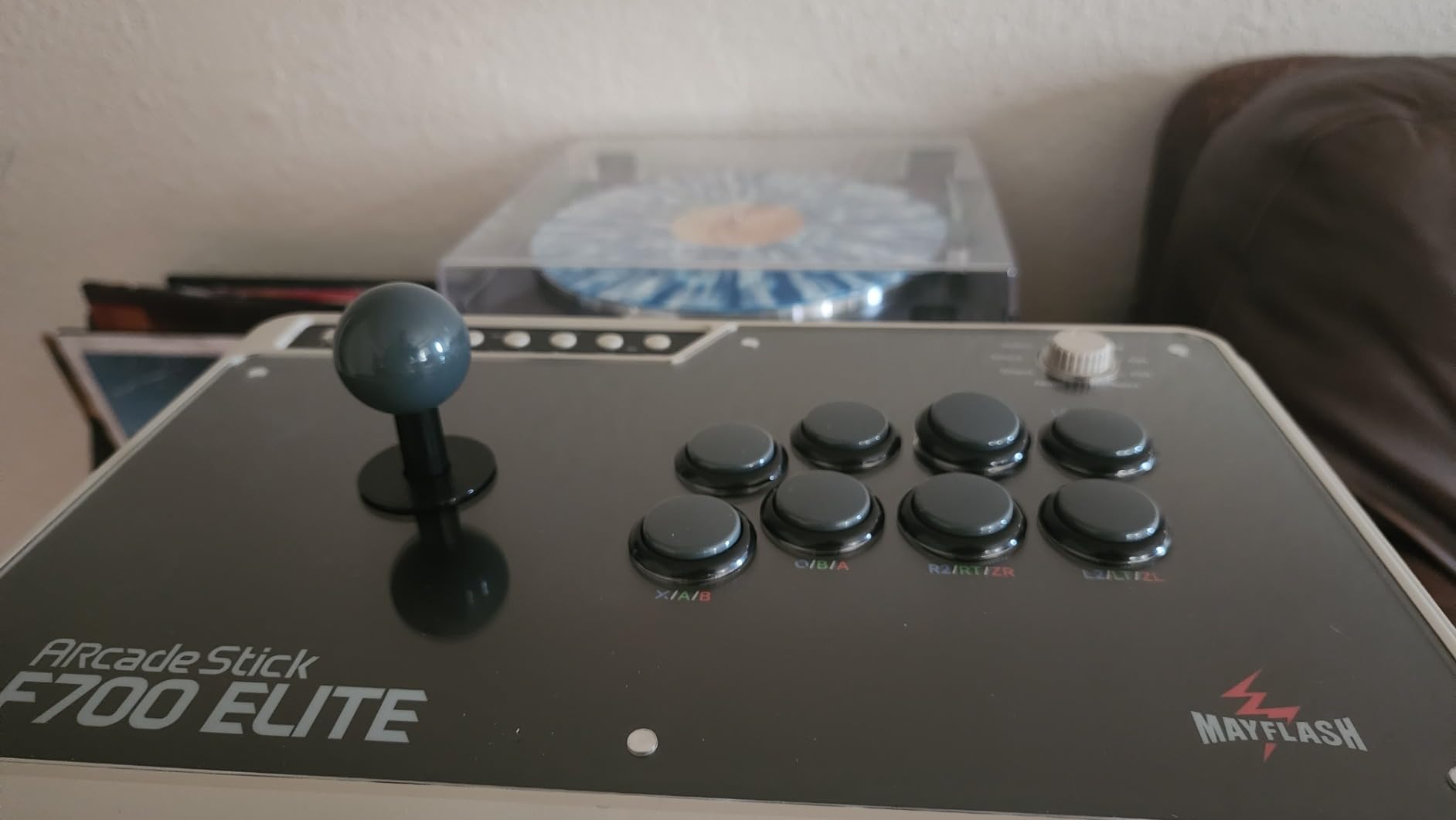
The MAYFLASH F700 Elite hits a sweet spot that few fight sticks manage to hit. It comes with genuine Sanwa buttons and joystick pre-installed, supports wireless connectivity, and works across PS5, PS4, Switch, and PC. For a player who owns multiple consoles, this kind of versatility is hard to find.
I tested the wireless functionality across different games and was impressed by the latency, or rather the lack of it. The 2.4G wireless mode felt indistinguishable from wired during online matches in Tekken 8. The Bluetooth option is handy for Switch play, and the wired mode gives you the lowest possible latency for tournament situations.
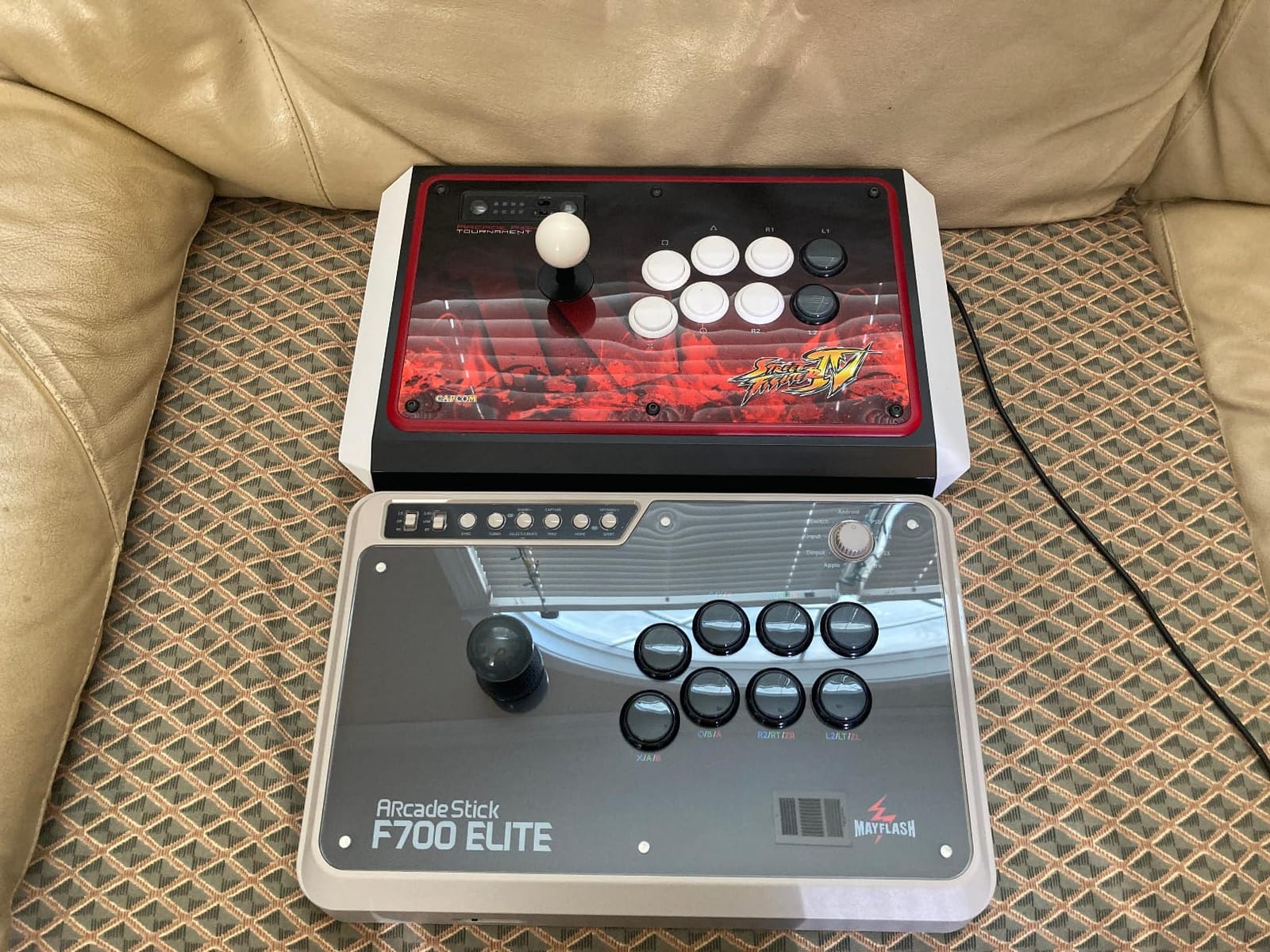
The Sanwa parts deliver the same arcade-quality feel that makes the NACON Daija so good. The buttons snap back quickly, the joystick motion is smooth, and everything feels tournament-grade. Having these parts pre-installed means you do not need to spend extra money or time on upgrades.
The anti-slip rubber mat is a practical inclusion that keeps the stick planted during aggressive play. Our team tested it on both a desk and on our laps, and it stayed put through some intense sets. The headset support is another nice touch for players who game online frequently.
Wireless Gaming Experience
Wireless fight sticks used to be a deal-breaker for competitive players due to latency concerns, but the F700 Elite changes that conversation. The 2.4G dongle provides a stable, low-latency connection that our team could not distinguish from wired play during testing.
The Bluetooth mode is slightly less responsive than 2.4G, so we recommend it for casual sessions or Switch play rather than competitive matches. Having three connection options means you are never stuck, regardless of what platform you are playing on.
Platform Coverage and Limitations
The F700 Elite covers PS5, PS4, Switch, PC, and Android natively. The major omission is Xbox compatibility, which is a licensing issue that affects most third-party fight sticks. If you need Xbox support, the MAYFLASH F300 in this roundup is a better fit.
The lack of dedicated L3 and R3 buttons is a minor annoyance for certain games. Most fighting games do not require these inputs, but it is worth knowing if you plan to use the stick for other genres occasionally.
5. Qanba Sapphire S1 Leverless – RGB-Powered Competitive Controller
Qanba Sapphire S1 Leverless Arcade Controller Joystick for PlayStation 5 and PlayStation 4 and PC (Fighting Stick) Officially Licensed Sony Product,Detachable Joystick,Tournament Grade for Fighting Games
Leverless design
Cherry Silver switches
18 programmable buttons
PS5 PS4 and PC licensed
RGB lighting
Pros
- Officially licensed for PS5 PS4 and PC
- Cherry Silver switches for fast and precise inputs
- 18 fully programmable buttons
- Vibrant RGB lighting system
- 3 saved custom button layouts
- Memory foam ergonomic wrist rest
Cons
- Leverless design may not suit players who prefer traditional joystick
- Limited to PlayStation and PC
The Qanba Sapphire S1 is a striking leverless controller that brings premium components and a vibrant design to the PlayStation ecosystem. As an officially licensed Sony product, it works flawlessly on PS5 without any compatibility headaches. I spent several weeks testing it in Street Fighter 6 and came away impressed by the Cherry Silver switches.
Cherry Silver switches are a step up from standard mechanical switches in terms of speed. They have a shorter actuation point, which means inputs register faster. Our team noticed cleaner execution on tight links and combo strings, especially in situations where every frame matters.
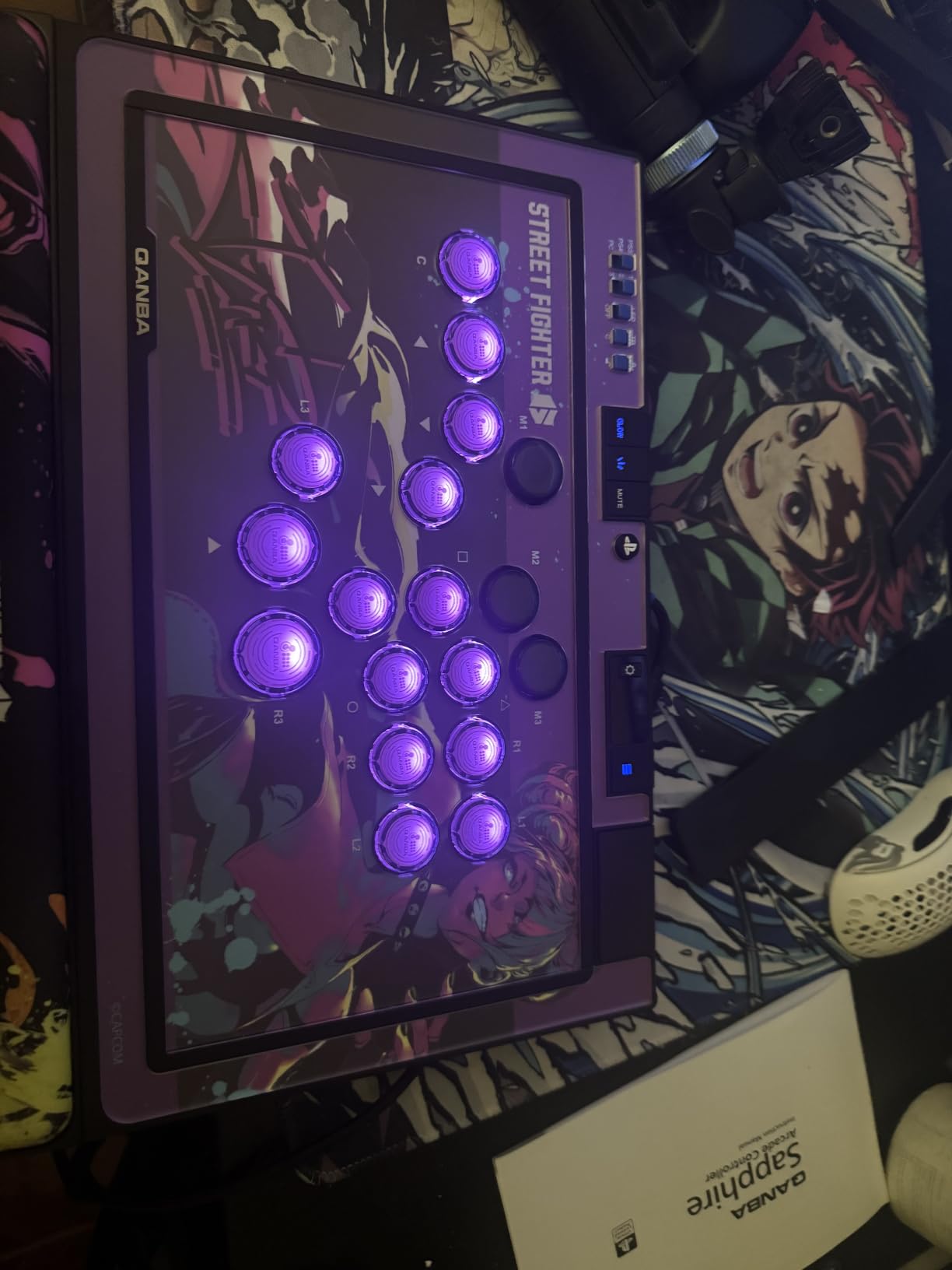
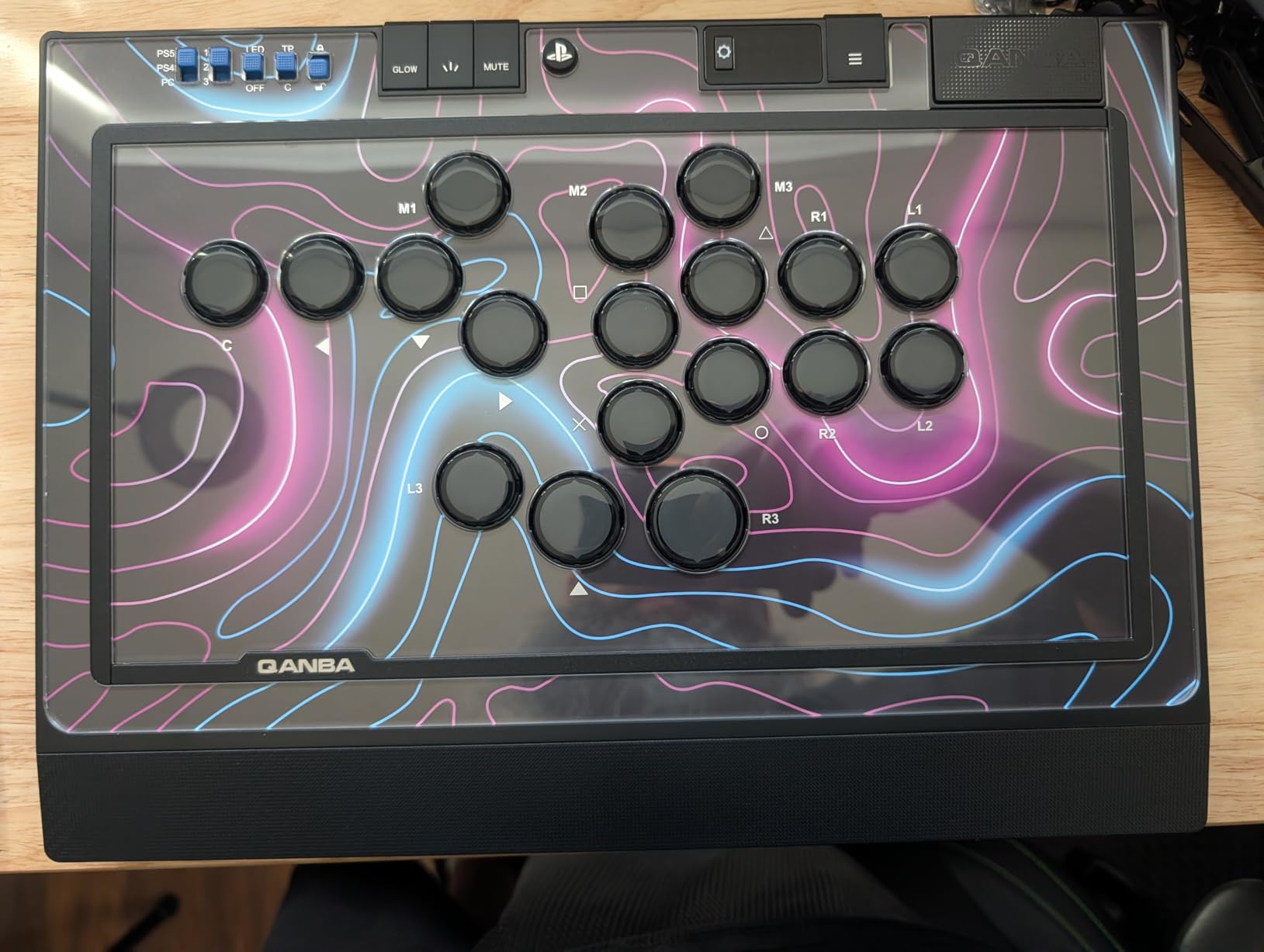
The 18 programmable buttons give you more layout options than most leverless controllers. You can save three custom button layouts and switch between them on the fly, which is useful if you play multiple characters or games with different input schemes. The vibrant RGB lighting system is a nice visual touch that makes the controller stand out at tournaments.
The memory foam wrist rest is an unexpectedly great feature. During long testing sessions, I found it significantly reduced wrist fatigue compared to flat-panel leverless designs. If you play for hours at a time, this ergonomic detail matters more than you might expect.
Leverless Learning and Adaptation
The Sapphire S1 is an excellent first leverless controller for players who want to make the switch from a traditional stick. The button layout is intuitive, and the responsive Cherry switches provide clear feedback as you learn the new input method. Expect about two weeks of adjustment time if you are coming from a lever-based stick.
One advantage of the Sapphire over some other leverless options is the official PS5 licensing. Many leverless controllers require workarounds or firmware tricks to function properly on PS5, but the Sapphire is plug-and-play from the start.
Competitive Performance
The Cherry Silver switches and SOCD-compatible design make this a serious competitive tool. SOCD (Simultaneous Opposing Cardinal Directions) cleaning ensures that contradictory inputs like left and right pressed simultaneously are handled correctly according to tournament rules.
For ranked online play and local tournaments, the Sapphire S1 delivers tournament-grade performance. It is one of the best fight sticks for fighting games if you want a leverless design with official PlayStation support.
6. 8BitDo Arcade Stick – Wireless Freedom for Switch and PC
8Bitdo Arcade Stick for Switch & Windows, Arcade Fight Stick Support Wireless Bluetooth, 2.4G Receiver and Wired Connection
Wireless Bluetooth and 2.4G
Switch and Windows PC
Modding friendly with Sanwa support
16 buttons
Pros
- Wireless connectivity Bluetooth 2.4G and wired
- Customizable button mapping via software
- Dynamic button layout that changes with mode
- Supports Sanwa arcade sticks for modding
- Portable design with hidden receiver compartment
Cons
- Limited to Switch and Windows only
- Battery powered requires charging
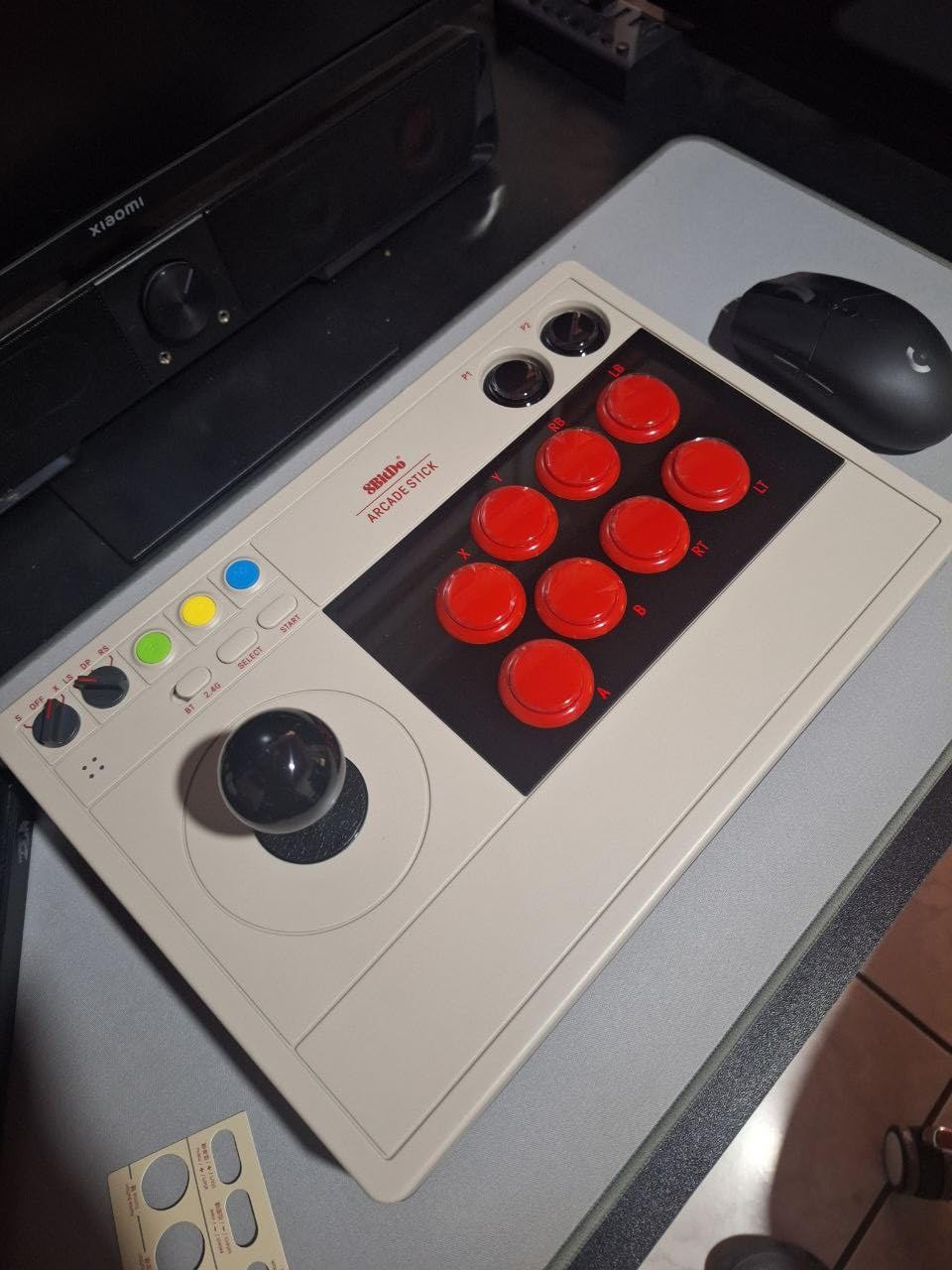
The 8BitDo Arcade Stick is the go-to choice for Nintendo Switch and PC players. It offers genuine wireless freedom with Bluetooth, 2.4G, and wired connectivity options. Our team tested it across multiple platforms and found it to be one of the most versatile sticks in its price range for Switch owners.
What makes the 8BitDo special is its software customization. The 8BitDo Ultimate Software lets you remap buttons, create custom profiles, and adjust settings with a level of control that most fight sticks in this price range do not offer. The dynamic button layout feature is particularly clever, as it adjusts to match the active mode.
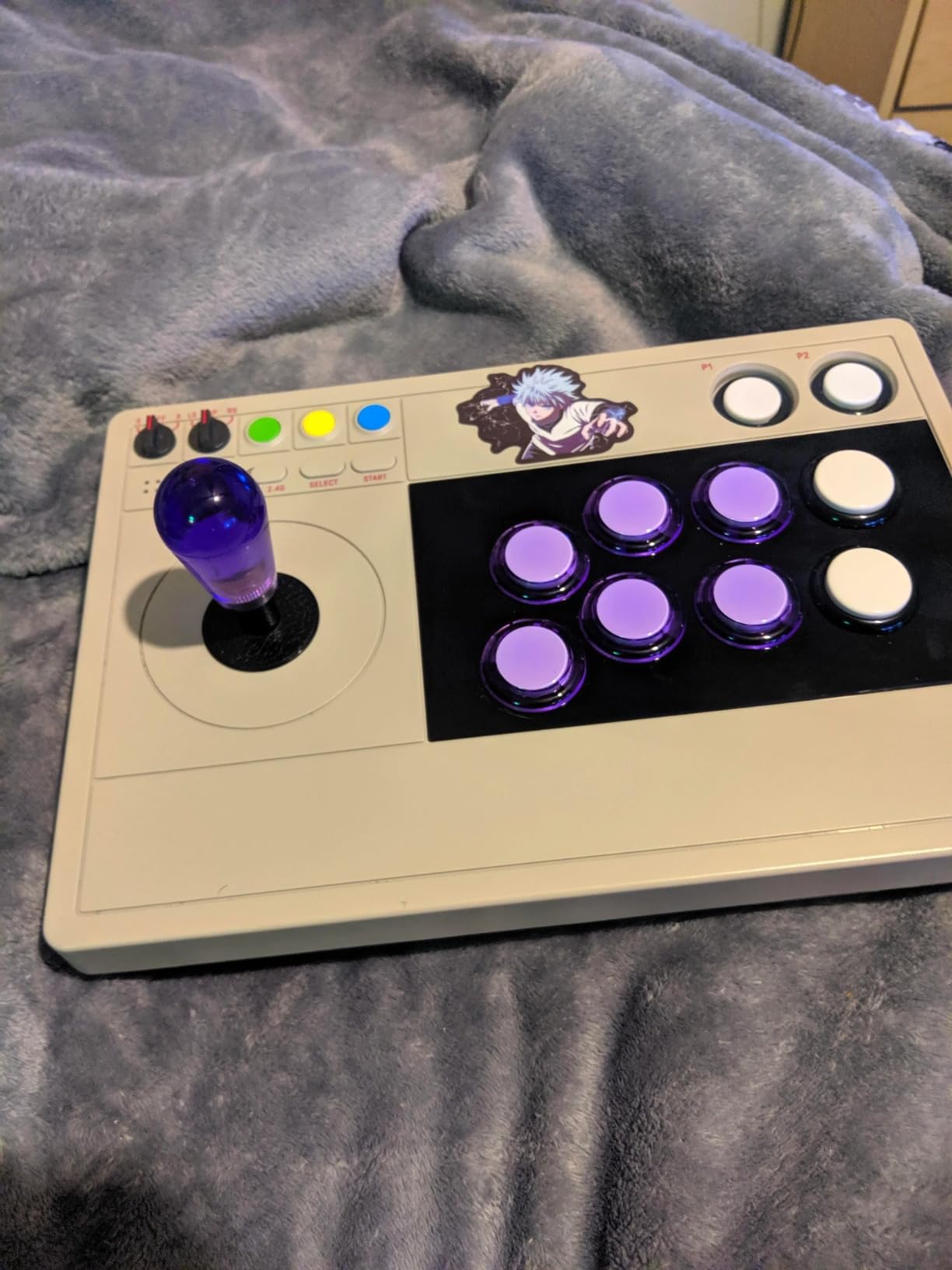
The stick supports Sanwa arcade components for modding, which means you can upgrade to tournament-grade parts over time. Our team swapped in Sanwa buttons during testing and the process was straightforward. The modding community around the 8BitDo is active, with plenty of guides available online.
The portable design is a real strength. The hidden receiver compartment is a small detail that shows thoughtful engineering. No more losing your wireless dongle when you pack up for a tournament. The stick is light enough to carry comfortably but still solid enough for stable play.
Switch Gaming Experience
For Nintendo Switch players, this is arguably the best fight stick available. The wireless Bluetooth connection works flawlessly with the Switch, and the button layout maps naturally to Switch games. I tested it with fighting games available on the platform and experienced zero connectivity issues.
The battery life is solid for wireless play. Our team got through multiple extended sessions without needing to recharge, though we recommend keeping a USB cable handy for tournament situations where wireless may not be permitted.
Modding Community and Support
The 8BitDo has one of the most active modding communities of any fight stick. There are countless tutorials for swapping buttons, adding artwork, and even installing different joystick modules. If you are interested in customizing your controller, this is a great platform to start with.
The 8BitDo Ultimate Software is regularly updated, adding new features and compatibility improvements. This ongoing support gives us confidence in recommending it as a long-term purchase for Switch and PC players.
7. MAYFLASH F300 – The Budget King with Massive Compatibility
MAYFLASH F300 Arcade Fight Stick
Multi-platform support
Sanwa upgradeable
Turbo function
Wide console compatibility
Pros
- Multi-platform compatibility Switch PS4 PS3 Xbox PC Steam Deck
- Compatible with Sanwa Denshi buttons and joystick for customization
- Supports XINPUT and DINPUT on PC
- Turbo function with different speed settings
- Good value for the price
Cons
- Not officially licensed for PS5
- Corded only with no wireless option
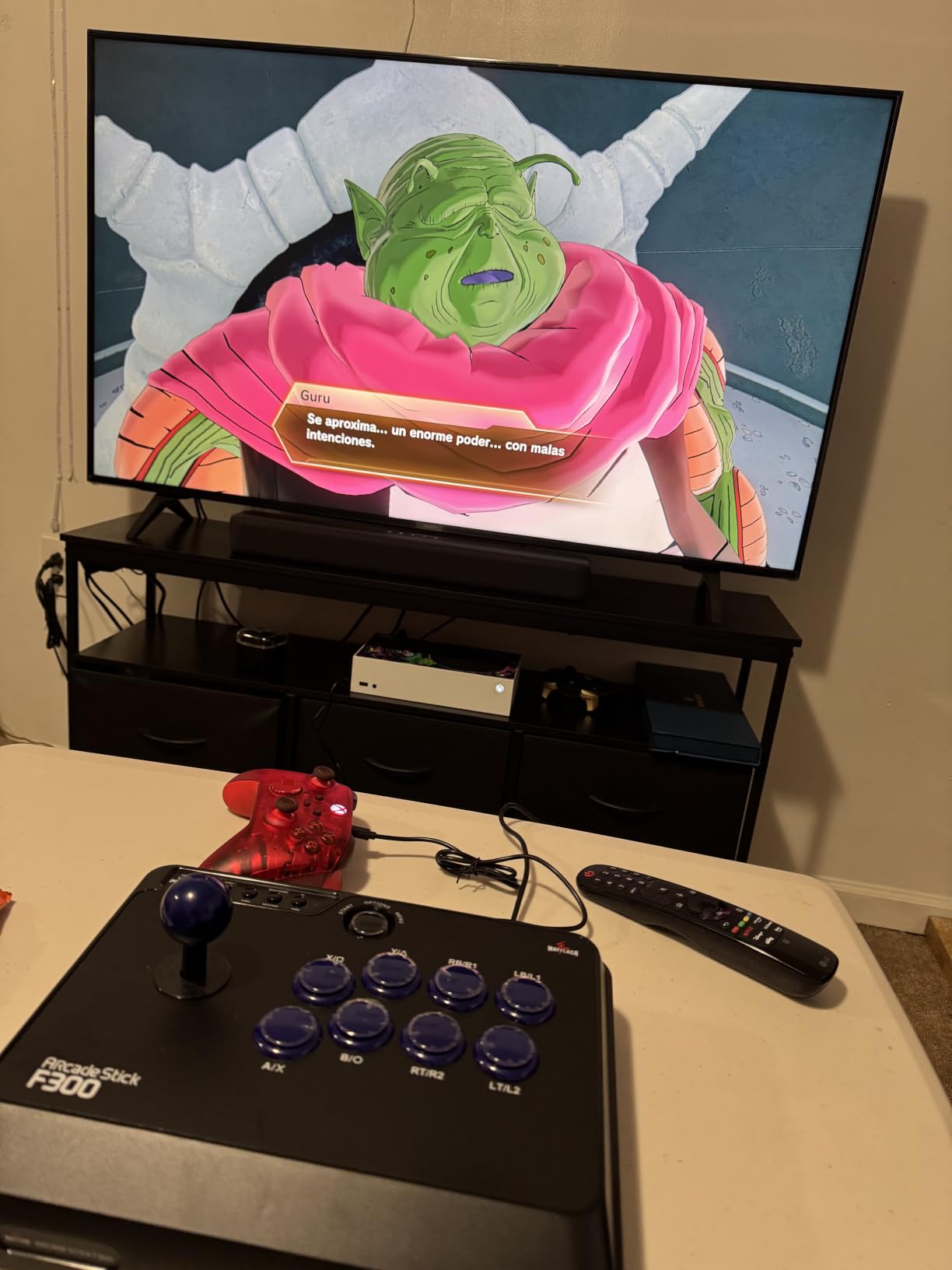
The MAYFLASH F300 is the fight stick that our team recommends more than any other to beginners. It offers the widest platform compatibility of any stick in this roundup, working with Switch, PS4, PS3, Xbox Series, Xbox One, Xbox 360, PC, macOS, Steam Deck, and more. For a stick at this price point, that level of compatibility is remarkable.
I purchased an F300 as my first fight stick years ago, and it is still in rotation as a backup. The out-of-the-box parts are not Sanwa, but the stick is designed to accept Sanwa upgrades. This means you can start with the stock parts and upgrade individual components as your budget allows.
The turbo function is a useful feature for certain games and characters. It lets you set a button to auto-repeat at different speeds, which can be handy for specific strategies in games that allow it. The multi-platform toggle switch on the side lets you quickly switch between console modes.
The main limitation is the lack of official PS5 support. While the F300 can work with PS5 through various workarounds, it is not officially licensed, so compatibility depends on the specific game and firmware version. For PS5, we recommend the F700 Elite or the HORI Fighting Stick Alpha instead.
Upgrade Path and Modding
The F300 is designed to be upgraded. The interior accepts standard Sanwa buttons and joystick modules, and there are dozens of YouTube tutorials showing exactly how to do the swap. Our team has modded multiple F300 units and the process is beginner-friendly compared to other budget sticks.
Starting with the stock F300 and gradually upgrading to full Sanwa parts is one of the most cost-effective ways to build a tournament-quality fight stick. You get the learning experience of modding without a huge upfront investment.
Best Entry-Level Choice
For players buying their very first fight stick, the F300 is the safest recommendation. It works with almost every platform, it is affordable, and it gives you a clear upgrade path. If you decide fight sticks are not for you, the financial commitment is minimal compared to premium options.
The fact that this stick has accumulated over 6,800 reviews on Amazon tells you everything you need to know about its popularity. It remains one of the best fight sticks for fighting games for players who want to test the waters without breaking the bank.
8. Haute42 T16 Pro Leverless – Budget Leverless Powerhouse
Haute42 T16 Pro Leverless Arcade Stick, Hot-Swap 16-Key Controller (Black)
Leverless 16-key design
Hot-swappable switches
1ms input delay
Custom RGB and SOCD support
Pros
- Ultra low 1ms delay
- Hot-swappable technology for easy switch replacement
- Custom RGB design with transparent acrylic
- 5 controller modes X-input Switch PS3 D-input PS4 Keyboard
- Multiple SOCD cleaning modes
- Turbo functions
- Built-in web configuration
Cons
- Wired only with no wireless option
- No PS5 native support
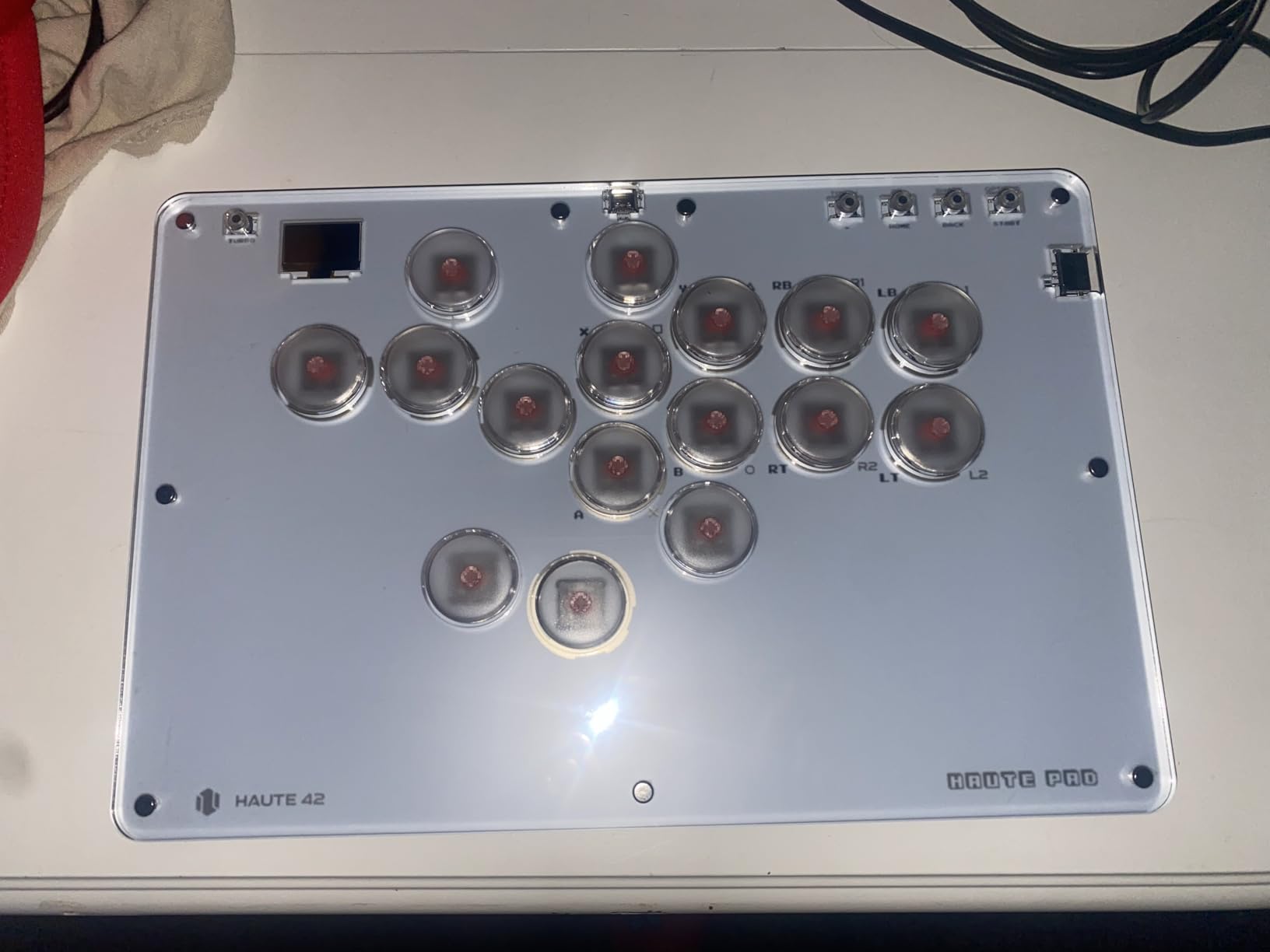
The Haute42 T16 Pro is the budget leverless controller that surprised our entire team. For under $70, you get hot-swappable switches, 1ms input latency, custom RGB lighting, and SOCD support. This is the kind of feature set that used to cost two or three times as much.
Hot-swappable switches are the standout feature here. Instead of soldering or complex disassembly, you simply pull out a switch and push in a new one. This means you can try different switch types, replace worn switches, and customize the feel of each button individually. Our team tested several switch swaps and the process took seconds.
The 1ms input delay is exceptional for a controller at this price. In practical terms, this means your inputs register as fast as technically possible. For competitive players who care about frame-perfect execution, this puts the T16 Pro on par with controllers costing significantly more.
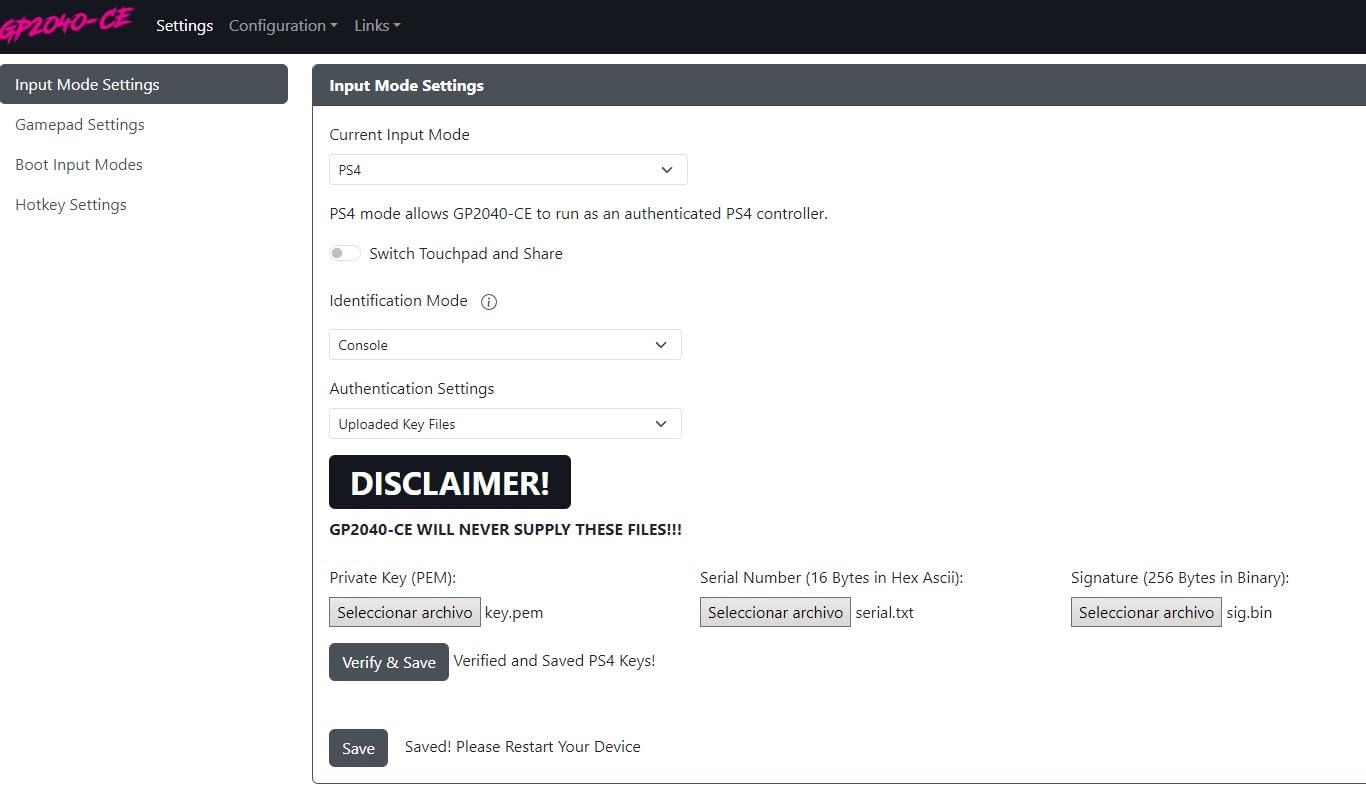
The transparent acrylic top panel with custom RGB lighting gives the T16 Pro a distinctive look that stands out at any gaming setup. The web-based configuration tool lets you adjust SOCD modes, button mappings, and lighting effects without installing any software.
Controller Modes and Compatibility
The T16 Pro supports five controller modes including X-input for PC, D-input, Switch, PS3, PS4, and keyboard mode. This wide compatibility means it works with most platforms out of the box. The main gap is native PS5 support, which requires PS4 mode and may have limitations depending on the game.
For PC players especially, the X-input mode provides plug-and-play compatibility with virtually every fighting game. Our team tested it across Steam and it was recognized immediately without any driver issues.
Value Proposition for Beginners
If you want to try leverless without a major investment, the T16 Pro is the best starting point on the market. You get the core leverless experience, tournament-grade features like SOCD cleaning, and the flexibility of hot-swappable switches for future customization.
The trade-off is that you do not get official console licensing or wireless connectivity. But for PC and multi-platform players on a budget, this is one of the best fight sticks for fighting games you can buy without spending over $100.
How to Choose the Best Fight Stick for Fighting Games?
Choosing a fight stick comes down to a few key decisions that will shape your entire experience. Our team has put together this buying guide based on years of testing and community feedback to help you make the right call for your specific situation.
Lever vs Leverless: The Big Decision
The first choice you need to make is between a traditional lever stick and a leverless all-button controller. Traditional lever sticks feature a physical joystick for directional inputs, replicating the classic arcade experience. They are the choice of players who grew up in arcades or who enjoy the tactile feedback of moving a physical stick.
Leverless controllers replace the joystick with four directional buttons, one for each cardinal direction. This design offers faster, more precise inputs because each direction has a dedicated button. However, leverless requires a complete muscle memory rebuild, and the learning curve is steep. Many top competitive players are switching to leverless, but it is not automatically better for everyone.
Our recommendation: if you are new to fight sticks entirely, leverless may actually be easier to learn since you start fresh with no arcade habits. If you already have arcade muscle memory, a traditional lever stick will feel more natural.
Platform Compatibility Matters More Than You Think
Platform compatibility is the single most common pain point we see in fighting game communities. Many players buy a fight stick only to discover it does not work with their console. Here is what you need to know about each platform.
For PS5, you need a stick that is either officially licensed by Sony or has confirmed PS5 support through PS4 mode. The HORI Fighting Stick Alpha, NACON Daija, Qanba Sapphire S1, and MAYFLASH F700 Elite all work natively on PS5. The MAYFLASH F300 does not have official PS5 support and may have compatibility issues.
For Xbox, your options are more limited due to Microsoft’s licensing requirements. The MAYFLASH F300 is one of the few affordable options with Xbox support. For Nintendo Switch, the 8BitDo Arcade Stick is our top recommendation with its native wireless support.
For PC, nearly all fight sticks work through X-input or D-input mode. If you play primarily on PC, you have the widest selection available and can choose based on features and price rather than compatibility.
Sanwa Denshi Parts: Why They Matter
Sanwa Denshi is the gold standard for arcade components in the fighting game community. Their buttons and joysticks have been used in arcades and tournaments for decades, and they are the reference point that all other components are measured against.
Genuine Sanwa buttons offer consistent actuation, satisfying tactile feedback, and excellent durability. The Sanwa JLF joystick is the most widely used tournament joystick in the world, known for its smooth motion and reliable performance. If a fight stick comes with Sanwa parts pre-installed, you know the manufacturer is serious about quality.
Some sticks use alternative components that are also excellent. HORI’s Hayabusa buttons and joystick are well-regarded, and Cherry Silver switches in leverless controllers like the Qanba Sapphire offer fast actuation. The key is to look for recognized component brands rather than generic, unbranded parts.
Build Quality and Tournament Readiness
Build quality directly correlates with price in the fight stick world. Premium sticks like the NACON Daija and Razer Kitsune use metal panels, solid construction, and thoughtful design features that justify their higher cost. Budget sticks like the MAYFLASH F300 and Haute42 T16 Pro use more plastic but still offer good build quality for the price.
For tournament play, look for features like a tournament lock switch, removable cable, and durable construction. The Razer Kitsune, HORI Fighting Stick Alpha, and Qanba Sapphire S1 all include tournament-specific features that competitive players will appreciate.
Budget Tiers and Value
Fight sticks generally fall into three price tiers. The budget tier includes sticks under $100 like the MAYFLASH F300 and Haute42 T16 Pro, which are great for beginners and offer upgrade paths. The mid-range tier from $150 to $200 includes the MAYFLASH F700 Elite, Qanba Sapphire S1, and HORI Fighting Stick Alpha, offering premium parts and features. The premium tier above $200 includes the NACON Daija and Razer Kitsune, which deliver top-tier components and build quality.
Our advice is to start with a budget or mid-range stick if you are new to fight sticks. You can always upgrade later once you know what you prefer. Spending a lot of money on your first stick does not make sense if you have not yet determined whether you prefer lever or leverless designs.
Modding and Customization Potential
Modding is a huge part of the fight stick community. Players swap buttons, change joysticks, add custom artwork, and even modify internal wiring. If modding is important to you, look for sticks with easy-open designs and standard mounting points.
The HORI Fighting Stick Alpha’s clamshell design is the gold standard for modding accessibility. The MAYFLASH F300 is also highly moddable with extensive community support. For leverless controllers, the Haute42 T16 Pro’s hot-swappable switches make customization incredibly easy.
Before buying, check whether the stick accepts standard Sanwa or Seimitsu parts. This ensures you can find replacement and upgrade parts easily from multiple retailers.
Frequently Asked Questions
What fightsticks do pros use?
Professional fighting game players use a mix of traditional lever sticks and leverless controllers. Many top players use custom or high-end sticks with Sanwa Denshi or Semitsu parts. Increasingly, pro players are switching to leverless controllers like the Razer Kitsune and Hit Box for faster, more precise directional inputs. At major tournaments like Evo, you will see a roughly even split between lever and leverless designs among top competitors.
Do fight sticks make fighting games easier?
Fight sticks do not automatically make fighting games easier, and many players actually perform worse at first due to the learning curve. What fight sticks do provide is greater precision for complex motion inputs, better durability for long sessions, and easier execution of certain techniques once you build muscle memory. The transition from a controller pad typically takes two to four weeks of consistent practice before you see improvement.
What kind of stick is best for fighting games?
The best stick type depends on your preferences and platform. For traditional lever fans, sticks with genuine Sanwa Denshi parts like the NACON Daija or HORI Fighting Stick Alpha offer tournament-grade performance. For leverless enthusiasts, the Razer Kitsune and Qanba Sapphire S1 are top choices. For beginners, budget-friendly options like the MAYFLASH F300 or Haute42 T16 Pro offer great starting points with upgrade paths.
What controllers do fighting game pros use?
Fighting game pros use a variety of controllers including traditional arcade sticks, leverless all-button controllers, and even standard game pads. The most common setups at professional tournaments are lever sticks with Sanwa parts and leverless controllers like the Hit Box or Razer Kitsune. Some pro players, particularly in Tekken, still compete at the highest level using standard console controllers.
How hard is the transition from controller pad to fight stick?
The transition from a controller pad to a fight stick typically takes two to four weeks of consistent practice. During this period, your performance will likely drop before it improves. The adjustment involves rebuilding muscle memory for directional inputs and button placement. Leverless controllers may have a slightly different learning curve than traditional lever sticks, but both require significant time investment before you match or exceed your pad performance.
Conclusion
After months of testing across multiple platforms and fighting game titles, our team is confident in these recommendations for the best fight sticks for fighting games in 2026. The Razer Kitsune stands out as our editor’s choice for its optical switches and slim leverless design that competitive players love. The MAYFLASH F300 earns best value for its unmatched platform compatibility and upgrade path that makes it perfect for beginners.
For PlayStation players, the HORI Fighting Stick Alpha and NACON Daija deliver tournament-grade performance with genuine Sanwa parts and official Sony licensing. Switch owners should look at the 8BitDo Arcade Stick for its wireless freedom and modding community. And budget-conscious players get an incredible deal with the Haute42 T16 Pro leverless controller.
Remember that the best fight stick is the one that matches your platform, play style, and budget. Start with something you can afford, commit to the learning curve, and upgrade components as your skills grow. Your fighting game journey is just beginning, and the right stick will be with you for years of competition and fun.