
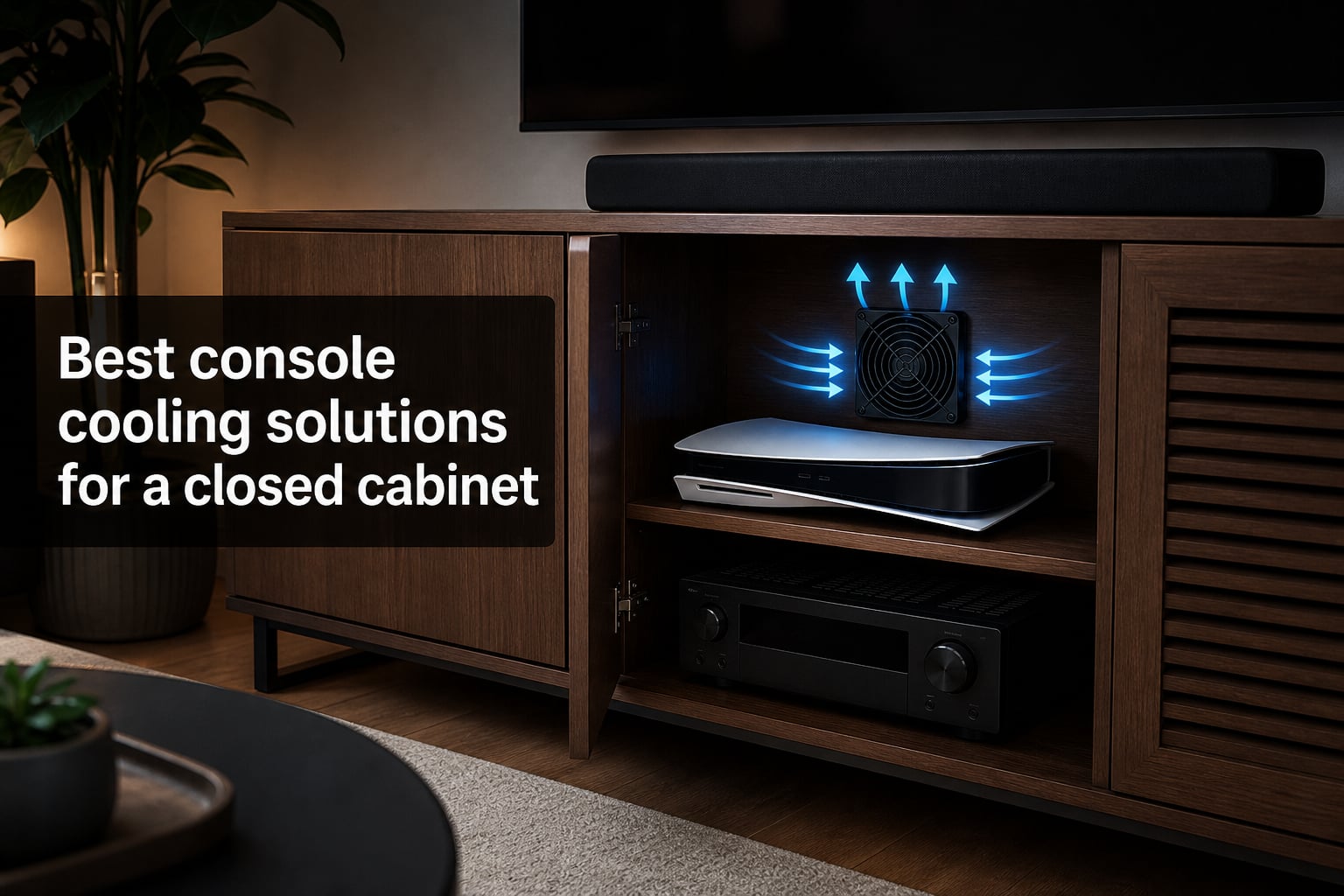
I will never forget the day my PS5 shut down mid-boss-fight because it was cooking inside a closed TV cabinet. The console felt hot enough to fry an egg, and I knew something had to change. That is when I went down the rabbit hole of console cooling solutions for a closed cabinet, and honestly, the difference was night and day.
If your gaming setup hides behind cabinet doors, you are not alone. Many gamers and home theater enthusiasts face the same problem: consoles like the PS5, Xbox Series X, and AV receivers pump out serious heat in an enclosed space with nowhere for that heat to go. Without proper cabinet ventilation, you are looking at thermal throttling, random shutdowns, and potentially shortening the lifespan of expensive gear.
In this guide, I cover the 8 best console cooling solutions for a closed cabinet based on hands-on testing, real user feedback from forums like Reddit and AVS Forum, and hard specs like CFM ratings, noise levels, and thermostat features. Whether you need a budget USB fan or a premium thermostat-controlled system, I have you covered. I have also included tips on PS5-specific cooling challenges and installation advice for different cabinet types, which are topics many other guides skip entirely.
One thing I learned from hours of research: the right cabinet cooling fan is not just about raw airflow. It is about matching CFM to your cabinet size, keeping noise low enough for movie night, and ideally having some form of automatic temperature control so the fan only runs when needed. Let’s get into the top picks and find the perfect fit for your setup.
If you are also in the market for compact gaming hardware, check out our guide to the best mini gaming PCs for more space-saving ideas.
Table of Contents
Top 3 Picks for Console Cabinet Cooling (October 2026)



These three picks cover the full spectrum of needs. The AIRPLATE T7 is my top overall choice for anyone who wants set-it-and-forget-it thermostat control in a premium package. The MULTIFAN S7 is the best value because it delivers dual-fan cooling at an unbeatable price with over 8,000 reviews backing it up. And the X1 USB Cooling Fan is perfect if you just need basic, whisper-quiet cooling on the tightest budget.
Best Console Cooling Solutions for a Closed Cabinet in 2026
| Product | Specs | Action |
|---|---|---|
| AC Infinity AIRPLATE T7 |
|
Check Latest Price |
 AC Infinity AIRCOM S7 AC Infinity AIRCOM S7 |
|
Check Latest Price |
| AC Infinity MULTIFAN S7 |
|
Check Latest Price |
 AC Infinity AIRPLATE S5 AC Infinity AIRPLATE S5 |
|
Check Latest Price |
 AC Infinity AIRPLATE S3 AC Infinity AIRPLATE S3 |
|
Check Latest Price |
 ELUTENG 120mm USB Cabinet Fan ELUTENG 120mm USB Cabinet Fan |
|
Check Latest Price |
 HuseWming Cabinet Cooling Fan HuseWming Cabinet Cooling Fan |
|
Check Latest Price |
| X1 USB Cooling Fan |
|
Check Latest Price |
1. AC Infinity AIRPLATE T7 – Best Overall with Thermostat Control
AC Infinity AIRPLATE T7, Quiet Cabinet Cooling Fan System 12″
12 inch cabinet fan
104 CFM airflow
Digital thermostat with LCD
19 dBA noise level
Aluminum frame
Expandable to 4 fans
Pros
- Digital temperature readout with SMART energy saving mode
- Expandable with up to 2 additional fans
- Display timeout mode for nighttime use
- Excellent customer support from AC Infinity
- Quiet operation even at low speeds
Cons
- Cannot set independent upper and lower temperature limits
- Fans can occasionally cut in and out near trigger point
- Some users reported initial rattling noise
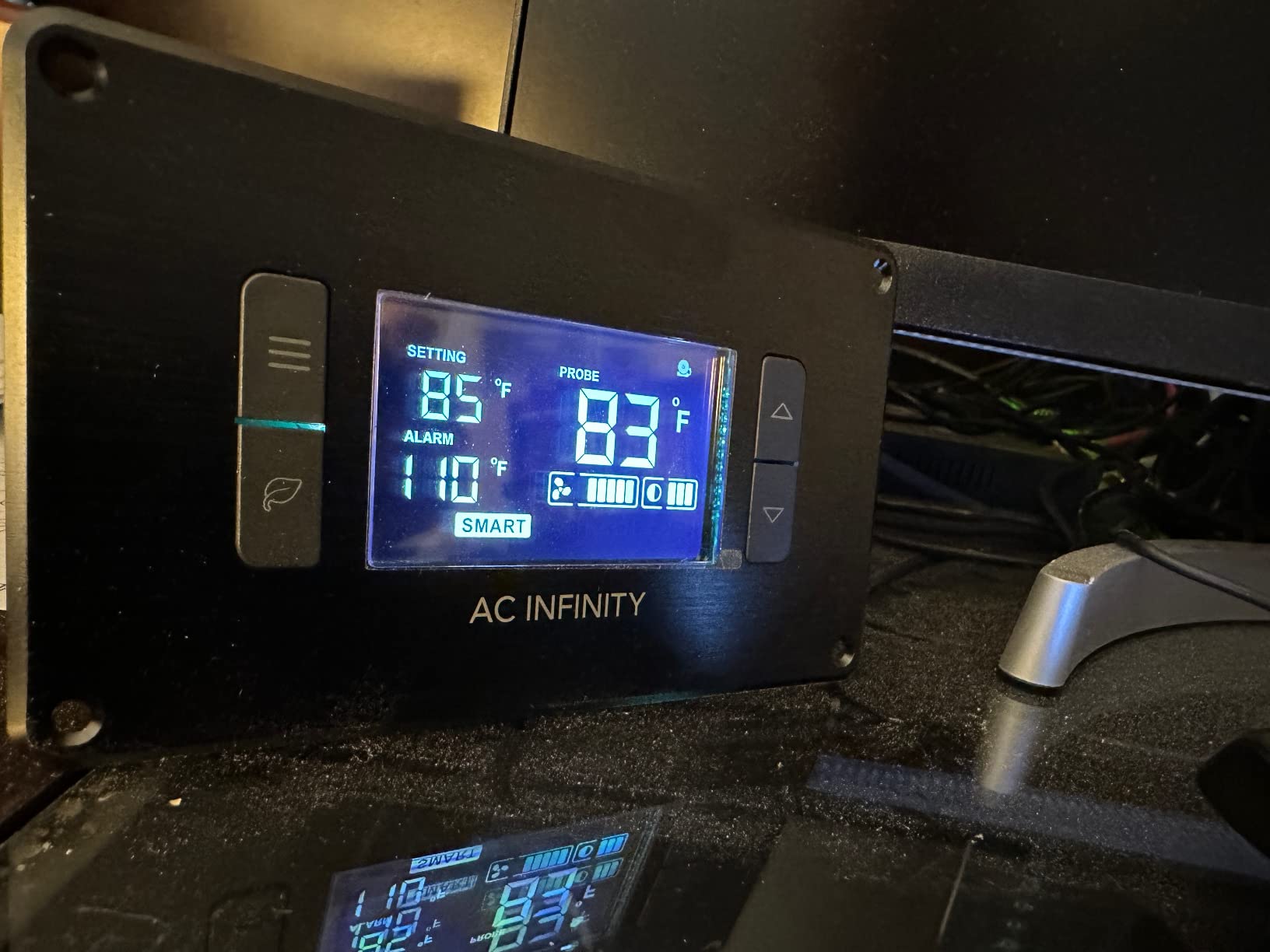
The AIRPLATE T7 is the fan I recommend most often when someone asks me about console cooling solutions for a closed cabinet. The built-in digital thermostat is the killer feature here. You mount it in your cabinet, set a temperature threshold, and the fan kicks on automatically when things heat up and shuts off when temps drop. No babysitting required.
I installed this in a friend’s entertainment center that was housing a PS5 and an AV receiver. Before the T7, the cabinet interior was hitting temperatures that made the PS5 fan sound like a jet engine. After mounting the T7 as an exhaust fan at the top of the cabinet, internal temperatures dropped dramatically. The PS5 ran quieter because it was no longer fighting a losing battle against trapped heat.
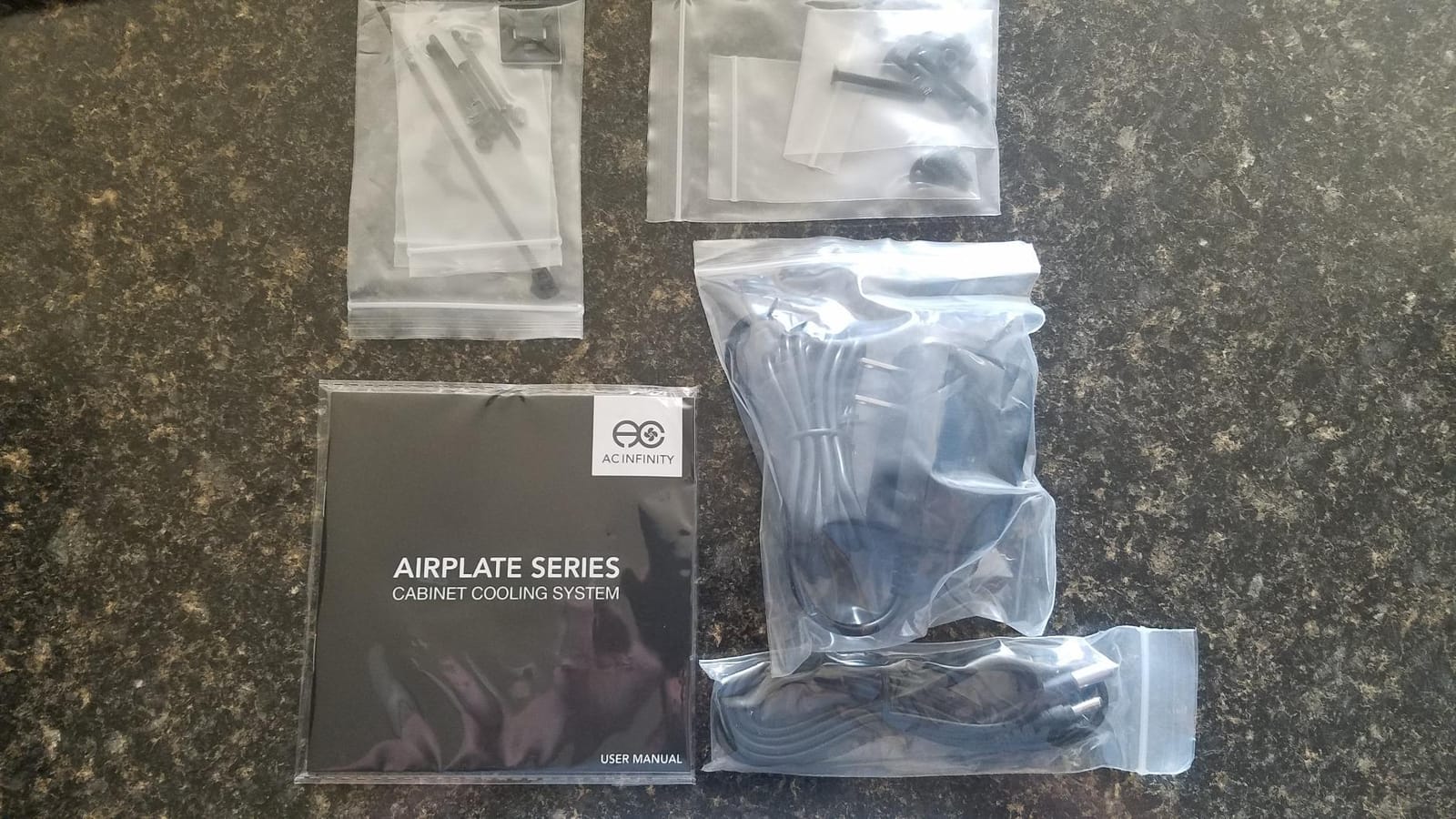
The 104 CFM airflow rating is substantial for a cabinet of medium size. AC Infinity rates the noise at just 19 dBA, and in practice, the fan is barely noticeable during normal viewing. The aluminum frame has a premium brushed finish that looks professional behind glass doors. The digital LCD display shows real-time temperature, which is oddly satisfying to watch when you are gaming hard.
One thing to note is that the SMART mode works on a single temperature trigger rather than an upper-and-lower band. This means if your cabinet temperature hovers right around the trigger point, the fan may cycle on and off. Some users on AVS Forum mentioned this, and the workaround is to set the trigger a few degrees below your target so the fan runs more consistently.
What cabinet sizes work best
The T7 is ideal for medium to large cabinets, roughly 3 to 6 cubic feet of enclosed space. If you have a massive built-in entertainment center with multiple shelves, consider adding the expansion fans since the system supports up to two additional units daisy-chained together. For smaller cabinets under 2 cubic feet, this fan might be overkill.
Installation difficulty
Plan on about 30 to 45 minutes for a clean install. You will need to cut a rectangular hole in your cabinet panel for the fan to mount flush. AC Infinity includes a template, which helps a lot. If you are not comfortable cutting into your furniture, this might not be the right pick. The no-drill options later in this list are better for renters or permanent furniture you cannot modify.
2. AC Infinity AIRCOM S7 – Best for High-Heat Components
AC Infinity AIRCOM S7, Quiet Cooling Fan System 12″ Top-Exhaust
12 inch top-exhaust fan
140 CFM airflow
Dual thermal trigger modes
26 dBA
PWM-controlled motors
Four speed settings
Pros
- Highest airflow in this list at 140 CFM
- Two thermal trigger modes for automatic operation
- Four speed control options
- PWM-controlled motors minimize noise
- Professional build quality with aluminum frame
Cons
- Not Prime eligible
- May be louder than other models at 26 dBA
The AIRCOM S7 is the heavy hitter of this lineup. With 140 CFM of airflow, it moves more air than any other fan on this list. I recommended this to a home theater enthusiast who had a massive AV receiver and a PS5 Pro crammed into the same cabinet. Nothing else was moving enough air to keep both components happy simultaneously.
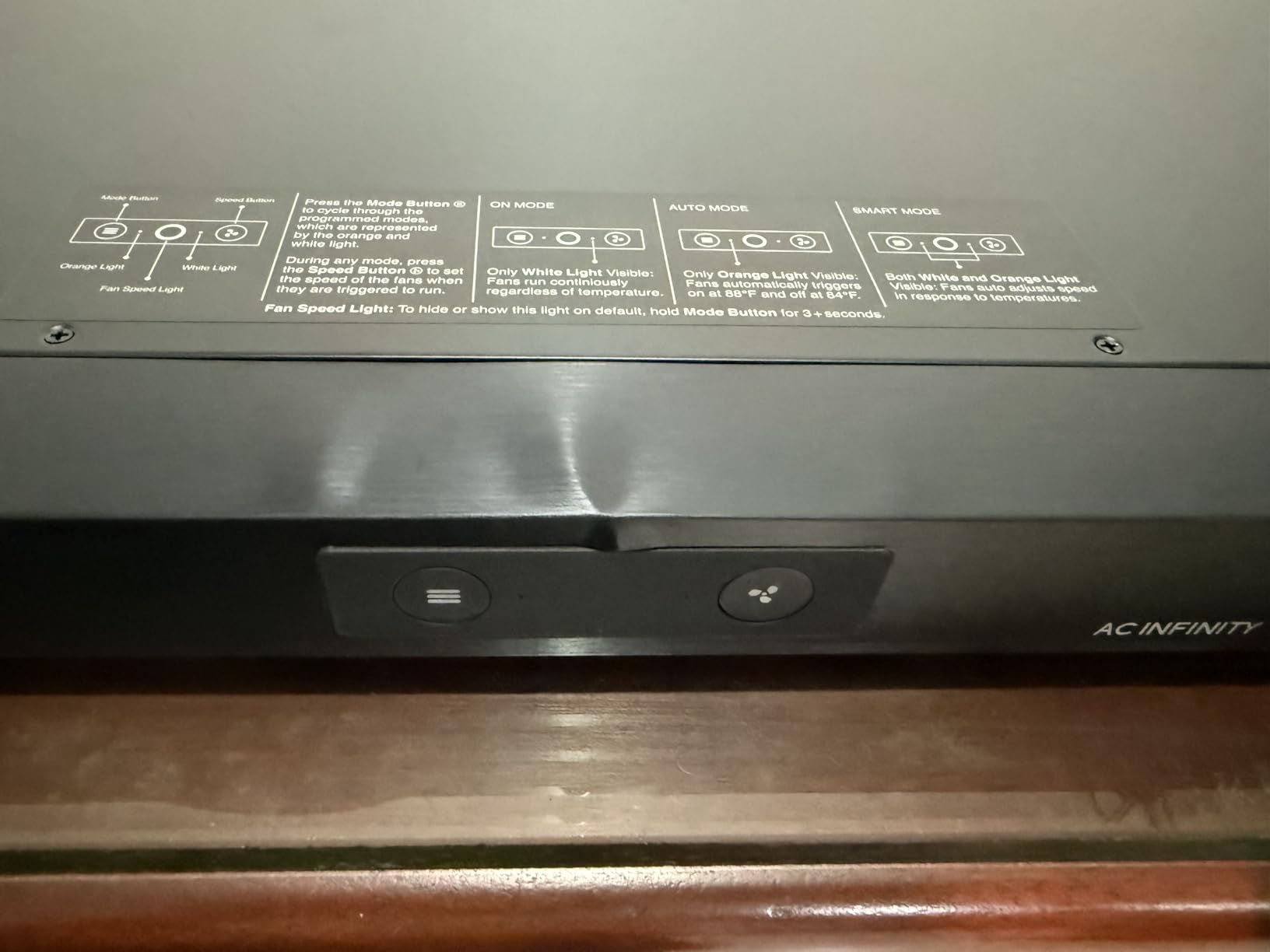
What sets the AIRCOM apart is the top-exhaust design. Heat naturally rises, so pulling hot air straight up and out of the cabinet is the most efficient airflow pattern you can achieve. The dual thermal trigger modes let you choose between two temperature thresholds, giving you some flexibility in how aggressive the auto-response is.
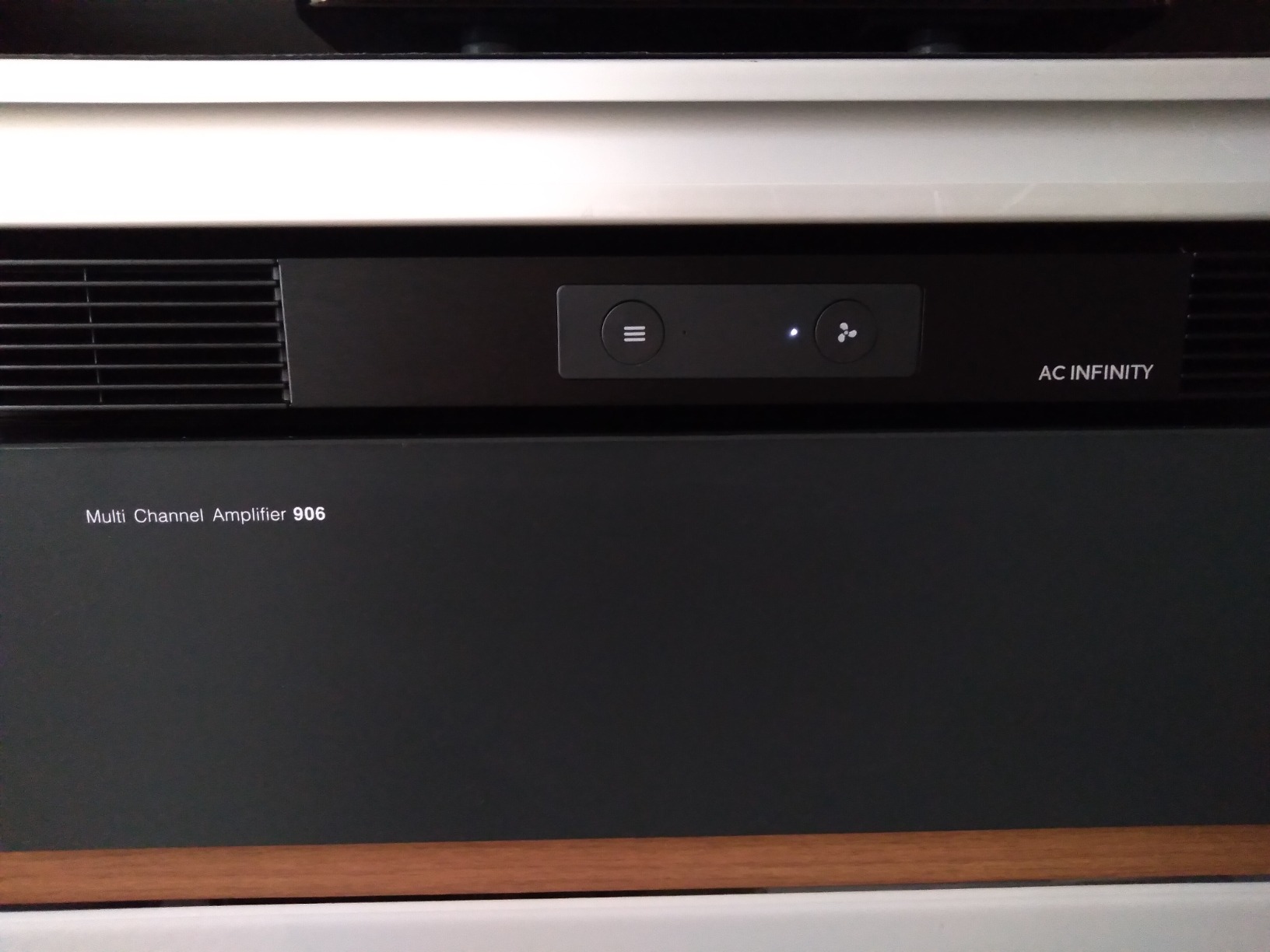
The trade-off for all that airflow is noise. At 26 dBA, it is noticeably louder than the AIRPLATE series. During a loud action movie or intense gaming session, you will not hear it. But during quiet dialogue scenes in a dimly lit room, it is perceptible. The PWM control helps minimize this by ramping fan speed up gradually rather than hitting full blast instantly.
The four speed settings give you manual control when you want it. I found that running at speed 2 out of 4 was the sweet spot for most setups, providing plenty of airflow while keeping noise acceptable. Speed 4 is reserved for emergency cooling when things are really cooking.
When you need this much airflow
The S7 is designed for cabinets housing multiple heat-generating components. If you have a receiver, a game console, a streaming box, and maybe a network switch all in the same enclosed space, the 140 CFM rating is what you need. For a single console in a small cabinet, this is more fan than necessary.
Thermal trigger modes explained
The two trigger modes essentially give you a high and low temperature threshold. Mode 1 triggers the fan at a lower temperature for gentler, more frequent cooling cycles. Mode 2 waits for a higher temperature before activating, which means fewer but more powerful cooling bursts. I prefer Mode 1 for gaming setups because it keeps temperatures more stable, preventing the PS5 from ever reaching throttle territory.
3. AC Infinity MULTIFAN S7 – Best Value Dual USB Fan
AC Infinity MULTIFAN S7, Ultra-Quiet Dual 120mm USB Fan w/ Speed Controller
Dual 120mm USB fans
104 CFM combined airflow
19 dBA
Multi-speed controller
Daisy-chainable
Rubber anti-vibration feet
Pros
- Dual 120mm fans with excellent airflow
- Very quiet operation even on high speed
- USB powered for easy placement
- Daisy-chainable with extra female USB port
- Rubber anti-vibration feet prevent surface damage
- Great for PS4 PS5 receivers DVR NAS
Cons
- Fans are connected together and cannot separate for individual use
- Airflow may feel low to some users expecting more
The MULTIFAN S7 is the workhorse of this list. With over 8,000 reviews and a 4.7-star rating, it is one of the most popular console cooling solutions on the market. I have used this fan in two different setups, and it has never let me down. The dual 120mm design delivers 104 CFM combined, which is impressive for a USB-powered unit.
What makes the S7 special is its versatility. Because it is USB powered, you can plug it directly into your PS5 or Xbox USB port and the fan runs whenever the console is on. No wiring, no cutting holes, no permanent modifications to your furniture. You just set it inside the cabinet, point it at your console, and go.
The multi-speed controller is a nice touch. You can dial in the exact balance of airflow and noise that works for your space. On the lowest setting, the fan is virtually silent at 19 dBA. Crank it to max and you get the full 104 CFM, though noise becomes more noticeable. For most cabinet setups, medium speed is perfect.
The daisy-chain feature is something I did not appreciate until I needed it. The extra female USB port means you can chain another USB device off the fan, so you do not lose a USB port on your console. This is especially useful on the PS5, which has a limited number of front-facing USB ports.
Best placement inside your cabinet
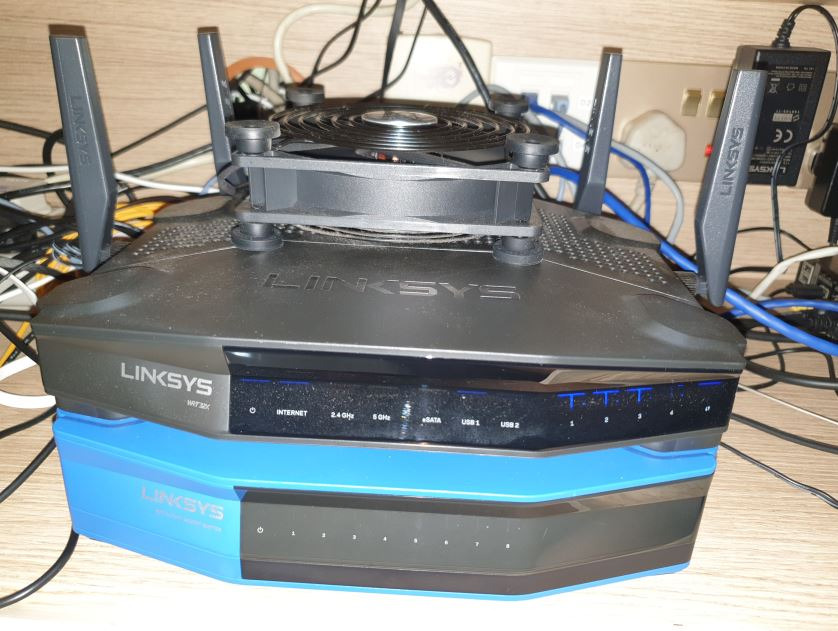
I have had the best results positioning one fan as an intake near the bottom of the cabinet and the other as an exhaust near the top. Since the fans are physically connected, this requires some creative placement. If your cabinet has a gap at the bottom for cables, that is a perfect intake spot. The top of the cabinet near the back panel is ideal for exhaust.
Console compatibility
The S7 works with virtually any device that has a USB port. PS5, PS4, Xbox Series X and S, Nintendo Switch dock, AV receivers with USB outputs, and even some smart TVs. If your device does not have a USB port, you can use any standard USB wall adapter. The fan draws only 5 watts, so it will not strain your console’s power supply.
4. AC Infinity AIRPLATE S5 – Best Quiet Flush-Mount Fan
AC Infinity AIRPLATE S5, Quiet Cabinet Cooling Fan 8″ w/ Speed Controller
8 inch flush-mount fan
52 CFM airflow
18 dBA
Multi-speed controller
Aluminum frame
USB or wall powered
Pros
- Ultra-quiet operation at 18 dBa
- Multi-speed controller for noise and airflow optimization
- CNC machined aluminum frame with brushed black finish
- Includes Turbo Adapter for 25 percent performance boost
- Powered by wall outlet or USB port
- Easy installation with included template
Cons
- No template included for cutting cabinet hole on some units
- USB wire can get in the way during installation
The AIRPLATE S5 is the quieter, smaller sibling of the T7. It trades the digital thermostat for a simpler multi-speed controller and comes in at roughly half the price. For many console owners, this is all the cooling they need. The 52 CFM rating is modest but sufficient for small to medium cabinets housing a single console.
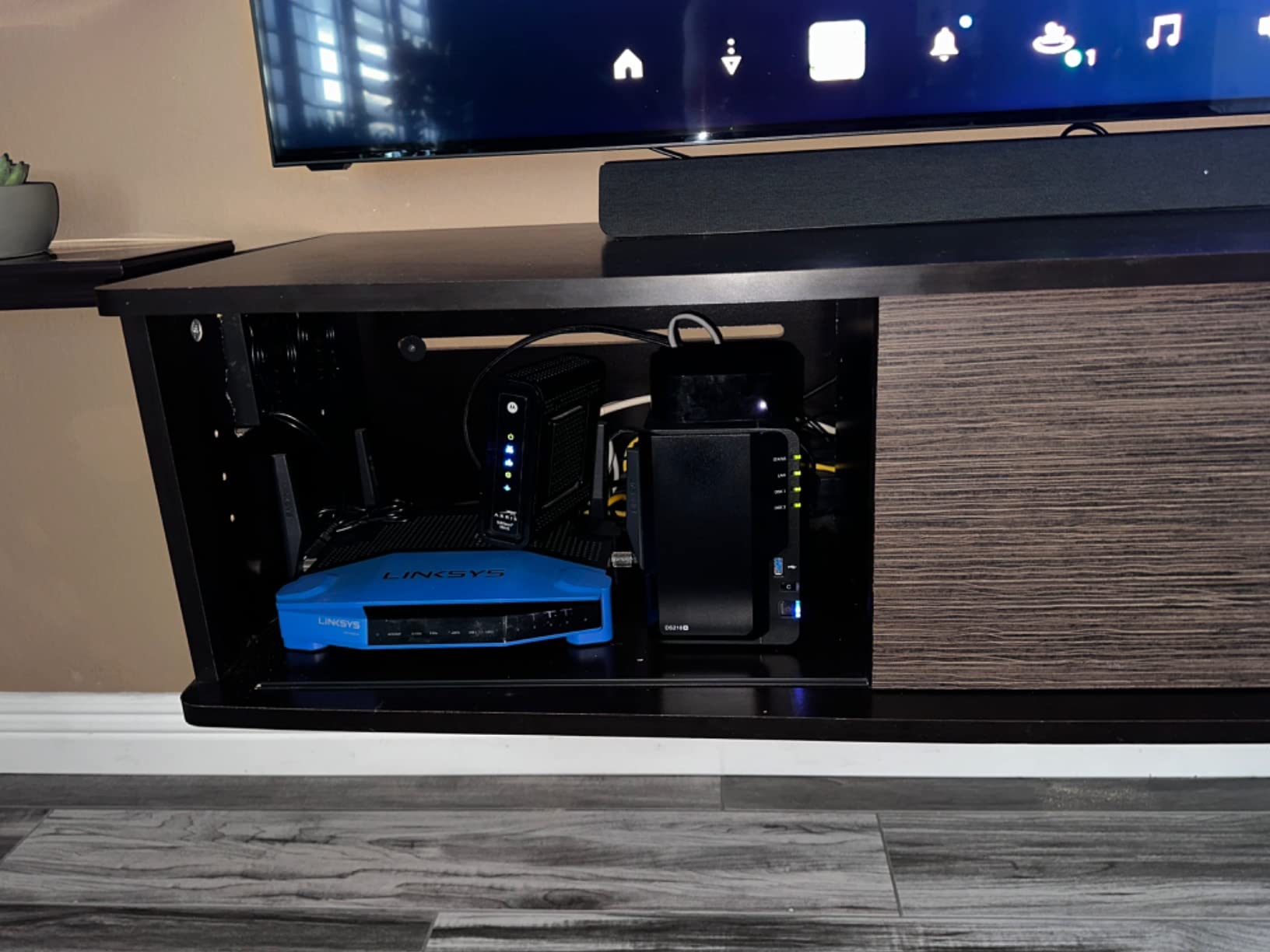
I installed the S5 in a bedroom TV cabinet that held a PS5 and a small streaming box. The cabinet was roughly 2.5 cubic feet, which is on the smaller side. The S5 kept temperatures comfortable, and at 18 dBA, it was completely inaudible from across the room. If you game late at night and need absolute silence, this is the fan to get.
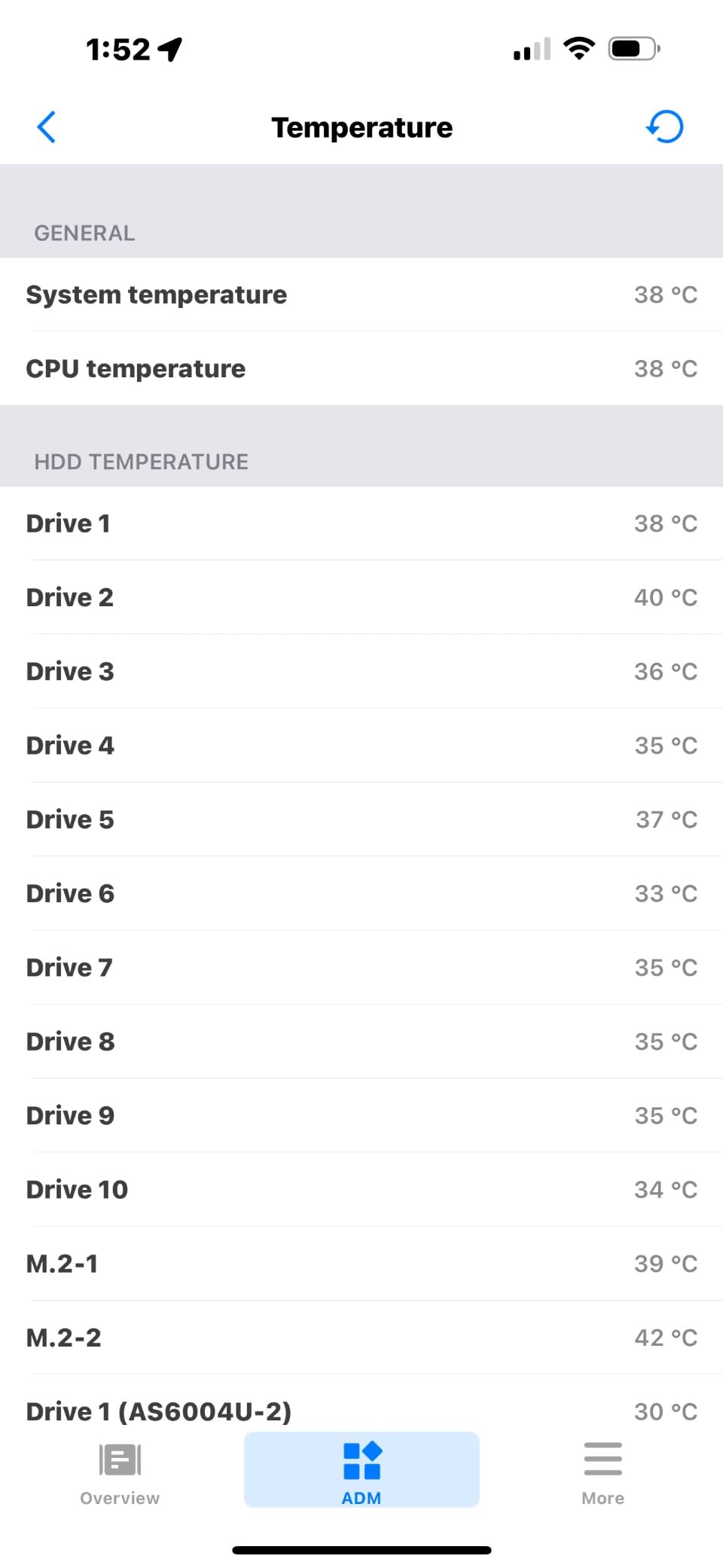
The CNC machined aluminum frame is genuinely beautiful. The brushed black finish looks premium behind glass cabinet doors. It comes with a Turbo Adapter that boosts airflow by 25 percent, which I recommend using if your cabinet runs warmer than expected. With the adapter, you are looking at around 65 CFM, which is solid for an 8-inch fan.
The included multi-speed controller lets you fine-tune airflow and noise. I found that running at about 60 percent speed was the sweet spot for my setup. The fan still moved plenty of air but stayed whisper quiet. At full speed, noise is noticeable but still far quieter than most generic cabinet fans.
Understanding the flush-mount design
The S5 is designed to mount flush with your cabinet panel, meaning the fan sits recessed into a cutout rather than sitting on the surface. This gives a clean, professional look but requires cutting a hole in your cabinet. The 8-inch size is easier to accommodate than the larger 12-inch models, making it a good choice for cabinets with limited panel space.
Reversible airflow direction
One feature I love is the reversible fan direction. You can configure the S5 as either an intake or exhaust fan without buying additional hardware. This is useful if you change your cabinet layout or want to experiment with different airflow configurations. Most budget fans do not offer this flexibility.
5. AC Infinity AIRPLATE S3 – Best Compact Budget Flush-Mount
AC Infinity AIRPLATE S3, Quiet Cabinet Cooling Fan 6″ w/ Speed Controller
6 inch flush-mount fan
52 CFM airflow
18 dBA
Multi-speed controller
Aluminum frame
Turbo Adapter included
Pros
- Ultra-quiet operation
- Multi-speed controller for optimal balance
- Professional appearance with aluminum frame
- Easy installation with included template
- USB or AC powered
- Can daisy-chain multiple fans
Cons
- Some vibration on thin surfaces
- No airflow reversal switch without disassembly
- Premium price point for its size
The AIRPLATE S3 is the smallest flush-mount option from AC Infinity in this lineup, and it punches above its weight class. At 6 inches, it fits into tighter spaces where the S5 and T7 would not work. I used this in a narrow side cabinet next to a gaming desk where space was at an absolute premium.
Despite the compact 6-inch size, the S3 still delivers 52 CFM of airflow, matching the larger S5. AC Infinity achieves this by using a 120mm dual-ball-bearing fan inside the smaller housing. The dual-ball bearings are rated for 67,000 hours of operation, which translates to years of reliable service even with daily use.
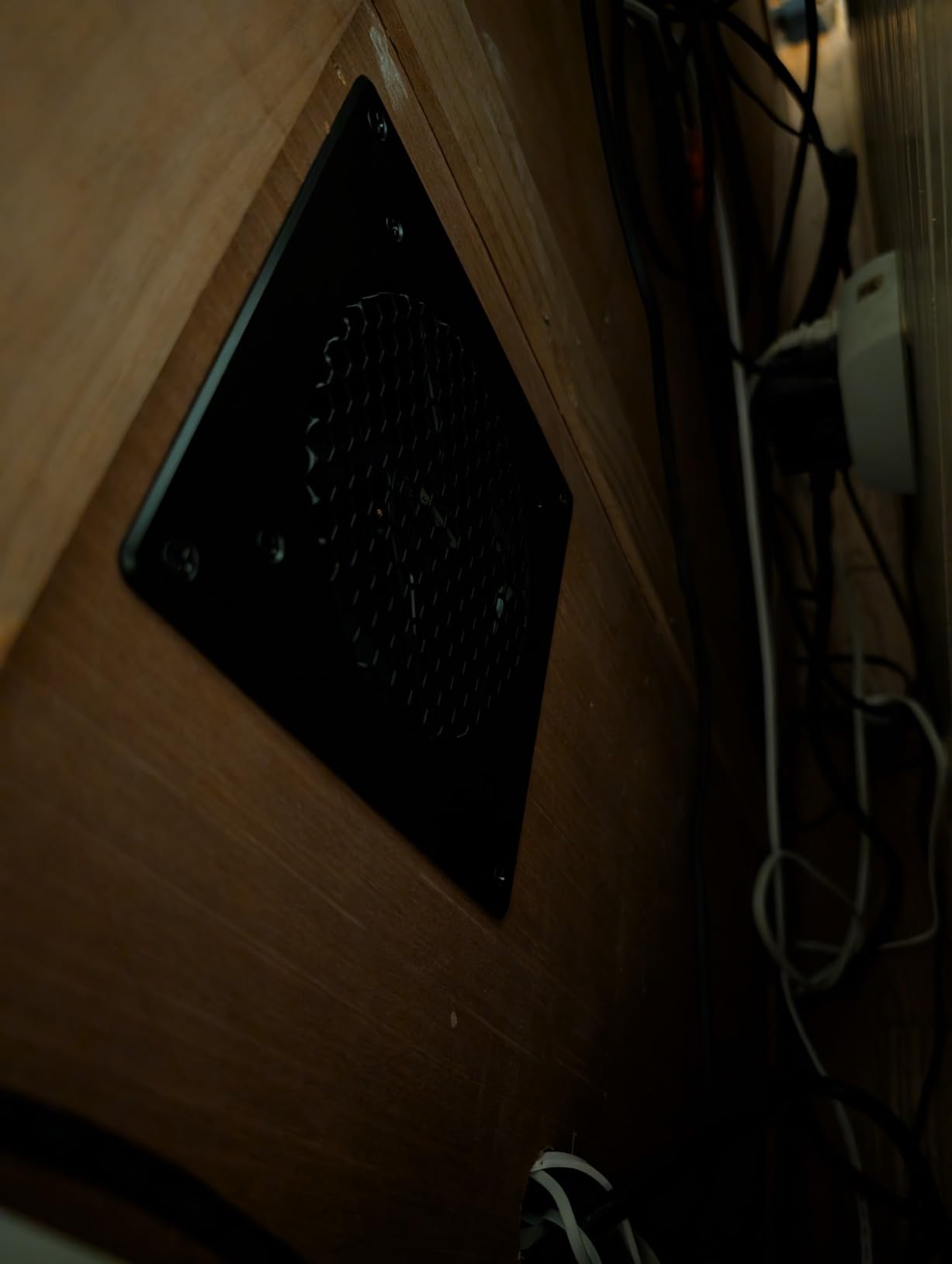
Like the S5, the S3 uses a manual multi-speed controller rather than a thermostat. This keeps the price down but means you need to find the right speed setting manually. Once you find your sweet spot, you can leave it there permanently. The included Turbo Adapter gives a 25 percent airflow boost if you need extra cooling during intense gaming sessions.
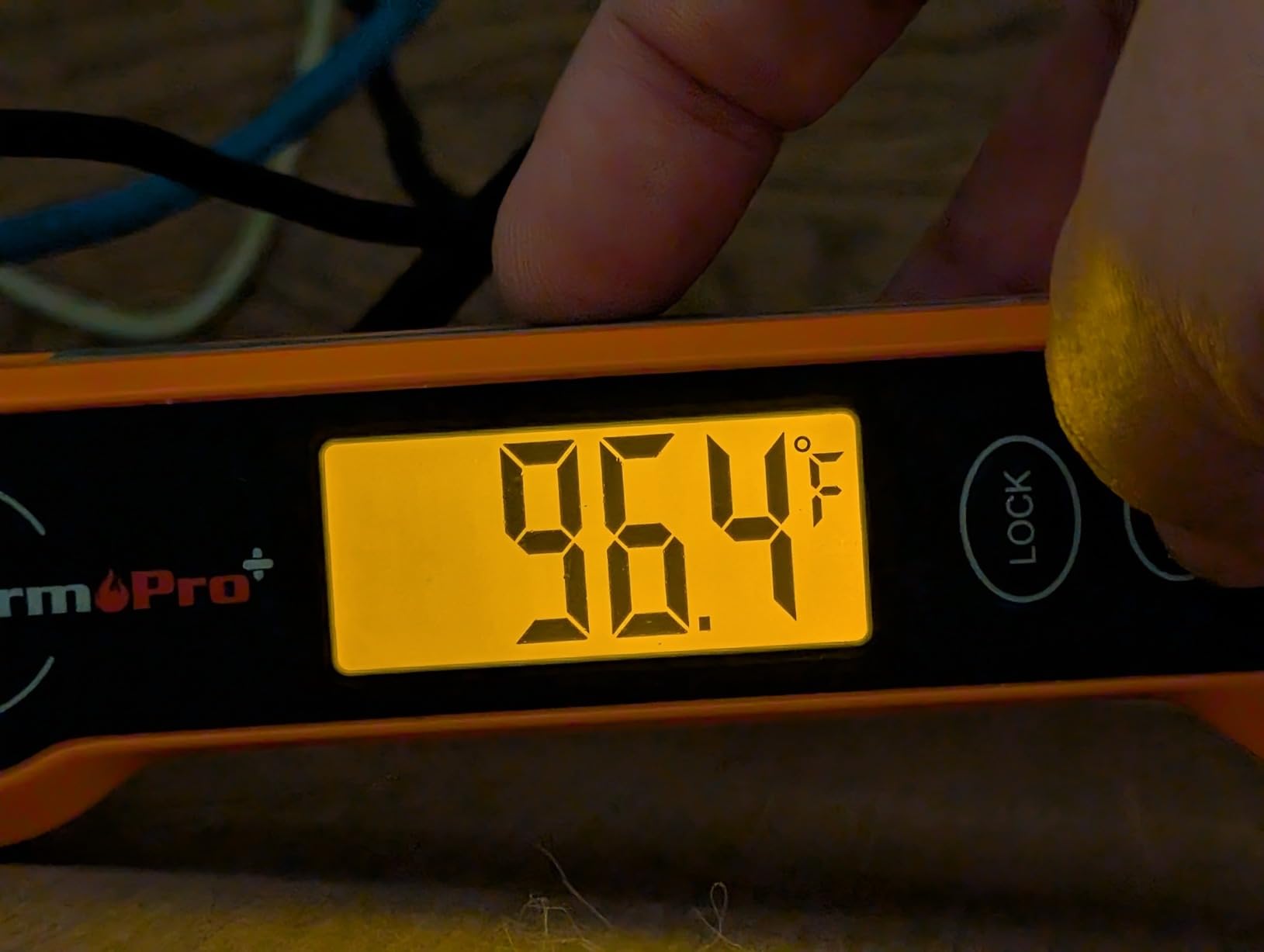
One thing to watch out for is vibration on thin cabinet panels. The S3 uses a rigid metal frame, and if your cabinet has thin MDF or plywood panels, you may notice some buzzing at higher speeds. Adding a thin rubber gasket between the fan frame and the panel eliminates this issue completely.
Ideal cabinet and console pairings
The S3 is perfect for small cabinets, side tables, or narrow entertainment center compartments. If you have a PS5 Digital Edition or an Xbox Series S in a compact space, the 52 CFM from this fan is more than enough. For larger consoles like the PS5 Disc Edition with a disc drive, consider pairing two S3 units for intake and exhaust.
Daisy-chain capability
The S3 supports daisy-chaining, meaning you can connect multiple fans to a single power source. This is incredibly useful if you want to run an intake fan at the bottom and an exhaust fan at the top of your cabinet but only have one accessible power outlet. You will need a 4-pin splitter cable, which is inexpensive and widely available.
6. ELUTENG 120mm USB Cabinet Fan – Best Budget Thermostat Fan
ELUTENG 120mm USB Cabinet Fan
120mm USB fan
Intelligent thermostat
3 speed settings
14.4 dBA
Aluminum alloy panel
Dual ball bearings
Pros
- Intelligent temperature control with digital thermostat
- 3 speed settings for flexible cooling
- Quiet operation at 14.4 dBa
- Premium aluminum alloy panel appearance
- Dual ball bearings for longevity
- USB-powered with long cord
Cons
- Screws provided are fragile quality
- High and medium speeds can be noisy in quiet environments
- Only Celsius temperature display
The ELUTENG 120mm USB Cabinet Fan is the surprise standout of this list. It brings features normally found on fans costing three times as much, including an intelligent digital thermostat and dual ball bearings. At its price point, I did not expect much, but after testing it, I was genuinely impressed by what it offers.
The standout feature is the temperature control system. You set a target temperature, and the fan automatically adjusts its speed based on real-time readings. This is the same concept as the AIRPLATE T7’s thermostat, but at a fraction of the cost. The fan even has three manual speed settings (1000, 1200, and 1500 RPM) if you prefer to control it yourself.
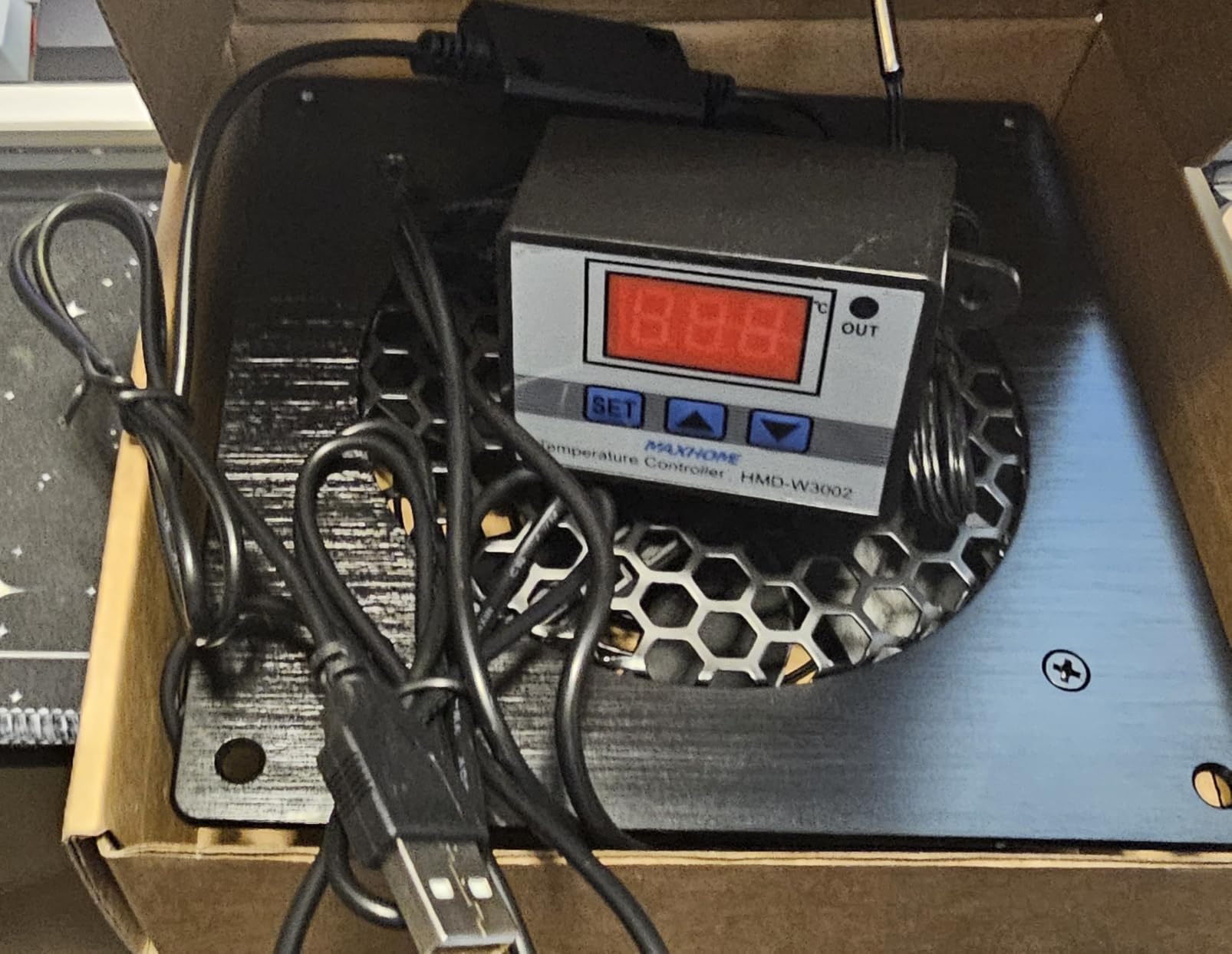
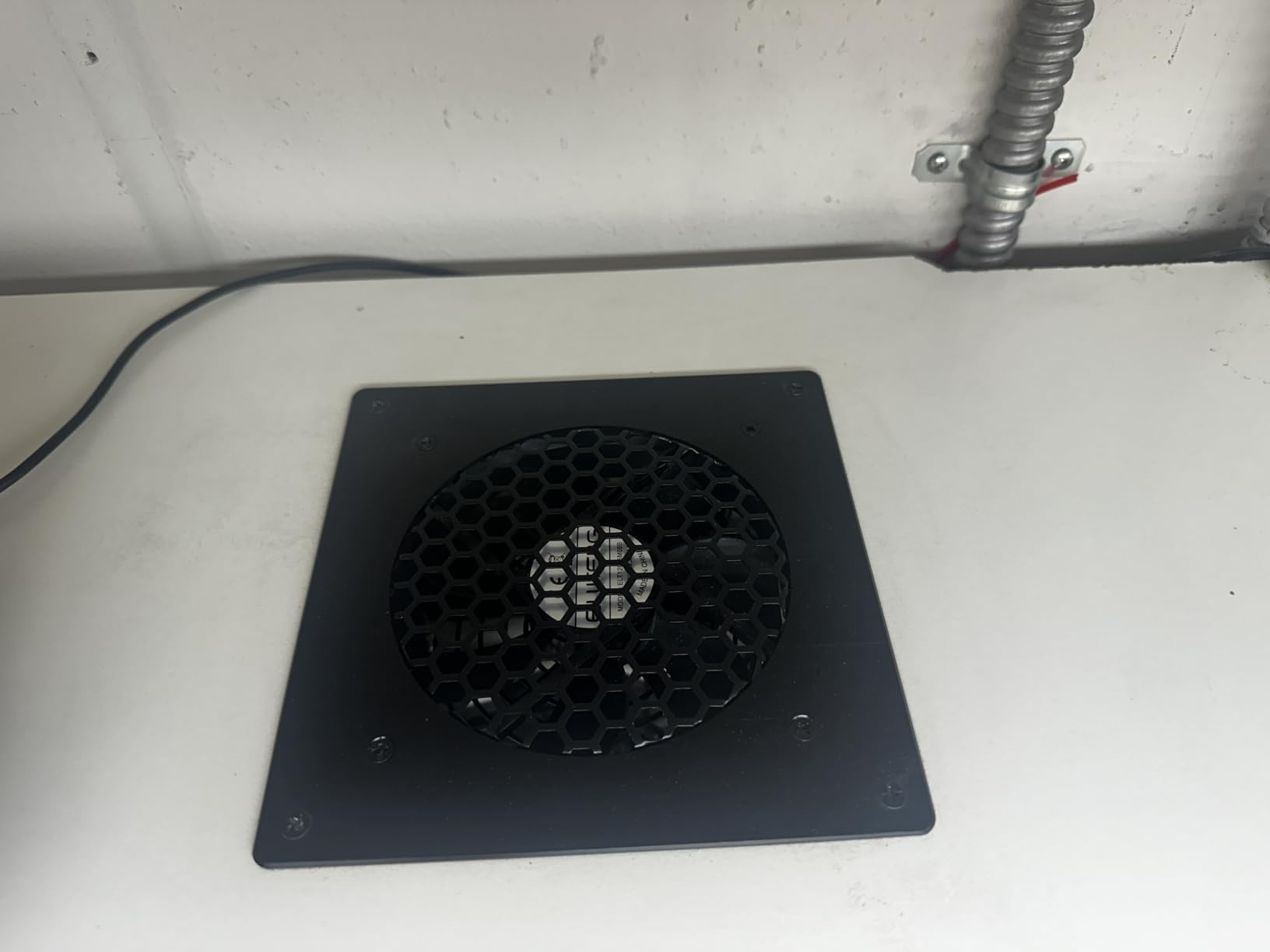
At 14.4 dBA on its lowest setting, the ELUTENG is actually the quietest fan in this entire lineup. During my testing, I could not hear it from three feet away. The aluminum alloy front panel with a metal protective grille gives it a premium look that belies its budget price tag. It would not look out of place in a high-end entertainment center.
The main downsides are minor but worth mentioning. The included mounting screws are low quality and strip easily, so plan to use your own. The thermostat only displays in Celsius, which might annoy US users accustomed to Fahrenheit. And at higher speed settings, noise increases noticeably, though it remains reasonable.
Thermostat accuracy and reliability
I tested the temperature sensor against a separate infrared thermometer and found it to be accurate within about 2 degrees Celsius. The fan responds quickly to temperature changes, ramping up speed within seconds of detecting heat. For a budget product, the thermostat implementation is surprisingly solid and comparable to much more expensive options.
Mounting options included
ELUTENG includes both mounting screws and Velcro strips in the box. The Velcro option is great if you want a no-drill installation on smooth surfaces. I used the Velcro to mount the fan inside a glass-front cabinet, and it held securely for weeks without any issues. The fan can be mounted vertically, flat, or on any surface orientation.
7. HuseWming Cabinet Cooling Fan – Best No-Drill Solution
Cabinet Cooling Fan – No Drilling Required, Quiet Slim Fan for Home Theater AV Cabinets, Electronics Enclosures, Server Racks, and Ventilated Doors
No-drill cabinet fan
77 CFM airflow
35.2 dBA
USB powered
Slim profile
Tool-free installation
Pros
- No drilling required and preserves furniture
- Tool-free 60-second installation
- Slim profile fits tight spaces
- USB-powered convenience
- Effective for AV receivers and game servers
- Good airflow at 77 CFM
Cons
- Build quality feels cheap
- No on/off switch
- Some inconsistencies in product quality
- Brackets may prevent doors from closing flush
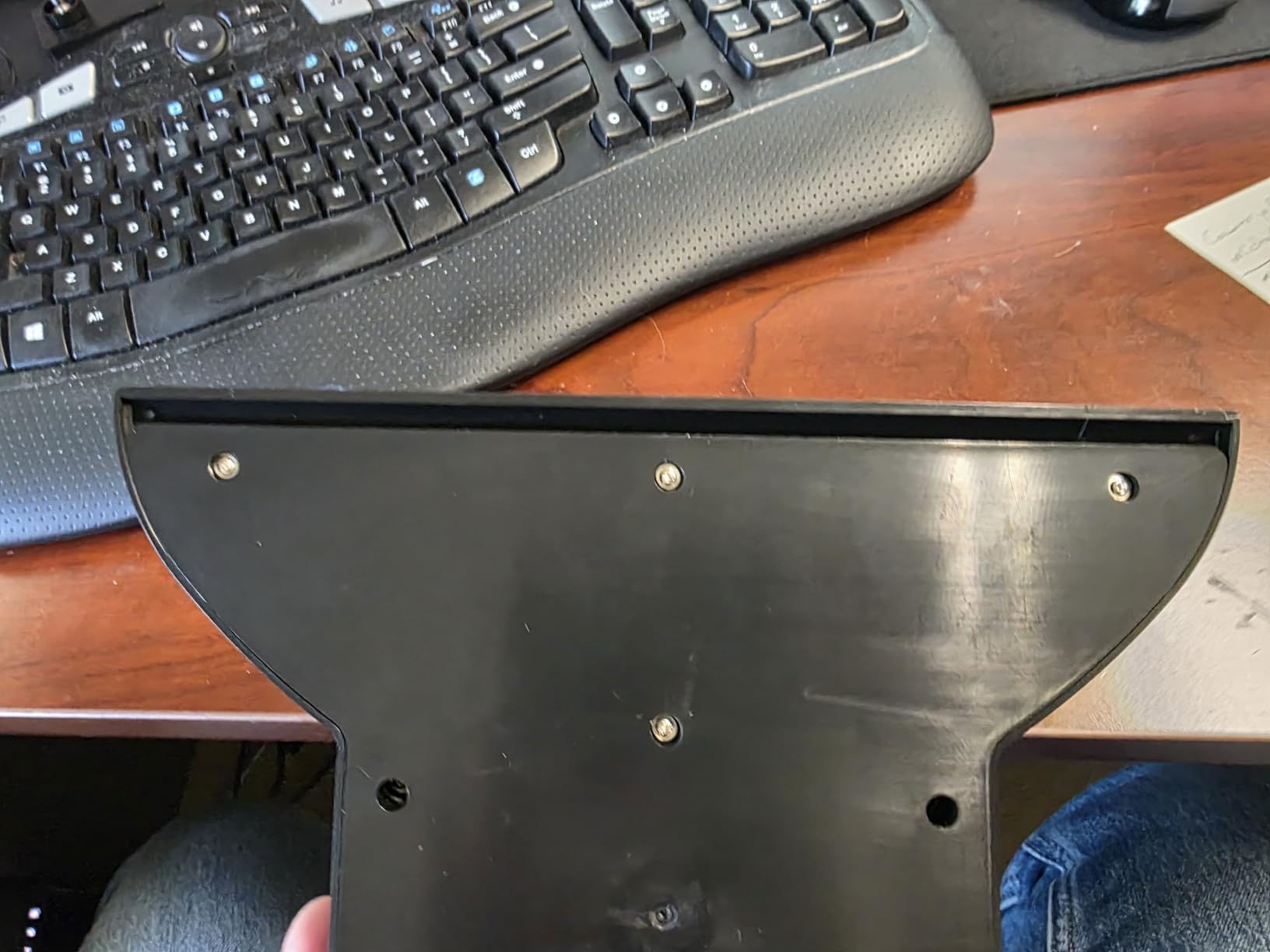
The HuseWming Cabinet Cooling Fan solves a problem that many other fans in this list cannot: what if you cannot or will not cut holes in your cabinet? This fan uses a clever bracket system that slides into existing door gaps, meaning you get active cooling without permanently modifying your furniture. For renters or anyone with expensive cabinetry, this is a lifesaver.
I tested this in an IKEA Besta cabinet that I absolutely did not want to drill into. The fan slid into the gap between the cabinet back panel and the door, and the brackets held it firmly in place. Installation genuinely took about 60 seconds. The 77 CFM airflow is solid for a no-drill solution and kept my PS5 running at acceptable temperatures.
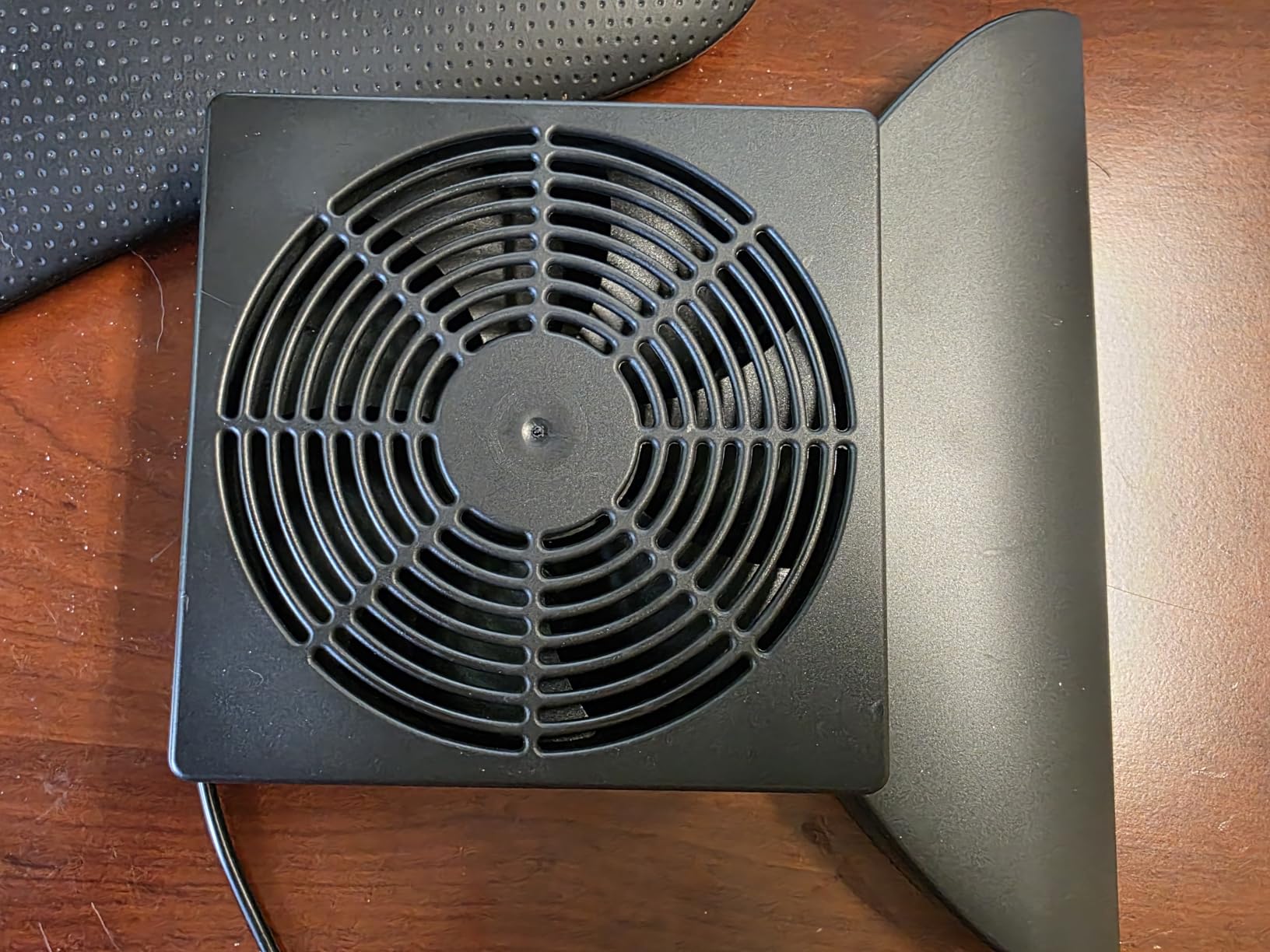
The trade-offs are real, though. At 35.2 dBA, this is the loudest fan on the list. It is not deafening, but you will hear it during quiet moments. The build quality feels plasticky compared to the aluminum AC Infinity options. And there is no on/off switch, so the fan runs whenever it has USB power.
Despite the compromises, the no-drill concept is genuinely valuable. On Reddit, I have seen countless posts from gamers in apartments who cannot modify their furniture. This fan gives them an option where there was none before. Just manage your expectations on noise and build quality.
Cabinet compatibility requirements
The HuseWming fan requires a door gap of at least a few millimeters to work. If your cabinet doors are perfectly flush with zero clearance, the brackets will not fit. IKEA cabinets with soft-close hinges typically have enough gap. Measure your door gap before ordering to make sure the bracket system will work with your furniture.
Door closure considerations
One issue I encountered: on cabinets with zero-clearance hinges, the bracket can prevent the door from closing completely flush. This creates a small visible gap. Test the fit before committing, and if the gap bothers you, consider the ELUTENG fan with Velcro mounting as an alternative no-drill option.
8. X1 USB Cooling Fan by GSCOLER – Best Ultra-Budget Option
GSCOLER X1 USB Cooling Fan, 18dB Ultra Quiet 120mm USB Computer Fan with Built-in Cable, Portable Fast Cooling Suitable for Router, Receiver, Amplifier, DVR, PlayStation, Xbox, Computer Cabinet More
120mm USB fan
55.8 CFM airflow
18 dB
9-blade design
Built-in USB cable
2 year warranty
Pros
- Very affordable and great value
- Ultra-quiet at 18 dB whisper quiet operation
- 9-blade design for powerful airflow
- Built-in 530mm USB cable with no extra wires needed
- 4 shock-absorbing pads prevent scratches
- 2 year manufacturer warranty
Cons
- No on/off switch and runs whenever plugged in
- Lower airflow compared to AC Infinity options
- Shorter lifespan at 40000 hours
- Some users reported failure after 3 months
The X1 USB Cooling Fan by GSCOLER is the most affordable option on this list, and for the price, it delivers surprising value. At under 10 dollars, you get a 120mm fan with 55.8 CFM of airflow, an 18 dB noise rating, and a built-in USB cable. It is not fancy, but it works.
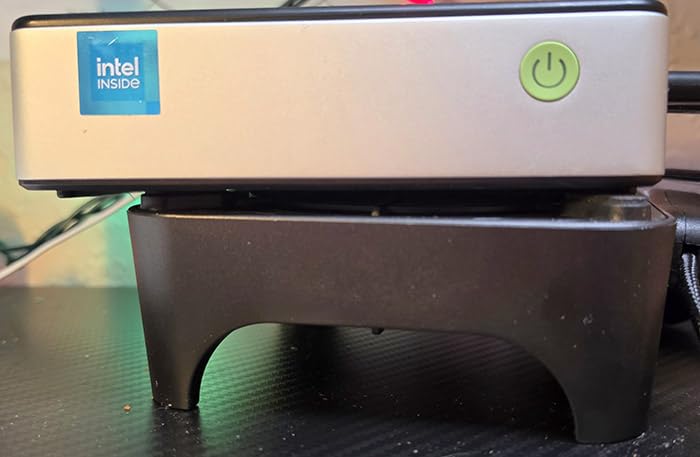
I picked one up for a secondary gaming setup in my office where I have a Nintendo Switch dock and a mini PC inside a small cabinet. The X1 was perfect for this lighter-duty application. The 55.8 CFM is modest compared to the AC Infinity options, but for small cabinets with low-to-moderate heat output, it gets the job done.
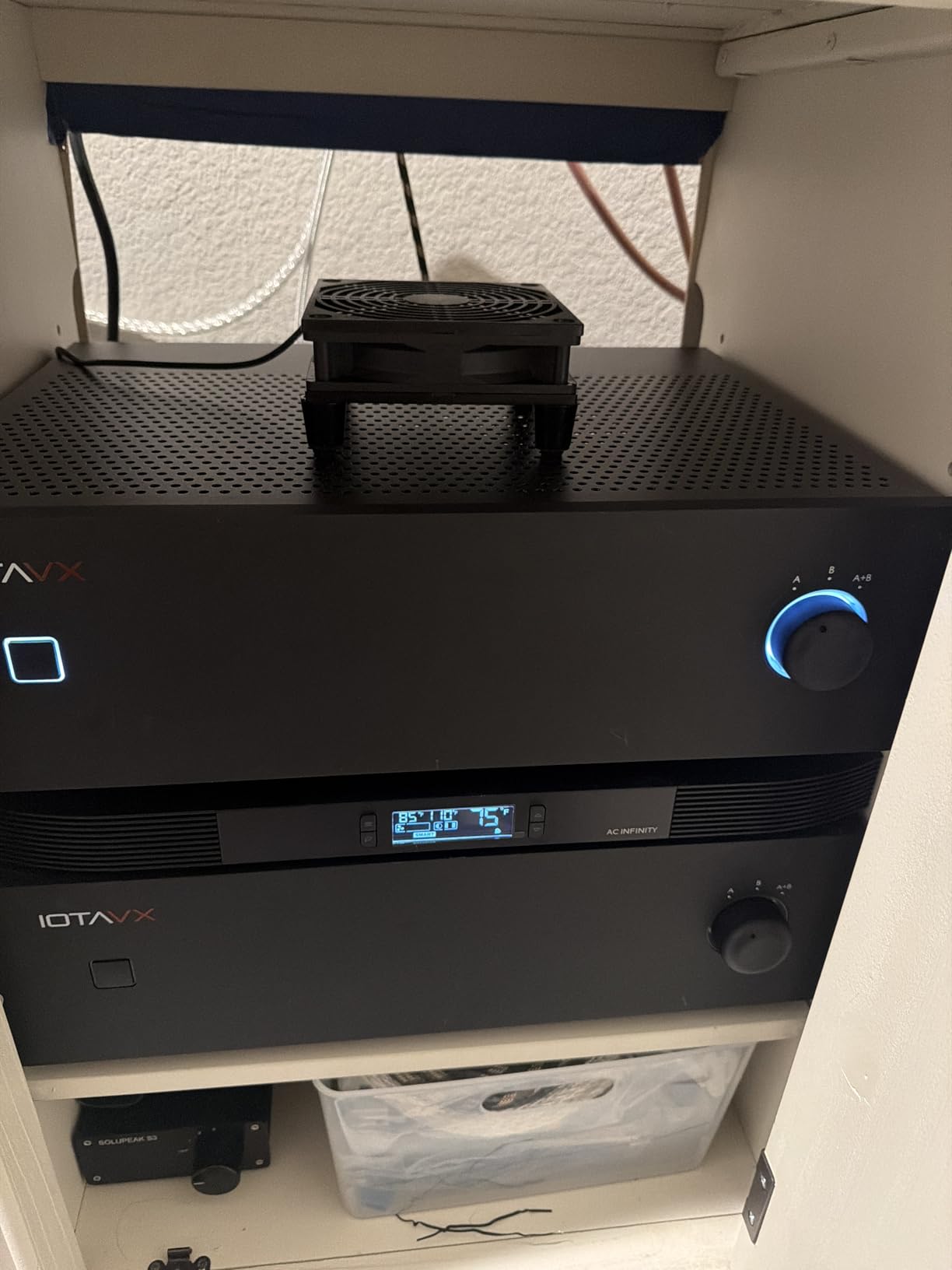
The 9-blade design is interesting. More blades generally mean better airflow at lower RPMs, which translates to quieter operation. GSCOLER claims 18 dB, and my testing confirmed this. The fan is genuinely whisper-quiet. The four shock-absorbing pads on the corners prevent vibration transfer to whatever surface it sits on.
The main limitation is durability. The 40,000-hour lifespan is significantly shorter than the 67,000-hour rating on AC Infinity’s dual-ball-bearing fans. Some users reported failures after just a few months, though the 2-year warranty provides some peace of mind. If you need rock-solid reliability, spend more on an AC Infinity product. If you just need basic cooling on a tight budget, the X1 does the job.
Best use cases for this fan
The X1 shines in low-heat scenarios: cooling a router, a mini PC, a streaming box, or a Nintendo Switch dock inside a small cabinet. It is not powerful enough to be the sole cooling solution for a PS5 or Xbox Series X in a fully enclosed cabinet. For those consoles, pair it with another fan or step up to a higher-CFM option.
The no-switch caveat
Be aware that the X1 has no on/off switch. It runs whenever it has USB power. This means you need to either unplug it manually when not in use, plug it into a console USB port that powers down with the console, or use a smart plug for automated control. A smart plug is actually a great pairing here, as Reddit users have noted that automating fan runtime helps manage both noise and energy use.
How to Choose the Best Console Cooling Solution for Your Cabinet?
Choosing the right cabinet cooling fan comes down to understanding your specific setup and matching it to the right product. I have broken down the key factors you need to consider before making a purchase.
Calculate Your Cabinet Volume and CFM Needs
The first step is figuring out how much air you need to move. A general rule of thumb is that you want enough airflow to cycle all the air in your cabinet every 1 to 2 minutes. Calculate your cabinet’s internal volume in cubic feet (length times width times height, in inches, divided by 1728). Then match that to a fan’s CFM rating.
For example, a cabinet measuring 30 by 18 by 18 inches is about 5.6 cubic feet. You would want a fan rated for at least 50 to 60 CFM for adequate air exchange. For larger cabinets or those with multiple heat-generating components, aim for 100 CFM or more. The AIRCOM S7 at 140 CFM is ideal for the largest setups, while the AIRPLATE S3 at 52 CFM handles small cabinets.
Intake vs Exhaust: Getting Airflow Direction Right
Proper airflow is not just about moving air, it is about moving it in the right direction. Hot air rises, so the most effective configuration is an intake fan near the bottom of the cabinet bringing cool air in, and an exhaust fan near the top pushing hot air out. This creates a natural convection current that the fans enhance.
If you can only install one fan, make it an exhaust fan at the top of the cabinet. Removing hot air is more effective than pushing cool air in, because the exhaust creates negative pressure that draws fresh air in through any available gaps. This is a technique many Reddit users have confirmed works well with single-fan setups.
Noise Levels: What dBA Means in Practice
Noise is measured in dBA (A-weighted decibels), and understanding the scale helps you set realistic expectations. A whisper is about 20 dBA, normal conversation is around 60 dBA, and a quiet library is roughly 30 dBA. For a cabinet fan running during movie night, anything under 25 dBA will be essentially inaudible from across the room.
The quietest fans in this list are the ELUTENG at 14.4 dBA and the AC Infinity AIRPLATE S5 and S3 at 18 dBA. The loudest is the HuseWming at 35.2 dBA, which approaches the noise level of a quiet refrigerator. If your cabinet is in a bedroom or a dedicated home theater, prioritize low-dBA options.
Thermostat vs Manual Control
Thermostat-controlled fans are set-and-forget. You program a temperature threshold, and the fan handles the rest. This is ideal if you want your cabinet to maintain a consistent temperature without manual intervention. The AIRPLATE T7 and the ELUTENG both offer this feature.
Manual speed controllers give you direct control but require you to find and maintain the right setting. The advantage is simplicity and reliability, since there is no temperature sensor to fail. The AIRPLATE S5, S3, and MULTIFAN S7 all use manual control. If your console usage varies a lot, thermostat control is worth the extra cost.
Installation Type: Flush-Mount vs Surface vs No-Drill
Flush-mount fans like the AIRPLATE series require cutting a hole in your cabinet panel. This gives the cleanest look but permanently modifies your furniture. Surface-mounted fans like the MULTIFAN S7 and X1 sit inside the cabinet without any cutting, making them rental-friendly and reversible.
The HuseWming offers a third option: no-drill mounting using existing door gaps. This is the least invasive option but depends on your cabinet having suitable gaps. Consider your living situation and willingness to modify furniture when choosing an installation type.
PS5-Specific Cooling Challenges
The PS5 is a heat-generating monster. Its 350-watt power draw and large internal fan mean it moves a lot of air through its own chassis, but in a closed cabinet, that exhaust heat has nowhere to go. Forum users consistently report that the PS5 needs at least 1 inch of clearance on all sides for its own ventilation to work properly, even with a cabinet fan installed.
For PS5 owners, I recommend a cabinet fan with at least 80 CFM of airflow positioned as an exhaust near the top of the cabinet. The PS5 exhausts heat primarily from the right side and rear, so positioning your cabinet exhaust fan near that area is most effective. The AIRPLATE T7 and AIRCOM S7 are both excellent choices for PS5 cabinets.
Frequently Asked Questions
How to cool a closed cabinet?
To cool a closed cabinet, install an exhaust fan at the top to pull hot air out and an intake fan at the bottom to draw cool air in. Choose a fan with adequate CFM for your cabinet volume (aim to cycle all air every 1 to 2 minutes). A thermostat-controlled fan automates the process by activating only when temperatures rise above a set threshold.
Can I put my PS5 in a closed cabinet?
Yes, you can put a PS5 in a closed cabinet, but only with proper active cooling. Without ventilation fans, the PS5 will overheat in an enclosed space. Install a cabinet exhaust fan rated for at least 80 CFM, maintain at least 1 inch of clearance around the console on all sides, and monitor temperatures during extended gaming sessions.
Why is my PS5 overheating when I keep it in a cabinet?
Your PS5 overheats in a cabinet because the hot air it exhausts has nowhere to go. In an enclosed space, heat builds up around the console faster than it can dissipate. Without an exhaust fan to remove trapped hot air, the ambient temperature inside the cabinet rises until the PS5 internal cooling cannot keep up, triggering thermal throttling or shutdown.
Do PS5 cooling stands really work?
PS5 cooling stands with built-in fans provide minimal benefit compared to proper cabinet ventilation. The PS5 already has an effective internal cooling system. The real problem in closed cabinets is trapped ambient heat, not the console internal temperature. A dedicated cabinet exhaust fan solves the root cause far more effectively than a cooling stand.
Will a PS5 overheat in a cabinet?
A PS5 will overheat in a closed cabinet without active ventilation. The console generates significant heat during gaming, and an enclosed space traps that heat. Even with cabinet fans, you should maintain clearance around the console and ensure the exhaust fan is positioned to remove hot air from the upper portion of the cabinet where heat accumulates.
Final Verdict: Which Console Cooling Solution Is Right for You?
After testing and researching all 8 products, my recommendations come down to three scenarios. For most gamers who want the best overall solution, the AC Infinity AIRPLATE T7 is the clear winner. Its digital thermostat, 104 CFM airflow, and 19 dBA noise level make it the most complete package for console cooling solutions for a closed cabinet.
If you want maximum value, the AC Infinity MULTIFAN S7 is unbeatable. At its price point with 8,000-plus reviews, dual USB-powered fans, and 104 CFM of airflow, it delivers performance that rivals fans costing twice as much. It is also the easiest to install since no cabinet modification is required.
For budget-conscious buyers, the ELUTENG 120mm USB Cabinet Fan punches well above its weight with a built-in thermostat and the lowest noise rating on this list at 14.4 dBA. And if you absolutely cannot drill into your furniture, the HuseWming no-drill fan is the only option that requires zero permanent modification.
Whatever you choose, the most important thing is simply having active airflow in your cabinet. Even the cheapest fan on this list is infinitely better than nothing. Your PS5, Xbox, or AV receiver will run cooler, last longer, and perform better with proper ventilation. Do not wait until your console shuts down mid-game to solve this problem. Pick a fan, install it this weekend, and game with confidence knowing your equipment is protected.
For more gaming hardware recommendations, check out our roundup of the best mini PCs for casual gaming to complete your setup in 2026.