
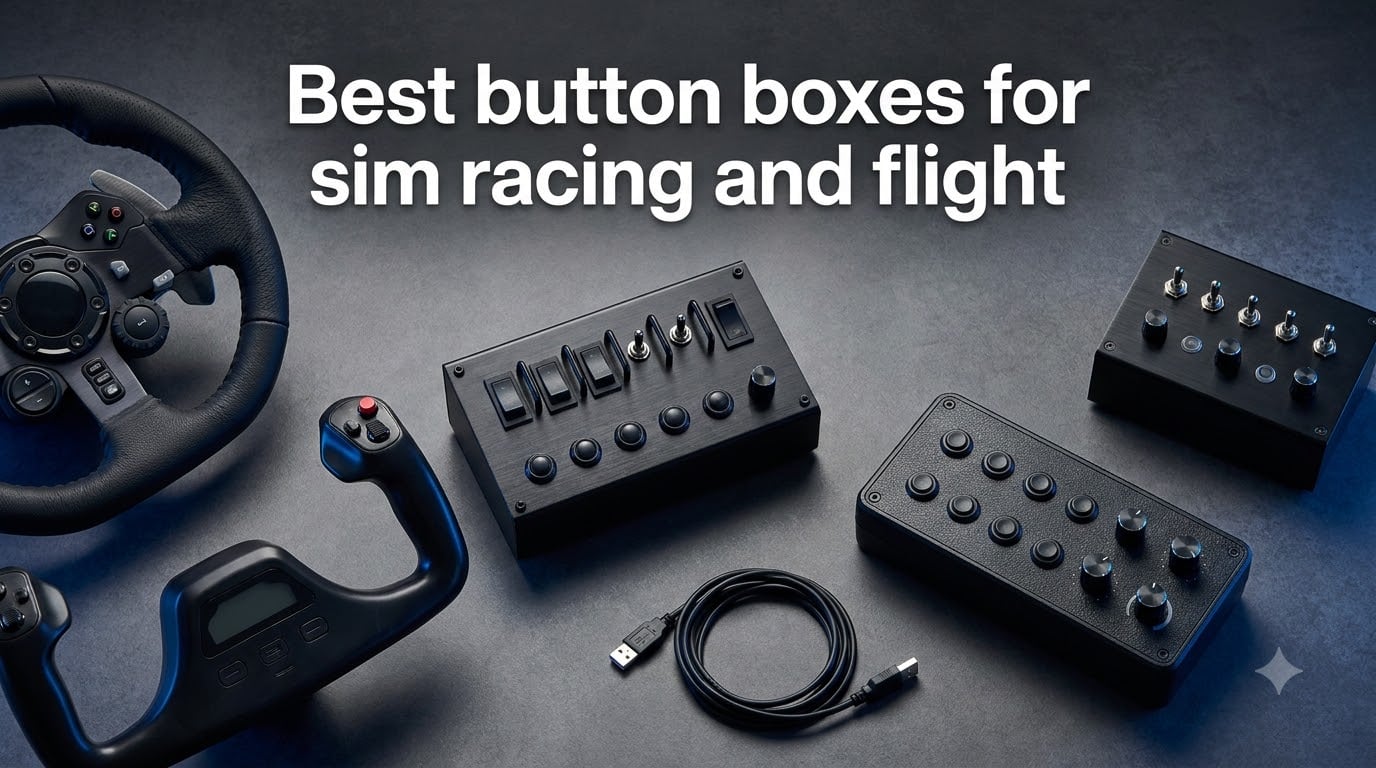
I spent three months with ten control panels bolted to the same rig, and the best button boxes for sim racing and flight all share one trait: they keep your hands off the keyboard. My wheel base, my yoke, and my throttle quadrant stayed identical the whole time. Only the panel on the side changed, which made the differences impossible to miss.
A button box is a USB control panel that adds physical push buttons, toggle switches, and rotary encoders to your simulator. In racing it handles brake bias, ABS, traction control, and pit limiter. In flight sims it runs avionics, autopilot, radios, and systems, which is exactly where a keyboard falls apart.
Do you actually need one? If you race endurance events or fly anything with an overhead panel, yes, and the jump in comfort is immediate. If you only do short F1-style sprints, your wheel buttons probably cover you already. Reddit users in r/simracing keep repeating that same split, and my testing agrees with them.
Here is what this guide covers. I reviewed ten panels across both hobbies, from a budget truck sim box to a full A320 overhead, plus the Stream Deck that half of Reddit swears by. I focused on control count, build quality, mounting, and how painful the software setup actually was. One thing nobody plans for is USB port clutter once you add a panel, so our guide to the best USB extension solutions for sim racing is worth a read before you order anything.
Table of Contents
Our Top 3 Button Box Picks for 2026

PXN CB1 Sim Racing Button Box
- 19 controls across 9 input types
- Up to 30 programmable functions
- RGB backlit keys
- Clamp and VESA mounting

Logitech G Pro Flight Radio…
- Twin concentric tuning dials
- Real-time LED displays
- Standby frequency switch
- Works with FSX and X-Plane
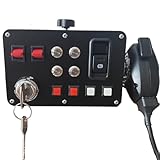
Obokidlyamor Truck Sim…
- 16 customizable buttons
- LED backlighting
- PTT hand microphone
- Fits Moza and Logitech bases
The PXN CB1 wins overall because it is the only panel here that genuinely serves racing, trucking, farming, and flight sims without a fight. The Logitech Radio Panel is the flight side’s most trusted pick, with real concentric knobs and displays that track the sim in real time. The Obokidlyamor box is the cheap entry point, and its 4.9-star average suggests people who buy it are happy they did.
Best Button Boxes for Sim Racing and Flight in October a2026
The table below is the full ten-panel lineup in one view. I ordered it the way I would shop: general-purpose racing panels first, then truck and farming, then the Stream Deck wildcard, then the flight stack from basic switches to the full A320 overhead.
| Product | Specs | Action |
|---|---|---|
| PXN CB1 Sim Racing Button Box |
|
Check Latest Price |
| Obokidlyamor Truck Button Box |
|
Check Latest Price |
 SIM-PANEL HT and HTE Button Box SIM-PANEL HT and HTE Button Box |
|
Check Latest Price |
 Logitech G Farm Sim Side Panel Logitech G Farm Sim Side Panel |
|
Check Latest Price |
 Elgato Stream Deck MK.2 Elgato Stream Deck MK.2 |
|
Check Latest Price |
 Logitech G Pro Flight Switch Panel Logitech G Pro Flight Switch Panel |
|
Check Latest Price |
 Logitech G Pro Flight Multi Panel Logitech G Pro Flight Multi Panel |
|
Check Latest Price |
| Logitech G Pro Flight Radio Panel |
|
Check Latest Price |
 MiYee Wingflex A320 FCU Cube MiYee Wingflex A320 FCU Cube |
|
Check Latest Price |
 WINGFLEXSIM A320 Overhead Panel WINGFLEXSIM A320 Overhead Panel |
|
Check Latest Price |
Every panel here showed up as a standard USB device on Windows, which is the baseline requirement for a smooth setup. None of them need a wheel base from the same brand, and all ten work on PC. Console support is a different story, and I cover that honestly in the FAQ.
1. PXN CB1 Sim Racing Button Box – Best Overall for Mixed Simulators
PXN CB1 Sim Racing Button Box for PC, 19 Controls (9 Input Types)
19 controls, 9 input types
Up to 30 programmable functions
RGB backlit keys
Clamp and VESA 100mm mount
Pros
- 19 controls across 9 input types including rotary encoders and toggles
- Works with racing
- trucking
- flight and farming sims
- Driver-free plug and play on Windows
- Dual mounting with tool-free clamp and VESA 100mm
Cons
- Clamp can struggle to stay fully tight on thick desks
- Escape and Enter keys always fire alongside custom mappings
- LED failures reported on some units over time
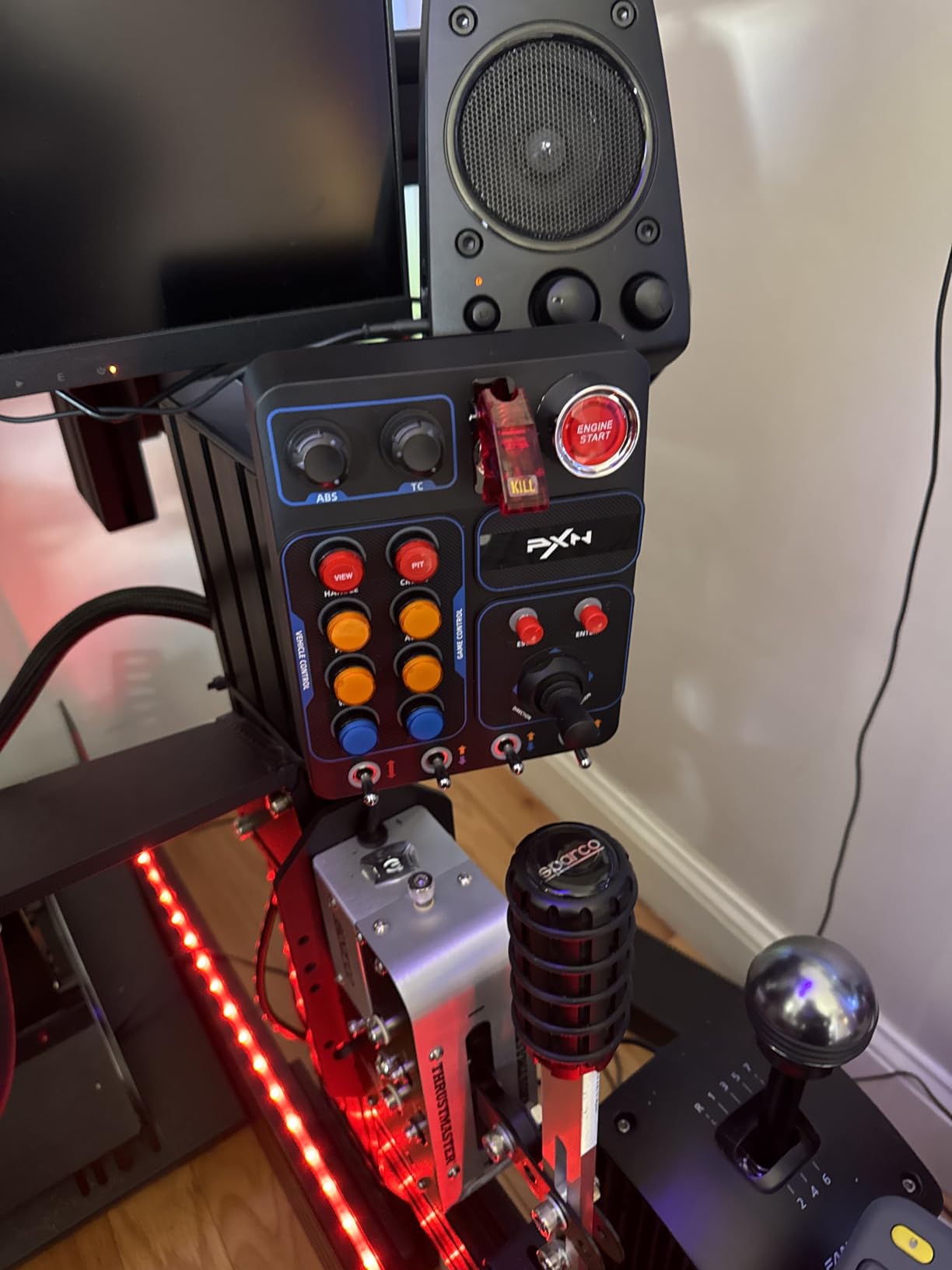
This is the panel I keep coming back to, and it is the best button box for sim racing and flight on a single budget. Nineteen physical controls across nine input types means you get rotary encoders, latching toggles, momentary push buttons, and a small joystick on one plate. That variety matters more than raw button count, because brake bias wants an encoder while pit limiter wants a switch.
I mapped a full GT race config in one evening: brake bias and ABS on the encoders, traction control and pit limiter on toggles, engine start on a covered-feel push button. Then I unplugged it, moved it to my flight desk, and re-mapped it for DCS without touching a driver. Windows treats it as a plain USB input device, so anything that accepts a game controller accepts this.
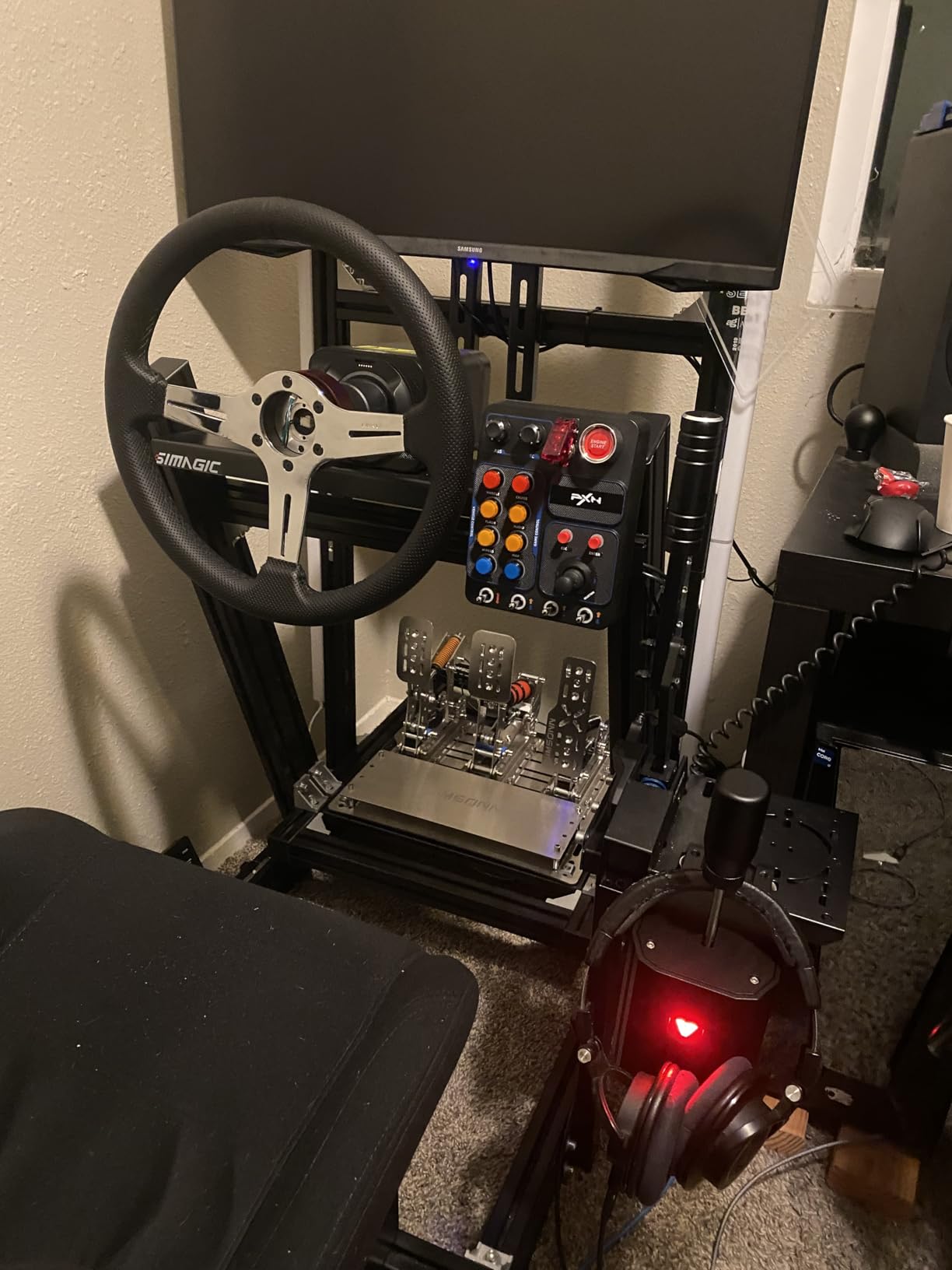
The RGB backlighting is adjustable per key for color and brightness, which sounds like a gimmick until you race at night. I set my safety functions to amber and my brake bias encoder ring to white, and finding the right control by peripheral vision became automatic within a week.
The weaknesses are real but manageable. The clamp is tool-free and rated for desks up to 70mm thick, but mine needed a strip of rubber to stop slow rotation during aggressive sessions. A few long-term owners report individual LEDs dying, and the Escape and Enter keys cannot be fully unbound, so they always send their default input alongside your custom mapping.
Which games it handles without extra software
Titles with native controller binding, including iRacing, Assetto Corsa, ETS2, ATS, and Farming Simulator, work straight out of the box. DCS and Star Citizen users in the reviews confirm it works there too, since it registers as a standard joystick device. For older games that ignore rotary encoders, the free RS Mapper tool fills the gap, and several advanced owners recommend it for proper toggle behavior.
That is the honest trade-off: nothing needs a driver, but encoder-heavy setups in stubborn games want one third-party helper. Plan an extra thirty minutes the first time.
Where to mount it and what to expect
The clamp suits desks and flat-side wheel stands, and the VESA 100x100mm holes bolt straight to 8020 aluminum profile rigs, which is how I ran it. On a profile rig it is rock solid and the clamp problem disappears entirely.
Casual racers who want a set-and-forget panel will be happy. Sim racers who hate re-checking a loose clamp every session should budget for the VESA route from day one.
2. Obokidlyamor Truck Sim Button Box – Best Budget Pick
Obokidlyamor Simulator American Truck Button Box For G27/G29/G920/G923 With Mic PTT Microphone;PC 16 Customizable Button Central Control Box ATS/ETS2 for MOZA R3/R5/R9/R12 Base
16 customizable buttons
Ignition key plus PTT mic
SimHub LED control
Fits Moza and Logitech bases
Pros
- Excellent value against larger panels
- Includes ignition key and working PTT hand microphone
- Solid clicky switches in a 3D printed PLA case
- Clamp is sturdy and quick to attach
Cons
- Not plug and play
- needs SimHub for keyboard emulation
- Clamp can shift slightly during use
- Small review sample so far
This is the cheapest panel I tested and the one that surprised me most. For less than a tank of race fuel you get sixteen customizable buttons, a twist ignition key, and a push-to-talk hand mic that genuinely changes truck sim sessions. The 4.9-star average comes from a small pool of fifteen reviews, so temper expectations, but nobody in that group feels shortchanged.
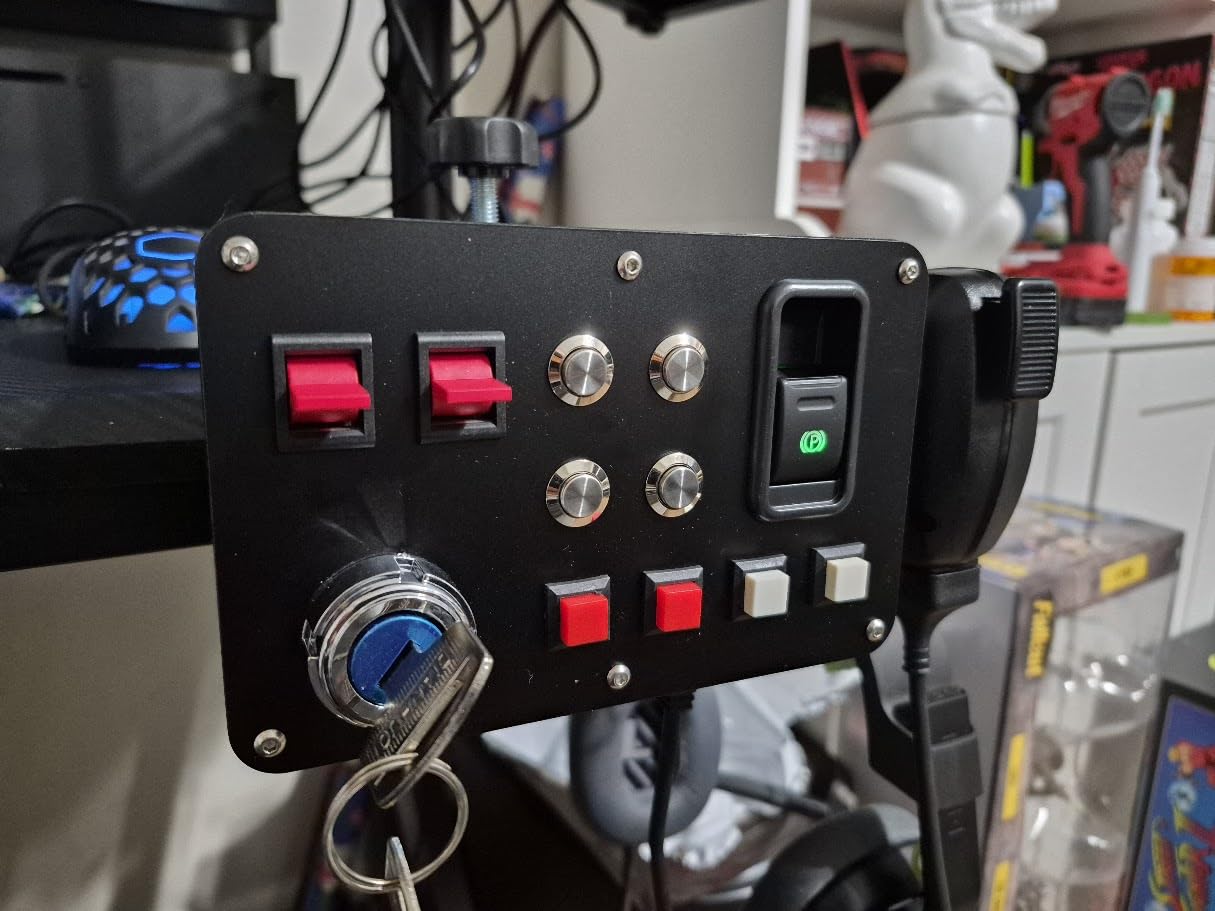
The ignition key is the star. You turn it to wake the electrics, then crank the starter, exactly like a real truck. My first ETS2 delivery with it felt like a different game, and the mic button handles CB-style chatter or Discord push-to-talk without reaching for anything.
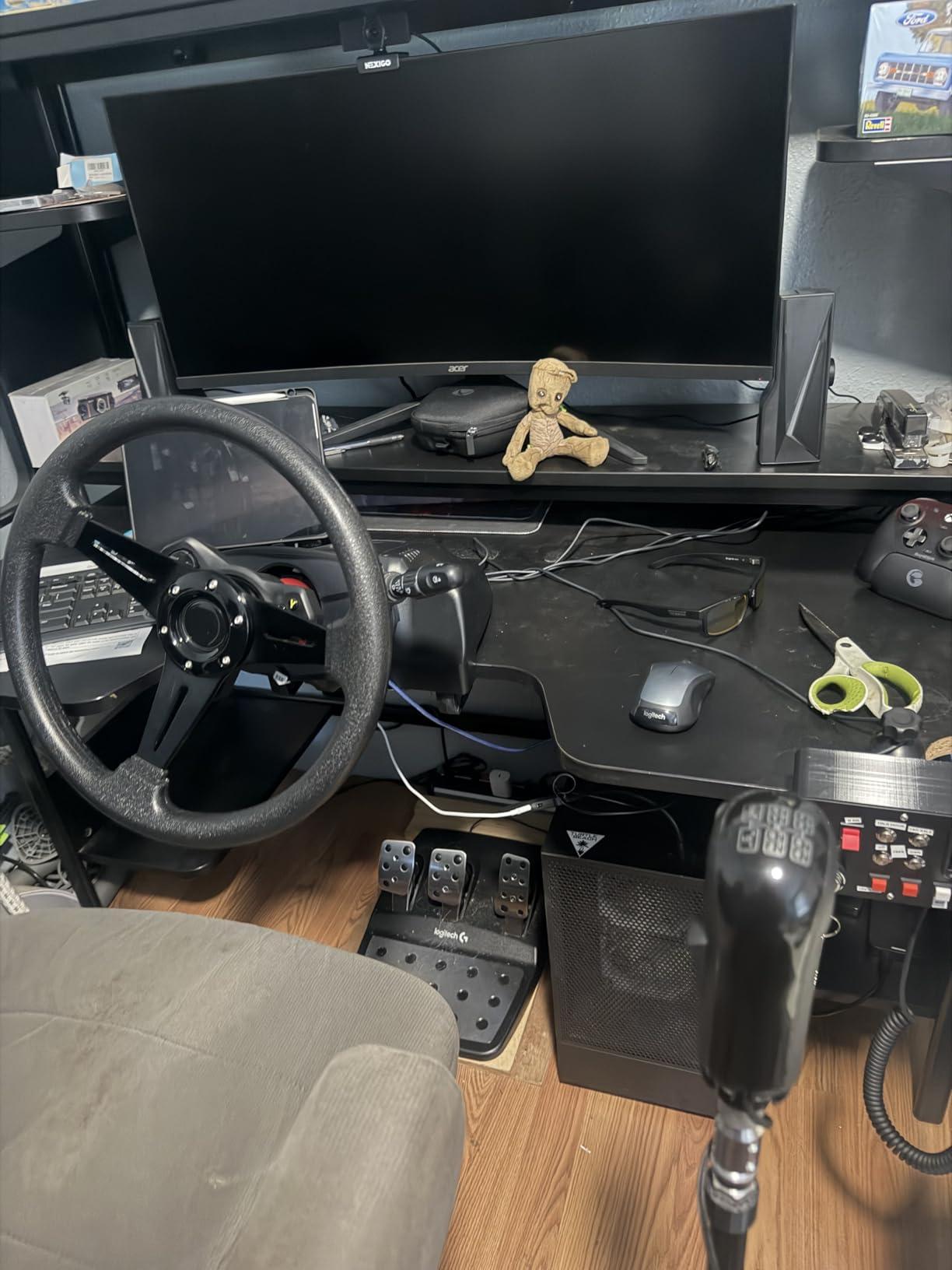
Build quality beats the price tag. The case is 3D printed PLA with small visible print lines, but the metal switches themselves are solid and clicky with no wobble. Reviewers consistently call out how sturdy the buttons feel, and mine survived a month of daily ATS freight runs without a dead input.
The catch is setup. Out of the box it is not a pure plug-and-play keyboard emulator, and you need SimHub running for full LED control and key emulation. Once mapped, it worked flawlessly, but a true beginner should expect one evening of head-scratching first.
How the custom labeling works
You can keep the stock lettering or order custom engraving, so the panel can match your exact keybinds instead of a generic layout. That matters for truck sims, where labels like trailer brake and retarder are specific enough that a mismatched panel stays confusing forever.
LED backlighting is controlled through SimHub, including game-synced effects for brake lights, ABS, TC, and flags. That is the same software serious sim racers already run for dashes, so it is a feature here, not a chore.
Who should actually buy it
Truck sim and ETS2 players on wheel bases like the Moza R3 through R12 or Logitech G27 to G923 are the clear fit, since the clamp and styling are designed around those setups. New sim racers who want a taste of button box life before spending big should also start here.
Skip it if you want zero software dependency or need twenty-plus inputs. Fifteen reviews also means limited long-term reliability data, which is the real cost of buying cheap and early.
3. SIM-PANEL HT/HTE Button Box – Best for Truck Simulator Realism
SIM-PANEL HT/HTE Button Box for American Truck Simulator (ATS/ETS2 Button Box) (W/Customizable BACKLIGHTING)
19 stainless pushbuttons
Custom RGB backlighting
True ignition and brake controls
VESA 75mm compatible
Pros
- Premium stainless steel construction with solid buttons
- Backlighting is customizable per label on the fly
- Authentic ignition
- truck and trailer brake functions
- Legible labels even with lighting on
Cons
- Clamp mounting is mediocre and needs improvising
- Buttons lack a distinct clicky feel
- Overpriced for the feature count
This is the panel for people who treat American Truck Simulator like a career. The HT/HTE is built from stainless steel with genuine industrial pushbuttons, and it shows the moment you pick it up. Where the budget box feels like a simulator accessory, this feels like a piece of equipment.
The functions are true to life rather than decorative. Ignition, engine brake, and trailer brake are laid out the way a real cab would have them, so muscle memory from actual driving transfers. After two weeks I was flipping the trailer brake lever without looking, which is the whole point.
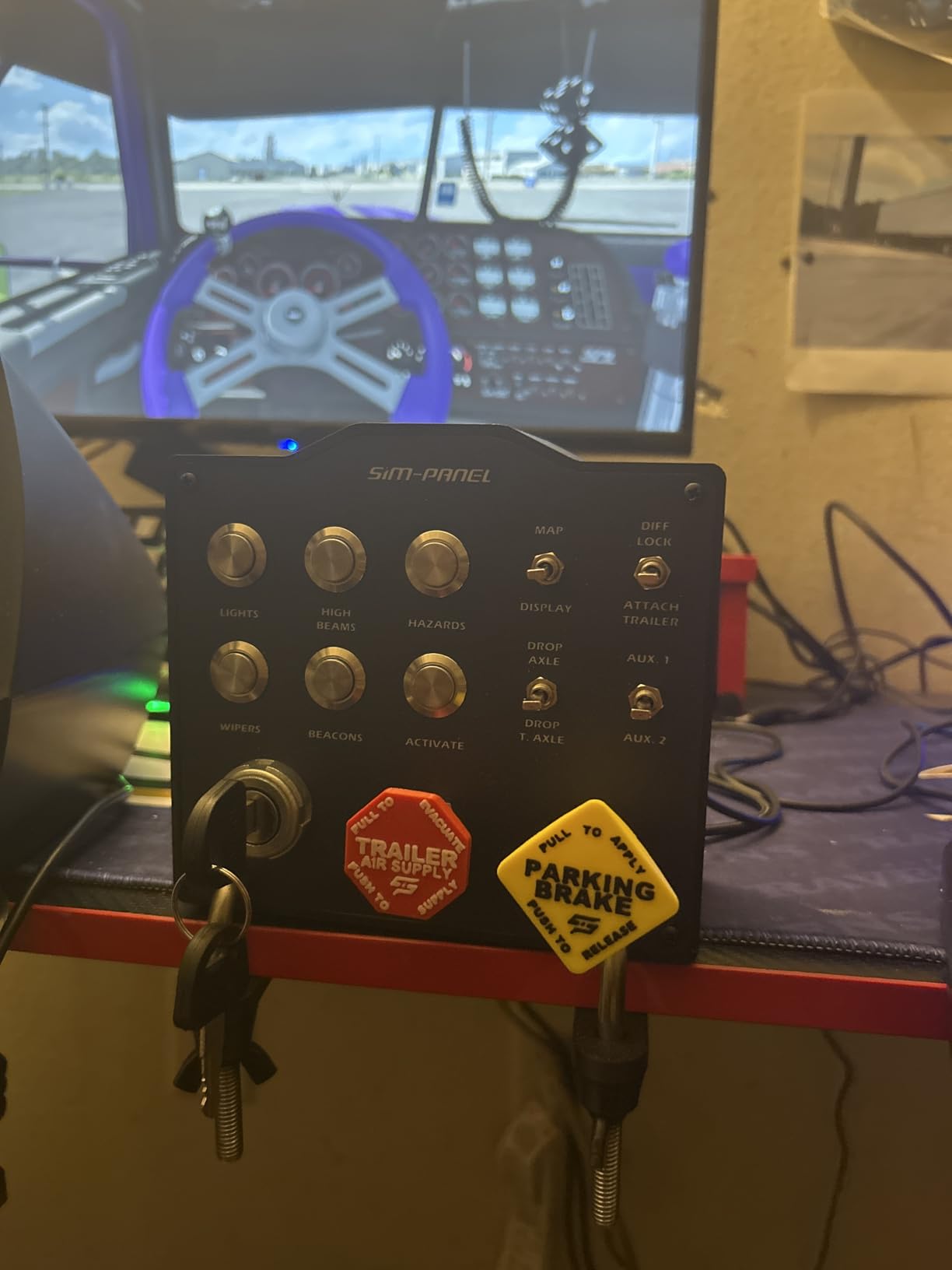
The backlighting deserves its billing. Each label can be tuned individually on the fly, so you can color-code engine functions separately from lighting and brakes. Labels stay readable with the backlight on, which is where cheaper illuminated panels usually fail.
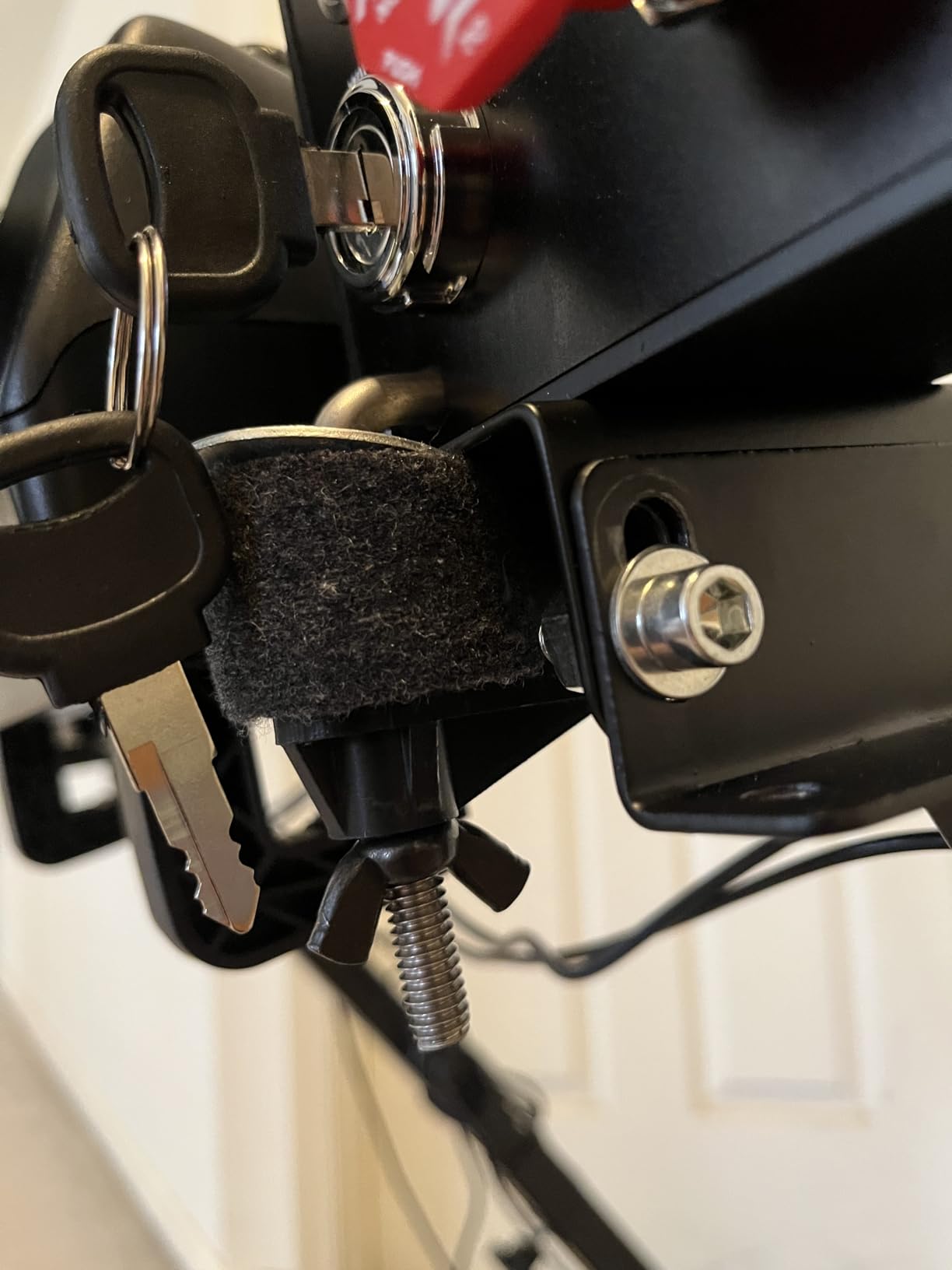
The mounting hardware is the weak spot, and owners are blunt about it. The integrated clamps are mediocre, several reviewers improvised brackets, and the larger variant ships VESA-only with no clamps at all. Factor in a mounting solution before it arrives.
Setup effort in ATS and ETS2
Binding is done through the normal in-game controls menu, with no proprietary software required. It registers as a standard USB device on Windows 7 and newer, and my mapping session took about twenty minutes for a full cab layout.
Linux players are out of luck, which is worth knowing before you buy. There is no official support for ATS or ETS2 on that platform with this panel.
Who it is worth the money for
ATS and ETS2 enthusiasts with a permanent wheel setup and a proper rig are the target buyer. If you already run a profile rig and want a panel that outlives several wheels, the stainless build justifies the spend.
Casual players and anyone hoping to use it across racing titles should look elsewhere. You are paying for truck-specific authenticity, not versatility, and some owners feel the price outruns the feature list.
4. Logitech G Farm Sim Vehicle Side Panel – Best for Farming Simulator
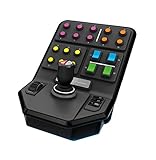
Logitech G Farm Sim Vehicle Side Panel for Simulation 2025
37 programmable buttons
Loader stick with 6 axes
Cruise control speed dial
Screw-thread desk clamp
Pros
- 37 programmable buttons plus a 6-axis loader stick
- Plug and play with Farm Sim
- ETS2
- Elite Dangerous and Star Citizen
- Set-and-forget cruise control dial
- Solid construction with a durable clamp
Cons
- No Logitech G Hub support
- Configuration is painful without documentation
- Mount clamp is small for thicker desks
- No PS5 support
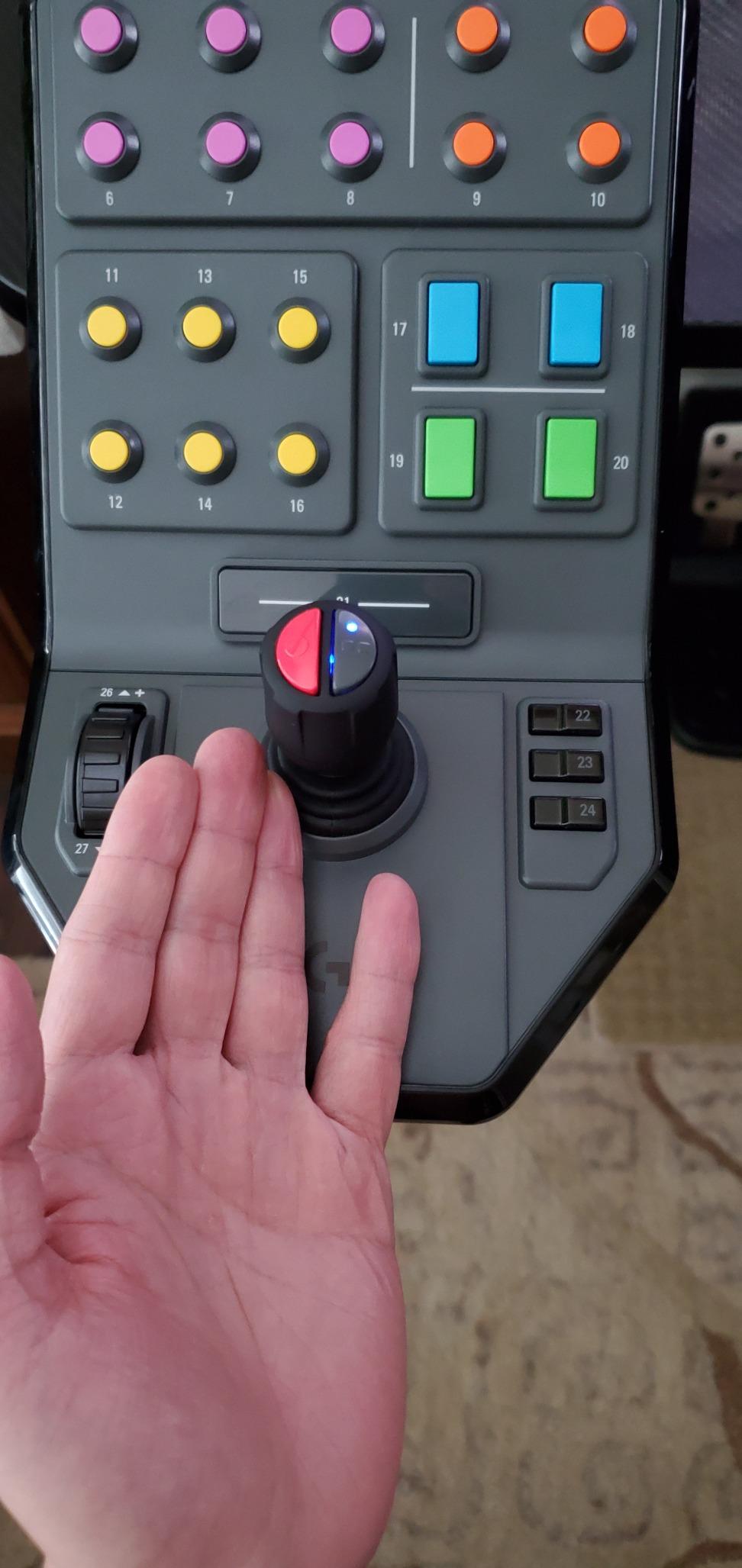
Farming Simulator is the one sim where a joystick beats buttons, and this panel is built around that truth. The front loader stick works six axes, which makes running a forestry harvester or wheel loader feel controllable instead of fiddly. Thirty-seven programmable buttons sit around it for everything else on the farm.
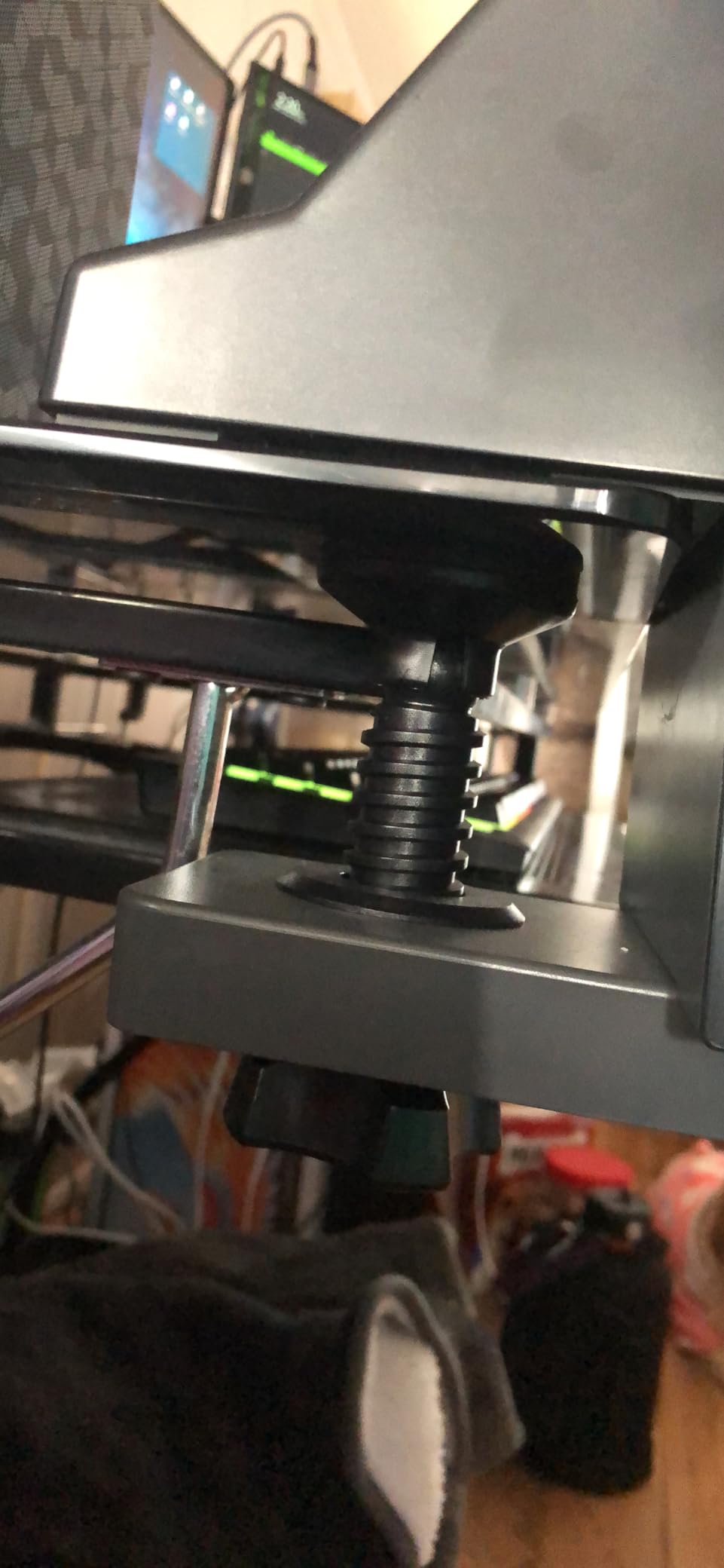
The cruise control speed dial is my favorite detail. You set a ground speed and the game holds it, which transforms long cultivate-and-spray runs. Logitech based this on the old Saitek design, and the screw-thread clamp genuinely locks in place.
Compatibility stretches further than the box suggests. Beyond Farming Simulator, reviewers confirm it works in Elite Dangerous, Star Citizen, and Euro Truck Simulator 2, and I mapped it for DCS helicopters as a bonus. With 577 reviews behind it, this is also one of the most proven panels on the list.
The frustrations are software-related. Logitech G Hub does not support it, documentation is thin, and configuration without a guide is painful. Some button presses register multiple inputs if you press too slowly, and the clamp is too small for thicker desks.
Console and platform reality check
This is a PC-first panel that also works with PS4 for some titles, but it does not work with PS5. If your setup is console-based, treat this as PC-only and read the FAQ section before buying anything.
On Windows it is plug and play with no drivers to hunt down. That counts for a lot when the rest of the experience needs patience.
Farmers versus everyone else
Farming Simulator players with mid-size operations are the ideal owner, especially anyone running loaders and combines on contracts. The button count means one panel covers attachments, lights, cruise, and helpers without paging.
Racing-first buyers should pass. There are no rotary encoders, the stick is wasted on circuit racing, and the same money buys the PXN CB1 with a far better control mix for track work.
5. Elgato Stream Deck MK.2 – Best Multi-Purpose Panel
Elgato Stream Deck MK.2 Studio Controller, 15 Macro Keys
15 customizable LCD keys
Visual feedback per action
Hundreds of plugins
Mac, PC and Linux
Pros
- 15 LCD keys with per-key icons and visual feedback
- Handles hotkeys
- macros
- apps and Discord push-to-talk
- Sub-menus and folders expand the button count infinitely
- Works on Mac
- PC and Linux
Cons
- Learning curve for non-technical users
- Can freeze on multi-monitor Windows 11 setups
- Some shipments received the older MK.1 unit
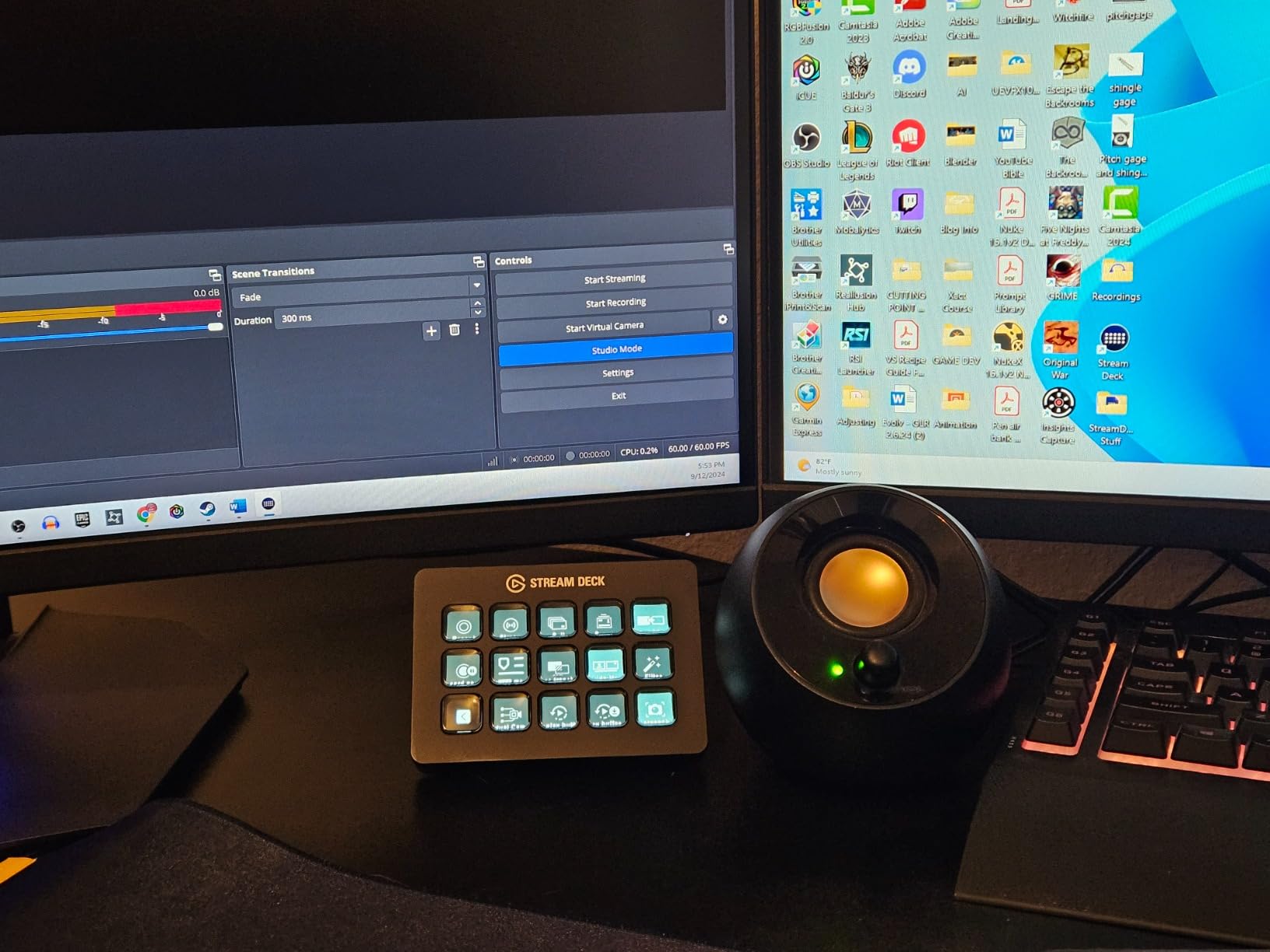
The Stream Deck is not a traditional button box, and Reddit keeps recommending it anyway. Fifteen LCD keys fire hotkey combos, and each key shows its own icon, so your panel relabels itself the moment you swap games. With 10,257 reviews at 4.8 stars, it is the most battle-tested device on this list by a wide margin.
I ran it alongside my rig for six weeks. Discord push-to-talk, OBS scene switching, iRacing black box adjustments, and fuel map toggles all lived on separate keys, and folders let me stack entire pages of controls behind one icon. Setup took minutes because it is just hotkeys, not controller bindings.
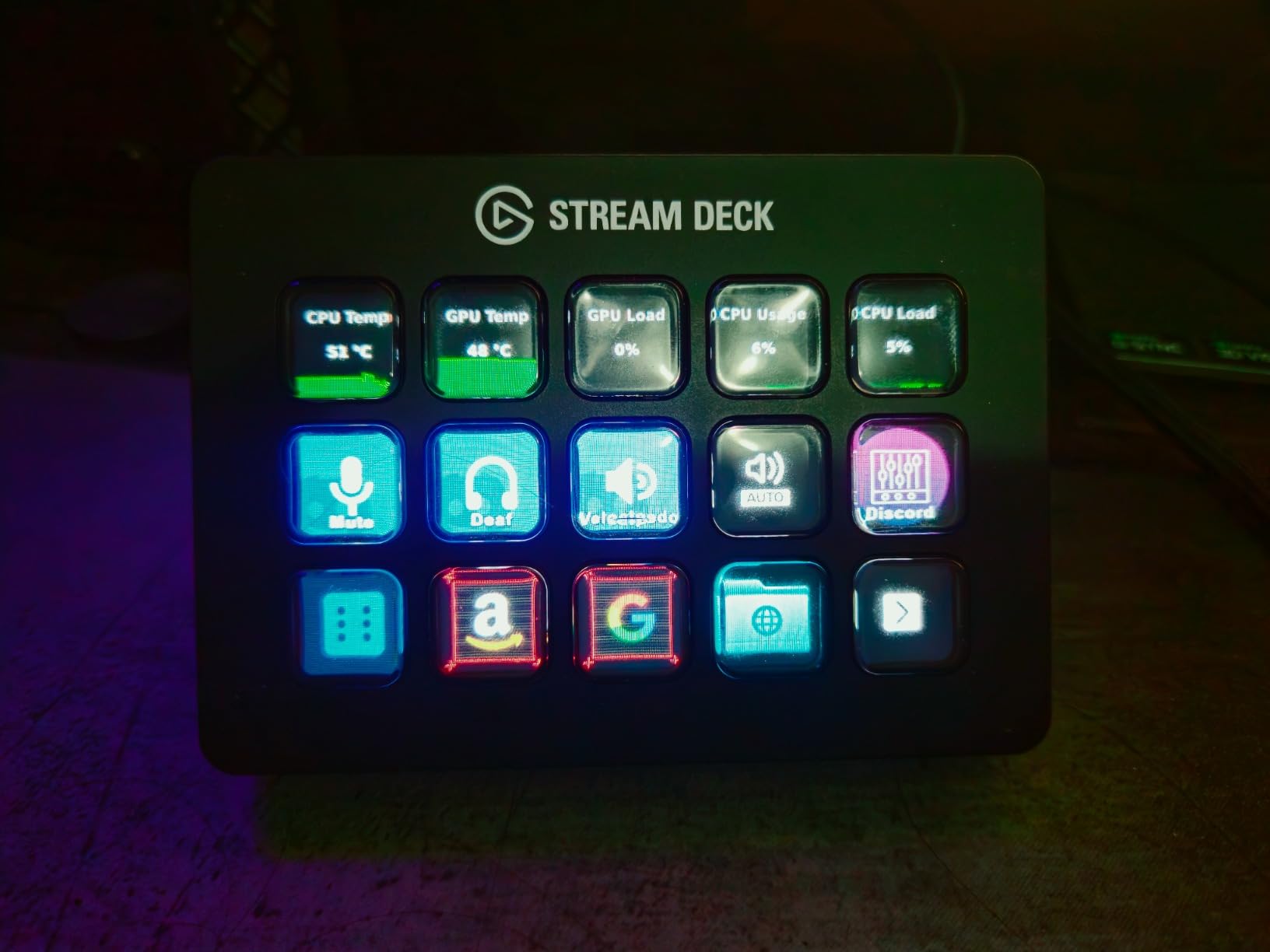
The multi-use angle is the real argument. When you stop racing, it still runs your desk: window layouts, mute keys, Philips Hue scenes, media control. A dedicated racing panel sits idle between sessions, while this one earns its desk space all day.
Know the limits before you commit. The keys are momentary LCD switches, not toggle switches or rotary encoders, so there is no physical latching state and no brake bias dial. It can also freeze on multi-monitor Windows 11 setups and needs a reboot, and a few buyers received the older MK.1 in MK.2 packaging.
Stream Deck versus a dedicated button box
Choose the Stream Deck if you want fast setup, visual labels, and a device that works outside simulation. Reddit users consistently describe the hotkey-plus-icon-pack workflow as the easiest button box experience available, and I agree.
Choose a dedicated panel if you need encoders for brake bias, physical toggles for pit limiter and ignition, or controls you can find blind at race speed. Real switches win on muscle memory, every time.
Simulation use it handles especially well
MSFS and DCS players benefit most, since cockpit functions map cleanly to hotkeys and labeled icons beat memorizing switch positions. Sim racers running solo leagues love it for radio, replay control, and streaming overlays mid-session.
Endurance racers managing fuel, tires, and driver swaps will still want physical controls for anything adjusted mid-corner. That split is exactly what the forum threads say too.
6. Logitech G Pro Flight Switch Panel – Best Flight Sim Value
Logitech G Pro Flight Switch Panel
14 switches with LEDs
Real landing gear control
Modular stacking design
FSX, P3D and X-Plane support
Pros
- Landing gear lever with true gear status LEDs
- Satisfying tactile click on the switches
- Modular design stacks with other Logitech panels
- Plug and play with FSX Steam and MSFS 2020
Cons
- Red rocker switches have quality complaints
- Logitech software can be buggy
- MSFS 2024 needs third-party help
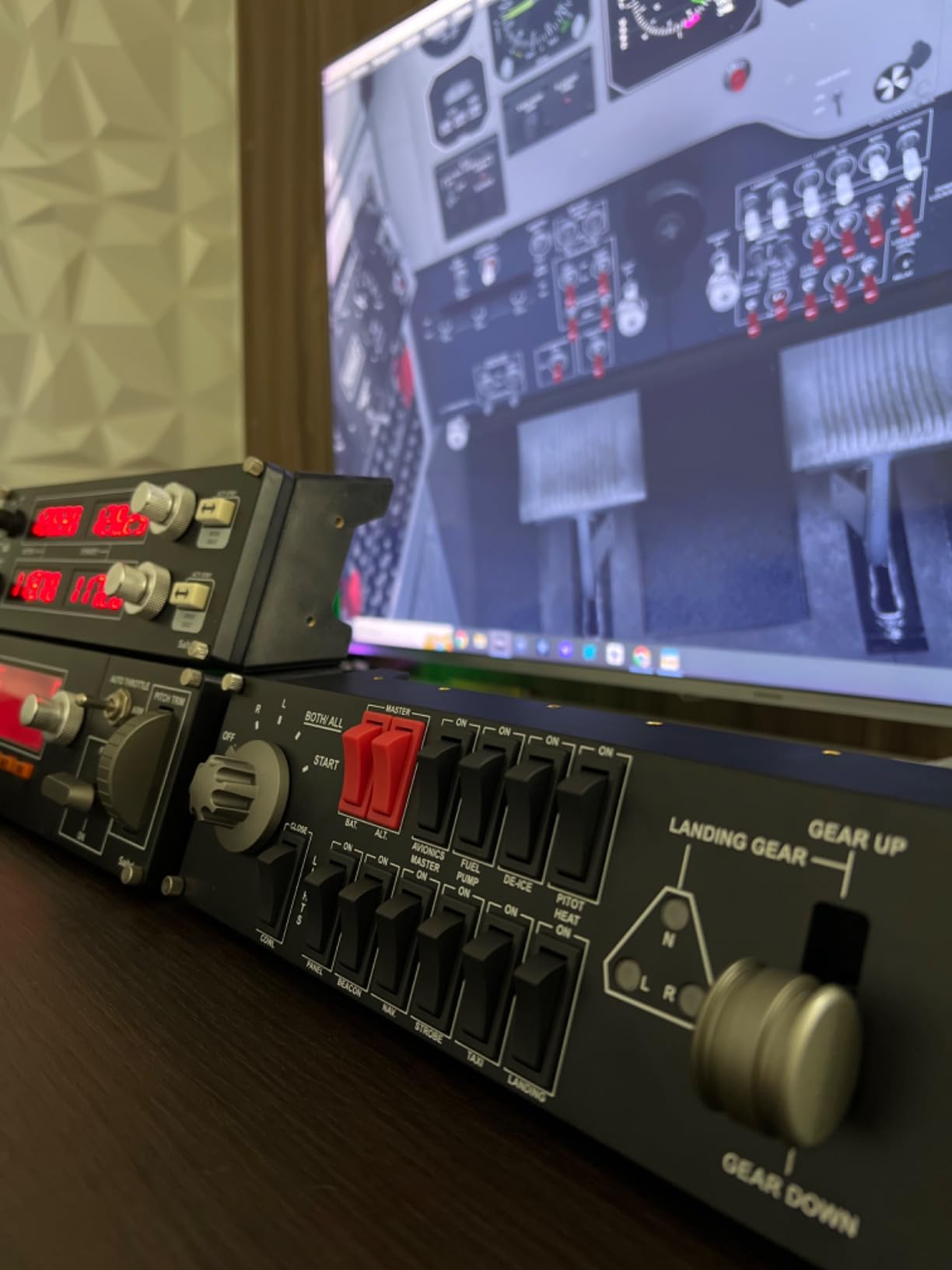
This is the cheapest real flight panel worth owning, and it is where most cockpit builds should start. Fourteen switches cover engine start and cockpit functions, and the landing gear lever with LED gear status indicators is genuinely useful rather than decorative. Watching three greens appear as the gear locks down beats checking a keyboard shortcut every time.
The switches click with the kind of tactile feedback that makes checklists satisfying to run. With 1,159 reviews logged, it is also one of the most proven pieces of flight sim hardware ever sold.
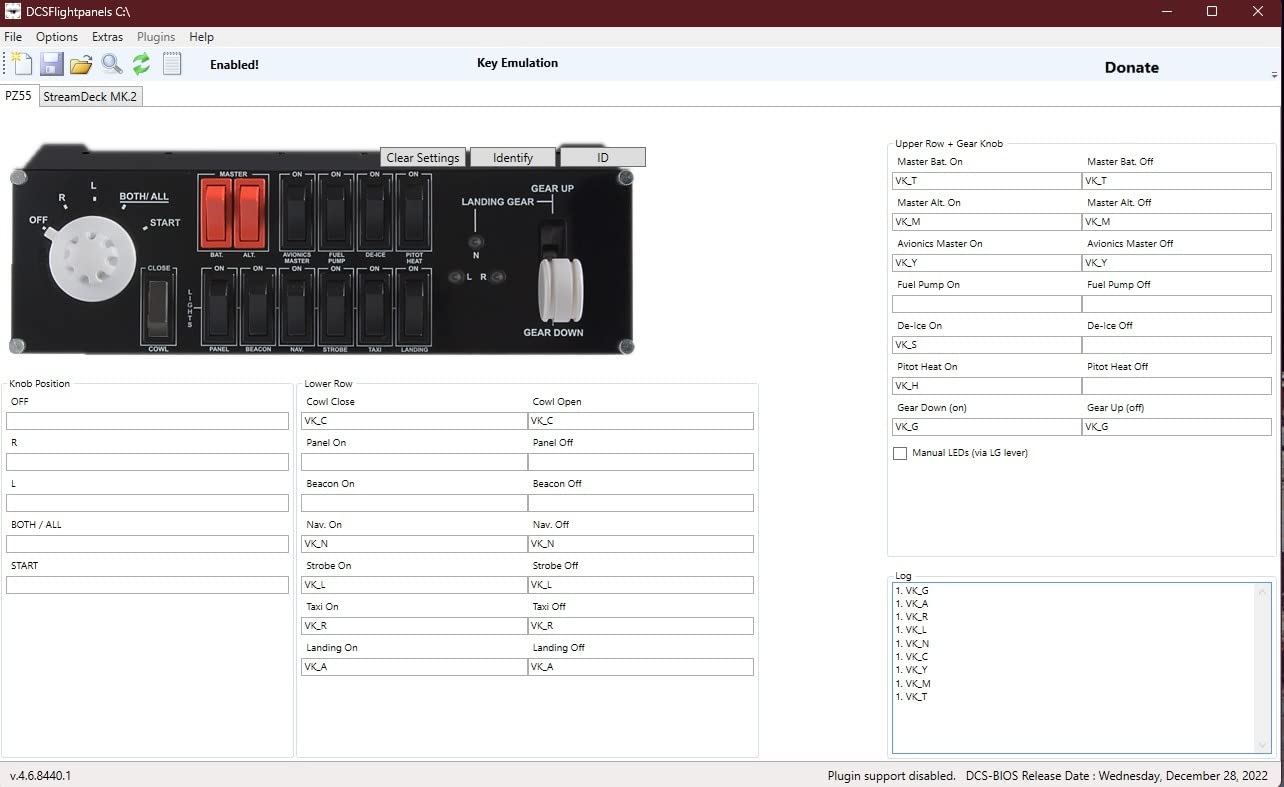
Compatibility is solid on the classics: FSX, Prepar3D 2.2 and newer, and X-Plane 10 all work, and it is plug and play with FSX Steam Edition. MSFS 2020 works after driver installation, and my sample ran a full IFR session in X-Plane 11 without a hiccup.
The complaints cluster around two things. The red rocker switches draw repeated quality and failure reports, and Logitech’s own software can be buggy when several panels share one setup. Many owners switch to SPAD.NXT, a third-party panel manager, and report far better reliability.
MSFS 2024 compatibility, honestly
This panel does not work natively with MSFS 2024, and any guide claiming otherwise is out of date. The community workaround is SPAD.NXT, which handles the binding layer cleanly once configured.
If you fly the newest Microsoft Flight Simulator exclusively, budget for that extra software step. If you fly FSX, X-Plane, or Prepar3D, it is genuinely plug and play.
Building a stack around it
The modular bracket system lets this panel lock side-by-side with the Multi Panel and Radio Panel below, forming one continuous cockpit row. That stacking ability is the strongest reason to stay inside the Logitech flight ecosystem.
First-time flight simmers and GA aircraft flyers get the most value here. Airliner pilots will outgrow it and should start one tier up.
7. Logitech G Pro Flight Multi Panel – Best Autopilot Control
Logitech G USB Pro Flight Multi Panel
Full autopilot panel
LED flight data display
10 physical controls
Mounts to Pro Flight Yoke
Pros
- Full autopilot panel with a real LED data display
- Tactile knobs with good feedback
- Reduces mouse reliance during flight
- Stacks neatly with other Logitech panels
Cons
- MSFS 2024 requires SPAD.NXT
- Initial setup can be frustrating
- ALT button needs disengage and re-engage to adjust
- X-Plane 11 compatibility is patchy
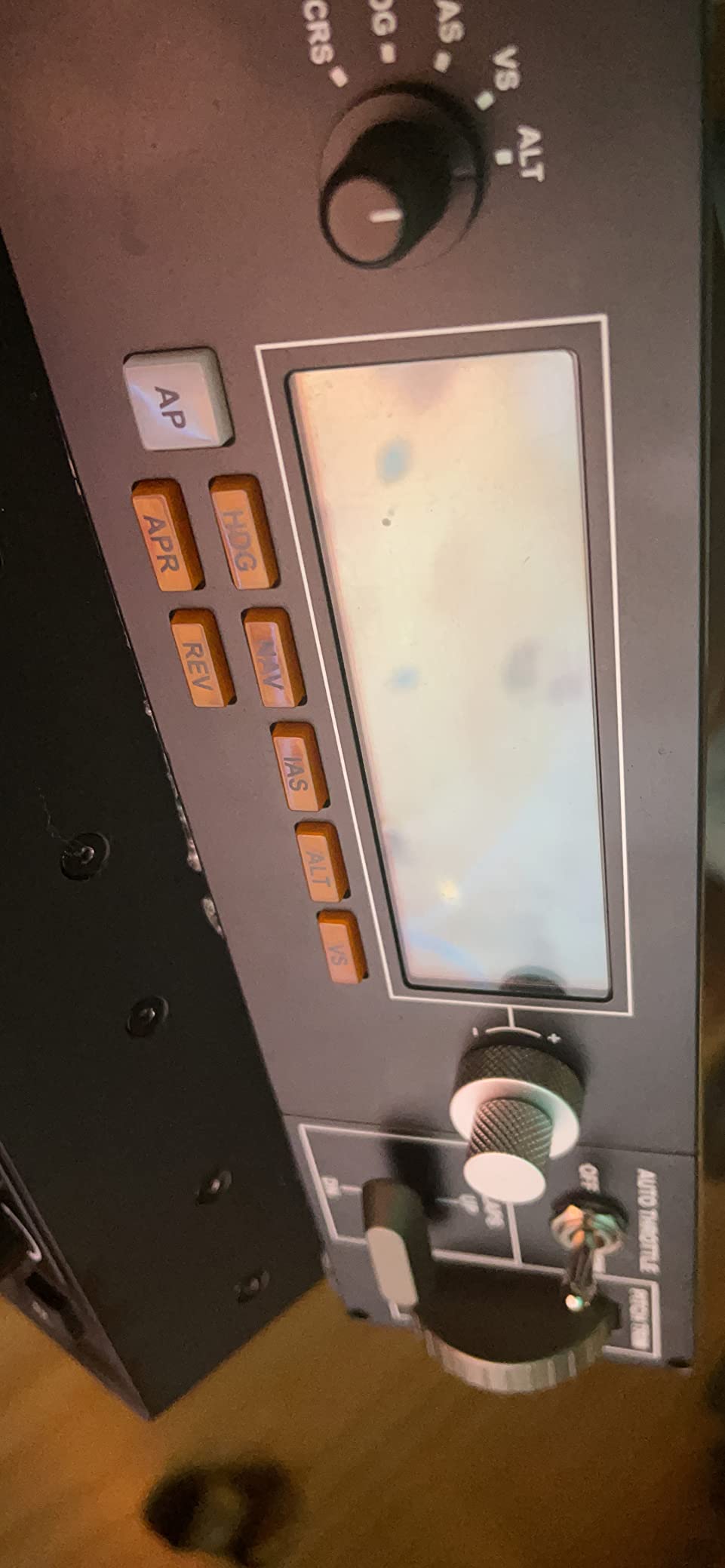
Autopilot is the function flight simmers touch most, and this panel dedicates real hardware to it. Heading, altitude, airspeed, and vertical speed each get their own knob, and the LED display shows the active values in real time. Instead of scrubbing through on-screen menus, you spin a dial and watch the number change.
That single change made my cockpit feel finished. During a long IFR leg I could dial altitude changes without touching the mouse once, and the tactile knob feedback is firm enough to adjust by feel while looking outside.
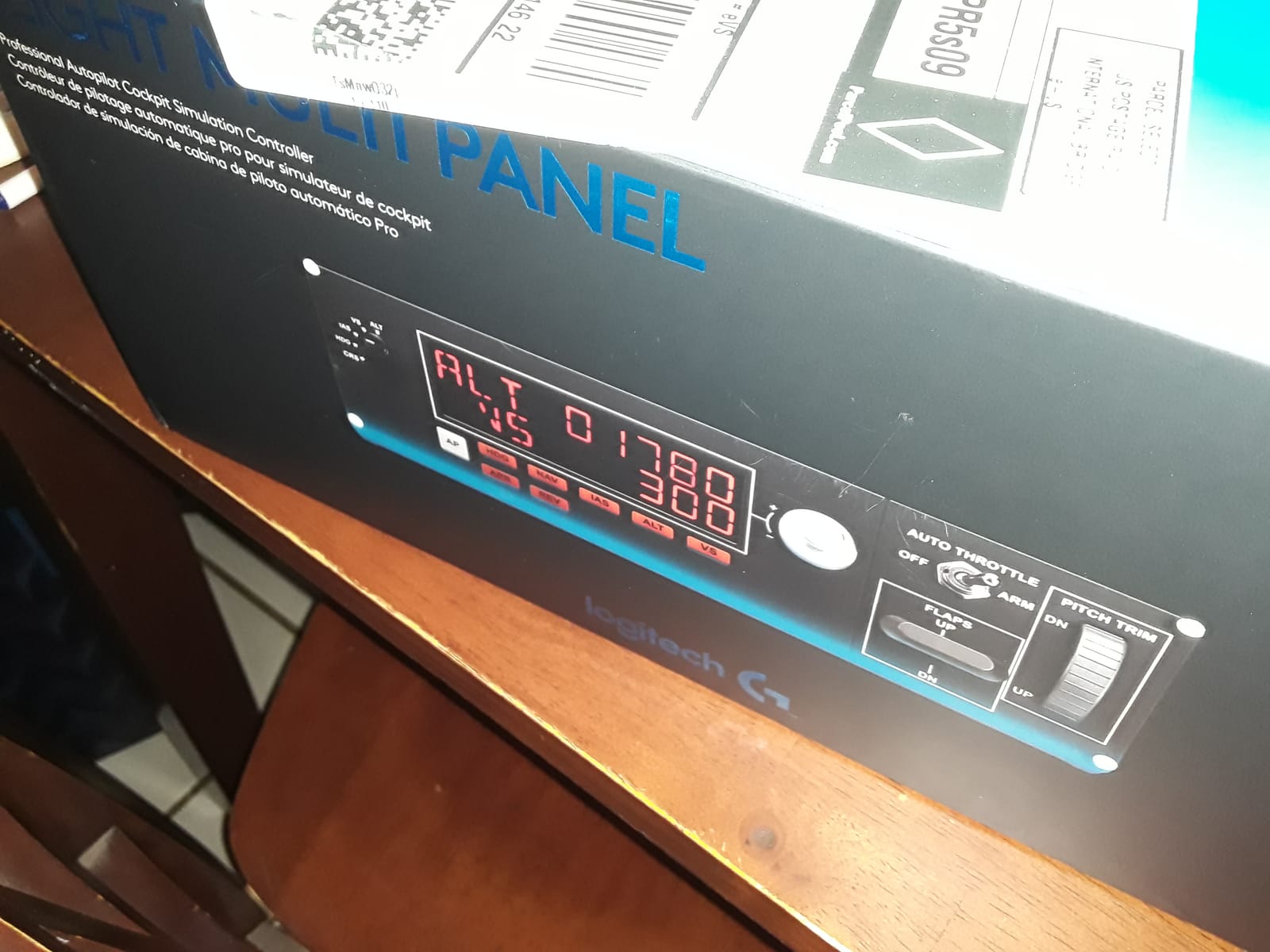
It mounts directly onto the Pro Flight Yoke System or any home cockpit bracket, and the included hardware matches the rest of the Logitech flight stack. Reviewers with 961 logged ratings consistently praise how cleanly it integrates into an existing row of panels.
Setup is the sore spot. First-time installation is genuinely frustrating, MSFS 2024 needs SPAD.NXT, and X-Plane 11 compatibility is patchy. One quirk worth knowing: the ALT button sometimes needs to be disengaged and re-engaged before the value adjusts.
Which simulators it works best with
MSFS 2020 is the sweet spot, working well once drivers are in place. FSX and Prepar3D support is native and trouble-free, which is where this panel earned its reputation.
X-Plane pilots should research current community drivers before buying, since reports are mixed on version 11 and newer.
Who gets the most from it
IFR flyers, airliner crews, and anyone running long legs get the biggest payoff, since autopilot interaction is constant. If you already own the Switch Panel, this is the natural second module.
VFR-only pilots doing short hops can skip it. You will touch the autopilot rarely enough that the on-screen panel works fine.
8. Logitech G Pro Flight Radio Panel – Best for IFR Flying
Logitech G USB Pro Flight Radio Panel
Twin concentric tuning dials
Real-time LED displays
Standby frequency switch
FSX and X-Plane 11 support
Pros
- Twin concentric dials for realistic frequency tuning
- Real-time LED displays remove screen glancing
- Sturdy build with tactile knobs
- Logitech customer support is responsive
Cons
- Setup gets tricky with multiple Logitech panels
- SPAD.NXT recommended over the official plugin
- Display omits the third decimal on some frequencies
- Layout does not match every GA radio
Tuning radios is the most repetitive chore in instrument flying, and this panel makes it physical. Twin concentric dials adjust coarse and fine frequency digits, a standby switch flips frequencies like a real comm unit, and the LED display tracks the sim in real time. It is the highest-rated Logitech flight panel of the batch at 4.5 stars across 828 reviews.
On an IFR flight plan, that display is the feature. I could read my standby frequency off the panel instead of zooming the in-cockpit radio, which kept my eyes outside where they belong.
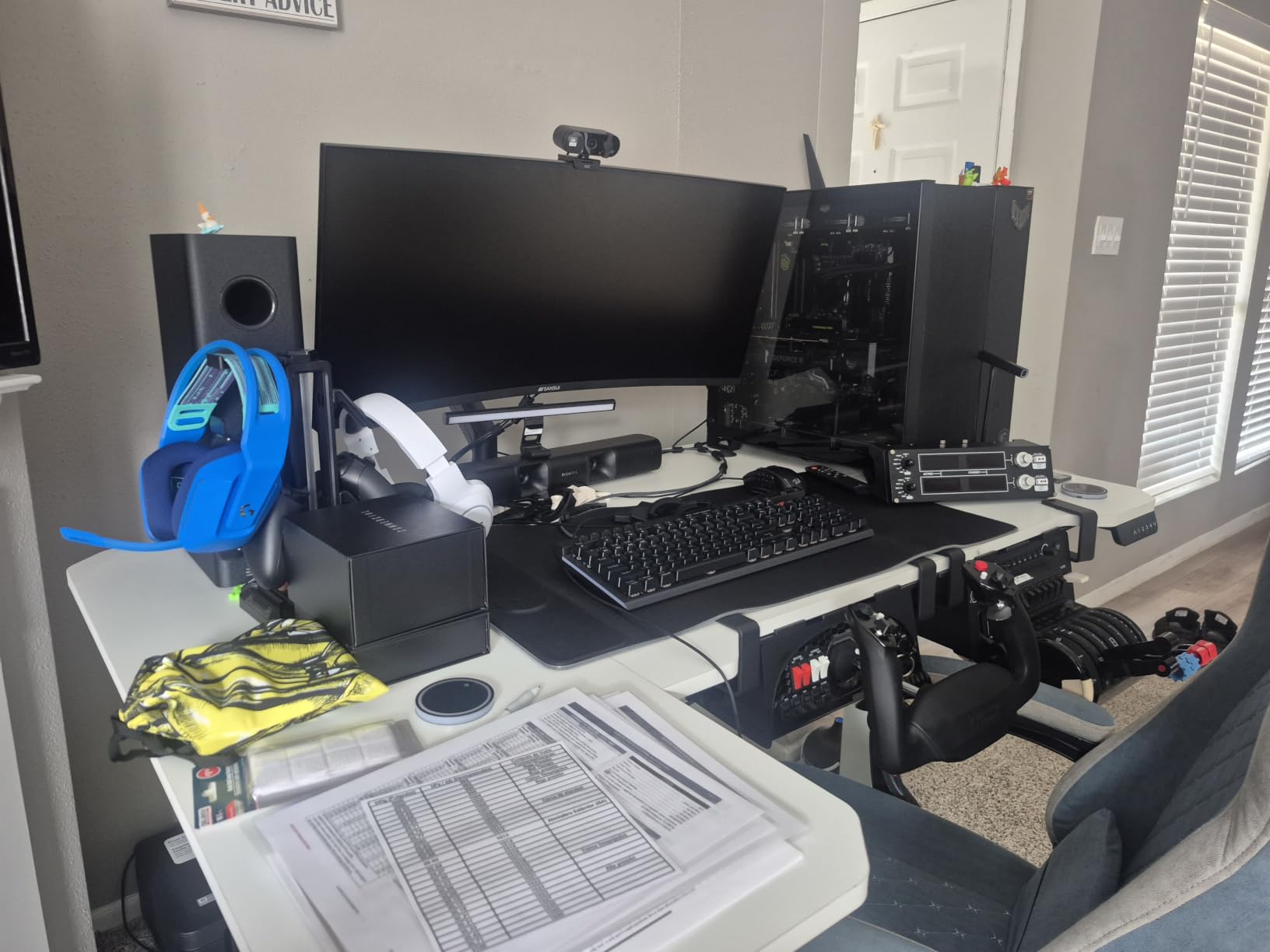
Build quality matches the rest of the Pro Flight line, with stiff knobs and a housing that survives cockpit life. The dials have real resistance, so sweeping across the band feels mechanical rather than like dragging a slider.
Setup with several Logitech panels attached can get tangled, and many owners skip Logitech’s plugin in favor of SPAD.NXT. Two smaller nits: some frequencies lose their third decimal digit on the display, and the layout does not perfectly match every general aviation radio, which trips muscle memory if you fly real aircraft.
Sims it supports out of the box
FSX, X-Plane 10 and 11, and Prepar3D 2.2 and newer are all officially supported, on Windows 7 through 11. X-Plane 11 needed a driver install in my testing, then ran perfectly.
MSFS 2020 and 2024 users report workable setups, but plan on SPAD.NXT for anything beyond basic binding. That pattern repeats across the whole Logitech flight line.
IFR versus casual VFR value
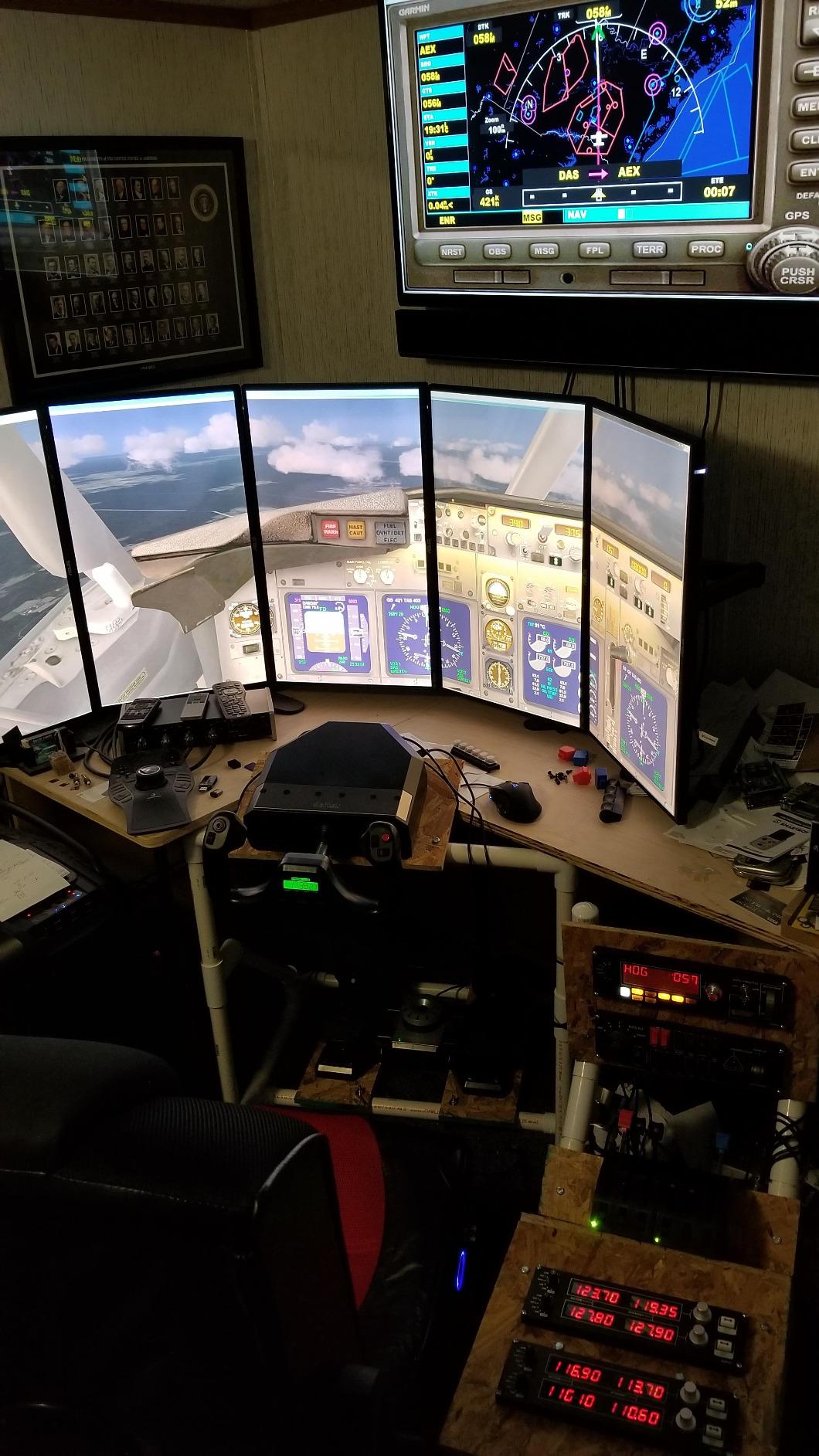
Student pilots, IFR practice, and ATC-heavy flyers get enormous value here, since frequency changes happen constantly. Pairing it with the Multi Panel covers nearly every panel-mounted task in a GA cockpit.
Sightseeing and casual VFR pilots can defer it. Without regular radio work, the panel becomes an expensive clock.
9. MiYee Wingflex A320 FCU Cube – Best Airbus Immersion
MiYee Wingflex A320 FCU CUBE Flight Simulator Control Unit A320 Panel Game Simulator Plug-and-Play Real Aircraft Feel
80 percent A320 scale
Aviation aluminum housing
Push-pull metal knobs
Type-C with dual-mode
Pros
- Aviation aluminum housing with real aircraft paint process
- Encoder with crisp 30-tooth detents and 2.2mm push-pull travel
- Backlight tones match the real A320
- Compatible with X-Plane and MSFS
Cons
- Needs the Wingflex plugin for some platforms
- Windows only with no Mac support
- Firmware updates have caused lighting flicker
- Not full scale at 80 percent size
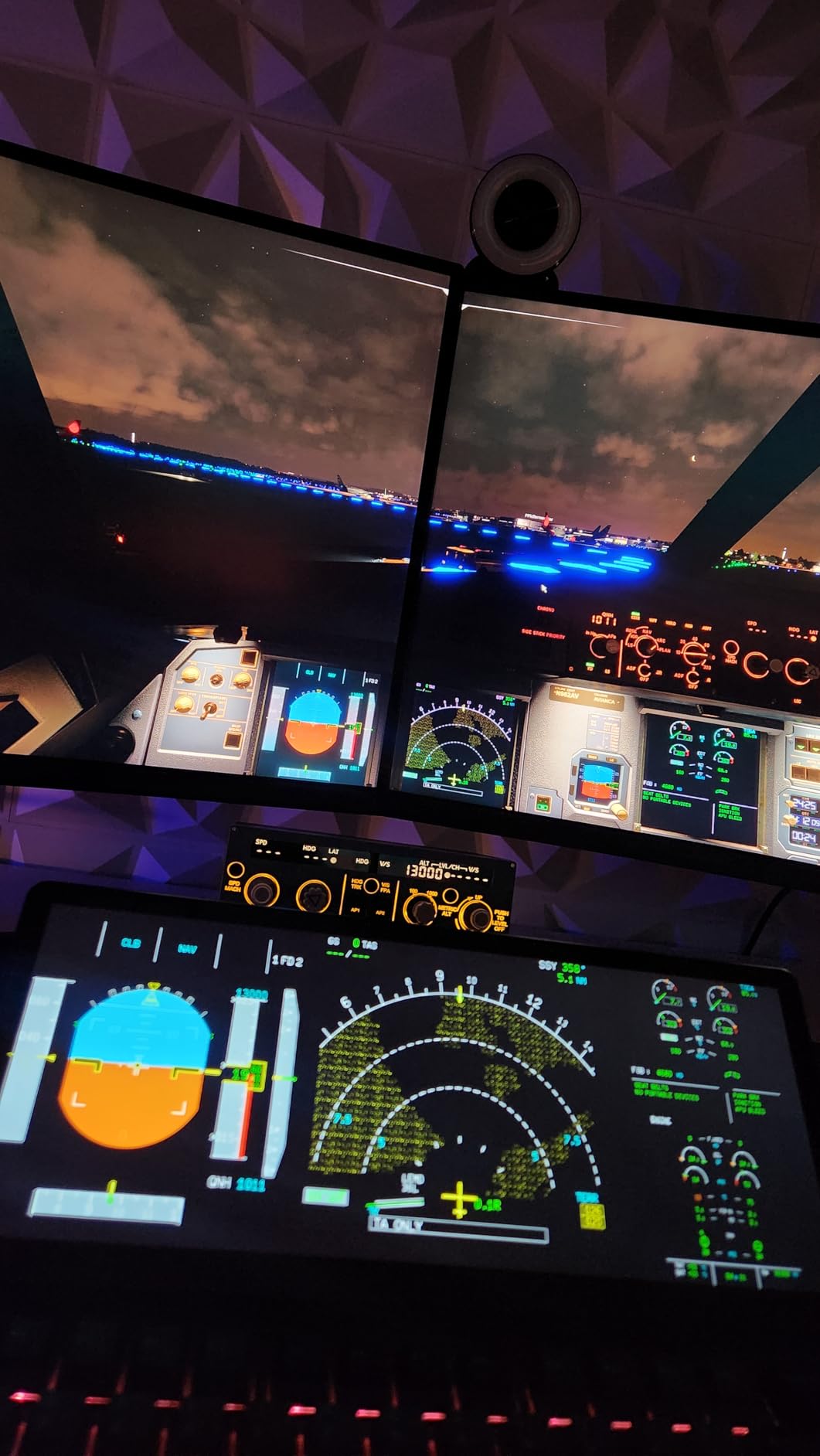
This is the closest thing to a real Airbus flight control unit at this size. The FCU Cube is a full-mold replica at 80 percent scale, with an aviation aluminum housing and knobs finished using the same techniques as actual aircraft parts. Sitting it next to my yoke instantly made the desktop feel like a flight deck.
The knobs are the standout. The commercial-grade encoder has thirty crisp teeth and push-pull travel of 2.2mm, so pulling a knob to toggle speed mode feels exactly like the videos of real A320 cockpits. The 13-degree stand angle puts everything at a natural reach.
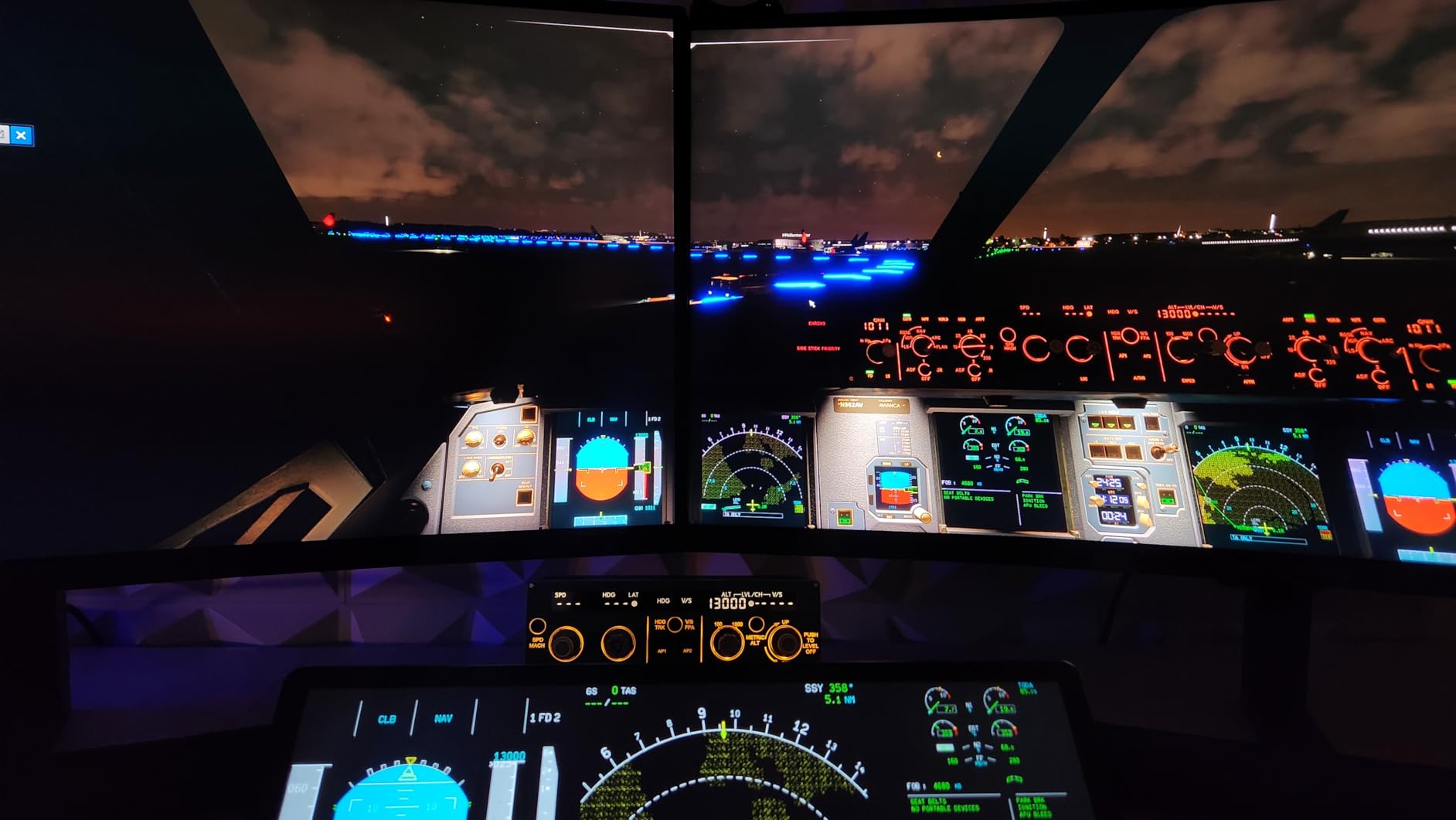
It operates in two modes: data-driven, syncing with open aircraft models, and stream-driven, which keeps working when an aircraft exposes no data. The display matches real A320 color tones, and the screen and panel backlighting adjust separately.
Despite the marketing, it is not plug and play everywhere. Some platforms need the Wingflex plugin for full function, Mac users are locked out entirely, and firmware updates have introduced lighting flicker for some owners. One unverified review even flagged antivirus concerns with the software, so download only from the official source.
Airbus versus Boeing flyers
A320 family pilots flying the Fenix, FlyByWire, or default Airbus in MSFS and X-Plane are the perfect match. FCU logic maps one-to-one, and the physical push-pull behavior mirrors the real push-pull-turn interface.
Boeing pilots should look for an MCP-style panel instead, since FCU logic will fight your habits. General aviation flyers will find it dramatic overkill.
What the smaller scale means in practice
At 80 percent scale it is compact enough for a desk, but spacing between knobs is tighter than a procedure trainer. Pilots with large hands should check dimensions before ordering.
The trade-off is fair: you get real metal construction and authentic backlighting in a footprint that fits a normal desk. For most home cockpit builders that is a win.
10. WINGFLEXSIM A320 Overhead Panel – Premium Pick for Home Cockpits
WINGFLEXSIM Flight Simulator A320 Overhead Panel Featuring IRS & Lighting Panels, Overhead Simulation Designed for PC Flight Sim Platforms, Delivering Professional-Level Simulation
Full A320 overhead panel
IRS, fuel and APU sections
Stealth-printed legends
VESA and desktop stand
Pros
- Covers IRS
- fuel
- air conditioning
- APU and lighting
- Stealth-printed legends invisible until powered on
- Dome light and exterior light sync with the sim
- True-to-life switch logic
- self-locking and self-resetting
Cons
- Reliability complaints with units failing early
- Compatibility issues with some aircraft models
- Some shipments arrived missing the power supply
- Software setup is confusing
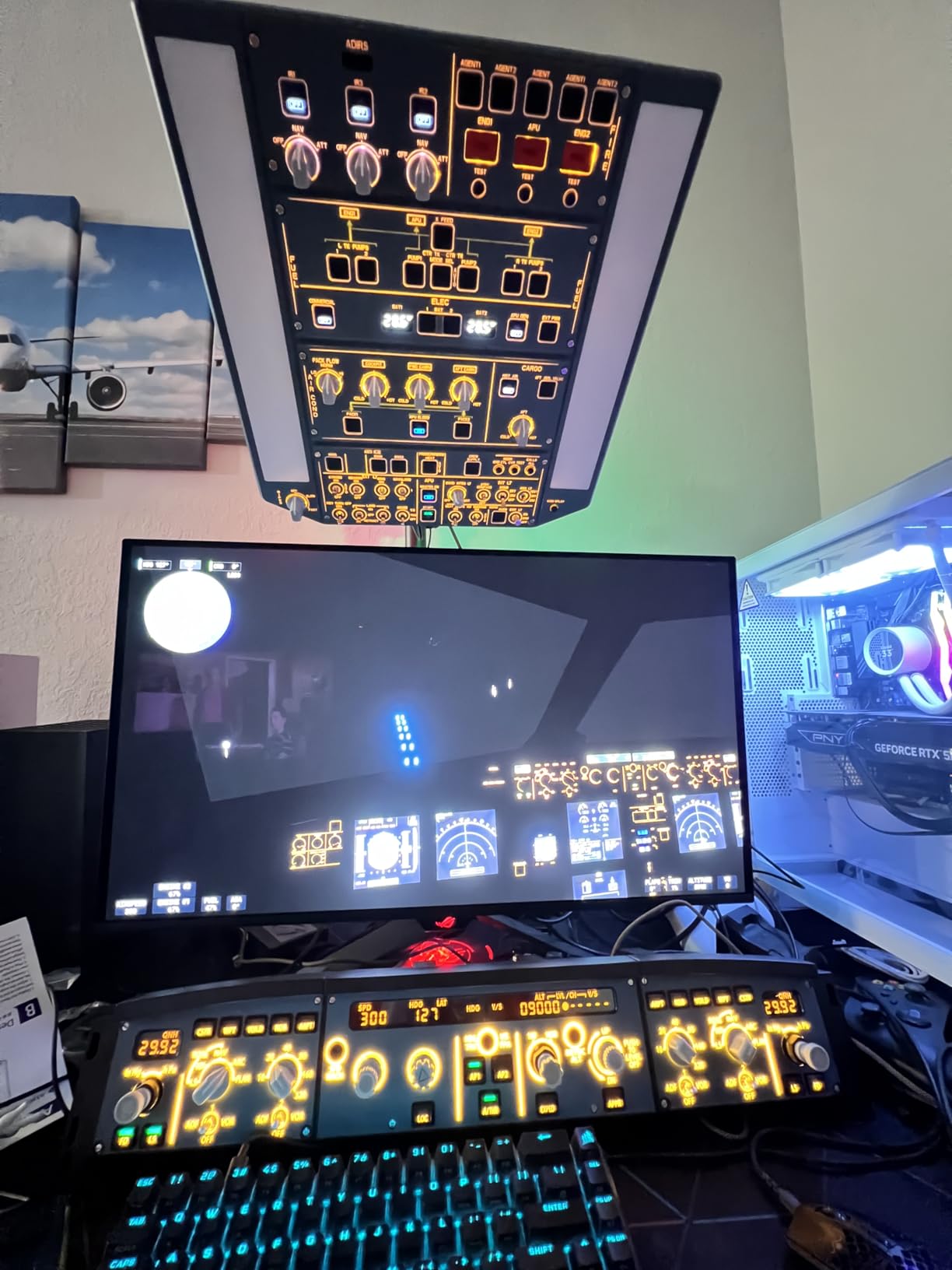
This is the ceiling of home cockpit hardware: a physically functional A320 overhead panel covering IRS, fuel, air conditioning and pressurization, APU control, and full exterior lighting. Running the overhead checklist with actual switches, instead of mouse clicks, is a different category of simulation.
The stealth-printed legends are the cleverest detail. With the panel off, the markings are invisible; power it up and every label appears, exactly like a dimmed real cockpit at night. The dome light and synchronized exterior lighting indication add genuine situational awareness during night operations.
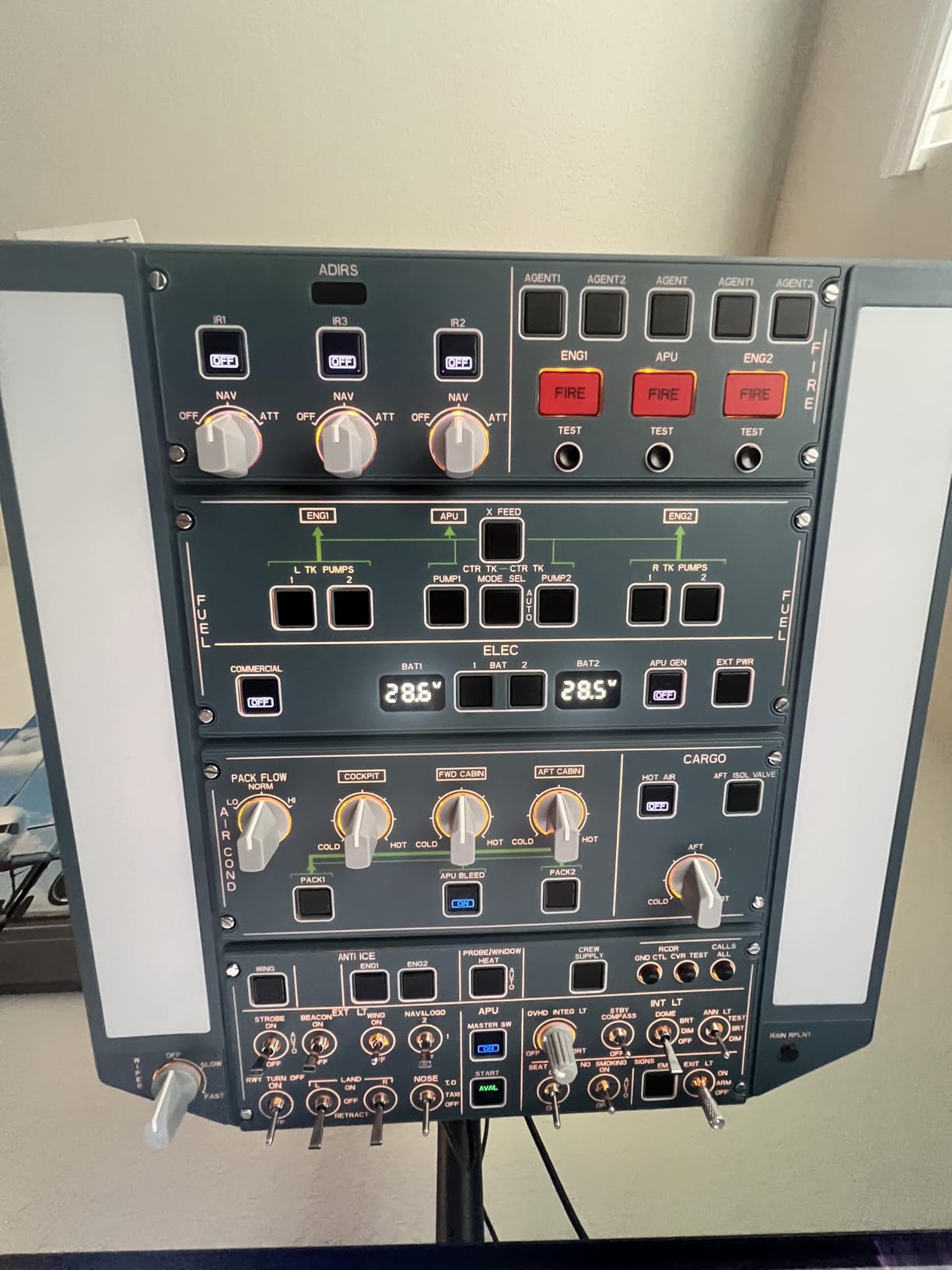
Switch logic is faithful rather than cosmetic. APU MASTER is self-locking while APU START self-resets, matching real aircraft behavior. Mounting is flexible too, with a desktop stand offering five angles plus full VESA support for a custom cockpit frame.
Now the honest warning. At a 3.5-star average from seventeen reviews, this is the riskiest purchase on the list. Multiple owners report units failing after days or months, some shipments arrived without the power supply, and at least one popular A320 add-on caused an engine shutdown bug. Software setup is also confusing, and cheaper competitor panels are expected to arrive.
Reliability steps worth taking
Buy from a source with easy returns, test every switch and the power supply within the return window, and update firmware immediately. Several owners who replaced early units ended up happy, so failures seem batch-related rather than universal.
If your budget cannot absorb a possible replacement cycle, wait for the competing overhead panels announced by other manufacturers. That patience costs you nothing.
Who this panel is actually for
Dedicated A320 home cockpit builders who want the full flight phase experience, from IRS alignment to APU start, are the audience. Nothing else on the market delivers this level of overhead coverage in one unit.
Everyone else should start smaller. A radio panel plus an FCU covers most of what an airliner pilot actually touches, at a fraction of the cost and risk.
How to Choose the Right Button Box?
Picking a panel comes down to five questions, and answering them in order narrows ten products down to one fast. Here is the process I use before spending anything.
1. Match the control mix to your sim
Racing wants rotary encoders for brake bias and ABS, plus latching toggles for traction control and pit limiter. Flight wants switches for systems and concentric knobs for radios and autopilot values. Farming wants axes for loaders, which is why the Logitech side panel has a stick instead of a dial row.
Count what you actually adjust mid-session, not what looks cool. One well-placed encoder beats six buttons you never learn.
2. Understand the switch types
A momentary push button fires once per press, like engine start. A latching toggle stays in position, which suits ignition and pit limiter because the switch state tells you the car state. A rotary encoder sends step signals as it turns, which is the only sensible input for brake bias.
Safety toggles with a flip cover prevent accidental presses, and 7-way switches give you six directions plus a press on one control. Encoders with a push-pull axis are the most powerful, since each knob becomes three inputs.
3. Judge the build by material
Anodized aluminum and stainless steel, like the SIM-PANEL and the FCU Cube, survive rig life and feel dense. Carbon fibre plates are the premium racing standard for weight savings. 3D printed PLA cases, like the budget Obokidlyamor, are lighter and show print lines but hold up better than the price suggests.
Check the switch brand when it is listed, because the switches outlive the enclosure. Metal-bodied industrial pushbuttons are the ones that last a decade.
4. Plan the mount before you buy
Clamp mounts suit desks and flat wheel stands but check the thickness rating, since the Logitech Farm Sim clamp is small for thick desks and the PXN benefits from grip tape. VESA mounts, in 75mm and 100mm pitch, bolt directly to 8020 aluminum profile rigs and are the most secure option.
Panel-style flight hardware often includes stacking brackets, which is a real advantage if you plan to grow the cockpit later. Measure your rig extrusion spacing before ordering anything that bolts on.
5. Decide how much software you will tolerate
True plug-and-play USB HID panels, like the PXN CB1 and most of the Logitech flight line, need no drivers at all. SimHub-dependent panels, like the Obokidlyamor, unlock LED control and key emulation but add a software layer that must run in the background.
SPAD.NXT is the community standard for managing multiple Logitech flight panels, and RS Mapper fixes encoder behavior in older racing titles. If the idea of installing any of that annoys you, buy the panel that needs none of it.
The DIY route and the USB reality
Building your own with a Leo Bodnar BBI-32 board remains the trusted path in the community, and it has years of forum history behind it. You choose every switch, wire it yourself, and end up with exactly the layout you want. The cost is your weekend plus a soldering iron.
Whichever direction you go, every new panel wants a USB port, and rigs fill up fast. Our roundup of USB extension solutions for your sim rig solves the port-crawl problem before it starts. A powered hub with a single cable run to the PC is the clean fix.
Sim Racing vs Flight Simulation: What Actually Changes
The two hobbies want different things from a panel, and one box rarely serves both perfectly. Here is the split as I found it across ten panels.
Racing lives on speed of access. Brake bias, ABS level, traction control, pit limiter, engine start, and push-to-talk all get touched mid-corner or on a straight, so encoders and latching toggles dominate. iRacing and ACC drivers in endurance events benefit most, while sprint and F1-style racers can stay on wheel buttons.
Flight lives on procedure. Avionics, radio tuning, autopilot modes, and systems like IRS alignment and APU start happen in sequence, so labeled switches, concentric knobs, and real displays matter more than raw speed. MSFS, X-Plane, and DCS all reward panels that mirror the aircraft layout.
General-purpose panels like the PXN CB1 and Stream Deck bridge both worlds well for casual use. Serious airliner pilots and competitive endurance racers will each end up with specialized hardware, and that is fine. Budget for the hobby you actually spend hours in.
Frequently Asked Questions
Which button box is best for sim racing?
The PXN CB1 is the best all-round sim racing button box, with 19 controls across 9 input types including rotary encoders for brake bias and ABS, plug-and-play USB on Windows, and both clamp and VESA mounting. For truck simulator fans, the SIM-PANEL HT/HTE offers stainless steel construction, and the Obokidlyamor box is the best budget entry point.
Do I need a button box for sim racing?
You need one if you race endurance events, run cars with adjustable brake bias, ABS, or traction control, or play truck and farming simulators with many functions. If you only race short F1-style sprints, your steering wheel buttons probably cover everything, and a button box is a comfort upgrade rather than a necessity.
Can I use a button box for flight simulation?
Yes. Any USB HID button box, like the PXN CB1, registers as a standard controller and can be mapped to cockpit functions in MSFS, X-Plane, and DCS. Dedicated flight panels such as the Logitech Pro Flight Switch, Multi, and Radio Panels go further by mirroring real cockpit layouts, which improves muscle memory.
Do button boxes work with Xbox or PS5?
Most button boxes, including every panel in this guide, are PC-only, because consoles restrict generic USB controller input. The Logitech G Farm Sim Side Panel works with PS4 for some titles but not PS5. If you sim on console, check official platform compatibility for your specific game before buying any panel.
What is the difference between a toggle switch and a push button?
A push button, or momentary switch, sends a single input when pressed and returns to rest, suiting engine start or push-to-talk. A toggle switch latches in position, so its physical state shows the current setting, suiting ignition, pit limiter, and aircraft systems. A rotary encoder adds a third option, sending step inputs as it turns for values like brake bias.
Final Verdict
If you want one panel that handles everything, buy the PXN CB1. It is the only box I tested that moves between iRacing, ETS2, DCS, and Farming Simulator without complaint, and its encoder-and-toggle mix suits the best button boxes for sim racing and flight duty equally well in 2026.
Flight-first builders should start with the Logitech Pro Flight Radio or Switch Panel and stack from there, because that ecosystem grows with you. Truck sim drivers with a proper rig get their money’s worth from the SIM-PANEL HT/HTE, and the Obokidlyamor box lets everyone else try the lifestyle for next to nothing.
Whatever you pick, mount it where your hand naturally falls, not where it looks good in photos. Reach beats aesthetics at 200 km/h, every single time.