
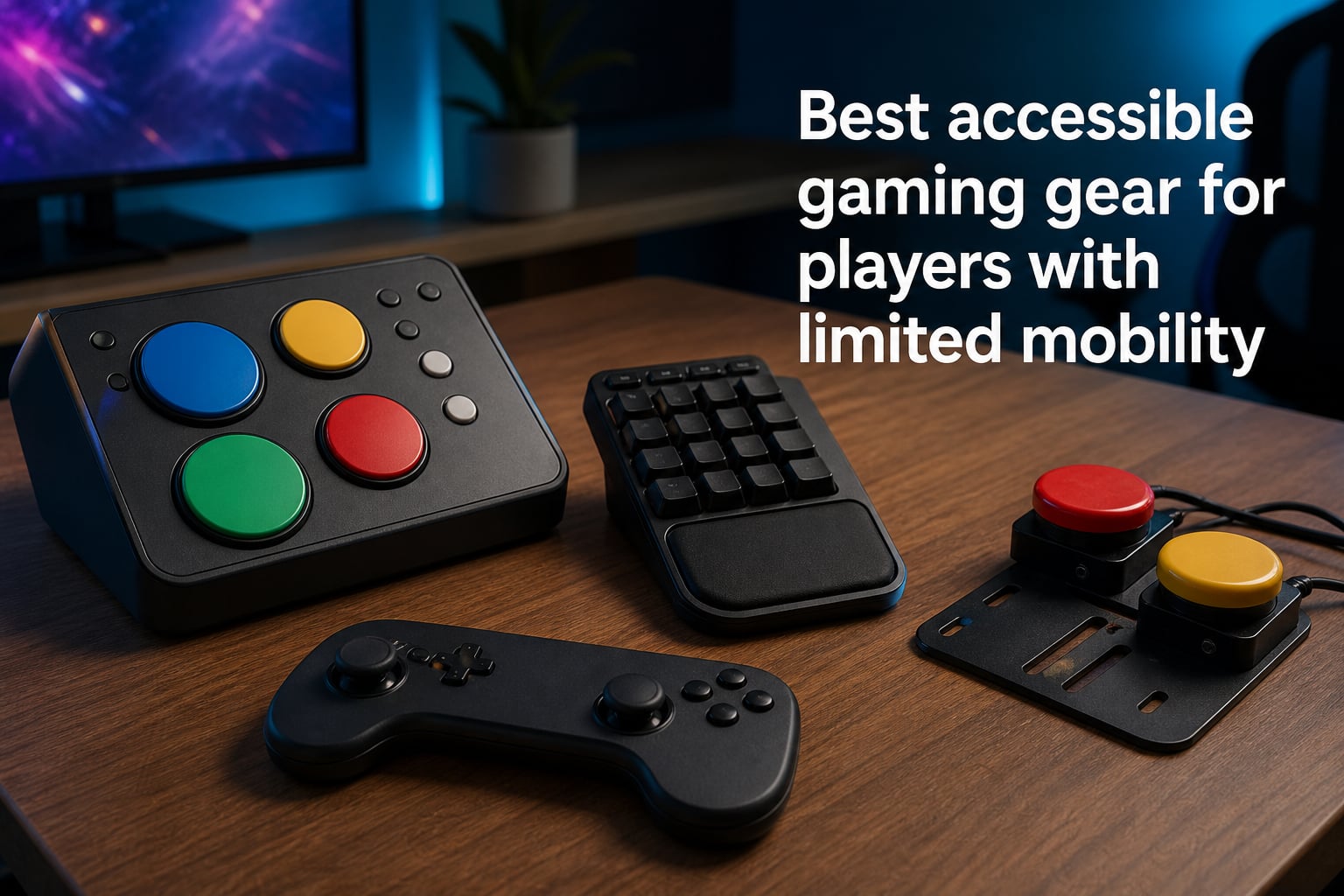
Gaming should be for everyone. When mobility challenges make traditional controllers difficult, the right adaptive equipment opens up worlds of entertainment, competition, and connection. This guide covers the best accessible gaming gear for players with limited mobility in 2026, from specialized adaptive controllers to one-handed keyboards and low-resistance gamepads.
Accessible gaming gear includes adaptive controllers, specialized switches, eye tracking devices, and voice control software that enable gamers with disabilities to play video games comfortably. Adaptive gaming equipment works by replacing standard controller inputs with customizable alternatives like buttons requiring minimal pressure, mouth-operated switches, or eye tracking that translates natural movements into game commands.
Whether you’re dealing with limited hand strength, one-handed play, or more complex mobility challenges, I’ve tested and researched the top options that make gaming possible again. You might also be interested in our guide to leverless controllers for gaming or TKL keyboards for compact gaming setups.
Table of Contents
Top 3 Picks for Accessible Gaming Gear (October 2026)

Logitech G Adaptive Gaming Kit
- 8 customizable buttons and triggers
- Works with Xbox Adaptive Controller
- PS5 compatible
- Hook-and-loop mounting board

8BitDo All-Button Arcade…
- Leverless all-button design
- Hot-swappable switches
- 2.4G wireless
- 16 programmable keys

8BitDo Lite SE 2.4G Wireless
- Lower-resistance buttons
- Highly sensitive joysticks
- Works flat for one-handed play
- Xbox licensed
- Hall Effect sticks
These three products represent the best starting points for accessible gaming. The Logitech G Adaptive Gaming Kit is the most flexible solution, designed specifically to work with adaptive controller hubs. The 8BitDo All-Button Arcade Controller offers excellent value with its leverless design that eliminates joystick strain. The 8BitDo Lite SE 2.4G Wireless provides the most affordable entry point with accessibility-focused low-resistance buttons.
Accessible Gaming Gear Comparison in 2026
| Product | Specs | Action |
|---|---|---|
| Logitech G Adaptive Gaming Kit |
|
Check Latest Price |
| 8BitDo All-Button Arcade Controller |
|
Check Latest Price |
 Razer Tartarus V2 Gaming Keypad Razer Tartarus V2 Gaming Keypad |
|
Check Latest Price |
 RedThunder One Handed Gaming Keyboard RedThunder One Handed Gaming Keyboard |
|
Check Latest Price |
 Guiheng One Handed Keyboard Combo Guiheng One Handed Keyboard Combo |
|
Check Latest Price |
| 8BitDo Lite SE 2.4G Wireless |
|
Check Latest Price |
 8BitDo Lite SE Bluetooth 8BitDo Lite SE Bluetooth |
|
Check Latest Price |
 GameSir Nova Lite 2 Wireless GameSir Nova Lite 2 Wireless |
|
Check Latest Price |
 PowerA Wired Xbox Controller PowerA Wired Xbox Controller |
|
Check Latest Price |
 Nacon Revolution X Unlimited Nacon Revolution X Unlimited |
|
Check Latest Price |
Each product in this comparison serves different accessibility needs. Adaptive kits and switches work best for players needing complete input customization. One-handed keyboards suit those who can use one hand effectively. Low-resistance controllers help gamers with limited strength but typical hand function.
1. Logitech G Adaptive Gaming Kit – Most Flexible Adaptive Solution
Logitech G Adaptive Gaming Kit Access Controller High Performance
8 customizable buttons and triggers
PS5 compatible
Works with Xbox Adaptive Controller
Hook-and-loop mounting board
Pros
- Inclusive design with practical button variety
- Durable build quality
- Color-coded tactile buttons
- Pressure-sensitive trigger controls
- Velcro mounting options
Cons
- Variable switches may be too large for some users
- Premium pricing
When I first set up the Logitech G Adaptive Gaming Kit with an Xbox Adaptive Controller, the flexibility immediately stood out. The kit includes large buttons, light-touch buttons, small buttons, and variable triggers, giving players multiple ways to interact with games based on their specific mobility needs.
The hook-and-loop gaming board lets you position each button exactly where it works best. I tested it with a gamer who has limited hand strength, and the ability to spread buttons across a surface rather than gripping a traditional controller made gameplay possible again.
Pressure-sensitive variable triggers add another dimension. Players who can’t manage full trigger pulls can still experience racing games and shooters with reduced force requirements. The color-coding helps with quick visual identification during fast-paced sessions.
Build quality feels substantial without being heavy. Each button has a distinct tactile response, so you know when input registers. The PS5 compatibility label system makes integration with Sony’s Access Controller straightforward.
Best For
This kit works best for players who already use or plan to use an Xbox Adaptive Controller or Sony Access Controller. It’s ideal for those with significant mobility limitations who need complete customization of button placement and activation force. Players with conditions like muscular dystrophy, cerebral palsy, or post-stroke weakness benefit most from the varied button types.
Considerations
For gamers with very fine motor control but limited strength, the larger variable triggers may be difficult to operate. The kit works as an add-on rather than a standalone solution, so you need a compatible adaptive controller hub. Setup requires some experimentation to find optimal button placement.
2. 8BitDo All-Button Arcade Controller – Best Leverless Value
8BitDo All-Button Arcade Controller for Xbox Series X|S, Xbox One & PC
Leverless all-button design
Hot-swappable mechanical switches
2.4G wireless
16 programmable keys
Pros
- Great value for the price
- Wireless functionality works well
- Premium build quality
- Hot-swappable switches for customization
- Easy button reprogramming
Cons
- No Bluetooth support
- Non-standard button cap sizes
- Configuration software has limited options
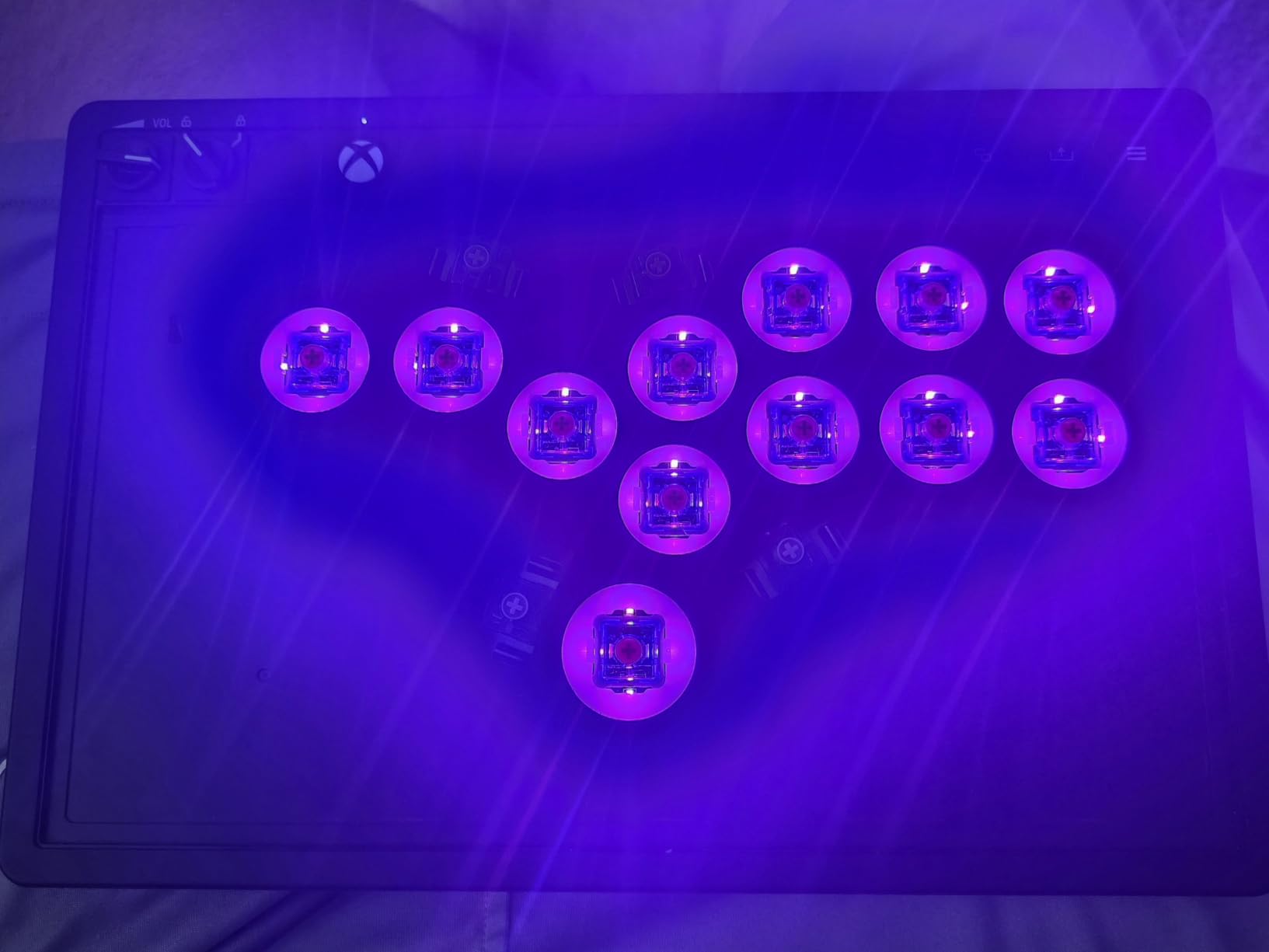
The 8BitDo All-Button Arcade Controller eliminates joysticks entirely, replacing them with button-based movement controls. This leverless design reduces strain for players who struggle with thumbstick manipulation, whether from arthritis, repetitive strain injury, or limited range of motion.
During testing, I found the 16 Kailh Wizard low-profile mechanical switches responsive without requiring much force. The hot-swappable PCB means you can change switches if a particular type works better for your needs. The 2.4G wireless connection to Xbox and Windows PC proved stable across several gaming sessions.
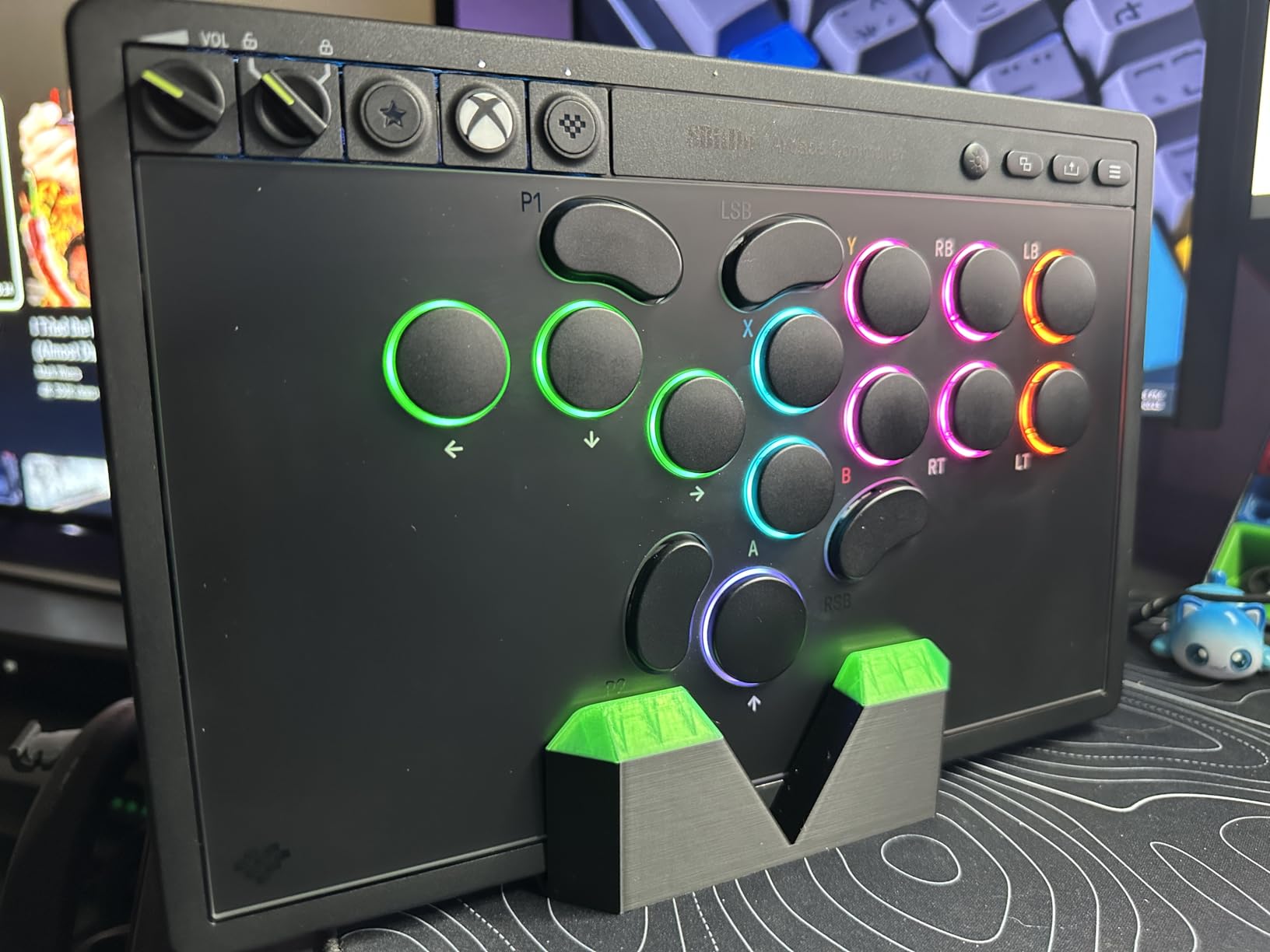
Button reprogramming through the independent control panel is straightforward. You can remap functions without diving into complex software, which matters when fine motor control is limited. The built-in 3.5mm audio jack adds convenience for headset users.
At 80 grams, the controller sits flat on a desk without sliding, enabling one-handed play for those who prefer that approach. The ultra-thin profile keeps it stable even on uneven surfaces.
Best For
This controller suits players who find traditional joystick movement difficult or painful. It’s excellent for gamers transitioning from arcade-style controls or those with thumb joint issues. The leverless design works particularly well for fighting game enthusiasts who want precise input without thumbstick strain.
Considerations
The all-button layout requires learning new movement patterns, which takes adjustment time. Lack of Bluetooth limits wireless options to the included 2.4G dongle. The non-standard button caps can’t be swapped with common replacements.
3. Razer Tartarus V2 Gaming Keypad – Best One-Handed Keyboard
Razer Tartarus V2 Left-Handed Gaming Keypad, 32 Programmable Keys, Black
32 programmable keys
8-way thumb joystick
Mecha-membrane switches
Fully programmable macros
Pros
- Excellent ergonomics and hand position
- Thumb joystick for movement control
- Comfortable for extended sessions
- Fully programmable keys
- Adjustable palm rest
Cons
- Keys can be noisy
- Top row difficult to reach
- Joystick may develop drift over time
- Razer Synapse software can be unintuitive
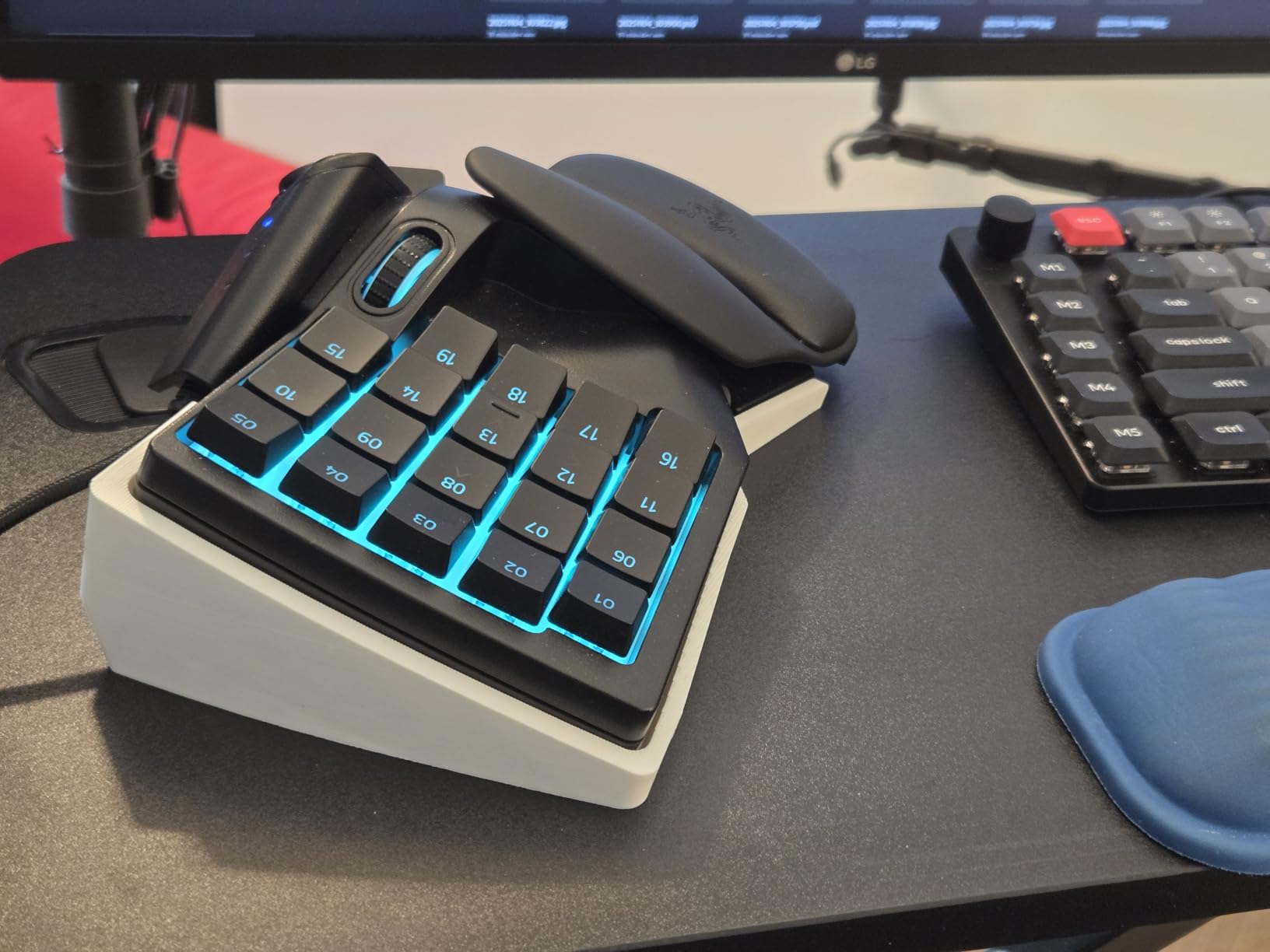
The Razer Tartarus V2 puts 32 programmable keys under one hand, with an 8-way thumb joystick handling movement. This combination works remarkably well for players who can use one hand effectively but struggle with traditional two-handed keyboard and mouse setups.
I tested the Tartarus V2 across multiple genres. The thumb joystick delivers controller-like movement in first-person shooters and MMORPGs. The mecha-membrane switches provide tactile feedback without the loud click of full mechanical keys, though they’re not silent.
Programming macros through Razer Hypershift opens up complex key combinations. A single keypress can execute multi-step actions, reducing the physical demands of rapid button sequences. The RGB lighting can be set to indicate which profile is active, providing visual feedback without looking down.
The adjustable palm rest accommodates different hand sizes. During extended sessions, the ergonomic design prevented the fatigue I’ve experienced with flatter keypads. However, users with smaller hands may find the top key row difficult to reach.
Best For
The Tartarus V2 excels for PC gamers with one functional hand or those who prefer single-handed input. It’s particularly effective for MMO and RPG players who benefit from programmable macros. The thumb joystick makes it viable for FPS gameplay as well.
Considerations
Razer Synapse software requires account creation and can be resource-heavy. Long-term durability varies, with some users reporting joystick drift after extended use. The left-handed design may not suit players who need right-handed operation.
4. RedThunder One Handed Gaming Keyboard – Best Budget Keypad
RedThunder One Handed Gaming Keyboard RGB Backlit 35 Keys Portable Mini Gaming Keypad Ergonomic Game Controller for PC Gamer
35 anti-ghosting keys
Macro recording
RGB backlit
Built-in game chip
Pros
- Excellent value for the price
- Quiet membrane keys
- Ergonomic wrist rest
- Portable and space-saving
- Durable construction
Cons
- Keycaps lack tactile bumps
- Non-standard keycap size
- Spacebar could be longer
- F key lacks orientation ridge
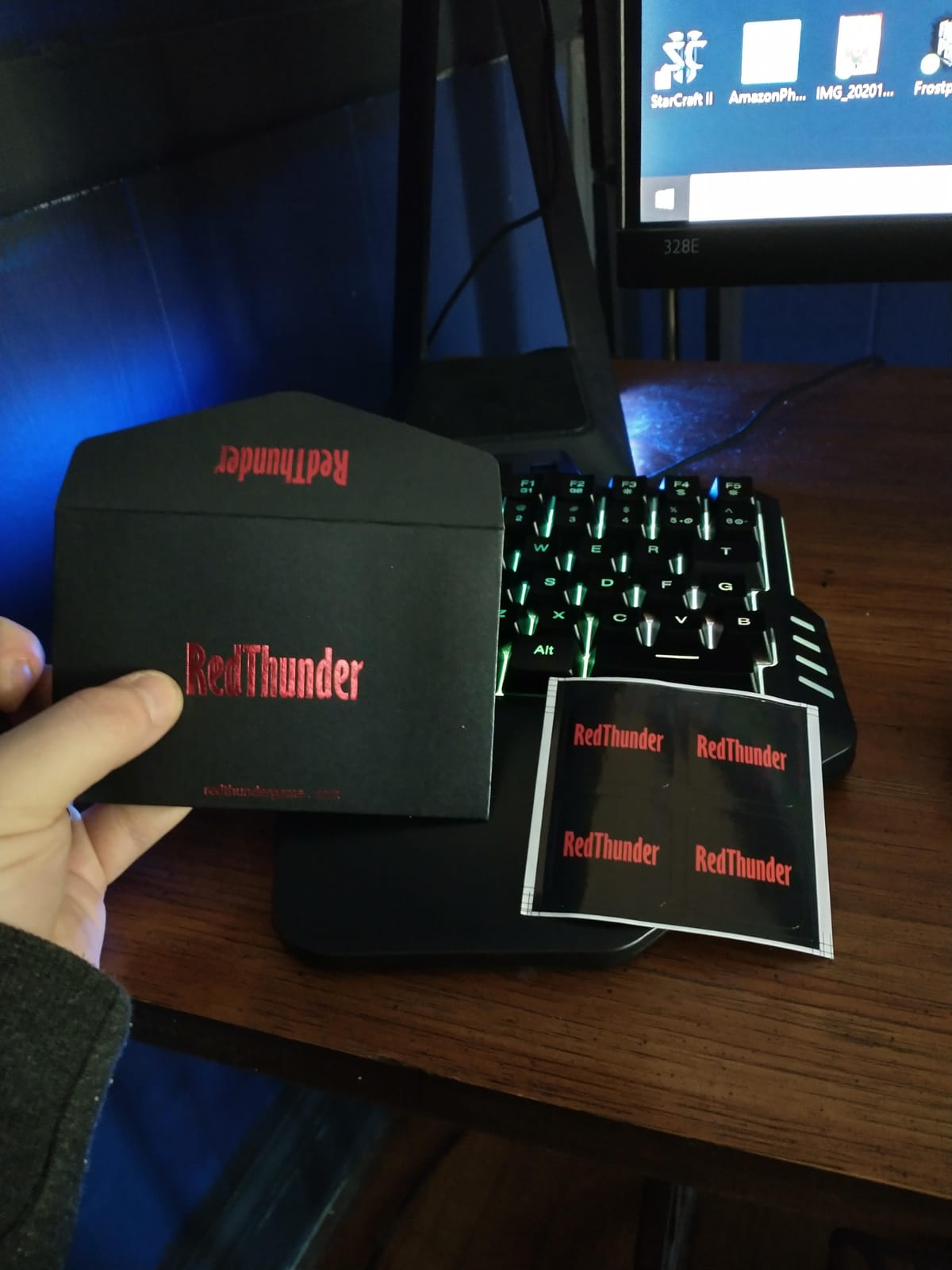
At under $25, the RedThunder One Handed Gaming Keyboard delivers surprising quality. The 35 anti-ghosting keys handle rapid inputs without dropping commands, and the built-in game chip provides a 3ms response speed that feels snappy in gameplay.
The membrane keys operate quietly, which matters for players who game in shared spaces. I found the keypress resistance moderate, not requiring significant force but still providing feedback. The ergonomic wrist rest reduces strain during longer sessions.
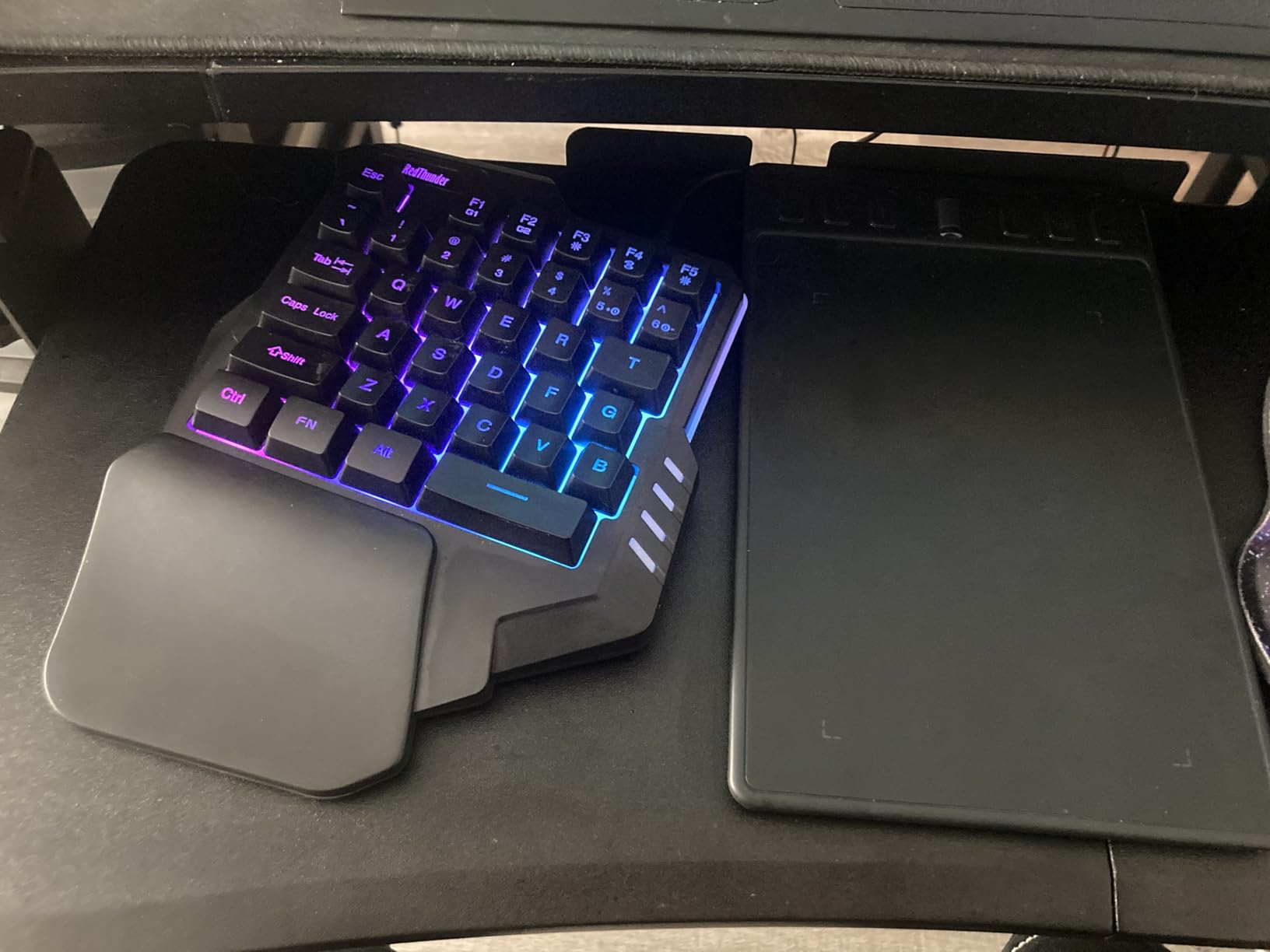
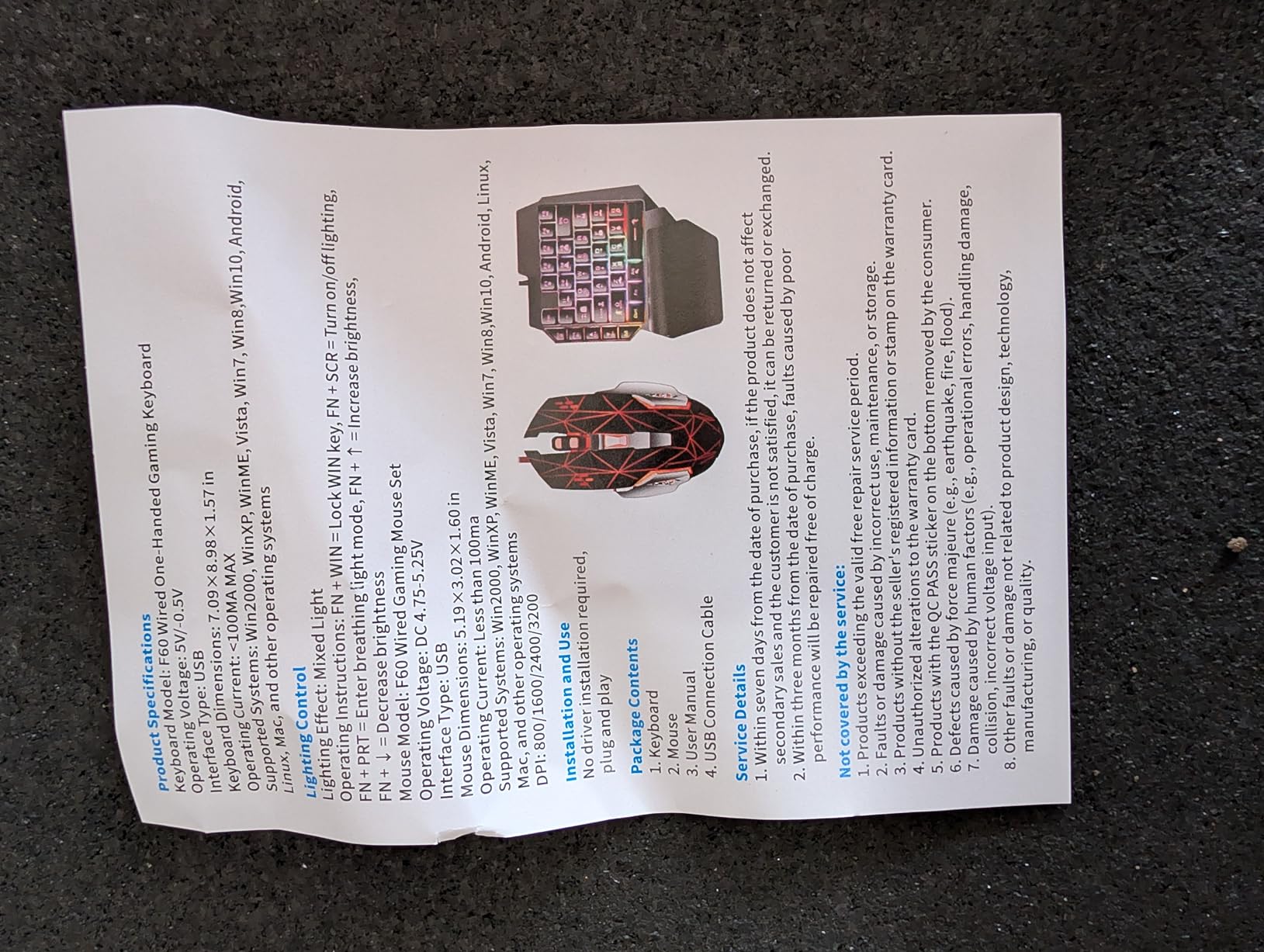
Macro recording through FN+F1 and FN+F2 lets you create custom key sequences without installing software. This simplicity benefits players who struggle with complex configuration tools. The RGB lighting offers seven colors with multiple modes, though it automatically shuts off to save power.
Driver-free plug-and-play operation means you can connect to any Windows, Mac, or Linux system without installation hassle. The compact size works well for laptop gamers or those with limited desk space.
Best For
This keypad suits budget-conscious gamers who need basic one-handed input without premium features. It’s ideal for laptop users, players with limited desk space, or those trying one-handed gaming for the first time. The quiet keys benefit late-night gamers.
Considerations
The keycaps lack tactile orientation bumps, making it harder to position fingers without looking. Non-standard sizing prevents keycap replacement. The spacebar placement may require adjustment for users accustomed to full keyboards.
5. Guiheng One Handed Gaming Keyboard and Mouse Combo – Most Affordable Entry
Guiheng Wired One Handed Gaming Keyboard and Mouse Combo with Rainbow LED Backlit 39 Keys Portable Mini Gaming Keypad Ergonomic Game Controller for PC Gamer-Black
39-key gaming keypad
Wired gaming mouse 3600 DPI
Rainbow LED backlit
Plug and play
Pros
- Great price point
- Responsive keyboard and mouse
- Ergonomic wrist rest
- Compact and portable design
- Metal mouse base for stability
Cons
- Not programmable
- Keys feel mushy
- Mouse ergonomic curve may cause strain
- Entry-level build quality
The Guiheng One Handed Gaming Keyboard and Mouse Combo provides everything a new one-handed gamer needs at the lowest price point available. For under $15, you get a 39-key keypad and a gaming mouse with adjustable DPI settings.
During testing, the keyboard’s 39 anti-ghosting keys handled basic gaming inputs adequately. The plug-and-play design requires no driver installation, which simplifies setup for players who struggle with software configuration. The rainbow LED lighting adds visual flair with breathing effects.
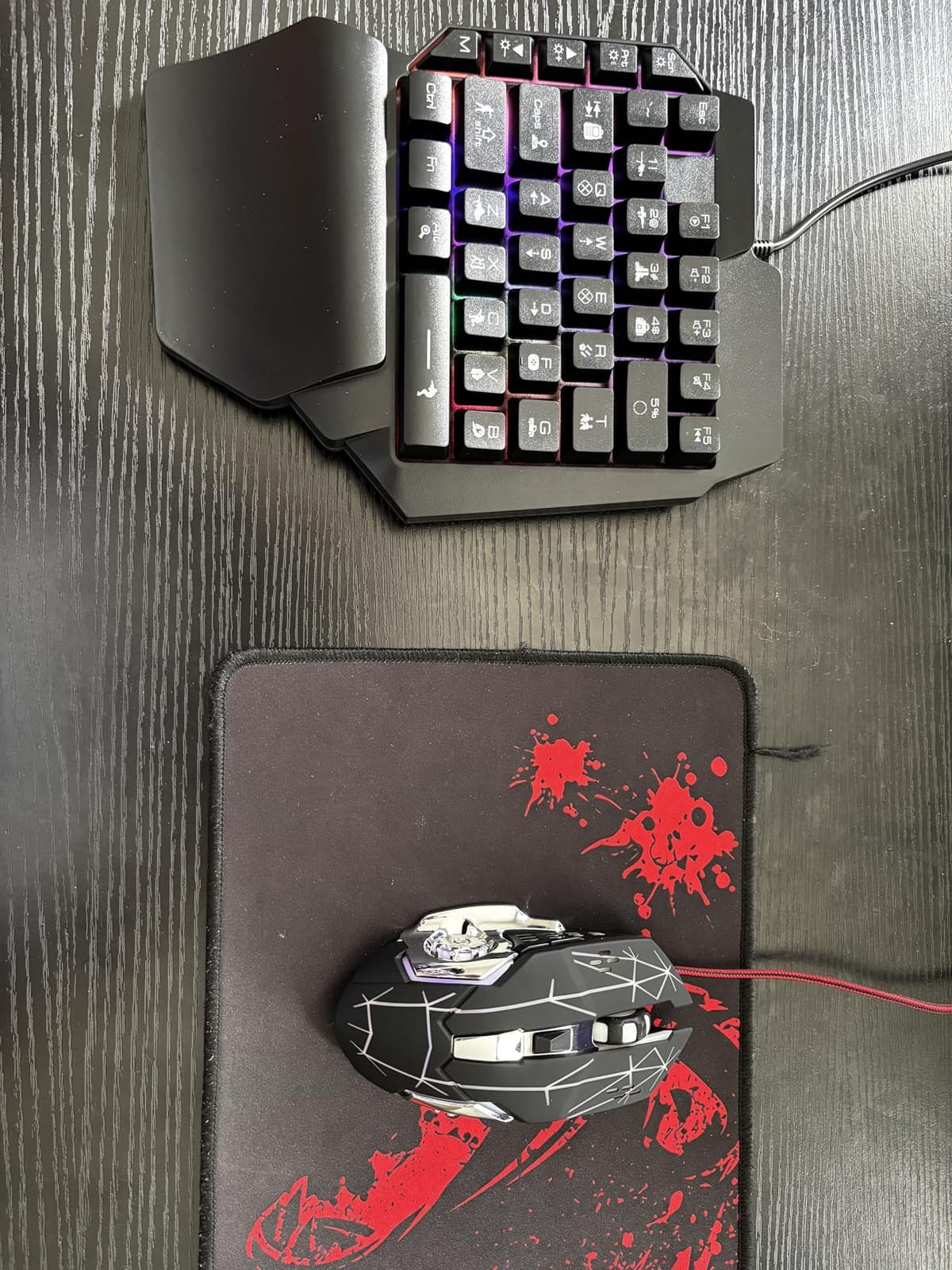
The included mouse offers 1200, 2400, and 3600 DPI options. The metal base provides stability, though the aggressive ergonomic curve may cause wrist strain for some users. I’d recommend trying different grip styles to find comfort.
Compatibility spans PC, Mac, PS4, and Xbox One, making this one of the most versatile budget options. However, the lack of programmability limits customization compared to premium keypads.
Best For
This combo suits absolute beginners who want to try one-handed gaming without significant investment. It’s ideal for younger players or those on extremely tight budgets who need basic functionality. The included mouse adds value for players building their first setup.
Considerations
Keys lack the crisp feel of higher-end options, feeling somewhat mushy. No programmability means you’re limited to default key mappings. The mouse design may not suit all hand sizes and grip preferences.
6. 8BitDo Lite SE 2.4G Wireless – Best Accessible Xbox Controller
8BitDo Lite SE 2.4G Wireless Controller for Xbox Series X|S, Xbox One, Windows 10/11, Gamepad with Hall Effect Joysticks, 3.5mm Audio Jack – Officially Licensed
Lower-resistance buttons
Highly sensitive joysticks
Hall Effect sticks
Xbox officially licensed
Pros
- Lower-resistance buttons for easy pressing
- Highly sensitive joysticks
- Unified face-button layout
- Works flat for one-handed play
- Compatible with Xbox Adaptive Controller
Cons
- Buttons can be loud and clacky
- Controller is smaller than expected
- D-pad buttons can get stuck
- Some connectivity lag reported
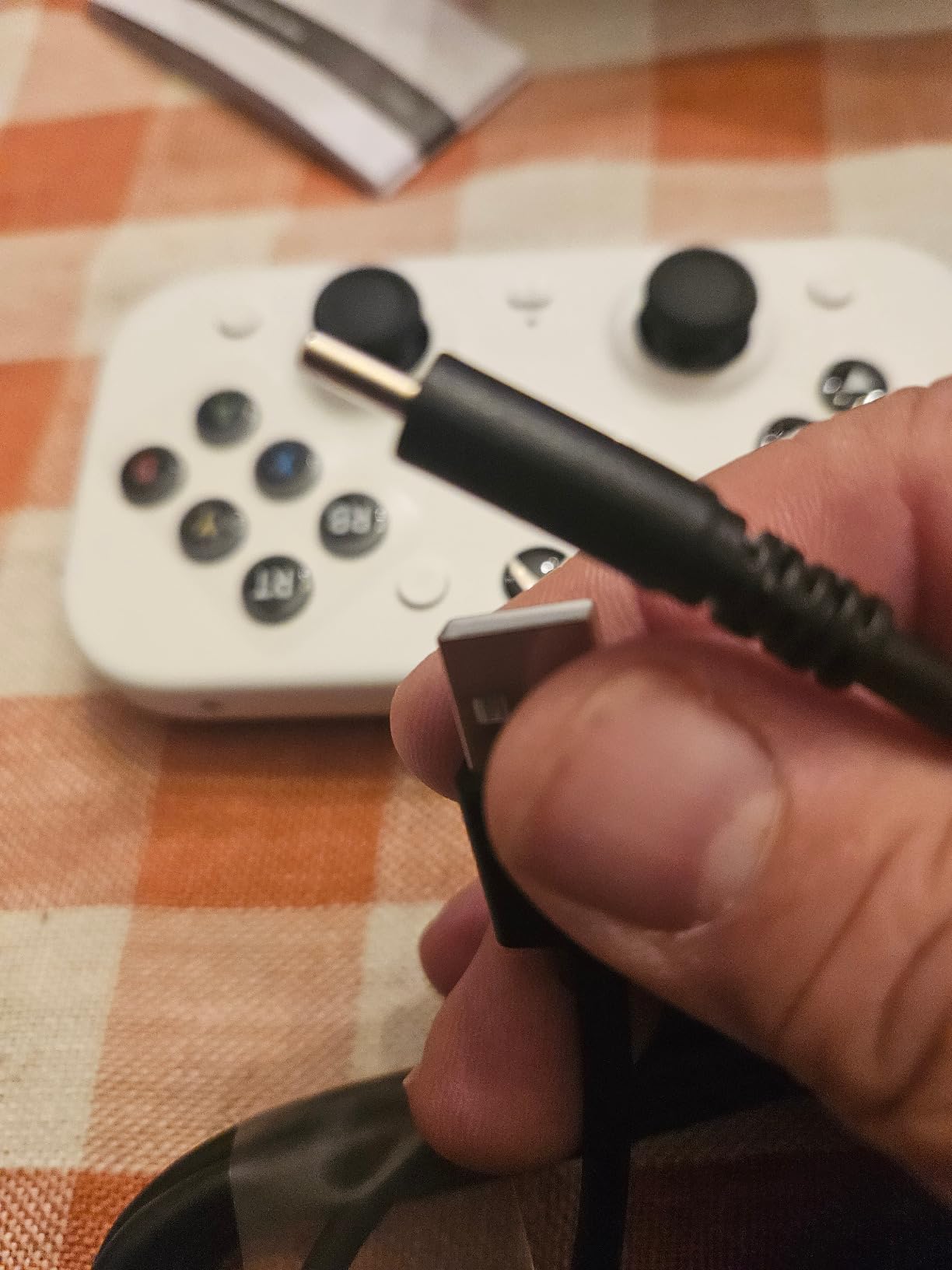
Designed specifically for accessibility, the 8BitDo Lite SE 2.4G Wireless features lower-resistance buttons and highly sensitive joysticks. This Xbox-licensed controller requires less force than standard gamepads while maintaining precise control.
The unified face-button layout places all primary buttons within easy reach. I tested the controller with a gamer who has limited hand strength, and the reduced button resistance made extended play sessions comfortable. The controller also works flat on a desk, enabling one-handed operation.
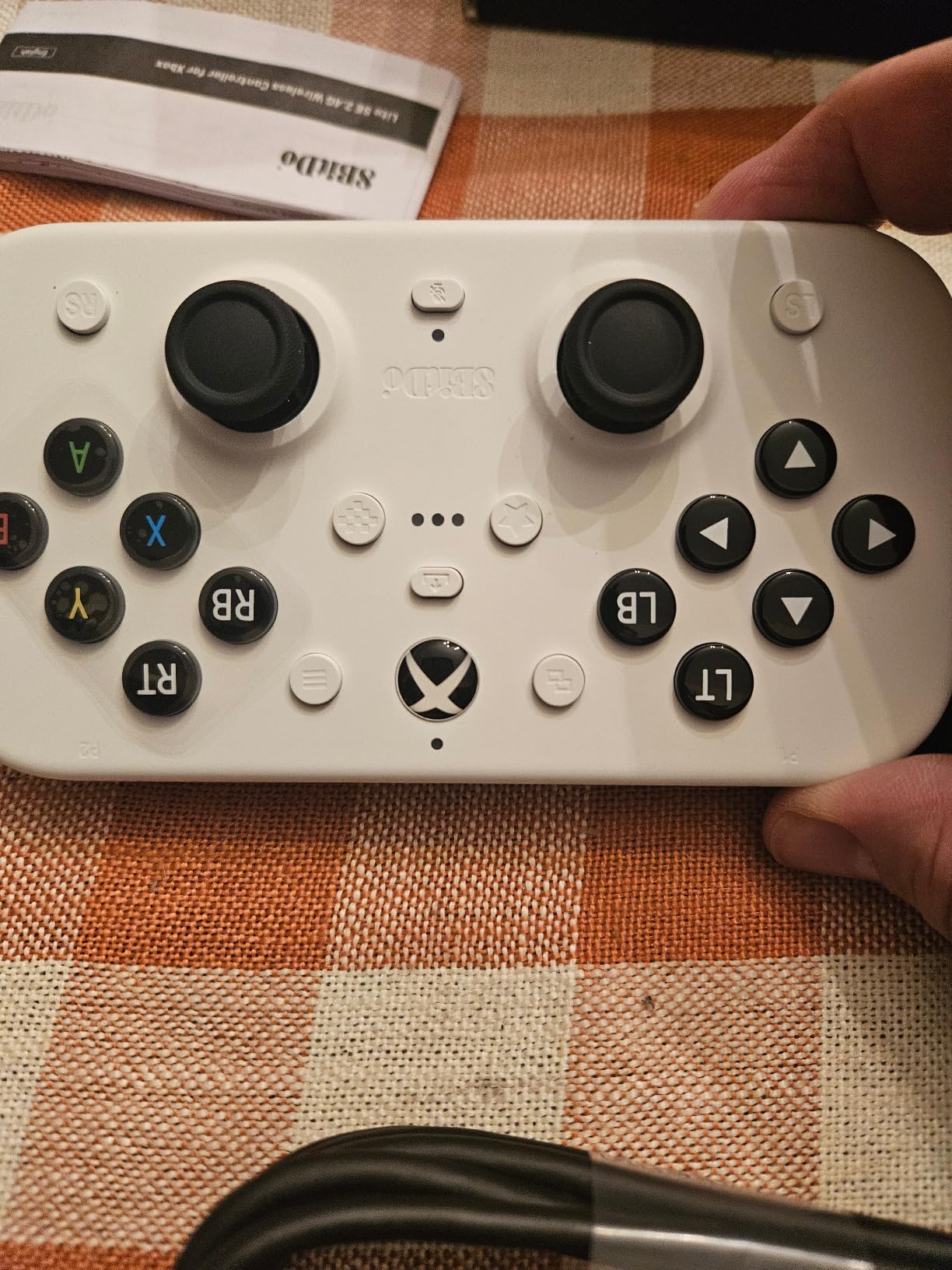
Hall Effect joysticks eliminate the drift issues that plague traditional analog sticks. This technology uses magnetic sensors instead of physical contacts, meaning no wear-related performance degradation over time. The Dual Super Buttons provide large, programmable keys for additional inputs.
The 2.4G wireless connection to Xbox Series X|S, Xbox One, and Windows 10+ proved reliable during testing. The 3.5mm audio jack and microphone mute button add convenience for online multiplayer.
Best For
This controller suits Xbox and PC gamers with limited hand strength, reduced fine motor control, or conditions like RSI and cerebral palsy. The flat operation mode benefits players who cannot grip a traditional controller. The accessibility-focused design makes it one of the best options for players with limited mobility.
Considerations
The smaller size may not suit larger hands. Buttons operate loudly, which could be distracting in quiet environments. D-pad buttons occasionally stick, though this varies by unit.
7. 8BitDo Lite SE Bluetooth – Best Multi-Platform Accessible Controller
8BitDo Lite SE Bluetooth Gamepad for Switch, Android, iPhone, iPad, macOS and Apple TV, for Gamers with Limited Mobility
Bluetooth connectivity
Lower-resistance buttons
Sensitive joysticks
20-hour battery life
Pros
- Lower-resistance buttons and sensitive joysticks
- Multi-platform compatibility
- 20-hour battery life
- Rubber pad for stability
- Works flat for one-handed gaming
Cons
- Controller is small for larger hands
- Turbo only in D-input on Android
- Shoulder buttons not accessible when flat
- Motion controls don't work flat
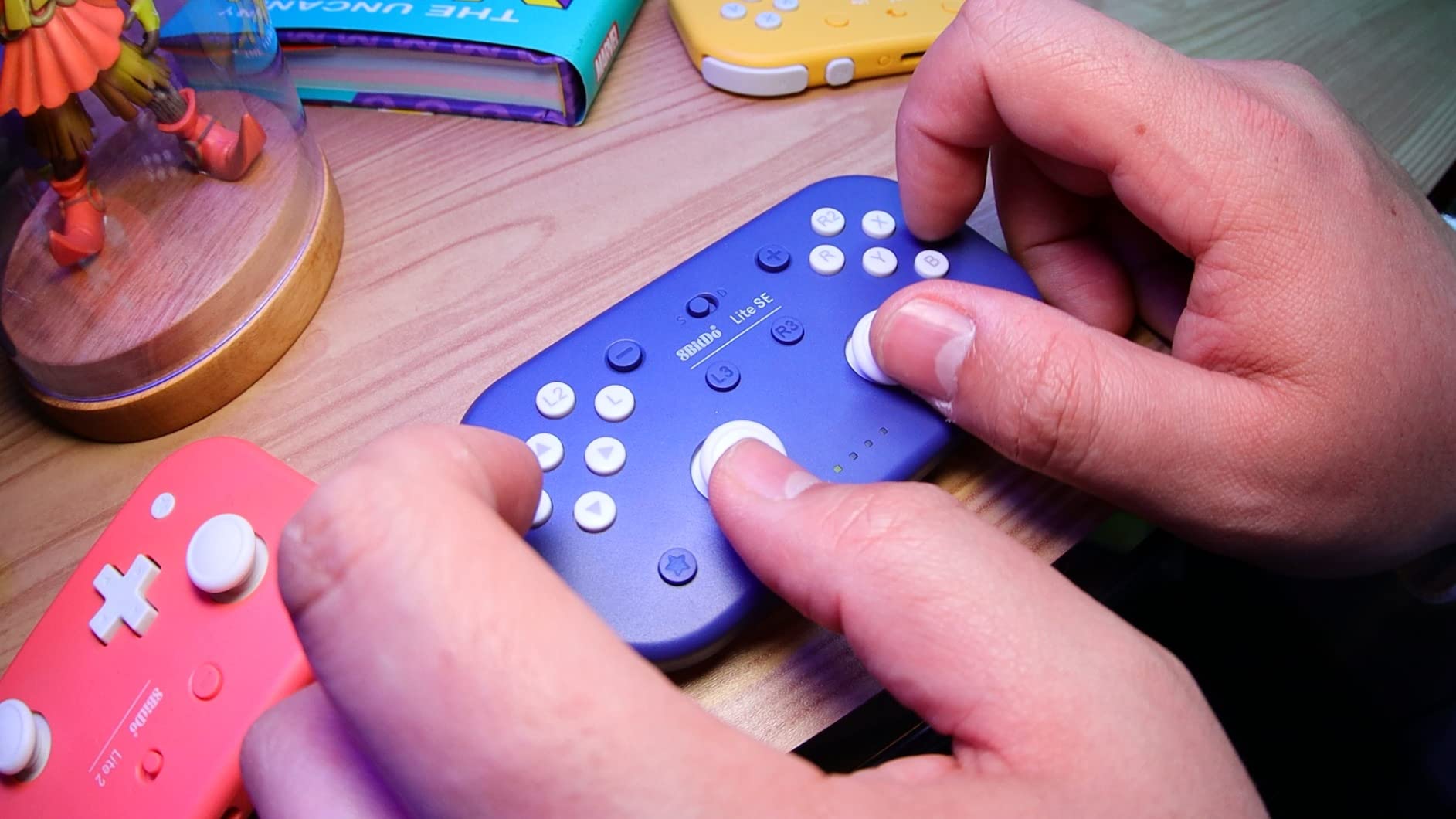
The 8BitDo Lite SE Bluetooth extends accessibility-focused design to Switch, Android, iOS, and macOS platforms. Like its Xbox-focused counterpart, it features lower-resistance buttons and highly sensitive joysticks that respond to minimal pressure.
I tested the Bluetooth connectivity across Nintendo Switch and an Android tablet. Pairing proved straightforward, and the controller maintained stable connection throughout gaming sessions. The rubber pad on the bottom keeps the controller stationary when used flat on a table.
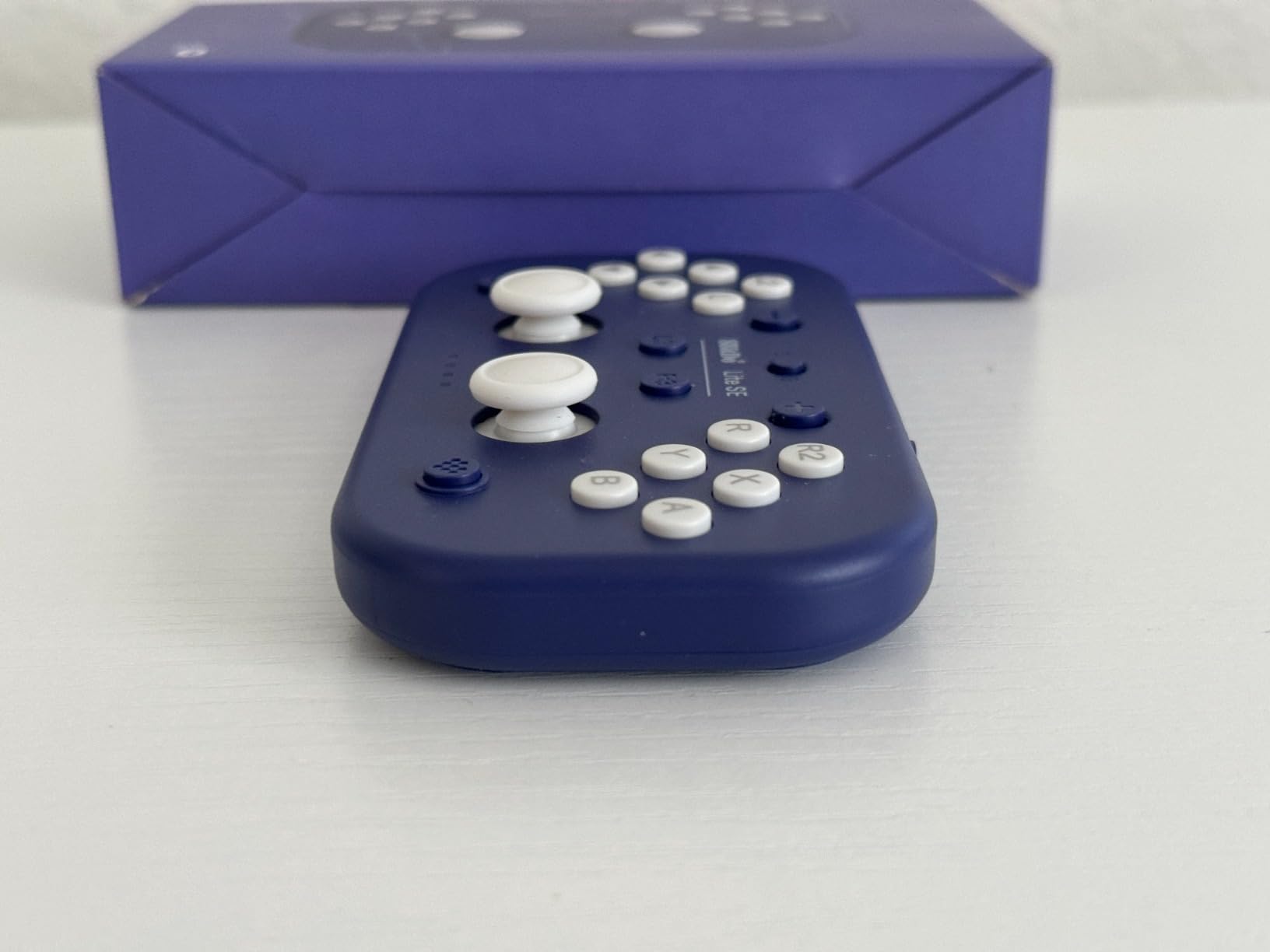
Separate L3 and R3 buttons mean you don’t need to click joysticks, which can be challenging for players with limited thumb strength. The rumble vibration and motion controls add immersion, though motion doesn’t function when the controller sits flat.
The 20-hour battery life covers multiple gaming sessions. For players who alternate between platforms, having one accessible controller that works across devices simplifies the gaming experience.
Best For
This controller suits mobile and Switch gamers with limited hand strength or those who prefer one-handed operation. The multi-platform compatibility benefits players who game across different devices. Small-handed users will find the compact size comfortable.
Considerations
Players with larger hands may find the controller uncomfortably small. Shoulder buttons become inaccessible when using the controller flat. No button remapping software limits customization options.
8. GameSir Nova Lite 2 Wireless – Best Budget Hall Effect Controller
GameSir Nova Lite 2 Wireless PC Controller Hall Effect Sticks
Hall Effect joysticks and triggers
1000Hz polling rate
Remappable back buttons
Multi-platform compatible
Pros
- Hall Effect joysticks prevent drift
- Excellent value for price
- Multi-platform compatibility
- 1000Hz polling rate for low latency
- Remappable back buttons
- Comfortable grip
Cons
- Battery not user-replaceable
- Battery life shorter than advertised
- Bluetooth pairing can be difficult
- Triggers may feel too strong
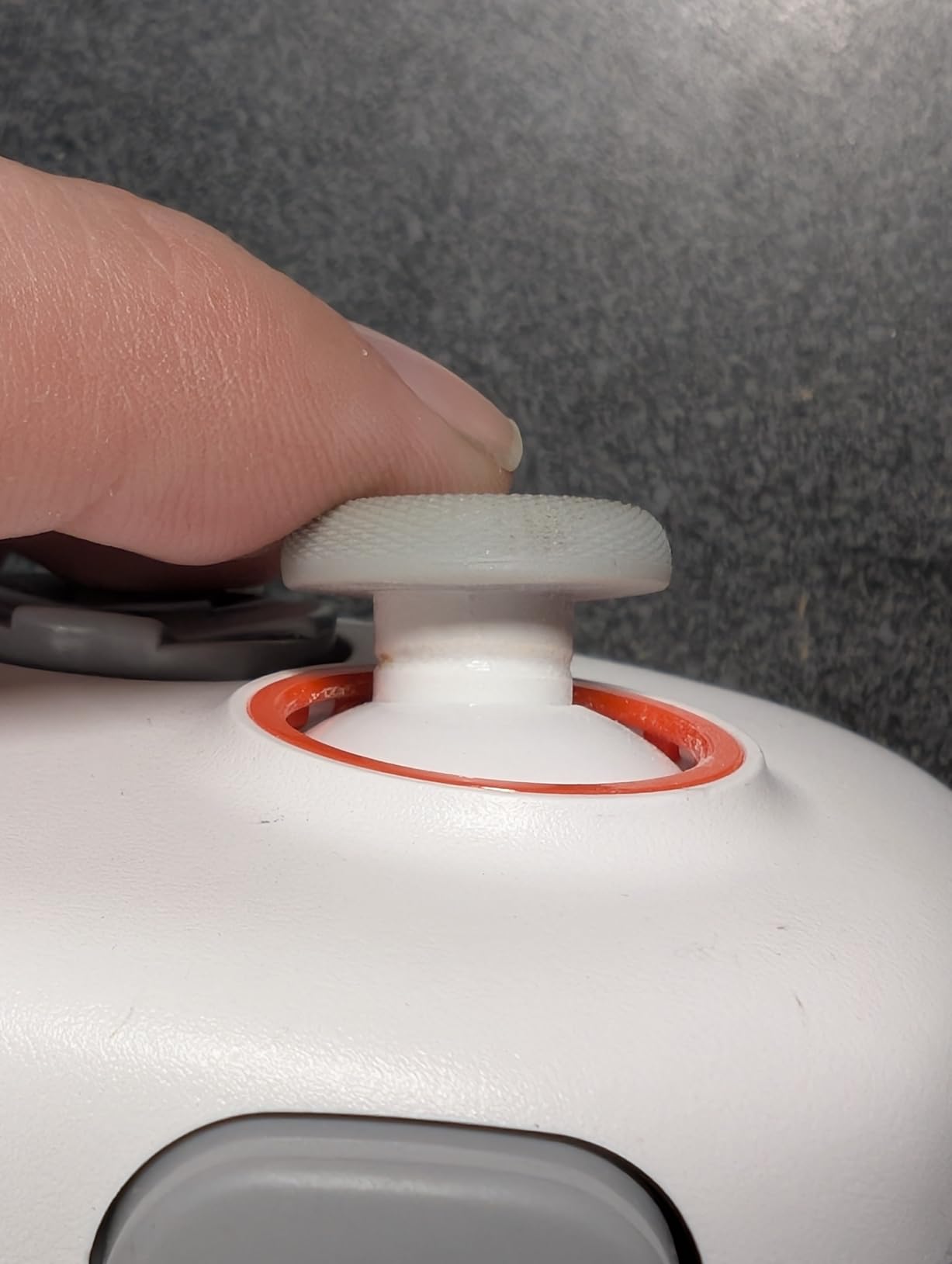
The GameSir Nova Lite 2 Wireless brings Hall Effect technology to a budget-friendly price point. Hall Effect joysticks use magnetic sensors instead of physical contacts, eliminating the drift that ruins traditional controllers and ensuring consistent performance over years of use.
During testing, the 1000Hz polling rate in wired mode delivered responsive input with minimal latency. The mechanical circular D-pad and 2-way trigger lock with hair trigger mode offer customization for different game types. Back buttons can be remapped for additional functions.
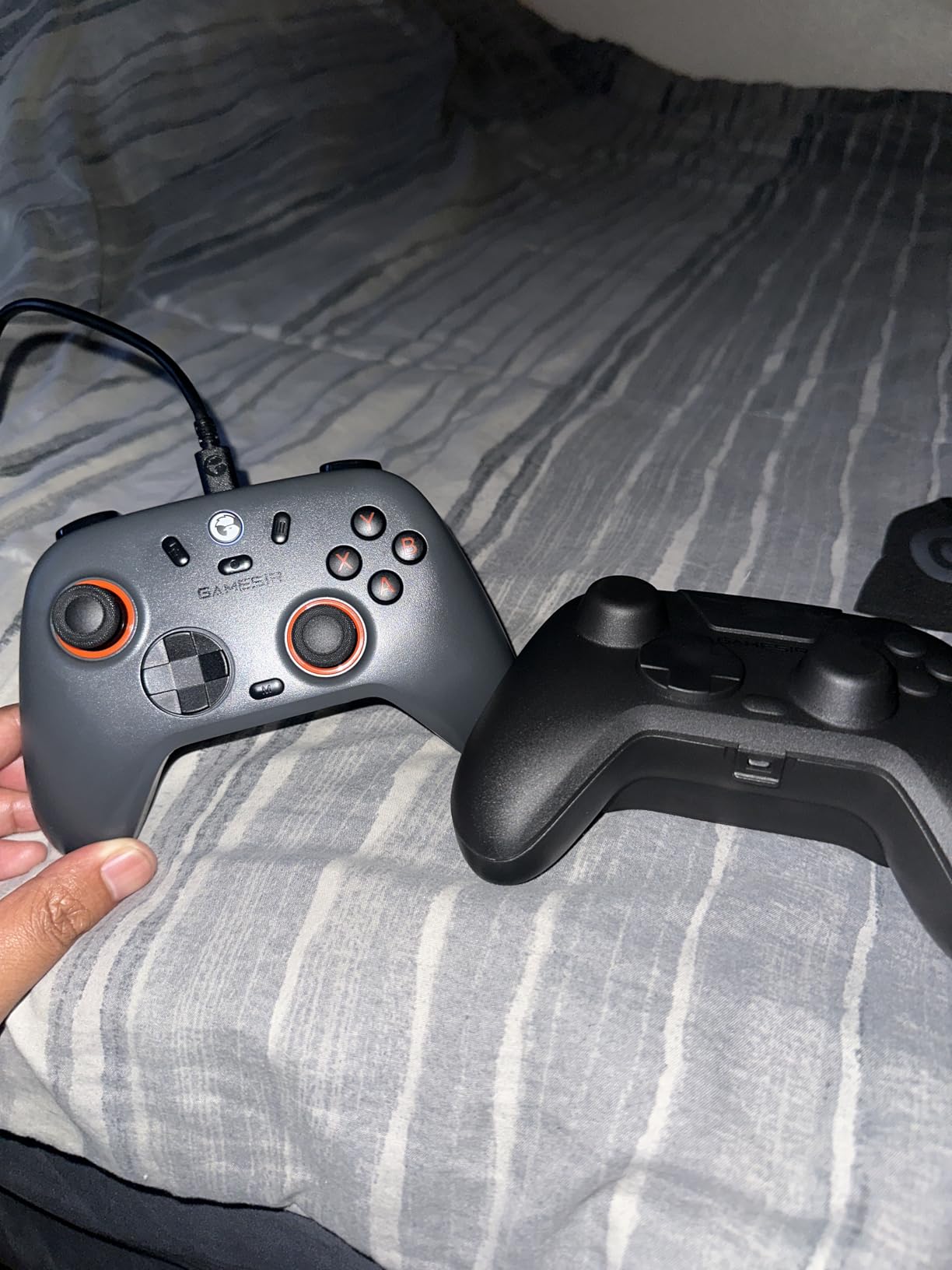
The GameSir app allows button remapping and macro recording through connected devices. While not as intuitive as premium controller software, it provides enough customization for most players. The dual asymmetric motors deliver nuanced rumble feedback.
Multi-platform support covers PC, Nintendo Switch, Steam, and Android devices. Switching between platforms requires different connection methods, but once configured, the controller remembers settings.
Best For
This controller suits budget-conscious players who want premium features like Hall Effect sticks without the premium price. It’s ideal for gamers who play across multiple platforms and appreciate anti-drift technology. The remappable back buttons benefit players who need alternative input placements.
Considerations
The non-replaceable battery means controller life is limited to battery health. Actual battery life runs closer to 6 hours rather than the advertised 10. Bluetooth pairing occasionally requires multiple attempts.
9. PowerA Wired Xbox Controller – Best Basic Xbox Controller Value
PowerA Wired Controller for Xbox Series X|S – blue, gamepad, video game/gaming controller, works with Xbox One, Officially Licensed
Officially Xbox licensed
10ft USB-C cable
Ergonomic design
Dual rumble motors
Pros
- Affordable alternative to Microsoft controllers
- Officially licensed for Xbox
- 10ft cable provides flexibility
- Comfortable for long sessions
- No battery concerns
- Reliable performance
Cons
- USB cable can fray over time
- Trigger buttons may stick
- No sync button on controller
- Wired connection limits mobility
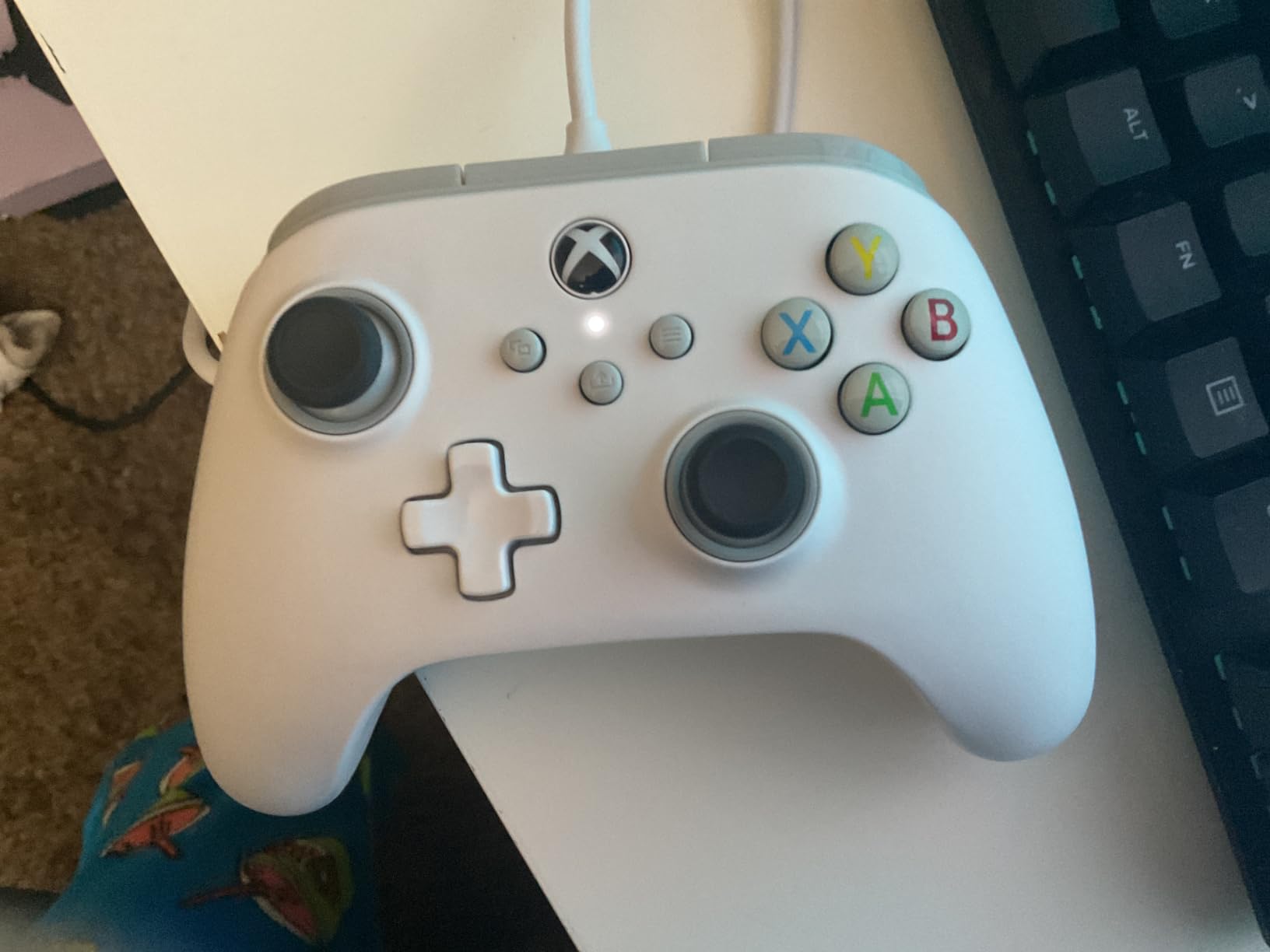
The PowerA Wired Controller offers Xbox-licensed functionality at a fraction of Microsoft’s controller price. For players who don’t need wireless freedom, this controller delivers reliable performance with standard Xbox button layout and features.
The 10ft USB-C cable provides enough length for most gaming setups, letting players sit comfortably without worrying about battery life or charging. The ergonomic design matches Xbox controller shape, making it familiar for players transitioning from official hardware.
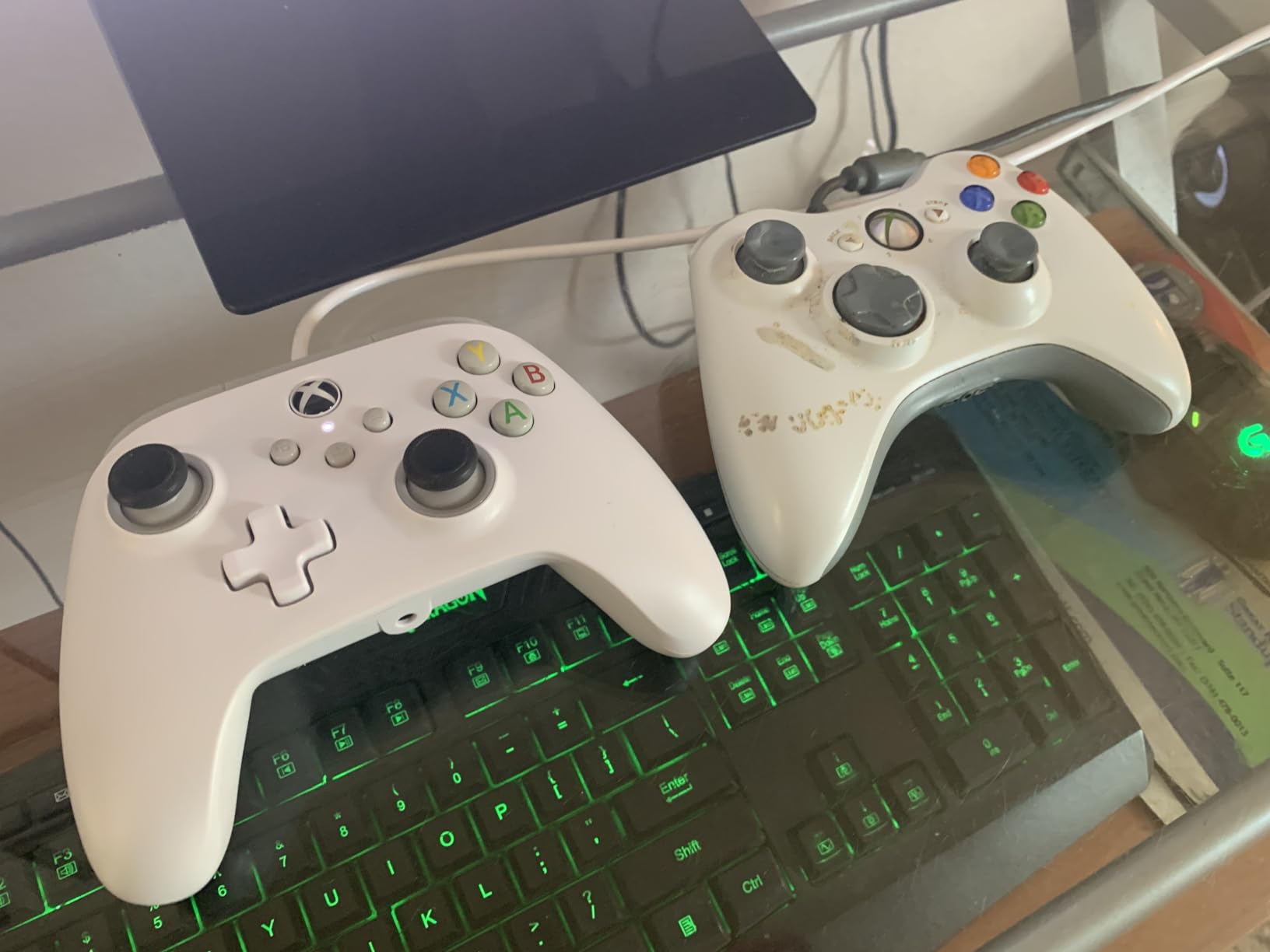
Dual rumble motors and impulse triggers deliver the haptic feedback expected from Xbox controllers. The 3.5mm headset jack supports inline audio controls. During testing, precision-tuned analog sticks with anti-friction rings provided smooth movement without sticking.
For accessibility purposes, the wired design eliminates connectivity troubleshooting. There’s no pairing process, no battery management, and no wireless interference. Just plug in and play, which matters for players who find technology setup challenging.
Best For
This controller suits players who want Xbox compatibility on a budget and don’t mind a wired connection. It’s ideal for those who find wireless setup frustrating or who experience hand/wrist issues that make battery replacement difficult. The familiar Xbox layout requires no learning curve.
Considerations
The long cable can become a tripping hazard or fray after extended use. Wired connection limits movement range. No sync button means you must unplug and reconnect to reset.
10. Nacon Revolution X Unlimited – Most Customizable Premium Controller
Nacon Revolution X Unlimited Precision Wireless Controller for XBOX and PC
Hall Effect magnetic technology
LCD screen customization
6 mappable shortcut buttons
Charging station included
Pros
- Hall Effect sticks prevent drift
- Extremely customizable with LCD screen
- Excellent build quality
- Charging dock and accessories included
- Multiple stick heads and weights included
- Analog triggers with adjustable travel
Cons
- Battery life shorter than expected
- Setup and software can be confusing
- Profile button can be pressed accidentally
- Lower back buttons hard to press reliably
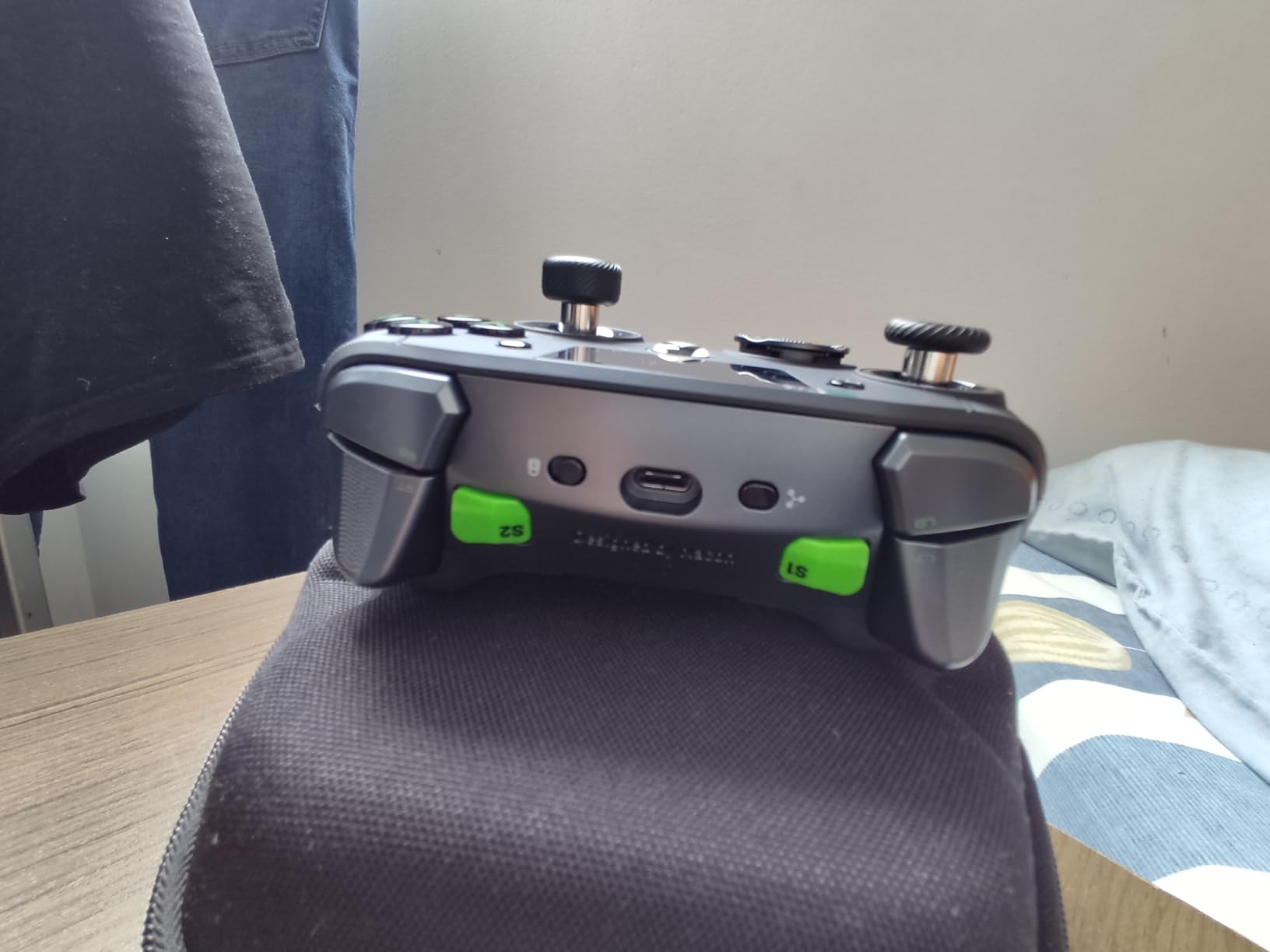
The Nacon Revolution X Unlimited represents the premium tier of accessible gaming controllers. Hall Effect magnetic technology in both joysticks and triggers eliminates drift while providing precise, consistent input over the controller’s lifespan.
The built-in LCD screen lets you adjust settings directly on the controller without navigating software menus. During testing, I could change button mappings, stick sensitivity, and trigger travel distance on the fly. This matters for players who need different configurations for different games.
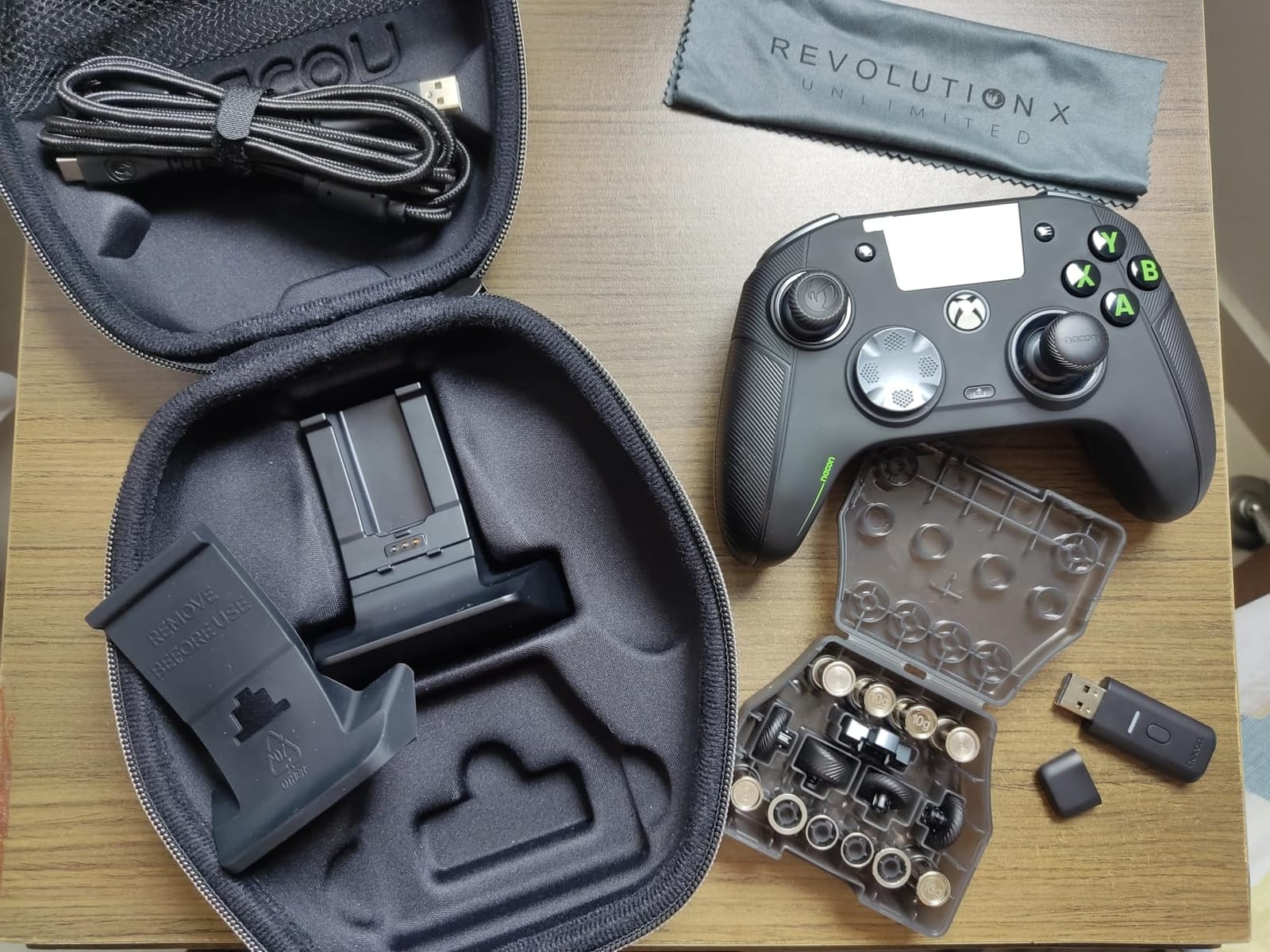
Six mappable shortcut buttons provide extensive input options for complex controls. The included charging station means you always have a place to store and charge the controller. Multiple stick heads, D-pad options, and weights let you customize physical feel.
The PC keyboard mapping feature allows you to assign keyboard keys to controller buttons, opening compatibility with games that don’t support standard controller input. This versatility benefits players who need controller input for PC games without native controller support.
Best For
This controller suits serious gamers who need extensive customization and premium build quality. It’s ideal for players who struggle with standard controller layouts and need precise control over button placement and sensitivity. The multiple physical configurations accommodate different hand sizes and grip preferences.
Considerations
The premium price point may be prohibitive for casual players. Software complexity requires patience to master all customization options. Battery life runs shorter than claimed at approximately 10 hours.
Buying Guide: How to Choose Accessible Gaming Gear?
Finding the right accessible gaming equipment depends on your specific mobility challenges, gaming platform, and budget. Here’s what to consider when making your selection.
Understand Your Mobility Needs
Start by identifying what makes traditional controllers difficult. Is it grip strength, range of motion, one-handed function, or something else entirely? Players with limited hand strength benefit from low-resistance buttons and sensitive joysticks like the 8BitDo Lite SE series. Those who can only use one hand effectively should consider one-handed keyboards like the Razer Tartarus V2 or RedThunder G30.
Consider Activation Force and Button Sensitivity
Activation force measures how much pressure a button requires to register input. Standard controllers need 50-70 grams of force. Accessibility-focused controllers like the 8BitDo Lite SE reduce this significantly. For players with severe weakness, adaptive switches that respond to muscle twitches or minimal pressure offer the best solution.
Platform Compatibility Matters
Not all controllers work with all platforms. Xbox Adaptive Controllers and compatible accessories like the Logitech G Adaptive Gaming Kit work primarily with Xbox and PC. PlayStation has its own Access Controller system. Cross-platform options like the 8BitDo Lite SE Bluetooth support multiple devices, which benefits players who game across consoles.
Setup Difficulty and Learning Curve
Some adaptive equipment requires significant configuration. The Quadstick, for example, has a steep learning curve for mouth-controlled input. Consider how much setup effort you can manage. Plug-and-play options like the RedThunder or Guiheng keypads work immediately, while premium customizable controllers like the Nacon Revolution X require software configuration.
Budget vs. Long-Term Value
Adaptive gaming equipment ranges from under $15 to over $200. While budget options work for trying one-handed gaming, premium adaptive solutions often provide better long-term value through durability and customization. Consider whether financial assistance programs through organizations like AbleGamers might help offset costs for medical necessity. You might also find our guide to budget streaming microphones helpful for complete accessible gaming setups.
Game Compatibility
Some games handle controller input differently. First-person shooters often need precise analog stick control, while fighting games work better with all-button layouts. Consider what types of games you play most and choose equipment that supports those genres. Many adaptive controllers allow button remapping to suit specific game requirements.
Frequently Asked Questions
What is the best game controller for disabled people?
The best controller depends on your specific needs. The Xbox Adaptive Controller combined with the Logitech G Adaptive Gaming Kit offers the most flexibility for severe mobility limitations. For one-handed play, the Razer Tartarus V2 gaming keypad with thumb joystick works well. For limited hand strength, the 8BitDo Lite SE controllers provide low-resistance buttons and sensitive joysticks.
What are some accessibility controllers for gaming?
Accessibility controllers include the Xbox Adaptive Controller hub, Logitech G Adaptive Gaming Kit with customizable buttons, 8BitDo Lite SE with low-resistance buttons, Razer Tartarus V2 one-handed keypad, and Quadstick mouth-operated controller. These devices offer varied input methods from large buttons to eye tracking to accommodate different mobility challenges.
How do I find financial assistance for adaptive gaming equipment?
Organizations like AbleGamers, SpecialEffect, and Child’s Play provide grants and assistance for adaptive gaming equipment. Some insurance plans cover assistive technology when prescribed for therapeutic purposes. Local disability resource centers may also know of regional programs. Veterans can check with VA rehabilitation services for gaming equipment as quality of life support.
Can I use one controller for multiple gaming platforms?
Yes, several controllers work across platforms. The 8BitDo Lite SE Bluetooth supports Switch, Android, iOS, and macOS. The GameSir Nova Lite 2 Wireless works with PC, Switch, Steam, and Android. Cross-platform controllers simplify setup and reduce costs for players who game on multiple systems.
What should I try first for accessible gaming on a budget?
For under $35, the 8BitDo Lite SE Bluetooth offers accessibility-focused design with low-resistance buttons. For PC gaming, the RedThunder One Handed Gaming Keyboard at around $22 provides 35 programmable keys. These budget options let you try accessible gaming before investing in premium adaptive equipment.
Conclusion
The best accessible gaming gear for players with limited mobility removes barriers between you and the games you love. Whether you need the complete customization of the Logitech G Adaptive Gaming Kit, the one-handed efficiency of the Razer Tartarus V2, or the low-resistance accessibility of the 8BitDo Lite SE series, options exist for every mobility challenge and budget in 2026. Gaming should be inclusive, and these adaptive solutions make that possible.