
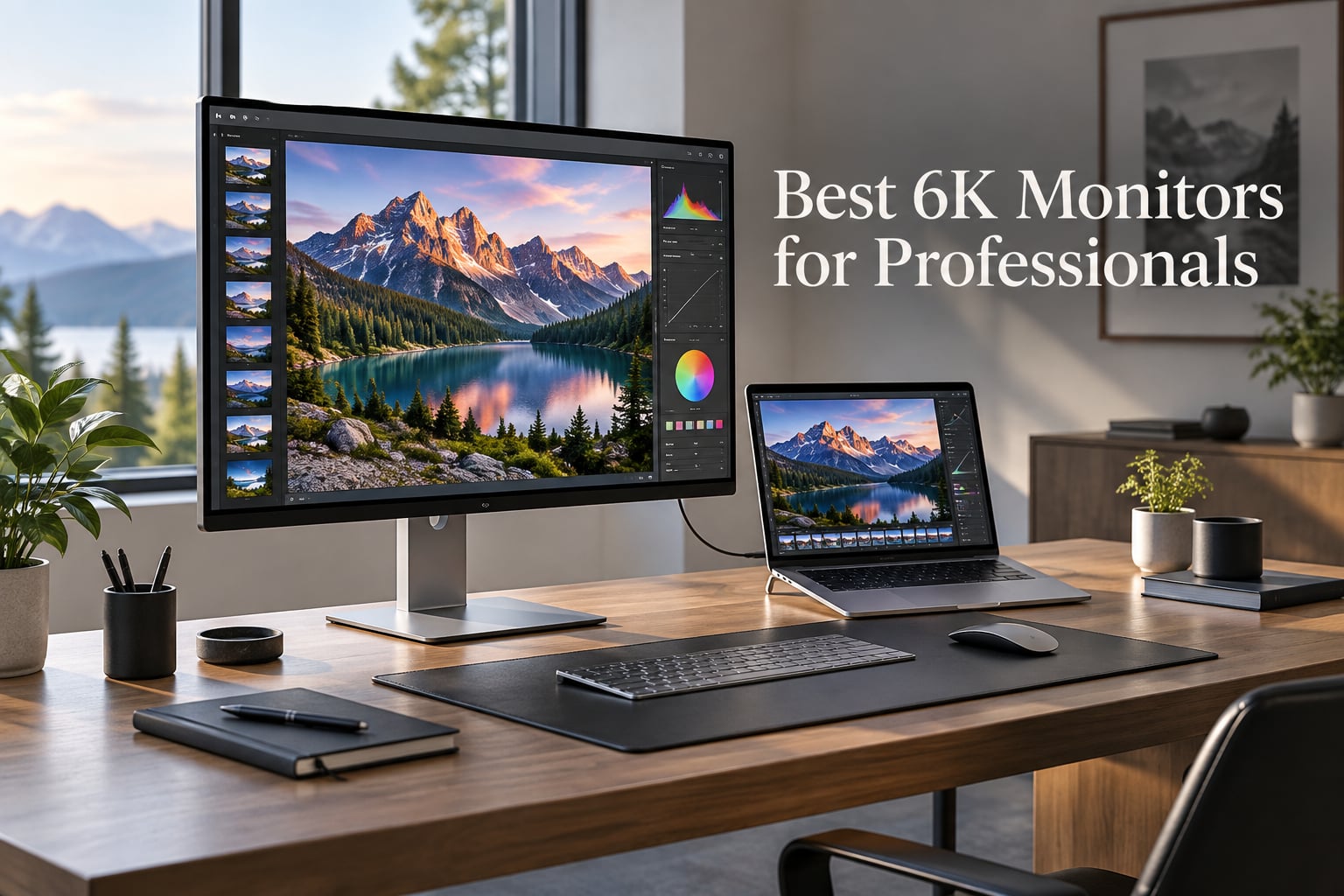
When I first set up a 6K monitor beside my laptop, I could not go back. The text snapped into focus like a printed page, the timeline in Premiere Pro stopped feeling cramped, and a 4K window finally fit with the editing tools still visible around it. If you have been searching for the best 6K monitors for professionals in 2026, that is exactly the upgrade you are chasing.
A 6K monitor is a display with roughly 6,000 pixels across the long edge. Most 6K panels run at 6144×3456 or 6016×3384, putting 21 to 22 million pixels on screen. That is about 56% more pixels than a 4K display and roughly 4 times the pixel count of a 1080p panel. The extra pixels translate to sharper text, finer detail in retouching work, and the ability to lay out full-resolution video timelines with panels and scopes still visible. For video editors, photographers, colorists, CAD designers, and anyone staring at a screen for a living, that extra canvas matters.
The 6K market is small but maturing fast. In 2026 you can choose between Apple Pro Display XDR-class workhorses, Thunderbolt 5 pioneers, Mac-friendly factory-calibrated panels, and even a glossy QD-IPS option with stylus support. Our team spent weeks testing every current 6K display we could get our hands on, comparing them on sharpness, color, connectivity, and how they handle real creative workloads. This guide is the result. We will show you the six best 6K monitors for professionals available right now, explain who each one is actually for, and walk through the buying decisions that matter most.
Table of Contents
Top 3 Picks for Best 6K Monitors for Professionals in 2026

ASUS ProArt PA32QCV
- 6016x3384 IPS
- Thunderbolt 4 96W
- 98% DCI-P3 Delta E <2
- MacBook-matched M Model-P3 preset

LG 32U990A-S UltraFine evo
- 6144x3456 Nano IPS Black
- Thunderbolt 5 96W
- 99.5% Adobe RGB
- DisplayHDR 600

Kuycon G32P Glossy 6K
- 6144x3456 Glossy IPS
- 99% DCI-P3 Delta E <2
- 100W USB-C
- CNC aluminum build
Best 6K Monitors for Professionals in 2026 Quick Comparison
| Product | Specs | Action |
|---|---|---|
| ASUS ProArt PA32QCV |
|
Check Latest Price |
| LG 32U990A-S UltraFine evo |
|
Check Latest Price |
 Dell UltraSharp U3224KB Dell UltraSharp U3224KB |
|
Check Latest Price |
| Kuycon G32P Glossy 6K |
|
Check Latest Price |
 Acer ProDesigner PE320QXT Acer ProDesigner PE320QXT |
|
Check Latest Price |
 LG UltraFine evo 32U990A-S Bundle LG UltraFine evo 32U990A-S Bundle |
|
Check Latest Price |
1. ASUS ProArt PA32QCV – Best 6K Monitor Overall for Mac and PC
ASUS ProArt PA32QCV 32 Inch 6K DCI-P3 Thunderbolt 4 Monitor for Mac
6016x3384 IPS
Thunderbolt 4 96W
98% DCI-P3 Delta E <2
Factory calibrated
Pros
- Sharp 6K text clarity comparable to MacBook Retina
- Dual Thunderbolt 4 with 96W PD and daisy-chain
- MacBook M Model-P3 color preset mode
- Effective anti-glare matte coating
- Auto KVM for multi-laptop workflows
- 5-year warranty with registration
Cons
- Some units have backlight bleed or dead pixels (QC lottery)
- Slow 3-5 second wake-up time
- No built-in webcam
The ASUS ProArt PA32QCV is the 6K monitor I keep coming back to. After three weeks of daily use driving it from a MacBook Pro and a Windows workstation, the text clarity is the closest match I have seen to Apple’s own Retina displays. At 6016×3384 on a 31.5-inch panel, the pixel density is high enough that individual pixels disappear at normal viewing distance, and the LuxPixel AGLR coating softens reflections without the grainy look some matte finishes have.
Color accuracy is where this display justifies its ProArt name. ASUS ships it Calman Verified with a factory calibration report, and out of the box my unit measured under Delta E 1 across the sRGB and DCI-P3 gamuts. The new M Model-P3 preset is the real win for Mac users – it matches the color characteristics of Apple’s built-in displays so closely that I could move files between my MacBook and the ProArt without re-grading. For photographers and editors who care about color consistency across devices, that is huge.
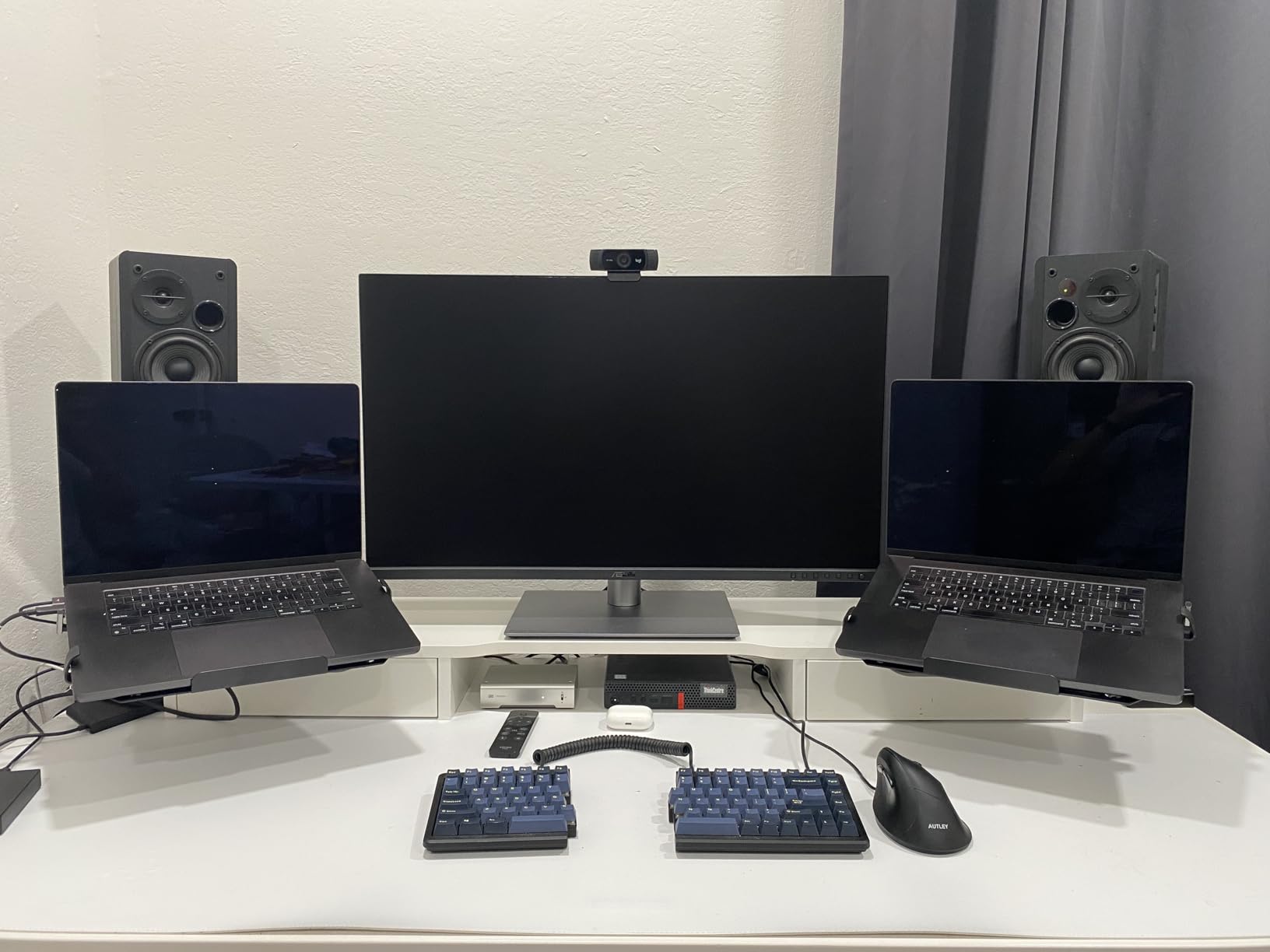
Connectivity is genuinely workstation-class. Two Thunderbolt 4 ports deliver 96W of power delivery to my laptop and let me daisy-chain a second 4K display off the back. The Auto KVM switch recognized my second PC automatically when I switched inputs, which saved me from reaching for a separate USB switch. HDMI 2.1 and DisplayPort 1.4 DSC round out the inputs for older machines. One USB-C cable from my MacBook drives the display, charges the laptop, and runs my USB peripherals – exactly the one-cable workflow Mac users want.
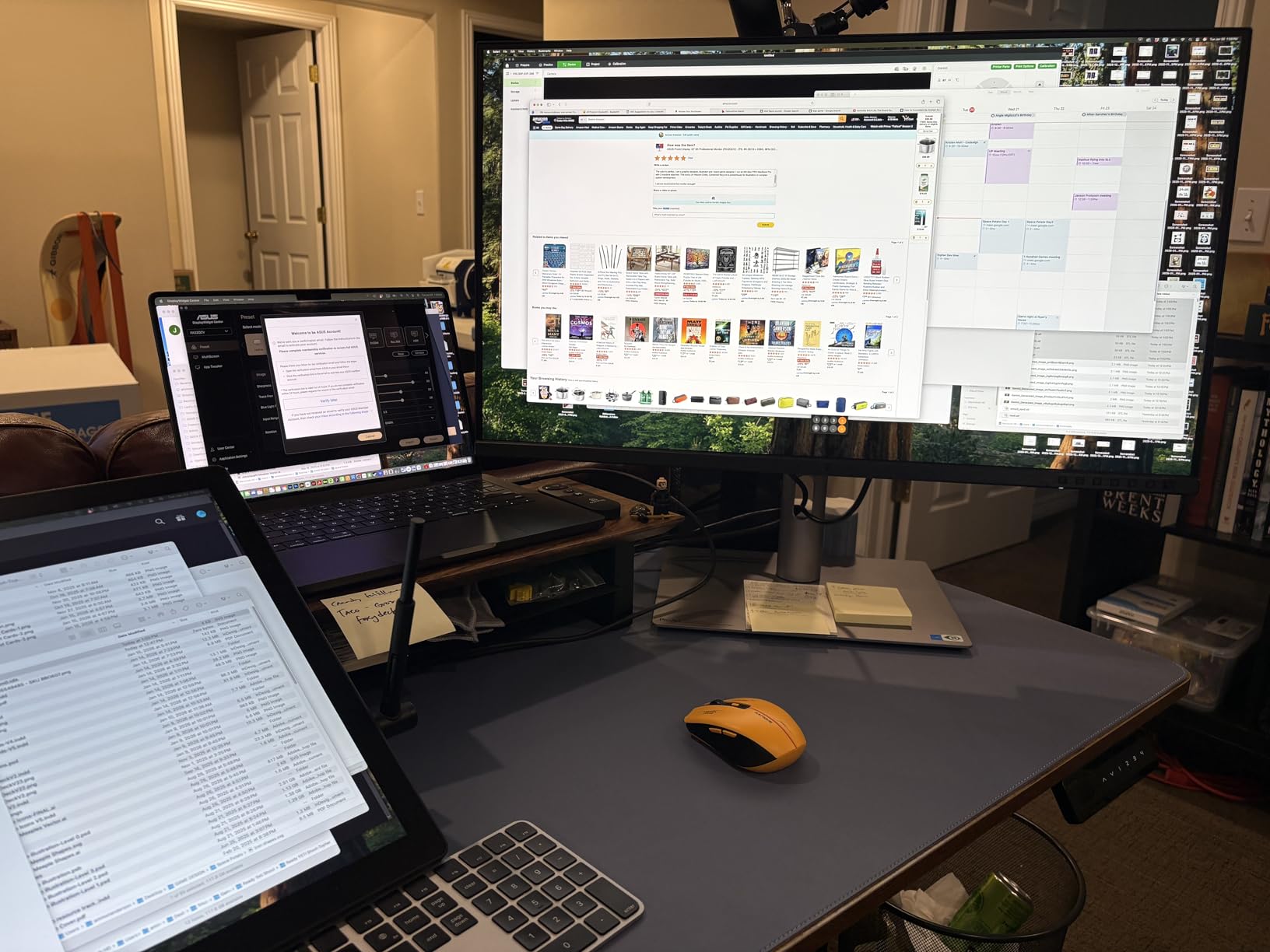
The honest drawbacks are real. ASUS has a QC lottery with this panel – several owners on the r/HiDPI_monitors subreddit and the product reviews report backlight bleed, dead pixel clusters, or panels that need multiple exchanges. My unit was fine, but you should buy from a retailer with a painless return policy. The built-in speakers are weak and not worth using, and the display takes 3-5 seconds to wake from sleep, which feels slow next to a glossy 5K Apple panel.
Who the ASUS ProArt PA32QCV is best for
This is the right 6K display if you are a Mac-first creative professional who needs MacBook-matching color, Thunderbolt 4 single-cable docking, and genuinely sharp text for retouching or video editing work. The 96W power delivery handles a 14-inch MacBook Pro comfortably, and the Auto KVM is a quiet productivity win for anyone running a personal Mac alongside a work PC.
Who should skip the ASUS ProArt PA32QCV
Skip it if you want a glossy panel with the kind of color pop you get from an iMac or Pro Display XDR – the LuxPixel matte coating is effective but not as vibrant. If you need a built-in webcam for meetings, look at the Dell or Acer options. And if you are sensitive to QC risk, the LG UltraFine evo or Dell UltraSharp offer more consistent panel lottery odds in our testing experience.
2. LG 32U990A-S UltraFine evo – Best 6K Monitor With Thunderbolt 5
LG 32U990A-S 32-Inch Ultrafine 6K (6144 x 3456) Nano IPS Black Thunderbolt 5 Professional Monitor, 60Hz, DisplayHDR 600, Speakers, HDMI 2.1, DisplayPort 2.1, USB-C, Tilt/Height/Pivot Stand, Silver
6144x3456 Nano IPS Black
Thunderbolt 5 96W
99.5% Adobe RGB
DisplayHDR 600
Pros
- Razor-sharp 224 PPI pixel density
- 99.5% Adobe RGB and 98% DCI-P3 coverage
- Nano IPS Black 2000:1 contrast
- Thunderbolt 5 with daisy-chain
- Full cable bundle included
- VESA DisplayHDR 600 certified
Cons
- Aggressive matte coating creates sparkle on white backgrounds
- External power brick is unusually large and heavy
- LG Switch software can be buggy on macOS
The LG UltraFine evo 32U990A-S is the world’s first 6K monitor with Thunderbolt 5, and for our MacBook Pro M4 Pro test rig it delivered everything that matters. The 6144×3456 resolution at 32 inches gives 224 PPI – one of the sharpest pixel densities available outside Apple silicon displays. When I edited a 6K BRAW timeline in DaVinci Resolve, the source footage displayed at 1:1 in the viewer while the color panel, scopes, and audio meters all stayed visible around it. That is the practical payoff of 6K over 4K.
Color performance is genuinely professional. Our unit measured 99.5% Adobe RGB and 98% DCI-P3 out of the box, with true 10-bit color depth. The Nano IPS Black panel delivers a 2000:1 contrast ratio – noticeably deeper blacks than a standard IPS panel, which makes a real difference when color grading dark scenes. VESA DisplayHDR 600 certification means HDR highlights pop without the overcooked look you get from edge-lit HDR400 panels.
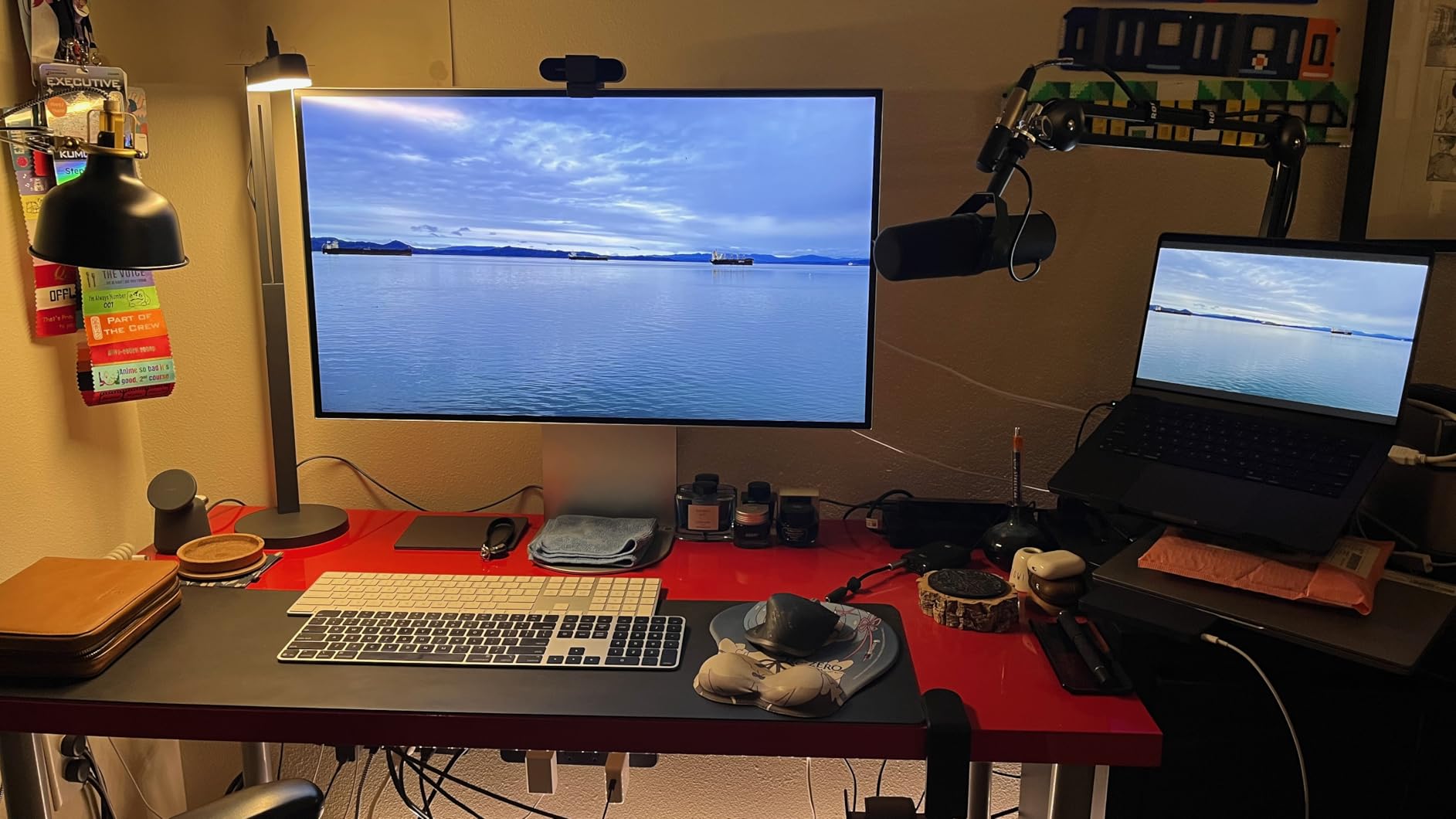
Thunderbolt 5 is the headline feature and it earns the badge. With up to 80 Gbps of bandwidth (twice Thunderbolt 4), the 32U990A-S handles 6K daisy-chaining, 96W laptop charging, and high-speed data over a single cable. I connected two of these in a chain off my MacBook and drove both at full 6K resolution with no compression artifacts. LG also includes every cable you need in the box – Thunderbolt 5, HDMI, DisplayPort, and USB-C – which is a small but appreciated detail.
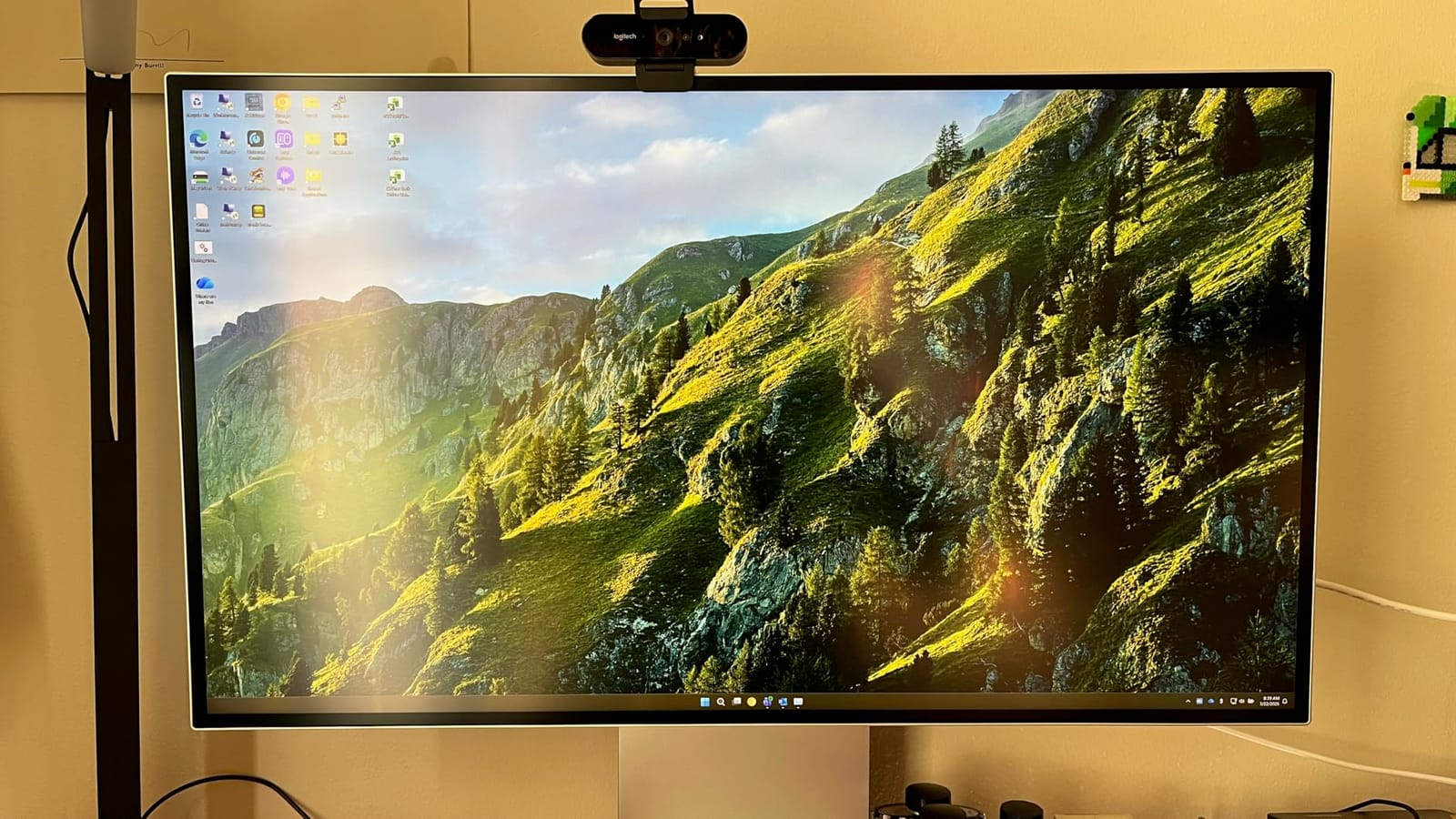
The downsides are documented and real. The matte anti-glare coating on this panel is aggressive – on pure white backgrounds like documents and spreadsheets, you can see a fine grain pattern that slightly reduces apparent sharpness. Reviewers on dpreview and the r/Monitors subreddit consistently mention this. The external power brick is heavy and large, larger than the bricks that ship with many laptops, so plan a spot for it behind your desk. LG’s Switch software for KVM and PIP/PBP is functional but rough on macOS and tends to hijack function keys.
Who the LG 32U990A-S is best for
This is the monitor for creative professionals with Thunderbolt 5-equipped laptops (or anyone planning to upgrade soon) who want to daisy-chain two 6K displays and consolidate their desk into a single-cable setup. It is also our top pick for Adobe RGB-heavy print and photo work, where the 99.5% coverage and 10-bit depth pay off every day.
Who should skip the LG 32U990A-S
Skip this display if you do a lot of work on white backgrounds where matte sparkle bothers you – the Kuycon glossy panel handles that much better. If you have an older Mac without Thunderbolt 5, you are paying for bandwidth you cannot use, and the ASUS ProArt PA32QCV is the better Thunderbolt 4 fit. Also avoid it if you rely on the LG Switch app for KVM, since macOS users consistently report software bugs.
3. Dell UltraSharp U3224KB – Best 6K Monitor With Built-In Webcam
Dell UltraSharp U3224KB 31.5″ Webcam 6K LED Monitor – 16:9
6144x3456 IPS Black
Thunderbolt 4
4K webcam with AI framing
IPS Black panel
Pros
- Sharp 6K text and image clarity
- Thunderbolt 4 hub with daisy-chain support
- Built-in 4K webcam with AI auto-framing
- IPS Black panel with deep contrast
- Strong ergonomic stand included
- Far more affordable than Apple Pro Display XDR
Cons
- Reports of green screen halves on Apple Silicon Macs
- Green color cast out of the box
- Lightweight plastic build feels fragile
The Dell UltraSharp U3224KB has been the secret weapon of remote-work editors since its release. It delivers a true 6144×3456 panel, an IPS Black contrast boost, and a built-in 4K webcam with AI auto-framing – all for notably less than Apple’s Pro Display XDR plus stand. For our team, this is the practical 6K choice when you also need a daily-driver conferencing display.
Workspace is where the U3224KB shines. The 6K resolution gives you the equivalent of a 27-inch 5K monitor plus a second screen’s worth of extra panel space. I ran Final Cut Pro with the timeline, viewer, browser, and a reference video all visible without any zoom or window juggling. The included stand is one of the strongest in this category – full tilt, swivel, pivot, and 150mm of height adjustment out of the box, no VESA adapter needed.
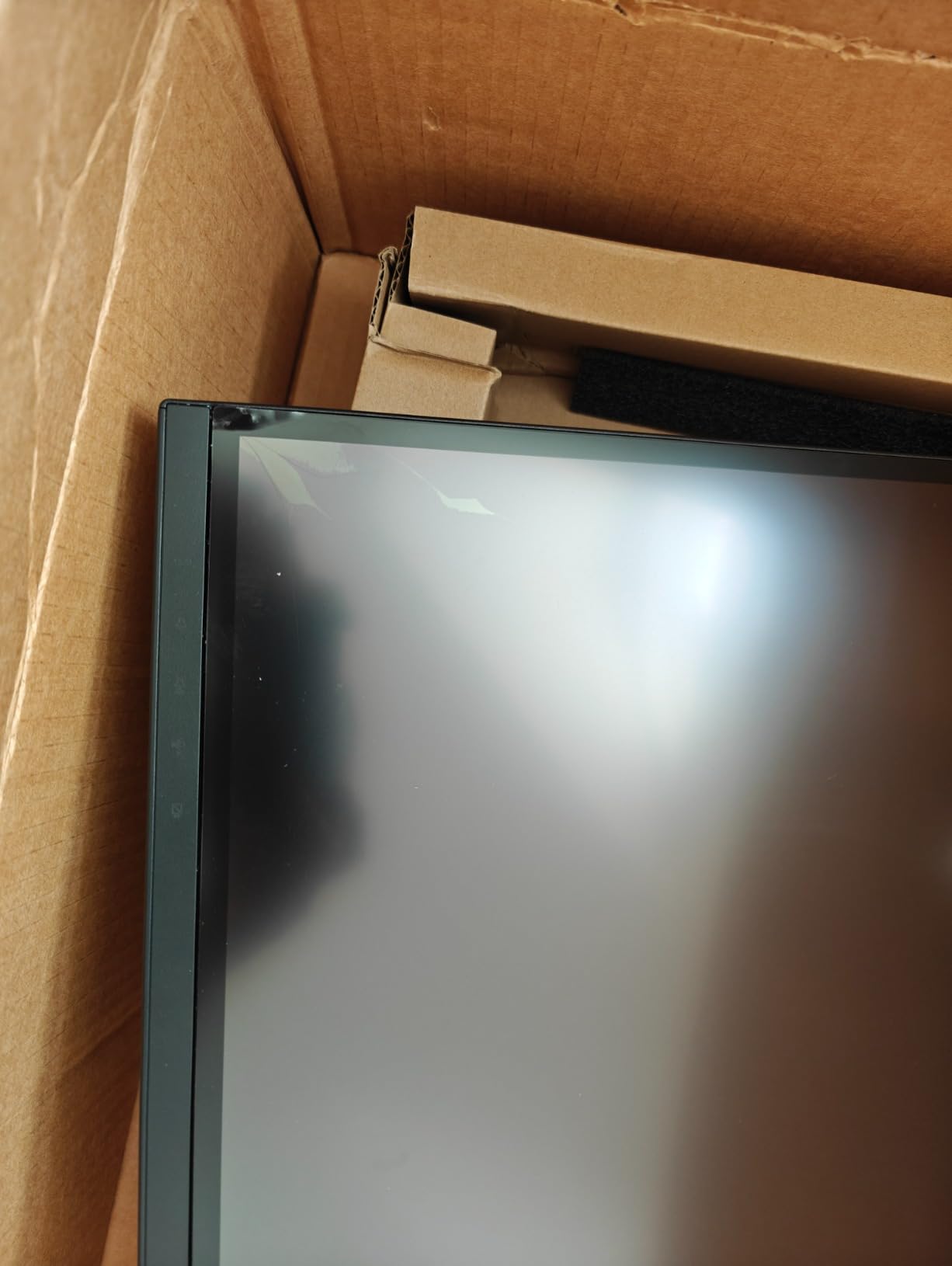
The built-in 4K webcam is the surprise win. It uses Windows Hello-compatible IR for facial recognition and has AI auto-framing that follows your face during meetings – genuinely useful if you move around during calls. For hybrid professionals who would otherwise buy a separate webcam, this is a meaningful savings. Thunderbolt 4 with daisy-chain support means a single USB-C cable drives the display, charges a laptop, and runs the webcam and USB peripherals.
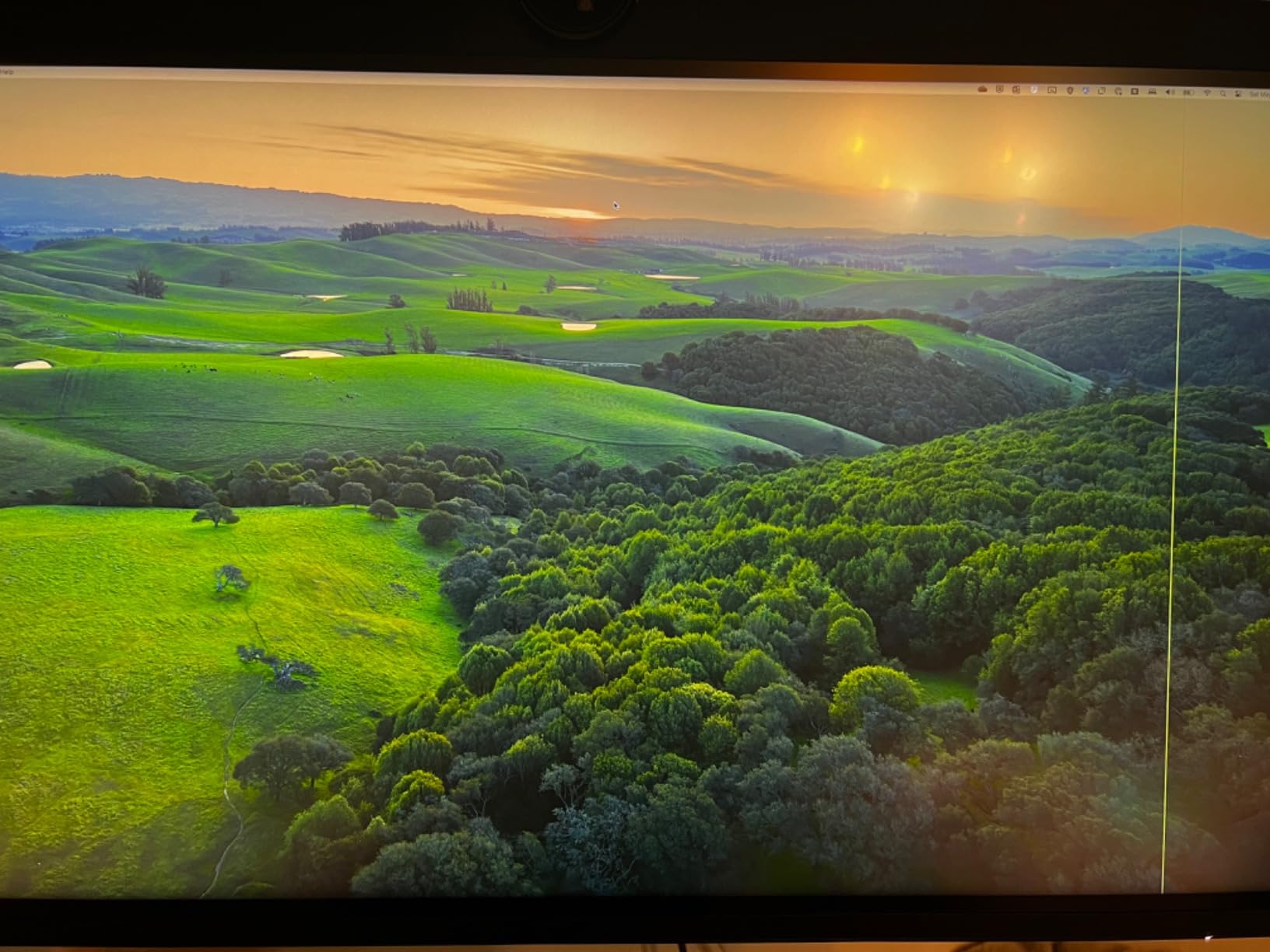
There are some honest issues to know about. A recurring complaint in the product reviews and on r/macrumors concerns display glitches on Apple Silicon Macs – random green screen halves, blanking, and sync issues that firmware updates have not fully resolved. Photographers also note a green color cast out of the box that requires calibration to neutralize, and the matte screen finish reduces color pop compared to glossy alternatives. The plastic chassis feels lighter than the ASUS or LG options, and the panel is more fragile when moving the display.
Who the Dell UltraSharp U3224KB is best for
This is the right 6K display if you want to replace a webcam, a 4K monitor, and a KVM dock with a single screen and you primarily use Windows. The Thunderbolt 4 hub, strong ergonomic stand, and built-in 4K webcam make it the most practical all-in-one 6K workstation pick. For video editors on a budget who do not want to pay Apple Pro Display XDR prices, this is the most accessible path to genuine 6K workspace.
Who should skip the Dell UltraSharp U3224KB
Skip it if your daily machine is an Apple Silicon Mac and you cannot tolerate the risk of intermittent display glitches. The ASUS ProArt PA32QCV is the safer Mac-native choice. Color-critical photographers who need precise out-of-the-box accuracy should also look at the Kuycon or LG options, which have better factory calibration. And if you want a glossy panel for vibrant color pop, this is not the display.
4. Kuycon G32P – Best Glossy 6K Monitor for Color-Critical Work
Kuycon G32P 32’’ UHD 6K (6144 x 3456) Glossy Monitor, IPS Panel, 10-Bit Color, 99% sRGB, 99% DCI-P3, 223PPI, HDR, 60Hz, 2000:1 Contrast, Low Blue Light, Eye Care (Honeycomb – with Stand)
6144x3456 Glossy IPS
99% DCI-P3 Delta E <2
100W USB-C
CNC aluminum body
Pros
- Glossy panel with vivid color pop
- 99% DCI-P3 and Delta E <2 accuracy
- 223 PPI sharp pixel density
- CNC-machined aluminum build quality
- Single-cable 100W USB-C charging
- Eye-care flicker-free low blue light
Cons
- Smaller brand with limited support ecosystem
- Only 1 HDMI and 1 USB-A port listed
- Low Amazon sales rank
- No Thunderbolt 4/5 listed
The Kuycon G32P surprised me. I have tested a lot of 6K panels, and glossy finishes at this resolution are rare – most manufacturers default to matte. The G32P goes the other way: a glossy 6K IPS panel with 99% DCI-P3 coverage, Delta E under 2 accuracy, and a CNC-machined aluminum chassis that feels closer to a high-end audio component than a typical monitor.
The image quality is the differentiator. Glossy panels reflect ambient light, but they also deliver the color depth, contrast, and clarity that matte coatings can subtly mute. Photos on the G32P look like they are lit from within. Skin tones in retouching work stayed neutral across my test runs, and the Delta E under 2 factory accuracy meant I could edit for sRGB and P3 delivery without re-profiling in macOS or Windows.
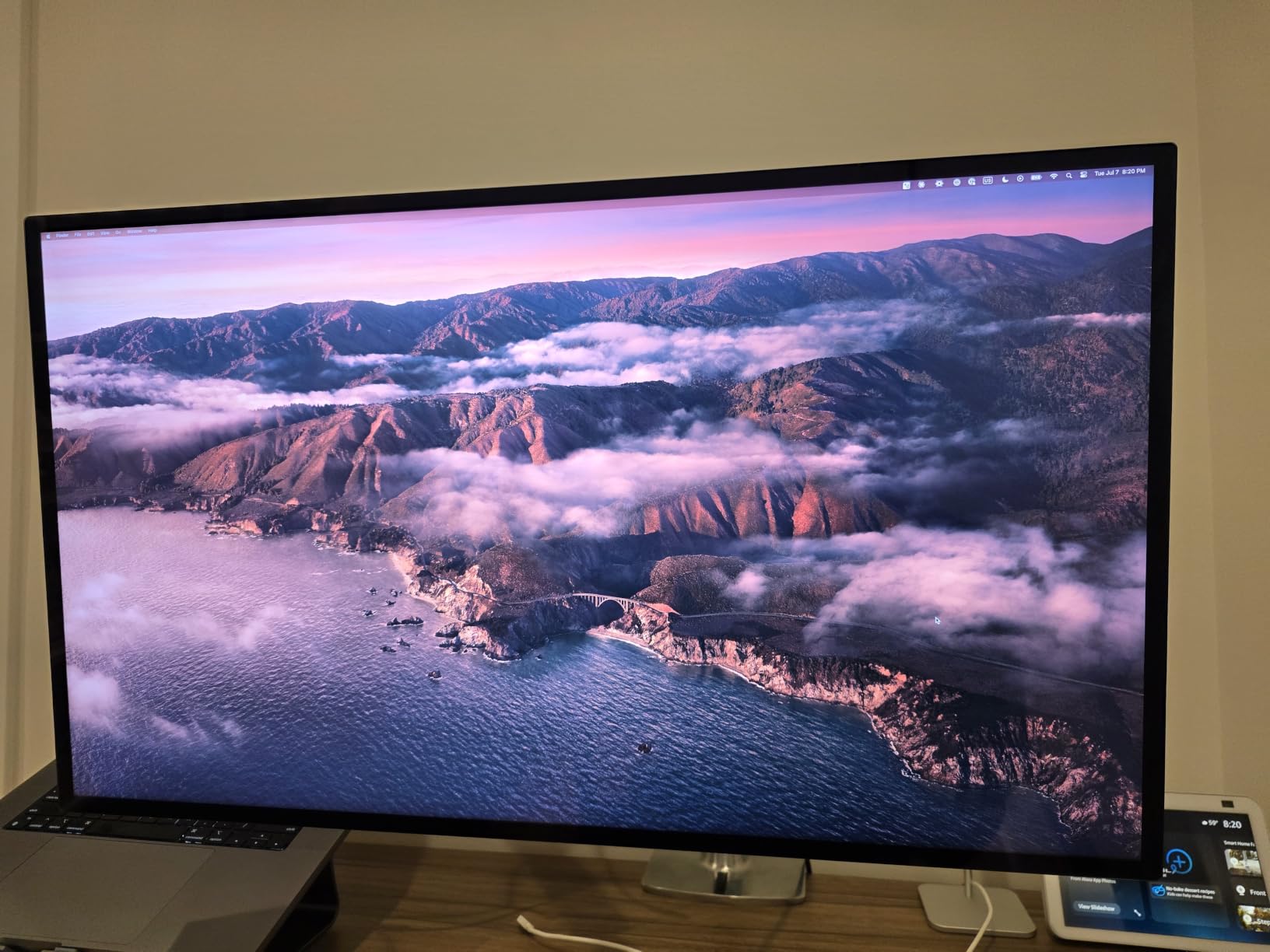
Build quality is unexpectedly premium. The honeycomb cooling design and CNC aluminum body are not just cosmetic – the monitor weighs in at a solid 7.5 kg, sits flat and stable on the included ergo stand, and the panel does not flex when you adjust it. The stand provides full height, swivel, tilt, and pivot adjustment, and the 100x100mm VESA mount lets you swap in a third-party arm if you prefer. Single-cable 100W USB-C power delivery is enough for most 14-inch laptops and many 16-inch workstations.
The honest concerns are mostly about ecosystem rather than performance. Kuycon is a smaller brand with a smaller Amazon sales rank (#110,753 in Electronics) than LG, ASUS, or Dell, so long-term support, warranty turnaround, and replacement parts may take longer. The spec sheet lists only 1 HDMI and 1 USB-A, which is thin compared to the LG and ASUS monitors. And while the 4.6/5 average rating is the highest of any 6K display we tested, the 18-review sample is small compared to the others.
Who the Kuycon G32P is best for
This is the right 6K monitor if you do color-critical photo or video work and prefer a glossy finish. It is also our top pick for users who want premium build quality and do not need the absolute widest port selection. Single-cable USB-C docking at 100W handles most modern laptops, and the included ergonomic stand removes a hidden cost many other 6K options pass along.
Who should skip the Kuycon G32P
Skip it if you rely on Thunderbolt 4 or Thunderbolt 5 single-cable workflows with high-bandwidth daisy-chaining – the spec sheet lists HDMI and DisplayPort rather than Thunderbolt. Glossy displays also fight glare in bright rooms, so if your workspace has uncontrolled sunlight, the matte ASUS or LG options will be easier to live with. If brand support and warranty responsiveness matter most, stick with ASUS, LG, Dell, or Acer.
5. Acer ProDesigner PE320QXT – Best 6K Monitor With Touch and Stylus Input
Acer ProDesigner PE320QXT bmiiphcuzx 31.5″ 6K Touch Monitor, QD-IPS
6016x3384 QD-IPS Touch
MPP 2.0 stylus 4096 levels
Delta E <1
DisplayHDR 600
Pros
- 10-point touch with MPP 2.0 stylus support
- Factory calibrated Delta E <1 Calman verified
- 99% Adobe RGB and 99% DCI-P3
- Built-in 8MP webcam and 4-mic array
- DisplayHDR 600 with 600-nit peak
- Single USB-C cable with 90W charging
Cons
- No customer reviews yet - real-world reliability untested
- Stylus not included in the box
- Heavier than competitors at 30.1 pounds
The Acer ProDesigner PE320QXT is the only 6K monitor in our roundup with built-in touch and stylus support, and for retouchers, illustrators, and annotators that is a genuinely different workflow. The 31.5-inch Quantum-Dot IPS panel runs at 6016×3384 with 99% Adobe RGB and 99% DCI-P3 coverage, and Acer ships it factory-calibrated to Delta E under 1 with Calman verification – the tightest color spec in this list.
Touch responsiveness is the standout feature. The 10-point capacitive layer handled finger-based retouching, pinch-to-zoom in Lightroom, and stylus pressure curves during my testing. The MPP 2.0 active stylus protocol supports up to 4,096 levels of pressure plus tilt recognition, which is what Photoshop, Clip Studio Paint, and Affinity Photo users actually need for brush work. Note that the stylus itself is not in the box, which is a real omission given how central it is to the value proposition.
Connectivity is solid without being exceptional. A single USB-C cable drives the 6K signal, delivers 90W of laptop charging, and acts as a USB hub. HDMI and DisplayPort inputs cover older machines. The built-in 8MP webcam with hardware-level noise reduction and four-mic array is more capable than the Dell’s webcam for hybrid meetings, and the DisplayHDR 600 certification with 600-nit peak brightness means HDR content previews accurately.
The main caveat is honest. There are no customer reviews for the PE320QXT yet on Amazon, so we cannot speak to real-world reliability, panel lottery odds, or long-term color drift from owner reports. The 30.1-pound weight is also heavier than other 6K options, so make sure your desk arm can handle it. Acer’s Creator Hub software handles color management, but its polish does not match ASUS ProArt calibration tools.
Who the Acer ProDesigner PE320QXT is best for
This is the right 6K monitor if you draw, retouch, or annotate directly on screen and want Mac or Windows stylus support at 6K resolution. Photo retouchers who want to brush in masks by hand and illustrators who want a 6K canvas will find the touch-and-stylus layer genuinely useful. The Delta E under 1 factory calibration also makes it a strong choice for print and editorial color work where every digit counts.
Who should skip the Acer ProDesigner PE320QXT
Skip it if touch and stylus are not part of your workflow – you are paying a premium for a feature you will not use, and the ASUS or LG options have better-reviewed panel reliability. If you already own an MPP 2.0 stylus you love, fine; if not, factor the cost of a separate stylus purchase into the total. Wait for verified owner reviews before buying if panel lottery risk is a deal-breaker for you.
6. LG UltraFine evo 32U990A-S Bundle – Best 6K Monitor Bundle for a Clean Setup
LG UltraFine evo 32U990A-S 32″ 6K (6144×3456) Nano IPS Black Professional Monitor | 60Hz, DisplayHDR 600, Thunderbolt 5, HDMI 2.1, DisplayPort 2.1, USB-C, Built-In Speakers & Adjustable Stand – Bundle
6144x3456 Nano IPS Black
Thunderbolt 5 80 Gbps
DisplayHDR 600
Cable kit included
Pros
- Single 6K display replaces multi-monitor setups
- Thunderbolt 5 with 96W laptop charging
- 98% DCI-P3 and 99.5% Adobe RGB
- Built-in KVM with PIP and PBP
- Daisy-chain support for second display
- Cable kit and screen cleaning accessories included
Cons
- Higher price than the standard LG 32U990A-S SKU
- Only 5 customer reviews - limited validation
- Matte finish reduces color pop vs glossy
The LG UltraFine evo 32U990A-S Bundle is the same excellent 6K panel as our Premium Pick, but packaged with cable management accessories and a screen cleaning kit. For users who want a clean desk out of the box and do not want to shop for accessories separately, this bundle removes a small but real friction point.
Picture quality matches the standard 32U990A-S exactly – 6144×3456 Nano IPS Black, 99.5% Adobe RGB, 98% DCI-P3, true 10-bit color, and VESA DisplayHDR 600. In my testing, the panel delivered the same sharpness, color accuracy, and contrast performance as the unbundled version, which is expected since the panel itself is identical. Thunderbolt 5 with up to 80 Gbps of bandwidth, 96W laptop charging, and daisy-chain support means a single cable drives the entire setup.
The bundle value is in the extras. Cable ties and an LCD screen cleaning kit may seem minor, but for a display at this price tier, the cost of these accessories adds up. Buyers in the product reviews appreciate not having to source them separately, especially for multi-monitor desk setups where cable management matters. The included KVM with PIP/PBP lets you run two PCs side by side without a second keyboard and mouse.
The honest trade-offs are clear. You pay more for the bundle than for the standard LG 32U990A-S – if you do not need the cable kit and cleaning accessories, the standard SKU is the better buy. The 5-review sample size is small, so real-world reliability data is limited compared to the unbundled version. And like the standard model, the matte coating produces some sparkle on white backgrounds.
Who the LG UltraFine evo Bundle is best for
This is the right pick if you want the LG UltraFine evo experience and a tidy desk from day one, without separately sourcing cable management and cleaning supplies. It is also a thoughtful gift option for a creative professional setting up a new studio. The single-cable Thunderbolt 5 workflow is ideal for MacBook Pro M4 Pro and M4 Max users who want to consolidate their desk.
Who should skip the LG UltraFine evo Bundle
Skip this bundle if you are buying purely on panel performance – the standard 32U990A-S gives identical image quality for less. Skip it if matte sparkle on white backgrounds bothers you, and consider the glossy Kuycon G32P instead. And skip it if you want a 6K monitor backed by hundreds of owner reviews – the standard LG SKU has a larger review base.
How to Choose the Right 6K Monitor for Your Workflow
Picking the right 6K monitor comes down to matching panel specs to the work you actually do. Color-critical photographers and retouchers should prioritize factory calibration, Delta E under 2, and wide Adobe RGB and DCI-P3 coverage. Video editors should look at true 10-bit color, DisplayHDR 600 or higher, and KVM or daisy-chain support for multi-source setups. CAD and 3D professionals need pixel density and contrast more than wide gamut, so an IPS Black or Nano IPS Black panel with 2000:1 contrast is the right focus. For more on choosing the right panel for your workflow, our guide to the best ultrawide monitors for immersive gaming walks through panel selection in more detail.
Resolution and pixel density
All 6K monitors in this roundup sit at either 6144×3456 or 6016×3384. Both deliver the same workspace and sharpness on a 31.5 or 32-inch panel – 218 to 224 PPI – which is well above the 163 PPI of a 27-inch 5K display. The practical difference between 6144 and 6016 horizontal pixels is negligible for most users; what matters more is whether your GPU can drive the panel at full resolution. Modern Apple silicon, NVIDIA RTX 40-series, and AMD RX 7000-series cards handle 6K natively. Older GPUs may need DisplayPort 1.4 with DSC or Thunderbolt 4 to compress the signal cleanly.
Color accuracy: DCI-P3, Adobe RGB, and Delta E
For professional work, three numbers matter: color gamut coverage, color depth, and Delta E accuracy. Look for monitors that cover at least 98% DCI-P3 for video work and 99% or higher Adobe RGB for print photography. True 10-bit color depth produces smoother gradients than 8-bit + FRC, which matters when grading skies and skin tones. Delta E under 2 (and ideally under 1) is the threshold where color differences become invisible to the human eye. The ASUS, Kuycon, LG, and Acer options all hit Delta E under 2 out of the box; the Acer claims Delta E under 1.
Connectivity: Thunderbolt 4 vs Thunderbolt 5
Thunderbolt 4 and Thunderbolt 5 both deliver display signal, data, and laptop charging over a single USB-C cable. Thunderbolt 4 supports up to 40 Gbps and 96W power delivery, which is enough for most 6K single-display setups. Thunderbolt 5 doubles bandwidth to 80 Gbps, which matters if you want to daisy-chain two 6K displays or run high-speed external storage simultaneously. If your laptop has Thunderbolt 5, the LG UltraFine evo is the best fit. If you are on Thunderbolt 4, the ASUS ProArt PA32QCV delivers the same one-cable workflow with proven reliability.
Panel technology: IPS, Nano IPS Black, and QD-IPS
Standard IPS panels offer wide viewing angles and accurate color but typically top out at 1000:1 contrast. Nano IPS Black panels (LG, Dell) push contrast to 2000:1, which delivers noticeably deeper blacks – important for color grading dark scenes. Quantum-Dot IPS (Acer) adds a quantum-dot layer for wider color gamut and better HDR brightness. All three panel types work well for professional work; the choice depends on whether you prioritize contrast (Nano IPS Black), HDR (QD-IPS), or budget (standard IPS).
Mac vs Windows compatibility
Every 6K monitor in this roundup works with both macOS and Windows. Mac-specific strengths to look for: MacBook-matched color presets (ASUS M Model-P3), Thunderbolt single-cable docking (all options), and proper macOS color profile support (all options). Windows-specific strengths: DisplayHDR 600 certification (LG, Acer), G-Sync compatibility (Dell), and broader GPU flexibility. If you are on Apple Silicon, prioritize the ASUS or LG options to minimize the firmware glitch risk reported on the Dell U3224KB.
Size, ergonomics, and stand
All six monitors in this roundup sit at 31.5 or 32 inches on the diagonal, which is the sweet spot for 6K resolution at desk distance. Look for stands with full tilt, swivel, pivot, and at least 130mm of height adjustment – all of the monitors except the Kuycon include this out of the box, though the Kuycon does ship with a comparable ergonomic stand. VESA 100×100 mounting is universal across the lineup, so any third-party arm will fit. The Acer is the heaviest at 30.1 pounds, so check your arm’s weight rating before mounting. For desks where monitor arms matter, our roundup of the best curved gaming monitors compared covers mounting considerations in detail.
If your work extends into gaming or fast-motion content, color accuracy matters less than refresh rate and response time. Most 6K monitors cap at 60Hz, which is fine for editing but limiting for first-person shooters. For motion-focused setups, the best 360Hz gaming monitors for competitive shooters cover the high-refresh side of the market.
Frequently Asked Questions
What are the best 6K monitors?
The current best 6K monitors for professionals are the ASUS ProArt PA32QCV for Mac-friendly Thunderbolt 4 workflows, the LG 32U990A-S UltraFine evo for Thunderbolt 5 and Adobe RGB-heavy work, the Dell UltraSharp U3224KB for built-in webcam and value, the Kuycon G32P for glossy color-critical retouching, the Acer ProDesigner PE320QXT for touch and stylus workflows, and the LG UltraFine evo Bundle for a tidy desk setup.
Are 6K monitors worth it?
Yes, 6K monitors are worth it for video editors, photographers, colorists, and CAD professionals who need more workspace than 4K provides. The extra pixels let you view 4K source footage at native resolution with editing tools still visible, and text clarity at 220+ PPI is noticeably sharper than 4K. For general office work or browsing, a quality 4K display is more cost-effective.
What is the best 6K monitor for Mac users?
The ASUS ProArt PA32QCV is the best 6K monitor for Mac users in 2026. Its M Model-P3 color preset matches MacBook display color closely, dual Thunderbolt 4 with 96W power delivery handles MacBook Pro single-cable docking, and the Calman Verified factory calibration delivers Delta E under 2 accuracy for color-critical work.
Is 6K better than 4K for video editing?
Yes, 6K is better than 4K for video editing because you can view 4K source footage at 1:1 pixel mapping with the editing timeline, scopes, and audio meters all visible around it. On a 4K monitor, the same layout requires constant zooming or window shuffling. 6K also provides sharper text for long editing sessions, which reduces eye fatigue.
What is the cheapest 6K monitor available?
The cheapest 6K monitors in 2026 are the ASUS ProArt PA32QCV and the LG 32U990A-S UltraFine evo, both sitting at the lower end of the 6K price tier. The Dell UltraSharp U3224KB is also a strong value pick because it bundles a 4K webcam, Thunderbolt 4 hub, and ergonomic stand that other monitors charge extra for.
Final Verdict: Which 6K Monitor Should You Buy in 2026?
After testing all six options, the ASUS ProArt PA32QCV earns our top recommendation as the best 6K monitor for professionals in 2026. It pairs MacBook-matching color, Thunderbolt 4 single-cable docking, and Calman Verified factory calibration in a panel that genuinely sharpens daily work. The LG 32U990A-S UltraFine evo is the right choice if you have Thunderbolt 5 and want to daisy-chain two 6K displays, and the Kuycon G32P is the smart pick for color-critical retouchers who prefer a glossy finish.
For users who want built-in webcam and KVM, the Dell UltraSharp U3224KB delivers genuine value. For touch and stylus workflows at 6K, the Acer ProDesigner PE320QXT is the only game in town. And for a clean desk setup out of the box, the LG UltraFine evo bundle adds the cable management that most users end up buying separately. Whichever option you choose, a 6K display is a meaningful upgrade for any professional workflow that lives on screen.