
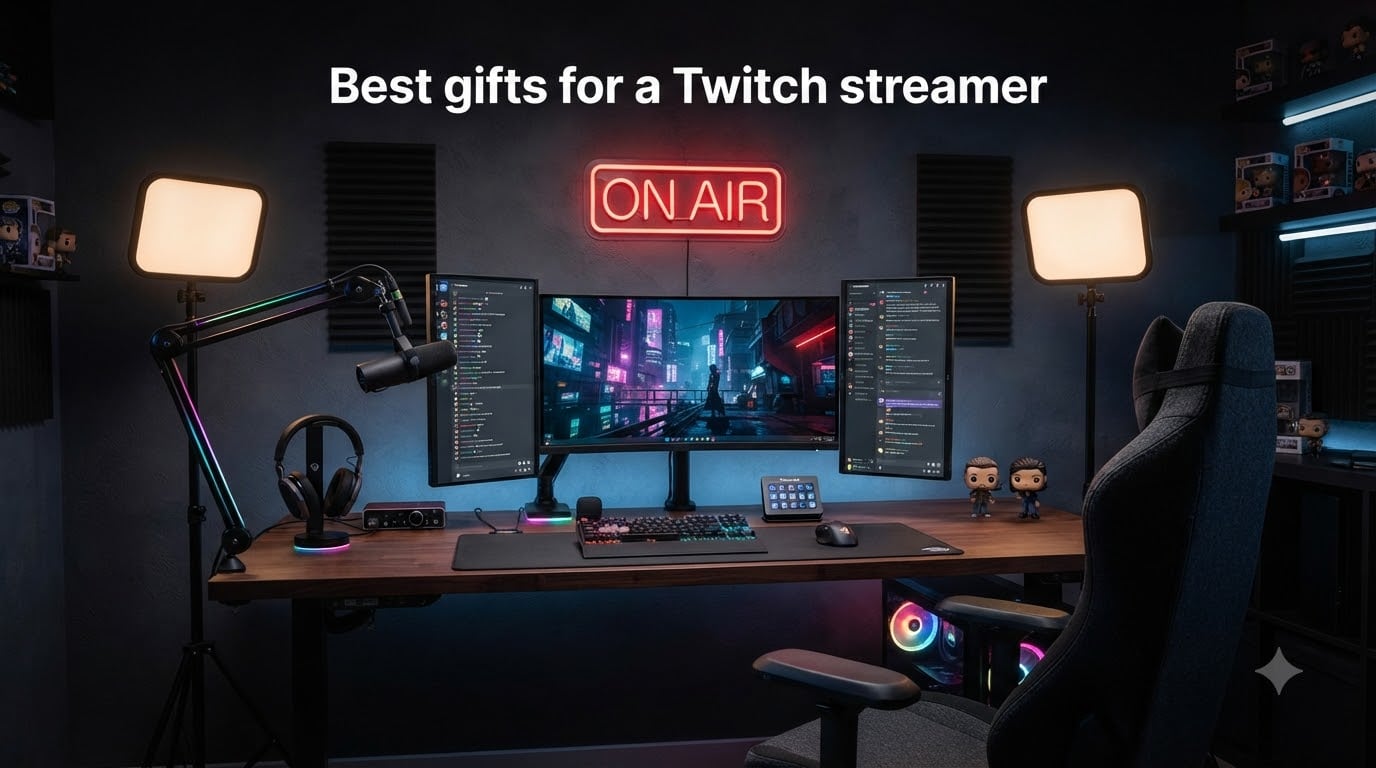
Finding the best gifts for a Twitch streamer is harder than it looks. Most streamers already own the obvious gear, and nothing collects dust faster than a duplicate keyboard or a headset they never asked for. After digging through countless Reddit threads on r/Twitch and comparing notes with streamers in our own community, one thing became clear: the gifts that get used daily are the ones that solve a real problem in their setup.
We grouped this guide the way streamers actually think about their desks: control, audio, video, lighting, decor, and comfort. Every product here has thousands of verified reviews behind it, so you are not gambling on a random gadget. Whether you are shopping for someone who just hit Affiliate or a partner with a dedicated studio, there is a safe pick below.
Our team has spent months around streaming setups of every size, from bedroom IRL rigs to full broadcast desks. That experience shaped every recommendation in this list. If you want the short version: the Stream Deck MK.2 is the gift streamers ask for by name, the Blue Yeti is the safest audio upgrade, and the FIFINE A6T kit covers a brand-new streamer for not much money.
Table of Contents
Top 3 Picks for Best Gifts for a Twitch Streamer 2026

Elgato Stream Deck MK.2
- 15 Customizable LCD Keys
- One-Touch Operation
- Visual Feedback
- USB-C connectivity

Logitech Blue Yeti USB…
- Tri-Capsule Array
- Four Pickup Patterns
- Blue VO!CE Software
- Plug and Play

FIFINE AmpliGame A6T Microp…
- Plug and Play USB-C
- RGB Lighting
- Touch-Mute Button
- Boom Arm and Pop Filter Included
Best Gifts for a Twitch Streamer in October 2026
| Product | Specs | Action |
|---|---|---|
| Elgato Stream Deck MK.2 |
|
Check Latest Price |
| Logitech Blue Yeti USB Microphone |
|
Check Latest Price |
| FIFINE AmpliGame A6T Mic Kit |
|
Check Latest Price |
 FIFINE AmpliGame AM8 Dynamic Mic FIFINE AmpliGame AM8 Dynamic Mic |
|
Check Latest Price |
 FIFINE Gaming Audio Mixer SC3 FIFINE Gaming Audio Mixer SC3 |
|
Check Latest Price |
 AmpliGame Stream Controller D6 AmpliGame Stream Controller D6 |
|
Check Latest Price |
 Elgato Stream Deck Pedal Elgato Stream Deck Pedal |
|
Check Latest Price |
 Logitech Brio 101 Webcam Logitech Brio 101 Webcam |
|
Check Latest Price |
 NiceVeedi LED Video Light Kit NiceVeedi LED Video Light Kit |
|
Check Latest Price |
 Lumoonosity On Air Neon Sign Lumoonosity On Air Neon Sign |
|
Check Latest Price |
 SNACTIV PRO Finger Chopsticks SNACTIV PRO Finger Chopsticks |
|
Check Latest Price |
 TONOR Gaming Microphone Set TONOR Gaming Microphone Set |
|
Check Latest Price |
1. Elgato Stream Deck MK.2 – The Gift Streamers Ask For by Name
Elgato Stream Deck MK.2 Studio Controller, 15 Macro Keys
15 Customizable LCD Keys
One-Touch Operation
Visual Feedback
USB-C connectivity
Works with OBS, Twitch, YouTube, Discord
Pros
- 15 customizable LCD keys with visual feedback
- Works with OBS
- Twitch
- YouTube
- Discord
- Spotify
- Submenus expand functionality beyond 15 keys
- Plugin marketplace with free add-ons
- Premium build quality
Cons
- Can freeze when using multiple monitors
- Learning curve for non-technical users
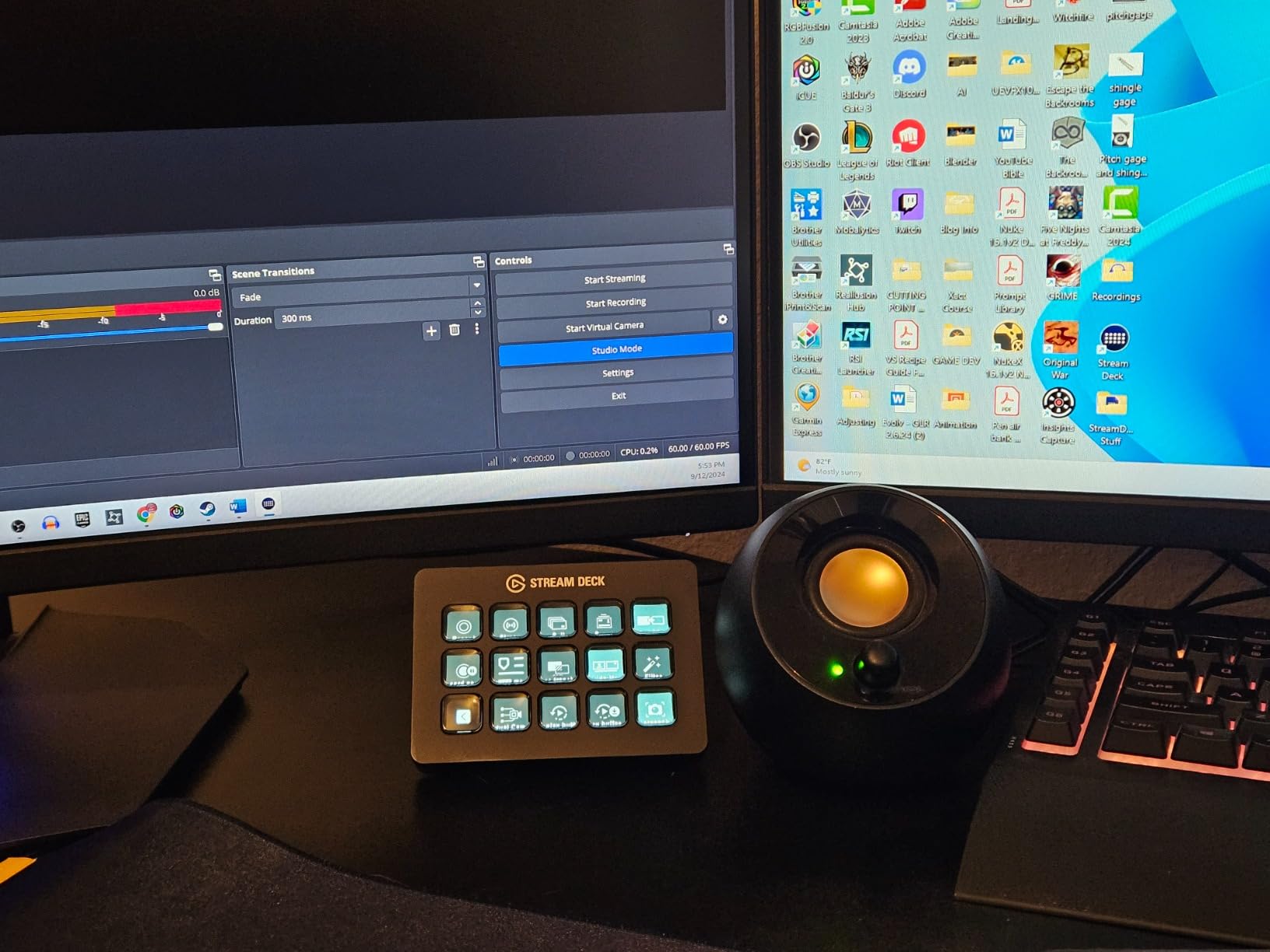
If you only remember one recommendation from this guide, make it this one. Across every Reddit gift thread we read, the Stream Deck came up again and again as the gift streamers actually use every single stream. It handles scene switching, clipping, sound boards, ads, and mic mute without the streamer ever touching their keyboard.
The 15 LCD keys are little screens, so each button shows a live icon of what it does. One tap can fire a single action or an entire multi-step sequence. Submenus let you stack pages of actions behind each key, so 15 buttons scale into dozens of controls.
The build quality is genuinely premium. It has a satisfying weight, a tiltable stand, and a detachable USB-C cable, which the original version lacked.
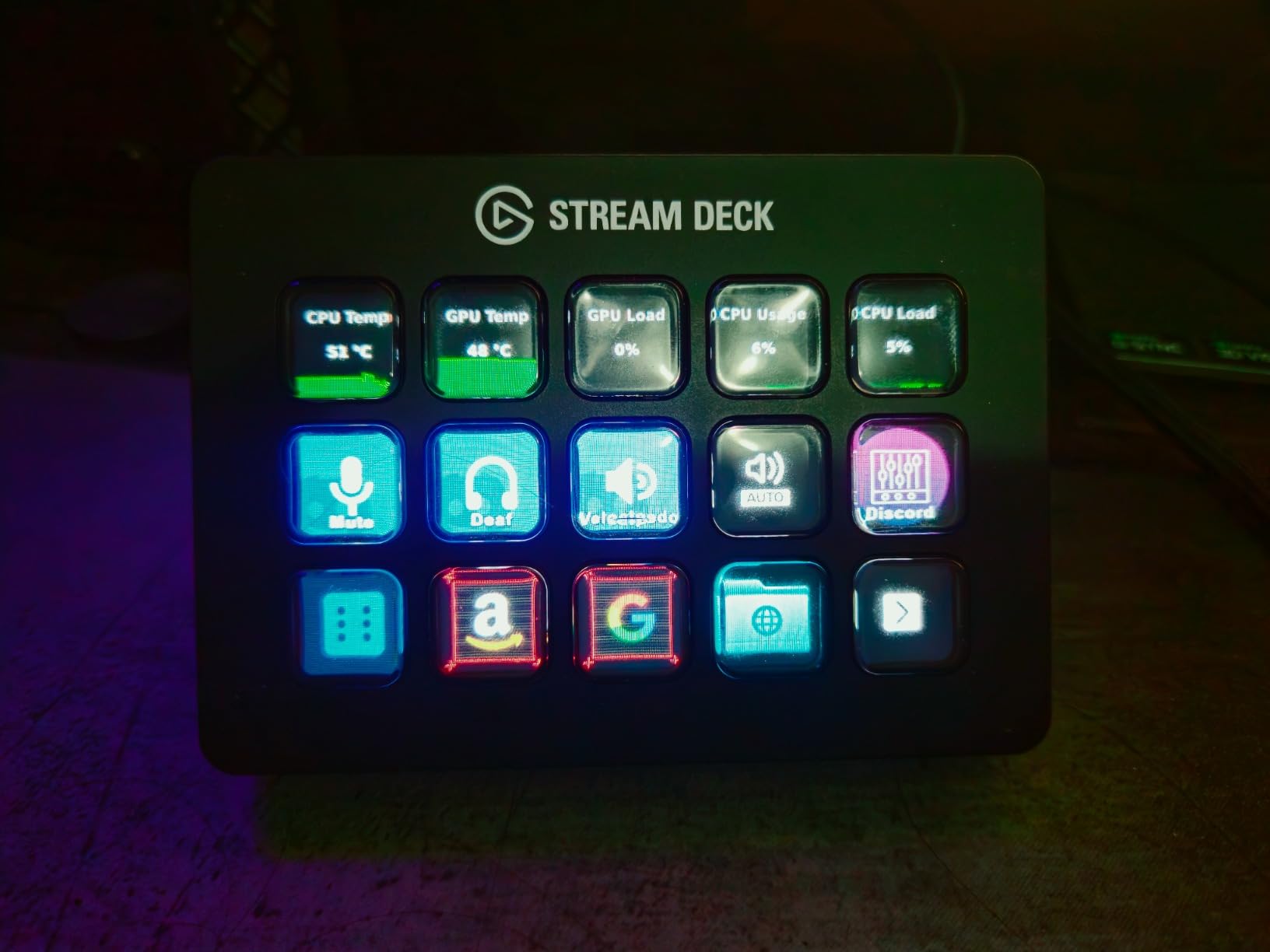
On the technical side, the plugin ecosystem is where this thing shines. There are free plugins for OBS, Twitch, YouTube, Twitter, Discord, Spotify, and even Philips Hue lights. Streamers in our community use theirs to trigger alerts, drop in sound effects, adjust lighting scenes, and post tweets mid-stream.
The two real complaints from verified buyers are worth knowing. The unit can occasionally freeze when running across multiple monitors, and there is a learning curve for anyone who has never used macro software. Most people work past both within the first week.
With 87 percent of reviewers giving it five stars across more than 10,000 ratings, it is about as close to a sure thing as streaming gear gets.
Who this gift is perfect for
This is the ideal gift for a streamer who is already a few months in and comfortable with OBS or Streamlabs. They have their scenes built, and this lets them run the whole show with one hand. It is also a great pick for a content creator who also edits video or produces music, since the hotkey actions carry over to those apps.
If they already own one, they still win. The MK.2 pairs perfectly with the Stream Deck Pedal further down this list.
Who should skip this one
Brand-new streamers who have not settled on their software yet will get less out of it on day one. Anyone who is not comfortable installing and tweaking software may also find the setup frustrating at first.
If your streamer is more of a casual Just Chatting broadcaster, a microphone or lighting upgrade is probably a better first gift.
2. Logitech Blue Yeti USB Microphone – The Safest Audio Upgrade
Logitech Creators Blue Yeti USB Microphone for PC, Mac, Gaming, Streaming, Podcasting, Studio and Computer Condenser Mic with Blue VO!CE Effects, 4 Pickup Patterns, Plug and Play – Midnight Blue
Tri-Capsule Array
Four Pickup Patterns
Blue VO!CE Software
Onboard Audio Controls
Plug and Play
Pros
- Clear
- powerful
- broadcast-quality sound
- Four pickup patterns for any recording situation
- Blue VO!CE software for enhanced vocal effects
- Real-time latency-free monitoring
- Solid build quality with metal enclosure
Cons
- Sensitive to room noise in untreated spaces
- Micro-USB connector (not USB-C)
- Large size
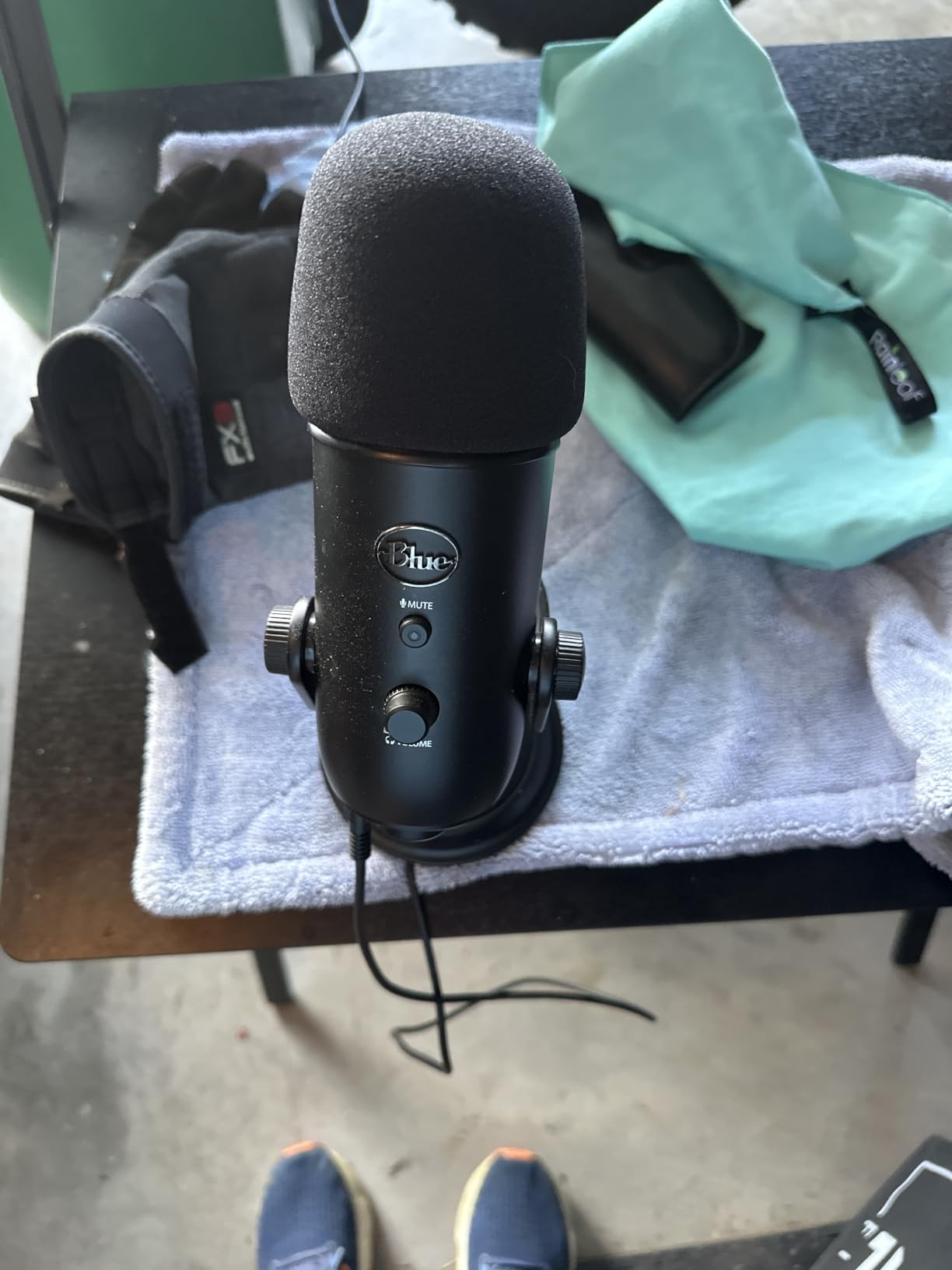
The Blue Yeti has been the default streaming microphone for years, and that staying power is exactly what makes it such a safe gift. With more than 56,000 reviews and 82 percent five-star ratings, it is one of the most proven pieces of audio gear ever made for creators.
Its tri-capsule array offers four pickup patterns: cardioid, omni, bidirectional, and stereo. In plain terms, it works for solo streaming, podcast interviews with two people at one desk, and room recordings without needing different gear for each.
Setup is genuinely plug and play. It works on Mac and PC with no drivers, and the onboard controls for headphone volume, pattern selection, mute, and gain mean no digging through software mid-stream.
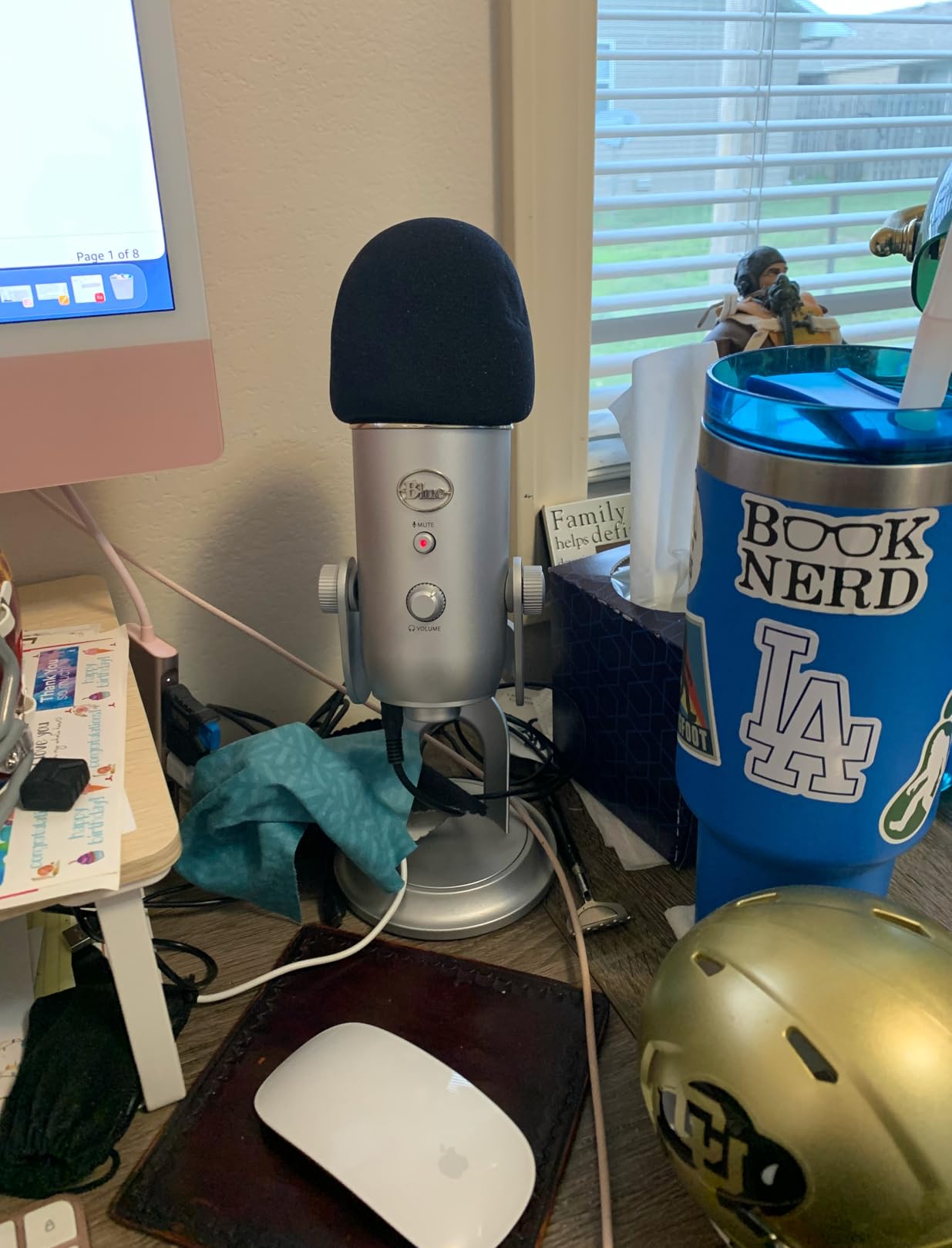
The Blue VO!CE software is the hidden gem here. It adds broadcast-style vocal processing, noise cleanup, and effects that make a bedroom setup sound dramatically more professional. Latency-free monitoring through the headphone jack lets the streamer hear exactly what viewers hear.
The honest downside: it is a sensitive condenser mic. In an untreated room it will pick up keyboard clacks, fans, and echo. Positioning it correctly and adding a bit of gain discipline solves most of it, but it is worth knowing before you gift it to someone streaming from a noisy space.
It also still uses micro-USB rather than USB-C, which is a small annoyance in an otherwise excellent package.
Who this gift is perfect for
This is the best pick for someone still on a headset mic who is ready for their first serious audio upgrade. It is also great for a streamer who also podcasts, records voiceover, or does interviews, thanks to those four pickup patterns.
If you cannot figure out what they already own, this is the gift least likely to miss.
Who should skip this one
If they stream from a loud, echoey shared space, a dynamic microphone like the FIFINE AM8 below will reject background noise better than the Yeti will.
And if they already run an XLR setup with an interface, this USB mic will be a step sideways rather than forward.
3. FIFINE AmpliGame A6T USB Microphone Kit – Best Budget Bundle
FIFINE AmpliGame A6T USB Gaming Microphone Kit, Condenser Mic for Streaming
Plug and Play USB-C
RGB Lighting
Touch-Mute Button
Boom Arm, Shock Mount, and Pop Filter Included
Pros
- Excellent value for money
- Includes boom arm
- shock mount
- and pop filter
- Easy plug and play setup
- Touch-mute button convenient
- RGB lighting adds visual appeal
Cons
- Picks up background noise if not close to mic
- Some users report random sound spikes
- Requires OBS or similar software for best results
This is the gift I recommend most often for brand-new streamers, because it arrives as a complete kit. The boom arm, shock mount, and pop filter are all in the box, so there is no second shopping trip and no desk full of missing parts.
For a modest price, the A6T delivers clear, crisp audio that is a huge step up from any headset microphone. It is plug and play over USB-C with no drivers, and it works on PC, Mac, and PlayStation consoles.
The touch-mute button is the feature streamers mention most. A quick tap on top silences the mic instantly, which is a lifesaver mid-stream.
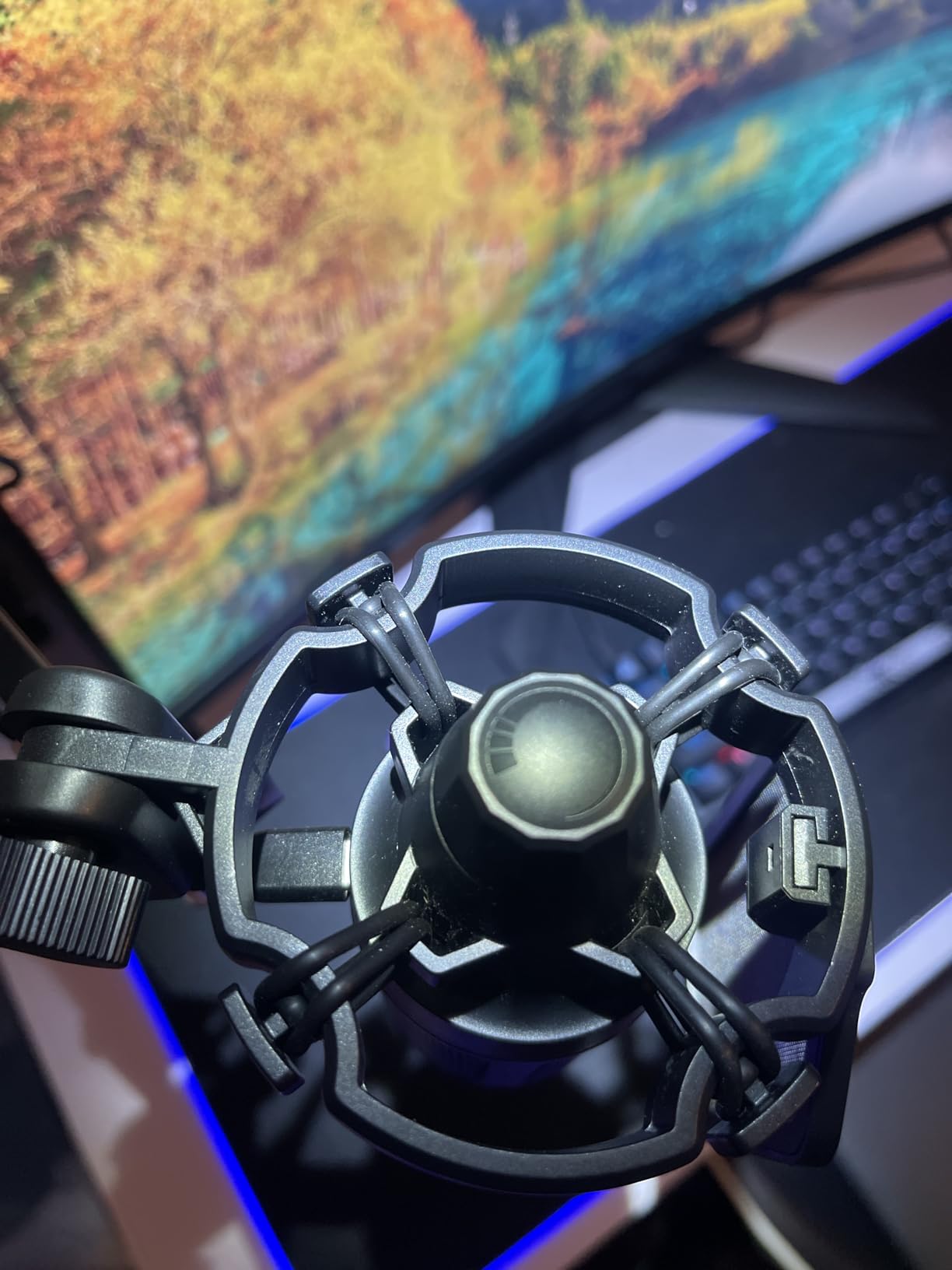
Technically, it uses a cardioid condenser capsule tuned for voice pickup from the front. That focus means it sounds best when the streamer speaks into it from about six to ten inches away.
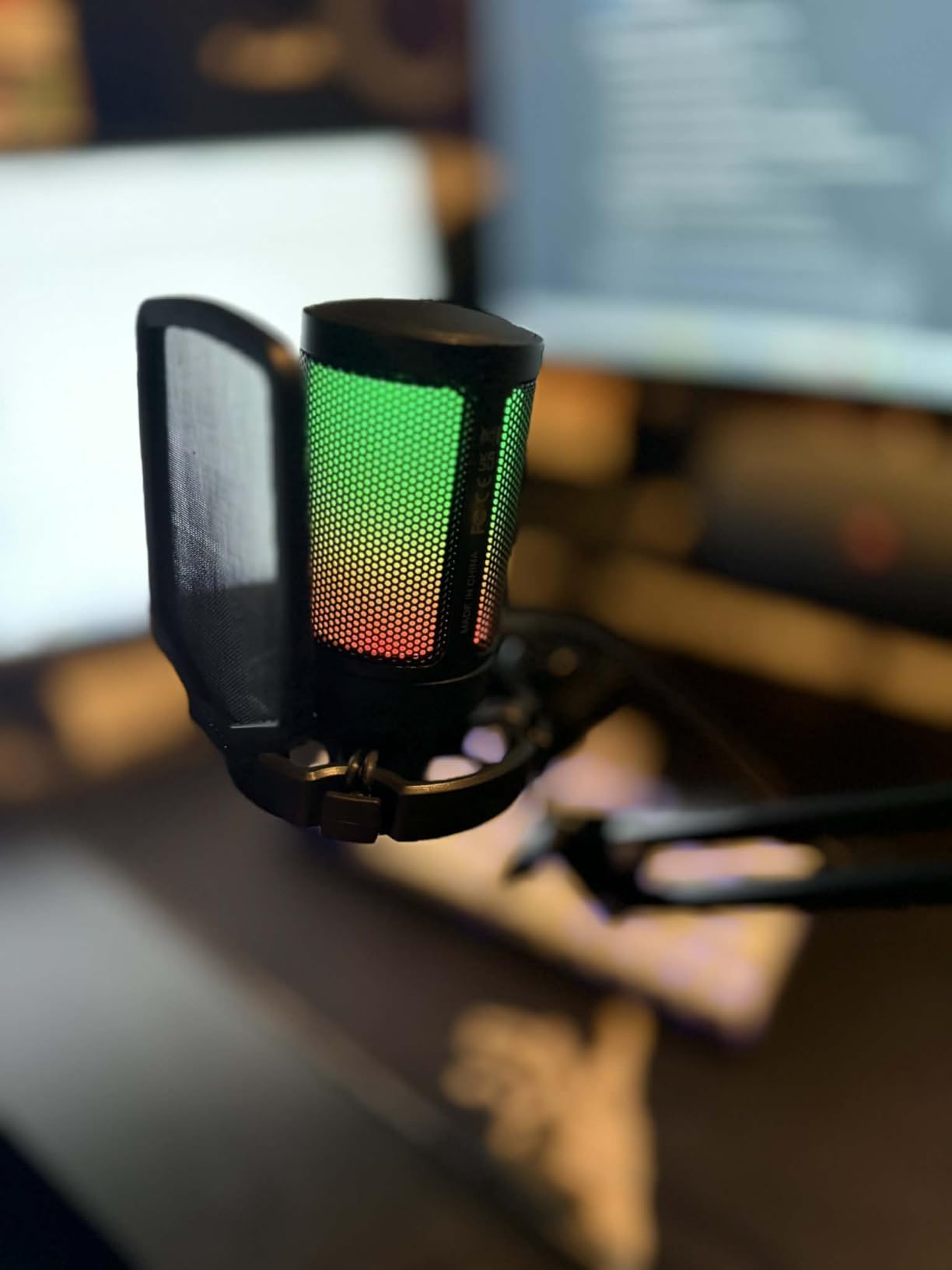
The automatic-gradient RGB lighting looks great on camera and matches the aesthetic of most streaming setups. It is a small thing, but viewers do notice a mic that glows softly in the background.
The trade-offs are what you would expect at this price. It picks up background noise when the speaker is far from the capsule, and a few buyers reported occasional sound spikes. Sitting close and setting gain properly handles almost all of it.
Who this gift is perfect for
Anyone shopping for a new streamer on a budget gets the most value here. It is also a smart pick for a younger streamer or someone who is testing the hobby before committing serious money to it.
The complete-kit format means no compatibility headaches and no extra purchases.
Who should skip this one
Streamers in noisy households will fight the condenser capsule. A dynamic mic like the AM8 rejects room sound far better.
If they already own a boom-arm mic, this duplicates what they have. Look at the audio mixer or the Stream Deck instead.
4. FIFINE AmpliGame AM8 USB/XLR Dynamic Microphone – Best for Noisy Rooms
FIFINE AmpliGame AM8 USB/XLR Dynamic Microphone for Gaming Streaming
Dynamic Cardioid Capsule
USB and XLR Connectivity
Touch-Mute with LED Indicator
Headphone Monitoring Jack
RGB Lighting with Memory
Pros
- Crystal clear audio quality
- USB and XLR dual connectivity
- Touch-mute button with LED reminder
- Headphone monitoring jack
- Stable desktop stand included
Cons
- Microphone may occasionally disconnect and need reinitialization
- XLR connection disables RGB and function keys
- Can pick up background sounds if gain is too high
The AM8 solves the number one complaint people have about budget streaming mics: background noise. Its dynamic capsule only hears what is right in front of it, so keyboard clacks, nearby conversations, and fan hum stay out of the stream.
The killer feature is dual connectivity. Over USB it plugs straight into any computer, and the XLR port means it can grow into a professional interface-based setup later without replacing the mic.
That flexibility makes it one of the few budget gifts that stays useful as a streamer levels up their entire rig.
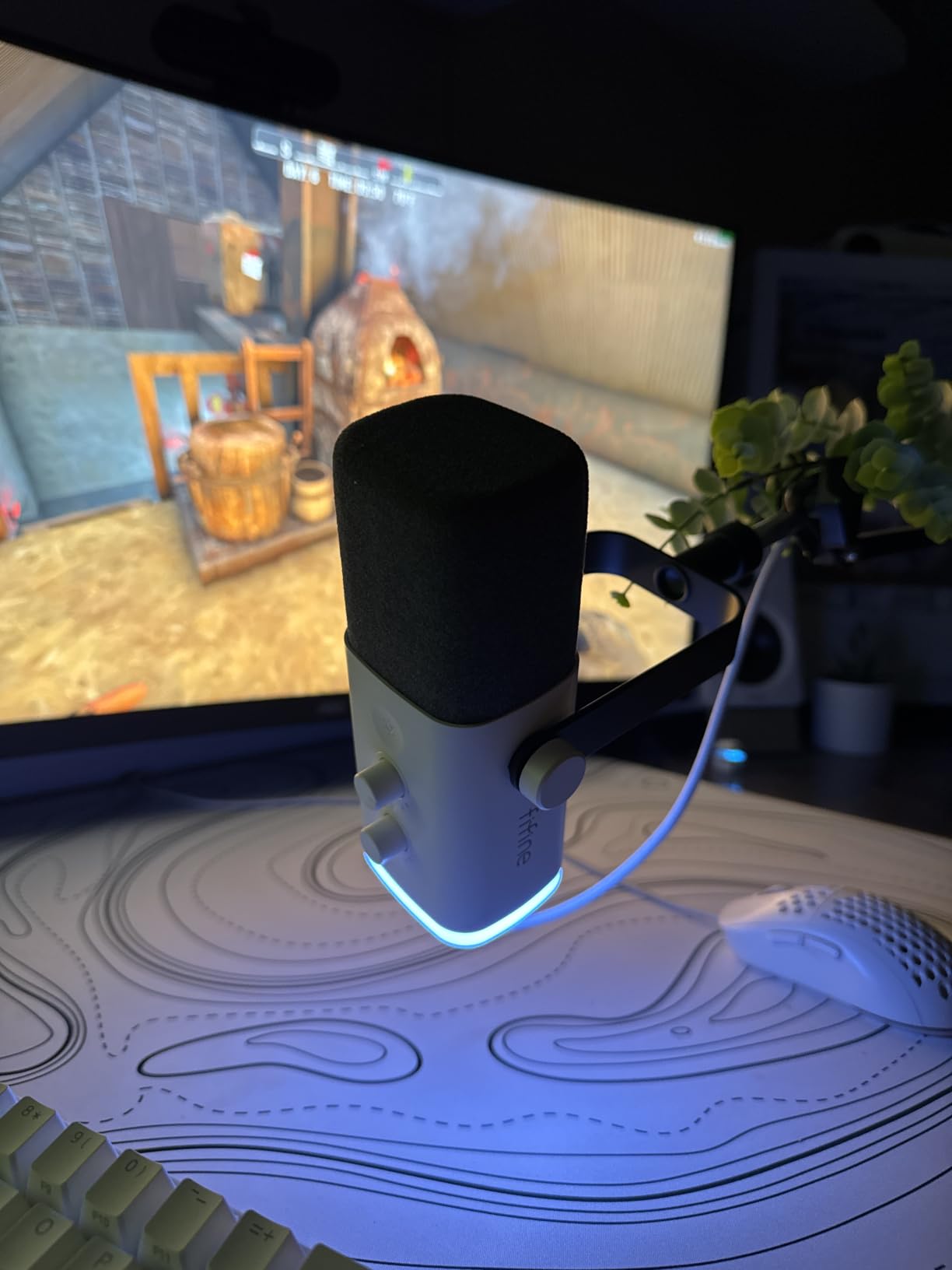
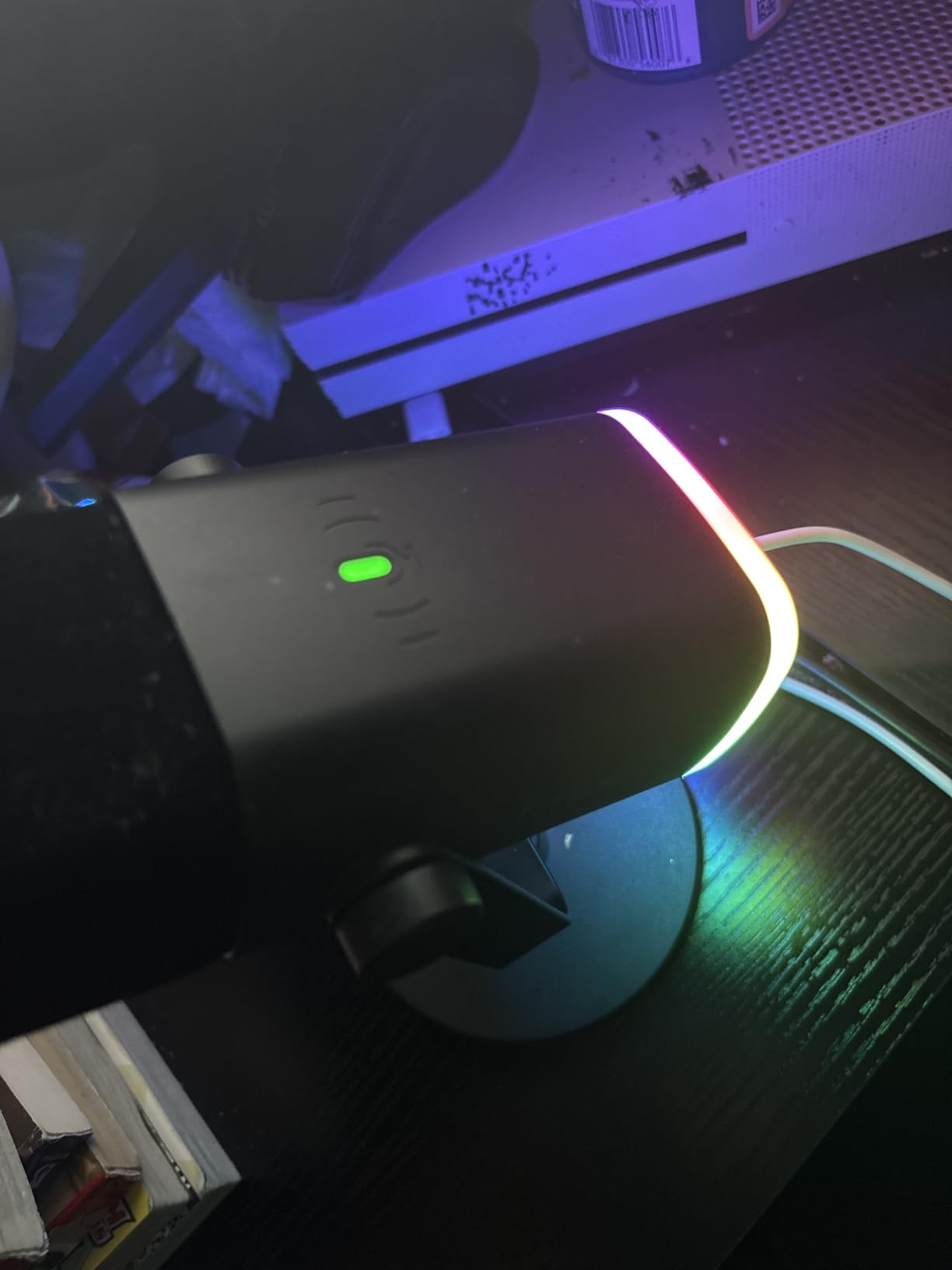
On the technical side, it runs 50Hz to 16kHz with a healthy 80dB signal-to-noise ratio for its class. There is a gain knob, a headphone jack for zero-latency monitoring, and a touch-sensitive mute with an LED reminder so the streamer never talks on mute by accident.
The RGB ring has three modes and more than ten colors, and it remembers settings between sessions.
Two honest warnings from verified buyers: the mic occasionally disconnects and needs to be re-plugged, and switching to XLR disables the RGB lighting and function keys. Neither is a dealbreaker, but both are worth knowing.
Who this gift is perfect for
This is the pick for a streamer in a shared apartment, a dorm, or a room with poor acoustics. The dynamic capsule forgives what a condenser would broadcast to the whole chat.
It is also the smartest choice for someone who plans to upgrade to an audio interface down the road, since the XLR port keeps it relevant.
Who should skip this one
If their room is already quiet and treated, the Yeti or the A6T kit offers more accessories for similar money.
Streamers who want one-cable simplicity with zero settings should also look at the TONOR set at the end of this list.
5. FIFINE Gaming Audio Mixer SC3 – Best Entry Into XLR Streaming
FIFINE Ampligame SC3 Gaming Audio Mixer with Indi-Fader and Volume Control
XLR Mic Input with 48V Phantom Power
4 Independent Channels
Volume Slider Faders
4 Sound Effect Buttons
6 Voice Changing Modes
Pros
- XLR input with 48V phantom power
- Individual channel volume controls
- 4 customizable sound effect buttons
- Voice changer and auto-tune features
- Compact desk-friendly size
Cons
- Soundboard sound quality could be better
- RGB lighting customization is limited
- Some driver compatibility issues reported
A hardware mixer is the upgrade most streamers never buy for themselves, which makes it a fantastic gift. The SC3 puts physical slider faders on the desk, so adjusting mic volume mid-stream becomes a muscle-memory flick instead of an alt-tab.
The XLR input with 48V phantom power means it can power proper studio microphones. If the streamer in your life has been talking about going XLR, this is the affordable door in.
Four independent channels cover the microphone, line in, headphone, and line out. Each gets its own fader, plus dedicated mute and monitor buttons.
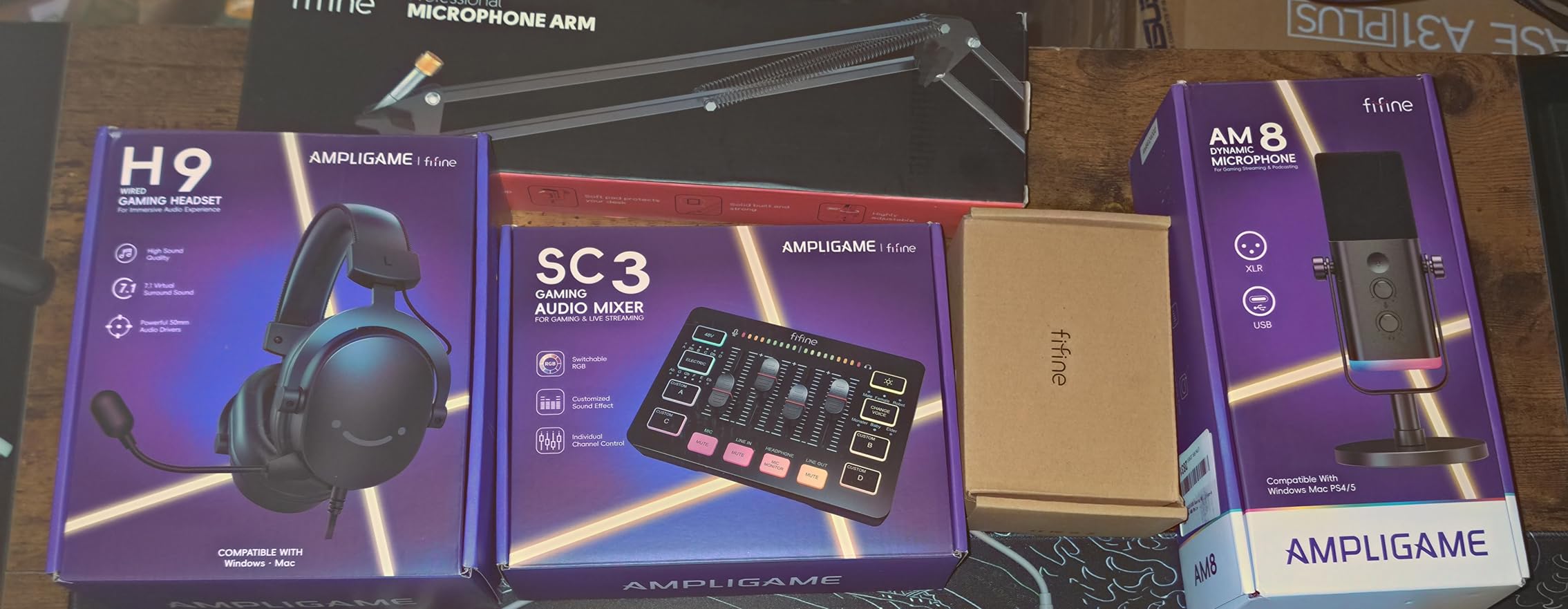
The fun part is the four customizable sound-effect buttons and six voice-changing modes with twelve auto-tune options. Bit-heavy streamers get a live soundboard, and the voice effects are genuinely entertaining content fuel.
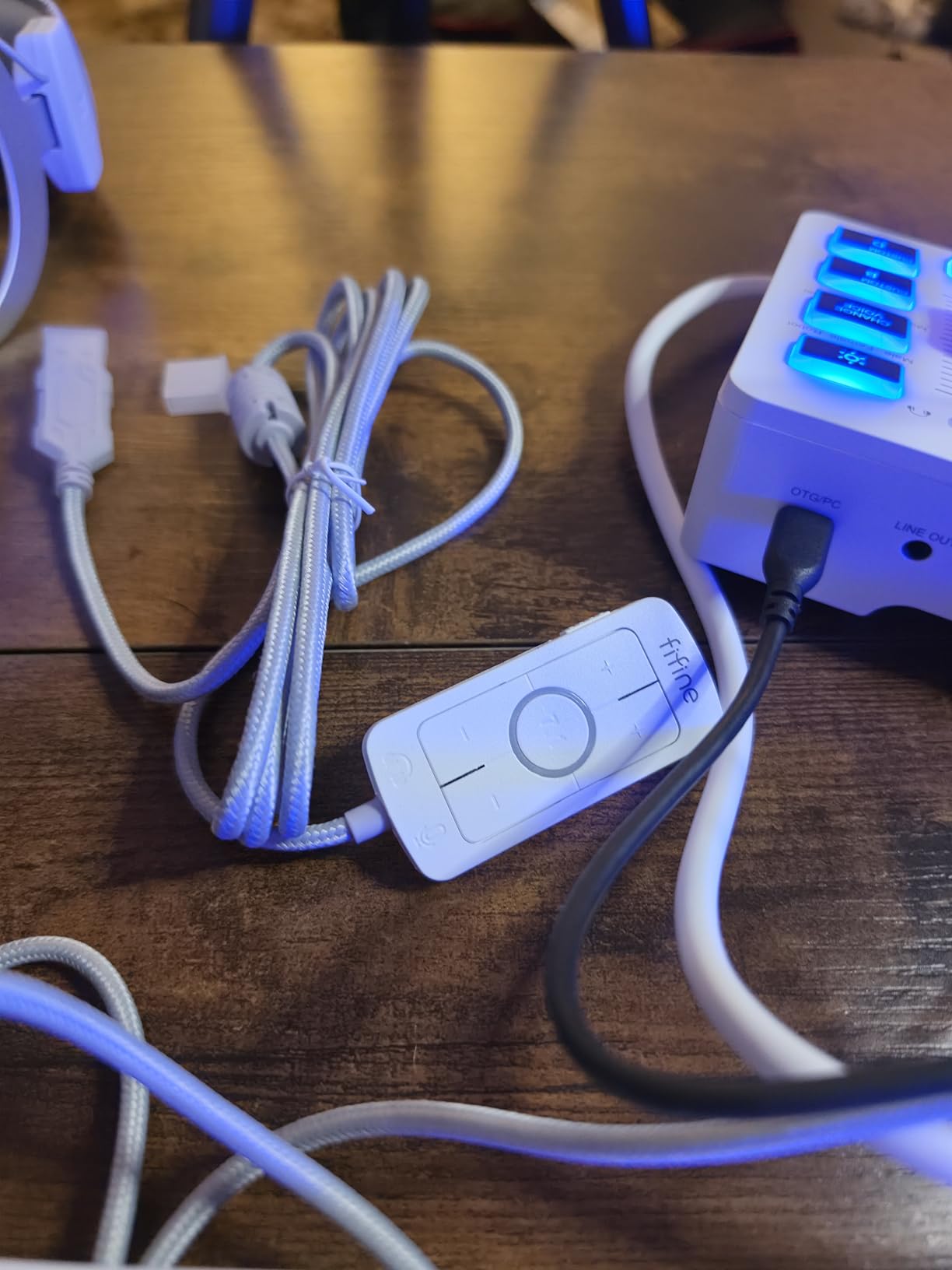
It is plug and play on both Windows and macOS, and the compact footprint fits between a keyboard and monitor without taking over the desk.
The weak spots: the onboard soundboard samples sound a bit compressed, RGB customization is basic, and some users hit driver quirks on certain Windows setups. For the price, the core mixing functions are still excellent.
Who this gift is perfect for
This is for the streamer who already owns an XLR mic, or who has one on their wishlist, and needs something to plug it into. It is also a great fit for a variety streamer who leans on sound effects and voice bits during IRL or Just Chatting segments.
Who should skip this one
If they stream with a USB microphone and are happy with it, a mixer adds desk clutter without much benefit.
It also overlaps with an audio interface, so check they do not already own one. If they are interface-curious, our guide to audio interfaces for streaming covers how the two differ.
6. AmpliGame Stream Controller D6 – Best Stream Deck Alternative
fifine D6 RGB Macro-Keyboard with 15 Programable Buttons for Multi-Tasking
15 Customizable LCD Macro Keys
Touchscreen Display
RGB Lighting with 9 Modes
OBS and Streamlabs Compatible
USB-C Connectivity
Pros
- Customizable LCD macro keys for streamlined workflow
- Works with OBS Studio
- Streamlabs
- Twitch
- YouTube
- Visual feedback with touchscreen display
- Vivid RGB lighting with 9 controllable modes
- Compact design for multi-tasking scenes
Cons
- Some users report button wobble and inconsistent tactile feedback
- Software may require updates for initial use
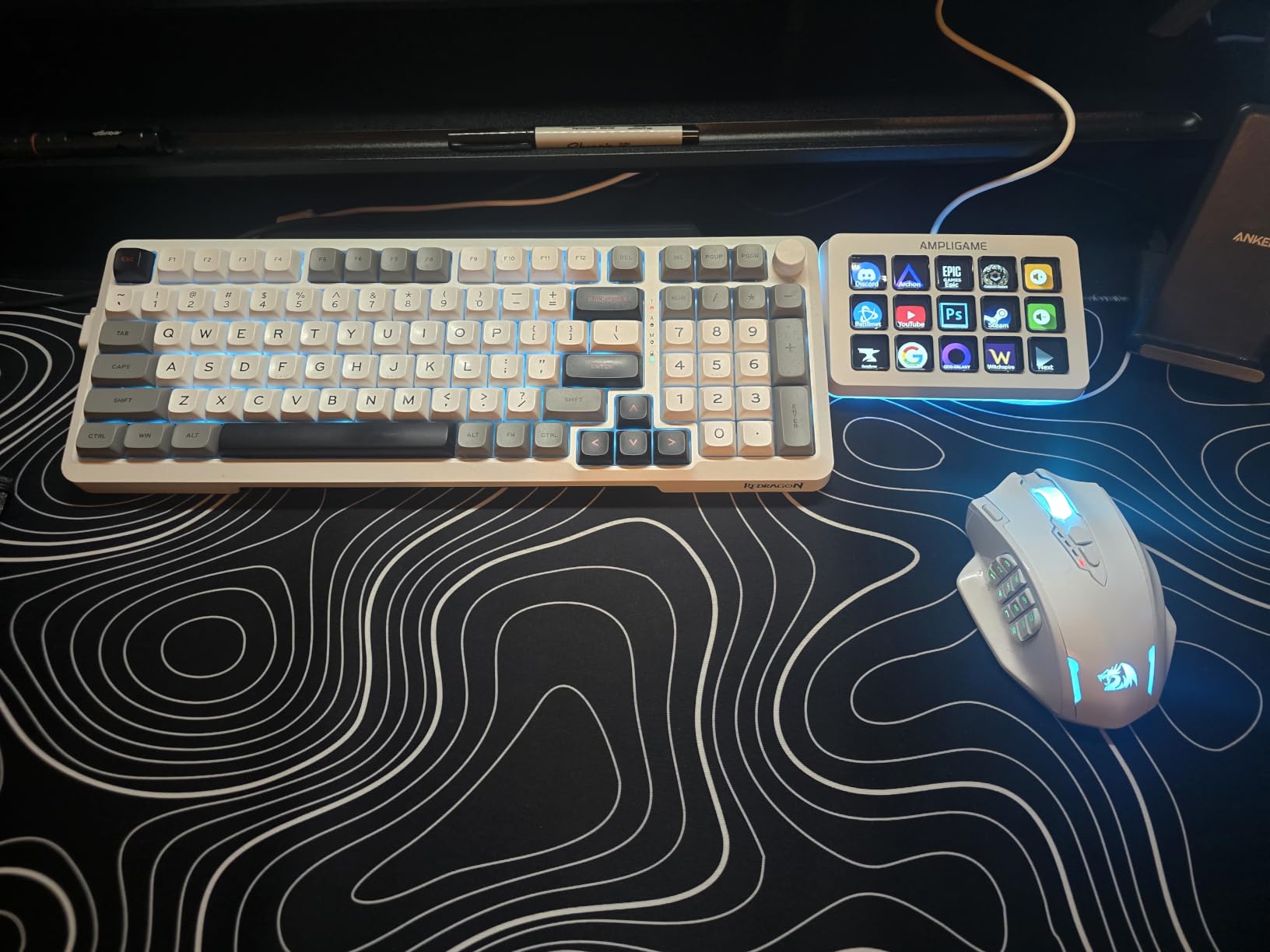
The D6 delivers the Stream Deck experience at a friendlier price, and it does so with the same core idea: 15 customizable LCD macro keys that fire scenes, clips, sounds, and app actions with one tap.
It works with OBS Studio, Streamlabs, Twitch, and YouTube, which covers the vast majority of streaming software. That software compatibility is the part cheaper clones usually get wrong, and here it works.
The touchscreen display gives clear visual feedback on every key, and the nine RGB lighting modes let it match any desk aesthetic.
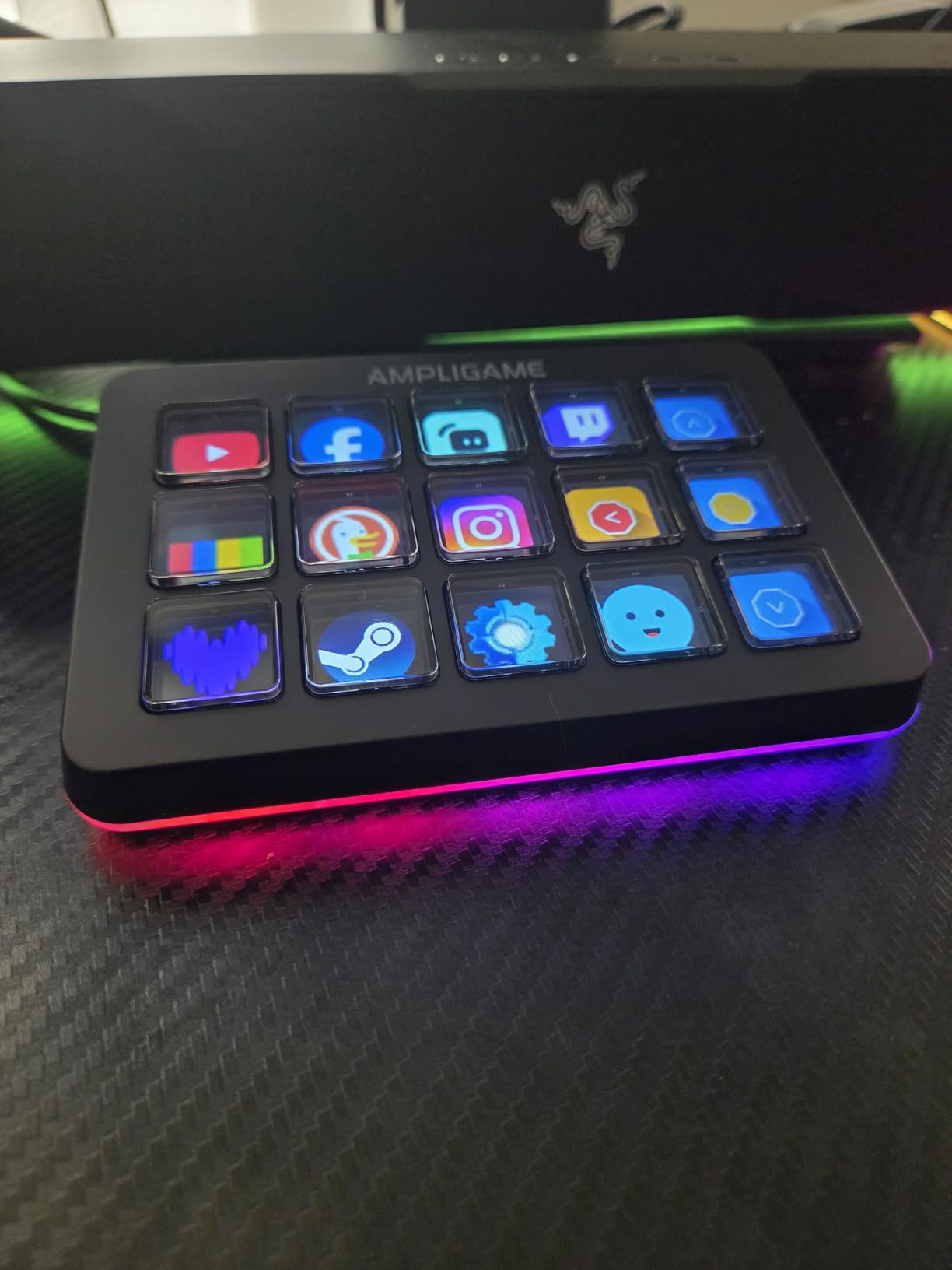
Under the hood it connects over USB-C, supports both USB-A to USB-C and USB-C to USB-C cables, and runs on Windows. Each key supports multi-action macros, so a single press can switch scenes, fire an alert, and post to Discord at once.
The honest compromise is build feel. Some buyers report button wobble and inconsistent tactile feedback compared to Elgato’s unit, and the software may need an update before first use.
At its rating of 4.5 stars, most owners consider those quirks acceptable given the savings. It currently ranks well inside the top 500 best sellers in video games, so there is a real community behind it.
Who this gift is perfect for
This is the pick when you want to give the Stream Deck experience on a tighter budget. It suits a streamer who knows OBS well and wants faster control without paying premium prices.
It also makes sense as a second macro pad for a dual-PC streaming setup.
Who should skip this one
If your streamer uses a Mac, this Windows-focused device is not the right call. The Elgato MK.2 above supports both platforms.
Anyone who wants flawless, wobble-free key feel should also stretch to the Elgato instead.
7. Elgato Stream Deck Pedal – Best Hands-Free Upgrade
Elgato Stream Deck Pedal, 3 Hands-Free Macro Footswitches
3 Customizable Pedals
Hands-Free Operation
Interchangeable Springs
Heavy-Duty Chassis
Works with OBS, Twitch, Discord
Pros
- Hands-free operation allows multitasking during streaming
- Sturdy
- non-slip design that stays in place
- Interchangeable springs for customizable pedal resistance
- Easy setup and programming via Stream Deck software
- Works with Mac and PC
Cons
- Premium price point compared to generic alternatives
- Can be difficult to distinguish pedals when wearing thick-soled shoes
The Stream Deck Pedal is one of those gifts nobody buys themselves and everybody loves once they own it. Three footswitches sit under the desk and trigger anything the hands can’t spare time for: mute, scene change, clip, or ad break.
Gamers get the most out of it. When both hands are locked on keyboard and mouse during a ranked match, a foot tap is the only realistic way to drop a clip or mute a cough.
Setup runs through the same Stream Deck software, so if they already own an Elgato device, the pedal slots straight into their existing profiles.
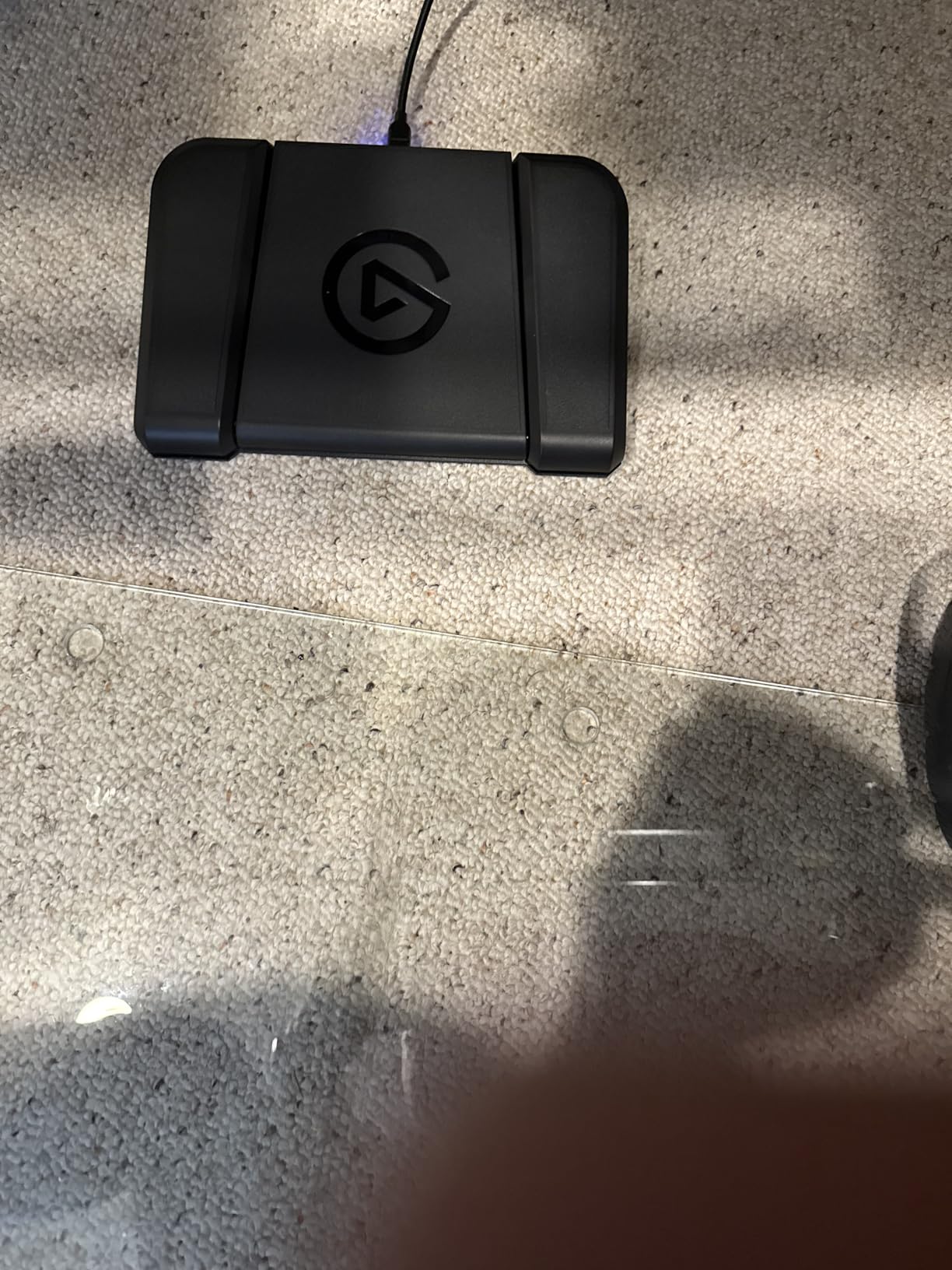
Technically, each pedal triggers single or multiple actions, and the interchangeable springs let the streamer tune the pedal pressure to their preference. A lighter spring makes rapid mute taps easier; a heavier one prevents accidental triggers.
The heavy-duty polycarbonate chassis weighs in at 960 grams and does not slide around under a desk. It carries a two-year manufacturer warranty.
The complaints are few: it costs more than generic footswitch options, and telling the pedals apart is tricky in thick-soled shoes. Most people just use it in socks.
Who this gift is perfect for
This is a brilliant gift for a gamer who already owns a Stream Deck, because it shares the same software and expands their control surface to the floor.
It also suits musicians, artists, and anyone whose hands are busy on stream, since the plugin support covers OBS, Twitch, YouTube, Discord, Spotify, and Philips Hue.
Who should skip this one
If they do not yet own any macro control device, put the Stream Deck MK.2 first. The pedal is an expansion, not a starting point.
Streamers at standing desks or in wheelchair setups should also double-check the pedal placement works for their rig.
8. Logitech Brio 101 Webcam – Best Budget Face Cam
Logitech Brio 101 Full HD 1080p Webcam for Streaming and Meetings – Black
1080p Full HD Video
RightLight Auto-Light Correction
Built-in Privacy Shutter
USB-A Plug and Play
Number 1 Best Seller in Webcams
Pros
- Excellent 1080p video quality with auto-light correction
- Plug-and-play setup with broad platform compatibility
- Built-in privacy shutter for security
- Good built-in microphone quality
- Compact size suitable for various setups
Cons
- Fixed lens with no zoom adjustment
- Camera may appear too zoomed in for some users
- USB-A only (no USB-C)
The Brio 101 is the number one best-selling webcam for a reason. It delivers clean 1080p video with automatic light correction at a price that makes it an easy gift, not a gamble.
RightLight technology boosts brightness by up to 50 percent, which matters enormously for streamers in dim bedrooms. The camera does the work of a lighting rig before they ever buy one.
It is pure plug and play over USB-A, and it plays nicely with every major streaming and video call platform out of the box.
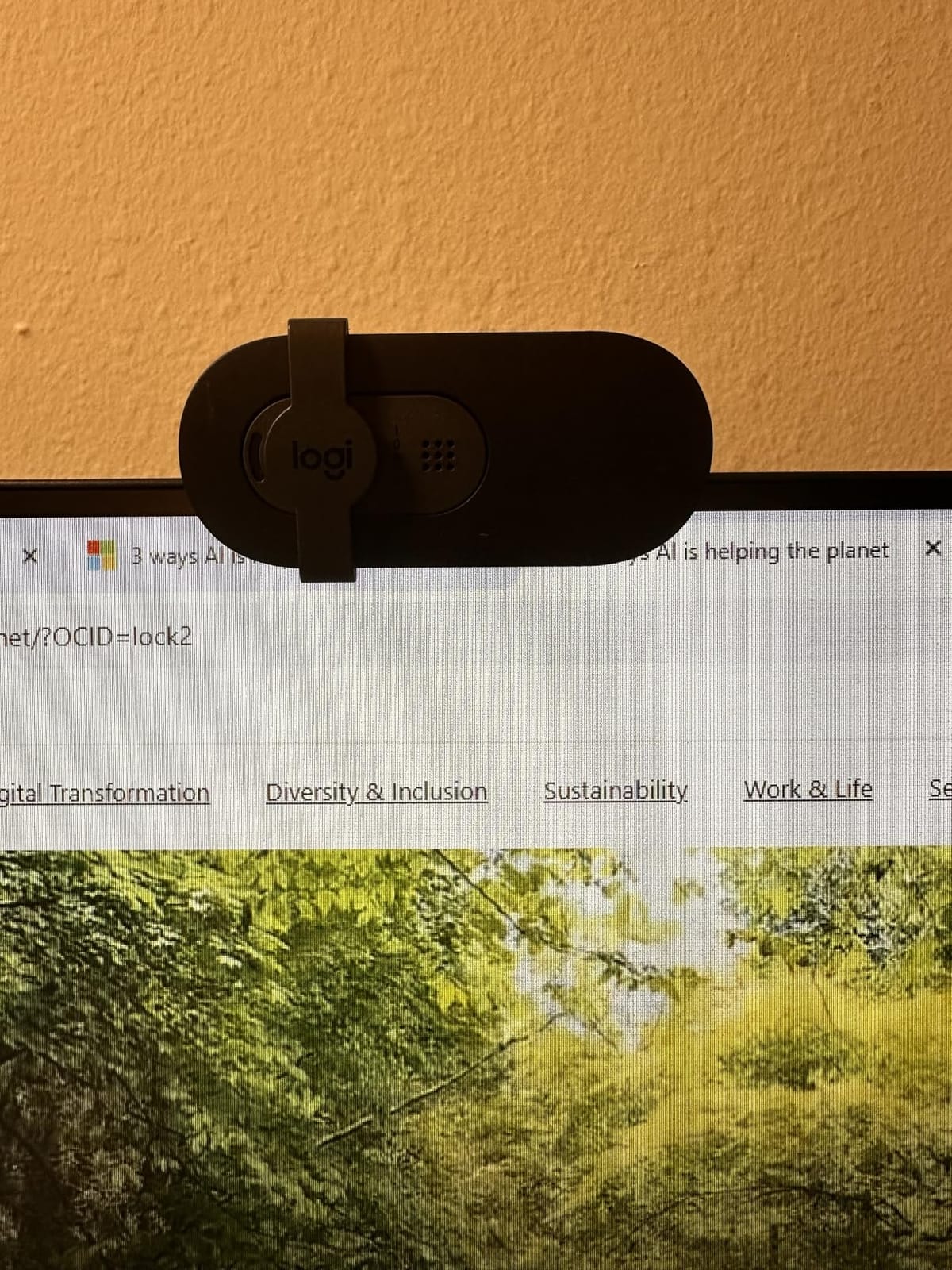
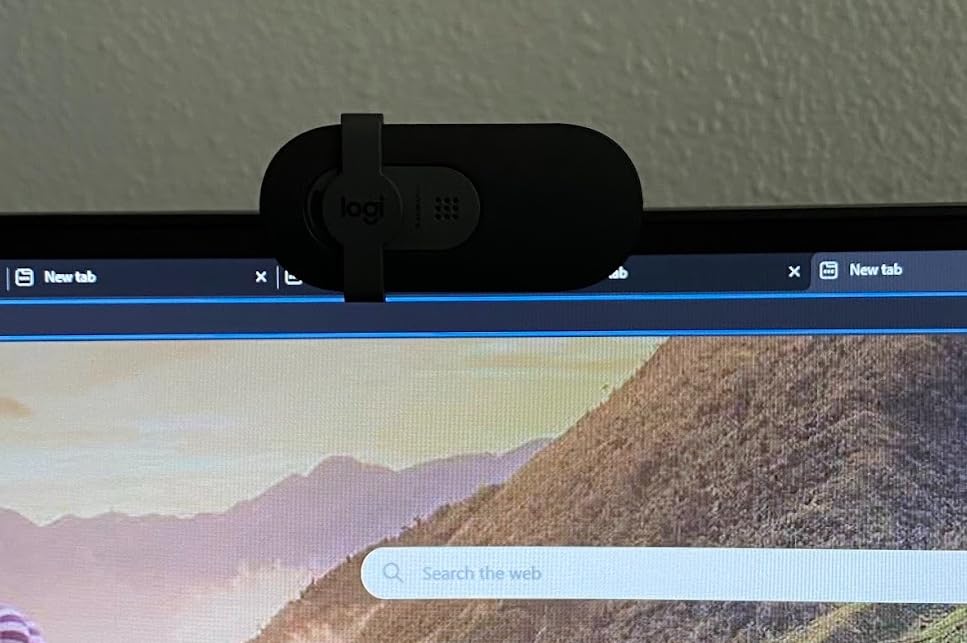
The built-in privacy shutter is a small feature that streamers genuinely appreciate. It slides closed the moment a stream ends.
It also has a serviceable built-in microphone, which is a useful backup if their main mic fails mid-broadcast.
The limitations are clear at this price: fixed focus, no optical zoom, a slightly narrow field of view, and USB-A instead of USB-C. Some buyers also feel the plastic construction is a bit light. None of that shows up on camera, though, and the picture is what viewers see.
Who this gift is perfect for
This is the gift for a streamer still using a laptop webcam or a ancient 720p model. The jump to sharp 1080p with auto light correction is immediately visible to every viewer.
It also makes a great secondary camera for a top-down or keyboard-view angle on an established setup.
Who should skip this one
If they already stream with a DSLR, a camcorder, or a 4K capture setup, this is a downgrade rather than a gift.
Streamers wanting wide-angle coverage for a room-scale IRL setup will also find the 60-degree field of view too tight.
9. NiceVeedi LED Video Light Kit – Best Lighting Upgrade
2-Pack LED Video Light Kit, NiceVeedi Studio Light, 2800-6500K Dimmable Photography Lighting Kit with Tripod Stand&Phone Holder, 73″ Stream Light for Video Recording, Game Streaming, YouTube
2-Pack LED Light Kit
356 LED Beads with 15W Output
3 Color Temperatures
Brightness Adjustable 10-100%
60 Inch Tripod Stands
Pros
- Bright
- even illumination ideal for content creation
- Adjustable color temperature and brightness
- Sturdy tripod stands with good height range
- Includes phone holders and carrying bag
- Great value for 2-pack pricing
Cons
- Tripods may not adjust individually on some units
- USB power may require strong power source
- Some users reported defective panels in rare cases
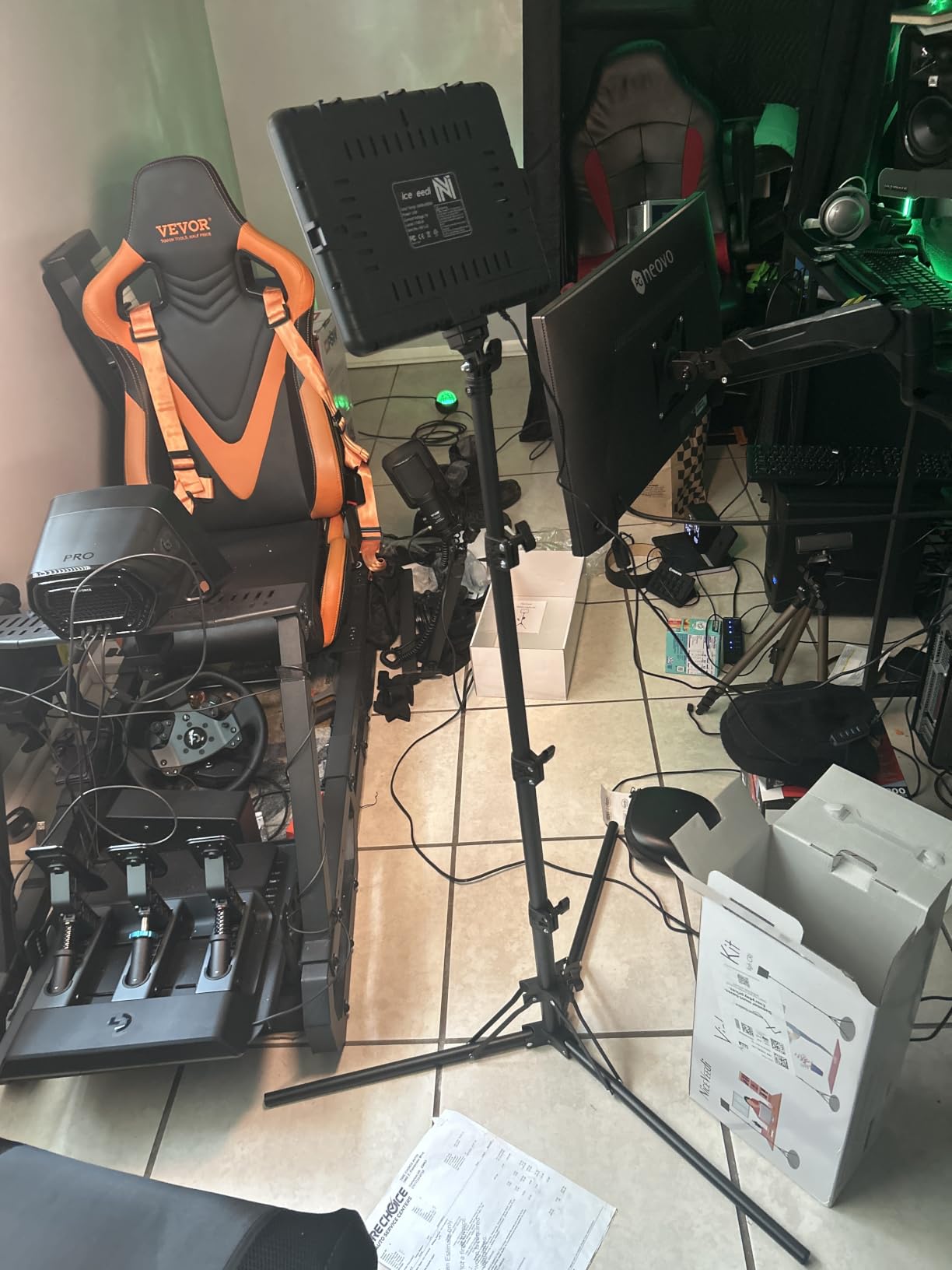
Lighting is the upgrade that changes how a stream looks more than any camera can, and this two-light kit is the easiest way to gift it. Two panels on tall tripods let the streamer light themselves from both sides, which flattens harsh shadows instantly.
Each panel packs 356 LED beads with a 97+ CRI rating, meaning colors show up on camera accurately rather than washed out. That matters for streamers whose branding depends on specific colors.
The three color temperatures, warm 2800K, neutral 4800K, and daylight 6500K, plus brightness adjustment from 10 to 100 percent, cover every mood from cozy Just Chatting to bright daytime gaming.
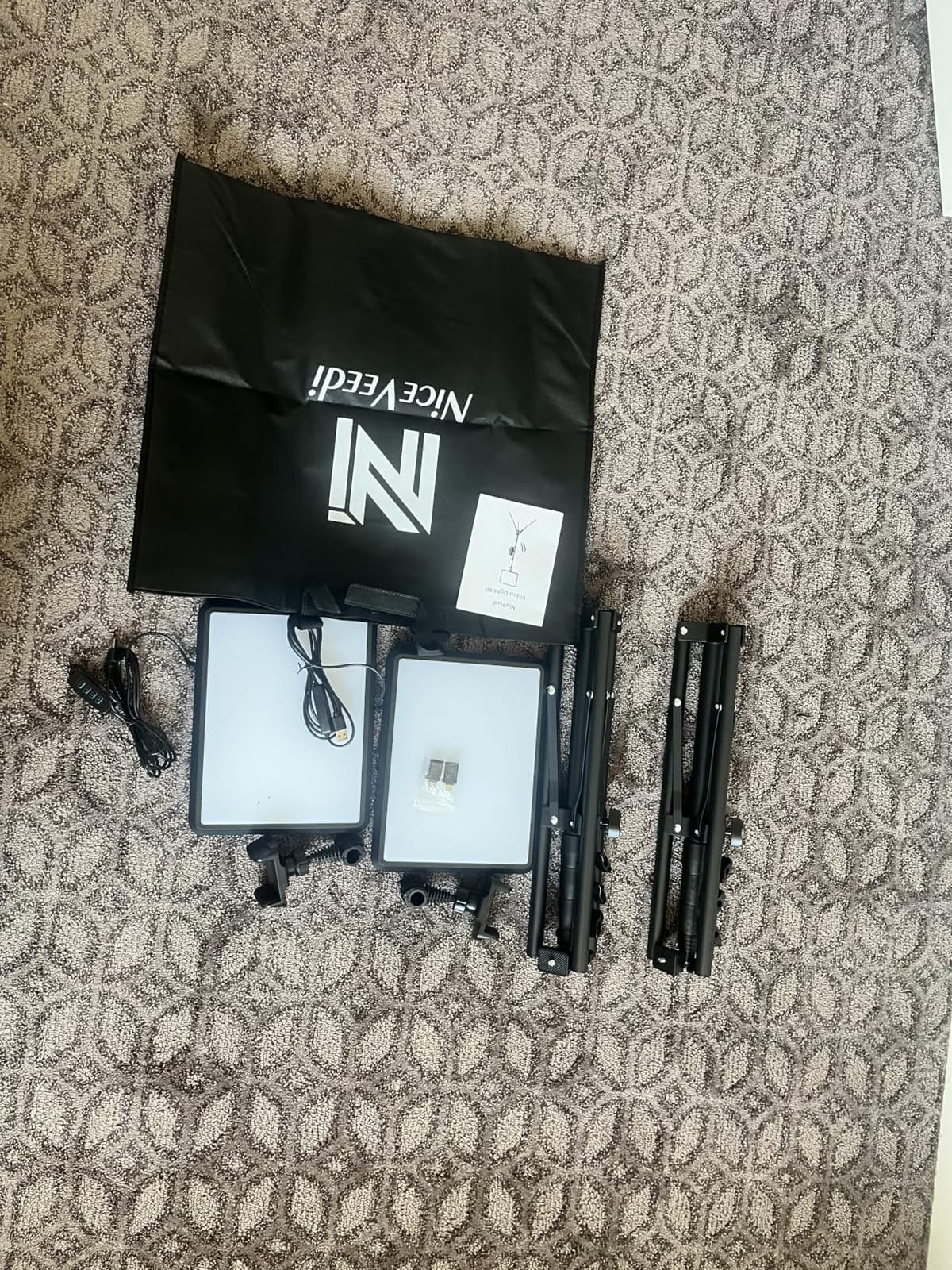
On the technical side, the tripods extend up to 60 inches and each panel has a quarter-inch thread for mounting on other stands or arms. The kit also throws in phone holders, which makes it a genuinely useful gift for a streamer who also shoots vertical content.
Power comes over USB-C, which keeps cables manageable but does mean the panels want a strong power source to hit full brightness.
The kit carries a one-year warranty and ranks number two in its category. The reported issues are minor: some tripods not adjusting individually and rare defective panels that warranty covers.
Who this gift is perfect for
This is the pick for a streamer whose video looks grainy or dim, since good lighting improves any camera instantly. It also suits a creator who streams, shoots shorts, and takes product photos with one set of gear.
Who should skip this one
If they already run Elgato Key Lights or a wall of RGB panels, this duplicates what they have. Look at the neon sign below for a decor win instead.
Streamers with almost no desk or floor space should measure first, since two 60-inch tripods need room.
10. Lumoonosity On Air Neon Sign – Best Decor Gift
Lumoonosity On Air Neon Sign – Live Streaming/Recording Light Sign for Twitch, Tiktok, Youtube Streamers/Gamers – Red Cool On Air Led Light for Studio, Bedroom, Game Room Decor
ON AIR Neon Sign
LED-Based Neon Appearance
16.5 x 6 Inch Size
USB Powered
Easy Wall Mount Installation
Pros
- Professional appearance adds style to streaming setup
- Bright
- neon-like glow without high voltage
- Easy to install with included hardware
- Physical switch for easy on/off control
- Perfect size for studio visibility
Cons
- Can be too bright for some setups
- Wire may be visible depending on installation
- No blinking or various modes - just on/off
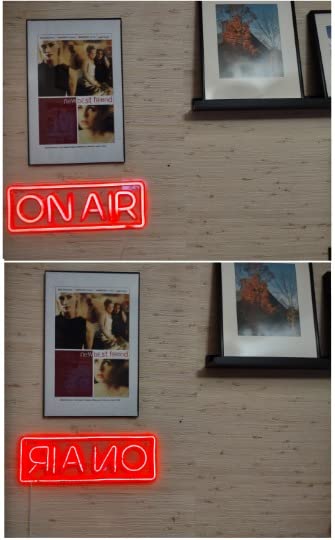
Sometimes the best gift is the one that makes the whole room look better on camera. An On Air sign behind the streamer reads as instantly professional, and this LED version delivers the neon look without the high voltage or fragility of real glass neon.
At 16.5 by 6 inches it is big enough to read clearly on stream without dominating a wall. It mounts with pre-drilled holes and adhesive strips, so installation takes minutes.
It draws just 6 watts over USB, so it can run off a powered hub alongside everything else on the desk.
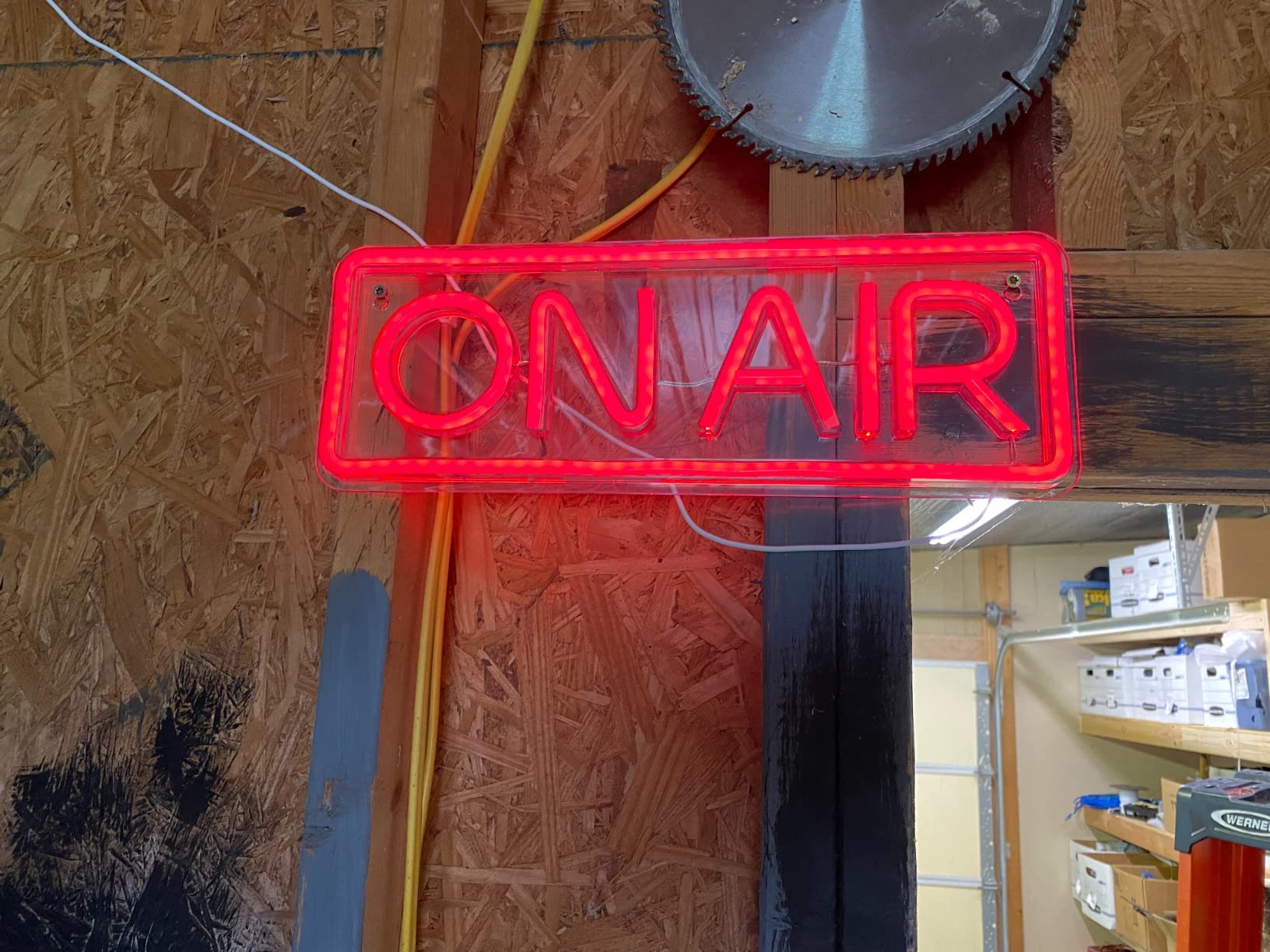
Technically it is an acrylic construction with LED lighting and a PCB controller, which is why it runs cool and lasts far longer than traditional neon. There is a physical on/off switch rather than a smart controller, which honestly feels appropriate for the retro aesthetic.
The feedback from streamers is consistent: it elevates the background and gives the setup a studio feel. The two notes worth knowing are that it can be too bright for some camera angles, which a cheap gel filter solves, and the power wire visibility depends on where it is mounted.
With a 4.6 rating across hundreds of reviews, it is a low-risk, high-delight gift.
Who this gift is perfect for
This is the perfect gift when you want something personal rather than technical. It works for brand-new streamers setting up their first corner and for veterans refreshing their background.
It also suits couples or family members gifting together with a bigger item, since it pairs well with lighting and decor upgrades.
Who should skip this one
If their background is deliberately minimal, or they use a green screen with no visible room, a neon sign has nowhere to live.
Streamers sensitive to background glow on camera may also find it distracting in a dark room.
11. SNACTIV PRO Finger Chopsticks – Best Stocking Stuffer
SNACTIV PRO Finger Chopsticks for Gamers – As Seen on Shark Tank! The Official Snacking Tool of the Future – Enjoy Snacks and Chips with Ease – Innovative Gaming Snacking Solution – Snack Chopsticks
Finger-Worn Chopsticks
Mess-Free Gaming Snacking
Dishwasher Safe
BPA-Free and FDA Compliant
As Seen on Shark Tank
Pros
- Mess-free snacking while gaming
- Comfortable for extended use
- Easy to use and intuitive
- Dishwasher safe
- BPA-free and FDA compliant
Cons
- Somewhat overpriced for what it is
- Tips could have better grip
- Less effective directly from chip bags
Every gift guide needs one fun pick, and this is ours. SNACTIV finger chopsticks slide onto the middle fingers so streamers can eat chips without greasing up their controller, mouse, or keyboard mid-stream.
They were featured on Shark Tank, and that viral moment is backed by a genuinely practical idea. Anyone who has ruined a keyboard with Cheeto dust understands immediately.
The PRO version uses ABS and TPU materials, which makes them comfortable enough to wear for an entire stream session.
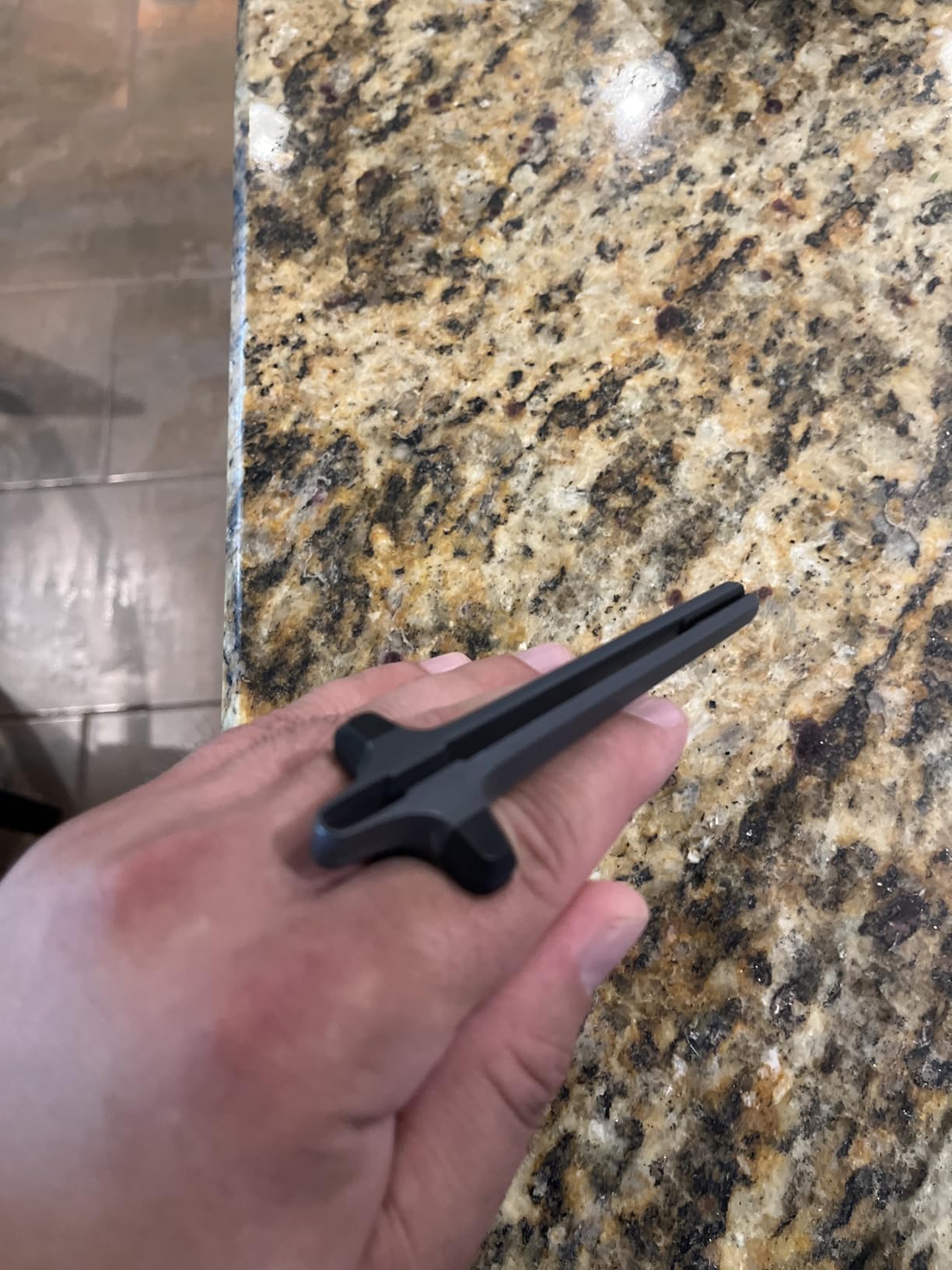
Technically they are 4.5 inches long, weigh almost nothing at 30 grams, and are dishwasher safe, BPA-free, and FDA compliant. The Dark Mode black color matches most gaming setups.
At 4.6 stars with 76 percent five-star ratings, buyers overwhelmingly find they work as advertised.
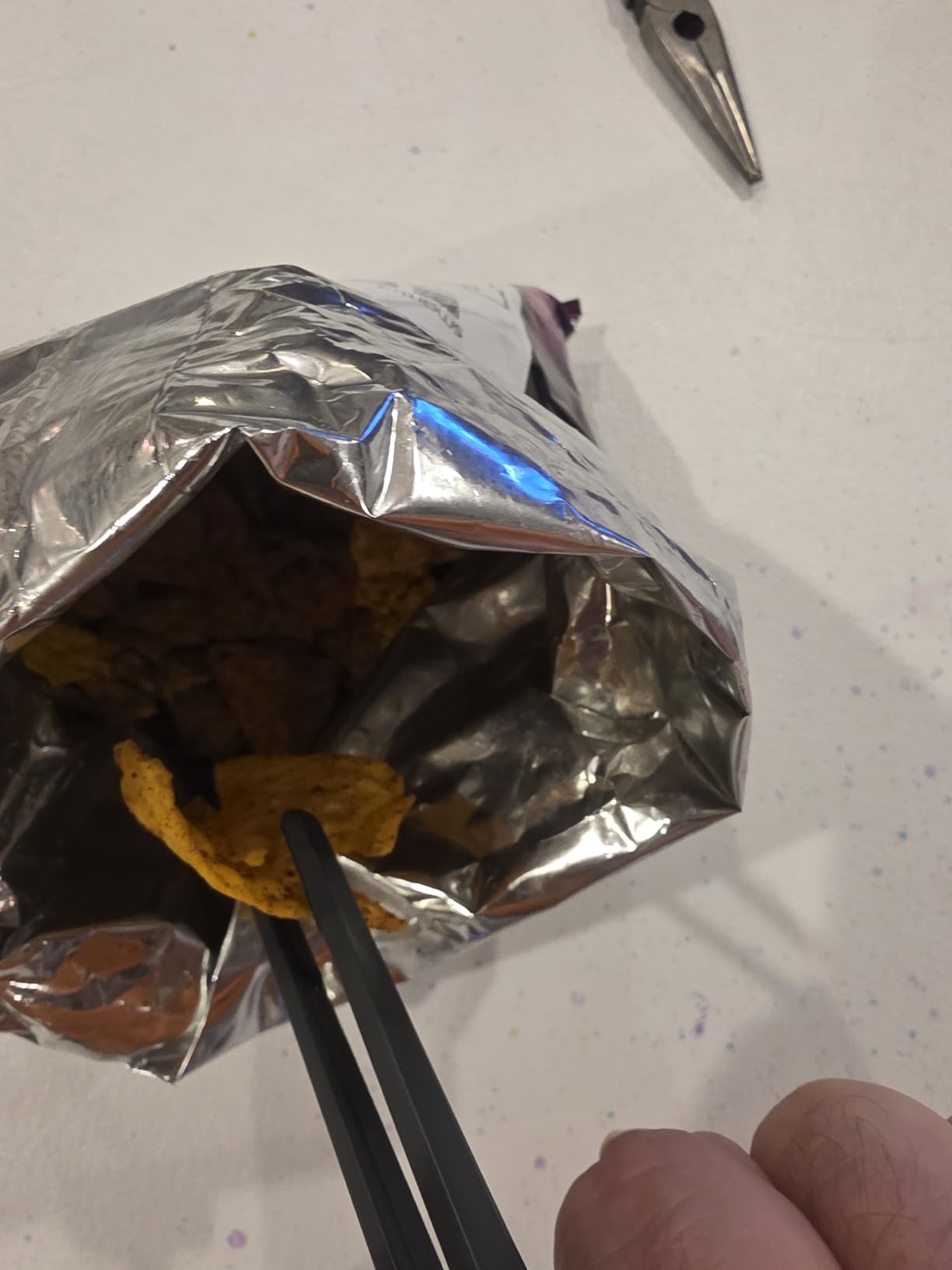
The criticisms are fair: they feel overpriced for two pieces of molded plastic, the tips could grip slippery snacks better, and fishing chips directly from a bag is still awkward. As a fun add-on gift rather than a main present, those quirks are easy to forgive.
Who this gift is perfect for
This is the ideal stocking stuffer or secret Santa pick for a gamer who snacks at their desk. Pair it with any of the bigger gifts above and it becomes the memorable touch.
It also suits snack-heavy variety streamers whose chat teases them about greasy controllers.
Who should skip this one
If they keep a strict no-food-at-the-desk policy, this gift will sit in a drawer. It is a novelty, not a necessity.
Anyone who eats with chopsticks daily may also find the finger-worn design odd rather than useful.
12. TONOR Gaming Microphone Set with Boom Arm – Best Complete Starter Mic
TONOR Gaming Microphone Set with Boom Arm, Vocal Condenser Microphone for Content Creators, USB Mic for PC with Stand, RGB, Tap Mute, Gain Control, Gaming Equipemnt, Twitch, Streaming, TC310+
USB Condenser Mic
Sturdy Metal Boom Arm
Tap-to-Mute with Gain Control
Vibrant RGB Modes
Number 1 Best Seller in Vocal Condenser Microphones
Pros
- Clear sound quality with minimal background noise
- Easy plug-and-play setup
- Sturdy boom arm with adjustable positioning
- One-tap mute and volume control
- Great value for the price
Cons
- No headphone jack on the microphone
- Noise cancellation could be better for some environments
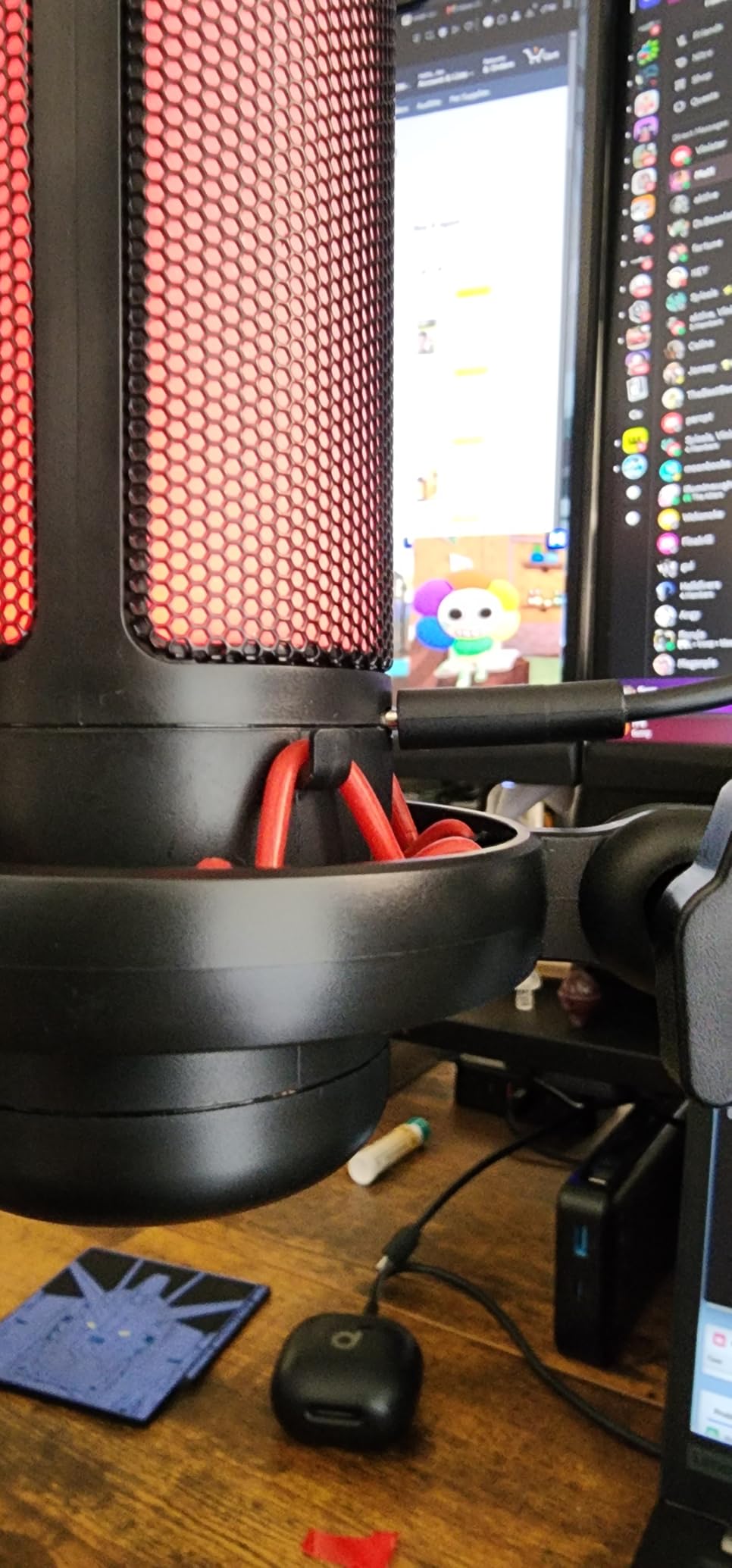
The TONOR TC310+ is the number one best seller in vocal condenser microphones, and the reason is simple: it is a complete, well-built starter kit that just works. Mic, boom arm, shock mount, pop filter, and USB cable all come in one box.
The metal boom arm is the standout at this price. It clamps to desks up to 2.36 inches thick and holds its position without sagging, which is where most budget arms fail.
Tap-to-mute on top and a rotating gain ring on the side give the streamer instant control without touching software.
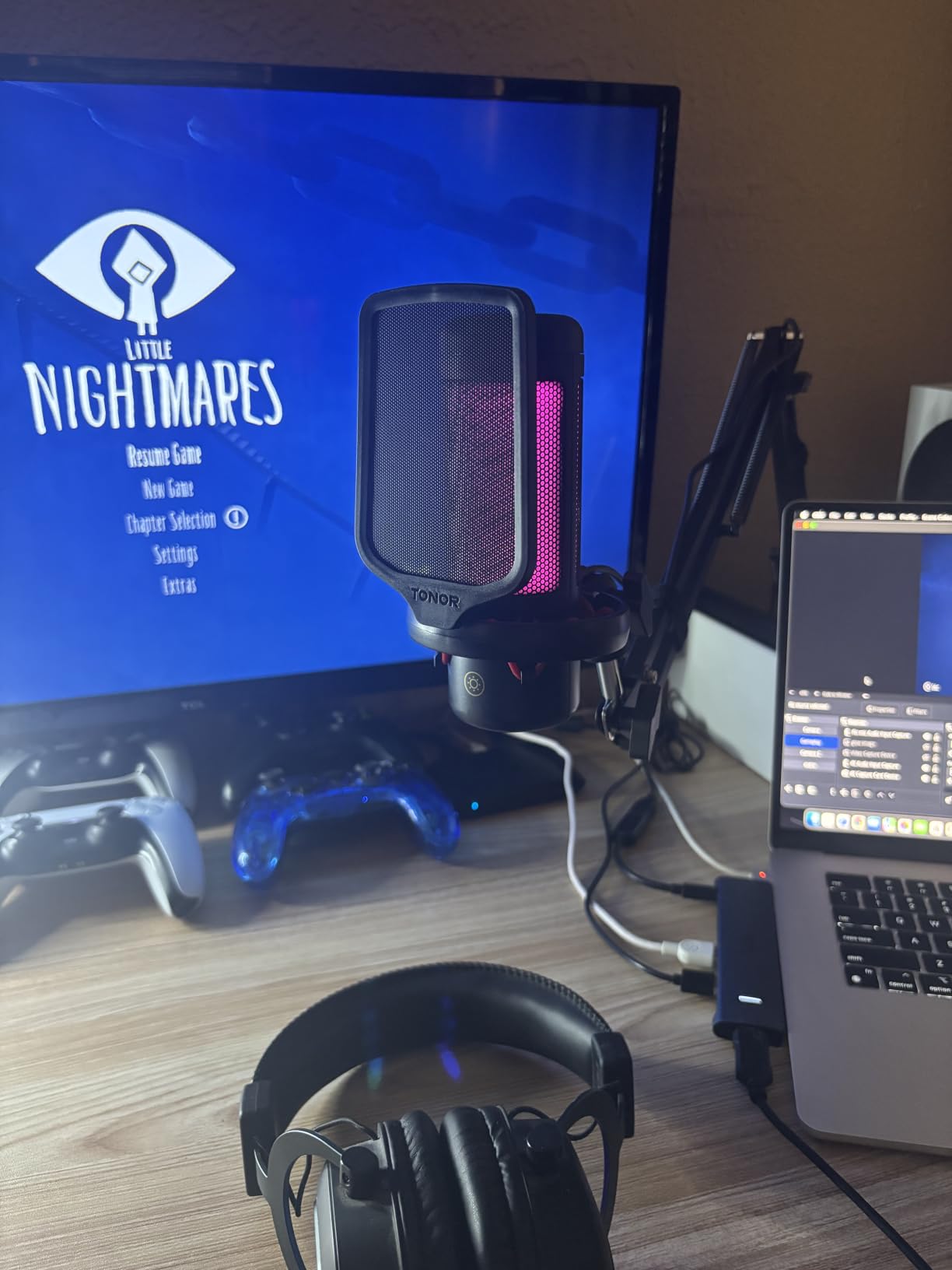
On the technical side, its tuned condenser capsule produces clean, high-fidelity sound with minimal background hiss, helped by a 78dB signal-to-noise ratio. It works on desktop, laptop, Mac, PS4, and PS5 over USB-A.
The four RGB modes, static colors, single-color gradient, breathing, and mix-color gradient, plus a brightness control let it sit comfortably in any RGB desk setup.
The gaps are small: there is no headphone jack for direct monitoring, and the noise rejection is only average in loud rooms. For a first streaming microphone, neither is a serious problem.
Who this gift is perfect for
This is the best single-gift option for someone who just decided to start streaming. One box takes them from headset mic to a proper desk setup with nothing else to buy.
Console streamers on PS4 or PS5 also get direct support, which many USB mics skip.
Who should skip this one
If they need zero-latency monitoring through the mic itself, the FIFINE AM8 above includes a headphone jack and this does not.
Established streamers with boom arms and interfaces already will find this duplicates their gear.
How to Choose the Right Gift for a Streamer?
Before buying anything, do one thing: check what they already own. Streamers love talking about their setup, so a casual question about their “mic situation” usually reveals everything. Duplicate gear is the number one gift failure mentioned in every Reddit thread we read.
Next, match the gift to their experience level. A brand-new streamer needs foundations: a complete mic kit like the FIFINE A6T or TONOR set, a webcam like the Brio 101, and basic lighting. An established streamer already has those, so control gear like the Stream Deck MK.2 or the Pedal, or quality-of-life upgrades like the audio mixer, land much better.
Think about their room too. A streamer in a shared or echoey space will get far more from a dynamic mic like the AM8 than from a sensitive condenser. Someone in a quiet, dedicated room can run anything on this list.
Budget works in clear tiers. Under about 30 dollars, the SNACTIV chopsticks, the Brio 101 webcam, and the On Air neon sign are all safe wins. In the 40-to-70 dollar range sit the complete mic kits, the audio mixer, and the D6 controller. Above that, the Stream Deck MK.2 and the Blue Yeti are the premium plays that get used every single stream.
Finally, consider their content type. Gamers benefit most from hands-free control like the Pedal. Just Chatting and variety streamers get more from lighting and a polished background. Competitive players appreciate audio precision and anything that keeps their hands on the mouse and keyboard.
If you are still unsure after all that, Reddit’s own advice holds up: a gift card to a tech store is never wrong, because streamers always have a wishlist. But if you want the gift they will actually tell chat about, pick from the list above.
Frequently Asked Questions
What does every streamer need?
Every streamer needs a decent microphone, a webcam, lighting, and stable software like OBS or Streamlabs. Audio matters most, since viewers tolerate average video but leave bad audio quickly. Beyond the basics, a control device like a Stream Deck and a clean background complete the setup.
What are some good gifts to give a streamer?
The best gifts are practical upgrades: a Stream Deck MK.2 for one-touch control, a Blue Yeti microphone for broadcast audio, an LED light kit for better video, or an On Air neon sign for the background. For new streamers, complete mic kits like the FIFINE A6T or TONOR TC310+ cover the essentials in one box.
How do I choose the right gift for a streamer?
First check what they already own so you avoid duplicates. Then match the gift to their level: foundations like mics and webcams for beginners, control gear and upgrades for experienced streamers. Finally, consider their room and content type, since gamers need hands-free control while Just Chatting streamers benefit more from lighting and decor.
Should I get a Stream Deck as a gift?
Yes, the Stream Deck MK.2 is consistently the most-appreciated streamer gift on Reddit. Streamers use it daily for scene switching, clipping, sound boards, and muting. Just confirm they do not already own one, and note it suits streamers who are already comfortable with OBS or Streamlabs.
What are good budget gifts for new streamers?
Under 30 dollars, the Logitech Brio 101 webcam, the TONOR mic set, and the On Air neon sign are all strong picks. Slightly higher, the FIFINE A6T kit includes a boom arm, shock mount, and pop filter, making it the most complete starter package for the money.
Conclusion
Choosing the best gifts for a Twitch streamer comes down to one rule: give them something they will use every stream, not something that looks cool in a gift box. The Stream Deck MK.2 remains the champion for a reason, while the Blue Yeti and the FIFINE A6T kit are the safest audio picks for experienced and brand-new streamers respectively.
Whatever you choose from this list, you are giving gear with thousands of verified reviews behind it. Pair a big pick with a small one like the On Air sign or the SNACTIV chopsticks, and you have a gift they will be talking about on their next stream.
1 thought on “12 Best Gifts for a Twitch Streamer (October 2026) Trusted Reviews”