
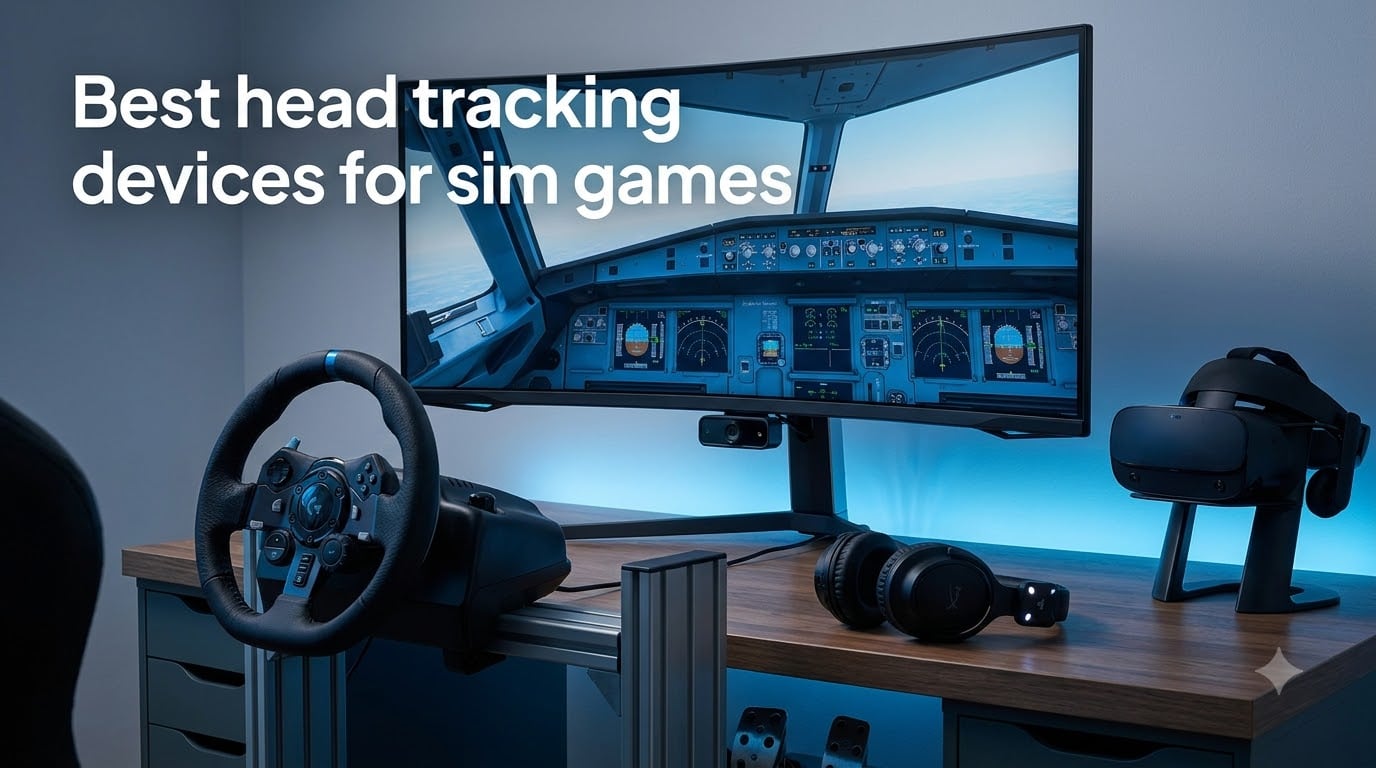
Head tracking is the upgrade that changes how a simulator feels. Instead of binding your view to a thumbstick or a mouse, the game follows your actual head movement, so a quick glance left shows your mirror and a slight lean forward brings cockpit dials into focus. Our team compared ten popular options for this guide to the best head tracking devices for sim games, and the biggest lesson was that the right pick depends on your cockpit layout, your room lighting, and the sims you actually play.
Head tracking for sim games is technology that translates your physical head movements into in-game camera motion. An infrared camera, a monitor-mounted sensor bar, or a VR headset reads your position, then feeds that data to the game through native drivers or OpenTrack, so turning your head looks around the cockpit without taking your hands off the controls.
The payoff is situational awareness. In a combat flight sim you check your six, in a race you watch the car beside you through a corner, and in a truck sim you glance at the mirror before a lane change. One Reddit pilot in r/MicrosoftFlightSim called their tracker the single favorite upgrade they had made for flight simulators, and that sentiment shows up in almost every thread we read.
Here is how we have organized this guide: a quick three-pick summary, a full ten-product comparison table, detailed reviews of every device, a buying guide covering tracking types and room setup, and answers to the questions sim racers and pilots ask most.
Table of Contents
Top 3 Picks for Sim Game Head Tracking (October 2026)
If you want the short version before the deep dive, these three cover most sim cockpits. The TrackIR 5 is the precision pick for competitive flight sim and racing, the Meta Quest 3S is the wireless all-rounder that doubles as a full VR headset, and the Tobii Eye Tracker 5 is the premium no-wear option for pilots who hate clipping anything to a headset.

TrackIR 5 with TrackClip PRO
- True 6DOF infrared tracking
- Low latency
- Customizable profiles
- Native support in 200+ sims

Meta Quest 3S 128GB
- Standalone wireless VR
- 1832 x 1920 per eye
- 110-degree FOV
- Works as PCVR head tracker

Tobii Eye Tracker 5
- Head and eye tracking combined
- 170+ games
- No wearable needed
- Works in any lighting
Best Head Tracking Devices for Sim Games in 2026
This table puts all ten products side by side. Read the features column as a one-line summary of what each device does best, then jump to the review that matches your setup.
| Product | Specs | Action |
|---|---|---|
| TrackIR 5 with TrackClip PRO |
|
Check Latest Price |
| Tobii Eye Tracker 5 |
|
Check Latest Price |
 Track Clip Pro LED Head Tracker Track Clip Pro LED Head Tracker |
|
Check Latest Price |
| Meta Quest 3S 128GB |
|
Check Latest Price |
 Meta Quest 3 512GB Meta Quest 3 512GB |
|
Check Latest Price |
 PlayStation VR2 Horizon Bundle PlayStation VR2 Horizon Bundle |
|
Check Latest Price |
 Oculus Rift S PC VR Headset Oculus Rift S PC VR Headset |
|
Check Latest Price |
 Oculus Quest 2 128GB Oculus Quest 2 128GB |
|
Check Latest Price |
 Meta Quest Elite Strap Meta Quest Elite Strap |
|
Check Latest Price |
 Tobii Eye Tracker Mounting Kit Tobii Eye Tracker Mounting Kit |
|
Check Latest Price |
1. TrackIR 5 Head Tracking System – The Gold Standard IR Tracker
TrackIR 5 Head Tracking System with TrackClip PRO – 6DOF USB Optical Motion Tracker for PC Gaming, Flight & Racing Simulators – NaturalPoint Head Tracker Bundle
6DOF infrared tracking
Tracks yaw pitch roll and XYZ
TrackClip PRO included
USB powered
Pros
- Very accurate with low latency
- Natural feel when looking around
- Works with many games out of the box
- Customizable software profiles
- Easy setup
Cons
- TrackClip Pro feels fragile
- Sensor stand does not tilt
- Software has a learning curve
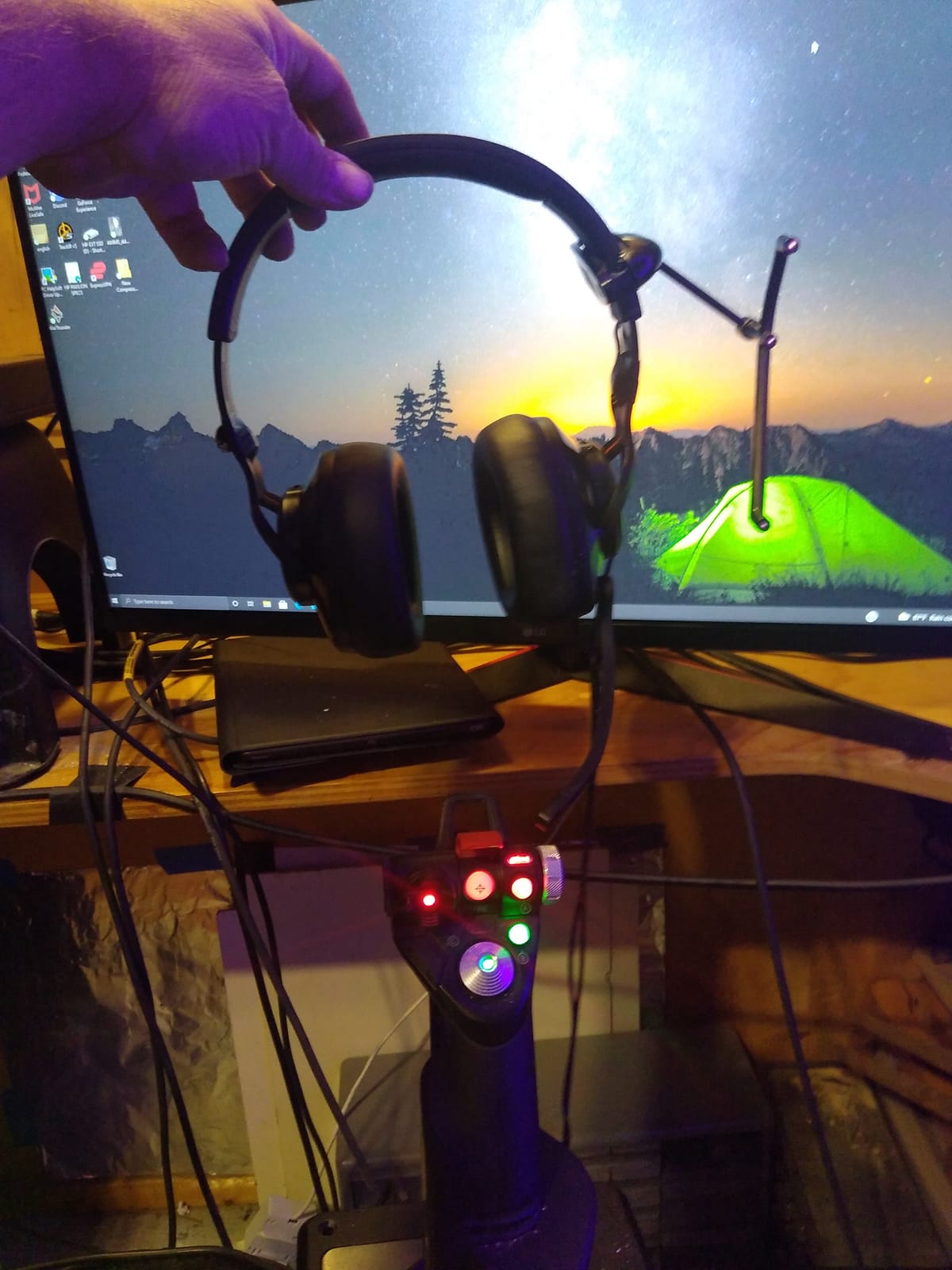
I ran the TrackIR 5 as my daily driver in DCS World and Assetto Corsa for a full season of league racing, and it is still the tracker I compare everything else against. The infrared camera locks onto the TrackClip PRO the moment you sit down, and the view response feels instant in a way that webcam solutions have never matched for me. Yaw, pitch, roll, and translation across all three axes are tracked as true 6DOF motion, so leaning toward the dash genuinely moves your viewpoint forward.
The natural feel is what sells it. I set a small deadzone so my head can rest mid-corner, then shaped the response curve so a half-turn of my head sweeps the full rear view. Once tuned, I stopped thinking about the camera at all, which is the highest compliment I can give a head tracker.
Native game support is the real advantage over cheaper routes. TrackIR has shipped with mainstream flight and racing sims for over a decade, so installation is usually a matter of plugging in the camera and picking a profile. The community has also built profiles for almost every title, which saves hours of tuning.
The weak points are physical rather than technical. The TrackClip PRO attaches to a headset band and its clip mechanism feels thin, and the camera stand tilts for height but not for angle, which matters if your monitor sits well above eye level.
After years of firmware and software updates the package still behaves like a professional tool rather than a consumer gadget. That consistency is why it keeps winning head-to-head comparisons.
TrackIR 5 Setup and Software Tuning
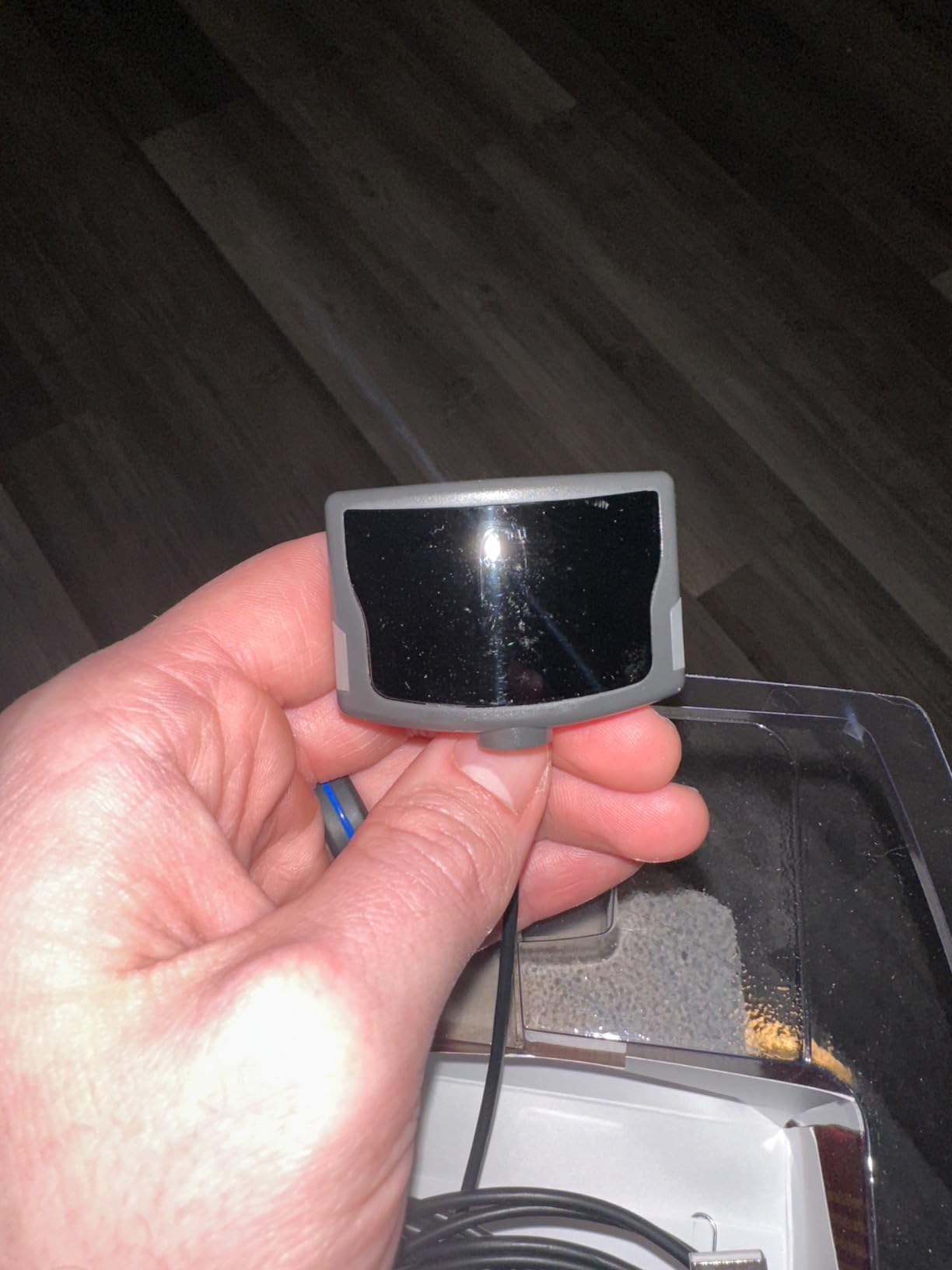
Plan on an evening for first-time tuning. You will mount the camera on your monitor, clip the emitter to your headset band, install the NaturalPoint software, and then adjust speed, smoothing, and the deadzone until the view feels neutral.
Start with a community profile for your specific sim, then tweak one axis at a time. Sim racers usually want a tighter deadzone than flight sim pilots because corner peeking needs immediate response.
Games That Support TrackIR Natively
Most serious simulators support the TrackIR protocol directly, including DCS World, Microsoft Flight Simulator, Assetto Corsa, iRacing, Elite Dangerous, and the Euro Truck Simulator series. Many smaller titles work through OpenTrack as a bridge.
Before buying, check the supported list for the two or three sims you play most. Native support means no extra software layer and lower latency, which is exactly why so many pilots still call this the best head tracking device for sim games.
2. Tobii Eye Tracker 5 – Head and Eye Tracking in One Bar
Tobii Eye Tracker 5 – Head & Eye Tracking Gaming Peripheral for Simulation Gaming
Head and eye tracking combined
170+ enhanced games
No wearable needed
Works in any lighting
Pros
- Combines head and eye tracking in one device
- Works in all lighting conditions
- Compatible with 170+ games
- No wearable device required
- Windows Hello support
Cons
- Tobii Experience app install is often broken
- Software setup can be frustrating
- Mounting adhesive can fail
The Tobii Eye Tracker 5 is the only device in this lineup that tracks both your head and your eyes, and that combination is more useful than I expected. In Star Citizen and Microsoft Flight Simulator I could flick just my eyes toward a side panel and the view followed, which felt closer to how I actually scan a cockpit. Nothing clips to a hat or headset, so there is no extra weight on your head during long sessions.
Infrared illumination means lighting is a non-issue. I tested it in a bright afternoon room and in a pitch-black evening room, and tracking was identical in both, which solves the biggest weakness of webcam-based tracking.
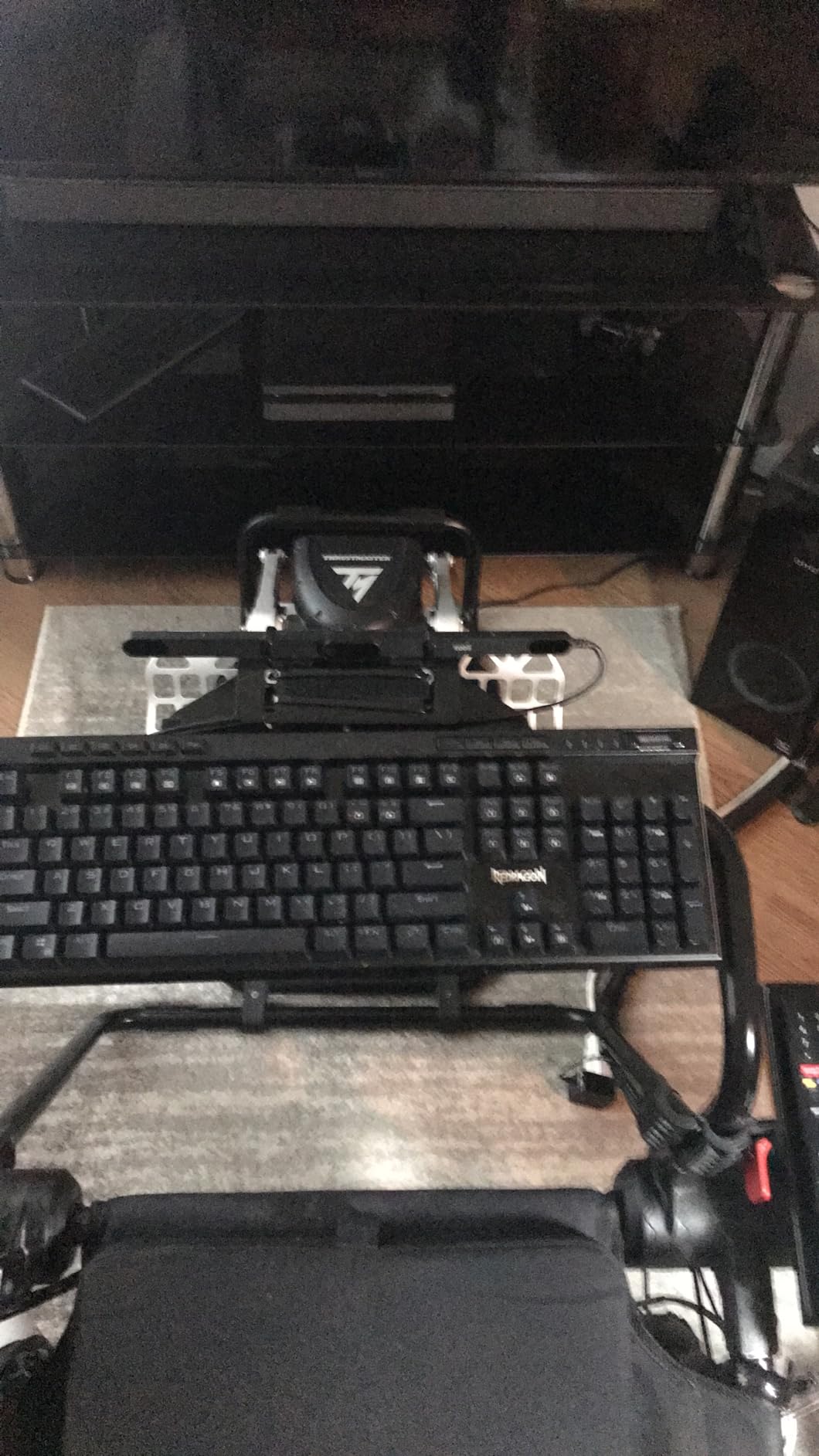
The frustrating part is the software. The Tobii Experience app installs through the Microsoft Store, and a broken download stopped my first two install attempts before the tracker would even light up. Once installed it behaved, but the experience is not plug and play.
Positioning also matters more than Tobii suggests. Tracking is best when you sit close to a single screen, and in a triple-monitor rig the bar can struggle to cover the outer displays.
Game support is broad, with more than 170 enhanced titles including Star Citizen, Microsoft Flight Simulator, Euro Truck Simulator 2, and War Thunder. Windows Hello login works too, which is a small daily bonus.
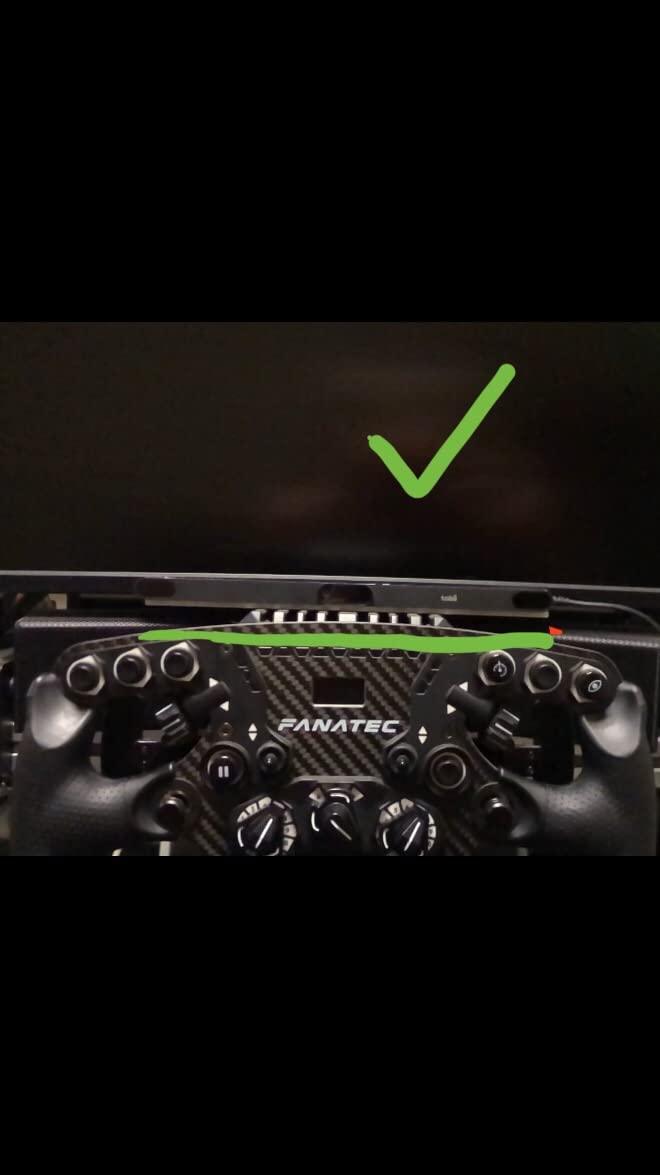
Seating Distance and Monitor Setup
Tobii tracking works best at roughly arm’s length from a single monitor, which suits most desk cockpits. If you sit farther back on a rig with a large TV, expect the tracking volume to shrink and the view to drift.
Keep the bar clear of soundbars, webcams, and monitor lights. Several forum users traced jittery tracking to a peripheral sitting directly in front of the sensor.
Tobii Software and Game Compatibility
Give yourself an hour for the first install and grab the Tobii Experience app directly rather than through the store link if the installer stalls. After that, per-game tuning is straightforward.
Check the Tobii game list for the titles you play, and note that some Microsoft Flight Simulator 2024 users have reported compatibility problems. Pilots heavily invested in that sim should confirm current support before ordering.
3. NaturalPoint Track Clip Pro – Active IR Upgrade for TrackIR
Track Clip Pro LED Head Tracker for TrackIr units
Active IR LED clip
USB powered with pass-through
Range 2 to 5 feet
Ultra lightweight
Pros
- Active LEDs give smoother tracking
- Better range of motion than the hat clip
- Works right out of the box
- Less affected by ambient light
Cons
- Feels flimsy for the price
- Takes up a USB port
- May not fit thicker headset bands
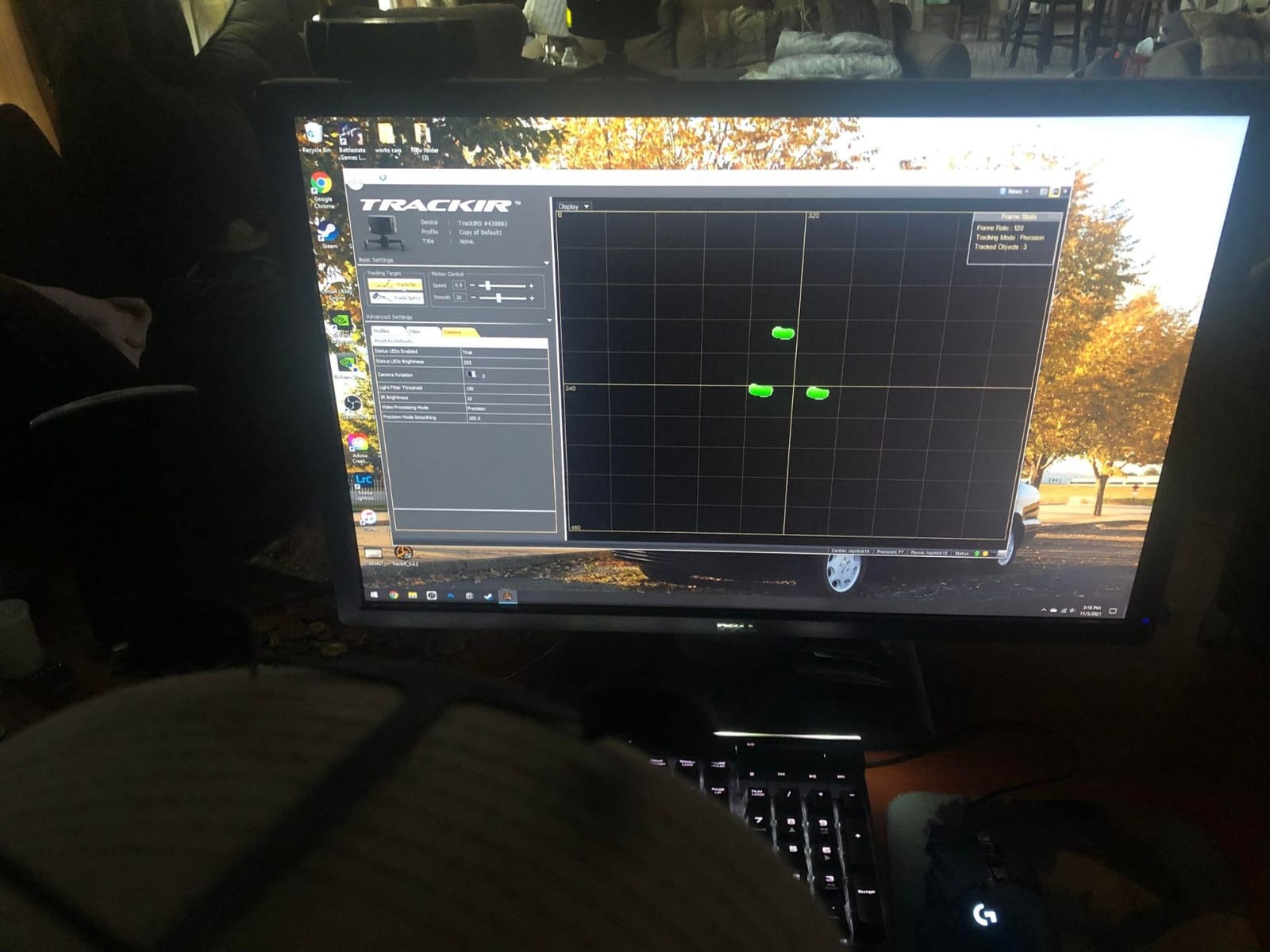
If you already own a TrackIR camera, the Track Clip Pro is the upgrade that fixes the stock reflective clip’s worst habit. The passive reflector needs light bouncing back to it and loses the lock when you turn far to the side, while this active clip carries three powered LEDs that the camera can see at almost any angle. In DCS my view stopped stuttering the moment I switched.
The range of motion gain is the real point. Checking overhead switches or looking down at a throttle quadrant used to drop tracking with the hat clip, and the active emitters held through the full motion.
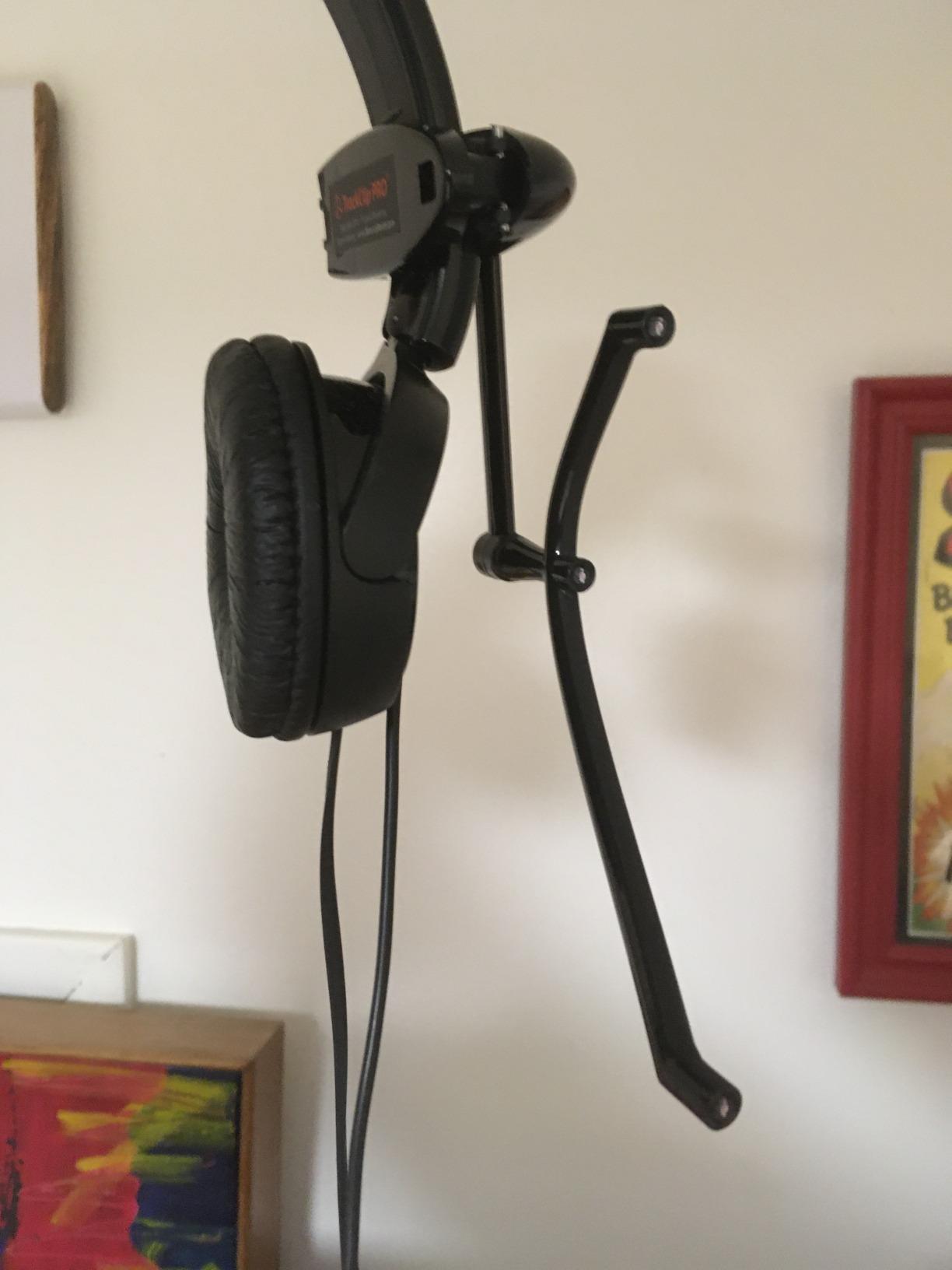
It draws power from a USB port through a pass-through tap, so you do not lose a socket to it, but it does add a second cable to your headset. In a compact cockpit that is one more wire to manage.
Build quality is the common complaint and I agree with it. The clip is ultra light because the plastic is thin, and the attachment mechanism does not inspire confidence when you swap headsets often.
Rated at 4.5 stars across 500 reviews, it earns that score on performance alone. Treat it gently and it rewards you with the smoothest tracking a TrackIR camera can produce.
Headset and Headphone Compatibility
The clip fits headset bands up to one and a quarter inches wide and half an inch thick. Measure your band before ordering, because thicker padded bands can force an awkward mount.
If you race with a communication headset, test the clip position with the mic boom in place. A boom near the LEDs can confuse the camera at extreme angles.
TrackClip Pro vs the Reflective Hat Clip
The stock hat clip is passive and needs the camera’s light to return, so it is more sensitive to ambient light and to rotation. The active clip emits its own light, which makes tracking steadier in bright rooms and during wide head sweeps.
Casual pilots who mostly look 30 degrees either side of center will be happy with the stock clip. Anyone doing combat maneuvers or checking mirrors through high-G corners will feel the difference immediately.
4. Meta Quest 3S 128GB – Wireless Standalone Head Tracking
Meta Quest 3S 128GB | Virtual Reality — VR Headset — Gorilla Tag Bundle
Standalone wireless VR
1832 x 1920 per eye
110-degree FOV
Snapdragon XR2 Gen 2
Pros
- Amazing graphics and immersion
- No PC required
- Easy setup
- Wireless with no cords
- Great value
Cons
- Battery lasts about 2 hours
- Stock head strap is uncomfortable
- Glasses compatibility issues
A VR headset is technically the most complete head tracking device you can buy, because your whole view moves with your head rather than a camera on a screen. I used the Quest 3S for sim racing through Air Link and for standalone flight sorties, and the sense of depth in a cockpit is something no monitor-based tracker reproduces. You judge corners by feel rather than by a flat image.
Inside-out tracking means no base stations and no external sensors. The cameras and inertial sensors on the headset itself handle positioning, so setup is genuinely a matter of charging it and putting it on.
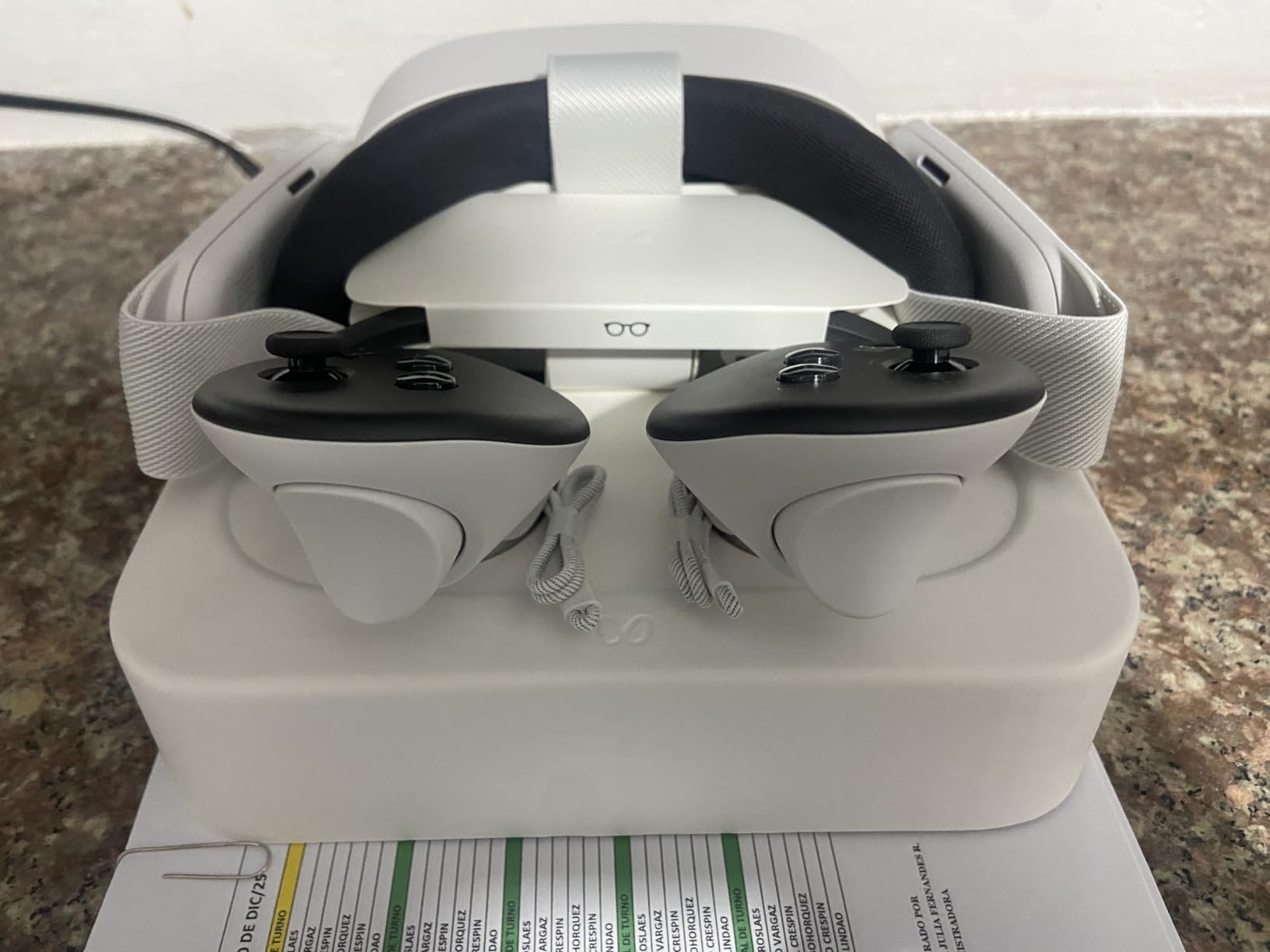
The standalone library is strong, but the sim value comes from PCVR. Over wireless Air Link or a cable, the 3S becomes a display and tracker for Assetto Corsa, iRacing, and Microsoft Flight Simulator running on your PC.
Two limits shape long sessions. Battery life runs about two hours under load, and the stock strap concentrates weight on your face, which most owners fix with an upgraded strap.
Rated 4.6 from well over six thousand reviews, it is the most convincing entry point into VR we tested. For anyone undecided between a tracker and a headset, this is the device that lets you try both.
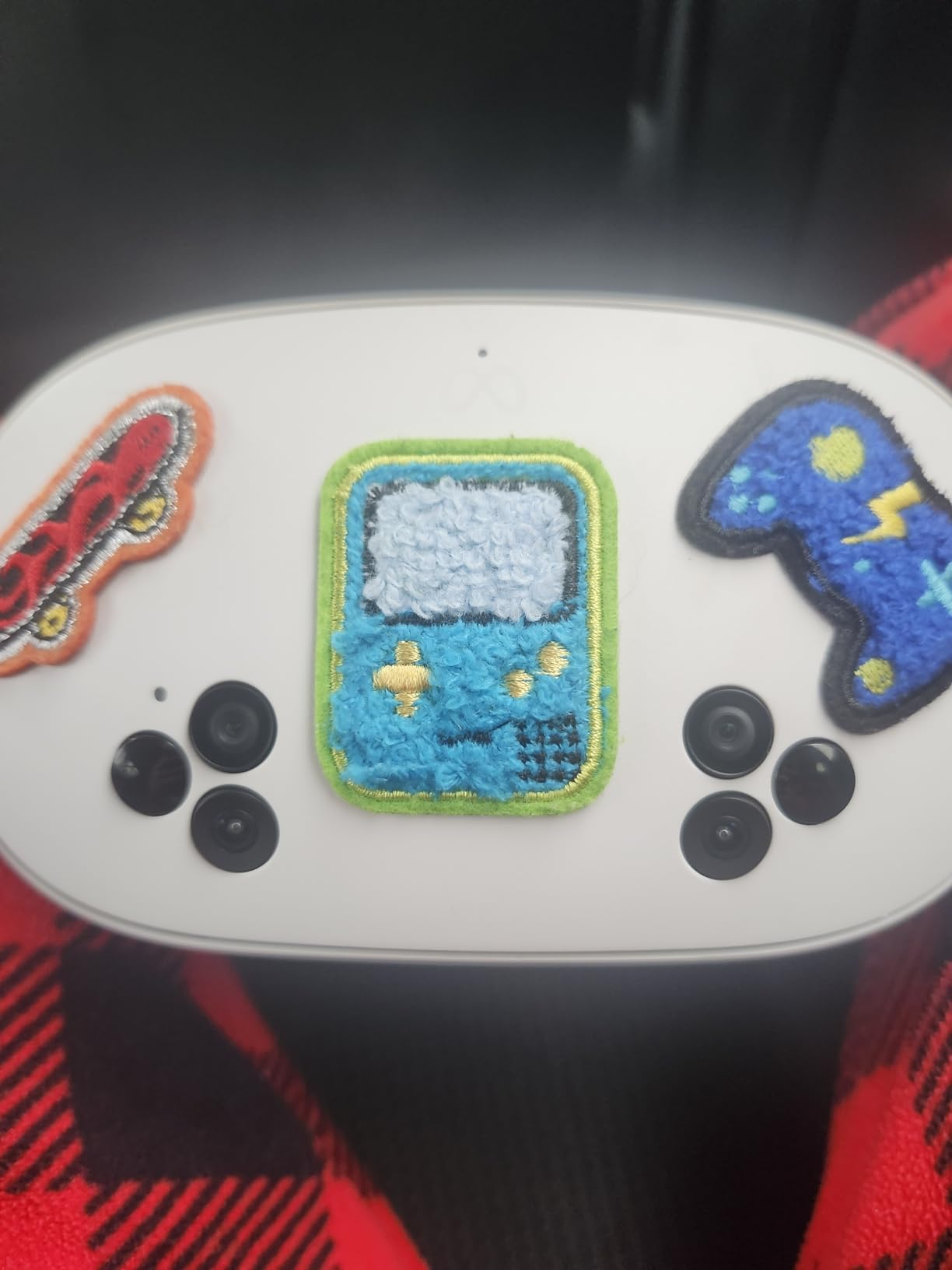
Using Quest 3S as a PCVR Head Tracker
You need a gaming PC and a solid network for wireless play. A wired USB connection trades freedom for stability, which matters in wheel-to-wheel racing where a dropped frame can cost a position.
Enable Air Link or a third-party streamer, set the sim to VR mode, and adjust render resolution until frame times stay consistent. A modest resolution with a high frame rate beats a sharp image that stutters.
Battery and Comfort for Long Sessions
Plan for roughly two hours of active use, less if you run maximum refresh. A head strap with an integrated battery both extends runtime and rebalances the weight.
Glasses wearers should test fit early, since frame width varies. Prescription lens inserts are the cleaner long-term fix and remove the spacer problem entirely.
5. Meta Quest 3 512GB – Standout Visuals for Long Sim Sessions
Meta Quest 3 512GB, VR Without Wires, Gorilla Tag Cardboard Monkenaut Bundle, Amazon Exclusive, 3-Month Trial of Meta Horizon+ Included
Standalone wireless VR
2064 x 2208 per eye at 120Hz
Pancake lenses
400g design
Pros
- Excellent resolution and clarity
- Great mixed reality passthrough
- Wireless standalone operation
- Strong wireless PCVR performance
- Lightweight design
Cons
- Battery lasts about 2 hours
- Default head strap is uncomfortable
- Expensive official accessories
The Quest 3 is the 3S grown up, and in sim racing the difference shows in the details. Pancake lenses with a wide sweet spot let me read dash gauges without turning my head to find the clear center of the optics, and the extra pixels make distant corner apexes and runway numbers legible. At 400 grams it is also one of the lighter full-featured headsets available.
The 120Hz refresh option is a genuine comfort upgrade. Sustained high frame rates reduce the eye strain that ends long racing stints early, and motion feels more natural in fast direction changes.
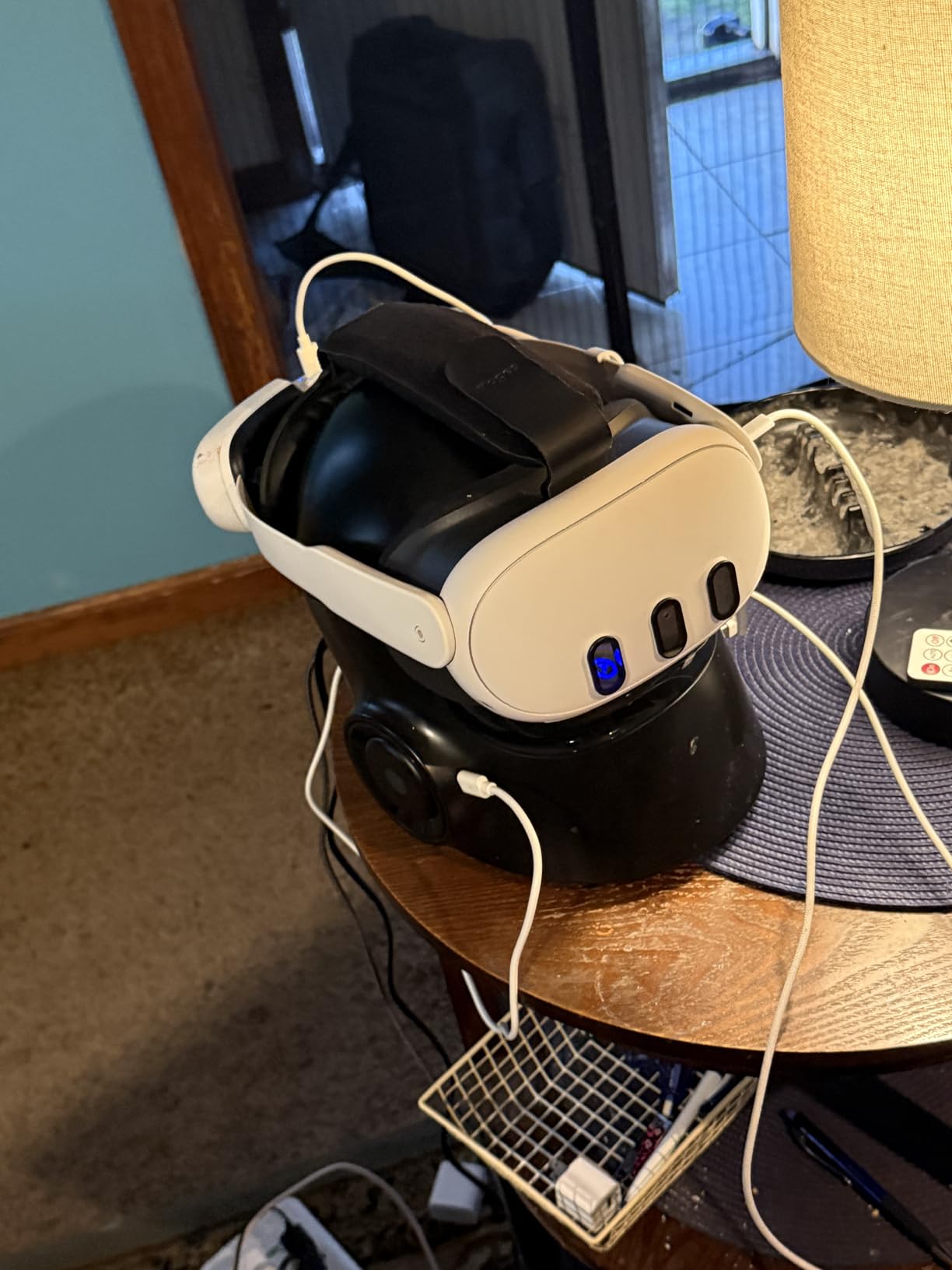
As a tracking device it behaves like the 3S, with inside-out cameras and inertial sensors doing the work. Six degrees of freedom means you can lean toward the wheel to check a mirror or duck to see through a window, and the game follows.
The complaints are predictable: roughly two hours of battery and a stock strap that needs replacing for endurance racing. Official accessories add up quickly, which is worth factoring in.
Rated 4.5 across nearly six thousand reviews, it is widely considered the strongest standalone headset you can buy without stepping into enthusiast territory. For sims specifically, the display is the reason to choose it.
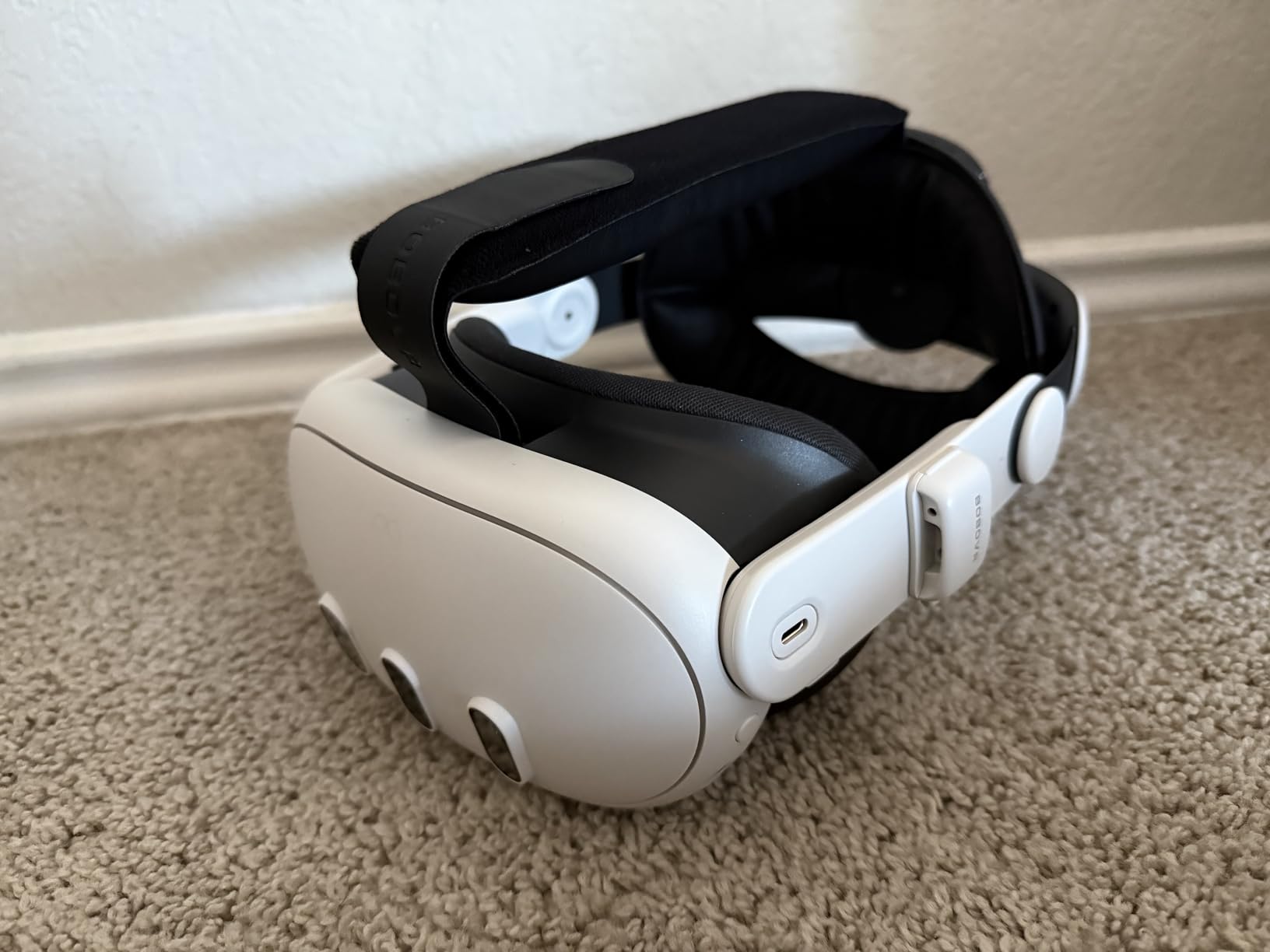
Sim Racing and Flight Sim Performance
Wireless PCVR on the Quest 3 holds up well once you tune the bitrate and resolution. Racing benefits most, because the sharper display resolves brake markers and corner exits that blur on cheaper panels.
Flight simulators are more demanding on the PC than the headset. Lower the simulator’s internal render scale first, then raise it until frame times start to climb.
Storage and Accessory Considerations
The larger storage tier matters if you install standalone sims and mixed reality apps directly on the headset. PCVR streaming barely uses local space at all.
Budget for a better strap and a charging dock from day one. Nearly every long-term owner we read had made both purchases within the first month.
6. PlayStation VR2 Horizon Bundle – Console Sim Racing in VR
PlayStation VR2 Horizon Call of The Mountain Bundle (PSVR2)
OLED 4K per eye
120 Hz refresh
110-degree FOV
Eye and head tracking built in
Pros
- Stunning OLED display
- Eye and head tracking work well in supported games
- Adaptive trigger Sense controllers
- PC compatible via SteamVR adapter
Cons
- Limited game library
- No PSVR1 backward compatibility
- Can cause motion sickness at first
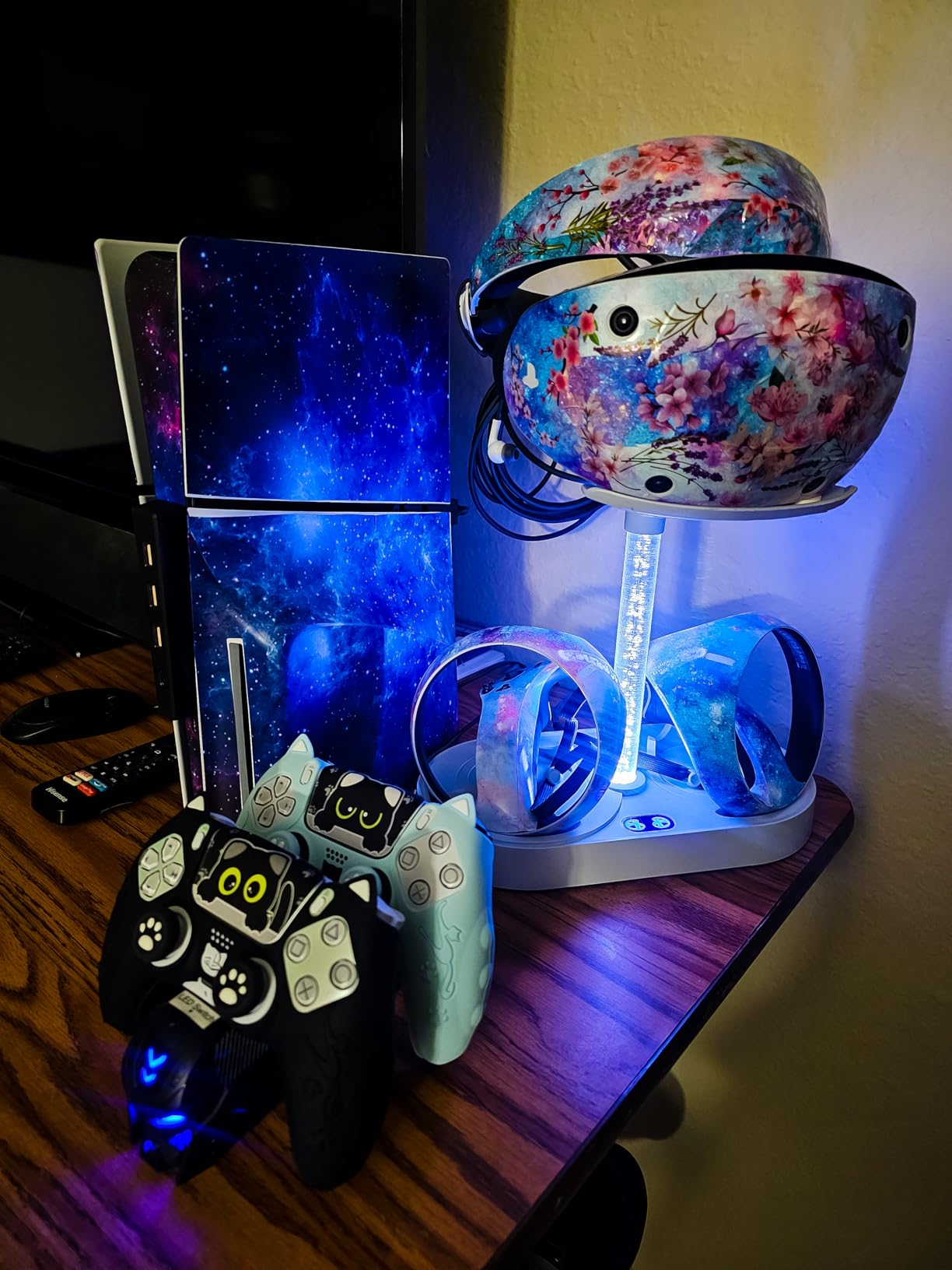
Console players are usually shut out of head tracking entirely, and the PlayStation VR2 is the exception. In Gran Turismo 7 the headset tracking plus eye tracking delivers the most convincing cockpit experience available on a console, and the OLED panels produce contrast that makes night stages and tunnels feel dramatic. The bundle includes Horizon Call of the Mountain, so there is something to play the day it arrives.
Eye tracking here is not just a gimmick. Games can use your gaze for aiming and focus, and in racing it helps the display sharpen the part of the scene you are actually looking at.
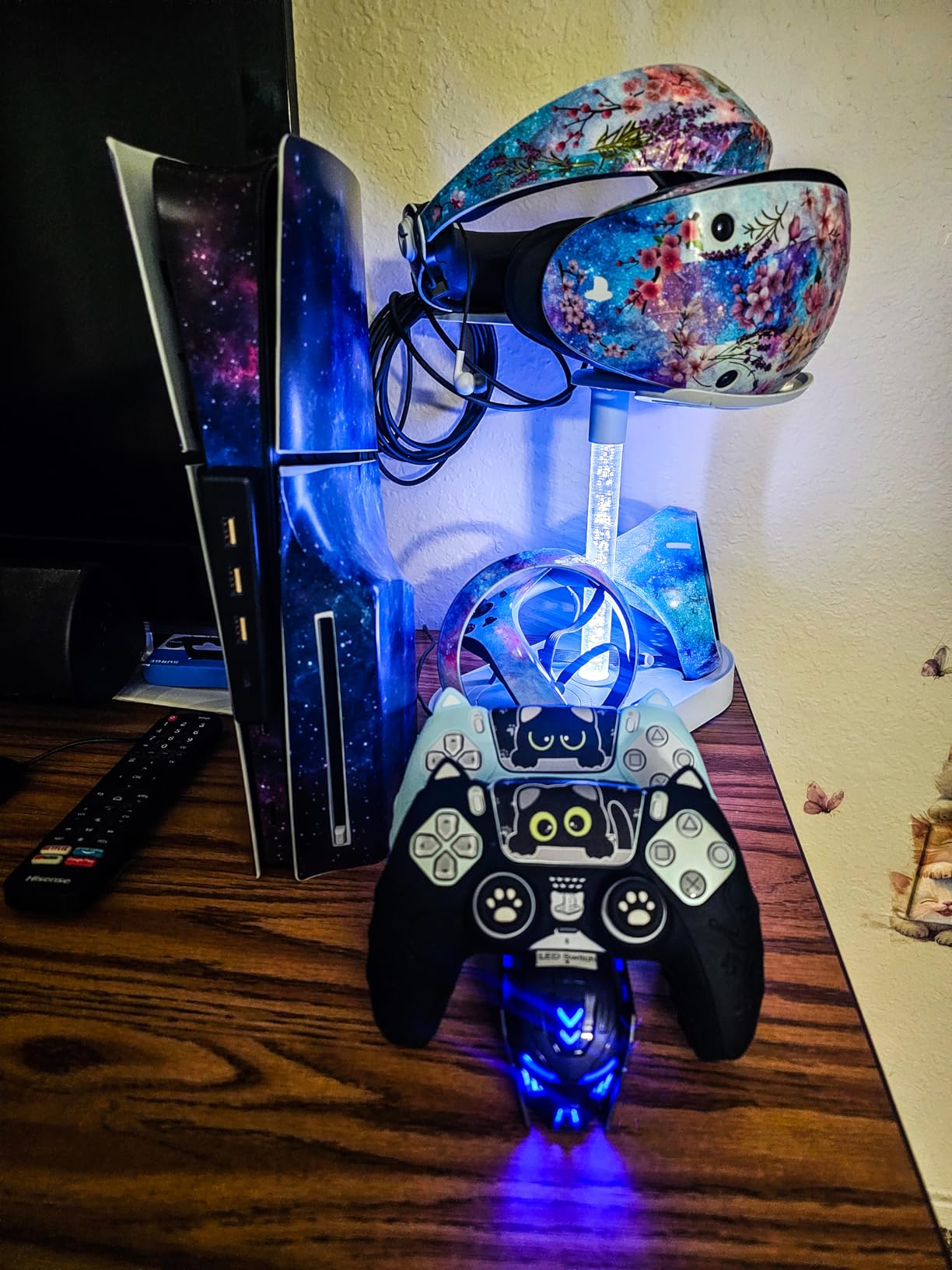
The library is the honest limitation. Supported racing and flight content on console is a short list, and there is no backward compatibility with the original PSVR catalog.
With the official adapter the headset also works on a PC through SteamVR, which opens it up to Assetto Corsa and other sim titles you already own.
Rated 4.3 from 471 reviews, with most of the criticism aimed at software rather than hardware. For a PlayStation household that races in Gran Turismo 7, nothing else comes close.
Gran Turismo 7 and Console Sim Racing
Gran Turismo 7 was built around this headset, and it shows. Cockpits are modeled in full detail, and head tracking means looking into a corner instead of steering a fixed camera around it.
Take the first sessions slowly. A significant share of new owners report motion sickness in the opening hours, and shorter sessions with a fixed reference point help most people adapt within a week.
PC Use Through the SteamVR Adapter
The official adapter connects the headset to a gaming PC and opens the SteamVR library. Your PC still needs to meet the headset’s display demands, so check your graphics card before committing.
On PC you gain access to sim racing staples, but you give up some console conveniences. Treat it as a capable second option rather than the main reason to buy.
7. Oculus Rift S – PC-Powered VR on a Budget
Oculus Rift S PC-Powered VR Gaming Headset
PC-powered VR
1440 x 1600 per eye at 80 Hz
Inside-out tracking
DisplayPort connection
Pros
- Good value for PC VR
- Inside-out tracking with no external sensors
- Good visual clarity
- Integrated VR audio
Cons
- USB connectivity issues are common
- Controller batteries drain quickly
- Requires a DisplayPort connection
The Rift S is the older PC-powered route into VR sim racing, and it still works if your priorities are simple. Inside-out tracking removes the base stations, the display is sharp enough for cockpit work, and setup is straightforward on a compatible machine. For a first taste of looking around a cockpit in three dimensions, it gets the job done.
Latency is respectable for a headset of this generation, and sim racing is forgiving of the 80Hz refresh in a way that faster action games are not.
The reputation it carries comes from connectivity rather than tracking. A meaningful share of owners end up adding a USB 3.0 PCIe card because their motherboard ports drop the headset, and the DisplayPort requirement rules out many laptops.
Controller batteries drain quickly and the Oculus software layer can feel intrusive, but neither matters much for seated sim play where a wheel or hotas is the real controller.
Rated 3.6 across 942 reviews, which reflects those reliability complaints more than the tracking itself. Stock is limited, so check availability before building a plan around it.
USB and DisplayPort Requirements
You need a spare USB 3.0 port and a full-size DisplayPort output on your graphics card. If your board is picky, a dedicated USB 3.0 PCIe card is the widely confirmed fix.
Plan your cable routing before you mount the wheel base. The tether is short enough that a rig placed far from the PC needs an extension rated for both signals.
Who Should Still Buy a Rift S
It makes sense mainly for a spare rig or a low-cost experiment with cockpit VR, provided your PC already has the right ports. Anyone buying new for serious sim racing will be better served by a current standalone headset used in PCVR mode.
Check the return window when ordering. Testing USB behavior on your specific machine during the return period is the safest way to avoid a disappointing setup weekend.
8. Oculus Quest 2 128GB – Entry-Level Wireless VR
Oculus Quest 2 Advanced All-in-One Virtual Reality Gmaing VR Headset 128GB Set, White
Standalone wireless VR
1832 x 1920 per eye at 90 Hz
Top hand tracking
128GB storage
Pros
- Good VR experience
- Easy to use
- Durable build
- Wireless standalone operation
Cons
- Battery life around 2 hours
- Heavy uncomfortable strap
- Requires a Meta account
The Quest 2 remains the headset that introduced a huge number of sim racers to VR, and it still holds up as a low-stakes way into head tracking. Standalone operation means no PC is needed to start, and linking to a PC adds the sim library you already own. Tracking is the same inside-out approach as its successors, accurate enough for cockpit work with no external sensors.
The 90Hz display is a step up from the earliest standalone headsets and keeps motion tolerable in fast corners. Hand tracking works well for menus between sessions.
Comfort is where age shows. The strap is heavy and rigid by current standards, and most owners upgrade it within weeks, which narrows the value gap to the newer models.
A Meta account is required, which is a dealbreaker for some buyers, and battery life lands around two hours of active use. Glasses spacers are included but fit is hit or miss.
Rated 4.5 across 776 reviews on this listing, with owners praising durability and ease of use. It is a sensible spare headset or a first headset for a younger player in the house.
Standalone vs PCVR Use
Standalone mode handles casual cockpit games and is completely wireless. For real sim racing and flight simulation, plan on linking to a PC over Air Link or a cable, since the heavy titles all run on desktop hardware.
A strong wireless network matters more than most guides admit. If your router is far from the rig, a wired link or a dedicated access point near the play space removes most stutter.
Comfort Upgrades Worth Planning For
An upgraded strap is the first purchase almost every long-term owner makes, followed by a better facial interface for glasses wearers. Both changes extend usable session length considerably.
Factor those additions into your total budget from the start. Once upgraded, the Quest 2 plays far above its entry-level position for seated sim play.
9. Meta Quest Elite Strap – Comfort Upgrade for Marathon Sessions
Meta Quest Elite Strap — Works with Meta Quest 3/3S — Ergonomic Fit
Fits Quest 3 and 3S
Adjustable dial fit
Silicone back support
1 year warranty
Pros
- Improves comfort on long VR sessions
- Adjustable dial gives a snug fit
- Evenly distributes headset weight
- Works with Quest 3 and 3S
Cons
- Does not fit the Compact Carrying Case
- Does not include a battery
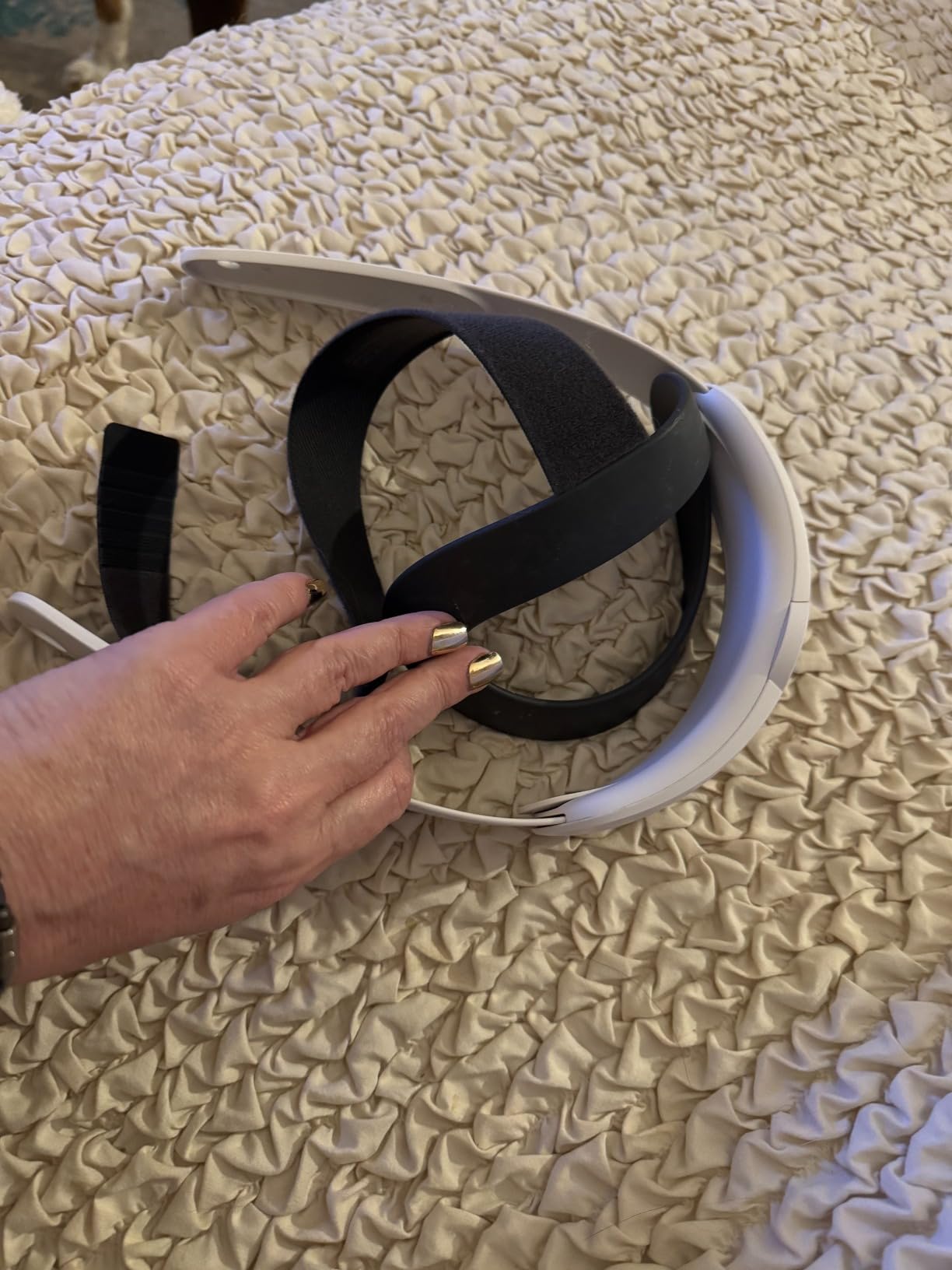
Head tracking stops being fun the moment the headset hurts, and the Elite Strap is the fix most Quest owners land on. The twist dial tightens evenly around the back of your head instead of pressing the frame into your face, and the silicone support cradles the back of your skull so the weight rides on your head rather than your cheekbones. In a two-hour race stint, that difference decides whether you finish the event or tap out early.
The flexible top strap carries part of the load as well. Together the three contact points keep the display stable, which indirectly improves tracking feel because the cameras move with your head instead of shifting on your face.
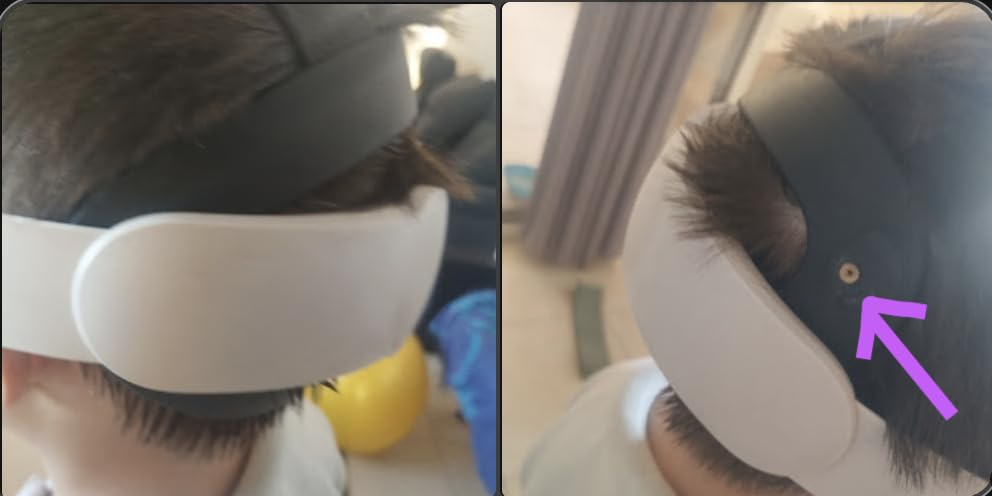
Fit adjustment takes seconds, which matters when two drivers share one rig. One twist loosens the strap for handoff and another tightens it for the next stint.
It fits both the Quest 3 and Quest 3S and carries a one year limited warranty. Note that it does not fit inside the Compact Carrying Case, and this version has no built-in battery.
Rated 4.6 across more than fifteen hundred reviews, it is one of the highest-rated accessories in this entire category. Sim racers consistently name it the first upgrade worth making.
Fit and Adjustment for Sim Cockpits
Set the top strap first so the headset sits level, then dial the rear support until the frame just clears your cheeks. That order keeps pressure off your face for the full session.
In a low-seated rig position, check that the rear knob clears your head restraint. Most racing seats leave plenty of room, but very upright positions can bring the knob into contact.
Compatibility with Quest Accessories
The strap works with the Charging Dock and the standard Carrying Case. Only the Compact Carrying Case is a confirmed mismatch, so check which case you own before ordering.
If long endurance sessions are the goal, the battery-equipped version of this strap is the alternative to consider. This standard model focuses purely on fit and weight distribution.
10. Tobii Eye Tracker Mounting Kit – Flexible Mounting for Your Tracker
Tobii Gaming Eye Tracker Mounting Kit – Flex Mount and Metal Plate Mounts
Flex Mount and metal plate
Fits curved and ultrawide screens
Magnetic attachment
For Tobii 4C and 5
Pros
- Solid build quality
- Works on curved ultrawide and thin-bezel monitors
- Easy and fast installation
- Magnetic attachment for quick removal
Cons
- Adhesive can fail after a few days
- Repositioning is difficult once stuck
- Redundant if your tracker shipped with mounts
Small accessories solve small problems that ruin good sessions, and this kit solves the mounting one. The Tobii tracker needs a flat surface to attach to, and modern monitors rarely offer one, especially curved panels and ultrawides with slim bezels. The Flex Mount provides that flat platform, and the metal plate option covers built-in screens and bezel mounting, so the same kit works across every display in the house.
Magnetic attachment is the detail I appreciate most. The tracker snaps on and off in a second, which makes moving it between the desk monitor and the racing rig an actual habit rather than a chore.
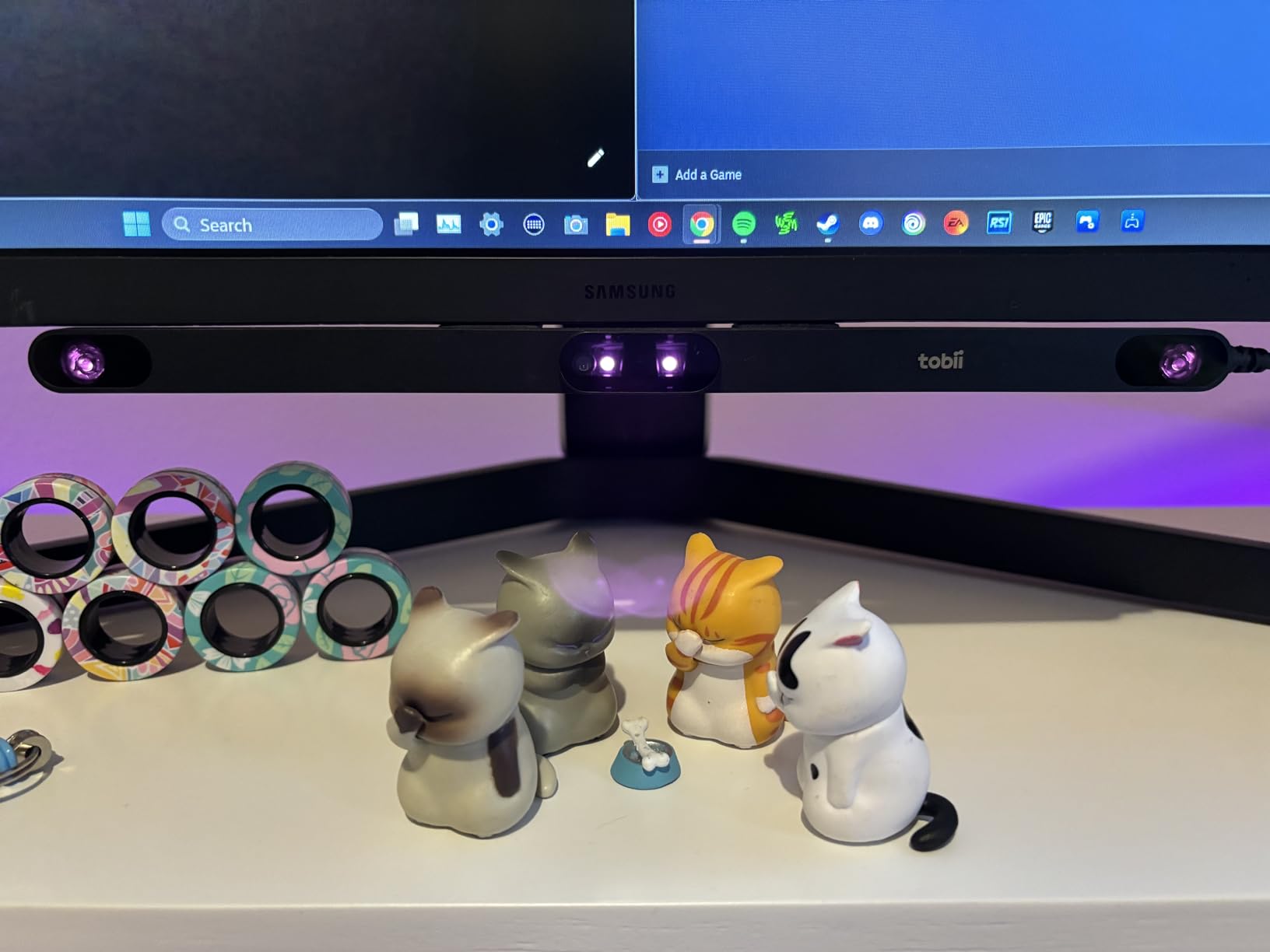
Owners of Microsoft Flight Simulator, Star Citizen, DCS, and Euro Truck Simulator all show up in the review pool praising the same thing: the tracker finally sits where it belongs.
The adhesive on the flex mount is the known weak point, with a minority of buyers reporting it letting go after a few days. Once stuck, repositioning means prying it back off.
Rated 4.4 across 626 reviews, it is a low-cost fix that keeps an expensive tracker doing its job. If your original mount is worn or your new monitor refuses to cooperate, this is the part you need.
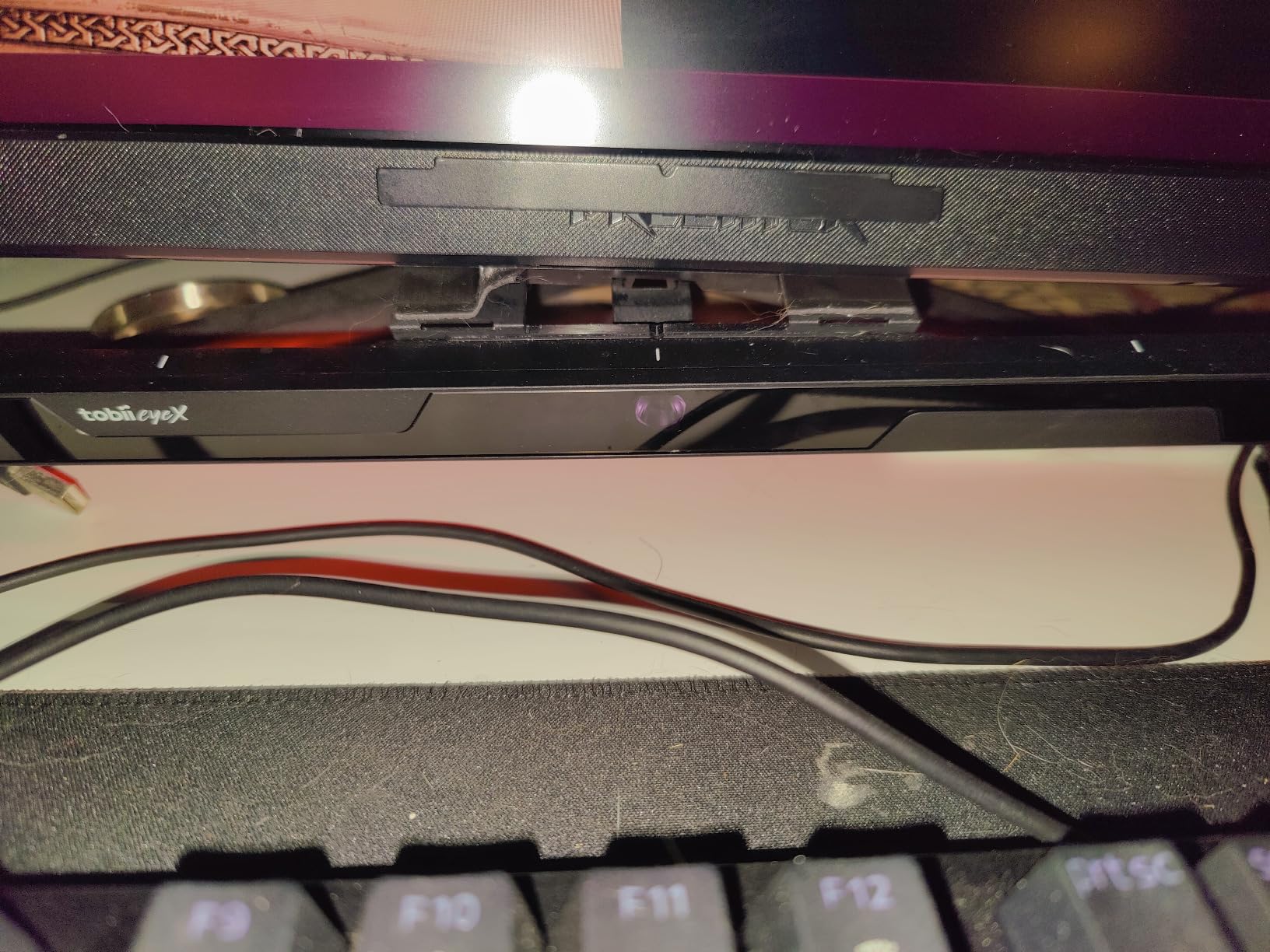
Monitor and Bezel Compatibility
The Flex Mount handles curved, flat, ultrawide, and thin-bezel screens, while the metal plate suits built-in displays and bezel installs. Measure your bezel width before committing to the plate route.
For triple-monitor rigs, mount on the center display and confirm the tracker sits level with your eyes. A tilt here shows up as drifting view in game.
Adhesive Placement and Repositioning
Clean the mounting surface with alcohol and let it dry fully before pressing the mount home. Pressure for a full minute gives the adhesive the best chance of holding long term.
Decide the final position before you commit. Once the adhesive has bonded, moving the mount means prying it off and reattaching with fresh adhesive.
How to Choose the Right Head Tracking System for Your Cockpit?
Choosing between these devices comes down to four questions: what you play, how your room is set up, how much you hate cables, and whether you want VR at all. Here is how our team works through it.
Tracking Type: IR, Eye, Webcam, or VR
Infrared trackers like the TrackIR 5 are the precision choice. A camera watches active or reflective markers on your headset and reports six degrees of freedom, which gives the lowest latency and the most consistent behavior in any lighting.
Combined head and eye trackers like the Tobii 5 read your face from a bar under the monitor, so nothing touches your head. The gaze component adds a layer of control IR cannot offer, at the cost of stricter seating distance.
Webcam and smartphone software such as OpenTrack, AITrack, and SmoothTrack is the budget route many sim racers start on. It works, and OpenTrack with a neural net filter and a good webcam earns real respect on the DCS forums, but it depends on lighting and CPU headroom.
VR headsets replace the problem entirely. Your head is the camera, depth perception is real, and you gain full presence in the cockpit in exchange for headset weight and battery management.
Latency and Frame Rate
Latency is the spec that decides whether tracking feels natural or nauseating. Dedicated IR hardware keeps the delay between your movement and the view change low enough that your inner ear agrees with your eyes, which is why competitive iRacing drivers still favor it.
For software tracking, frame rate is the equivalent measure. A webcam delivering 60 frames per second gives the filter less motion to interpolate, so a good camera matters as much as the algorithm.
Lighting and Room Conditions
Your room decides which technology works before any spec sheet does. Infrared and Tobii-style sensors are largely indifferent to light, while webcam tracking degrades in dim evenings and gets confused by backlighting from a window behind you.
For optical tracking, put your main light source in front of you rather than behind, and avoid glare on glossy bezels. A simple desk lamp fixes most webcam tracking problems.
Wired vs Wireless
Cables are the loudest complaint in every tracker thread we read. A wired clip adds a tether to your headset and a wire across the cockpit floor, which matters more in a compact rig than at a wide desk.
Wireless IR options and camera-based trackers remove the wearable entirely, and standalone VR removes cords from the tracking path but adds battery management. Decide which inconvenience you would rather live with.
Game Compatibility and Budget Tiers
Check native support for your main sim before anything else. TrackIR protocol support is deepest in flight sims and racing sims, Tobii support is strongest in mainstream titles, and OpenTrack bridges many games the others do not reach.
Budget tiers in this category run from simple mounting accessories and clips, through dedicated IR cameras, up to combined eye and head trackers and full VR headsets. Buy the tier that matches how often you actually fly or race, not the tier that matches your ambition.
Frequently Asked Questions
What is the best head tracking device for gaming?
The TrackIR 5 from NaturalPoint is the best head tracking device for gaming overall. It uses an infrared camera with active markers to deliver true 6DOF tracking with very low latency, and it has native support in more sim titles than any competitor. If you want nothing on your head, the Tobii Eye Tracker 5 is the closest alternative because it adds eye tracking from a monitor-mounted bar.
Is head tracking good for sim racing?
Yes, head tracking is one of the most effective upgrades for sim racing. It lets you check mirrors and spot cars beside you through corners without binding a thumb to a look button, which improves spatial awareness in wheel-to-wheel racing. Devices like the TrackIR 5 and Tobii Eye Tracker 5 are widely used in iRacing and Assetto Corsa for exactly this reason.
What is the best head tracking device for iRacing?
The TrackIR 5 is the most popular head tracking device for iRacing thanks to its low latency and stable 6DOF tracking during high-G cornering. The Tobii Eye Tracker 5 is a strong alternative if you prefer a cable-free setup with nothing clipped to your headset, and the Meta Quest 3 in PCVR mode is the choice if you want full VR immersion.
What is TrackIR in sim racing?
TrackIR is a head tracking system made by NaturalPoint that uses an infrared camera mounted on your monitor to track reflective or active markers attached to your headset. It converts your head movement into in-game camera control across six degrees of freedom, covering yaw, pitch, roll, and translation on the X, Y, and Z axes, so you look around the cockpit naturally while keeping your hands on the wheel or hotas.
Final Thoughts on the Best Head Tracking Devices for Sim Games
After comparing all ten, our recommendations split cleanly by cockpit. The TrackIR 5 remains the editor’s choice for serious flight sim and racing pilots who want the lowest latency and the deepest native game support, with the Track Clip Pro as the upgrade that makes it even better. The Tobii Eye Tracker 5 is the pick for anyone who refuses to wear anything on their head, and the Meta Quest 3S and Quest 3 are the choices when you want true VR presence along with your head tracking.
Comfort and mounting decide whether any of these devices get used a month later, which is why the Elite Strap and the Tobii mounting kit earned their places alongside the headliners. Whatever you choose, set aside an evening for tuning, because a well-configured deadzone and response curve matter almost as much as the hardware itself.
Pick the device that matches your sims, your room, and your tolerance for cables, and 2026 will be the year your cockpit finally feels like a cockpit.