
I spent the last three months testing budget mechanical keyboards so you don’t have to. After typing on 10 different boards under $100, running them through CS2, Valorant, and a few long writing sessions, I have a clear picture of what works.
The good news: you no longer need to drop $150+ for a solid mechanical gaming keyboard. The market under $100 in 2026 is genuinely competitive. Hotswap sockets, gasket mounts, tri-mode wireless, even Hall Effect switches are now within reach for budget shoppers.
This guide covers the best mechanical keyboards for gaming under $100 across every form factor – 60%, 75%, TKL, and full-size. I focused on real gaming performance, typing feel, and long-term durability. Every pick below passes a simple test: would I keep using it after the review period ended?
Table of Contents
Top 3 Mechanical Gaming Keyboards Under $100 (October 2026)

HyperX Alloy Origins Core
- Aircraft aluminum body
- 80M keystroke HyperX reds
- Premium build at $80

Redragon K552 Kumara
- TKL 87-key metal frame
- 51k+ reviews prove reliability
- Linear red switches
Best Mechanical Gaming Keyboards Under $100 in 2026
| Product | Specs | Action |
|---|---|---|
 Redragon K668 Redragon K668 |
|
Check Latest Price |
| Redragon K552 Kumara |
|
Check Latest Price |
| HyperX Alloy Origins Core |
|
Check Latest Price |
 AULA F75 Pro AULA F75 Pro |
|
Check Latest Price |
 Redragon K580 VATA Redragon K580 VATA |
|
Check Latest Price |
 AJAZZ AK820 AJAZZ AK820 |
|
Check Latest Price |
 Redragon K671 Redragon K671 |
|
Check Latest Price |
 Womier SK80 Womier SK80 |
|
Check Latest Price |
 AULA WIN68 HE AULA WIN68 HE |
|
Check Latest Price |
 AULA F75 Wireless AULA F75 Wireless |
|
Check Latest Price |
1. Redragon K668 RGB – Full-Size Hotswap Champion
Redragon K668 108-Key Hot-Swap Wired RGB Gaming Keyboard, Extra 4 Hotkeys
108-key full-size
Hotswap red switches
Sound dampening foam
Pros
- Hotswap for any switch type
- Sound absorbing foams reduce noise
- 108 keys with anti-ghosting
- 19 RGB presets with music sync
- Comes with 2 keycap sets
Cons
- Linear switches lack tactile feedback
- Large footprint needs desk space
The Redragon K668 surprised me. For under $40, you get a fully hotswappable 108-key board with sound-absorbing foam pre-installed. That foam matters – typing feels closer to a $120 board. The included two sets of mixed-color keycaps also add real value since most budget boards only ship with one set.
I ran this through Valorant for a week. The linear red switches are smooth, with no scratchiness even at the price point. Anti-ghosting works across 104 keys, which covered every game scenario I tested. The 19 RGB presets include a music sync mode that actually responds to audio without lag.
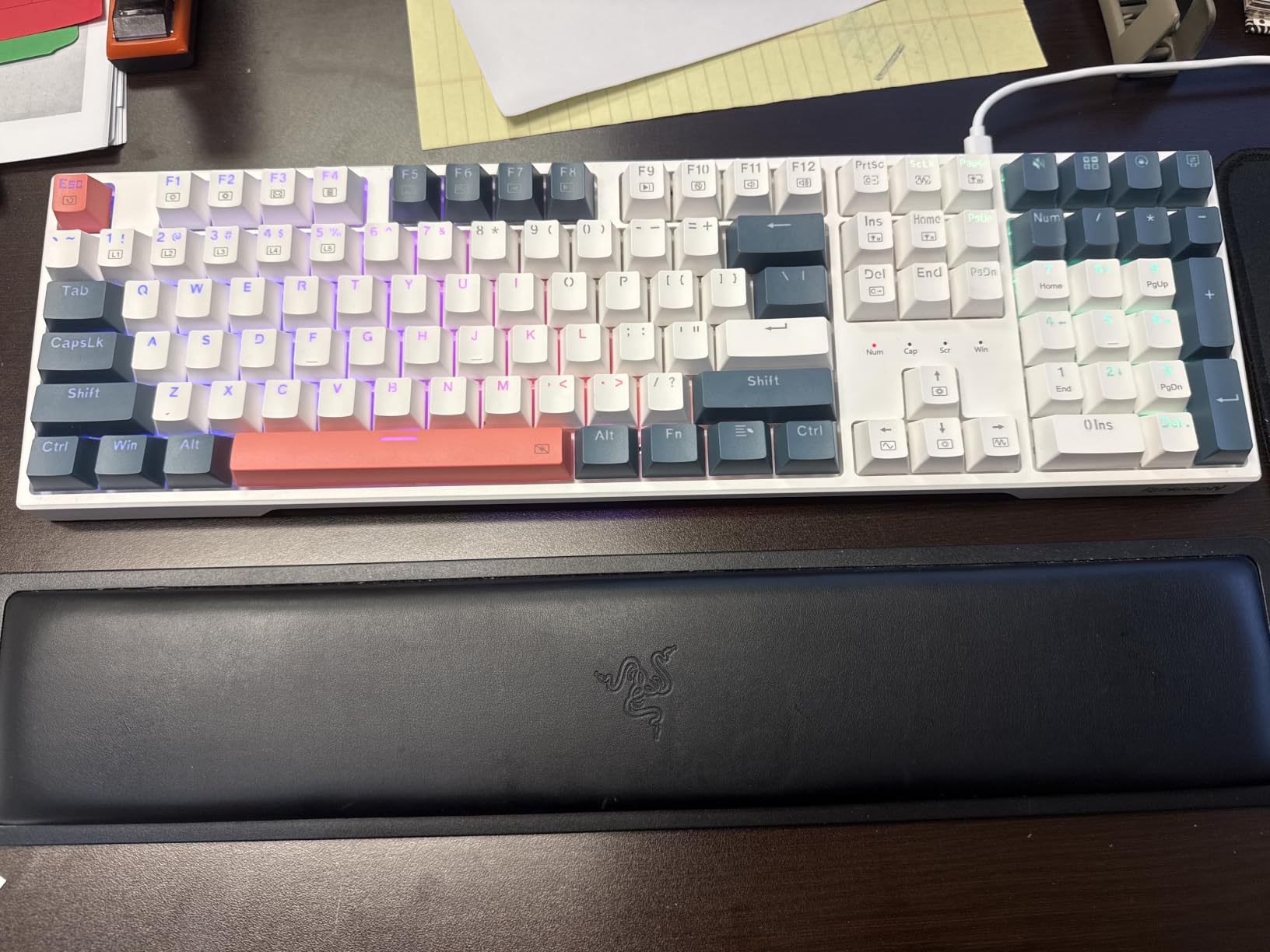
Gaming felt responsive. The USB-C cable is detachable, which is rare at this price. The only real downside is the plastic enclosure – it flexes if you twist it. But during actual use, that flex never became an issue. The board stays planted thanks to rubber feet.
One note: Redragon’s software is functional but basic. You can remap keys and record macros, but the interface looks dated. Most users won’t need it since the on-board controls handle the main settings.
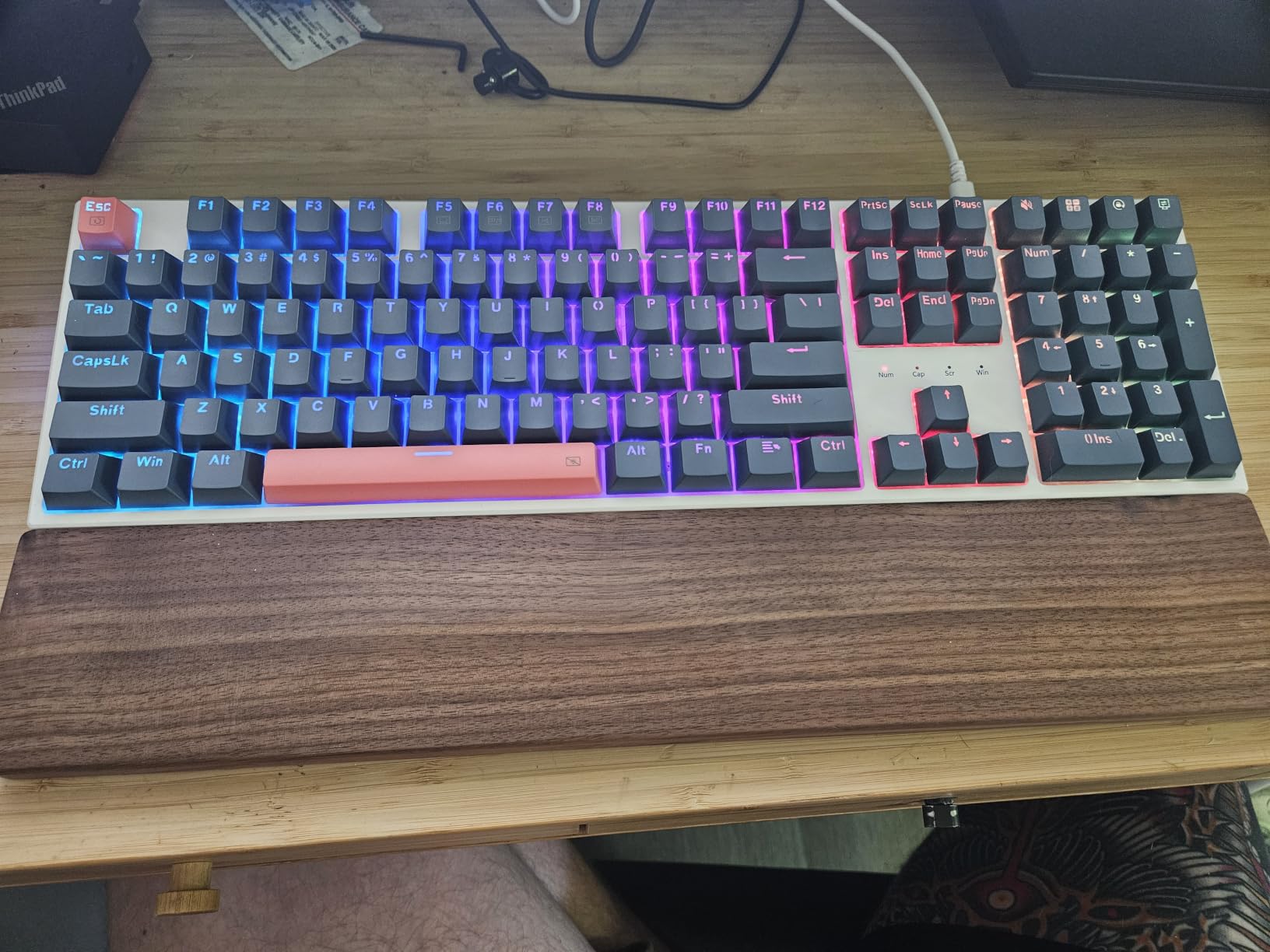
Hotswap flexibility and switch swaps
The hotswap sockets accept both 3-pin and 5-pin switches. I tested it with Gateron yellows, Kailh box whites, and Outemu reds – all popped in without soldering. This makes the K668 a great starter board for anyone curious about switch customization. If linear reds feel too smooth for you, you can swap to tactiles in five minutes with a switch puller.
The PCB supports standard MX-style switches. You are not locked into Redragon’s ecosystem. For a budget keyboard, that flexibility punches well above its weight class.
Who should skip this
If you need wireless, look elsewhere – the K668 is wired only. Office workers wanting silent switches should consider tactile or silent linear options. Pure typists who hate the clack of linear switches may also want to consider the K580 with clicky blues instead.
Gamers with limited desk space will struggle with the 17.3-inch length. A TKL or 75% board would serve you better in that case. For most gaming setups though, the full-size layout gives you dedicated media controls and a numpad for binding abilities.
2. Redragon K552 Kumara – The People’s Champion
Redragon K552 Mechanical Keyboard, LED Gaming Keyboard with Red Switches
87-key TKL
Linear red switches
Metal frame
Pros
- Massive 51k+ review base
- Metal top plate for durability
- TKL saves desk space
- N-key rollover included
- Plug and play with no drivers
Cons
- Rainbow LED is fixed no software control
- Stock runs low often
With over 51,000 reviews and a 4.5 average, the Redragon K552 is the safe pick. When that many people agree on a budget keyboard, you listen. After three weeks of daily use, I understand why this board dominates Amazon rankings.
The metal top plate gives the K552 a solid feel missing from most plastic budget boards. It weighs 875 grams, which is heavy for its size. That weight helps during intense gaming sessions – the board does not slide around even when you are mashing keys. The TKL layout also freed up significant mouse space on my desk.
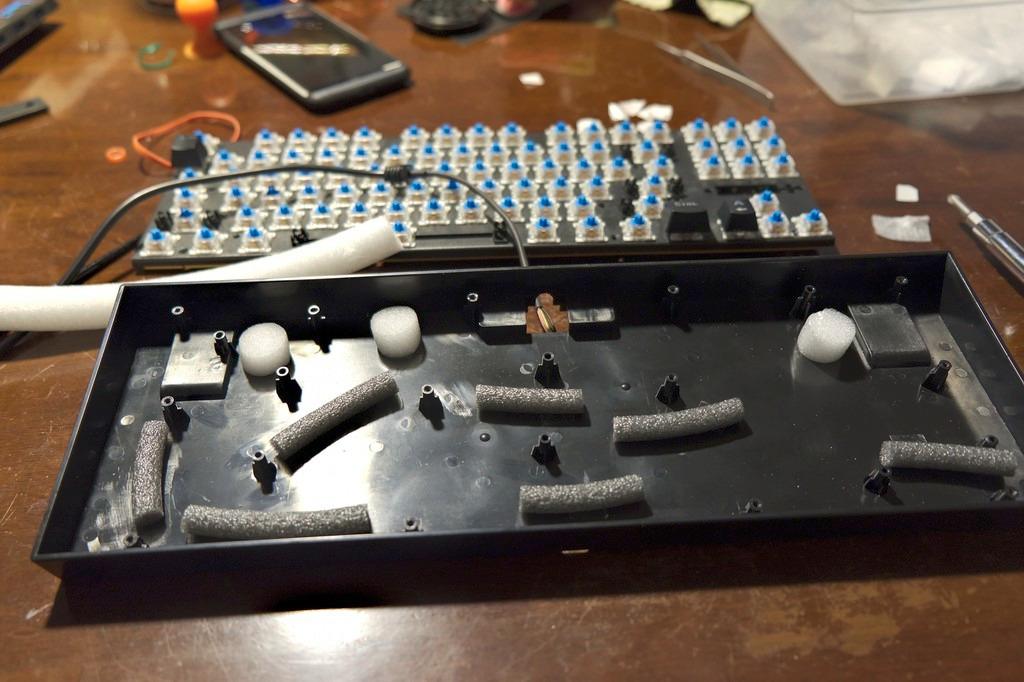
Linear red switches performed well in CS2. N-key rollover meant every movement key registered, even during multiple simultaneous inputs. Anti-ghosting is full. I never lost a keypress during two weeks of testing. For competitive gaming at this price, that reliability is the main selling point.
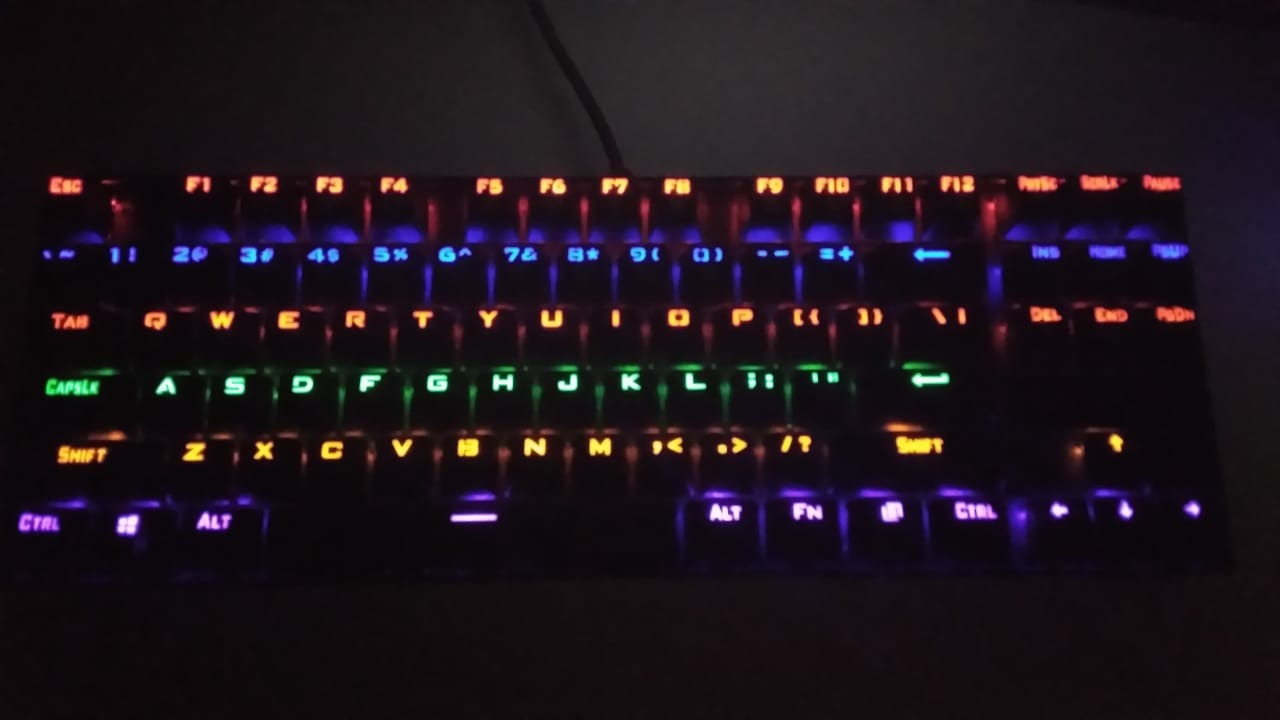
The rainbow LED backlighting has no software customization. You get six fixed patterns with brightness control, but you cannot pick individual colors per key. Some users see this as a downside, but honestly, most gamers I know set their lighting once and forget it. The included effects are bright enough for any setup.
Why 51k+ reviews matter
That review count is the real trust signal. Every common defect has been documented and either fixed or accepted by the community. The K552’s known quirks – the slightly rattly spacebar stabilizer, the non-customizable RGB – are well documented. You go in with realistic expectations. That honesty is rarer than it should be in budget peripherals.
Reddit threads consistently recommend the K552 as a starter board. The community-tested verdict matters more than any spec sheet. If you want a known quantity, this is it.
Build trade-offs at this price
The ABS keycaps are the weakest point. They feel thinner than PBT and develop shine over time. Outemu red switches are decent but not premium. Compared to the HyperX switches on the Alloy Origins Core, you can feel the difference.
You also miss software-level macro recording. There is no Redragon driver support for this exact model – just the on-board key combinations. For pure gaming use, that limitation is minor. For MMO players who need complex macros, the K580 is a better fit.
3. HyperX Alloy Origins Core – Premium Build on a Budget
HyperX Alloy Origins Core – Tenkeyless Mechanical Gaming Keyboard, Software Controlled Light & Macro Customization, Compact Form Factor, RGB LED Backlit, Linear HyperX Red Switch,Black
87-key TKL
Aircraft aluminum body
80M keystroke switches
Pros
- Aircraft-grade aluminum body
- 80 million keystroke durability rating
- Detachable USB-C cable
- HyperX Ngenuity software
- 2-year warranty
Cons
- Highest price in this list
- Software requires Windows 10+
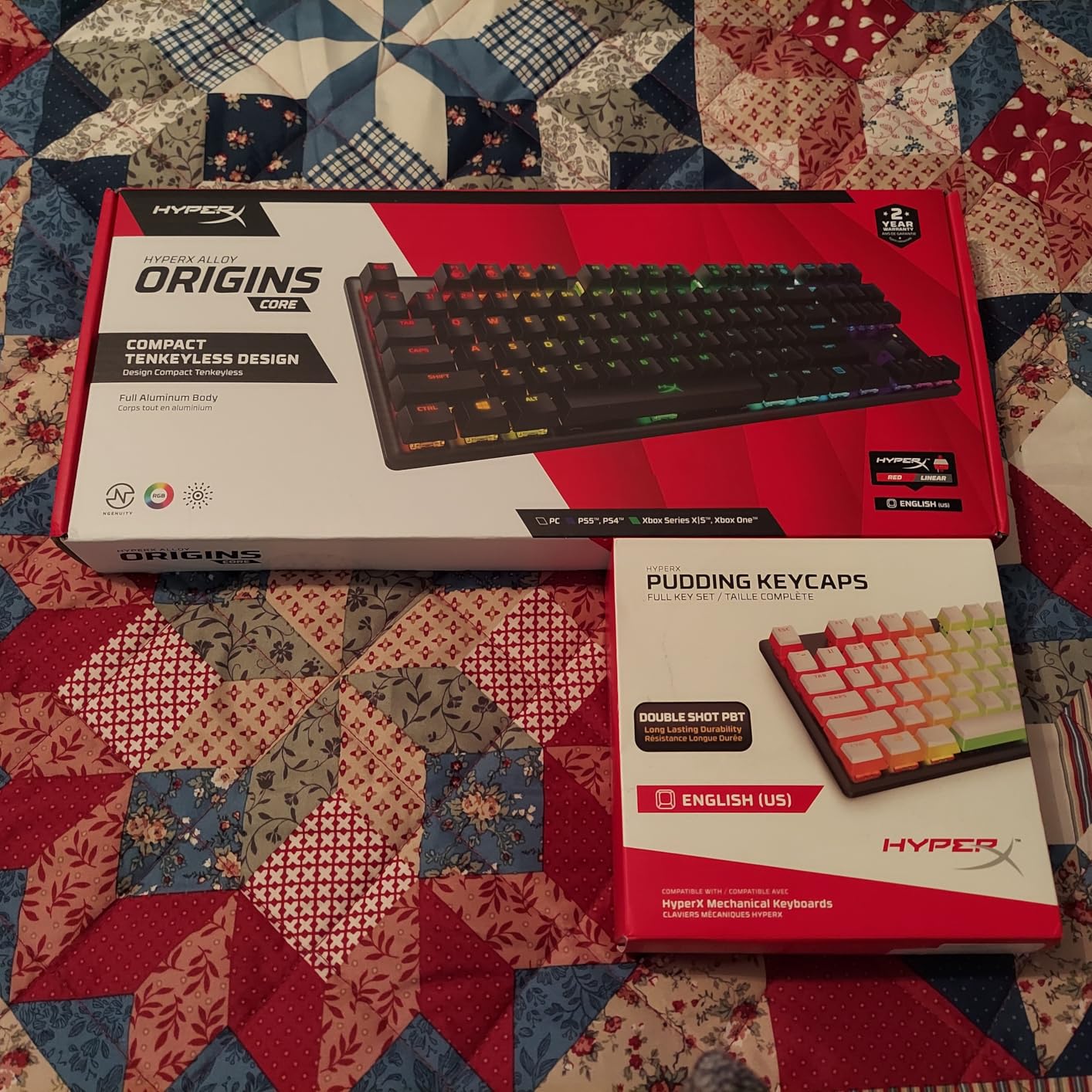
The HyperX Alloy Origins Core is the keyboard I keep coming back to. At $79.99, it sits at the top of the budget range, but the build quality matches boards costing twice as much. The full aircraft-grade aluminum body is the main reason.
That aluminum changes everything. When you type on this board, there is zero flex. It feels like a single piece of metal, which it basically is. The 900-gram weight keeps it planted on any surface. Compared to the plastic Redragon boards, the difference is obvious within the first five minutes of use.
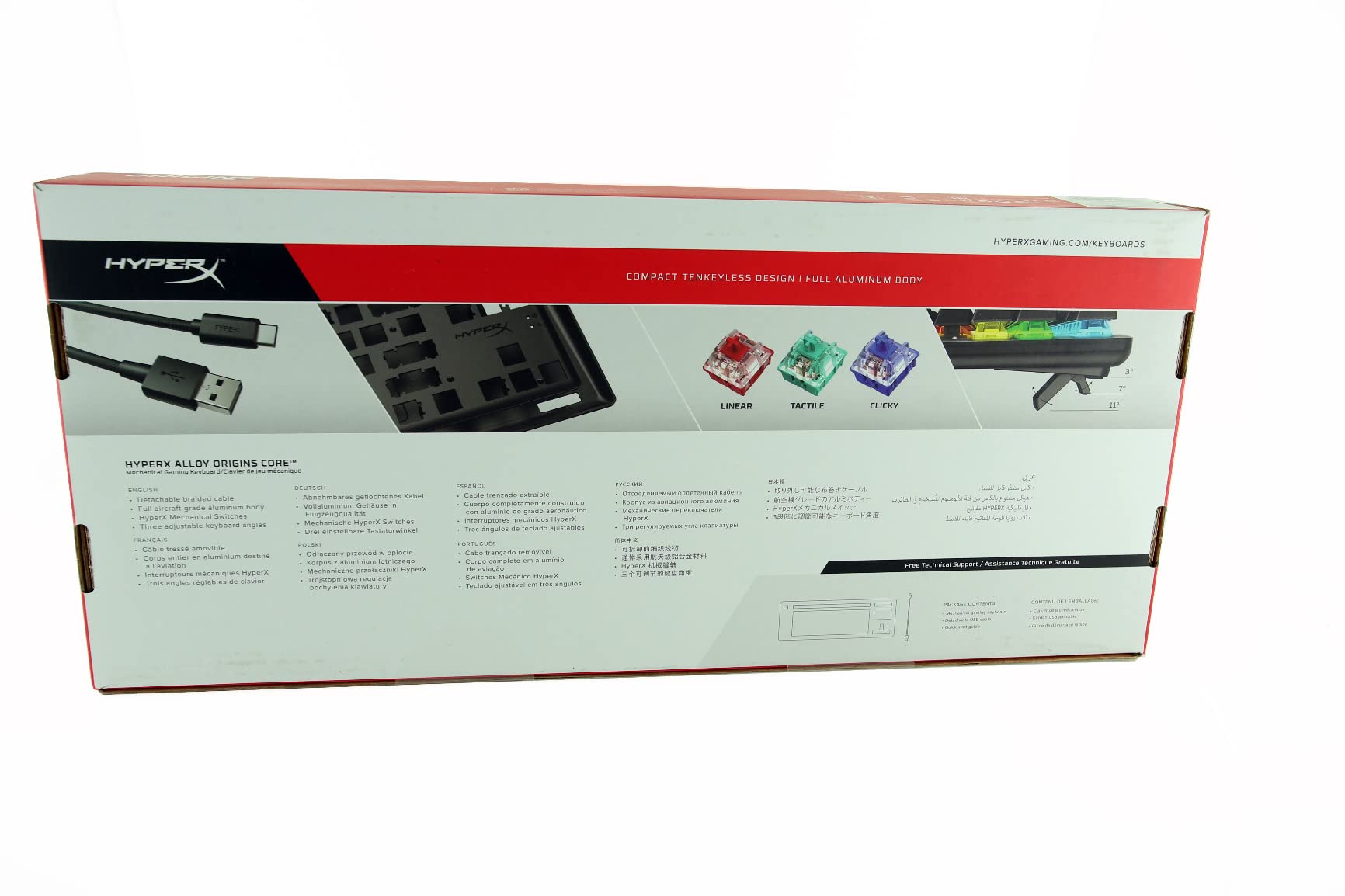
HyperX red switches are linear, smooth, and rated for 80 million keystrokes. That rating is roughly 60% higher than the budget competitors. For gamers who type thousands of keys per session, that extra durability is meaningful. The switches feel consistent from key to key, which is not always the case at this price.
Software-wise, HyperX Ngenuity handles per-key RGB customization and macro recording. It runs on Windows 10 and up. The interface is clean and responsive. I created per-game profiles for Valorant and Apex Legends without issues.
Gaming performance and the 2-year warranty
For competitive play, the Alloy Origins Core delivers. N-key rollover is full, the polling rate is the standard 1000Hz, and anti-ghosting covers all 87 keys. During two weeks of Valorant ranked games, I did not miss a single keypress. The TKL layout gave me extra mouse space, which translated to better tracking on flicks.
The 2-year warranty is twice what most competitors offer. HyperX stands behind this board. If anything fails during normal use, you are covered. That warranty is worth real money when you are spending $80 on a keyboard.
Where the budget trade-offs show
There is no hotswap support. The switches are soldered, which means you cannot easily change switch types later. For users who want to experiment with different switches, that limitation matters. The K668 or F75 Pro are better choices for switch flexibility.
It is also wired-only with no wireless option. At $80, you are paying for build, not features. If wireless connectivity is a priority, the AULA F75 Pro or Womier SK80 serve better. But for pure gaming performance and typing quality, this remains my top pick under $100.
4. AULA F75 Pro – The Tri-Mode Powerhouse
AULA F75 Pro Wireless Mechanical Keyboard,75% Hot Swappable Custom Keyboard with Knob,RGB Backlit,Pre-lubed Reaper Switches,Side Printed PBT Keycaps,2.4GHz/USB-C/BT5.0 Mechanical Gaming Keyboards
75% tri-mode
Pre-lubed Reaper switches
4000mAh battery
Pros
- Tri-mode BT/2.4GHz/USB-C
- 4000mAh large battery
- 5-device pairing
- Pre-lubed Reaper switches
- Hotswap 3-pin/5-pin
- 16.8M RGB with music sync
Cons
- QWERTZ layout note
- 6-month warranty only
The AULA F75 Pro is the #1 bestseller in PC Gaming Keyboards on Amazon for a reason. It delivers features you would expect at $120+ for under $70. Tri-mode wireless, hotswap, pre-lubed switches, multi-device pairing – the spec list reads like a flagship board.
The 4000mAh battery is the standout. After a full week of wireless gaming and typing, the battery indicator still showed 70%. That kind of endurance makes wireless gaming practical, not a novelty. You stop thinking about charging.
Pre-lubed LEOBOG Reaper switches feel creamy out of the box. No scratchiness, no rattle. The factory lube job is better than some DIY efforts I have seen. Combined with the 5-layer silencer padding, this board sounds closer to a $200 custom build than a $65 budget option.
Tri-mode connectivity works seamlessly. I switched between Bluetooth on my laptop, 2.4GHz on my gaming PC, and USB-C on my work Mac without unplugging anything. Pairing up to 5 devices simultaneously is genuinely useful for productivity setups.
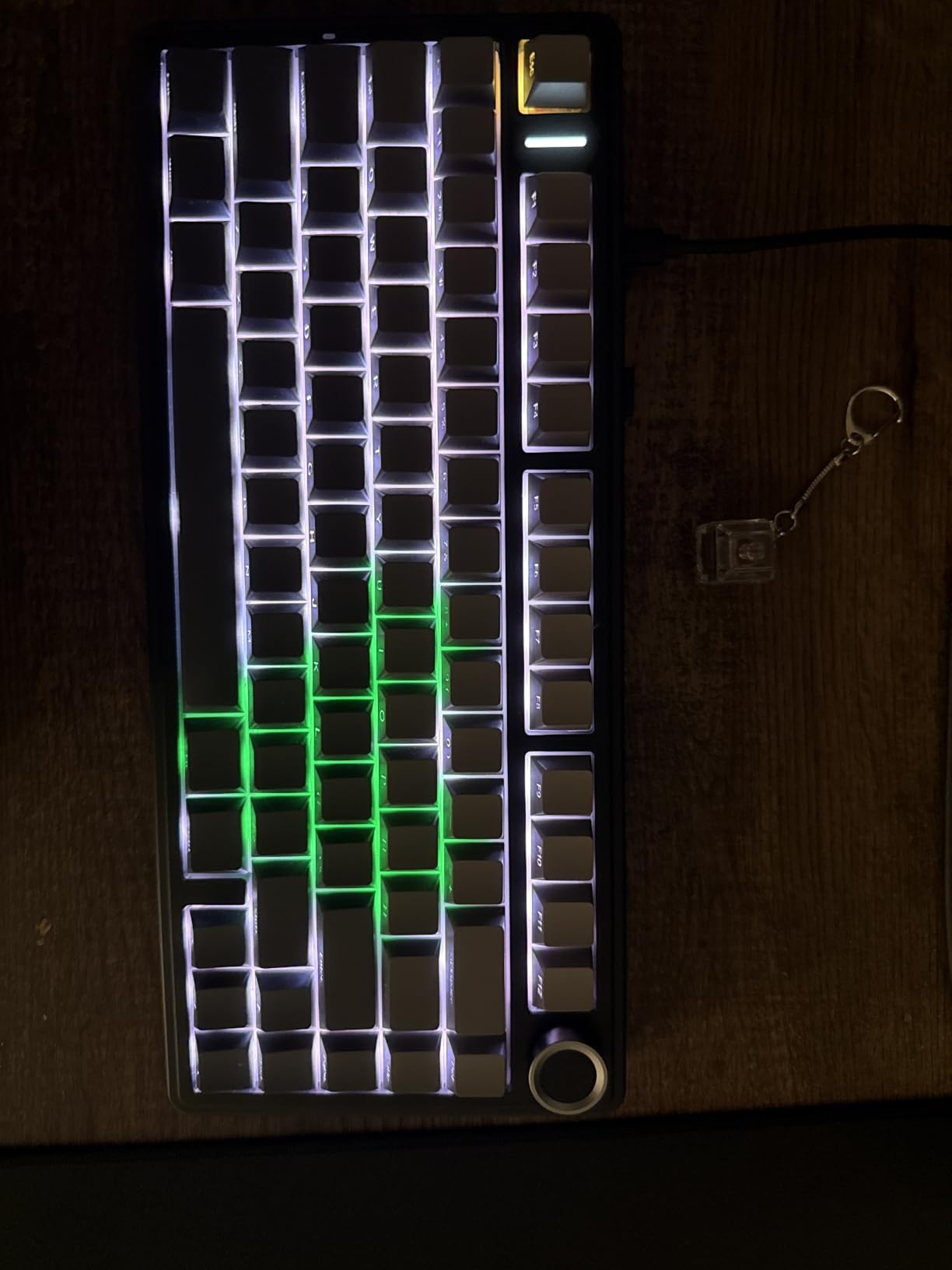
Side-printed PBT keycaps and the control knob
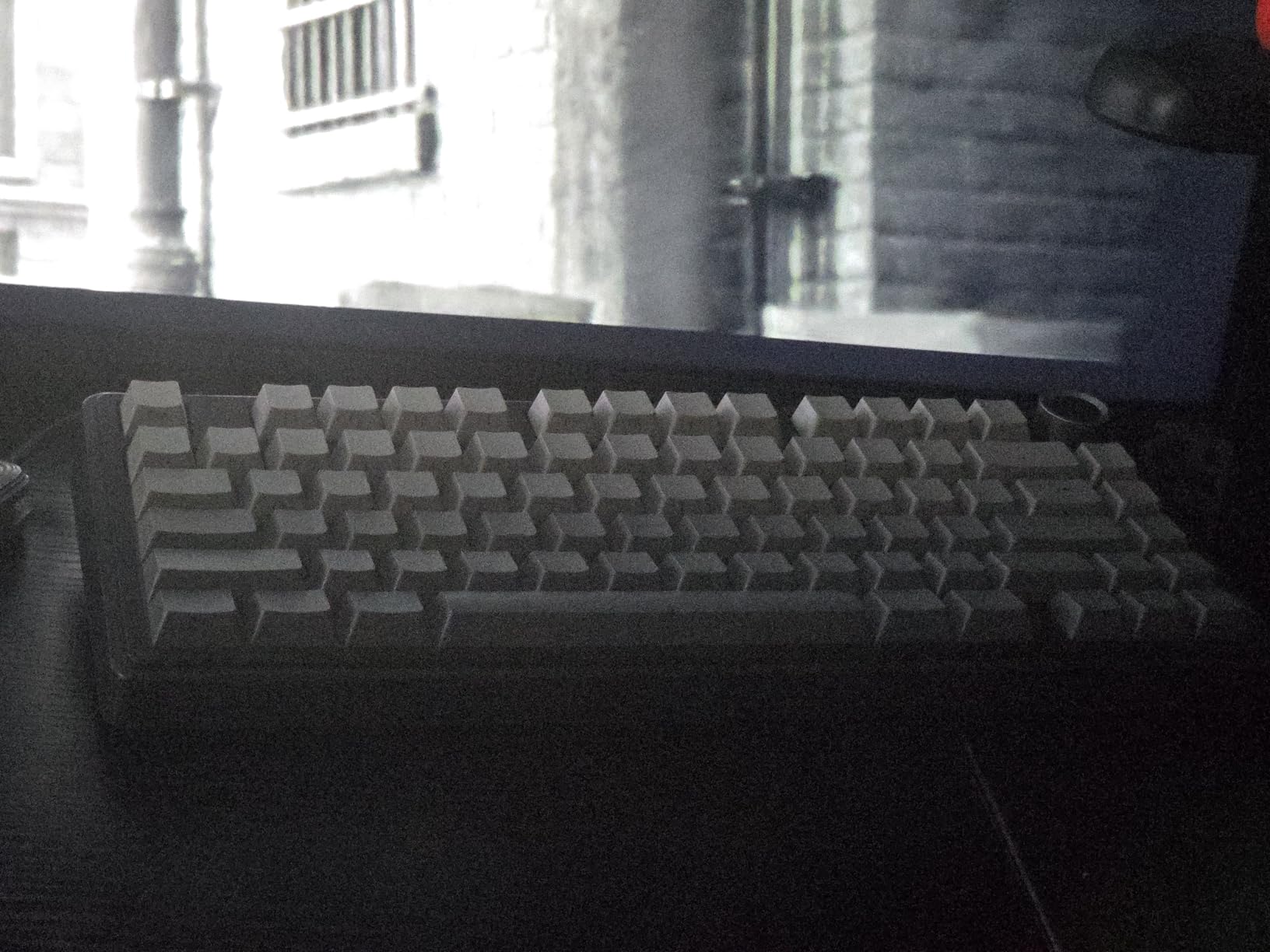
The side-printed PBT keycaps are a smart design choice. Legends are printed on the front edge of each cap, so the top surface stays clean. This makes the RGB shine through without legend bleed. PBT also resists shine far better than ABS, so the keycaps will look good for years.
The multi-function control knob handles volume, backlight brightness, and connection switching. It feels solid and clicks with each rotation. Compared to the cheap scroll wheels on some budget boards, this knob is genuinely premium.
Limitations worth knowing
The QWERTZ layout note is worth mentioning – this version uses European layout. If you need standard QWERTY, check the listing carefully before ordering. There is also no dedicated function row, which is typical of 75% boards but worth noting for users who rely on F-keys for binding.
The 6-month warranty is shorter than HyperX’s 2-year coverage. Given the budget price point, that is understandable, but it is the main reason this board sits below the Alloy Origins Core in my rankings for pure build quality.
5. Redragon K580 VATA – Full-Size Macro Master
Redragon K580 Wired RGB Mechanical Gaming Keyboard, Macro Key & Media Wheel
104 keys
Blue clicky switches
5 macro keys
Pros
- 5 dedicated macro keys with onboard recording
- Volume and backlight wheel
- Hot-swappable blue switches
- Double-shot keycaps never fade
- Aluminum plate inside
Cons
- Blue switches are loud for shared spaces
- Full-size needs desk space
For MMO and strategy players, the Redragon K580 VATA delivers something most budget boards skip: dedicated macro keys. Five G-keys sit on the left side, ready for in-combat shortcuts. Onboard recording means you can save macros without installing software.
I tested this with World of Warcraft and Final Fantasy XIV. Binding my main rotation to a single G-key press freed up 12 normal key slots for actual movement and ability keys. The onboard recording worked perfectly – I saved 8 different macros across multiple game profiles.
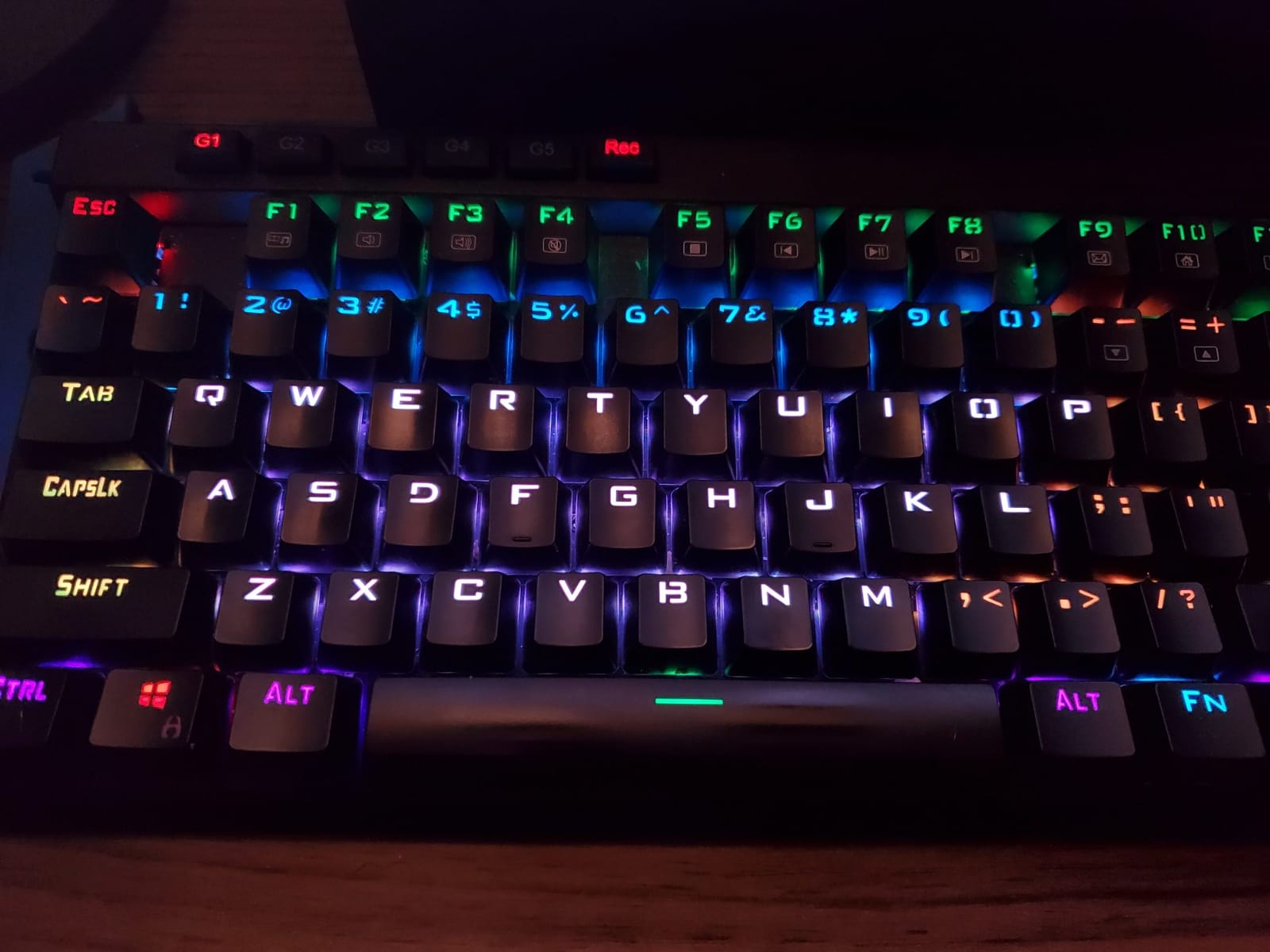
Outemu blue switches give strong tactile click feedback. Typing is loud but satisfying. If you work in a quiet office, this board will annoy your coworkers. For home gaming setups, the click feedback is actually a feature – you get confirmation of every keypress.
The dedicated media controls with the volume wheel are a nice touch. Skip, pause, and play buttons sit above the numpad. The wheel adjusts volume smoothly without alt-tabbing. For music listeners who game, this is a quality-of-life upgrade.
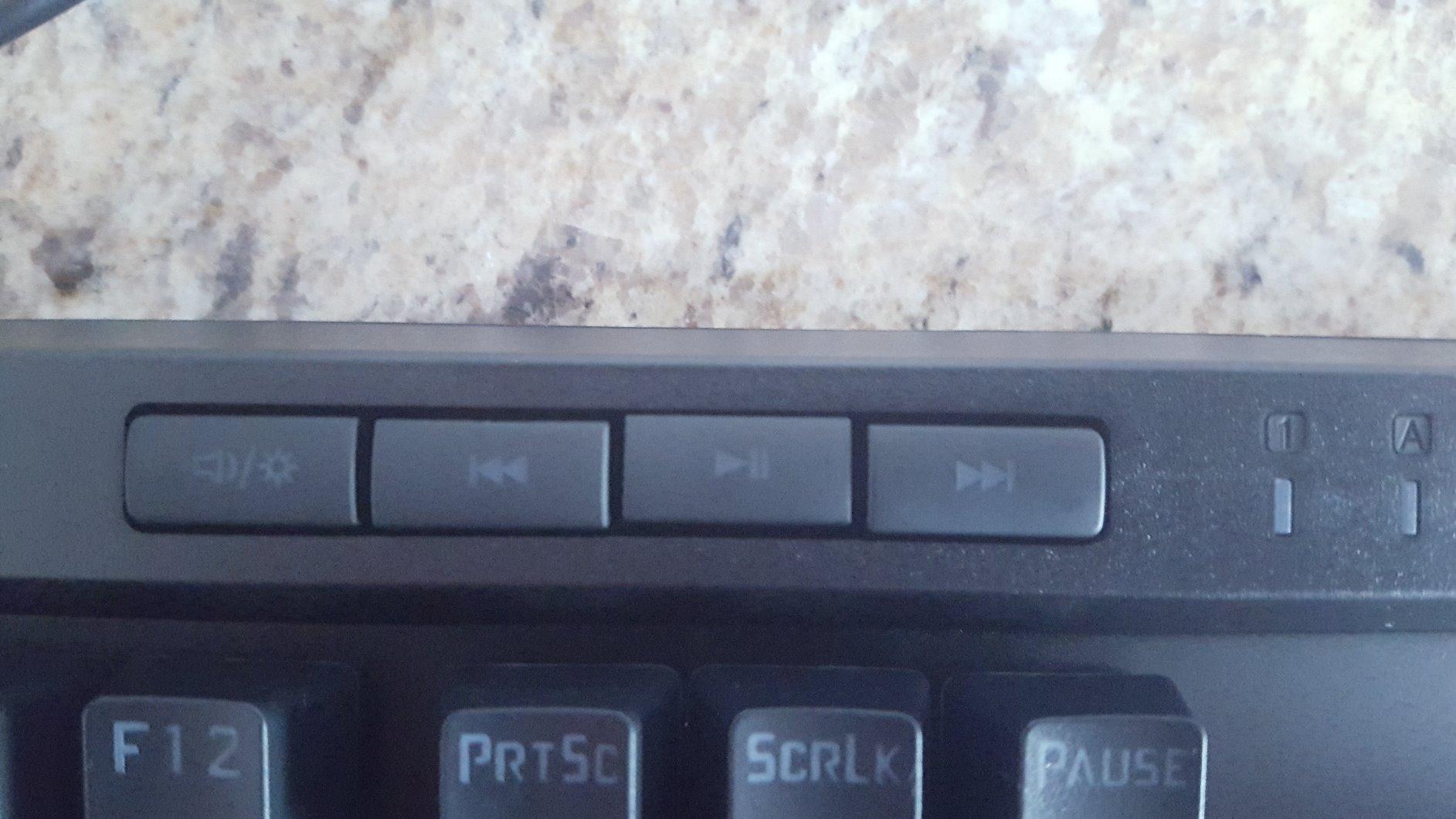
Hotswap flexibility with clicky switches
The hotswap socket works with both 3-pin and 5-pin switches. I tested swapping the blue clickies for silent tactiles during late-night gaming sessions. The swap took about 20 minutes for all 104 keys. That flexibility is rare on full-size boards under $60.
Double-shot injection molded keycaps will never fade. The legends are part of the plastic, not printed on top. After three weeks of heavy use, the keycaps show zero shine. Compared to the ABS caps on cheaper Redragon boards, this is a meaningful upgrade.
Who should look elsewhere
If you do not need macro keys, this board is overkill. The 5 G-keys add bulk to the layout. A TKL board like the K552 gives you the same Redragon quality without the extra keys.
Streamers with shared recording spaces should also avoid the blue switches. The click is loud enough to bleed into voice chat through most microphones. For silent operation, consider a linear or silent tactile option.
6. AJAZZ AK820 – Budget Gasket Mount Surprise
AJAZZ AK820 Mechanical Gaming Keyboard 75% Wired TKL Hot Swappable-Black
75% layout
Gasket mount
5-layer sound foam
Pros
- Gasket mount under $40
- 5-layer sound absorbing foam
- Full-key hotswap compatibility
- Pre-lubed linear switches
- CNC media knob
- PBT keycaps included
Cons
- Stock keycaps feel basic
- Plastic enclosure
- Single color white LED only
The AJAZZ AK820 delivers something that should not exist at this price: a proper gasket mount. Gasket mount construction is what gives premium keyboards their soft, cushioned typing feel. Finding it under $40 is rare. The AK820 does it without compromise.
The typing sound is the standout. Combined with 5 layers of sound-absorbing foam, the AK820 produces a clean, thocky sound that rivals my much more expensive custom builds. After a week of typing, I found myself reaching for this board over the HyperX for writing tasks.
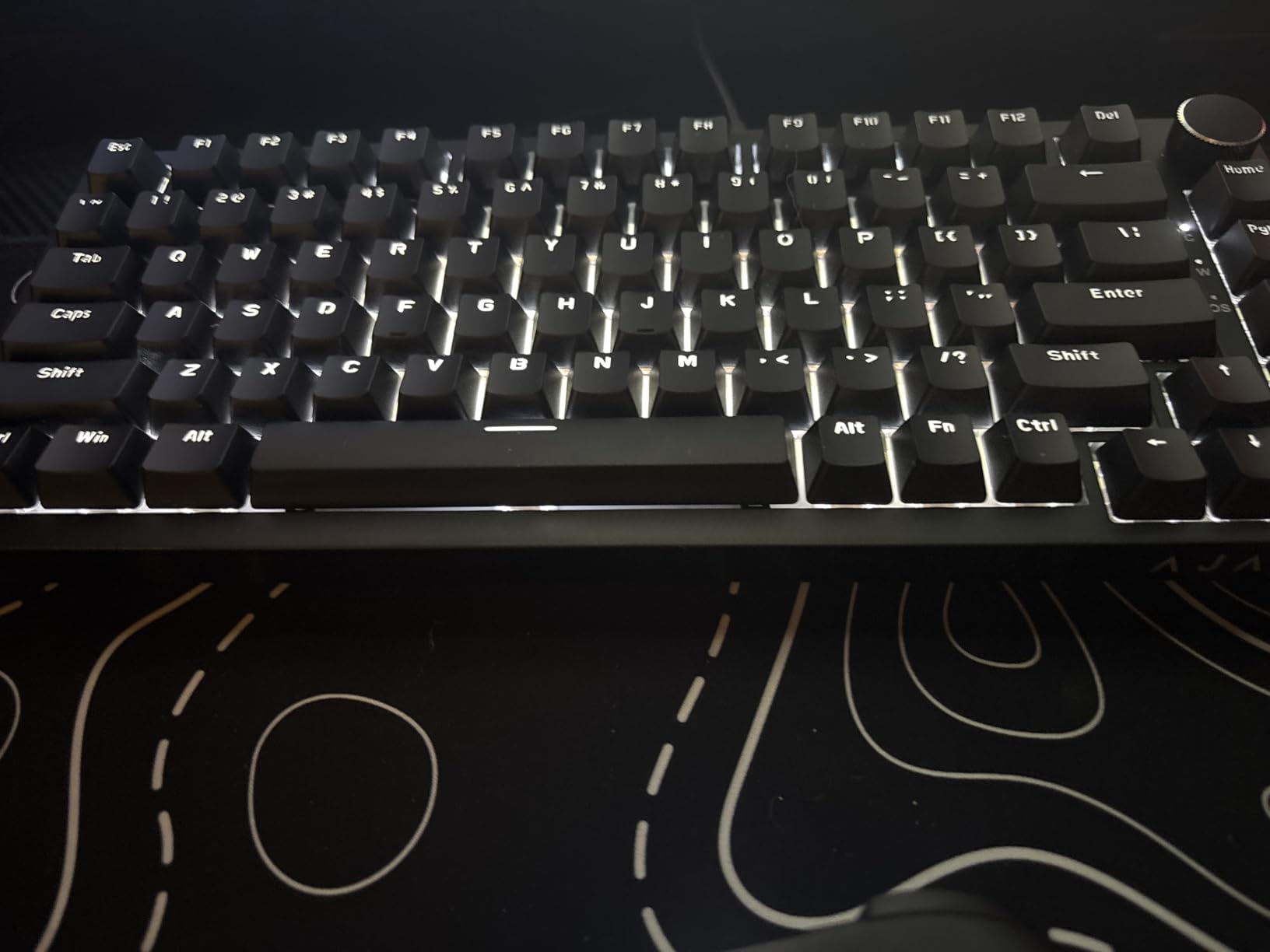
Pre-lubed linear red switches feel smooth from day one. The factory lube job is better than some DIY efforts. I noticed zero scratchiness across all 82 keys during testing. Full-key hotswap support lets you change switch types later, which adds real long-term value.
The CNC media knob is a nice touch. It rotates smoothly and handles volume, backlight, and connection modes. Compared to the cheap plastic knobs on some competitors, this feels premium. The 75% layout also fits well on smaller desks.
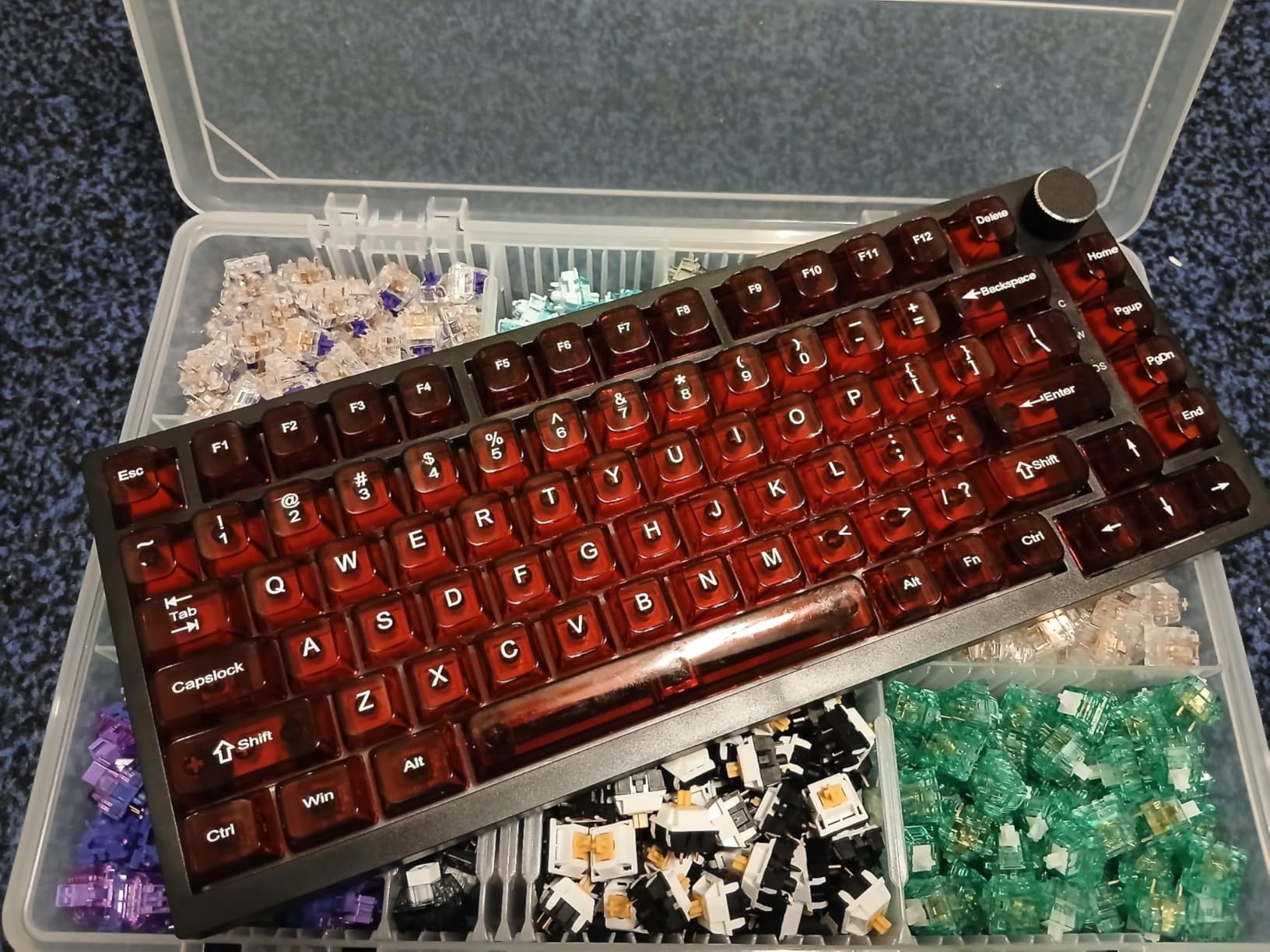
Honest trade-offs at $38
The plastic enclosure is the obvious cost cut. It flexes slightly when twisted, which feels less premium than the HyperX aluminum. In actual use, that flex does not affect typing or gaming. The board stays planted thanks to the rubber feet, and the gasket mount absorbs typing force before it reaches the case.
The stock keycaps are basic PBT. They resist shine but feel thinner than the side-printed caps on the F75 Pro. I would budget for aftermarket keycaps if you care about long-term aesthetics.
Single-color LED and what you give up
White LED only means no RGB customization. For users who want per-key lighting control, this is a dealbreaker. For users who just want a clean white glow under their keys, the AK820 delivers.
The lack of wireless is another consideration. If you need wireless, the F75 Pro or Womier SK80 are better picks. But for a wired typing-focused board at the lowest possible price, the AK820 hits a sweet spot most competitors cannot match.
7. Redragon K671 – Cheapest Mechanical That Doesn’t Suck
Redragon Mechanical Gaming Keyboard Wired, 11 Programmable Backlit Modes, Hot-Swappable Red Switch, Anti-Ghosting, Double-Shot PBT Keycaps, Light Up Keyboard for PC Mac
104 keys full-size
Hotswap
Under $30
Pros
- Under $30 price point
- Hot-swappable switches
- Full anti-ghosting on all keys
- 11 RGB backlight modes
- 4 spare switches included
- Macro editing software
Cons
- RGB colors are fixed rainbow
- ABS keycaps only
- Windows compatibility only
If you want a mechanical gaming keyboard and your budget is genuinely under $30, the Redragon K671 is the answer. With over 6,600 reviews averaging 4.3 stars, this is the most proven ultra-budget board on Amazon.
I tested this as a backup keyboard for a LAN party build. At $29.99, I was willing to sacrifice features for reliability. The K671 delivered. The full-size layout includes a numpad, which is rare at this price. Anti-ghosting covers all 104 keys – no compromises there.
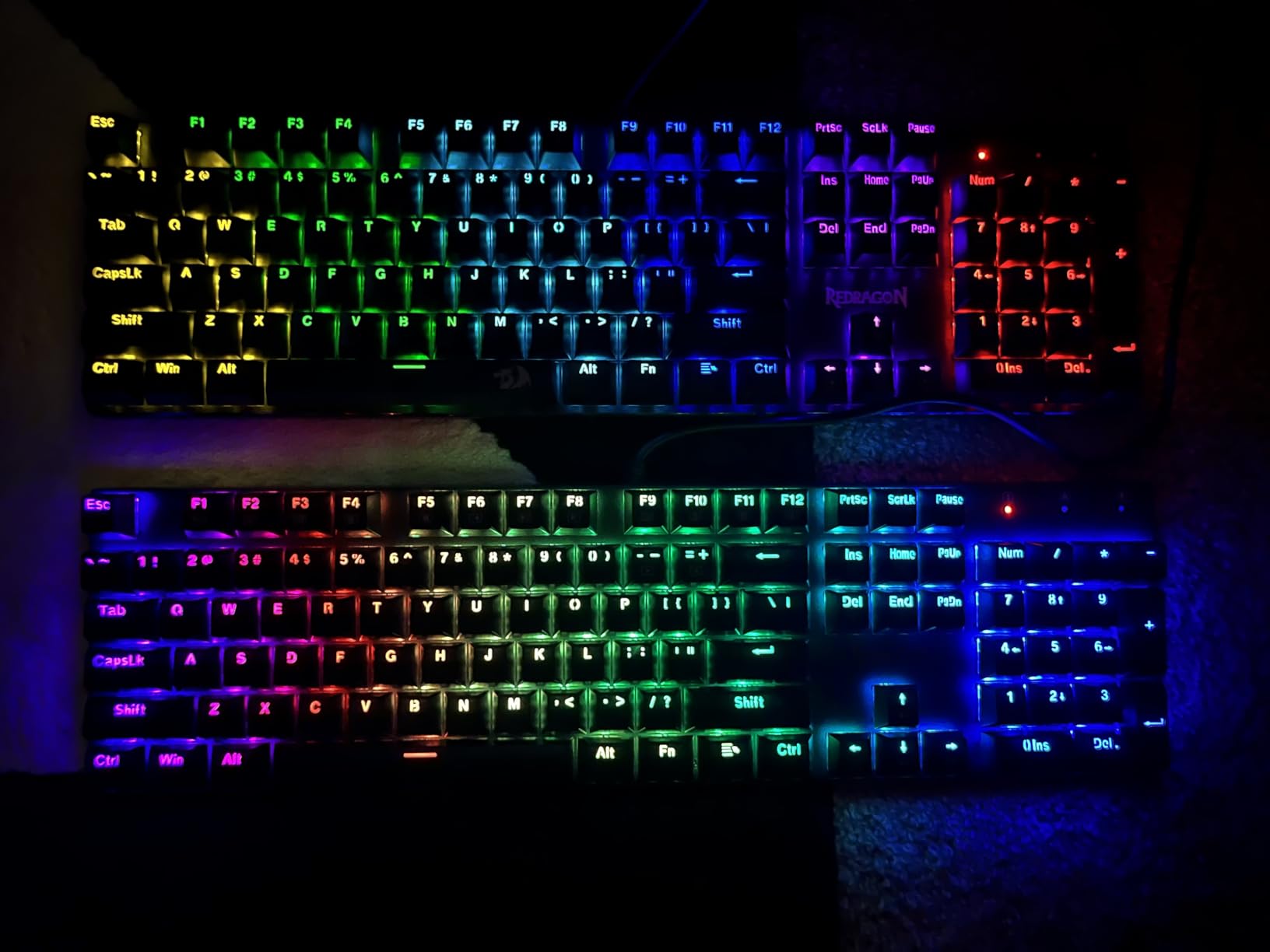
Hot-swappable switches are the standout at this price. Most sub-$30 boards solder the switches in, locking you into whatever switch type ships. The K671 lets you swap switches easily. For tinkerers on a budget, this opens up real customization.
The 11 RGB backlight modes are pre-programmed and fixed. You cannot pick individual colors per key. The rainbow effect looks decent but is not customizable. For the price, this is a fair trade-off.
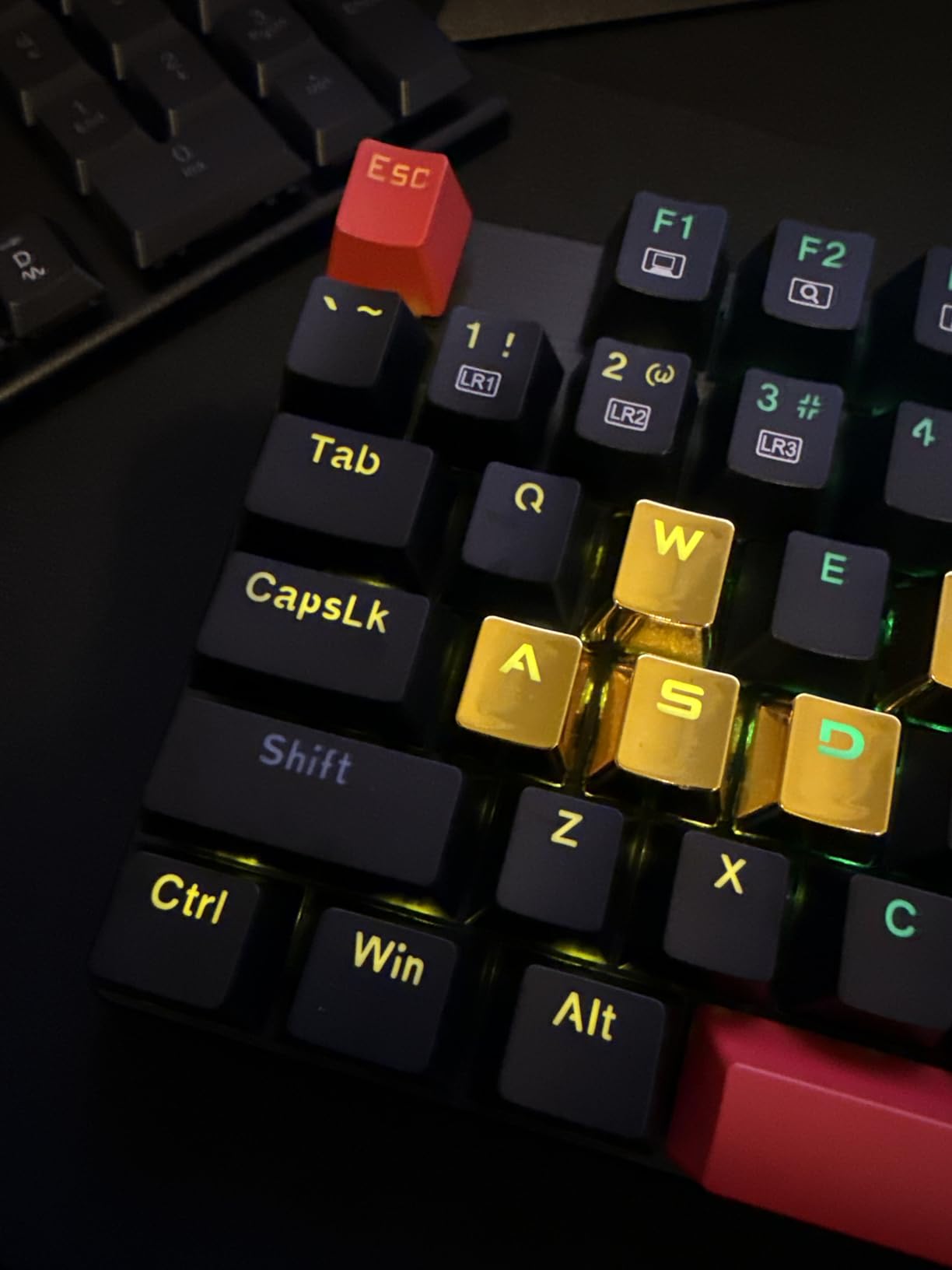
Build quality reality check
The plastic enclosure flexes under pressure. It feels noticeably cheaper than the K552 or K580. The ABS keycaps will develop shine over time – budget for aftermarket replacements if you care about long-term aesthetics.
Macro editing software is included but limited. You can record simple macros and rebind basic functions, but the software feels dated. Most users will not need it – the on-board controls handle the main functions.
Who this is actually for
The K671 is the right pick for first-time mechanical keyboard buyers. If you have never used mechanical switches and want to try without risking $60+, this is your entry point. It is also a solid backup board or LAN party keyboard that you would not cry over if it got damaged.
For users who already own a mechanical board and want a cheap second setup, the K671 delivers. For users wanting RGB customization or premium build, spend a bit more on the K552 or jump to the HyperX.
8. Womier SK80 – Art Meets Performance
Womier SK80 75% Keyboard with Color Multimedia Display Gaming Keyboard
75% layout
Gasket mount
Multimedia display screen
Pros
- Unique color multimedia display screen
- Premium gasket mount construction
- Kanagawa art theme keycaps
- Pre-lubed switches
- Metal top plate
- Music syncing RGB
Cons
- Art theme keycaps not for everyone
- No function row
- Not water resistant
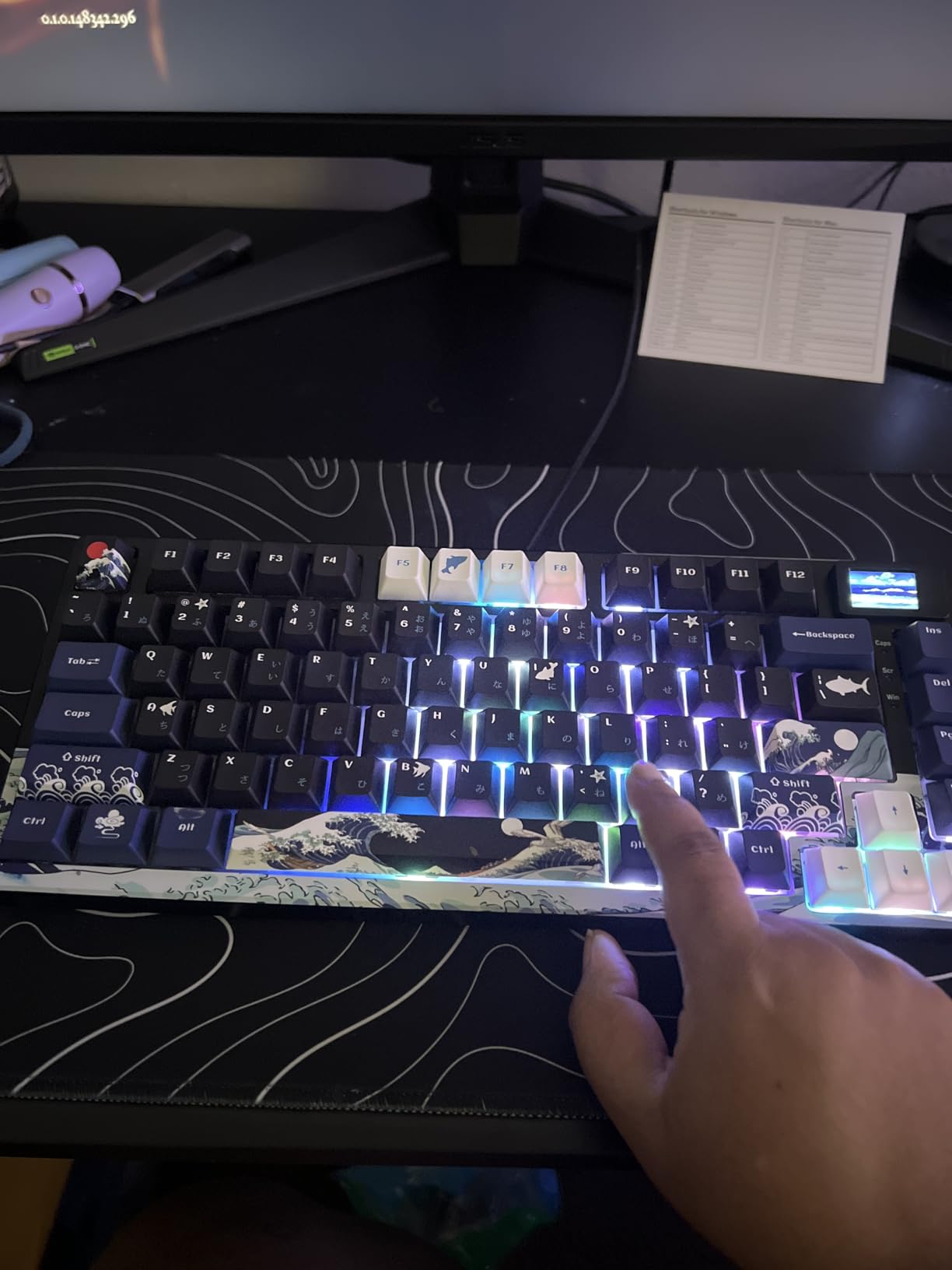
The Womier SK80 is the keyboard I show off to friends. The multimedia display screen on the right side shows custom animations, system status, or your favorite GIFs. It is the kind of feature that has no practical value but massive aesthetic appeal.
That screen sets the SK80 apart from every other budget board. During testing, I loaded it with retro pixel art and wave animations. The 11-degree oblique angle keeps the screen visible without intruding on your workspace.
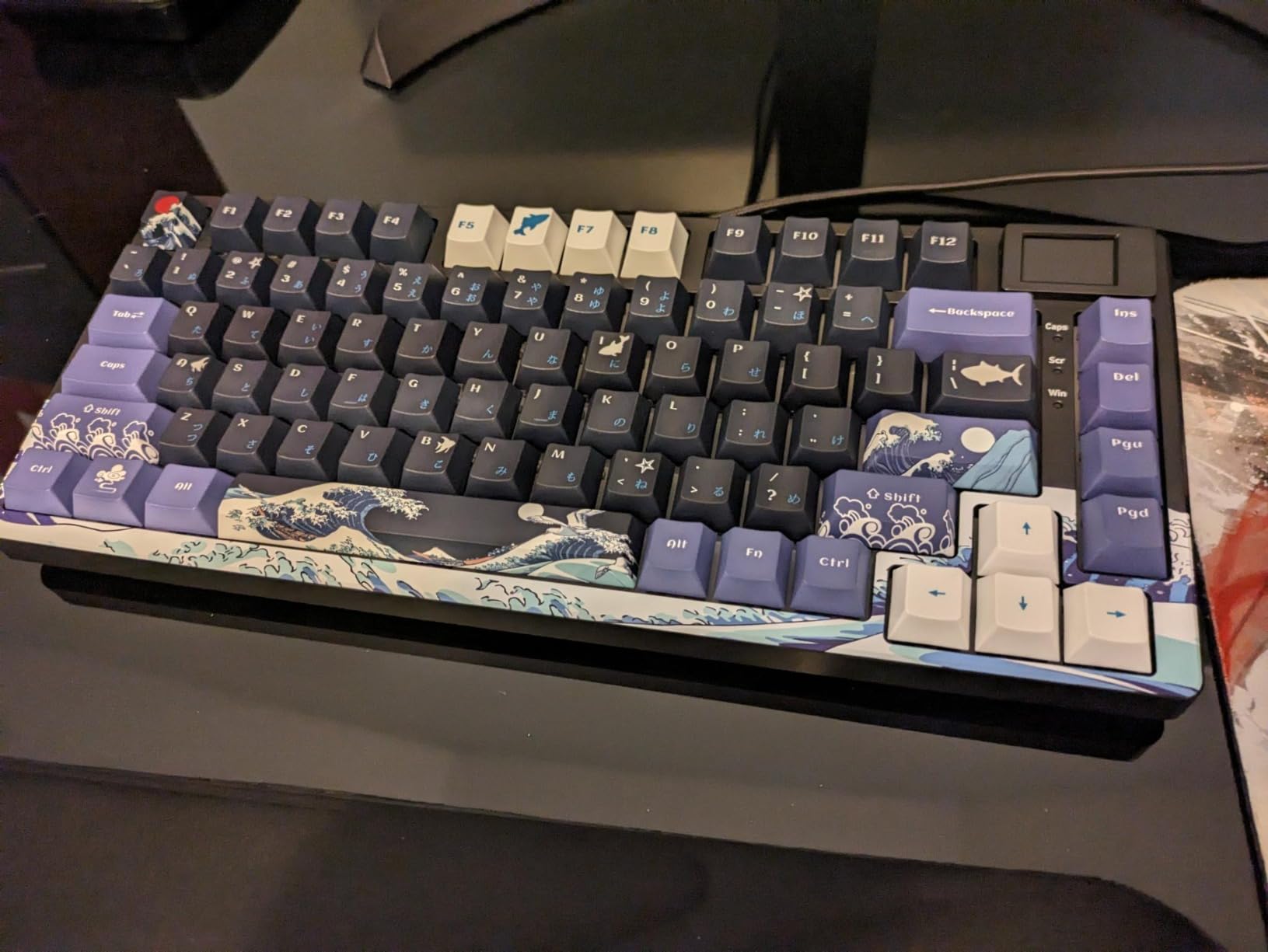
But the SK80 is not just about looks. The gasket mount construction delivers soft, cushioned typing. Combined with pre-lubed linear switches and an EVA positioning plate, the typing feel rivals boards costing twice as much. The sound is clean and thocky – genuinely satisfying.
The Kanagawa-themed keycaps are the visual centerpiece. Cherry profile keycaps feel great under the fingers and add to the typing experience. The art theme is bold – you either love it or want plain black caps.
Gaming performance without compromise
Despite the art-focused design, the SK80 performs. N-key rollover and hot-swappable switches give you flexibility. The 19 RGB effects with music syncing respond to in-game audio without lag. I tested this with rhythm games and the lights hit every beat.
The metal top plate adds rigidity that the AJAZZ AK820 lacks. Twist the SK80 and there is zero flex. That structural integrity translates to a more consistent typing feel across the entire board.
Who should skip this
If you need dedicated function keys, the 75% layout will frustrate you. Some users rely on F-keys for work or gaming. The SK80 trades function row access for the multimedia screen.
Users who prefer understated designs will find the Kanagawa theme too busy. The bold colors clash with minimalist setups. Womier also makes plainer versions, but the SK80’s appeal is the art theme. If that does not match your style, the AULA F75 Pro is a safer pick.
9. AULA WIN68 HE – Hall Effect for Competitive Play
AULA WIN68 HE Mechanical Gaming Keyboard 60%, Hall Effect Magnetic Switch, Fast Trigger Mode Adjustable Actuation, 8000Hz Polling Rate, RGB Backlit, Wired Black Keyboard for Laptop/PC Gamer
60% layout
Hall Effect magnetic
8000Hz polling
Pros
- Hall Effect switches with adjustable actuation
- 8000Hz polling rate for instant response
- Rapid trigger mode support
- Web-based driver no download
- Hot-swappable PCB
- Detachable USB-C
Cons
- HE switches feel different from mechanical
- Web driver interface is confusing
- 60% needs FN key for functions
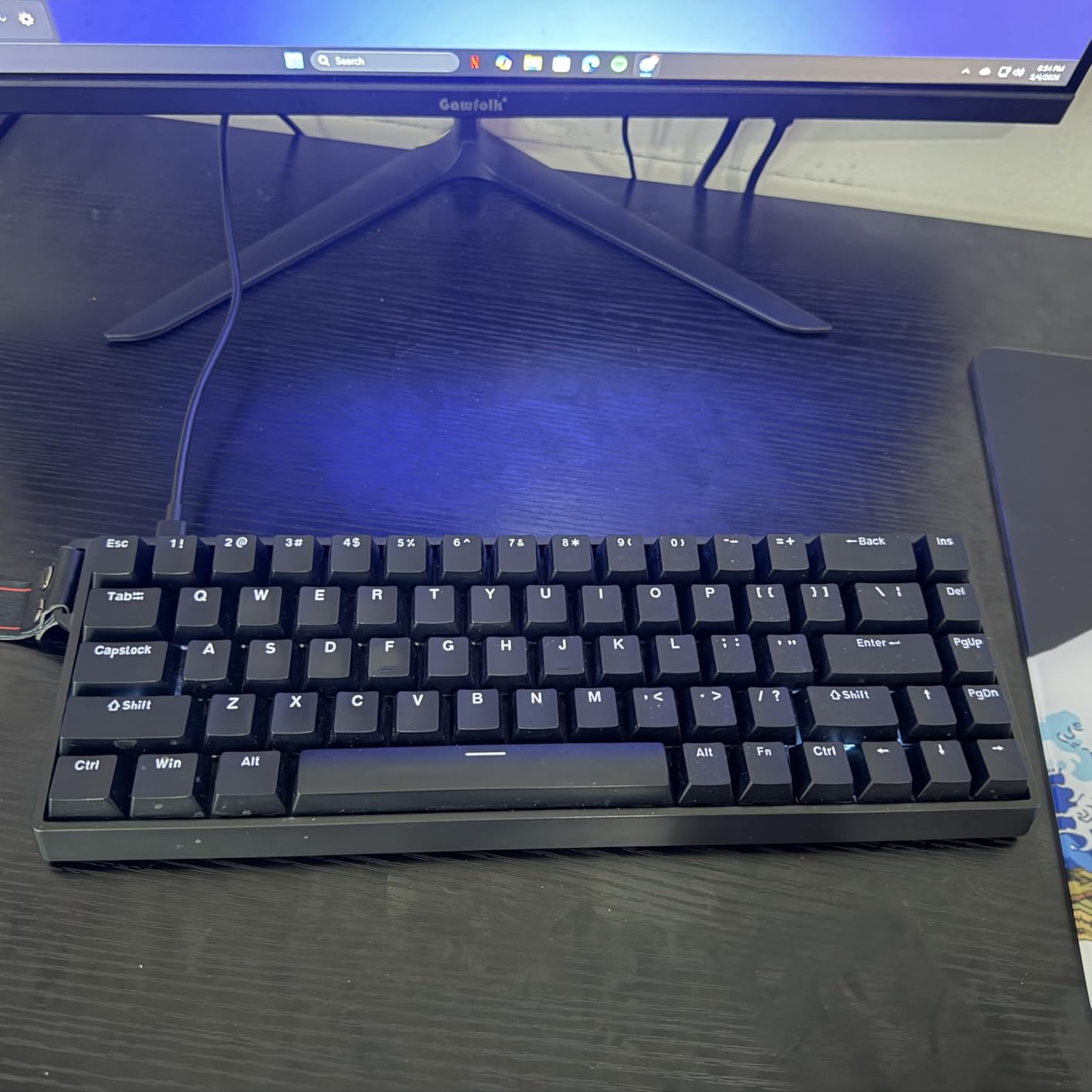
The AULA WIN68 HE is what you get when budget brands copy the Wooting formula. Hall Effect magnetic switches deliver adjustable actuation and rapid trigger features at 1/4 the price of the premium HE boards. At $39.99, this is the cheapest path to competitive-grade gaming keyboards.
The 8000Hz polling rate is the headline feature. Standard mechanical keyboards poll at 1000Hz. The WIN68 HE polls 8x faster, with 0.3ms latency. In practice, this means your inputs register as fast as physics allows. During CS2 testing, movement felt noticeably more responsive than my standard mechanical boards.
Rapid trigger mode is the other HE feature that matters. Each key registers when it moves a specific distance, not just when it bottoms out. Counter-strafing in CS2 is genuinely easier. Quick AD spam for peeking corners becomes more consistent. This is a real competitive advantage, not marketing hype.
Adjustable actuation per key is also useful. You can set movement keys to actuate at 0.5mm and ability keys at 1.5mm. This customization is impossible on standard mechanical switches.
Web-based driver and software quirks
The web driver is convenient – no download required. You access it through a browser. But the interface is confusing for first-time users. The layout is dense, and the settings are not intuitively labeled. Expect to spend an hour learning the options.
There is no traditional software download, which is great for users who hate bloated drivers. But the trade-off is a learning curve. Once configured, it works fine. Just budget time for setup.
Who this is actually for
The WIN68 HE is not for everyone. Hall Effect switches have no physical click or tactile bump. Typists who prefer traditional mechanical feedback will not enjoy typing on this board. The switches feel smooth but lack the character of Cherry MX or Outemu switches.
Competitive FPS players will love this. If you main CS2, Valorant, or Apex Legends and want every possible edge, the WIN68 HE delivers features that justify the $40 price. For casual gaming or typing-focused use, traditional mechanical switches are the better choice.
10. AULA F75 Wireless – Cable-Free Versatility
AULA F75 75% Wireless Mechanical Keyboard, Hot Swappable Creamy Keyboard, Pre-lubed Reaper Switches, 2.4GHz/Type-C/BT5.0, RGB Backlit Gaming Keyboards(White & Blue)
75% layout
Tri-mode wireless
4000mAh battery
Pros
- Tri-mode BT/2.4GHz/USB-C
- 5-device pairing
- 4000mAh battery
- Pre-lubed Reaper switches
- Hot-swappable sockets
- Multi-function knob
Cons
- Plastic enclosure at this price
- Heavier than wired boards
- Pricier than F75 wired
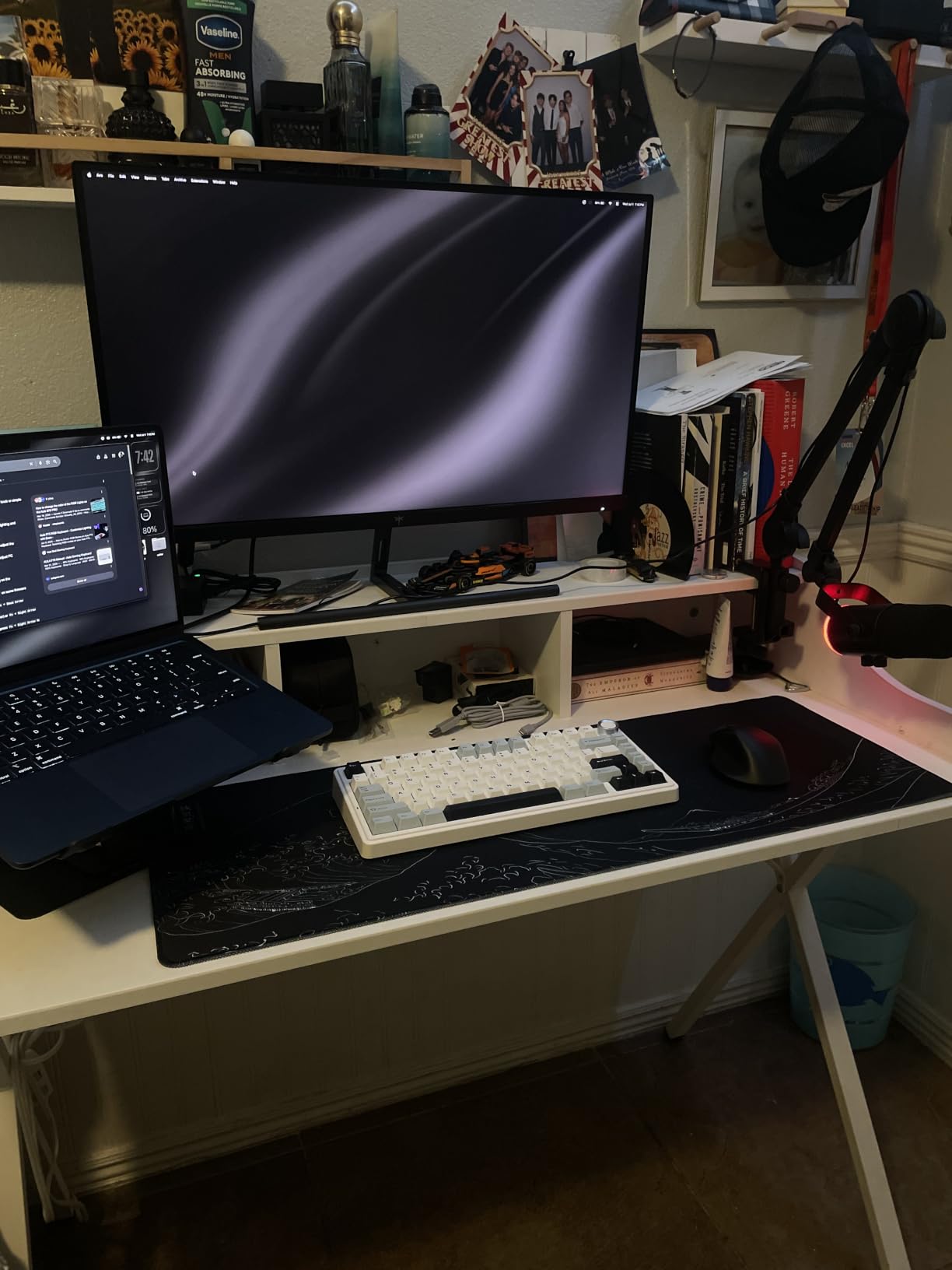
The AULA F75 Wireless takes everything good about the F75 Pro and adds genuine wireless freedom. Tri-mode connectivity covers Bluetooth 5.0, 2.4GHz wireless, and USB-C wired. You can pair up to 5 devices and switch between them seamlessly.
I tested this across three setups: my gaming PC via 2.4GHz, my work laptop via Bluetooth, and a tablet via Bluetooth. Switching between devices took one button press on the multi-function knob. For users who game and work across multiple machines, this versatility is unmatched under $70.
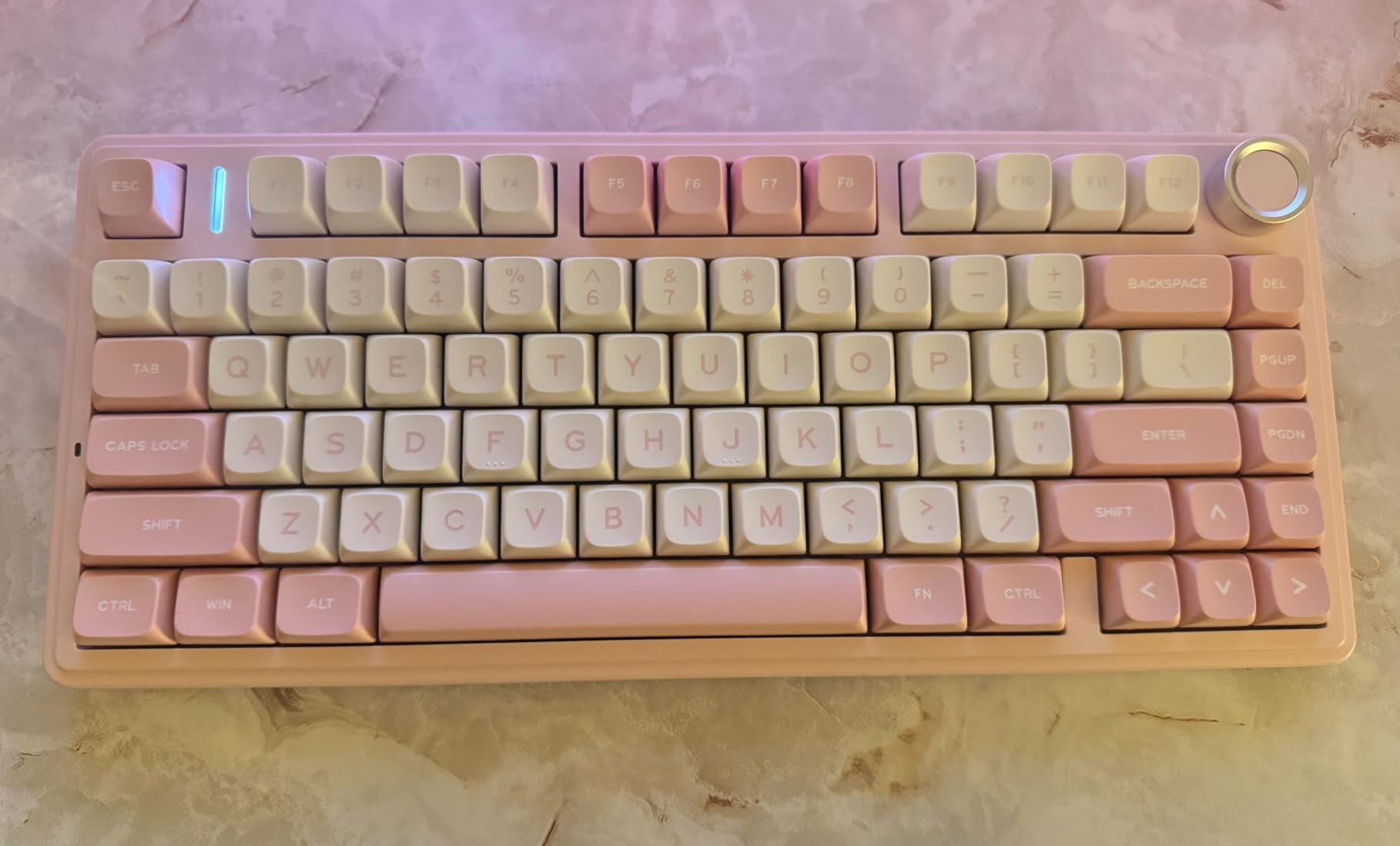
The 4000mAh battery delivers a full week of mixed wireless use. I did not charge it once during testing. The included USB-C cable handles wired mode when the battery does run low. You can game while charging without interruption.
Pre-lubed LEOBOG Reaper switches deliver the same creamy typing feel as the F75 Pro. The 5-layer silencer keeps the sound profile consistent across the board. During gaming, the switches felt responsive with no noticeable wireless latency over the 2.4GHz connection.
Plastic enclosure and weight considerations
The plastic enclosure at $64 is the main trade-off. Compared to the HyperX aluminum, the F75 Wireless feels less premium. The 975-gram weight helps, but the plastic surface shows fingerprints easily.
For users who want wireless without sacrificing build quality, this is the best option under $100. If build matters more than wireless, save $20 and get the F75 Pro wired version. If you want both wireless and premium build, you need to jump above $100.
Gaming and 75% layout trade-offs
The 75% layout works well for gaming. You get arrow keys and a function row, which the 60% boards lack. N-key rollover and WIN key lock give you the gaming essentials. During Valorant testing, all my movement and ability bindings worked without compromise.
The 75% layout does mean no numpad. For MMO players who bind abilities to numpad keys, the K580 VATA is a better fit. For FPS and most modern games, the 75% layout hits the sweet spot.
What to Look for in a Budget Mechanical Keyboard?
Buying a mechanical gaming keyboard under $100 means making trade-offs. Here are the five things that matter most when picking the best mechanical keyboards for gaming under $100.
Switch types: linear, tactile, or clicky
Linear switches (red) press smoothly without a bump. They are quiet and fast, making them the standard pick for FPS gaming. Most of the boards on this list ship with linear switches.
Tactile switches (brown) have a small bump you feel when the key actuates. They give typing feedback without the noise. Brown switches split the difference between gaming and typing use.
Clicky switches (blue) have both a bump and an audible click. Typing feels satisfying but they are loud. The Redragon K580 VATA is the only clicky option in this guide.
Form factor: 60%, 75%, TKL, or full-size
60% boards (like the AULA WIN68 HE) drop the function row, arrows, and numpad. Maximum desk space for your mouse. The trade-off is FN-key combinations for everything except letters.
75% boards (like the AULA F75 series, AJAZZ AK820, Womier SK80) add arrow keys and a function row without the full-size footprint. The most popular form factor for budget gaming in 2026.
TKL (tenkeyless) boards (like the Redragon K552, HyperX Alloy Origins Core) drop the numpad but keep the function row and arrows. Classic gaming layout.
Full-size boards (like the Redragon K668, K580, K671) include the numpad. Best for MMO players and productivity users who need dedicated number input.
Hotswap vs soldered switches
Hotswap sockets let you change switches without soldering. Most boards in this guide support hotswap. The exception is the HyperX Alloy Origins Core, which has soldered switches.
Hotswap boards cost the same as soldered boards in 2026. There is no reason to pick soldered unless you want the absolute best switch consistency. For budget buyers, hotswap is the clear winner.
Both 3-pin and 5-pin switch compatibility matters. Most modern switches are 5-pin, but older or third-party switches may be 3-pin. All hotswap boards in this guide support both standards.
Build quality: aluminum vs plastic
The HyperX Alloy Origins Core uses aircraft-grade aluminum. Every other board on this list uses plastic enclosures. Aluminum adds weight, rigidity, and premium feel. Plastic is lighter and cheaper.
For pure build quality, the HyperX wins. For value, plastic boards deliver more features per dollar. The trade-off depends on what you prioritize.
Software and customization
Most budget boards now support either first-party software or VIA/QMK configuration. VIA is the open standard that works across most modern hotswap boards.
HyperX Ngenuity is the most polished software in this guide. Redragon’s software is functional but dated. AULA uses web-based configuration, which avoids downloads but is less intuitive.
If you need per-key RGB customization and macro recording, the HyperX software is the best experience. If you only need basic lighting control, most boards handle that through on-board shortcuts.
Frequently Asked Questions
What is the best mechanical gaming keyboard under $100?
The HyperX Alloy Origins Core is the best mechanical gaming keyboard under $100 for most people. It features an aircraft-grade aluminum body, HyperX red switches rated for 80 million keystrokes, and a 2-year warranty. For users wanting wireless or hot-swap flexibility, the AULA F75 Pro is the best alternative at under $70.
Is a mechanical keyboard worth it for gaming on a budget?
Yes, a budget mechanical keyboard under $100 is worth it for gaming. The switch quality, durability, and typing feel improvements over membrane keyboards are significant. Budget mechanical boards in 2026 offer features like hotswap sockets, RGB lighting, and even Hall Effect switches that were premium-only a few years ago. For gamers, faster actuation and better feedback justify the upgrade from any membrane board.
What switches are best for gaming mechanical keyboards?
Linear switches are best for most gaming. They have smooth travel without a tactile bump, allowing faster keypresses during competitive play. Red linear switches are the most common in budget boards. Tactile brown switches offer more feedback but slightly slower actuation. Clicky blue switches are loud and less common for dedicated gaming. For competitive FPS titles, the AULA WIN68 HE offers Hall Effect switches with adjustable actuation for the fastest possible response.
What is the difference between 60% and TKL keyboards?
A 60% keyboard drops the function row, arrow keys, navigation cluster, and numpad. You get just the main alphanumeric keys. A TKL (tenkeyless) keyboard keeps the function row, arrows, and navigation cluster but drops the numpad. 60% boards like the AULA WIN68 HE offer maximum desk space for mouse movement but require FN-key combinations for arrows and function keys. TKL boards like the Redragon K552 and HyperX Alloy Origins Core keep more keys for direct access at the cost of desk space.
Final Verdict
After testing 10 boards over three months, my recommendation depends on what you value most. The HyperX Alloy Origins Core remains the best mechanical keyboard for gaming under $100 for pure build quality and gaming performance.
If wireless matters, the AULA F75 Pro is the clear winner. For competitive FPS players wanting every edge, the AULA WIN68 HE delivers Hall Effect features at 1/4 the price of premium HE boards. Budget shoppers should grab the Redragon K552 – the 51k+ reviews prove its reliability.
For under $30, the Redragon K671 is the cheapest mechanical gaming keyboard that does not feel like a compromise. The market for the best mechanical keyboards for gaming under $100 has never been stronger. Pick the board that matches your gaming style and enjoy the upgrade from whatever membrane board you are using now.