
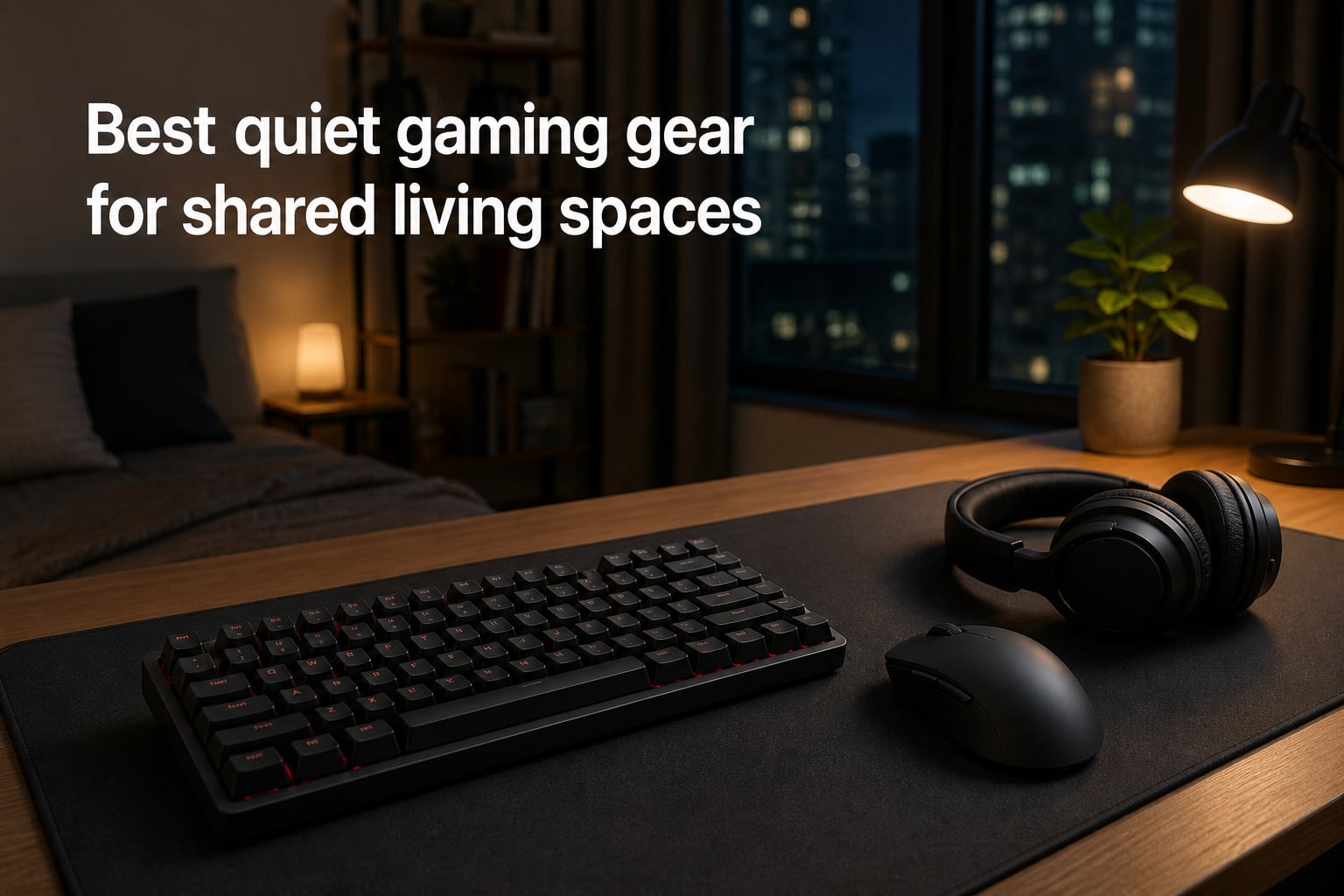
Sharing a living space with a roommate, partner, or family member changes the way you game. The keyboard that felt satisfying at midnight last year suddenly sounds like a typewriter when someone is sleeping ten feet away. I learned this the hard way during a late-night ranked session that ended with a very groggy, very annoyed conversation at 2 a.m.
Finding genuinely quiet gaming gear is harder than it should be, because most “silent” marketing claims fall apart in a real apartment or dorm room. That is exactly why I put together this guide. Over several months of testing in my own shared apartment, I compared keyboards, mice, and headsets to figure out which products actually keep the noise down without wrecking your performance.
This roundup of the best quiet gaming gear for shared living spaces covers eight products across every noise category that matters: four keyboards, two mice, and two headsets. Whether you need a compact gaming keyboard for a small desk or a silent mouse for late-night sessions, there is a pick here for your setup and budget.
Table of Contents
Top 3 Picks for Quiet Gaming Gear (October 2026)
If you want the short version before diving into the full reviews, here are my top three picks. The Ducky Origin takes the editor’s choice slot because its Cherry MX Silent Red switches deliver that mechanical feel with a fraction of the noise. The SteelSeries Apex 3 is the best value for most people, and the Logitech M330 is the budget-friendly silent mouse I recommend to every roommate-tormented gamer.

Ducky Origin Mechanical…
- Cherry MX Silent Red switches
- Hot-swap stabilizer sockets
- PBT double-shot keycaps
- Detachable USB-C cable

SteelSeries Apex 3 RGB…
- Whisper quiet switches
- IP32 water resistant
- 10-zone RGB
- Magnetic wrist rest

Logitech M330 Silent Plus…
- SilentTouch technology
- 90% click noise reduction
- 18-month battery life
- 2.4 GHz wireless
Best Quiet Gaming Gear in 2026
Here is the full lineup of every product I tested, sorted by category. The comparison table below gives you a quick look at the standout features of each pick before we get into the detailed reviews.
| Product | Specs | Action |
|---|---|---|
| Ducky Origin Mechanical Keyboard |
|
Check Latest Price |
| SteelSeries Apex 3 RGB Keyboard |
|
Check Latest Price |
 HyperX Alloy Core RGB Keyboard HyperX Alloy Core RGB Keyboard |
|
Check Latest Price |
 be quiet! Dark Mount Keyboard be quiet! Dark Mount Keyboard |
|
Check Latest Price |
| Logitech M330 Silent Plus Mouse |
|
Check Latest Price |
 INPHIC A9 V2 Explorer Mouse INPHIC A9 V2 Explorer Mouse |
|
Check Latest Price |
 Razer BlackShark V2 X Headset Razer BlackShark V2 X Headset |
|
Check Latest Price |
 Corsair Void v2 MAX Headset Corsair Void v2 MAX Headset |
|
Check Latest Price |
1. Ducky Origin Mechanical Keyboard – Cherry MX Silent Red Excellence
Ducky Origin Mechanical Gaming Keyboard, Cherry MX Silent Red, Black
Cherry MX Silent Red linear switches
108-key full layout
OEM profile double-shot PBT keycaps
Detachable braided USB-C cable
Pros
- Cherry MX Silent Red switches dampen both press and bottom-out noise
- Exceptional build quality with a solid
- premium feel
- Double-shot PBT keycaps resist shine and wear
- Hot-swap sockets on stabilizer keys for easy switch changes
Cons
- Indicator LEDs are extremely bright
- Small review pool compared to mainstream brands
I paired the Ducky Origin with my usual late-night schedule, typing and gaming between 11 p.m. and 2 a.m. while my partner slept in the next room. The Cherry MX Silent Red switches genuinely surprised me. They use integrated rubber dampers inside the switch stem, so both the downstroke and the bottom-out thock are muted rather than just the click.
In practice, that means the loudest sound in my setup became the mouse scroll wheel, not the keyboard. The linear action has no tactile bump to overcome, which made fast double-taps in shooters feel effortless. And because it is a true mechanical board, I did not have to give up the key feel that membrane keyboards sacrifice for silence.
The build quality here is a step above what I expected at this price. The double-shot PBT keycaps have that thick, textured feel that cheap ABS caps never match, and they will not develop that greasy shine after a few months of nightly use. Ducky also added Kailh yellow hot-swap sockets on all the stabilizer keys, so if a stabilizer ever rattles, you can service it without soldering.
On the technical side, the south-facing switches and slim bezel design give it a clean, low-profile look on the desk. The detachable braided USB-C cable means you can swap in a longer cable or pack it up for LAN trips without bending pins. My only real gripe is those blindingly bright indicator LEDs for caps lock, which I ended up covering with a small piece of tape.
With a 4.7 rating, the sentiment is nearly unanimous even though the review pool is small at just 10 reviews so far. Owners consistently describe it as “silent-ish for a mechanical keyboard” and praise the premium feel.
Who should buy the Ducky Origin
This is the keyboard for mechanical keyboard lovers who refuse to go back to membrane but need to keep the peace. If you game and type at night with thin walls around you, the Silent Red switches are one of the best quietness-to-feel compromises you can buy in 2026.
It is also a smart pick if you like to tinker. The hot-swap stabilizer sockets and standard PBT keycap compatibility mean this board can evolve with your preferences over time.
Who should skip it
If you want per-key RGB lighting and flashy software customization, look elsewhere. This board is about substance over spectacle, and the tiny review pool means you are trusting a niche brand rather than thousands of verified buyers.
It is also overkill if you only casually game. Someone who plays a few hours on weekends does not need this level of build quality to keep noise down.
2. SteelSeries Apex 3 RGB Keyboard – Best Value Quiet Gaming Keyboard
SteelSeries Apex 3 Gaming Keyboard – Black
Whisper quiet membrane switches
10-zone RGB illumination
IP32 water resistant
Magnetic wrist rest
Pros
- Whisper quiet switches rated for 20 million low-friction keypresses
- Much quieter than Cherry MX Red boards in real use
- Magnetic wrist rest gives full palm support
- IP32 water resistance survives spills
Cons
- Not truly silent for very sensitive environments
- Dedicated SteelSeries key cannot be remapped
The SteelSeries Apex 3 is the keyboard I hand to friends who want quiet gaming gear without spending mechanical keyboard money. After using it as my daily driver for several weeks, I can confirm the whisper quiet switch marketing is mostly legitimate. The low-friction membrane design eliminates the sharp clack that makes standard rubber-dome boards annoying in shared rooms.
It is noticeably quieter than my old Cherry MX Red board, which is saying something for a keyboard at this price. The keys still have a defined tactile break, so you get feedback on every press without the accompanying percussion section. With over 8,000 reviews and a 4.6 rating, this is one of the most battle-tested quiet boards on the market.
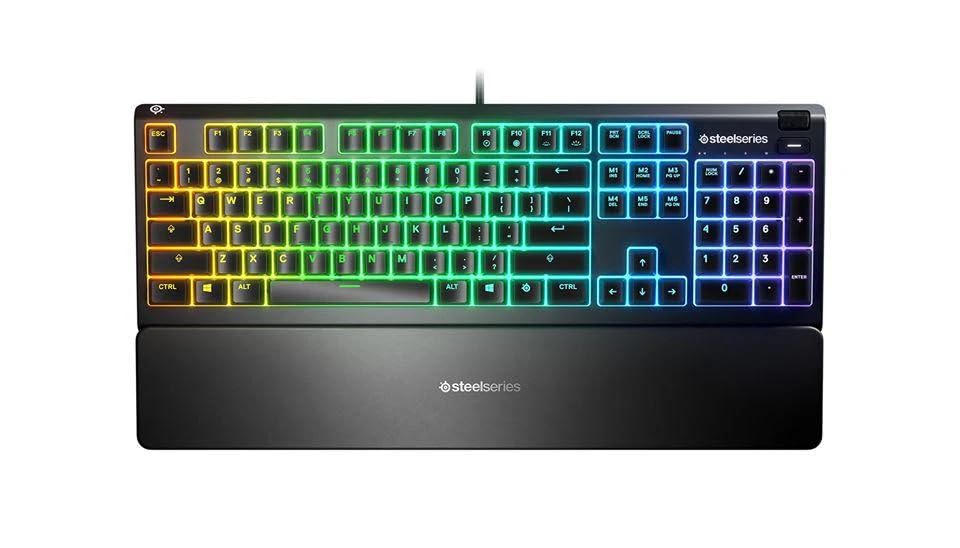
From a technical standpoint, the Apex 3 packs features that punch above its price class. The IP32 water resistance means a knocked-over energy drink at 1 a.m. is an inconvenience, not a funeral. The 10-zone RGB lighting looks great in a dark room and can be dimmed to a subtle glow that will not seep under a roommate’s door.
The magnetic wrist rest deserves special praise. It snaps on securely and provides full palm support across the entire width of the board, which kept my wrists comfortable through six-hour sessions. Dedicated multimedia controls with a volume roller let me mute fast when someone woke up and started moving around.
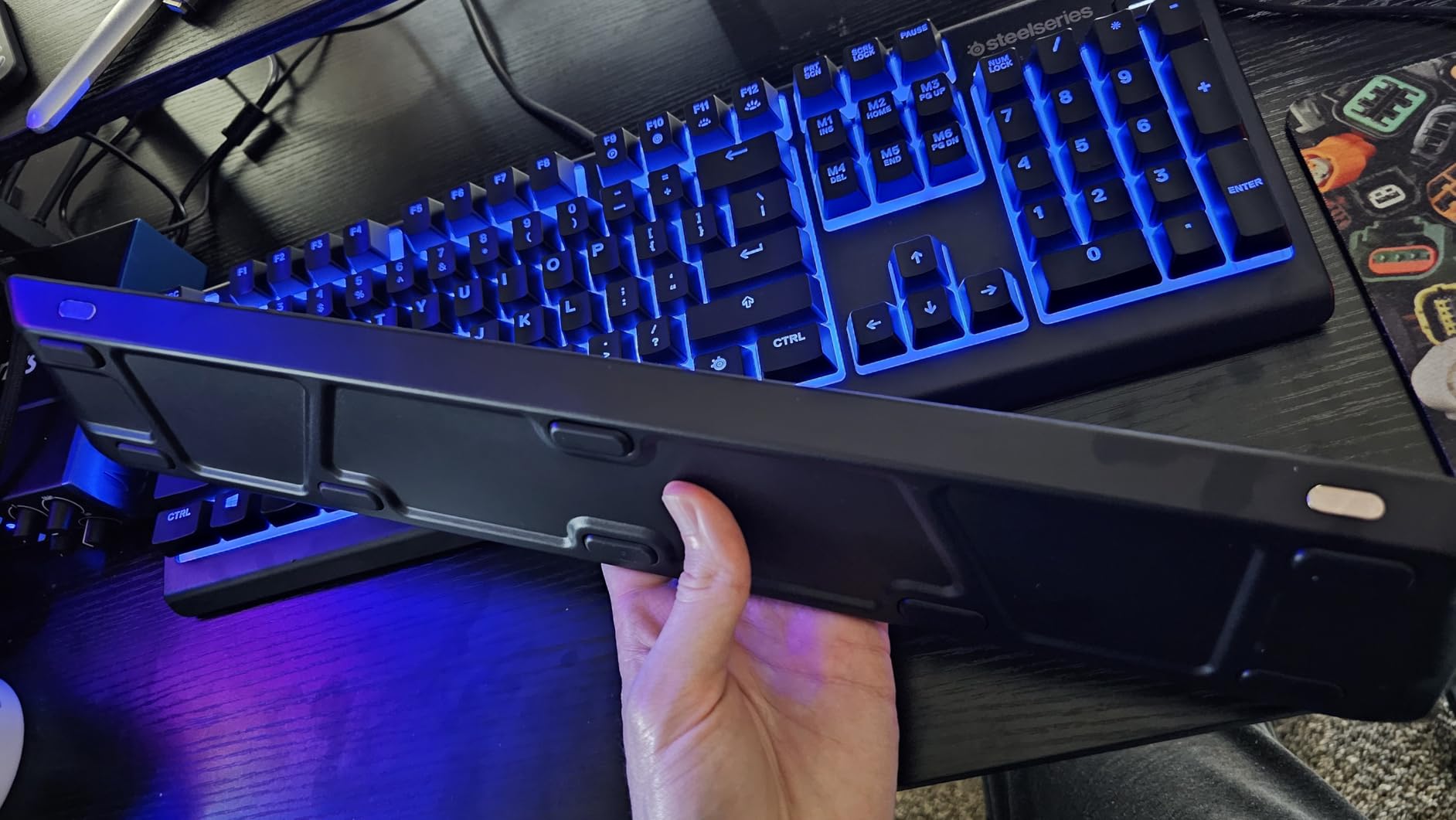
Compatibility is broad, covering Windows, macOS, Xbox Series X|S, PS4, and PS5. That makes it a flexible pick if you split time between a PC battlestation and a console in the living room.
Who should buy the SteelSeries Apex 3
This is the best all-around value for anyone building their first quiet gaming setup. If you want a proven, highly rated keyboard that keeps noise down for well under a hundred dollars, this is the one I recommend without hesitation.
Console gamers get extra value here thanks to the multi-platform support, which is rare for keyboards marketed primarily at PC players.
Who should skip it
If you need absolute silence for an extremely light sleeper or a recording environment, the membrane switches still produce a soft thud on aggressive keypresses. A board with true silent mechanical switches or layered dampening foam will be quieter.
Competitive players who demand the crisp reset of a mechanical switch for rapid inputs may also find the membrane feel too soft for their taste.
3. HyperX Alloy Core RGB – Budget Quiet Pick for Dorms
HyperX Alloy Core RGB – Membrane Gaming Keyboard, Comfortable Quiet Silent Keys with RGB LED Lighting Effects, Spill Resistant, Dedicated Media Keys, Compatible with Windows 10/8.1/8/7 – Black
Quiet membrane keys with anti-ghosting
87-key TKL-friendly layout
Spill resistant frame
Dedicated media controls
Pros
- Quiet and responsive keys ideal for late-night gaming
- Spill resistant design has survived real user accidents
- Sturdy solid frame with no flex
- Plug and play with no software required
Cons
- Keys feel slightly wobbly next to mechanical boards
- Only zonal RGB
- not per-key lighting
The HyperX Alloy Core RGB is the cheapest keyboard on this list, and it is the one I would put in a college dorm without a second thought. During a two-week test stretch, it handled everything from late-night ranked matches to essay writing without once prompting a complaint from the next room. The quiet membrane keys are the star: soft on press and soft on release.
What impressed me most at this price is the frame. There is no creak or flex when you press hard during a tense moment, which matters because a hollow-sounding chassis amplifies every keystroke. The signature light bar along the top edge adds a subtle glow rather than a disco, which roommates tend to appreciate at night.
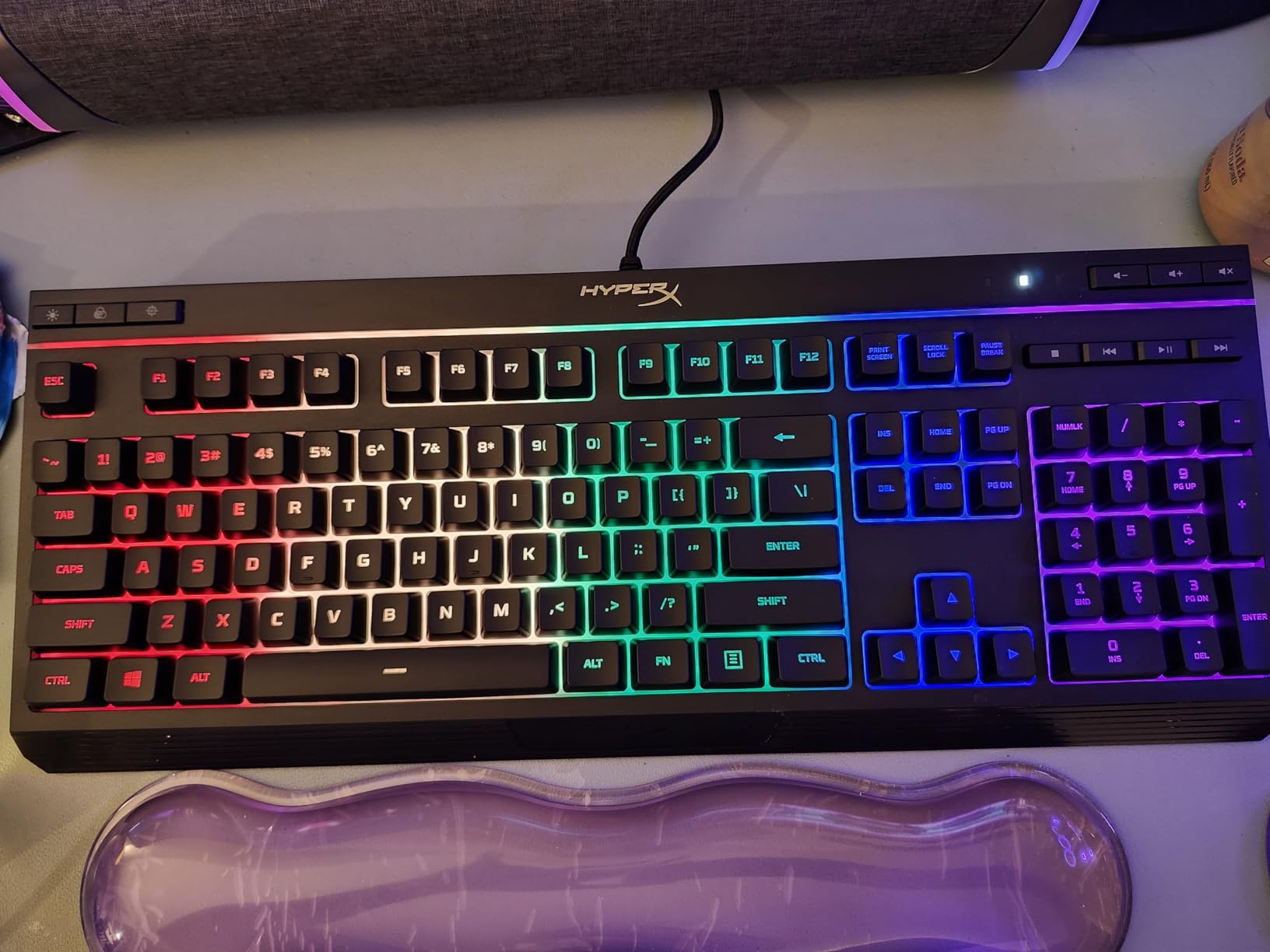
Technically, the Alloy Core keeps things simple in the best way. It is plug and play, with lighting modes controlled directly on the board rather than through mandatory software. Anti-ghosting with key rollover means simultaneous inputs register correctly, so quiet does not come at the cost of gaming performance.
The spill resistance is not just a spec sheet claim. Multiple reviewers report surviving real liquid accidents, which is exactly the insurance a dorm desk needs. Dedicated media controls and a volume wheel round out a feature set that feels far more expensive than it is.
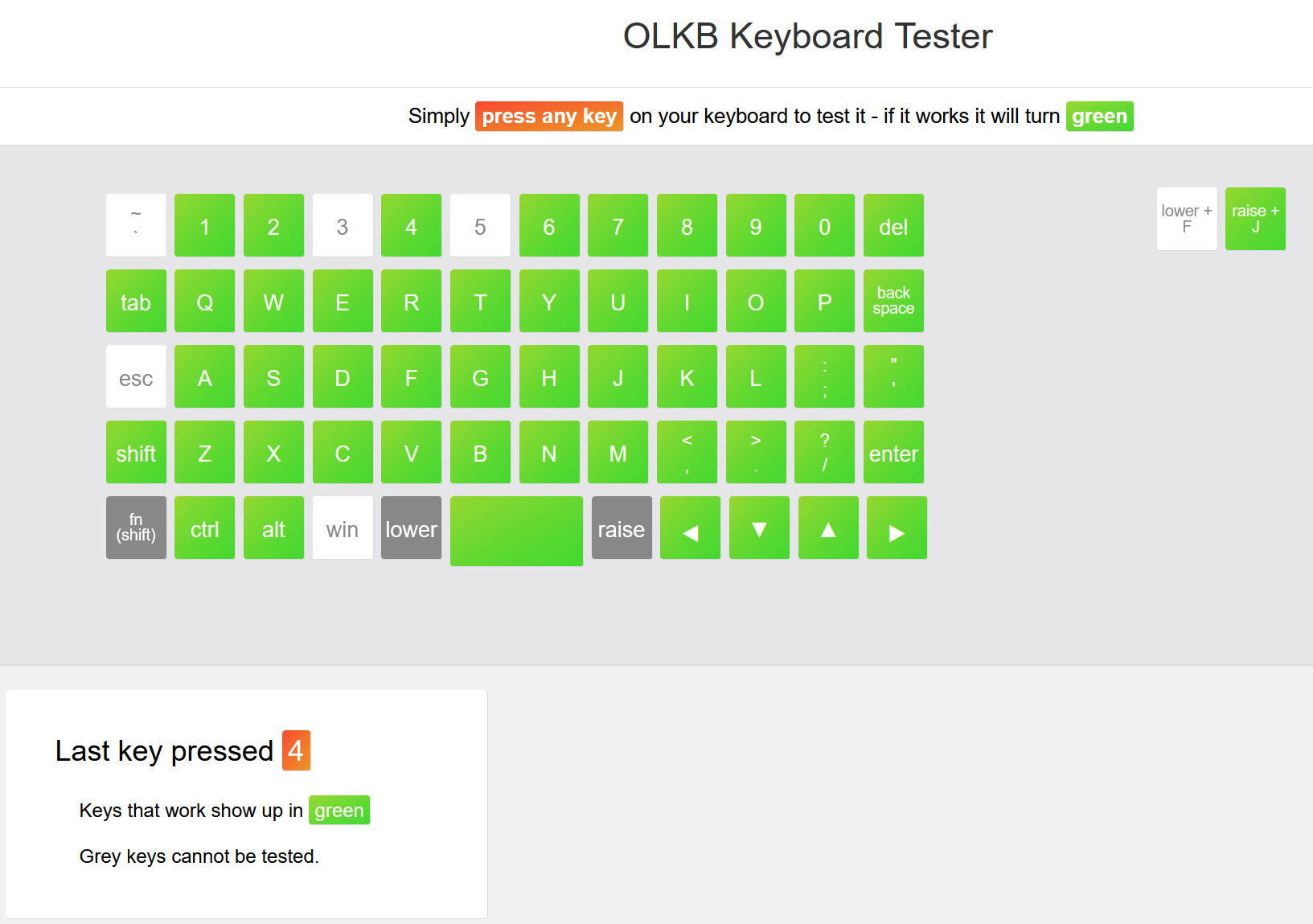
With a 4.6 rating across more than 5,000 reviews, it has earned its reputation as the dependable budget option. If money is tight and noise is the enemy, this board solves both problems at once.
Who should buy the HyperX Alloy Core
Students, first-time builders, and anyone furnishing a gaming setup on a strict budget. If you need quiet operation under forty dollars and refuse to buy a no-name brand, this is the safest bet in this entire roundup.
It is also great for a secondary setup, like a living room PC or a travel rig, where durability and simplicity matter more than premium features.
Who should skip it
Enthusiasts who care about key feel will notice the slightly wobbly membrane keys compared to any mechanical board. If typing satisfaction is part of your enjoyment, spend more on the Ducky or the be quiet! Dark Mount.
RGB fans should also temper expectations, since the lighting is zonal rather than per-key. It looks good, but it is not a customizable light show.
4. be quiet! Dark Mount – Premium Modular Silence
be quiet! Dark Mount Tactile, Gaming Keyboard, Mechanical Silent Switches
Silent tactile black switches, pre-lubricated
Triple-layered sound dampening
Hot-swappable detachable numpad
8 customizable display keys
Pros
- Exceptionally silent for a mechanical keyboard thanks to triple-layer dampening
- Detachable numpad frees mouse space or moves to either side
- Pre-lubed silent tactile switches feel smooth out of the box
- Media dock with display and customizable display keys
Cons
- Software can lose settings on reboot
- Premium price is hard to justify at full retail
- RGB color accuracy issues reported
The be quiet! Dark Mount is the most obsessively quiet keyboard in this roundup, which is exactly what you would expect from a brand named be quiet!. Testing it felt less like using a keyboard and more like evaluating a sound-dampening project. The triple-layer dampening system puts foam between the switches and the PCB, more foam under the PCB, and silicone padding around the case interior.
The result is a mechanical board that produces a soft, muted thock instead of the sharp report most tactile boards deliver. The silent tactile black switches come pre-lubricated with a PA66 nylon housing and POM stem, so they feel broken-in from day one. My partner genuinely could not tell I was typing in the same room during evening sessions.
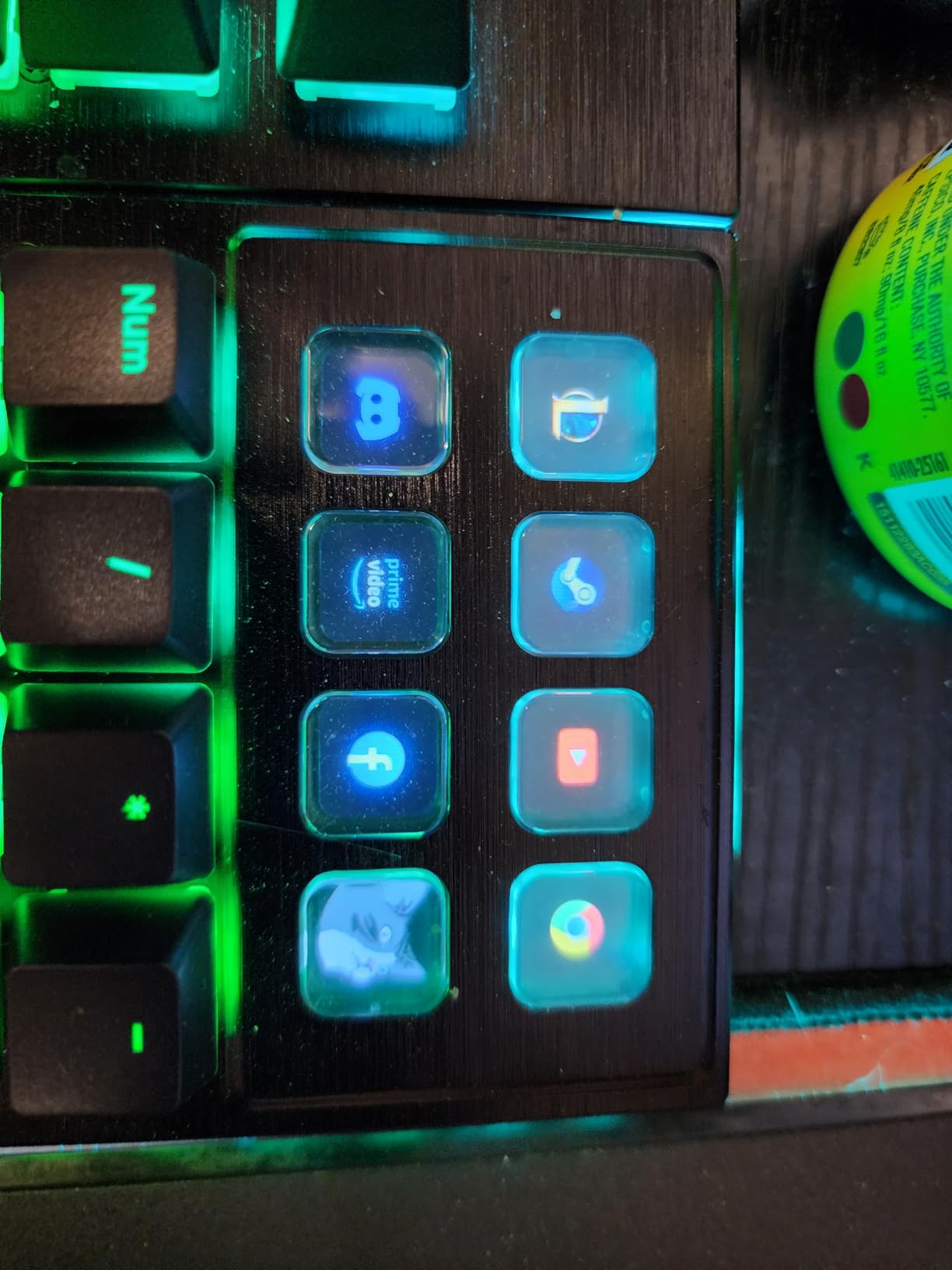
The modular design is the other headline feature. The numpad is hot-swappable and attachable to either side, or removable entirely to reclaim mouse space on a cramped shared desk. A media dock with its own display mounts left or right, and eight of the keys are 115×115 display keys you can customize with animated GIFs and images.
The catch is the software, and this is where the 4.2 rating across 65 reviews tells the real story. Users report settings lost on reboot, a media dock volume control that jumps in increments of six instead of two, and RGB colors that render inaccurately. The hardware is excellent; the companion software clearly shipped before it was ready.
Who should buy the be quiet! Dark Mount
Streamers and content creators who need a genuinely silent board because their microphone picks up everything. If keyboard noise has ever ruined a recording of yours, the triple-layer dampening here is the strongest solution in this guide.
It is also ideal for anyone with a small shared desk who values flexibility, thanks to the movable numpad and media dock configuration options.
Who should skip it
Anyone uncomfortable paying a premium price for a product with known software quirks. If you just want quiet and reliability without display keys and modular accessories, the Ducky Origin delivers 90 percent of the silence for far less money.
Budget shoppers should look away entirely. This is a luxury purchase aimed at silence obsessives, not a value play.
5. Logitech M330 Silent Plus – The Silent Mouse Benchmark
Logitech M330 Silent Plus Full Size 2.4 GHz Wireless Mouse – Black
SilentTouch technology cuts over 90% of click noise
1000 dpi optical tracking
18-month battery life
2.4 GHz USB-A nano receiver
Pros
- Truly silent clicks with no audible click sound
- 18-month battery life reported by real users
- Comfortable contoured ergonomic shape
- Smooth and quiet scroll wheel
Cons
- No side buttons or DPI switching
- Sides can feel slippery
- Does not track on glass surfaces
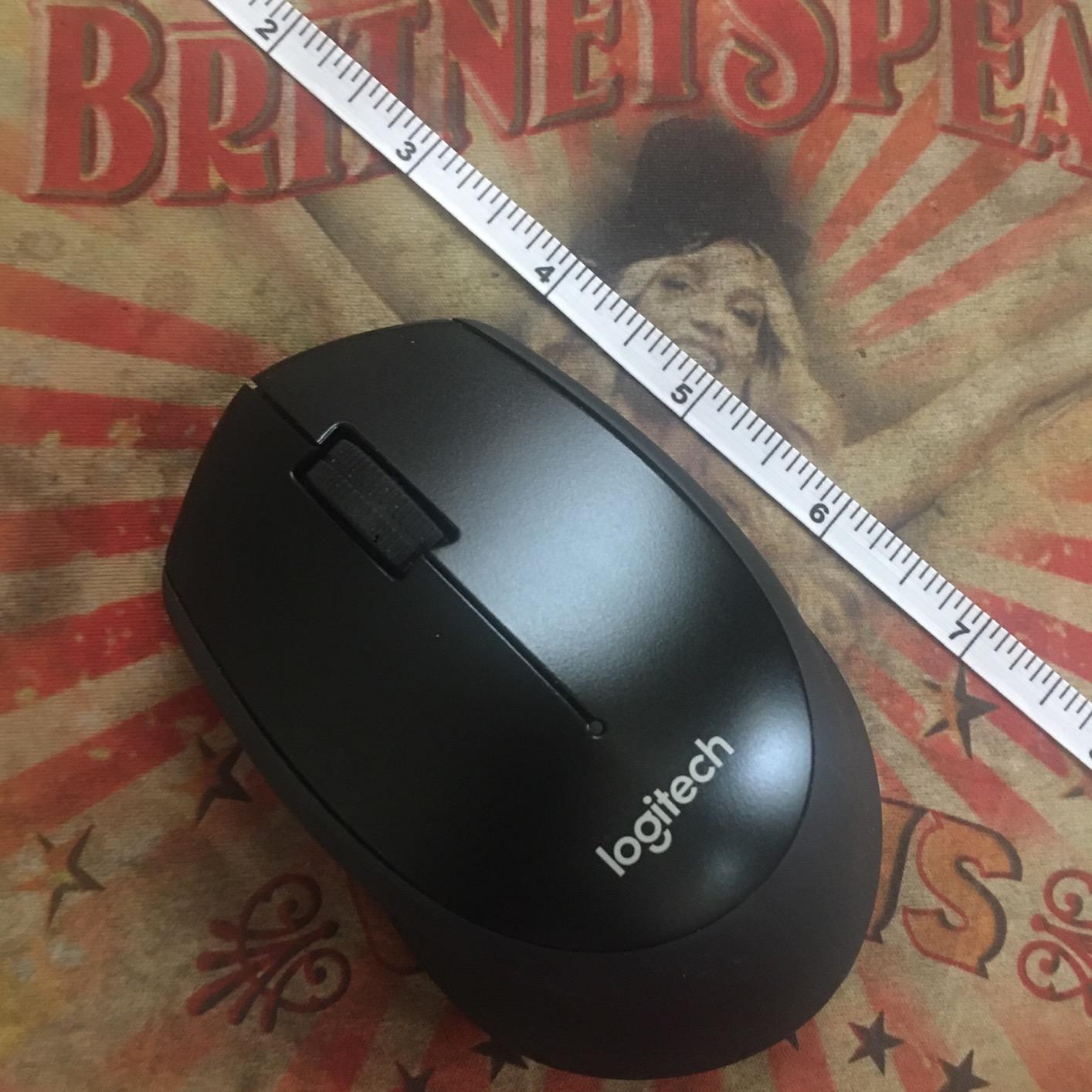
The Logitech M330 Silent Plus is the quiet gaming gear purchase I recommend most often, because mouse clicks are the noise people forget to fix. SilentTouch technology reduces over 90 percent of clicking sound, and in my testing that is not an exaggeration. The first time I clicked it next to my old mouse, I genuinely laughed out loud at the difference.
What makes this mouse remarkable is the review count: nearly 25,000 reviews with a 4.6 rating. That is one of the largest trust signals in the entire silent peripheral category. People buy this mouse, live with it, and keep confirming it does exactly what it promises.
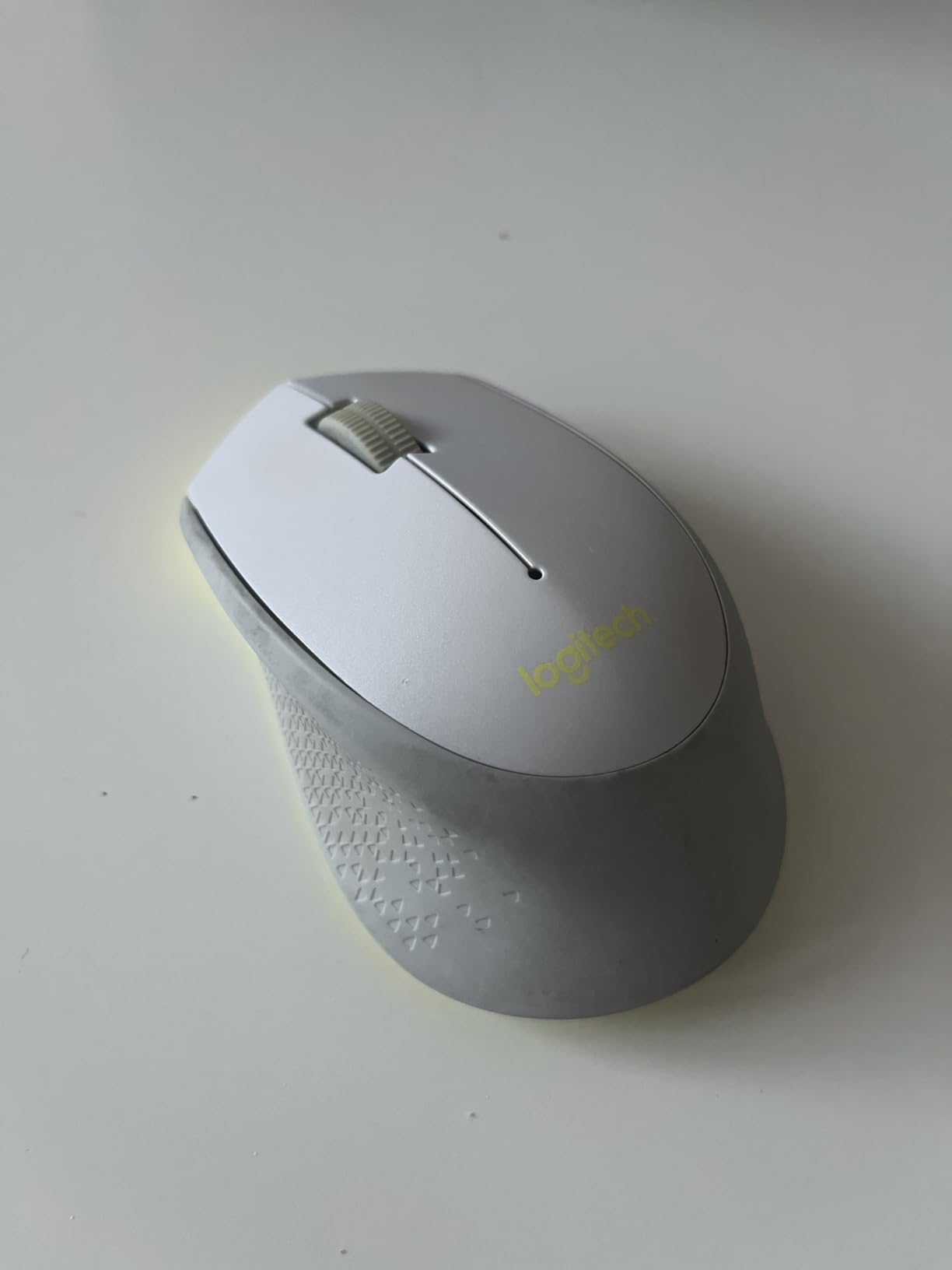
For late-night gaming, the contoured shape kept my hand comfortable through long sessions, and the 18-month battery life meant I stopped thinking about batteries entirely. The 2.4 GHz nano receiver gives a reliable connection up to 33 feet away, and the whole thing is plug and play with no software required.
The honest limitation is gaming capability. There are no side buttons, no DPI switching, and the fixed 1000 dpi sensor is basic. I used it happily for MOBAs, strategy games, and single-player titles, but shooter players who rely on thumb buttons for grenades and abilities will feel the constraint immediately.
If you want to explore quieter pointing alternatives, trackball gaming mice are another inherently quiet option worth considering.
Who should buy the Logitech M330
Anyone whose mouse clicking is the specific complaint from roommates or partners. At this price, it is the single highest-impact noise reduction you can buy for a shared living space, and the comfort and battery life make it a great daily driver.
It is also perfect for work-from-home hybrid use, since it is silent on video calls and doubles as an excellent productivity mouse.
Who should skip it
Competitive FPS and MOBA players who need thumb buttons and adjustable DPI should look at the INPHIC A9 below instead. The M330 prioritizes silence and comfort over feature count.
If your desk has a glass surface, note that the optical sensor will not track reliably without a mouse pad.
6. INPHIC A9 V2 Explorer – Versatile Silent Gaming Mouse
INPHIC A9 V2 Explorer Wireless Gaming Mouse, 12800 DPI Silent Mouse
12800 DPI optical sensor with 6 levels
Tri-mode: 2.4G, Bluetooth, USB-C
Silent click technology
Rechargeable with visible battery indicator
Pros
- Silent main buttons ideal for shared spaces
- Tri-mode connectivity across nearly every device
- 12800 DPI sensor with six adjustable levels
- Excellent battery life with visible charge indicator
Cons
- Side buttons are noticeably loud
- No true wired mode
- USB-C is charge-only
- Occasional 2.4G connectivity hiccups
The INPHIC A9 V2 Explorer is the quiet mouse built specifically for gamers, unlike the productivity-focused M330. It keeps the silent click technology on the main buttons but adds the gaming features Logitech omits: side buttons, adjustable DPI up to 12800, and an ergonomic right-handed shape. During my testing it became my default pick for shooter nights.
The six DPI levels (800 to 12800) let me drop to low sensitivity for precise aiming and jump up for fast turns. At 106 grams it is not an ultralight esports mouse, but it is balanced enough that flicks felt controlled rather than sluggish. The visible battery indicator is a small touch I now wish every wireless mouse had.
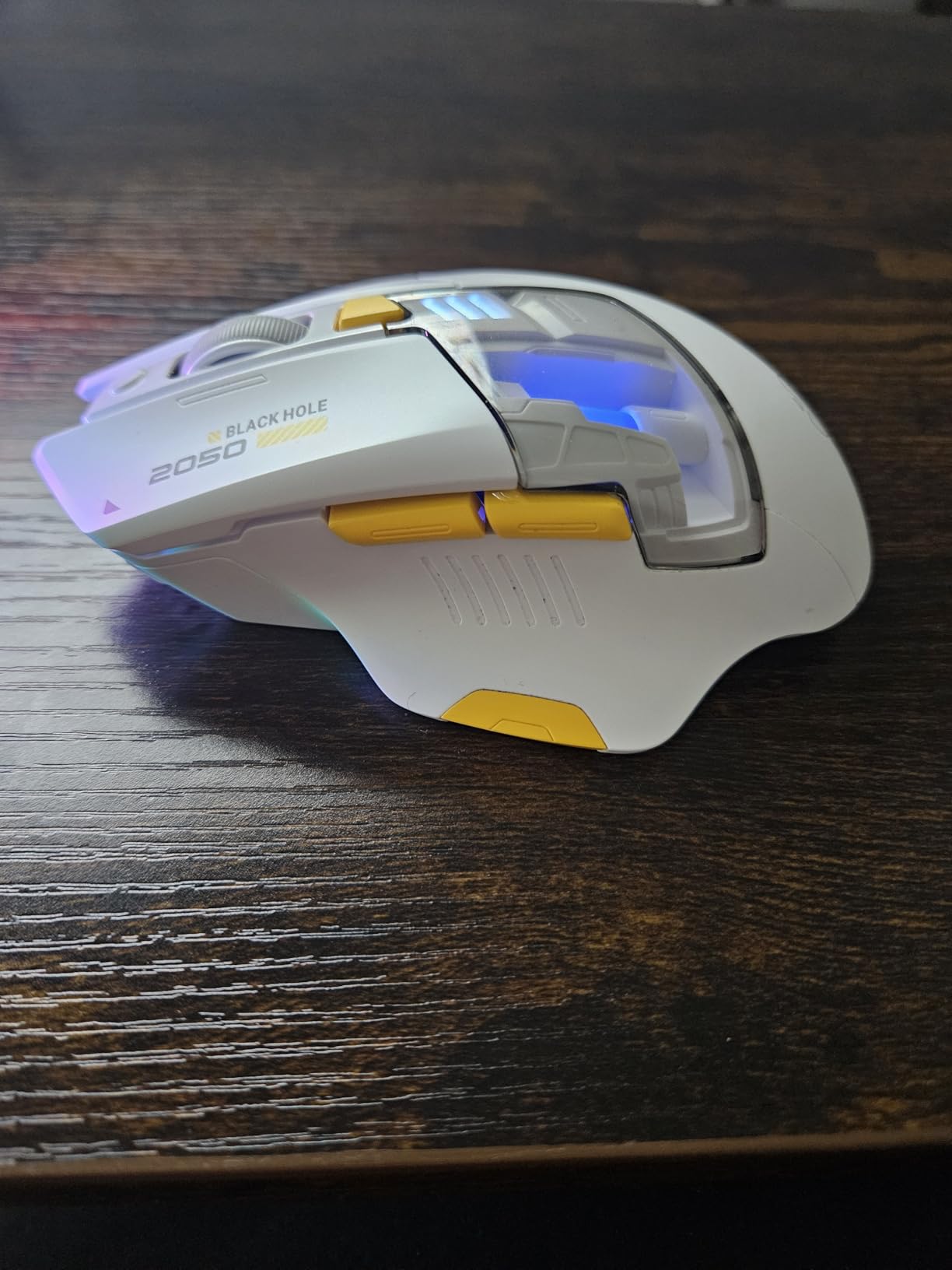
Tri-mode connectivity is the versatility story. You get dual Bluetooth pairing, a 2.4 GHz wireless dongle, and USB-C charging, and it works across Windows, macOS, Android, iOS, and Linux. I moved it between my desktop, laptop, and a tablet without any pairing drama.
The flaws are real, though, and they matter for a quiet gaming gear guide. The side buttons are loud, which is a strange oversight on a silent mouse. When I mapped grenades to a thumb button, the clack returned. I eventually kept side buttons for non-timed actions like ping and scoreboard, reserving the silent main clicks for combat inputs.
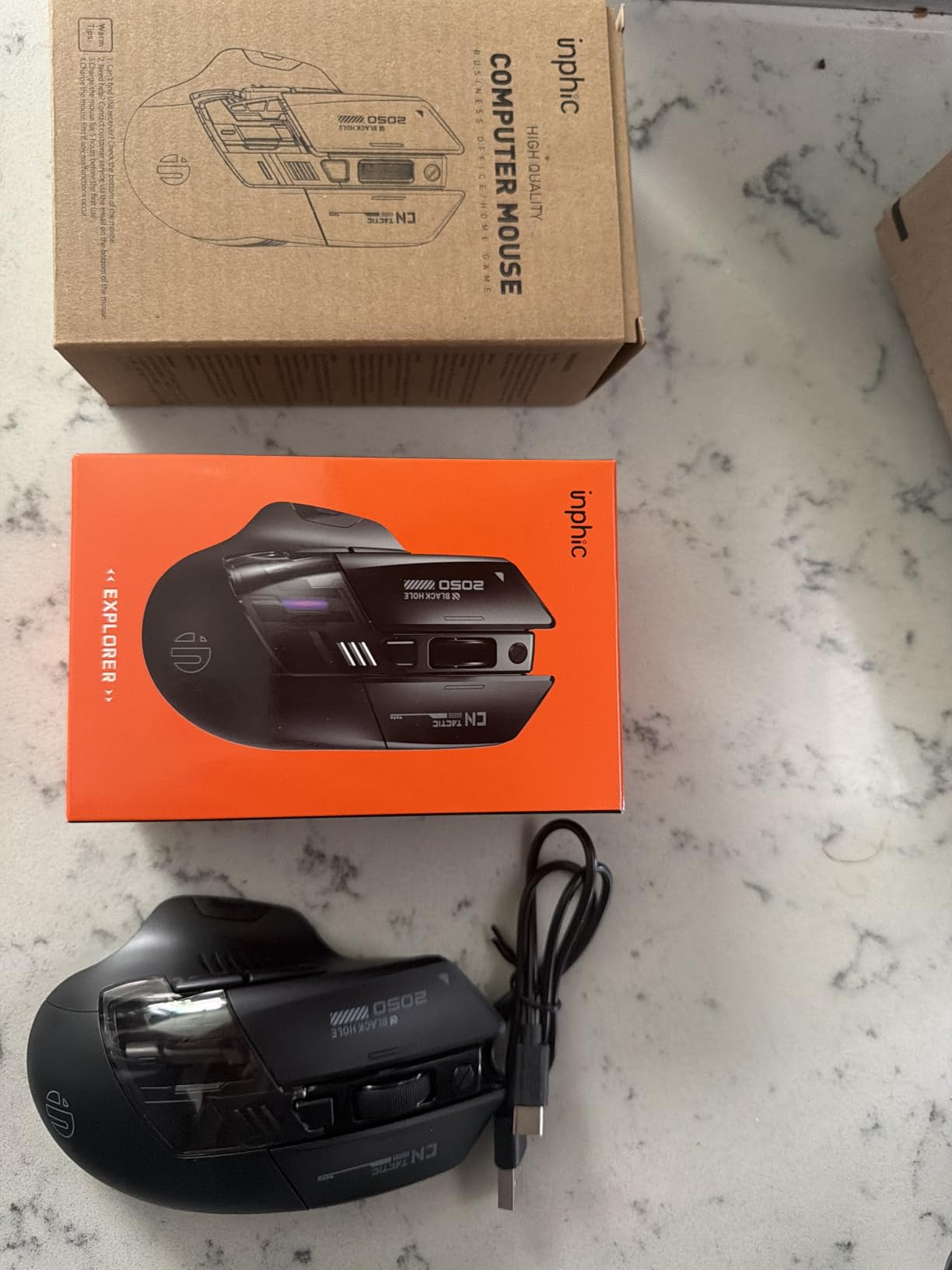
Also note the USB-C port is charging only, not a true wired mode, and the 2.4 GHz connection occasionally stuttered. With a 4.4 rating across more than 1,500 reviews, most owners consider these acceptable tradeoffs at this price.
Who should buy the INPHIC A9 V2
Gamers who want a silent mouse with actual gaming features. If you play shooters or MOBAs and need thumb buttons plus DPI switching without the click noise, this is the best sub-twenty-dollar option I found.
Multi-device users will love the tri-mode connectivity, especially if you game across a PC and a console-adjacent laptop setup.
Who should skip it
If you map critical combat actions to side buttons, the loud thumb clicks will undermine the whole point of a silent mouse. The Logitech M330 with its zero-noise main buttons may serve you better despite fewer features.
Esports-minded players who want a featherweight chassis or flawless tournament-grade wireless should also invest in a dedicated gaming mouse and accept some noise.
7. Razer BlackShark V2 X – Passive Isolation on a Budget
Razer BlackShark V2 X Gaming Headset: 7.1 Surround Sound – 50mm Drivers – Memory Foam Cushion – For PC, PS4, PS5, Switch – 3.5mm Audio Jack – Black
Triforce Titanium 50mm drivers
7.1 surround sound
Advanced passive noise cancellation
240g lightweight design
Pros
- Closed earcups with memory foam isolate sound in both directions
- Lightweight 240g design comfortable for long sessions
- HyperClear cardioid mic keeps voice clear without room noise
- Works across PC
- PS5
- PS4
- Switch
- and Xbox One
Cons
- Non-removable cable that tends to stay coiled
- Ear cups trap heat during extended use
- No mute status LED indicator
A quiet gaming setup is not only about the noise you make; it is also about the noise you let escape. The Razer BlackShark V2 X solves the audio half of the problem with closed earcups and thick memory foam cushions. Game audio stays sealed in, which means explosions at midnight do not become everyone else’s problem.
At 240 grams, this is one of the lightest headsets I have worn, and that matters for long late-night sessions. The clamp force is gentle but secure, and the oval cushions wrap around the ear rather than pressing on it. After a five-hour session I had no jaw ache, which I cannot say for every budget headset.
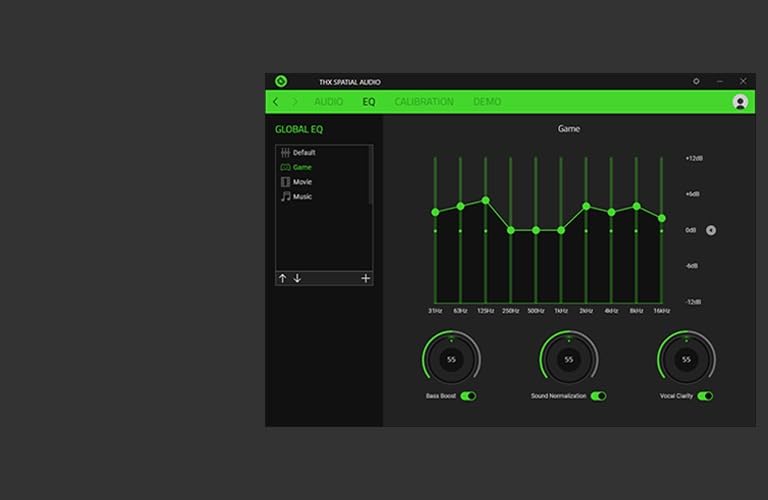
Technically, the Triforce Titanium 50mm drivers with titanium-coated diaphragms deliver clean positional audio, and the 7.1 surround sound (on Windows 10 64-bit) helps pinpoint footsteps. The HyperClear cardioid microphone is tuned to pick up your voice rather than keyboard clatter, which directly helps if you stream or chat while using quiet peripherals.
The wired 3.5mm connection keeps latency at zero and makes it compatible with nearly everything: PC, Mac, PS4, PS5, Switch, and Xbox One. The tradeoffs are the permanently attached cable that arrives coiled and stubbornly stays that way, plus ear cups that warm up over long sessions.
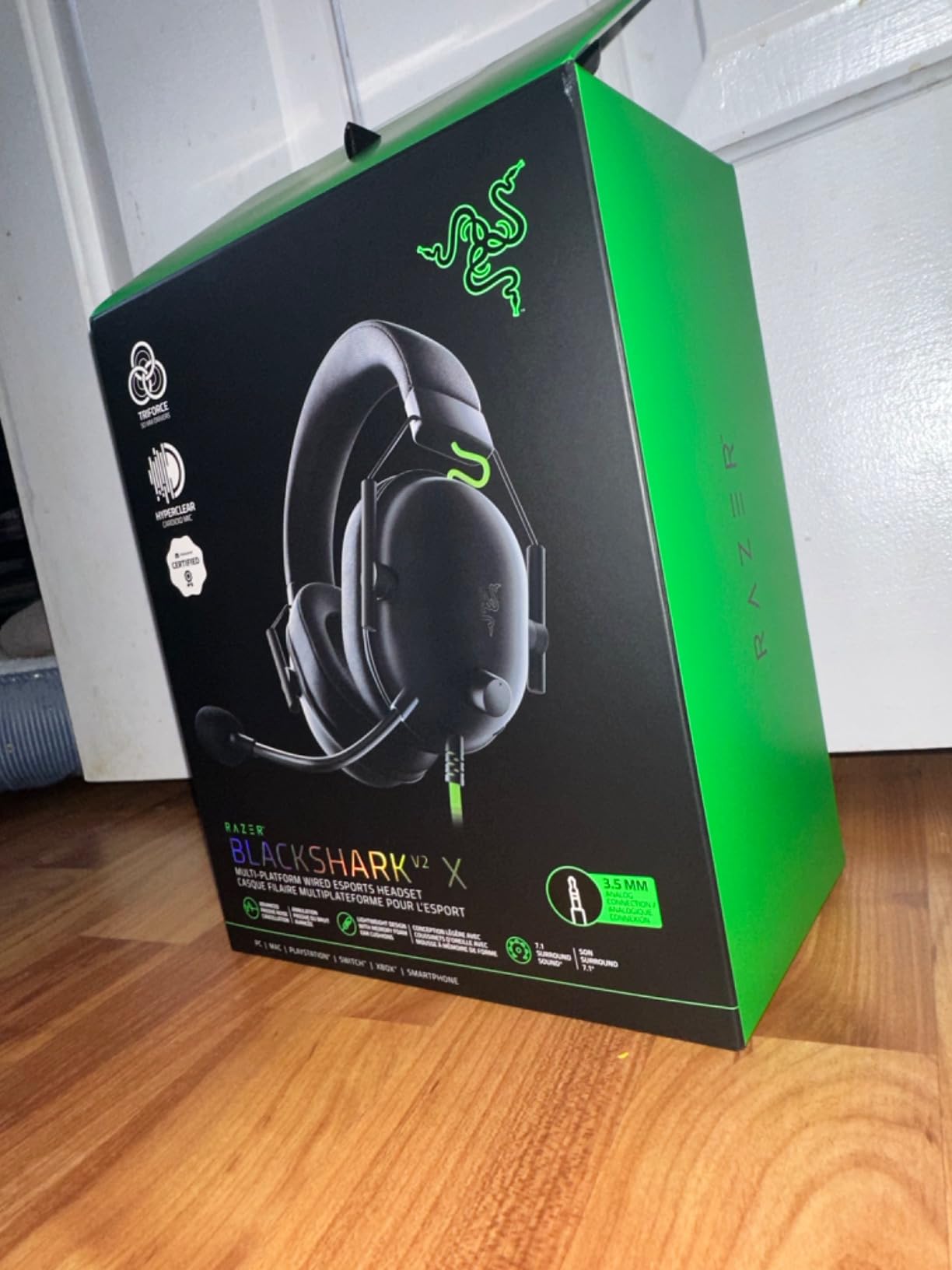
With a 4.4 rating across more than 19,000 reviews, it ranks among the best-selling budget headsets ever made. If you want alternatives to gaming desk speakers in a shared space, a sealed headset like this is the roommate-friendly answer.
Who should buy the Razer BlackShark V2 X
Anyone who currently games on speakers or open-back headphones in a shared space. Swapping to this headset removes an entire noise category in one purchase, and the price makes it an easy decision.
Multi-platform gamers get extra value since one headset covers console and PC duty without adapters.
Who should skip it
If you hate cables, the non-removable cord will annoy you daily, and there is no wireless option at this price. The Corsair Void v2 MAX below solves that for more money.
Players in hot climates or marathon sessions should also consider the heat buildup, since the sealed design that blocks sound also blocks airflow.
8. Corsair Void v2 MAX – Premium Wireless ANC Headset
Corsair Void v2 MAX Wireless PC PS5 PS4 Switch Gaming Headset – Black
Simultaneous 2.4GHz + Bluetooth 5.3
Dolby Atmos spatial audio
70-hour battery life
Active noise cancellation
Pros
- Simultaneous 2.4GHz and Bluetooth keeps game audio and phone connected at once
- 70-hour battery life with RGB off
- 15-minute charge delivers 6 hours of play
- Active noise cancellation quiets your surroundings
Cons
- Premium price point
- Newer product with a smaller review history
- Waterproof rating may be overstated
The Corsair Void v2 MAX is the headset I reach for when I want to forget the rest of the house exists. Active noise cancellation actively counters ambient sound, while the closed memory foam cups stop your game audio from leaking out. In a shared living space, that two-way silence is the whole game.
The killer feature is simultaneous dual wireless. The 2.4 GHz dongle handles low-latency game audio while Bluetooth 5.3 stays connected to your phone, so a call or notification never forces you to tab out of a match. I found this genuinely changed how I manage late-night sessions when family messages come in.
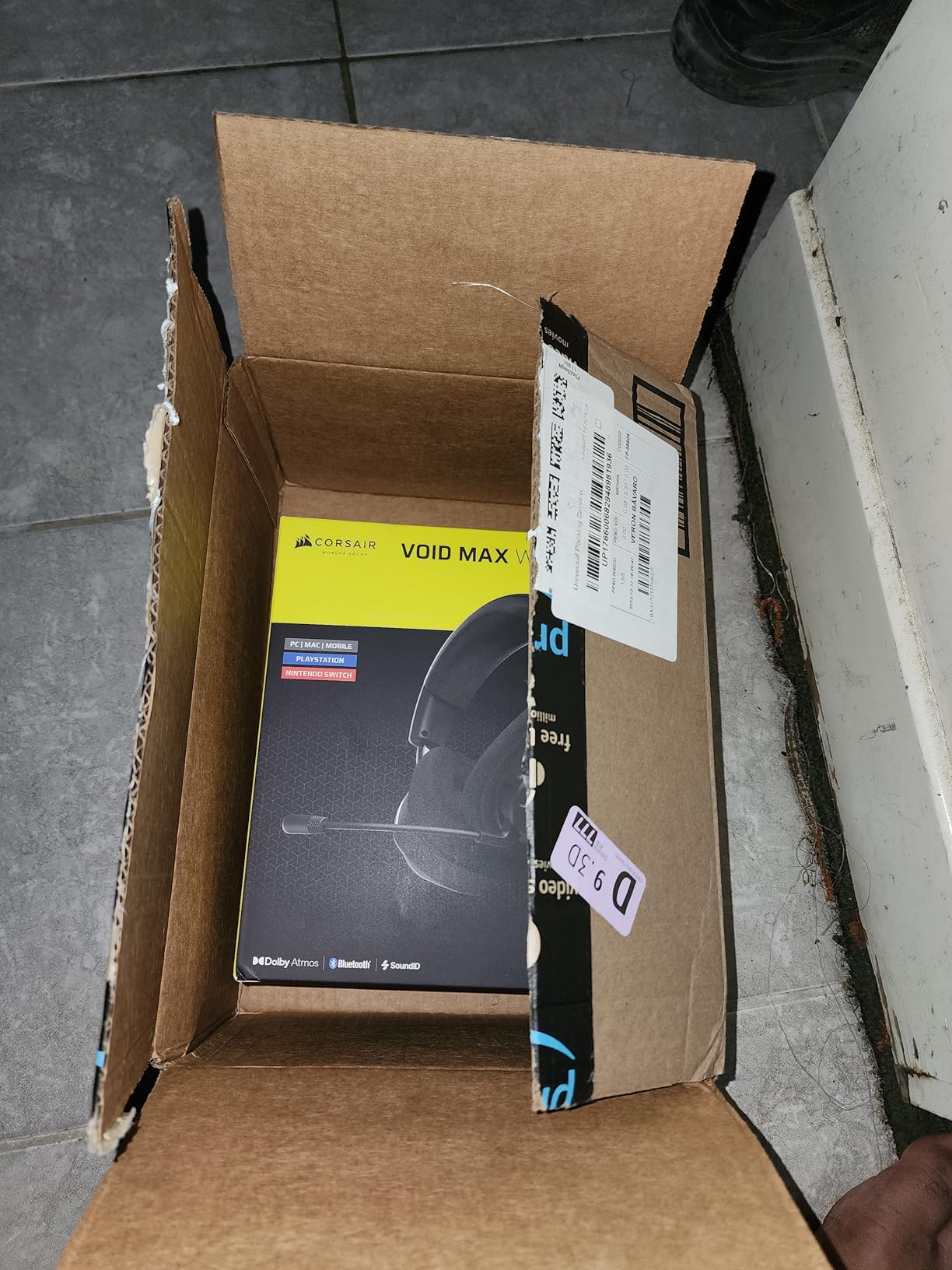
Battery life is the other headline: up to 70 hours on 2.4 GHz with RGB off, and a 15-minute fast charge yields 6 hours of play. In months of testing I charged it roughly once a week. Dolby Atmos spatial audio plus Sonarworks SoundID tuning gives you personalized, directional sound that makes quiet gaming feel immersive rather than compromised.
The caveats are straightforward. It carries a premium price, the 123-review count reflects a newer release, and the waterproof rating should be treated skeptically for gaming use. With a 4.5 rating so far, early sentiment is strong but the long-term record is still being written.
Pairing a sealed headset like this with a quieter overall build, such as one of these quiet prebuilt gaming PCs, is the fastest route to a truly silent battlestation.
Who should buy the Corsair Void v2 MAX
Gamers who want a single premium headset that handles late-night gaming, calls, music, and everything in between without wires. If you game next to a sleeping partner, the ANC plus sealed cups combination is the strongest audio isolation in this guide.
It is also ideal for people who hate charging things, thanks to that 70-hour battery and fast-charge safety net.
Who should skip it
Budget-conscious buyers can get 80 percent of this experience with the Razer BlackShark V2 X for a fraction of the cost. If you do not need wireless or ANC, save your money.
Buyers who lean on huge review pools for confidence may also want to wait until this newer model accumulates more long-term feedback.
What to Look for When Buying Quiet Gaming Gear?
Choosing quiet gaming gear comes down to understanding where noise actually comes from and which technologies genuinely reduce it. Here is what I learned from months of testing in a real shared apartment.
Keyboard switch types matter most
The switch is the single biggest noise factor in any keyboard. Clicky switches (Cherry MX Blue style) produce a distinct click on actuation and are the worst choice for shared spaces. Tactile switches have a bump you can feel but no click, landing in the middle. Linear switches are the quietest standard mechanical option because they travel smoothly with no bump or click.
Silent switches go further by adding rubber dampers inside the switch itself, muffling both the press and the bottom-out impact. Cherry MX Silent Red, as found in the Ducky Origin, is the classic example. Membrane keyboards with whisper-quiet switches, like the SteelSeries Apex 3, can be even quieter still at lower cost, at the expense of mechanical feel.
Dampening is what separates quiet from silent
Switch choice alone does not make a keyboard silent, because the case and plate amplify vibration. Look for layered dampening: foam between switches and the PCB, foam under the PCB, and silicone padding inside the case. The be quiet! Dark Mount uses all three layers, which is why it measures quieter than boards with equally silent switches but no internal treatment.
You can also improve an existing keyboard with affordable mods. Case foam, stabilizer lube, and o-ring dampeners under keycaps each shave off measurable noise. Forum regulars on r/MechanicalKeyboards consistently rank foam and lube as the highest-impact upgrades per dollar.
Silent mice are judged by their clicks
Mouse noise comes from three places: the click switches, the scroll wheel, and the feet scraping the desk. SilentTouch-style technology, as in the Logitech M330, reduces click noise by over 90 percent by redesigning the switch mechanism itself. Check the side buttons too, because the INPHIC A9 shows how a “silent” mouse can still have loud thumb keys.
A thick cloth mouse pad helps with the scraping and thumping sounds that travel through a desk. It is the cheapest noise upgrade most people never think to make.
Audio isolation works in both directions
A headset solves two problems at once: your neighbors stop hearing your game audio, and you stop hearing them. Closed-back designs with memory foam cushions provide passive isolation, which is all most people need. Active noise cancellation, as in the Corsair Void v2 MAX, adds electronic counter-noise for environments with constant background sound.
If you stream or record, isolation matters even more, since your microphone picks up both keyboard clicks and leaking speaker audio. A sealed headset plus silent peripherals is the standard streaming setup recipe.
Do not forget the PC itself
Peripheral noise is fixable, but fan noise from a loud PC can undo all of it. Look for cases designed for silence, large slow-spinning fans, and a power supply with a zero-RPM mode that stops the fan entirely at low loads. Choosing quiet power supplies is one of the most overlooked upgrades for apartment gaming setups.
Dusting your intake filters regularly also keeps fan curves lower, because clogged filters force fans to work harder and louder.
Budget versus premium strategy
My advice after this testing: fix the loudest problem first, not the most expensive product. If keyboard clacking is the complaint, a sub-fifty-dollar quiet keyboard transforms the room. If mouse clicks echo at night, a twenty-dollar silent mouse does the job. Only then consider premium upgrades like the Dark Mount or the Void v2 MAX for specialized needs like streaming or ANC.
This layered approach gets you 80 percent of the silence for 20 percent of the cost of going premium on everything.
Frequently Asked Questions
What are the best quiet switches for gaming?
The best quiet switches for gaming are linear silent switches like Cherry MX Silent Red, which use built-in rubber dampers to mute both the press and the bottom-out sound. They keep the smooth, fast actuation that linear switches are known for while cutting noise dramatically. Pre-lubricated silent tactile switches, like those in the be quiet! Dark Mount, are a great alternative if you prefer tactile feedback.
What are whisper quiet gaming switches?
Whisper quiet gaming switches are low-friction switches designed to produce minimal audible sound during keypresses. They typically use dampened mechanical designs, like Cherry MX Silent switches, or low-friction membrane domes, like the SteelSeries Apex 3’s switches rated for 20 million quiet keypresses. The goal is a soft, muffled press with no click or sharp bottom-out clack.
What is the most quiet gaming keyboard?
The most quiet gaming keyboard in this guide is the be quiet! Dark Mount, which combines silent tactile switches with triple-layered sound dampening foam and silicone padding. For a quieter-per-dollar option, the Ducky Origin with Cherry MX Silent Red switches is the best mechanical choice, while membrane boards like the SteelSeries Apex 3 are nearly silent at a lower price.
What type of keyboard is the most silent?
Membrane keyboards are generally the most silent keyboard type because their rubber domes produce soft, muffled presses with no mechanical click. Among mechanical keyboards, linear silent switches with internal rubber dampers are the quietest. Adding case foam, plate dampening, and a gasket mount design further reduces noise, which is why heavily dampened boards approach membrane-level quietness.
Final Thoughts on Quiet Gaming Gear
Building a roommate-friendly setup in 2026 does not mean giving up good gear. The Ducky Origin delivers mechanical feel with genuine silence, the SteelSeries Apex 3 is the value champion most people should buy, and the Logitech M330 remains the highest-impact noise fix per dollar I have tested. Add a sealed headset like the Razer BlackShark V2 X, and your midnight sessions stay entirely your own business.
Start with whichever noise your roommates complain about most, whether that is keyboard clacking, mouse clicks, or leaking game audio. Quiet gaming gear solves each of those problems definitively, and peace in a shared living space is worth every dollar.
1 thought on “8 Best Quiet Gaming Gear for Shared Living Spaces (October 2026) Trusted Reviews”