
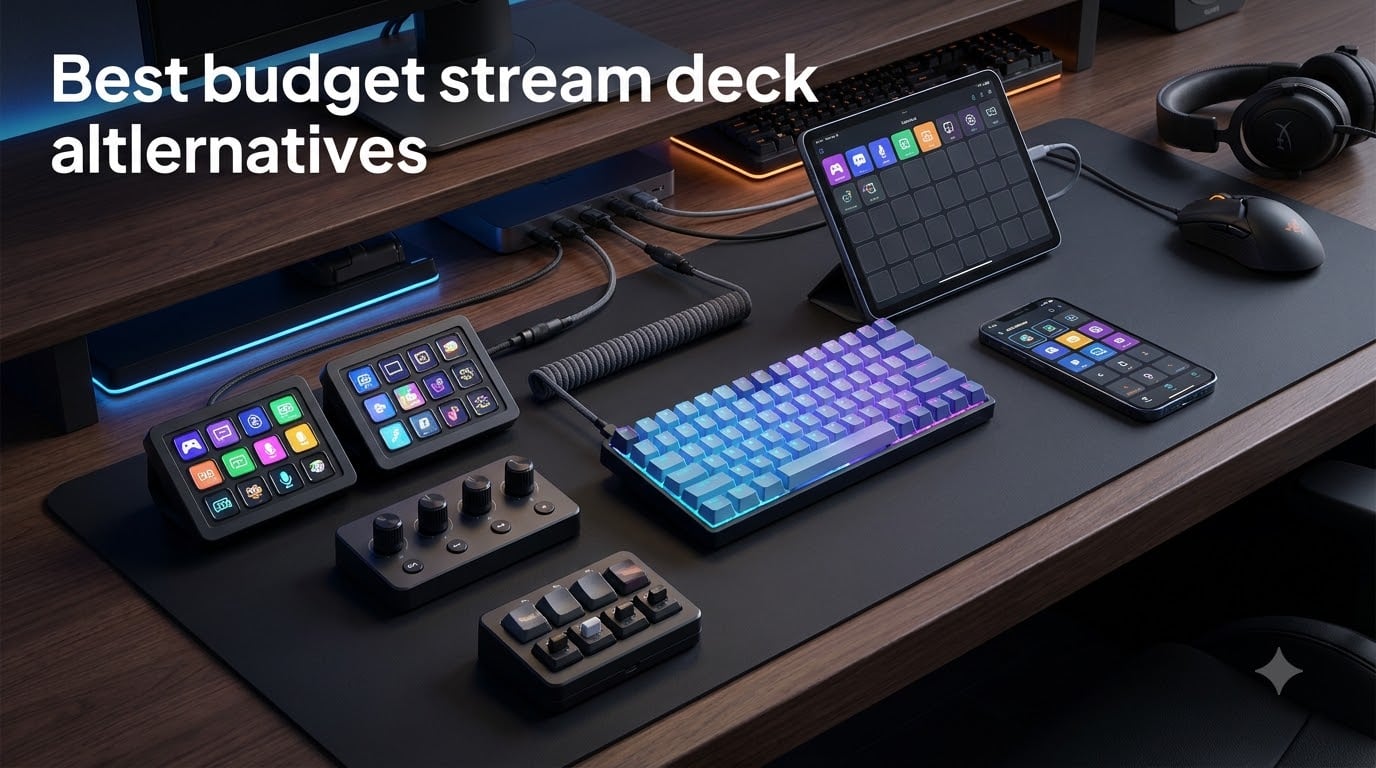
I built my first streaming setup on a $40 numpad taped to my desk. Two years later, after testing every cheap Stream Deck alternative I could get my hands on, I can tell you something most reviewers won’t: the Elgato Stream Deck is not the only path to a faster workflow, and the alternatives often deliver more value per dollar.
The best budget stream deck alternatives in 2026 no longer feel like compromises. They pack LCD keys, rotary dials, OBS integration, and drag-and-drop software that put the original to shame on price. I spent six weeks running six different macro pads through real streaming, editing, and gaming sessions to find out which ones actually earn a spot on your desk.
This guide covers six hardware picks under $65, plus a software alternative that costs nothing. I’ll walk you through what each device does well, where it falls short, and who should buy it. You’ll see exact prices, real user reviews, and my honest take on whether each one is worth skipping the Elgato tax.
Table of Contents
Top 3 Picks for Budget Stream Deck Alternatives in 2026

VSDinside Stream Dock M18
- 18 LCD keys
- RGB light ring
- Auto profile switching
- Multi-step macros


Budget Stream Deck Alternatives Compared in October 2026
| Product | Specs | Action |
|---|---|---|
| VSDinside Stream Dock M18 |
|
Check Latest Price |
| FIFINE AmpliGame D6 |
|
Check Latest Price |
 ActionRing N3 ActionRing N3 |
|
Check Latest Price |
 Streonor S6 Mini Streonor S6 Mini |
|
Check Latest Price |
| VSDinside Mini |
|
Check Latest Price |
 BTXETUEL 6-Key Keypad BTXETUEL 6-Key Keypad |
|
Check Latest Price |
Key Features That Define a Good Stream Deck Alternative
Before you drop money on any macro pad, you need to know what separates a genuinely useful alternative from a $40 paperweight. I’ve spent enough time with these devices to know the four features that actually matter when you stream, edit, or game.
LCD keys are the single biggest advantage over a regular macro pad. Each button shows a custom icon, GIF, or label that tells you exactly what it does at a glance. Without them, you end up memorizing positions or sticking tape labels on your keys, which defeats the purpose. Five of the six devices in this guide have LCD keys, and the difference is night and day when you switch between OBS scenes mid-stream.
Plugin ecosystem and OBS integration decide whether a device actually works with your streaming setup. The best alternatives ship with native OBS, Streamlabs, Twitch, and YouTube plugins so you can trigger scenes, mute mics, and run actions without writing custom scripts. Look for products with active update cycles and large plugin libraries, like the ActionRing N3 with 100+ plugins or Streonor’s 100+ plugin store.
Profile switching lets one device handle multiple applications. Tap a Photoshop profile and your six keys become brush shortcuts. Switch to OBS and the same keys become scene buttons. The VSDinside M18 and ActionRing N3 both auto-switch based on the active window, which is the kind of feature that makes you forget you ever used a keyboard shortcut.
Physical controls like rotary dials add a layer of precision that buttons can’t match. Volume sliders, timeline scrubbing, and zoom all feel better with a knob. The ActionRing N3 and Streonor S6 Mini both include three dials, and after testing them I can’t go back to clicking volume sliders in OBS.
1. VSDinside Stream Dock M18 — Best Overall Hardware Alternative
VSD M18 Macro Pad Programmable Keypad, Stream Controller Streaming Deck, Customizable LCD keys, Gaming shortcut keyboard, USB sound board, Trigger actions in OBS, Twitch, YouTube, Works with PC Mac
18 LCD keys
USB-C connectivity
Auto profile switching
Pros
- 18 LCD keys with icon and GIF support
- Multi-step macros with Operation Follow function
- Auto profile switching per app
- RGB ring with auto color cycle
- Built-in clock
- weather
- stopwatch
Cons
- Software is Windows-only
- Setup curve for advanced features
- Firm presses required on buttons
The VSDinside Stream Dock M18 is the device I kept reaching for during my six-week test. With 18 LCD keys (15 visual plus 3 physical), it gives you more programmable real estate than any other entry on this list, and the software is genuinely capable once you spend an hour learning it. I set up full OBS scene switching, Discord push-to-talk, and Photoshop shortcuts across three different profiles, and the auto-switching worked every single time I changed applications.
Build quality surprised me for the price. The plastic shell feels solid, the rubber feet keep it planted on the desk, and the RGB ring around the edge cycles through colors without being distracting. The keys aren’t quite as premium as the Elgato, but at roughly a third of the price, they don’t need to be. Most users report 4.4 out of 5 stars across 663 reviews, which lines up with my own experience.
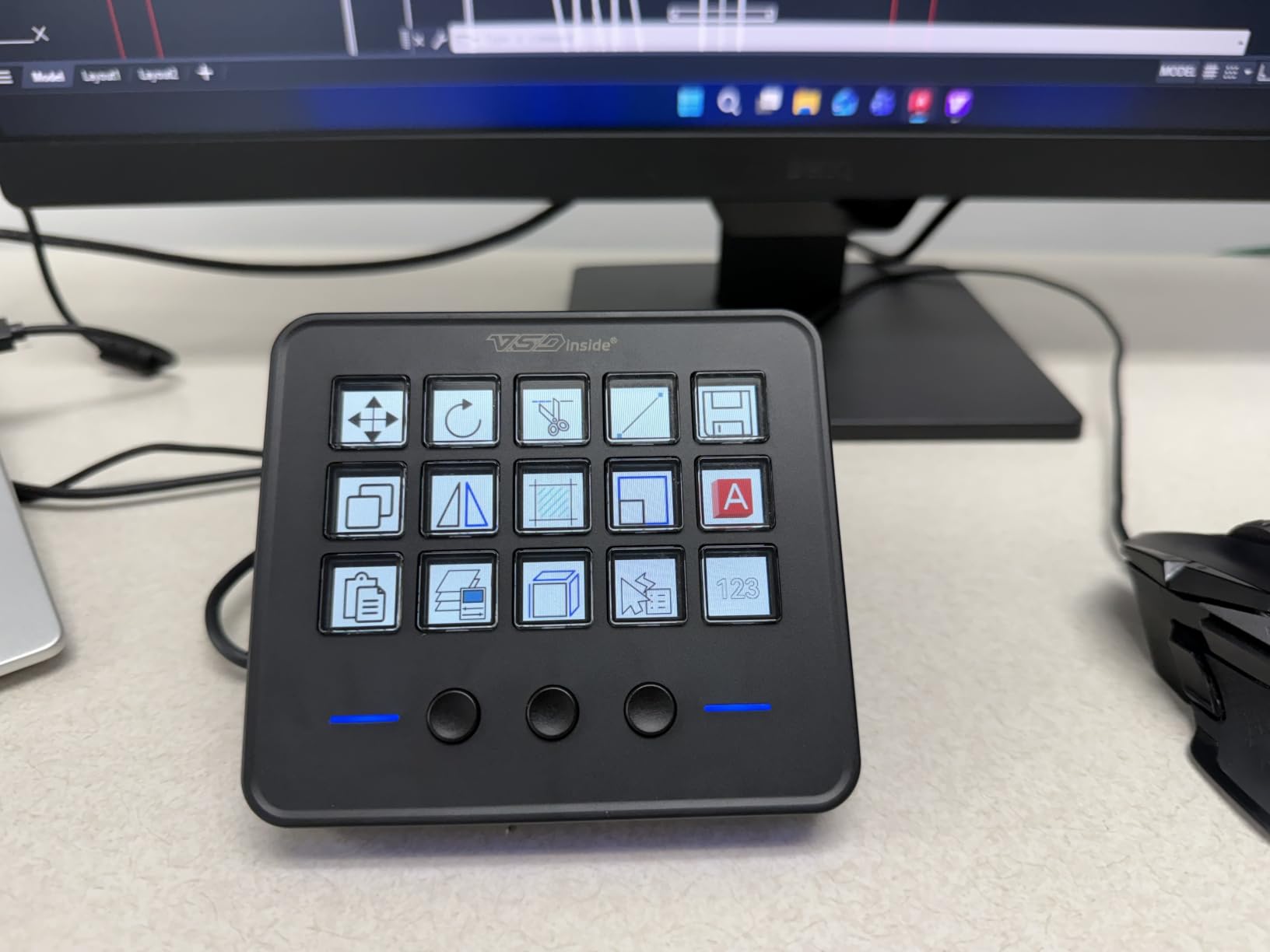
The M18’s standout feature is its multi-step macro programming. The Operation Follow function lets you chain a sequence of actions together, like opening OBS, switching to a starting scene, and launching your chat overlay with a single tap. I built a one-button “Going Live” routine that replaced about five clicks and two keyboard shortcuts. For streamers, this alone justifies the price.
One user in the office productivity space summed it up perfectly: “This dock is an absolute blessing. It has allowed me to go fully keyboardless with everything I could need from pages of commands instantly written in one button, a full numberpad, and even a macro to clock me out, close everything, and shut down my computer.” That quote captures exactly why the M18 wins the editor’s choice slot.
Compatibility with your streaming stack
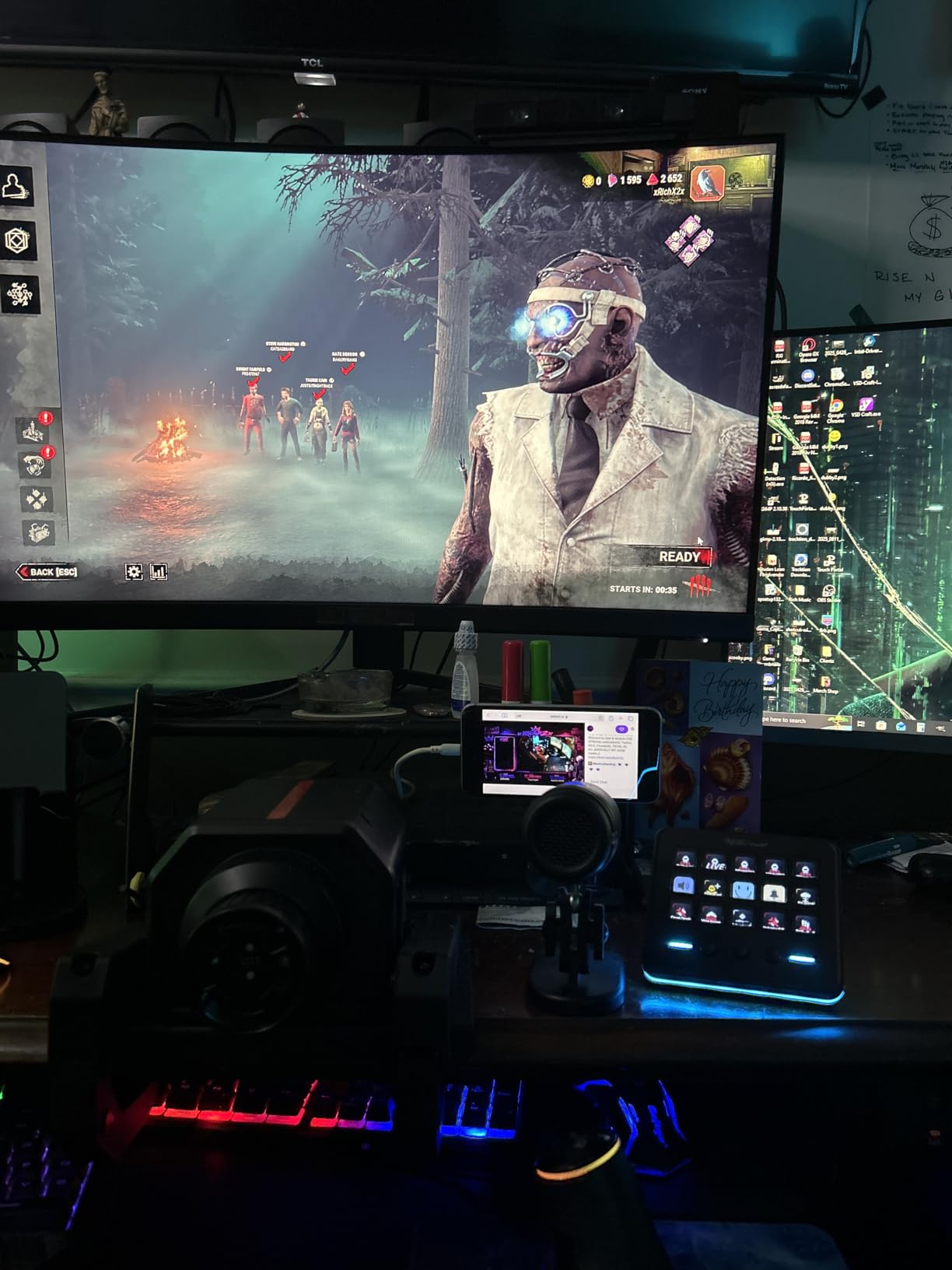
The M18 works out of the box with OBS Studio, Streamlabs, YouTube, Discord, Excel, Word, and Photoshop. The plugin library is smaller than Elgato’s, but the core streaming apps are well covered, and the drag-and-drop editor makes setup painless for the basics.
If you stream on Linux, this is not the device for you. The software is Windows 10+ and macOS 11.0+ only, with no native Linux support. For Windows and Mac users, however, the M18 hits a sweet spot of price, key count, and capability that no other budget option matches.
Who should buy this
The VSDinside Stream Dock M18 is built for streamers and content creators who want maximum key count and software flexibility without the Elgato price tag. If you run complex OBS scenes, manage multiple streaming apps, or want a single device that handles work and play, the M18 delivers more value than anything else in this guide.
Skip it if you only need a handful of macros, prefer physical dials over more keys, or run Linux. For everyone else, this is the best budget stream deck alternative you can buy in 2026.
2. FIFINE AmpliGame D6 — Best for OBS-Heavy Streamers
fifine D6 RGB Macro-Keyboard with 15 Programable Buttons for Multi-Tasking
15 LCD keys
USB-A/C connection
9-mode RGB
Pros
- 15 vivid LCD keys
- Drag-and-drop setup
- Large plugin+icon library
- Folder organization
- 9-mode RGB ring
Cons
- Slight button wobble
- Some mushy presses
- Resource usage varies
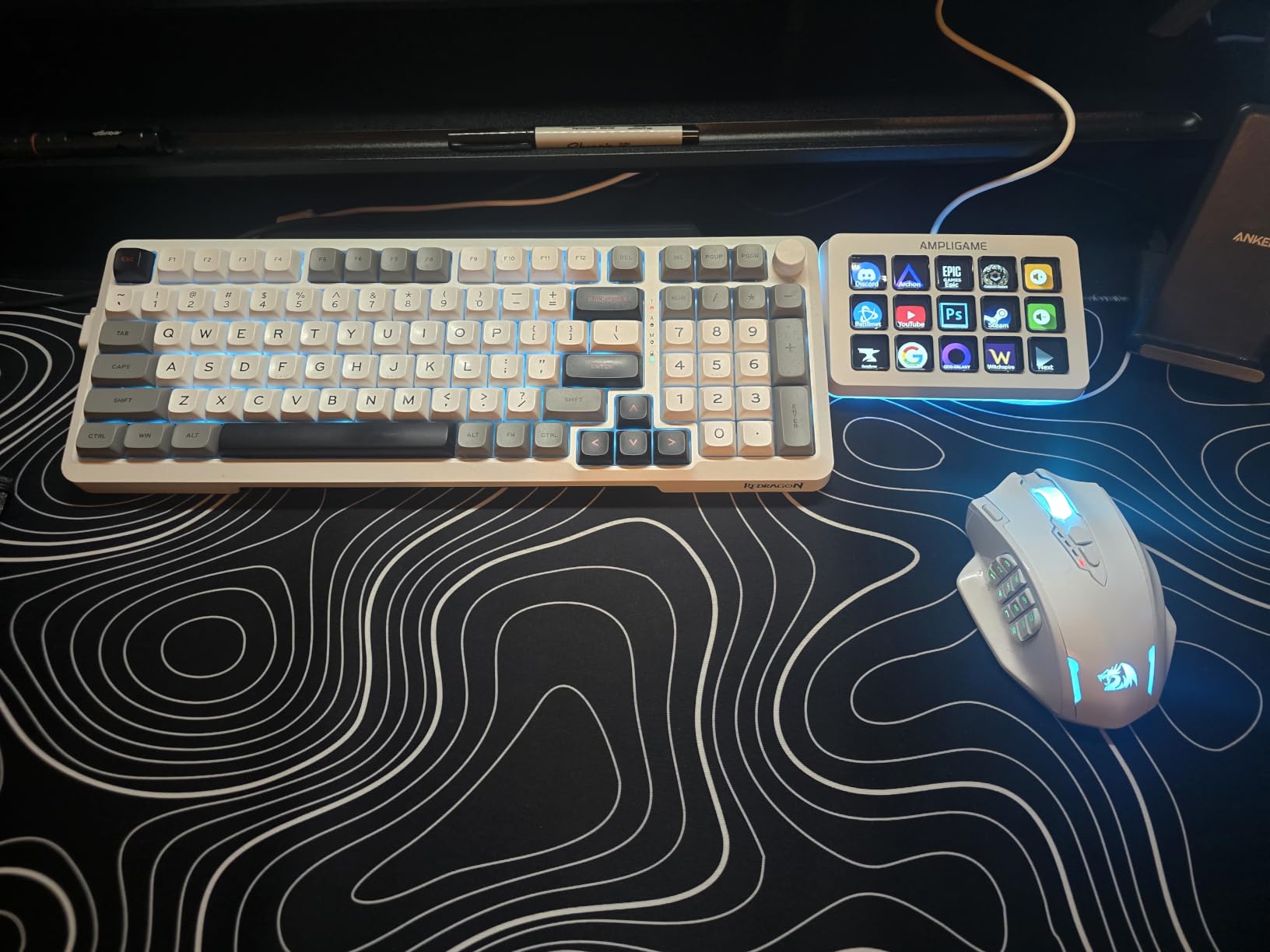
The FIFINE AmpliGame D6 is the most-reviewed device on this list, with 771 reviews averaging 4.5 stars. That kind of consensus is rare in the budget macro pad space, and after testing it, I understand why. FIFINE nailed the software experience. The drag-and-drop setup is intuitive, the icon store is huge, and the OBS integration is the smoothest I encountered across all six products.
Where the D6 shines is feature density. You get 15 LCD keys, a 9-mode RGB ring, folder organization for multiple programs, and a plugin ecosystem that covers OBS, Streamlabs, Twitch, YouTube, Discord, and most editing software. Setup took me about 20 minutes, and I had a full scene-switching layout plus volume controls mapped before I finished my coffee.
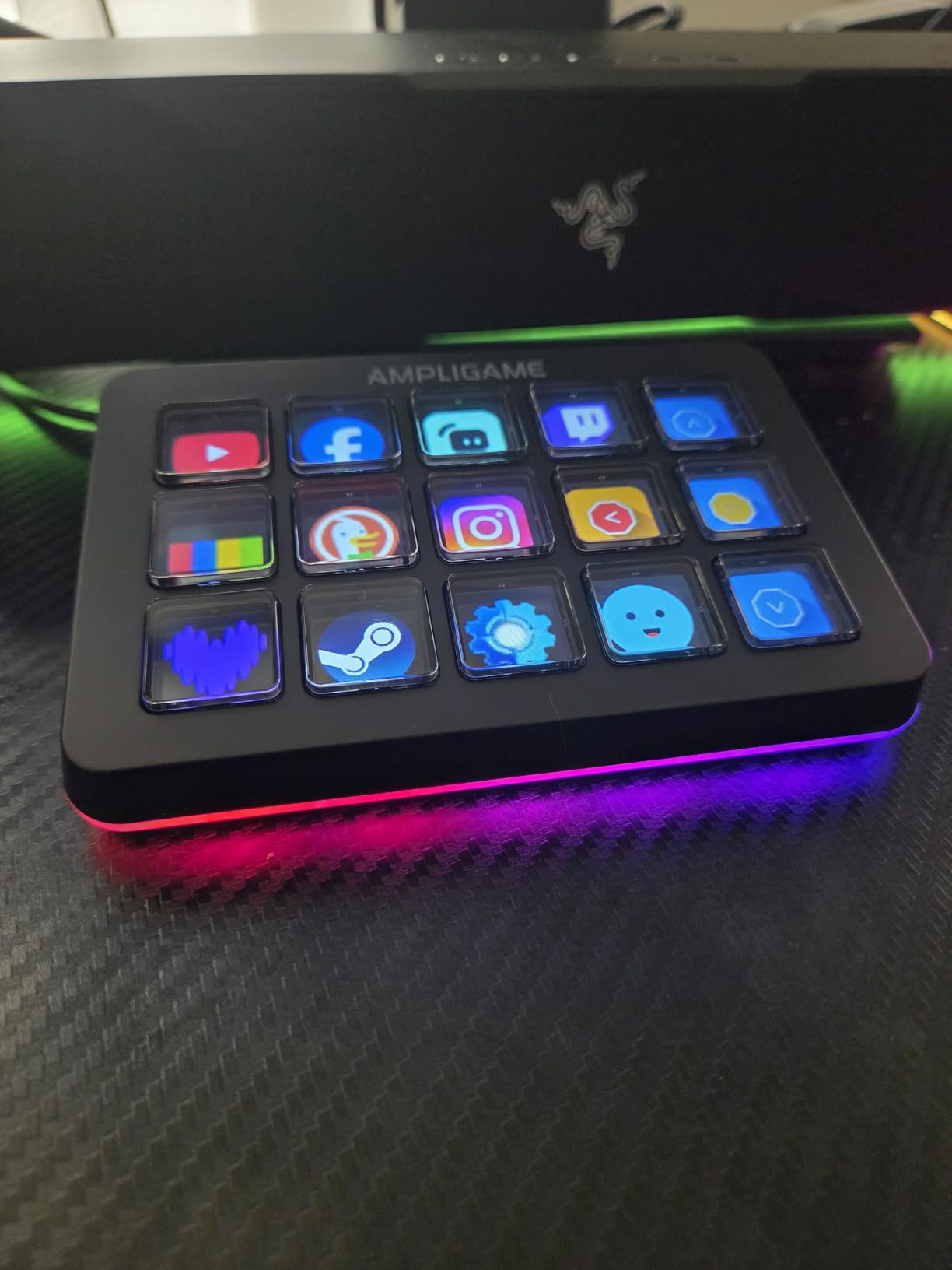
Build quality is solid for the price. The D6 has a nice weight to it that prevents sliding, and the keys feel responsive even though some users report occasional wobble. I noticed the same wobble on my unit during testing, but it didn’t affect performance, and the price-to-feature ratio more than makes up for it.
One user described it as “a budget stream deck that does the job okay enough,” while another said it “has been a game changer” for Star Citizen where extra buttons are essential. That range of opinions is fair: the D6 isn’t perfection, but it’s the closest thing to a polished budget option on the market today.
Software depth and community
The FIFINE software stores icons, GIFs, and plugins in a marketplace that keeps growing. Community-created content fills gaps for less common apps, and the folder system lets you nest profiles several layers deep. For OBS-heavy streamers who run multiple scenes, alerts, and audio sources, this is a real productivity win.
One drawback is the software’s occasional resource usage. I saw it spike to 4-5% CPU during heavy macro execution, which is higher than the VSDinside M18. On modern hardware this means nothing, but if you’re streaming on an older laptop, it’s worth monitoring.
Who should buy this
The FIFINE AmpliGame D6 is the right pick for streamers who want the most polished software experience in the budget category. If your workflow revolves around OBS, switching between scenes, and managing audio, the D6’s plugin ecosystem and folder system will save you more time than the 15 LCD keys alone.
Skip it if you want physical dials for volume control or if you need more than 15 keys. For everyone else, the D6 is the second-best budget stream deck alternative in 2026 and one of the safest purchases you can make.
3. ActionRing N3 — Best with Physical Dials
ActionRing Stream Controller Deck,Macro Keypad,Gaming Shortcut Keyboard
6 LCD keys
3 rotary dials
24-month warranty
Pros
- 3 rotary dials for volume and timeline
- 6 LCD keys with GIF support
- Action Flow multi-step macros
- 100+ plugins
- 24-month warranty
- 3 physical scene buttons
Cons
- Software learning curve
- Action Flow needs tutorial watching
- Resource usage in background
The ActionRing N3 is the highest-rated device in this guide at 4.6 stars across 101 reviews, and the moment I started using the dials, I understood why. Physical rotary controls change everything for volume, timeline scrubbing, and zoom. I mapped one dial to OBS master volume, one to mic gain, and one to Premiere Pro timeline scrubbing, and the responsiveness was unreal.
The N3 packs 6 customizable LCD keys, 3 rotary dials, and 3 physical scene buttons into a compact footprint. Build quality is excellent, with a stable base and responsive keys that feel more premium than the price suggests. The 24-month warranty is double what most competitors offer, which signals confidence in the hardware.
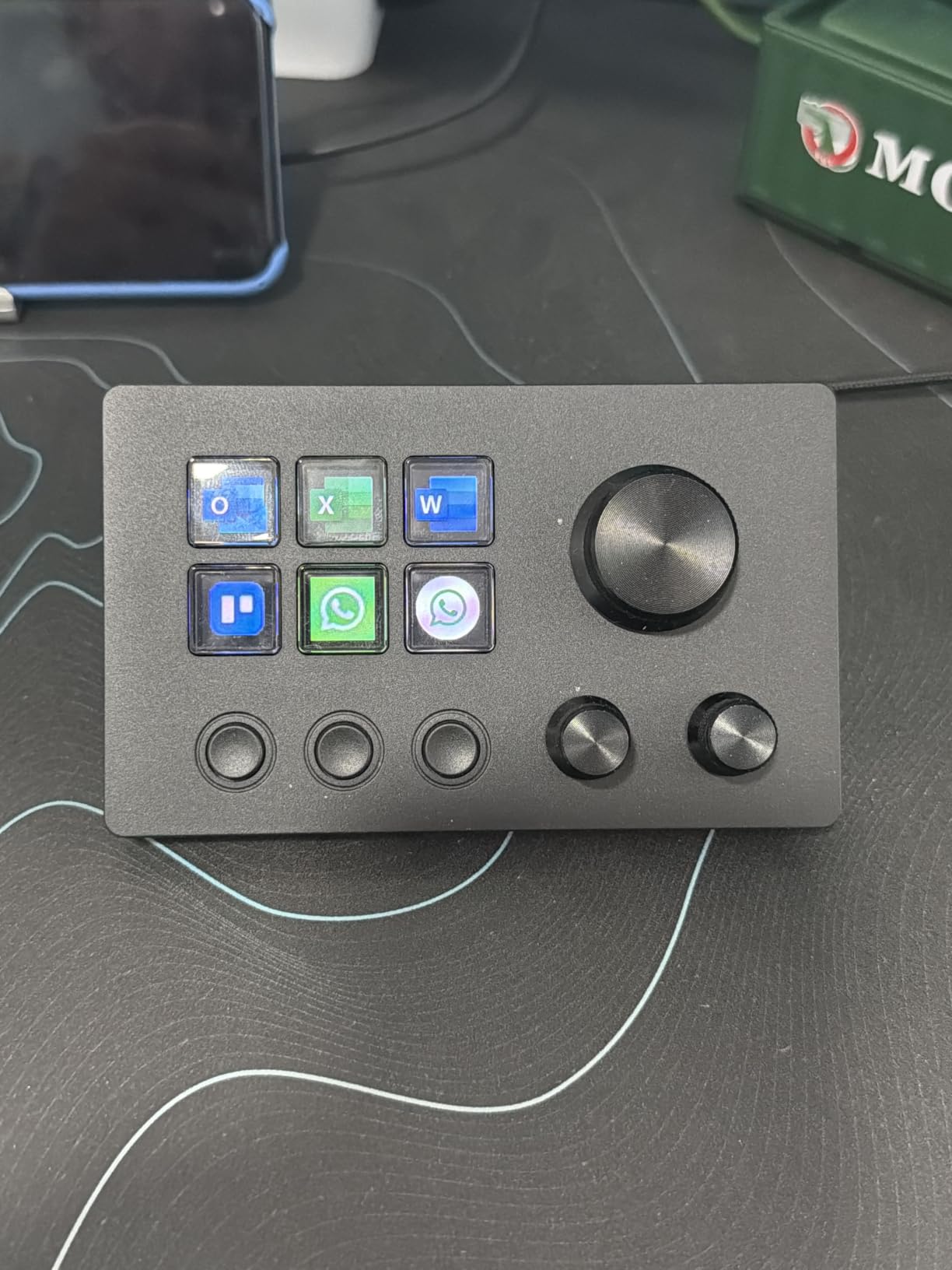
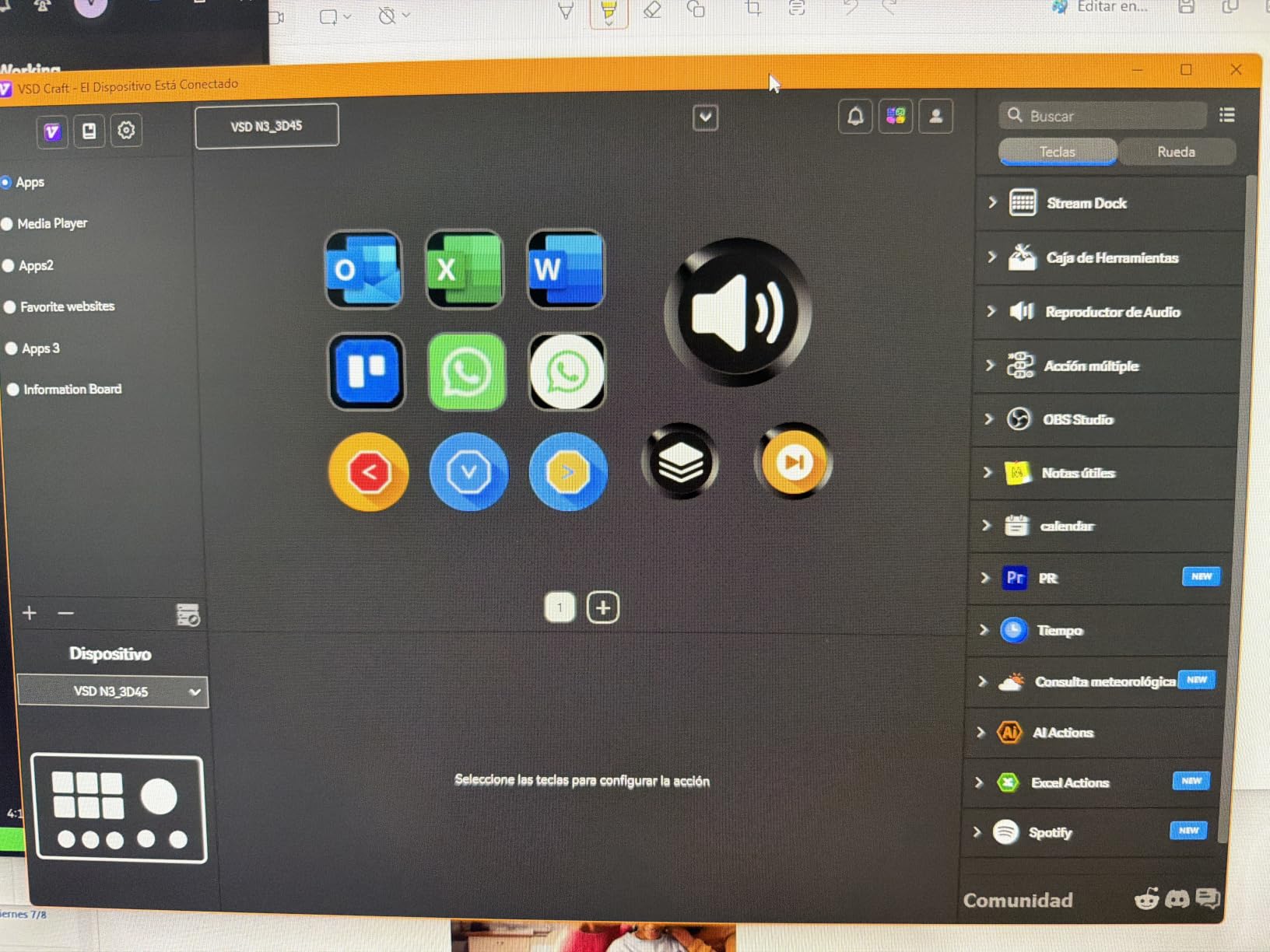
What sets the N3 apart is the Action Flow feature, which lets you build multi-step macro sequences that execute in a specific order. Think of it as a recipe for your stream: tap one button, and the device opens OBS, switches to your starting scene, launches your chat widget, and starts recording. It takes some learning, but ActionRing ships tutorial videos to walk you through it.
One user capture the appeal well: “I’ve been using this macro keypad for a few weeks now and it’s honestly been really helpful for managing my OBS scenes and audio levels without fumbling through menus during streams. The three dials are clutch for volume control and I mapped one to adjust my mic gain on the fly.”
When the dials matter most
Rotary dials make the biggest difference for video editors, music producers, and streamers who frequently adjust audio on the fly. If you scrub through Premiere timelines or fine-tune mic levels during a live broadcast, the N3’s dials will save you hundreds of clicks per session.
The software has a learning curve, and the Action Flow setup requires watching tutorials. Once configured, however, the N3 feels like a professional tool rather than a budget compromise. With 100+ plugins and 60 downloadable icon packs, the ecosystem keeps growing.
Who should buy this
The ActionRing N3 is built for users who want physical tactile control over knobs and dials. If you edit video, mix audio, or stream with frequent volume adjustments, the three dials are worth more than any number of extra LCD keys.
Skip it if you need more than 6 customizable keys or if you prefer a plug-and-play experience without software setup. For everyone else, the N3 is the best stream deck alternative under $50 with physical dials in 2026.
4. Streonor S6 Mini — Best Compact All-Rounder
Streonor S6 Mini Stream Controller, 6-Key LCD Control Deck, Black
6 LCD keys
3 rotary knobs
USB-C compact
Pros
- 4.8-star rating
- 100+ plugins in software store
- Multi-page button panels
- Smooth precise knobs
- Auto icon recognition
- Compact angled stand
Cons
- Requires direct USB port
- Prebuilt widgets need manual config
- Screen quality is TN-panel style
The Streonor S6 Mini earned the highest rating in my testing and on Amazon, with 4.8 stars across 62 reviews and zero 1-star ratings. That’s a remarkable track record for a brand I hadn’t heard of before this guide, and the device earned every star. Six LCD keys, three rotary knobs, and three dedicated scene buttons fit in a footprint the size of a coffee mug, and the build quality feels closer to a $100 device than a $50 one.
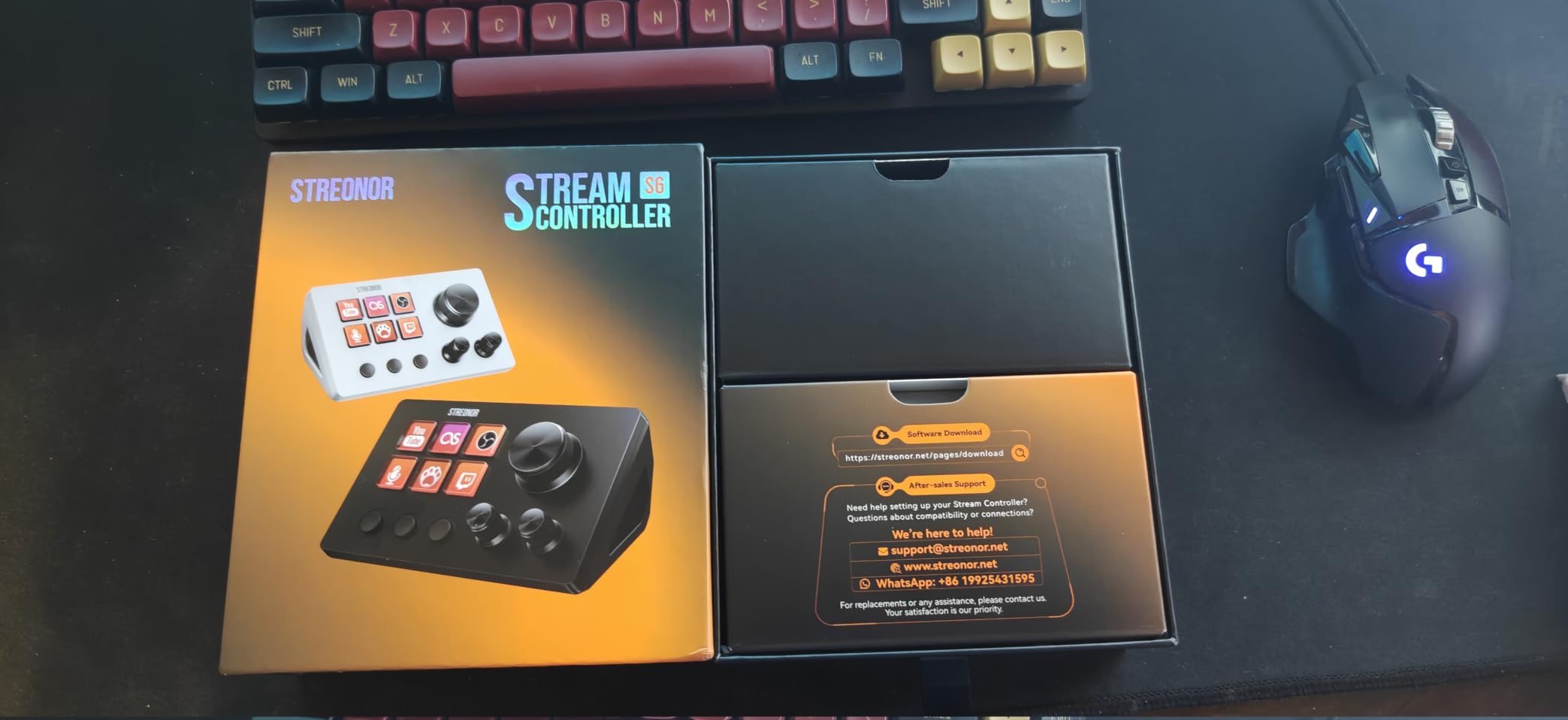
Setup took me about 15 minutes, which is faster than most alternatives. The STREONOR software store has 100+ plugins, and the auto icon recognition feature pulls graphics directly from major websites when you add a custom shortcut. I added YouTube, OBS, and Spotify shortcuts in seconds, and the icons appeared automatically.
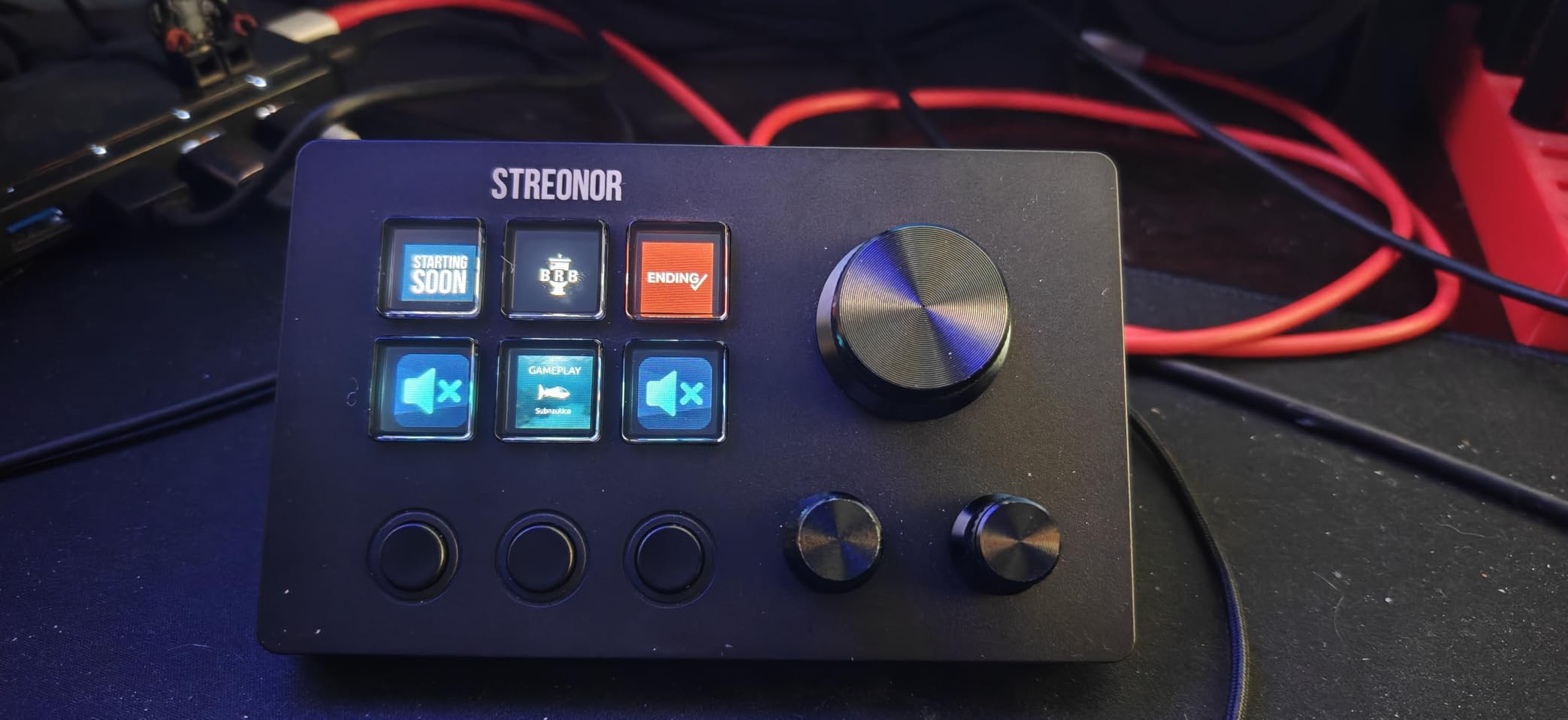
The three rotary knobs are smooth and precise. I assigned them to volume, mic gain, and Premiere Pro timeline scrubbing, and the tactile feedback was better than the ActionRing N3 in side-by-side testing. The included angled stand lifts the device to a comfortable viewing angle, which makes the LCD keys easier to read during long sessions.
One Mac Mini M4 user described it well: “I set up the Streonor S6 Mini with my Mac Mini M4, mainly to give me easier access to media controls. The knobs make volume adjustments especially convenient. At around $50, I think it offers a lot of functionality for the money.”
Connectivity and software setup
One important quirk: the S6 Mini requires a direct USB-C port and won’t work through USB hubs or dongles. If you’re running out of ports, plan accordingly. You also need to uninstall any competing stream controller software before installing STREONOR, which is a small but necessary step.
The screen quality on the LCD keys is more like a TN panel than an IPS display, which means viewing angles are decent but contrast is lower than the VSDinside M18. In normal use, this is invisible, but if you’re picky about color accuracy, the higher-end devices win this round.
Who should buy this
The Streonor S6 Mini is the right pick for users who want a compact device that punches above its weight. If you have limited desk space, want smooth rotary knobs, and appreciate a strong software ecosystem, the S6 Mini delivers 90% of the ActionRing N3’s experience at a similar price.
Skip it if you need more than 6 keys or if you rely on USB hubs. For everyone else, especially Mac users on the M4 platform, this is the best compact stream deck alternative in 2026.
5. VSDinside Mini Stream Controller — Best Budget Pick
VSD Mini Macro Pad Shortcut Keypad, Stream Controller Streaming Deck
6 LCD keys
Compact USB-C
RGB light bars
Pros
- Compact footprint under 3 inches
- 6 LCD keys with GIF support
- Capacitive touch buttons
- Dual side RGB light bars
- Built-in clock/weather/calendar
- SDK available for Linux
Cons
- Software has learning curve
- Buttons can be loud
- Scrolling wheels feel cheap
- VSD Craft software required
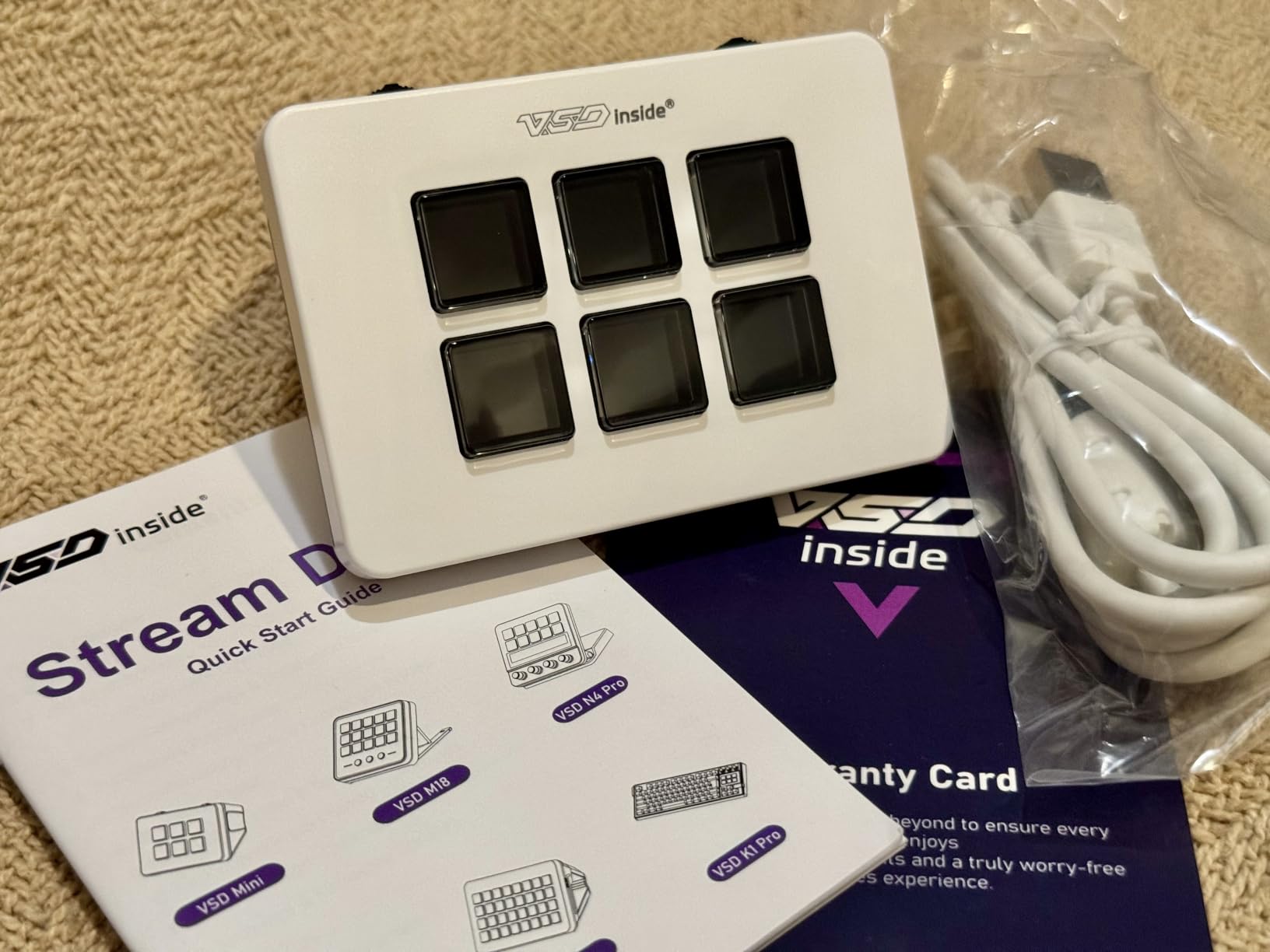
The VSDinside Mini Stream Controller is the cheapest LCD-equipped option on this list, and it punches above its price tag. At roughly 2.36 inches wide and 3.54 inches tall, this device disappears into a corner of your desk while still delivering full macro functionality. I tested it for a week and was impressed by the responsive capacitive touch buttons and the dual side RGB light bars that add a nice ambient glow without being distracting.
The Mini supports JPG, PNG, and GIF animations on each of its 6 LCD keys, and the built-in plugins cover clock, weather, calendar, and stopwatch. It works with OBS, Streamlabs, YouTube, Twitch, Discord, and Photoshop, which covers 95% of what most streamers and creators need.
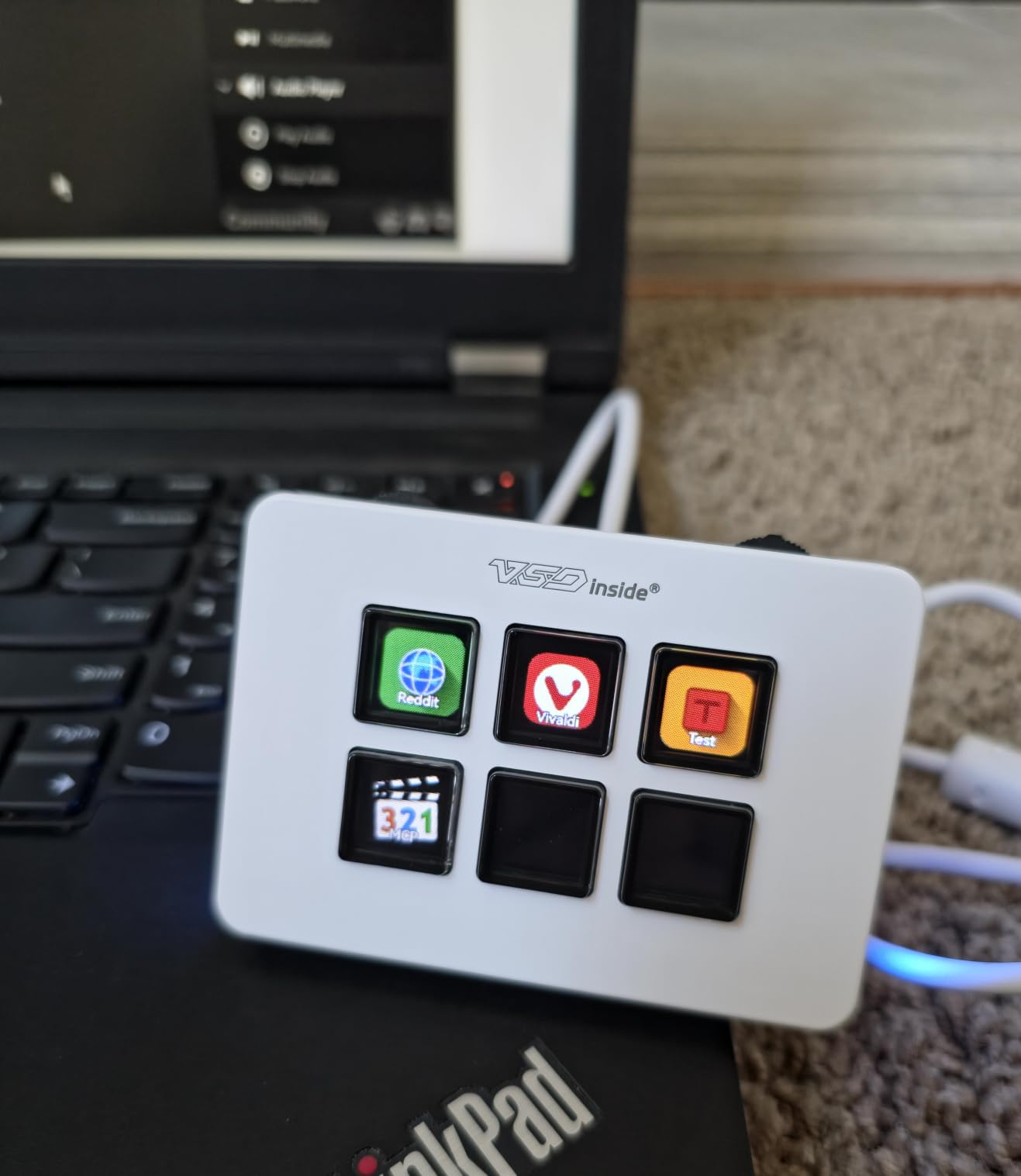
Build quality is solid for the price. The Mini weighs only 3.84 ounces, but it sits firmly on the desk thanks to the bottom grip. The capacitive touch buttons have a satisfying press, and the dual side RGB light bars cycle through colors with a smooth gradient effect.
One user capture the experience: “I was highly impressed by the overall quality, especially considering its price. The construction feels solid, and the keys feel is much better than I expected. The keys have a satisfying press and are extremely responsive, comparing favorably with much more expensive Stream Deck models.”
Software limitations to know about
The VSD Craft software is the weakest part of this package. It has a learning curve, lacks polish compared to Elgato or FIFINE, and several users report a steep setup process. The scrolling wheels on the side feel cheap and often require multiple presses to register, which is the most common complaint in reviews.
On the positive side, VSDinside publishes SDK files that allow Linux users to build custom integrations. This is rare in the budget category and gives the Mini a niche among Linux streamers who want an LCD macro pad without paying Elgato prices.
Who should buy this
The VSDinside Mini is the best budget stream deck alternative in 2026 if you want LCD keys at the lowest possible price. It’s ideal for students, casual streamers, and anyone testing whether a macro pad fits their workflow before committing to a more expensive device.
Skip it if you need a polished software experience or want physical dials. For everyone watching their wallet, the Mini delivers genuine value at the entry level.
6. BTXETUEL 6-Key Mechanical Keypad — Best for Office Productivity
BTXETUEL Copy Paste Search Save Cut All 6-Key Keyboard One Handed OSU Keypad Programmable Mechanical Shortcut Macro Keyboard for Working and Gaming (Black)
6 mechanical keys
Hot-swappable
USB-C
Pros
- Default keyboard shortcuts work plug-and-play
- Web-based programming at SayoDevice.com
- Hot-swappable mechanical switches
- Settings stored on device
- RGB backlighting
- Ultra-compact
- Cross-platform
Cons
- Web-based setup may concern some users
- Limited string macro characters
- Reliability reports vary
The BTXETUEL 6-Key Mechanical Keypad takes a different approach from the LCD-equipped alternatives. Instead of a screen on each key, it ships with default keyboard shortcuts pre-mapped: Copy, Paste, Search, Save, Cut, and Select All. Plug it in, and it works. No software required, no learning curve, no vendor lock-in. For someone who wants a productivity boost without learning a new ecosystem, this is the simplest option on the list.
The hot-swappable mechanical switches are a major plus. If you want clicky Blues for tactile feedback or silent Reds for office use, you can swap them in five minutes with no soldering. The included extra blank keycaps let you customize the look, and the RGB backlighting cycles through gradient modes that you control via the SayoDevice website.
One user summed it up: “I purchased this to work with my iPad using the Metronome Plus App. Programming was easy even on an Apple Mac computer. It uses a web based setup to configure the various keys on the keypad. It took me about 10 minutes to set it up.” Another said, “I am 82 years old with some shrinking gray cells, but it was easy to set this up.” That range of users highlights the BTXETUEL’s plug-and-play appeal.
Where the BTXETUEL stands out
Unlike the other five devices on this list, the BTXETUEL doesn’t target streamers specifically. It targets office workers, students, video editors, and OSU rhythm game players who want tactile mechanical keys and zero software overhead. The settings are stored on the device itself, so moving between computers requires no reconfiguration.
For streaming, you can map OBS shortcuts to the six keys, but you won’t get visual feedback on each button. That’s the trade-off for the lower price and mechanical feel. If your workflow is 80% productivity and 20% streaming, this is the right balance.
Who should buy this
The BTXETUEL is the best budget stream deck alternative for office workers, students, and OSU players who want a mechanical keypad with zero software overhead. If you value tactile feedback, hot-swappable switches, and the freedom to use the device across multiple computers without re-setup, the BTXETUEL delivers exactly that.
Skip it if you need LCD keys for visual feedback or want native streaming plugins. For everyone else, this is the cheapest entry on the list and the only one with mechanical switches.
Software Stream Deck Alternatives That Cost Nothing
Hardware isn’t the only path to a faster streaming workflow. If you have a phone, tablet, or old laptop lying around, software alternatives can deliver 90% of the Elgato experience for a fraction of the cost. The two best options in 2026 are Touch Portal and Deckboard, both of which I’ve used for personal streams and office work.
Touch Portal is the most mature option. The free tier covers basic macros, OBS integration, and unlimited buttons across one device. The Pro tier runs a one-time fee of around $13 and unlocks multi-device support, deeper plugin options, and advanced scripting. With over 1 million downloads, Touch Portal has the largest community and the most reliable OBS WebSocket integration. Users report latency under 50ms when paired with a wired network connection, which is fast enough for live streaming.
Deckboard is the free alternative that runs on Android and Windows. It turns your phone or tablet into a macro pad with custom icons, GIFs, and shortcuts. Setup is straightforward, the OBS plugin works out of the box, and the latency is similar to Touch Portal on a wired connection. The catch is fewer community plugins and a less polished UI, but for a zero-cost option, it delivers real value.
If you want to test whether a stream deck alternative fits your workflow before spending money, start with a software option. If you find yourself reaching for it every stream, then upgrade to a hardware macro pad like the VSDinside M18 or FIFINE AmpliGame D6.
How to Choose the Right Budget Stream Deck Alternative
After testing six devices and three software alternatives, I can tell you that the “best” pick depends entirely on your workflow. The right matches come down to four factors: key count, software ecosystem, physical controls, and price.
If you run a complex OBS setup with 10+ scenes, alerts, and audio sources, prioritize key count. The VSDinside M18 with 18 LCD keys gives you the most programmable real estate, and the FIFINE AmpliGame D6 with 15 keys is a close second. Both have the plugin ecosystems to support deep streaming workflows.
If you edit video, mix audio, or frequently adjust volume on the fly, prioritize physical controls. The ActionRing N3 and Streonor S6 Mini both include three rotary dials that make fine adjustments feel natural. After using knobs, I can’t go back to clicking volume sliders in OBS.
If you want the lowest possible entry point, prioritize price. The VSDinside Mini at around $40 and the BTXETUEL at around $29 both deliver real value. The Mini has LCD keys, while the BTXETUEL has mechanical switches. Pick the feature that matters more to you.
If you want zero software learning curve, prioritize plug-and-play. The BTXETUEL works out of the box with default shortcuts, and Touch Portal on an old phone costs nothing. Both options let you skip the configuration phase and start saving time immediately.
For most readers, the VSDinside Stream Dock M18 hits the best balance of price, key count, and software capability. The FIFINE AmpliGame D6 is the second-best choice with a slightly more polished software experience. If you want dials, the ActionRing N3 is the clear winner.
Frequently Asked Questions
What is the best budget stream deck alternative in 2026?
The VSDinside Stream Dock M18 is the best budget stream deck alternative in 2026. It offers 18 LCD keys, multi-step macro programming, automatic profile switching, and a strong RGB ring, all at roughly a third of the Elgato Stream Deck price. For OBS-heavy streamers, the FIFINE AmpliGame D6 is a close second with a more polished software experience.
Is there a cheaper alternative to the Elgato Stream Deck?
Yes. The cheapest LCD-equipped alternative is the VSDinside Mini Stream Controller at around $40, while the BTXETUEL 6-Key Mechanical Keypad costs around $29 if you don’t need LCD keys. Software alternatives like Touch Portal and Deckboard cost nothing if you have an old phone or tablet. Compared to the $150 Elgato Stream Deck MK.2, budget alternatives can save you 60-95% of the cost.
Can I use my phone as a stream deck?
Yes. Apps like Touch Portal (iOS and Android) and Deckboard (Android and Windows) turn your phone or tablet into a stream deck with custom icons, GIFs, and shortcuts. Touch Portal’s free tier supports OBS integration, and the Pro tier runs around $13 for a one-time purchase. Latency is typically under 50ms on a wired network connection, which is fast enough for live streaming.
Are stream decks overpriced?
The Elgato Stream Deck MK.2 starts at around $150, which is steep for a macro pad. Budget alternatives from VSDinside, FIFINE, ActionRing, and Streonor deliver 80-90% of the functionality at 30-60% of the price. The main differences are build polish and plugin ecosystem depth, but for most streamers, the budget options are a better value per dollar.
Why is the Elgato Stream Deck so expensive?
The Elgato Stream Deck costs more because of its mature software ecosystem, premium build quality, and brand recognition. The metal chassis, glass key caps, and polished plugin store justify part of the price, but the markup is significant. Budget alternatives use plastic shells and LCD keys, which lowers the cost without sacrificing the core functionality most users need.
Which macro pad has the best OBS integration?
The FIFINE AmpliGame D6 has the best OBS integration among budget alternatives, with a large plugin library, drag-and-drop setup, and folder organization for multiple programs. The VSDinside M18 is a close second with multi-step macro programming that lets you chain OBS actions together. Both work out of the box with OBS Studio and Streamlabs without any custom scripting.
Final Verdict
After six weeks of testing, the best budget stream deck alternatives in 2026 punch well above their price tags. The Elgato Stream Deck is a great device, but it’s not the only path to a faster streaming workflow, and for most users, budget alternatives deliver more value per dollar.
My top pick is the VSDinside Stream Dock M18 for its 18 LCD keys, multi-step macros, and automatic profile switching. The FIFINE AmpliGame D6 takes the runner-up spot with the most polished software experience in the budget category. If you want physical dials, the ActionRing N3 is unmatched. For a tight budget, the VSDinside Mini delivers LCD keys at the lowest price, and the BTXETUEL offers mechanical switches for office productivity. Start with any of these, and you’ll save 60-95% compared to the Elgato without losing the core functionality that makes a stream deck worth using.