
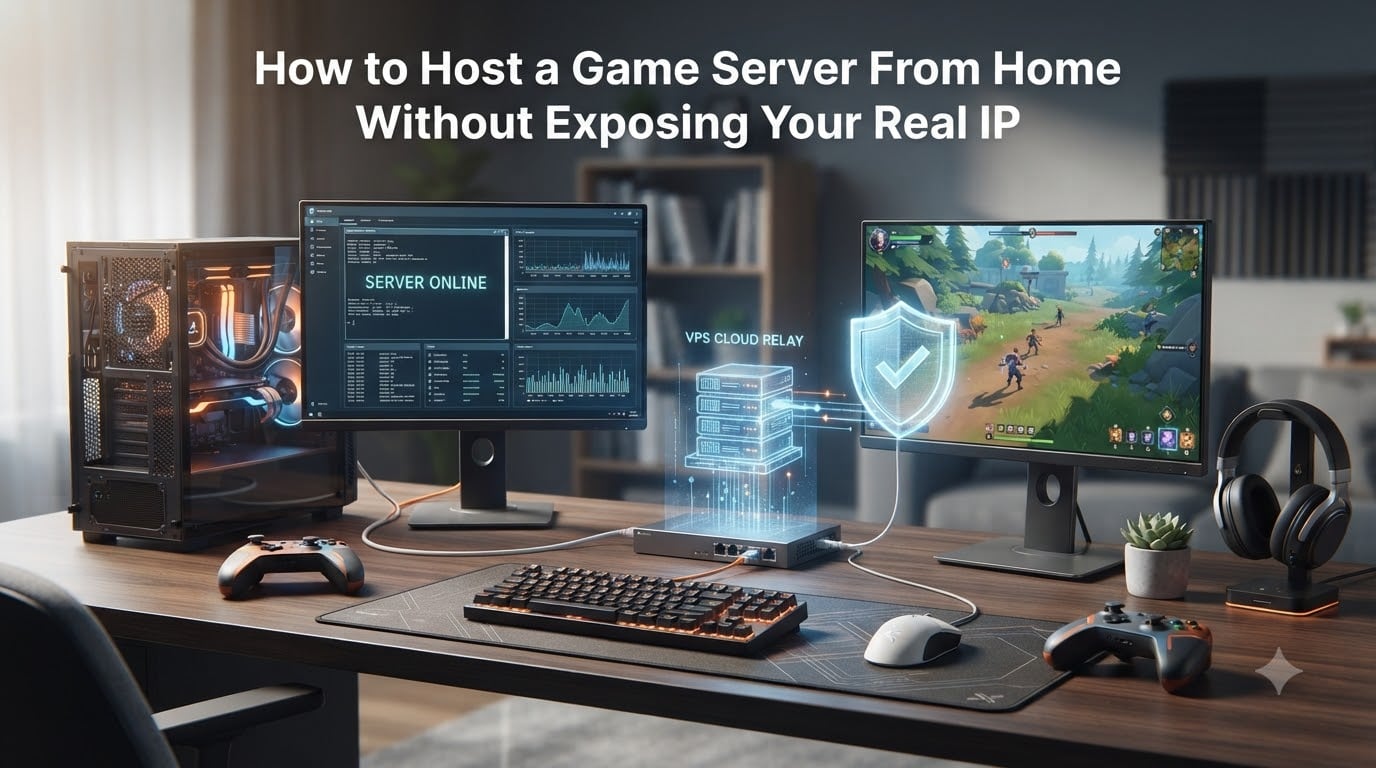
Hosting a game server from home is one of the most rewarding projects you can take on as a gamer. You get full control, no monthly fees, and the freedom to mod however you like. But there is one major problem: when players connect to your Minecraft, Valheim, or Rust server, they see your home IP address.
That single piece of information can reveal your approximate location, your ISP, and open the door to DDoS attacks or worse. In this guide, I will walk you through exactly how to host a game server from home without exposing your real IP using proven methods that real communities rely on every day.
We will cover VPN tunneling with WireGuard, proxy services like playit.gg and TCPShield, and VPS-based setups. I will also explain NAT and CGNAT, which trip up many first-time server hosts. By the end, you will have a clear path forward no matter what game you are running.
Table of Contents
Why Hiding Your Real IP Matters When Hosting Game Servers?
Your home IP address is the digital front door to your network. When you host a game server the traditional way using port forwarding, every player who connects can see that address in their connection logs or by running a simple command. That is a problem.
The most common threat is a DDoS attack. A disgruntled player or someone who just feels like causing chaos can flood your home connection with traffic, knocking your entire household offline. I have seen people on Reddit and the TrueNAS forums describe exactly this scenario after running public servers.
Beyond DDoS, your IP reveals your general location down to the city level. That opens the door to doxxing, swatting, and other forms of targeted harassment. If you are hosting for friends of friends or strangers from a Discord community, you are trusting people you do not actually know with your personal information.
The good news is that hiding your IP is straightforward once you understand the options. Every method below creates a buffer between your home network and the outside world, so players never see where your server actually lives.
Understanding NAT, CGNAT, and Port Forwarding
Before diving into solutions, you need to understand a few networking concepts that determine which method will work for you. These come up constantly in selfhosted communities and cause frustration for beginners.
What Is NAT?
NAT, or Network Address Translation, is how your router shares a single public IP across all the devices in your home. When a player connects to your game server, NAT translates that incoming traffic to your server’s local address. Port forwarding tells your router which device should receive traffic on a specific port, like 25565 for Minecraft.
What Is CGNAT and Why It Matters
CGNAT stands for Carrier-Grade NAT. Many ISPs now use it because they have run out of IPv4 addresses. With CGNAT, you do not get your own public IP address at all. Your traffic goes through your ISP’s NAT layer before reaching the internet.
This breaks port forwarding entirely. You can configure your router perfectly and players still will not be able to connect. If your ISP uses CGNAT, you cannot use traditional port forwarding and will need a tunneling service or VPS instead. This is one of the most common issues people hit when trying to host from home.
You can check whether you are behind CGNAT by comparing the IP your router reports with the IP shown on a site like whatismyip.com. If they do not match, you are likely behind CGNAT.
Port Forwarding Risks
Even if you have a real public IP and port forwarding works, it still exposes your home address to every connecting player. Port forwarding alone does nothing to hide your IP. The methods in this guide either replace or supplement port forwarding to keep your real address private.
How to Host a Game Server From Home Without Exposing Your Real IP: Method 1, VPN Tunneling
VPN tunneling is the most flexible approach and the one most recommended in technical communities like r/selfhosted. The idea is simple: you create an encrypted tunnel between your home server and a VPS with a public IP. Players connect to the VPS, and traffic flows through the tunnel to your home machine.
WireGuard is the go-to choice for this because it is dramatically faster than OpenVPN. Forum users consistently report that OpenVPN causes noticeable lag, while WireGuard adds almost no perceptible latency for most setups.
What You Need
You will need a VPS with a static public IP address. A basic instance from providers like DigitalOcean, Linode, or Hetzner works fine for tunneling since the VPS is just passing traffic through, not running the game itself. You also need WireGuard installed on both your home server and the VPS.
Step-by-Step WireGuard Setup
Step 1: Install WireGuard on your VPS. On most Linux distributions you can run a single package install command. Generate a private and public key pair on both the VPS and your home server.
Step 2: Configure the VPS as the WireGuard server. Create a configuration file with its private key, assign it an internal tunnel IP like 10.0.0.1, and add a peer entry for your home server using its public key.
Step 3: Configure your home server as the WireGuard client. Use the VPS public key, set the endpoint to your VPS public IP, and assign it tunnel IP 10.0.0.2. Set the VPS tunnel IP as the peer endpoint so your home server maintains a persistent connection.
Step 4: Enable IP forwarding on the VPS so it can route traffic between the tunnel interface and its public interface. Add iptables rules to forward incoming game traffic on your game’s port through the tunnel to your home server.
Step 5: Start WireGuard on both ends and verify the tunnel is up by pinging across the tunnel IPs. Then give players the VPS public IP and game port. They connect normally, never seeing your home address.
Pros and Cons of VPN Tunneling
The main advantage is full control. You own the VPS, so there are no bandwidth caps or feature restrictions. WireGuard adds minimal latency, and you get DDoS protection through the VPS provider. The downside is that you need some technical comfort with Linux command-line tools, and the VPS has a monthly cost.
Method 2: Tunneling Services Like playit.gg and TCPShield
If setting up a VPS sounds intimidating, tunneling services handle the hard work for you. These services create an outbound connection from your home server to their relay network. Players connect to a provided address that routes through the relay, never touching your home IP.
playit.gg
playit.gg is one of the most popular options for home game server hosting. It works behind CGNAT, requires no router configuration, and supports both TCP and UDP traffic. You install a small program on your server, claim your tunnel, and it gives you a public address to share with friends.
I like playit.gg for Minecraft, Valheim, and Terraria servers. The free tier works well for small groups, though you may encounter bandwidth limits with many simultaneous players. The setup takes under five minutes, which makes it the best option if you want something running tonight.
TCPShield
TCPShield is designed specifically for Java Edition Minecraft servers and focuses on DDoS protection. It acts as a reverse proxy that sits between players and your home server. Players connect to a TCPShield-provided domain, and traffic is filtered and forwarded to you.
This is a strong choice if you already have port forwarding working but want DDoS protection and IP hiding for a Minecraft community. It does not cover other games, so it is narrower in scope than playit.gg.
Localtonet and Similar Services
Localtonet offers similar tunneling functionality with support for TCP, UDP, and TCP+UDP protocols. It works for a wide range of games including CS2, Palworld, ARK, and Factorio. Like playit.gg, it requires no port forwarding and works behind CGNAT.
Pros and Cons of Tunneling Services
The biggest advantage is simplicity. Players do not need to install any client software. They just type in an address and connect. These services also handle CGNAT automatically. The tradeoff is that free tiers often have bandwidth limits, and you are depending on a third-party service for uptime.
Method 3: VPS-Based Reverse Proxy
A VPS-based reverse proxy is similar to VPN tunneling but uses proxy software instead of WireGuard. You run your game server at home, then use a tool like nginx, socat, or gost on a VPS to forward incoming traffic to your home server through an SSH tunnel or dedicated proxy connection.
How It Works
Your home server maintains a persistent SSH reverse tunnel to the VPS. The VPS listens on the game port and forwards all traffic through that tunnel. Players connect to the VPS IP and everything flows through the encrypted SSH connection to your home machine.
This approach is popular in the TrueNAS and selfhosted communities because it works well in isolated Docker containers. You can run the game server and the tunnel client in separate containers for cleaner security boundaries.
When to Choose This Method
Pick the VPS proxy approach if you are already comfortable with SSH and want a solution that does not require WireGuard configuration. It is slightly more manual than a tunneling service but gives you the same control as VPN tunneling. The latency is comparable to WireGuard for most games.
The downside is that SSH tunnels can be less stable than WireGuard over long periods. You will want to set up autossh or a systemd service to restart the tunnel if it drops.
Comparison of Methods: Which One Should You Choose?
Here is how the three main approaches compare so you can pick the right one for your situation.
VPN Tunneling (WireGuard + VPS): Best for technical users who want maximum control and minimal latency. Costs a small monthly VPS fee. Works with any game.
Tunneling Services (playit.gg, Localtonet): Best for beginners or anyone behind CGNAT. Free tiers available. Quick setup. Limited bandwidth on free plans.
TCPShield: Best for Minecraft servers that need DDoS protection specifically. Free for approved networks. Minecraft only.
VPS Reverse Proxy (SSH): Best for users comfortable with SSH who want a middle ground between WireGuard and managed services. Monthly VPS cost.
If you want the absolute simplest path, start with playit.gg. If you want the best performance and full control, set up WireGuard on a VPS. If you run a Minecraft server and worry about attacks, look at TCPShield first.
Security Best Practices for Home Game Servers
Hiding your IP is important, but it is not the only security step you should take. A few additional practices will keep your home network safe.
Run your game server on a separate VLAN if your router supports it. This isolates the server from your personal devices so that even if it is compromised, an attacker cannot reach your main computers. Network segmentation is something the Linus Tech Tips community strongly recommends.
Keep your game server software updated. Game server exploits are discovered regularly, and running outdated versions gives attackers an easy entry point. Set up automatic updates where possible.
Use strong, unique passwords for any admin or RCON access. Disable remote management features you do not use. Close every port on your router except the ones your tunneling method actually requires.
Monitor your server logs. If you notice unusual traffic patterns or repeated connection attempts from unknown IPs, investigate before it becomes a real problem.
FAQs
How do you hide your IP when hosting a server?
You can hide your IP by using a VPN tunnel (like WireGuard to a VPS), a tunneling service (like playit.gg or Localtonet), or a reverse proxy through a VPS. Players connect to the tunnel address instead of your home IP, so your real address stays hidden.
Does 1.1.1.1 hide your IP?
No. 1.1.1.1 is Cloudflare’s public DNS resolver. It speeds up DNS lookups and can improve privacy for DNS queries, but it does not hide your IP address from servers you connect to or from players connecting to your game server.
Can you truly hide your IP address?
You can effectively hide your home IP from game server players by routing traffic through a VPS or tunneling service. Someone determined enough could potentially trace traffic back through a proxy, but for game server hosting purposes these methods provide strong privacy. No method is 100% untraceable.
Is hiding an IP address illegal?
No, hiding your IP address is legal in most countries. Using a VPN, proxy, or tunneling service to protect your privacy while hosting a game server is completely legitimate. What matters is that you are not using these tools to commit crimes or violate your ISP’s terms of service.
Conclusion
Learning how to host a game server from home without exposing your real IP is not complicated once you pick the right method. If you want simplicity, go with playit.gg. If you want performance and control, set up WireGuard on a VPS. If you run Minecraft, TCPShield gives you free DDoS protection.
The important thing is to never rely on bare port forwarding for servers that strangers or casual acquaintances can access. Take five minutes to set up a tunnel, and you will protect your home network from DDoS attacks, doxxing, and unwanted exposure. Your future self will thank you.