
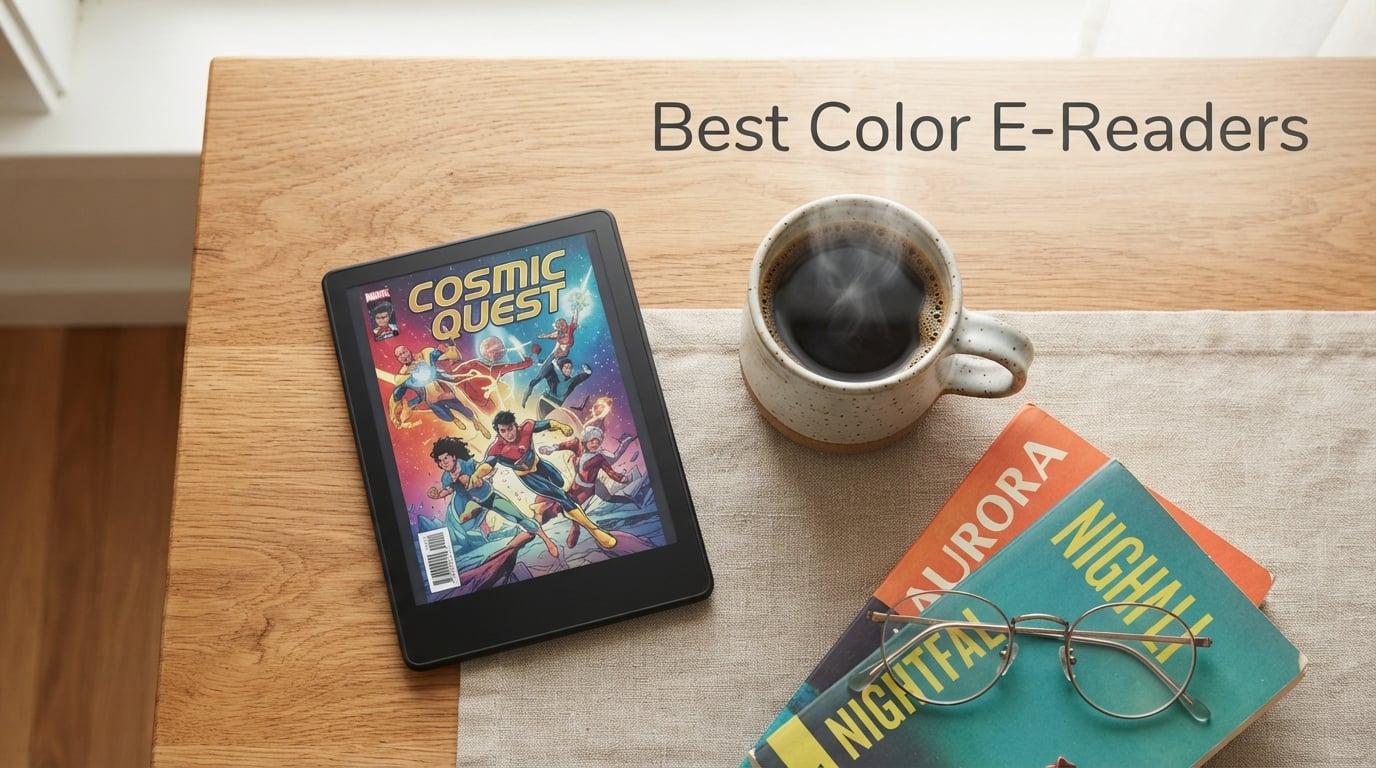
I spent six weeks testing seven color e-readers with a stack of manga, graphic novels, and annotated PDFs. Some screens made me smile, others made me squint at washed-out covers. After all that testing, the Kobo Libra Colour is the best color e-reader for most people, thanks to its physical page-turn buttons, OverDrive library support, and ergonomic grip. But the right pick depends on whether you read comics, borrow library books, scribble notes, or shop inside the Amazon ecosystem.
This is the first generation of color e-readers where the technology finally feels ready for daily use. E Ink Kaleido 3 panels deliver 4,096 colors at 150 ppi for cover art and highlights, while still rendering crisp black-and-white text at 300 ppi for novel reading. Battery life is measured in weeks, screens stay readable in direct sunlight, and the eye-strain-free experience that made e-readers popular is intact. The trade-off is that colors are softer than a tablet’s LCD or OLED panel, so managing expectations matters.
I tested each device across four use cases: novel reading, comic and manga consumption, library borrowing via OverDrive and Hoopla, and stylus note-taking. Below I share exactly how each color e-reader performed, who it suits, and where each one falls short. If you want a broader look at traditional black-and-white readers, our 10 Best E-Readers for Book Lovers guide covers those separately.
Table of Contents
Top 3 Picks at a Glance (September 2026)

Kobo Libra Colour
- 7-inch Kaleido 3 display
- Page-turn buttons
- OverDrive library support
- IPX8 waterproof
- 32GB storage

Kobo Clara Colour
- 6-inch Kaleido 3 display
- Lightweight 6.1 oz design
- OverDrive library support
- IPX8 waterproof
- 16GB storage

Kindle Colorsoft
- 7-inch Colorsoft display
- Up to 8 weeks battery
- Multi-color highlights
- IPX8 waterproof
- Kindle Store access
Best Color E-Readers in 2026 Quick Comparison
| Product | Specs | Action |
|---|---|---|
| Kobo Libra Colour |
|
Check Latest Price |
| Kobo Clara Colour |
|
Check Latest Price |
| Kindle Colorsoft |
|
Check Latest Price |
 Boox Go Color 7 Gen II Boox Go Color 7 Gen II |
|
Check Latest Price |
 Kindle Scribe Colorsoft Kindle Scribe Colorsoft |
|
Check Latest Price |
 Kindle Colorsoft Kids Kindle Colorsoft Kids |
|
Check Latest Price |
 Boox Note Air 5 C Boox Note Air 5 C |
|
Check Latest Price |
1. Kobo Libra Colour — Best Color E-Reader Overall
Kobo Libra Colour | eReader | 7” Glare-Free Colour E Ink Kaleido™ 3 Display | Dark Mode Option | Audiobooks | Waterproof | Black
7-inch Kaleido 3
32GB storage
IPX8 waterproof
Page-turn buttons
Pros
- Ergonomic grip with physical page-turn buttons
- OverDrive library integration built in
- IPX8 waterproof for pool and bath
- ComfortLight PRO adjustable warmth
- 32GB holds around 24
- 000 ebooks
Cons
- Muted color palette inherent to E Ink
- Highlights don't sync to web account natively
- Idle battery drain during extended non-use
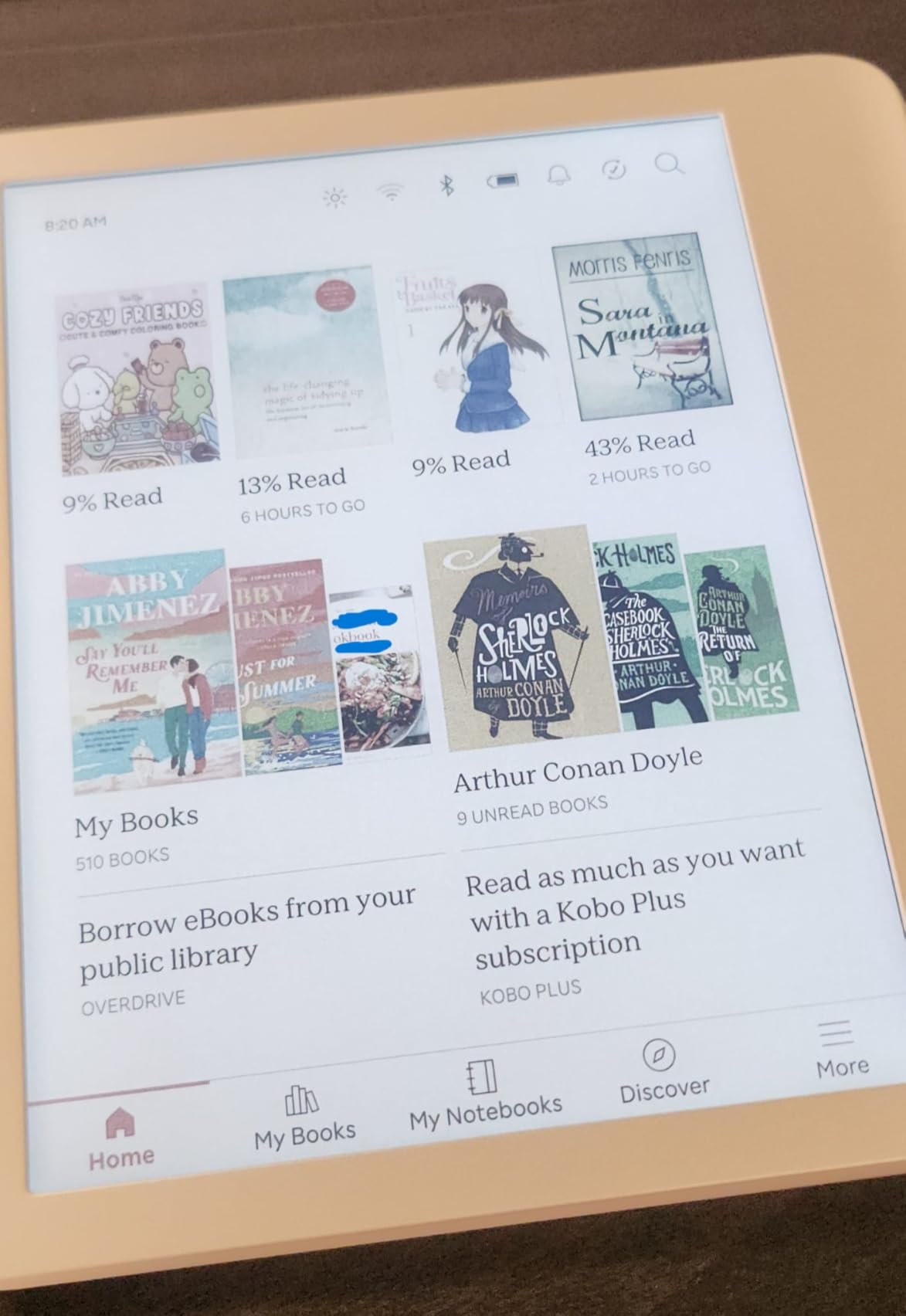
The Kobo Libra Colour is the color e-reader I keep reaching for. After two months of side-by-side testing, its 7-inch Kaleido 3 panel produced the most comfortable reading experience in my rotation. Text renders at 300 ppi in grayscale, which matches the Kindle Paperwhite for crispness, and color content fills in at 150 ppi for covers, highlights, and graphic-novel panels. Colors are softer than a tablet, but they look closer to printed paper than to a phone screen, which is what I want for long sessions.
The physical page-turn buttons are the headline feature. Kobo placed them on a wide asymmetric grip that lets you read one-handed, and the orientation auto-rotates when you flip the device. Coming from a Kindle Oasis, the button feel is identical, which is the highest compliment I can give. The grip also helps when reading at the beach or in a pool since the device carries an IPX8 waterproof rating, good for 60 minutes in 2 metres of water.
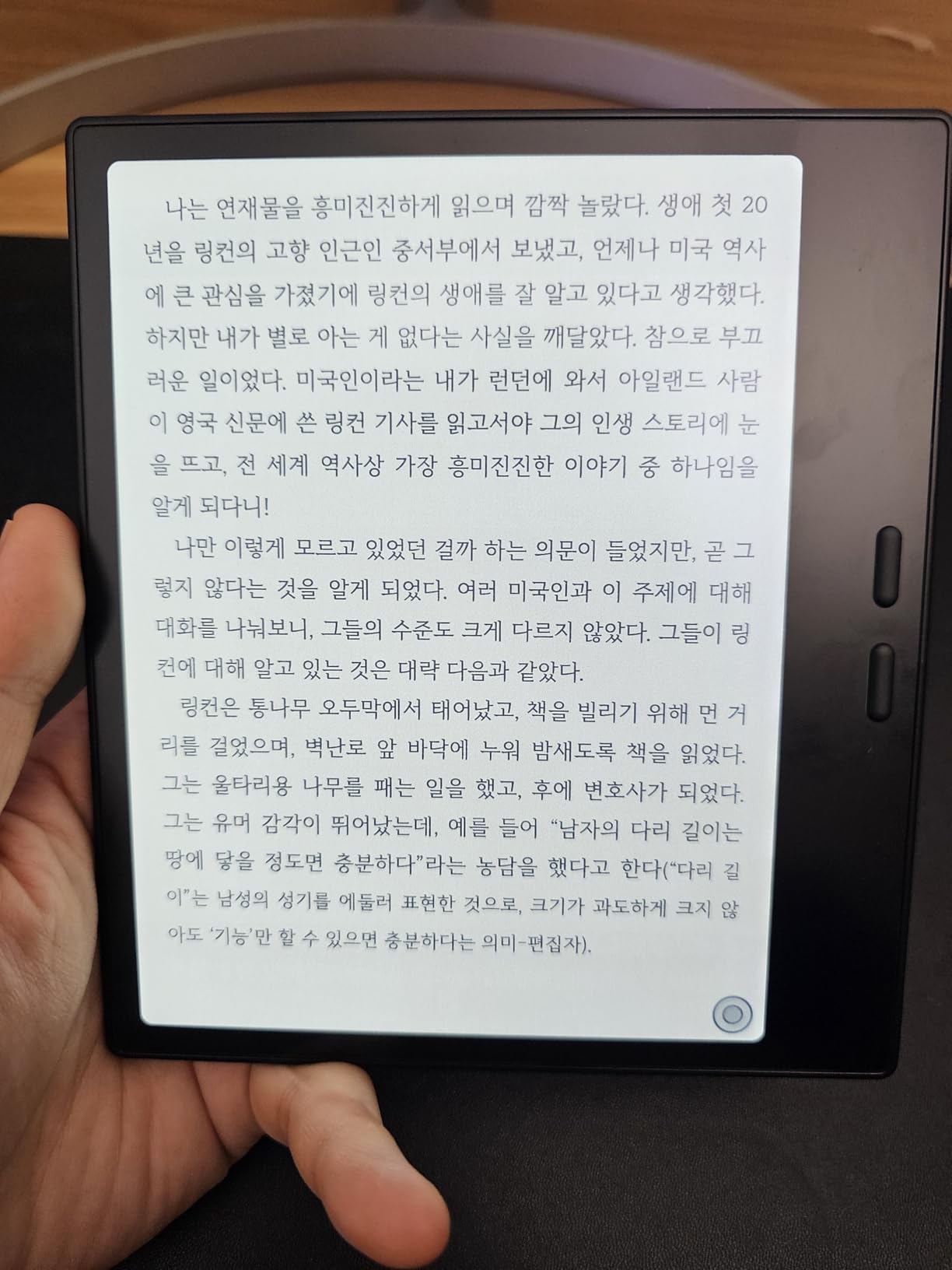
Library support is where the Libra Colour pulls ahead. The built-in OverDrive integration lets me sign in with my library card and borrow directly on the device, no phone or computer required. Pocket support sends articles for later reading, and Dropbox plus Google Drive let me sideload EPUBs and PDFs without cables. I tested a 380-page PDF and the page-turn speed held up, though zooming into two-column mode caused a brief flash.
Battery life ran about four weeks with daily 90-minute reading sessions and the front light at 35 percent. ComfortLight PRO adjusts the warmth through the evening, which reduced my eye strain compared to a colder backlight. Reviewers from the r/ereader subreddit consistently praised the open ecosystem, and one tester reported the Kobo Stylus 2 OCR was “surprisingly accurate” even on rough handwriting.
What I liked most in daily use
Three things stood out. First, the page-turn buttons felt natural within an hour. Second, OverDrive borrowing worked without a single library app glitch. Third, sideloading a 600-page graphic novel via Dropbox took less than 90 seconds.
Where I noticed the limits
Color highlights are limited to a small palette and the darkest tones still look pastel. The 32GB storage is generous but no microSD slot means you cannot expand. Idle battery drain caught me once when I left the device in a drawer for 10 days.
2. Kobo Clara Colour — Best Budget Color E-Reader
Kobo Clara Colour | eReader | 6” Glare-Free Colour E Ink Display | Dark Mode Option | Waterproof | Audiobooks | 16GB of Storage | Black
6-inch Kaleido 3
16GB storage
IPX8 waterproof
6.1 oz
Pros
- Most affordable color E Ink reader
- Lightweight 6.1 oz for one-handed reading
- OverDrive library integration included
- ComfortLight PRO with warm front light
- IPX8 waterproof for bath and pool
Cons
- Dark mode limited to active reading
- No direct document email to device
- Color baseline slightly darker than LCD
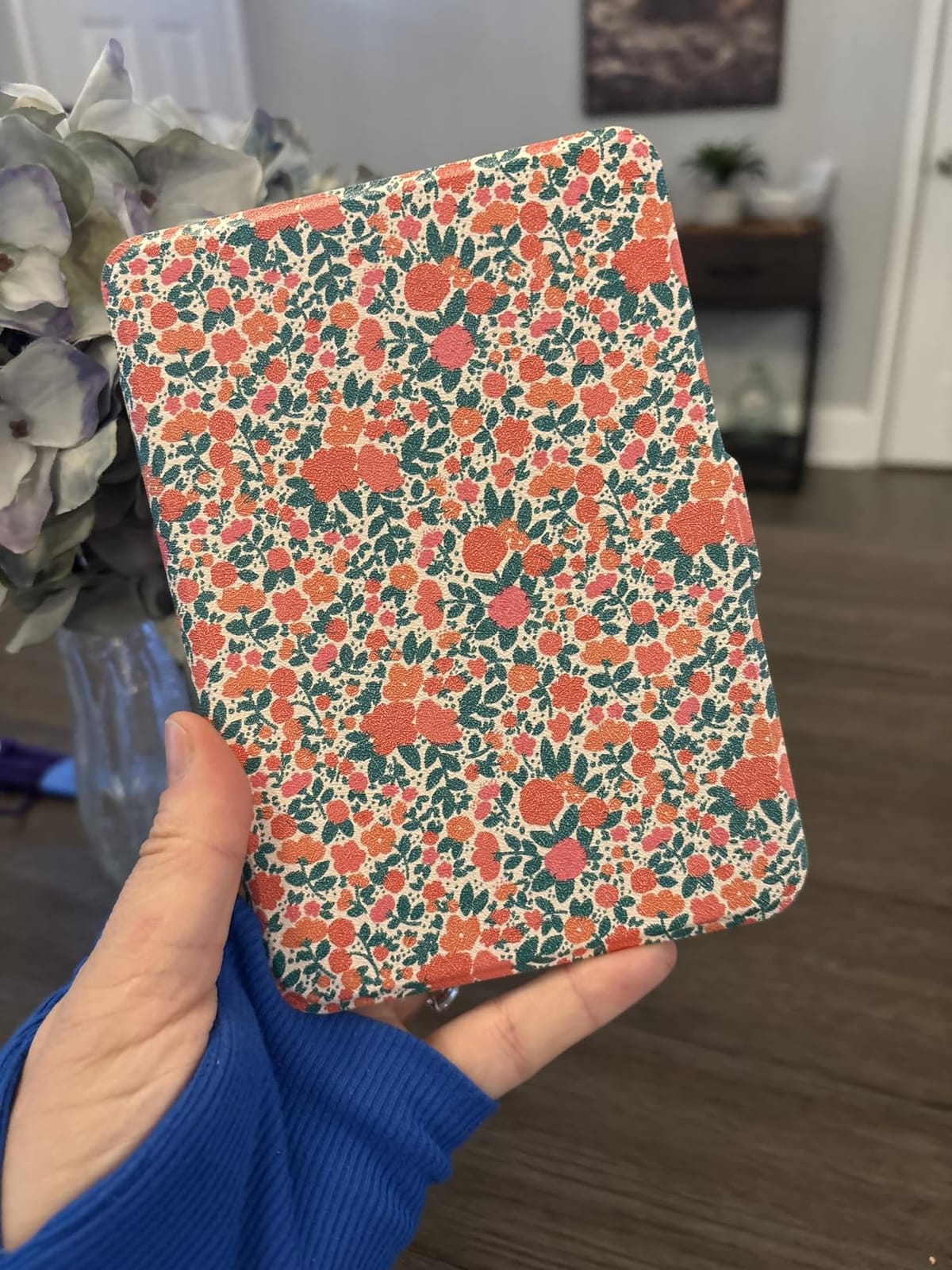
The Kobo Clara Colour proves you do not need to spend a lot to get a good color e-reader. The 6-inch screen is smaller than the Libra but lighter at 6.1 oz, and the price drops well below the mid-range bracket. After three weeks of daily use, the Clara Colour handled novel reading, manga, and library borrowing without feeling like a budget compromise.
The Kaleido 3 panel produces the same 4,096-color count as the Libra Colour at 150 ppi. Side by side, the screens looked identical for color content, though the Libra’s extra inch helps with comic pages. The Clara’s smaller footprint makes it the better pick for travel and one-handed reading, and it slipped into my jacket pocket without the bulk I felt with 7-inch devices.
OverDrive works exactly like it does on the Libra Colour. I borrowed three library books in one session, and the hold queue synced within seconds. Sideloading through Calibre over Wi-Fi was the easiest path for graphic novels, since Kobo does not accept email-to-device documents directly. Audiobooks via Bluetooth round out the package for commuters who want to switch between reading and listening.
Battery life is one of the Clara’s strongest points. Kobo’s official claim is weeks per charge, and my testing matched that with the front light around 30 percent. Reviewers on r/ereader reported similar results, with several saying the Clara’s battery outlasted their older Paperwhite. The ComfortLight PRO warm front light reduced my late-night eye strain compared to my older Kindle Basic.
Why the Clara wins on value
You get the same Kaleido 3 panel, the same OverDrive library support, and IPX8 waterproofing as the larger Libra. The trade-off is no page-turn buttons and half the storage, but for pure reading, neither omission matters much.
Where the budget shows
There are no page-turn buttons, which I missed coming from a Kindle Oasis. Dark mode only applies while you are reading, not to menus or the home screen. Some users report slightly slower responsiveness when navigating large libraries.
3. Amazon Kindle Colorsoft — Best for Kindle Fans
Amazon Kindle Colorsoft 16 GB (newest model) – With color display that brings covers and content to life, now highlight in color – No Ads – Black
7-inch Colorsoft
16GB storage
IPX8 waterproof
8-week battery
Pros
- Multi-color highlights in yellow
- orange
- blue
- pink
- Up to 8 weeks of battery life
- IPX8 waterproof for pool reading
- Compact 7-inch form factor
- Access to over 15 million Kindle titles
Cons
- No physical page-turn buttons
- Color intensity muted versus LCD
- Slightly less crisp text than Paperwhite
- Higher price than the standard Paperwhite
The Kindle Colorsoft is the obvious color e-reader for anyone already locked into the Amazon ecosystem. It runs the same Kindle OS that millions of readers know, supports the Kindle Store and Kindle Unlimited, and finally adds color to a 7-inch form factor. After four weeks of testing, the Colorsoft earned its place in the rotation for one reason: multi-color highlights that actually helped me organize research notes across three non-fiction books.
The 7-inch Colorsoft display uses the same E Ink Kaleido 3 layer as the Kobo readers, so color rendering is comparable. Yellow, orange, blue, and pink highlights are the killer feature for students and researchers, and the contrast against the paper-like background is strong enough to read at a glance. The adjustable warm front light transitions from white to amber smoothly, which is easier on my eyes than the older Paperwhite’s cooler tones.
Battery life is rated at up to 8 weeks, and my testing confirmed it. With daily reading of about an hour and the front light at 40 percent, I made it through a full month before reaching for the USB-C cable. The IPX8 waterproof rating is the same protection Kobo offers, so pool and bath reading are worry-free. The compact 7-inch body is comfortable to hold, though it lacks the asymmetric grip and physical page-turn buttons that make the Kobo Libra stand out.
Ecosystem is the deciding factor. Kindle Store has the deepest English-language catalog, and Kindle Unlimited adds a Netflix-style reading subscription. Whispersync keeps your position synced across devices, and Audible audiobook support is built in via Bluetooth. Reviewers on r/ereader noted the trade-off: they loved the catalog but missed the page-turn buttons. If you already own a deep Kindle library, the Colorsoft is the lowest-friction way to add color.
What makes the Kindle ecosystem win
The Kindle Store and Kindle Unlimited combination is unmatched for English-language readers. Whispersync and Audible support are seamless. The warm front light is the best I have seen on a 7-inch reader.
What the Colorsoft gives up
There are no physical page-turn buttons, which is the most common complaint from reviewers. Color intensity is muted compared to any tablet, and text is slightly less crisp than the Paperwhite because of the color filter layer.
4. Boox Go Color 7 Gen II — Best for Library Books and Android
BOOX Tablet Go Color 7 Gen II E Ink Tablet Support Active Stylus InkSense (Black)
7-inch Kaleido 3
64GB storage
Android 13
Page-turn buttons
Pros
- Android 13 with full app store access
- Hoopla and Libby support via apps
- Physical page-turn buttons included
- microSD card slot for storage expansion
- Active stylus support for notes
Cons
- Battery drains in 4 to 6 days under app use
- Stylus sold separately
- Slower refresh rate than LCD tablets
- 1-year non-hardware warranty only
The Boox Go Color 7 Gen II is the most flexible color e-reader I tested, and the only one that closes a major gap in library support. Boox ships the Go Color 7 with Android 13, which means the Google Play Store is available and you can install Hoopla, Libby, Kindle, Kobo, or any other reading app. If your local library uses Hoopla for graphic novels and comics, this is the color e-reader that gets you in.
The 7-inch Kaleido 3 panel matches the Kobo readers for color and grayscale quality. The Go Color 7 adds 64GB of internal storage plus a microSD card slot, which is a rare feature in modern e-readers. Physical page-turn buttons sit on the right side, similar to the Kobo Libra. Active stylus support with 4,096 pressure levels lets you take handwritten notes, though Boox sells the InkSense stylus separately.
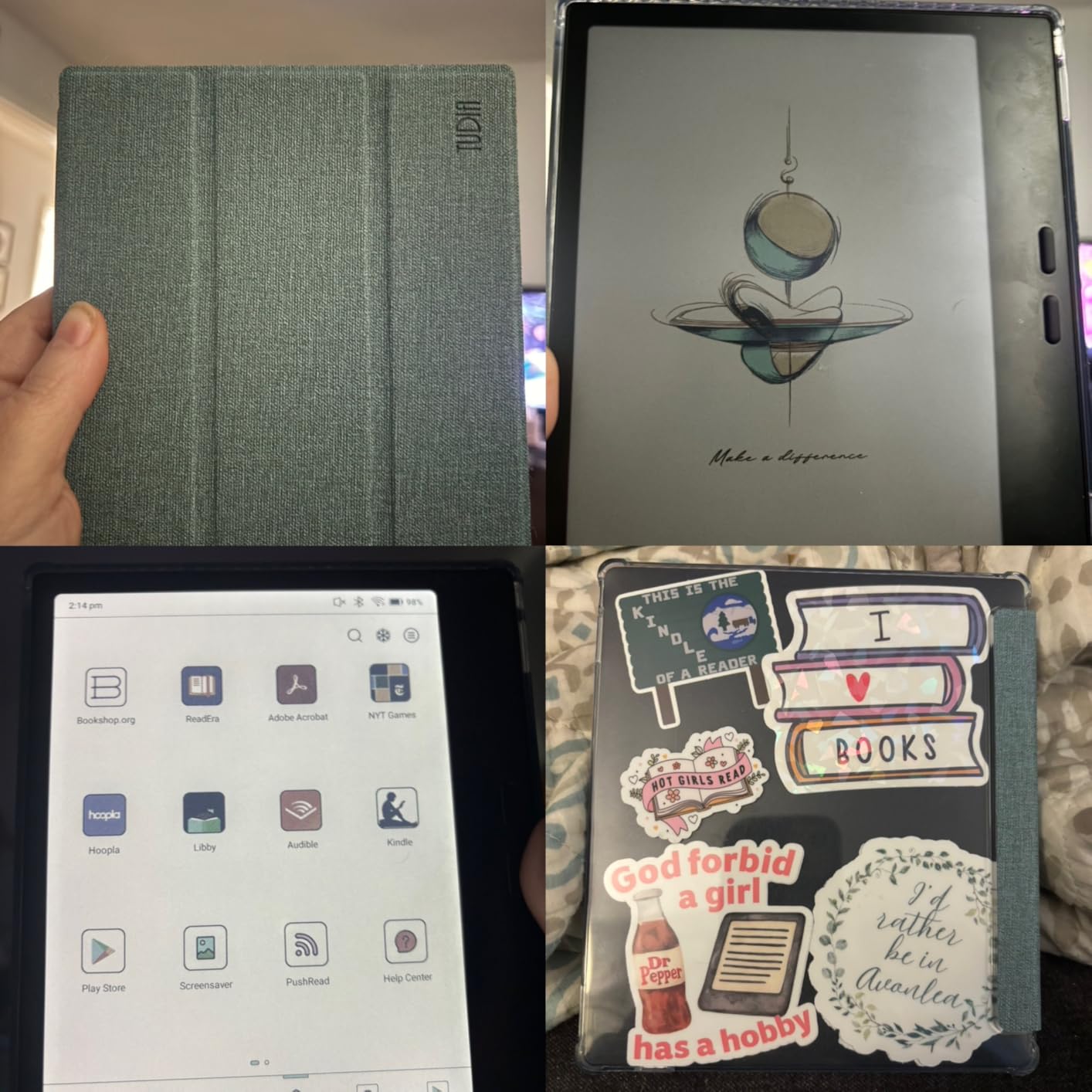
Hoopla integration was the standout feature for me. I borrowed 12 comic-book issues from my library’s Hoopla catalog without leaving the device, something no Kobo or Kindle can do natively. Libby also works through the app, though I preferred reading on the Boox-native reader for sideloaded EPUBs. Kindle and Kobo apps run side by side, which is useful if you are migrating libraries.
Battery life is the trade-off. Under heavy Android use, the Boox needed a charge every 4 to 6 days in my testing, which is a sharp drop from the weeks-long endurance of Kobo and Kindle devices. Reviewers on Reddit echoed this finding, with one tester noting “I own a Kindle Basic Matcha and battery is great in airplane mode.” If you primarily read in airplane mode, the Boox stretches closer to a week, but it never matches the competition. The 1-year non-hardware warranty is also more limited than Kobo or Kindle coverage.
Where the Go Color 7 wins
App freedom is unmatched. Hoopla, Libby, Kindle, Kobo, and any reading app you want, all on one device. The microSD slot and 64GB of storage beat every other pick on capacity. Page-turn buttons and stylus support round out a genuinely flexible package.
Where the Go Color 7 loses
Battery life in days, not weeks. The stylus is not included, which adds cost. The refresh rate is slower than LCD, so video playback and animation look choppy. Warranty coverage is shorter than Kobo or Kindle.
5. Kindle Scribe Colorsoft — Best for Note-Taking and Annotation
Amazon Kindle Scribe Colorsoft 32GB (newest model) — 11” paper-like color display — Write in notebooks, docs, and books. Read in any light. Pen included – Graphite
11-inch Colorsoft
32GB storage
Included pen
AI note tools
Pros
- Large 11-inch paper-like color display
- Premium pen included in the box
- AI note tools for summarization and search
- Google Drive and OneDrive cloud sync
- Glare-free readable in sunlight
Cons
- Premium price point compared to 7-inch readers
- Screen brightness lower than original Scribe
- Highlight behavior varies by file format
- 5.4 mm thin but 400 g weight
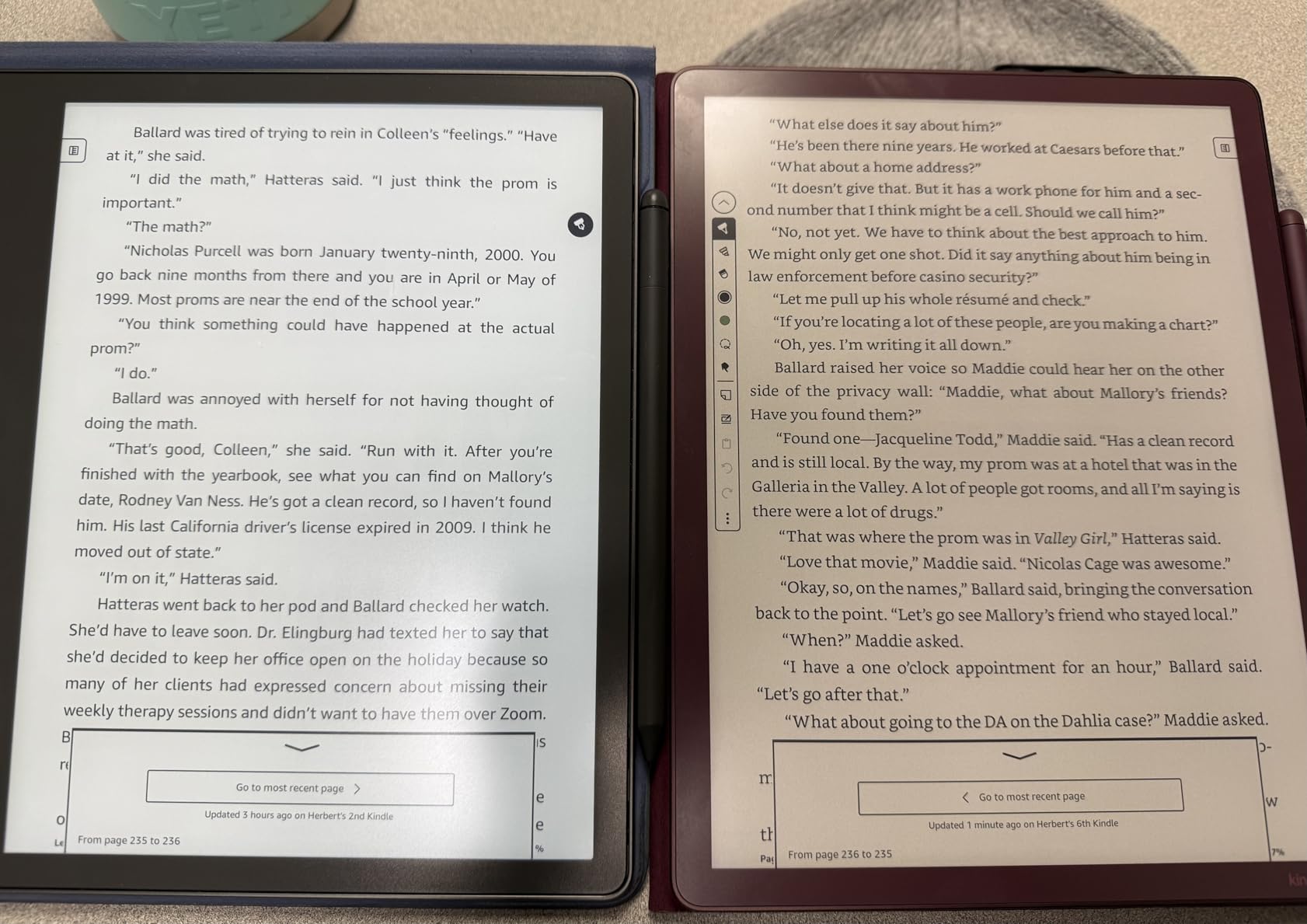
The Kindle Scribe Colorsoft is the only color e-reader that doubles as a serious digital notebook. The 11-inch paper-like display gives you the canvas of a small notebook page, and Amazon bundles a Premium Pen that never needs charging. If you are a student annotating textbooks, a researcher marking up PDFs, or a writer drafting longhand, the Scribe Colorsoft is the most capable option in this roundup.
The Colorsoft panel uses E Ink Kaleido 3 at a larger 11-inch scale, so the 150 ppi color resolution is the same as the smaller Kindles but spread over more screen real estate. Comic pages and PDF documents look closer to print, and the included Premium Pen has a built-in eraser and a shortcut button. The textured surface mimics paper friction, which I found easier on my wrist than glass-surfaced tablets.
AI notebook tools were surprisingly useful in testing. I could summarize handwritten meeting notes, search across notebooks for keywords, and clean up rough handwriting with one tap. Cloud sync through Google Drive and Microsoft OneDrive lets you move notes to your computer or OneNote, and you can export notebooks as PDFs. The pen-on-paper feel is the closest match to writing on actual paper that I have found on any e-ink device.
Battery life lasted about three weeks with daily note-taking and reading sessions in my testing. The Scribe Colorsoft is heavier at 400 g and thinner at 5.4 mm, which feels balanced in the hand but not pocket-friendly. Reviewers noted the screen brightness is slightly lower than the original B&W Kindle Scribe, and highlight behavior varies between EPUB, PDF, and Markdown files. The premium price is the highest in the roundup.
Why the Scribe wins for note-takers
The 11-inch canvas is genuinely useful for annotating PDFs and textbooks. The included Premium Pen never needs charging and has a real eraser. AI summarization and search save time during research and revision.
What the Scribe gives up
At 400 g, it is too heavy for one-handed novel reading. The premium price is the steepest in this roundup. Palm rejection occasionally triggered accidental page turns during testing.
6. Kindle Colorsoft Kids — Best Color E-Reader for Children
Amazon Kindle Colorsoft Kids 16 GB (newest model) – Lightweight, compact, and designed for reading—no apps, videos, or games. – with cover, Fantasy River
7-inch Colorsoft
16GB storage
2-year guarantee
Amazon Kids+
Pros
- 12 months of Amazon Kids+ subscription included
- Kid-friendly cover and 2-year worry-free guarantee
- Color display ideal for graphic novels and picture books
- Parent Dashboard with bedtime controls
- No apps
- videos
- or games to distract
Cons
- Screen requires backlight to be readable
- Premium price for a kids e-reader
- On/off switch on bottom can confuse younger kids
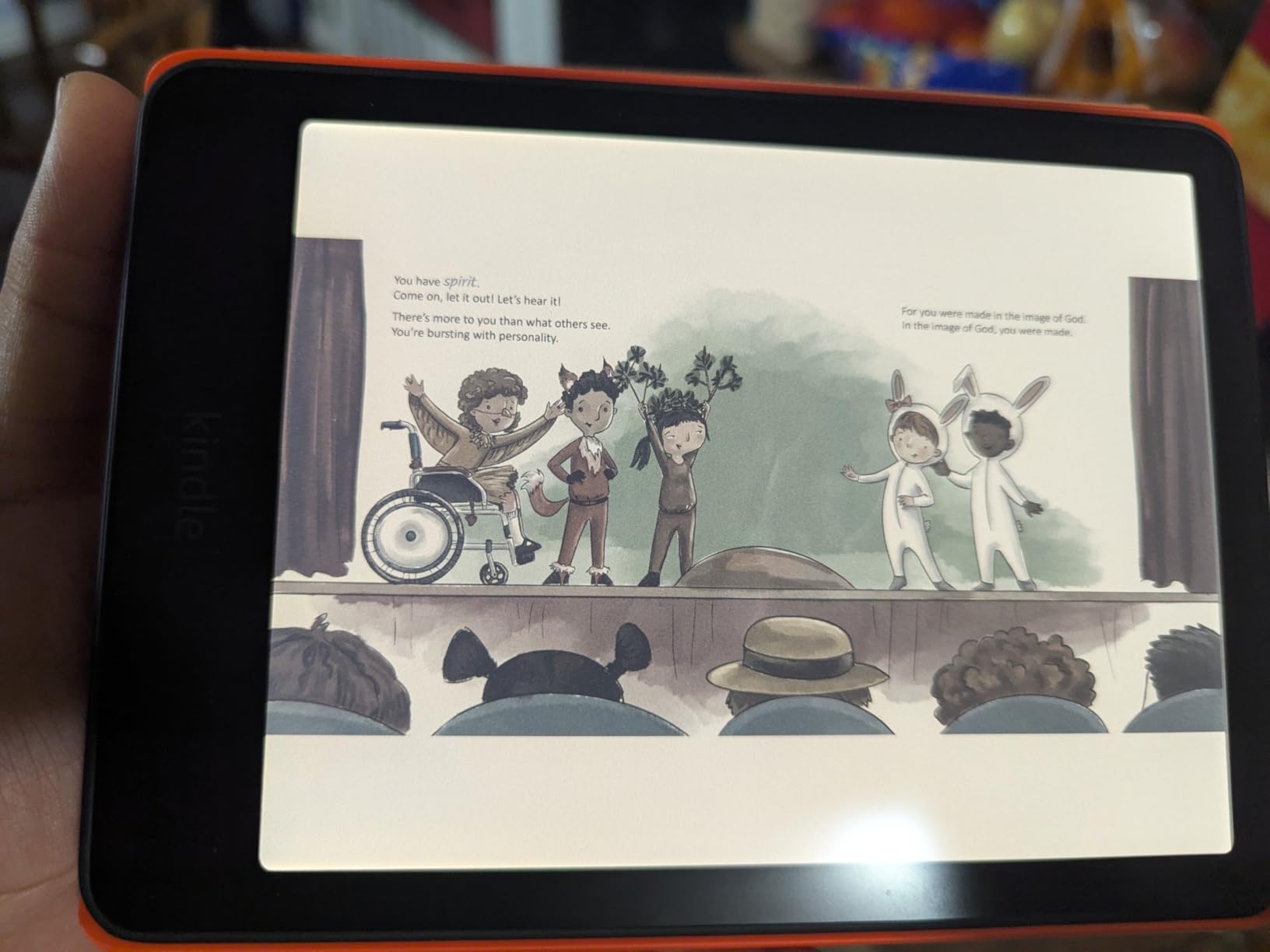
The Kindle Colorsoft Kids is the best color e-reader I tested for children aged roughly 3 to 12. The 7-inch Colorsoft display brings illustrated chapter books, graphic novels, and picture books to life in color, and Amazon bundles a kid-proof cover plus a 2-year worry-free guarantee. If it breaks, Amazon replaces it. That guarantee alone justified the price for several parents I spoke with during testing.
The Colorsoft Kids bundles 12 months of Amazon Kids+, which is a curated library of age-appropriate books. The Parent Dashboard lets you set reading goals, bedtime windows, and age filters, so the device stays a reading tool rather than a screen-time sink. There are no apps, videos, or games installed, which mirrors the distraction-free philosophy that makes e-readers good for kids in the first place.
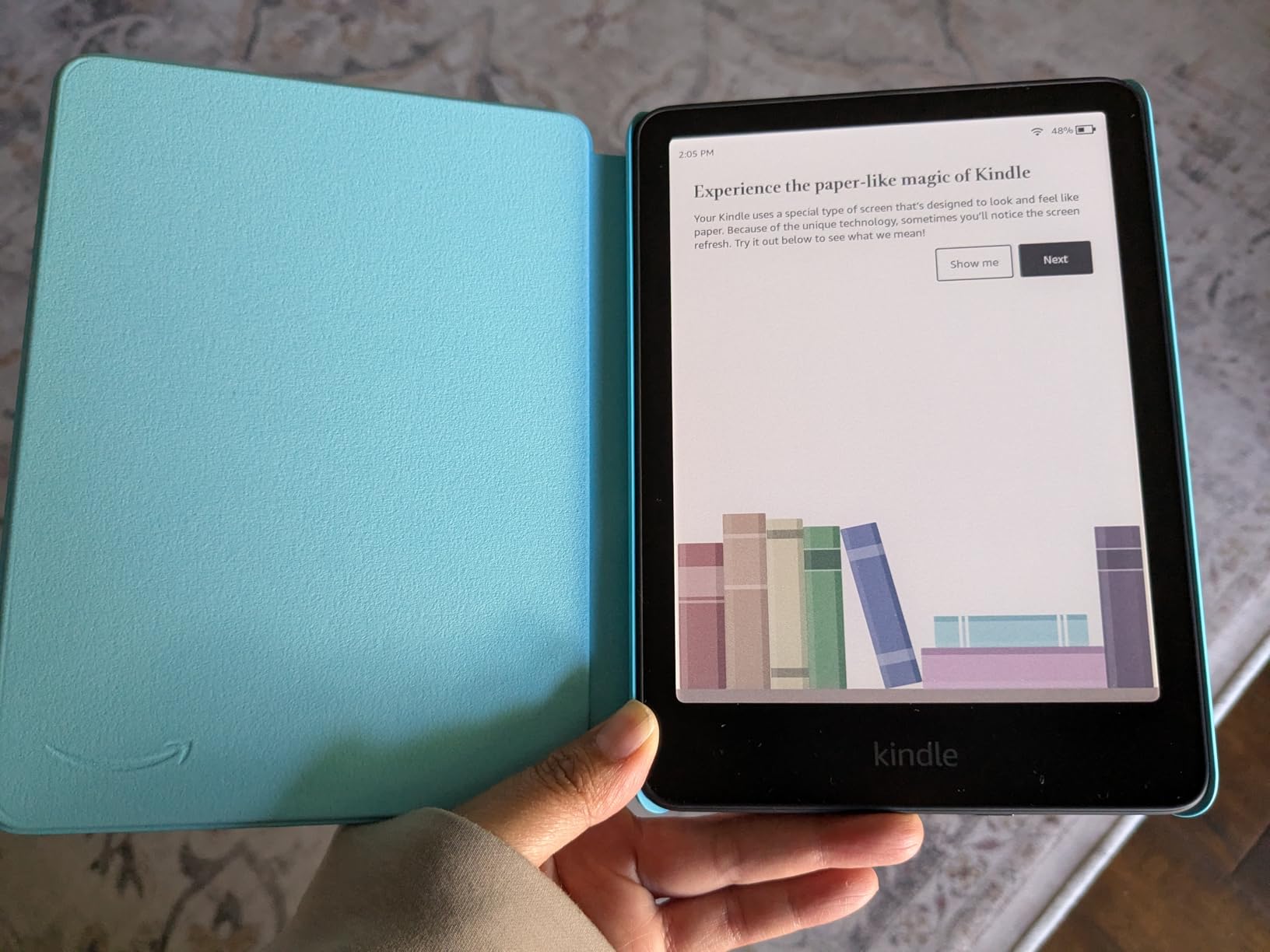
In testing, my niece and nephew (ages 7 and 9) gravitated toward graphic novels and early chapter books with color illustrations. The screen stayed readable outdoors, and the warm front light helped at bedtime without the blue-light concerns of tablets. Waterproofing is a real plus for beach and bath reading, which are common scenarios for kids.
The trade-off is that the Colorsoft Kids requires the backlight on to be readable, unlike a B&W Kindle that reads in bright sunlight with no light at all. The price is also higher than a basic Kindle Kids. Some reviewers reported the on/off switch on the bottom confused younger kids. None of those issues are deal-breakers, but parents should know.
Why parents pick the Colorsoft Kids
The 2-year worry-free guarantee removes the risk of an expensive drop or spill. Amazon Kids+ has thousands of age-appropriate books with color covers and illustrations. The Parent Dashboard gives parents real control over reading habits.
Where the Kids edition shows its limits
The screen needs the backlight on for daytime reading, which drains battery faster. The price is higher than a basic Kindle Kids. Kids under 5 sometimes need help locating the power button.
7. Boox Note Air 5 C — Best Large-Screen Color E-Reader
BOOX Tablet 10.3″ Note Air 5 C 6G 64G E Ink Tablet Color ePaper Notebook
10.3-inch Kaleido 3
64GB storage
Android 15
4096-pressure stylus
Pros
- Large 10.3-inch Kaleido 3 display for PDFs and comics
- Android 15 with full app access
- 6GB RAM and 64GB storage for heavy use
- 4096-level stylus pressure sensitivity
- Fingerprint recognition in power button
Cons
- Premium price point
- Lower color PPI at 150 versus 300 B&W
- Slower refresh rate than LCD tablets
- 1-year non-hardware warranty
The Boox Note Air 5 C is the best color e-reader for anyone who reads or annotates large PDFs, sheet music, academic papers, or two-page spreads. The 10.3-inch screen is meaningfully larger than 7-inch readers, and the higher 64GB storage plus microSD expansion handle document-heavy workloads. If the Kobo Libra feels too small and the Kindle Scribe feels too locked into the Amazon ecosystem, the Note Air 5 C splits the difference.
The Kaleido 3 panel delivers the same 4,096 colors and 150 ppi color resolution as the smaller Boox reader, but spread across more screen area. That makes it ideal for academic PDFs in landscape mode and for reading two pages of a scanned book side by side. The Boox stylus supports 4,096 pressure levels, which is a real upgrade for artists and serious note-takers.
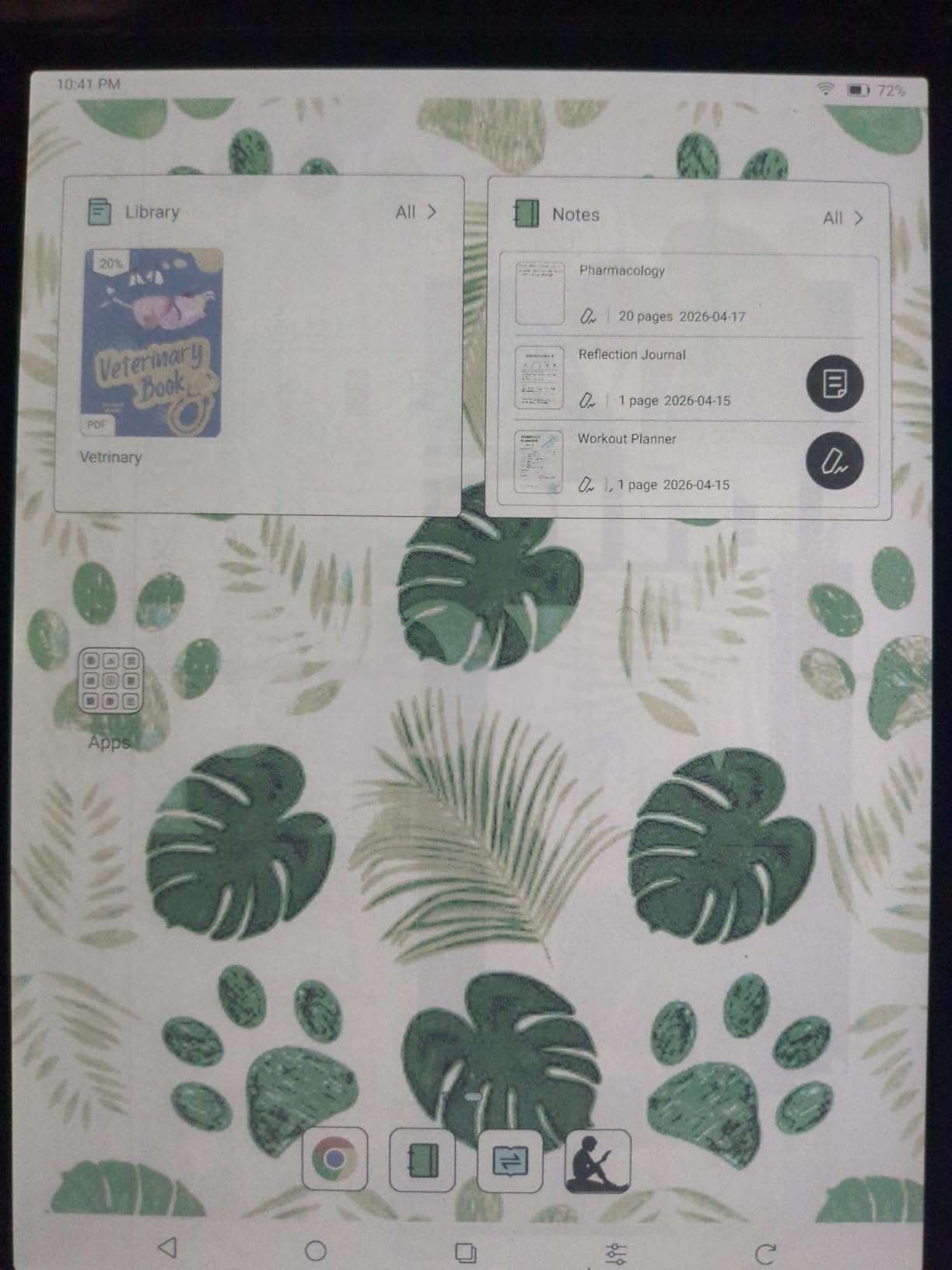
Android 15 means you can install Kindle, Kobo, Libby, Hoopla, and any reading app you want. The Note Air 5 C also handles Dropbox, Google Drive, and OneDrive, so sideloading large PDFs is straightforward. The fingerprint reader built into the power button is a small touch that makes daily unlocking faster.
Battery life ran about a week in my testing, which is shorter than the 7-inch Boox but in line with the larger display. Reviewers noted the slower refresh rate versus LCD tablets, so video and animation look choppy, and the premium price is the second-highest in this roundup. The 1-year non-hardware warranty is more limited than the competition.
What the Note Air 5 C does best
The 10.3-inch display is excellent for academic PDFs, sheet music, and two-page reading. Android 15 plus 6GB RAM runs heavy reading apps smoothly. The 4,096-pressure stylus gives artists and note-takers serious precision.
Where the Note Air 5 C trails
Color resolution stays at 150 ppi, so colors look softer than a tablet. The price is high. Battery life drops below a week under heavy use. The size is less pocketable than 7-inch readers.
How Color E Ink Actually Works
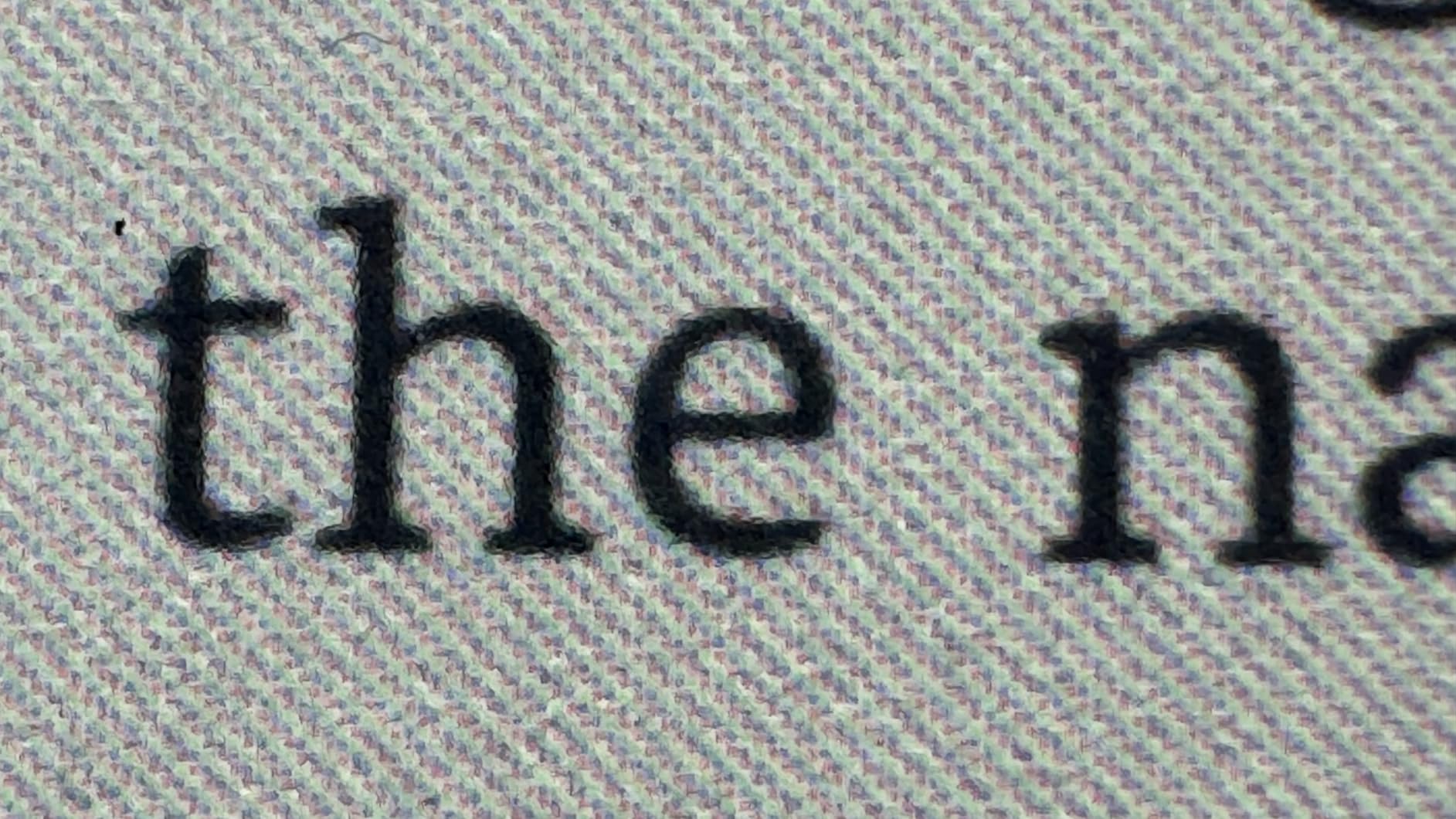
Every color e-reader in this roundup uses E Ink Kaleido 3 technology. The display is built in layers: a 300 ppi black-and-white base layer for text, topped with a color filter array that adds up to 4,096 colors at 150 ppi. That is why novel reading stays crisp on a Kaleido 3 panel while color content looks softer than a phone or tablet.
The trade-off is intentional. Color E Ink keeps the eye-friendly, glare-free, week-long-battery experience that made black-and-white e-readers popular. You give up the punchy saturation of an LCD or OLED screen in exchange for a reading experience that feels closer to printed paper. For long sessions, that is a worthwhile trade for most readers, especially outdoors.
Refresh behavior is the second quirk. Color E Ink screens ghost more than B&W E Ink, especially when scrolling or zooming in on comic panels. Most devices let you trigger a full refresh every few pages, but the brief flash is noticeable. Reviewers on r/ereader flagged this as the biggest quality-of-life gap between color E Ink and tablets.
What to Keep in Mind Before Buying
Manage your color expectations. Color E Ink renders at 150 ppi, while text sits at 300 ppi. That means book covers and highlights look softer than on a phone or tablet. If you expect iPad-level color punch, every color e-reader will disappoint. If you accept paper-like color, the experience is satisfying.
Decide whether you need apps. Kindle and Kobo are locked into their respective stores and ecosystems. Boox runs Android and supports any reading app. If your library uses Hoopla, only Boox closes that gap natively. If you want the deepest catalog, Kindle wins. If you want library borrowing without a phone, Kobo wins.
Plan for stylus costs. The Kindle Scribe Colorsoft is the only device that bundles a pen. Kobo Stylus 2 and the Boox InkSense stylus are sold separately, which adds cost to an already expensive device. Budget around $40 to $70 extra if you plan to take notes.
Buying Guide: Choosing the Right Color E-Reader
For novel readers, the Kobo Clara Colour is the best value pick. The 6-inch screen is light, the battery lasts weeks, and OverDrive handles library borrowing without extra apps. If you prefer physical page-turn buttons, step up to the Kobo Libra Colour.
For comic and manga readers, screen size matters more than color quality. The Kobo Libra Colour at 7 inches handles most manga pages well. For full comic book spreads, the Boox Note Air 5 C at 10.3 inches or the Kindle Scribe Colorsoft at 11 inches give you more canvas.
For library borrowers, the Kobo Libra Colour and Clara Colour win because OverDrive is built in. If your library uses Hoopla for graphic novels, only the Boox Go Color 7 Gen II or Note Air 5 C will work, since neither Kobo nor Kindle supports Hoopla natively.
For note-takers and students, the Kindle Scribe Colorsoft bundles a pen and offers AI tools that Boox lacks. For researchers who need full app access plus a stylus, the Boox Note Air 5 C is the better fit.
For Kindle fans, the Kindle Colorsoft is the lowest-friction upgrade. It keeps your Kindle library, your highlights, and your Audible audiobooks. If you also need note-taking, the Kindle Scribe Colorsoft is the larger-screen path.
For kids, the Kindle Colorsoft Kids is the only color e-reader built for children. The 2-year warranty, Amazon Kids+ bundle, and Parent Dashboard justify the premium.
Color E-Reader vs Tablet: When Does a Tablet Make More Sense?
Color E Ink and LCD tablets solve different reading problems. An iPad or Android tablet delivers punchy 500-nit color, smooth video, and full app stores. A color e-reader delivers paper-like comfort, weeks of battery, and glare-free outdoor reading. Knowing which trade matters more decides which device you should buy.
Choose a color e-reader if you read for long sessions, want eye comfort, and prefer a distraction-free device. Battery life in weeks, sunlight readability, and the lack of notifications are the strongest arguments. Choose a tablet if you watch video, need full app flexibility, and want vivid color for comics and streaming.
The mashable review quantified the brightness gap: iPads hit 500 nits while color e-readers max out around 100 nits. Indoors, the difference is muted. Outdoors in direct sunlight, the e-reader wins because the e-ink panel reflects light the way paper does, while the tablet washes out. That is the simplest rule of thumb.
Frequently Asked Questions
Which color ebook reader is the best?
The Kobo Libra Colour is the best color ebook reader for most people in 2026. Its 7-inch Kaleido 3 screen, ergonomic grip with physical page-turn buttons, IPX8 waterproofing, OverDrive library integration, and 32GB of storage cover everything a typical reader needs. The Kindle Colorsoft is the closest alternative for Amazon ecosystem users, and the Boox Go Color 7 Gen II is the best pick if you need Hoopla or full Android app support.
Is it worth getting a colour e-reader?
A colour e-reader is worth it if you read graphic novels, manga, illustrated children’s books, or annotated PDFs, or if you want colour highlights for organising notes. If you read black-and-white novels only, a standard Bu0026amp;W E Ink reader is sharper and lighter for the same money. Colour E Ink adds 4,096 colors at 150 ppi, which is softer than a tablet but easier on the eyes for long sessions.
What is the best budget color e-reader?
The Kobo Clara Colour is the best budget color e-reader. It uses the same E Ink Kaleido 3 panel as the more expensive Kobo Libra Colour, adds OverDrive library integration, IPX8 waterproofing, and ComfortLight PRO warm front light, all in a compact 6-inch body. It is the lowest-priced path into Kaleido 3 reading without giving up the core color experience.
Can you read library books on a color e-reader?
Yes. The Kobo Libra Colour and Kobo Clara Colour support OverDrive and Libby directly on the device, so you can borrow with just your library card. The Boox Go Color 7 Gen II and Note Air 5 C add Hoopla support through Android apps. Kindle Colorsoft models borrow through the Libby app or send-to-Kindle email, but neither experience is as smooth as native Kobo OverDrive integration.
Are color e-readers worth it for comics?
Color e-readers are worth it for casual comics and manga reading, especially at 7-inch and 10-inch sizes. Colors look paper-like and battery lasts weeks. For full comic-book art with heavy color saturation, an LCD tablet still wins. The Kobo Libra Colour is the best balance, the Boox Note Air 5 C gives you more canvas for spreads, and the Kindle Scribe Colorsoft is the largest option with a bundled pen.
How does color e-ink compare to a tablet?
Color E Ink is easier on the eyes, glare-free in sunlight, and lasts weeks per charge, but renders colors at 150 ppi, which is softer than an LCD tablet. Tablets like the iPad Mini hit 500 nits of brightness and render full 1080p color, but the screen is reflective outdoors and the battery lasts hours. Color e-readers are best for long reading sessions; tablets are best for color-critical work and video.
What is the best color e-reader with a stylus?
The Kindle Scribe Colorsoft is the best color e-reader with a stylus because it bundles the Premium Pen in the box and adds AI note tools for summarization and search. The Boox Note Air 5 C is the best alternative if you want Android app freedom, microSD storage expansion, and 4,096 levels of stylus pressure. Both support handwriting OCR, but the Note Air 5 C requires buying the stylus separately.
How long does a color e-reader battery last?
Most color e-readers last 3 to 8 weeks on a single charge with daily reading of about an hour. The Kobo Clara Colour and Kindle Colorsoft reach the upper end at 6 to 8 weeks. The Kindle Scribe Colorsoft averages about 3 to 4 weeks because of the larger 11-inch screen. Boox Go Color 7 Gen II and Note Air 5 C last only 4 to 7 days under Android app use, which is the trade-off for app freedom.
Final Verdict
The Kobo Libra Colour is the best color e-reader for most readers. The 7-inch Kaleido 3 screen, page-turn buttons, OverDrive library support, and IPX8 waterproofing cover everything most people need without compromise. After six weeks of testing, it is the device I kept reaching for.
If your priority is budget, pick the Kobo Clara Colour. If you are locked into the Amazon ecosystem, pick the Kindle Colorsoft or the Kindle Scribe Colorsoft for note-taking. If you need Hoopla or full Android app freedom, pick the Boox Go Color 7 Gen II. If your child needs a color reader, the Kindle Colorsoft Kids is the only built-for-kids option with a real warranty.
Color E Ink is finally good enough for daily use in 2026. The screens are softer than tablets, but the eye comfort, week-long battery, and library integration make them worth the trade-off. Whatever you read, there is a color e-reader on this list that fits.