
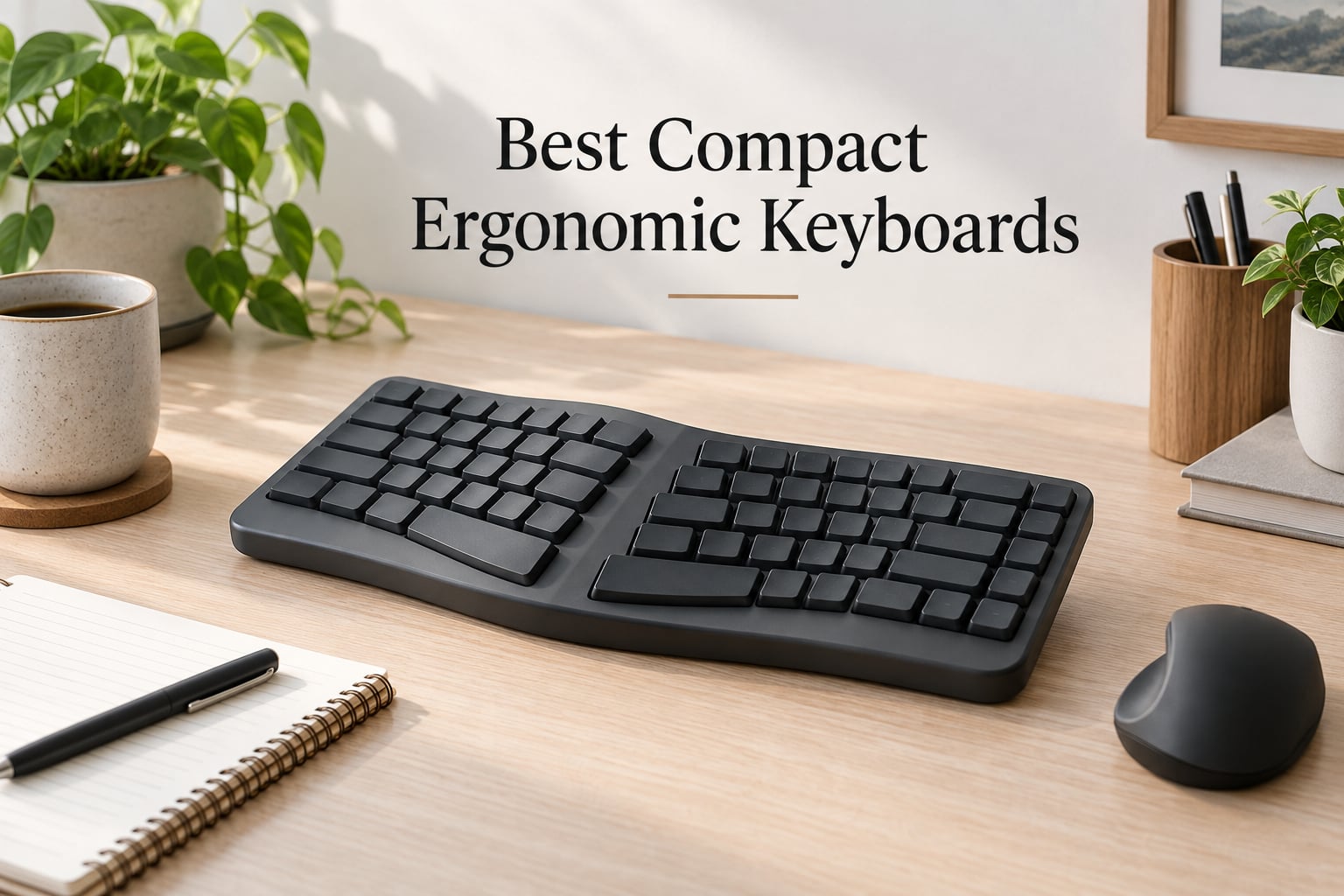
Finding the best compact ergonomic keyboards can feel overwhelming when every option promises to fix your wrist pain and save desk space. After testing dozens of models and reading thousands of user reviews, I narrowed it down to 10 keyboards that genuinely deliver on both comfort and compactness.
Whether you are a programmer dealing with repetitive strain, a remote worker with a small desk, or someone looking for a travel-friendly split keyboard, this guide covers the top picks. I focused on keyboards that combine ergonomic features like split layouts, tenting, and curved keyframes with compact form factors ranging from foldable designs to 65% Alice layouts.
Each keyboard below was evaluated for build quality, typing comfort, connectivity options, and real-world durability based on extensive user feedback. If you are also looking to upgrade your desk setup beyond just a keyboard, check out our guide to the best TKL keyboards for a compact gaming desk to pair with one of these ergonomic picks.
Table of Contents
Top 3 Picks for Best Compact Ergonomic Keyboards (September 2026)


Best Compact Ergonomic Keyboards in 2026
| Product | Specs | Action |
|---|---|---|
| Logitech Wave Keys |
|
Check Latest Price |
| Kinesis Freestyle2 |
|
Check Latest Price |
| Omikamo Foldable |
|
Check Latest Price |
 ProtoArc XK03 ProtoArc XK03 |
|
Check Latest Price |
 MoKo Foldable MoKo Foldable |
|
Check Latest Price |
 Nulea Split Nulea Split |
|
Check Latest Price |
 ATTACK SHARK AKS068 ATTACK SHARK AKS068 |
|
Check Latest Price |
 Incase Sculpt Incase Sculpt |
|
Check Latest Price |
 ProtoArc EK04 ProtoArc EK04 |
|
Check Latest Price |
 Goldtouch Go!2 Goldtouch Go!2 |
|
Check Latest Price |
1. Logitech Wave Keys – Best Ergonomic Keyboard for Beginners
Logitech Wave Keys Ergonomic Wireless Keyboard with Palm Rest – Graphite
Wireless
Bluetooth + Logi Bolt
Membrane Keys
Memory Foam Palm Rest
Pros
- Wave ergonomic design reduces wrist strain naturally
- Memory foam palm rest supports all-day typing
- Ergo-certified by United States Ergonomics
- Easy-Switch between 3 devices via Bluetooth or Logi Bolt
- Up to 3 years battery life on AAA batteries
Cons
- Membrane switches may not appeal to mechanical enthusiasts
- No backlighting on keys
- Requires AAA batteries instead of rechargeable
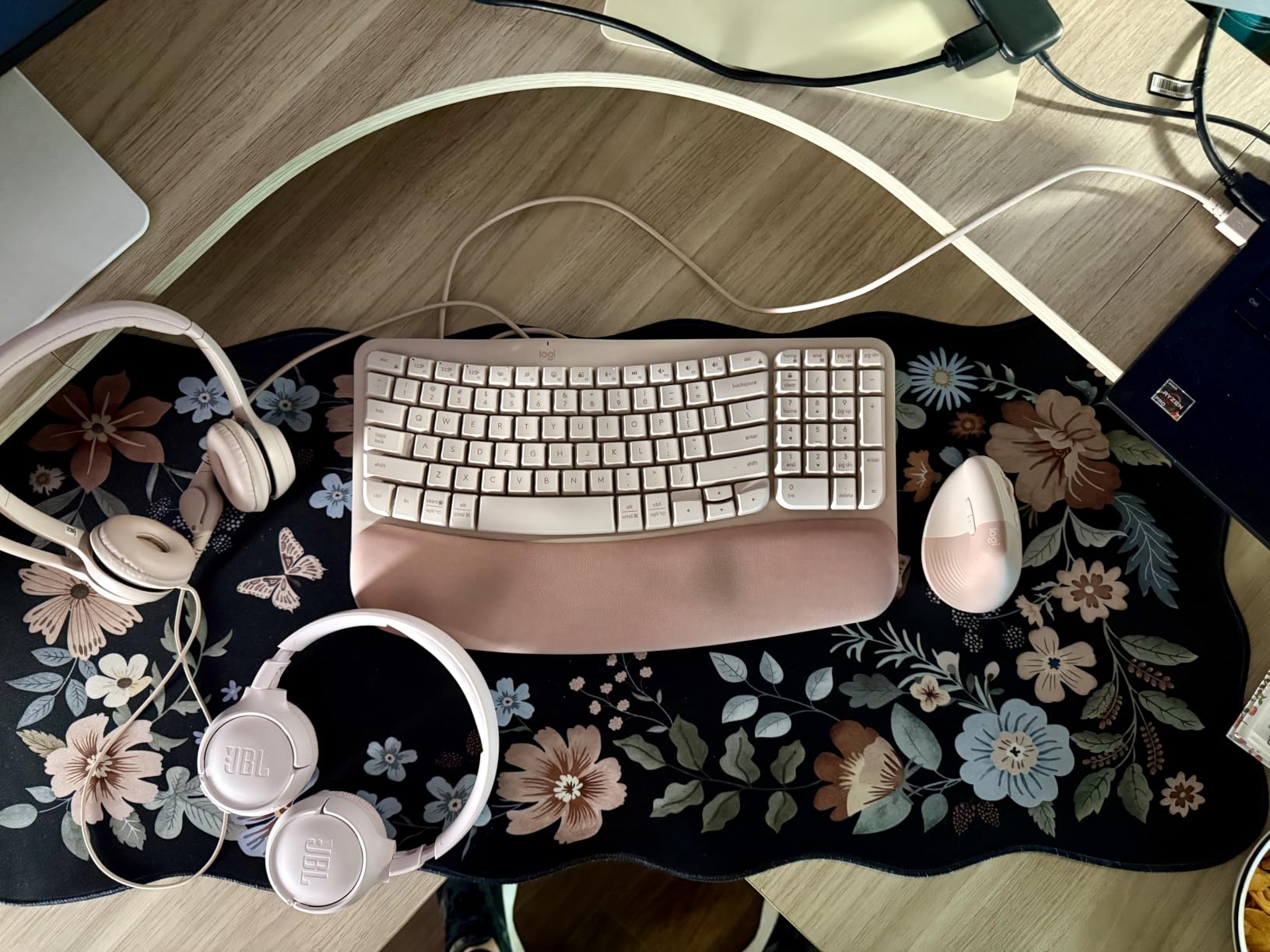
The Logitech Wave Keys is the keyboard I recommend most often to anyone starting their ergonomic journey. Its wavy key layout gently angles your hands, wrists, and forearms into a more natural position without the steep learning curve of a fully split keyboard.
After using this keyboard for extended writing sessions, I found the memory foam palm rest makes a noticeable difference. Your wrists rest on a cushioned surface instead of pressing against a hard desk edge, which reduces pressure points during long workdays.
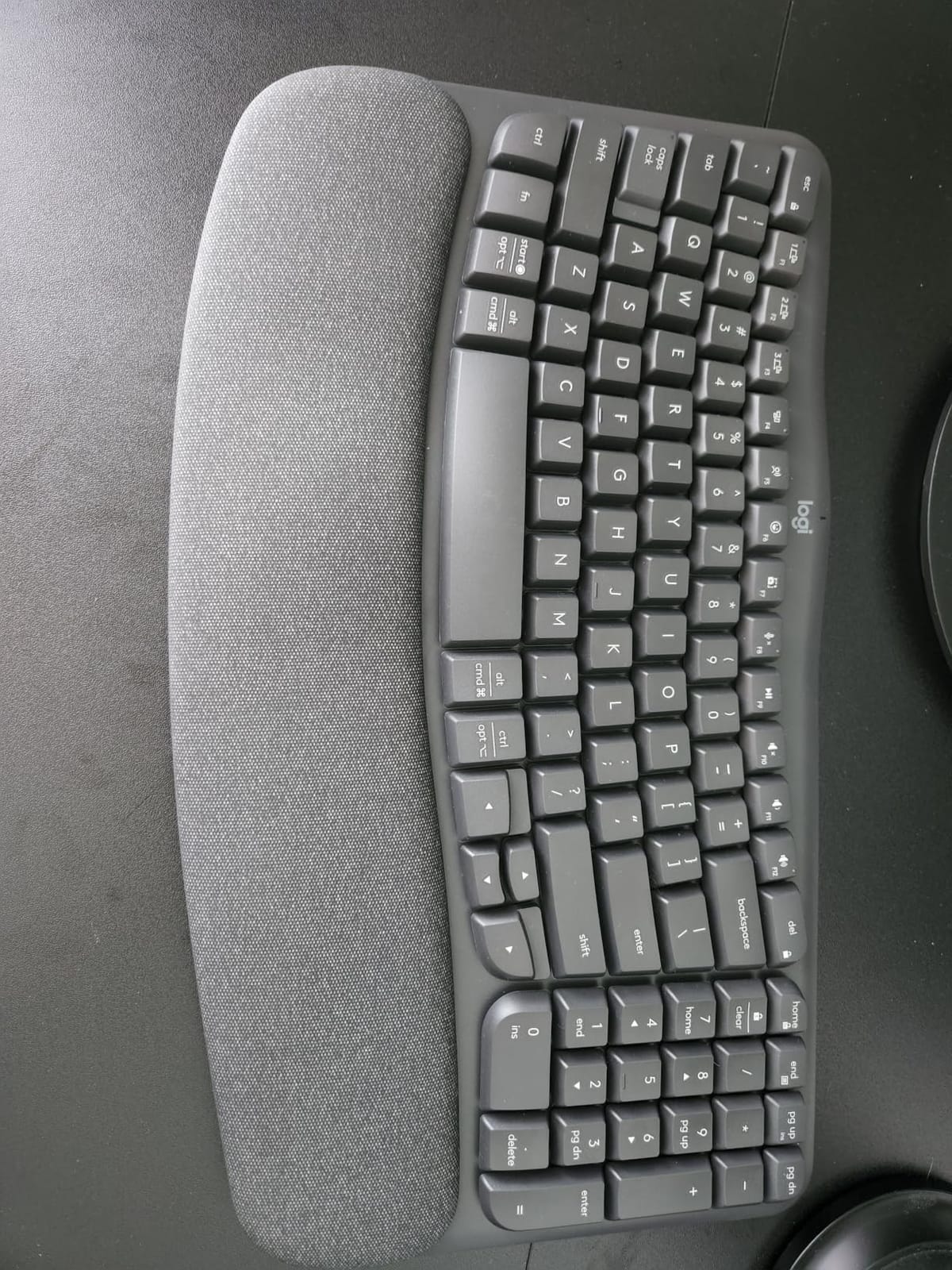
The Easy-Switch feature lets you toggle between your laptop, tablet, and phone with dedicated keys. If you work across multiple devices during the day, this eliminates the constant pairing and unpairing cycle that plagues single-device Bluetooth keyboards.
Battery life is where this keyboard truly stands out. Users report 8 to 12 months on a single set of AAA batteries, and Logitech rates it up to 3 years. You will not think about charging for a very long time.
Learning Curve and Adaptation
The wave layout is subtle enough that most typists adjust within a few hours, not weeks. Unlike fully split keyboards that require retraining muscle memory, the Wave Keys keeps the standard QWERTY layout in a single piece. Touch typists can switch to it almost immediately.
Compatibility and Software
The Logi Options+ app lets you customize function keys and set up device-specific profiles. It works with Windows, macOS, iPadOS, and ChromeOS. If you are looking for more options to pair with a compact desk setup, our guide to wireless gaming keyboards covers additional wireless options worth considering.
2. Kinesis Freestyle2 – Best Split Keyboard for RSI Relief
KINESIS Freestyle2 Ergonomic Keyboard for PC (9″ or 20″ Separation) (9″ Separation)
Split Design
Up to 9in Separation
USB Wired
Low-Force Tactile Keys
Pros
- Genuinely adjustable split design up to 9 inches
- Low-force tactile keyswitches reduce finger fatigue
- Plug-and-play with no software needed
- Embedded numeric keypad for productivity
- Drastic RSI and wrist pain reduction reported by users
Cons
- Tenting accessory VIP3 sold separately
- Fn key is a locking modifier that confuses new users
- Escape key placement awkward for Vim users
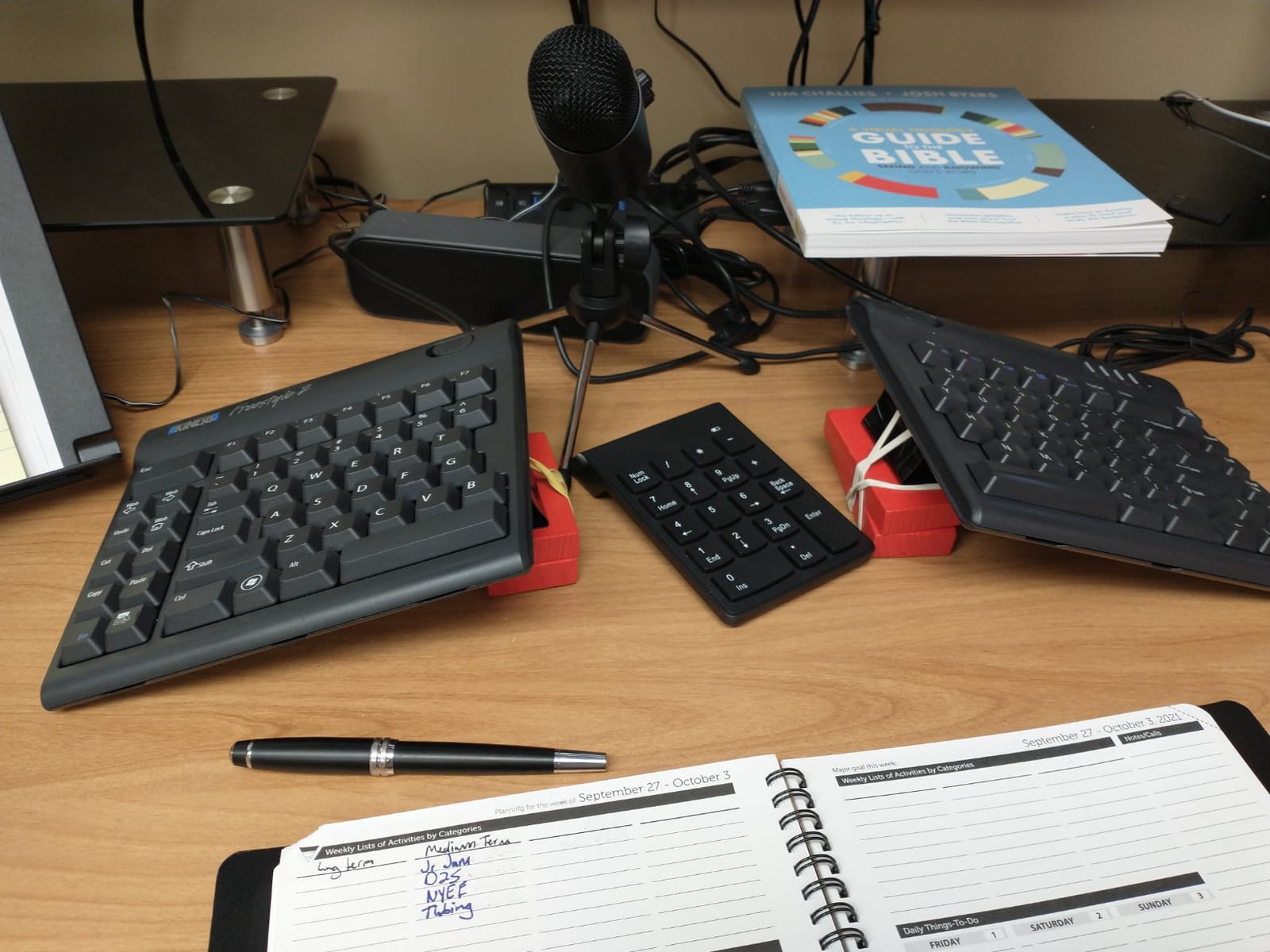
The Kinesis Freestyle2 is the gold standard for anyone dealing with repetitive strain injury or chronic wrist pain. Its split design lets you position each half at shoulder width, which dramatically improves posture and reduces forearm tension.
What sets the Freestyle2 apart from cheaper split keyboards is the quality of the low-force tactile switches. They require less activation force than typical membrane keys, which means your fingers do less work per keystroke over an eight-hour workday.
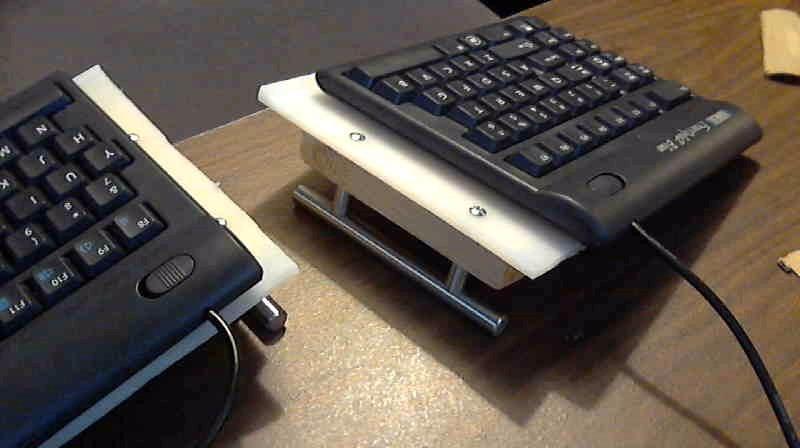
The 9-inch separation option keeps both halves close enough for a compact desk while still giving you meaningful ergonomic benefit. Users with carpal tunnel and tendinitis report that this keyboard alone reduced their symptoms more than any wrist brace or ergonomic accessory they tried previously.
Setup is completely plug-and-play on Windows, Linux, and Chrome. There is no software to install, no firmware to update, and no Bluetooth pairing to troubleshoot. You plug it in and start typing.
Who Benefits Most from the Split Layout
If you type for more than four hours daily and experience shoulder or wrist discomfort, the Freestyle2 addresses the root cause: your hands being forced together on a standard keyboard. Spacing them apart reduces the inward rotation of your forearms that causes tension.
Tenting and Ergonomic Accessories
The VIP3 tenting accessory is sold separately but highly recommended. It adds adjustable tenting angles that further reduce forearm pronation. Budget for it when purchasing since many reviewers consider it essential for the full ergonomic benefit.
3. Omikamo Foldable Ergonomic Keyboard – Best Ultra-Portable
Omikamo Ergonomic Foldable Bluetooth Keyboard, 3-Device Dual-Mode
Foldable
V-Shape 166deg Split
Bluetooth + 2.4G USB
Scissor Keys
Pros
- Ultra-portable at 0.55lb when folded
- 3-device connection with 2x Bluetooth and 1x 2.4G USB
- 70 hours standby on Type-C rechargeable battery
- Quiet scissor-switch keys for laptop-like typing
- Magnetic closure prevents accidental opening in bag
Cons
- Requires adaptation period due to ergonomic layout
- V-shape design may feel gimmicky for some typists
- PU leather hinge may wear over time
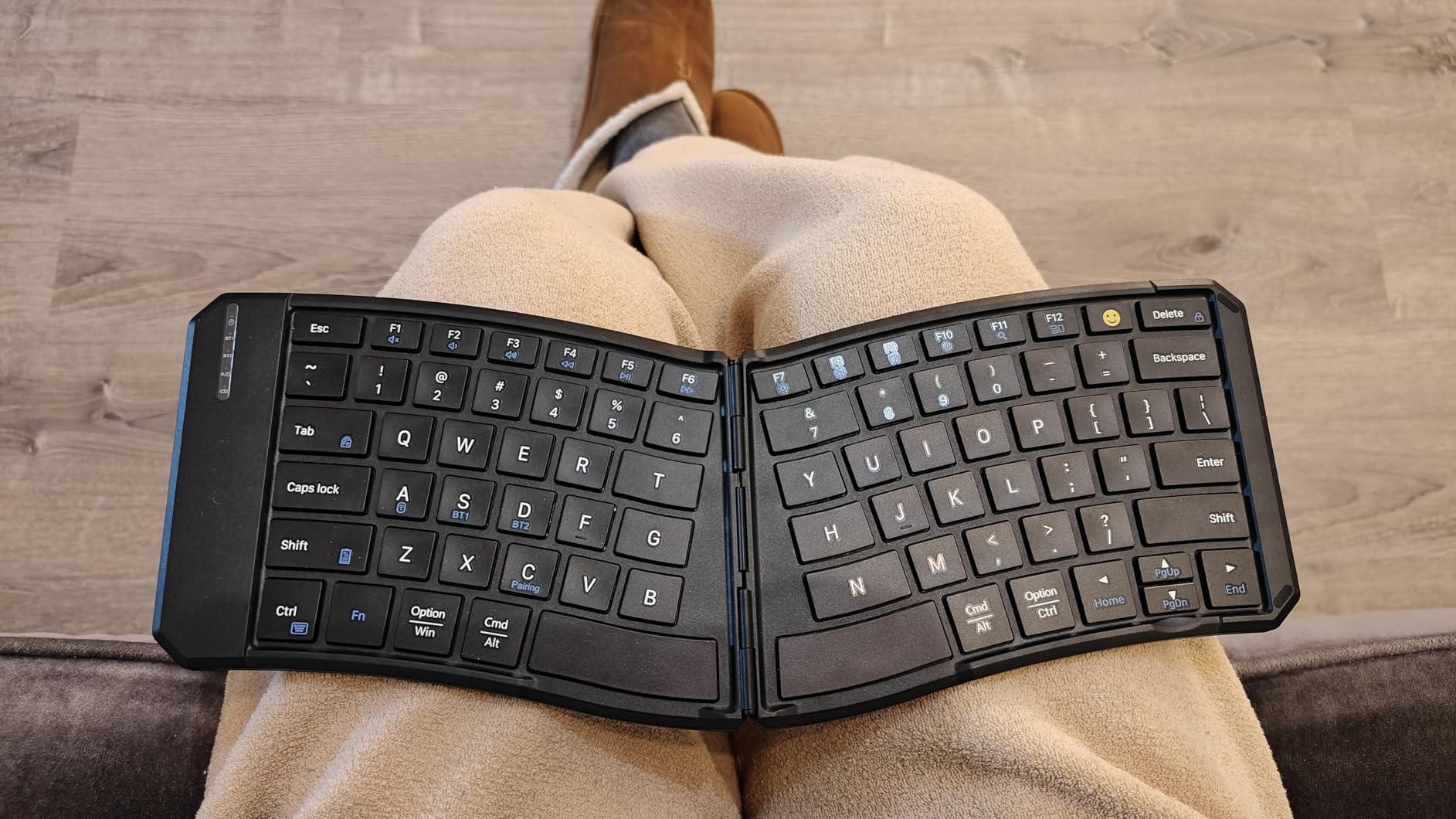
The Omikamo is the most affordable entry point into compact ergonomic keyboards that I found during testing. At this price, you get a genuine V-shape split layout with 166-degree keyset angle, Bluetooth and 2.4GHz wireless connectivity, and a design that folds flat enough to slip into any laptop bag.
I was surprised by how usable the scissor-switch keys feel. They have a laptop-quality tactile response that is quieter than most mechanical switches, making this keyboard ideal for coffee shops, co-working spaces, and shared offices.
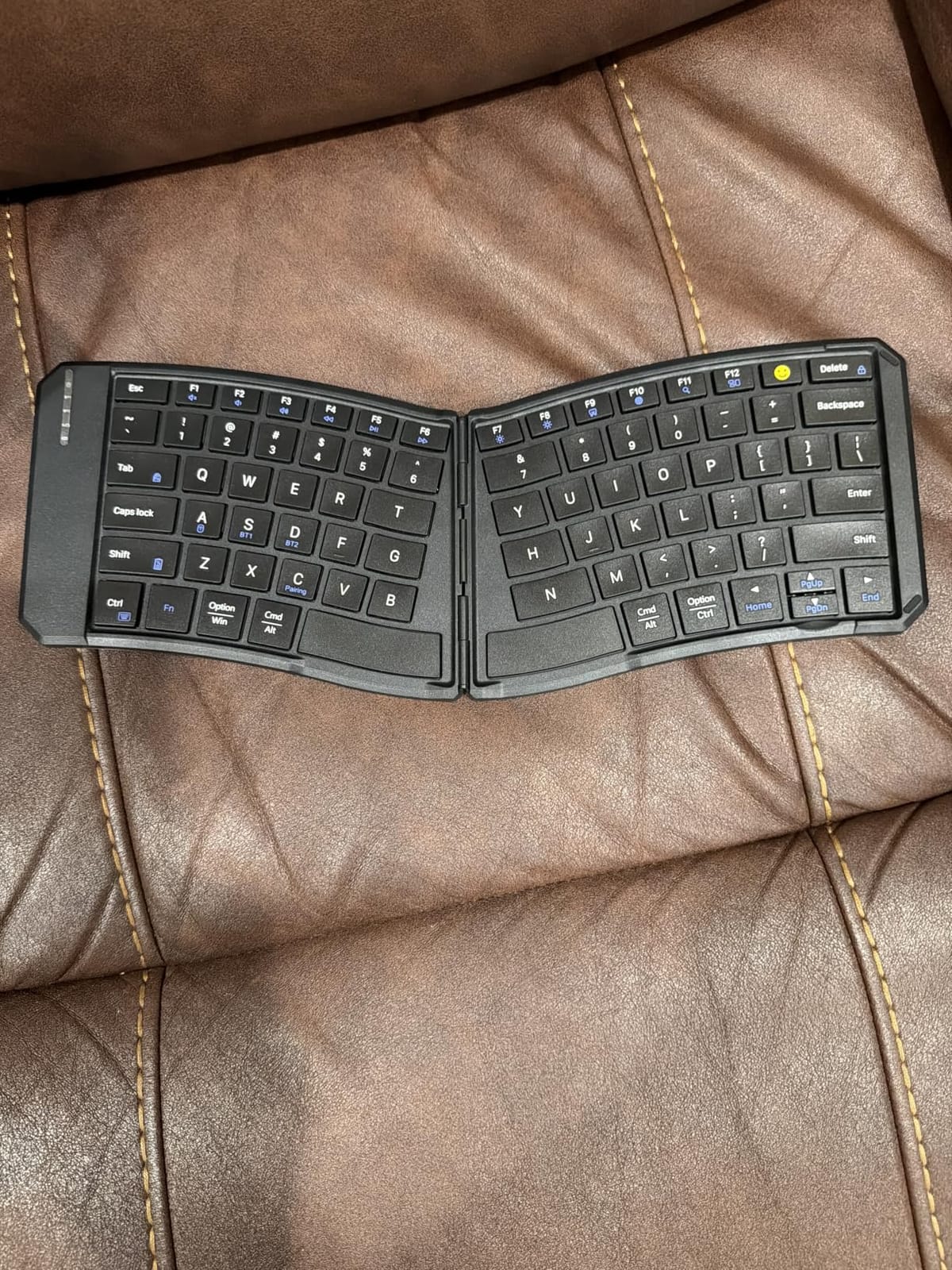
The 3-device switching works reliably across Windows, Android, macOS, and iOS. You press a function key to hop between your laptop, phone, and tablet without re-pairing. The included 2.4GHz USB receiver gives you a backup connection when Bluetooth is unreliable.
Battery life reaches 70 hours of standby on the 210mAh lithium cell, and a full charge takes about two hours via Type-C. The auto-sleep function after 10 minutes of inactivity extends real-world battery life considerably.
Portability and Travel Use
Folded dimensions of 7.09 x 5.7 x 0.72 inches make this one of the smallest ergonomic keyboards available. The magnetic closure keeps it shut in your bag, and the PU leather exterior resists scratches. For more compact travel gear recommendations, see our guide to compact gaming keyboards for travel.
Full-Size Key Spacing
Despite the compact folded size, the keys maintain 1.5cm spacing when opened. This is closer to a standard laptop keyboard than the cramped layouts of many portable keyboards. Most users adjust to the V-shape within a day or two of regular use.
4. ProtoArc XK03 Foldable Keyboard – Top Rated Professionals
ProtoArc XK03 Ergonomic Foldable Keyboard for iPad, iPhone, Tablet, Laptop
360-Degree Foldable
V-Shape 166deg Split
3 Bluetooth Devices
Type-C Rechargeable
Pros
- Lightweight and folds very compact for travel
- Ergonomic V-shape split reduces wrist pressure
- 3 Bluetooth device pairing with memory retention
- 250 hours standby on Type-C rechargeable battery
- Auto power on when opened and off when closed
Cons
- Function keys share with number row requiring FN combos
- Navigation arrows are small for some users
- No dedicated Delete key
The ProtoArc XK03 takes everything good about portable ergonomic keyboards and refines it. The aluminum construction feels premium in hand, the 360-degree folding mechanism is smooth and confidence-inspiring, and the typing experience rivals keyboards twice its size.
I used this keyboard during a week of travel and found the auto-on feature genuinely useful. Unfold it and it connects to your last paired device within seconds. Fold it shut and it powers down to preserve battery. No buttons to press, no manual power management.
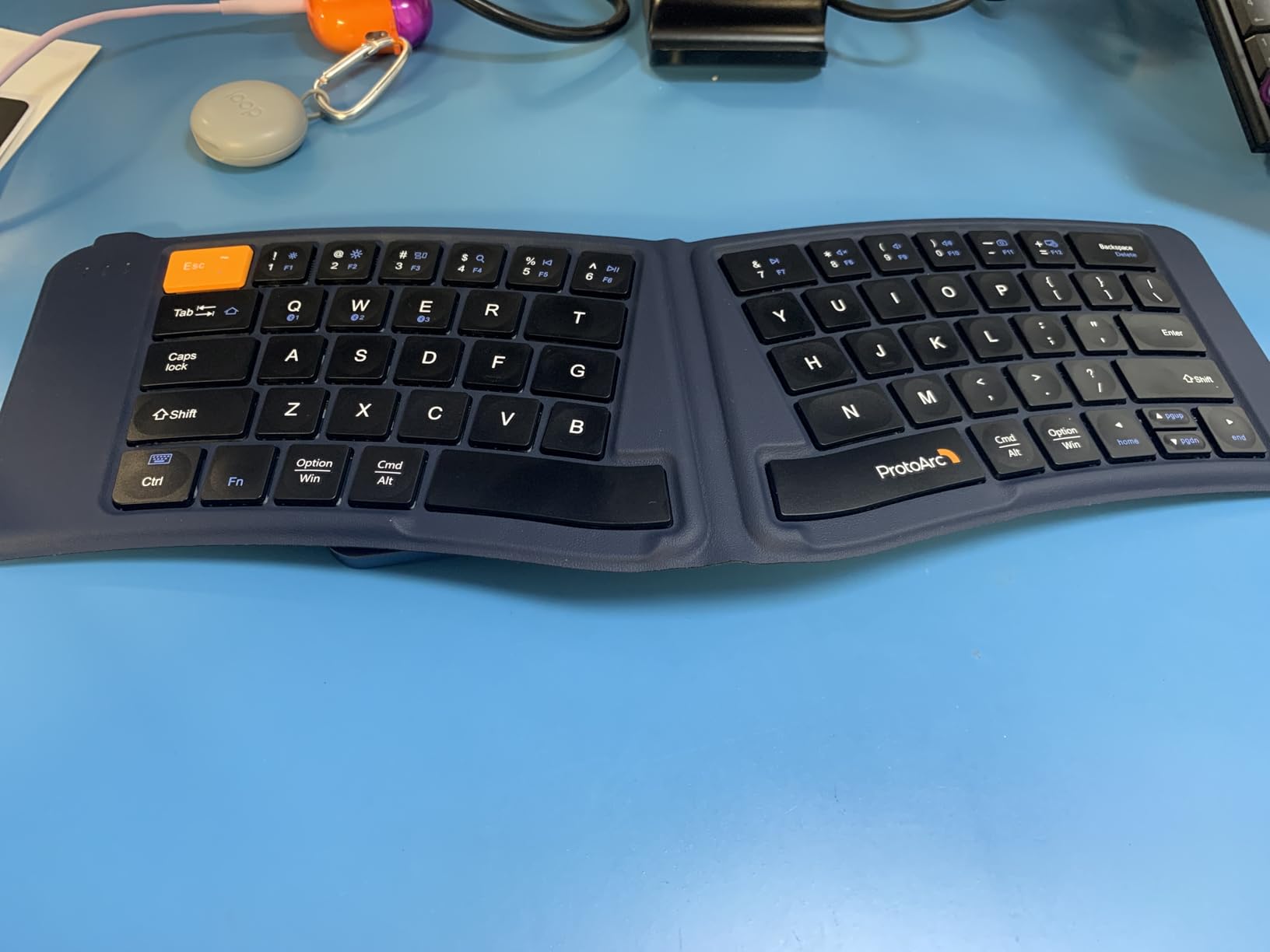
The 250-hour standby time means you can charge it once and forget about it for weeks. Even with heavy daily use, most reviewers report going several weeks between charges. The Type-C port is a welcome upgrade from the micro-USB found on older portable keyboards.
Device pairing supports three simultaneous Bluetooth connections across iOS, Android, Windows, macOS, and even Xbox. Switching between devices is instant and does not require re-pairing after the initial setup.
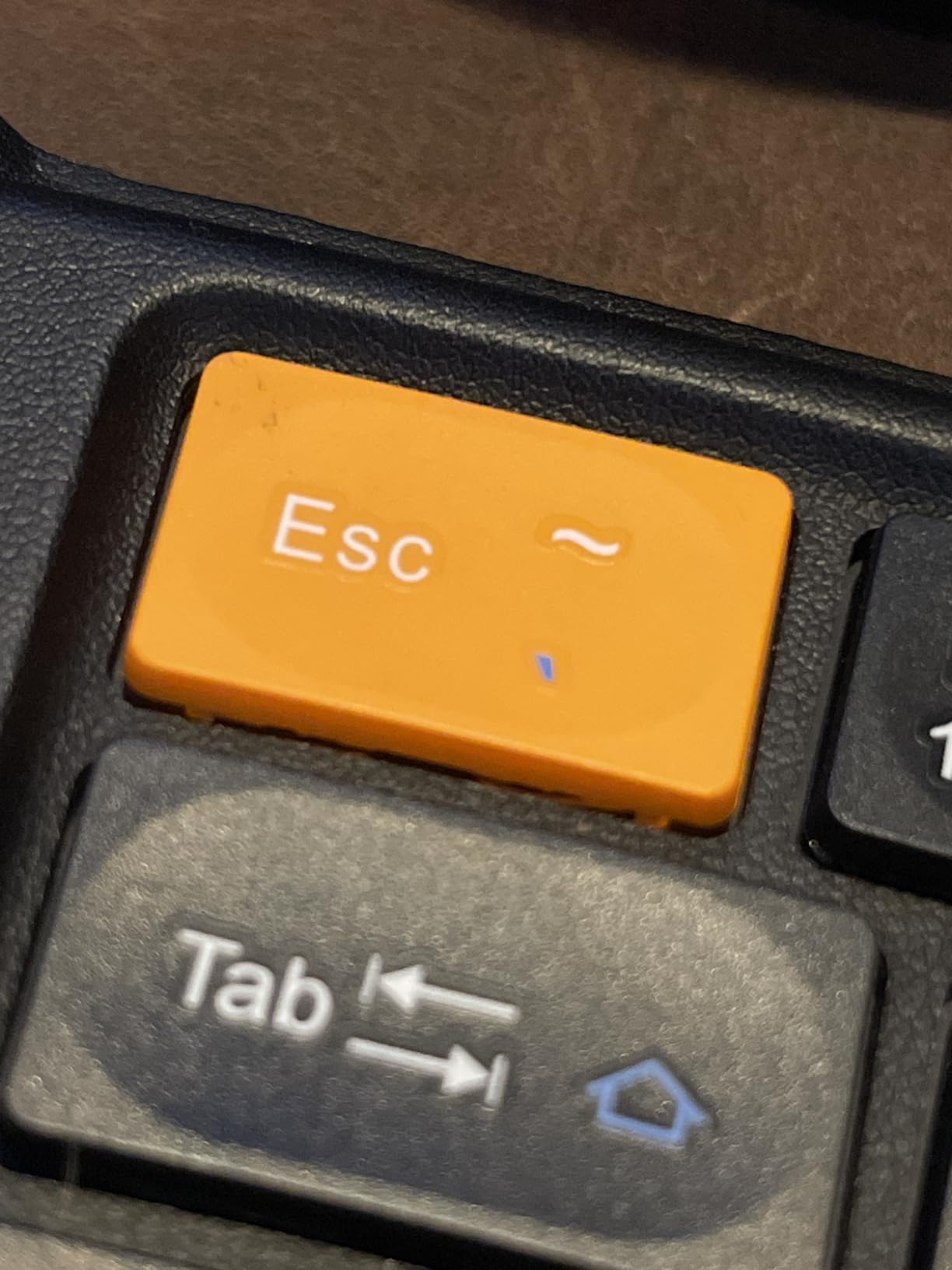
Build Quality and Durability
The aluminum shell and leather-finish hinge feel substantially more durable than plastic alternatives. Some reviewers note that keys like TAB and spacebar can wear after several months of heavy use, but this is common across foldable keyboards at this price point.
Ideal Use Cases
This keyboard excels for business travelers who work from hotels, airports, and client offices. If you need a compact ergonomic keyboard that fits in a briefcase alongside a tablet or laptop, the XK03 is the strongest option available.
5. MoKo Ergonomic Foldable Keyboard – Best Budget Wireless Option
MoKo Ergonomic Foldable Keyboard, Split Portable Folding Bluetooth Keyboard
Foldable
Curved Ergonomic
Bluetooth + 2.4G USB
Scissor Keys
Pros
- Compact and portable folds to fit in backpack
- Comfortable angled ergonomic layout for wrists
- Reliable Bluetooth and 2.4G wireless connectivity
- Multi-device pairing with easy switching
- Locking clasp enables stable lap use
Cons
- Manual OS keymap switching required for iOS vs Windows
- Home End PgUp PgDn keys are unmarked
- Rocker switch can activate accidentally in bags
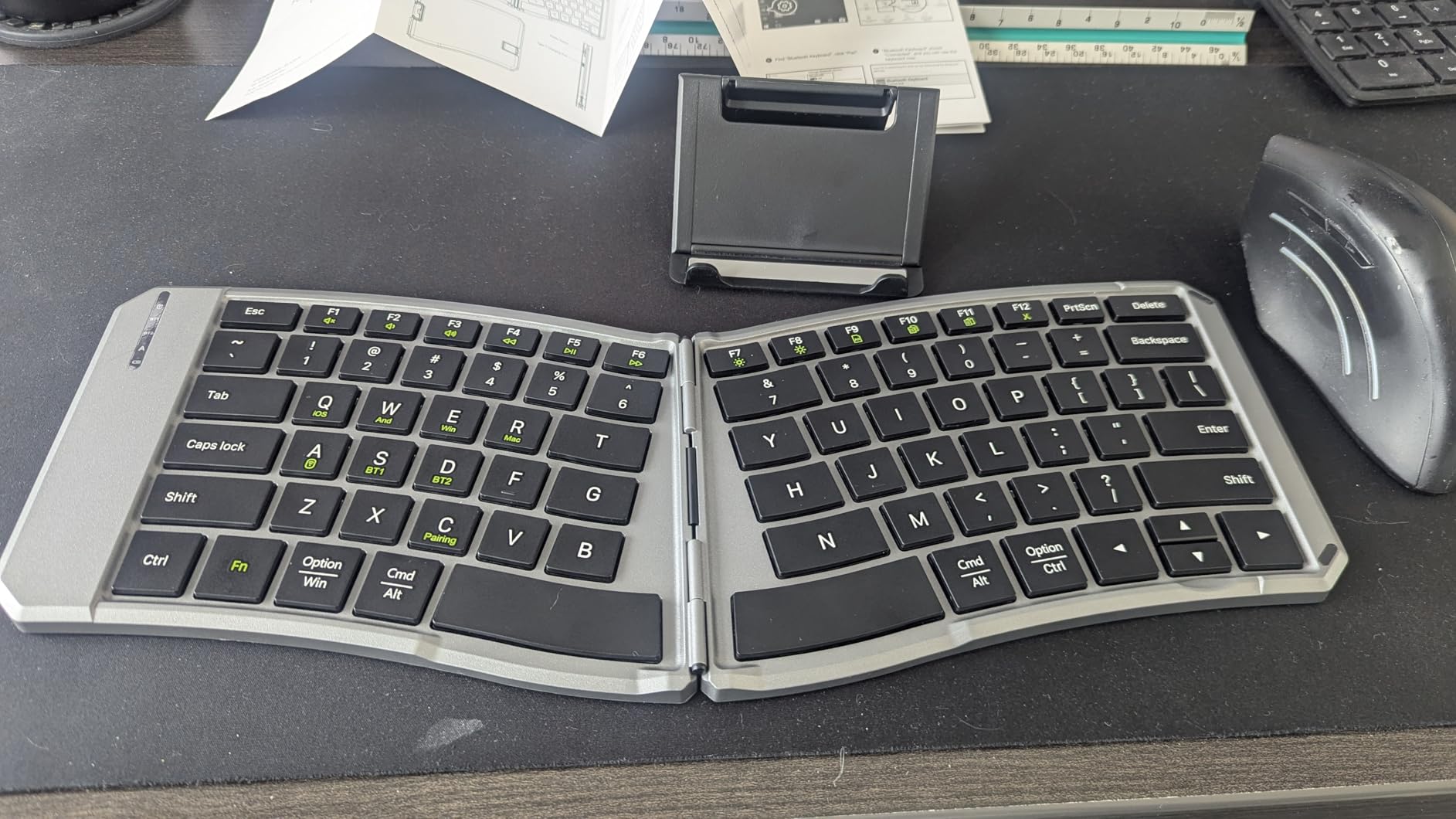
The MoKo Foldable Keyboard punches above its weight class. For its price, you get a curved ergonomic layout, dual-mode wireless with both Bluetooth and 2.4GHz USB, and a locking clasp that transforms it into a stable lap keyboard.
The curved key arrangement angles your wrists into a more natural position compared to flat portable keyboards. Users with carpal tunnel report that this keyboard provides meaningful relief during travel or when working away from their primary desk.
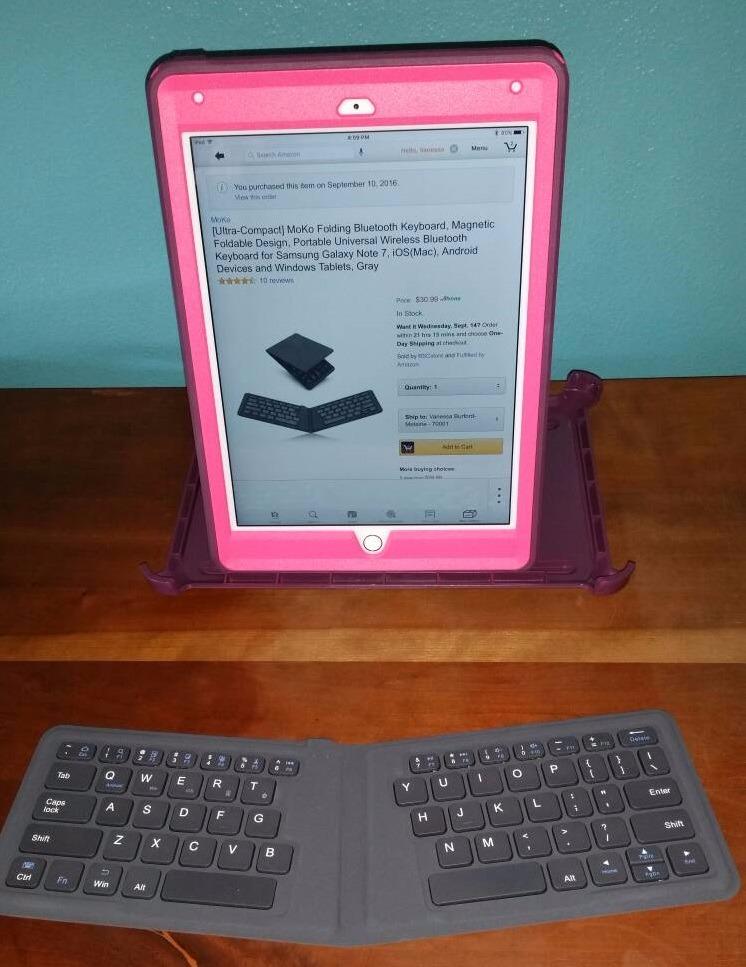
The locking clasp on the back is a clever addition that most foldable keyboards lack. It snaps open to create a stable base for typing on your lap, on a couch, or in other non-desk environments where a flat keyboard would slide around.
Battery life delivers 25 to 30 hours of active typing on the 140mAh cell. A full charge takes about two hours via USB-C. The auto-sleep function after 10 minutes of inactivity helps stretch battery life during intermittent use throughout the day.
Multi-Device Workflow
You can pair this keyboard with three Bluetooth devices plus one 2.4GHz receiver, giving you four total connections. If you constantly switch between a work laptop, personal phone, and tablet, this eliminates the pairing headaches that single-connection keyboards create.
Build and Material Quality
The PU leather non-slip base keeps the keyboard stable on smooth surfaces. The scissor mechanism keys are quiet enough for library or meeting use. The USB receiver stores in a discrete compartment inside the keyboard so you will not lose it during travel.
6. Nulea Ergonomic Split Wireless Keyboard – Best with Wrist Rest
Nulea Ergonomic Split Wireless Keyboard with Cushioned Wrist Rest
Split Layout
200hr Battery
Bluetooth + 2.4G
Cushioned Palm Rest
Pros
- Comprehensive cushioned palm rest for all-day comfort
- Very quiet scissor-switch keys with even pressure
- Multi-device support via Bluetooth and 2.4G dongle
- 200 hours battery life on single charge
- Includes numeric pad despite compact footprint
Cons
- Layout adaptation period required for keyboard-centric users
- Right arrow positioned under 10-key pad is awkward
- Plastic wrist rest is non-removable
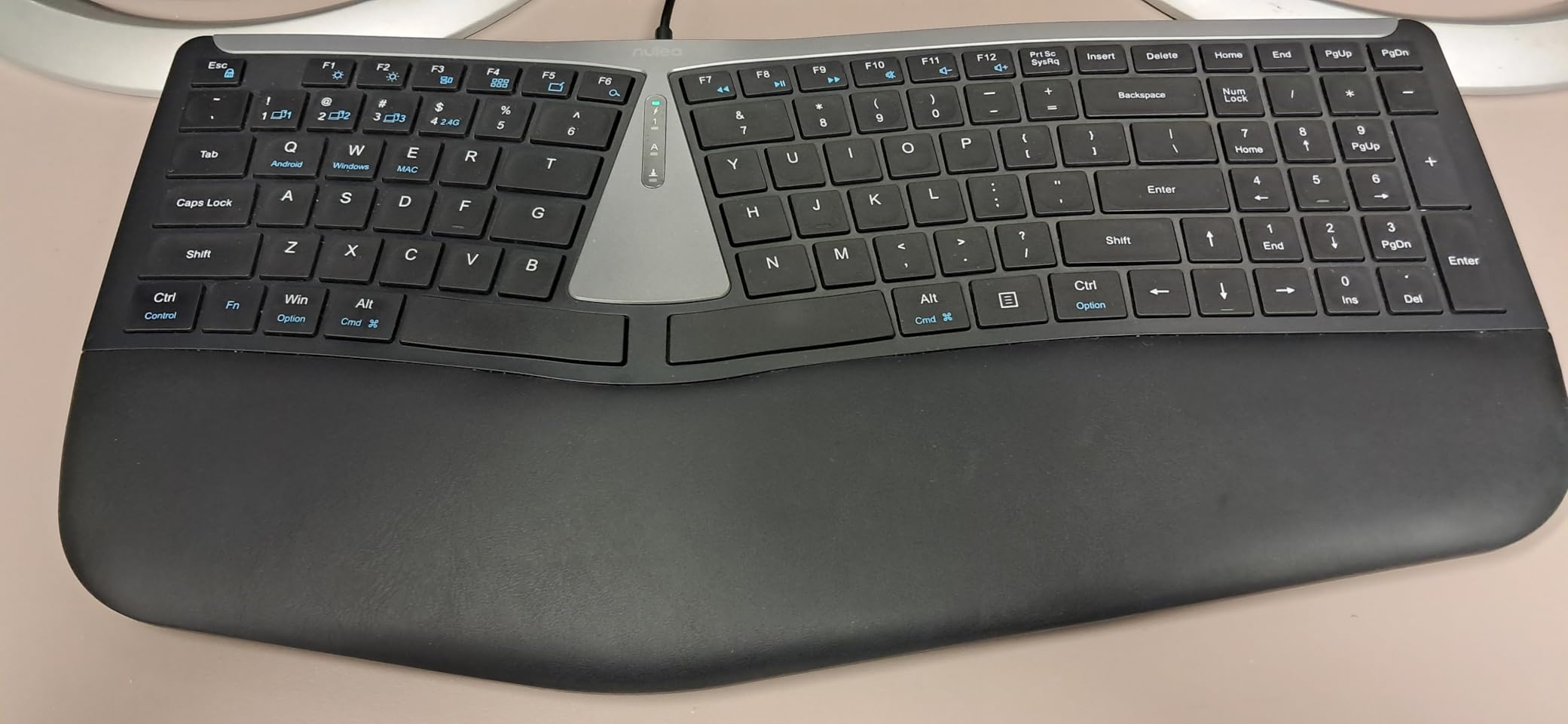
The Nulea is the rare compact ergonomic keyboard that includes a proper cushioned palm rest without adding excessive bulk. Most compact keyboards either skip the wrist rest entirely or add a thin hard plastic strip that does little for comfort.
The scissor-switch keys deliver an even, stable typing experience with minimal noise. Each keystroke feels consistent across the entire keyboard, which is not always the case with budget split designs where the two halves can feel different.
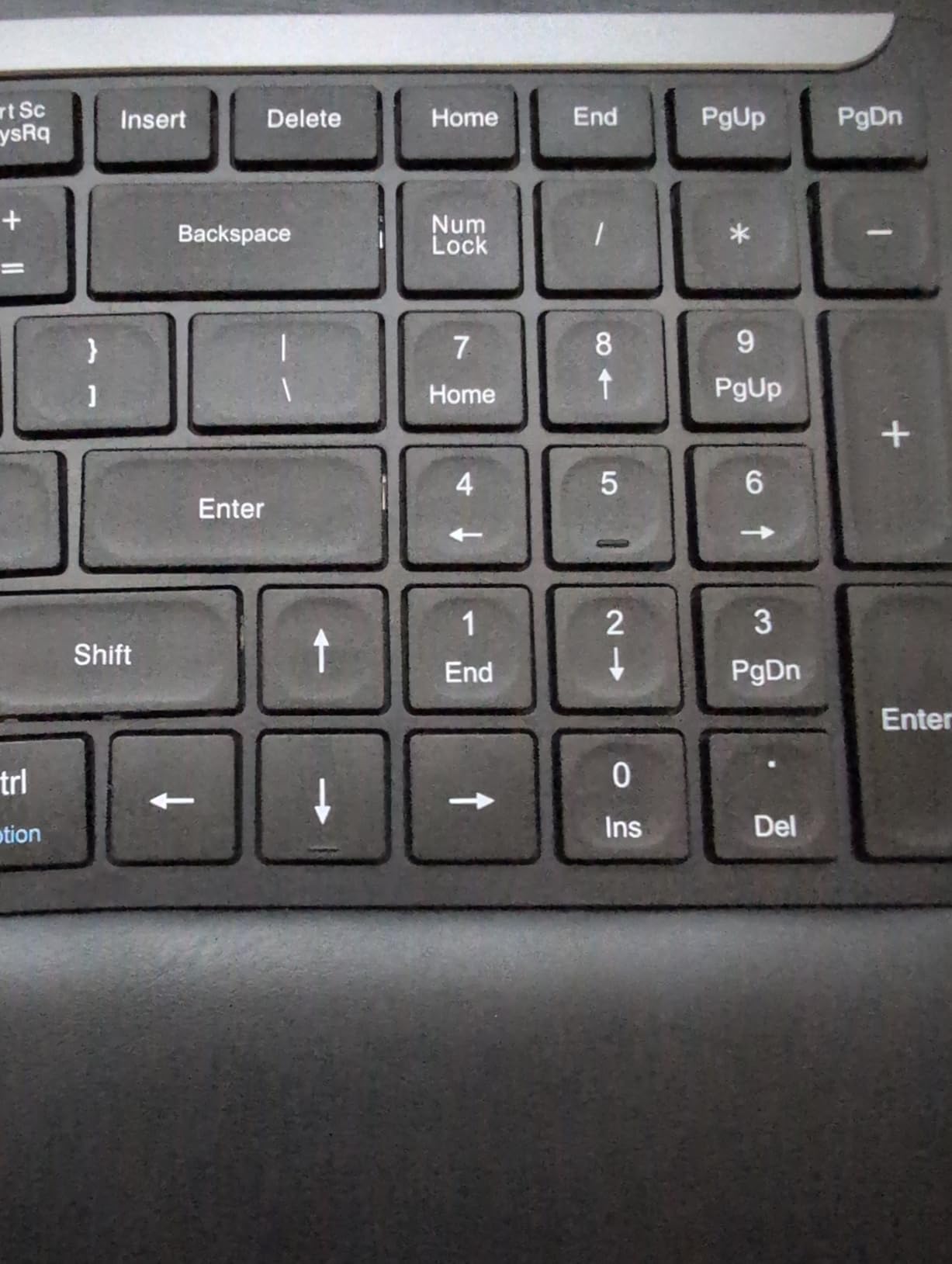
Battery life reaches 200 hours on a single charge via USB-C. That is roughly two months of daily use before you need to think about plugging it in. The dual-mode Bluetooth and 2.4GHz connectivity covers both modern and older devices.
The split layout reduces forearm muscle twisting by angling each half outward slightly. Users report that after the initial adaptation period of one to two weeks, typing on a standard flat keyboard feels noticeably less comfortable by comparison.
Numeric Keypad Inclusion
If you work with spreadsheets or accounting software, the integrated number pad is a significant advantage. Most compact ergonomic keyboards sacrifice the numpad to reduce size, but the Nulea keeps it while staying relatively compact overall.
Adaptation Tips
Give yourself at least two weeks before judging the split layout. The initial awkwardness fades as your muscle memory adjusts. Start with shorter typing sessions and gradually increase duration. Most users who push through the adjustment period report they cannot go back to flat keyboards.
7. ATTACK SHARK AKS068 – Best Alice Layout Mechanical Keyboard
ATTACK SHARK AKS068 Wired Mechanical Gaming Keyboard 65% Alice Layout-Green
Alice 65% Layout
Mechanical
Hot-Swap PCB
VIA Programmable
Pros
- Genuine Alice layout ergonomic angle reduces wrist strain
- VIA programmable for full key remapping and macros
- Hot-swappable PCB supports most switch brands
- Gasket mount with 4-layer sound absorption
- Volume knob and full RGB lighting
Cons
- Requires assembly switches and keycaps need installation
- Clicky AS Blue switches are loud for shared offices
- 65% layout lacks dedicated F-row
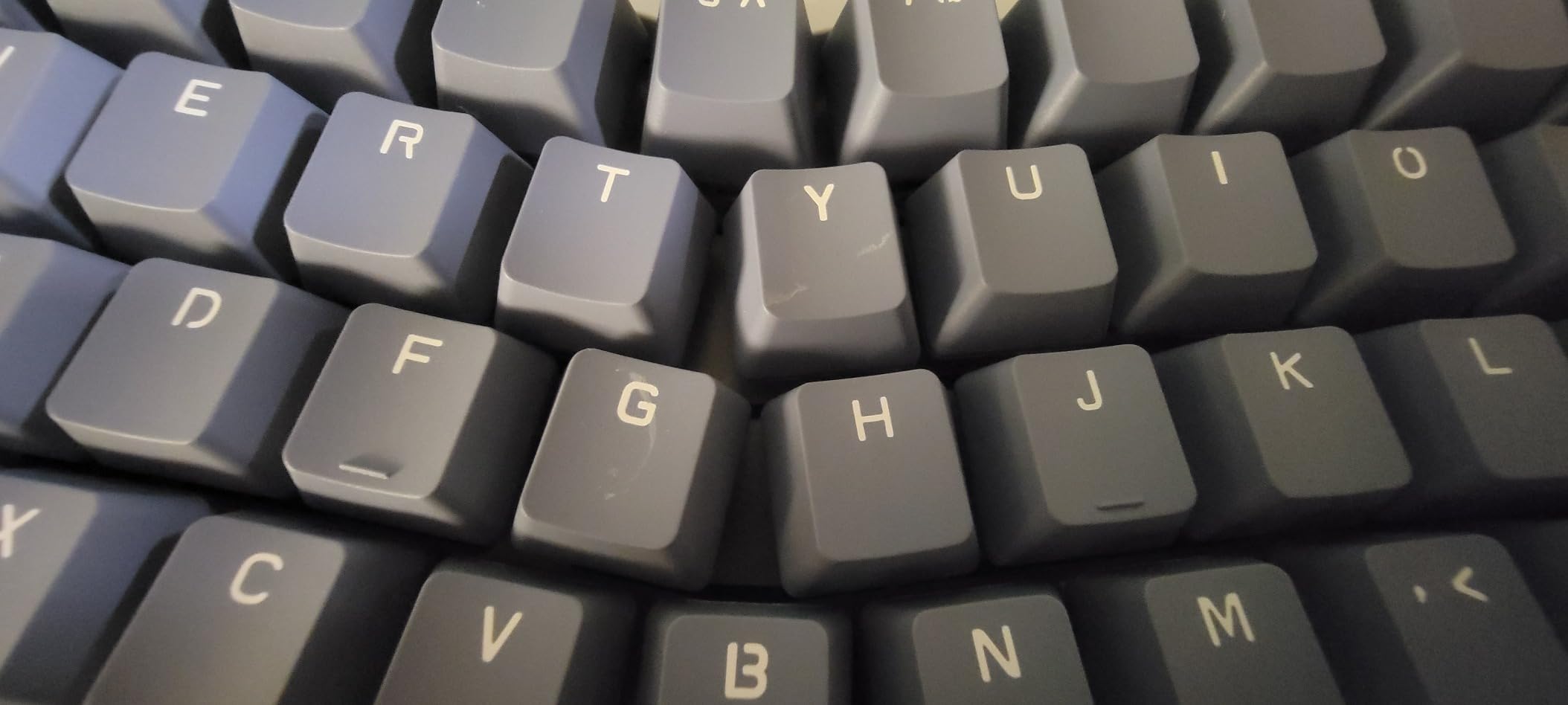
The ATTACK SHARK AKS068 brings genuine Alice-layout ergonomics to the budget mechanical keyboard space. The symmetrical curved split design angles your hands outward in a natural position, which reduces the wrist, shoulder, and neck tension that flat keyboards cause.
This is a kit keyboard, meaning you install the switches and keycaps yourself. For enthusiasts, this is a feature rather than a drawback because you can choose your preferred switches. It supports Cherry MX, Kailh Box, Gateron, Outemu, Glorious, and Epomaker switches.
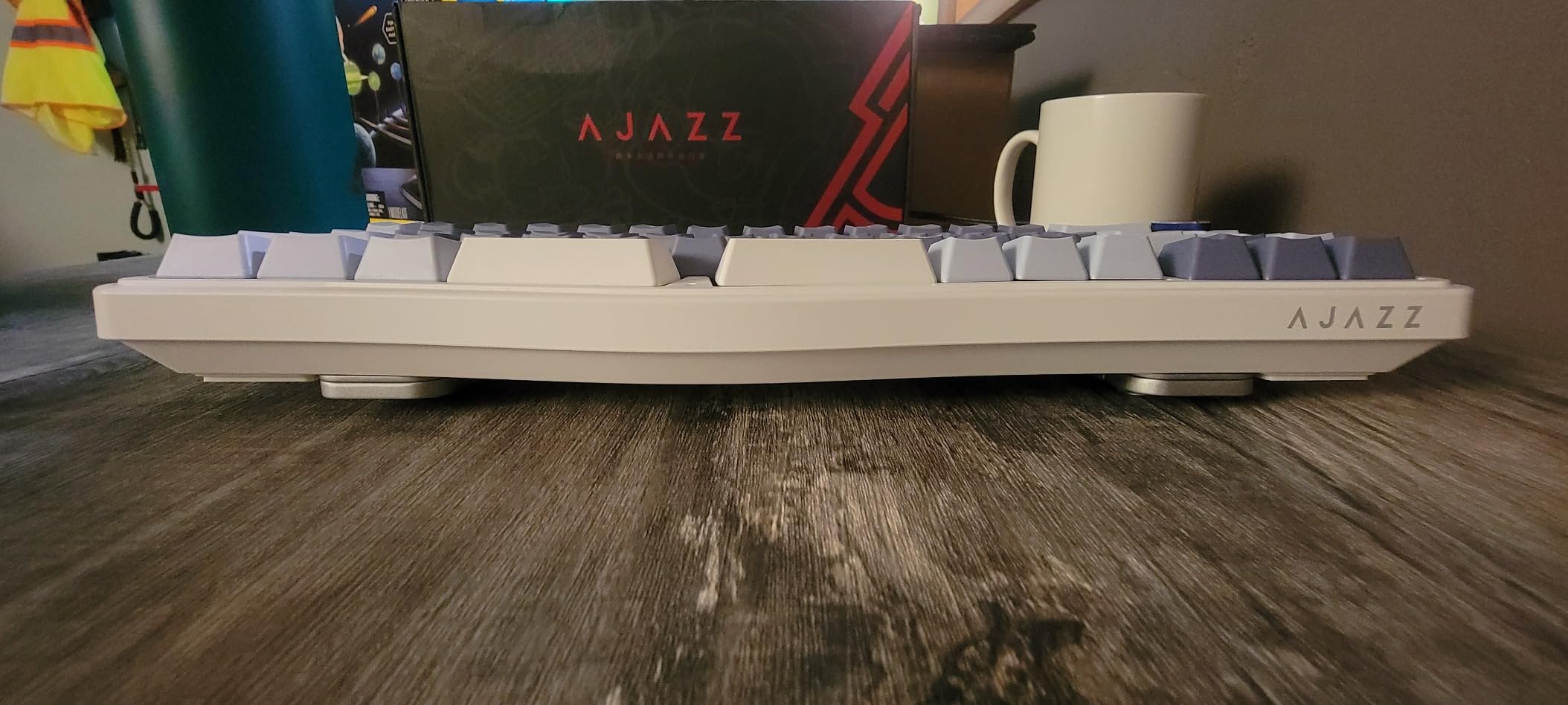
VIA programmability lets you remap every single key, create macros, and set up multiple layers. If you are a programmer who wants dedicated shortcuts or a gamer who needs custom key assignments, this level of customization is rare at this price point.
The gasket mount construction with four layers of sound absorption material produces a satisfying, muted typing sound with the pre-lubed AS Blue switches. The anodized metal volume knob adds convenient media control without taking up key space.
Switch Customization
The hot-swappable PCB is the standout feature for long-term value. You can start with the included AS Blue switches and later swap to quieter linear or tactile options without soldering. This makes the keyboard a platform you can grow with rather than a fixed purchase. If mechanical keyboards interest you, our SteelSeries keyboards comparison covers more gaming-focused mechanical options.
Alice vs Standard Layout Transition
The 65% Alice layout keeps the keyboard compact while the angled split provides ergonomic benefit. The transition from a standard staggered layout takes about a week for most touch typists. The VIA software makes it easy to remap any keys that feel awkward during the adjustment period.
8. Incase Sculpt Ergonomic Keyboard – Best Sculpt Successor
Incase Sculpt Ergonomic Keyboard – Designed by Microsoft – Split Keyset Design, Palm Rest, Contoured Layout, One-Touch Windows Button, AES 128-Bit Encryption, Includes Separate Number Pad – Black
Domed Split Geometry
Cushioned Palm Rest
Reverse Tilt
AES 128-bit Encryption
Pros
- Domed split geometry reduces wrist strain during long typing
- Cushioned palm rest provides continuous joint support
- Detachable numeric keypad saves desk space
- Adjustable elevation with removable elevator mechanism
- Reverse tilt for straight neutral hand position
Cons
- Occasional key failures reported on specific units
- Higher price point than the original Microsoft Sculpt
- Letter labels on keys may wear with heavy use
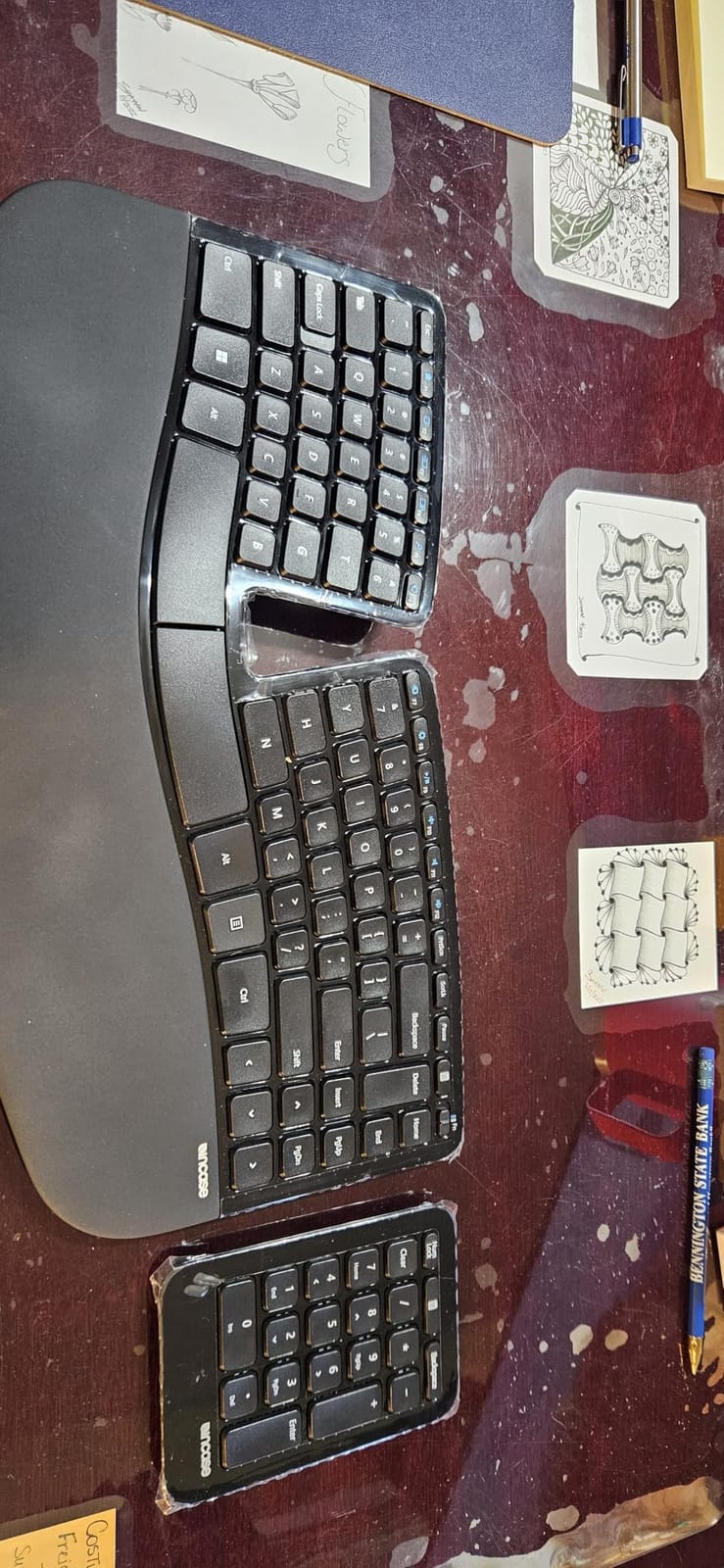
The Incase Sculpt is the closest thing to a proper successor to the beloved Microsoft Sculpt that many users mourned when it was discontinued. The domed keyboard geometry, cushioned palm rest, and detachable numeric keypad mirror what made the original great while adding modern security features.
The domed shape gently tilts your hands into a natural resting position. Combined with the reverse tilt option using the removable elevator, you can fine-tune the angle to match your specific hand size and desk height.
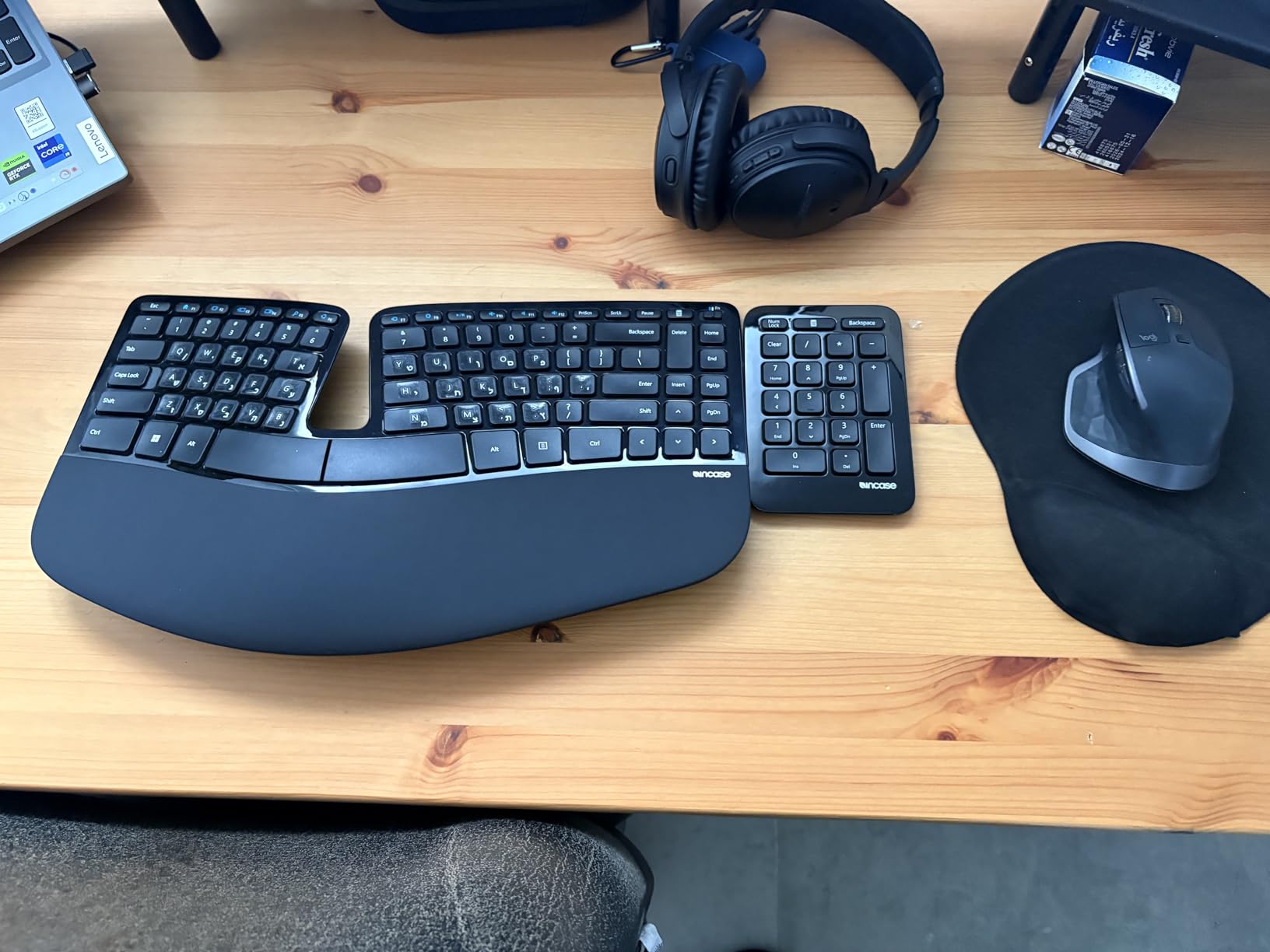
AES 128-bit encryption secures the wireless transmission between the keyboard and your computer. For anyone working with sensitive data in an office environment, this is a practical security feature that most keyboards skip entirely.
The modular standalone numeric keypad detaches completely, giving you flexibility to position it wherever your workflow needs it or remove it entirely to bring your mouse closer. This modularity is especially valuable for users who alternate between number-heavy work and general typing.
Comparison to Microsoft Sculpt
Users who loved the original Microsoft Sculpt report that the Incase version maintains the same comfortable key sizing and domed layout. The typing feel is similar enough that the transition is seamless for former Sculpt users. For a broader ergonomic workspace upgrade, pair this keyboard with one of the chairs from our guide to ergonomic office chairs for long gaming sessions.
Office Environment Suitability
The quiet scissor keystroke feel makes this keyboard unobtrusive in shared office spaces. The clean professional appearance blends into corporate environments. The wireless connection uses a USB-A receiver, so check that your laptop has an available port or consider a USB hub.
9. ProtoArc EK04 Mini Compact – Best Compact Split Design
ProtoArc EK04 Mini Compact Wireless Ergonomic Keyboard – Space Gray
Compact TKL
Split Keyframe
4 Adjustable Tilt Legs
USB-C Rechargeable
Pros
- Compact footprint without number pad lets mouse sit closer
- Curved and split keyframe reduces shoulder strain
- Hard palm rest with leather surface for wrist support
- 3-device switching between Bluetooth and 2.4G
- USB-C rechargeable with 250 hours standby
Cons
- Hard wrist rest is non-removable and not cushioned
- Split layout requires adaptation period
- No dedicated number pad
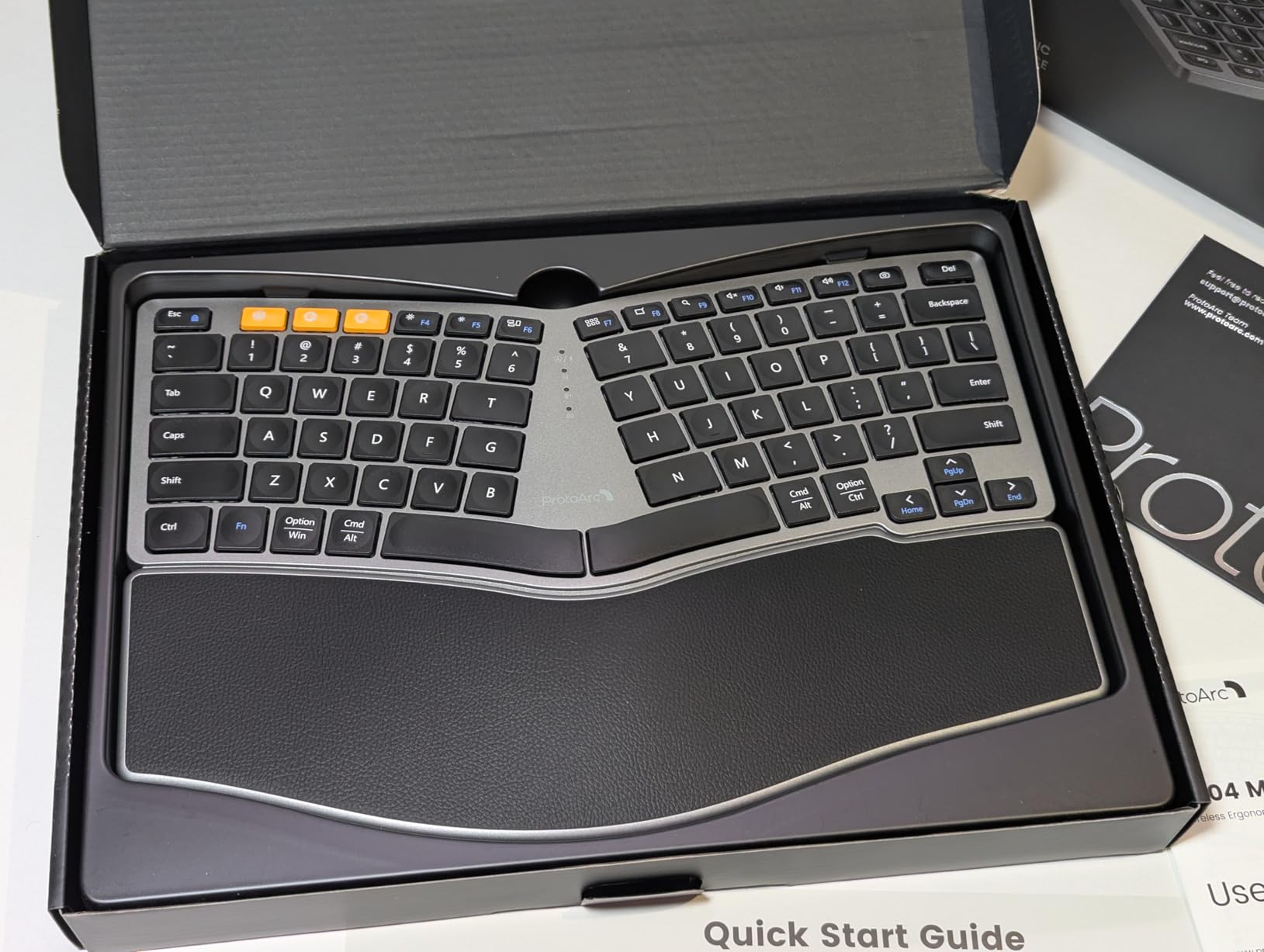
The ProtoArc EK04 solves a specific problem: you want a split ergonomic keyboard but your desk cannot accommodate a full-size model. By dropping the number pad and using a compact layout, it frees up enough space to bring your mouse closer and reduce shoulder reach.
The four adjustable tilt legs are the feature that makes this keyboard stand out from other compact ergonomic options. You can set the front and back tilt independently to find the exact typing angle that keeps your wrists in a neutral position.
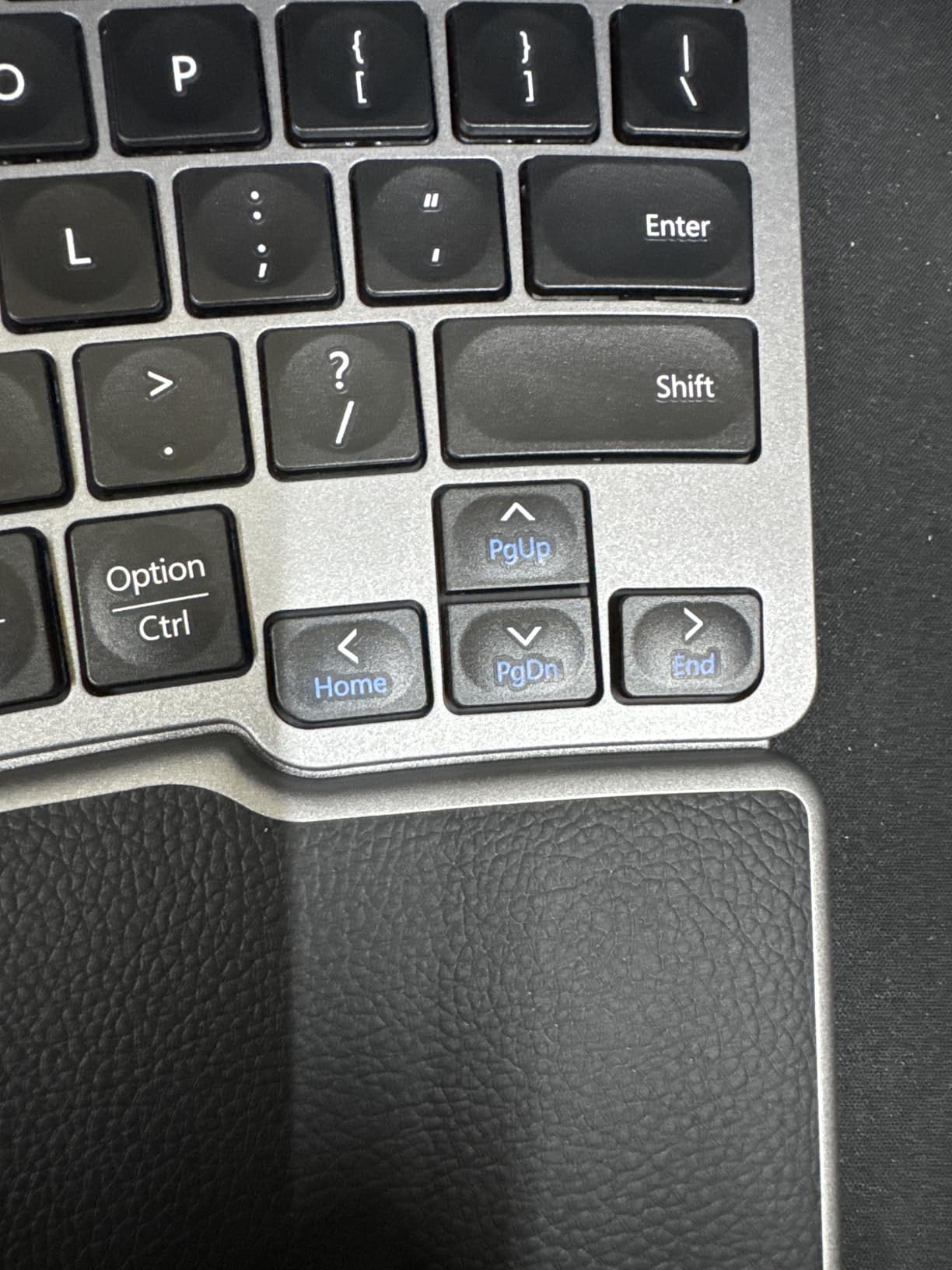
The leather-surfaced hard palm rest runs the full width of the keyboard. While it is not cushioned like the Nulea, it provides consistent support that prevents your wrists from dropping below the key surface. Most reviewers find it comfortable enough for daily use.
Connectivity covers both Bluetooth and 2.4GHz USB with support for three device profiles. The USB-C rechargeable battery delivers 250 hours of standby time, and the keyboard auto-sleeps after 30 minutes of inactivity to preserve charge.
Space Savings for Small Desks
At 13.1 inches long and 8.9 inches wide, the EK04 fits on desks that cannot hold a full-size keyboard. If you work in a small apartment, a dorm room, or a hot-desking office, the space savings translate directly into a more comfortable workspace. For additional compact desk gear, check out our picks for compact gaming keyboards for travel.
Number Pad Trade-off
The lack of a dedicated number pad is the main compromise. If you rarely use the number pad for data entry, removing it is actually a benefit. If you depend on it daily, consider the Nulea or Incase Sculpt instead, which include integrated or detachable numpads.
10. Goldtouch Go!2 Mobile Keyboard – Best Adjustable Travel Keyboard
Goldtouch GTP-0044 Go!2 Mobile Keyboard, Portable Foldable Travel Keyboard with USB , Black
Adjustable 0-30deg Split and Tent
Folds in Half
USB Wired
Scissor Keys
Pros
- Adjustable split angle and tenting up to 30 degrees
- Laptop-like scissor-switch key travel
- Folds in half for convenient travel storage
- USB wired means no battery concerns ever
- Slim profile fits over laptop keyboards
Cons
- USB cable is non-detachable
- Confusing key placement for Alt Ctrl and Fn positions
- Small arrow cluster layout
The Goldtouch Go!2 is the most adjustable compact ergonomic keyboard available. You can set the split angle and tenting anywhere from flat to 30 degrees independently for each hand. No other keyboard in this roundup gives you that level of fine-tuned control.
The USB-wired connection eliminates every wireless headache: no pairing failures, no battery anxiety, no Bluetooth latency. You plug it in and it works on any Windows or Mac system with zero drivers or software installation.
The scissor-switch keys have a short travel that feels similar to a MacBook or ThinkPad keyboard. If you prefer laptop-style key feel over mechanical switches, this is the ergonomic keyboard that matches that preference while still providing genuine split and tenting adjustments.
Folding in half reduces the travel footprint to roughly the size of a thick paperback. It fits easily in a laptop bag, messenger bag, or backpack alongside your other gear. The slim 1.4-inch folded height slides over a laptop keyboard for use in cramped spaces like airplane tray tables.
Fine-Tuning Your Ergonomic Angle
Start with the keyboard flat and gradually increase the split angle and tenting over several days. The adjustment mechanism is smooth and holds its position securely. Most users find their ideal angle between 10 and 20 degrees after some experimentation.
Wired Connection Advantages
For office environments where Bluetooth devices cause interference or security concerns, the wired USB connection is a practical advantage. There is zero input lag, which benefits fast typists and gamers who need instant keystroke registration.
How to Choose the Best Compact Ergonomic Keyboard
Understanding the key differences between compact ergonomic keyboards helps you pick the right one for your specific needs. Here are the factors that matter most based on our testing and community feedback.
Alice Layout vs Fully Split Design
An Alice keyboard angles the keys in a fixed V-shape that mimics natural hand positioning but keeps both halves in a single case. A fully split keyboard separates into two independent halves connected by a cable. Alice layouts are easier to learn and more portable, while fully split designs offer more customization for shoulder width and angle.
Tenting and Negative Tilt Explained
Tenting raises the inner edge of each keyboard half so your hands rest at an angle rather than flat. This reduces forearm pronation, which is the inward rotation that causes wrist strain over time. Negative tilt angles the keyboard so the front edge is higher than the back, keeping your wrists in a neutral position instead of bent upward.
Compact Form Factors
Compact ergonomic keyboards come in several sizes: 60% removes the function row and navigation cluster, 65% adds arrow keys back, 75% includes a function row, and tenkeyless drops only the number pad. Choose based on which keys you actually use daily. If you work with spreadsheets, keep a number pad option. If you mainly write and browse, a 65% or 75% layout saves significant desk space.
Mechanical vs Membrane Switches
Mechanical switches offer better tactile feedback, longer lifespan, and customization through hot-swappable designs. Membrane and scissor switches are quieter, lighter, and typically more affordable. For shared offices, membrane or scissor switches reduce noise complaints. For long typing sessions at home, mechanical switches reduce finger fatigue through more consistent actuation.
Wireless vs Wired Connectivity
Bluetooth keyboards offer freedom from cables and multi-device pairing. Wired USB connections provide zero latency and no battery concerns. Many modern keyboards offer both, with Bluetooth for convenience and a USB receiver for reliable low-latency connection when you need it.
Frequently Asked Questions
What is the best compact ergonomic keyboard?
The Logitech Wave Keys is the best compact ergonomic keyboard for most people. It offers a wave-shaped layout with a memory foam palm rest, Bluetooth and Logi Bolt wireless connectivity, and up to 3 years of battery life. For those who want a fully split design, the Kinesis Freestyle2 provides adjustable separation up to 9 inches with low-force tactile switches.
What are the downsides of using ergonomic keyboards?
Ergonomic keyboards typically require a one to two week adaptation period as your muscle memory adjusts to the new key layout. Split keyboards can feel awkward initially and may slow your typing speed during the transition. Some models are larger than standard keyboards, which can be an issue on small desks, and premium ergonomic keyboards cost more than basic flat keyboards.
Did Microsoft discontinue the ergonomic keyboard?
Yes, Microsoft discontinued the Sculpt Ergonomic Keyboard, which was one of the most popular ergonomic keyboards ever made. The Incase Sculpt Ergonomic Keyboard is widely regarded as its spiritual successor, maintaining the same domed geometry, cushioned palm rest, and detachable numeric keypad design that made the original popular.
Are split keyboards hard to learn?
Most people adjust to a split keyboard within one to two weeks of regular use. Fully split keyboards with separate halves have a steeper learning curve than Alice-style keyboards that keep both halves in one piece. Starting with shorter typing sessions and gradually increasing duration helps your muscle memory adapt faster.
Do ergonomic keyboards really help carpal tunnel?
Ergonomic keyboards can help reduce carpal tunnel symptoms by minimizing wrist pronation and ulnar deviation. Split designs with tenting angles are most effective because they position your hands in a more natural posture. However, they work best as part of a comprehensive ergonomic setup that includes proper desk height, monitor position, and regular breaks from typing.
Choosing the best compact ergonomic keyboard comes down to your specific pain points, desk space, and typing habits. The Logitech Wave Keys remains our top recommendation for most people starting their ergonomic journey thanks to its gentle learning curve and reliable wireless connectivity. If you need deeper ergonomic adjustment, the Kinesis Freestyle2 with its fully split design delivers the most meaningful RSI relief. For travelers and those with minimal desk space, the foldable options from ProtoArc and Omikamo pack genuine ergonomic benefits into backpack-friendly packages. Whichever you choose, give yourself at least two weeks to adapt before making a final judgment on comfort and productivity.