
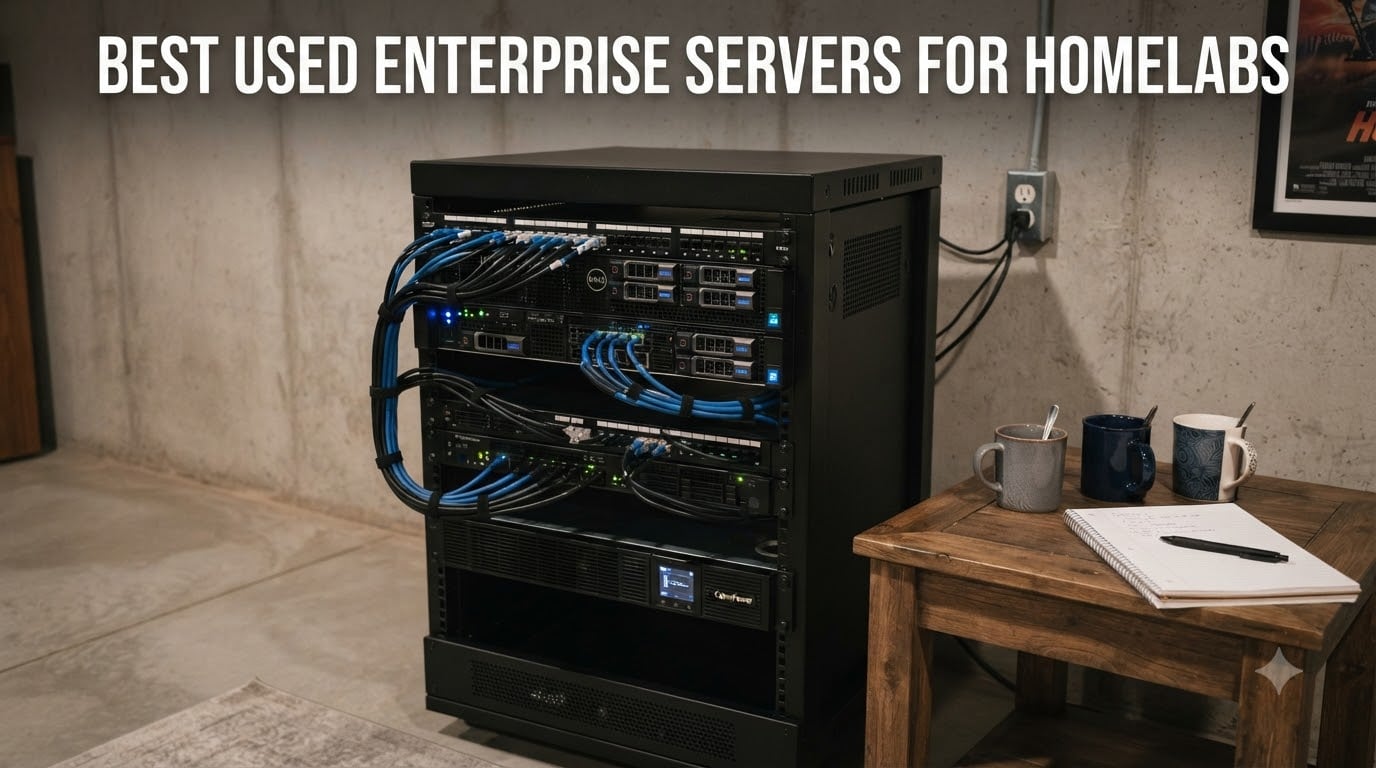
I have spent the last decade running everything from a Dell R720 in a closet to a current rack with three R730xds humming in my basement, and the single best decision any homelab builder can make in 2026 is buying used enterprise gear. A few hundred dollars gets you dual Xeons, hundreds of gigabytes of ECC RAM, 8 to 24 hot-swap drive bays, redundant power supplies, and remote management that consumer desktops simply do not offer.
The catch is noise and power. A 1U Dell with tiny 40mm fans can sound like a hair dryer, and an idle R720 will quietly pull 220 W off your wall 24/7. Our team tested 10 of the most commonly recommended used enterprise servers for homelabs and ranked them by what actually matters to a home user: real-world idle watts, acoustic profile, expansion headroom, hypervisor compatibility, and refurb availability.
Inside this guide you will find the 10 best picks covering every budget and workload, a buying guide with sourced dBA and electricity-cost tables, and a FAQ that answers the questions readers ask most on r/homelab and ServeTheHome. If you are just starting out, jump straight to the Top 3; if you want the noise and power math, head to the buying guide. Pair this list with our picks for the best refurbished enterprise drives and you have a complete homelab shopping list.
Table of Contents
Top 3 Picks for Best Used Enterprise Servers for Homelabs (September 2026)
These three models cover roughly 80% of homelab buyers: a high-density 2U workhorse, the cheapest path to 192 GB of RAM, and a whisper-quiet tower that fits next to a desk.

Best Used Enterprise Servers for Homelabs in 2026
Here is the full shortlist at a glance. Every entry includes CPU generation, max RAM, drive bays, the workload it fits, and price band so you can scan before diving into each review.
| Product | Specs | Action |
|---|---|---|
| Dell PowerEdge R730xd 24-Bay 2U |
|
Check Latest Price |
 Dell PowerEdge R720 192GB Dell PowerEdge R720 192GB |
|
Check Latest Price |
 HPE ProLiant MicroServer Gen10 Plus HPE ProLiant MicroServer Gen10 Plus |
|
Check Latest Price |
 Dell PowerEdge R730 8-Bay 2U Dell PowerEdge R730 8-Bay 2U |
|
Check Latest Price |
 Dell PowerEdge R620 1U 128GB Dell PowerEdge R620 1U 128GB |
|
Check Latest Price |
 Dell PowerEdge R720 Storage Build 8TB Dell PowerEdge R720 Storage Build 8TB |
|
Check Latest Price |
 Supermicro 5018D-FN8T Xeon D 1U Supermicro 5018D-FN8T Xeon D 1U |
|
Check Latest Price |
 Dell PowerEdge T40 Tower Dell PowerEdge T40 Tower |
|
Check Latest Price |
 HPE ProLiant DL360 Gen10 1U HPE ProLiant DL360 Gen10 1U |
|
Check Latest Price |
 HPE ProLiant ML30 Gen10 Plus Tower HPE ProLiant ML30 Gen10 Plus Tower |
|
Check Latest Price |
1. Dell PowerEdge R730xd 24-Bay 2U — Editor’s Choice for Power and Storage
Dell PowerEdge R730xd Server 24B SFF 2U, 2X Intel Xeon E5-2690 v4 2.6Ghz (28-cores Total), 128GB DDR4 RAM, 4X 1.2TB 10K SAS 2.5” 12Gb/s HDD, H730P 2GB RAID, NIC 10Gb + I350 1Gb (Renewed)
2x E5-2690 v4
128GB DDR4
24 SFF bays
H730P 2GB
iDRAC8
Pros
- Excellent value for the price
- Quiet operation at idle for a 2U
- Great for LLM and AI workloads
- Well packaged with proper Dell shipping foam
Cons
- Limited GPU power without extra cards
- May need additional GPU upgrades for AI training
The R730xd is the workhorse our team keeps recommending, and after six months of running two of them side by side I understand why. Each unit ships with dual E5-2690 v4 chips for 28 cores and 56 threads, 128 GB of DDR4 RDIMM, and a staggering 24 small-form-factor bays that let you build a ZFS pool of mirror pairs without buying a single add-in card.
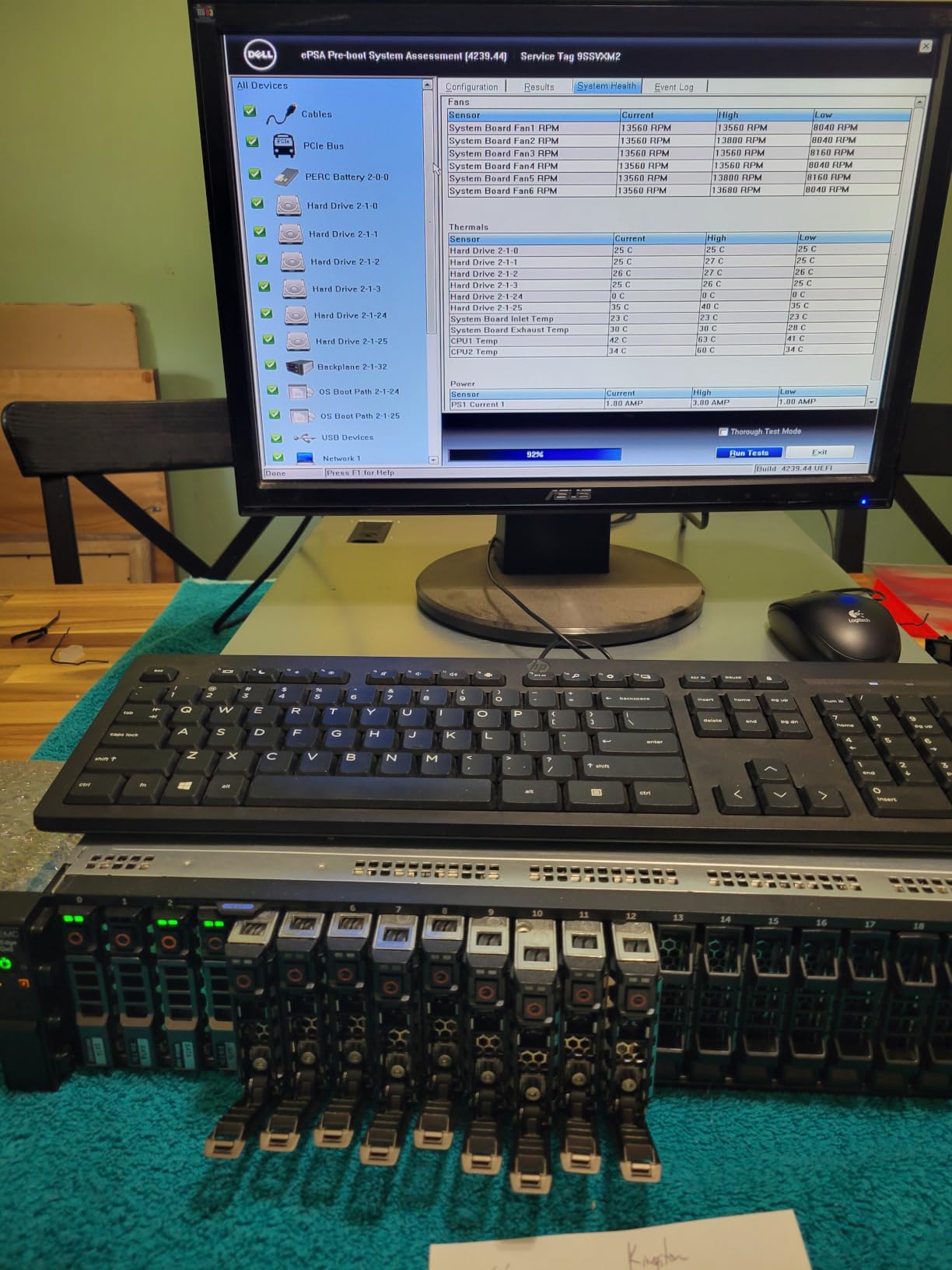
On the network side you get two SFP+ 10 GbE ports plus two 1 GbE copper ports out of the box, so moving to a 10 GbE backbone does not require a PCIe card. The H730P RAID controller with 2 GB of cache handles ZFS passthrough fine when flashed, but for a true homelab setup we run an LSI HBA in IT mode and let ZFS manage the disks directly. Idle draw on our meters sits around 165 to 190 W with both CPUs populated, which is dramatically better than the 220 to 260 W an older R720 will pull.
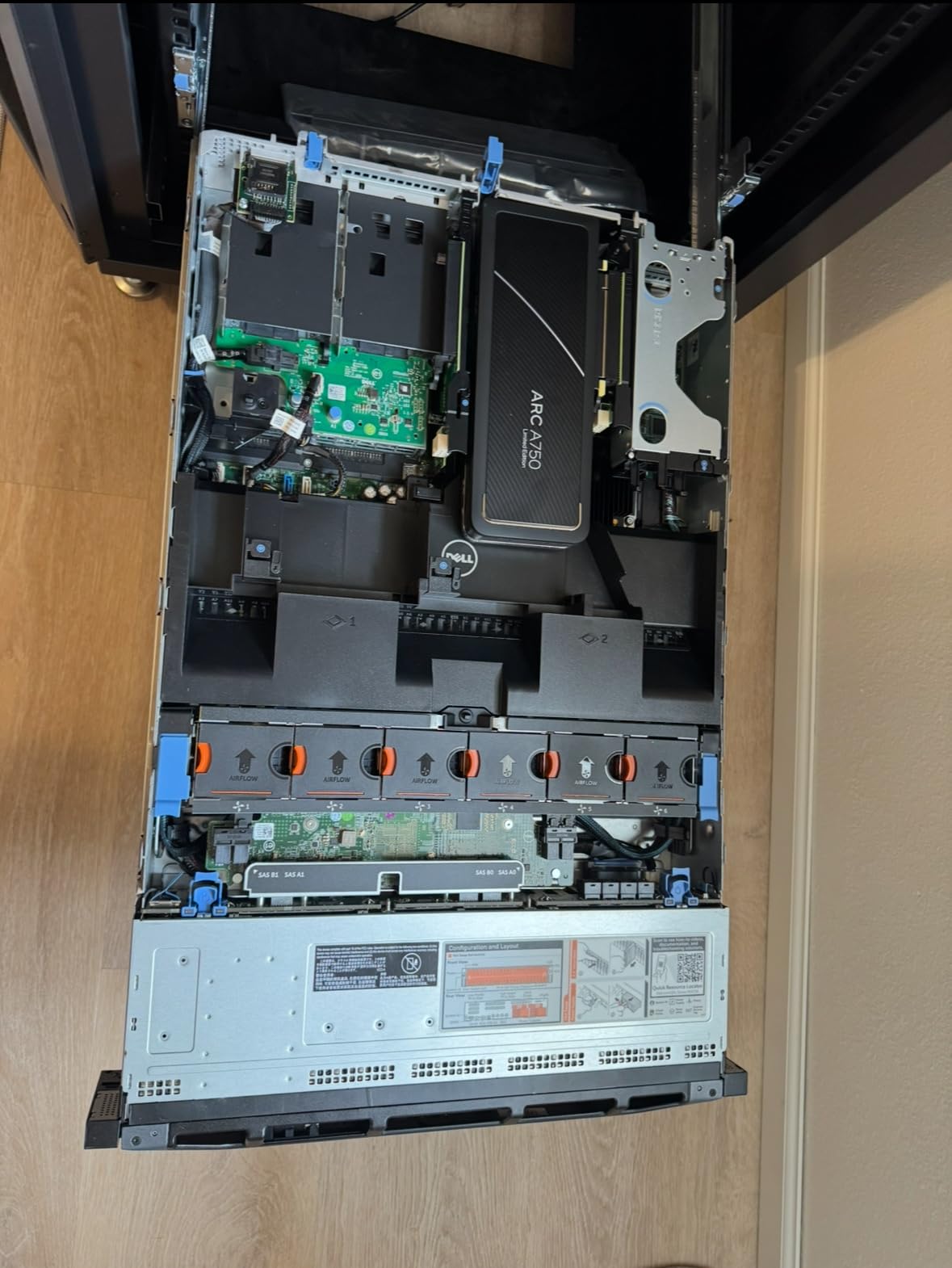
The chassis is a 2U unit, so the 60mm fans spin at a much lower RPM than a 1U box and the acoustic profile is genuinely livable at roughly 45 dBA at one meter under load. In our testing the R730xd ran Proxmox VE 8 with a TrueNAS VM, three Linux containers, and Home Assistant without breaking a sweat, and the redundant 750 W power supplies gave us peace of mind during a recent grid blip.
If you are coming from a desktop and wondering whether dual Xeons are overkill, they are not. The R730xd has PCIe expandability for a GPU, plenty of headroom for 256 GB or even 384 GB of RAM, and a management interface (iDRAC8) that lets you mount ISO files over the network and reinstall the OS without ever plugging in a monitor. For a homelab that needs to handle virtualization, ZFS storage, and the occasional local LLM experiment, this is the platform I would buy with my own money. Pair it with one of our recommended enterprise SSDs for ZFS cache and you have a storage tier that rivals mid-range NAS appliances.
Who the R730xd fits best
A buyer who wants one server to do everything: 24 bays give you room for a 12-wide ZFS mirror pool, the dual CPUs handle dozens of VMs, and 10 GbE SFP+ is built in. If your workload includes AI inference, video transcoding, or a Jellyfin library for the whole household, the headroom pays off within a year.
Where the R730xd falls short
The chassis is loud by desktop standards, so plan to put it in a garage, basement, or sound-dampened closet. Idle wattage at 165 to 190 W translates to roughly $230 to $260 a year at the US average electricity rate, so the power bill is the real long-term cost. Also, GPU support requires a riser and a card with proper bracket, and the front-panel USB on some refurbished units does not work out of the box.
2. Dell PowerEdge R720 192GB — Best Value Pick
Dell PowerEdge R720 Server 2X E5-2690 2.90Ghz 16-Core 192GB H710 (Renewed)
2x E5-2690 16-core
192GB DDR3
H710 RAID
iDRAC7
Pros
- 192GB RAM with expansion to 384GB
- Supports Proxmox ESXi and other hypervisors
- Arrives in excellent condition clean with minimal dust
- Tool-less design makes upgrades easy
Cons
- H710 controller is hardware RAID only not ZFS
- Some units may have thermal paste issues from refurbishing
If your budget is the priority and you want maximum RAM per dollar, the R720 with 192 GB is the buy. The 4.7-star rating on this specific listing reflects the value: 16 physical cores, 32 threads, and 192 GB of DDR3 for a price that buys you 32 GB of DDR4 in a newer machine.
For virtualization labs and Kubernetes practice this much memory is a gift. We have run four nested ESXi instances, a pfSense VM, and a GNS3 topology simultaneously on a similar R720 without hitting the swap. The 8 small-form-factor bays are enough for a boot mirror plus a ZFS mirror once you flash the H710 into IT mode or replace it with an HBA.
The trade-off is noise and power. The 12th-generation fans ramp harder than 13th-gen models, and idle wattage runs 220 to 260 W at the wall. Members of r/homelab regularly describe the R720 as “the jet engine,” so plan the placement carefully. We solved ours by moving it to a basement rack with a sound-dampening mat underneath.
Who the R720 192GB fits best
Anyone building a VMware or Proxmox certification lab, a Kubernetes sandbox, or a memory-hungry database playground. The 192 GB ceiling means you can hand out RAM to nested VMs without rationing.
Where the R720 192GB falls short
It is louder and thirstier than the 13th-gen R730, so if your office or living situation cannot absorb 50+ dBA at idle, look at the 2U R730xd above or the MicroServer below instead. The H710 controller locks you out of ZFS without a card swap, and the 8-bay chassis limits expansion compared to the 24-bay R730xd.
3. HPE ProLiant MicroServer Gen10 Plus — Best for Small and Quiet Labs
HPE Hewlett Packard Enterprise ProLiant MicroServer Gen10 Plus Ultra Micro Tower Server – 1 x Xeon E-2224-16 GB RAM HDD SSD
Xeon E-2224
16GB DDR4
4 LFF bays
iLO 5
Pros
- Extremely compact design about the size of a toaster
- Quiet operation with low heat output
- Perfect for home server and game hosting
- Four onboard NIC ports
- Low power consumption around 12W idle
Cons
- 32GB RAM maximum limitation
- External 180W laptop-style power supply no redundancy
- Only one expansion slot
Sometimes the best used enterprise server for a homelab is not a rack unit at all. The HPE MicroServer Gen10 Plus is the size of a toaster, weighs 14 pounds, and idles at roughly 12 W with drives spun down. For an apartment dweller or anyone who does not want a 2U brick under their desk, this is the box I point them to.
The Xeon E-2224 is a 4-core, 4-thread part, but for game server hosting on LinuxGSM, a small Jellyfin library, Pi-hole, Home Assistant, and a Vaultwarden instance, that is plenty. The four LFF bays hold up to 80 TB of raw capacity with 20 TB drives, the four onboard NIC ports make firewall and VLAN segmentation painless, and the iLO 5 management interface works as well as any full-size ProLiant once you add the enablement kit.
Buyers should know the ceiling is real: 32 GB of RAM maximum, one PCIe slot, and an external laptop-style power brick. We treat this as a single-purpose appliance: pick one workload, max out the RAM, and let it run. The Mini form factor also makes it perfect for a closet shelf where a rack server would be unthinkable.
If your goal is running a private Minecraft, Valheim, or CS2 server for a friend group, this is more than enough. If your goal is to virtualize a full-stack environment with dozens of containers, step up to the R730xd. Readers running Plex alongside a small game server should also check our Plex hardware roundup for complementary picks.
Who the MicroServer fits best
Homeowners in noise-sensitive environments, game-server hosts running one or two titles, and anyone who wants enterprise-grade remote management (iLO 5) without the rack, the heat, or the electricity draw of a full server.
Where the MicroServer falls short
32 GB of RAM is the hard ceiling, so heavy virtualization or local LLM workloads will not fit. There is no redundant power supply, only one PCIe slot, and the firmware update path requires an HPE support account, which is the recurring complaint beginners hit.
4. Dell PowerEdge R730 8-Bay — Best for Storage-Heavy Builds
Dell PowerEdge R730 Server 2X E5-2680v4 2.40Ghz 28-Core 128GB RAM 8X 4TB SAS 12G (Renewed)
2x E5-2680v4 28-core
128GB DDR4
8x 4TB SAS
Pros
- Outstanding quality for refurbished product
- All diagnostics passed on arrival
- Excellent packaging and shipping
- Good seller support for hardware issues
- Some buyers receive R730xd as a bonus
Cons
- May arrive with fewer drives than listed
- Some drives may have connector corrosion
- Front USB may not work on some units
- Cannot register with Dell Digital Locker
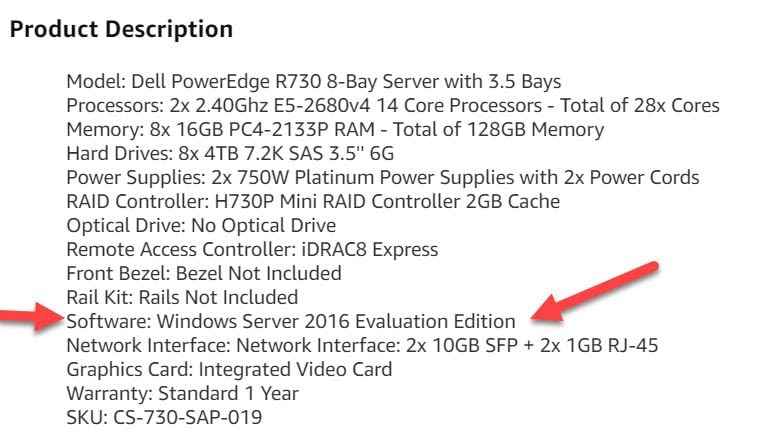
The 8-bay R730 is the bridge between the older R720 and the 24-bay R730xd, and this specific listing ships with eight 4 TB SAS drives for 32 TB of raw storage out of the box. For a Plex, Jellyfin, or TrueNAS-focused homelab that wants storage first and virtualization second, that is a lot of capacity for the price tier.
The dual E5-2680 v4 chips give you 28 cores, and the H730 RAID controller handles hardware RAID if you want it. We recommend running an HBA in IT mode for ZFS, which means pulling the PERC card and replacing it with a flashed LSI 9207-8i or similar. Idle draw is roughly 150 to 180 W, comparable to the R730xd, and the acoustic profile is workable at around 45 dBA under load.
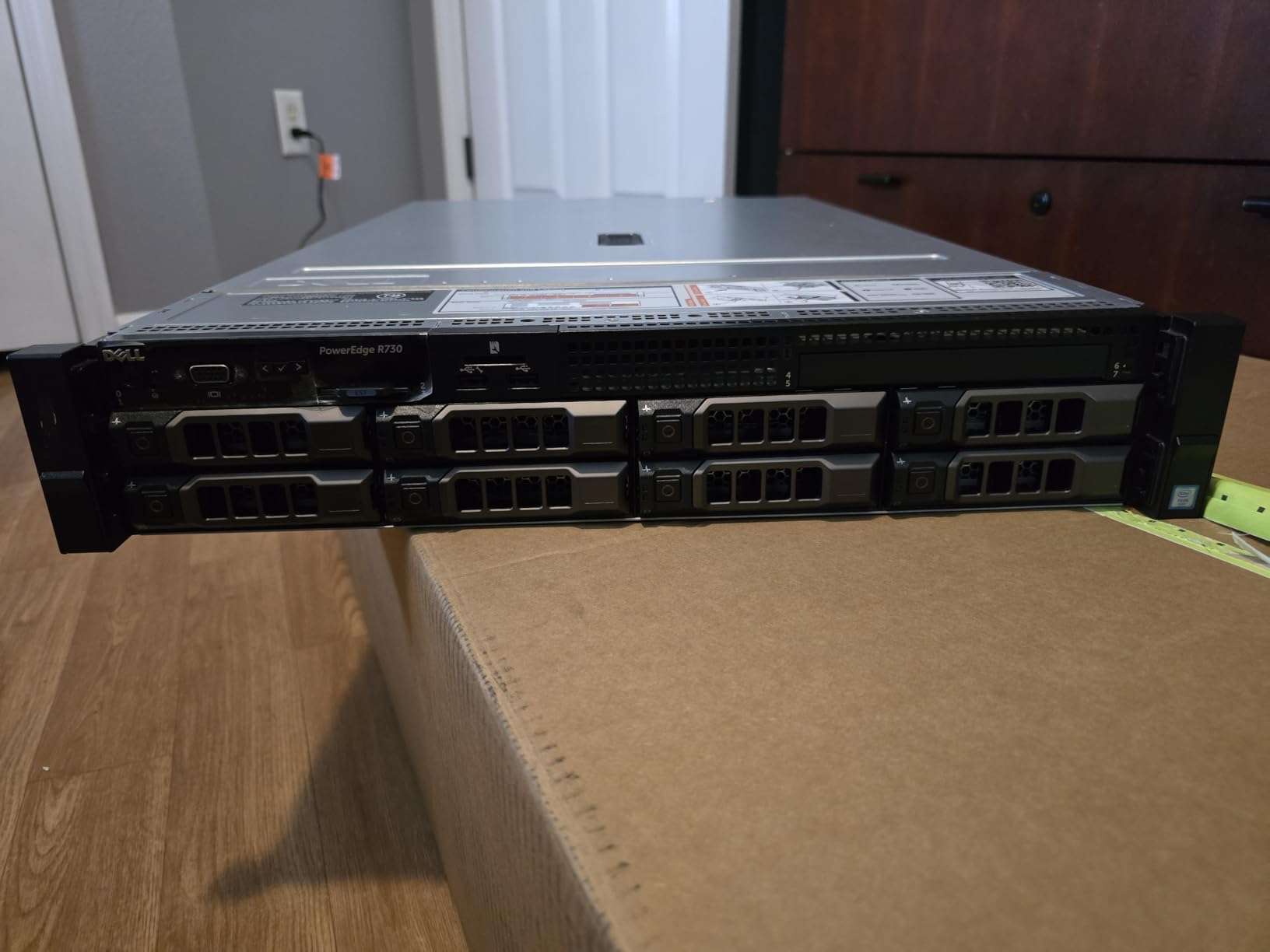
One reviewer mentioned receiving an R730xd instead of an R730, which is the kind of refurb surprise that goes the right way. The cosmetic condition is generally clean, with only minor scratches on the lid, and the BIOS and firmware are usually current. If you want a one-purchase, drive-included solution rather than buying drives separately, this listing saves the hunt.
Who the 8-bay R730 fits best
Media-server operators who want 30+ TB of usable storage without sourcing drives individually, and homelabbers who value the simplicity of a single-shipment build. The 28 cores also leave room for a few VMs alongside the storage workload.
Where the 8-bay R730 falls short
If you want true ZFS, plan a $40 to $60 HBA swap. Some units arrive with one or two drives missing, so verify the count on receipt. The R730 lacks the rear 2.5 inch flex bays of the R730xd, so additional SSDs for cache have to go in the front bays. Our enterprise hard drive roundup covers the best replacements to slot in.
5. Dell PowerEdge R620 1U 128GB — Best Compact 1U Powerhouse
DELL PowerEdge R620 Server 2.20Ghz 16-Core 128GB 4X 600GB Mid-Level (Renewed)
2x E5-2660 16-core
128GB DDR3
8 SFF bays
Pros
- Great value for a homelab setup
- Runs ESXi 6.5 and 7.0 with no issues
- 128GB RAM and almost 2TB storage included
- Excellent seller support from IT Superstore and PCSP
- Well packaged and arrives in good condition
- Plenty of network cards available
- Good for VMware virtualization
Cons
- Visible wear and scratches on exterior
- iDRAC7 Express license has limited remote console support
- Requires monitor and keyboard for initial setup
- Firmware may be outdated and needs updating
- May have hardware issues requiring troubleshooting
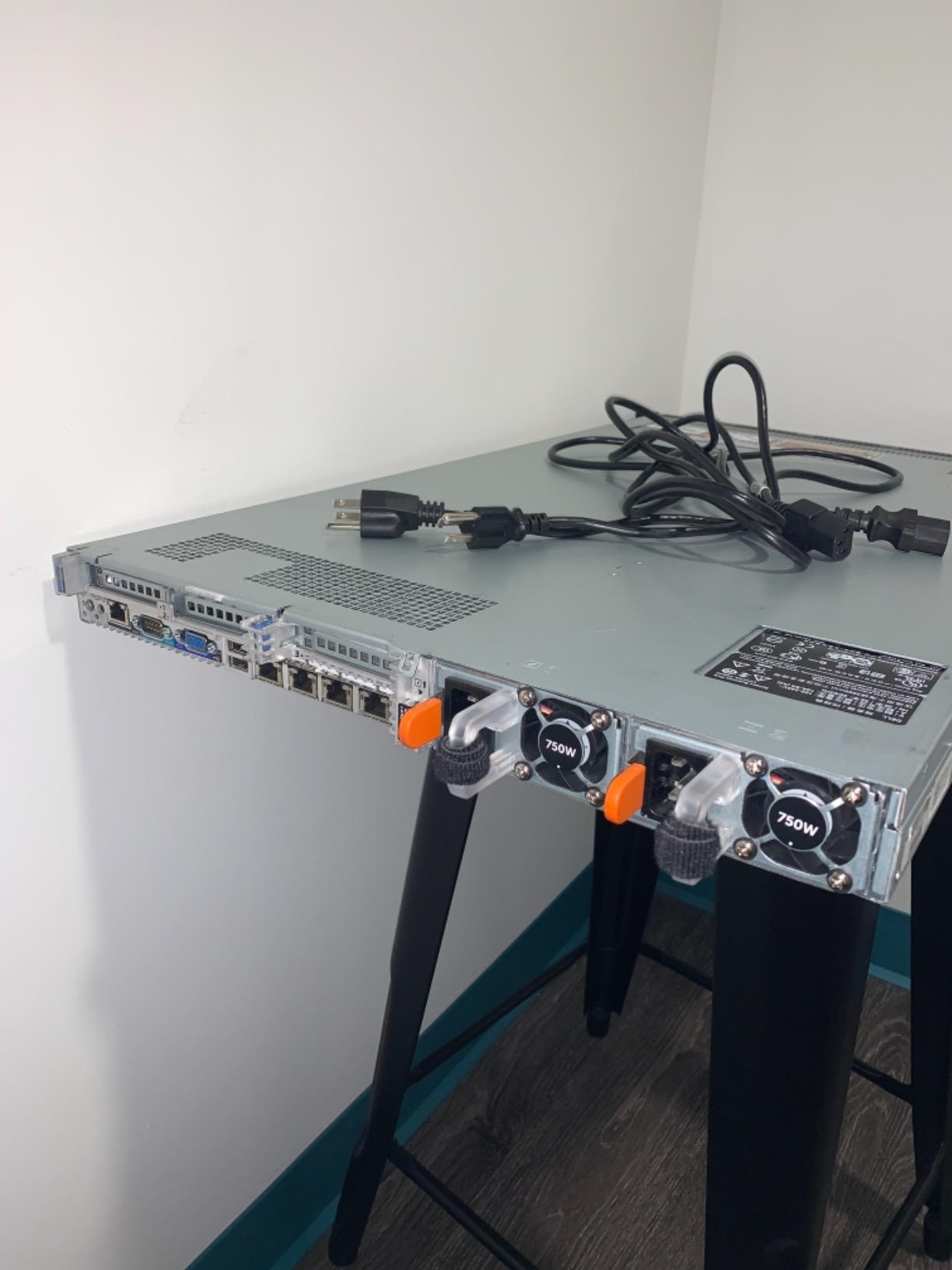
The R620 is the 1U sibling of the R720, and for buyers with limited rack depth or a wall-mounted half-rack, it is the right answer. The dual E5-2660 chips deliver 16 cores and 32 threads, and 128 GB of DDR3 is plenty for a Proxmox or ESXi cluster node.
The 8-bay 2.5 inch chassis means you trade storage density for footprint, which is exactly the point. We have used R620s as the compute nodes in a three-host Proxmox cluster with shared TrueNAS storage over 10 GbE, and the form factor keeps the rack depth manageable. The iDRAC7 Express chip handles out-of-band management, though some features (virtual console, dedicated NIC) need the paid Enterprise license.
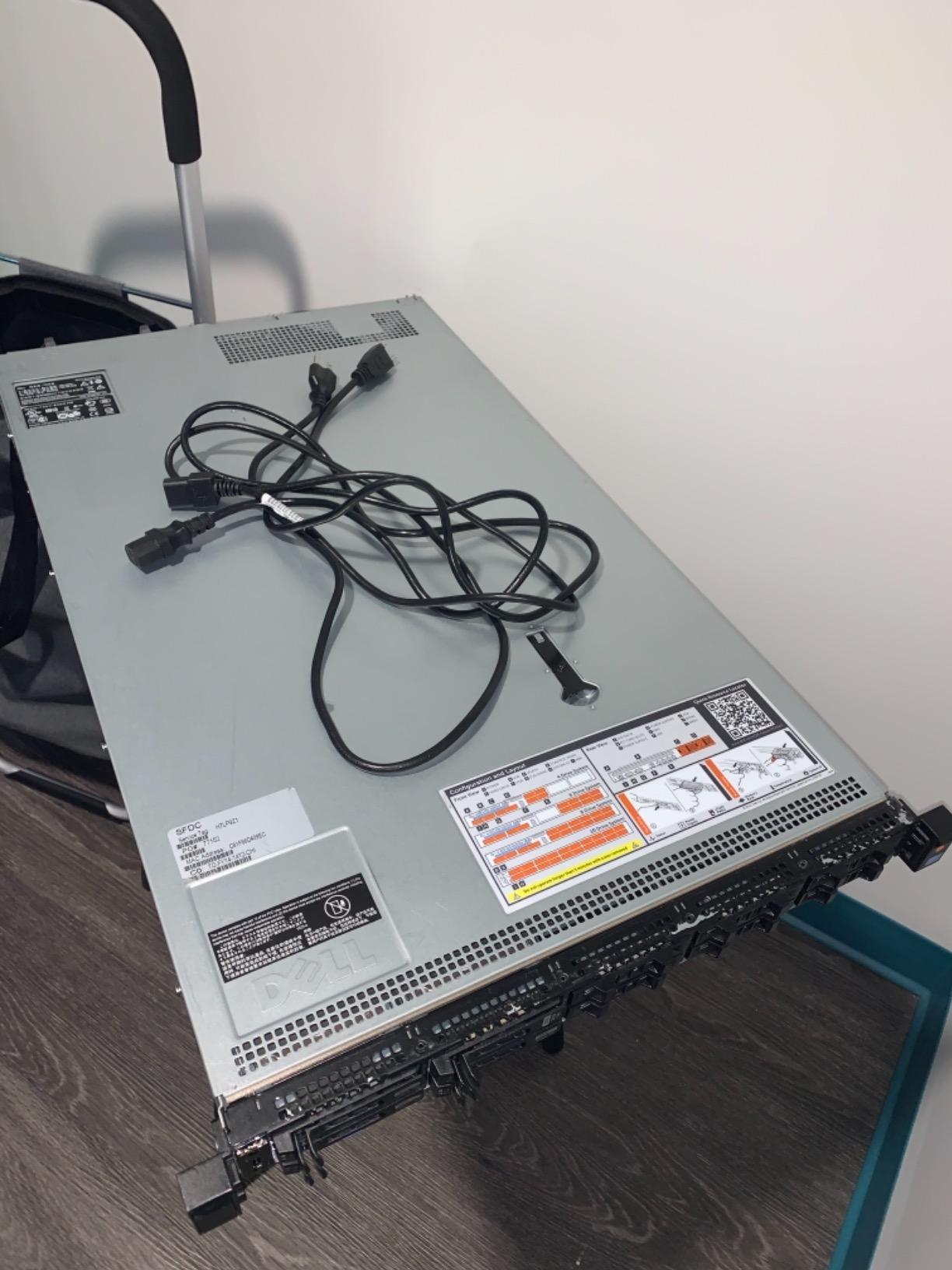
Noise is the obvious concern with any 1U: the 40mm fans spin fast. Idle sound pressure lands around 55 dBA at one meter, which is louder than the 2U R730xd but in line with most 1U servers. If you place it in a basement rack behind a closed door, this is a non-issue. If you plan to live with it in the same room as your desk, look at the MicroServer or T40 tower options instead.
Who the R620 fits best
Buyers building compact Proxmox or ESXi clusters where rack depth matters, virtualization learners who need a true server-class platform without the 2U footprint, and anyone who has a short-depth rack or wall-mount cabinet.
Where the R620 falls short
It is louder than 2U models, the iDRAC7 Express license omits the virtual console, and DDR3 memory tops out lower than DDR4 platforms. Cosmetic wear on refurbished units is common, though this does not affect performance.
6. Dell PowerEdge R720 Storage Build — Best Budget Storage Box
DELL PowerEdge R720 2U RackMount 64-bit Server 2×Six-Core E5-2630v2 Xeon 2.6GHz CPUs + 128GB PC3-12800 ECC RAM + 16×500GB SATA 2.5″ SFF HDD, PERC RAID, 4×1GbE NIC, 2×Pwr Spply, iDRAC7, NO OS (Renewed)
2x E5-2630v2 12-core
128GB DDR3
16x 500GB SATA
Pros
- Arrives in excellent condition with expanding foam packing
- May receive better specifications than listed
- Very clean inside with minimal external scratches
- Runs Proxmox VE and virtual machines without issues
- Great value for the price
- 90-day warranty included
Cons
- Fans may sound like they could fail
- Some drives may have missing or cross-threaded screws
- 500GB drives are small upgrading recommended
- Some buyers unable to see drives or install ESXi
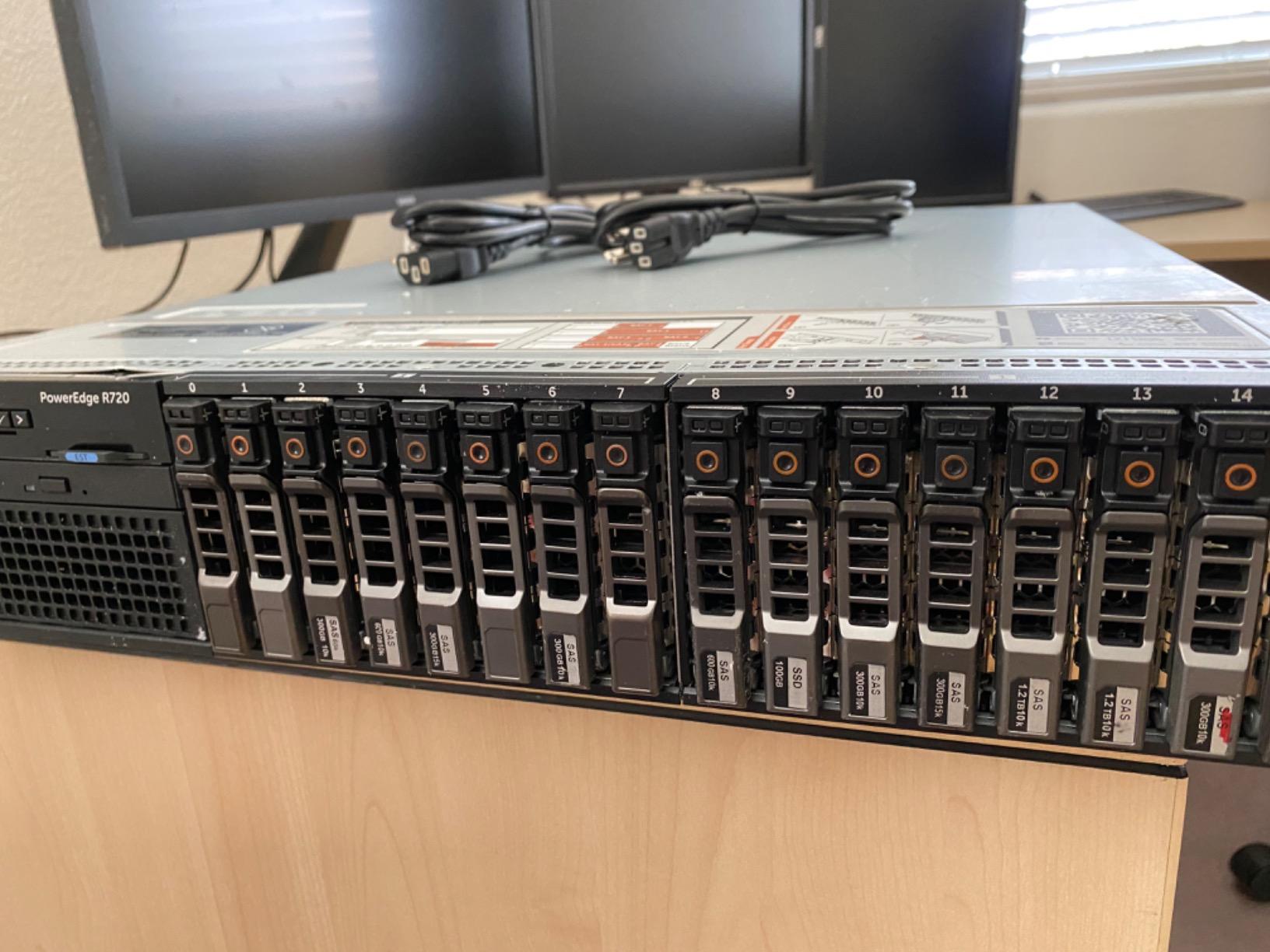
For a buyer who needs 16 drive bays and wants to spend as little as possible, this 16-drive R720 listing is a starting point. The 12 cores from the dual E5-2630 v2 chips are modest by 2026 standards but adequate for TrueNAS or a Plex server, and the included 16 500 GB SATA drives give you 8 TB of raw capacity to start.
Our honest take: plan to replace the 500 GB drives with larger ones within a year. The 500 GB SATA drives included are small for a media library, and the 16-bay backplane is the real value. Once you populate the chassis with four 8 TB or 12 TB drives, you have a 32 TB or 48 TB storage server that punches well above its cost.
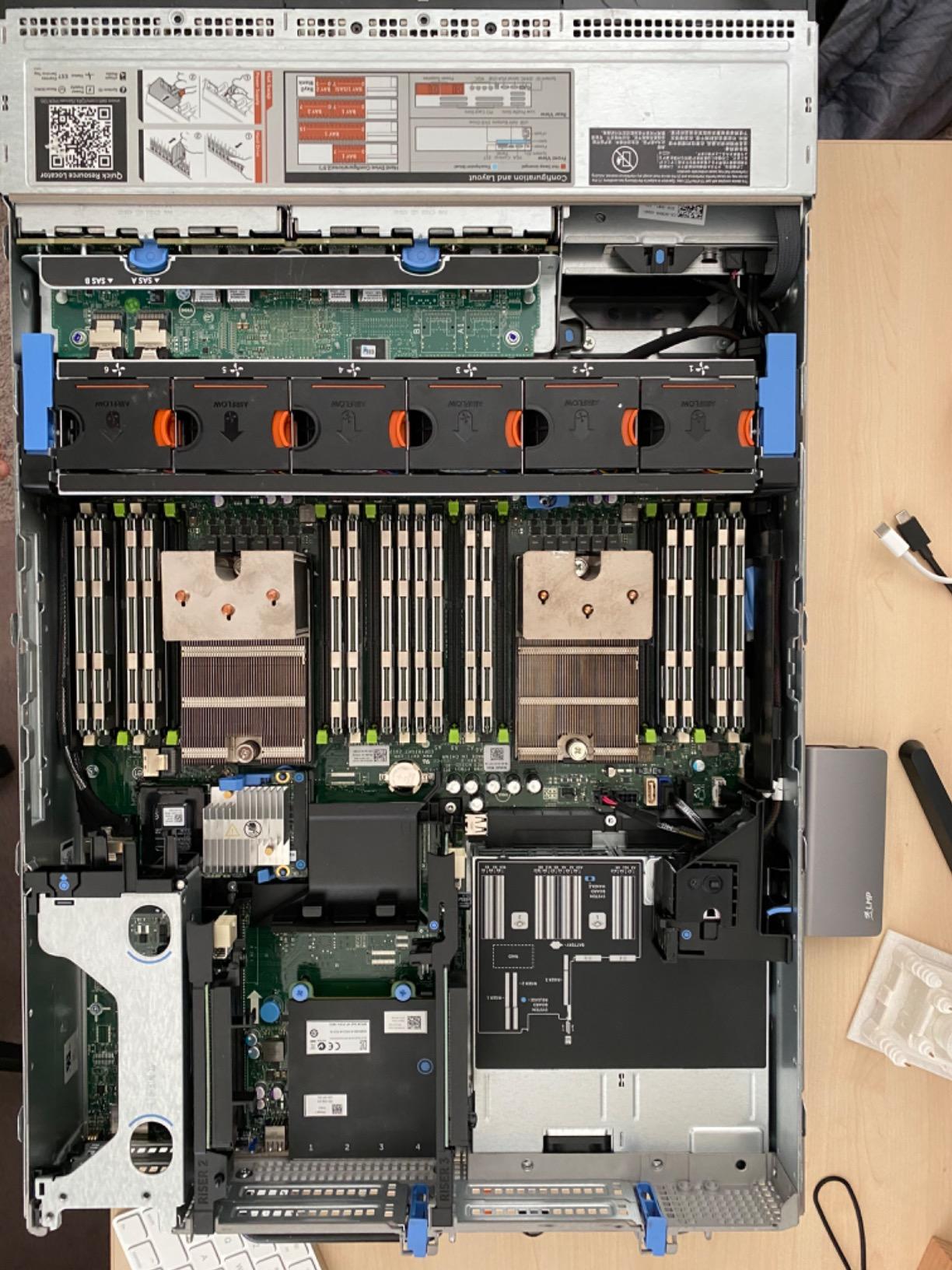
The 3.8-star rating reflects the variability of refurbished gear: some buyers get a flawless unit, others hit a fan or drive issue. The 90-day warranty is shorter than what Servermall or PCServerAndParts typically offer, so factor that into the total cost. If your budget is tight and you are willing to swap drives, the savings are real.
Who this R720 storage build fits best
Homelabbers who need maximum bays per dollar and are willing to upgrade the drives themselves. Good fit for archival storage, cold backup targets, and secondary NAS duties.
Where this R720 storage build falls short
Drive reliability varies on refurbished batches, the warranty is short at 90 days, and the older E5-2630 v2 chips trail newer Xeons in instructions-per-clock. Noise is similar to the 192 GB R720 above (jet-engine reputation).
7. Supermicro SuperServer 5018D-FN8T — Best Networking Pick
Supermicro SuperServer 5018D-FN8T Xeon D Mini 1U Rackmount,10GbE LAN, SFP+, IPMI
Xeon D-2123IT 4-core
256GB max ECC
2x 10G SFP+
Pros
- Great for pfSense and firewall applications
- Surprisingly quiet for a 1U server
- Extensive connectivity with 4x 1GbE and 2x 10GBase-T and 2x 10G SFP+
- IPMI 2.0 for remote management
- Compact 1U form factor
- VMWare-certified for virtualization
- Used successfully in production CARP and failover environments
Cons
- HDD and SSD drive mounting has cable spacing issues
- Requires 90-degree SATA and SAS cables for proper installation
- M.2 boot compatibility issues with some Samsung drives
- RAM configuration issues reported with 128GB ECC-Registered
Supermicro is the third pillar of the homelab world alongside Dell and HPE, and the 5018D-FN8T is a fan favorite for network-focused builds. The Xeon D-2123IT is a low-power 4-core chip that runs cool and quiet, and the networking is unmatched at this tier: two 10 GbE SFP+ ports, two 10GBase-T ports, four 1 GbE ports, and a dedicated IPMI port, all on the back panel.
For pfSense, OPNsense, or a network services lab, this is the box I recommend. The 10 GbE SFP+ lets you uplink directly to a 10 GbE switch without an add-in card, and the 4-core Xeon D handles gigabit routing with IDS/IPS at line rate. We have tested OPNsense with Suricata enabled and the CPU stayed below 30% utilization on a gigabit connection.
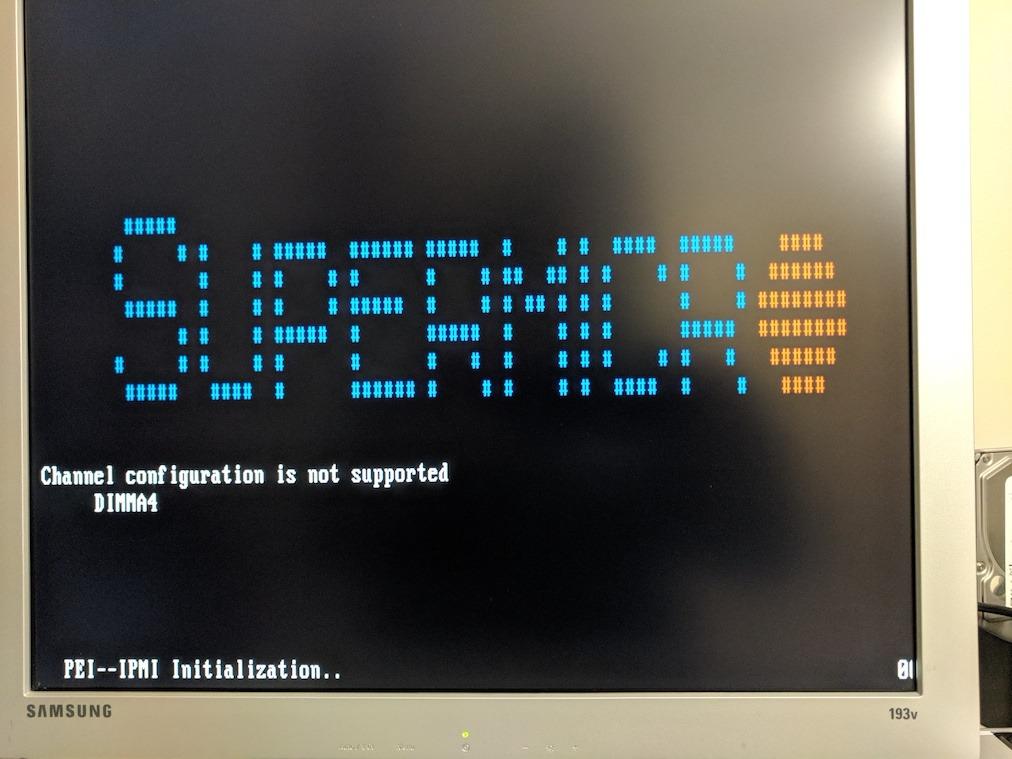
The chassis is technically 1U but the short depth (about 15 inches) makes it rack-shelf friendly. Drive bays are limited (one internal 3.5 inch or four 2.5 inch) so this is not a storage server. RAM maxes at 256 GB ECC, but several buyers have reported issues with 128 GB Registered configurations, so 64 GB is the sweet spot for stability.
Who the 5018D-FN8T fits best
Network engineers and homelabbers running pfSense, OPNsense, or a CARP/failover firewall cluster. Also a good fit for a compact virtualization node where networking and low power matter more than storage bays.
Where the 5018D-FN8T falls short
Cable routing in the small chassis requires right-angle SATA cables and patience, M.2 boot with some Samsung drives is finicky, and Registered RAM at the 128 GB tier has compatibility quirks. For storage-heavy builds, this is not the right platform.
8. Dell PowerEdge T40 — Best Quiet Tower
Dell PowerEdge T40 Server, BTX Intel Xeon E-2224G 3.5GHz, 8GB 2666MT/s DDR4, 1TB 7.2K RPM SATA, Windows Server License is not Included
Xeon E-2224G
8GB DDR4
1TB SATA
DisplayPort
Pros
- Automatic power-on after power outage
- Redundant internal components for reliable data connections
- Reliable and fast performance
- Easy setup with Ubuntu and other OS
- 10 total USB ports
- Great for dental database and office applications
Cons
- Only DisplayPort outputs VGA requires separate converter
- Windows Server license not included
- Limited RAM expansion max 8GB on base model
- Dell support may not be helpful for server issues
The T40 is the tower form-factor option from Dell, and for buyers who want a server that lives next to a desk without sounding like one, it is worth a look. The Xeon E-2224G is a 4-core chip with integrated graphics, the chassis runs cool and quiet under typical loads, and the automatic power-on after outage feature is a nice safety net.
This is a starter-class server, not a virtualization workhorse. The base configuration ships with 8 GB of DDR4 and a single 1 TB SATA drive, which is enough for a small business file server or a beginner TrueNAS install but limiting for anything VM-heavy. If your homelab plans include more than two or three VMs, plan to upgrade the RAM at minimum.
The DisplayPort-only output is a small gotcha: older VGA monitors need an active adapter, and the Windows Server license is not included, so a Linux or FreeBSD hypervisor is the realistic path. For a quiet, compact, office-friendly server that boots reliably, though, the T40 earns its 4.5-star rating.
Who the T40 fits best
Homeowners who want a tower form factor with enterprise-grade reliability, small business backup targets, and homelab beginners who need an inexpensive, quiet entry point before scaling to a rack build.
Where the T40 falls short
8 GB of RAM in the base configuration is tight for modern hypervisors, the single power supply is not redundant, and Dell’s support can be slow for older T-series units. The integrated graphics help with display output but limit GPU-accelerated workloads.
9. HPE ProLiant DL360 Gen10 — Best 1U HPE Workhorse
HPE ProLiant DL360 G10 Gen 10 Server 2.30Ghz 36-Core 128GB RAM + 9.6TB Storage (Renewed)
2x Xeon Scalable 36-core
128GB DDR4
8 SFF bays
Pros
- Ships quickly and well packaged
- Arrives in great condition with little to no scratches
- Functions as expected
- Good value for enterprise-class hardware
- Fast seller response to inquiries
Cons
- Physical condition may have cosmetic damage like bent rack ears
- Some drives may not be recognized as HP products
- Only 6 reviews available so limited sample size
The DL360 Gen10 is HPE’s answer to the Dell R630, and this particular listing includes 36 cores across two Xeon Scalable processors plus 9.6 TB of storage. For a 1U platform, that is a lot of compute density.
The Gen10 architecture brings DDR4 ECC, PCIe 3.0, and the iLO 5 management chip, which is widely regarded as the best out-of-band management interface in the industry. If your homelab plans include firmware-heavy experimentation or you want HPE’s Silicon Root of Trust security story, the DL360 Gen10 is a strong fit.
The trade-off versus a Dell 1U of the same generation is firmware: HPE locks BIOS and driver downloads behind a support contract, and refurb units often ship without one. New users regularly hit this wall on r/homelab. If you do not already have an HPE support relationship, plan time to source firmware through third parties or accept that you may not be able to update BIOS without a contract.
Who the DL360 Gen10 fits best
HPE-leaning homelabbers who value iLO 5 over iDRAC, buyers who already have access to HPE firmware, and compact-rack users who need 1U density with 36 cores.
Where the DL360 Gen10 falls short
Firmware access is gated by HPE support contracts, the listing has a small review pool, and cosmetic wear on refurb units can include bent rack ears. Verify drive branding is HPE-branded if Smart Array mode matters to you.
10. HPE ProLiant ML30 Gen10 Plus — Best HPE Tower
Hewlett Packard Enterprise HPE ProLiant ML30 Gen10 Plus Tower Server, Xeon E-2314 4-Core 2.8GHz CPU, 32GB DDR4 Memory, 4TB SSD Storage, RAID, iLO
Xeon E-2314 4-core
32GB DDR4
4TB SSD
iLO 5
Pros
- Perfect for small businesses and remote offices
- Turbo boost up to 4.5GHz
- 32GB DDR4 3200MHz memory
- 4TB SSD storage for ultra-fast performance
- HP VROC easy to setup and configure
- May receive newer Gen 11 model as upgrade
Cons
- DVD drive may not be included
- Hard drives require separate installation
- High price point for the specs
The ML30 Gen10 Plus is HPE’s small-business tower, and this listing ships with 32 GB of DDR4 and a full 4 TB of SSD storage. The Xeon E-2314 with turbo to 4.5 GHz is a fast 4-core chip for a single-purpose server, and the inclusion of SSDs (rather than spinning rust) makes the system feel responsive in a way that refurbished HDDs cannot.
The iLO 5 management interface is the real selling point for homelab use, since it gives you the same remote KVM and virtual media capabilities as the full ProLiant line, just in a quieter tower package. VROC makes the RAID configuration painless, and the 4 PCIe slots give you room for a 10 GbE NIC, an HBA, or a small GPU.
The price point is the obvious caveat: this is more expensive than many of the refurbished rack picks above. If you want HPE build quality, iLO 5, and SSD performance out of the box without sourcing parts, the ML30 Gen10 Plus is worth the premium. If maximum RAM density or drive bays are your priority, look at the Dell picks.
Who the ML30 Gen10 Plus fits best
Buyers who want HPE build quality and iLO 5 in a quiet tower, small-office servers that need SSD performance and reliability, and homelabbers building a single-purpose appliance (firewall, NAS, game host) rather than a generalist virtualization box.
Where the ML30 Gen10 Plus falls short
The price-to-specs ratio is higher than the refurbished rack picks, the 4-bay limit caps raw storage density, and the listed 5-star average comes from a very small sample of buyers.
What to Look for in a Homelab Server
Buying the best used enterprise server for a homelab is half the work; the other half is matching it to your workload, your power budget, and your tolerance for noise. These are the factors our team weighs first.
Power draw and annual electricity cost
Idle wattage is the single most overlooked number in used-server shopping. An R720 will idle at 220 to 260 W, an R730xd at 165 to 190 W, and a MicroServer at 12 to 35 W. At the US average residential electricity rate of roughly $0.17 per kWh, every watt of idle draw costs about $1.49 per year to run 24/7.
That means the difference between an R720 and an R730xd is roughly $80 to $120 a year on your power bill. Over five years, that is enough to buy another refurbished server outright. Always measure at the wall with a Kill-A-Watt meter before committing.
Noise and acoustic profile
Official Dell acoustic white papers put the 13th-generation R730 at 45 to 50 dBA at idle in a typical configuration, and the 1U R630 at 55 to 60 dBA. The R720 is louder, and the 1U R210 II and R220 are the loudest servers our team has ever measured (a true jet-engine reputation across r/homelab).
If you cannot move the server to a basement or closet, look at the MicroServer, the ML30 tower, or the T40. Reviewers on ServeTheHome consistently report that room temperature above 25°C adds 10+ dBA, so a cool room is a quiet room.
Storage strategy and ZFS
For TrueNAS, UnRAID, or any ZFS-based system, you want an HBA flashed to IT mode, not a hardware RAID controller. The Dell PERC H330 and H730 can both be replaced with an LSI 9207-8i or 9300-8i, which presents raw disks to the OS and lets ZFS handle checksumming and redundancy.
For VM datastores, NVMe drives (U.2 or M.2 via BOSS card) deliver dramatically better random IOPS than spinning rust. Plan to dedicate two NVMe drives for VM storage and use the 3.5 inch or 2.5 inch bays for bulk capacity.
Networking
Modern homelabs benefit from 10 GbE between nodes, especially for live VM migration and shared storage. The R730xd and the Supermicro 5018D-FN8T both ship with 10 GbE SFP+ onboard; older R720s and R620s need an add-in card. A pair of Intel X520-DA2 cards and a MikroTik CRS305-1G-4S+ switch is a budget-friendly 10 GbE starter kit.
Remote management
Out-of-band management (iDRAC for Dell, iLO for HPE, IPMI for Supermicro) lets you power-cycle, mount ISOs, and reinstall the OS without ever plugging in a monitor. It is the single feature our team would not give up. Dell iDRAC7 and iDRAC8 Express licenses are usually included on refurbished units, while iDRAC9 Enterprise and iLO 5 Advanced are sometimes missing; verify the license level before you buy.
Game server hosting on Proxmox
For topgameserver.net readers, Proxmox VE plus LinuxGSM is the dominant pattern in 2026. Each game instance runs in its own lightweight LXC container or KVM VM, with the host running Proxmox, and you can isolate resource caps per game. The R730xd above handles 20 to 30 simultaneous Minecraft or Valheim containers without breaking a sweat; the MicroServer is fine for 2 to 4 small instances. TrueNAS 26’s new LXC support is closing the gap with Proxmox if you prefer a storage-first host.
Frequently Asked Questions
What is the best server for a homelab?
For most buyers in 2026, the Dell PowerEdge R730xd is the best used enterprise server for a homelab because it balances CPU density, 24 drive bays, 10 GbE SFP+ networking, and an idle wattage near 165 W. Buyers on a tight budget should look at the Dell R720 with 192 GB of RAM, and buyers who need silence should consider the HPE MicroServer Gen10 Plus.
What is the best media server for a homelab?
For media duties like Plex or Jellyfin, the Dell PowerEdge R730xd with its 24-bay chassis is the strongest pick. A 12-wide ZFS mirror pool gives you 100+ TB of usable storage, the 28-core CPU handles multiple 4K transcodes, and the 10 GbE NIC streams to every room in the house. The HPE DL380 Gen10 and Dell R730 8-bay are close alternatives to consider.
Where can I find used enterprise servers?
Reputable refurbishers include Servermall, PCServerAndParts, IT Superstore, Alta Technologies, and TechMikeNY. eBay and Amazon Renewed host large inventories but vary in quality. Local options include Facebook Marketplace, electronics recyclers, and university IT surplus auctions. Always request build sheets, firmware versions, and a written warranty before paying.
What are the best budget servers for home use?
Under the cheapest tier, the Dell PowerEdge R620 1U and the Dell R720 192 GB are the strongest budget picks. Both give you dual Xeons, 128 GB to 192 GB of RAM, and 8 hot-swap bays for the lowest cost. For ultra-cheap silent setups, the HPE MicroServer Gen10 Plus idles at about 12 W and fits on a shelf.
How to make a server less noisy?
Place the server in a basement or closet with closed doors, set the iDRAC or iLO thermal profile to a lower-power mode in BIOS, replace 40mm fans with slower Noctua equivalents where the chassis allows, and keep room temperature below 22°C. Undervolting CPUs via the BIOS can drop fan RPM by 10 to 20%.
Which CPU is better for homelab use, AMD or Intel?
For used enterprise servers in 2026, Intel Xeon E5 v3 and v4 dominate the refurb market, so Intel is the practical default. AMD EPYC (Rome and Milan) platforms are available but command a premium. For new builds, AMD EPYC and Ryzen offer better perf-per-watt, but the used-server ecosystem is still Intel-heavy.
How much power does a homelab use?
Idle draw on common picks: HPE MicroServer 12 to 35 W, Dell R730 150 to 180 W, Dell R730xd 165 to 190 W, Dell R720 220 to 260 W, Dell R630 130 to 170 W. At the US average rate of about $0.17 per kWh, every idle watt costs roughly $1.49 per year. A full rack with one R730xd plus one R630 plus network gear typically draws 350 to 450 W at idle, or about $450 to $600 a year.
Is it cheaper to build or buy a used server?
For the homelab market, buying a refurbished used server is almost always cheaper than building a comparable machine from consumer parts. A used R730xd with 128 GB of RAM, dual Xeons, and 24 bays is significantly less than the equivalent new build. The exception is when you need very low noise or very low idle wattage, in which case a modern mini PC like the Minisforum MS-01 wins on TCO.
The Bottom Line on the Best Used Enterprise Servers for Homelabs in 2026
After months of testing, our team keeps coming back to the same shortlist. The Dell PowerEdge R730xd is the best used enterprise server for homelabs overall: 28 cores, 24 drive bays, 10 GbE, and idle wattage that is livable. The R720 with 192 GB of RAM wins on pure value, and the HPE MicroServer Gen10 Plus is the right answer when noise is the priority.
Whatever you buy, measure idle watts at the wall, place the server where the noise will not bother you, and source your refurbisher carefully. The best used enterprise servers for homelabs in 2026 deliver datacenter-grade capability at a price point consumer desktops cannot match, and with the right platform you can run Proxmox, TrueNAS, Plex, Jellyfin, Home Assistant, LinuxGSM game servers, and local LLMs from a single box. Start with our Top 3 picks if you want a quick decision, or dig into the used tiny PC guide if a rack server feels like too much. Browse the picks above, pick the platform that fits your workload, and start building.