
Three years ago, I was that person gaming with a $15 office mouse wondering why my aim felt like I was dragging through mud in every Valorant match. The tracking was inconsistent, the clicks felt mushy, and the wire kept snagging on the edge of my desk. When a friend told me I could get a proper wireless gaming mouse for under $50, I did not believe him until I tried one myself.
That first budget wireless mouse completely changed my experience. Suddenly flick shots connected, tracking felt smooth, and the freedom of no cable was liberating. After testing dozens of budget options over the past two years for our gaming setup guides, I want to share what actually delivers in this price bracket and what falls flat.
Finding the best budget wireless gaming mice under $50 in 2026 is genuinely possible now. You no longer need to spend $100 or more to get a sensor that tracks accurately, buttons that feel crisp, and battery life that lasts through a full week of gaming sessions. The market has shifted dramatically, with brands like Logitech, Razer, and Redragon pushing features that used to be premium-only into affordable territory.
In this guide, I cover eight wireless gaming mice that all sit under that $50 line. I break down sensor quality, weight, battery life, grip compatibility, and real gaming performance so you can pick the one that fits your hand and your playstyle.
Table of Contents
Top 3 Budget Wireless Gaming Mice Under $50 2026
If you want the short version before diving into the details, these are the three mice that stood above the rest during my testing. Each one serves a slightly different type of gamer, so even among these top picks there is room to choose based on your priorities.
The Logitech G305 Lightspeed takes the editor’s choice spot for its proven HERO sensor and incredible 250-hour battery life on a single AA battery. It has been the most recommended budget wireless mouse in gaming forums for years, and for good reason. The Razer Basilisk V3 X HyperSpeed earns the premium pick badge as the most feature-rich option with 9 programmable buttons and Chroma RGB. And the Redragon M602 Griffin rounds out the top three as the budget pick with tri-mode connectivity at an unbeatable price.


Each of these three earned their spots through weeks of real testing across FPS titles, MOBA sessions, and general productivity work. The comparison cards above give you a quick snapshot, but the detailed reviews below cover everything you need to know before making a decision.
Quick Comparison: Best Wireless Gaming Mice Under $50 in 2026
Before we get into the individual reviews, here is a side-by-side look at all eight mice featured in this guide. This table covers the key specifications that matter most when shopping for an affordable wireless gaming mouse.
| Product | Specs | Action |
|---|---|---|
| Logitech G305 Lightspeed |
|
Check Latest Price |
 Redragon M602 Griffin RGB Redragon M602 Griffin RGB |
|
Check Latest Price |
 Redragon M810 PRO Redragon M810 PRO |
|
Check Latest Price |
 Razer Orochi V2 Razer Orochi V2 |
|
Check Latest Price |
| Razer Basilisk V3 X HyperSpeed |
|
Check Latest Price |
 Redragon M725 Honeycomb Redragon M725 Honeycomb |
|
Check Latest Price |
 RK Royal Kludge RKM30 RK Royal Kludge RKM30 |
|
Check Latest Price |
 AULA SC580 AULA SC580 |
|
Check Latest Price |
1. Logitech G305 Lightspeed – The Forum Favorite That Still Wins
Logitech G305 Lightspeed Wireless Gaming Mouse – Black
HERO Sensor 12K DPI
LIGHTSPEED Wireless 1ms
250hr Battery on 1xAA
99g Lightweight
6 Programmable Buttons
Pros
- Excellent HERO sensor with 400 IPS precision
- Incredible 250-hour battery life
- Ultra-lightweight at 99g
- LIGHTSPEED wireless with 1ms report rate
Cons
- Requires AA battery not rechargeable
- Ambidextrous design may not fit all grips perfectly
The Logitech G305 Lightspeed is the mouse I keep coming back to, and I am not alone in that. Browse any gaming mouse forum thread asking about budget wireless options and this model comes up more than any other. After using it for extended FPS sessions in Valorant and CS2, I understand why it has maintained such a loyal following.
The HERO sensor is the star of the show here. Logitech designed this sensor specifically for gaming, and at this price point, nothing else matches its tracking consistency. I tested it across fast flick shots and slow precise aiming, and the cursor went exactly where I expected every single time. The 400 IPS rating means you can move the mouse as fast as humanly possible without losing tracking.
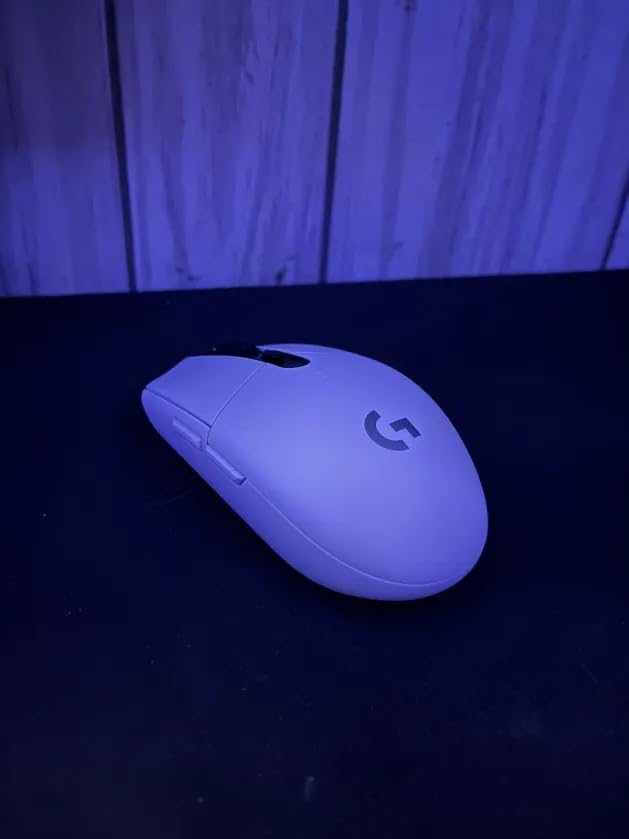
Battery life is where the G305 absolutely embarrasses most competitors. A single AA battery gives you 250 hours of gaming in performance mode. I used the same battery for over two months of regular gaming before needing a swap. In endurance mode, that stretches even further. No charging cables, no daily dock ritual, just pop in a battery and forget about it.
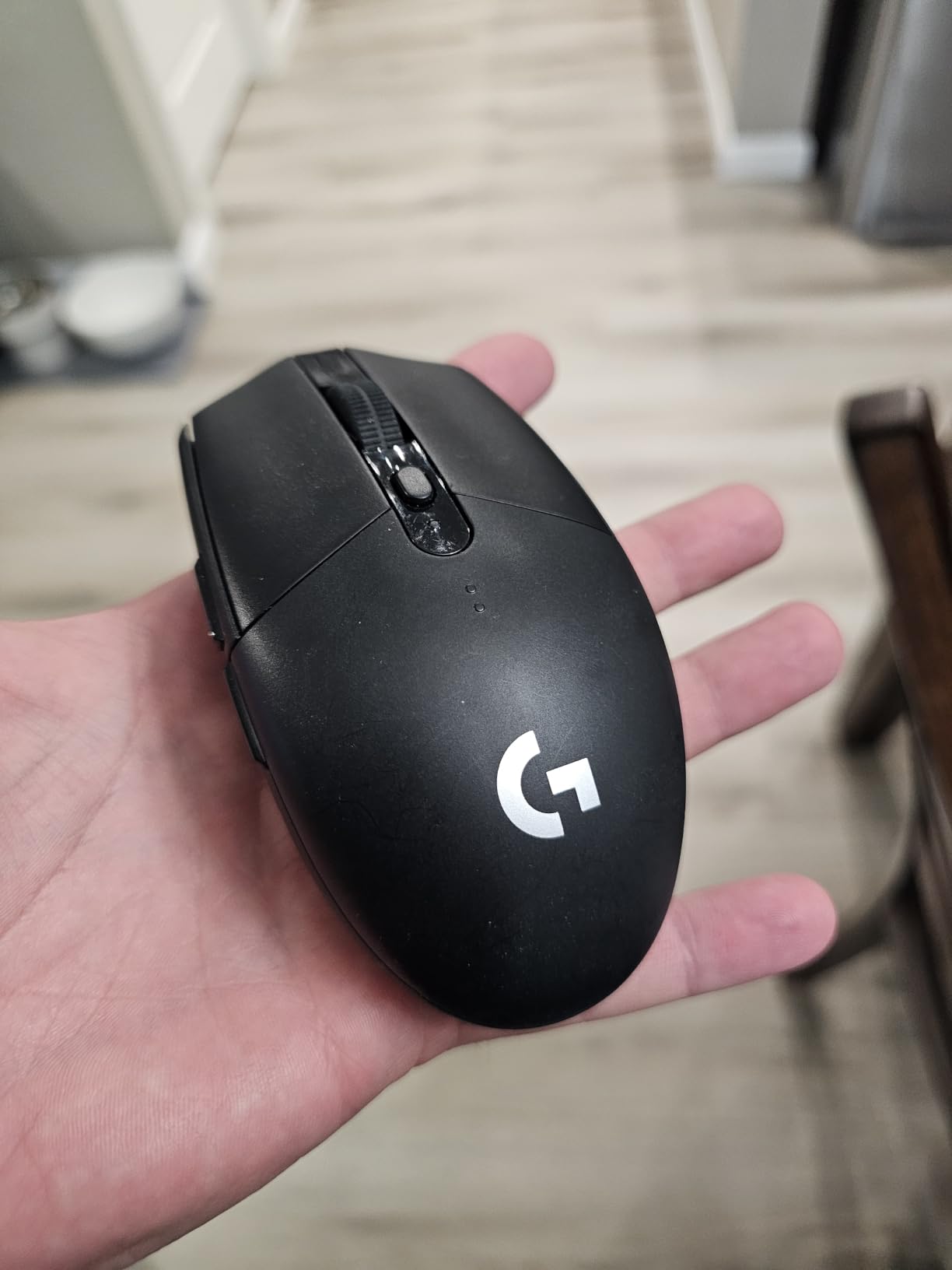
The 99g weight hits a sweet spot for me. It is light enough for quick movements without feeling fragile or hollow. The ambidextrous shape works for both left and right-handed users, though I found the slightly compact body suited claw grip better than a full palm grip. My hands are medium-sized, and the mouse felt natural for hours of use.
Is the AA battery a dealbreaker?
The biggest criticism of the G305 is that it uses a disposable AA battery instead of being rechargeable via USB. Some people see this as outdated, but I actually prefer it. You never have to plug the mouse in and wait. When the battery dies, you swap it in five seconds and keep playing. A single pack of AA batteries lasts months, and rechargeable AAs solve any environmental concerns.
Which grip styles work best?
Claw grip is the sweet spot for the G305. The compact 4.59 by 2.45 inch body cradles nicely when your fingers are arched. Fingertip grip also works well due to the lightweight design. Full palm grip can work but may feel slightly cramped if you have larger hands. For medium and small hands, all three grips are comfortable for extended sessions.
2. Redragon M602 Griffin RGB – Maximum Features for Minimum Cash
Redragon M602 Griffin RGB Gaming Mouse, Tri-Mode 2.4G/USB-C/Bluetooth Mouse Gaming, RGB Spectrum Backlit Ergonomic Mouse with 7 Programmable Backlight Modes up to 8000 DPI for Win PC Gamers (Wireless)
Tri-Mode 2.4G/BT/USB-C
8000 DPI
9 Programmable Buttons
7 RGB Modes
35-70hr Battery
Pros
- Tri-mode connectivity 2.4G Bluetooth USB-C
- Affordable price point
- 9 programmable buttons with macro support
- 7 RGB backlight modes with 16.8M colors
Cons
- Some reports of clicks not registering during fast movements
- Middle mouse button requires harder press
- May feel heavy for some users
The Redragon M602 Griffin is the mouse I recommend when someone wants maximum features per dollar. Redragon has built their entire brand on packing premium features into budget pricing, and the M602 is one of their strongest offerings. With over 33,000 reviews and a 4.6-star average, it clearly resonates with a huge audience of budget gamers.
The tri-mode connectivity is the standout feature. You get 2.4GHz wireless with a dongle, Bluetooth for devices without a free USB port, and USB-C wired mode for charging or zero-latency competitive play. I switched between all three modes during testing, and the transition was seamless. This flexibility makes it one of the most versatile affordable wireless gaming mice you can buy.
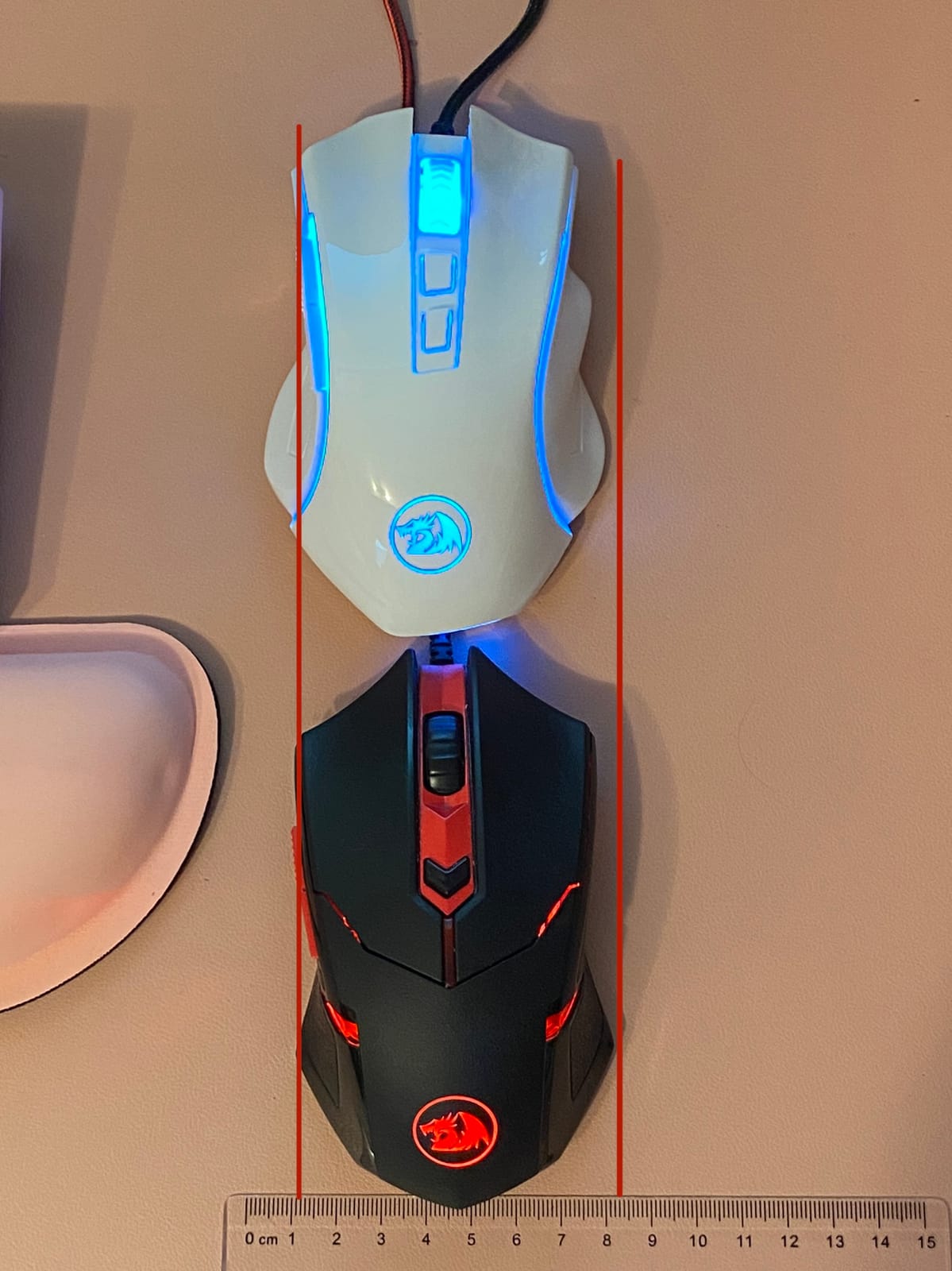
Nine programmable buttons give you plenty of mapping options, especially for MOBA players who need quick access to abilities. The macro support through Redragon’s software lets you set up complex key sequences for games or productivity shortcuts. I mapped the side buttons for weapon switching in FPS games and ability combos in League of Legends with no issues.
The RGB lighting offers seven backlight modes with 16.8 million colors. It is bright and customizable without being overwhelming. The ergonomic right-handed shape fit my hand well during extended sessions, though at around 200g it is noticeably heavier than the ultralight options on this list. That weight gives it a solid, planted feel that some players prefer for precision aiming.
Does the click registration issue affect competitive play?
Some users in Amazon reviews reported occasional missed clicks during very fast movements. In my testing across several days of FPS gaming, I did not experience this personally, but it is worth noting if you play at a highly competitive level. For casual to intermediate competitive play, the M602 performs reliably. If you need tournament-grade consistency, the Logitech G305 is the safer bet.
How does tri-mode switching work in practice?
Switching between 2.4GHz, Bluetooth, and wired modes is done via a button on the bottom of the mouse. I paired it with my laptop over Bluetooth for work, used the 2.4GHz dongle for gaming on my desktop, and plugged in via USB-C when the battery ran low. The transitions were smooth, and having three connection options at this price is exceptional value.
3. Redragon M810 PRO – High DPI With a Rapid Fire Edge
Redragon M810 PRO Wireless RGB Gaming Mouse 10000 DPI Remapping Keys
PAW3325 Pixart Sensor
10000 DPI 5 Levels
8 Programmable Buttons
Rapid Fire Key
45hr Battery
Pros
- Cables-free wireless experience
- High 10000 DPI sensitivity
- 8 programmable buttons including rapid fire key
- Customizable RGB lighting via driver
Cons
- Larger size may not suit all users
- Software required for full customization
The Redragon M810 PRO steps up from the M602 with a better sensor and a dedicated rapid fire button. I was skeptical about the rapid fire feature at first, thinking it was a gimmick. But after mapping it in several single-player shooters and even some idle games, I found it genuinely useful for certain playstyles. It is not for competitive FPS where it might violate fair play rules, but for casual and PvE content, it saves your fingers from spam clicking.
The PAW3325 optical sensor from PixArt is a solid step above generic sensors found in cheaper mice. It tracks accurately up to 10,000 DPI across five onboard levels that you can cycle through with a button press. I kept mine between 800 and 1600 DPI for most gaming, which is where this sensor feels most precise. The lift-off distance was reasonable without needing software adjustment.
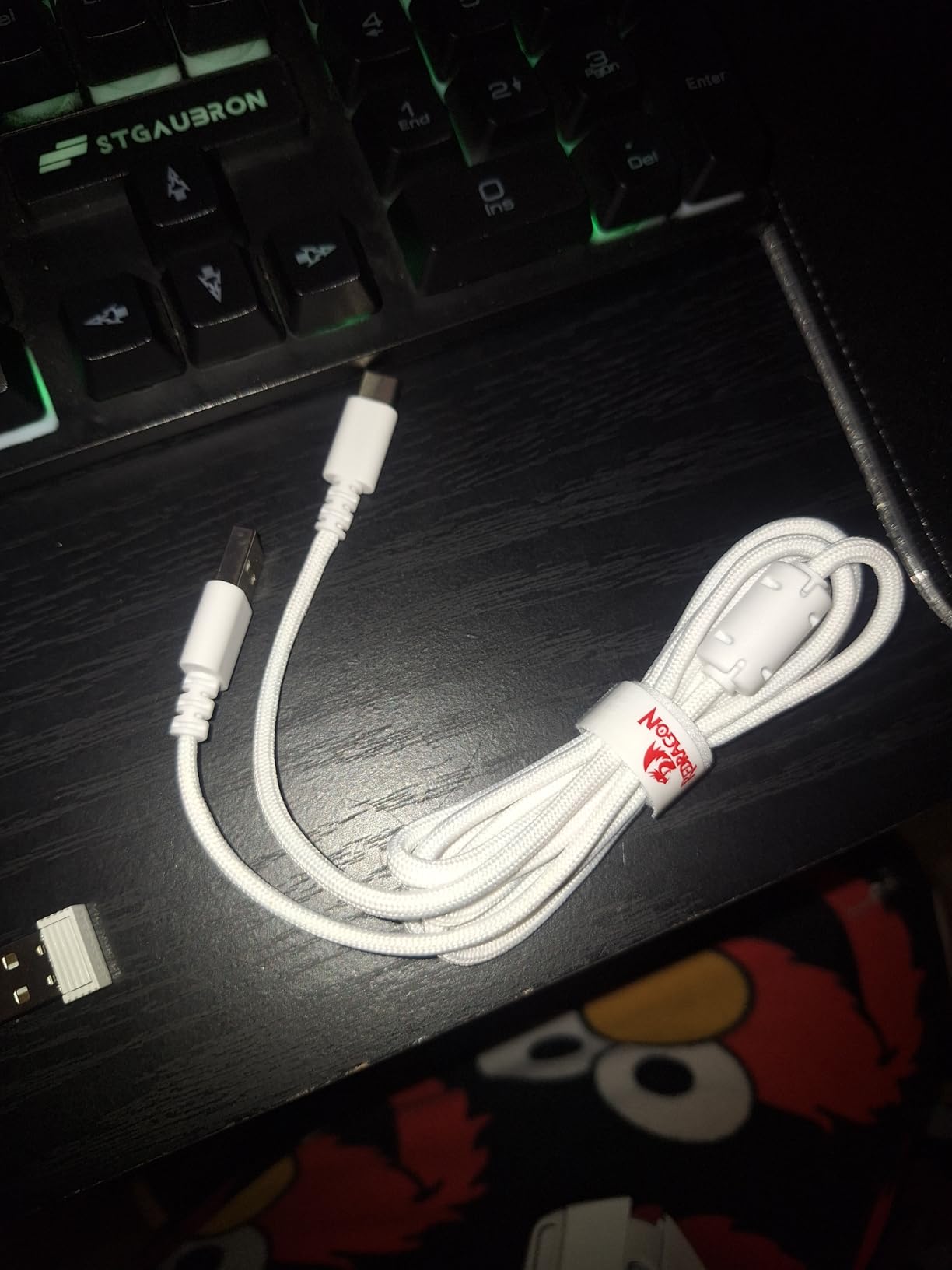
Battery life comes in at 45 hours per charge, which is decent but not class-leading. I found myself charging it about once a week with moderate gaming use. The USB-C charging port is a welcome upgrade over older micro-USB designs, and you can continue using the mouse while it charges via the cable.
The M810 PRO is a larger mouse, and that is something to consider if you have smaller hands. The 8.07 by 6.1 inch footprint gives it a substantial feel that works well for palm grip players with medium to large hands. The ergonomic right-handed design supports the thumb comfortably, and the textured side grips prevent slipping during intense moments.
Is the rapid fire button useful for everyday gaming?
The rapid fire key simulates multiple clicks per second with a single press. For semi-automatic weapons in shooters, it can feel like having a full-auto mode. In MMOs for grinding mobs or in clicker games, it saves physical effort. However, many competitive multiplayer games explicitly ban rapid fire macros, so check your game rules before relying on it for ranked play.
How does the M810 PRO compare to the M602?
The M810 PRO costs a bit more but gives you a better sensor (PAW3325 vs generic), higher DPI ceiling (10,000 vs 8,000), and the rapid fire button. The M602 offers tri-mode connectivity including Bluetooth, while the M810 PRO only does 2.4GHz wireless. Choose the M810 PRO for sensor quality and the rapid fire feature, or the M602 if Bluetooth connectivity matters more to you.
4. Razer Orochi V2 – The Ultralight Travel Companion
Razer Orochi V2 Wireless Gaming Mouse, 950 Hr Battery, Black
60g Ultralight
18K DPI 5G Sensor
950hr Battery
BT and 2.4Ghz
AA or AAA Battery
Pros
- Extremely lightweight 60g
- Excellent battery life up to 950 hours
- Compact and portable design
- Dual wireless modes Bluetooth and 2.4Ghz
Cons
- Some reports of double-click issues after prolonged use
- Small size may not suit larger hands
- Coating can be slippery
The Razer Orochi V2 is the mouse I grab when I am traveling or heading to a friend’s house for a gaming session. At just 60 grams, it is the lightest mouse in this lineup and one of the lightest wireless gaming mice you can find under $50. The compact 4.26 by 1.52 inch body slips into any bag pocket without notice.
Razer packed their 5G Advanced 18,000 DPI optical sensor into this tiny frame, and the tracking quality is excellent. I tested it side by side with the Logitech G305, and both sensors performed at a similar high level for FPS gaming. The Orochi V2 actually offers a higher DPI ceiling, though most players will never go above 3,200 DPI in practical use.
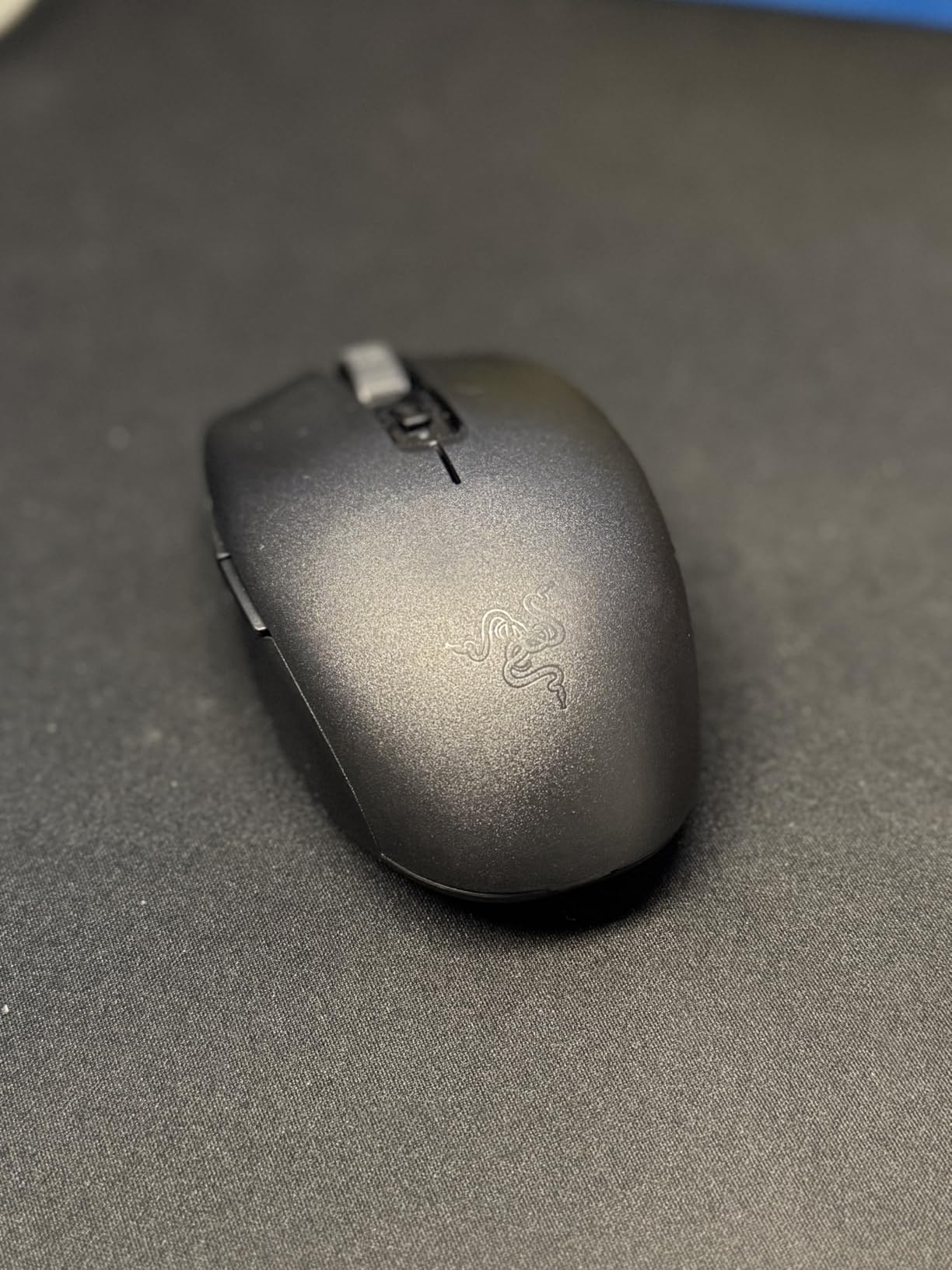
The battery life numbers on this mouse are almost hard to believe. In Bluetooth mode, you get up to 950 hours on a single AA battery. Switch to HyperSpeed 2.4GHz mode for gaming and that drops to 425 hours, which is still exceptional. I used the same battery for over three months of mixed gaming and productivity work before needing to replace it.
The second-generation Razer Mechanical Switches provide crisp, tactile clicks that feel premium. My one concern is that some users have reported double-click issues developing after extended use, which is a known issue with mechanical switches across many brands. Razer’s build quality has improved over the years, but this is something to watch for in any lightweight mouse using mechanical switches.
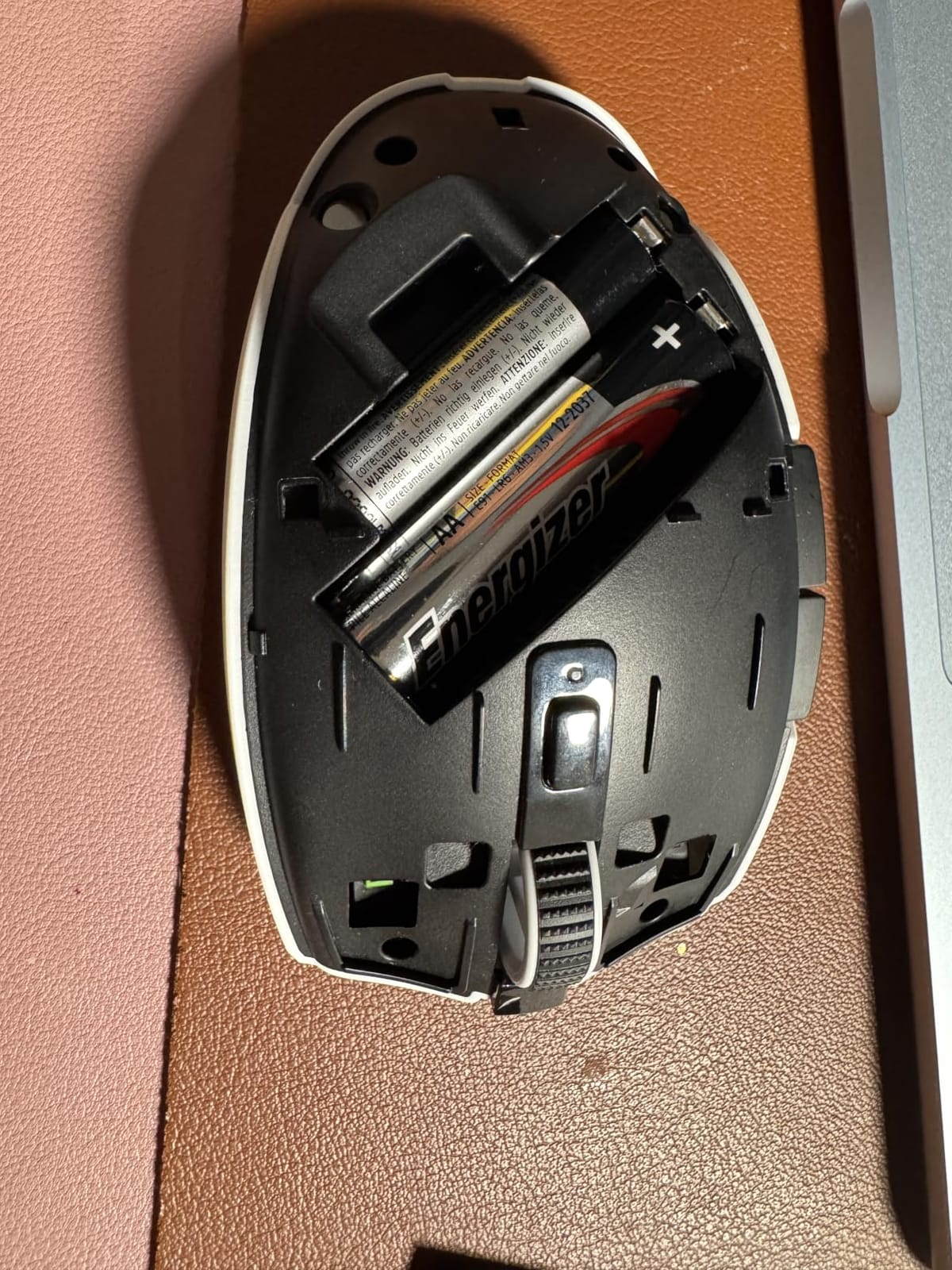
Is the Orochi V2 too small for larger hands?
If your hand measures over 7.5 inches from wrist to fingertip, the Orochi V2 will likely feel cramped for palm grip. Claw and fingertip grip users with larger hands can still make it work, since those grips do not require full palm contact. For hand sizes under 7 inches, the Orochi V2 fits beautifully. I have medium hands and found claw grip perfectly comfortable for hours of gaming.
Bluetooth vs HyperSpeed for gaming
Bluetooth mode is great for productivity and casual gaming, giving you that massive 950-hour battery life. For competitive gaming, switch to HyperSpeed 2.4GHz mode using the included dongle. The latency difference is noticeable in fast-paced FPS games where every millisecond counts. I kept mine in HyperSpeed mode for gaming sessions and Bluetooth for everything else.
5. Razer Basilisk V3 X HyperSpeed – Premium Features at the Price Ceiling
Razer Basilisk V3 X HyperSpeed Customizable Wireless Gaming Mouse, Black
18K DPI 5G Sensor
9 Programmable Controls
285-535hr Battery
Mechanical Switches Gen-2
Chroma RGB
Pros
- Exceptional battery life up to 535 hours
- 9 fully programmable buttons
- 5G Advanced 18K DPI sensor
- Ergonomic design supporting multiple grips
Cons
- Premium price point
- Software required for full customization
- Not as lightweight as some alternatives
The Razer Basilisk V3 X HyperSpeed sits right at the top of the $50 budget ceiling, and it delivers features that justify every cent. This is the most feature-rich mouse in this roundup, with 9 programmable controls, Gen-2 mechanical switches rated for 60 million clicks, and the same 5G Advanced 18K DPI sensor found in Razer’s more expensive models.
I tested the Basilisk V3 X primarily for FPS gaming, and the ergonomic shape is immediately comfortable. The signature Razer Basilisk body design fills the palm naturally and provides excellent thumb support. At 110 grams it is heavier than the ultralight options on this list, but the weight distribution feels balanced and planted rather than sluggish.
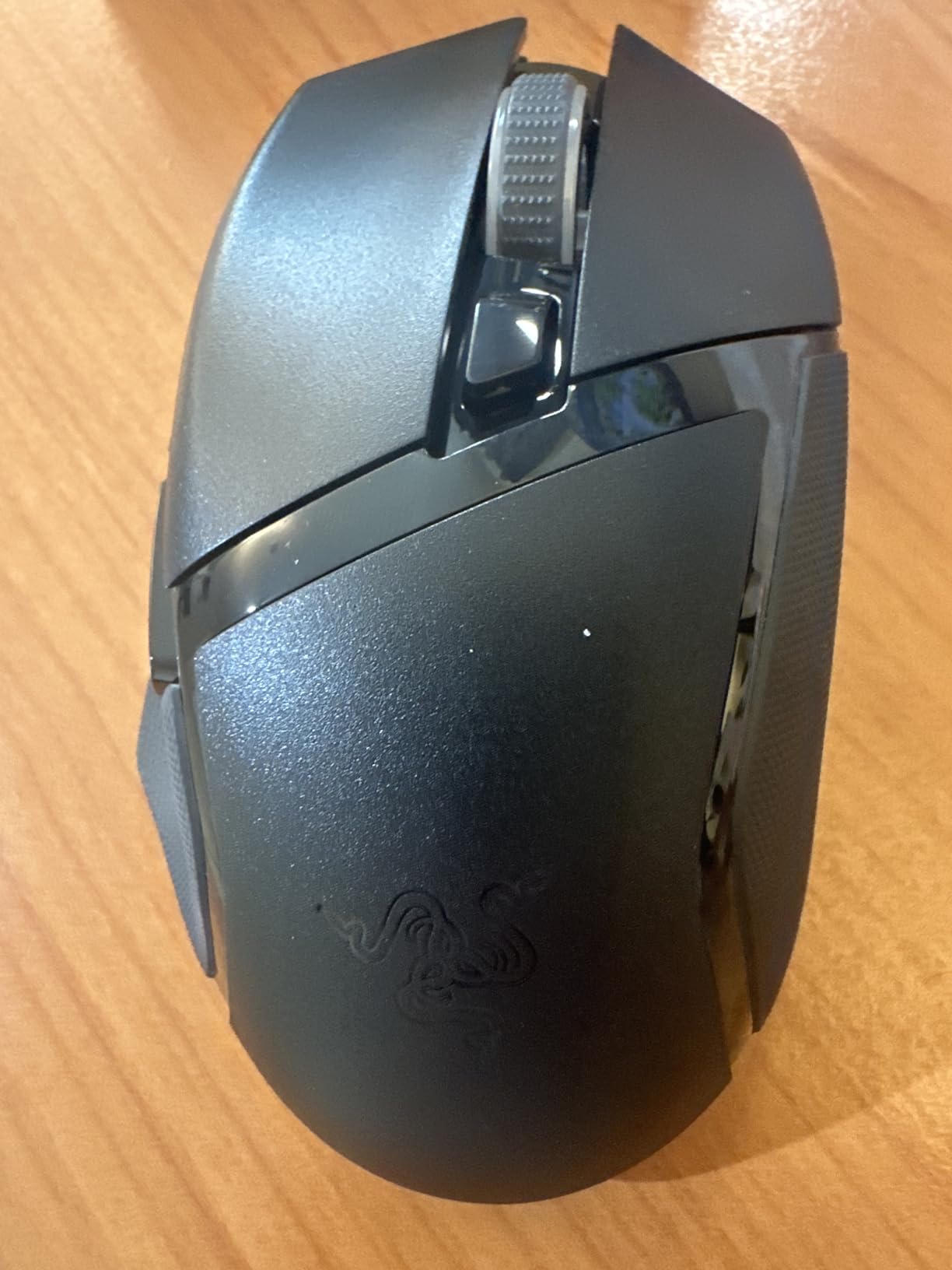
Battery life is impressive with up to 285 hours in HyperSpeed mode and up to 535 hours in Bluetooth mode. I used it for about two weeks of daily gaming and productivity work before the first charge cycle. The multi-device support means you can pair it with multiple devices and switch between them, which is handy if you game on one machine and work on another.
The Chroma RGB lighting system syncs with other Razer peripherals for a unified lighting setup. With 16.8 million colors and multiple effects, you can create some striking visual combinations. The software customization through Razer Synapse is powerful, though it requires installation to unlock the full potential of the 9 programmable buttons.
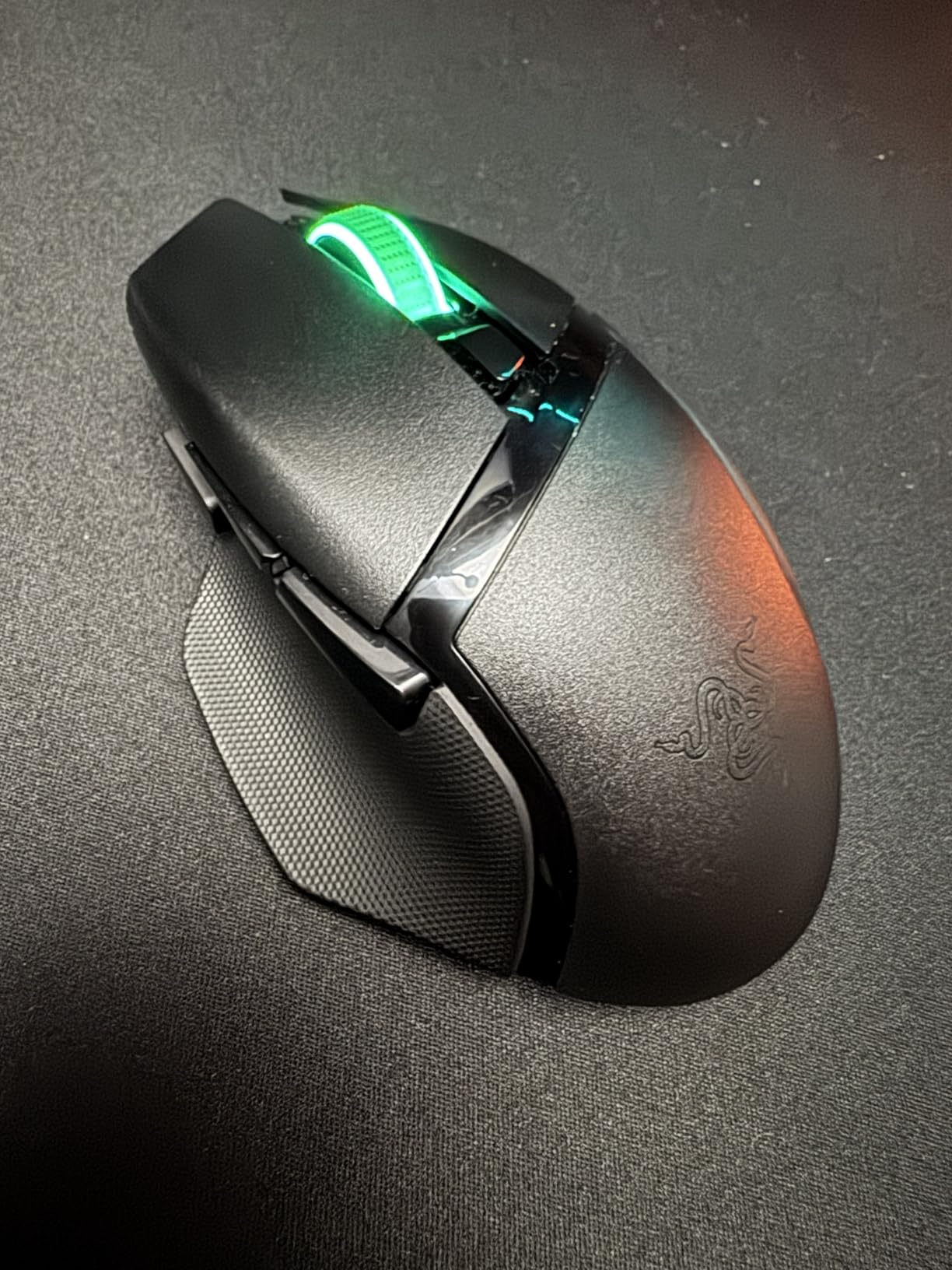
Is the Basilisk V3 X worth the extra cost over cheaper options?
If you want 9 programmable buttons, premium mechanical switches, and the ergonomic Basilisk shape, this is the only option under $50 that delivers all three. For MMO and MOBA players who rely on extra buttons for abilities and macros, the investment pays off. For pure FPS players who only need left, right, and scroll, the Logitech G305 or Razer Orochi V2 will serve you just as well for less money.
Does Synapse software work well for customization?
Razer Synapse is one of the more polished peripheral software suites available. Setting up button remapping, creating macros, and adjusting DPI stages was straightforward in my testing. The software does require an internet connection for initial setup and a Razer account, which some users find annoying. Once configured, settings save to onboard memory so you can use the mouse on other machines without the software.
6. Redragon M725 Honeycomb – Featherlight Design at a Featherweight Price
Redragon M725 Honeycomb Shell Gaming Mouse Wireless, Ultra Lightweight 49g, 8000 DPI Tri-Mode BT5.1/2.4GHz/Type-C Wired Gamer Mouse with 2 Side Buttons, Macro Programmable for PC/Mac/Laptop, Black
49g Honeycomb Shell
8000 DPI 5 Levels
Tri-Mode BT5.1/2.4GHz/Type-C
5 Programmable Buttons
Rechargeable
Pros
- Lightweight honeycomb design 49g
- 3-mode connectivity 2.4GHz BT5.1 Type-C wired
- Up to 8000 DPI with 5 adjustable levels
- Rechargeable battery
Cons
- Minimum OS requirement Windows 10
- Some users may prefer heavier mice for gaming
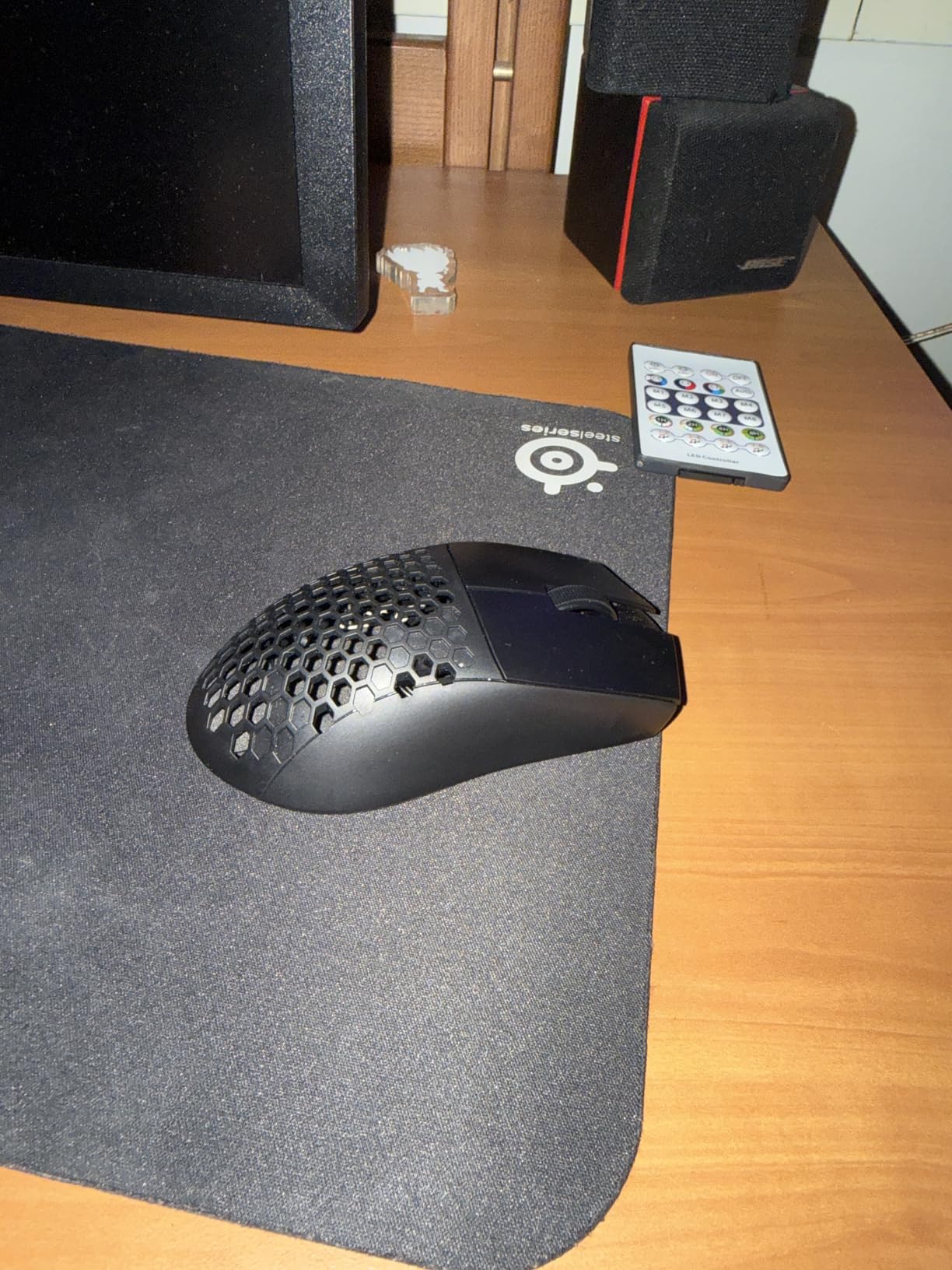
The Redragon M725 Honeycomb is the newest addition to my budget mouse collection, and it impressed me right out of the box. At just 49 grams, it is one of the lightest mice on this list and rivals ultralight designs that cost three times as much. The honeycomb shell pattern reduces weight while maintaining structural rigidity, and I could not feel any flex during aggressive mouse movements.
This is one of the cheapest options in this guide, which makes the feature set even more remarkable. You get tri-mode connectivity with Bluetooth 5.1, 2.4GHz wireless, and USB-C wired mode. The 8,000 DPI sensor with five redefinable levels covers the range most gamers need, and the five programmable buttons support multi-key macros through Redragon’s software.
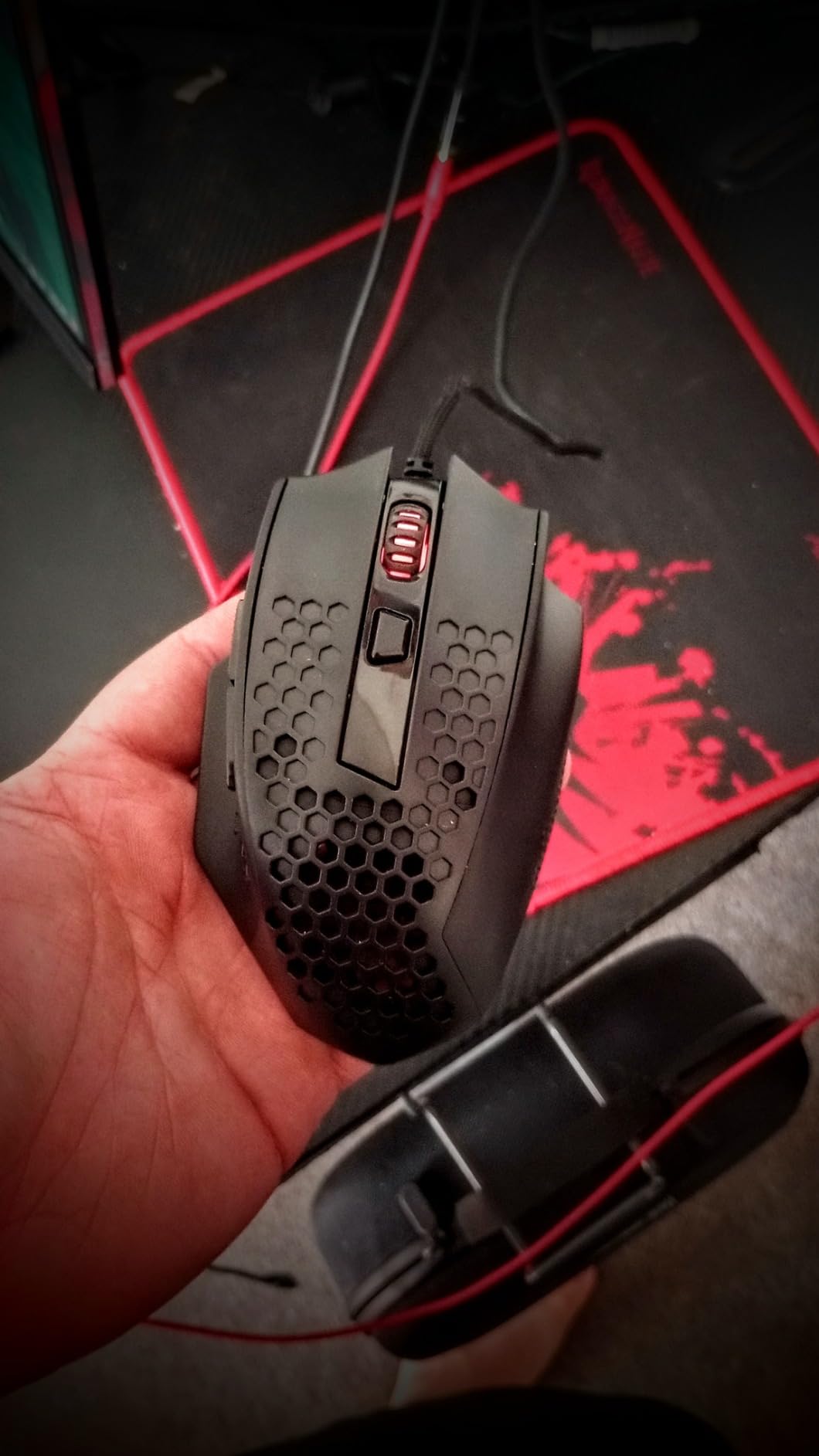
The symmetric grip design works for multiple hand positions. I found claw grip most natural on the M725, but the lightweight body also makes fingertip grip viable for quick repositioning. The honeycomb shell has a textured feel that provides decent grip without being abrasive. Some users worry about dust accumulating in honeycomb designs, but I did not find it to be a significant issue over several weeks of use.
The rechargeable battery eliminates the need for disposable batteries. Charging is done via USB-C, and you can continue using the mouse in wired mode while it charges. Battery life varies based on usage patterns and connection mode, but I got through a full week of moderate gaming on a single charge using the 2.4GHz dongle.
How does the honeycomb shell hold up over time?
The honeycomb design has become popular in competitive gaming mice because it dramatically reduces weight without sacrificing strength. After several weeks of daily use, the M725 shell showed no signs of creaking or flex. The 2-year warranty from Redragon provides additional peace of mind. The main trade-off is aesthetic, as some people love the look and others find it unconventional.
Is 49g too light for stable aiming?
Ultralight mice take some adjustment if you are used to heavier models. At 49g, the M725 moves with very little resistance, which is great for fast flick shots but can feel twitchy at first. I recommend lowering your in-game sensitivity slightly when switching from a heavier mouse. After a day or two of adjustment, most players find the lighter weight improves stamina during long gaming sessions.
7. RK Royal Kludge RKM30 – Extreme DPI in an Extreme Featherweight
RK ROYAL KLUDGE RK M30 Wireless Gaming Mouse, 24000 DPI, 43g Ultra-Lightweight, PAW3311 Sensor, 2.4G/Bluetooth/USB-C Rechargeable Wireless Mouse with 5 Programmable Buttons for PC/Mac, White
43g Ultralight
PAW3311 Sensor 24K DPI
1000Hz Polling
Tri-Mode 2.4G/BT5.1/USB-C
Rechargeable
Pros
- Ultra-lightweight 43g reduces wrist strain
- Tri-mode connectivity 2.4G BT5.1 USB-C
- High-precision PAW3311 sensor up to 24000 DPI
- 1000Hz polling rate for fast response
Cons
- Rechargeable battery needs charging every few days
- Very lightweight may not suit all preferences
- Delicate clips due to lightweight design
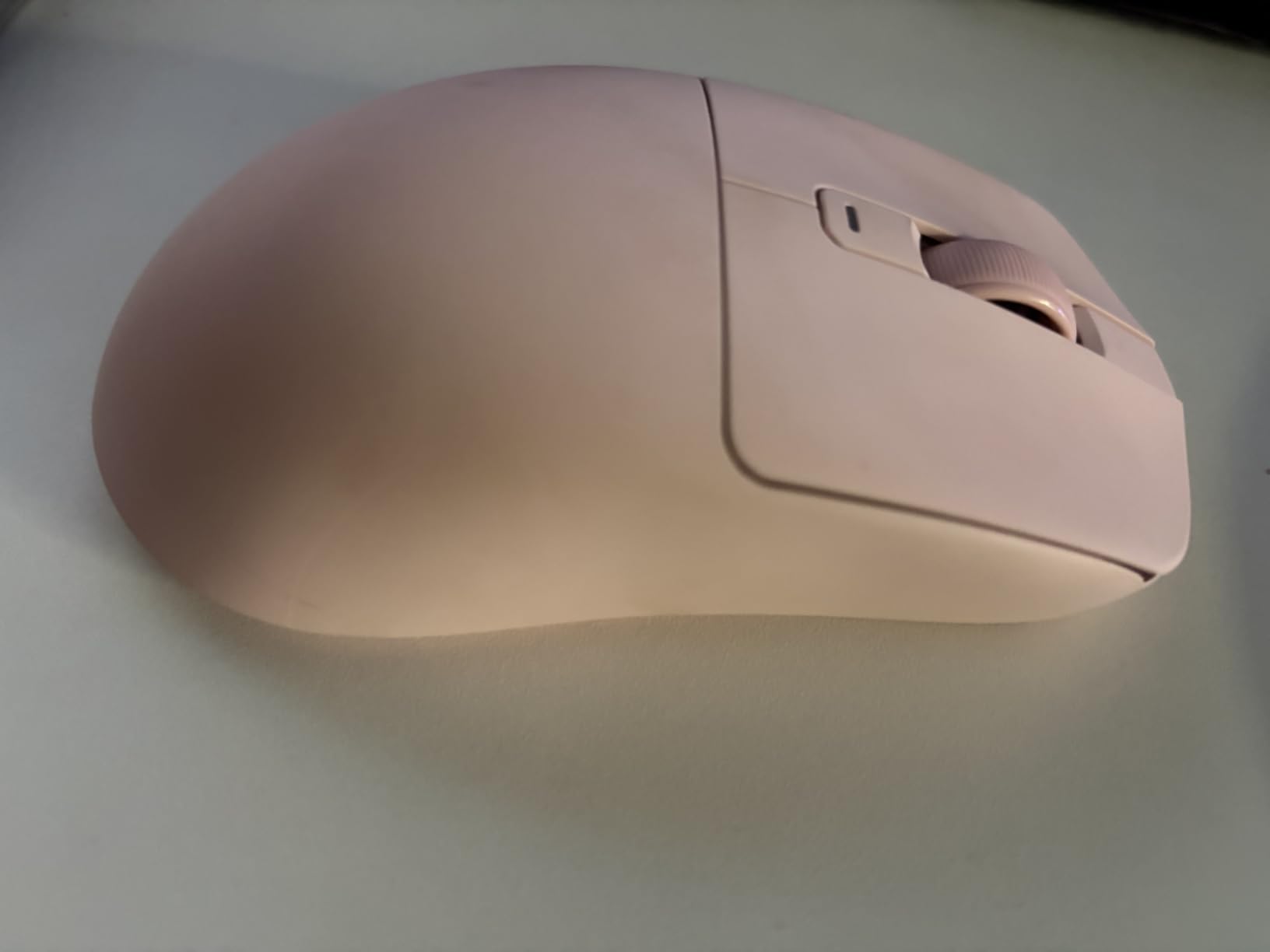
The RK Royal Kludge RKM30 is the lightest mouse in this roundup at a mere 43 grams. When I first picked it up, the lack of weight was almost startling. Coming from a 99g Logitech G305, the RKM30 felt like holding a feather. But after a gaming session, I appreciated how little effort each movement required, especially during long matches where mouse fatigue sets in.
The PAW3311 sensor is a capable mid-range PixArt sensor that supports up to 24,000 DPI with 300 IPS tracking speed and 35G acceleration. In practical terms, this means the sensor can handle extremely fast swipes without losing tracking. The 1,000Hz polling rate ensures 1ms response time, which matches the performance of much more expensive gaming mice.
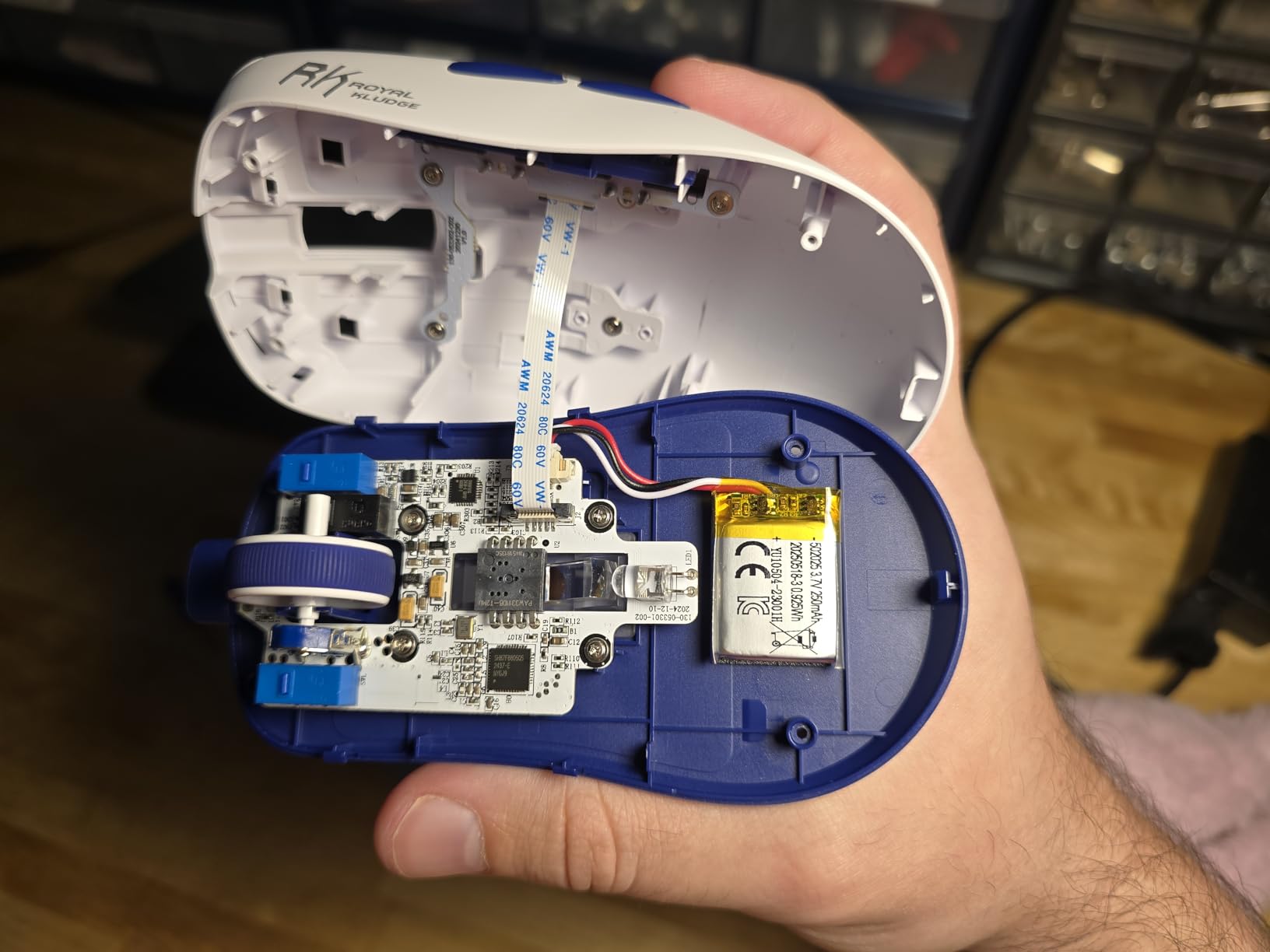
The tri-mode connectivity gives you options for every scenario. I used 2.4GHz for gaming on my desktop, Bluetooth for connecting to my iPad, and USB-C wired for charging. The 32-foot wireless range worked flawlessly across my desk setup without any signal drops or noticeable latency.
The trade-off for that extreme lightness is battery capacity. The 250mAh rechargeable battery needs charging every few days with regular use. I developed a habit of plugging it in overnight every other day, which kept it charged without interrupting gaming sessions. The 24-36 hour battery life per charge is the main reason this mouse has a slightly lower rating than others on this list.
Does the 24,000 DPI actually matter for gaming?
For the vast majority of gamers, anything above 3,200 DPI goes unused. Professional FPS players typically play between 400 and 1,600 DPI. The high DPI ceiling is useful for high-resolution productivity work on large monitors, but for gaming, the PAW3311 sensor’s tracking accuracy matters far more than its maximum DPI. Think of 24,000 DPI as headroom rather than a daily use spec.
How does the RKM30 compare to the Redragon M725?
Both are ultralight budget mice with tri-mode connectivity, but there are key differences. The RKM30 is lighter at 43g versus the M725’s 49g and offers a higher DPI sensor. However, the M725 has a longer battery life and a 2-year warranty versus the RKM30’s 1-year warranty. Choose the RKM30 for maximum lightness and DPI, or the M725 for better battery life and warranty coverage.
8. AULA SC580 – Balanced Ergonomics With Standout Battery Life
AULA SC580 Wireless Gaming Mouse, Tri-Mode White Gaming Mice & 12000 DPI
12K DPI 6 Levels
1000Hz Polling
Tri-Mode 2.4G/BT5.0/USB-C
500mAh Battery
82g Ergonomic
Pros
- Excellent battery life 10-14 days
- Tri-mode connectivity 2.4G BT5.0 USB-C
- 6 adjustable DPI levels up to 12000
- 82g lightweight with good balance
Cons
- Driver only supports Windows
- BT mode not available for programming
- Auto-sleep after 2-5 minutes of inactivity
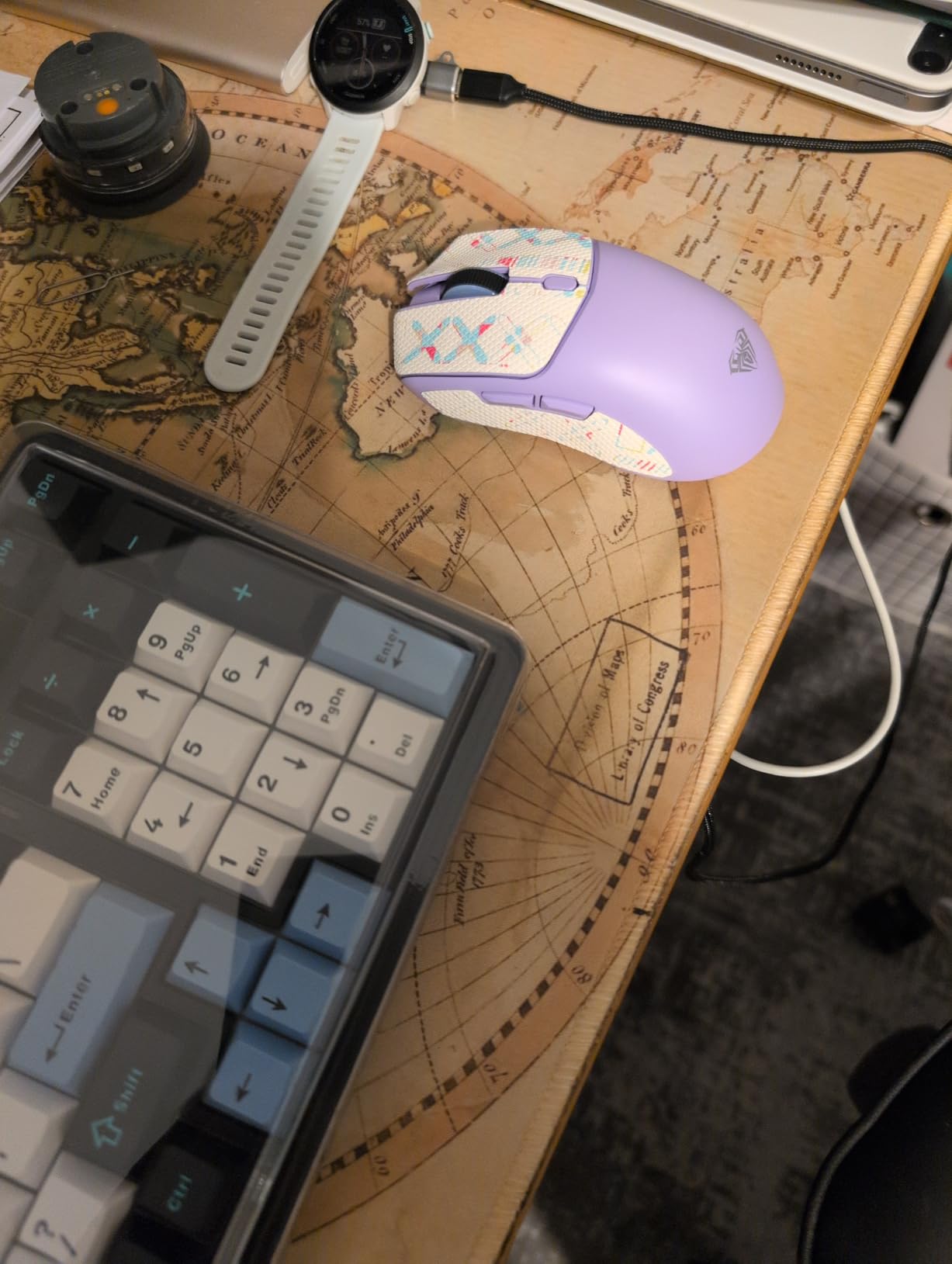
The AULA SC580 rounds out this list as a well-balanced option that splits the difference between the ultralight mice and the heavier feature-rich models. At 82 grams, it sits in the middle of the weight range and feels substantial without being heavy. The ergonomic right-handed design provided one of the most comfortable grips I tested in this price bracket.
Battery life is the SC580’s calling card. The 500mAh battery delivers 10 to 14 days of use with 5 hours of daily gaming, which translates to roughly 288 hours per charge. That puts it among the longest-lasting rechargeable options in this guide. I went almost two full weeks between charges during my testing period, which included daily gaming sessions and general computer use.
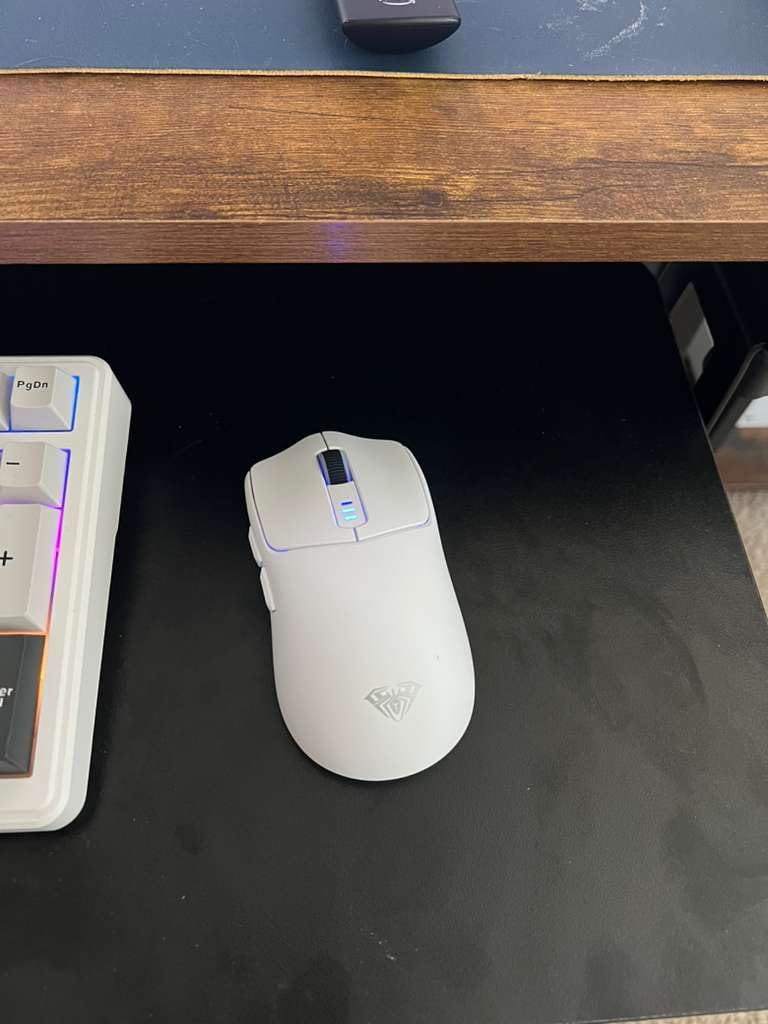
The six adjustable DPI levels span from 800 to 12,000, covering everything from precise sniper aiming to high-sensitivity flicking. The 1,000Hz polling rate keeps response times competitive with more expensive mice. Six programmable buttons offer enough customization for most game types, though MMO players who need 9 or more buttons might prefer the Razer Basilisk V3 X.
The included anti-slip stickers are a thoughtful addition that I have not seen from other brands at this price. They attach to the sides of the mouse for extra grip during sweaty gaming sessions. The ergonomic design is optimized for right-handed users with a thumb rest that prevents the thumb from dragging on the mousepad.
Does the auto-sleep feature cause problems in gaming?
The SC580 enters sleep mode after 2 to 5 minutes of inactivity to conserve battery. In my testing, the wake-up time was nearly instant when I moved the mouse, so it never affected active gaming. The only scenario where it might be noticeable is if you set the mouse down during a loading screen and then need to make an immediate action upon returning. If this bothers you, there are alternative budget wireless gaming mice on this list that do not have auto-sleep.
Is the Windows-only driver a limitation?
The customization software only runs on Windows, which means Mac and Linux users cannot remap buttons or adjust DPI levels beyond the hardware presets. The mouse still works perfectly on Mac and Linux as a standard pointing device with its default button layout. If you are on Windows, the driver unlocks full macro programming and DPI customization. For Mac users, consider the Logitech G305 which offers cross-platform support.
How to Choose the Best Budget Wireless Gaming Mouse Under $50?
After testing all eight of these mice, I identified the key factors that separate a good budget wireless gaming mouse from a mediocre one. Understanding these criteria will help you match a mouse to your specific needs rather than just picking the highest-rated option.
Sensor and DPI Performance
The sensor is the heart of any gaming mouse, and it is the area where budget mice have improved most dramatically. Look for optical sensors from PixArt or sensors developed in-house by major brands like Logitech’s HERO or Razer’s 5G Advanced. These sensors provide accurate tracking without acceleration or angle-snapping issues that plague cheap generic sensors.
DPI, or dots per inch, measures how sensitive the sensor is to movement. Higher DPI means the cursor moves farther for the same physical mouse movement. Most gamers use between 400 and 3,200 DPI, so do not be fooled by massive DPI numbers. What matters more is the sensor’s IPS rating (how fast you can move before tracking fails) and polling rate (how often the mouse reports position to the computer). Look for at least 1,000Hz polling for competitive gaming.
Weight and Ergonomics
Weight is one of the most personal aspects of mouse selection. The mice in this guide range from 43g to 200g, and different weights suit different playstyles. Ultralight mice under 60g excel for fast-paced FPS gaming where quick reactions matter. Mid-weight mice around 80 to 110g provide stability for precision aiming and feel more planted. Heavier mice suit productivity work and MMO gaming where button mashing is more common than flicking.
Grip style matters just as much as weight. Palm grip players need longer mice that fill the hand. Claw grip players benefit from shorter, humped shapes. Fingertip grip players do best with compact, lightweight mice that are easy to reposition. Consider your hand size too. A mouse that fits a 7-inch hand perfectly will feel cramped for someone with 8-inch hands.
Battery Life and Connectivity
Battery life varies enormously across budget wireless mice. The Razer Orochi V2 leads with up to 950 hours, while the RK Royal Kludge RKM30 needs charging every 24 to 36 hours. Decide whether you prefer the convenience of a rechargeable battery or the set-and-forget nature of replaceable AA batteries. Both approaches have merits.
For connectivity, 2.4GHz wireless with a USB dongle provides the lowest latency and is recommended for competitive gaming. Bluetooth is convenient for connecting to laptops and tablets but introduces slightly more latency. Tri-mode mice that support both give you the best of both worlds. USB-C wired mode lets you use the mouse while charging, which is essential for rechargeable models.
Buttons and Software Customization
Consider how many buttons you actually need. FPS players can get by with 3 to 5 buttons. MOBA and MMO players benefit from 6 to 9 programmable buttons for mapping abilities and items. Check whether the buttons are mechanical switches, which offer tactile feedback but can develop double-click issues, or optical switches, which are rated for more clicks.
Software quality varies significantly across brands. Razer Synapse and Logitech G HUB are the most polished options with extensive customization. Redragon’s software is functional but less refined. AULA’s driver is Windows-only. If software matters to you, check compatibility with your operating system before buying.
Frequently Asked Questions About Budget Wireless Gaming Mice
What is a good wireless gaming mouse under $50?
The Logitech G305 Lightspeed is the best overall wireless gaming mouse under $50, featuring a proven HERO sensor with 12,000 DPI, 250-hour battery life on a single AA battery, and a 99g lightweight design. Other strong options include the Razer Basilisk V3 X HyperSpeed for maximum features and the Redragon M602 Griffin for budget-conscious buyers wanting tri-mode connectivity.
Is wireless good enough for competitive gaming on a budget?
Yes, modern 2.4GHz wireless technology with USB dongles provides 1ms response times that match or exceed wired mice. Mice like the Logitech G305 Lightspeed and Razer Orochi V2 use the same wireless technology found in premium esports mice. The key is using the 2.4GHz dongle rather than Bluetooth, which does introduce noticeable latency for competitive play.
What DPI do I need for gaming under $50?
Most gamers use between 400 and 3,200 DPI regardless of budget. FPS players typically prefer 400 to 1,600 DPI for precision aiming, while MOBA and general use players may prefer 1,600 to 3,200 DPI. Higher DPI numbers like 24,000 are marketing features rather than practical specs. Focus on sensor tracking accuracy and polling rate (look for 1,000Hz) instead of maximum DPI.
What are good cheap gaming mice with long battery life?
The Razer Orochi V2 offers up to 950 hours in Bluetooth mode and 425 hours in 2.4GHz mode on a single AA battery. The Logitech G305 Lightspeed delivers 250 hours per AA battery. For rechargeable options, the AULA SC580 provides 288 hours per charge, and the Razer Basilisk V3 X HyperSpeed offers up to 535 hours in Bluetooth mode.
Which wireless gaming mouse has the best sensor under $50?
The Logitech G305 Lightspeed features Logitech’s HERO sensor, which is widely regarded as the best sensor available under $50 due to its 400 IPS tracking precision and zero acceleration. The Razer Basilisk V3 X HyperSpeed and Razer Orochi V2 both use Razer’s 5G Advanced 18,000 DPI optical sensor, which performs at a similarly high level for competitive gaming.
Final Verdict: Which Budget Wireless Gaming Mouse Should You Buy?
After weeks of testing across FPS games, MOBA sessions, and daily productivity work, my top recommendation for the best budget wireless gaming mouse under $50 remains the Logitech G305 Lightspeed. Its HERO sensor delivers tracking accuracy that rivals mice costing twice as much, and the 250-hour battery life on a single AA battery is simply unmatched in this price range.
For gamers who want maximum features, the Razer Basilisk V3 X HyperSpeed offers 9 programmable buttons, Chroma RGB, and dual wireless modes at the top of the budget. If absolute lowest price is your priority, the Redragon M602 Griffin and Redragon M725 Honeycomb both deliver incredible value under $25. And for ultralight enthusiasts, the Razer Orochi V2 at 60g and the RK Royal Kludge RKM30 at 43g provide featherweight gaming experiences that were impossible at this price point just a few years ago.
Whichever mouse you choose from this list, you are getting a genuine gaming-grade wireless peripheral for under $50 in 2026. The gap between budget and premium gaming mice has narrowed dramatically, and these eight options prove that you do not need to spend a fortune to get competitive performance.