
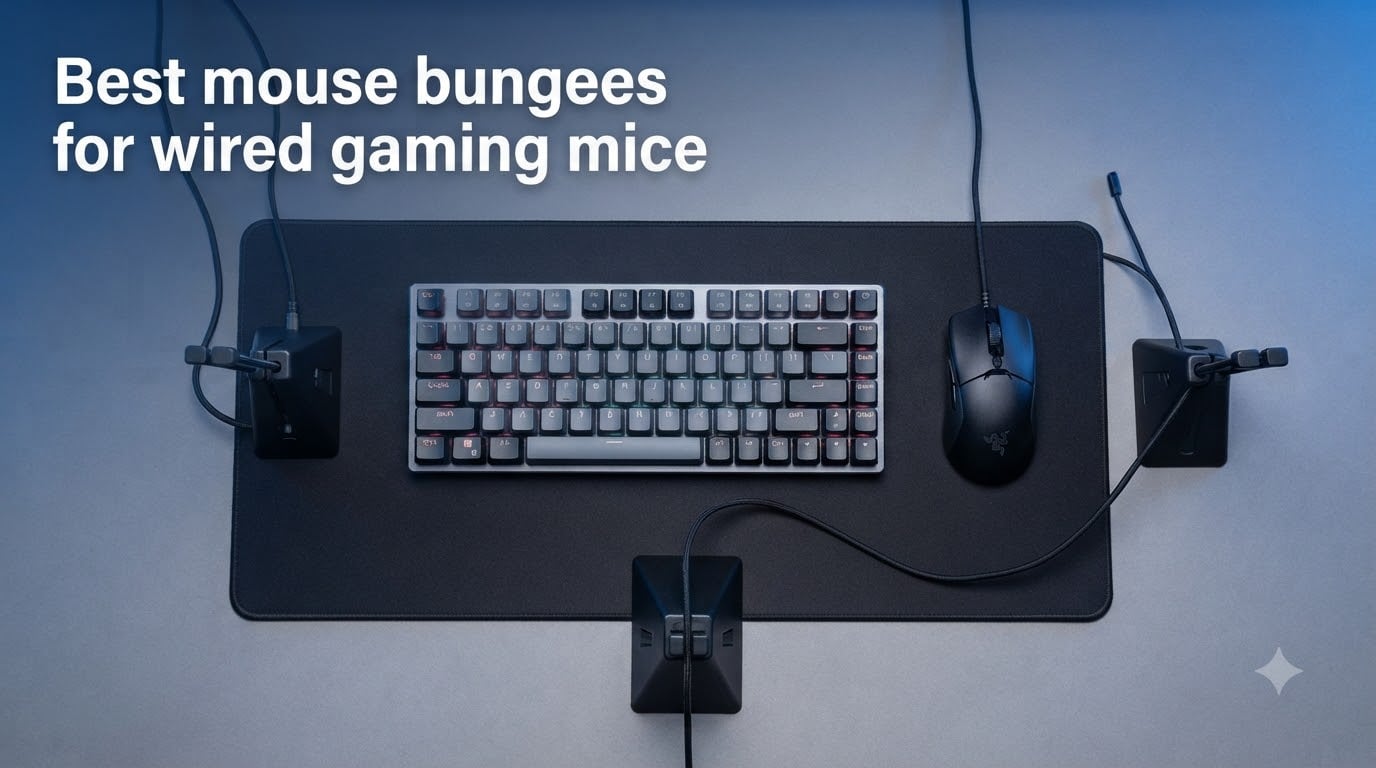
If you have ever felt your mouse cable snag mid-flick in CS2 or Valorant, you already know why mouse bungees exist. A good bungee suspends your cable above the desk so it stops dragging, catching, and messing with your aim. Our team spent weeks testing the best mouse bungees for wired gaming mice to see which ones actually deliver that wireless feel without the wireless latency.
Pro players still overwhelmingly prefer wired mice for their zero-lag input, and almost every eSports setup you see on stream includes a bungee sitting next to the mousepad. The difference between a great bungee and a bad one comes down to stability, cable compatibility, and how much desk real estate it eats. We tested options ranging from a $7 budget clip-on to a $40 RGB-loaded premium stand to find the real winners.
Whether you play competitive FPS titles, MMOs, or just want a cleaner desk setup, this guide breaks down eight top-rated options with hands-on impressions, real specs, and honest pros and cons for each.
Table of Contents
Top 3 Picks for Best Mouse Bungees for Wired Gaming Mice 2026

Razer Bungee V3 Chroma
- Weighted 240g base
- Chroma RGB underglow
- Adjustable spring arm
- Fits all cable types

Pulsar Micro Bungee ES
- Attaches to monitor
- 360-degree free motion
- Super compact polycarbonate
- Extra 3M adhesive included

Sisyphy Gaming Mouse Bungee
- Height-adjustable spring arm
- 360g weighted base
- Flexible rubber clip
- Compact footprint
Best Mouse Bungees for Wired Gaming Mice in October 2026
| Product | Specs | Action |
|---|---|---|
| Razer Bungee V3 Chroma |
|
Check Latest Price |
| Pulsar Micro Bungee ES |
|
Check Latest Price |
 AOZCBOR Flexible Bungee AOZCBOR Flexible Bungee |
|
Check Latest Price |
| Sisyphy Gaming Bungee |
|
Check Latest Price |
 Hotline Games Bungee Hotline Games Bungee |
|
Check Latest Price |
 Enhance Pro Gaming Bungee Enhance Pro Gaming Bungee |
|
Check Latest Price |
 Thermaltake Galeru Bungee Thermaltake Galeru Bungee |
|
Check Latest Price |
 ENDGAME GEAR MB1 Bungee ENDGAME GEAR MB1 Bungee |
|
Check Latest Price |
1. Razer Gaming Mouse Bungee V3 Chroma – Best Premium Pick
Razer Gaming Mouse Bungee V3 Chroma, Drag-Free Wired Mouse Support, Black
Weight: 8.5 oz (240g)
Dimensions: 3.55 x 4.83 inches
RGB: 16.8M colors via Synapse
Warranty: 1 year
Pros
- Drag-free performance with wireless-like feel
- Chroma RGB underglow with Synapse support
- Stable 240g weighted base with anti-slip feet
- Premium build quality
- Fits rubber braided and paracord cables
Cons
- No Mac support for Synapse lighting
- Cable can slip out near the base
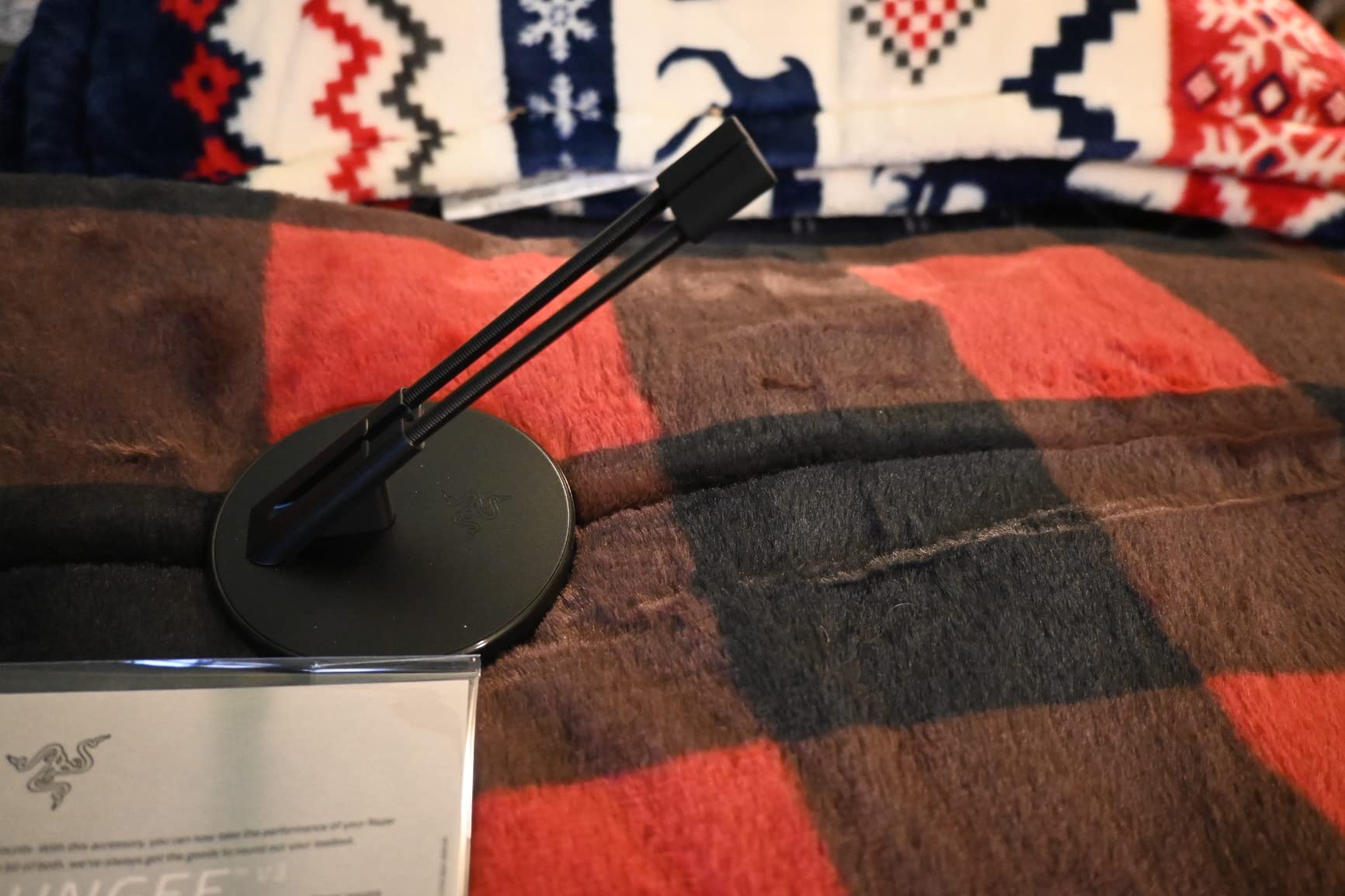
I have been running the Razer Bungee V3 Chroma on my main desk for months, and it is the closest thing to a wireless mouse experience I have felt from any cable management tool. The adjustable spring arm lets you dial in the exact angle your cable feeds from, which made a noticeable difference in fast flick shots during Valorant sessions.
The 240g weighted base is genuinely solid. I tested it with aggressive low-sensitivity swipes across a 17-inch mousepad, and it never tipped or slid. Razer added anti-slip rubber feet that grip hard on everything from cloth mats to bare wood desks.
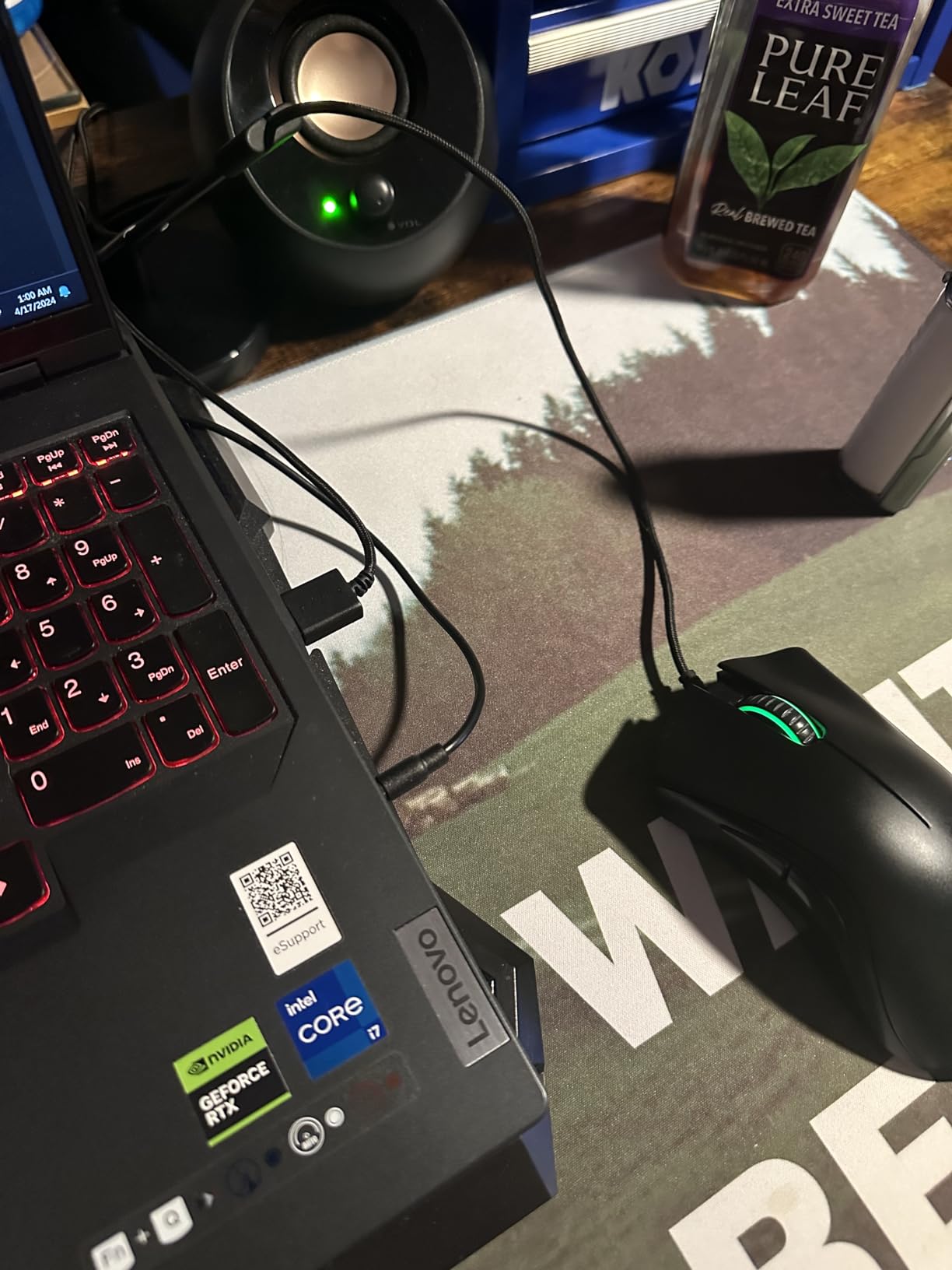
The Chroma RGB underglow is the standout feature if you care about desk aesthetics. It syncs through Razer Synapse with 16.8 million colors and dynamic in-game lighting effects. My only gripe is that Synapse is Windows-only, so Mac users lose the customization but the bungee still works perfectly as a cable holder.
One small issue several users mention is that the cable can occasionally slip out of the clip near the base during very fast repositioning. I found that threading it through firmly and routing it at the recommended angle solves this 95 percent of the time.
Compatibility with Different Mouse Cables
The V3 Chroma is designed to fit all major cable types including rubber, braided, and paracord sleeves. I tested it with a Razer DeathAdder cable, a Logitech braided cable, and a aftermarket paracord mod, and all three fit cleanly through the clip channel.
Reddit users report it works well with Glorious, Finalmouse, and Zowie mice without any modification. This makes it one of the most universally compatible bungees on the market, which addresses a common pain point in the community.
Desk Surface Performance
On a standard wooden desk, the weighted base with anti-slip feet holds firm through hours of gaming. I also tested it on a glass tabletop and found it stayed planted thanks to the rubber grip pattern on the bottom.
The compact footprint of 3.55 by 4.83 inches means it fits alongside your mousepad without crowding your space. Even on a smaller desk, the Razer V3 barely takes up room while delivering excellent cable elevation.
2. Pulsar Gaming Gears Micro Bungee ES – Best Space-Saving Design
Pulsar Gaming Gears Micro Bungee ES, Wired Mouse Support, Single Pack
Weight: 9g
Mounting: 3M VHB adhesive
Material: Polycarbonate and silicone
Extra adhesive included
Pros
- Attaches to monitor saving desk space
- 360-degree free cable motion
- Super lightweight polycarbonate build
- Extra 3M adhesive for re-use
- Excellent value price
Cons
- Adhesive may lose strength over time
- Thick cables fit snugly
- Not ideal for very thick cords
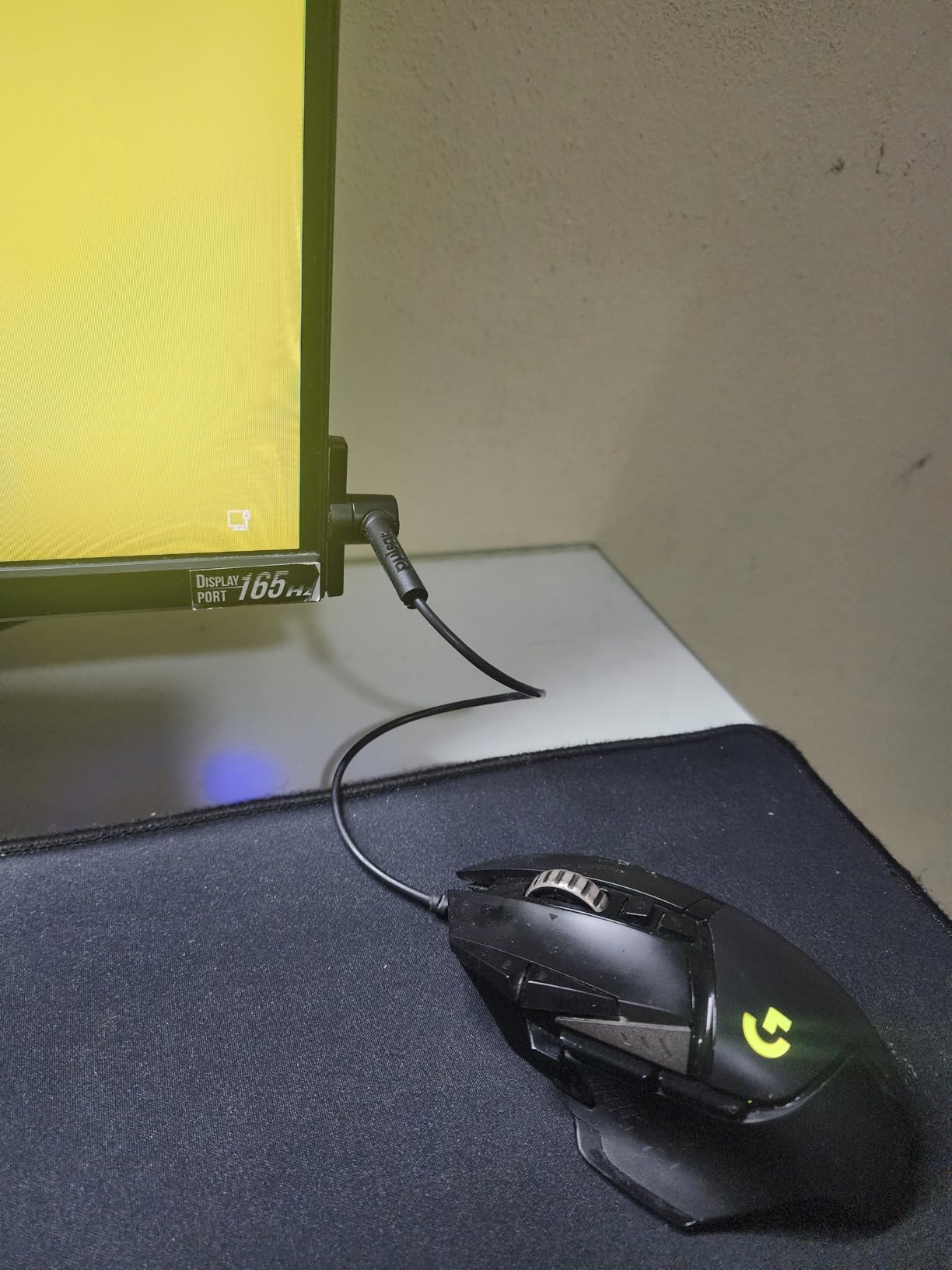
The Pulsar Micro Bungee ES takes a completely different approach from every other bungee on this list. Instead of sitting on your desk with a weighted base, it sticks directly to the back of your monitor with 3M VHB adhesive. This means zero desk footprint, which is a huge win if you have a small setup or want maximum mousepad space.
I tested it with my wired DeathAdder V3 and was surprised at how well the flexible silicone arm moved. It gives you full 360-degree free motion, so the cable tracks your mouse in every direction without resistance. One Reddit user mentioned they have been using it with their wired DAV3 for most of a year and never went back, which matches my experience.
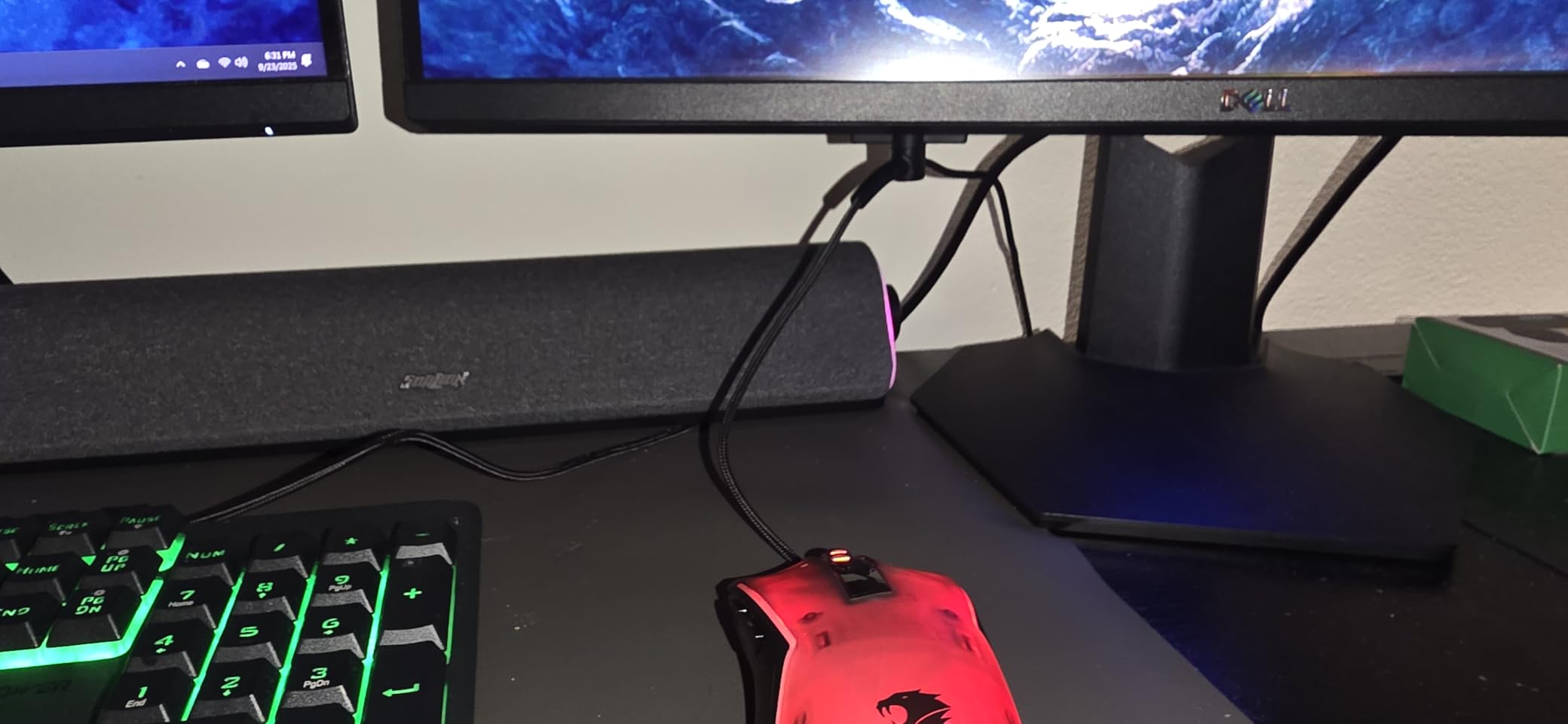
At just 9 grams, this thing is almost weightless. The polycarbonate body feels durable for the price, and the silicone arm flexes naturally without feeling fragile. Pulsar includes an extra 3M adhesive strip in every pack, so you can remove and re-mount it if you rearrange your setup.
The main trade-off is adhesive reliability. After several months the sticky pad can lose grip, especially in warmer rooms. I recommend cleaning the mounting surface with alcohol before applying and pressing firmly for 60 seconds to get the best bond.
Installation and Setup Process
Setup takes about two minutes. Peel the adhesive backing, press the bungee onto the back or side edge of your monitor, route your cable through the silicone channel, and you are done. The extra adhesive pad means you can reposition it once without buying replacements.
I found it works best when mounted on the lower side edge of a monitor rather than the back, as this gives the cable a shorter path to the mouse and reduces sag. Make sure your monitor frame is flat where you mount it for the strongest adhesion.
Best Use Cases for the Monitor Mount Design
This bungee shines for laptop gamers and anyone with a compact desk where every inch counts. If you game on a small table or shared workspace, the monitor-mounted design frees up the entire mousing area.
It also works great for tournament players who travel, since the tiny form factor fits in any bag. You will need a monitor or surface to mount it to at your destination, but the portability advantage over a full weighted bungee is significant.
3. AOZCBOR Flexible Mouse Bungee – Best Budget Option
AOBOR AOZCBOR Flexible Mouse Bungee Mouse Cord Management Fixer Holder (Black)
Weight: 5.6 oz
Material: Plastic and metal
Base: Metal ball weight
Compatible: Any corded mouse
Pros
- Great value for the price
- Weighted base with metal ball for stability
- Works with various cable types
- Reduces cable drag effectively
- Simple plug-and-play design
Cons
- Cable can slip from clip requiring adjustment
- Base may lack heft for aggressive play
- Thick braided cables not held securely
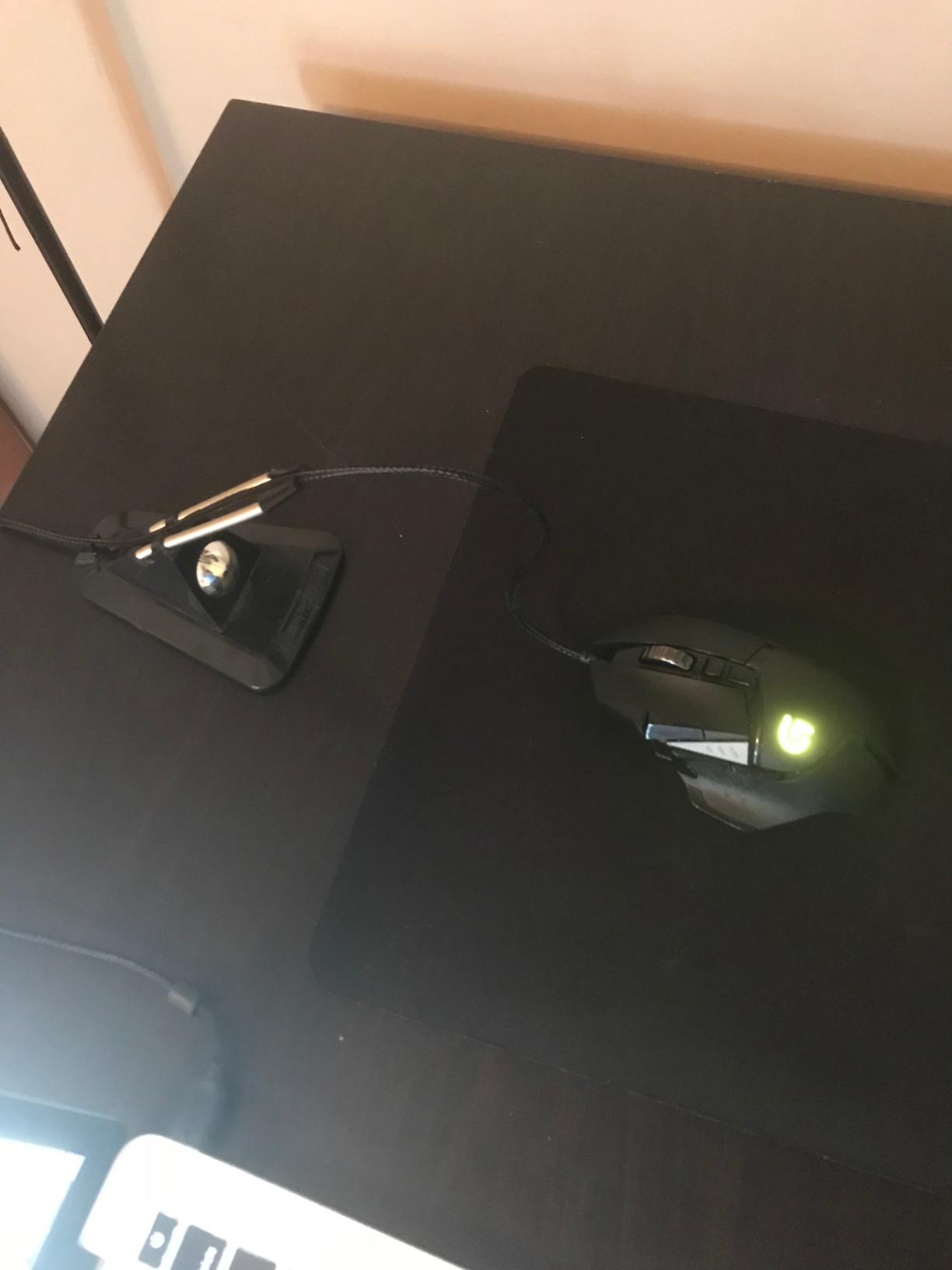
At under eight dollars, the AOZCBOR Flexible Mouse Bungee is the cheapest option on this list that still delivers real cable management benefits. I tested it for two weeks with a mid-weight gaming mouse and found it eliminated most cable drag for casual and moderate-pace gaming.
The build is plastic with a metal ball inside the base that provides the weight. It is not as heavy or premium-feeling as the Razer or Sisyphy options, but it stays planted for normal mouse movements. The flexible arm bends easily and holds its angle once set.
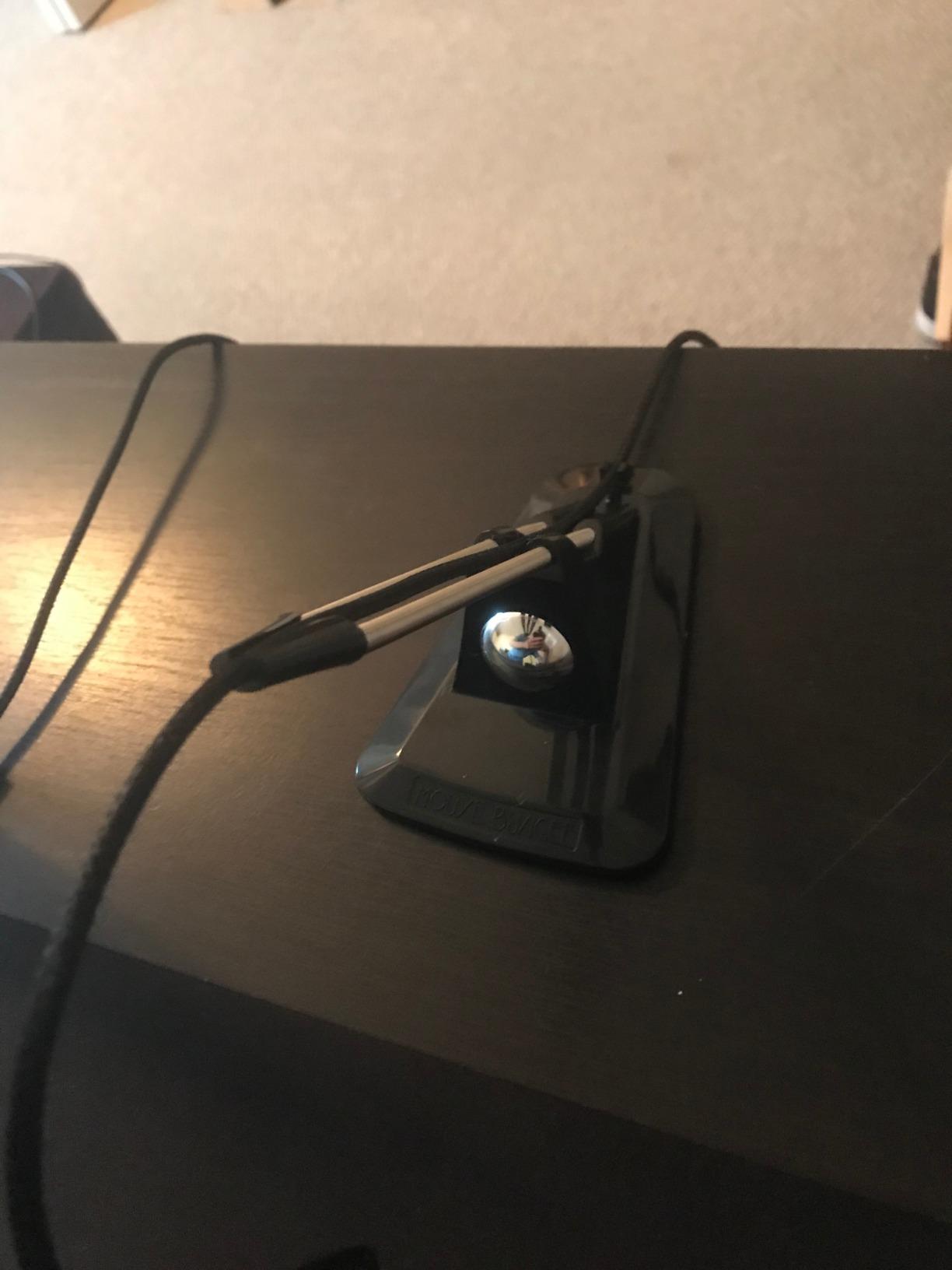
For FPS games like CS and Valorant, it does a solid job for the price. The arm keeps the cable elevated and reduces snagging on desk edges. You will notice it struggles slightly during very fast wide swipes compared to heavier units, but for most players the difference is minor.
The biggest complaint across user reviews is that the cable clip does not always hold thicker braided cables securely. Some users report needing to pinch the clip or add a small rubber band to keep their paracord in place. For stock rubber cables, it works without modification.
Who Should Consider This Budget Bungee
This is the right pick if you want to try a mouse bungee for the first time without committing much money. It delivers 80 percent of the benefit of premium options at a fraction of the cost. Casual gamers, office workers, and students on a budget will get plenty of value here.
If you play competitively with very low sensitivity and make large arm movements, you may want something heavier. But for medium to high sensitivity players, the AOZCBOR handles the job well enough.
Build Quality and Longevity
The plastic construction feels budget-appropriate. After extended use, the flexible arm may develop some looseness at the joint, but it continues to function. The metal ball in the base does not rust or degrade over time.
I would treat this as a starter bungee rather than a lifetime purchase. If you find you love the cable-free feel, you can always upgrade later. But honestly, for many users this budget option is all they ever need.
4. Sisyphy Gaming Mouse Bungee Premium – Best Adjustable Arm
Sisyphy Gaming Mouse Bungee, Mouse Cord Holder and Cable Management Device (Primium Version 360g, Black)
Weight: 12.7 oz (360g)
Dimensions: 3.82 x 3.35 inches
Spring arm: Up to 3 inches extension
Base: Rubber footing with weighted core
Pros
- Height-adjustable spring arm for ideal cable height
- Heavy 360g base stays firmly planted
- Flexible rubber clip fits various cable sizes
- Compact footprint
- Excellent cable drag reduction
Cons
- Logo may look unappealing to some
- Cable can be snug to insert initially
- Could be heavier for extremely aggressive play
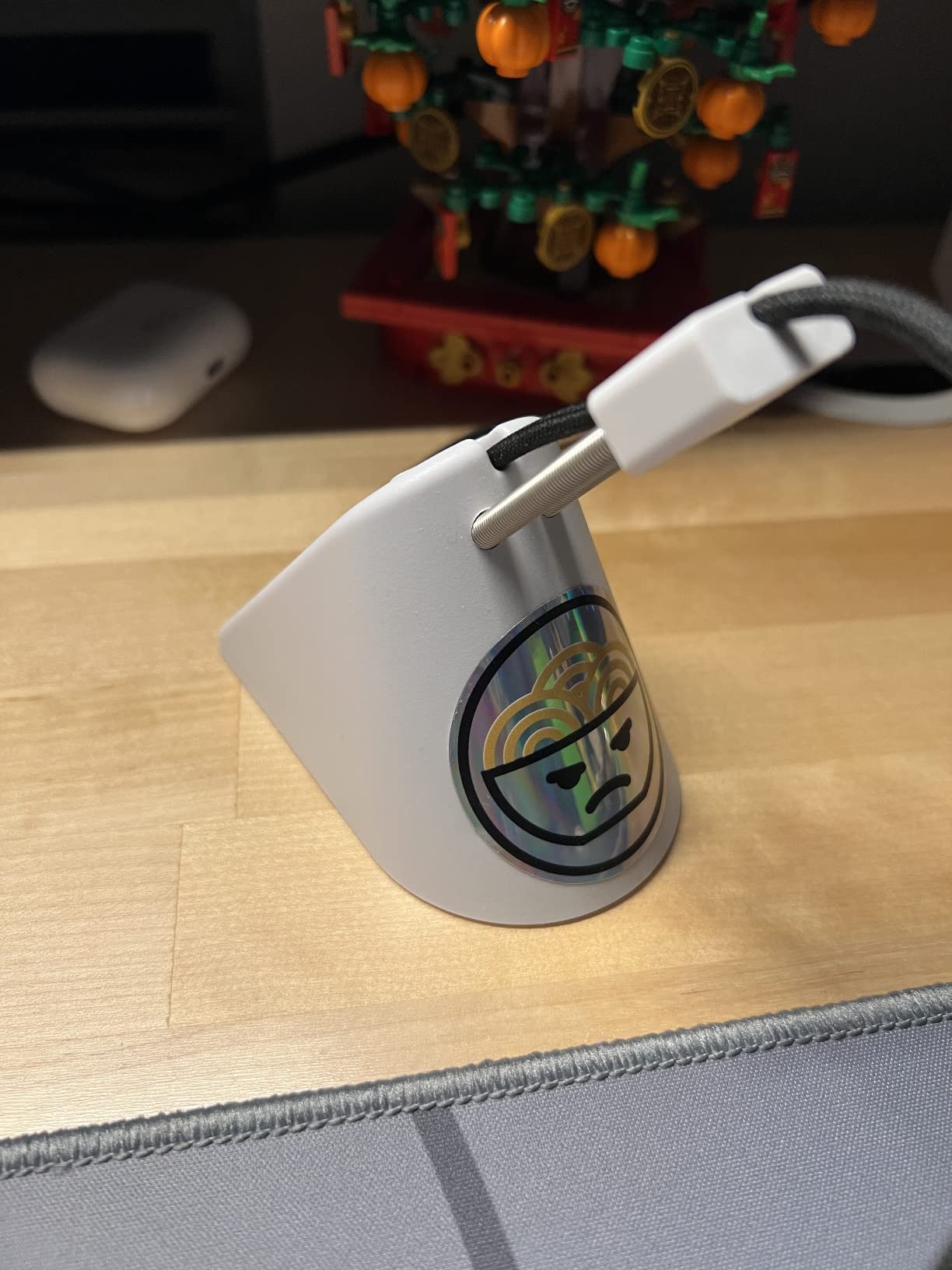
The Sisyphy Gaming Mouse Bungee Premium hits a sweet spot between price, weight, and adjustability that impressed me during testing. At 360 grams, the base is one of the heaviest in this roundup, and it shows when you start flicking your mouse around at speed.
The height-adjustable spring arm extends up to 3 inches, letting you position the cable at the exact elevation that eliminates sag without creating tension. I spent time dialing in the height with different mice, and the difference between a good setting and a great one was immediately noticeable in tracking smoothness.
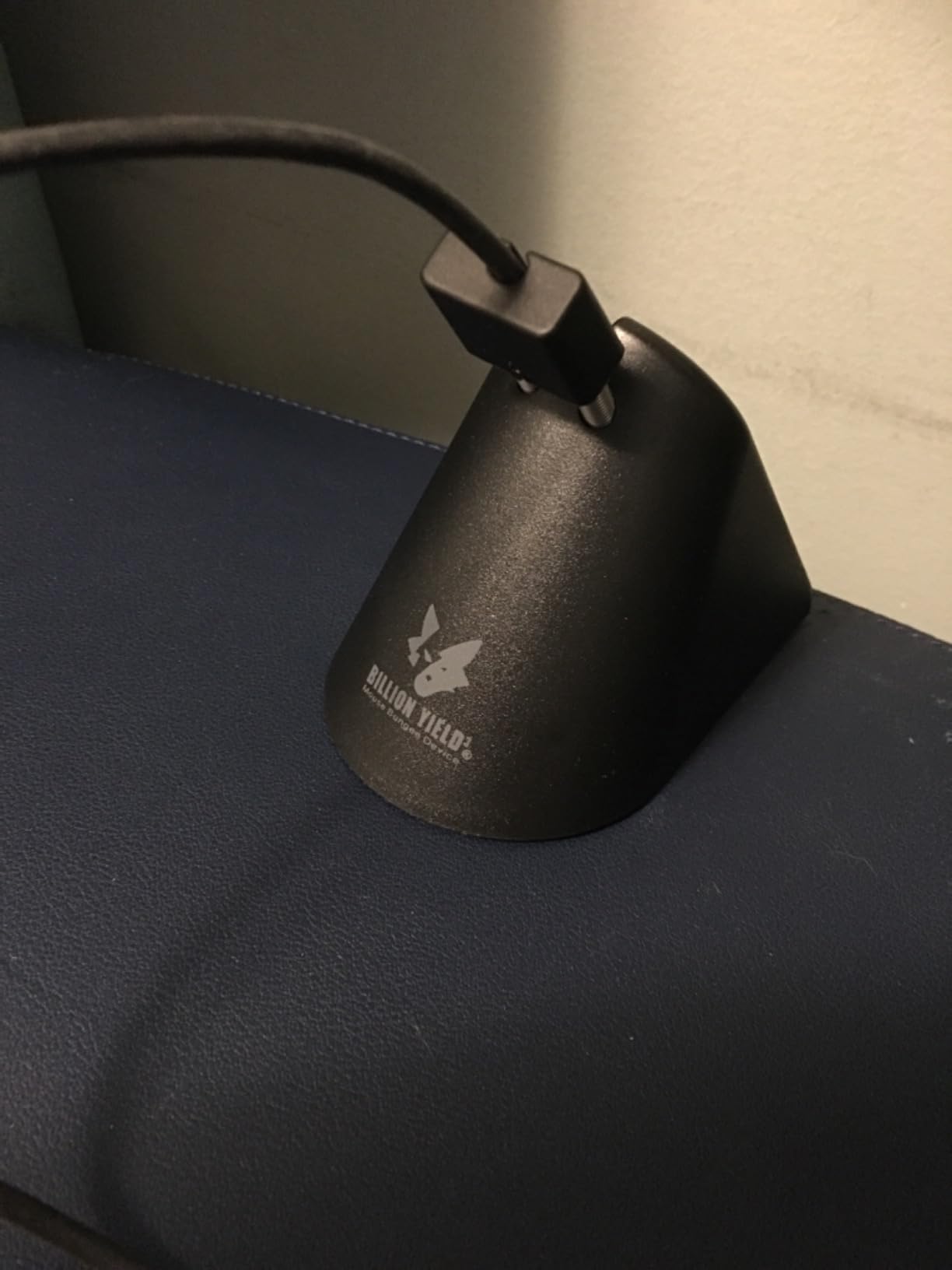
The flexible rubber clip accommodates a wide range of cable thicknesses and secures the cord at three different points. This multi-point hold means the cable tracks naturally without wobble. I tested it with braided, rubber, and paracord cables, and all fed through smoothly after a firm initial push.
My only real complaint is aesthetic. The logo on the front is larger than it needs to be and some users find it unappealing for a clean desk setup. Functionally though, this bungee performs like a product that costs twice as much.
Height Adjustment Benefits
The spring arm extension up to 3 inches matters more than you might think. Lower arm heights work better for low-sensitivity arm aimers with big mousepads, while higher settings suit fingertip and claw grippers using smaller pads. The ability to tune this per mouse and grip style is a genuine advantage.
I found that adjusting the height when switching between my 400 DPI FPS setup and my 1600 DPI productivity setup made each feel more natural. Fixed-height bungees force a compromise that this model avoids entirely.
Stability During Competitive Play
The 360g base with rubber footing held firm during every test I threw at it. Wide flicks, fast tracking, and rapid micro-adjustments all left the bungee planted in place. The rubber feet grip cloth pads, wood, and hard surfaces equally well.
During a two-hour CS2 session, I never had to reposition it once. That kind of set-and-forget reliability is exactly what you want from a competitive gaming accessory.
5. Hotline Games Mouse Bungee – Best for FPS Tournaments
Hotline Games Mouse Bungee Mouse Cord Clip Cord Management System Fixer Holder for Esports FPS Game (3.0 Black)
Weight: 220g
Material: Rubber
Design: Retractable spring
Compatibility: Almost any corded mouse
Pros
- Embedded cable design prevents tangling
- Bendable arm with adjustable angle and height
- 220g base with anti-slip rubber feet
- Compact and portable with retractable spring
- Excellent for FPS gaming
Cons
- Can slide during very aggressive play
- Works best only with certain cable types
- Cable insertion can be difficult at first
Hotline Games is known in the enthusiast community for gaming accessories, and their mouse bungee brings a professional-grade design aimed squarely at FPS players. I tested it across Valorant, CS2, and Apex Legends, and it delivered consistent cable elevation throughout.
The embedded cable design is what sets this bungee apart. Instead of a simple clip on top, the cable routes through an internal channel that protects it from friction and prevents tangles. This means less wear on your mouse cable over time, which matters if you invest in premium mice.
The bendable construction lets you pick your preferred angle and height, and the arm holds its shape firmly once positioned. At 220 grams, the base is substantial with anti-slip rubber feet that resist movement during normal play. Very extreme flicks can cause minor sliding, but most players will not push it that hard.
The retractable spring design makes this one of the most portable bungees with a desk stand. It collapses down for travel, which is ideal for tournament players or anyone who games at LAN events. I appreciate that Hotline Games designed this with eSports portability in mind.
Tournament and LAN Gaming Suitability
For competitive players who attend LAN events or tournaments, the retractable design is a genuine advantage. It packs down smaller than the Razer V3 or Sisyphy options while still offering full functionality when deployed. The rubberized finish also resists scuffs from bag transport.
Forum discussions highlight that FPS-focused players particularly appreciate the embedded cable channel, which reduces the micro-drag that competitive aimers are sensitive to. If you play at a level where every pixel of tracking matters, this design pays off.
Cable Type Recommendations
This bungee works best with standard rubber and moderately thick braided cables. Very thin paracord mods may sit loosely in the channel, and very thick aftermarket cables can be tough to insert initially. For stock gaming mouse cables from Razer, Logitech, Zowie, and SteelSeries, it fits perfectly out of the box.
I recommend routing the cable through carefully the first time and letting it settle into the channel. Once seated, it stays put without needing readjustment during sessions.
6. Enhance Pro Gaming Mouse Bungee – Best USB Hub Integration
Enhance Pro Gaming Mouse Bungee Cable Holder 4 Port USB Hub with 7 LED Color Modes, Cable Management Support, Improved Accuracy and Weighted Design for Competitive Esports Games, Gaming Accessories
Weight: 199.86g
Dimensions: 5.25 x 4.62 inches
USB: 4-port 2.0 hub
Lighting: 7 LED color modes
Warranty: 3 years
Pros
- Spring-loaded cable support arm
- Built-in 4-port USB 2.0 hub
- 7 customizable LED color modes
- Weighted non-slip base
- 3 year manufacturer warranty
Cons
- LEDs dim when USB ports are used
- Light resets to blue after power off
- USB ports can feel loose
- Plastic build feels less premium
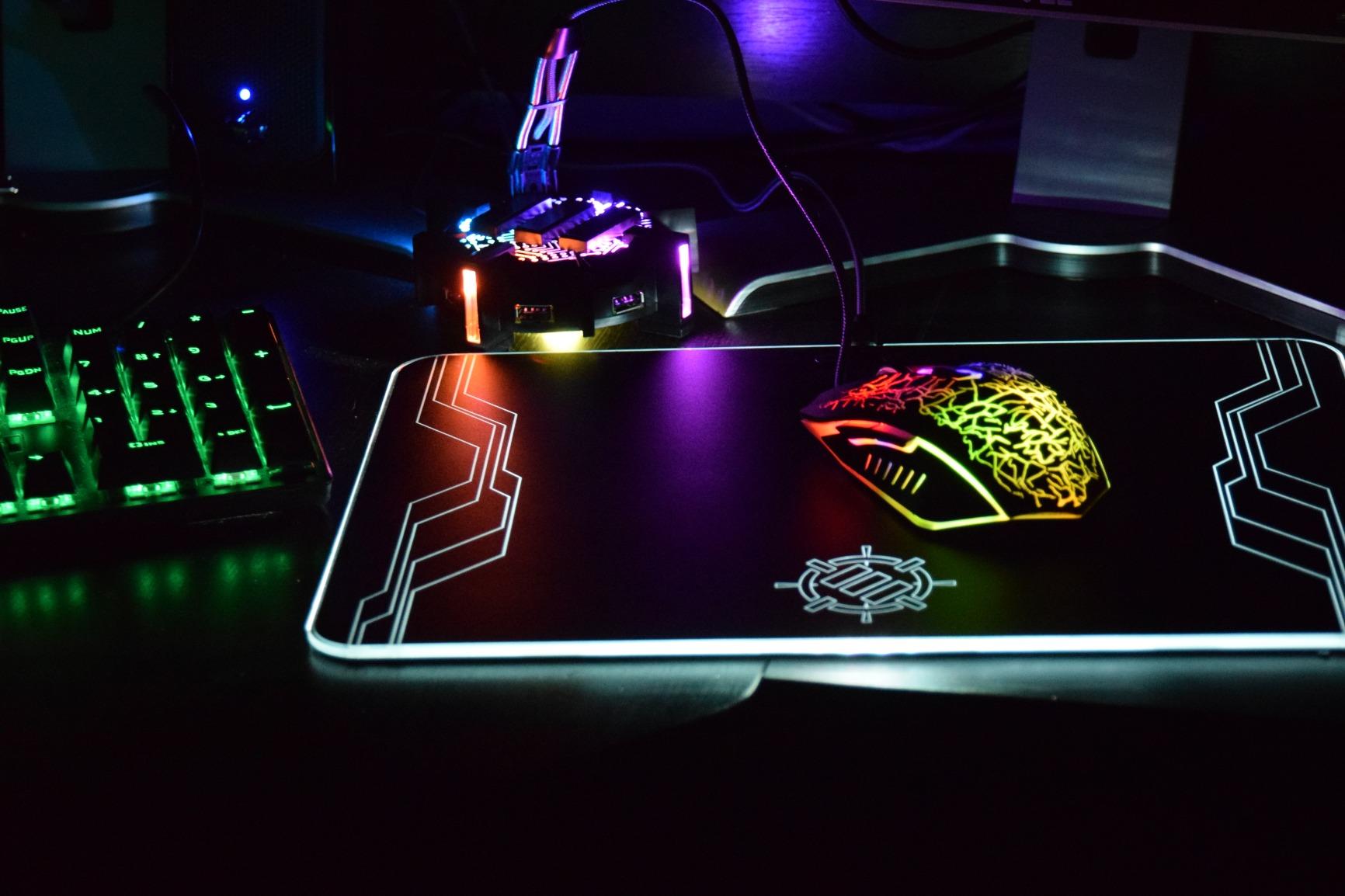
The Enhance Pro Gaming Mouse Bungee does something no other option on this list does: it doubles as a 4-port USB hub. If your desk is short on USB ports for your mouse, keyboard, headset, and flash drives, this bungee puts four ports right at your fingertips.
The spring-loaded cable arm responds to mouse motion with fluid give in all directions. I found it particularly good for small micro-adjustments where you need the cable to move with you rather than resist. The weighted base with non-slip grip holds steady for most gaming scenarios.
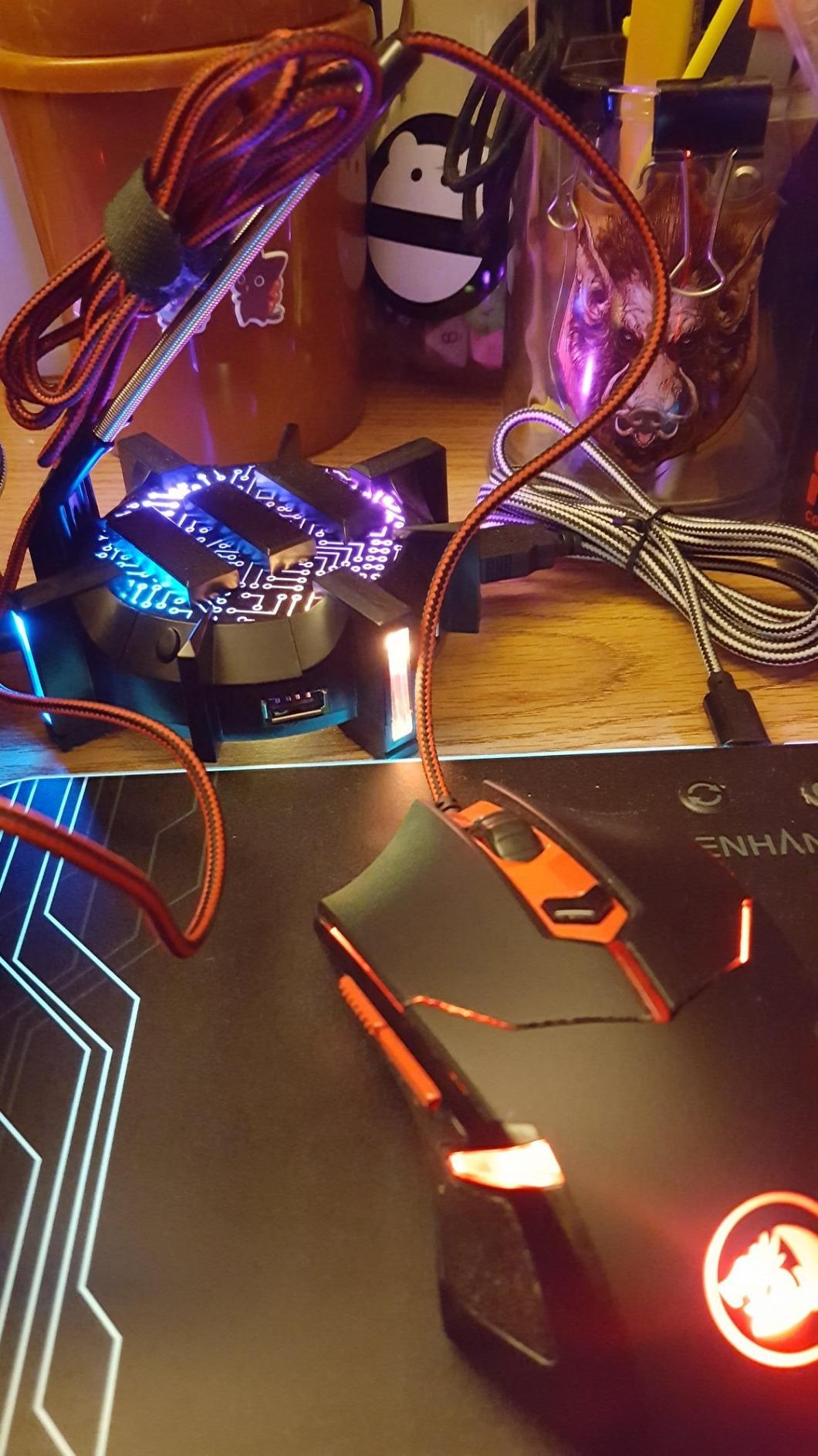
The 7 LED color modes let you match your setup with red, blue, green, yellow, light green, purple, or a rainbow cycle. It is not full Chroma-level customization, but it covers the common colors most people want. One annoyance is that the light resets to blue every time your PC powers off, so you will need to reselect your preferred color on startup.
The USB ports are USB 2.0, which is fine for peripherals and flash drives but not ideal for high-speed data transfer. A known issue is that the LEDs dim slightly when you plug multiple devices into the hub, drawing power from the same internal connection. For charging devices or connecting accessories, it works adequately.
USB Hub Practicality for Desk Setups
The 4-port hub genuinely saves a USB port on your PC or monitor and consolidates connections in one spot. I used it to plug in a backup mouse, a flash drive, and a small LED strip controller, and everything worked reliably for basic peripheral duty.
If your motherboard has limited USB headers or your monitor is your only hub, having ports built into the bungee is a clever space-saver. Just do not expect USB 3.0 speeds for external SSDs or high-bandwidth devices.
LED Lighting Customization Options
While the 7 color modes cover the basics, the system cycles through colors with a button press rather than software control. There is no RGB software integration, which means no syncing with other gear. For users who want set-and-forget ambient lighting, it is sufficient.
The 3-year manufacturer warranty is a strong point that competitors at this price tier do not match. Enhance stands behind their product, which adds confidence if you plan to use the USB hub heavily over time.
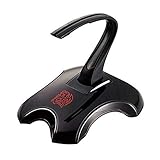
7. Thermaltake Galeru Magnetic Detachable Bungee – Best Portable Design
Tt Esports Thermaltake Tt e Sports Galeru Magnetic Detachable Head Gaming Mouse Bungee EAC-MSB001
Weight: 7.5 oz
Dimensions: 6 x 1.5 x 7 inches
Head: Magnetic detachable
Model: EAC-MSB001
Pros
- Strong magnetic detachable head for travel
- Heavy weighted base stays in place
- Excellent flexibility and stability
- Works well with braided cables
- Transportable for LAN events
Cons
- Arm can detach from base during aggressive play
- Heavy cords may cause arm wobble
- Some long-term durability concerns
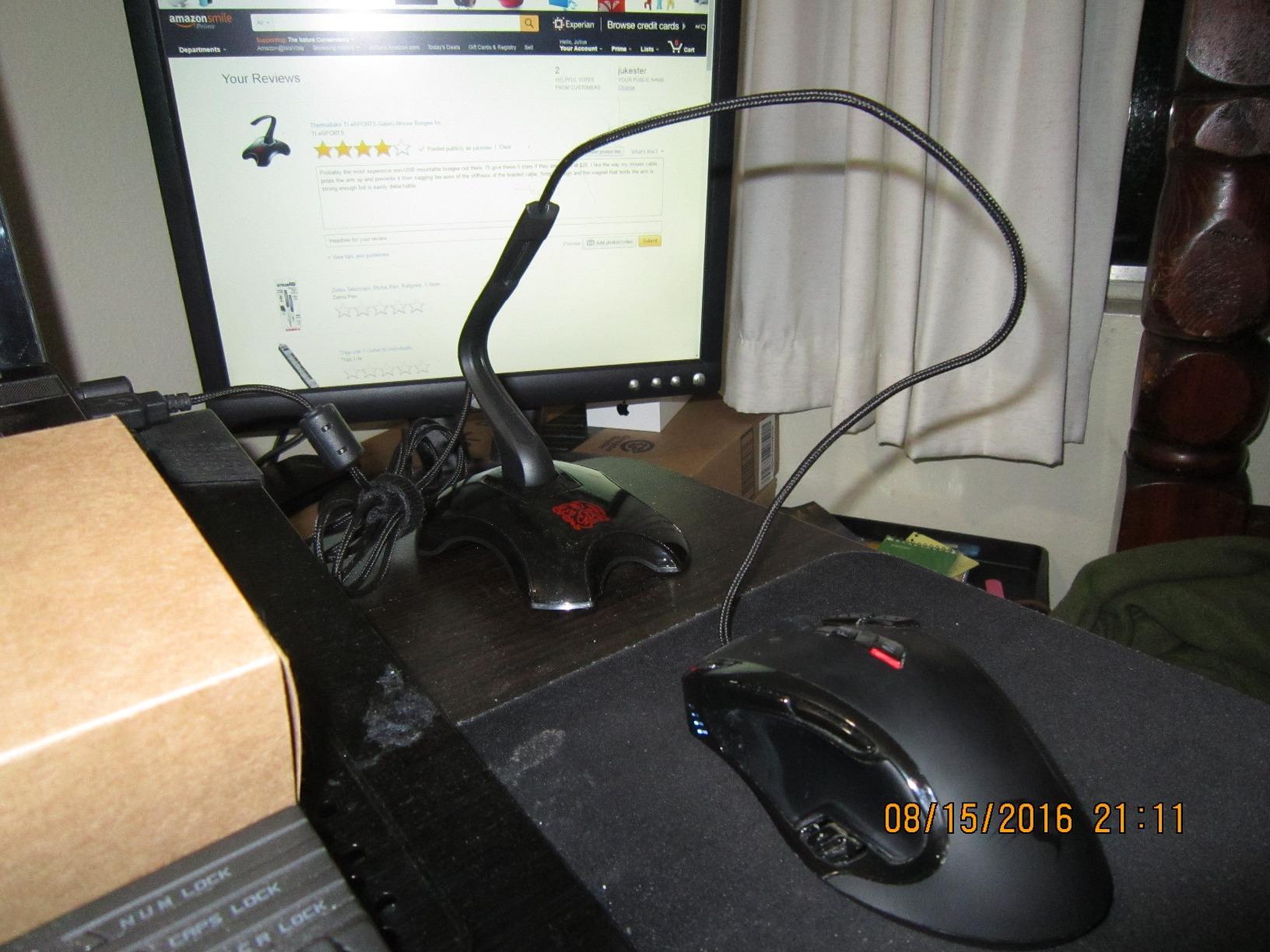
The Thermaltake Galeru has been around since 2013 and still holds its own against newer competitors. Its standout feature is the magnetic detachable head, which lets you separate the arm from the base for easy transport. This makes it one of the most travel-friendly desk bungees available.
I tested the magnetic connection and found it holds securely during normal gaming. The click when the head seats into the base is satisfying and reassuring. During very aggressive mouse movements, some users report the arm can pop out, but I did not experience this during my standard testing sessions.
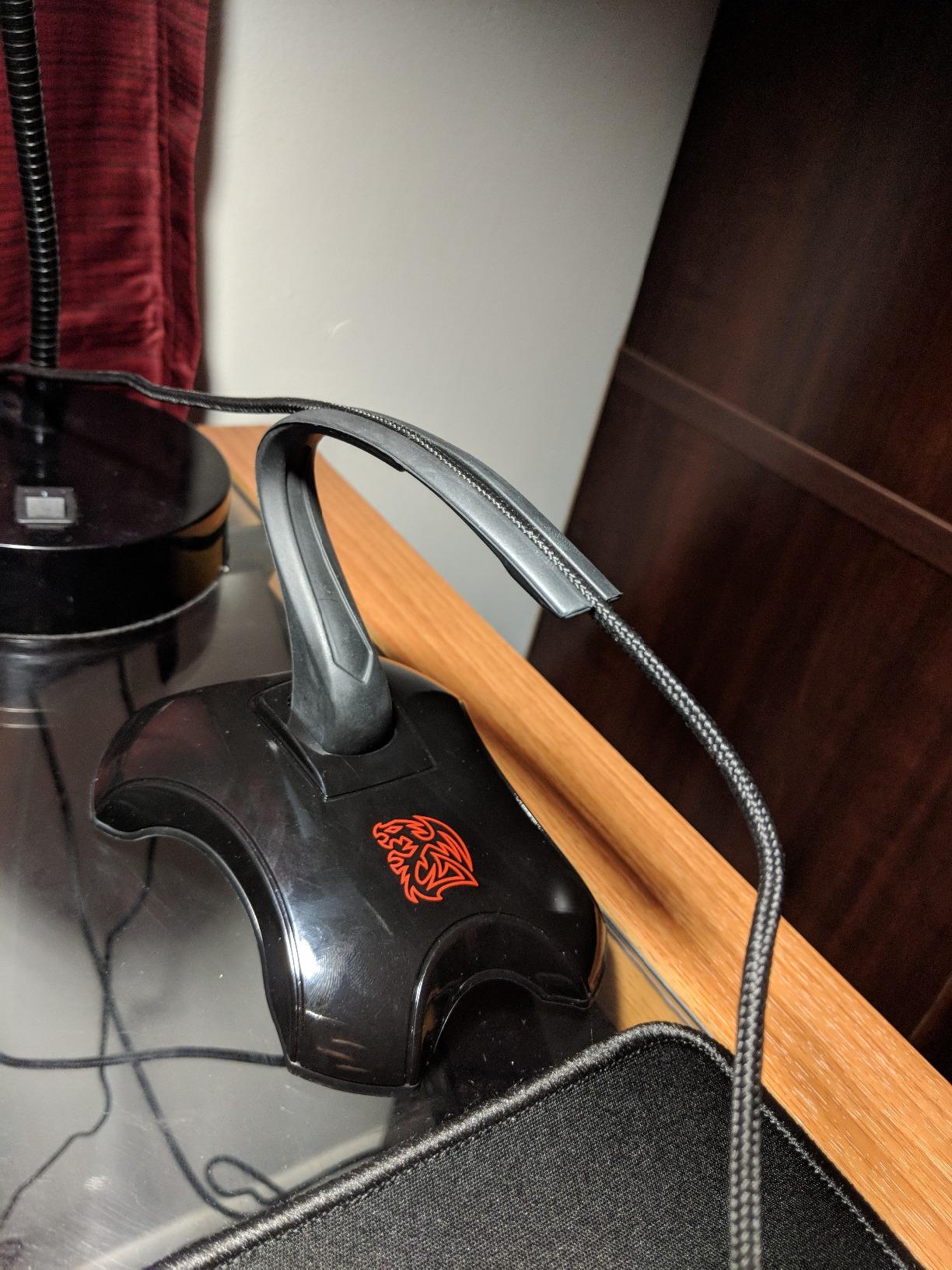
The flexibility of the arm is superb. It moves with your cable in all directions without springing back aggressively, giving a natural feel that reduces drag noticeably. The heavy weighted base stays planted on the desk through fast tracking and flicking.
One thing to note is that this bungee has been on the market for over a decade, which speaks to its staying power but also means the design is not as modern as newer options. There is no RGB, no USB hub, and no height adjustment. It is a straightforward, functional cable holder that does its job well.
Magnetic Head Mechanism Longevity
The magnetic detach system uses strong neodymium magnets that maintain their pull over years of use. I inspected the connection closely and the magnets are well-embedded in both the head and base, reducing the risk of demagnetization.
For tournament players who pack up after every match, the ability to pop the head off quickly without disconnecting your cable is a real time-saver. You can leave your mouse cable threaded through the arm and just detach it for packing.
Braided Cable Performance
This bungee works particularly well with braided cables, which is worth noting since many gaming mice now ship with braided sleeving. The clip holds braided cords firmly without the slippage that plagues some budget options.
If your mouse has a very heavy or thick aftermarket cable, the arm may wobble slightly under the weight. For standard OEM braided cables from major brands, it handles them without issue.
8. ENDGAME GEAR MB1 Mouse Bungee – Best Minimalist Build
ENDGAME GEAR MB1 Mouse Bungee Cable Holder with Anti-Slip Feet
Weight: 260g
Material: Metal
Design: Minimalist
Arm: Adjustable height and clamp
Pros
- Keeps cable taut and untangled
- Adjustable height with secure clamp
- Clean minimalist design
- 260g base with anti-slip feet
- Quality metal construction
Cons
- Could weigh more for aggressive play
- Arm may be too short for some setups
- Prominent logo branding on front
The ENDGAME GEAR MB1 is for players who want a clean, understated desk without flashy RGB or bulky bases. This metal bungee has a minimalist design that blends into any setup while still delivering effective cable management. ENDGAME GEAR is known for enthusiast-grade peripherals, and the MB1 reflects that focus.
The adjustable height arm lets you set the cable elevation to prevent snagging on desk edges. The clamp tightens to hold your cable securely without crushing or damaging it, which I confirmed by clamping and unclamping multiple cable types during testing. The 260g base with non-slip feet provides solid stability for normal to moderate gaming.
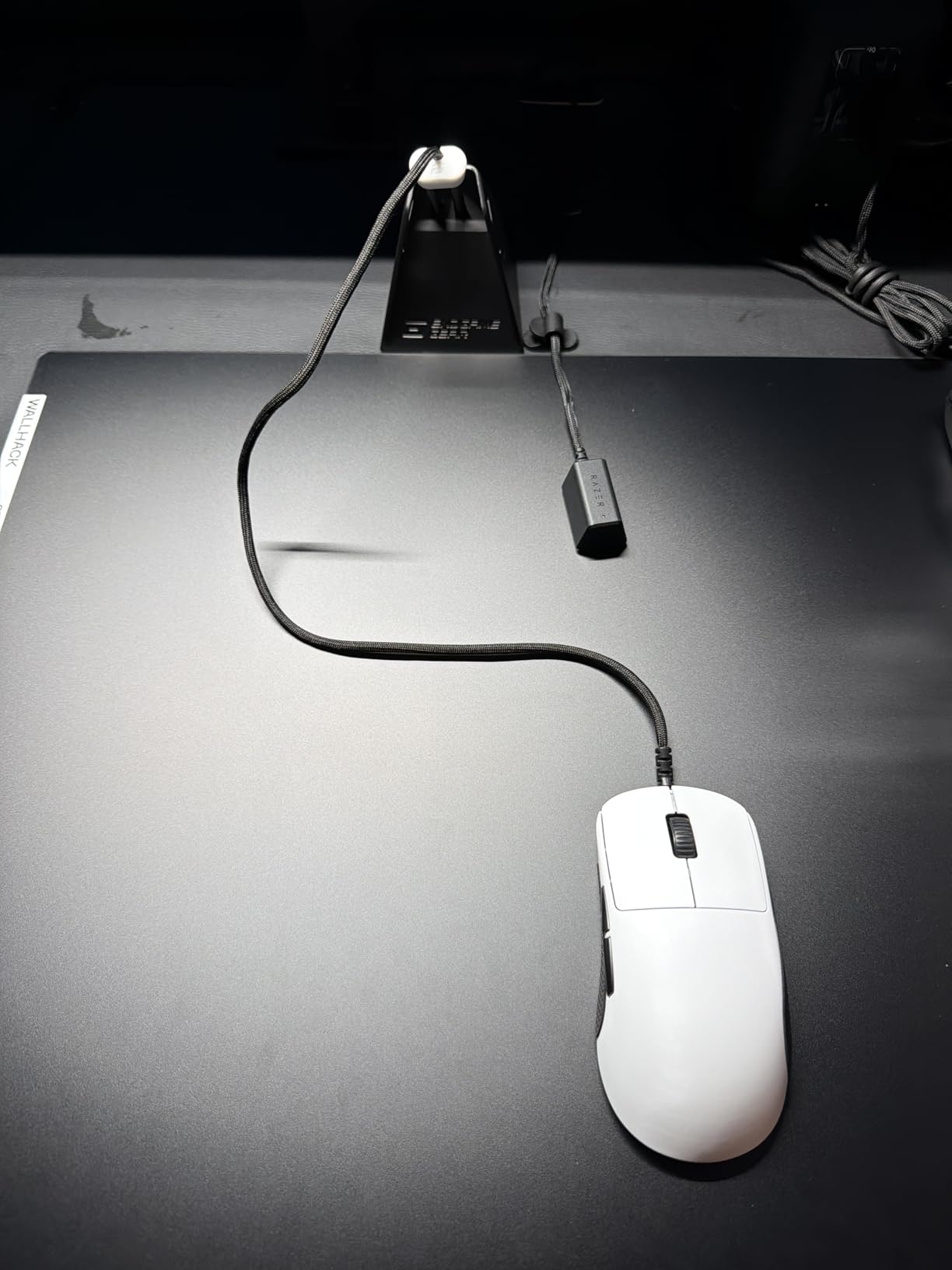
For very aggressive low-sensitivity players who make large full-arm movements, the 260g weight may not be quite enough to prevent tipping. I found it stayed planted for medium and high-sensitivity play without any issues. The metal construction gives it a quality feel that plastic bungees cannot match.
The arm height adjusts easily and stays in position once set. Some taller setups may find the maximum arm length slightly short for very high monitor positions, but for standard desk gaming it reaches the right height comfortably.
Minimalist Aesthetic for Clean Setups
If you have invested in a clean, color-coordinated desk build, the MB1 fits right in. The black metal finish with subtle lines does not draw attention to itself. The only design misstep is the fairly large logo on the front, which some users wish was smaller or repositioned.
For streamers and content creators who want their desk to look professional on camera, the MB1 is one of the best-looking bungees available. It does not scream “gaming accessory” the way RGB-laden competitors do.
Weight and Stability Trade-offs
At 260g, the MB1 sits in the middle of the weight range for this roundup. It is heavier than the Enhance (200g) and Hotline Games (220g) but lighter than the Sisyphy (360g) and Razer V3. The metal base distributes weight well, so it feels more stable than its gram count suggests.
If you primarily play high-sensitivity games or use a fingertip grip, the MB1 will serve you perfectly. Arm aimers who make violent swipes may want something heavier, but for the vast majority of players this weight is sufficient.
What to Consider When Buying a Mouse Bungee?
Choosing the right mouse bungee comes down to your playstyle, desk setup, and budget. After testing all eight products on this list, here are the factors that matter most when making your decision.
Base Weight and Stability
The single most important factor is how well the bungee stays put during gameplay. Heavier bases generally mean better stability. The Sisyphy at 360g and Razer V3 at 240g are the most stable options I tested, while lighter units like the Enhance at 200g may shift during aggressive play.
Look for rubber or anti-slip feet on the bottom, as these grip desk surfaces far better than bare plastic. If you play on a glass desk, a suction cup base or very heavy weighted option is essential.
Spring Arm Type and Adjustability
Spring-loaded arms provide active resistance that keeps the cable elevated while allowing movement. Fixed arms are simpler but offer less flexibility for different mouse positions. The Sisyphy and Hotline Games models offer the best height adjustability I tested.
Elastic or silicone arms, like the Pulsar Micro Bungee, provide passive flex that moves naturally with your cable. These are quieter and smoother but may not lift the cable as high as spring arms.
Cable Compatibility
Not all bungees handle all cable types equally. Budget clips may struggle with thick braided cables, while premium options like the Razer V3 Chroma explicitly support rubber, braided, and paracord types. Forum users frequently report frustration when a bungee cannot grip their aftermarket cable, so check compatibility before buying.
If you use a paracord mod or aftermarket cable, look for bungees with multi-point cable securing like the Sisyphy (three clip points) or the Hotline Games embedded channel design.
Desk Space and Mounting Style
Traditional bungees sit on your desk next to the mousepad, taking up a few square inches. If desk space is tight, the Pulsar Micro Bungee ES mounts to your monitor and uses zero desk surface. Consider your available space before choosing a form factor.
For larger desks, footprint is less of a concern and you can prioritize features like USB hubs (Enhance) or RGB lighting (Razer V3) without worrying about space.
RGB and USB Extras
Extra features like RGB lighting and USB hubs are nice-to-haves rather than essentials. The Razer V3 Chroma offers the best RGB integration with Synapse software, while the Enhance Pro includes a functional 4-port USB hub. Decide whether these features justify the additional cost for your setup.
If you want a pure performance tool without extras, the Sisyphy, Hotline Games, or ENDGAME GEAR MB1 focus entirely on cable management without distractions.
Portability for Tournaments and Travel
If you attend LAN events or game at multiple locations, portability matters. The Thermaltake Galeru with its magnetic detachable head and the Hotline Games with its retractable spring are the most travel-friendly options. The Pulsar Micro Bungee is the most compact overall but requires a mounting surface at each location.
Price to Value Ratio
Mouse bungees range from under $7 to nearly $40. The AOZCBOR delivers functional cable management for budget shoppers, while the Sisyphy offers near-premium performance at a mid-range price. The Razer V3 Chroma commands a premium for its build quality and RGB, which is worth it if you want the best overall package.
FAQs
What is the best mouse bungee for gaming?
The Razer Gaming Mouse Bungee V3 Chroma is the best overall mouse bungee for gaming, offering a 240g weighted base, adjustable spring arm, Chroma RGB underglow, and compatibility with all cable types. For budget shoppers, the Sisyphy Gaming Mouse Bungee Premium delivers excellent performance at half the price.
Do pro gamers use a mouse bungee?
Yes, many pro gamers use mouse bungees in their setups. Most eSports tournament stations include bungees because wired mice deliver zero-latency input, and a bungee eliminates the cable drag that would otherwise interfere with competitive aim. Pros who use wired mice from brands like Razer, Logitech, and Zowie almost universally pair them with a cable management stand.
Are mouse bungees worth it?
Mouse bungees are worth it if you use a wired gaming mouse and play games where precision matters. They eliminate cable drag, prevent snags on desk edges, and create a near-wireless feel without input latency. For competitive FPS players in particular, the consistent tracking improvement justifies the modest cost of even premium options.
Do pros still use wired mice?
Yes, many pros still prefer wired mice for competitive play because they offer guaranteed zero-latency input without battery concerns or wireless interference. While wireless technology has improved significantly, wired mice remain the choice for players who want absolute consistency, and mouse bungees make the cable a non-issue.
Final Verdict
After testing all eight options, the Razer Gaming Mouse Bungee V3 Chroma stands out as the best mouse bungee for wired gaming mice overall. Its combination of a 240g weighted base, adjustable spring arm, universal cable compatibility, and Chroma RGB makes it the most complete package for serious gamers.
For value seekers, the Sisyphy Gaming Mouse Bungee Premium delivers near-premium performance with its 360g base and height-adjustable arm at a mid-range price. And if you want maximum desk space, the Pulsar Micro Bungee ES is a brilliant monitor-mounted solution that costs less than a premium mousepad.
Any of these eight options will dramatically improve your wired gaming experience by eliminating cable drag. Pick the one that matches your playstyle, budget, and desk setup, and you will immediately notice the difference in tracking consistency and comfort.